There is a shift happening in how B2B teams think about outbound.
For years, the question was "how do I write better cold emails?" Now the question is, "Why am I still writing cold emails at all?"
Founders and SDR teams who have made this shift are not spending time on sequences anymore. They are having conversations.
They just define who they want to reach, set the parameters, and let AI handle the rest, the writing, the timing, the follow-ups, the inbox management.
The ones still doing it manually are not losing because their emails are worse. They are losing because the volume gap is widening every month.
AI email assistants take the execution off your plate, the writing, the timing, and the follow-ups. Your team only touches a conversation when a human is actually needed.
In this guide, I'll walk you through 10 AI email assistants I analyzed recently.
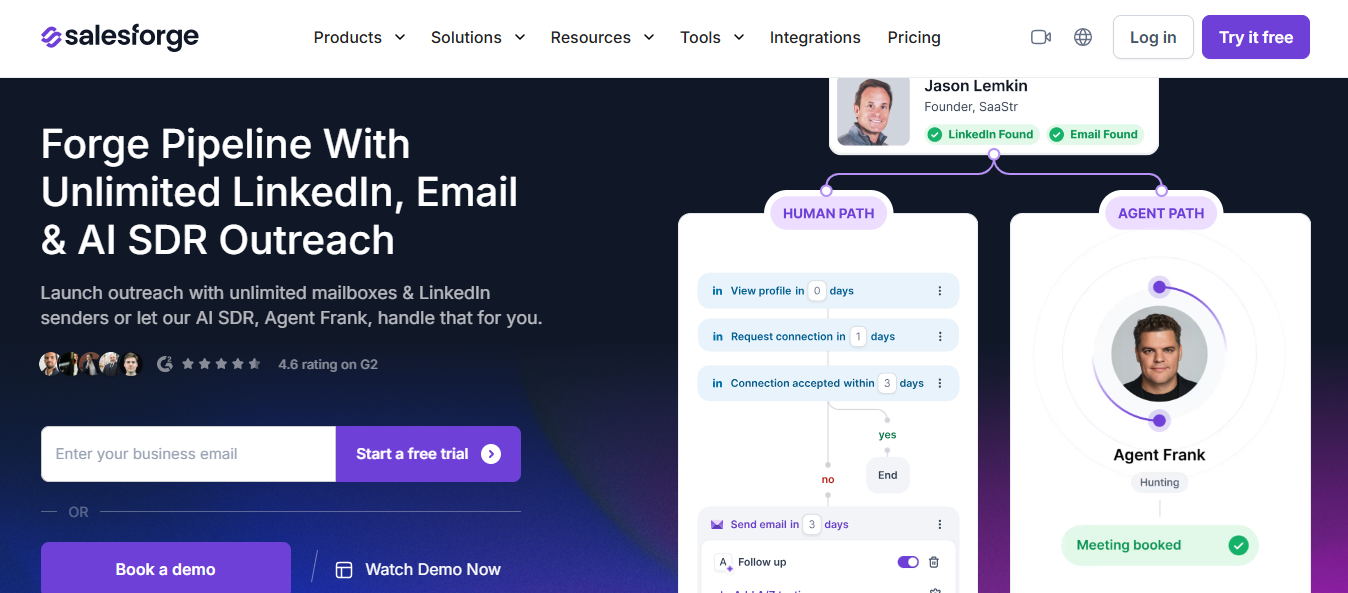
When a prospect replies with interest, the reply lands in Primebox, Salesforge's unified inbox that pulls all email and LinkedIn responses into one place, and your rep takes over from there.
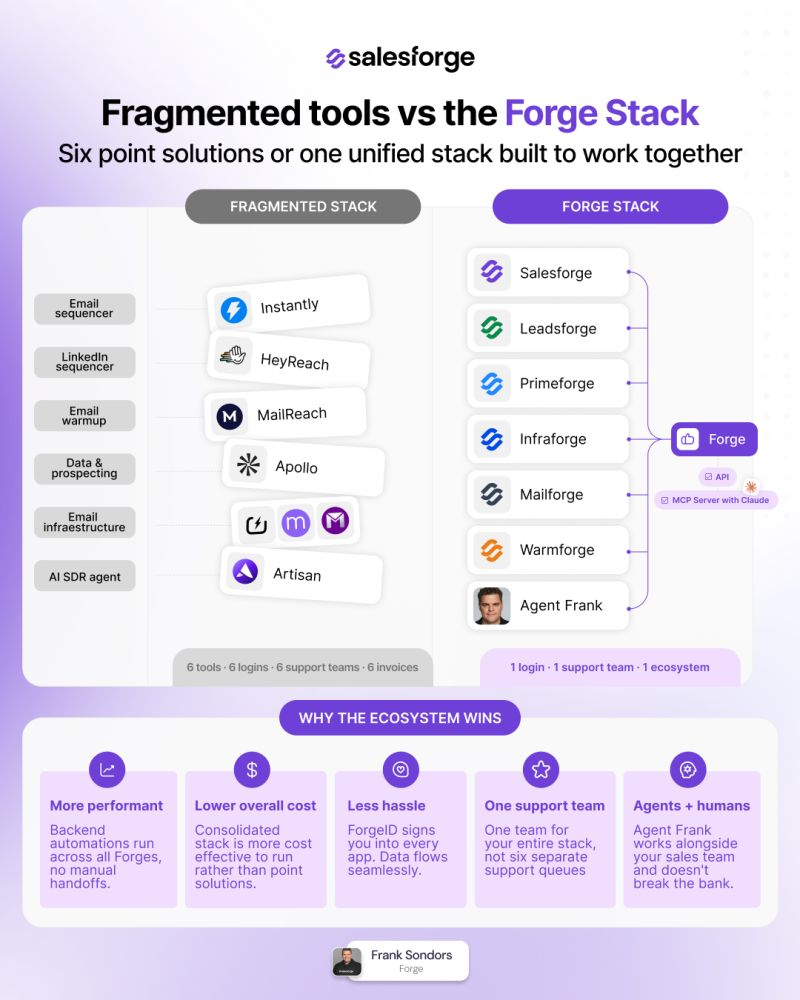
To put it simply, Salesforge consolidates the entire outbound stack into one place. No six logins, six invoices, six support teams.
This image shows the Salesforge Consolidated Outbound Stack
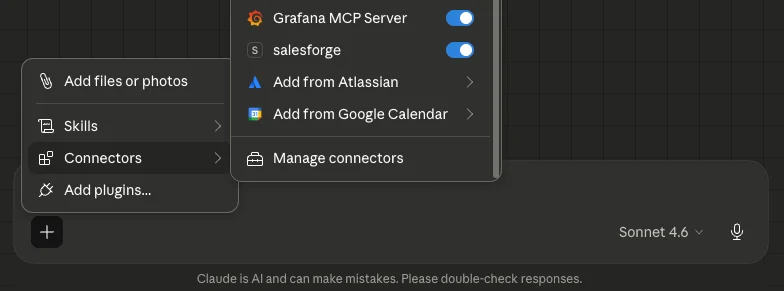
That's not all, the latest addition to Salesforge’s stack is the MCP Server.
It connects the entire Salesforge product suite to any AI assistant that supports the Model Context Protocol — including Claude, Cursor, and Windsurf.
Once connected, you can manage your outreach workflow through natural conversation.
Just ask your AI assistant to list workspaces, create contacts, launch sequences, check analytics, or pull warmup stats — all without opening a separate dashboard.
The MCP server supports all Forge products through a single endpoint, and your API key stays on your machine.
This means the Forge stack does not just run outbound — it now talks directly to the AI tools your team already uses.
Key Features of Salesforge
Unlimited mailboxes and LinkedIn senders with no seat-based limits
ESP matching that route sends through the right email provider automatically
A/Z testing across more than two message or subject line variants
ICP-based continuous prospecting that finds and processes new contacts around the clock
Forge’s MCP Server that connects the full Salesforge suite to Claude, Cursor, and Windsurf via a single endpoint
Built-in warmup via Warmforge (Salesforge's email warming tool) that runs automatically in the background
Pros and Cons
Pros
Cons
Agent Frank writes a different email per prospect, not a variant of the same template
Forge MCP Server connects the full stack to Claude, Cursor, and Windsurf via natural language
Clay integration pulls enriched lead data directly into Salesforge sequences for email and LinkedIn outreach
AI writes outreach in 20+ languages without a translation tool
ESP matching routes each send through the right provider automatically
Knowledge Base needs detailed inputs — thin inputs produce generic email output
ICP filters need to be well-defined; vague ICPs produce weak contact matches
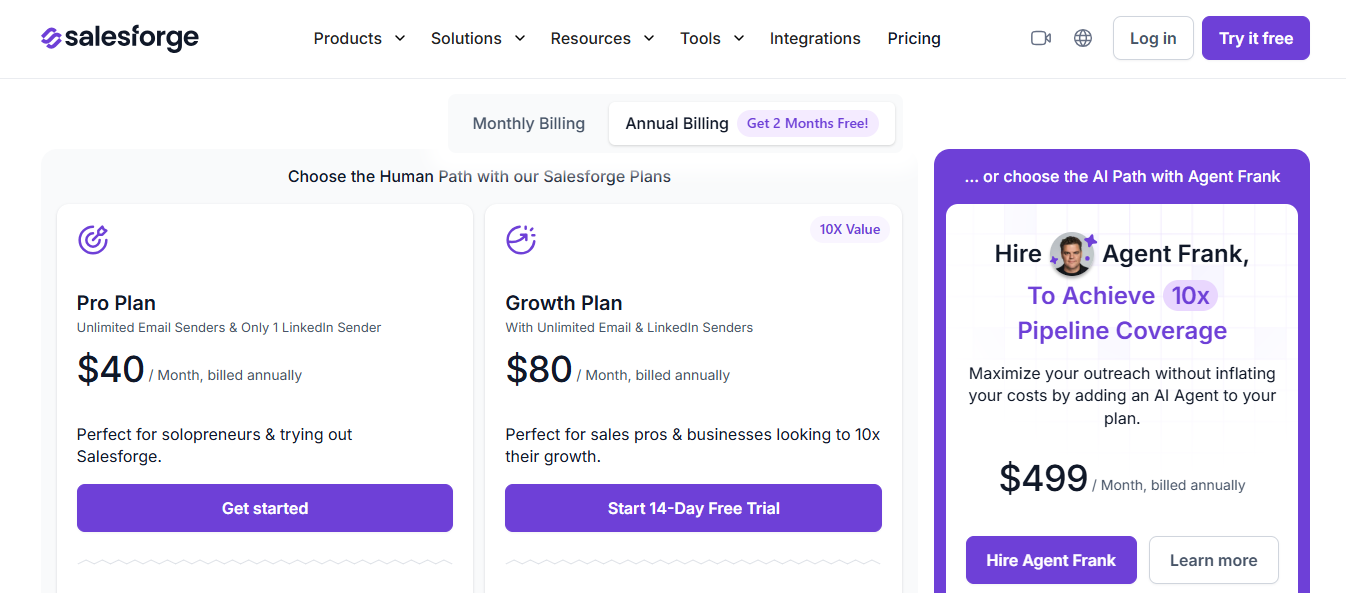
The Pro and Growth plans cover the core outreach platform. Agent Frank is a separate add-on for teams that want fully autonomous prospecting and outreach without rep involvement at each step.
Personalized Outbound Strategy
Get The Right Outbound Strategy In Minutes
Enter your email to get a custom plan & stack recommendation for your
business
It's being carefully crafted by AI
Please check your mailbox in 5 minutes
2. Instantly AI
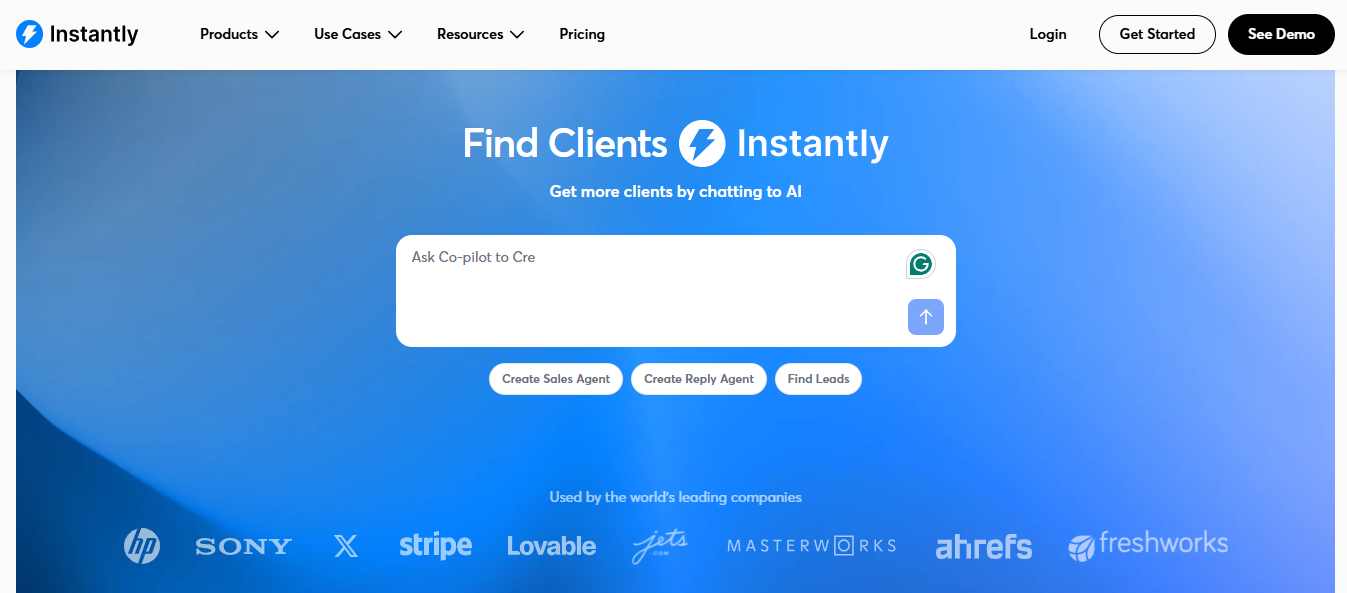
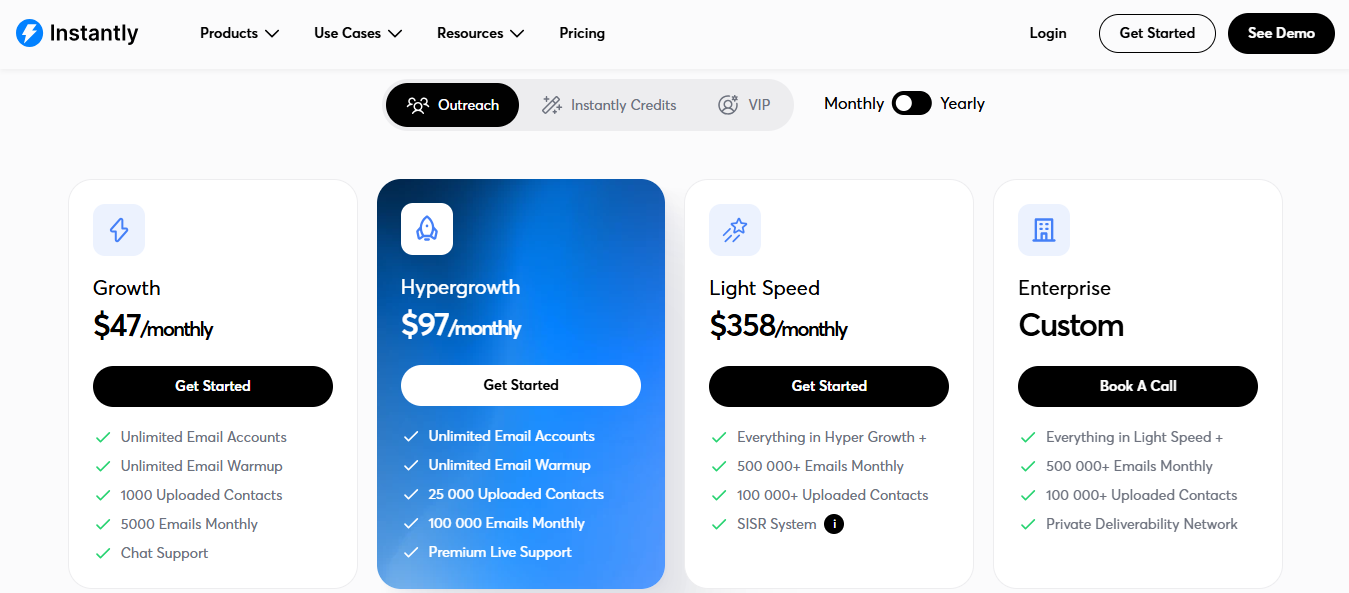
This image shows the Instantly AI Homepage
Outbound teams spend hours setting up campaigns. They write sequences, find leads, schedule sends, and check analytics across separate tabs.
It then generates a full multi-step sequence using AI from your ICP and offers it in one click.
Before sending, it checks your contact list for risky or low-quality contacts that could hurt your deliverability.
And accordingly adjusts the tone of each email based on the prospect's profile and behavior signals — so a VP of Sales gets a different message style than a founder at a 10 person startup.
Segment Builder filtering leads by job title, industry, company size, and intent signals
Clean Data Detection identifies low-quality or risky contacts before sending
AI Prompts Library with handpicked prompts for targeting, writing, and reply handling
Multi-channel sequences combining email, LinkedIn, and phone steps in one flow
A/B Testing across subject lines, email copy, and CTAs
Pros and Cons
Pros
Cons
AI writes a unique opening line per prospect from live data
Clean Data Detection removes risky contacts before sequences run
Voice Tuning adjusts message tone per prospect automatically
Personalization drops when prospect LinkedIn profiles are incomplete
Voice Tuning is profile-based, not real-time behavior-based
Broad ICPs produce generic sequences
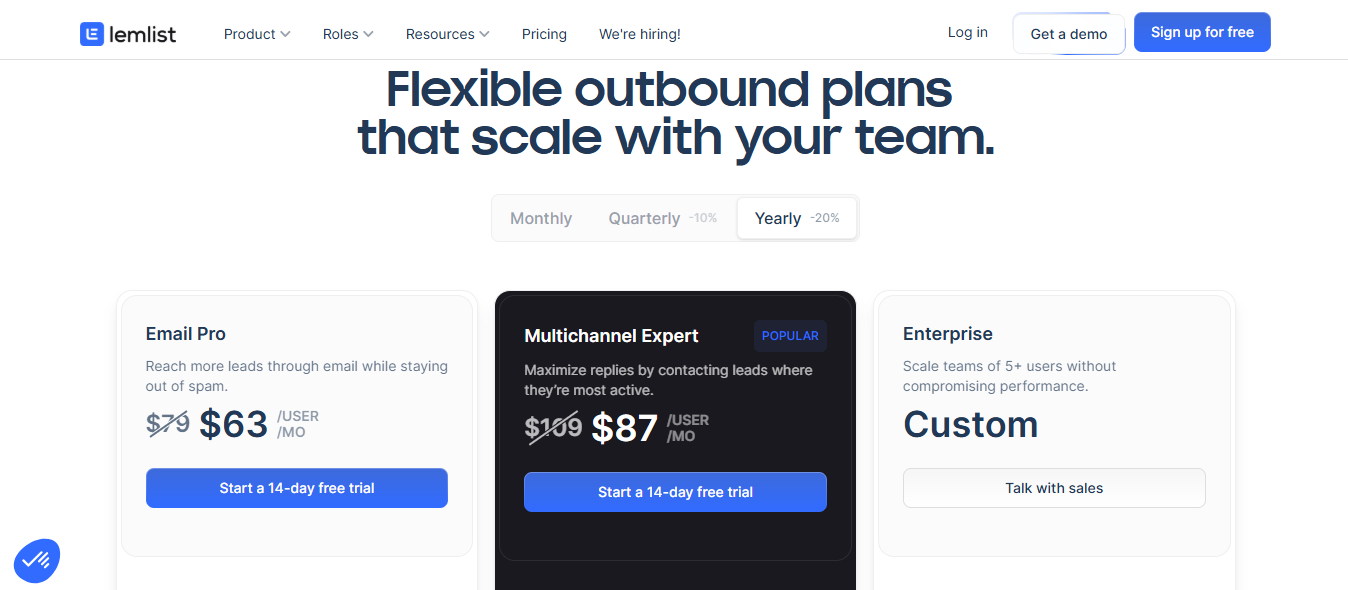
Lemlist Pricing
This image shows the Lemlist Pricing
Free trial available
Email only: starts at $39/month
Multi-channel (email + LinkedIn + phone): starts at $82/month
Enterprise: custom pricing for larger teams
4. Reply io
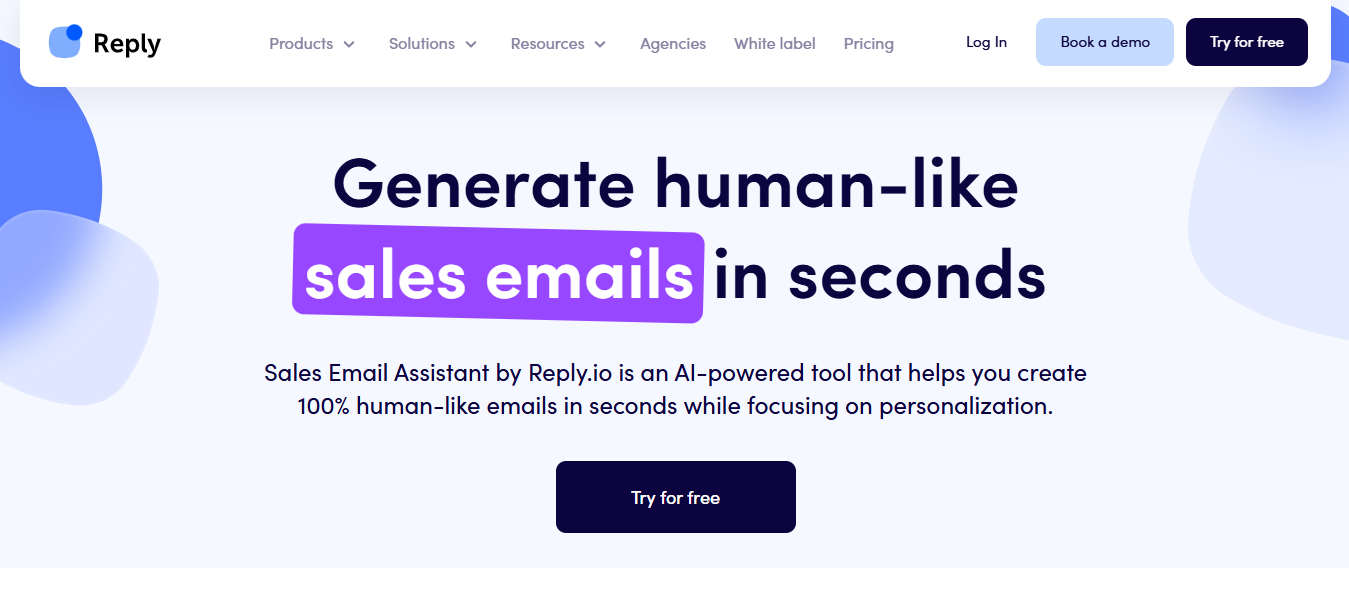
This image shows the Reply io Homepage
The harder part about cold outreach is what happens after — sorting replies, handling objections, booking calls, and keeping track of who said what across dozens of active conversations.
Reply.io is an AI email assistant that covers both sides of that equation.
It sends outbound sequences and then helps your team manage what comes back, across email, LinkedIn, WhatsApp, calls, and SMS.
The AI handles writing, personalization, and automates follow-ups on the way out — and on the way in, it reads replies, categorizes them by intent, and suggests responses your reps can send in one click.
Agency plan available for teams managing multiple client accounts
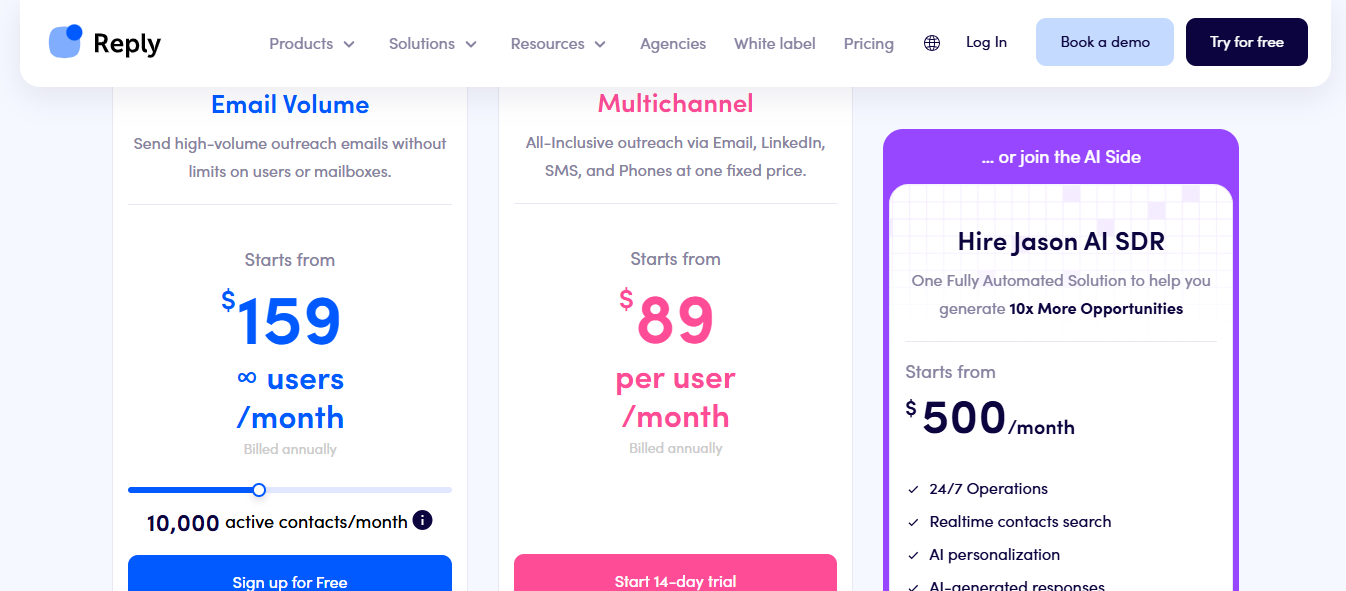
Jason AI is available as an add-on on higher-tier plans
5. Smartlead AI
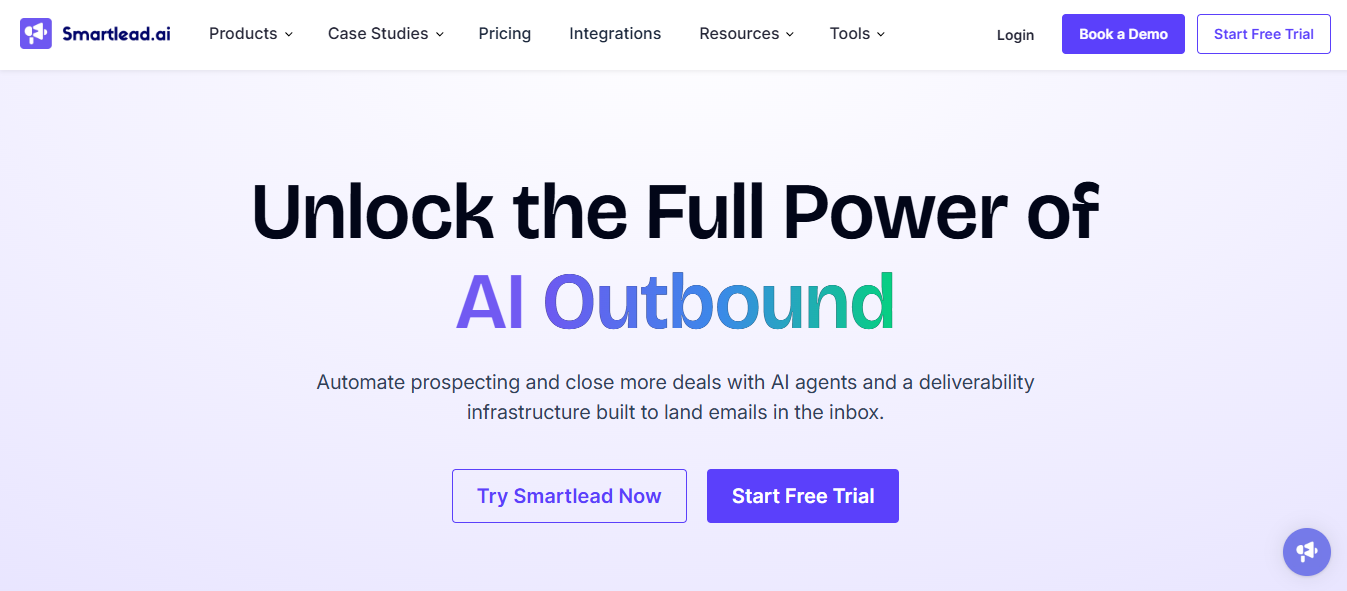
This image shows the Smartlead AI Homepage
Sorting through hundreds of emails, deciding how to respond, and manually keeping your CRM updated eat up hours every week — hours that should go toward actual selling.
For high-volume outbound teams, that reply backlog is where warm leads go cold.
Its AI runs multi-step sequences in the background, reads every incoming reply, tags it by intent, and fires back a context-aware response — without a rep touching it.
Your CRM updates automatically, so your team only steps in when a prospect is ready to talk.
CRM logging dropped to zero minutes.
Key Features of Smartlead AI
AI reply tags every incoming reply: interested, objection, out of office, follow-up, or unsubscribe
Custom AI training via your ChatGPT-4 API key with your own categorization prompts
Master Inbox 3.0 with real-time reply updates, task notes, custom views, and team assignment
CRM auto-sync that logs every reply, category, and action without manual entry
Verified prospect emails included free from Smart plan onwards — up to 170K/month
Pros and Cons of Smartlead AI
Pros
Cons
Reply categorization runs automatically without manual input
CRM logging happens in the background — zero manual entry per reply
Handles the full reply workflow: reads, categorizes, responds, and schedules follow-ups
Custom AI categorization requires your own ChatGPT-4 API key to set up
LinkedIn outreach is not natively built in — email only
Out-of-the-box categorization accuracy improves only after custom prompt training
Smartlead AI Pricing
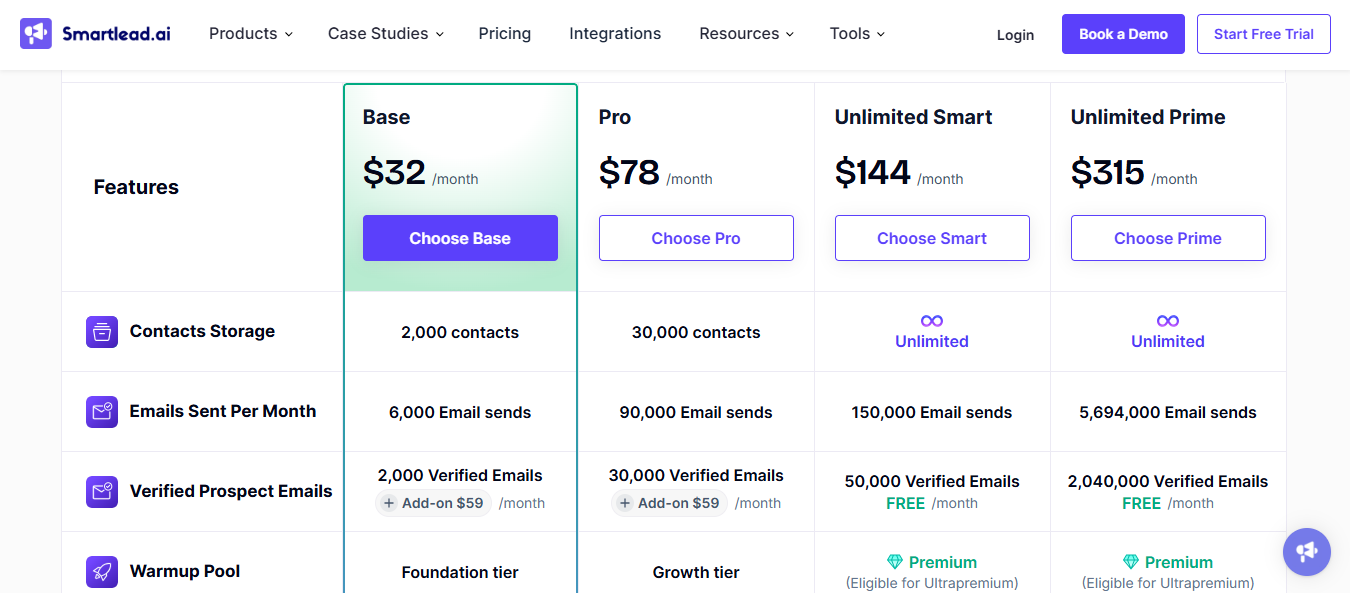
This image shows the Smartlead AI Pricing
Base — $39/month (monthly) or $32/month (yearly)
Pro — $94/month (monthly) or $78/month (yearly)
Unlimited Smart — $174/month (monthly) or $144/month (yearly)
Unlimited Prime — $379/month (monthly) or $315/month (yearly)
6. Shortwave
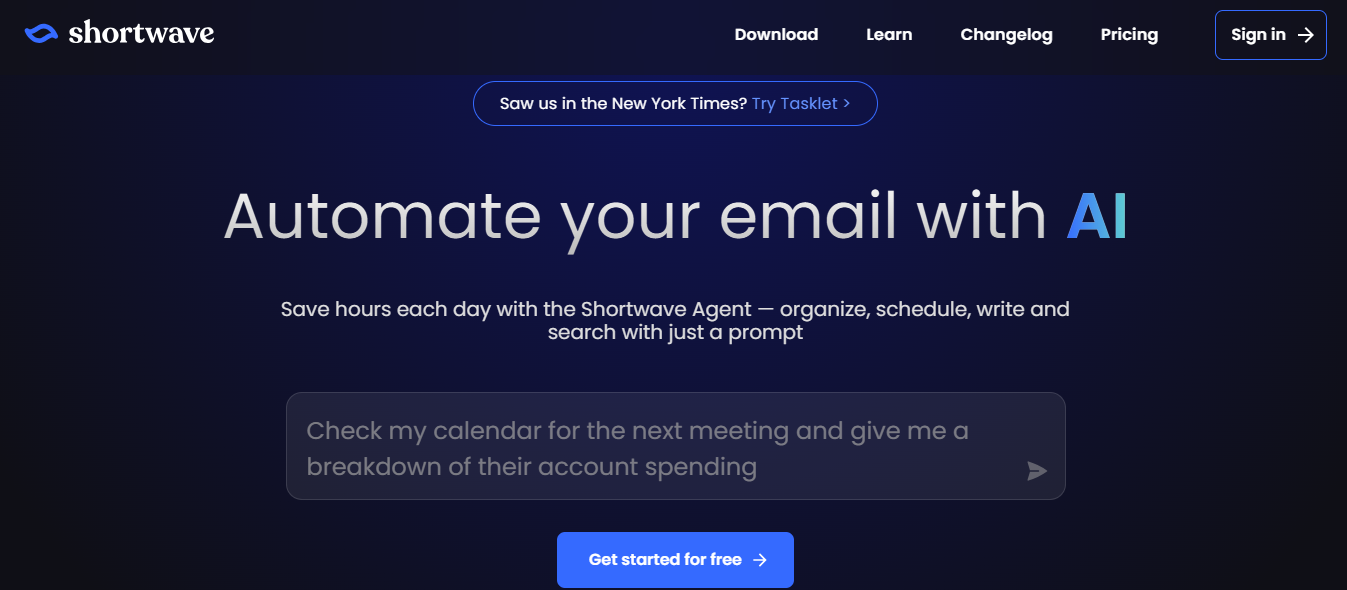
This image shows the Shortwave Homepage
Shortwave is an AI email assistant that sits inside your inbox and handles the organizational work for you.
It reads your emails, learns how you write, and automates the tasks that eat up your time — sorting, searching, scheduling, drafting, and collaborating — without you leaving your inbox.
The AI assistant inside Shortwave is called the Shortwave Agent. You open it with a keyboard shortcut and talk to it like a colleague.
Just type "what are the most important emails in my inbox today," and it tells you. Type "find emails from customers in December and give me a bulleted list of positive quotes," and it does that too.
Shortwave learns your writing style from your past sent emails to write emails that sound like you wrote them, not like an AI template.
Key Features of Shortwave
AI inbox organizer identifies priority emails and suggests actions like archiving, labeling, or deleting in one click
AI filters written in plain English automatically label, star, or archive emails based on rules you define
Integrations with Slack, Notion, Asana, HubSpot, Linear, and Zapier
Tasklet runs 24/7, drafts replies while you sleep, and connects to 3,000+ apps
Team collaboration with shared threads, private comments, email assignment, and shared labels
Pros and Cons of Shortwave
Pros
Cons
Ghostwriter learns your actual writing style — replies don't sound templated
Tasklet runs automations around the clock without you being logged in
AI search answers contextual questions directly from your email history
Focused on inbox management, not outbound cold email sequences
Learning curve for teams switching from standard email clients
Works with Gmail only — not compatible with Outlook or other email providers
Shortwave Pricing
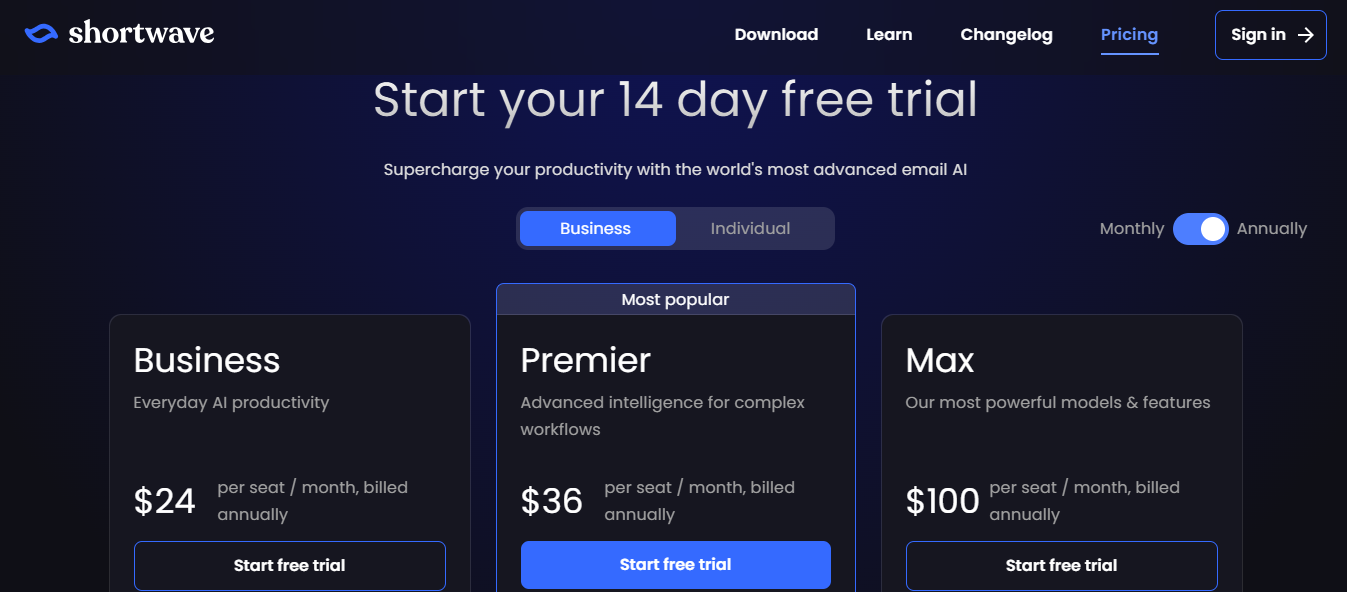
This image shows the Shortwave Pricing
Individual Free — free forever
Individual Pro — $18/month per seat
Business — $30/month per seat (monthly) or $24/month per seat (annually)
Premier — $45/month per seat (monthly) or $36/month per seat (annually)
Max — $120/month per seat (monthly) or $100/month per seat (annually)
7. Superhuman
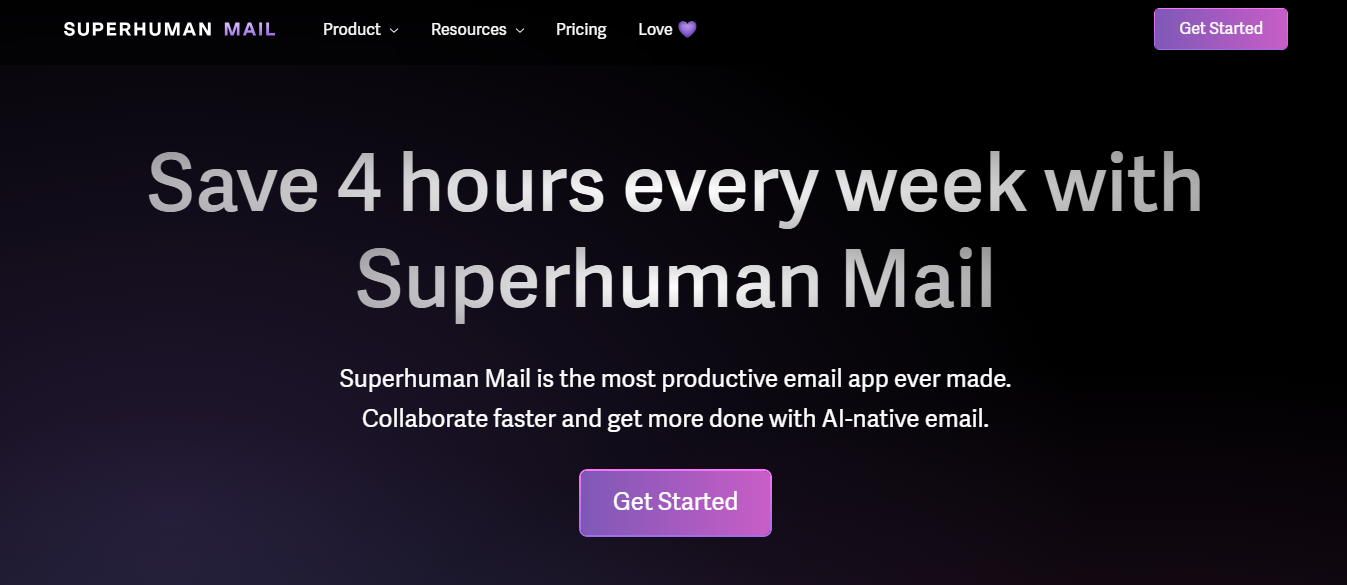
This image shows the Superhuman Homepage
Superhuman is an AI email assistant that runs on top of Gmail and Outlook and focuses on one outcome: getting your team to inbox zero faster and keeping them there.
The AI assistant feature is called Ask AI, available on Business and Enterprise plans.
You open it with a keyboard shortcut and ask it anything across email, calendar, and the web in plain language.
"Summarize each company I'm meeting today," "Find emails from customers in December and give me a list of positive quotes."
It pulls from up to five years of email history, combines that with your calendar, and searches the web — all from one prompt.
Instant Reply shows three AI-drafted responses at the bottom of every email for one-tap sending
Write with Voice converts spoken input into a polished draft
Calendar integration creates events, checks availability, and drafts scheduling emails from inside the inbox
Read statuses show when a recipient opened your email, how many times, and from which device
HubSpot and Salesforce integration on Business plan and above
Pros and Cons of Superhuman
Pros
Cons
Ask AI searches five years of email history, combined with calendar and live web data
Instant Reply reduces routine response time to seconds with three pre-drafted options
Write with Voice works in multiple languages without exact dictation
Per-seat pricing at $30–$40/month positions it as one of the higher-cost options on this list
Independent testing measured 38% time savings, not the four hours per week marketed
No cold outreach sequences — Superhuman manages existing inbox, not outbound campaigns
Superhuman Pricing
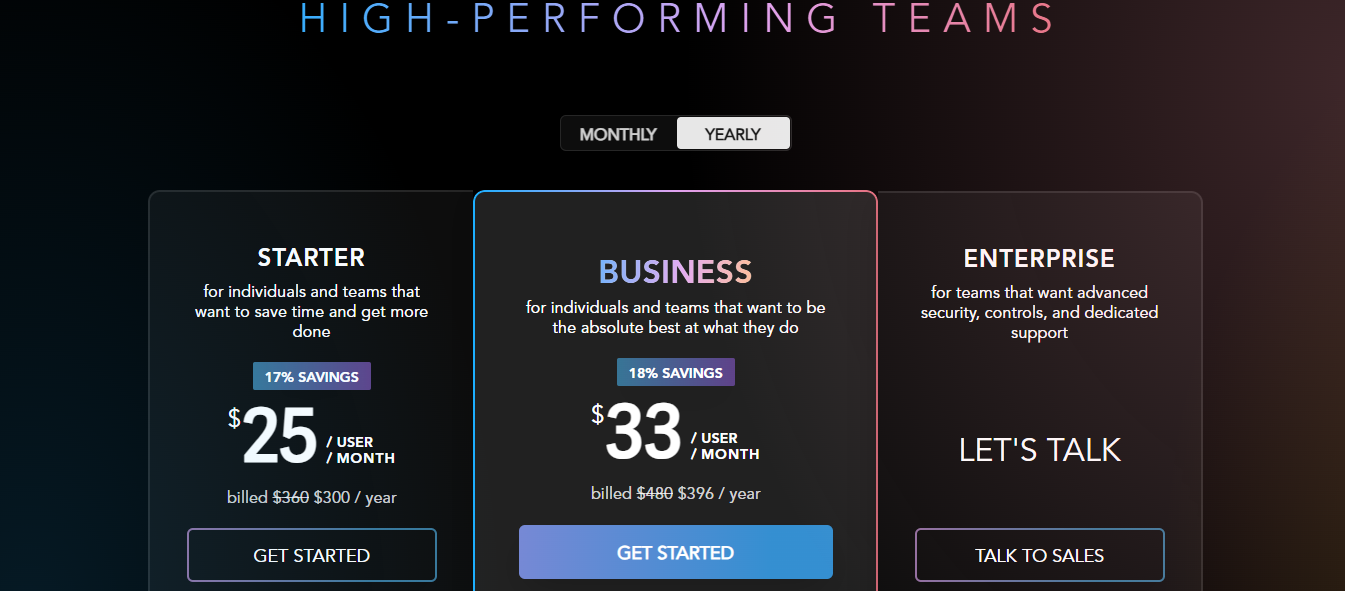
This image shows the Superhuman Pricing
Starter — $30/user/month (monthly) or $25/user/month (yearly, billed $300/year)
Business — $40/user/month (monthly) or $33/user/month (yearly, billed $396/year)
Enterprise — custom pricing
8. Missive
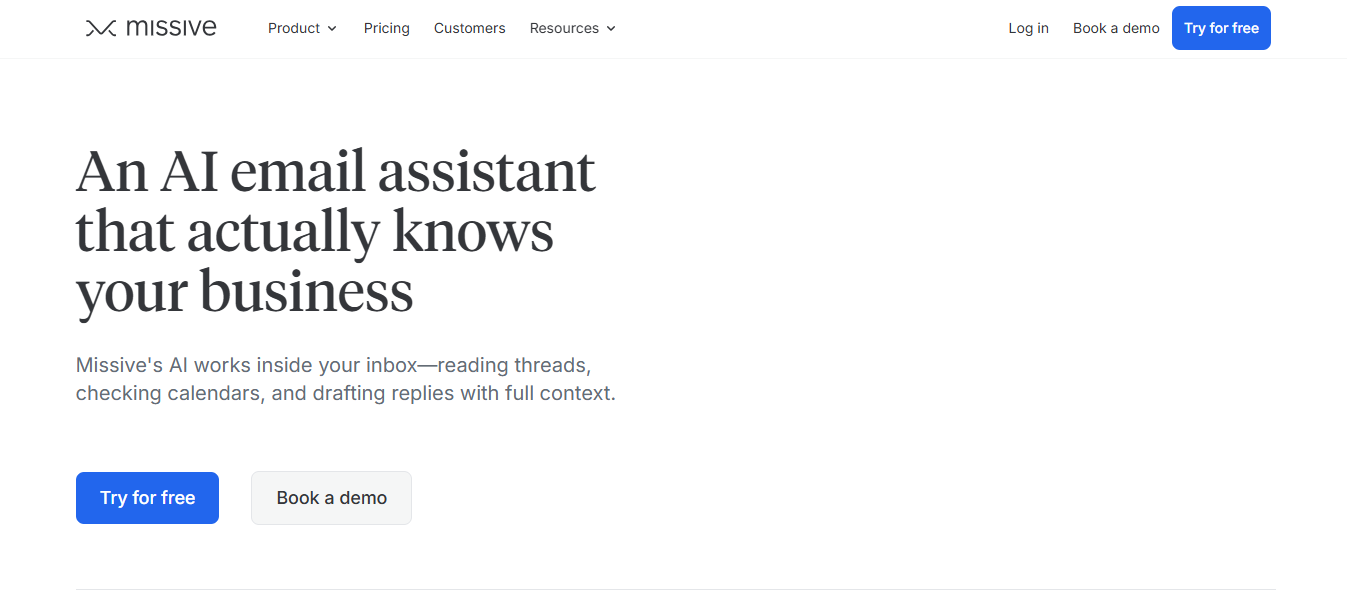
This image shows the Missive Homepage
Missive is an AI email assistant that lets your whole team see the same threads, assigns ownership, leaves private comments, and uses AI to draft replies without leaving the conversation.
You bring your own API key from OpenAI, Anthropic, or Google Gemini — Missive does not charge extra for AI features.
Once connected, the assistant reads the full conversation thread — every email, internal chat message, and note — and drafts replies from that context.
You can also attach your calendar, canned responses, contacts, and specific past conversations using the @ menu, giving the AI exactly the data it needs before it writes anything.
Beyond the conversational assistant, Missive has three more AI layers. Prompts are one-click reusable actions — fix grammar, translate, summarize, draft a billing reply from your FAQ.
Key Features of Missive
Bring-your-own-key model — connect OpenAI, Anthropic Claude, or Google Gemini
AI Rules trigger automatically on incoming messages to classify, label, route, or draft replies based on content
Team collaboration with shared threads, private comments, reply indicators, and conversation assignment
Works across Gmail, Outlook, IMAP, SMS, and social accounts from one inbox
SOC 2 Type II compliant with zero data retention from LLM providers by default
Pros and Cons
Pros
Cons
AI Rules run automatically on incoming messages without any manual trigger
Shared inbox with private comments and reply indicators reduces duplicate replies across the team
MCP integrations let the AI pull live CRM, billing, or project data into a reply without switching apps
Requires setting up your own API key with OpenAI, Anthropic, or Google before AI features work
Only one person can interact with an assistant session at a time; lock expires after 10 minutes of inactivity
No built-in cold outreach sequences — Missive manages inbound and collaborative email, not outbound campaigns
Missive Pricing
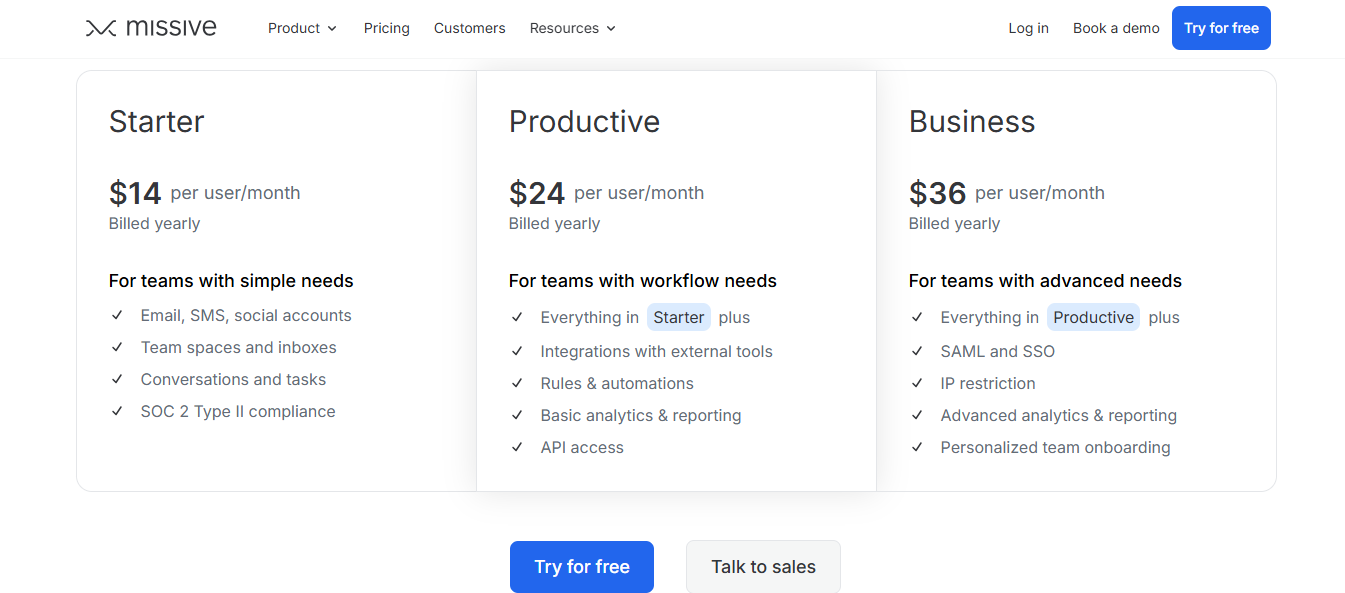
This image shows the Missive Pricing
Starter — $18/user/month (monthly) or $14/user/month (yearly)
Productive — $30/user/month (monthly) or $24/user/month (yearly)
Business — $45/user/month (monthly) or $36/user/month (yearly)
9. Regie AI
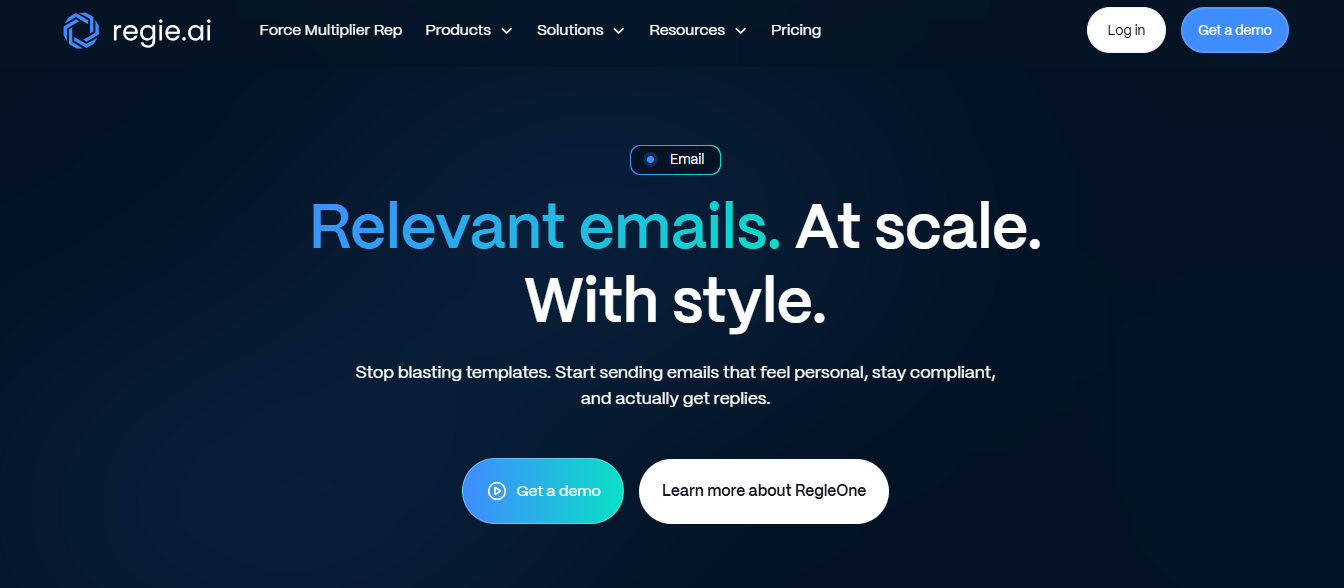
This image shows the Regie AI Homepage
Regie AI pairs AI agents with human reps inside the same workflow. The agents handle high-volume, repetitive outreach — nurture touches, long-tail follow-ups, and sequence execution.
Reps handle the strategic, high-value accounts — supported by AI writing tools built directly into their workflow.
The AI pulls from CRM data, company news, and intent signals to write emails that reference something specific to each prospect.
VIP accounts get a human-plus-AI personalization layer, keeping reps involved in the message.
Everyone else gets unique, signal-driven outreach that the agents run automatically.
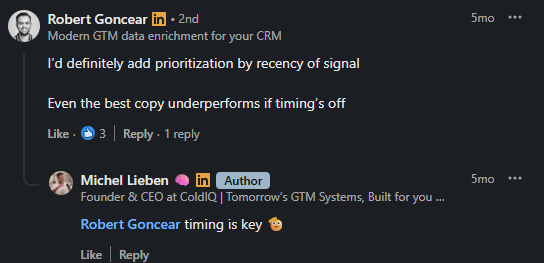
This is something that Robert Goncear suggests to match email timing with the correct signal.
Every email gets scored for clarity, tone, and personalization. That score feeds back into the agents — so they learn what gets replies and adjust over time.
Regie also handles deliverability in-platform. It warms domains, scrubs spam triggers, manages sending cadence, and monitors sender health.
Key Features of Regie AI
Brand voice training using persona-based prompts and approved value propositions
Signal-based handoff — when a prospect shows buying intent, agents generate priority tasks for reps to follow up
RegieOne workflow that combines enrichment, dialing, email, sequencing, and reporting in one place
CRM and SEP integration with automatic data sync
Dynamic workflows adjust outreach timing and messaging based on engagement and intent signals
AI agents and reps share the same workflow — no separate tool for agent-managed vs rep-managed outreach
Email scoring feeds back into agent behavior — outreach improves based on real performance data
Domain warming and deliverability management run inside the platform
Better suited for mid-market and enterprise teams — not designed for solo founders or small SDR teams
Requires an annual contract commitment on all plans
Force Multiplier Rep plan requires a 5-seat minimum at $499/user/month
Regie AI Pricing
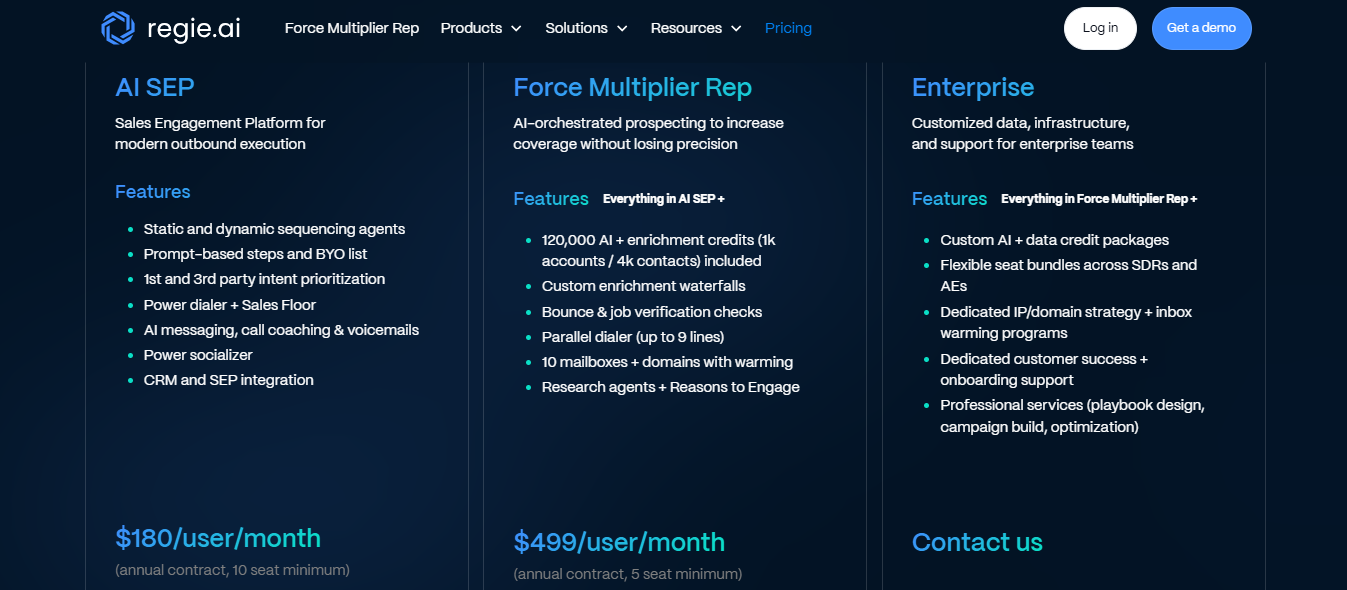
This image shows the Regie AI Pricing
AI SEP — $180/user/month (annual contract, 10-seat minimum)
Force Multiplier Rep — $499/user/month (annual contract, 5-seat minimum)
Enterprise — custom pricing
10. SaneBox
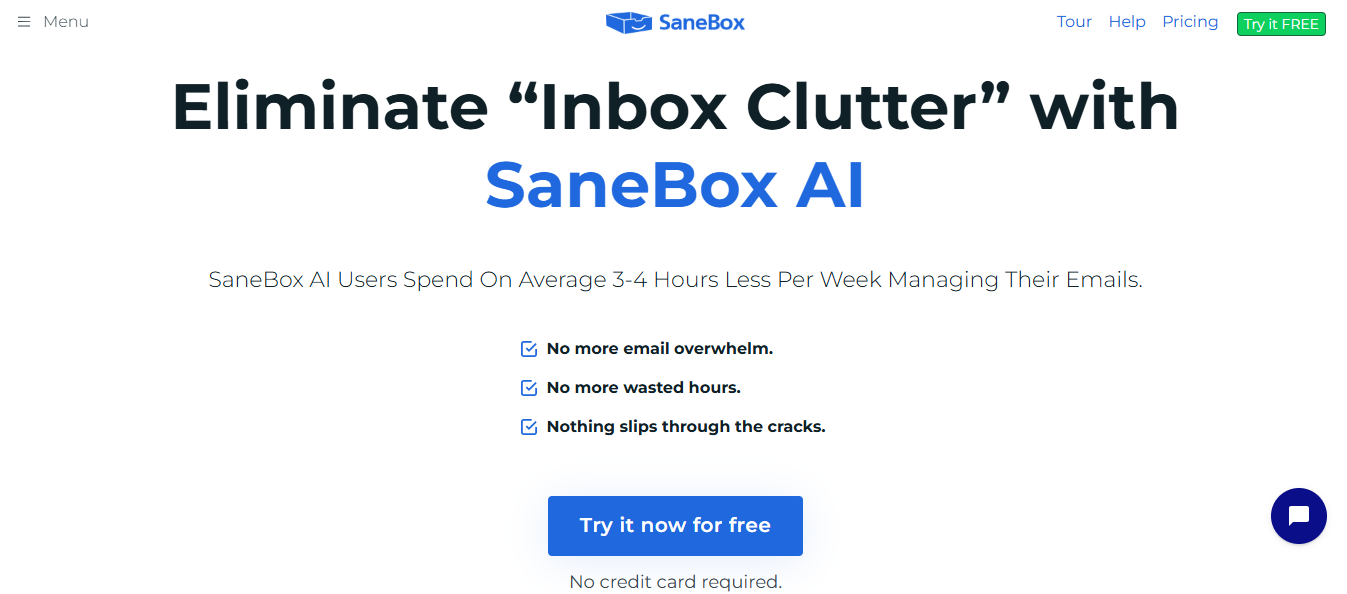
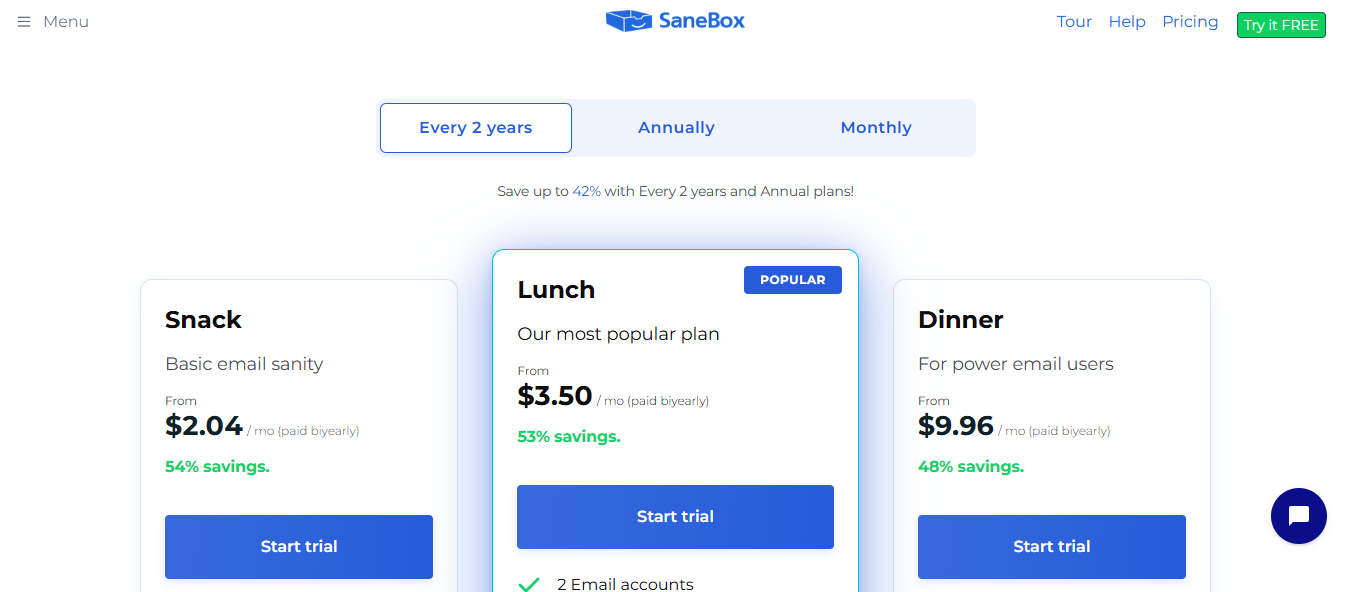
This image shows the SaneBox Homepage
SaneBox is an AI email assistant that focuses on filtering and prioritizing email, not the sending side.
It intelligently analyzes incoming messages and automatically moves unimportant emails to a separate folder called SaneLater before you ever see them. Your inbox stays clean.
It does this without reading the body of any email. SaneBox only analyzes header data — sender, subject line, date, and your past behavior with that sender.
How quickly you open emails, how often you reply, how far back your relationship goes — all of that feeds into how it decides what stays in your inbox and what moves out.
Training takes no extra effort. If SaneBox moves something to the wrong folder, you drag it to where it belongs. SaneBox learns from that and does not repeat the mistake.
Key Features of SaneBox
SaneBlackHole permanently blocks a sender with one move
Daily Digest summarizes all emails moved to SaneLater and other SaneBox folders in one view
SaneNews rounds up newsletters into one folder without mixing with actual correspondence
Email Deep Clean purges thousands of old, unneeded emails in under five minutes
Works with Gmail, Outlook, Yahoo Mail, IMAP, and any email client or device
Pros and Cons
Pros
Cons
Filters inbox automatically without reading email body — only header data analyzed
Works across every email client and device with no manual setup
Follow-up reminders surface unanswered threads, so nothing slips through
No AI writing, drafting, or reply suggestions — purely a filtering and prioritization tool
AI accuracy depends on your past email behavior — new accounts with limited history take longer to calibrate
No team collaboration features — built for individual inbox management only
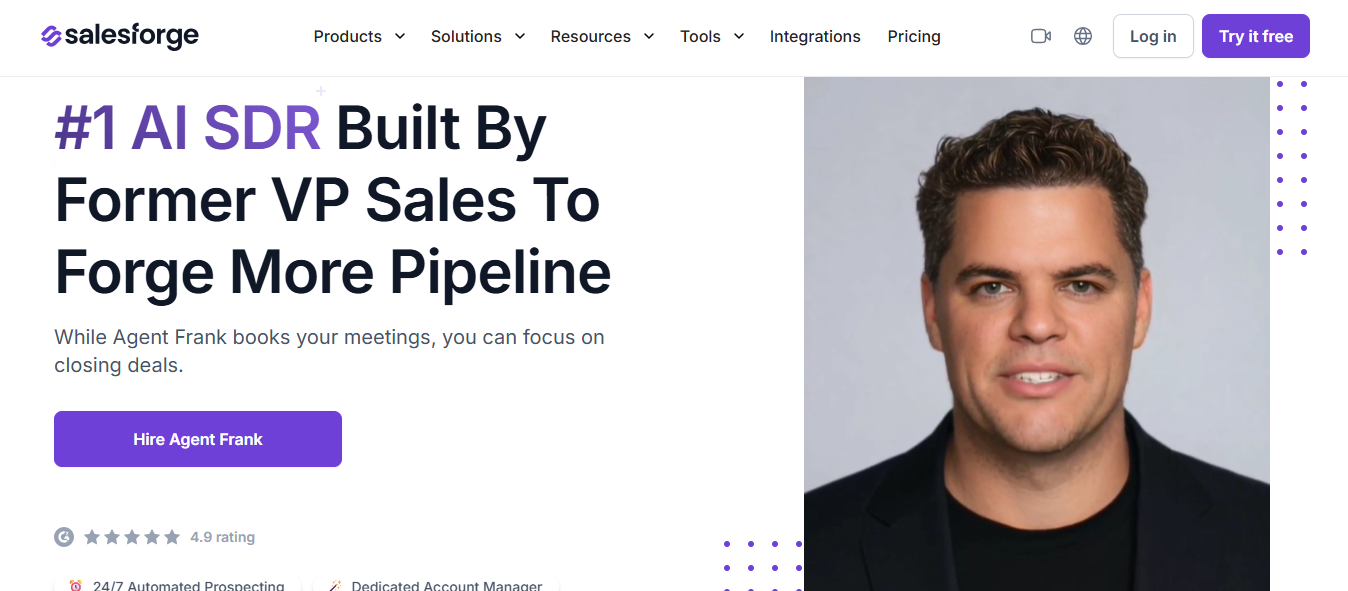
You define the ICP. Agent Frank finds the contacts, writes a different email for each one, sends the sequence, follows up, and drops interested replies into Primebox.
Your team only touches a conversation when someone is ready to buy.
Start your free 14-day trial and run your first outbound campaign without writing a single email yourself.
Book more meetings on autopilot
Set up in minutes. No per-seat pricing. No commitment.
Compare 5 AI inbox managers for cold email and sales outreach. See how Salesforge, Smartlead, Instantly, Reply.io, and Saleshandy handle replies, AI features, and pricing.










.jpg)

.jpg)