

Personalized Outbound Strategy
Get The Right Outbound Strategy In Minutes
Enter your email to get a custom plan & stack recommendation for your business
It's being carefully crafted by AI
Please check your mailbox in 5 minutes
You launched a campaign two weeks ago. Open rates looked fine. Then someone on your team mentions that reply rates are down.
You open Smartlead, click through 5 different views, pull a CSV, paste it into Sheets, and spend 45 minutes trying to figure out that one sending account disconnected on day three.
Just like that, you lost 2 weeks of sends. Nobody caught it.
And it's what Smartlead MCP claims to directly fix. This visibility problem.
So I spent 3 weeks testing this. I connected Smartlead MCP to Claude Desktop and ran it across multiple campaign setups.
I even tested the deliverability audit prompts and pushed the bounce diagnosis workflow to check inbox health across accounts with mixed warmup histories.
What I found matched what real users reported.
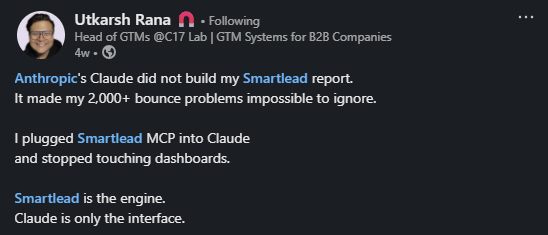
For example, one user pulled 2,000+ bounced leads. He mapped them by exact failure reason. DMARC failures, user unknown, spam filter blocks.
Then, built a full client-ready report inside one Claude conversation.
If you're deciding whether Smartlead MCP deserves a place in your outbound stack, this is the only review you need to read.
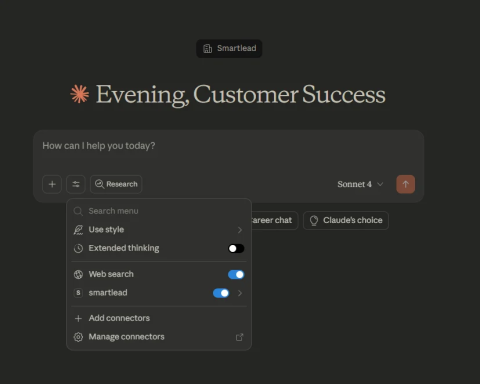
Smartlead MCP Server connects your Smartlead account directly to Claude.
MCP stands for Model Context Protocol. Anthropic built it as an open standard. It lets AI tools read and act on data inside external software, in this case, your Smartlead account.
Here's the problem it solves. Claude knows cold email theory. But it has no idea what's happening inside your account. It can't see your bounce rates, your warmup scores, or which sending accounts dropped offline last Tuesday.
Smartlead MCP closes that gap.
One agency owner put it plainly on LinkedIn: he went from spending an hour every Monday pulling client reports manually to getting the same output in 30 seconds — just by asking Claude directly.

Another user managed 200+ campaigns across multiple clients. He wasn't struggling with copy or leads. He just couldn't get fast visibility into what was breaking and when.
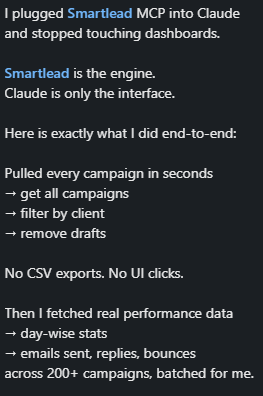
That's the core of what Smartlead MCP does. It gives Claude live access to your Smartlead data, campaigns, mailboxes, leads, bounce rates, and domain health.
So you can ask questions in plain English and get answers from your actual account.
This is where it gets practical. Let me walk you through what real users are actually doing with Smartlead MCP, pulled directly from people running it in production.
An agency owner managing multiple clients asked Claude for a full 30-day performance breakdown, open rates, reply rates, bounce data, top and bottom performers, all formatted and ready to drop into Slack.
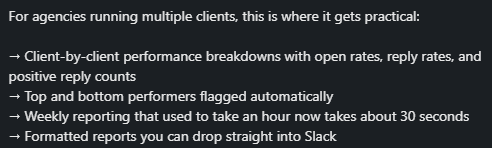
What used to take an hour every Monday now takes 30 seconds.
One user asked Claude to pull every sending account, flag anything below 80% warmup reputation, and sort them into categories: healthy, warning, at risk, and critical.

He was managing 600+ inboxes. He did this without opening the Smartlead dashboard once.
This one stood out. A GTM engineer pulled 2,000+ bounced leads from 200+ campaigns, then asked Claude to map each bounce to a specific failure reason.
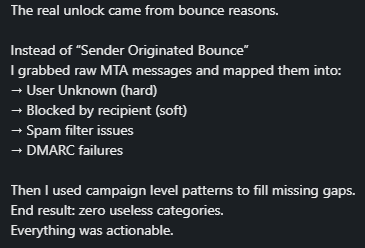
Not the generic "Sender Originated Bounce" label Smartlead shows by default, but the raw MTA messages: user unknown, DMARC failure, spam filter block. He built a full deliverability report inside one conversation.
Before going live, one user ran a full check through Claude — mailbox connectivity, DNS configuration, domain health, lead list quality, spam word scan in copy.
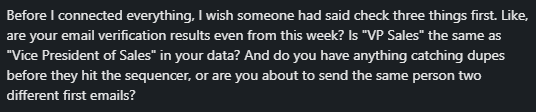
Problems caught before the campaign launched, not after open rates tanked.
One user set a rule: only use inboxes above 99% reputation. Claude handled the selection automatically across 600+ inboxes.

No manual scrolling. No cross-referencing.
An agency user pulled per-campaign performance broken down by email provider, Gmail vs Outlook, and rebalanced sending accordingly.

That used to require manual cross-referencing across multiple views.
You describe what you need. Claude filters by segment, engagement history, role, and time since last contact, then builds the list.
No dashboard navigation, no filter combinations to memorize.
One user ran a morning check every day: flag any sending account that disconnected, any warmup that stopped unexpectedly, and any domain with a bounce rate above 5% in the last 48 hours.
That's the difference between catching a problem on day one versus finding out after a week of bad sends.
These aren't hypothetical use cases. These are workflows real users built after connecting Smartlead MCP to Claude.
Claude Code for Sales: 4 Outbound Workflows That Replace Hours of Manual Work
No coding required. The whole setup takes under five minutes.
The setup process is straightforward.
Log in to your Smartlead dashboard. Go to Settings → API Keys. Generate a key if you don't have one. Copy it. Treat it like a password — don't share it publicly.
Open Claude Desktop. Go to Settings → Developer → Edit Config. This opens a file called claude_desktop_config.json.
Paste this inside the JSON file:
{
"mcpServers": {
"smartlead": {
"command": "npx",
"args": [
"-y",
"mcp-remote",
"https://mcp.smartlead.ai/sse?user_api_key=YOUR_API_KEY"
]
}
}
}
Replace YOUR_API_KEY with the key from Step 1. Don't delete existing configurations if you already have other MCP servers running.
One requirement: Node.js must be installed on your machine. Download it at nodejs.org if you don't have it.
Save the config file. Open a new chat in Claude Desktop. Click the search and tools icon. Toggle Smartlead on.
Type /mcp in a new chat. Claude authenticates using your API key. If it works, you'll see tools like get_campaign_status, fetch_lead_data, and check_deliverability appear.
You're connected. Start talking to your Smartlead account.
How I Use Claude Code to Automate My Entire Cold Email Operation
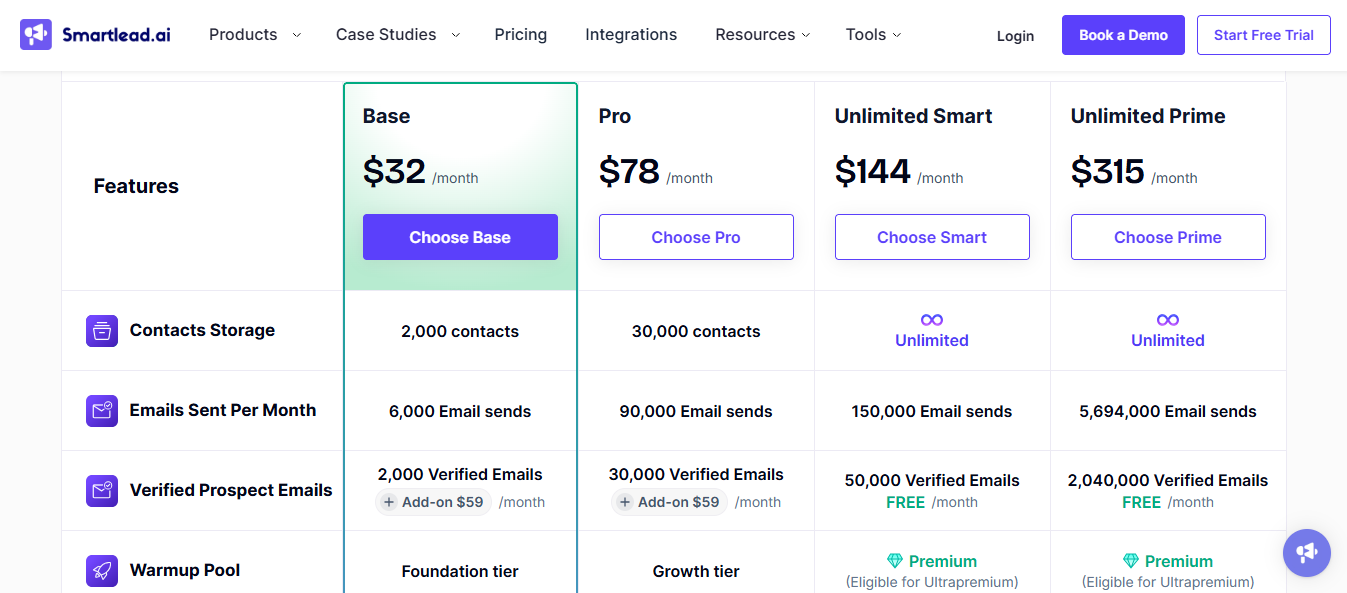
Smartlead MCP is not a separate paid add-on. It comes included with your existing Smartlead plan.
But you still need an active Smartlead subscription to use it.
Smartlead has four plans. Here's what each costs:
The Base plan gives you 6,000 email sends per month and 2,000 contacts. MCP access is available across all plans.
A few things worth noting before you pick a plan:
The Base and Pro plans put verified prospect emails behind a $59/month add-on. On Smart and Prime, that's included free.
CRM access starts at Pro. If you manage multiple clients, workspace support only becomes meaningful at Pro ($29/workspace add-on) or Prime (3+ included).
A dedicated account manager and private Slack channel only come with the Prime plan at $379/month.
So the MCP server itself costs nothing extra. But the plan you need to actually run outbound at scale will cost you.

Smartlead MCP fits a specific type of outbound operation. It is not for everyone.
You run email-only outbound and already use Smartlead as your sending system.
You manage multiple clients or campaigns and spend significant time pulling reports and auditing accounts manually.
You work from Claude Desktop and are comfortable building your own prompts from scratch.
Your data is clean, verified leads, consistent warmup history, and known lead sources.
You run multi-channel sequences that include LinkedIn or calling steps. Smartlead MCP has no visibility beyond email.
Your team works primarily in a browser. Claude Desktop is the only supported client right now.
You are new to MCP and need pre-built workflow templates to get started. Those are still coming.
You rely on a tech stack with HTTPS transport requirements. SSE is the only supported connection method.
As João Coelho, GTM Strategist, put it, MCP removes interface friction. It does not fix upstream problems. If your campaigns, data, and infrastructure are not already in order, connecting Smartlead MCP will not change your results.
Signal-Based Outbound: How to Find and Act on Buying Signals Before Your Competitors
If Smartlead MCP's limitations are already a concern,email-only, desktop-only, and no workflow templates.
Here is what Salesforge MCP Server does differently, and why it matters for teams running outbound at scale.
Smartlead MCP connects Claude to one platform. Salesforge MCP connects Claude to six — through a single endpoint.
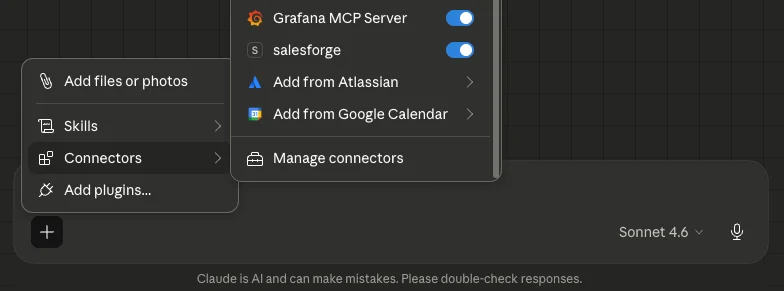
Agent Frank, Salesforge, Leadsforge, Primeforge, Infraforge, Warmforge, and Mailforge. All accessible through one Claude conversation in just one login, one API connection.
You find leads in Leadsforge. Enrich them with verified emails and LinkedIn data. Build a sequence in Salesforge.
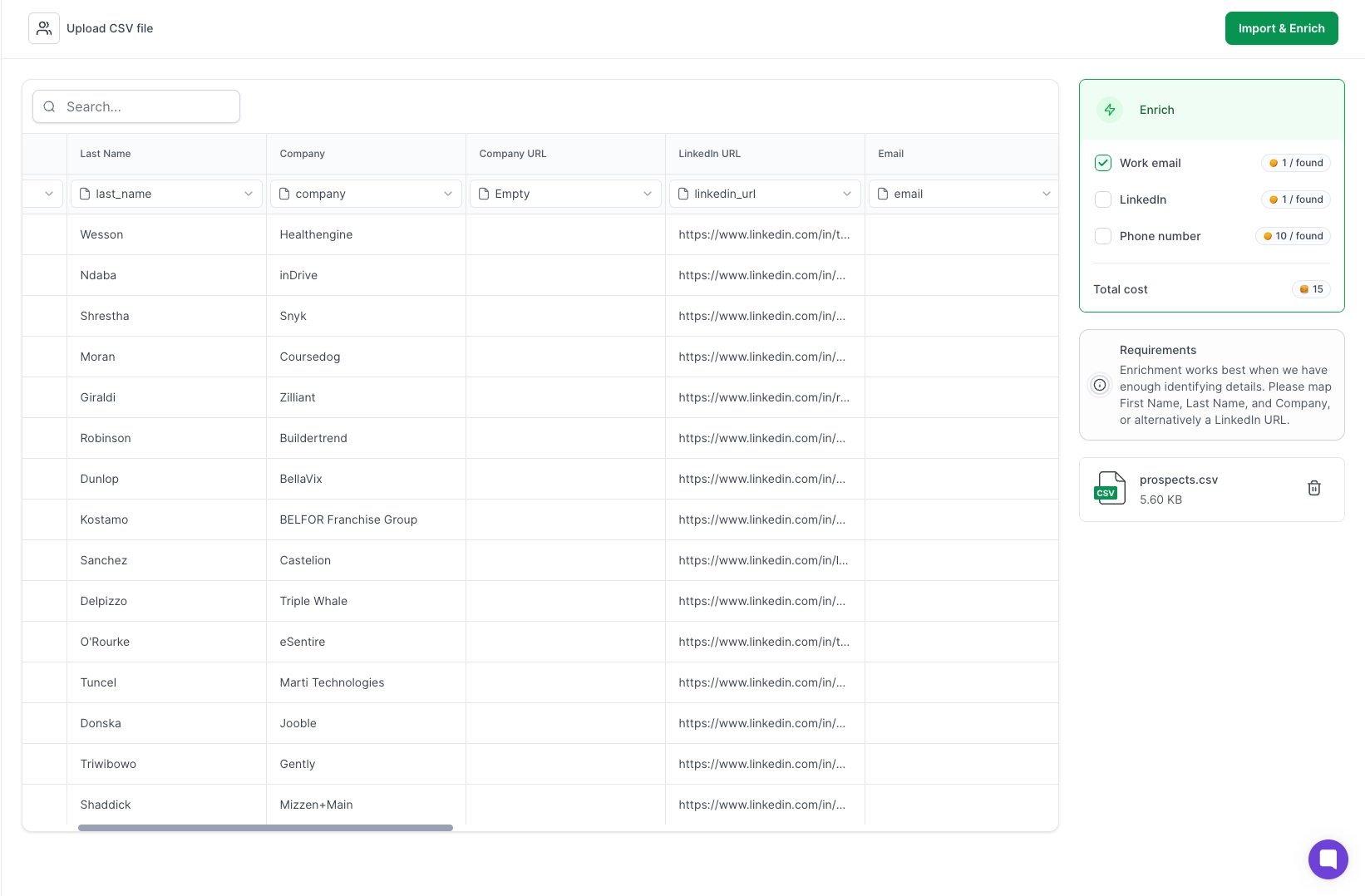
Warm your mailboxes through Warmforge. Monitor domain status in Infraforge. Set up new mailboxes in Mailforge or Primeforge.
All of that happens through prompts — inside one Claude conversation.
With Smartlead MCP, you are limited to what lives inside Smartlead. With Salesforge MCP, Claude has visibility across your entire outbound operation.
Smartlead runs email-only sequences. Salesforge runs email and LinkedIn together — connection requests, follow-up messages, and email steps — all in one sequence.
That's where Agent Frank comes in.
He handles the entire outbound workflow autonomously, finding prospects, sending LinkedIn connection requests, following up with messages, moving engaged leads into email sequences, and booking meetings.
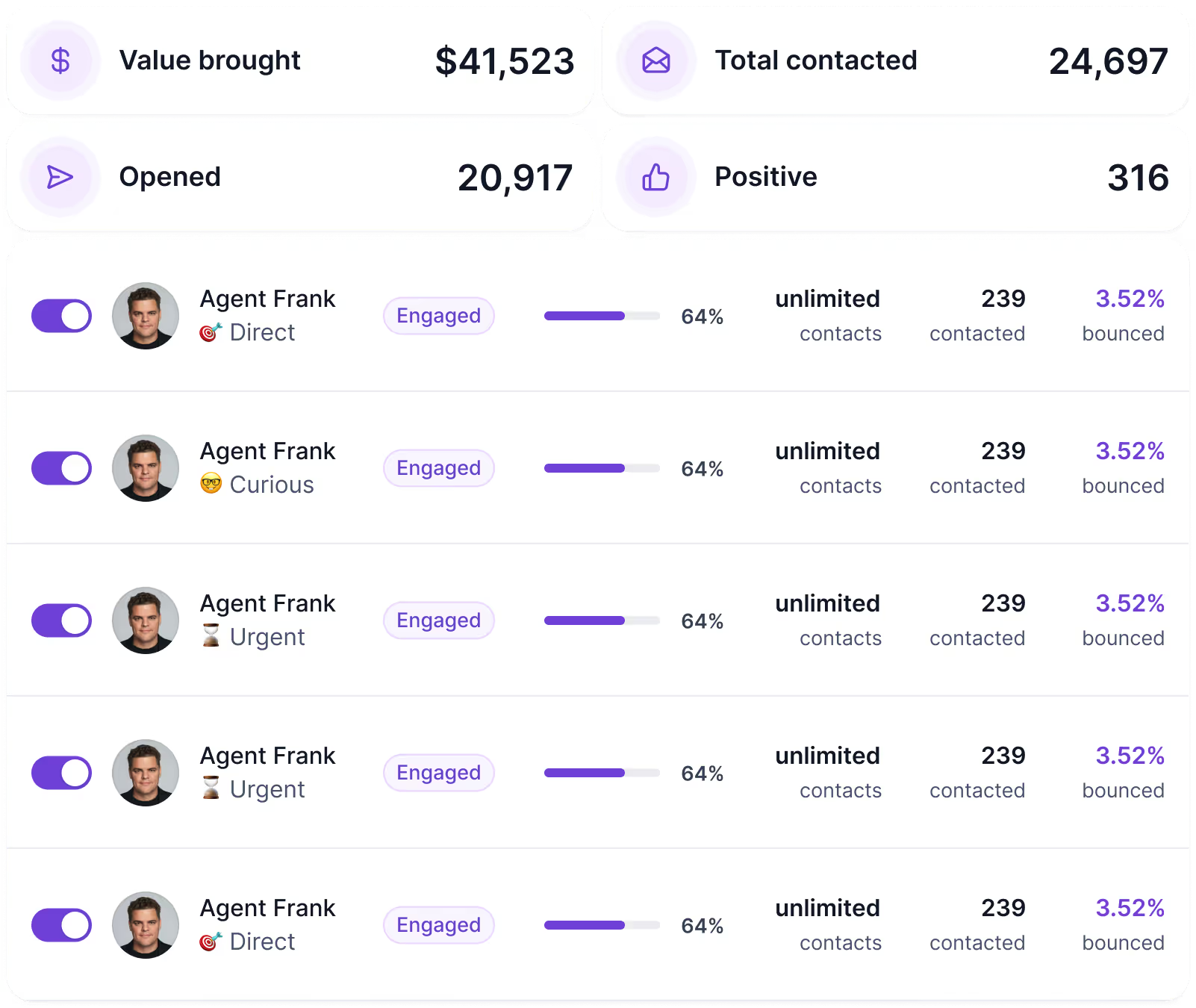
With Smartlead MCP, Claude can diagnose what happened after a campaign runs.
With Salesforge MCP and Agent Frank, Claude has visibility into a multi-channel sequence that is already running on its own.
If your prospects respond better to LinkedIn first, Agent Frank handles that entry point. If they don't reply, he moves them into email.
Salesforge MCP gives Claude visibility into that entire flow, from LinkedIn touchpoint to email reply.
Smartlead MCP does not.
Salesforge MCP supports multiple account instances running side by side. Each client gets its own API key entry. Claude sees every account. You specify which client to work on directly in your prompt.
This means no more separate logins or manual report pulling per client. Just ask Claude.
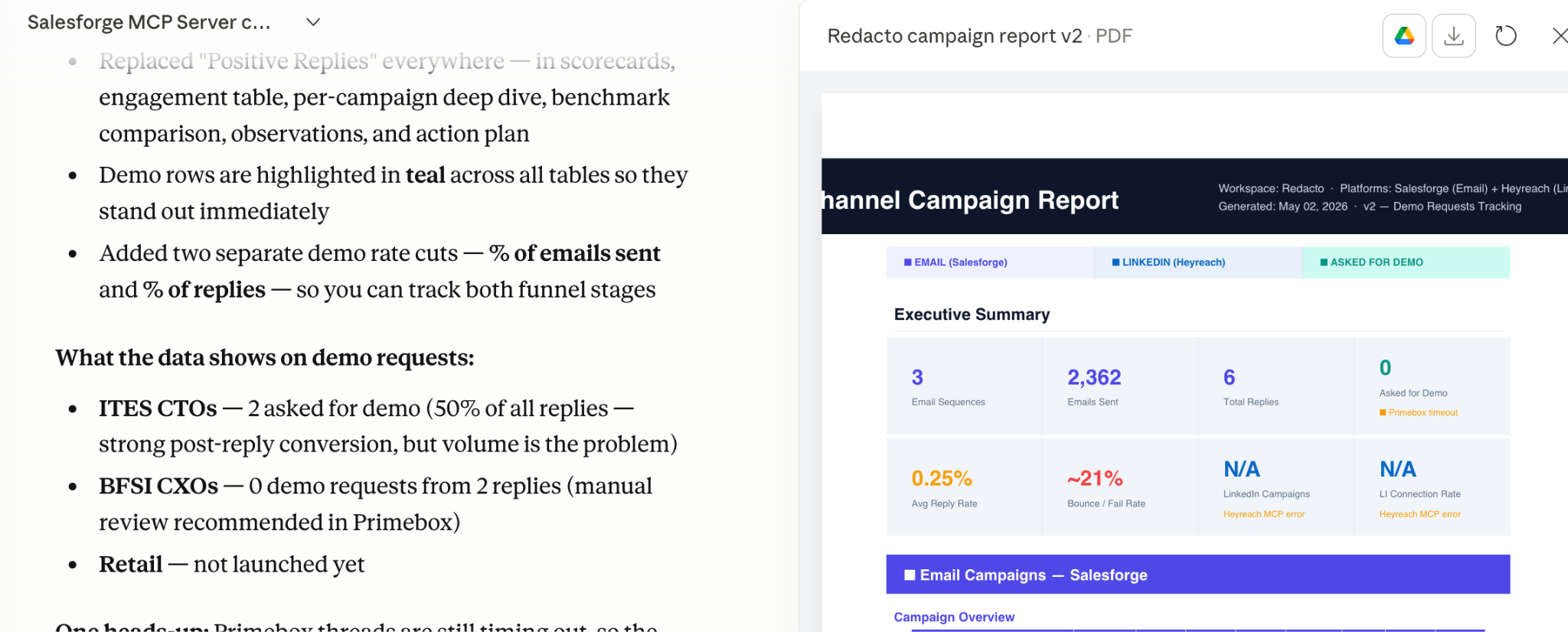
Most outbound teams today run six separate tools. Which means six logins, invoices, and six support queues. When something breaks, nobody knows whose fault it is.
Smartlead MCP gives Claude visibility into one tool, email only. Salesforge MCP gives Claude access to one connected stack.
Email and LinkedIn running together, leads flowing in from Leadsforge, mailboxes warming in Warmforge, infrastructure managed through Infraforge, and Mailforge.
That is not a minor difference. Email and LinkedIn together consistently outperform email alone. Salesforge MCP gives Claude access to both channels in one connected flow.
Enter your email to get a custom plan & stack recommendation for your business
Please check your mailbox in 5 minutes

Smartlead MCP does real things. The use cases are genuine, setup is fast. If you run email-only outbound on Smartlead, it removes a lot of manual work from your week.
But here is the honest picture:
If that fits your operation, go ahead.
But if you want Claude to see your leads, your sequences, your warmup, your infrastructure, and your LinkedIn steps, all in one conversation, Smartlead MCP runs out of road fast.
That is exactly where Salesforge MCP picks up. One connection. The full outbound stack.
Try Salesforge MCP free for 14 days, and run your next campaign without opening a single dashboard.
.jpg)

.jpg)

.jpg)
