If you’re searching for Salesloft alternatives, you’re probably trying to decide if there’s a tool that can help you book more meetings without the heavy setup and high cost of Salesloft.
Salesloft is a big sales platform made for large teams.
It helps with outreach, calls, deal tracking, and forecasting.
But for many B2B teams, it can feel too complex when all they want is to run outbound and start conversations.
To see which Salesloft alternatives work best in 2026, I looked at how these tools handle cold email, LinkedIn outreach, replies, deliverability, pricing, and ease of use.
By the end of this guide, you’ll know which Salesloft alternative is best for your team, who should use each tool, and when it makes sense to choose something simpler than Salesloft.
TL;DR – 10 Best Salesloft Alternatives for B2B Outreach
Salesforge – Best for AI-driven outbound across email and LinkedIn
Instantly – Ideal for simple, high-volume cold email
ZoomInfo Sales – Great for data-driven prospecting with engagement features
Apollo – Best all-in-one tool for prospecting + outreach
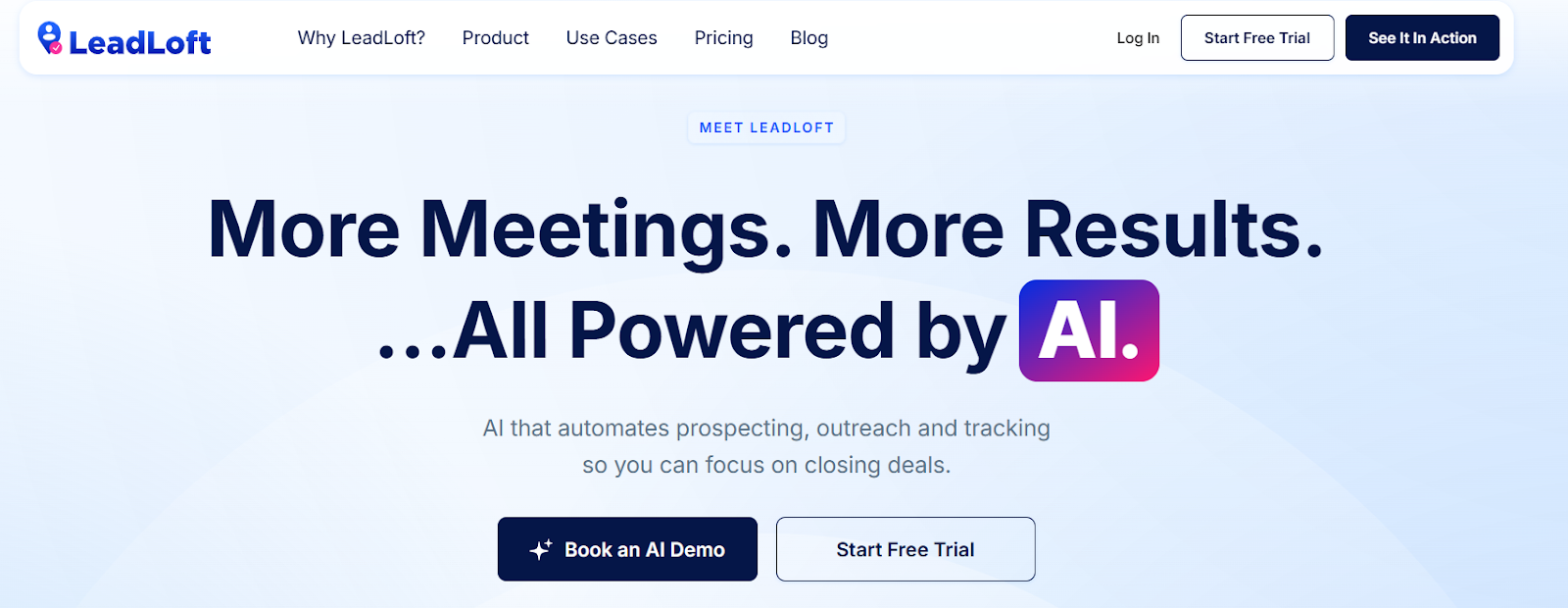
LeadLoft – Best all-in-one AI sales platform with CRM + outreach
Reply.io – Ideal for structured multichannel sequences
HubSpot Sales Hub – Great for teams already using HubSpot CRM
Mixmax – Best for simple email sequences and meeting booking
Snov – Ideal budget tool for email finding and outreach
AiSDR – Best for AI-led outbound and meeting booking
How I Evaluated These Salesloft Alternatives
Many teams looking for Salesloft alternatives want tools that help them send cold emails, follow up, and book meetings.
So I checked each tool based on how well it can replace or improve what Salesloft does for outbound.
Here’s how I evaluated the 10 best Salesloft alternatives:
Outbound sending ability, to see if the tool can really send emails and follow-ups, not just help write messages.
Multi-channel outreach, to check if the tool supports email and LinkedIn from one place.
Reply handling, to see if replies from prospects are easy to manage in one inbox.
Email safety, to check if the tool protects inbox health with warm-up and safe sending.
Lead finding, to see if the tool helps find leads or only works with your own lists.
Ease of use, to see if the tool is simple for small teams to set up and use every day.
CRM connections, to check if the tool works with HubSpot, Salesforce, or other CRMs.
Pricing and scale, to see if the tool is affordable for small teams and still works when your team grows.
Each tool was reviewed based on how well it helps B2B teams run outbound and book meetings.
1. Salesforge – Best for AI-Driven Sales & Outreach Automation
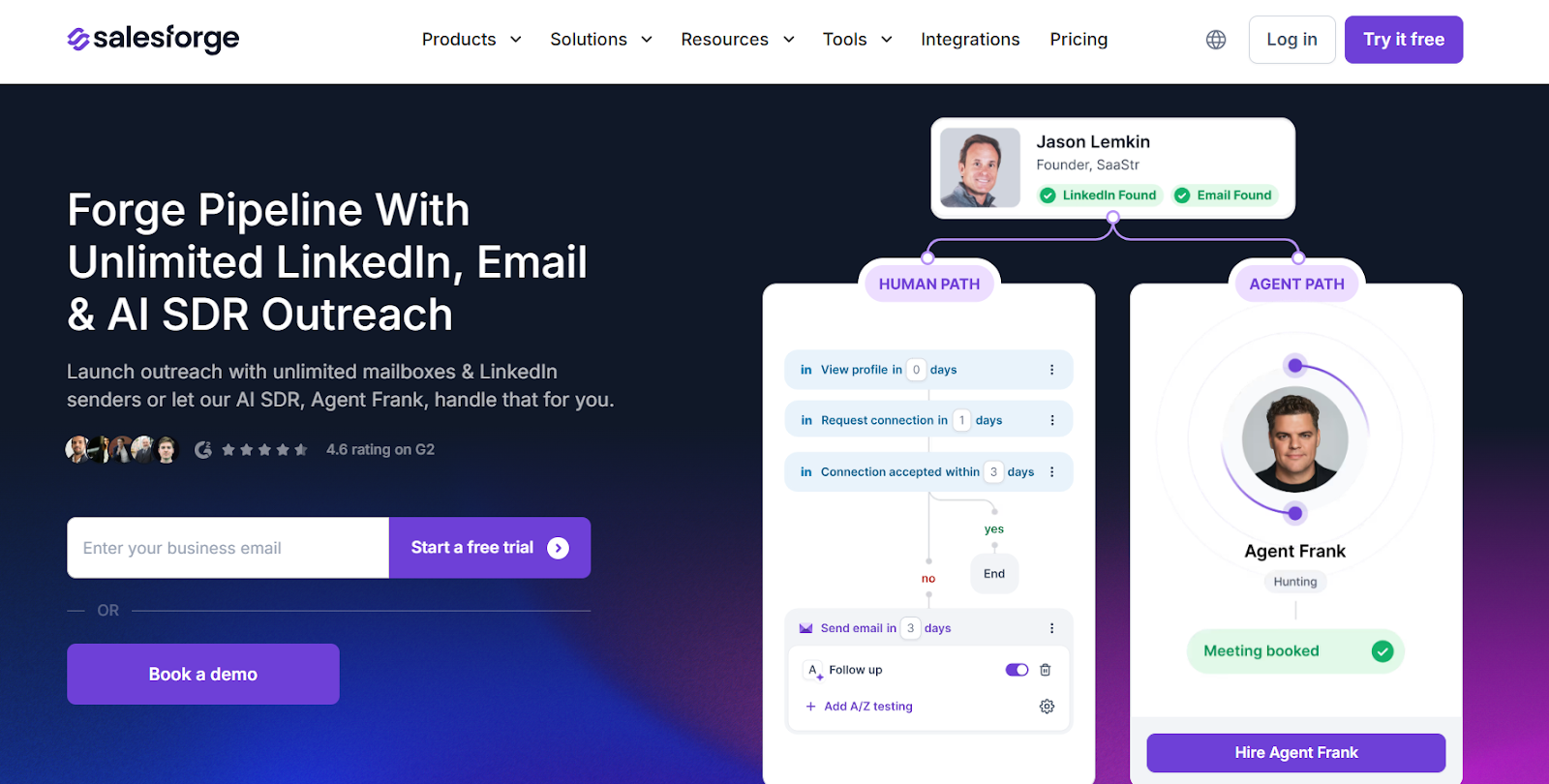
This image shows the Salesforge homepage
Salesforge is a cold outreach platform for B2B teams that want to send emails, follow up on LinkedIn, and book meetings from one place.
It helps teams run outbound at scale without managing many tools.
It is focused on outbound execution like cold email, reply handling, and deliverability.
If your main goal is to book meetings using cold outreach, Salesforge is a stronger alternative to Salesloft.
Key Features of Salesforge
It supports email and LinkedIn outreach from one dashboard for simple campaign management.
The platform allows unlimited mailboxes and LinkedIn senders, so teams can scale without seat limits.
Primebox™ shows all replies in one place, so teams can manage conversations easily.
Built-in email warm-up protects inbox health and helps emails land in inbox, not spam.
An AI SDR called Agent Frank runs outreach for you, from prospecting to follow-ups and meeting booking.
Salesforge vs Salesloft: Quick Comparison
Feature
Salesloft
Salesforge
Core focus
Revenue orchestration for large teams
Cold outreach & pipeline creation
Cold email sending
Yes
Yes (built for cold email at scale)
LinkedIn outreach
Yes (task-based, no native automation)
Built-in LinkedIn automation
AI agents
AI agents across revenue workflows
AI SDR for outbound
Reply inbox
Sales inbox
Primebox™ unified inbox
Deliverability tools
Not infrastructure-first
Warm-up and rotation support
Best for
Enterprise RevOps teams
SMBs, agencies, outbound teams
Pros and Cons of Salesforge
Pros
Cons
Supports unlimited mailboxes and LinkedIn senders
Includes Primebox™ unified reply inbox
Built-in email warm-up tools help inbox placement
AI SDR can run outreach and book meetings automatically
Supports multi-language outreach
Best results require email infrastructure setup
AI SDR (Agent Frank) is a paid add-on
Focused mainly on outbound, not full sales workflows
Extra infrastructure tools (Mailforge/Infraforge) may add cost
No deep forecasting or deal management
Salesforge Pricing
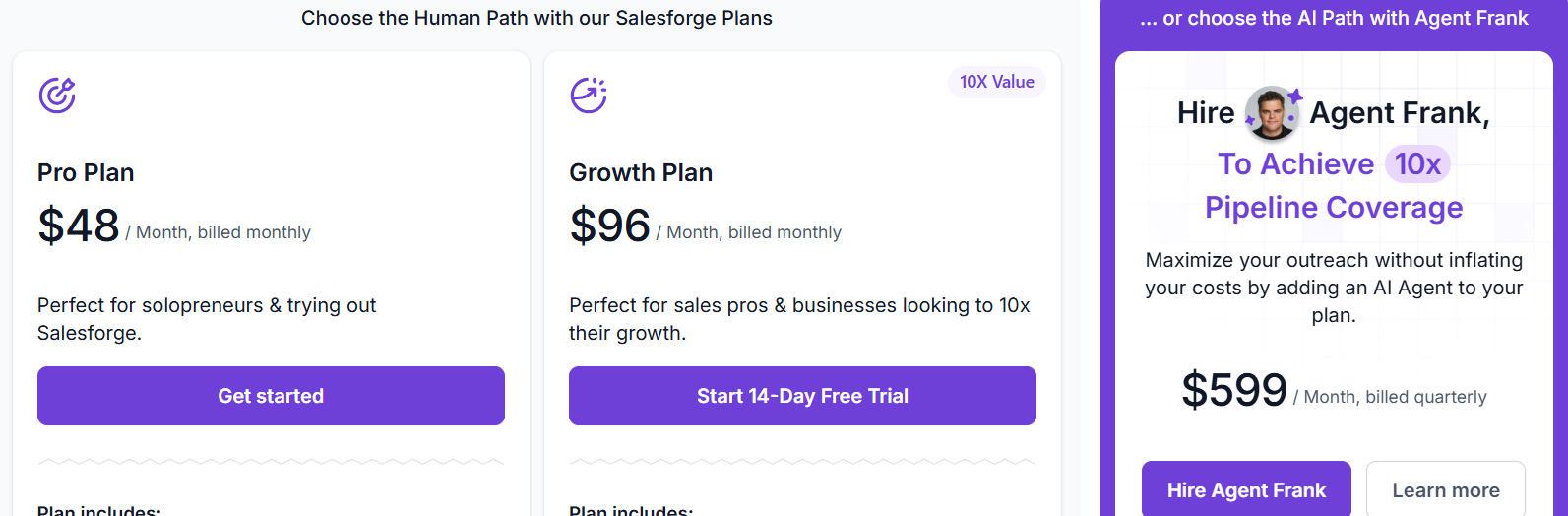
This image shows the Salesforge pricing
Pro Plan – $48/month, includes 1,000 active contacts, 5,000 emails/month, 100 email validation credits/month, and 100 personalization credits/month.
Growth Plan – $96/month, includes 10,000 active contacts, 50,000 emails/month, 1,000 email validation credits/month, 1,000 personalization credits/month, unlimited users, unlimited mailboxes, unlimited LinkedIn senders, warm-up, Primebox™, and API access.
AI SDR (Agent Frank) – $599/month (billed quarterly), handles automated prospecting and outbound outreach for up to 1,000 active contacts and can reach 2,000+ new contacts per month.
Enter your email to get a custom plan & stack recommendation for your
business
It's being carefully crafted by AI
Please check your mailbox in 5 minutes
2. Instantly – Best for Cold Email Outreach at Scale
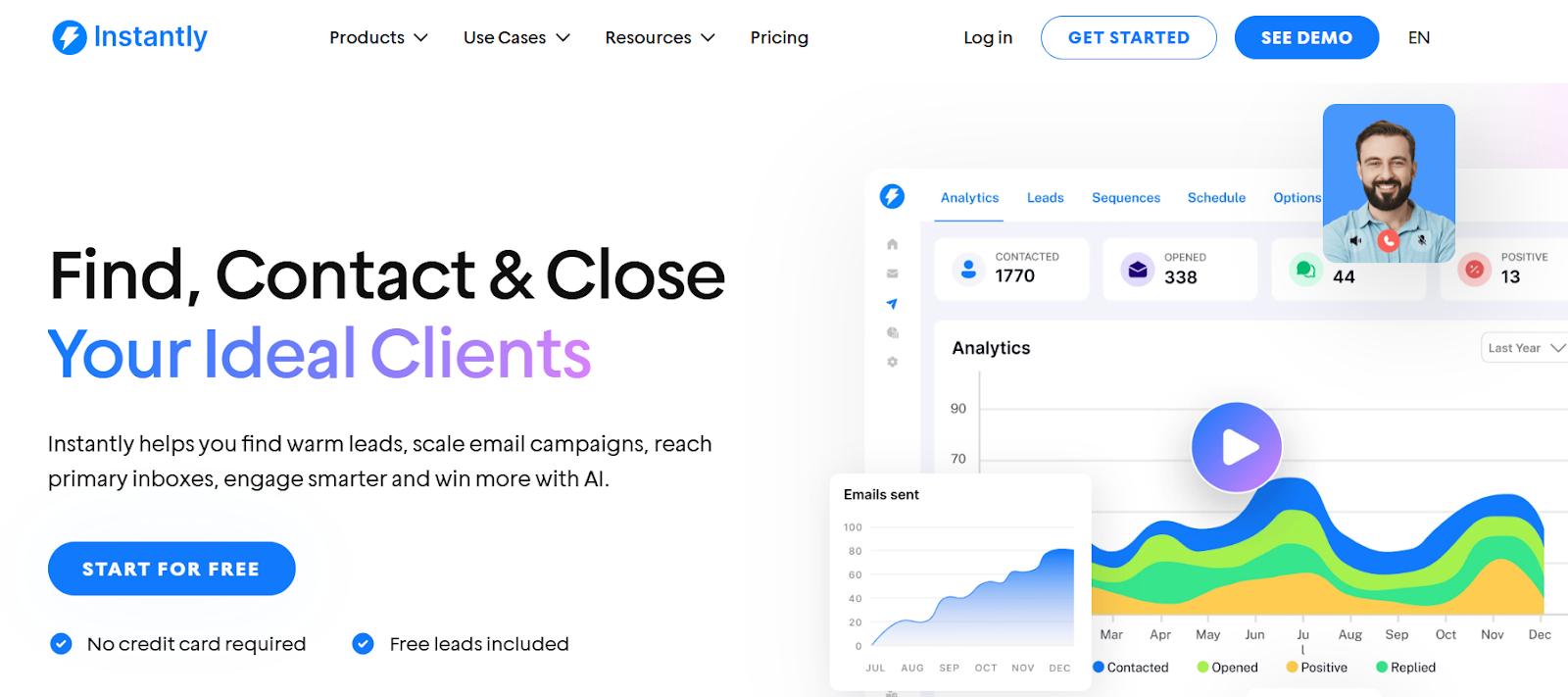
This image shows the Instantly homepage
Instantly is a cold email outreach platform that helps B2B teams send emails at scale, warm inboxes, and manage replies from one place.
It is built for founders, agencies, recruiters, and sales teams that want to run cold email without complex setup.
If your main goal is to send cold emails at scale and land in inboxes, Instantly is a strong alternative to Salesloft.
Key Features of Instantly
It lets you connect unlimited email accounts so you can scale sending safely.
It provides Unibox to manage replies from all inboxes in one place.
The system offers advanced deliverability controls like inbox placement tests, ESP matching, and IP rotation.
It includes AI tools for writing sequences, filtering leads, and auto-handling replies.
The platform provides a built-in B2B lead finder with filters and waterfall enrichment.
Instantly vs Salesloft: Quick Comparison
Feature
Salesloft
Instantly
Core focus
Revenue orchestration and engagement
Cold email outreach and deliverability
Cold email sending
Yes
Yes (built for scale)
Email warm-up
No (not infrastructure-first)
Unlimited warm-up
AI agents
Revenue workflow agents
AI for copywriting and sequence setup
Forecasting
Yes
No
Best for
Enterprise revenue teams
SMBs, agencies, outbound teams
Pros and Cons of Instantly
Pros
Cons
Includes unlimited email warm-up
Strong deliverability tools like inbox placement tests
Built-in lead finder and enrichment
Unibox for managing replies in one place
Easy to use for founders and agencies
No built-in forecasting or deal analytics
LinkedIn outreach is not built-in
CRM features are basic
Can require setup for best deliverability
Enterprise features are limited
Instantly Pricing
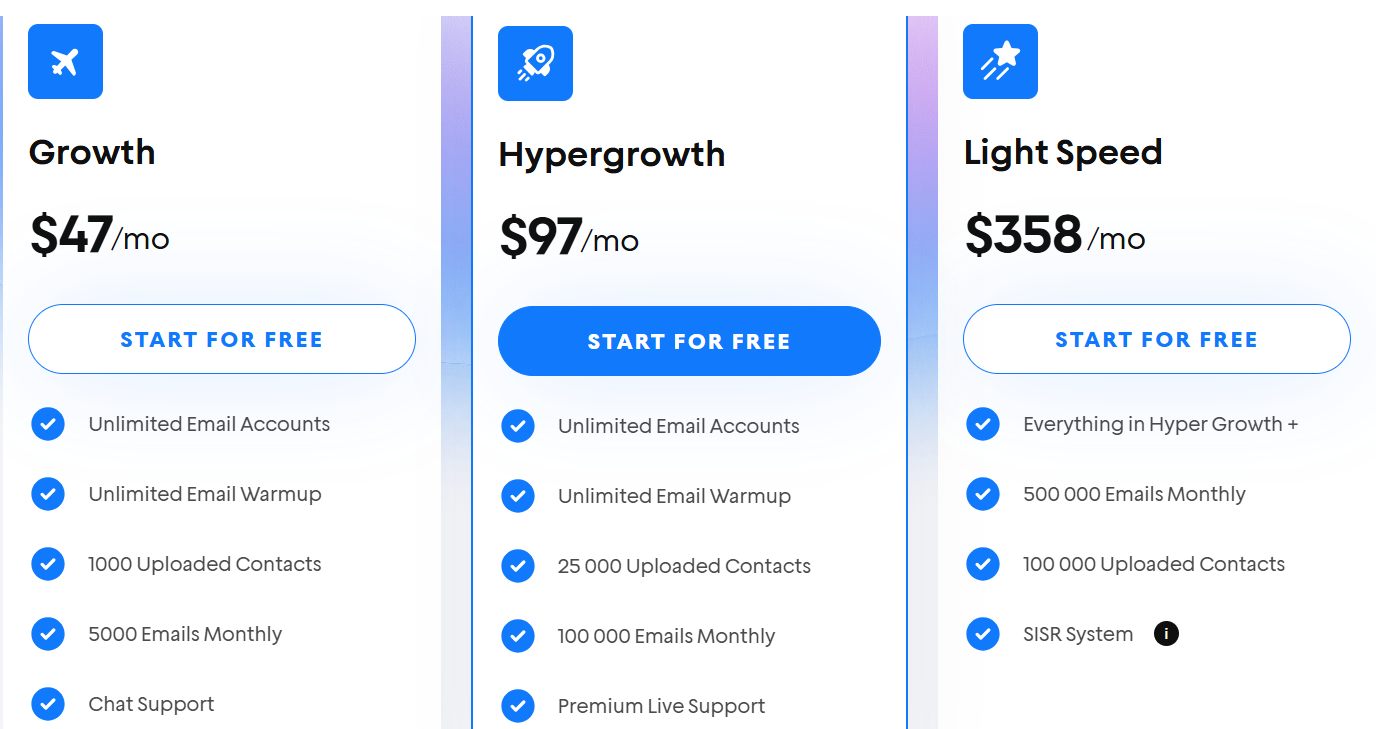
This image shows the Instantly pricing
Growth – $37/month – Includes unlimited email accounts, unlimited warm-up, 1,000 uploaded contacts, and 5,000 emails/month.
Hypergrowth – $97/month – Includes unlimited email accounts, unlimited warm-up, 25,000 uploaded contacts, and 100,000 emails/month.
Light Speed – $358/month – Includes unlimited email accounts, unlimited warm-up, 100,000 uploaded contacts, and 500,000 emails/month.
Instantly also offers a free trial with no credit card required.
3. ZoomInfo Sales – Best for B2B Data, Buyer Intent & GTM Intelligence
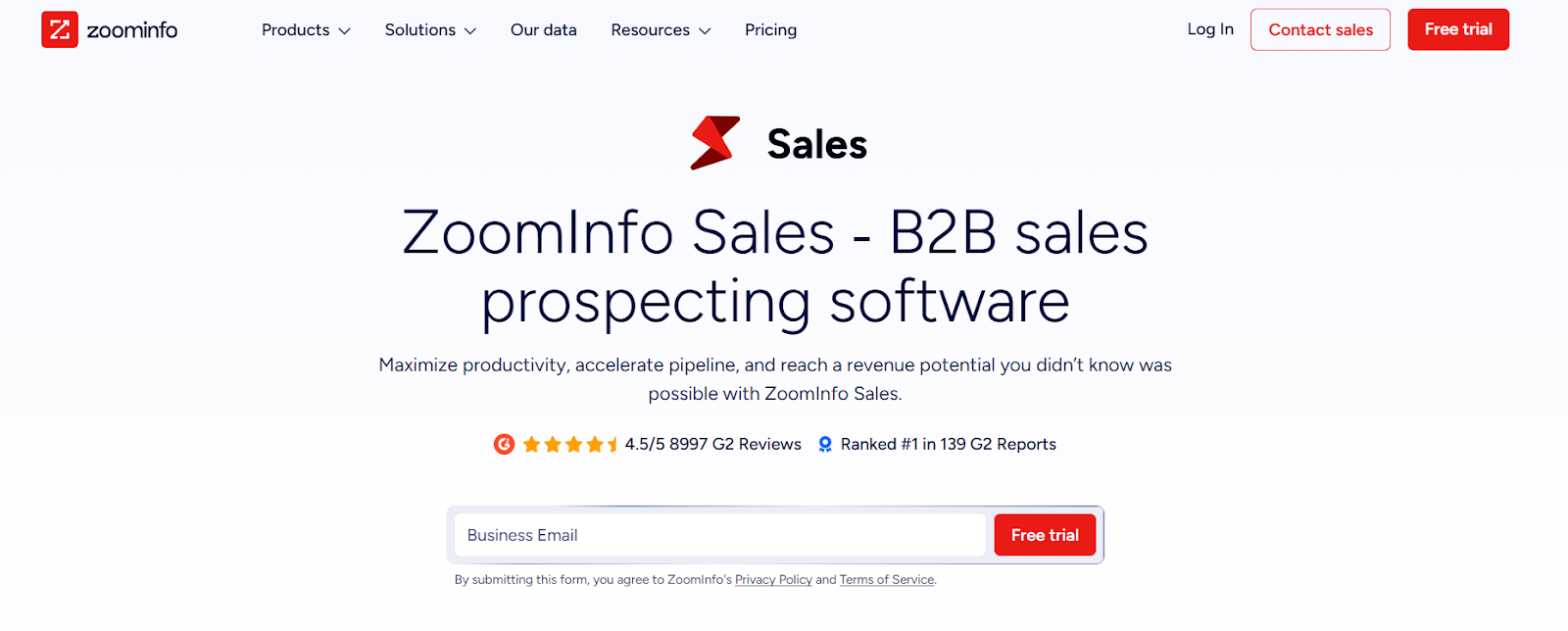
This image shows the ZoomInfo homepage
ZoomInfo Sales is a B2B sales intelligence platform that helps teams find decision-makers, see buying intent, and build pipeline using verified company and contact data.
It is built for teams that need accurate data, account insights, and signals on who is ready to buy.
While Salesloft focuses on sales engagement and coaching for revenue teams, ZoomInfo focuses on data, buyer intent, and GTM intelligence that power prospecting and targeting.
Key Features of ZoomInfo Sales
It provides verified B2B contact and company data with emails and phone numbers to reach decision-makers.
The platform shows buyer intent signals to help teams find accounts that are actively researching solutions.
It includes website visitor tracking to identify companies visiting your site.
The system supports AI-powered account prioritization with ZoomInfo Copilot.
It offers conversation intelligence through Chorus to analyze calls, meetings, and emails.
ZoomInfo Sales vs Salesloft: Quick Comparison
Feature
Salesloft
ZoomInfo Sales
Core focus
Sales engagement and revenue workflows
B2B data, buyer intent, and GTM intelligence
Buyer intent signals
Yes (AI-driven engagement signals)
Built-in intent data
Website visitor tracking
Yes (via Drift / Engage)
Yes
Sales engagement
Core feature
Available through engagement tools
Conversation intelligence
Yes (Conversations)
Yes (Chorus by ZoomInfo)
Best for
Revenue teams running cadences
Teams that need data, intent, and targeting
Pros and Cons of ZoomInfo Sales
Pros
Cons
Strong buyer intent and account insights
Website visitor tracking included
Deep CRM and sales tool integrations
AI features with ZoomInfo Copilot
Best value for mid-market and enterprise teams
Works well with Salesloft and Outreach
Can be expensive for small teams
Credit limits apply to exports
Setup and onboarding take time
Not a pure cold outreach tool
ZoomInfo Sales Pricing
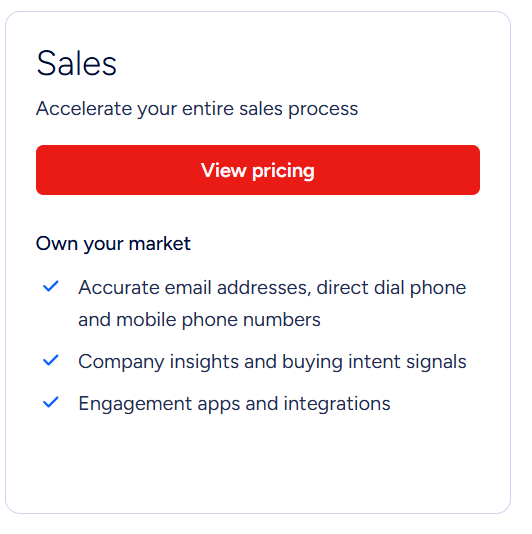
This image shows the ZoomInfo Sales pricing
ZoomInfo uses custom pricing based on number of users, features, and credit usage.
Credits are used when you export contacts or companies, and each export uses 1 credit.
Plans vary by product (Sales, Marketing, Talent, Copilot), and pricing depends on the data depth and tools included.
A free trial is available, usually around 7 days, with limited access to core features.
4. Apollo – Best for B2B Data and Multi-Channel Outreach
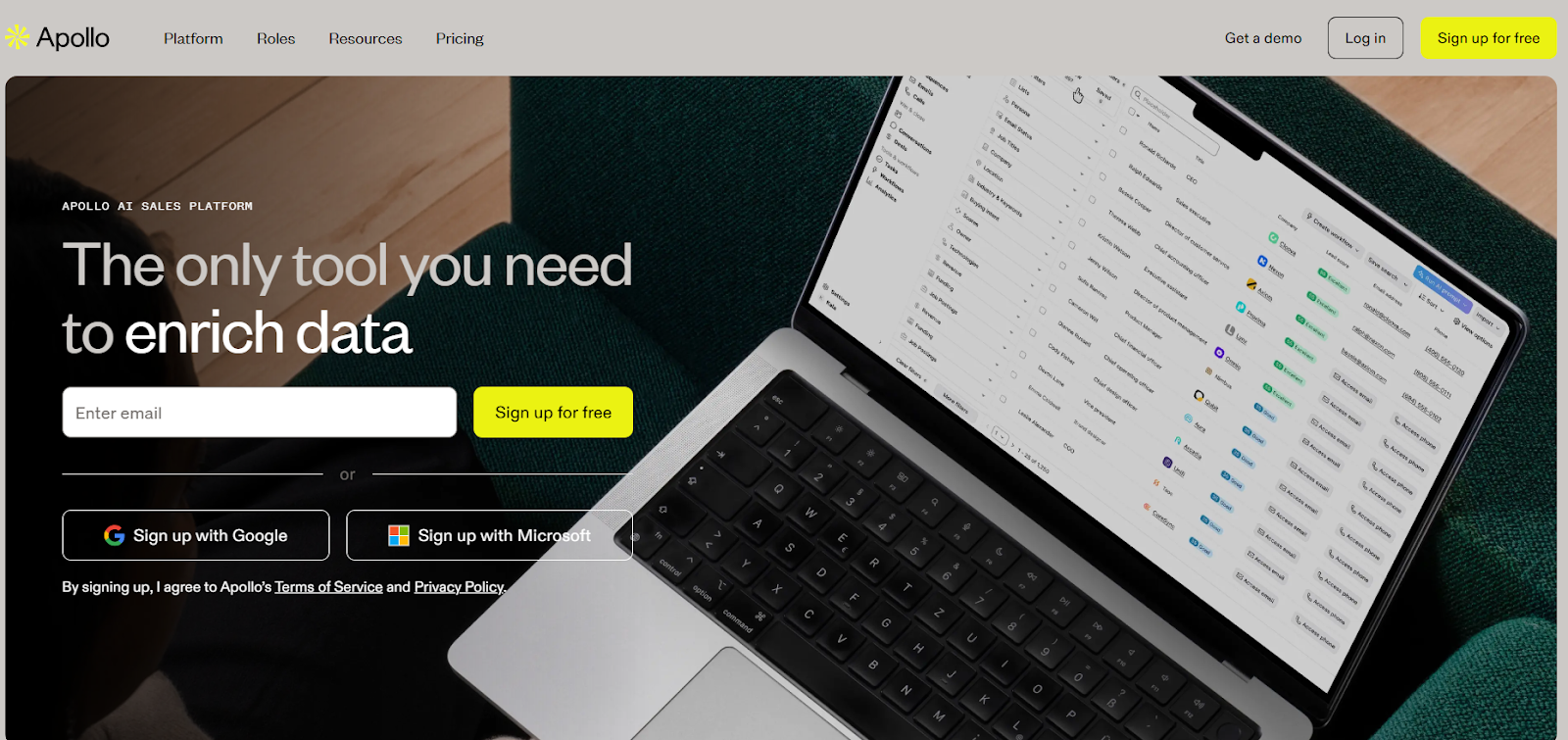
This image shows the Apollo.io homepage
Apollo is an all-in-one AI sales platform for teams that want B2B data, outreach, calling, and CRM sync in one place.
It helps sales teams find leads, enrich data, send emails, make calls, book meetings, and manage pipeline from one tool.
If your main goal is to get B2B contacts, run multi-channel outreach, and book meetings from one system, Apollo is a strong Salesloft alternative.
Key Features of Apollo
The platform lets you build pipeline using filters, intent data, and lead scoring.
It allows teams to send emails, make calls, and record meetings from one dashboard.
The system includes AI tools to help write emails, personalize messages, and improve outreach.
The tool supports meeting scheduling, call recording, and AI call insights.
The platform supports multi-channel outreach with email, calls, tasks, and workflows.
Apollo vs Salesloft: Quick Comparison
Feature
Salesloft
Apollo
Core focus
Revenue orchestration for large teams
B2B data + outreach + pipeline
Lead database
No native contact database
210,000,000+ contacts, 35,000,000+ companies
Cold email
Yes
Yes
Calling
Yes
Yes
AI features
AI agents across revenue workflows
AI for emails, research, and workflows
CRM sync
Deep enterprise CRM sync
CRM sync + enrichment
Best for
Enterprise RevOps and coaching
SMBs, sales teams, and outbound reps
Pros and Cons of Apollo
Pros
Cons
Large B2B database with 210,000,000+ contacts
Email, calling, and meetings in one tool
AI helps with research and email writing
Strong CRM sync and enrichment
Chrome extension for fast prospecting
Credit-based pricing limits heavy users
Per-user pricing can get expensive at scale
Not focused on deep revenue coaching
Outreach setup needs time to learn
Advanced features need higher plans
Apollo Pricing
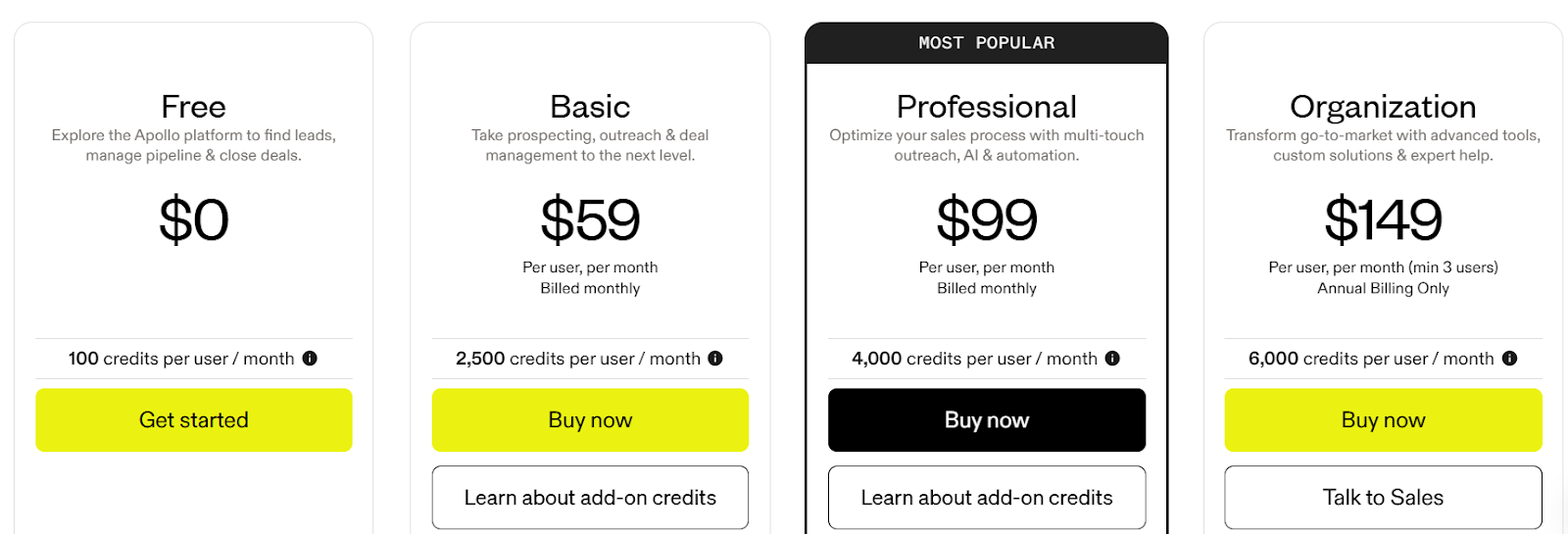
This image shows the Apollo.io pricing
Free – $0/month, includes 100 credits per user per month, basic prospecting, Gmail & Salesforce extension, and 2 sequences.
Basic – $59/user/month, includes 2,500 credits per user per month, unlimited sequences, advanced filters, CRM integrations, meeting scheduling, and data enrichment.
Professional – $99/user/month, includes 4,000 credits per user per month, AI research tools, automated workflows, call recordings with AI insights, US dialer, and up to 5 connected mailboxes per user.
Organization – $149/user/month (annual only, minimum 3 users), includes 6,000 credits per user per month, advanced security, SSO, custom reports, international dialer, and up to 15 connected mailboxes per user.
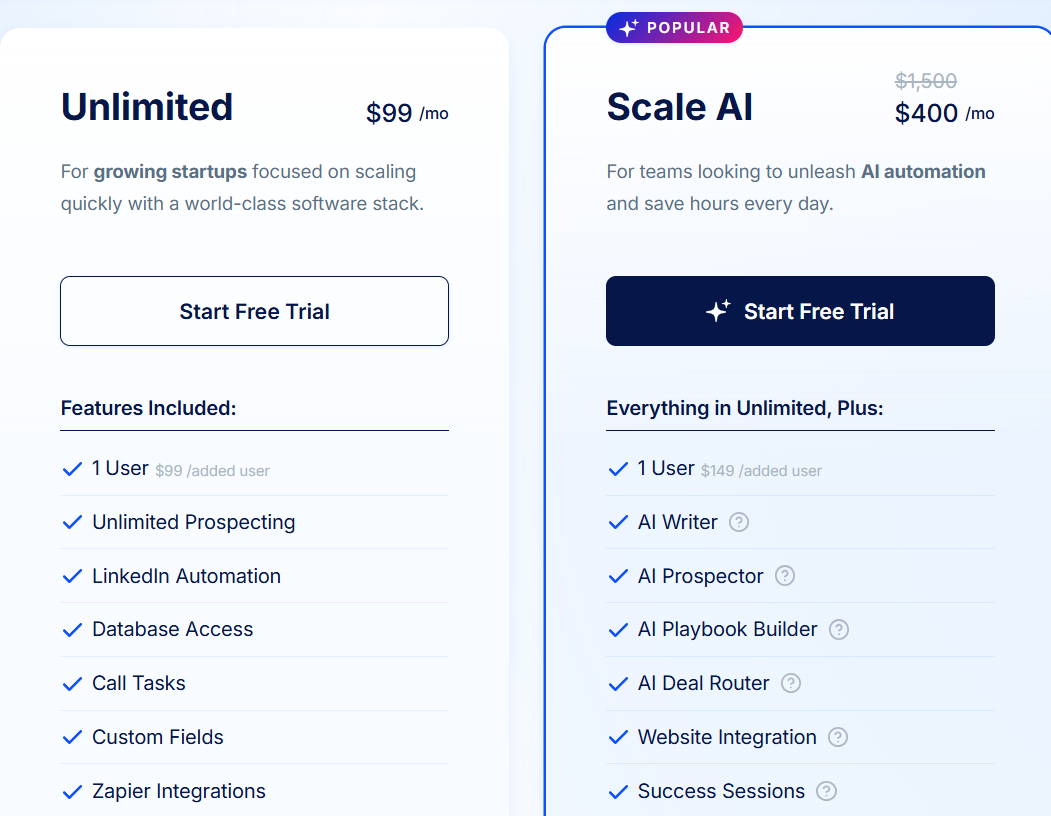
Scale AI – $400/month (discounted from $1,500/month), includes 1 user, AI Prospector, AI Playbook Builder, AI Writer, AI Deal Router, website integration, and success
sessions.
Extra users cost $99 per user per month on the Unlimited plan.
Free trial lasts 7 days and includes unlimited prospecting and custom onboarding.
6. Reply.io – Best for Multichannel Sales Outreach with AI SDR
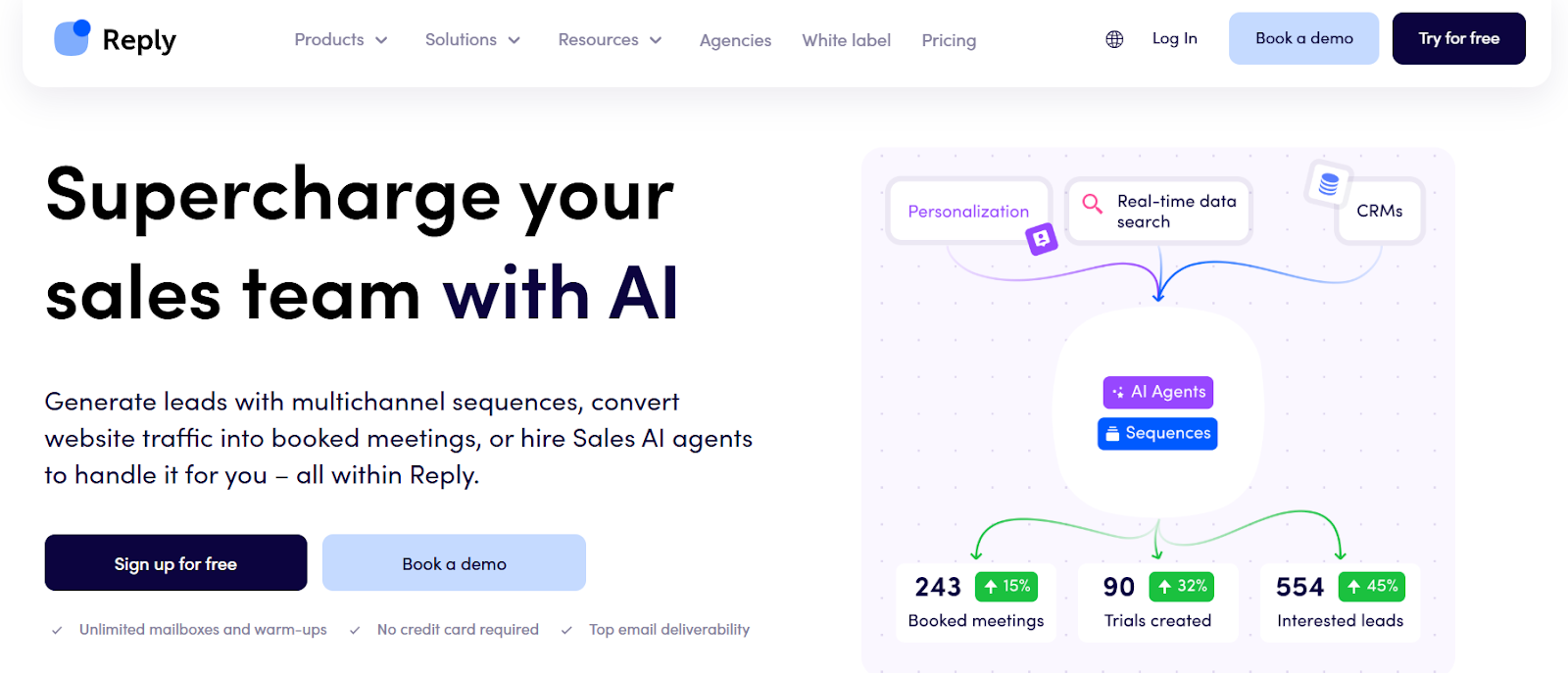
This image shows the Reply.io homepage
Reply.io is a sales outreach platform for B2B teams that want to send emails, follow up on LinkedIn, make calls, and book meetings from one place.
It helps teams run multichannel outbound with strong deliverability and automation.
Salesloft is built for large revenue teams that focus on coaching, forecasting, and deal management.
It is focused on revenue orchestration and managing sales workflows across big teams.
If your main goal is to run multichannel cold outreach and automate replies and meetings, Reply.io is a strong alternative to Salesloft.
Key Features of Reply.io
It supports email, LinkedIn, calls, SMS, and WhatsApp outreach inside multichannel sequences.
The platform offers unlimited mailboxes and unlimited email warm-up to protect deliverability.
It provides a unified inbox to manage replies from different channels in one place.
It includes AI SDR (Jason) to handle prospecting, personalization, replies, and meeting booking.
It includes email deliverability tools like warm-ups, health checks, and Google Postmaster integration.
Reply.io vs Salesloft: Quick Comparison
Feature
Salesloft
Reply.io
Core focus
Revenue orchestration for large teams
Multichannel cold outreach & AI SDR
Cold email sending
Yes
Yes (built for outbound at scale)
LinkedIn outreach
Limited
Built-in LinkedIn automation (paid add-on)
AI agents
AI agents across revenue workflows
AI SDR (Jason) for outbound
Reply inbox
Sales inbox
Unified inbox
Deliverability tools
Not infrastructure-first
Warm-up and deliverability suite
Best for
Enterprise RevOps teams
SMBs, agencies, outbound teams
Pros and Cons of Reply.io
Pros
Cons
Supports multichannel outreach from one platform
Includes unlimited mailboxes and warm-ups
Offers AI SDR (Jason) for full outbound automation
Provides strong deliverability tools and health checks
LinkedIn automation costs extra per account
Calls and SMS cost extra per account
AI SDR plans start at higher monthly pricing
Advanced features may be costly for small teams
Reply.io Pricing
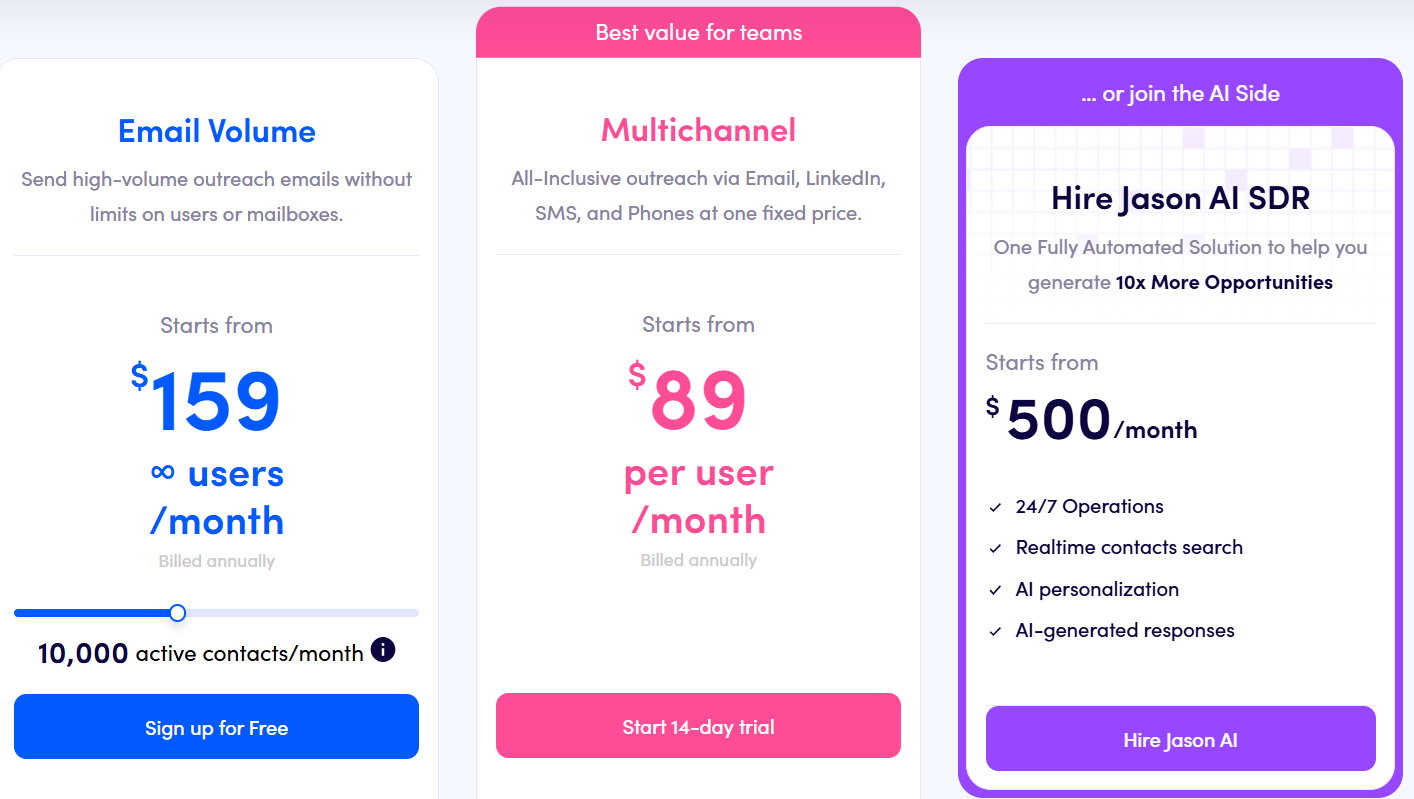
This image shows the Reply.io pricing
Email Volume Plan – $159/user/month (billed annually), includes 10,000 active contacts/month, unlimited users, unlimited mailboxes, unlimited warm-up, unlimited emails, and 50
live data credits/month.
Multichannel Plan – $89/user/month (billed annually), includes unlimited active contacts, 10 mailboxes, unlimited emails, unlimited warm-up, LinkedIn, calls, SMS, WhatsApp
(semi-automation), and 50 live data credits/month.
AI SDR (Jason) – starts from $500/month, includes automated prospecting, AI personalization, reply handling, and meeting booking.
Reply.io offers a free trial with no credit card required for human-led plans.
7. HubSpot Sales Hub – Best for CRM-First Sales Teams & Revenue Operations
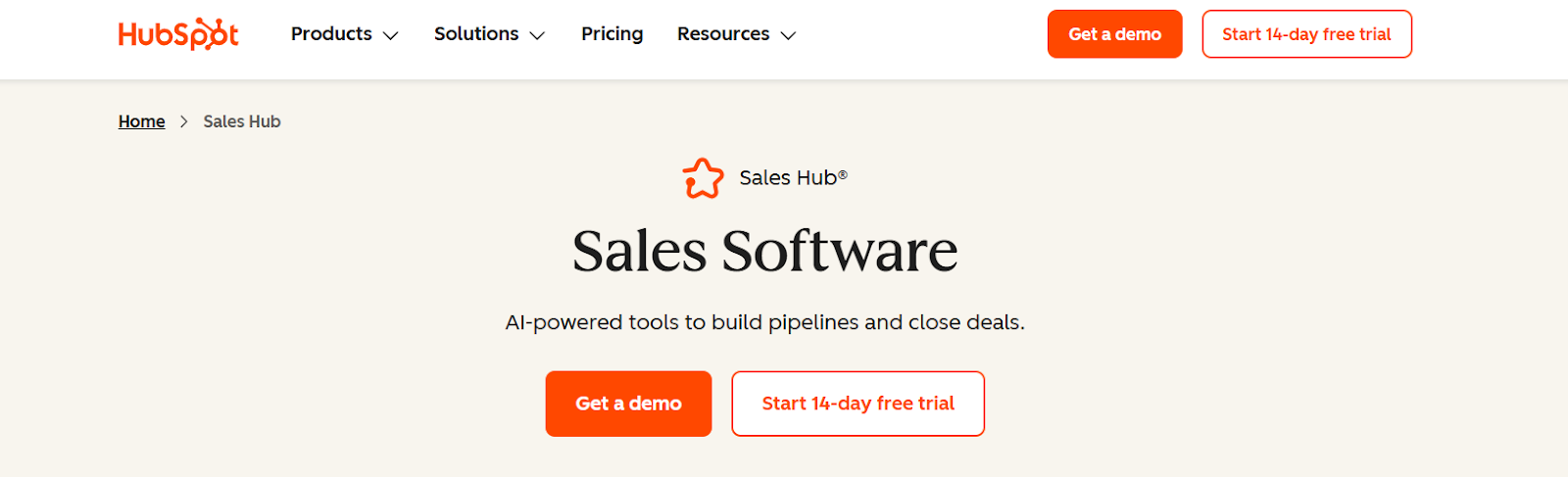
This image shows the HubSpot Sales Hub homepage
HubSpot Sales Hub is a sales platform for B2B teams that want to manage leads, deals, calls, emails, and meetings inside one CRM.
It helps teams track the full sales pipeline, coach reps, forecast revenue, and close deals faster using AI tools.
If your main goal is to manage deals, forecast revenue, and run sales from a CRM, HubSpot Sales Hub is a strong alternative to Salesloft.
Key Features of HubSpot Sales Hub
It supports email outreach, call tracking, meeting booking, and deal tracking from one CRM workspace.
The platform includes AI agents (Breeze agents) for prospecting, customer support, and lead qualification.
Sales automation helps teams send sequences, automate follow-ups, rotate leads, and trigger tasks.
Conversation intelligence records calls, transcribes them, and helps managers coach reps.
HubSpot Sales Hub vs Salesloft
Feature
Salesloft
HubSpot Sales Hub
Core focus
Revenue orchestration for large teams
CRM-first sales pipeline & deal management
Cold email sending
Yes (cadences)
Yes (sequences + email automation)
LinkedIn outreach
Limited (tasks, Sales Navigator actions)
Limited (requires Sales Navigator integration)
AI agents
AI agents across revenue workflows
Breeze AI agents for prospecting, support, and selling
Reply inbox
Sales inbox + conversations
CRM inbox + conversation tracking
Deliverability tools
Not infrastructure-first
Not infrastructure-first
Pros and Cons of HubSpot Sales Hub
Pros
Cons
Strong CRM for deals, pipeline, and forecasting
AI agents for prospecting and customer support
Built-in calling, meeting booking, and conversation intelligence
Powerful sales automation and sequences
Works well with HubSpot Marketing, Service, and CMS hubs
Not built for cold email deliverability at scale
LinkedIn automation is limited
No native inbox warm-up or mailbox rotation
Can get expensive as team size grows
Setup and onboarding fees on Professional & Enterprise plans
HubSpot Sales Hub Pricing
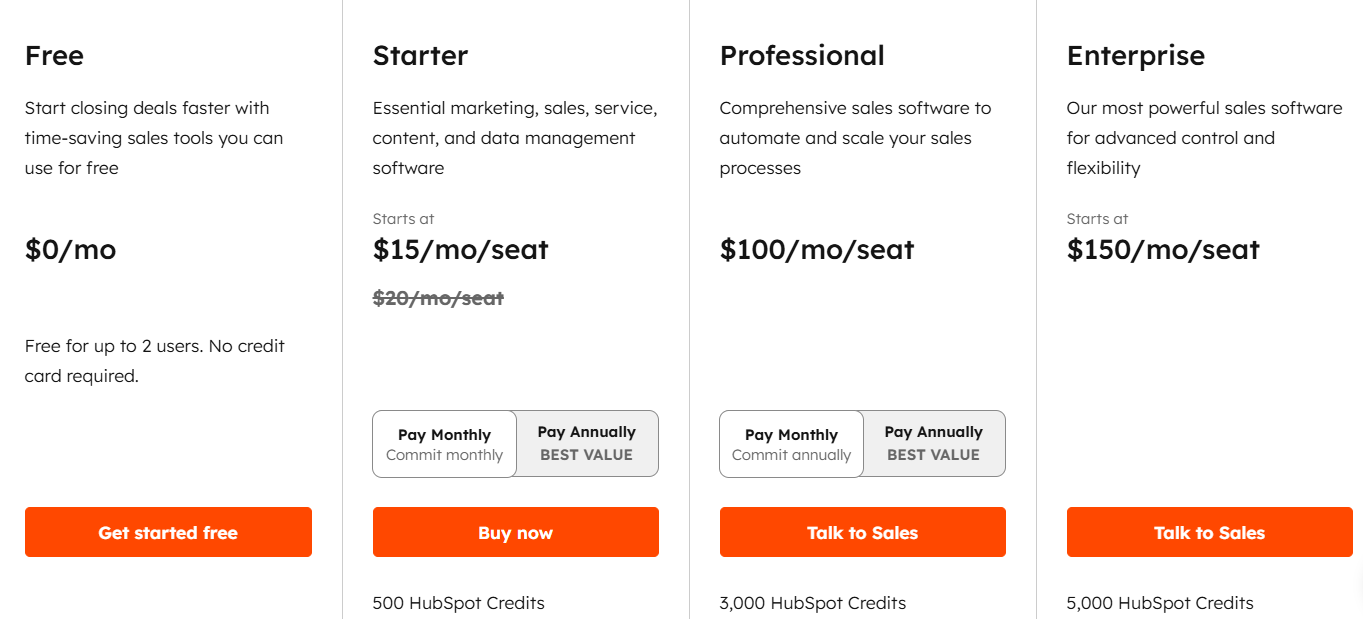
This image shows the HubSpot Sales Hub pricing
Free Plan – $0/month, includes deal tracking, live chat, meeting scheduler, and basic CRM tools (free for up to 2 users).
Starter – $15/month per seat,includes personalized outreach, sequences, calling, basic automation, and content personalization.
Professional – $100/month per seat,includes AI forecasting, sequences, deal scoring, conversation intelligence, sales analytics, and forecasting. Requires one-time onboarding
fee of $1,500.
Enterprise – $150/month per seat,includes advanced forecasting, conversation intelligence, custom objects, deal approvals, lead routing, and pipeline analytics. Requires one-
time onboarding fee of $3,500.
HubSpot Sales Hub also offers a 14-day free trial on paid plans.
8. Mixmax – Best for Inbox-First Sales Execution
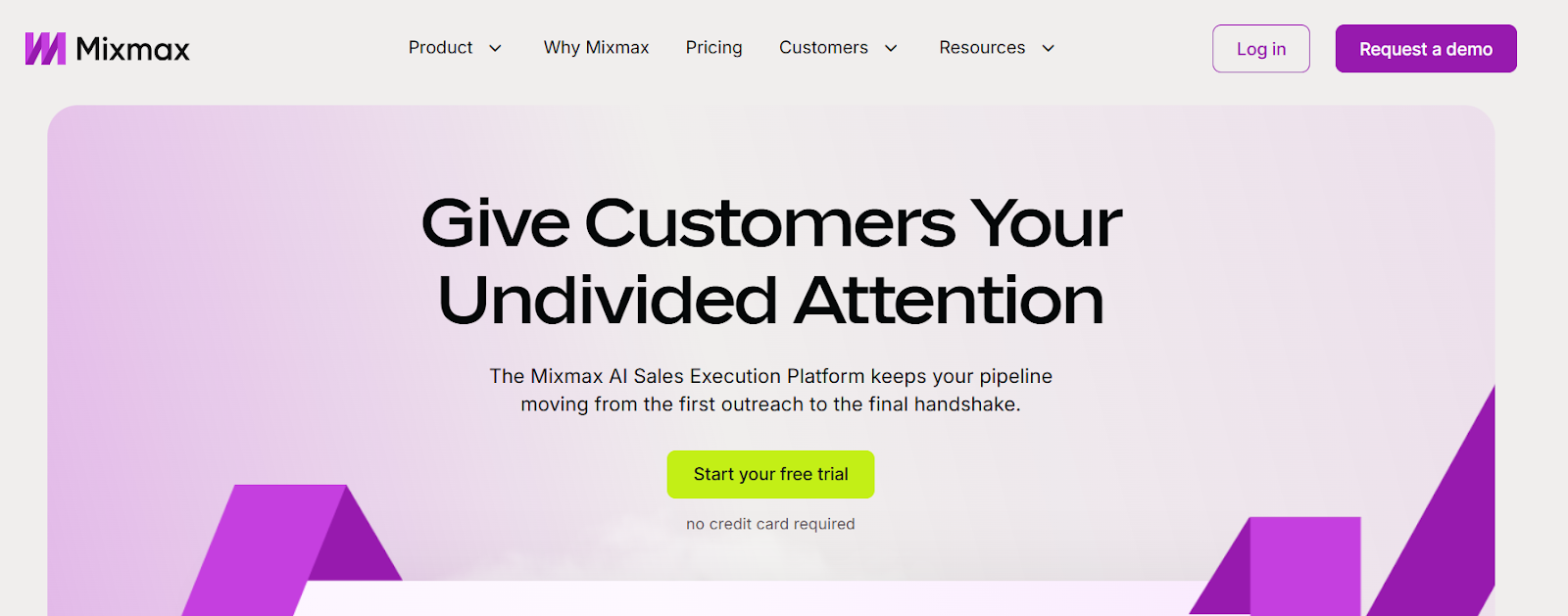
This image shows the Mixmax homepage
Mixmax is an AI sales execution platform built to help reps manage deals, follow up faster, and keep pipelines moving from inside Gmail or Outlook.
It helps reps know what to do next using signals from email, meetings, and CRM activity.
Mixmax is focused on inbox-based selling, meeting follow-ups, and daily sales actions.
Key Features of Mixmax
The platform shows engagement signals to help reps know who to follow up with next.
It works inside Gmail and Outlook so reps can sell without leaving their inbox.
The tool provides AI Copilots for inbox management, meetings, and engagement.
The platform supports multi-channel outreach across email, phone, and LinkedIn.
The system automates reminders, follow-ups, and CRM updates.
Mixmax vs Salesloft: Quick Comparison
Feature
Salesloft
Mixmax
Core focus
Revenue orchestration for sales teams
Inbox-first sales execution
Works inside inbox
No (separate web app + plugins)
Yes (Gmail and Outlook)
Multi-channel outreach
Email, calls, tasks for LinkedIn (no native automation)
Email, calls, LinkedIn tasks
AI assistants
AI agents across revenue workflows
Inbox, Meeting, and Engagement Copilots
Meeting tools
Yes
Yes
CRM sync
Yes (deep CRM sync)
Yes (Salesforce workflows + CRM sync)
Best for
Mid-market and enterprise RevOps teams
Reps who live in their inbox
Pros and Cons of Mixmax
Pros
Cons
Works directly inside Gmail and Outlook
Strong meeting scheduling and follow-ups
AI Copilots help reps act faster
Good for inbox-first sales teams
Automates CRM updates and reminders
Not a full revenue orchestration platform
Not built for complex RevOps workflows
Advanced features cost more per user
Less control for large sales orgs
Not focused on cold email deliverability infrastructure
Mixmax Pricing
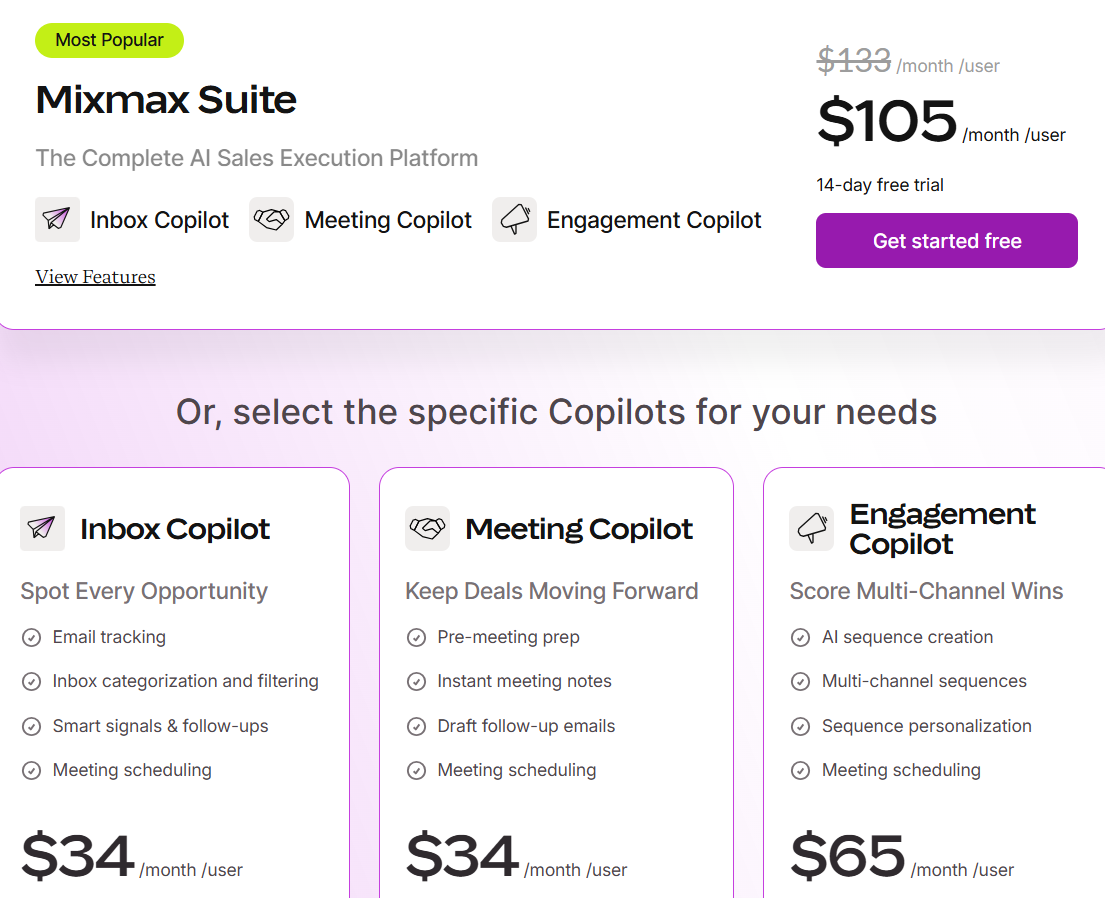
This image shows the Mixmax pricing
Mixmax Suite – $105/month per user (annual) or $133/month per user (monthly) – Includes Inbox Copilot, Meeting Copilot, and Engagement Copilot.
Inbox Copilot – $34/month per user – Includes email tracking, inbox signals, and follow-ups.
Meeting Copilot – $34/month per user – Includes meeting prep, notes, and follow-up drafts.
Engagement Copilot – $65/month per user – Includes AI sequences and multi-channel outreach.
Free plan after trial – Includes email tracking, meeting scheduling, and basic sequences, 14-day free trial, no credit card required.
9. Snov.io – Best All-in-One Tool for Lead Generation and Cold Outreach
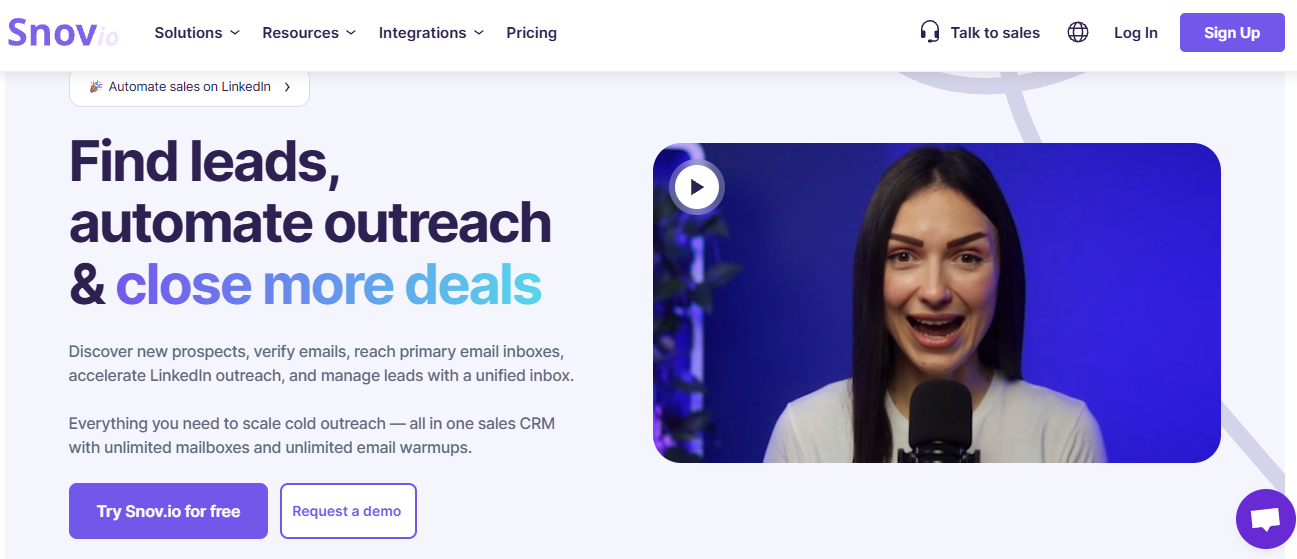
This image shows the Snov.io homepage
Snov.io is a sales platform that helps teams find leads, verify emails, send cold emails, run LinkedIn outreach, and manage deals from one place.
It combines lead finding, email verification, outreach automation, deliverability tools, and a simple CRM into one workflow.
If you want one tool to handle prospecting, cold email, LinkedIn automation, and follow-ups, Snov.io is a strong alternative to Salesloft.
Key Features of Snov.io
The platform lets you run cold email campaigns with unlimited follow-ups and personalization.
The system supports LinkedIn automation for connection requests, messages, and multi-step outreach.
The tool includes email verification with 7-tier checks to reduce bounce rates and protect sender reputation.
The deliverability toolkit provides email warm-up, domain health checks, spam checks, and inbox placement tests.
Snov.io vs Salesloft: Quick Comparison
Feature
Salesloft
Snov.io
Core focus
Revenue orchestration for large teams
Lead generation + cold outreach
Lead database
No
Yes (email finder + database search)
Cold email campaigns
Yes (Cadences)
Yes
LinkedIn automation
Limited (tasks + Sales Navigator actions, no native automation)
Yes (LinkedIn automation via extension/automation)
Email verification
No
Yes (multi-step verification)
Deliverability tools
Limited (not infrastructure-first)
Domain checks, spam test, warm-up
Pros and Cons of Snov.io
Pros
Cons
Offers lead finder, cold email, and LinkedIn automation in one tool
Pro – $99/month,5000 credits, 25, 000 recipients, unlimited mailbox warmups
Custom Ultra – Custom, from 2,00,000 credits, unlimited mailbox warmups
10. AiSDR – Best for Fully-Managed AI SDR Outreach
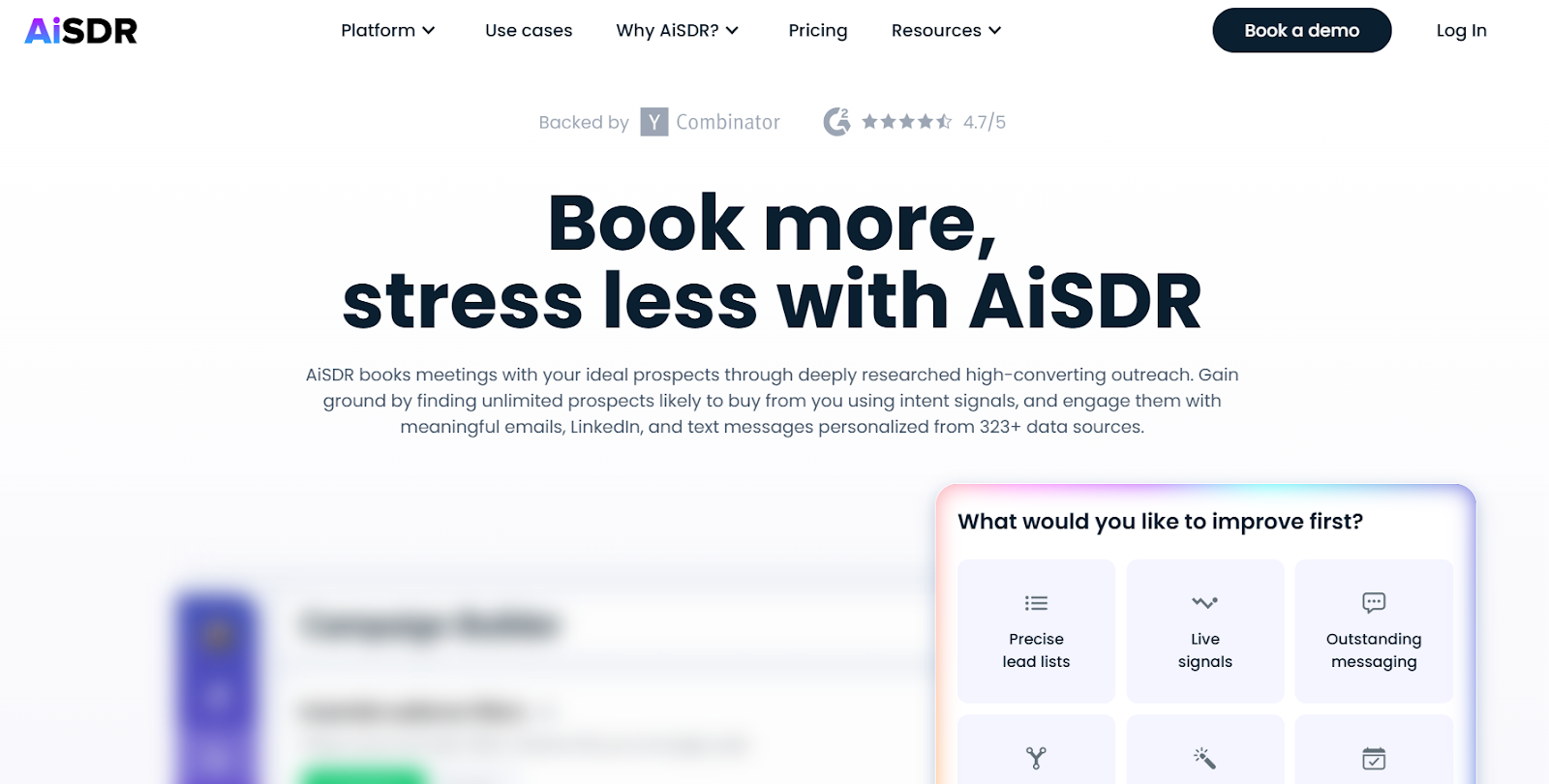
This image shows the AiSDR homepage
AiSDR is an AI SDR platform for B2B teams that want to book meetings using fully automated outreach across email, LinkedIn, and text messages.
It handles lead research, message writing, follow-ups, and reply handling for you.
If your main goal is to book meetings using AI-run cold outreach, AiSDR is a stronger alternative to Salesloft.
Key Features of AiSDR
It runs automated outreach across email, LinkedIn, and text messages from one platform.
The platform finds leads using buyer intent signals, job changes, funding data, and social activity.
Turnkey email setup includes domain purchase, mailbox setup, warm-up, and rotation for deliverability.
AI Strategist suggests GTM strategies and launches campaigns in one click.
AiSDR vs Salesloft: Quick Comparison
Feature
Salesloft
AiSDR
Core focus
Revenue orchestration for large teams
AI SDR for outbound and meeting booking
LinkedIn outreach
Tasks only, no automation
Yes, AI runs LinkedIn outreach
AI agents
Agents across forecasting, coaching, deals, chat
AI SDR runs prospecting, outreach, replies
Reply inbox
Sales inbox + conversations
Unified inbox inside AiSDR
Deliverability
No warm-up or mailbox setup
Mailboxes, warm-up, and rotation included
Best for
Enterprise RevOps teams
Teams that want done-for-you AI outbound
Pros and Cons of AiSDR
Pros
Cons
Fully automated AI SDR books meetings for you
Includes mailbox setup, warm-up, and deliverability
Uses buyer intent signals to find ready-to-buy leads
Supports email, LinkedIn, and text outreach
Requires quarterly billing commitment
Less control for teams who want manual sending
Higher starting price than DIY outreach tools
Best results depend on AI persona setup quality
AiSDR Pricing
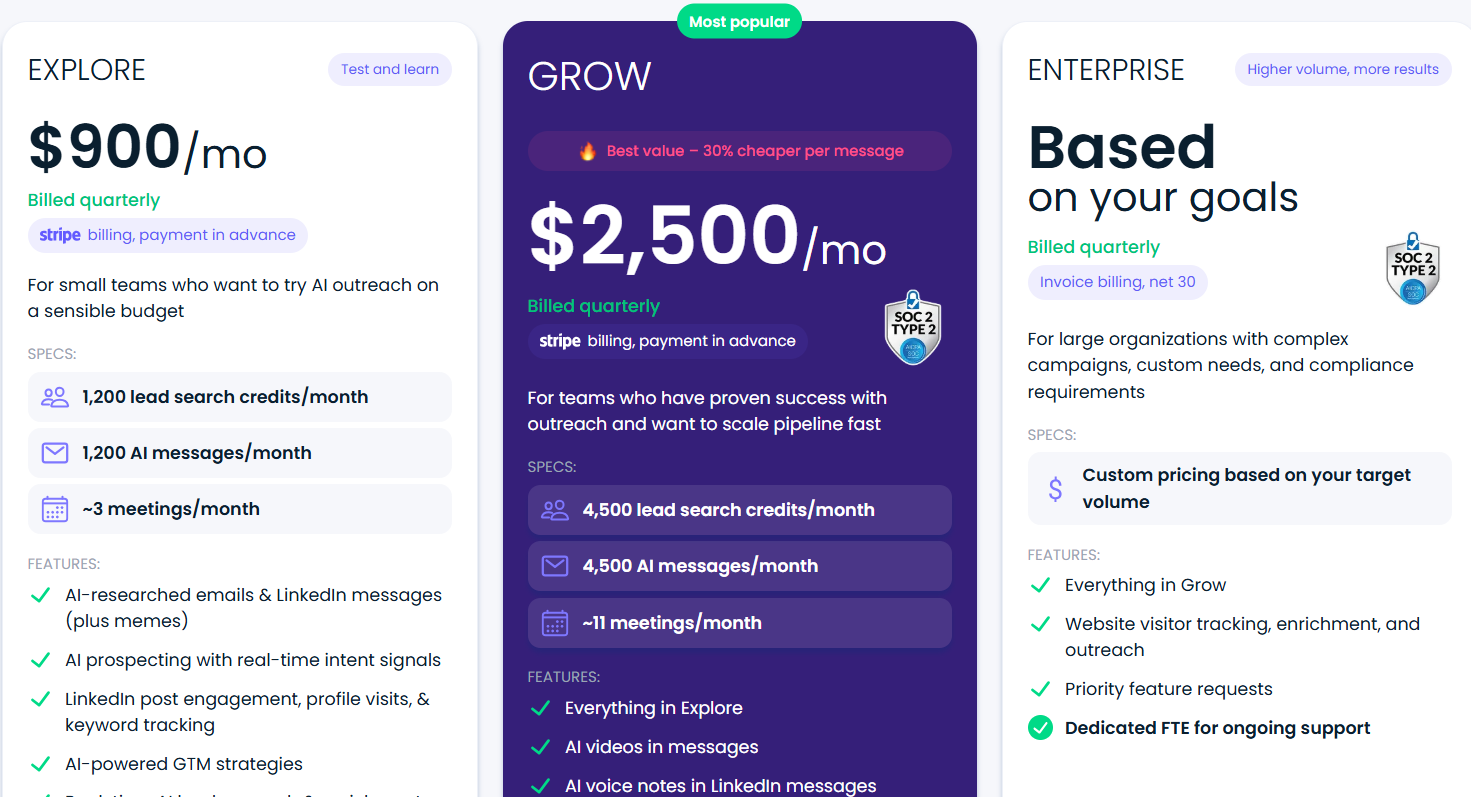
This image shows the AiSDR pricing
Explore Plan – $900/month (billed quarterly), includes 1,200 lead search credits/month, 1,200 AI messages/month, AI SDR outreach across email and LinkedIn, mailbox setup,
warm-up, deliverability, HubSpot sync, and dedicated GTM engineer onboarding.
Grow Plan – $2,500/month (billed quarterly), includes 4,500 lead search credits/month, 4,500 AI messages/month, AI videos in messages, AI voice notes on LinkedIn, HubSpot
& Salesforce scoring, biweekly strategy check-ins, and full AI SDR automation.
Enterprise Plan – Custom pricing (billed quarterly), includes custom lead volumes, website visitor tracking, priority support, dedicated full-time support, and compliance-ready
setup.
AiSDR offers quarterly plans with cancel-anytime terms and white-glove onboarding for setup, mailboxes, and deliverability.
Personalized Outbound Strategy
Get The Right Outbound Strategy In Minutes
Enter your email to get a custom plan & stack recommendation for your
business
It's being carefully crafted by AI
Please check your mailbox in 5 minutes
Which Salesloft Alternative Should You Choose?
Salesloft is built for large revenue teams that need coaching, forecasting, and deal management.
But most outbound teams don’t need a heavy RevOps platform just to book meetings.
Choose based on your main use case:
If you need B2B data and prospecting, choose a tool like Apollo or Snov.io.
If you need inbox-first selling, choose Mixmax.
If you need multichannel outbound with AI SDR, choose Reply.io or AiSDR.
If you need cold email and LinkedIn outreach at scale with deliverability, choose Salesforge.
If your main goal is to book more meetings using cold outreach, Salesforge is the strongest alternative to Salesloft.
It is built for outbound teams, supports email + LinkedIn from one place, protects deliverability with warm-up and rotation, and can run campaigns with an AI SDR when needed.
Cold email AI tools in 2026 do more than write emails. Compare the best AI cold email tools for deliverability, prospecting, outreach, and AI SDR workflows.



.jpg)

.jpg)
.jpg)
