Most email automation tools promise the same thing, more replies, more meetings, and more pipeline. The problem is that once you start comparing them, everything begins to look the same. Almost every platform claims to offer email sequences, automation, personalization, analytics, warmup, AI features, and deliverability tools. But when you look closer, the differences are much bigger than the marketing pages suggest.
Some platforms are better for managing large outbound operations. Some are better for prospecting. Some are easier for small teams. Others give you more control over deliverability, mailbox management, and scaling. As a result, choosing the wrong tool can mean paying for features you never use while still needing additional software to fill the gaps.
In this guide, I'll compare the best email automation tools in 2026, explain where each one performs best, where it falls short, and which type of team should actually use it.
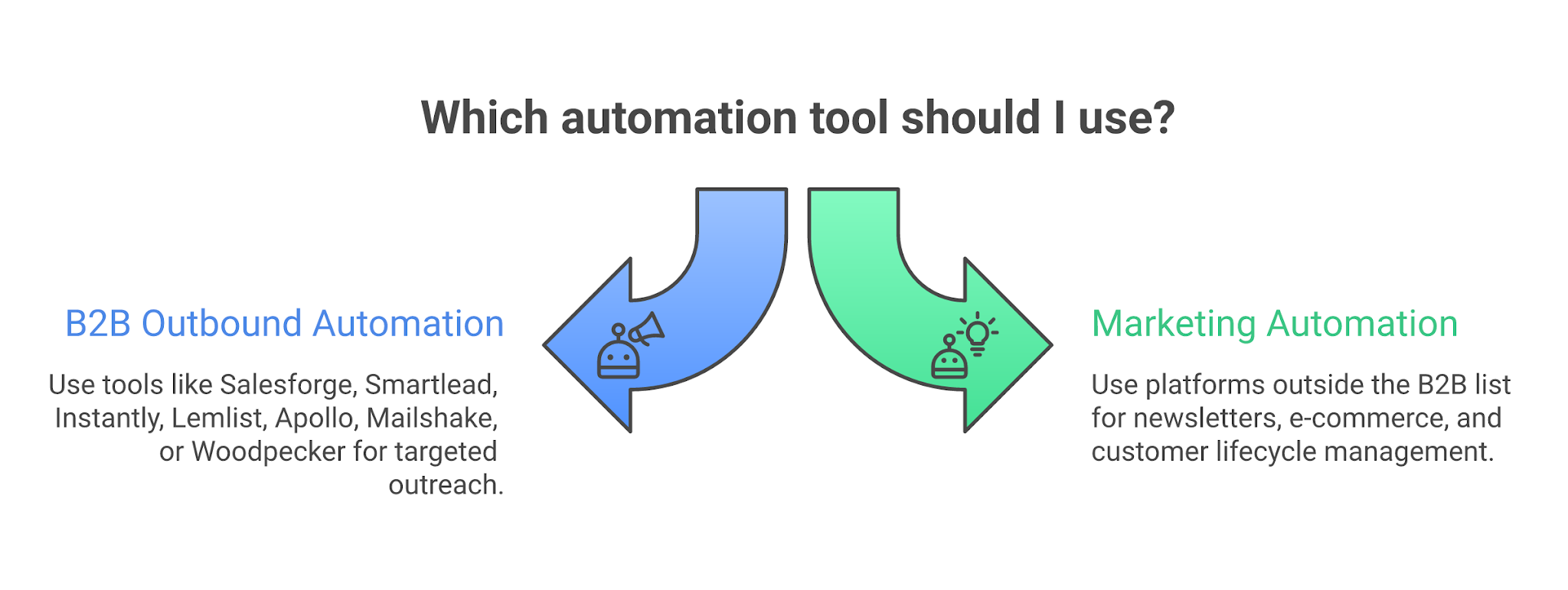
Alt text: Email automation category split
Here is a quick comparison:
Tool
Best for
Starting price
Main automation strength
Avoid if
Salesforge
Infrastructure-led B2B outbound
$40/mo monthly Pro
Email + LinkedIn sequencing tied to warmup, mailbox rotation, IP rotation, Primebox, and Forge infrastructure
You need newsletters, ecommerce flows, or a tiny one-seat Gmail follow-up tool
Smartlead
High-volume sender operations
$39/mo Base
Unlimited email accounts, send volume, verified prospect credits, and operator controls
You need the tool to own data, infrastructure, and GTM workflow in one system
Instantly
Fast high-volume cold email launch
$47/mo Growth Email Outreach
Unlimited connected/warmed accounts, campaign sending, inbox placement and credit add-ons
You do not want contact limits or add-on math
Lemlist
Multichannel personalization
$39/mo Email monthly; $31/mo yearly
Email, LinkedIn, SMS, WhatsApp, calls, database, warmup, and custom personalization
You only need email and do not want to pay for extra channels
Apollo
Database-led prospecting
Free plan; paid pricing varies by workspace
Prospect database, sequences, rulesets, CRM-style workflow
Sender infrastructure and deliverability control are the real bottleneck
Mailshake
Simple sales follow-up
$29/mo Starter monthly; $25/mo yearly
Automated sequences, A/B testing, warmup, verification, unified inbox on higher plan
You need heavy infrastructure control or many mailboxes per account
Woodpecker
Controlled cold email + LinkedIn
Usage-based; visible slider starts at $0 for low usage
Contacted-prospect pricing, warmup, verification, inbox rotation, LinkedIn add-on
You need a simple flat plan with no slider or add-on math
I evaluated these tools based on whether they can run reliable outbound email without creating domain risk, messy reply handling, or hidden operating costs. The workflow matters more than the feature grid. A real outbound team has to connect mailboxes, warm senders, sequence prospects, protect sender reputation, personalize at scale, route replies, and sync to CRM.
These were the five criteria.
I also checked the category boundary. Some searchers typing “email automation tools” need sales email automation. Others need marketing email automation. Sales email automation is about reaching net-new prospects and turning replies into pipeline. Marketing email automation is about communicating with subscribers, users, customers, or opted-in audiences.
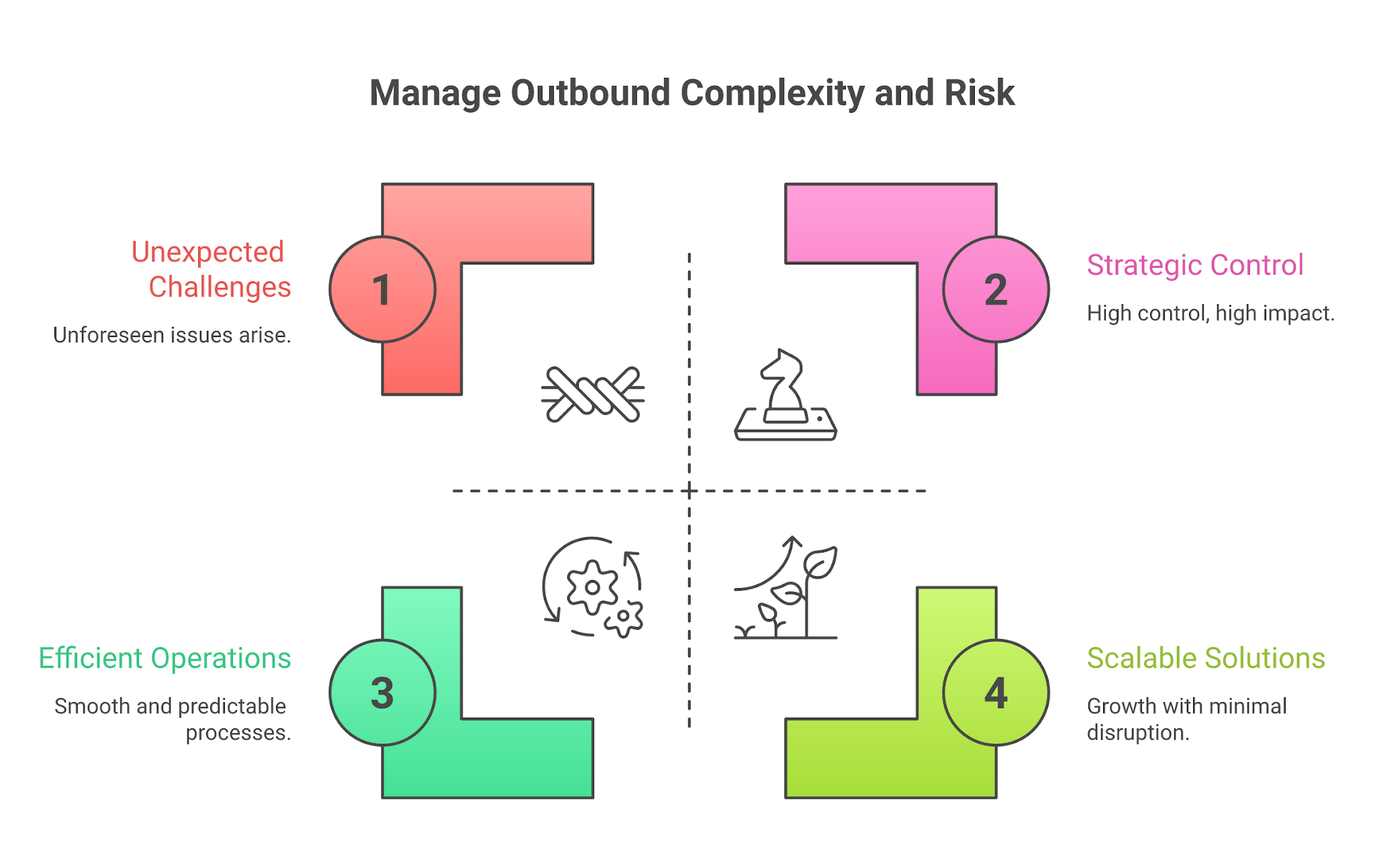
Alt text: How to evaluate email automation tools
The real cost is rarely just the subscription. For outbound, count six lines:
That is where cheap plans break. Now let’s have a detailed look of each tool:
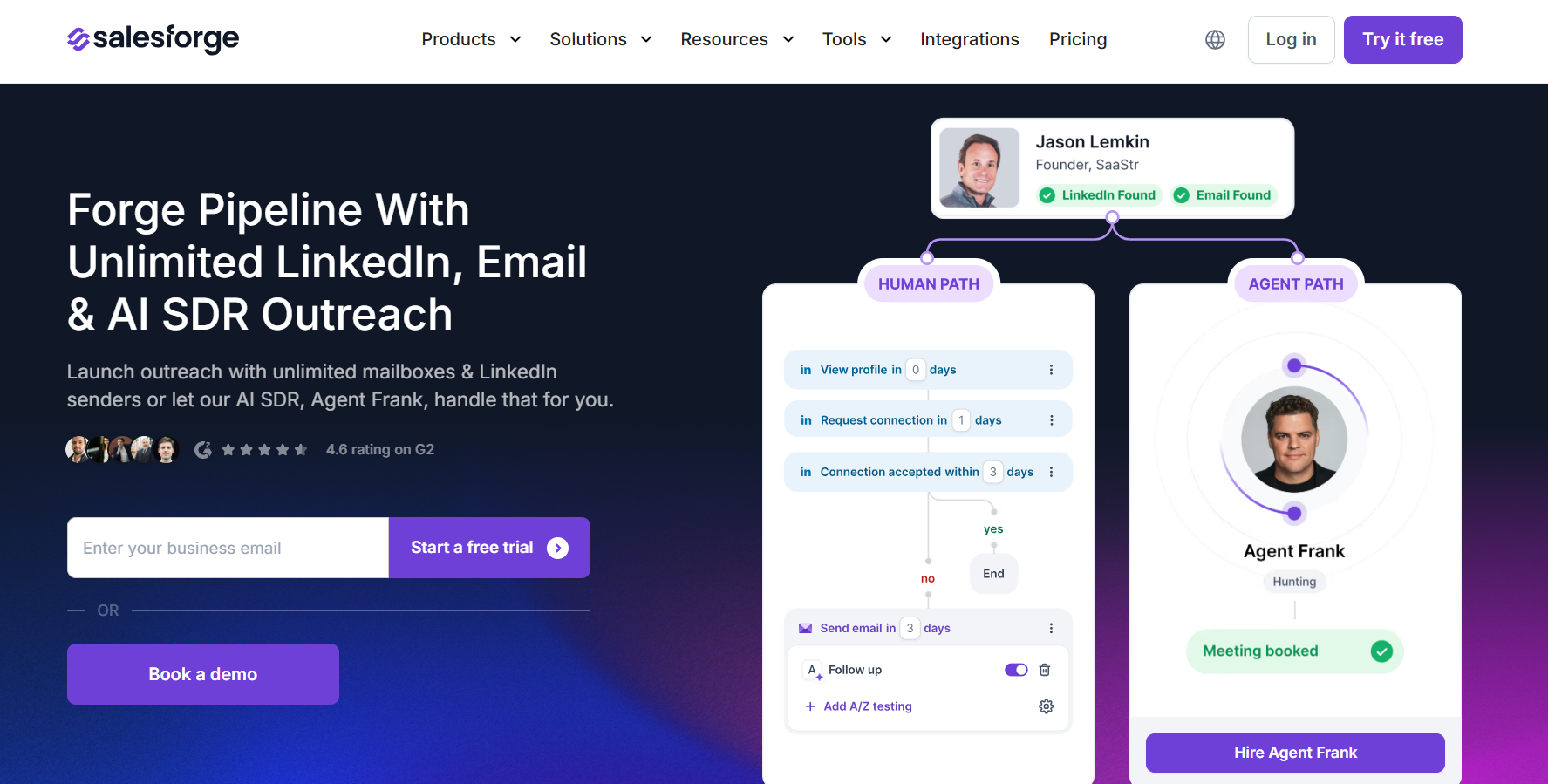
Alt text: Salesforge homepage
Salesforge is the strongest fit when email automation is only one layer of a bigger outbound system. Most teams do not fail because they forgot a follow-up step. They fail because they send from weak infrastructure, skip warmup, use dirty data, push too much volume too early, and then blame the copy.
Salesforge is built around the Forge Stack order:
Salesforge runs email and LinkedIn outbound from one platform. It handles execution. Mailforge handles distributed email infrastructure. Infraforge handles private infrastructure. Primeforge handles Google and Microsoft infrastructure. Warmforge handles deliverability and warmup. Leadsforge handles prospect discovery. Agent Frank finds prospects, writes tailored outreach, follows up, and books meetings.
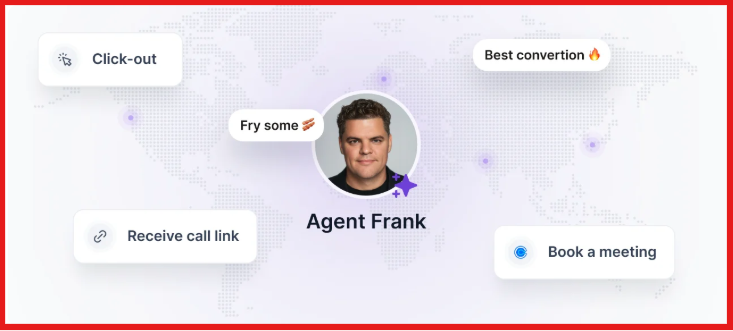
Alt text: Agent frank to automate prospects and book a meeting
That stack matters when you have 10 SDRs, 60 mailboxes, and one RevOps person trying to keep the system clean.
Salesforge wins when the buyer wants:
The best Salesforge buyer is trying to forge pipeline without burning domains. One Salesforge case study shows Jungler running 21 active mailboxes through Salesforge and Warmforge, with all mailboxes warmed and 89+ Heat Scores. Another Salesforge post cites Kobi Omenaka, who has shared cold email lessons after 100,000+ sends on LinkedIn, arguing for tighter sequencing and deeper data work before scale. That is the operating point. Scale only works when the pieces stay ordered.
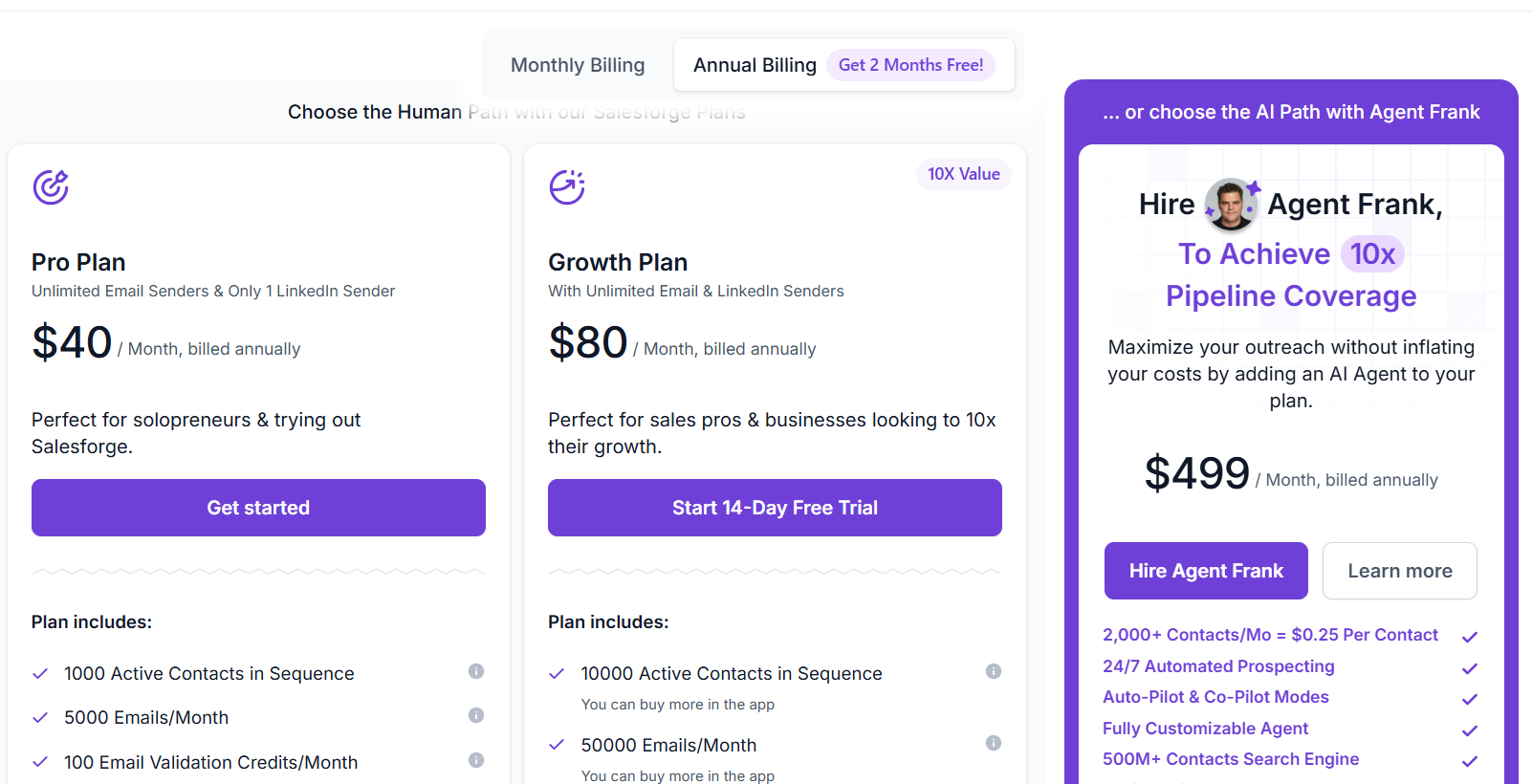
Alt text: Salesforge pricing
My read: Pro is the test plan. Growth is the real operator plan. Agent Frank is a pipeline coverage decision, not a “nice AI add-on.”
Do not choose Salesforge if you only need:
Choose Salesforge if outbound email automation is part of a serious B2B pipeline system. Especially if your bottleneck is infrastructure, sender matching, mailbox/IP rotation, reply handling, and warmup.
Alt text: Smartlead homepage
Smartlead is a strong pick for teams that already understand cold email operations and want to run volume through many senders without paying per connected mailbox.

Alt text: SmartSenders by Smartlead
All plans include unlimited email accounts at no extra cost. That is why operators like it. It is built for high-volume cold email sending. Its pricing page shows plan allowances for contacts, monthly email sends, verified prospect emails, warmup pool access, CRM access, and add-ons.
Choose Smartlead if you already have domains and mailboxes, know sender limits, want unlimited email accounts, and care more about campaign volume than a built-in prospecting database. This is where Smartlead can beat broader platforms.
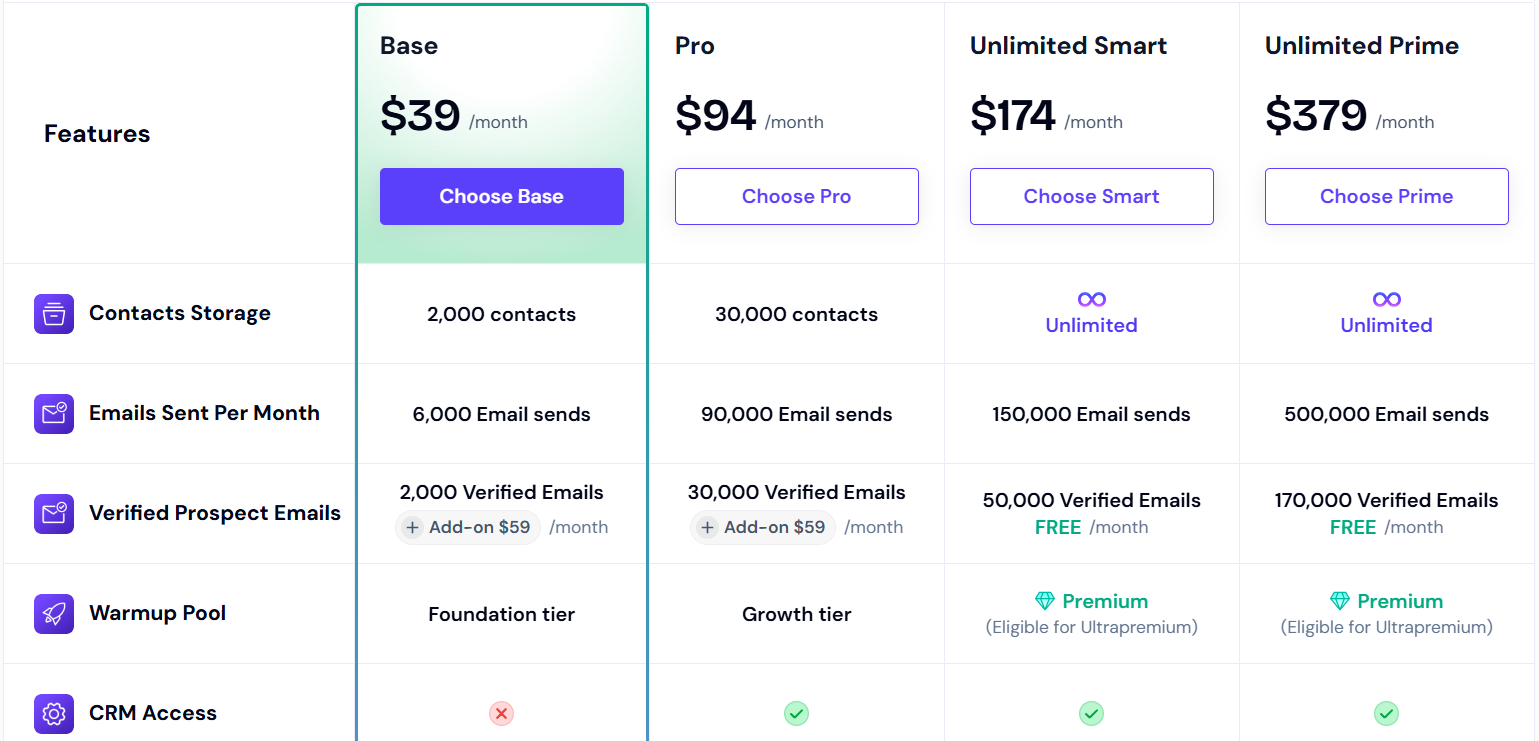
Alt text: Smartlead pricing
My read: Base is not the plan for serious volume. Unlimited Smart is the operator plan if you want fewer constraints around contacts.
Smartlead is less compelling if you want one integrated system for:
It can still work. But you need to bring more operational judgment yourself.
Choose Smartlead if your team is already good at cold email operations and wants a strong sender console with unlimited connected accounts. Do not choose it because you want the tool to teach you infrastructure discipline.
Read More: 6 Smartlead Alternatives for Cold Outreach Teams (2026)
Alt text: Instantly homepage
Instantly is the tool many founders and agencies try first because the setup path is direct. Connect accounts. Warm them. Upload contacts. Send campaigns. It is built for speed.
Email Outreach lets users connect and warm unlimited email accounts, upload contacts, and send campaign emails. Instantly Credits cover SuperSearch, enrichment, verification, Copilot, AI reply agent, and AI sales agent. Inbox Placement tests deliverability and spam scores, checks authentication like SPF, DKIM, and DMARC, and monitors IPs and domains against 94 blacklists. That is a practical setup for teams that want to launch cold email without a long buildout.
Choose Instantly if you want a fast path from zero to sending, unlimited connected and warmed accounts, optional inbox placement testing, DFY services, and credits for data, enrichment, verification, and AI reply work. Instantly is especially attractive for founders and agencies that want a clear cold email machine without building every workflow from separate tools.
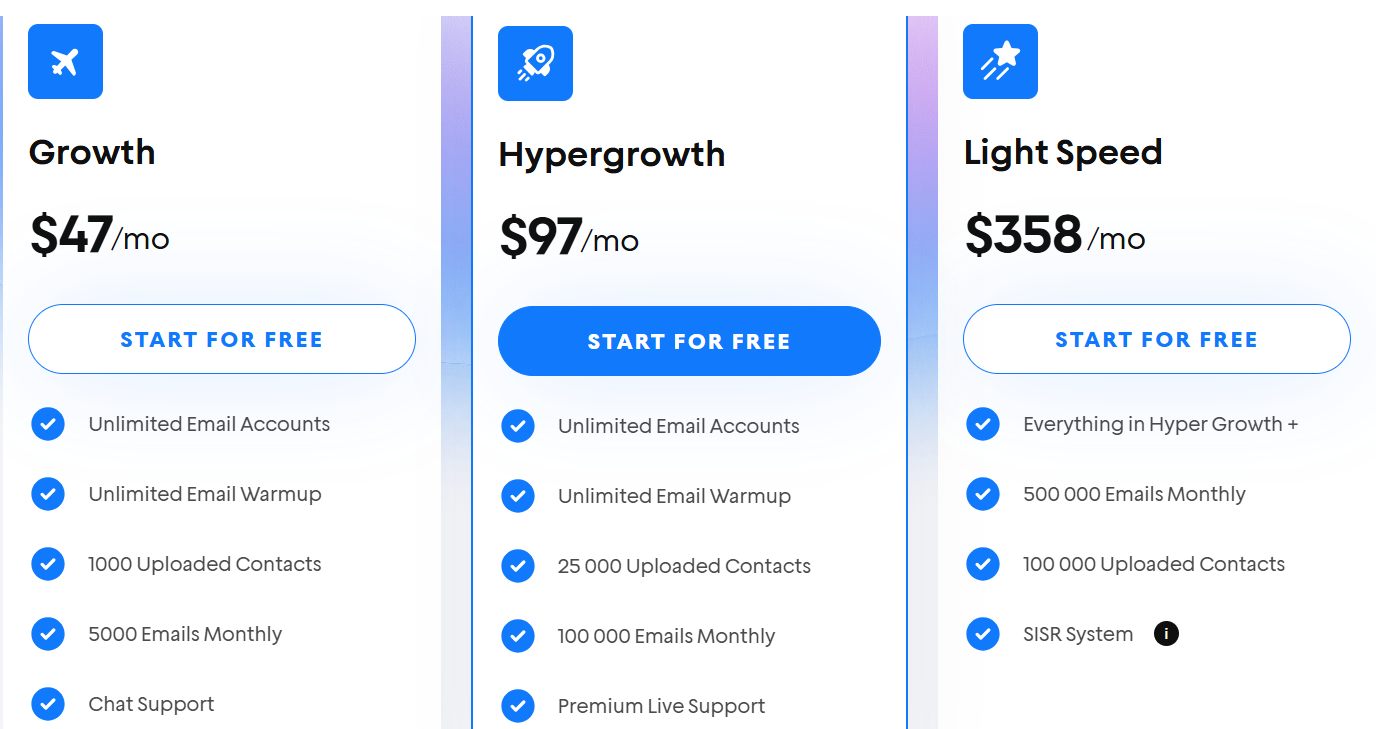
Alt text: Instantly pricing
My read: Instantly looks simple until you model the add-ons. That does not make it bad. It means you should price the real workflow, not the entry plan.
Instantly can get expensive or confusing when a team needs:
It is also not the best fit if your outbound thesis depends on one cohesive infrastructure stack across email, LinkedIn, AI SDR workflow, private/shared infrastructure, and deliverability center.
Choose Instantly if you want to launch high-volume cold email and you are comfortable watching the add-on math. Do not choose it if you want the cleanest total-cost model. The tool is good. The spreadsheet needs attention.
.jpg)

.jpg)
.jpg)

