

Personalized Outbound Strategy
Get The Right Outbound Strategy In Minutes
Enter your email to get a custom plan & stack recommendation for your business
It's being carefully crafted by AI
Please check your mailbox in 5 minutes
Explorium AI gives you access to company data, contact data, enrichment, and signals in one place through APIs and MCP workflows. The issue shows up when you actually try to run that flow.
I tested this in a real outbound setup where the goal was to build a list of SaaS companies showing hiring activity, enrich decision-makers, and trigger campaigns based on that signal.
Explorium could generate and enrich data, but the outcome depended on three things, how accurate the accounts were, how complete the decision-maker coverage was, and whether the signals were usable without re-checking.
Users point to the same pattern. Strong data quality and enrichment help with targeting and conversions, but issues like stale contacts and inconsistent API outputs still show up.
In this review, I’ll break down how Explorium performs across account generation, contact enrichment, and signal-based targeting, and whether you can actually use that data directly in outbound.
Yes, Explorium AI is worth it if your team needs B2B data for workflows, not just lead lists. It works best when you:
Explorium gives access to large-scale B2B data (company, people, events, signals) through APIs and MCP, which makes it useful for automation-heavy setups. But it may not be the right fit if you:
My take: Explorium is strong for data infrastructure, enrichment, and signal-based targeting, but overkill if your goal is just basic outbound.
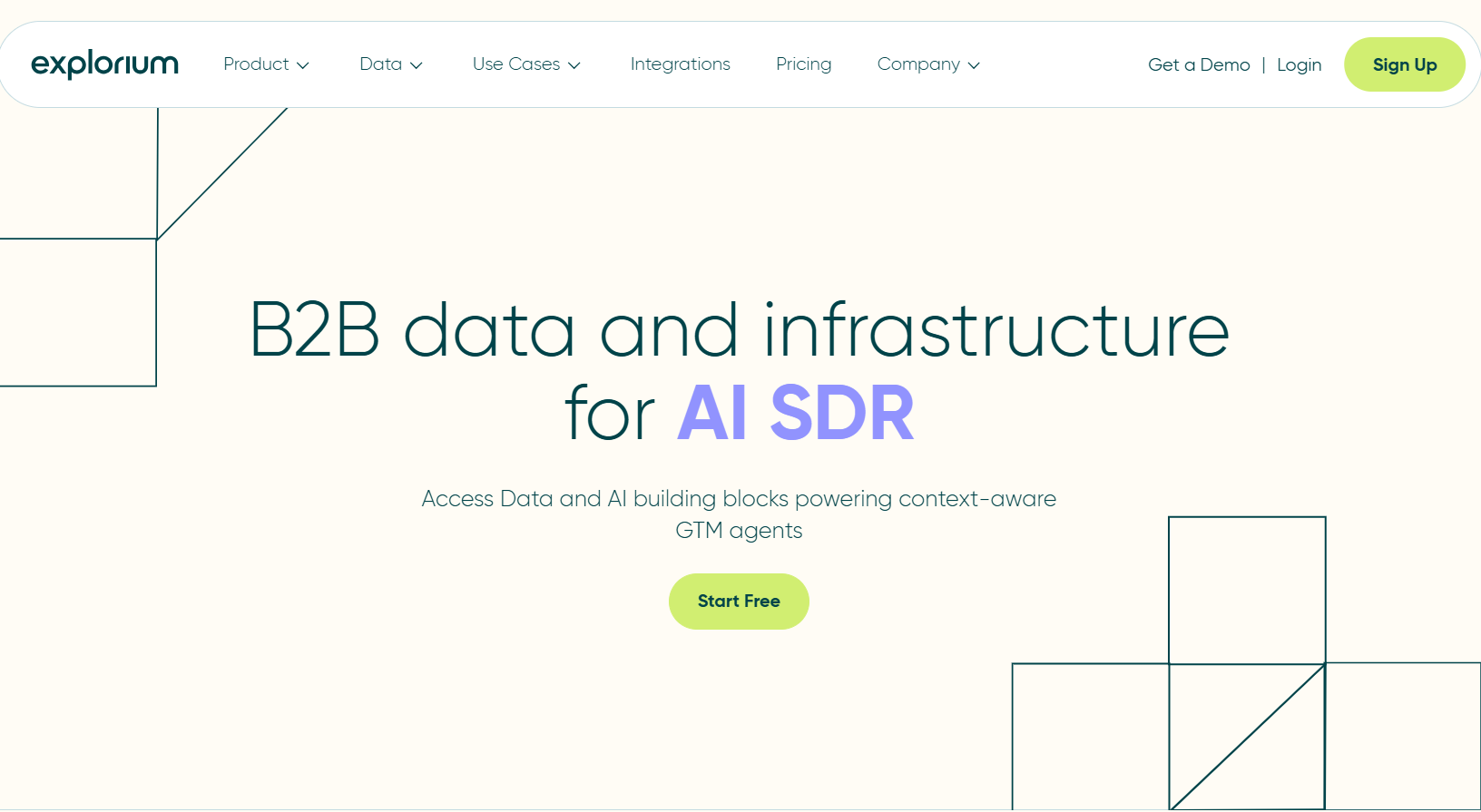
Explorium AI is a B2B data platform that helps you find, enrich, and use company and contact data inside your GTM workflows. It is not just a tool for downloading lead lists. It works more like a data layer that gives you access to company details (industry, size, revenue, tech), contact data (emails, phone numbers, profiles), and business signals like hiring or company changes. Explorium pulls data from 100+ sources across 150M+ companies and 800M+ people.
You can use it to generate target accounts, enrich leads, and connect data directly into your workflows using APIs or MCP. This makes it useful for GTM teams, RevOps teams, and AI SDR setups that need structured data, not just raw lists.
Explorium AI works by helping you find companies, identify the right people, and enrich them with data before using them in your workflow.
You start by defining your target using filters like industry, company size, location, or keywords. Explorium then helps you find matching companies and retrieve company data based on those filters. Next, you identify the right people inside those companies, such as decision-makers or specific roles. Explorium allows you to match prospects and then enrich them with details like email, phone number, job role, and company information.
Once the data is enriched, you can use it in your workflows, such as outbound campaigns, lead qualification, or AI SDR setups. You can also refine your filters and repeat the process to improve results.
Explorium focuses on making data usable inside GTM workflows. These are the features that actually impact how you build lists, enrich data, and use signals.
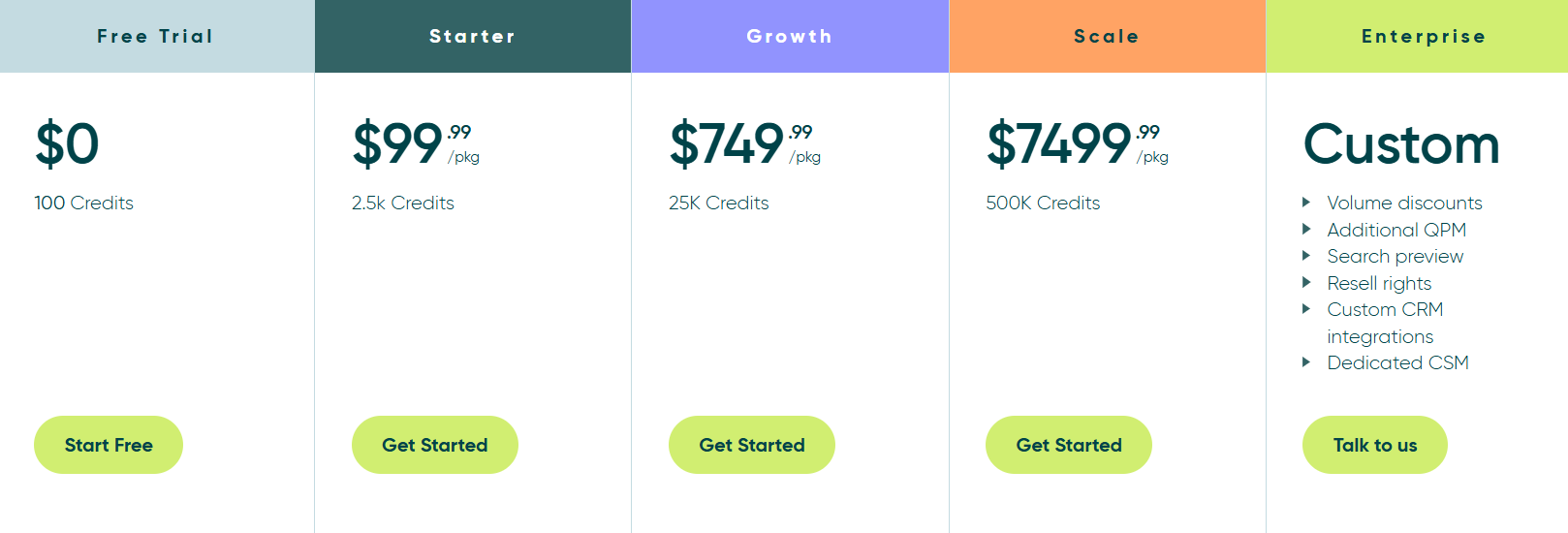
Explorium AI uses a credit-based pricing model, so you pay based on how much data you use.
Each action uses credits. Generating accounts and events cost 1 credit, while enrichment can cost 1 to 5 credits depending on the data. Credits are valid for 12 months (90 days for free trial), do not roll over, and packages are non-refundable and not auto-renewed . The pricing depends on usage. The more you generate, enrich, and track signals, the more credits you use.
User feedback around Explorium AI is mostly consistent. People like the data quality and coverage, but there are some limitations users mention.
Here’s what shows up across reviews:



Explorium AI is the right choice if your problem is how to use data inside your GTM workflow, not just how to get leads. It works well when your setup looks like this: you are defining a clear ICP, pulling accounts, enriching decision-makers, and using signals like hiring or company changes to decide when to reach out. In this case, Explorium helps because it brings company data, contact data, and signals into one system and lets you use them directly through APIs or structured workflows.
It does not fit well if your workflow is simple. If you just want a list of leads to upload into a tool and start sending emails, Explorium will feel heavy. It does not handle outreach, and it requires some setup to get the data right.
So the decision comes down to this. If you are building data-driven outbound or AI-based workflows, Explorium fits. If you are running basic prospecting and email campaigns, a simpler tool will be easier to use.
Explorium AI helps you access and structure data, but turning that data into a usable lead list still takes multiple steps. You need to define filters, run enrichment, and then move the data into another tool before you can actually start outreach.

Leadsforge removes that gap by focusing on generating leads you can use immediately. You describe your ICP in plain words, like “marketing leaders in US retail companies,” and it returns a targeted lead list instantly.
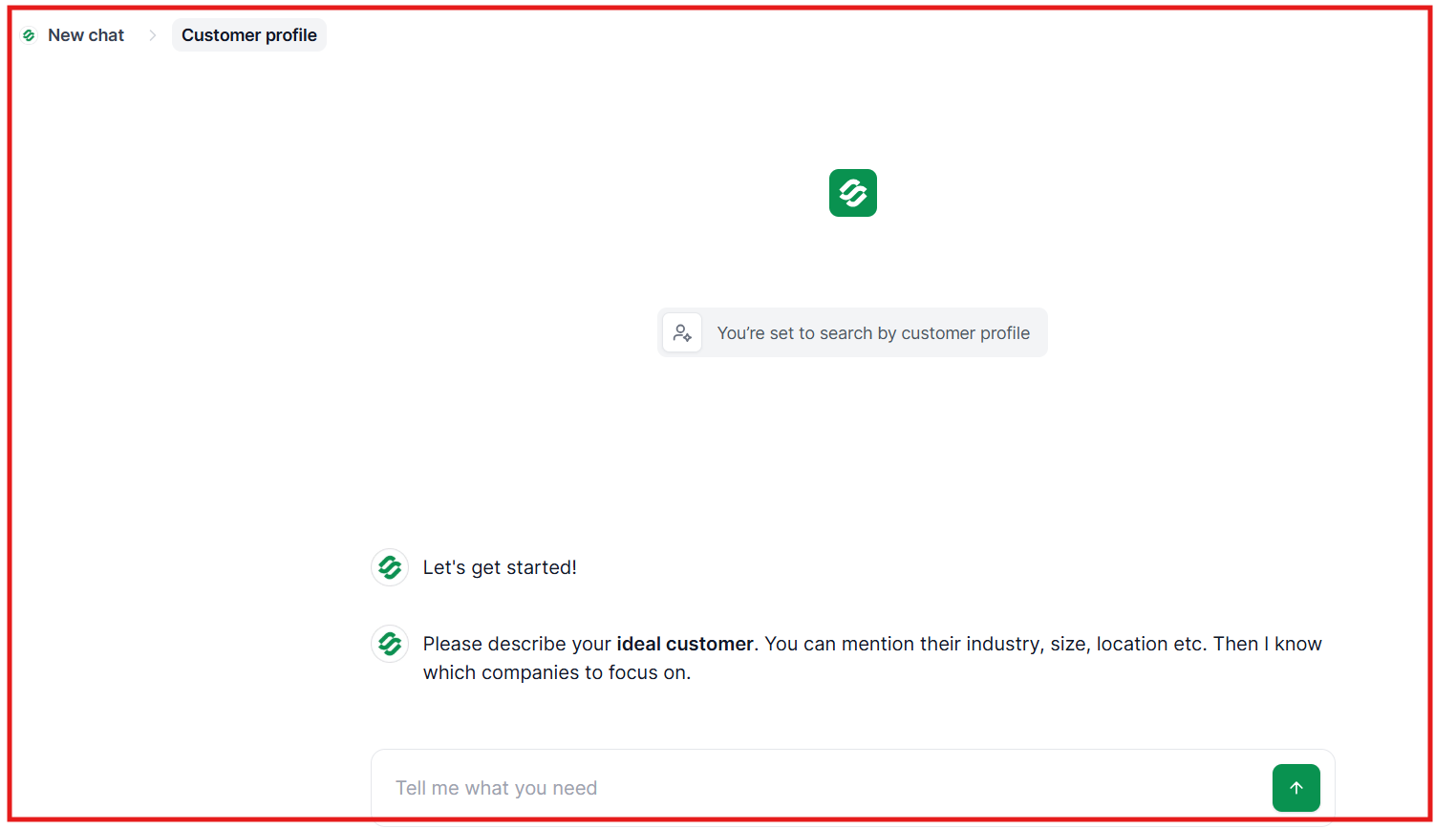
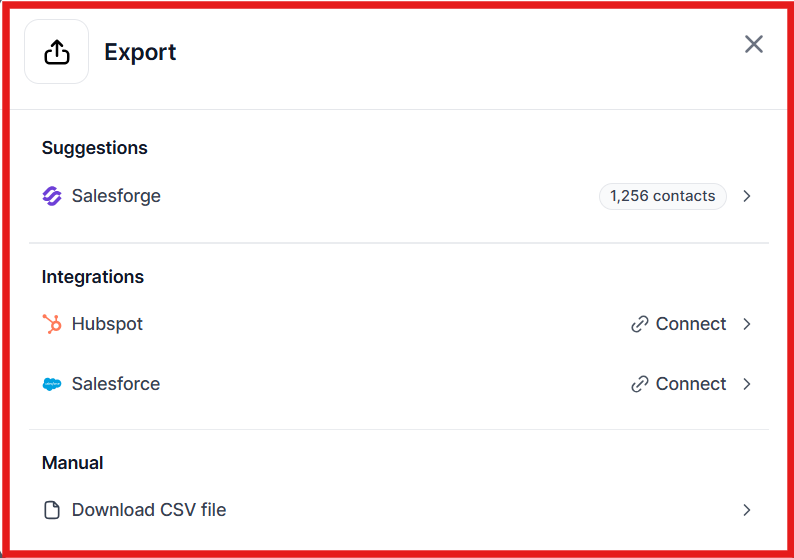
The difference comes down to usage. Explorium is better if you need structured data inside systems or workflows. Leadsforge is a better alternative if your goal is to generate leads and start outreach quickly.
Enter your email to get a custom plan & stack recommendation for your business
Please check your mailbox in 5 minutes

Explorium AI is a strong option if your focus is building data pipelines, enrichment workflows, or AI-driven GTM systems. It gives you access to large-scale data, but using that data still requires setup before it becomes actionable.
If your goal is simpler, to find leads, verify them, and start outreach quickly, then Leadsforge is the more practical choice. It removes the extra steps between data and execution. You describe your ICP, get a ready lead list, enrich it instantly, and push it directly into outreach.
If you want to test it yourself, you can start with 100 free credits on Leadsforge and see how quickly you can go from idea to live pipeline.
.jpg)

.jpg)

.jpg)
