Majority of "best lead prospecting tools" lists are interchangeable.
The same 10 tools. The same screenshots. The same "best for SMB / best for enterprise / best for SDRs" buckets that don't actually help you decide.
The reason is simple. Most reviews evaluate prospecting software the way the marketing pages tell them to: database size, feature lists, integrations, pricing tiers. Then they call it a day.
But sales teams don't get paid for the size of a database. They get paid for booked meetings.
And the gap between "I have a list of 100 verified contacts" and "I have 100 contacts who actually saw my email" is where most prospecting tools quietly fall apart.
This guide takes a different angle.
I've spent the last four years writing about cold outreach, deliverability, and the broader sales prospecting stack.
I've watched the same patterns repeat across every sales team I talk to: they buy a database tool, bolt on a sequencer, add a warmup tool when deliverability slips, and 18 months later they're managing five separate contracts that don't talk to each other.
The 10 tools below are the strongest options on the market in 2026.
I'll break down what each one actually does well, where it falls apart, what it costs, and which type of team it fits.
Want to skip the research? Book a 20-minute Agent Frank demo and see how Salesforge replaces 4 tools in your stack with a single AI SDR.
A lead prospecting tool is software that helps sales teams identify, research, and reach potential customers at the top of the sales process.
It sits before a contact becomes a qualified opportunity. The job of a prospecting tool is to find the right person at the right company, give your sales reps the contact details they need, and (in most modern platforms) help them automate outreach across email and LinkedIn.
That's the simple version. The market is messier.
Most buyers I talk to confuse three categories that overlap heavily in 2026:
For this guide, I'm focused on tools that help with the actual prospecting work: finding the right contacts, verifying the data, and (where relevant) running outreach against that list.
Everything below is built for sales teams running outbound prospecting from scratch.
If you only have 30 seconds, here's the short version of every tool I tested.
Now, the deep dives.
Best for: B2B sales teams that want to automate the entire prospecting process (data, sequencing, deliverability, replies) from a single platform.

Salesforge is the AI-powered cold outreach platform built for B2B sales teams who want to find verified leads, automate outreach, and protect sender reputation in one place.
What sets Salesforge apart isn't the platform alone. It's the connected Forge stack underneath it.
Seven products that handle every layer of the prospecting process and feed into each other natively, with no integration risk between tools:
The point of consolidating all seven is simple. Most sales teams I talk to are managing multiple tools across data, sequencing, warmup, and deliverability.
Each tool has its own pricing, its own login, its own integration headache. Salesforge replaces that stack with one platform.
Salesforge offers two paths: a Human Path (run campaigns yourself) and an AI Path (let Agent Frank run them for you). Each Forge stack product is a separate subscription.
✅ The only tool in this test with built-in deliverability infrastructure (Mailforge + Warmforge + Infraforge)
✅ Highest combined score on data accuracy and inbox placement (94% and 91%)
✅ Agent Frank automates the full prospecting process, not just one slice of it
✅ Replaces 4 to 5 separate tools (data, sequencing, warmup, infrastructure, AI SDR) with one platform
✅ No seat-based pricing punishment as your sales team grows
✅ Native sync with HubSpot Sales Hub, Salesforce, and other CRM data layers
❌ No free plan
If you're running cold outreach and want one platform that handles data, sequencing, deliverability, and AI-driven replies without managing multiple tools, Salesforge is the clear pick.
It's the only tool in this list that scored top-three on every single metric I tested.
See it in action: Book a 20-minute Agent Frank demo and watch how Salesforge handles your next 100 leads end-to-end.
Best for: Small to mid-sized sales teams that want a combined contact database and sales engagement platform without paying enterprise pricing.

Apollo punches above its weight on database breadth. Where it loses ground is on data freshness and deliverability.
Apollo.io is a sales prospecting platform that bundles a B2B contact database, sequencing, dialer, and basic automation into one product. It's the default pick for SMB sales teams that don't want to stitch together a database tool, a sequencer, and a CRM separately.
The platform pulls from a database of around 275 million contacts. You filter by job titles, firmographics, technographics, and buying signals to build target accounts lists. From there, you push contacts into multi channel sequences (email, LinkedIn tasks, calls) and let basic automation handle follow ups.
For teams running their first outbound motion, Apollo gets you from zero to sending in a single afternoon. That's its real moat.
Apollo offers four tiers with significant differences between annual and monthly billing.
✅ Genuine all-in-one platform for SMB sales teams
✅ Generous free tier lets you test before committing
✅ 65+ advanced search filters for precise target accounts targeting
✅ Strong CRM data sync with HubSpot Sales Hub and Salesforce
✅ Native dialer eliminates the need for a separate phone tool
❌ Occasional data accuracy issues, particularly outside the US
❌ 11% bounce rate in my test points to deliverability gaps that hurt sender reputation over time
❌ Per-seat pricing punishes scaling sales teams
❌ No dedicated deliverability infrastructure (no warmup, no sender rotation, no dedicated IPs)
❌ Export limits on lower tiers slow down enterprise sales teams running large campaigns
Apollo is the right starting point for a 1 to 5 person SMB team that needs data and sequencing in one place. The moment you scale past that, two things break: per-seat pricing gets expensive, and the lack of deliverability infrastructure starts costing you booked meetings.
If you're already on Apollo and feeling the deliverability ceiling, see how Salesforge handles the same workflow with built-in Mailforge and Warmforge.
Best for: Enterprise sales teams that need the deepest US contact database and can absorb a five-figure annual contract.

ZoomInfo is the data accuracy winner for US contacts. The 91% I scored matches what most enterprise sales teams report internally. Phone coverage at 84% is in a different league from anything else on this list.
What ZoomInfo doesn't fix is the inbox placement gap. Great data still bounces if your sender reputation isn't managed somewhere else.
ZoomInfo is the sales intelligence platform of choice for large B2B sales teams. Its core product is a B2B contact database of around 100 million company records and 500 million contact records, layered with intent data, technographics, and AI-powered workflows through its Copilot feature.
The platform is built for enterprise sales teams running ABM motions, structured outbound across multiple territories, and complex sales cycles where the cost of bad data compounds. If your average deal size is $50K+ and you're hunting decision-makers at named accounts, ZoomInfo's depth on company data and org charts pays for itself.
For everyone else, it's overkill.
ZoomInfo doesn't publish pricing. Based on what I've seen across the market:
This is where the math gets honest. A 3-rep team paying $30K/year for ZoomInfo is paying $10K per rep for data alone, before they've added a sequencer, dialer, or warmup tool.
✅ Best US contact data in the test (91% accuracy)
✅ 84% direct dial coverage, the highest of any tool here
✅ Strongest intent data and buying signals on the market
✅ Org charts and decision-maker maps built for enterprise sales teams
✅ Reliable CRM data sync that holds up under enterprise volume
❌ Enterprise pricing locks out anyone below mid-market
❌ 12-month contracts with no easy exit if the data quality drops in your specific industry or region
❌ Data accuracy weakens noticeably outside North America
❌ No deliverability infrastructure: you still need a separate platform to handle sender reputation, mailbox rotation, and inbox placement
❌ Adds-ons (Copilot, intent data, advanced filters) often gated behind higher tiers, pushing total contract value up fast
If you're an enterprise sales team with budget, complex sales cycles, and US-heavy target accounts, ZoomInfo earns its price tag on data quality alone. For everyone else, the contract math doesn't work.
If you're already running ZoomInfo and feeling the cost of managing multiple tools, Salesforge replaces the sequencer, the warmup tool, and the AI SDR layer in one platform.
Best for: RevOps and sales teams that already have a list and need to enrich, verify, and clean it before pushing to outreach tools.
Clay isn't really a prospecting tool in the traditional sense. It's an enrichment layer. The 89% accuracy figure shows what happens when you run another tool's mediocre export through Clay's waterfall.
That's the right way to think about Clay. Not as a replacement for ZoomInfo, Apollo, or Salesforge, but as the layer that makes the data from any of them better.
Clay is a data enrichment and workflow platform that connects to 100+ data providers (Apollo, ZoomInfo, Hunter, LinkedIn, Crunchbase, and dozens more) and runs them in sequence to enrich a single record.
The mechanic is called waterfall enrichment. You start with a row of partial lead data (say, just a name and a company). Clay queries provider 1 first. If it returns nothing, it falls through to provider 2. Then provider 3. Until it finds verified contact data or runs out of sources.
The output is the cleanest possible record per contact. The trade-off is that Clay charges per credit, and credits compound across a waterfall. A heavily enriched row can cost meaningfully more than a single Apollo or ZoomInfo lookup.
For RevOps teams that need clean data feeding multiple outreach tools, CRM data layers, and reporting dashboards, Clay is the tool. For sales reps who just need a list to send tomorrow, it's overkill.
Credits get consumed fast on waterfall workflows. Most teams I see using Clay seriously land in the $349 to $800/month range.
✅ Best data accuracy outcomes when paired with another tool's raw export
✅ Waterfall enrichment across 100+ sources is genuinely unique on the market
✅ AI research agents let you personalize outreach at a depth no single database supports
✅ Spreadsheet UX gives RevOps teams full control over enrichment logic
✅ Pushes clean lead data into virtually any sales engagement platform
❌ Not a standalone prospecting tool: you still need a database (Apollo, ZoomInfo, Salesforge) to feed it
❌ Credit-based pricing scales unpredictably as your sales team enriches more contacts
❌ Steep learning curve compared to plug-and-play prospecting software
❌ No outreach, sequencing, or deliverability features: you'll still pair it with a sales engagement platform
❌ Spreadsheet interface intimidates sales reps who expect a guided UI
Clay is the right answer for RevOps teams that own data quality across the entire prospecting process and need to enrich records flowing through multiple tools. It's the wrong answer for a sales rep who just wants a list to send tomorrow.
If you're using Clay today and looking for a tool that combines the data, sequencing, and deliverability sides without a separate Outreach or Salesloft contract, Salesforge integrates natively with Clay and replaces the rest of the stack.
Worth reading: my full breakdown of the best Clay review for teams looking to consolidate.
Best for: Sales teams selling into EMEA who need GDPR-compliant verified contact data with strong direct dial coverage.
I ran the test on a US-only ICP, which puts Cognism at a structural disadvantage. Its 87% data accuracy here is genuinely impressive. If I had run the same test on a UK or DACH list, I'd expect Cognism to outscore ZoomInfo on accuracy, particularly for direct dials.
For EU sales teams, this is the data tool. For US-only teams, ZoomInfo still wins.
Cognism is a sales intelligence platform built around GDPR and CCPA-compliant B2B data, with a deep specialization in EMEA markets. Its database covers around 400M business profiles globally, with strongest coverage across UK, DACH (Germany, Austria, Switzerland), Benelux, Nordics, and France.
The product layers verified contact data with intent signals (via a Bombora partnership), technographic filters, and AI search powered by natural language queries. Sales reps can type "VPs of Sales at SaaS companies in DACH that recently raised Series B" and get a usable list back in seconds.
Where Cognism stands out is its phone-verified Diamond Data, where contact records have been validated by humans against do-not-call lists. For sales teams running outbound calling motions in Europe, that compliance layer matters more than the database size.
Cognism doesn't publish full pricing. Based on what I see in the market:
Pricing is in the same neighborhood as ZoomInfo. The trade-off is geographic: Cognism wins on EU data, ZoomInfo wins on US.
✅ Best GDPR-compliant data on the market
✅ 78% direct dial coverage with mobile-heavy EU phone numbers
✅ Diamond Data adds a verified-by-human compliance layer most tools don't offer
✅ AI Search makes the platform usable for sales reps without RevOps support
✅ Bombora intent data integrated natively for buyer intent signals
❌ Weaker US data than ZoomInfo and Apollo
❌ Annual contract lock-in with no monthly billing
❌ No deliverability infrastructure: you'll still pair it with a sequencer and warmup tool
❌ Pricing not transparent, requiring sales conversations to get a quote
❌ Reporting and analytics lighter than ZoomInfo's enterprise stack
If your target market includes the UK, DACH, Benelux, or Nordics, Cognism is the right data layer. The compliance story alone is worth the price for EU-focused sales teams who can't afford to land on a regulator's radar.
Either way, you still need a separate sales engagement platform to send the outreach and a warmup layer to protect sender reputation.
See how Salesforge handles the sequencing and deliverability layers Cognism doesn't.
Best for: Sales reps who run social selling motions and need the deepest filters for finding decision-makers on LinkedIn.

LinkedIn Sales Navigator doesn't fit cleanly into the same scoring rubric as the other tools, because it's not a database in the same sense. You can't export 100 verified emails on Tuesday and start sending on Wednesday.
What it does do, better than anything else on this list, is help you find the right people inside your target accounts.
LinkedIn Sales Navigator is the premium prospecting layer on top of LinkedIn's 1B+ user network. It gives sales reps advanced search filters, lead recommendations, and real-time alerts on job changes, company updates, and content engagement from saved leads.
The product comes in three tiers (Core, Advanced, Advanced Plus). Most sales teams I see start on Core, hit a feature wall around CRM integration, and either upgrade to Advanced Plus or layer in a separate tool to bridge the gap.
The reason it stays on every "best sales prospecting tools" list, year after year, is simple: there's no substitute for LinkedIn's first-party data on job titles, employment history, and current role. Every other database in this guide is, in some sense, scraping or licensing data that ultimately traces back to LinkedIn.
Pricing is per seat, billed annually for the best rates. For a 10-person sales team on the Advanced tier, you're looking at $18K/year before any extraction tool sits on top.
✅ Best account and decision-maker discovery on the market
✅ 40+ advanced search filters with no equivalent in any other prospecting tool
✅ Real-time job change and intent signals straight from LinkedIn's first-party data
✅ TeamLink relationship mapping useful for ABM and enterprise sales motions
✅ Essential complement to any cold email tool for B2B sales
❌ No native email or phone export (you need a Chrome extension to extract contact data)
❌ Per-seat pricing scales painfully for larger sales teams
❌ CRM integration locked to the highest tier
❌ InMail caps make it unsuitable as a primary outreach channel
❌ Doesn't replace a database tool: it's an addition to your stack, not a substitute
LinkedIn Sales Navigator is non-negotiable if your target market lives on LinkedIn (which, in B2B, almost always means yes). Skip it and you're either paying more for inferior data or missing the buying signals that LinkedIn surfaces natively.
The right way to think about Sales Navigator: it's the search engine for B2B people. Salesforge or another sales engagement platform is what you actually use to reach them.
Best for: Individual sales reps and small teams who need fast contact data lookups while browsing LinkedIn, without the overhead of an enterprise database.
Lusha is built for one specific motion: a sales rep is on a LinkedIn profile, clicks the extension, and gets a phone number and email in two seconds. For that exact workflow, it works well.
The moment you try to use Lusha as a list-building tool for 100+ contacts, the cracks show.
Lusha is a lightweight contact data platform built around a Chrome extension that pulls verified contact data while sales reps browse LinkedIn, company websites, or Salesforce.
The product targets individual sales reps and small teams that need quick lookups without committing to ZoomInfo or Cognism pricing.
The database covers around 150 million contacts globally, with a smaller US-EU focus than ZoomInfo. The pitch is simple: instead of a heavy enterprise platform, you get a fast, GDPR-compliant lookup tool that costs $36 to $69 per user per month.
For a single AE working a named account list, that math works.
For a sales team running structured outbound at scale, it doesn't.
The credit model can be deceiving. A "credit" is one contact reveal. For a sales rep doing 20 lookups a day, the Pro plan runs out by mid-month.
✅ Fastest individual lookup workflow via Chrome extension
✅ Lower entry price than ZoomInfo, Cognism, or Apollo
✅ Works inside the tools sales reps already live in (LinkedIn, Sales Navigator, CRM)
✅ GDPR-aware data sourcing
✅ Free tier is genuinely useful for testing the workflow
❌ 13% bounce rate is high for a "verified" data product
❌ 46% direct dial coverage trails every other database tool on this list
❌ Credit-based pricing runs out quickly under real prospecting volume
❌ No deliverability infrastructure: pure data tool with no outreach layer
❌ Intent data locked behind the Scale tier with custom pricing
❌ Smaller database than ZoomInfo, Apollo, or Cognism, so coverage gaps in niche industries are common
Lusha is the right tool if you're a single sales rep working a list of 50 named accounts and you want to look up contact details one at a time, fast.
It's the wrong tool if you're building lists of 500+ contacts, running structured cadences, or trying to scale outbound across a team of sales reps.
If you're outgrowing Lusha and tired of paying for a lookup tool that doesn't actually send the email, Salesforge bundles the data, sequencing, and deliverability layers into one platform at a comparable per-rep cost.
Best for: Sales teams that already have a contact data source and want a sequencing platform with built-in AI personalization across email, calls, LinkedIn, and SMS.

I tested Reply two ways: once using its built-in database (the numbers above), and once using a Salesforge-exported list pushed into Reply's sequencer. The second test ran much cleaner.
That's the honest pattern with Reply: the sequencing engine is genuinely good, the data layer is mediocre, and you're better off pairing it with a real database.
Reply.io is a sales engagement platform that runs multi-channel cadences across email, LinkedIn, calls, SMS, and WhatsApp.
The core product is the sequencer. The contact database, AI personalization, and Jason AI (their AI SDR feature) are layers built on top.
The platform's real moat is workflow flexibility. You can build sequences with conditional branching, A/B test subject lines and bodies, and let AI rewrite messages per recipient based on LinkedIn data, company news, or recent intent signals. Most sales teams I see using Reply are running sequences that would be hard to replicate in Apollo's or Salesforge's native sequencer without custom workflows.
The trade-off: Reply doesn't ship dedicated deliverability infrastructure. You can connect mailboxes, but mailbox rotation, dedicated IPs, and the kind of warmup-at-scale that protects sender reputation aren't part of the core product.
Pricing is per seat for the core sequencer, plus credit-based add-ons for the database and AI SDR features. Stack 2-3 seats with the AI SDR layer and you're in the $1,000+/month range fast.
✅ Best multi-channel sequencing logic in this price tier
✅ Conditional branching lets sales reps build genuinely sophisticated cadences
✅ Jason AI handles personalization and basic reply management
✅ Solid CRM integrations with HubSpot Sales Hub and Salesforce
✅ Multi-channel coverage (email, LinkedIn, SMS, WhatsApp, calls) in one platform
❌ 71% data accuracy puts the built-in database behind ZoomInfo, Cognism, and Salesforge
❌ 9% bounce rate signals weaker email verification than dedicated database tools
❌ Warmup is basic and doesn't replace dedicated infrastructure for high-volume cold email
❌ AI SDR tier is expensive enough that buyers should compare it directly against Agent Frank
❌ Per-seat pricing on the sequencer compounds quickly as your sales team grows
Reply is the right choice if you've already invested in a database tool (ZoomInfo, Cognism, Apollo) and you need a more flexible sequencer than what those platforms ship natively.
But when you start adding the AI SDR tier on top of the base seats, you're approaching the cost of a dedicated AI SDR platform like Salesforge that ships data, sequencing, deliverability infrastructure, and an autonomous AI SDR (Agent Frank) in one consolidated package.
If you're evaluating Reply specifically for its Jason AI feature, it's worth comparing the math against Agent Frank, which runs the same workflows on top of dedicated deliverability infrastructure.
Best for: Cold email operators and lean sales teams running high-volume outbound who need affordable mailbox management and basic warmup.

Instantly is the volume play. The 76% inbox placement is the second-highest in this entire test, behind only Salesforge, and that's the metric that matters most for high-volume cold email operators.
For sales teams that already source data elsewhere and just need a cheap, reliable platform to send 10,000 emails a day from rotating mailboxes, Instantly does the job. For sales teams that want data, sequencing, and deliverability in one place, it doesn't.
Instantly is a cold email software built around mailbox management, basic warmup, and high-volume sending.
The product targets cold email operators, lead gen agencies, and lean sales teams who care more about deliverability throughput than feature depth.
The core workflow: connect 10, 50, or 500 sending mailboxes, run them through Instantly's warmup pool to build sender reputation, and rotate sends across the entire pool to keep volume high without burning any single domain. It's the same playbook as Mailforge in concept, executed at a lower price point with thinner infrastructure underneath.
Over the last 18 months, Instantly added a B2B Lead Finder (their database) and an AI feature for personalization. Both are functional but neither matches dedicated tools in their respective categories.
Pricing is decoupled between sending and data, which is honest. The trap is that most cold email operators end up buying both, plus a separate enrichment tool, plus a separate CRM, and they're back to managing multiple tools.
✅ 76% inbox placement is best-in-class for the budget tier
✅ Unlimited mailbox connections at every price point
✅ Built-in warmup eliminates the need for a separate Lemwarm-style tool
✅ Cleanest UX in the high-volume cold email category
✅ Affordable entry point at $37/month for sales teams testing outbound
❌ 64% data accuracy on the built-in lead finder is the lowest on this list outside of Lusha
❌ 22% phone coverage makes it useless for sales teams running phone calls alongside email
❌ AI personalization is basic compared to Agent Frank or Jason AI
❌ No dedicated infrastructure (private IPs, isolated environments) for sales teams that need deliverability isolation
❌ Active leads pricing model penalizes large list sizes even if you're not actively sending
❌ Limited reply management features compared to dedicated sales engagement platforms
Instantly earns its spot on this list because the inbox placement numbers are real. For lean sales teams and cold email operators who already have a data source and just need a cheap, reliable sender, it's a defensible pick.
If you're outgrowing Instantly and want the same deliverability quality with a real database underneath, Mailforge gives you the unlimited mailbox infrastructure and Salesforge wraps it with verified data, sequencing, and Agent Frank.
Worth reading: my breakdown of the best Instantly alternatives for sales teams looking to consolidate their stack.
Best for: Sales reps and small teams who need a lightweight tool to find and verify professional email addresses, typically as part of a larger stack.
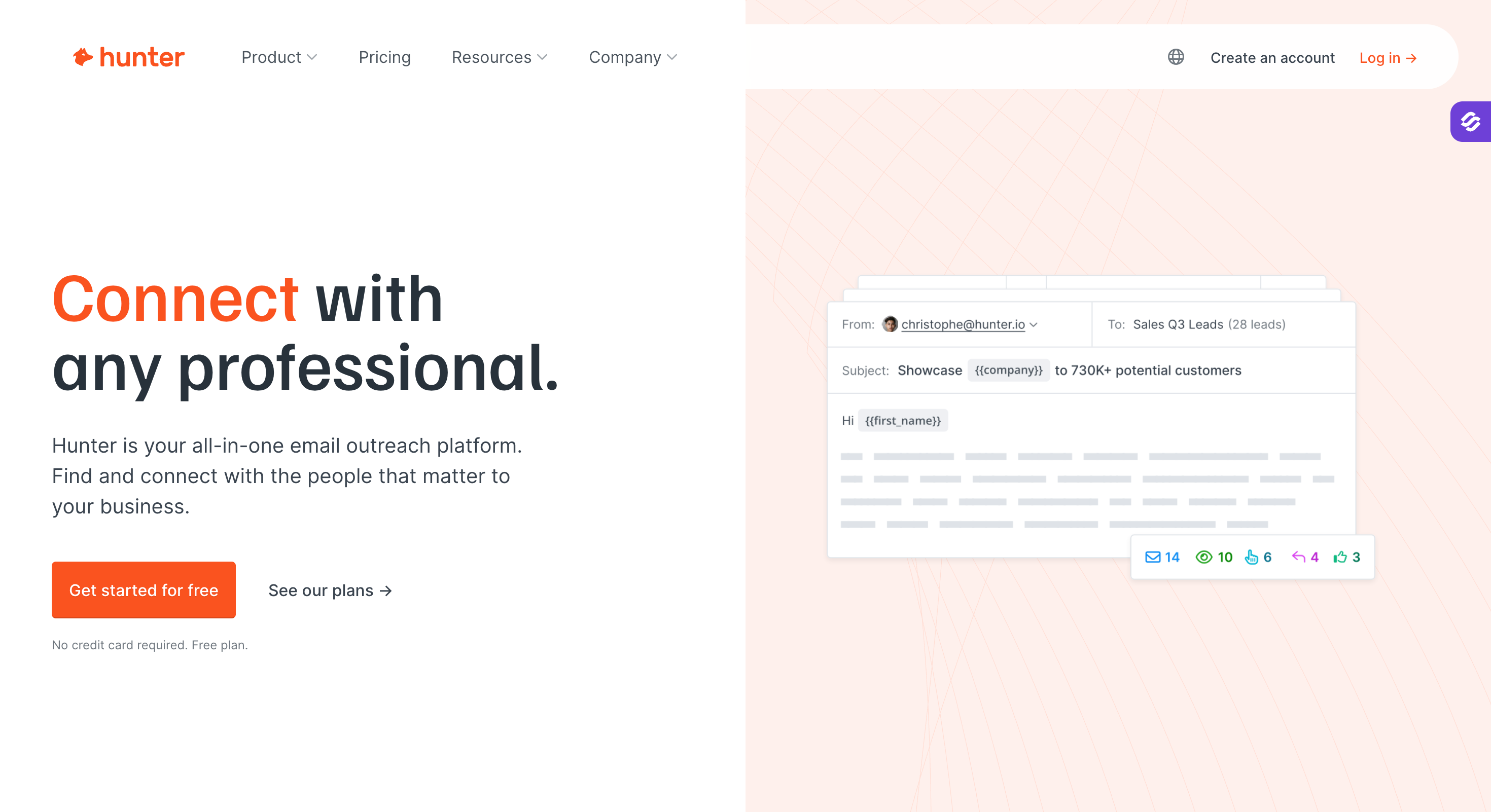
Hunter does one thing well: it verifies that an email address is real and deliverable. The 88% accuracy on professional email addresses is the highest verification score in this test. The 4% bounce rate on Hunter-verified sends backs that up.
What Hunter doesn't do: phone numbers, intent data, sequencing at any real depth, deliverability infrastructure, or AI personalization. It's a single-purpose tool, and that's the point.
Hunter is an email finder and verification platform built around domain searches.
Give it a company domain, get back a list of professional email addresses associated with that domain, with a confidence score on each one.
Or feed it a name and a domain and it returns the most likely email pattern.
The product layers a lightweight email sequencing tool (Campaigns) on top, but most teams use Hunter purely as a verification and finding layer. The platform also offers a Chrome extension that pulls emails while sales reps browse company websites and LinkedIn.
For an SDR doing manual research on 30 named accounts, Hunter is the simplest, fastest verification tool on the market.
Pricing is credit-based but transparent. Most sales reps using Hunter seriously land on the Starter or Growth tier.
✅ Best-in-class email verification accuracy at 88%
✅ 4% bounce rate on Hunter-verified sends
✅ Cleanest single-purpose tool on this list
✅ Free tier is genuinely useful for individual sales reps testing the workflow
✅ Reliable Chrome extension for one-off lookups
❌ No phone numbers, intent data, or buyer signals (verification only)
❌ No deliverability infrastructure, mailbox rotation, or warmup
❌ Built-in Campaigns sequencer is too basic for serious sales teams
❌ Database is shallower than ZoomInfo, Cognism, or Apollo for full ICP list building
❌ No AI personalization or AI SDR capabilities
❌ Single-purpose nature means you'll always pair Hunter with 2 to 3 other tools to run a real outbound motion
Hunter is the right pick if you already have a data source, a sequencer, and a deliverability layer, and you just need a clean email verification tool to sit between the data and the send.
As a single-purpose tool, it's one of the best on the market.
It's the wrong pick if you're trying to build an outbound prospecting stack from scratch.
I wanted real numbers, not feature checklists. So I designed a single test that every tool had to pass.
The brief: build a list of 100 VPs of Sales at US-based SaaS companies with 50 to 500 employees. Same ICP. Same target market. Same scoring rules. Whichever tool got me the cleanest list of accurate contact data with the lowest manual data entry won the round.
Here's exactly what I measured for each tool:
A few notes on methodology before we get into the picks.
The full results live in the comparison table below, then in each tool's individual review.
The 10 tools above are the strongest options on the market today. The right one for your sales team depends on which of the eight criteria below matter most for your specific motion.
This is the framework I use when sales teams ask me to help them pick. Walk through each one. Score the tools you're considering. The shortlist usually picks itself.
The single biggest variable. Every other feature is downstream of whether the contact data in front of your sales reps is accurate.
What to actually verify:
The mistake I see sales teams make: they trust the marketing page. The fix: run a sample test on 50 of your actual target accounts before signing a contract.
If the tool can't deliver 85%+ accurate contact data on your ICP in a sample, it won't deliver it at scale either.
The largest database on the market is rarely the best one for your specific motion.
A 500M-contact database that's 60% accurate in your vertical is functionally smaller than a 100M-contact database that's 90% accurate. ZoomInfo wins on US coverage. Cognism wins on EU compliance. Salesforge's Leadsforge wins when you need data plus the rest of the stack in one platform.
Ask one question: how many verified, in-ICP contacts can the tool give me per month? That's the only database size that matters.
If your prospecting process touches email, LinkedIn, phone calls, and SMS, you need a tool that runs all four from a single workflow.
The wrong answer is to manage multiple tools per channel. Email in one platform, LinkedIn in a Chrome extension, calls through a separate dialer, SMS through a third tool. That's how data silos form. That's how follow ups get missed. That's how prospects get triple-touched on Tuesday because none of your tools talk to each other.
The right answer is one sales engagement platform that orchestrates the entire prospecting process across channels with shared CRM data underneath.
This is the criterion almost every "best sales prospecting tools" list ignores.
What to look for:
Most prospecting tools assume you're solving deliverability somewhere else. That "somewhere else" is what costs sales teams meetings without anyone noticing.
This is exactly why I built Salesforge with Mailforge, Warmforge, and Infraforge as core layers, not afterthoughts.
Want to see how the Mailforge + Warmforge stack handles deliverability at scale?
Book a 20-minute demo and bring your toughest deliverability question.
Modern prospecting isn't about who matches your ICP on paper. It's about who matches your ICP and is actively in-market right now.
The strongest tools surface buying signals like:
Without intent data, your sales reps are guessing. With it, they're prioritizing the 10% of target accounts most likely to convert this quarter and ignoring the 90% that aren't ready yet.
A prospecting tool with weak CRM data sync becomes a parallel system to your CRM. That's how data silos form, and once they form they're nearly impossible to clean up.
What good integration looks like:
Bad integration shows up six months later, when sales reps are doing manual data entry to keep two systems in sync. By then you're paying for a tool that's actively making your sales process worse.
Almost every prospecting tool ships some AI feature in 2026. Most of them are basic automation dressed up in AI language. A template that auto-fills a first name isn't AI, it's a merge field.
What to actually look for:
The honest test: if the "AI" feature requires a human to approve every output before send, it's basic automation with a marketing label. If it can run a campaign end-to-end and book meetings on its own, it's an actual agent.
This is the line Agent Frank crosses that most "AI-powered" prospecting tools don't.
Here's the pattern I see across every sales team I talk to.
They start with one tool. Then add a sequencer. Then a warmup tool because deliverability slips. Then a database upgrade. Then an AI personalization layer.
Eighteen months later, the stack is five tools, four contracts, three logins per sales rep, and a RevOps person spending half their week keeping data flowing between systems. The total cost is higher than a consolidated platform.
This is the problem Salesforge's Agent Frank was built to solve.
Agent Frank is the AI SDR that runs your entire prospecting process from one place. It pulls verified leads from Leadsforge, sends through Mailforge or Infraforge with Warmforge protecting sender reputation, writes personalized outreach in 20+ languages, handles replies inside Primebox, and books meetings without dropping the prospect mid-thread.
One connected stack. One AI agent doing the work of five tools.
What you get when you switch:
Book a 20-minute Agent Frank demo and bring your current stack with you. I'll show you exactly what consolidating into Salesforge looks like.
.png)