
Personalized Outbound Strategy
Get The Right Outbound Strategy In Minutes
Enter your email to get a custom plan & stack recommendation for your business
It's being carefully crafted by AI
Please check your mailbox in 5 minutes


QuickMail is a sending engine. Salesforge is the whole outbound system.
Salesforge, built by a former Googler and VP of sales, takes a different approach:
QuickMail and Salesforge are both serious outbound tools, but they're built on different bets. QuickMail bets you already have leads, inboxes, and a playbook, and just need a reliable engine to run them. Salesforge bets you'd rather have the whole motion - data, infrastructure, AI, and sending - in one plan. In this article, we'll go through both platforms in detail - live pricing, feature depth, and what actual users say - so you can pick the bet that matches your team.
Alternatively, you can just let Salesforge's results speak for themselves:

QuickMail has been in cold email longer than almost anyone - founded in 2014 by Jeremy Chatelaine, it built a loyal agency following on one promise: reliable inbox placement. It pioneered Inbox Rotation™, gives away warm-up for free through its sister product MailFlow, claims 99.99% uptime over a decade, and backs it all with some of the best-rated support in the category. What it deliberately doesn't do is bring the rest of the stack: no lead database, no infrastructure, and light AI. We break down every feature in more depth in our full QuickMail review.
QuickMail runs email and LinkedIn steps in unified sequences - a real multichannel setup, with unlimited email senders and LinkedIn accounts on every plan and automatic sender rotation. The ceilings are on the other side: 1,000 uploaded contacts and 5,000 monthly emails on the $49 Starter plan, and one live tester noted the send-schedule math across inboxes, daily limits, and steps is still a manual exercise.
This is QuickMail's home turf. Inbox Rotation™ spreads sending across accounts to protect reputation, blacklist monitoring runs in the background, and the free AutoWarmer via MailFlow warms new domains in 2-4 weeks - even if you never buy a paid plan. It's a genuinely strong deliverability toolkit; the difference is that it works on inboxes you bring, since QuickMail sells no infrastructure of its own.
A standout most competitors skip: QuickMail reports performance per individual inbox, so you can see exactly which sender is dragging a campaign down. Campaign-level stats and A/B testing round it out.
QuickMail sends through your own Gmail, Outlook, or SMTP accounts and includes no lead database or prospecting layer. If you need contacts sourced, mailboxes provisioned, or AI-generated sequences, those are separate tools and separate bills - a deliberate design choice that keeps QuickMail lean, and a wall you'll hit if you wanted one platform to do it all.
Agencies get client separation, audit trails, and unlimited users. The meter runs on workspaces: the $299 Agency plan includes two, each additional client workspace is $49/month, and whitelabel is a paid add-on rather than included.
QuickMail's pricing is refreshingly simple - three plans, taken directly from their live pricing page - and fair in its mechanics: no contracts, and plan changes are prorated to the second. The meters are contacts, monthly emails, and workspaces.
1. Starter – $49/month
2. Growth – $99/month
3. Agency – $299/month
All plans carry a 14-day free trial (card required at signup).
Two math checks worth running. At the entry level: QuickMail Starter is $49 for 1,000 contacts; Salesforge Pro is $48 with unlimited contact storage - nearly the same price, very different ceiling. At the agency level: five client workspaces on QuickMail run $299 + (3 × $49) = $446/month, with contacts pooled under a 100,000 cap; Salesforge Growth is $96/month with unlimited workspaces, seats, and contact storage.
Enter your email to get a custom plan & stack recommendation for your business
Please check your mailbox in 5 minutes

Here's the honest picture: QuickMail is a well-liked tool. It holds a 4.7 on G2 from 118 reviews, with support quality rated 9.4/10 - among the best in the category - and reviewers consistently praise its deliverability and reliability.
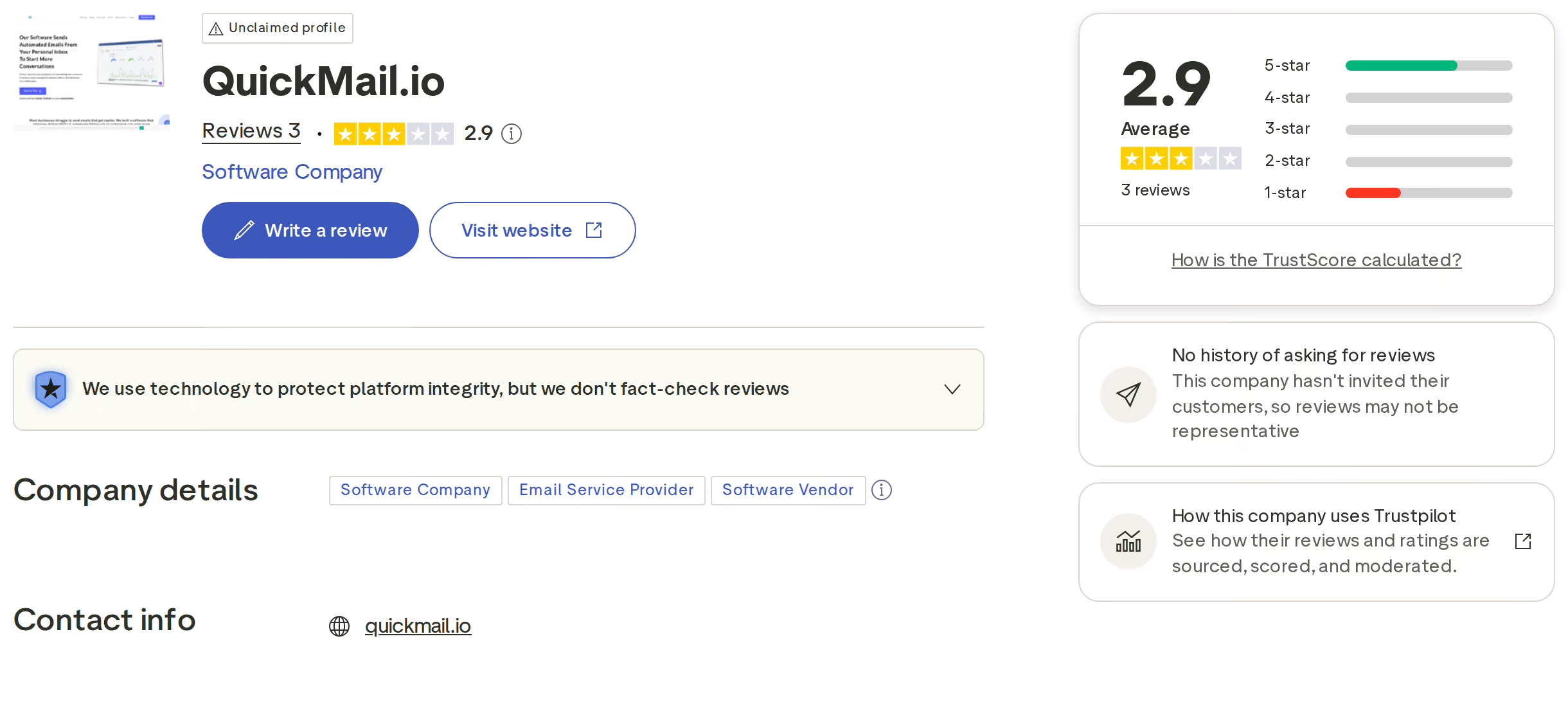
One quirk worth knowing when you research it: QuickMail has almost no Trustpilot footprint - three reviews total - because, per Trustpilot itself, the company has never solicited reviews there. That's arguably to their credit, but it means G2 is the signal to weigh, not the 2.9 you'll stumble onto:
The criticisms that do recur are structural rather than scandalous, and they map to the design bet QuickMail made:
None of that is a reliability complaint - it's the cost of QuickMail's lean design. If those walls are exactly where your growth is headed, that's where Salesforge comes in.
Now let's go over an alternative to QuickMail: Salesforge is an all-in-one cold email and LinkedIn outreach platform that brings the parts QuickMail asks you to supply - the leads, the infrastructure, and the AI - inside one flat plan.
Instead of sending through whatever inboxes you can source, Salesforge runs on the Forge Stack: Mailforge, Infraforge, and Primeforge for owned infrastructure, Warmforge for premium warm-up and placement testing, and Leadsforge for lead discovery - all under one login. Every email and LinkedIn reply lands in one unified inbox, Primebox™.
Salesforge runs conditional multi-channel sequences that combine cold email with native LinkedIn automation - six action types including connection requests, messages, InMails, post likes, follows, and withdrawals - in a single flow. Contact storage is unlimited on every plan, so your list size never dictates your plan tier. For playbooks on the LinkedIn side, see our guide to LinkedIn outreach.
Overdrive Mode generates 1:1 personalized messages at scale across 21+ languages, pulling from multiple data sources rather than rewording a template. QuickMail's AI polishes copy; Salesforge's AI writes it per prospect.
Every Salesforge plan includes free, unlimited premium email warm-up via Warmforge - a curated pool of aged Google Workspace and Microsoft 365 accounts only, with a Heat Score™ for every mailbox and inbox placement testing included. And because the Forge Stack sells the mailboxes too, warm-up starts the moment infrastructure is provisioned instead of after you've sourced inboxes elsewhere.
This is the gap QuickMail deliberately leaves open: Salesforge fills it with Leadsforge for lead discovery and Agent Frank sourcing prospects autonomously - no separate data subscription, no CSV shuffle before every campaign.
Agent Frank is a fully autonomous AI SDR: he sources leads, writes personalized emails and LinkedIn messages, follows up, handles replies, and books meetings 24/7 - on full Auto-Pilot or in Co-Pilot mode with human approval. QuickMail gives you a reliable engine to drive; Agent Frank drives it for you.
In comparison to QuickMail's contact caps and per-workspace fees, Salesforge offers a very straightforward pricing model:
One plan. No contact caps, no $49-per-workspace meter, and API access isn't a tier gate.
Here's the honest split. If you're a lean team that already has leads, already owns warmed inboxes, and wants a stable, deliverability-obsessed engine with great support - QuickMail is a genuinely good tool, and its unlimited senders and users are real value.
The equation changes when you need the platform to bring more than sending. The moment you need contacts sourced, mailboxes provisioned, AI that personalizes per prospect, or client workspaces without a $49 meter, QuickMail's lean design becomes a list of separate tools and bills. We also ranked the top QuickMail alternatives if you want the wider field.
Here's a quick recap of where Salesforge pulls ahead:
It depends on what you're bringing. QuickMail is a respected, deliverability-first sending engine - if you already have leads and warmed inboxes, it's a solid choice with excellent support. Salesforge is built for teams that want the whole motion included: unlimited contact storage, lead sourcing via Leadsforge, proprietary infrastructure, free premium warm-up via Warmforge, and Agent Frank, an autonomous AI SDR. If you'd rather run one platform than assemble a stack, Salesforge covers what QuickMail leaves to you.
Scope. QuickMail deliberately stays lean: it sends email and LinkedIn sequences through inboxes you bring, with contacts you source, capped by plan (1,000 to 100,000 uploaded contacts). Salesforge is a full-stack system: unlimited contact storage, native lead discovery, three proprietary infrastructure options, multi-source AI personalization via Overdrive Mode, and an AI SDR - all in one flat plan under the Forge Stack.
Salesforge, especially for agencies. Five client workspaces on QuickMail cost $299 + $147 in extra workspace fees = $446/month, with contacts pooled under a 100,000 cap. Salesforge Growth is $96/month with unlimited workspaces, seats, and contact storage. Even at the entry level, QuickMail's $49 Starter caps you at 1,000 contacts while Salesforge Pro at $48 stores unlimited contacts.
Yes - and credit where due, QuickMail includes unlimited LinkedIn accounts on every plan, with email and LinkedIn steps in unified sequences. The difference is what surrounds the channel: Salesforge adds six native LinkedIn action types in conditional flows, multi-source AI personalization for those messages, unlimited LinkedIn senders on Growth, and every LinkedIn reply managed alongside email in Primebox™.
Yes. Export your prospects from QuickMail as a CSV and import them into Salesforge in minutes, then connect the same Gmail, Outlook, or SMTP inboxes you were already sending from - or spin up fresh infrastructure through Mailforge, Infraforge, or Primeforge. Warmforge warms your senders for free from day one, and Salesforge's 24/7 support, Slack community, and Academy handle onboarding. There's a 14-day free trial to run both side by side.