

Personalized Outbound Strategy
Get The Right Outbound Strategy In Minutes
Enter your email to get a custom plan & stack recommendation for your business
It's being carefully crafted by AI
Please check your mailbox in 5 minutes
I wanted to scale my LinkedIn outreach, so I started looking for ways to find or rent LinkedIn accounts. Someone in a WhatsApp group recommended me Vantage Profiles, I decided to dig deeper to understand what it is, how it works, and whether it’s actually worth using. So here’s what i think.
For $135 a month, you get a LinkedIn account that already belonged to someone else. The accounts are anywhere from 3 months to 10 years old, identity-verified, and then rebuilt with your photo, headline, and job title. They can be live within 48 hours.
To their credit, the pricing page is clear. But the proof is thin: no case studies, no G2 reviews, no independent record I could find.
The detail that shaped this review was buried in the FAQ, under a question about account age. Four words, easy to miss.
Here’s what I found.
A short version of the review, so you can judge whether the rest is worth your time.
I only found 8 testimonials, all on Vantage’s own site. There’s no G2 profile, no Clutch listing, and no Trustpilot page. That means every quote below was chosen and published by Vantage, and none of it is negative.
Four testimonials include a full name and company. The other four use only a first name.
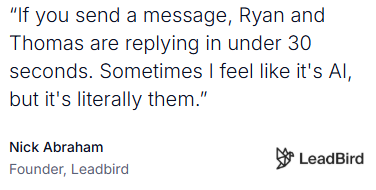
This comes up more than anything else. Nick Abraham, founder of Leadbird, said Ryan and Thomas reply in under 30 seconds, so quickly that he wondered if the replies were automated.
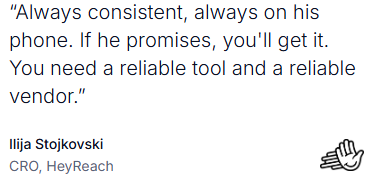
Ilija Stojkovski, CRO at HeyReach, described Vantage as a consistent vendor. If they promise something, it shows up.
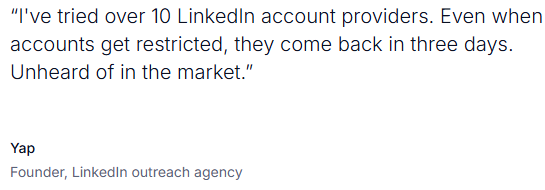
Yap said he had tried more than 10 LinkedIn account providers, and that restricted accounts were back within three days. He described that as unusual for the category.
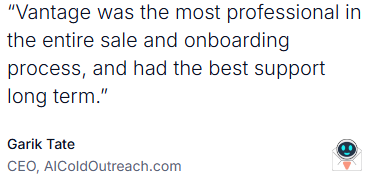
Garik Tate, CEO of AIColdOutreach.com, said the sales and onboarding process was better than others he had used, and that support stayed strong over time.
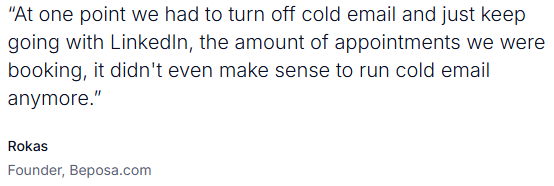
Rokas, founder of Beposa.com, said LinkedIn was booking enough appointments that his team turned off cold email entirely.
All 8 testimonials are positive. There is no dissatisfied customer anywhere in the public material.
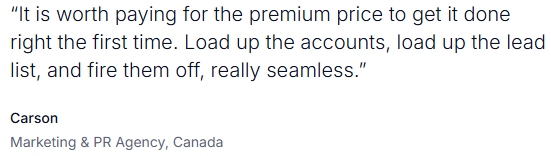
Carson, who works at a Canadian marketing and PR agency, defends paying more rather than pretending the service is cheap. That is the only real friction anyone names.
No third-party review platform has collected feedback on Vantage. Nothing public shows what happens when an account is lost, when a campaign underperforms, or when a customer leaves.
Don't buy this.
Vantage rents out LinkedIn accounts belonging to real people and then overlays your fake persona onto their verified identities.
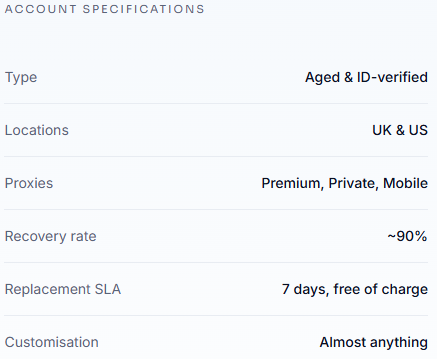
Two details make that clear, and both come from Vantage’s own FAQ. The accounts are rented from real people, aged anywhere from 3 months to 10 years. Every account has also passed LinkedIn’s identity verification before delivery.
That badge is meant to signal to a prospect that there is a real, verified person behind the message. Instead, you are paying $135 a month to put your outreach on top of someone else’s identity.
So this is not really a pricing question or a quality question. Vantage appears to deliver on its promises, and the operators quoted on its site say so.
The problem is what is being delivered.
If you want LinkedIn volume, build it on accounts owned by your own team. Or use a channel where the sender is actually who they say they are.
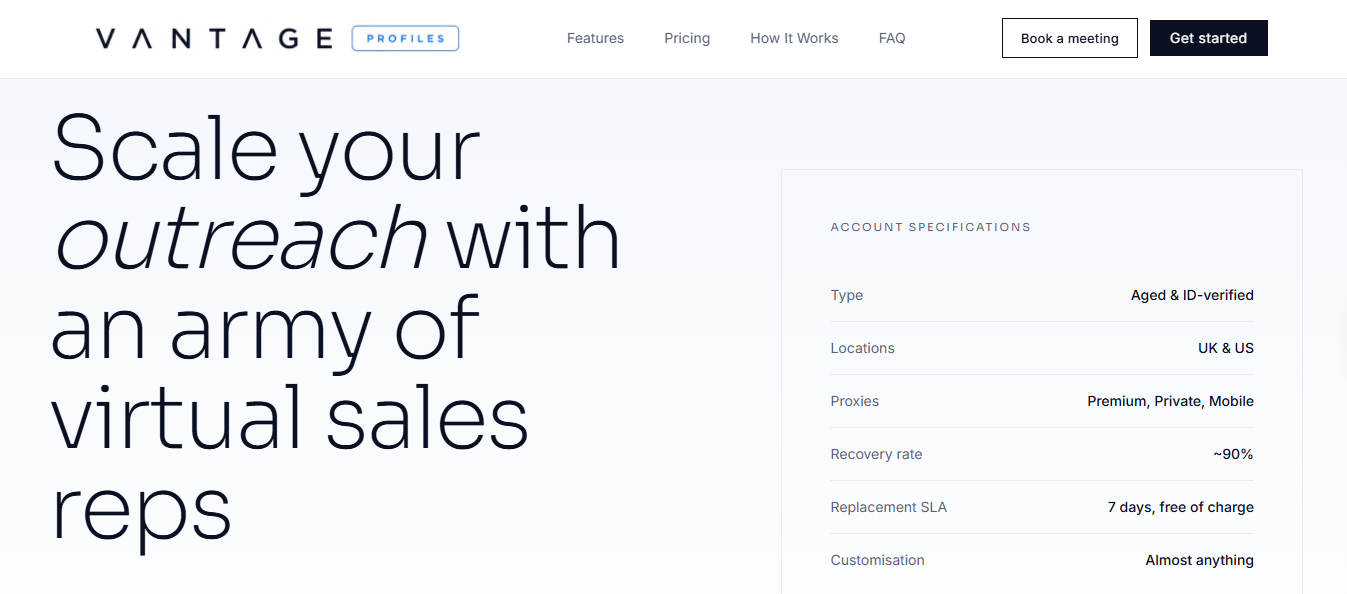
Vantage sells one thing: rented LinkedIn accounts. The six features around it all serve the same purpose: to keep a borrowed account alive longer.
Accounts range from 3 months to 10 years old and have real activity history prior to delivery. Vantage’s FAQ says these accounts are rented from real people.
Each account has already passed LinkedIn’s identity check. But that check was passed by the original account holder, not by you.
Vantage changes the photo, headline, about section, and job title to match your campaign persona. The verified identity stays in place. The person shown on top of it changes.
Each account runs through a dedicated mobile proxy in its native country, included at no extra cost. The point is to prevent LinkedIn from detecting that the account is suddenly being operated from a new location.
Restricted accounts are recovered within a few days, 90% of the time. If they are not, Vantage replaces them for free.
The accounts work with GetSales, HeyReach, Lemlist, Expandi, Dripify, PhantomBuster, Waalaxy, Dux-Soup, La Growth Machine, Sales Robot, LinkHelper, and Aimfox. Vantage recommends using one tool per account, and says running two is the fastest way to get banned.
Read those six features together, and the product becomes much simpler than the feature list makes it look.
You are renting a real person’s verified LinkedIn identity, placing a persona Vantage built for you on top of it, operating it through a proxy that hides the handover, and relying on a recovery service for when LinkedIn catches it anyway.
The 90% recovery rate is the tell. A service only advertises that number if restrictions are common.
Every prospect you contact sees a verified name that is not yours. Every reply goes to a profile you do not own and cannot keep.
Vantage’s site breaks the process into four stages. Here’s what each one involves, and what it means for you.
You tell Vantage how many accounts you need and what you plan to use them for. Pricing starts at 1 account for $135 a month and goes up to 250 accounts, with discounts beginning at 10 accounts.
At this stage, nothing about the source is disclosed. You do not know whose account you are getting.
Vantage then changes the photo, headline, about section, and job title to match your campaign personas.
This is the point where the original account holder disappears from view. Your persona takes their place, sitting atop an identity check that someone else passed.
The site shows sample profiles with names and details blurred, and states that live profile URLs are never shared. In other words, you do not see what you are renting until it is already yours.
You get secure access, and Vantage connects the accounts to your automation tool.
They recommend using one tool per account and warn that running two is the fastest way to get banned.
That warning is worth reading twice. The issue is not performance. It is detection.
Accounts usually go live within 48 hours of the onboarding call.
From there, the recovery service becomes part of the product. Restricted accounts are recovered within a few days 90% of the time. If they are not, Vantage replaces them for free.
That final stage is not really an ending. It is a maintenance cycle you stay inside for as long as you keep paying, because restriction is treated as expected, not exceptional.
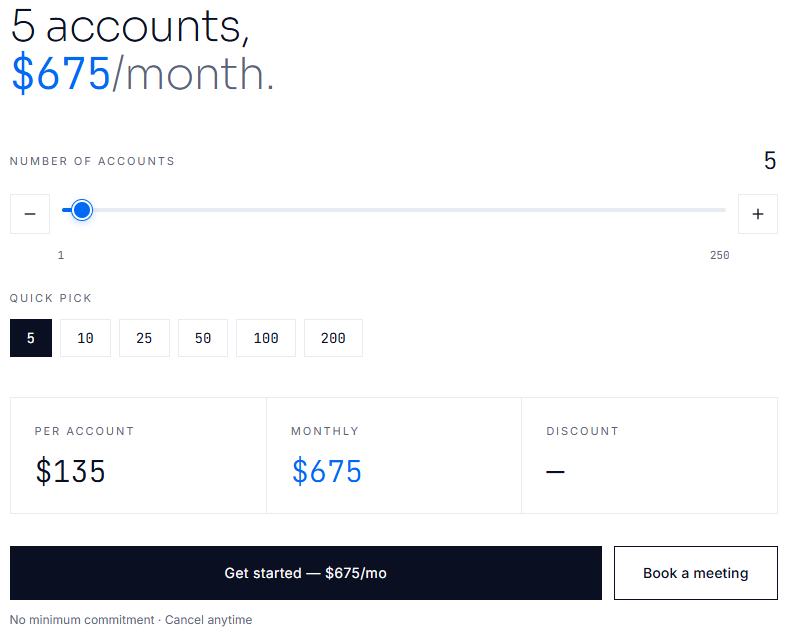
Pricing is the clearest part of Vantage’s site, and it is the only place where they publish real numbers.
Accounts start at $135 per month for 1-9 accounts. Five accounts cost $675 a month. Discounts increase with volume: 5% at 10 accounts, 10% at 20 accounts, 15% at 35 accounts, 20% at 50 accounts, 25% at 100 accounts, and 30% at 200 or more accounts. The pricing slider goes up to 250 accounts.
There is no minimum commitment, no annual contract, and you can cancel any time. Vantage says most customers are live within 48 hours of onboarding.
Vantage attaches a revenue projection to that $675. For five accounts, they estimate 3,000 connection requests per month, 6 booked meetings, and $2,925 in net monthly value.
The math behind it is simple: 600 connection requests per account per month, one meeting for every 500 requests, and an average revenue of $600 per meeting.
But two of those three inputs are not really Vantage’s to claim. Your reply rate depends on your offer and your list. Your revenue per meeting is your number, not theirs. The only part Vantage controls is the volume of connection requests the accounts can send.
Change the $600 meeting value to whatever a meeting is actually worth to you, and the projection changes completely. It is a calculator, not a result.
Mobile proxies are included. Replacement accounts are included. Your automation tool is not. You also need one tool per account, because Vantage says running two tools on a single profile is what gets you banned.
There is another cost that does not show up on the invoice: you never own these accounts. If you cancel, or if an account gets restricted and falls into the 10% they cannot recover, the connections, conversations, and pipeline inside it go with it.
I can’t honestly write this as a “who it’s for” list.
Every version I tried ended up describing who could get away with it the longest, not who actually benefits. Agencies running high-volume campaigns. Operators who have already burned through their own accounts. Teams treating LinkedIn profiles like disposable inventory.
That is not a recommendation, and pretending it is would be dishonest.
The people quoted on Vantage’s site may be real operators getting real results. Rokas at Beposa said LinkedIn was booking enough appointments that he turned off cold email. I have no reason to doubt him.
But none of those testimonials answer the more important question: whose name was on the profile when those appointments were booked
Skip this entirely if:
If your problem is LinkedIn volume, the better answer is more accounts owned and operated by your own team. That is slower. But it is also yours.
There are no case studies. Vantage does not publish any.
What they offer instead is a projection: 3,000 connection requests, 6 meetings, and $2,925 in net value from five accounts. But that is a formula with your revenue number plugged into it, not a customer outcome.
The closest thing to a result on the site is Rokas at Beposa, who says LinkedIn was booking enough appointments that his team turned off cold email. But there is no figure, no timeframe, and no baseline to compare it against.
Two numbers appear repeatedly, and both are about risk, not return. Vantage says restricted accounts are recovered 90% of the time, usually within a few days. That recovery rate is worth reading for what it is: a measure of how often the product gets caught and survives.
So there is not much to verify. No client outcome, no third-party validation, no reported pipeline. Compare that with an agency publishing something like “287 leads, 52 meetings, €28,000 in 40 days,” which at least gives you numbers to question.
With Vantage, you are buying on eight testimonials and a calculator.
The main reason teams look at Vantage Profiles is simple: one LinkedIn account only gives you so much outbound capacity.
If you want to reach more prospects, you need more sender profiles. Vantage tries to solve that by supplying aged LinkedIn accounts that can be connected to outreach software.
The basic scaling model looks like this:
More LinkedIn profiles → more sending capacity → centralized outreach software → more conversations
Here is how you could structure it.
Start with the amount of outreach you want to run rather than immediately buying 10 or 20 profiles.
Vantage estimates around 600 connection requests per account each month.
Using that assumption:
Those numbers give you a rough idea of how many LinkedIn senders you would need to support your target volume.
But more profiles do not automatically mean more meetings. Your ICP, targeting, offer, copy, and follow-up still determine whether that volume converts.
Do not have every sender targeting completely different audiences.
Create a clear structure.
For example, an outbound agency targeting SaaS companies might divide profiles like this:
Profile 1 → SaaS founders
Profile 2 → VP Sales
Profile 3 → Heads of Growth
Profile 4 → RevOps leaders
Profile 5 → Marketing leaders
This gives each profile a consistent audience, messaging angle, and campaign.
It also makes it much easier to understand which ICP is actually generating replies and meetings.
Managing several LinkedIn accounts manually gets messy very quickly.
Once you move from one profile to five, ten, or twenty profiles, you need one place to control campaigns, sequences, prospects, and replies.
This is where a platform such as Salesforge becomes useful.
Instead of creating completely separate workflows for every LinkedIn sender, you can manage multiple LinkedIn profiles from one Salesforge workspace and assign them to your outreach sequences.
The structure becomes:
Vantage Profiles
↓
Salesforge
↓
Sequences
↓
Prospects
↓
Replies
Note: Vantage currently lists several supported LinkedIn automation tools on its website, but Salesforge is not specifically included in that list. Confirm compatibility with Vantage before connecting a rented account.
Now split your prospect list between the profiles. Do not make 5 LinkedIn accounts contact the same people.
If you have 5,000 prospects and five senders, for example, you could distribute roughly 1,000 prospects to each sender.
Salesforge can then handle those senders from the same outreach environment rather than forcing you to manage five completely independent campaigns.
This becomes increasingly important as you scale.
At one profile, spreadsheets and manual tracking may still work. At ten profiles, they become an operational problem.
Do not treat the connection request as the entire campaign.
Build a sequence around the prospect.
For example:
Day 1 → View profile
↓
Day 2 → Send connection request
↓
Connection accepted
↓
Day 3 → First LinkedIn message
↓
Day 6 → Follow-up
↓
Day 10 → Final follow-up
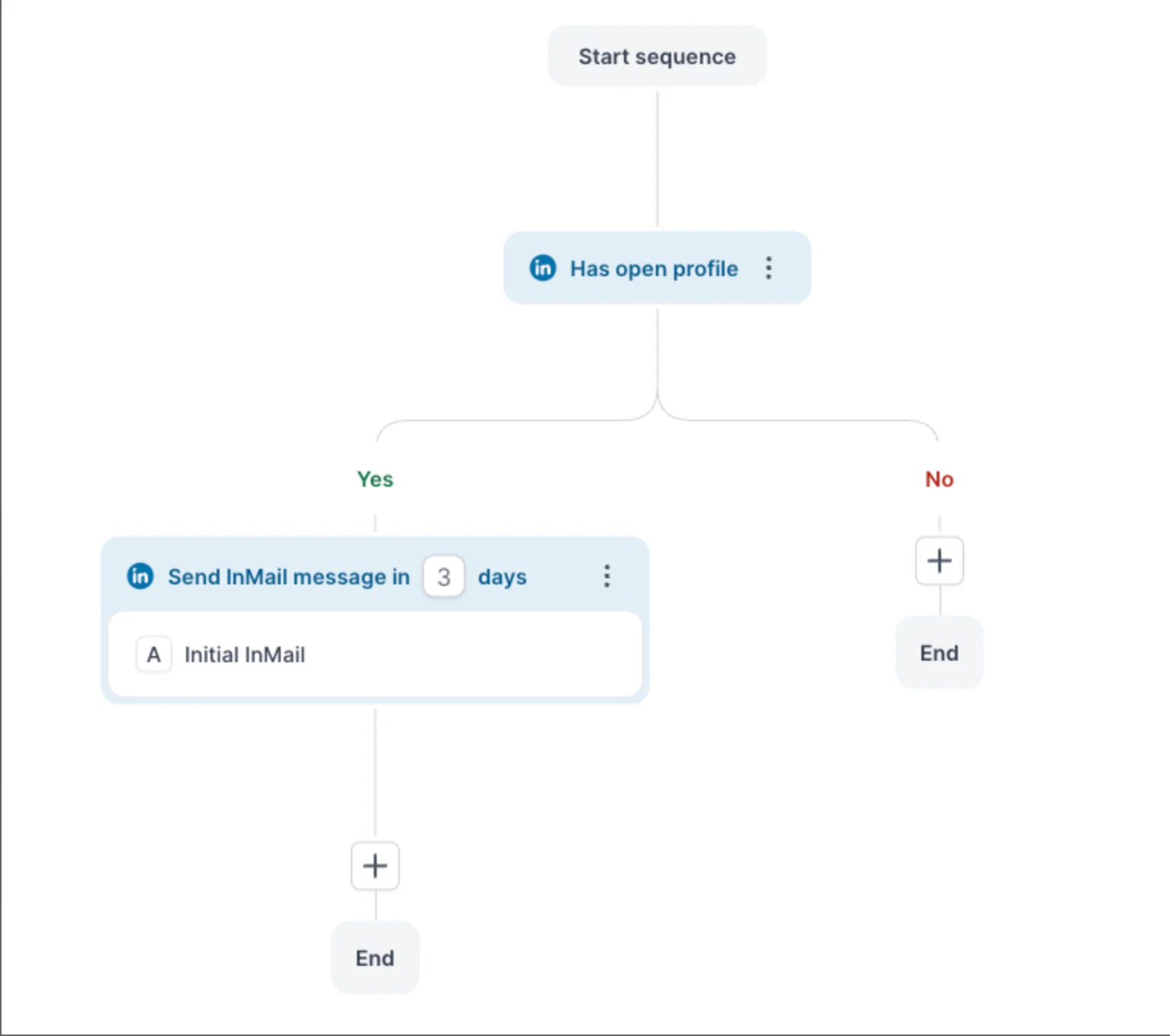
Salesforge supports LinkedIn actions such as profile views, follows, connection requests, messages, InMails, and other sequence steps.
That lets you create one repeatable process and apply it across several sender profiles.
This is where I would go beyond a LinkedIn-only setup. Someone ignoring your connection request does not necessarily mean they are not interested.
They may simply not use LinkedIn regularly. With Salesforge, you can add email to the same outreach workflow.
For example:
LinkedIn connection request
↓
Did they accept?
Yes -> Send LinkedIn message.
No -> Send a cold email.
↓
Follow up on the channel where they engage.
Now your Vantage profiles are not operating as isolated LinkedIn accounts. They become one part of a broader outbound system.
More sender accounts create another problem: more inboxes.
If you are running ten LinkedIn profiles and several email mailboxes, checking each one manually defeats much of the benefit of scaling.
Salesforge's Primebox brings LinkedIn and email conversations into one inbox.
That means your SDR can manage replies centrally rather than repeatedly logging into individual sender accounts.
Operationally, your setup becomes:
10 LinkedIn senders
Email mailboxes
↓
Salesforge sequences
↓
Primebox
↓
SDR handles conversations
↓
Qualified meeting
That is the part of the stack that actually makes higher sender volume manageable.
This is where teams often get LinkedIn scaling wrong. Do not measure success by saying - We sent 6,000 connection requests this month.
Track the funnel instead:
Connection requests
↓
Connections accepted
↓
Replies
↓
Positive replies
↓
Qualified conversations
↓
Meetings
↓
Pipeline
If five profiles generate 3,000 connection requests but only two meetings, adding another five profiles probably will not fix the problem.
Fix the targeting or messaging first.
If five profiles consistently produce qualified meetings, then adding more senders becomes much easier to justify.
If your goal is simply increasing outbound capacity, the setup looks straightforward:
LinkedIn Profiles
↓
Salesforge
↓
LinkedIn + Email Sequences
↓
Centralized Replies in Primebox
↓
Qualified Prospects
↓
Meetings
Vantage can theoretically supply the additional LinkedIn profiles at the top of that stack. Salesforge handles the operational layer underneath: sequences, multiple senders, email outreach, conditional follow-ups, and reply management.
But my original concern with Vantage does not disappear when you scale it. You are increasing your dependence on profiles you do not own.
I would use this same scaling architecture with LinkedIn accounts legitimately owned and operated by your founders, SDRs, employees, or other authorized team members whenever possible.
You get the same benefit of distributing outreach across multiple senders without making rented identities the foundation of your pipeline.
If you are still considering Vantage, bring these questions to the onboarding call. The answers matter more than anything on the site.
The first question is the one to watch. If Vantage cannot answer it clearly, you have your answer.
Enter your email to get a custom plan & stack recommendation for your business
Please check your mailbox in 5 minutes

No. And the price is not the issue.
Vantage appears to deliver what it advertises: fast support, clear pricing, and accounts that work. The operators quoted on its site may well be telling the truth.
The problem is what you are buying: a real person’s verified identity with your face and campaign persona placed on top of it. Every prospect who checks sees a name that was never yours, on an account you do not own and cannot keep.
If LinkedIn volume is the goal, build it on profiles your own team owns and runs and use Salesforge to scale your multichannel outreach. Sign-up and see it in action.
.jpg)

.jpg)

.jpg)
