Does SalesBlink really help you book more meetings and automate cold outreach in 2026?
Is the AI any good? And is the platform reliable enough to run daily sales sequences?
To find out, we used SalesBlink for 30 days straight, sending emails, testing warmup, building sequences, checking deliverability, and running full workflows.
In this review, we’ll show you how SalesBlink works, what actually happened during our test, and whether it’s worth your money.
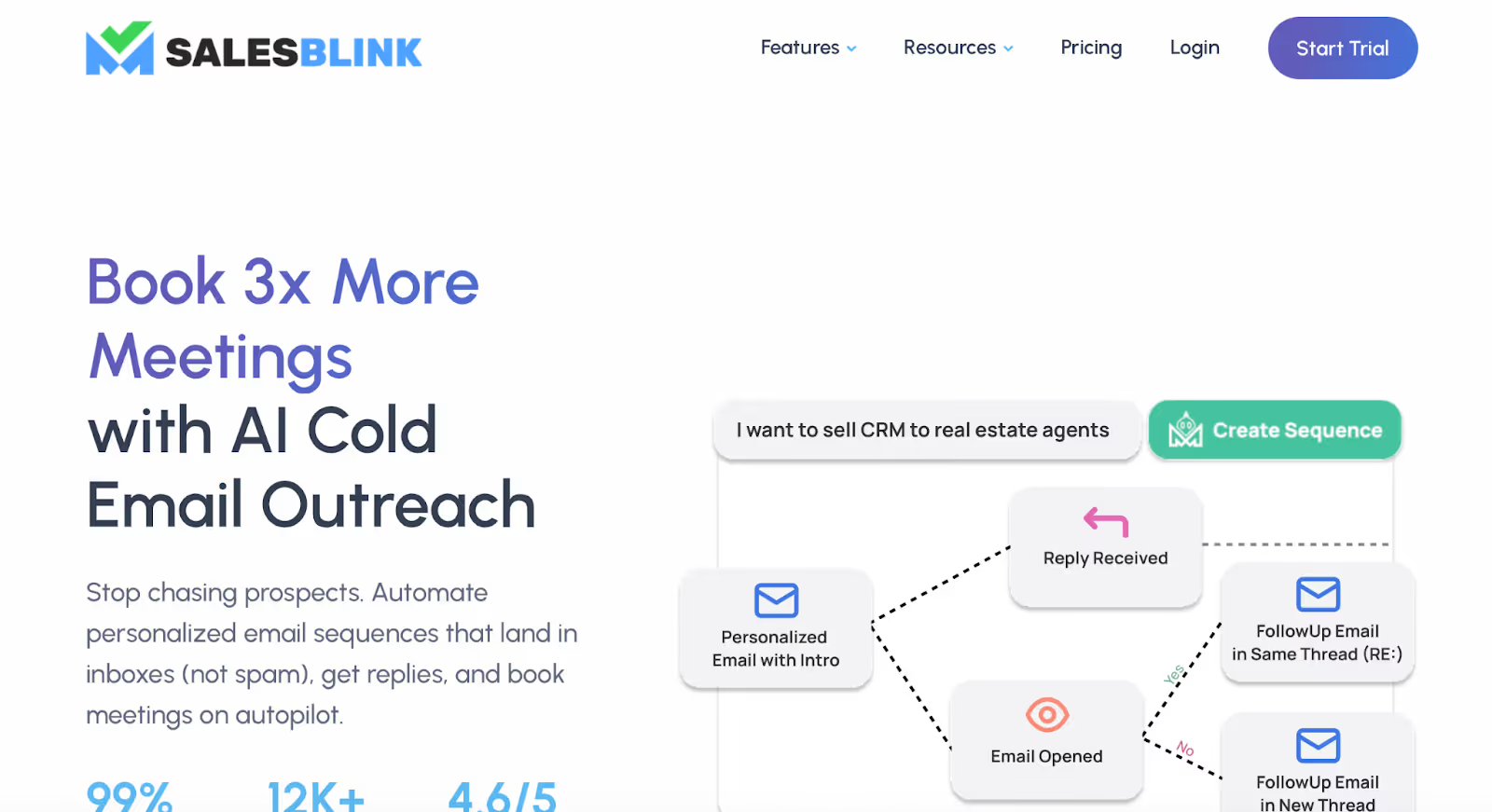
SalesBlink is an all-in-one cold outreach platform designed to help you find leads, send emails, automate follow-ups, and book meetings, all from one dashboard.
It focuses heavily on email outreach but also includes LinkedIn steps, call tasks, AI writing tools, and basic CRM features.
It replaces multiple tools (email sender, warmup tool, sequence builder, inbox, scheduler) with one platform.
Here’s what SalesBlink offers at a high level:
Creates templates and full outreach sequences automatically.
Supports Gmail, Outlook, SMTP, IMAP, aliases, tracking, and A/B tests.
Automatically warms inboxes to improve deliverability, though reviews show mixed reliability.
All replies from all sending accounts in one place.
A built-in booking link that syncs with Google and Outlook.
Unlimited lead uploads and built-in email verification (limits depend on plan).
Deal tracking, tasks, and activity logs.
HubSpot, Pipedrive, Zoho, Google Sheets, Slack, Zapier, n8n, Make.com, Boost.Space, and more.
Unlimited users, unlimited inboxes, white-labeling, and workspace management.
SalesBlink is mainly used by SDRs, founders, small teams, and lead-gen agencies looking for an affordable outreach tool with a clean interface and built-in AI.
User feedback is mixed, some call it a hidden gem, while others report bugs, warmup issues, and missing advanced automations.
At first let’s learn about the pros of Salesblink:
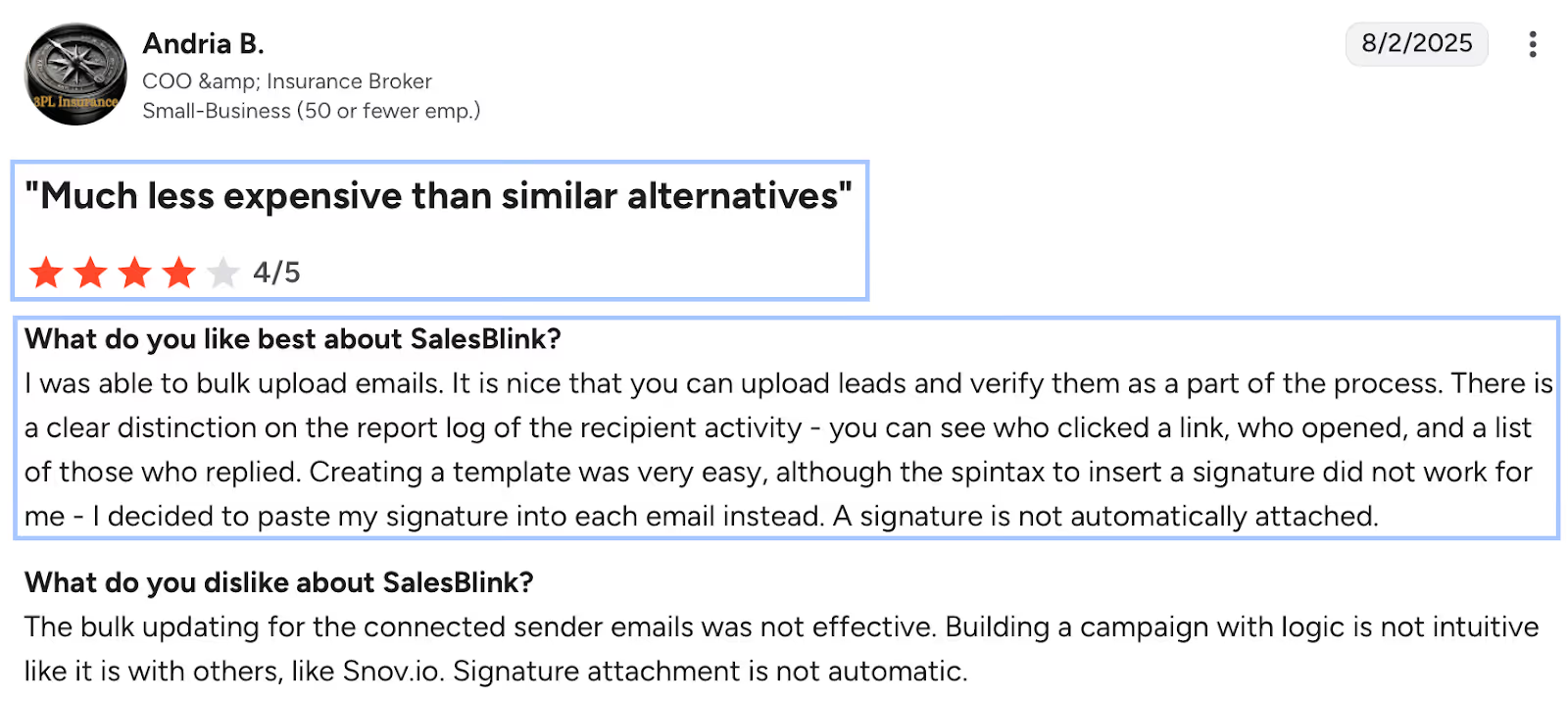
Many users highlight how quickly they were able to get started.
The interface is clean, simple, and far less overwhelming compared to traditional sales automation tools.
BlinkGPT can generate cold email templates, full outreach sequences, and even reply drafts.
For teams that want faster copywriting and personalization, this is a major advantage.
SalesBlink supports email, LinkedIn steps, and call tasks inside a single workflow.
The visual builder makes it simple to put everything together.
Unlike many competitors, SalesBlink doesn’t charge per email account.
This makes it appealing for agencies and teams that manage multiple domains.
Warmup, domain checks (SPF, DKIM, DMARC), spam recovery, and auto–ramp-up are integrated into the platform.
When operating as expected, these tools help maintain a strong sender reputation.
You can manage replies from every connected inbox in one dashboard, useful for SDR teams rotating multiple accounts.
SalesBlink includes its own scheduling tool that syncs with Google and Outlook, reducing the need for Calendly or similar apps.
You can upload unlimited leads and verify them before launching campaigns.
Some users specifically praised this workflow.
SalesBlink connects with HubSpot, Pipedrive, Zoho, Google Sheets, Slack, Zapier, n8n, Make.com, Boost.Space, and more, making it easy to plug into most sales stacks.
SalesBlink is significantly cheaper than many all-in-one outreach platforms, especially considering unlimited users and inboxes.
Now let’s check out the cons of using Salesblink.
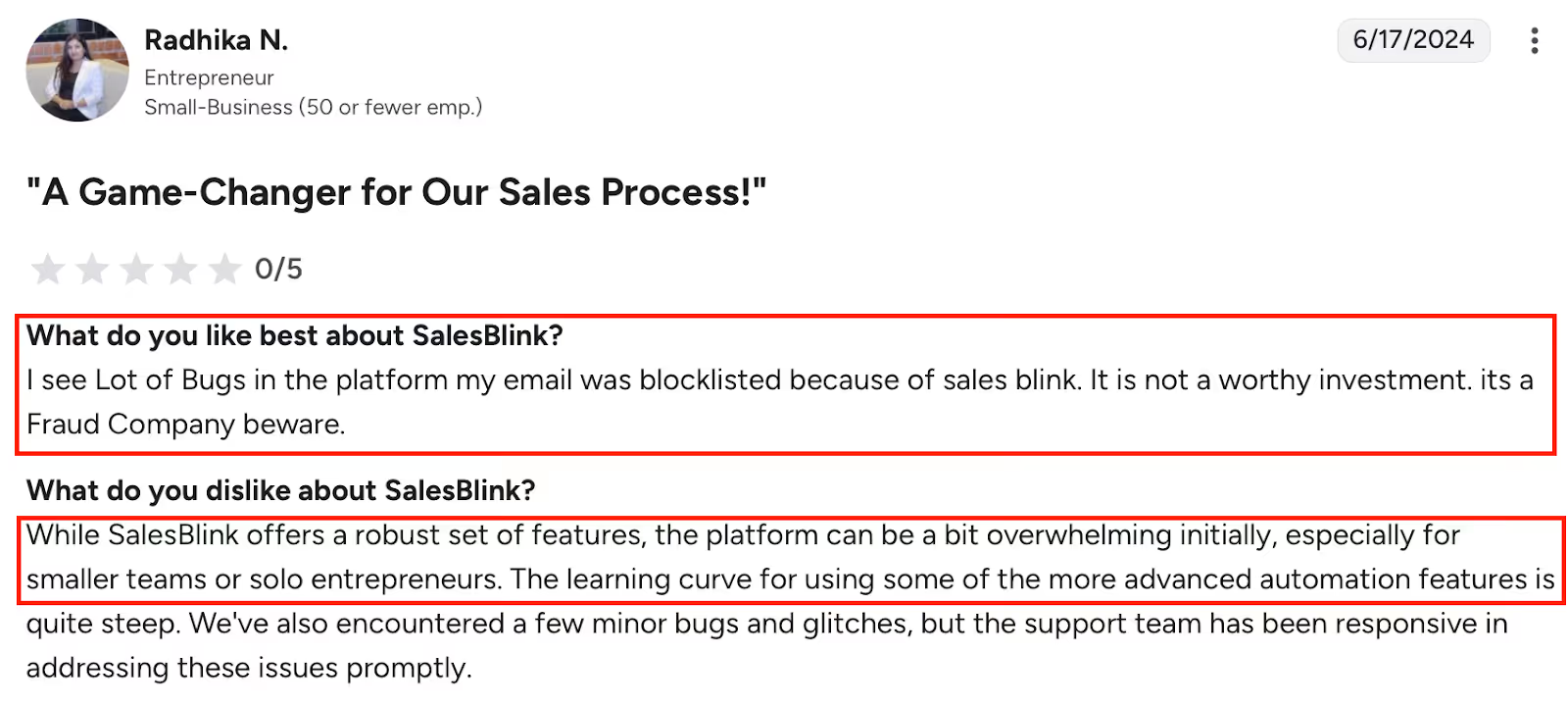
Some users experienced warmup consistently turning off on its own, preventing emails from sending.
This was one of the most serious complaints in the reviews.

Interface hiccups, unreliable features, and workflow interruptions were noted across multiple reviews, especially from long-term users.
While AI helps with copy, users report that SalesBlink lacks deeper automation logic and advanced orchestration available in higher-end tools.

A few reviewers mentioned blocklisted email domains while using the platform.
This raises concerns for businesses operating at high volume.
Users want a more developed CRM, better reporting, and stronger prospecting filters.
These areas still lag behind more mature platforms.
Signature insertion isn’t always reliable, and bulk-updating sender accounts can fail or behave inconsistently.
Users noted the lack of multilingual interface support, which may affect international teams.
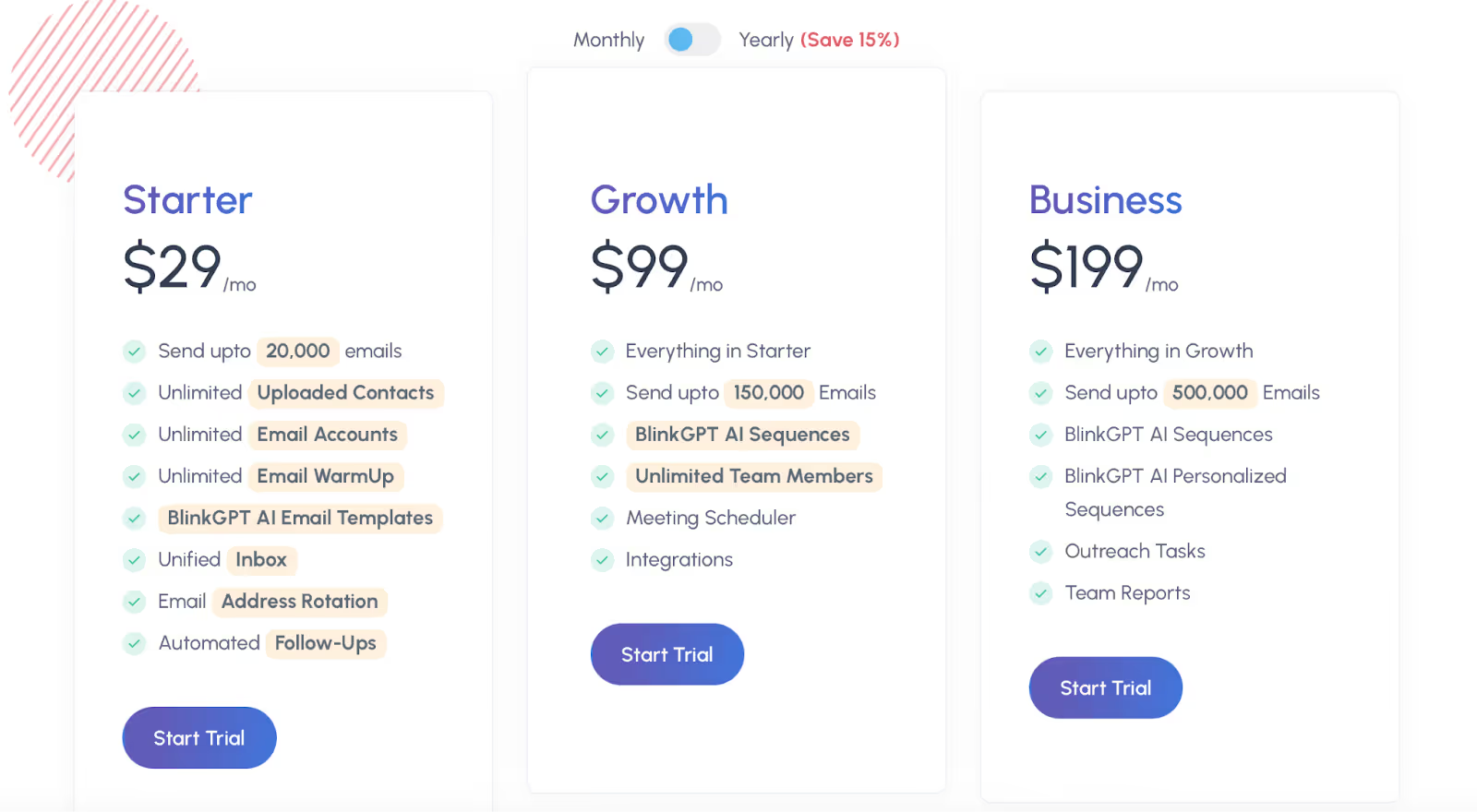
SalesBlink has three paid plans.
The main differences between them are email-sending limits, AI features, and team functionality.
Starter – $29/month
This plan includes the essentials: up to 20,000 emails per month, unlimited email accounts, unlimited contact uploads, basic templates, warmup, and the unified inbox.
Growth – $99/month
Growth increases the monthly sending limit to 150,000 emails and adds AI-generated sequences, meeting scheduling, integrations, and support for unlimited team members.
Business – $199/month
Business raises the volume limit to 500,000 emails per month and adds advanced personalization, outreach tasks, and team reporting features.
The overall pricing structure is lower than many comparable outreach tools, especially for users managing multiple inboxes or higher email volumes.
However, the value you get depends heavily on how consistently the platform performs for your use case.
SalesBlink is built for straightforward outreach, but there are a few situations where it may not be the best fit.
If you need highly reliable warmup, several users reported interruptions or issues that affected their ability to send campaigns consistently.
This can be limiting if deliverability is your main priority.
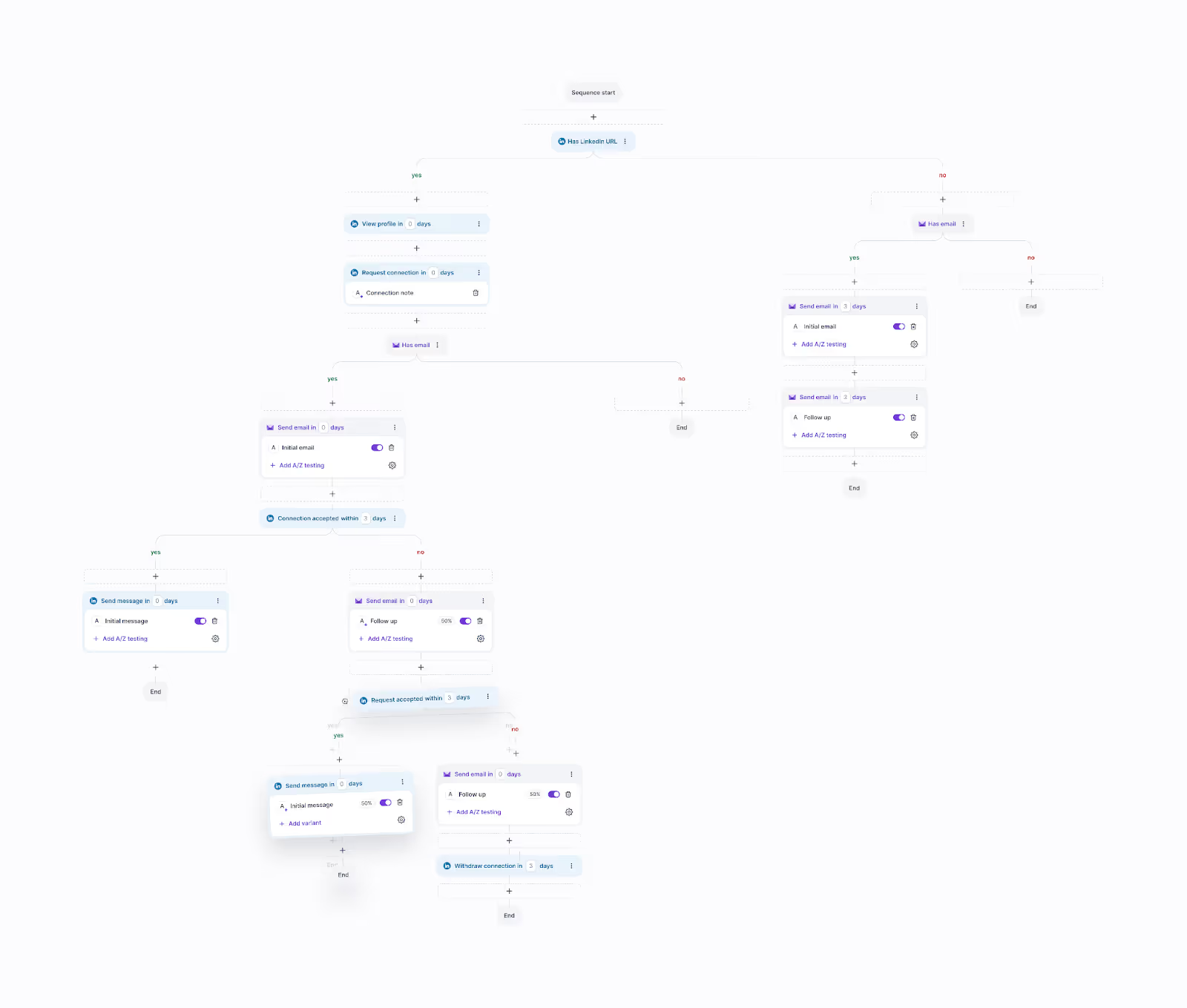
SalesBlink also has basic automation. It works for simple sequences, but it’s not ideal if you want complex branching logic or advanced multi-channel workflows.
Teams that rely on detailed analytics or a mature CRM may find the built-in reporting and pipeline tools too limited for their needs.
Some users also mentioned bugs and stability problems, which may be a concern if you manage multiple senders, domains, or clients at once.
SalesBlink is generally fine for light or moderate outreach, but not the best match for teams trying to scale heavily across channels.
If you need a more advanced setup with deeper automation or stronger deliverability infrastructure, a tool like Salesforge is often used for those scenarios.
It’s simply more suited for higher-volume or multi-channel operations.
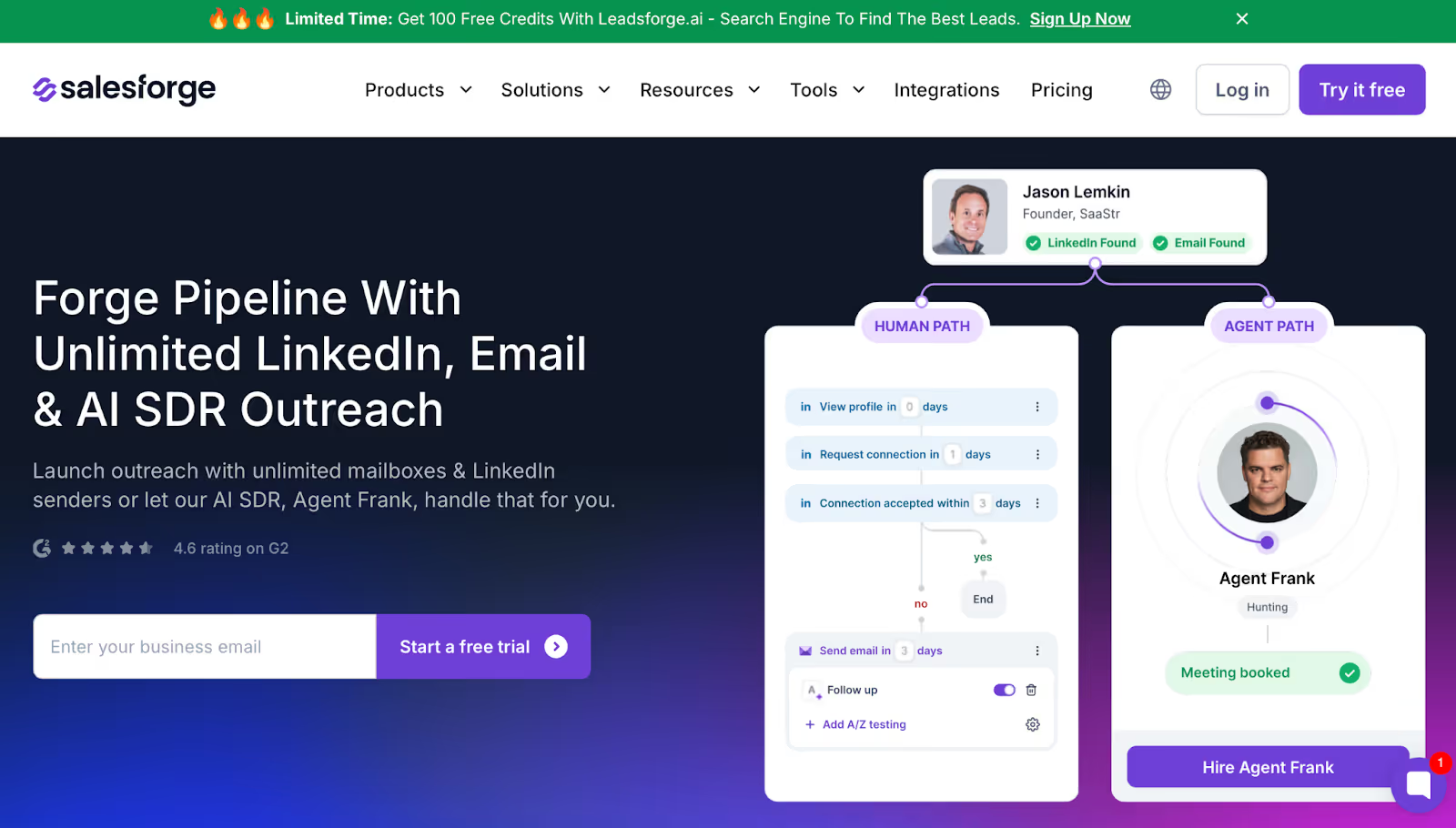
If you like SalesBlink’s simple email sequences but need a platform that avoids warmup interruptions, scales beyond basic LinkedIn steps, and doesn’t depend on your browser, Salesforge is the alternative many teams move to.
SalesBlink is mainly built for email campaigns with optional LinkedIn actions.
Salesforge runs email and LinkedIn outreach entirely in the cloud, which avoids the common issues users face with browser-dependent sending, warmup inconsistencies, and account limits.
Because Salesforge is server-based, it keeps running even when your laptop sleeps, and it isn’t affected by Chrome activity or extension limits.
You can also add unlimited mailboxes and unlimited LinkedIn senders, which is useful if you manage multiple domains or run outreach for different clients.
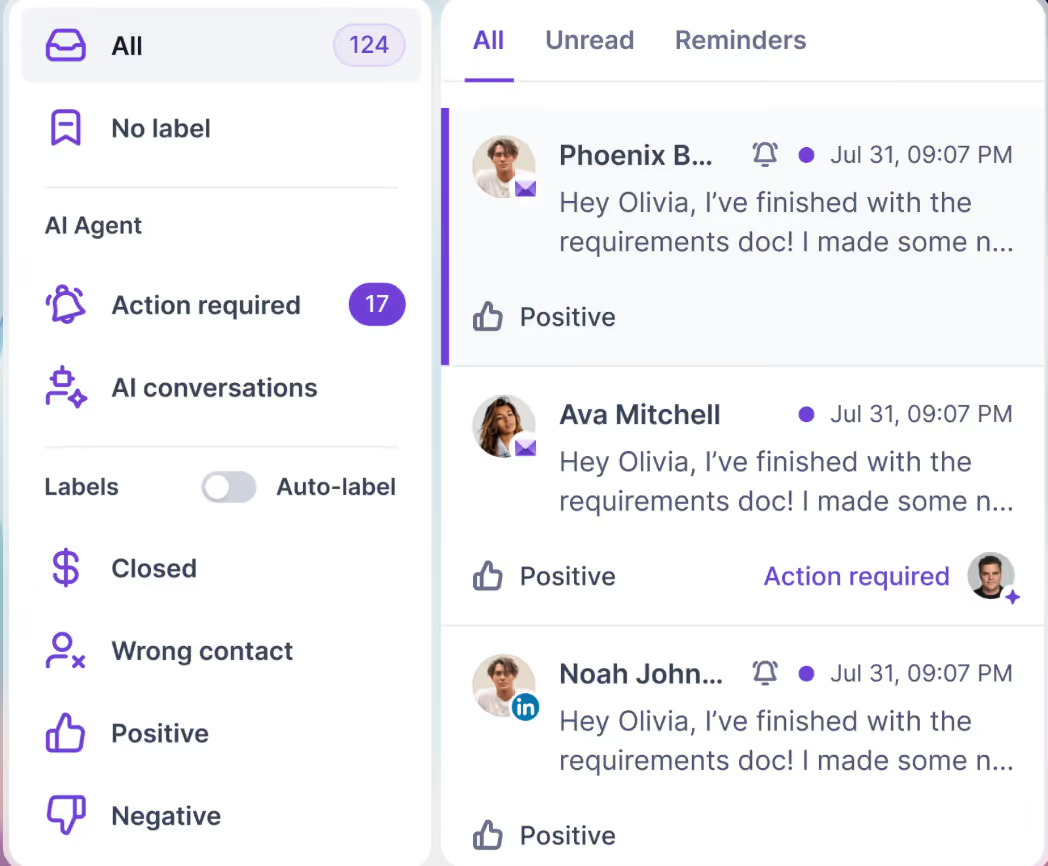
All replies, whether from email or LinkedIn, go into Primebox™, a unified inbox designed for high-volume operations where messages come in from several channels at once.
SalesBlink offers AI for email writing, while Salesforge adds the option of Agent Frank, an AI SDR that can assist with outreach tasks.
You don’t have to use it, but it’s available if you need more automation.
Overall, Salesforge fits teams that outgrow SalesBlink’s limitations around warmup reliability, LinkedIn scale, or complex multi-channel workflows.
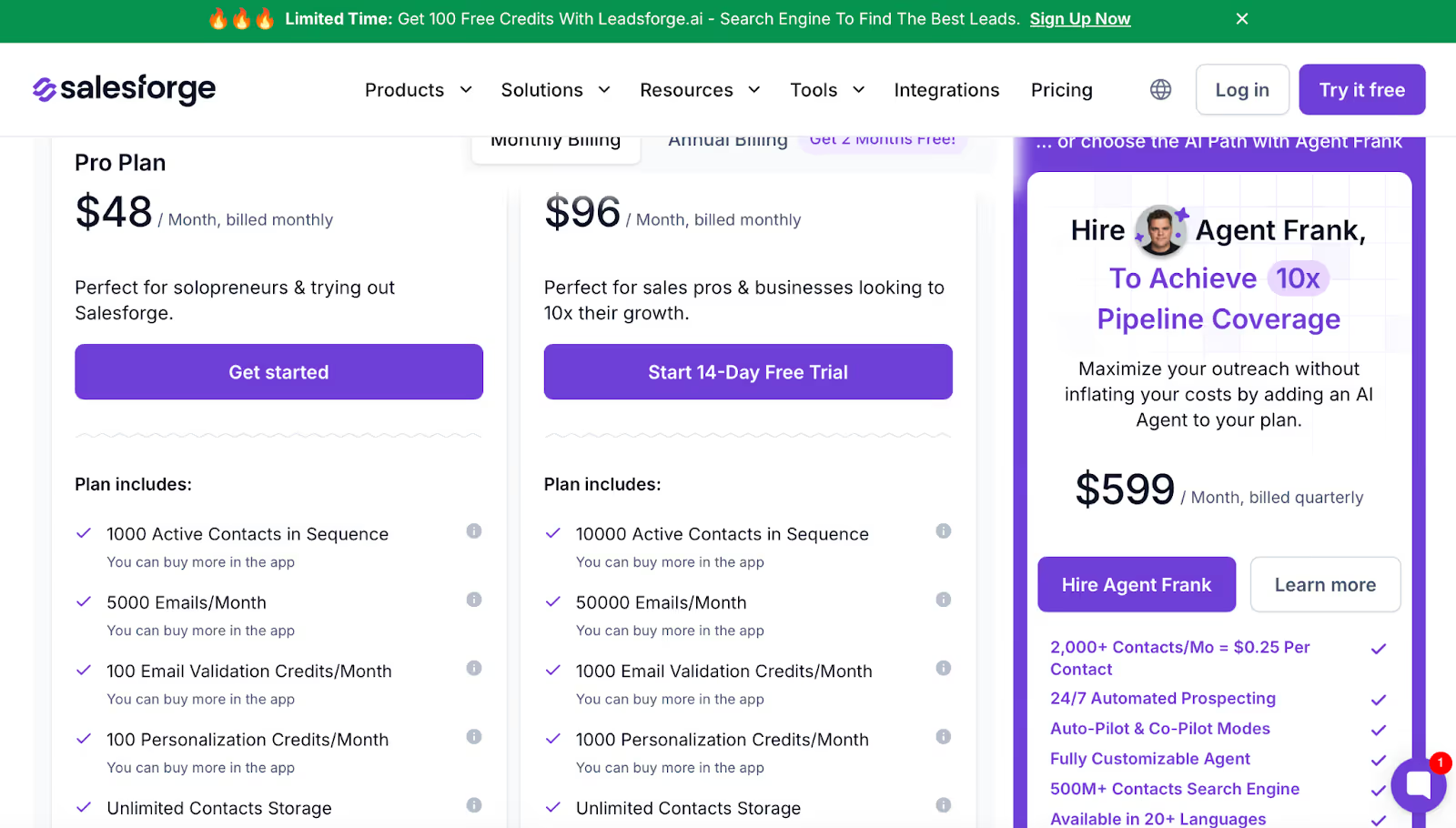
Salesforge starts at $48/month, and plans include:
It costs more than lightweight tools, but it covers channels and infrastructure that SalesBlink doesn’t.
SalesBlink is fine if you only need email outreach with simple steps.
If you need stable warmup, LinkedIn at scale, and cloud-based reliability, Salesforge is the more suitable alternative.
SalesBlink works well for simple email outreach and small teams. It’s easy to use and fine for light campaigns.
But if you need stronger warmup, more stable sending, better LinkedIn automation, or bigger scale, SalesBlink can feel limited.
That’s when Salesforge makes more sense.
Quick Recap:
Mini Quiz:
Which one sounds like you?
If you picked B, you can test Salesforge for free and see how it handles multi-channel outreach at scale, without warmup issues or sender limits.
👉 Try Salesforge and see the difference for yourself.

.jpg)

.jpg)
