
Personalized Outbound Strategy
Get The Right Outbound Strategy In Minutes
Enter your email to get a custom plan & stack recommendation for your business
It's being carefully crafted by AI
Please check your mailbox in 5 minutes
Cold outreach has a hidden tax.
It is not the sending. It is everything that runs alongside it. Sequence builds, mailbox checks, deliverability investigations, campaign reviews, and lead list pulls.
Each one takes time you do not account for until it adds up to half your week.
I started using Claude Code with the Salesforge MCP to handle these tasks. Not because it sounded interesting.
Because I was spending 45 minutes on deliverability problems that should have taken two.
These are the seven Claude Code skills for cold outreach I run daily. Each one connects directly to your Salesforge account through the Forge MCP Server.
Each one runs from a plain-English prompt.
No developer, custom code, or manual tab switching
I connect Claude Code to the Forge MCP Server, add API keys for the Forge products I use, and set up a CLAUDE.md context file with my ICP, past emails that worked, and tone rules.
From there, I run seven skills daily: sequence building, mailbox health checks, deliverability diagnosis, campaign performance analysis, lead list building and enrollment, spintax validation, and pre-launch audits.
Each skill runs from a plain-English prompt against my live Salesforge account. The manual workaround for outbound execution is gone.
These seven skills run through the Forge MCP Server. One config block connects Claude Code to all six Forge products as native tools.
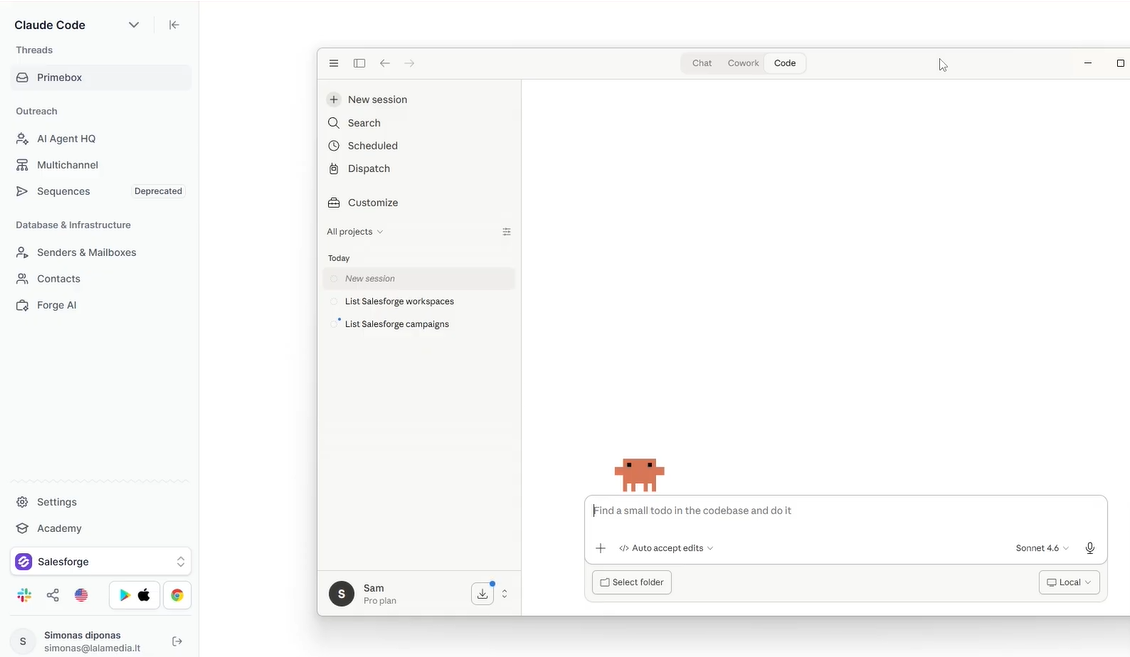
Each skill below runs from a plain-English prompt against your live Salesforge account.

This is the skill that changes how sequence creation feels.
Before the MCP, building a sequence meant opening Salesforge, clicking New Sequence, writing each step manually, setting delays, assigning mailboxes, and activating. Every time.
With Claude Code, you describe the campaign, and Claude builds it directly inside Salesforge.
Before you run this prompt, give Claude four things:
Without this context, Claude writes generic copy. With it, Claude writes in your voice against your real ICP.
The prompt structure:
"Create a 5-step cold email sequence for [ICP]. Pain point: [X]. CTA: [Y]. Keep each email under 70 words. Show me drafts before pushing to Salesforge."
Claude writes every step. You review the drafts. One follow-up prompt pushes the full sequence into Salesforge with mailboxes assigned and delays set.
Channel rules to give Claude upfront:
The last step on both channels should be a meme breakup. It breaks the pattern after three or four professional messages and pulls more replies than a fifth pitch would.
You do not open the Salesforge UI once during this workflow.
Mailbox health is the foundation. If your mailboxes are not healthy, nothing downstream works.
Every Monday morning, run this prompt:
"List all my active Salesforge mailboxes. Pull the reply rate over the last 7 days for each one. Flag anything under 1% and anything with zero replies. Return a clean table."
Claude calls your Salesforge data through the MCP and returns the table in seconds.
Three signals to watch every week:
When a mailbox gets flagged, pause it the same day. Swap in a warmed backup from Primeforge or Infraforge.
One rule worth keeping: maintain around 50% of your installed capacity as warmed backups. If you run 60 mailboxes, keep 30 ready to swap. When something gets flagged, you pause and replace it the same day.
New mailboxes need at least 14 days of warmup via Warmforge before sending.

Target a heat score of 85 or above. Claude Code can check heat scores on demand, so you know exactly when a mailbox is ready.
Before the MCP, a deliverability drop looked like this: notice reply rates fell, pull data from the dashboard, export to a spreadsheet, and spend 45 minutes trying to find the problem.
Now run this:
"Reply rates on my April sequence dropped this week. Which sending accounts are underperforming, what is their warmup status, and what is the most likely cause?"
Claude pulls live data from Salesforge, checks warmup metrics via Warmforge, looks at bounce rates per domain, and tells you exactly which accounts have the problem and whether it is a deliverability issue, a warmup issue, or a connection problem.
That same investigation takes 90 seconds.
Claude does not just return numbers. It tells you the likely cause. That changes how fast you can act on the problem.
Before the MCP, weekly review meant exporting CSVs, pivoting in a spreadsheet, and reading reply threads one by one.
Now run this prompt:
"Pull stats for all active campaigns over the last 7 days. Find the top 3 by reply rate. Read the positive reply threads for each one.
Tell me which step in the sequence got the reply. Summarize what the winning campaigns have in common. Propose two tests for next week."
Claude reads the actual reply threads, not just the numbers. It tells you whether the reply came from the initial email or follow-up 3.
A few patterns that show up consistently when you run this weekly:
The analysis and the next campaign brief happen in the same conversation. You take the patterns that worked and use them as input for the next sequence without leaving Claude Code.
Before the MCP, building a lead list meant pulling contacts from one tool, cleaning them in a spreadsheet, uploading to Salesforge, and then enrolling manually.
Now it is one prompt:
"Pull VP Sales contacts at Series B SaaS companies in North America from Leadsforge. Create a new list in Salesforge. Enroll them in my April sequence."
No CSV, no manual upload. Contacts are in the sequence within a minute.
Leadsforge pulls from 500M+ contacts with waterfall enrichment across multiple data sources.
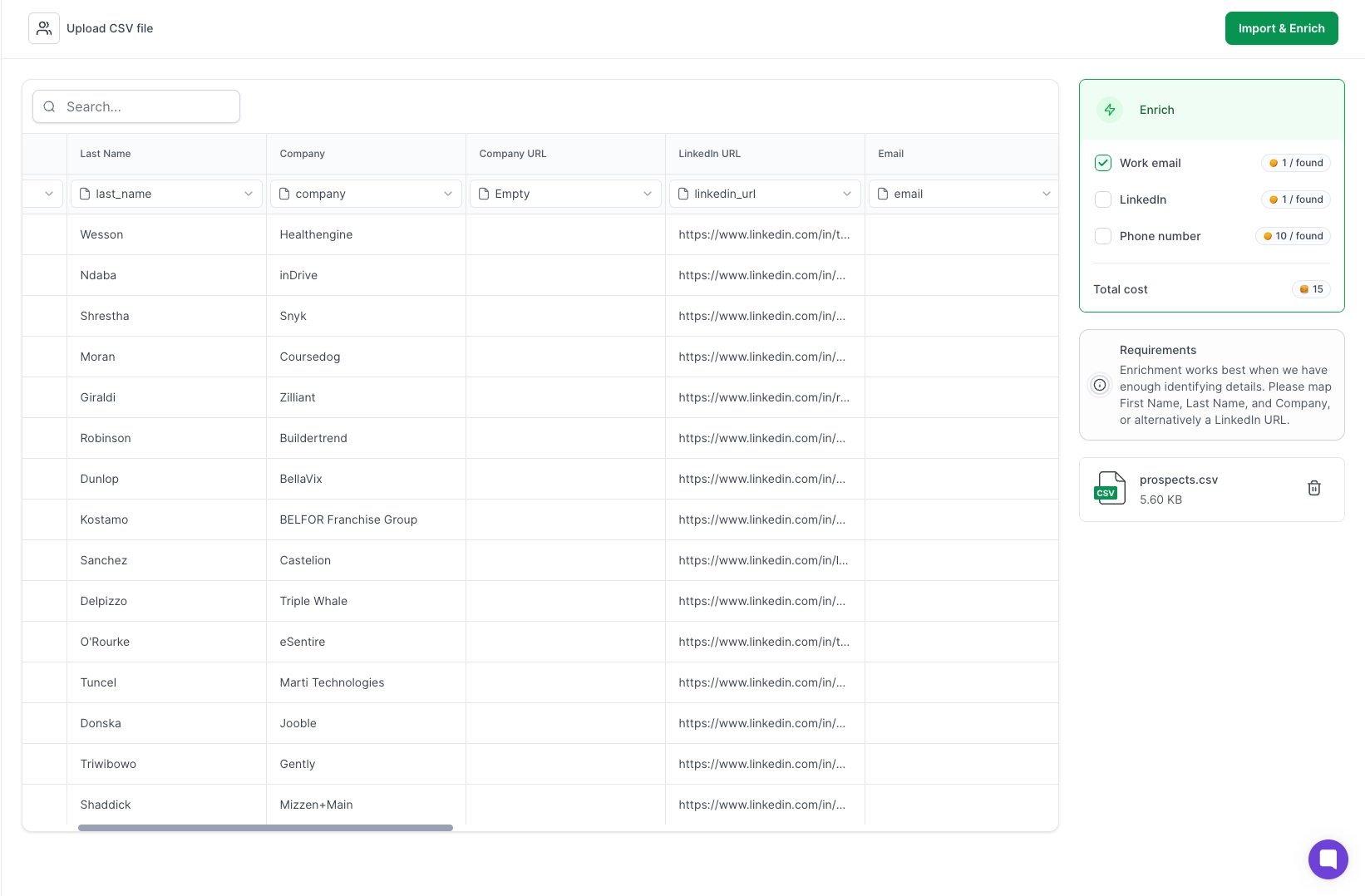
Waterfall enrichment means it pulls from multiple providers in sequence until it finds a verified result. The hit rate is higher than pulling from a single provider.
The workflow connects directly: Leadsforge finds the contacts, Salesforge holds the list and the sequence, and the MCP moves the data between both without any manual step in between.
This skill matters most when you are running campaigns at scale, particularly for agencies managing multiple clients or launching 50+ sequences at once.
Two problems this skill solves.
When you send one template across thousands of mailboxes, pattern-matching becomes a deliverability risk.
Google and Microsoft run filters that associate spam reports with specific content patterns.
One spam report on a template used a thousand times can affect the next thousand sends.
Claude Code validates every spintax block before sending. It checks that every block has at least three options and no broken brackets.
The rule for initial emails: spin at least 50% of the content. Subject lines, greetings, opening sentences, value framing, and CTA.
The goal is to make sure no two recipients see the same string of words.
Every sales tool reads variables in its own format. A {{first_name}} in one platform might be {first_name} or [first_name] in another.
When you push the same copy across mailboxes, CRMs, and sequence builders, each one expects something slightly different.
Claude Code reads how Salesforge expects variables to be written, checks every line of copy against that format, and rewrites anything that does not match.
Run this prompt before any campaign launch:
"Check all variable formatting in this sequence against Salesforge's expected format. Flag and rewrite anything that does not match."
This single check removes an entire category of send failures that previously cost hours per launch.
This skill is the most underused of the seven. Most problems get caught after a campaign fails. This one catches them before it launches.
Run this before any campaign goes live:
"Before launching campaign [ID], run a full check on configuration, mailbox connectivity, domain deliverability, email signature, and lead list quality. Flag anything to fix before we go live."
Claude checks across the full Forge stack through the MCP. It looks at:
Before the MCP, this required a dedicated ops person working through a manual checklist. Now it runs from one prompt and returns a list of issues to fix before the first send.
This is the difference between catching a problem before it reaches a prospect and diagnosing it after reply rates drop.
How I Use Claude Code to Automate My Entire Cold Email Operation
The setup is light. Four things, and you are ready to run all seven skills.
Claude Code runs in your terminal. Claude Desktop is a chat interface you open like any other app.
Both connect to Salesforge through the Forge MCP Server the same way. If you have never used a terminal before, start with Claude Desktop.
For workflows you want to run automatically on a schedule, Claude co-work is the right tool. It operates your apps in the background without you clicking anything.
This is where your sequences, mailboxes, contacts, and campaign data live. All seven skills read from or write to your Salesforge account through the MCP.
Salesforge offers a 14-day free trial. Set that up before anything else.
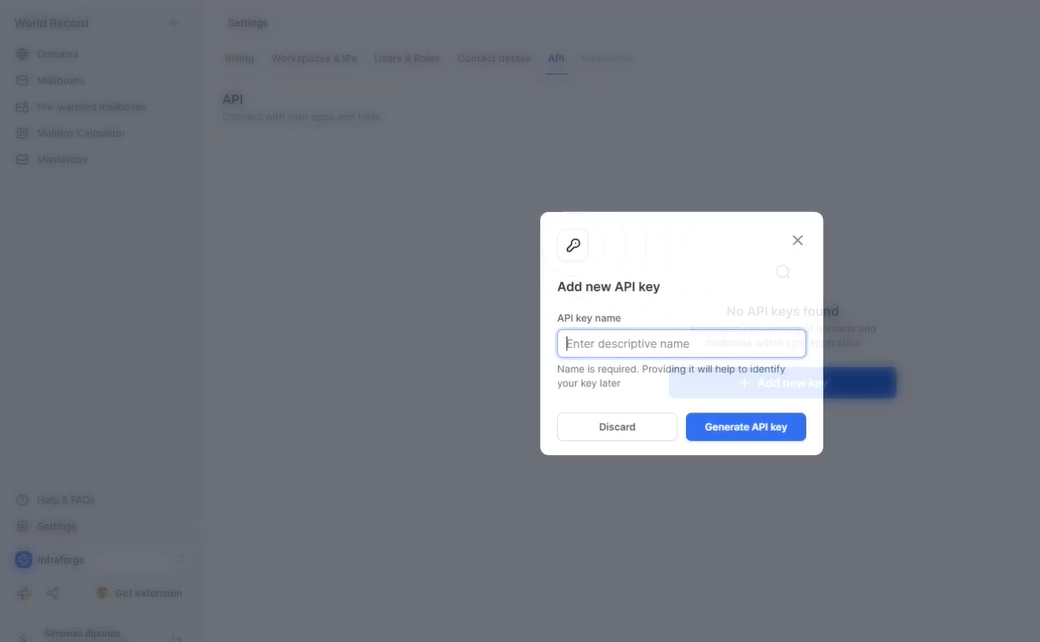
You do not need keys for all six Forge products. Only the ones you plan to use.
Here is what each key unlocks for these seven skills:
Add Infraforge, Primeforge, or Mailforge keys if you manage your own email infrastructure and want Claude to provision domains and mailboxes.
Generate each key under Settings > API inside the respective Forge product. Store each key somewhere safe.
This file is what separates useful output from generic output.
Create a file called CLAUDE.md in your project folder. Claude reads this at the start of every session.
Include:
Without this file, Claude writes from scratch every session. With it, every sequence, every prompt, and every output reflects your actual voice and targeting.
Update it when your ICP shifts, your positioning changes, or you find emails that perform better than your current examples.
Enter your email to get a custom plan & stack recommendation for your business
Please check your mailbox in 5 minutes

Seven skills. One MCP connection. No developer required.
Each skill in this list maps to a specific task that takes time every week. All of them now run from plain-English prompts against your live Salesforge account.
The setup is one config block. The context file is one document. The connection covers all six Forge products through a single endpoint.
What compounds over time is the consistency. The same mailbox check runs every Monday. The same campaign analysis runs every week. Patterns become visible. Problems get caught before they affect the pipeline.
The next sequence gets built from what the last one taught you.
That is what these seven Claude Code skills for cold outreach actually give you. Not just faster execution, but a clearer picture of what is working and why.
Start your 14-day free trial, connect Claude Code through the Forge MCP Server, and run your first prompt today.




.png)
