
Personalized Outbound Strategy
Get The Right Outbound Strategy In Minutes
Enter your email to get a custom plan & stack recommendation for your business
It's being carefully crafted by AI
Please check your mailbox in 5 minutes
Cadency starts at $89 a month. You get 2 LinkedIn senders and 100,000 emails.
Those 2 senders can work inside the same campaign. Cadency splits leads between them. Each prospect stays with one sender. You can also add email steps when a prospect does not connect on LinkedIn.
If one account hits a LinkedIn checkpoint, Cadency pauses it. The other senders keep running.
You also get lead search and data enrichment. Email warm-up and inbox placement tests are included too.
So, does Cadency give you enough for $89 before you need to start paying for more senders?
That’s what I’ll find out in this Cadency review.
Cadency covers prospecting, enrichment, LinkedIn outreach, and cold email in one product. WhatsApp is also available in beta.
You can run LinkedIn and email steps in the same sequence. Leads can be split across several LinkedIn accounts. Each lead stays with the same sender throughout the conversation.
Cadency also includes a B2B database, waterfall enrichment, a shared inbox, email warm-up, and inbox placement testing through Cadency Pulse.
What you don’t get is unlimited LinkedIn senders in the base price. Essential includes 2. Small Team includes 5. Scale includes 20. Enrichment and Swarm Profiles cost separately.
Cadency charges for LinkedIn capacity based on the number of senders included in each plan. Salesforge lets you connect unlimited LinkedIn senders but meters their activity through social action credits.
Cadency includes email warm-up and inbox placement testing through Cadency Pulse. Salesforge handles warm-up through Warmforge.
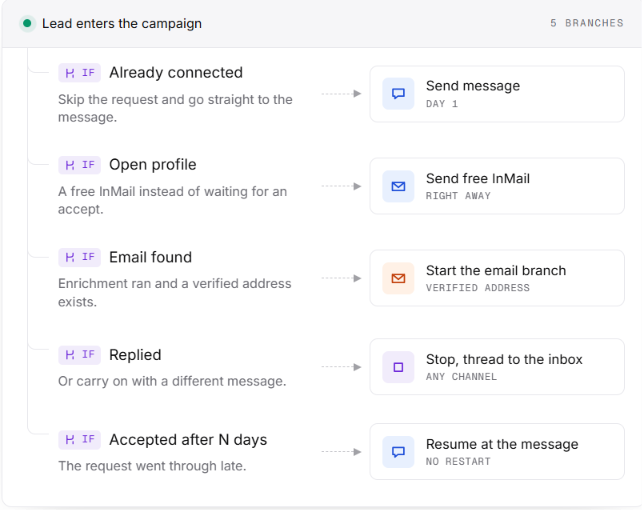
Cadency runs outreach by assigning each prospect to one sender and moving them through a sequence based on what happens.
For example, a campaign could start with a LinkedIn profile visit and connection request. If the prospect accepts, Cadency can send a LinkedIn message. If they do not connect, the sequence can look for their work email and continue by email instead.
If you have several LinkedIn accounts connected, Cadency distributes new leads between them based on the daily capacity left on each account. Once a lead gets a sender, they stay with that sender for the conversation.
When the prospect replies, Cadency can stop the remaining steps or move them to another branch. The reply then appears in the shared inbox for your team to handle.
Here are the key features of Cadency that affect how your outreach runs.
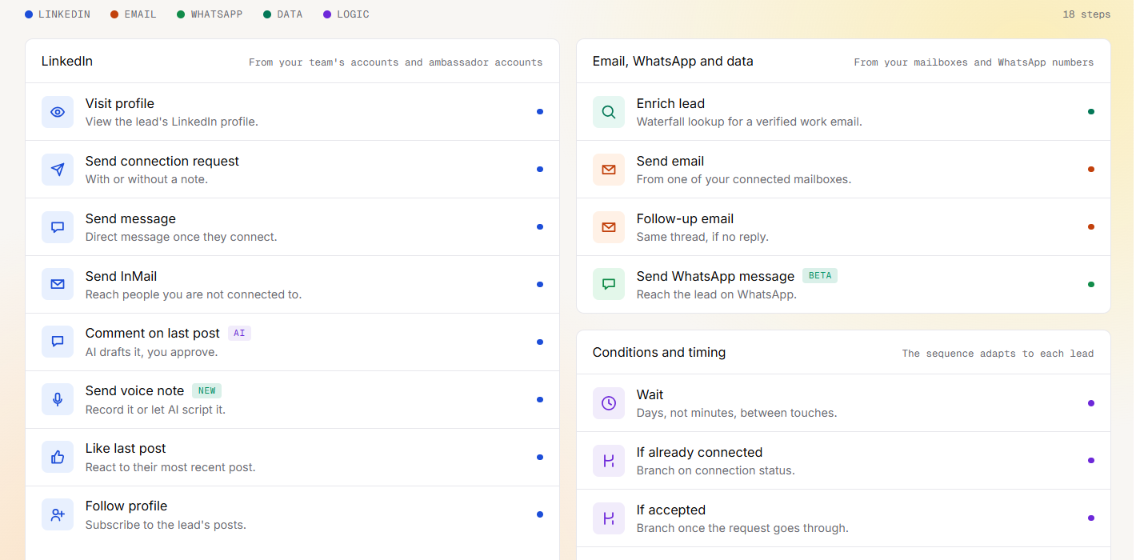
Cadency lets you combine LinkedIn and email in one sequence. WhatsApp is also available in beta. LinkedIn actions include profile visits, connection requests, messages, InMail, comments, voice notes, likes, and follows.
You can branch the sequence based on whether a lead connects, replies, or has a verified email. For example, if a connection request is not accepted, Cadency can continue by email instead.
A reply stops the remaining steps by default. You can also branch the campaign based on that reply.
Cadency can spread one campaign across several LinkedIn accounts. New leads are assigned based on the remaining daily ceiling of each sender. Once a lead gets a sender, they stay with that account for the whole conversation.
Each sender has its own daily limits, working hours, and timezone. If one account is paused, its leads pause too. Cadency does not automatically move those conversations to another sender.
You can also pin leads to a specific sender when importing them or reassign them later.
Cadency Pulse checks the health of the mailboxes used in your campaigns. Each mailbox gets its own deliverability score.
You can run inbox placement tests across Gmail, Google Workspace, Outlook.com and Microsoft 365. The results show where each test email landed.
Pulse also tracks:
You can set protection rules to alert or pause a mailbox when problems appear. Pulse is included with every Cadency plan. Placement tests count toward your monthly email volume.
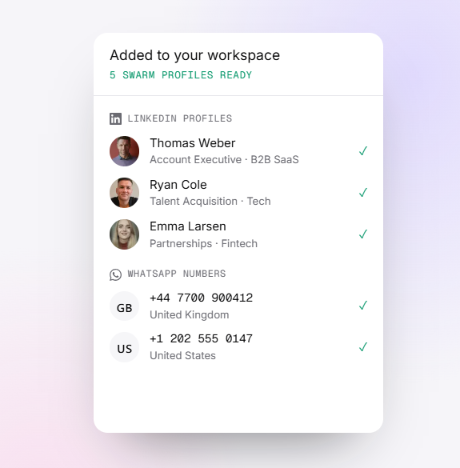
Swarm Profiles let you add more LinkedIn senders without connecting another account from your own team. These are aged LinkedIn profiles of real people that Cadency operates on your behalf. Each profile is dedicated to your workspace and is not shared with another customer while assigned to you.
You can run Swarm Profiles alongside your own LinkedIn accounts. Cadency rotates leads across them, but each prospect stays with one sender for the whole conversation.
Replies appear in the same Cadency inbox. Your team answers as that sender. Swarm Profiles are month-to-month and priced separately. They currently have limited availability through a waitlist.
Cadency includes API and MCP access on every plan. The MCP server works with ChatGPT, Claude and Cursor. You can use it to search for leads or create campaigns. It can also add prospects and check sender health. You can read inbox replies and draft responses from the same MCP client.
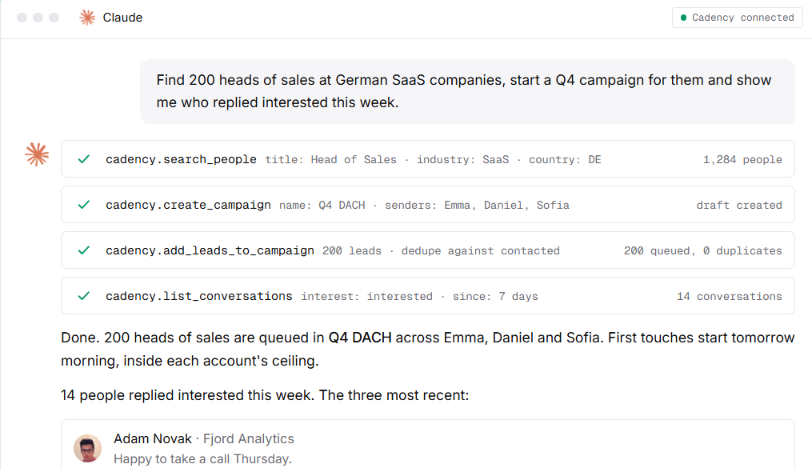
Cadency keeps the same sender limits and approval rules when you work through MCP. Agencies can create a separate workspace for each client. Each client workspace keeps its campaigns, senders, inbox, and reporting separate. The same applies to inboxes and reporting.
Every plan includes unlimited workspaces and teammates.
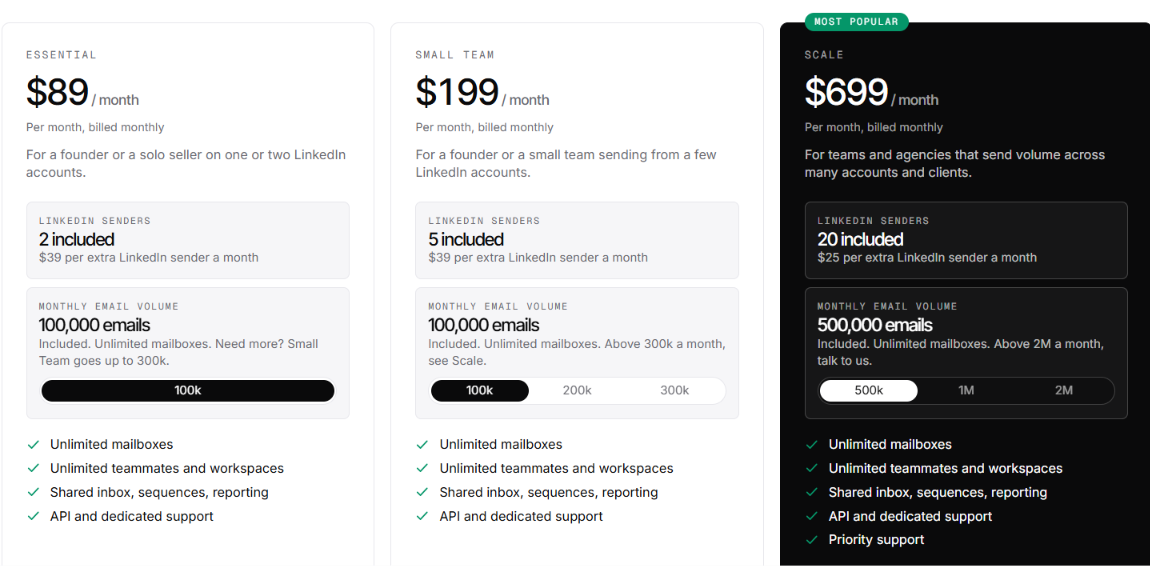
Cadency has three paid plans. Your price mainly changes with the number of LinkedIn senders and email volume.
All three plans include unlimited mailboxes, teammates, and workspaces. API and MCP access are included too. The main cost to watch as you scale is LinkedIn sender count. Cadency does not charge per mailbox or teammate, but you only get 2, 5, or 20 LinkedIn senders depending on your plan. Adding more increases the monthly bill.
Enrichment is another separate cost. Cadency does not publish a fixed enrichment rate. Swarm Profiles are priced separately too.
Annual billing gives you 30% off.
Cadency has several controls to reduce LinkedIn account risk. Each account gets a dedicated residential proxy and separate daily limits for connection requests, messages, profile visits, and InMail. Actions are spread across working hours instead of being sent in bursts.
If LinkedIn triggers a checkpoint, Cadency pauses that account automatically. Other connected senders can keep running.
Still, no LinkedIn automation is risk-free. Cadency does not guarantee that your account will avoid restrictions.
Cadency works best when one campaign needs to run across several LinkedIn accounts and email mailboxes.
Cadency is better suited to multi-sender outbound. A single-account setup will leave much of its sender rotation unused.
If you like Cadency’s email + LinkedIn setup but expect to add more LinkedIn accounts, Salesforge is the alternative I would consider.
The biggest reason is sender count. Cadency includes 2 LinkedIn senders for $89/month. You get 5 for $199 and 20 for $699. Salesforge Growth costs $96/month with unlimited LinkedIn senders. LinkedIn activity is metered through social action credits instead.
Salesforge can run email and LinkedIn in the same sequence too. On LinkedIn, you can use connection requests, messages, InMail, voice notes and other actions. Conditions can change what happens next based on a prospect’s activity.
But Salesforge gives you more control over how those campaigns run:
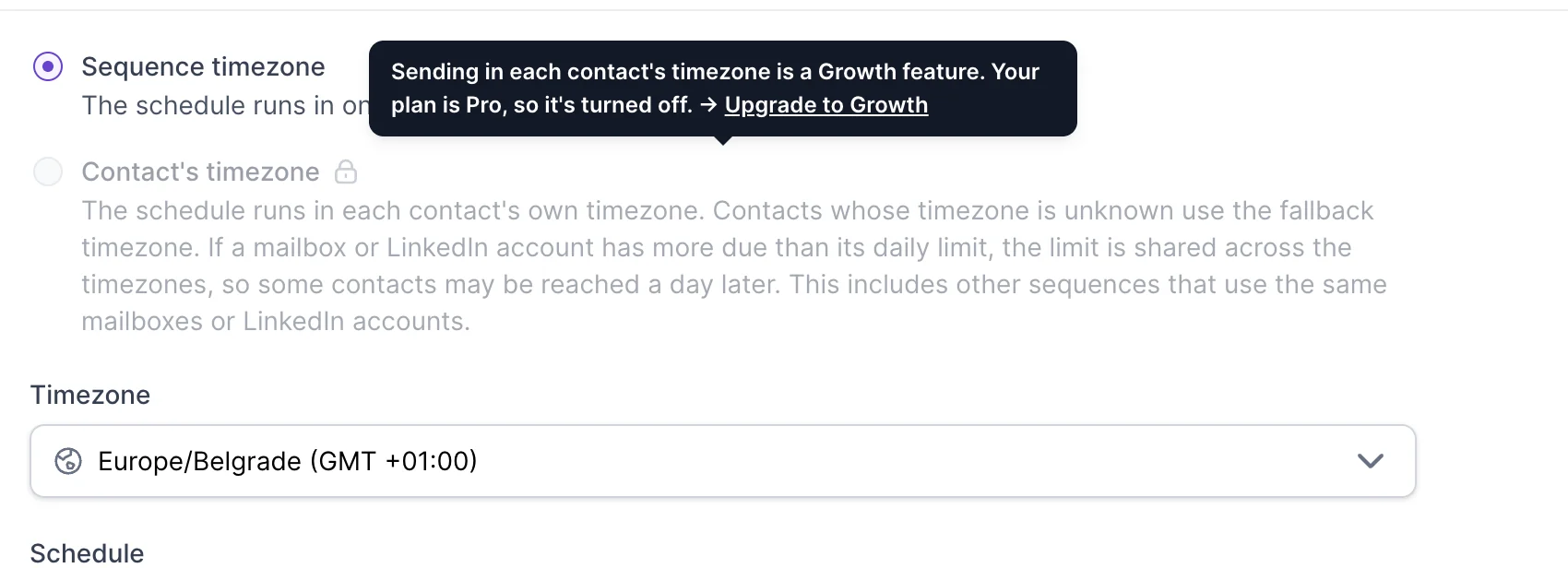
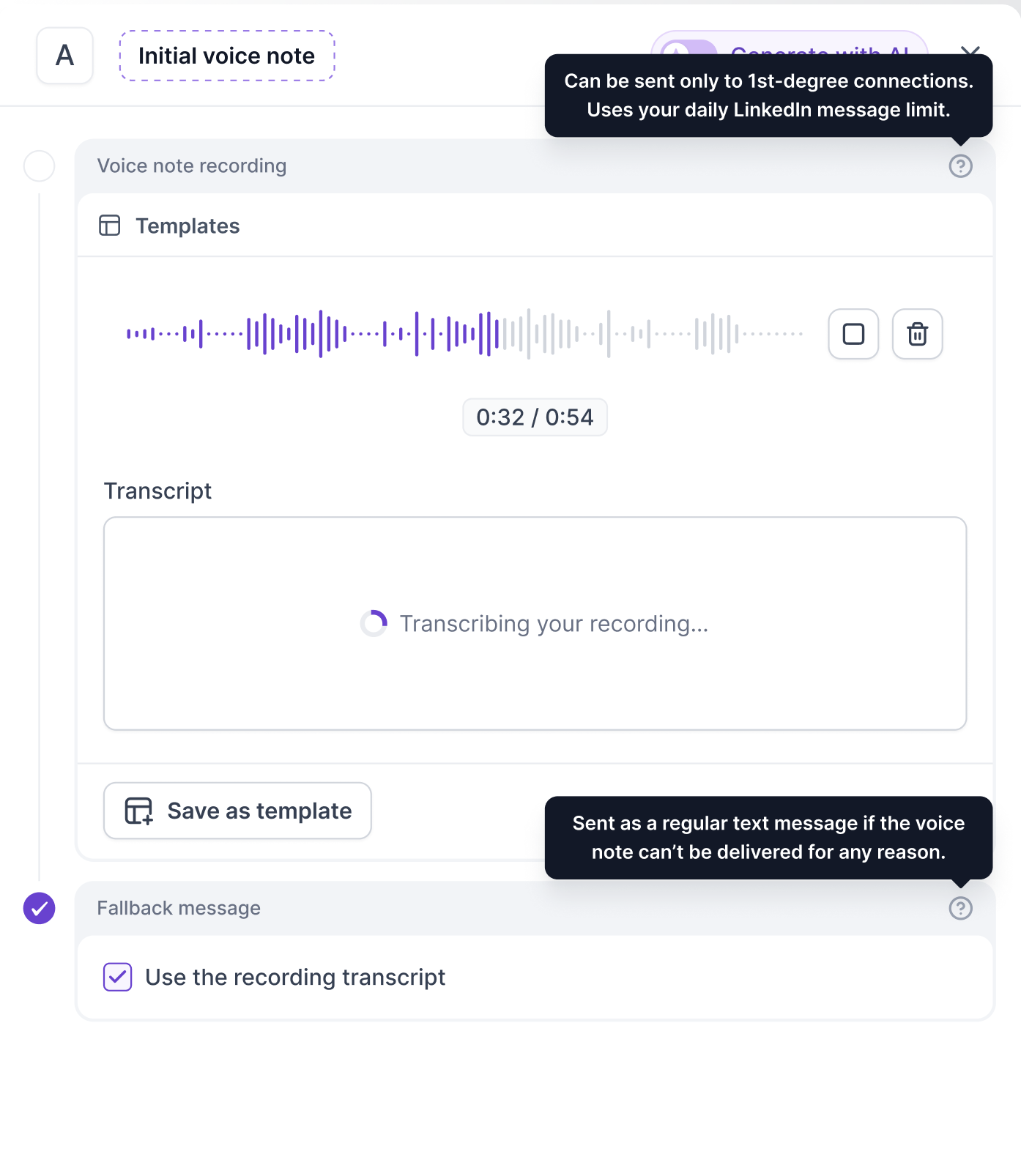
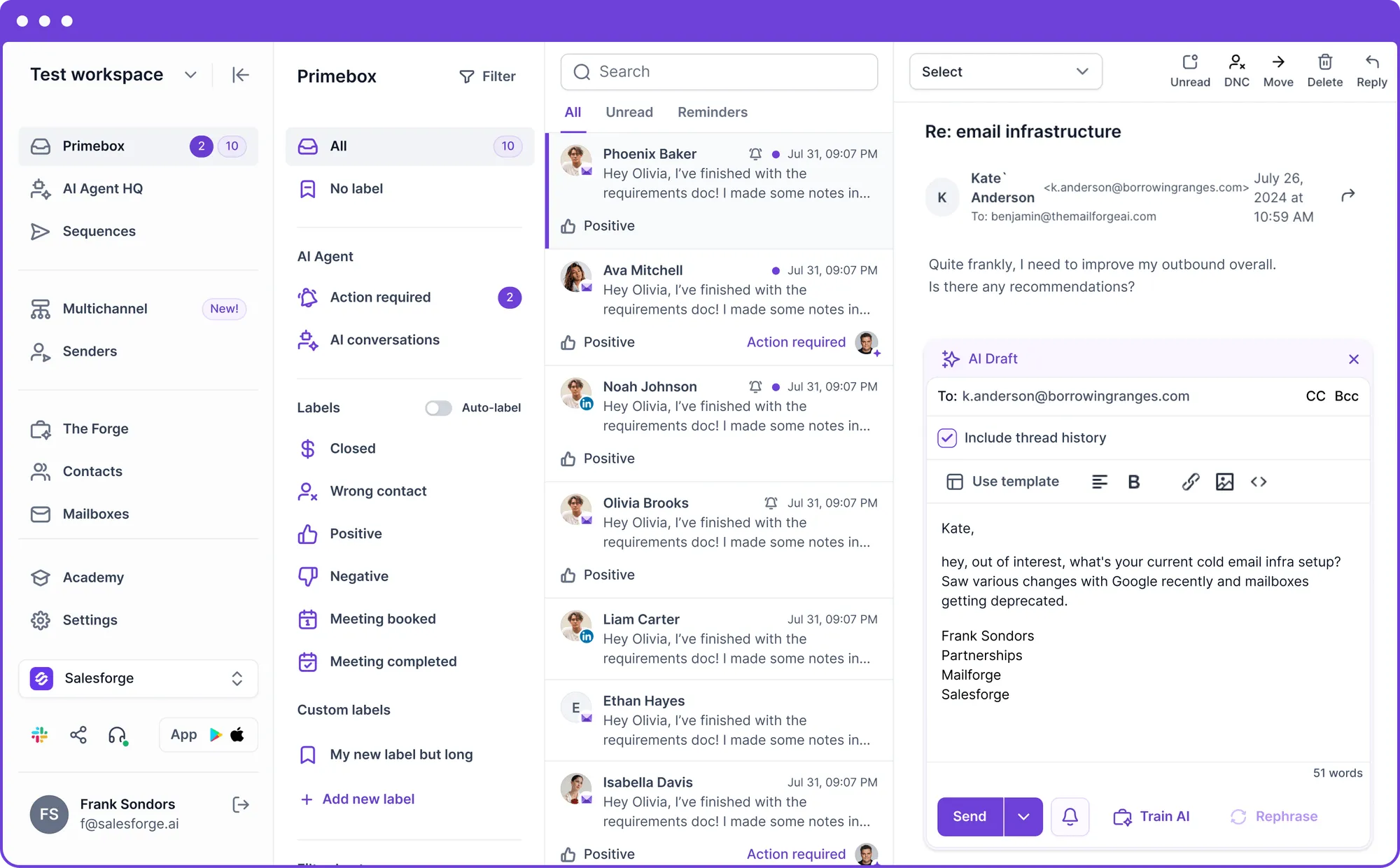
Cadency still gives you more included email volume. Its Essential plan includes 100,000 emails per month. Salesforge Growth includes 50,000.
I would choose Salesforge if you expect to keep adding LinkedIn accounts. You get unlimited LinkedIn senders at $96/month instead of moving through Cadency’s 2, 5 and 20-sender tiers. Cadency gives you twice the included monthly email volume at its entry plan compared with Salesforge Growth.
Enter your email to get a custom plan & stack recommendation for your business
Please check your mailbox in 5 minutes
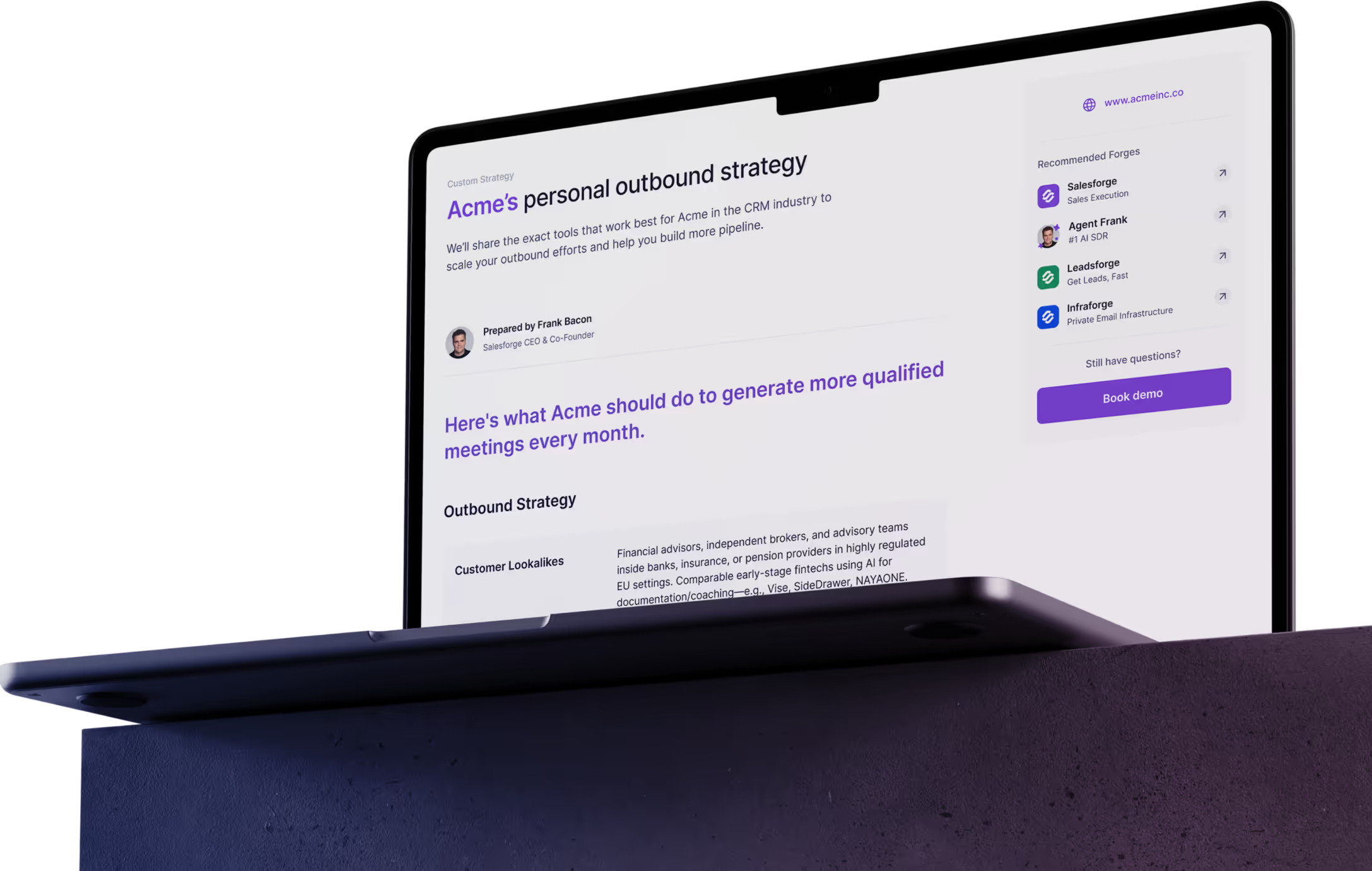
Yes, Cadency is worth it if you want LinkedIn and email outreach in one place without paying per teammate or mailbox.
The value drops if you expect to add a lot of LinkedIn accounts. Cadency charges for each sender beyond the number included in your plan.
That is where Salesforge has the better offer. Growth costs $96/month and lets you connect unlimited LinkedIn senders. You pay for LinkedIn activity through social action credits instead.
If LinkedIn is where you plan to grow, try Salesforge instead.