

Personalized Outbound Strategy
Get The Right Outbound Strategy In Minutes
Enter your email to get a custom plan & stack recommendation for your business
It's being carefully crafted by AI
Please check your mailbox in 5 minutes
Most outbound emails fail because they are personalized at the surface level.
A rep adds the prospect’s name, company, job title, or a generic LinkedIn line, but the email still does not answer one basic question:
Why should this person care right now?
That is where buying signals matter.
For GTM teams, signals like funding news, job changes, hiring activity, company expansion, new product launches, SEC filings, or recent LinkedIn activity can make outreach more relevant.
They help teams understand what is actually happening inside an account before a rep writes the email, before a sequence goes live, or before an AI SDR starts prospecting.
That matters not just for SDR productivity, but for the entire GTM workflow.
If signals are accurate and operationalized well, they can improve targeting, prioritization, personalization, and timing across outbound systems. But if signal research stays manual, most teams never scale that process cleanly.
Autobound AI is built around this idea.
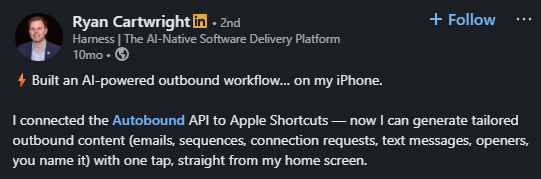
It pulls prospect and company signals from sources like LinkedIn, company news, job changes, SEC filings, and other public data. Then it helps reps turn those signals into personalized outbound emails faster.

So instead of spending 20 minutes researching one prospect manually, your team can use Autobound to speed up research and write more context-aware emails.
But that does not mean it is a complete GTM tool.
Autobound can help with signal-based personalization, but reviews also point out a few limits:
So the real question is not just whether Autobound AI works.
It is whether Autobound fits your GTM workflow, improves your outbound quality, and delivers enough value for the cost.
In this Autobound.ai review, I’ll break down what Autobound does, how its signal-based personalization works, where it falls short, and whether it is worth using for GTM teams.
Yes, if you want faster signal-based personalization
Bottom line: Autobound is worth it if your biggest problem is turning signals into personalized outreach faster. It is less compelling if you need an all-in-one GTM execution tool. Agent Frank fits well here.
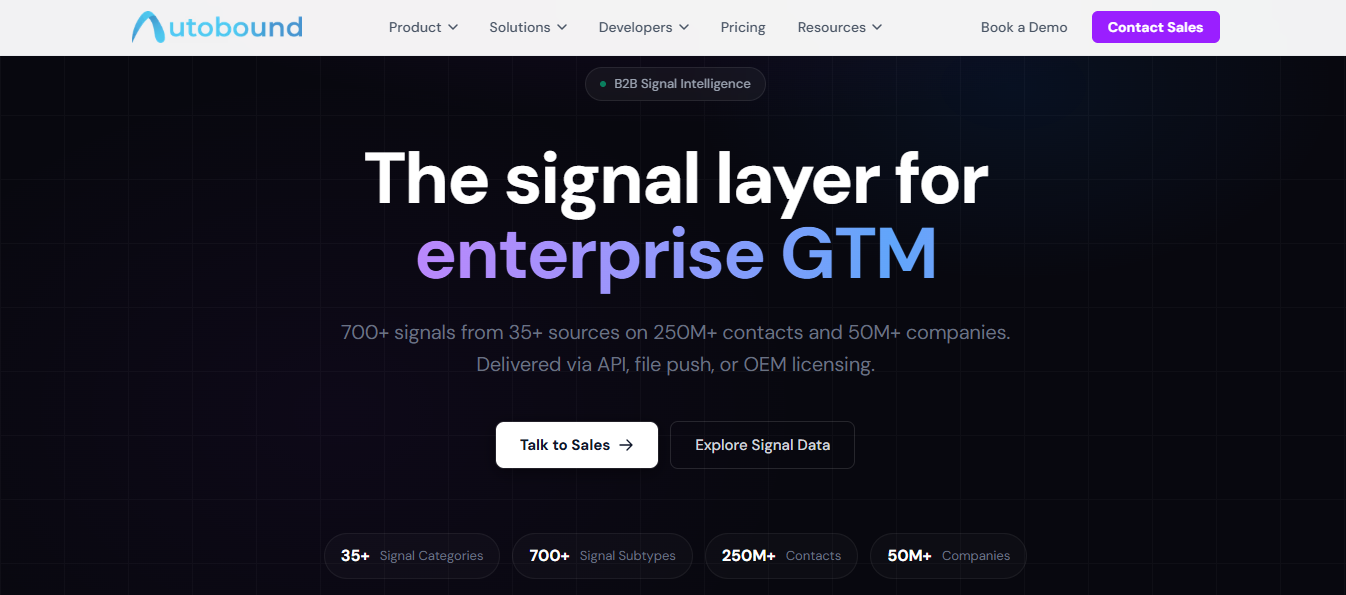
Autobound AI is best understood as a signal-driven sales personalization platform.
Its core job is not to send emails or run your full outbound engine. Its job is to help you take live prospect and company signals, like hiring trends, LinkedIn activity, SEC filings, news, and leadership changes, and turn them into more relevant cold emails faster.
That distinction matters.
Autobound is not a complete outbound platform in the way that Outreach, Salesloft, or similar systems are. It is also not simply a static lead database. It sits in the middle, between research and execution.
That makes it most useful for teams that already have:
If your team already has outbound infrastructure in place but struggles to make messaging feel timely and relevant, Autobound is trying to solve that gap.
Autobound works by taking public signal data and turning it into prospect-level messaging.
Autobound runs on a six-stage signal pipeline. It ingests data, extracts it, normalizes it, enriches it, resolves entities, and delivers it.
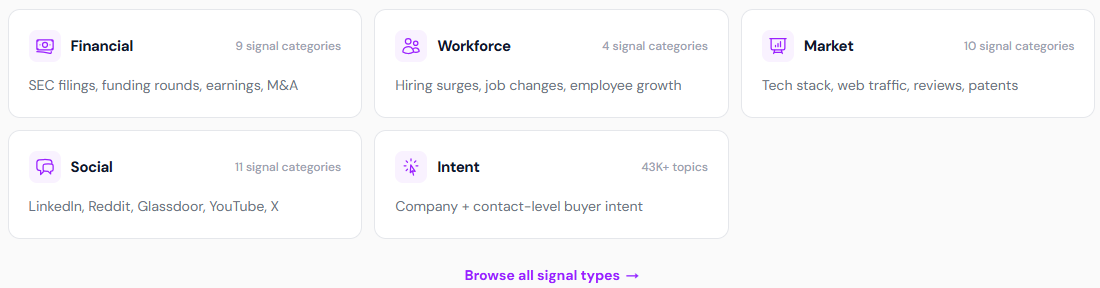
It monitors 35+ public sources continuously. This includes SEC EDGAR, LinkedIn, job boards, GitHub, Glassdoor, Reddit, news feeds, and earnings transcripts. All sources feed into one system.
At a practical level, the workflow looks like this:
For bulk use cases, Autobound also supports CSV-style workflows, where teams can upload contacts and receive back personalized messaging tied to each record.
This is where Autobound gets its value. It reduces the time between:
In other words, it compresses the research-to-message workflow.
That said, the platform still stops short of full execution. It does not replace your sequencing platform, email infrastructure, or reply handling workflow. You still need other tools like Salesforge to actually run campaigns.
Autobound’s core promise is built around live signals. These can include things like:
The reason this matters is simple: better signals create better timing.
A cold email that references something real happening inside the account has a better chance of feeling relevant than one built on surface-level personalization alone.
That is the strongest idea behind Autobound. It is not personalization for the sake of sounding customized. It is personalization grounded in context.
Autobound has six core features. Each feature serves a specific purpose in your outbound workflow.
This is the heart of the product.
Autobound continuously monitors 35+ public sources, including SEC filings, LinkedIn, GitHub, Glassdoor, Reddit, hiring data, earnings transcripts, and more.

It processes 700+ signal types per company or contact. Each signal comes with a relevance score, confidence level, and source attribution.
So when Autobound references a prospect's recent funding rounds and leadership changes in emails. You can trace exactly where that data came from and when it was detected.
This matters when you're sending at volume; you need to know the data is accurate before it goes out to 500 contacts.
One of the most practical parts of Autobound is the extension experience.
You open a prospect's LinkedIn profile or their record inside Outreach, HubSpot, or Salesloft. Autobound surfaces available signals on the right side of your screen.
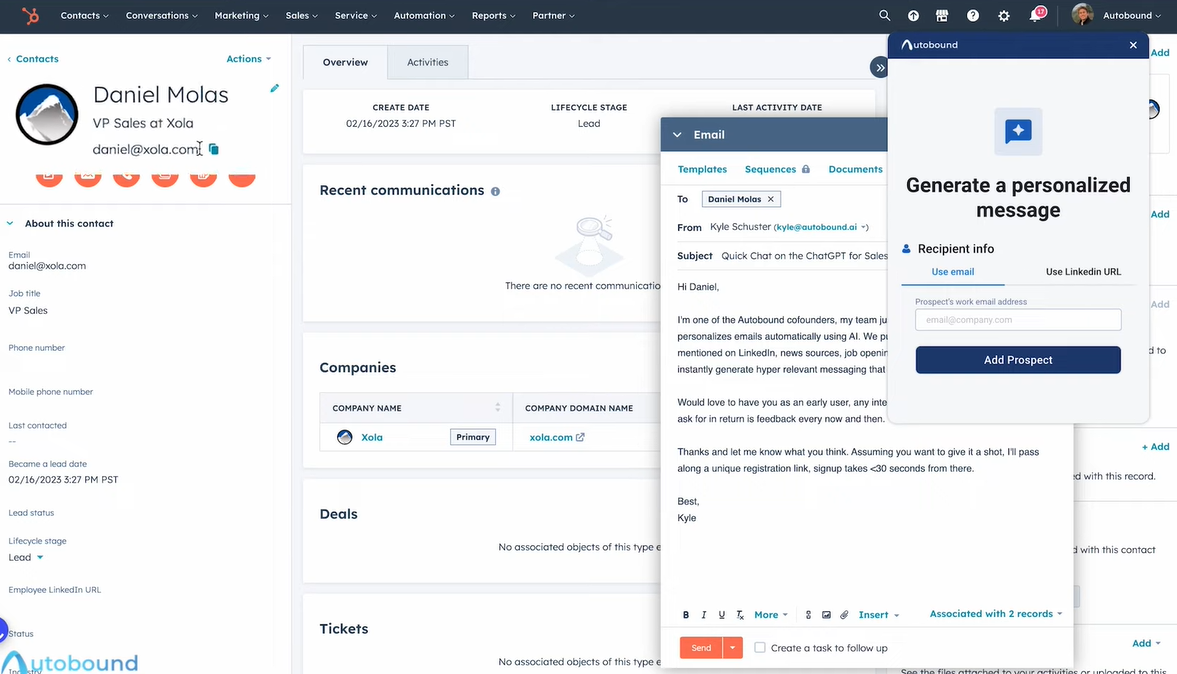
You select up to 8, pick a value proposition, choose a writing style, add any sales assets like case studies, and generate an email without switching tabs.
Jasmine H, working in sales, noted the setup was easy, and the personalization using website and LinkedIn data was strong.

Eric B. specifically called out the real-time insights, like news and job changes, as what made the extension worth using daily.

You can also adjust the output after generation, shorten it, make it more casual, add a follow-up, or type custom instructions and enter a chat interface to edit it further. The whole process takes under two minutes per prospect.
This is where you store everything Autobound uses to write on your behalf. Value propositions, buyer personas, writing styles, and sales assets like case studies or product descriptions all live here.
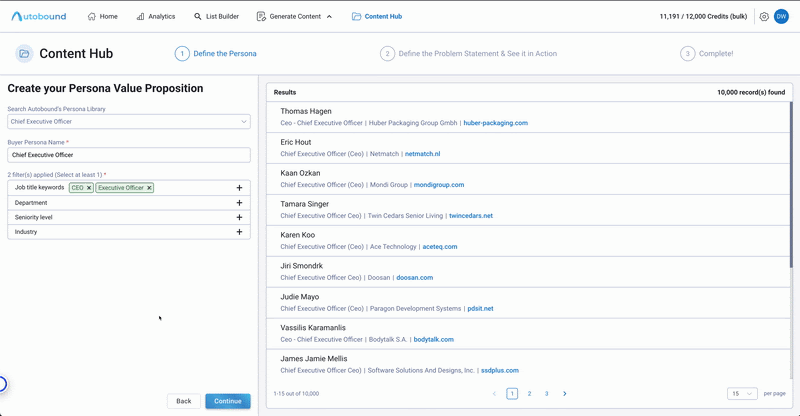
The more detailed your Content Hub, the more accurate the output. A team that has built out five buyer personas with specific pain points and value propositions will get noticeably better emails than a team running on default settings.
New reps also ramp faster because the best messaging is already documented and shared across the org.
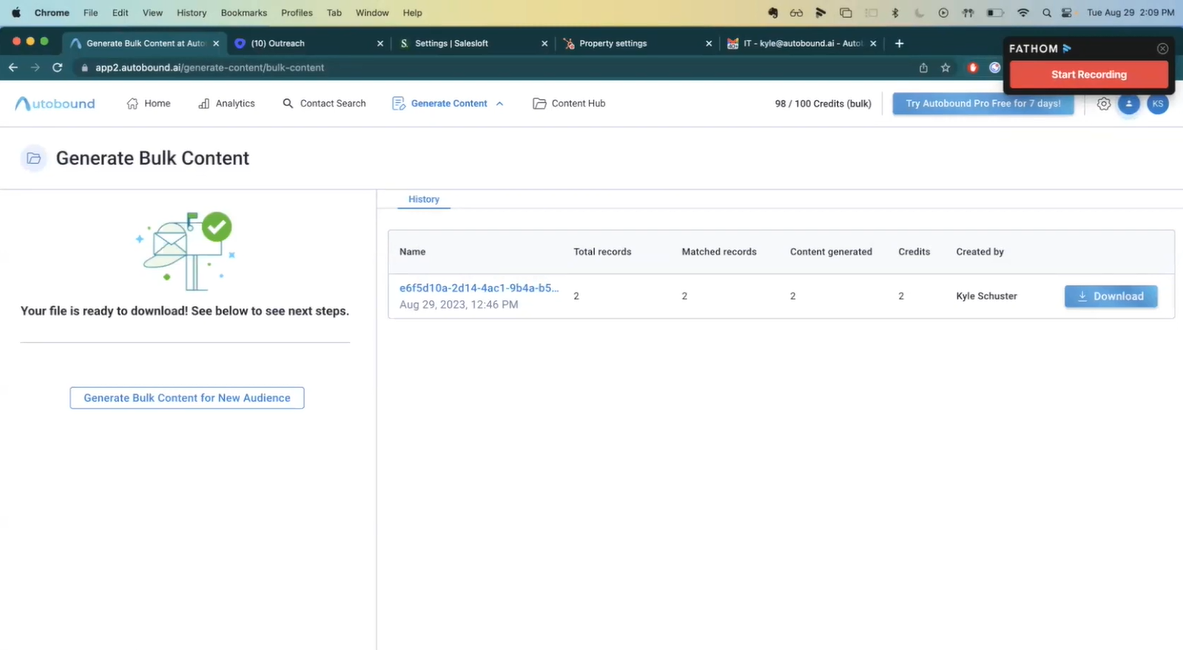
You upload a CSV with prospect emails or LinkedIn URLs. Autobound researches each contact, generates one personalized email per row, and returns a downloadable file.
You then import that file into your sales tool and map the email column to the custom variable in your sequence template.
Each email consumes 2 credits. Each opener consumes 1 credit. If Autobound cannot find enough data on a contact to generate content, no credits are consumed for that row.
Scott M. on G2 said Autobound generates hyper-personalized emails quickly using insights from news, LinkedIn, and persona data, which saves significant time on outreach.

Gabrielle S. added that it creates highly personalized outreach that feels like deep research, increasing meetings booked without increasing time spent.

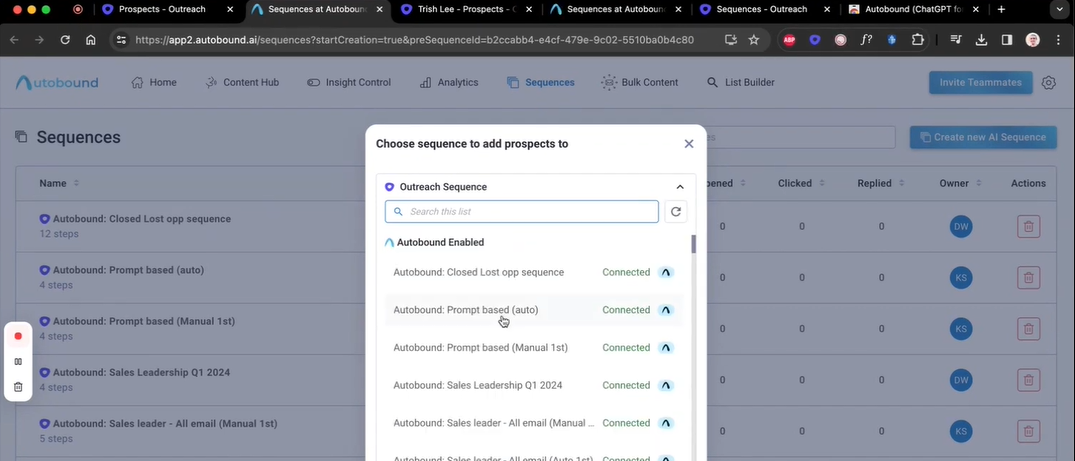
You connect Outreach or Salesloft directly to Autobound. When a prospect enters a sequence, Autobound fills the personalized steps using a dynamic variable, {{autoboundContent}}, that replaces the generic template with a contact-specific email.
You can turn manual review on or off. With manual review on, you see each generated email inside Autobound before it pushes to your sales tool.
With manual review off, Autobound pushes content directly into the sequence as soon as generation is done.
You decide which signal types Autobound pulls from when generating content. If award mentions, office closures, or asset sales are not relevant to your pitch, you turn them off.
Autobound then ignores those signals entirely during content generation.
You can also add talking points to each insight, up to 2,000 characters, to guide how Autobound references that signal.
Autobound fits into existing outbound systems rather than replacing them.
That is both a strength and a weakness:
This is probably the most important practical benefit. The platform is valuable when it helps a rep or founder go from:
Faster than manual research would allow.
👉 Run LinkedIn and email outreach from one platform with Salesforge
Autobound runs two separate pricing tracks, one for the personalization tool and one for the signal data API.
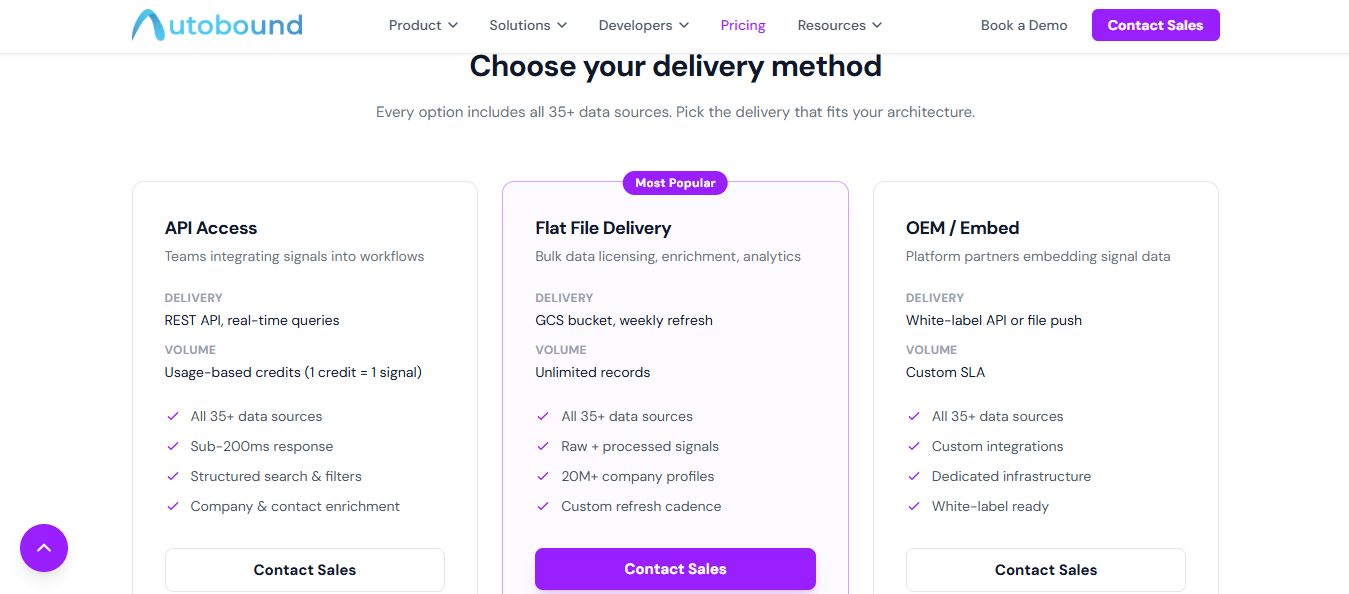
Personalization Tool
Signal Data API
The free plan runs out after 2 emails per day. Bulk credits stack on top of your subscription cost. And the signal API has no public pricing at all, every tier requires a sales conversation.
Autobound sits at 4.5+ stars on G2. Here is what actual users reported, good and bad.
Users consistently reported stronger reply rates after switching from generic templates to Autobound-generated emails.

The signal pipeline pulls from verified sources, so the personalization references something real about the prospect — not a generic opener.
For teams running high-volume outreach, that time saving compounds fast. Reps spend less time on research and more time on conversations.

New hires also get up to speed faster because Autobound handles the research layer from day one.
Autobound generates more than cold emails. Call scripts, LinkedIn connection requests, and email openers all come from the same signal data.

Teams running multi-touch sequences can generate content for each touchpoint from one place without switching tools.
When value propositions, buyer personas, and writing styles are stored centrally, every rep sends from the same quality baseline.

The best messaging gets used across the whole team, not just by the top performers.
Account-based outreach requires reaching more than one person at a company.
Autobound lets you generate personalized messages for multiple contacts at the same account without repeating the research process for each one.

Autobound does not replace:
• lead generation
• email sending
• sequence management
• reply handling
• deliverability setup
• outbound infrastructure
If you need an all-in-one GTM tool, Autobound is not that.

This is especially true for:
• senior buyers
• enterprise accounts
• nuanced pain points
• high-stakes outbound
Signal-based personalization is useful, but generated copy still benefits from editing. The more valuable the target account, the less you should rely on one-click output without review.
Like any signal-driven product, the output is only as good as:
• source freshness
• entity matching
• relevance detection
• interpretation quality
If the wrong signal gets surfaced, the personalization can feel off instead of impressive.
If your team does not already have:
• list building
• sequencing
• sending
• workflow ownership
Then Autobound may not solve the most urgent bottleneck.
For some teams, the bigger problem is not personalization. It is basic outbound execution.
Autobound works best in specific situations. It is not for every team.
Reps spending hours researching one prospect before writing one email will get the most out of Autobound. Signal-based drafts replace that research time, cutting it down to minutes.
Teams already running Outreach or Salesloft fit well here. Autobound connects directly to existing sequences and personalizes each step without rebuilding your workflow.
Large outreach lists are where Autobound earns its place. Upload 500 contacts, get 500 personalized emails back. That is the core job it does well.
Mid-market and SMB outreach tends to produce the best results. G2 reviewers consistently reported stronger reply rates when targeting these segments specifically.
Autobound is less compelling for:
• teams that want full outbound execution in one platform
• buyers looking mainly for lead generation
• teams without a solid outbound workflow already in place
• teams that need highly technical signal infrastructure first and messaging second
Only in certain cases. If you are a GTM engineer looking for:
• signal ingestion
• workflow enrichment
• routing logic
• structured data integration
Then Autobound becomes more interesting only if you want to operationalize signal data inside a larger system.
But if your core need is deep workflow-building flexibility, you may find more purpose-built data and orchestration tools stronger.
So for GTM engineers, Autobound can make sense, but it is not the cleanest fit if you are primarily buying for infrastructure. It is more naturally aligned to teams that want signals to improve outbound messaging.
The real question with Autobound pricing is not just how much it costs, but whether it saves enough time and improves enough outbound quality to justify its place in the stack.
If your reps are burning too much time on research, then the tool can create value quickly.
If your outbound team already has:
• decent targeting
• a functioning sequence workflow
• enough volume
• and a need for better relevance
Then Autobound can be a useful multiplier.
But if your team is still missing the basics of outbound execution, it may feel like an extra layer before the fundamentals are solved.
That is why the value is context-dependent.
Autobound solves one problem: writing personalized emails. But running outbound at scale requires more than that.
You need infrastructure. You need warm mailboxes. You need a sending platform, reply management, LinkedIn outreach, and meeting booking.
With Autobound, you piece all of that together from separate tools. Each tool adds cost. Each connection adds friction.
Salesforge removes that entirely.
The Forge stack covers every layer of outbound in one connected system. Leadsforge finds your prospects from a database of 500M+ contacts using ICP filters, lookalike search, and intent signals.
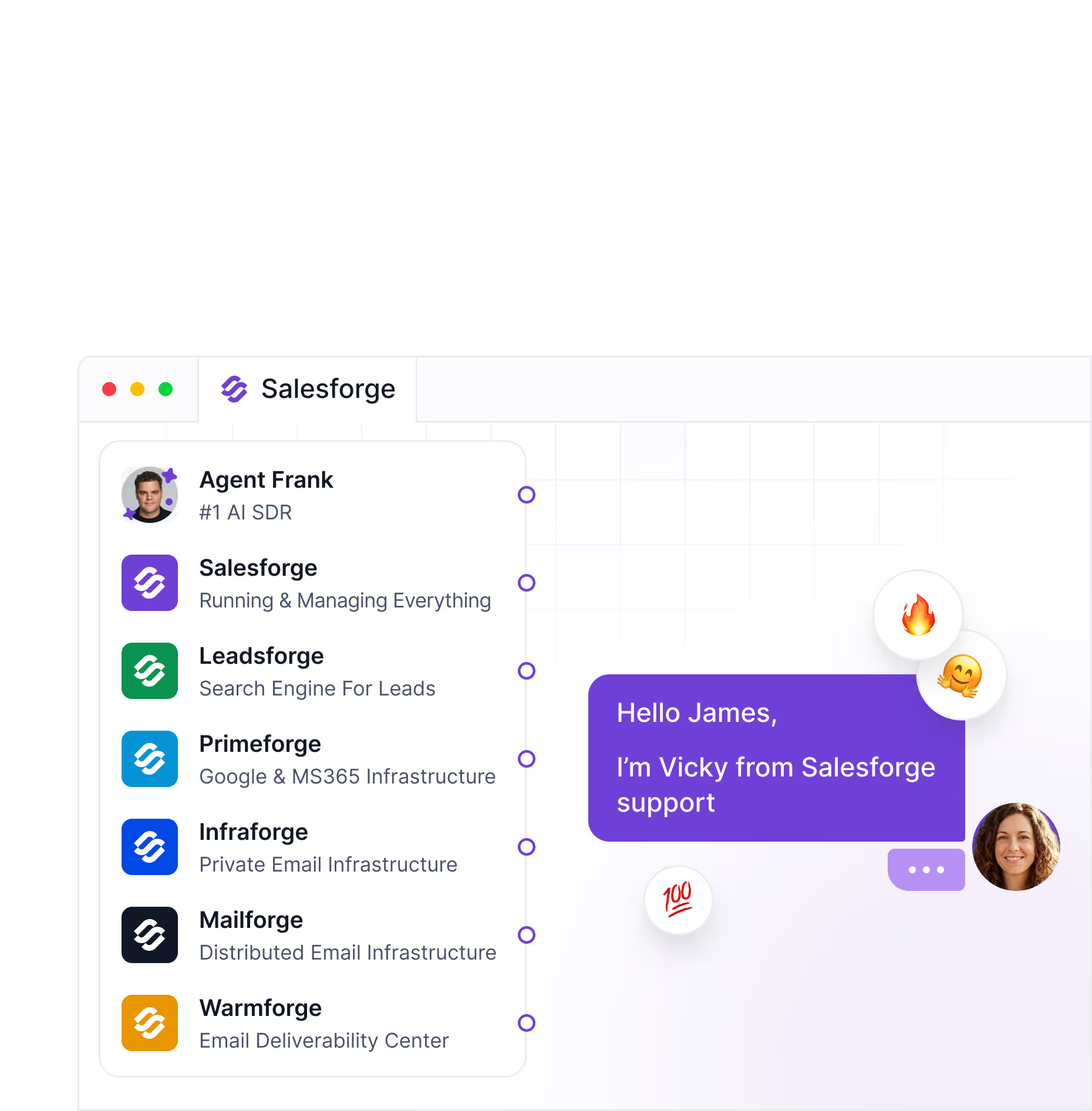
Warmforge warms your mailboxes automatically and monitors deliverability before a single email goes out.
Salesforge then runs your email and LinkedIn sequences from one place, with unlimited mailboxes and unlimited LinkedIn senders on one plan.

Nothing needs to be manually connected. Infrastructure flows into warm-up. Warm-up flows into outreach. Replies surface in Primebox™ (unified inbox for managing all replies) across every mailbox and LinkedIn account you use.
You see everything in one view.
Autobound credits run out. Bulk credits cost extra on top of your subscription. The more contacts you run, the more you pay.
Salesforge pricing does not work that way. Your outreach volume scales, yet cost stays fixed.
Agent Frank goes further than Autobound ever could. Autobound writes an email and stops there.
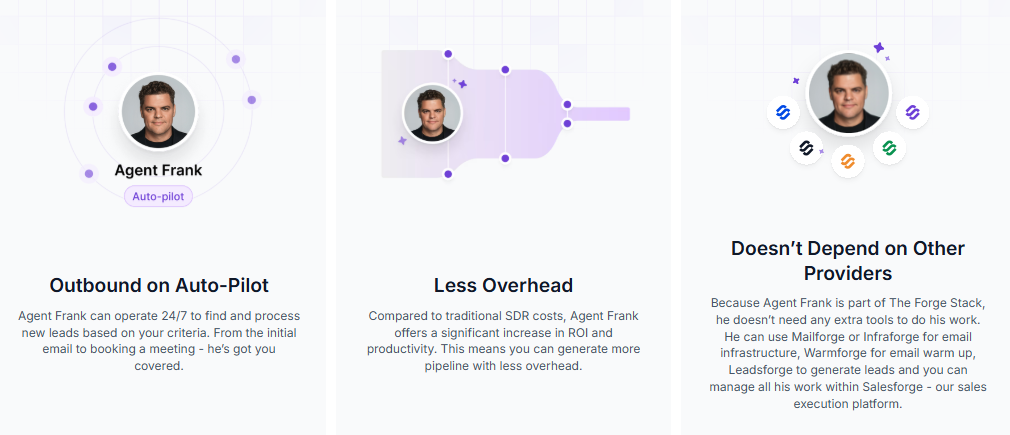
While your reps focus on conversations and closing, Agent Frank handles the work that eats up their day, finding prospects, writing outreach, sending sequences, following up, and managing replies.
You define the ICP, the goals, and the operating rules. He runs the execution around the clock.
Salesforge also connects to Claude and other MCP-compatible AI tools through the Forge MCP server.
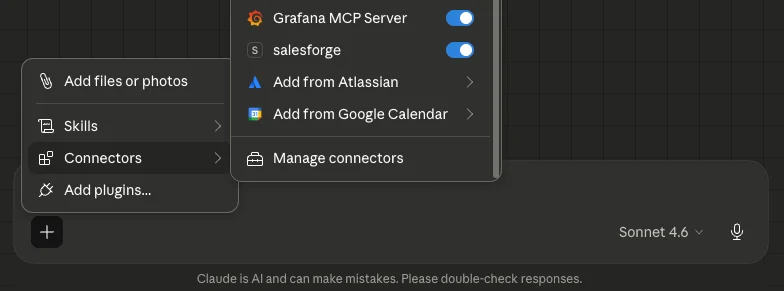
You can run your entire outbound workflow through natural language, finding leads, building sequences, managing domains, and tracking replies without clicking through dashboards at all.
In short, Autobound personalizes emails. Salesforge runs the outbound operation behind them.
Enter your email to get a custom plan & stack recommendation for your business
Please check your mailbox in 5 minutes

Yes, Autobound is worth it for teams that want to turn live signals into more relevant outbound messaging faster.
That is its strongest use case.
It is not the best choice if you want a full outbound operating system. It does not replace your sequencing tool, your sending setup, or your broader GTM stack.
You still need four or five other tools to run actual outbound. And every credit you spend on Autobound is money spent on one piece of a much larger puzzle.
Salesforge covers the whole operation. Leads, infrastructure, warm-up, email, LinkedIn, reply management, and autonomous outreach through Agent Frank, all in one place, on one plan, with one support team.
No credits counting down. No separate sending platform. No tool-switching mid-workflow.
Start your 14-day free trial, no credit card needed. Or book a demo and see the full stack in action.
.jpg)

.jpg)

.jpg)
