Growbots is an outbound sales platform that helps small businesses launch email campaigns and access a built-in contact database.
Its standout strength is support, many users praise the hands-on onboarding, responsive account managers, and helpful deliverability guidance.
But if you need deeper targeting filters, easier scaling without extra seat costs, or smoother LinkedIn-focused outreach, Growbots may fall short.
This is why teams look for alternatives that offer more intuitive UI, stronger LinkedIn automation, better segmentation, or lower cost per inbox.
In this blog, you’ll find the 5 best Growbots alternatives for LinkedIn outreach, tools that help you target prospects better, send safer campaigns, and convert more leads without the growing pains.
TL;DR
Growbots works well for guided email outreach, but it gets expensive and limiting as LinkedIn outreach and scale increase.
Salesforge fits teams that want unlimited LinkedIn senders, strong deliverability, and easy scaling without seat costs.
Lemlist is better for teams that want clear daily tasks, built-in lead data, and structured email + LinkedIn sequences.
Expandi suits agencies and recruiters focused mainly on LinkedIn automation with safety limits and campaign controls.
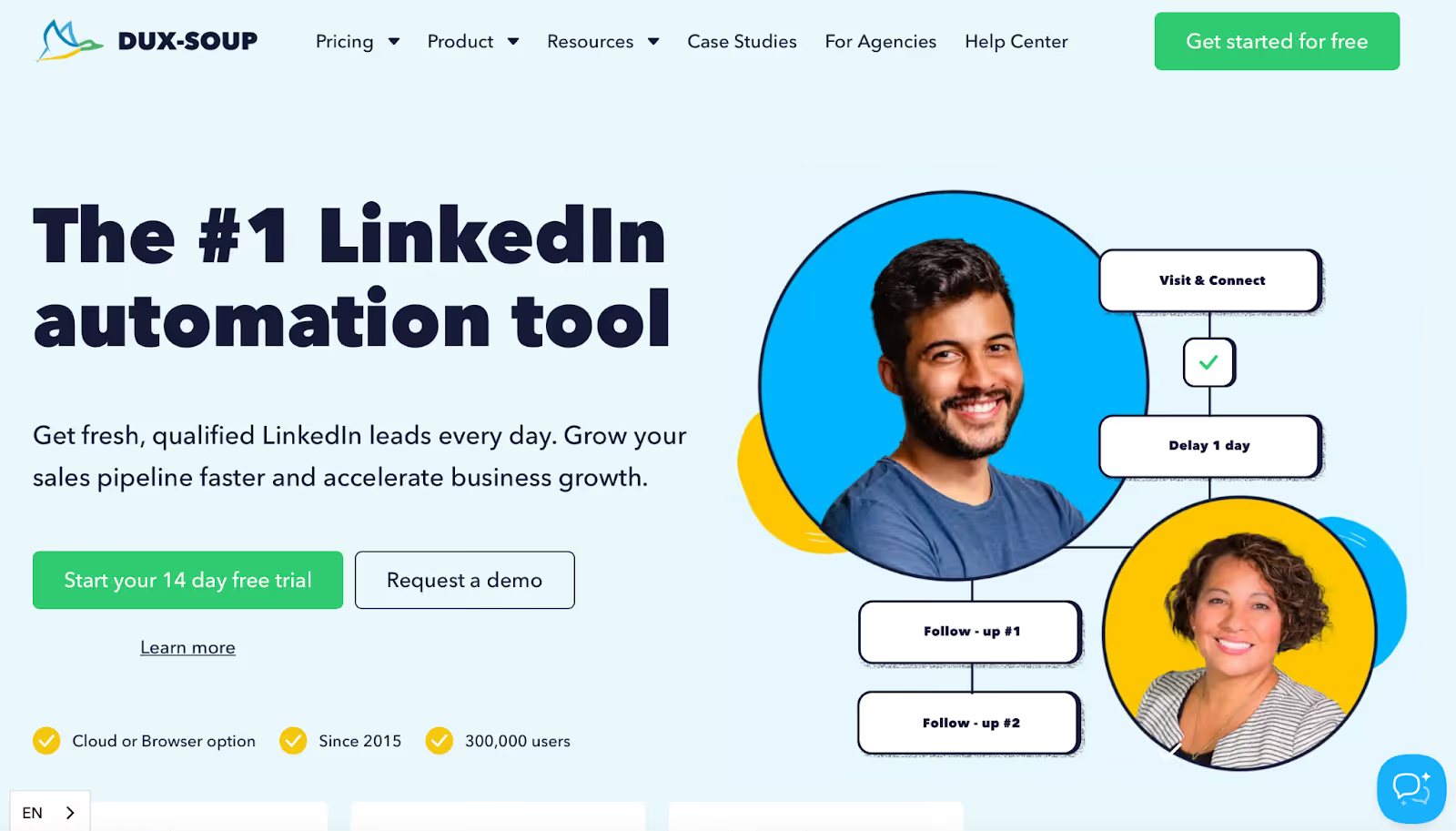
Dux-Soup is a low-cost option for basic LinkedIn automation, but it stays LinkedIn-only.
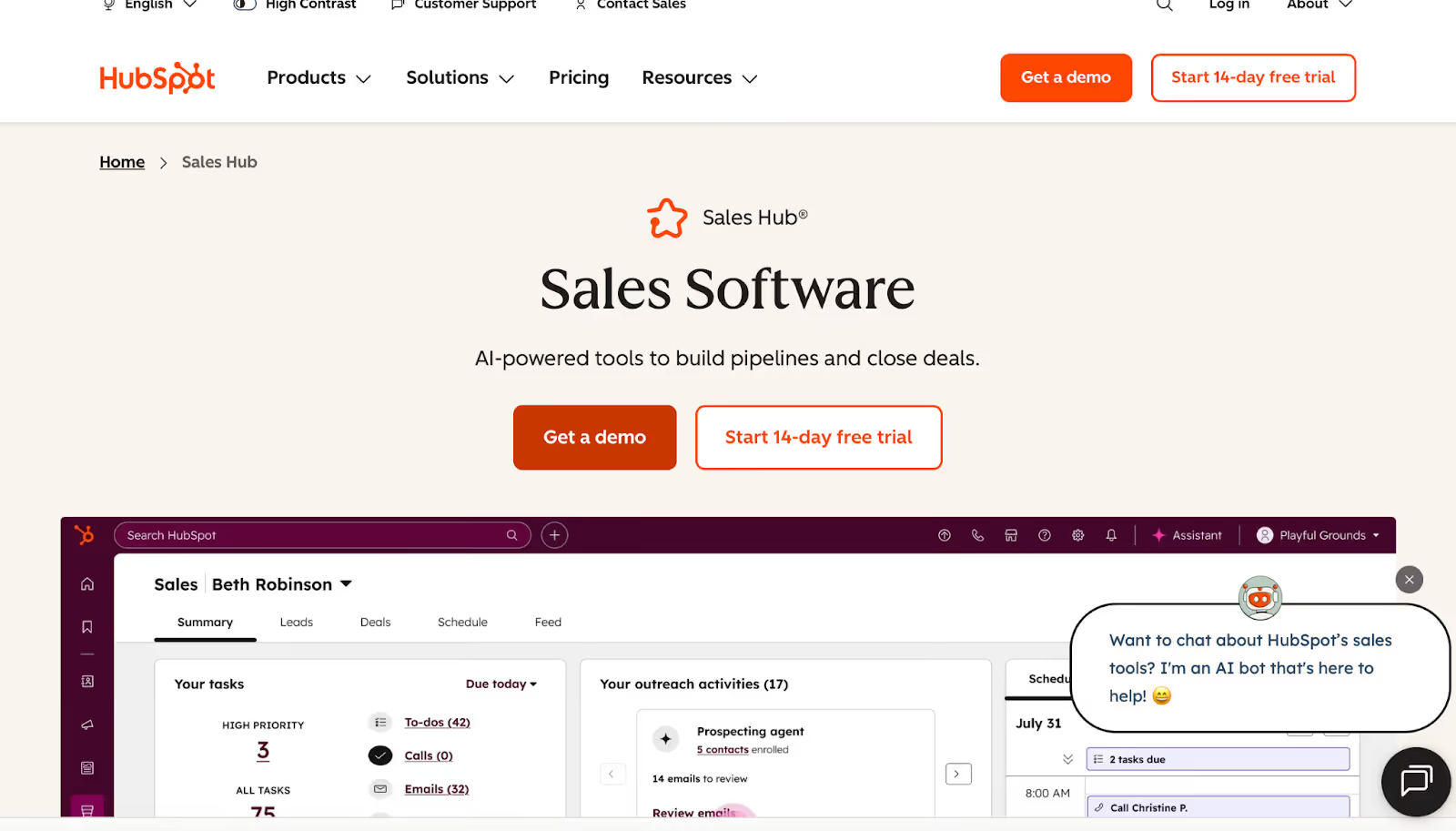
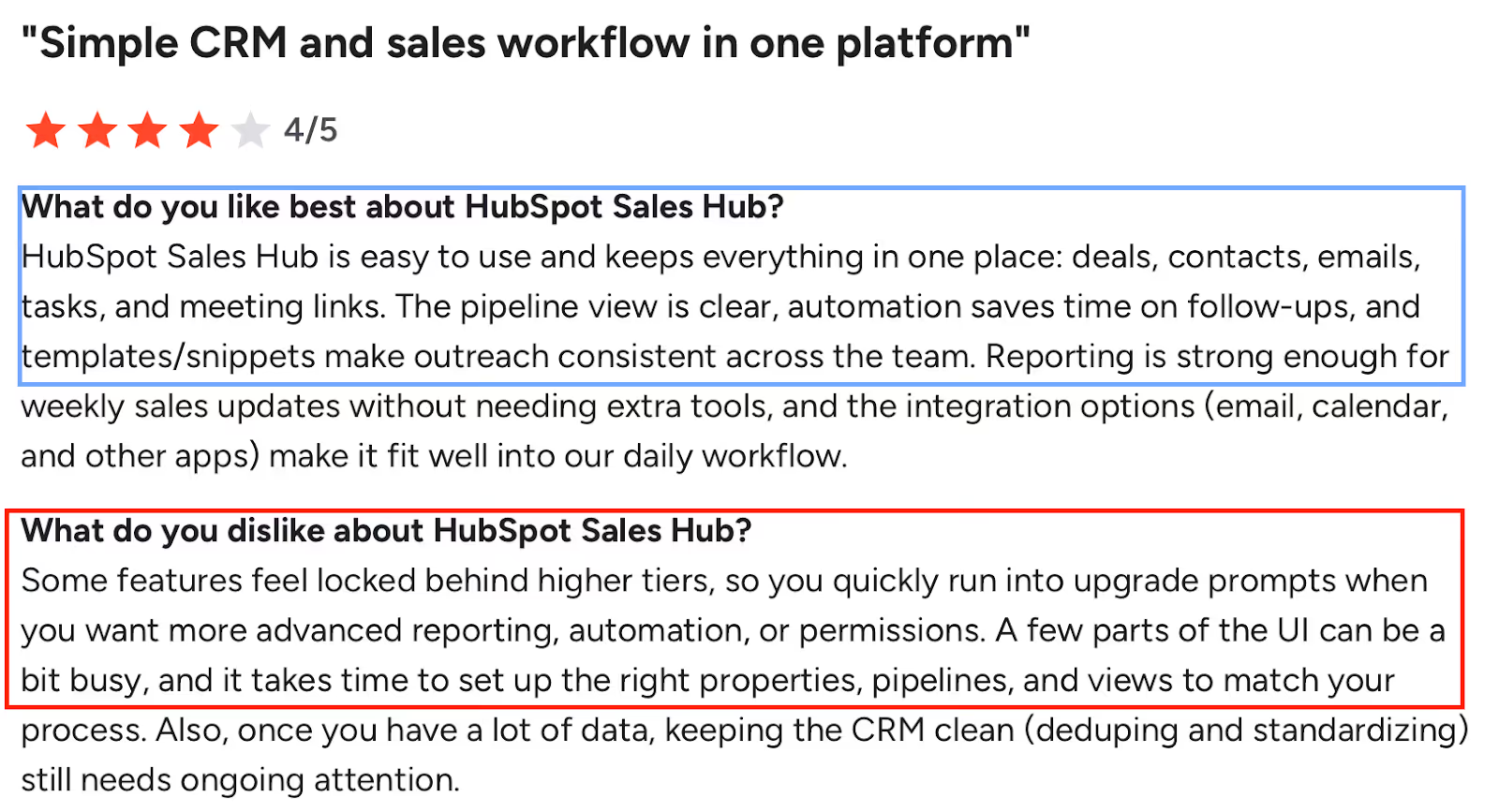
HubSpot Sales Hub works best when outreach needs to live inside a CRM with deals, pipelines, and reporting.
What to Look For in a Growbots Alternative?
First, look for easier targeting so you can find the right people faster.
Next, check for simple LinkedIn automation to run outreach without stress.
Then, make sure the tool has clear pricing that won’t increase as you scale.
Also, choose software with strong deliverability so more messages reach inboxes.
After that, look for tools that are easy to learn, even without training.
Finally, pick a platform with helpful support so you never feel stuck.
Top 5 Growbots Alternatives
Salesforge vs Lemlist vs Expandi vs Dux-Soup vs HubSpot Sales Hub
Feature / Tool
Salesforge
Lemlist
Expandi
Dux-Soup
HubSpot Sales Hub
Primary Focus
Multichannel
Multichannel
LinkedIn
LinkedIn
CRM
LinkedIn Automation
♾️🤖
🤖
🤖
🤖
❌
Email Outreach
✅
✅
⚠️
❌
✅
Unlimited Senders
♾️
❌
❌
❌
❌
Seat-Based Pricing
❌
✅
✅
✅
✅
Built-in Lead Database
❌
✅
❌
❌
❌
LinkedIn Tasks Depth
High
High
Very High
Medium
❌
Account Safety (LinkedIn)
✅
⚠️
🛡️
⚠️
❌
Email Deliverability
🛡️
🛡️
🛡️
⚠️
❌⚠️
Inbox Warm-up
♾️
✅
❌
❌
❌
Unified Inbox
✅
✅
❌
⚠️
✅
AI SDR / Agent
🤖
⚠️
❌
❌
⚠️
Workflow Style
Flexible
Task-based
Sequence
Drip
Pipeline
Reporting Depth
Medium
Basic
Basic
Low
High
Ease of Scaling
🚀💸
⚠️
⚠️
💸
💸
Learning Curve
Low
Low
Medium
Low
Medium
Best For
Scale
Daily reps
Agencies
Budget
CRM teams
1. Salesforge – Best Growbots Alternative for Scalable LinkedIn & Email Outreach
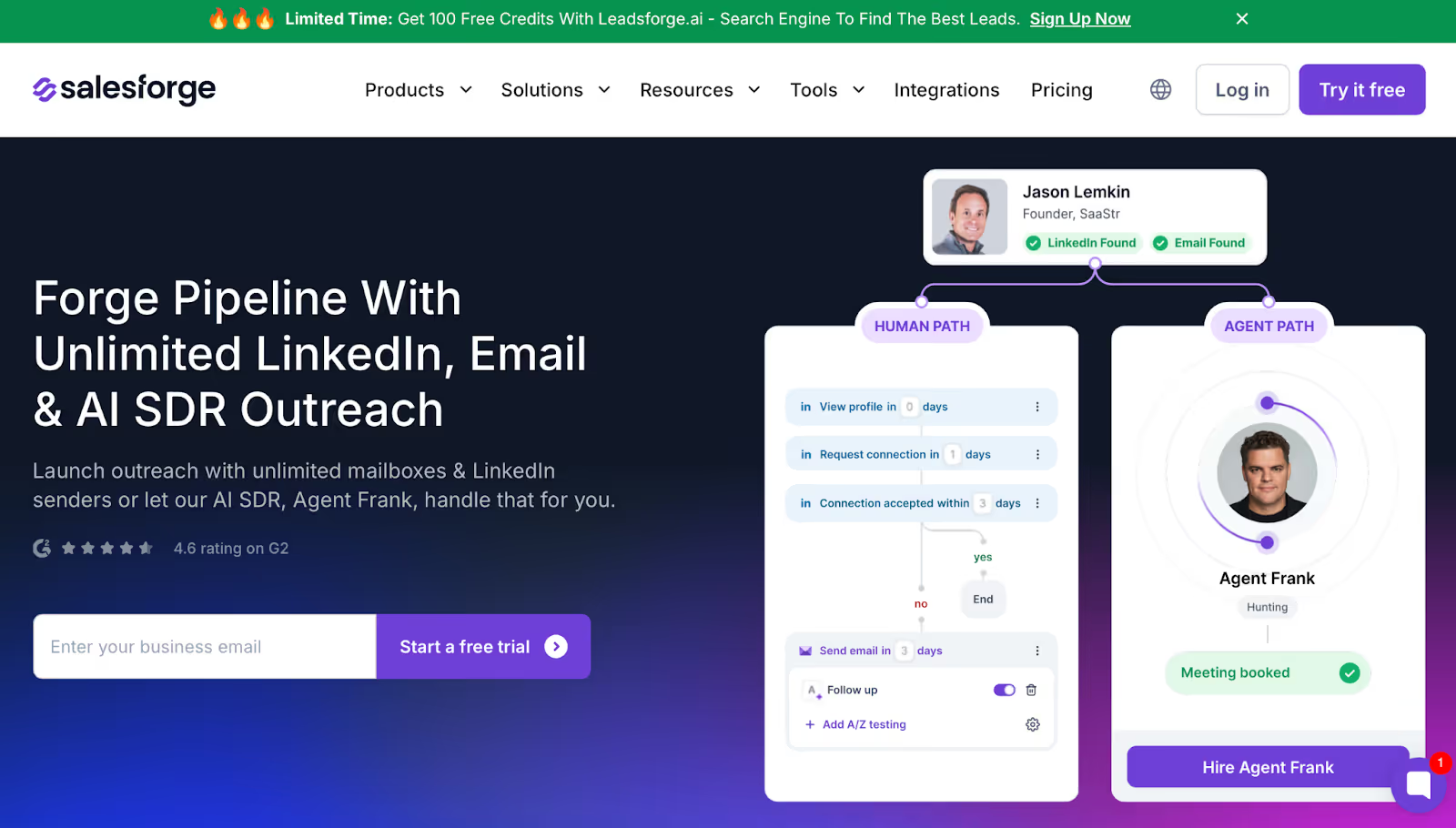
This image shows the Salesforge Homepage
Salesforge is a multi-channel outreach platform built for teams that want to scale LinkedIn and cold email campaigns without paying for extra seats, mailboxes, or deliverability add-ons.
While Growbots is praised for its onboarding and campaign setup help, Salesforge stands out for removing the cost and scaling limits that Growbots users commonly mention, making it a strong alternative for teams running high-volume LinkedIn outreach.
Salesforge vs Growbots: Feature Comparison
Salesforge vs Growbots
Category
Salesforge
Growbots
Pricing Model
Unlimited mailboxes / senders, no seat charges
Costs rise per seat/mailbox
LinkedIn Outreach
Unlimited LinkedIn senders
Basic LinkedIn tasks
Deliverability Support
Free warm-up + rotation + dynamic IPs
Users report deliverability challenges
Reply Management
Primebox™ unified inbox
Replies managed inside email clients
AI Automation
AI SDR to prospect and book meetings
No full SDR automation
Scaling
Built for high-volume, multichannel sequences
Scaling increases cost and complexity
Pros of Salesforge
Removes Growbots’ seat-based pricing limits, everyone on your team can run outreach
Improves deliverability with unlimited warm-up and smart routing
Makes LinkedIn outreach easier with unlimited sender accounts
Centralizes all replies in Primebox™ for better follow-up
Offers an AI SDR option for teams that don’t want to hire internally
Cons of Salesforge
Requires you to bring or source data (Growbots has a database built in)
Salesforge Pricing
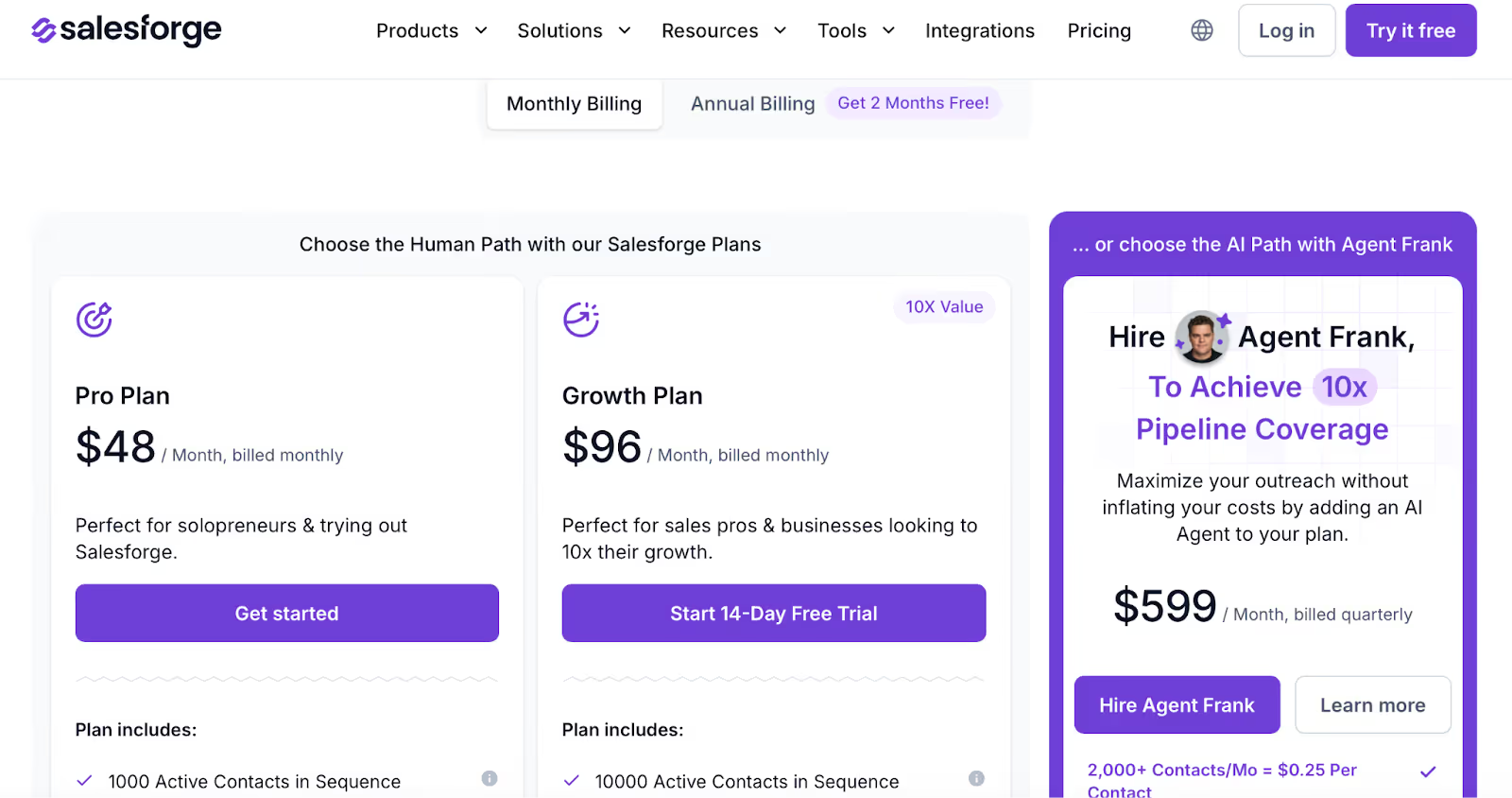
This image shows the Salesforge pricing
Pro Plan: $48/month, for solopreneurs testing multichannel outreach
Growth Plan: $96/month, for teams looking to scale across LinkedIn and email
Agent Frank: $599/month quarterly, AI SDR for automated prospecting
2. Lemlist – Growbots Alternative for Structured Multichannel Outreach
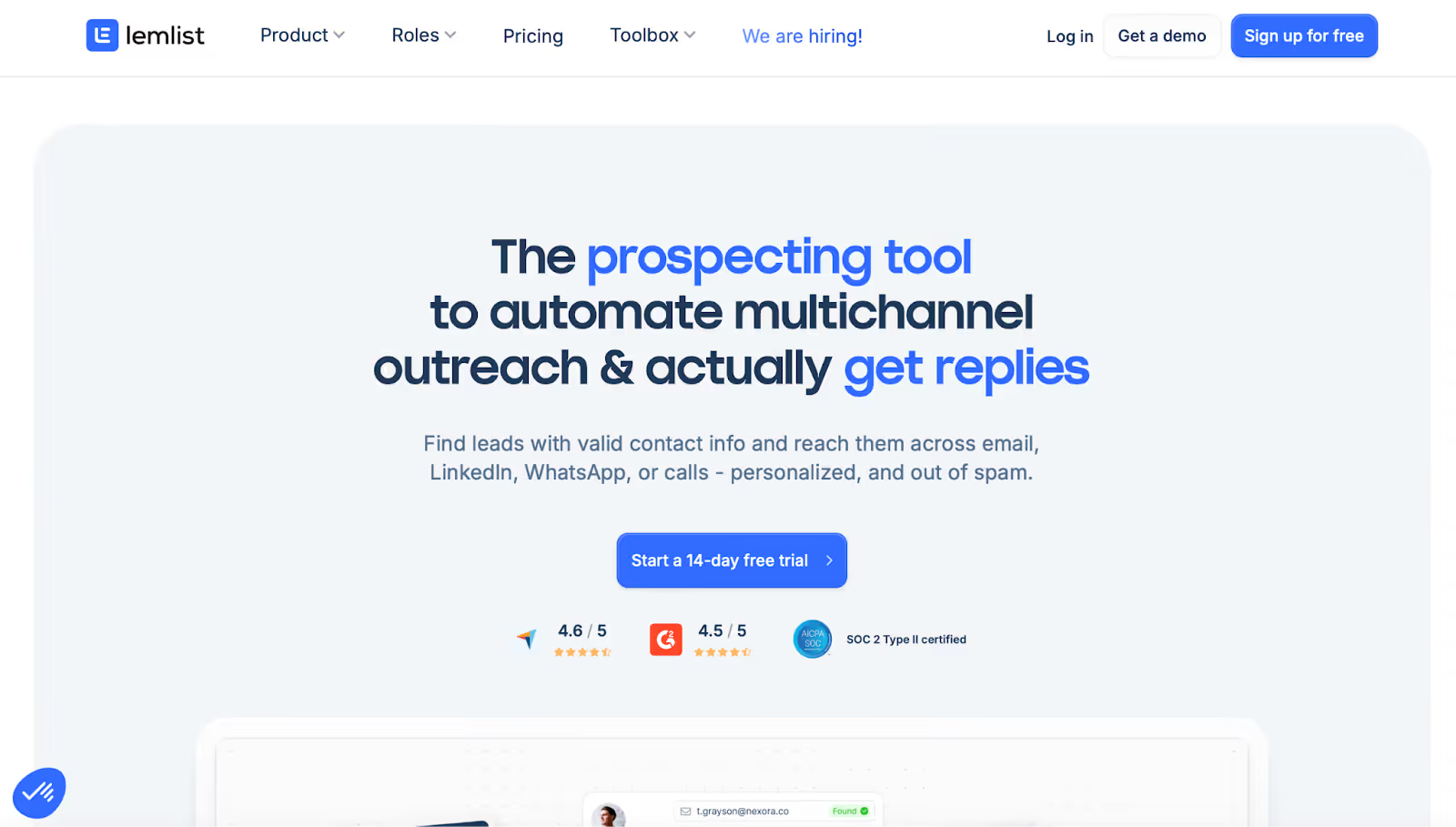
This image shows theLemlist Homepage
Lemlist is a multichannel outreach platform used by teams that want email and LinkedIn outreach in one structured workflow.
Compared to Growbots, which is often chosen for its hands-on support and guided setup, Lemlist is more focused on day-to-day execution, helping reps follow clear tasks across email, LinkedIn, and manual actions without juggling spreadsheets.
Lemlist vs Growbots: Feature Comparison
Lemlist vs Growbots
Category
Lemlist
Growbots
Outreach Channels
Email, LinkedIn, calls, WhatsApp (add-on)
Email + limited LinkedIn tasks
Lead Data
600M+ leads database with enrichment
Built-in database, but targeting limits noted by users
LinkedIn Automation
Auto visits, invites, messages, voice notes
Manual or basic LinkedIn tasks
Workflow Style
Task-based daily execution
Campaign-based management
Scaling Model
Per-user pricing
Costs increase with seats and usage
Reporting
Basic dashboards, limited cross-campaign views
Campaign-level analytics
Pros of Lemlist
Visual sequence builder shows email, LinkedIn, and manual steps in one flow
Built-in database + Chrome extension makes it easy to pull and enrich LinkedIn leads
Personalization features like variables, conditional text, and images are easy to use
Daily task queues help teams stay consistent without complex setup
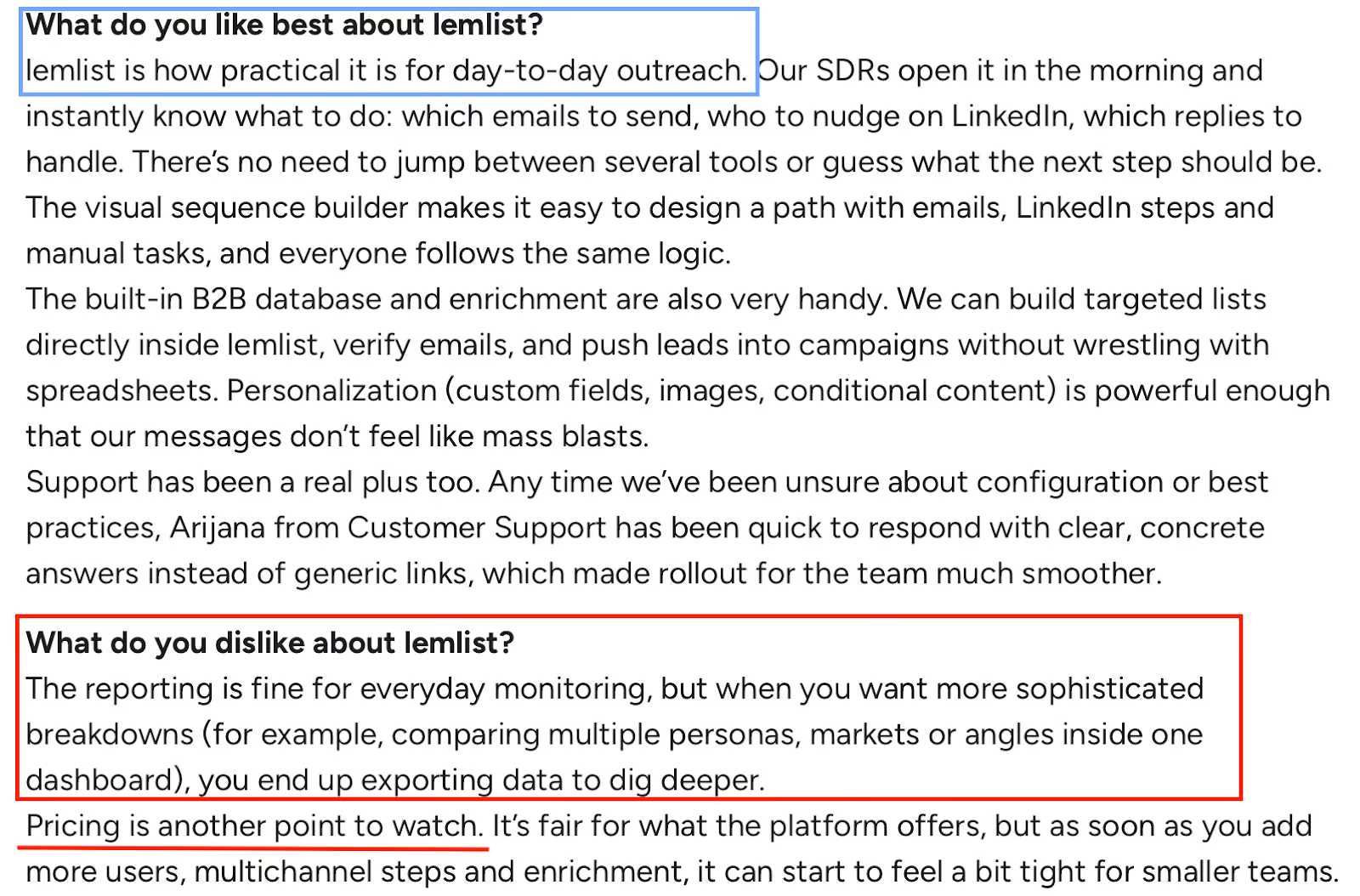
Strong customer support is frequently mentioned in reviews
This image shows the Screenshot of a lemlist review praising daily outreach workflow, sequence builder, and support, while criticizing limited reporting depth and rising costs as teams scale.
Cons of Lemlist
Reporting dashboards are less flexible when comparing multiple campaigns or personas side by side
Native lead scoring depth is limited for advanced use cases
Costs increase as more users, inboxes, and enrichment are added
Lemlist Pricing
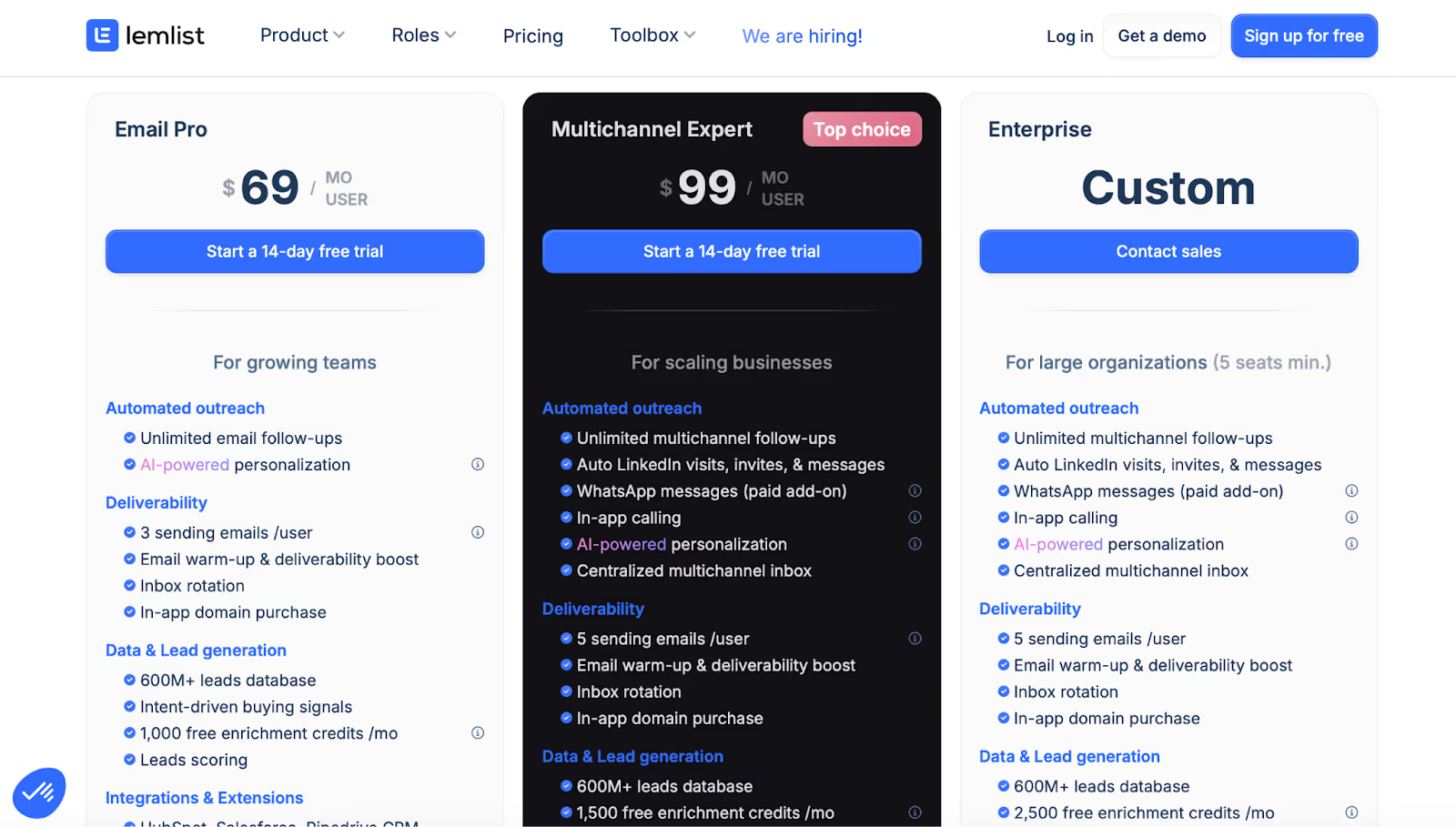
This image shows the Lemlist Pricing
Email Pro: From $69/user/month, email-focused outreach
Multichannel Expert: From $99/user/month, email + LinkedIn automation
Enterprise: Custom pricing, larger teams with account management
Lemlist is typically chosen by teams that like Growbots’ outbound structure but want clearer daily workflows, stronger LinkedIn automation, and built-in lead sourcing, even if that means higher per-user costs and simpler reporting views.
3. Expandi – Growbots Alternative for LinkedIn Automation With Account-Safety Controls
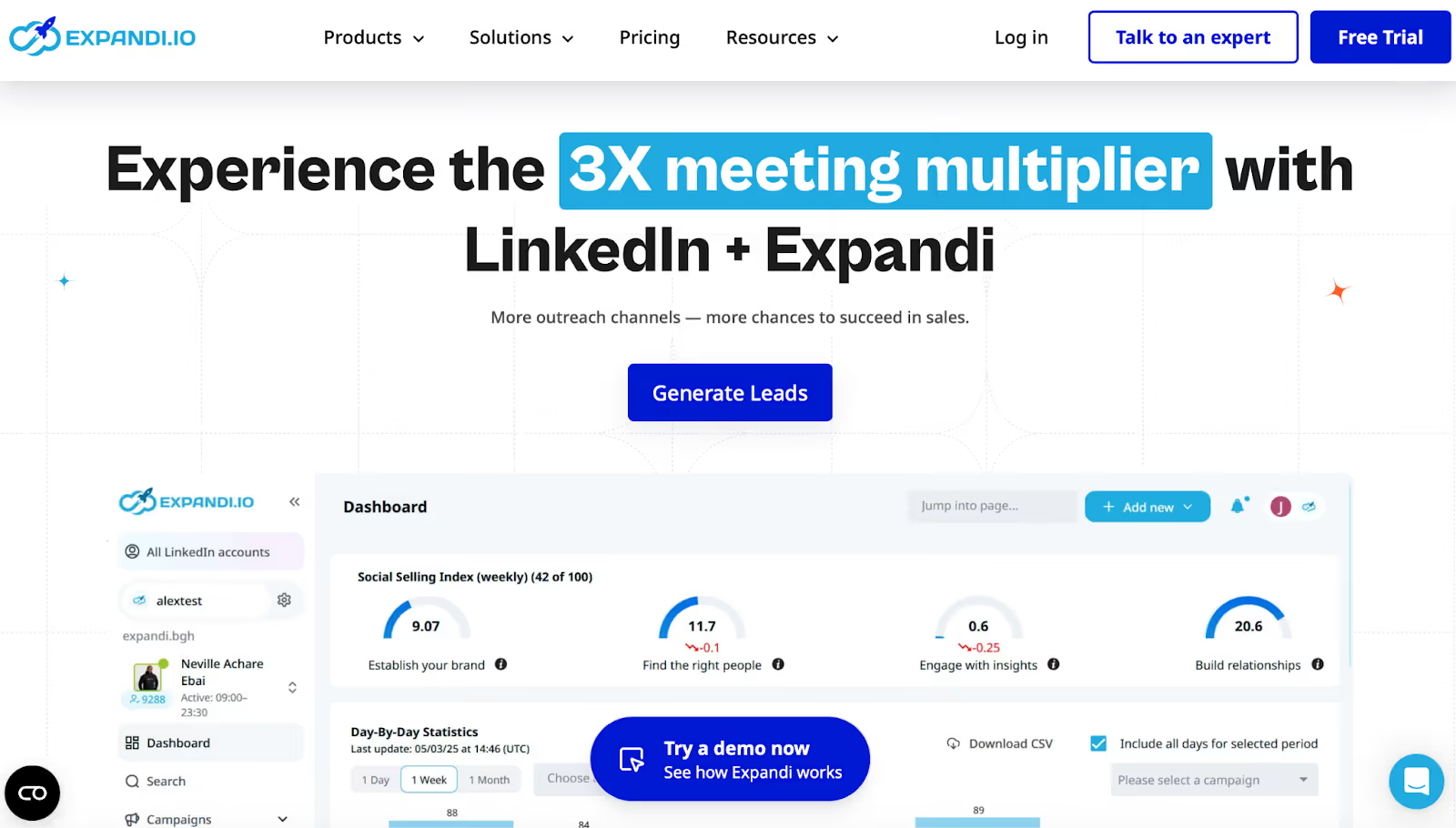
This image shows the Expandi Homepage
Expandi is a cloud-based LinkedIn outreach tool built to automate repetitive LinkedIn workflows like connection requests, messages, InMails, and follow-ups, with guardrails designed to keep accounts within safe sending limits.
Compared to Growbots (which blends email outreach with a database and support-led setup), Expandi is usually considered when the main goal is LinkedIn-first automation with scheduling, templates, and safety features.
Account-safety features: smart algorithms for limit ranges and “won’t allow you to go over limits” controls
Cloud-based setup with dedicated country-based IP address
Campaign types to bypass outreach limits (example: Mobile Connector campaign for extra connection requests per week)
Unlimited campaign number plus campaign prioritization to focus on what performs
Convenient If/Action sequence builder with flexible scheduling and templates
Reviews frequently mention it’s easy to navigate and useful for automating workflows (not relationships), with responsive support and even live strategy calls
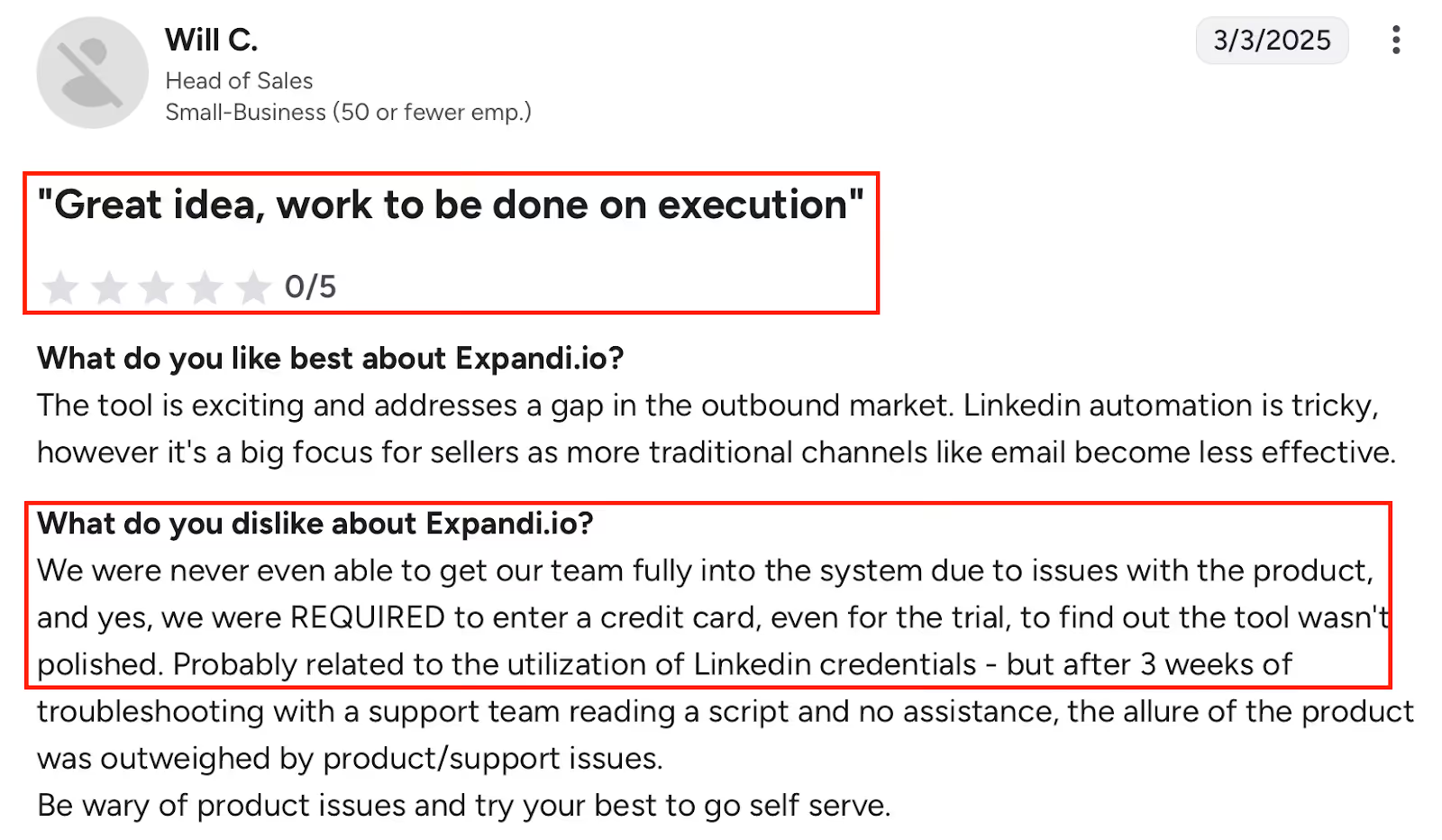
This image shows the Negative G2 review of Expandi highlighting execution, onboarding, and support issues.
Cons of Expandi
Integration/API reliability issues are mentioned by users (errors, inconsistent linking, and early API problems impacting their software and LinkedIn)
Some users want more than one LinkedIn profile connected at the same time
A few usability gaps are reported: campaign creation could be more user-friendly, and some dashboard features have been missing (even if resolved later for some users)
Some users ask for specific missing campaign capabilities, like attaching images to follow-ups and clearer control flows (manual decision points for continue/stop)
Onboarding can feel complex without hand-in-hand guidance, based on reviewer feedback
Expandi Pricing
This image shows the Expandi Pricing
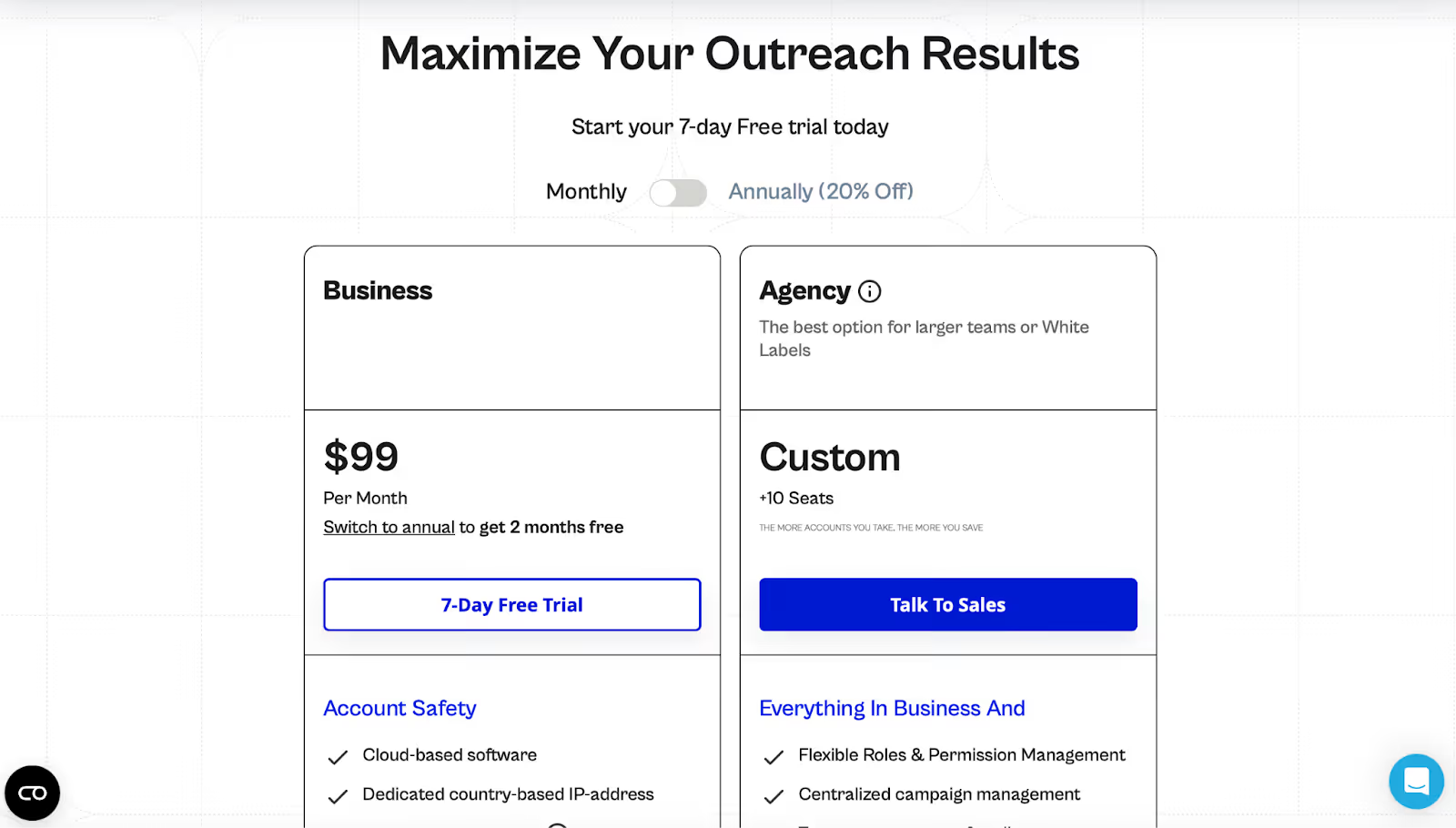
Business: $99/month with a 7-day free trial
Agency / White label: Custom pricing for 10+ seats, with centralized management, roles & permissions, client reporting, and a dedicated CSM
AI features rely on credits, making costs harder to predict
Not built specifically for LinkedIn automation compared to Growbots-style tools
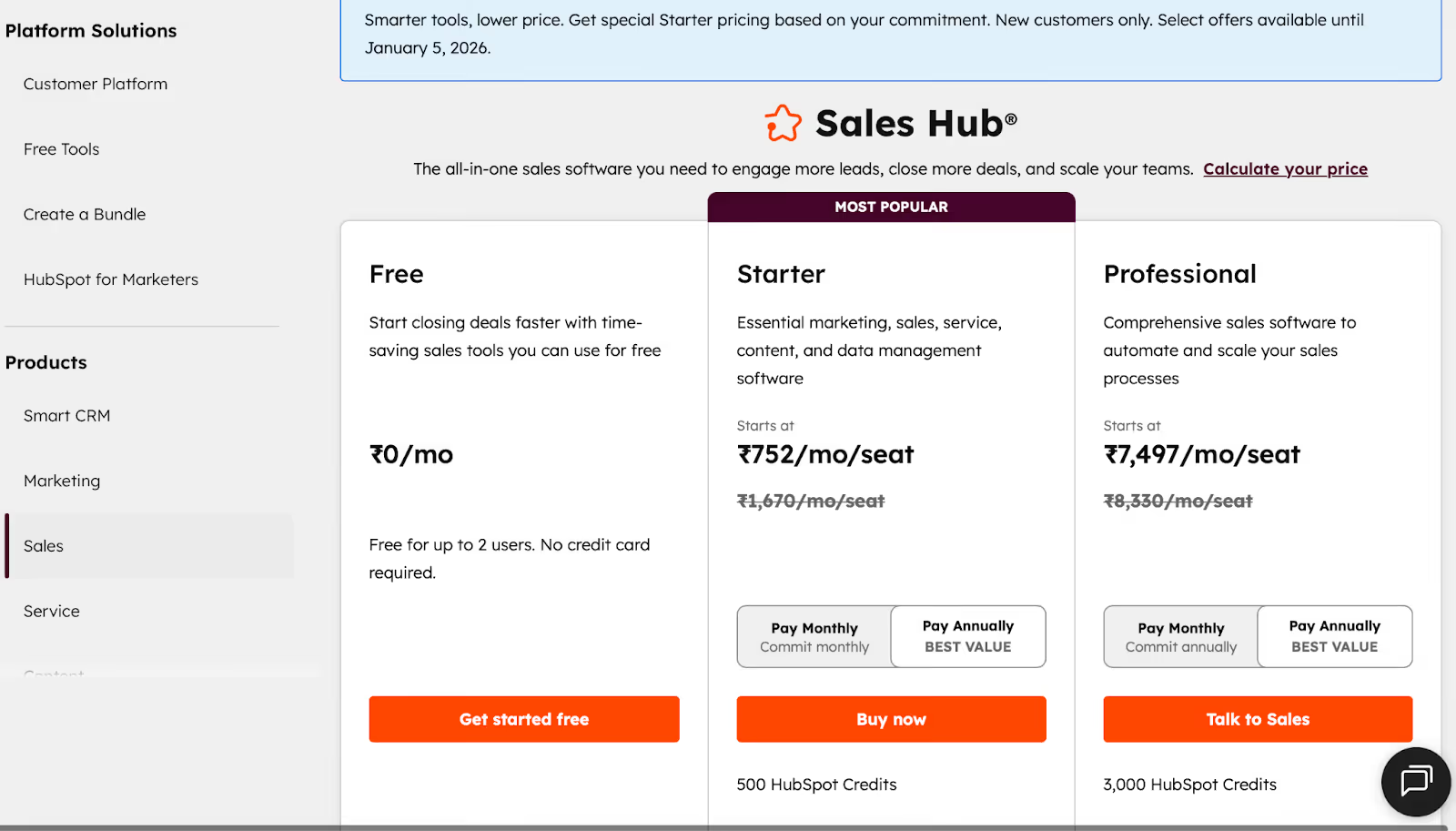
HubSpot Sales Hub Pricing
This image shows the Hubspot Sales Hub Pricing
HubSpot Sales Hub has three key plans:
Free: ₹0/month for up to 2 users, basic CRM, contact tracking, email logging, and simple sales tools.
Starter: From ₹752/month per seat (billed annually), adds calling features, task automation, and basic sales productivity tools.
Professional: From ₹7,497/month per seat (billed annually), unlocks advanced features like sequences, forecasting, sales analytics, AI meeting assistant, and more, plus 3,000 HubSpot credits. Professional also often requires a one-time onboarding cost.
As teams scale, the per-seat pricing and use of paid HubSpot credits for AI and advanced tools are the main drivers of cost.
Conclusion
That’s a wrap! Picking the right Growbots alternative depends on how you do outreach.
Need to scale LinkedIn and email together? Salesforge gives you unlimited senders and built-in warm-up.
Like clear daily tasks and built-in leads? Lemlist keeps reps on track.
Want safer LinkedIn automation? Expandi helps you stay under the radar.
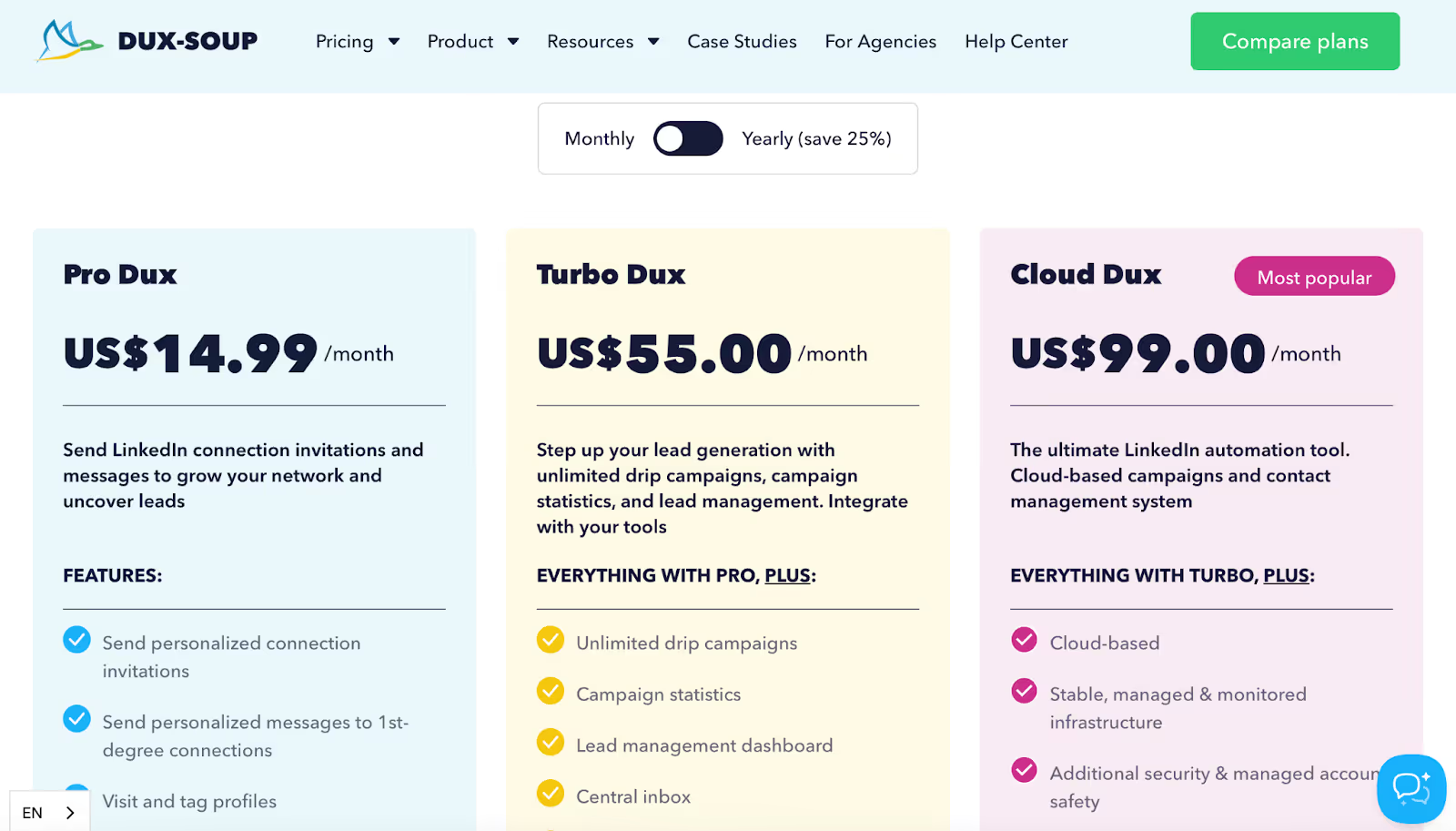
Tight budget? Dux-Soup starts at just $14.99/month.
Need everything tied to your CRM? HubSpot makes sure nothing slips.
💡Want a quick quiz?
Which tool fits you best?
If you said “I hate paying for every new user” → Try Salesforge.
If you love daily checklists → Go with Lemlist.
If you need LinkedIn safety → Use Expandi.
If you want cheap + simple → Start with Dux-Soup.
If you want everything in one place → Choose HubSpot.
Compare the top email finder APIs for developers based on their features, verification tools, pricing, and other factors to find the best solution for your outreach workflow.
.jpg)