
Personalized Outbound Strategy
Get The Right Outbound Strategy In Minutes
Enter your email to get a custom plan & stack recommendation for your business
It's being carefully crafted by AI
Please check your mailbox in 5 minutes
Scraping LinkedIn followers is not as simple as exporting a public follower list from any company page. LinkedIn gives Page admins access to follower analytics for their own company page. Sales Navigator can help you find people who follow your company.
But if you want competitor followers, there is usually no clean LinkedIn-native export. You either need a third-party follower-data provider, an automation workflow, or a smarter workaround like scraping post engagers, commenters, event attendees, or newsletter interactions.
That is why most “LinkedIn follower scraper” advice is misleading. The real question is not just, “Can I scrape LinkedIn followers?”
The better question is, “Which method gives me useful follower data without risking my LinkedIn account or creating a messy list full of bad-fit contacts?”
In this guide, I’ll break down the 5 practical ways to collect LinkedIn follower data in 2026, when each method makes sense, what risks to watch for, and which tools are worth considering. I’ll also show how to turn raw follower data into a qualified outreach list using enrichment, email verification, segmentation, and multichannel follow-up in Salesforge.
Yes, but the method depends on whose followers you want. If you manage a LinkedIn Company Page, you can access follower analytics directly through LinkedIn. If you want to identify people who follow your own company, Sales Navigator includes a "Following your company" filter. However, LinkedIn does not provide a native export of competitor company followers.
To collect competitor follower data, teams typically use third-party data providers, automation tools, or alternative signals such as post engagement and comments. The trade-off is higher account, compliance, and data-quality risk.
The key thing to remember, follower data is just a signal. To turn it into pipeline, you still need enrichment, verification, segmentation, and personalized outreach.
Not all LinkedIn follower collection methods solve the same problem. Some help you understand your audience. Some help you find people who follow your company. Others focus on competitor follower discovery or automated data collection.
To evaluate each method, I looked at five factors:
The goal is to find the fastest and safest way to turn LinkedIn follower data into qualified prospects.
Must Read - How to Automate LinkedIn Outreach
This method helps you find people who already follow your competitors on LinkedIn.
In Leadsforge, you can start with a competitor’s LinkedIn company page and pull follower data from that page. Once the followers are collected, you can filter them by your ICP, such as job title, industry, company size, location, seniority, or company type.
From there, Leadsforge helps you enrich those profiles with useful lead data, so you are not working with a raw follower list. You can remove irrelevant profiles, keep only qualified prospects, and build a cleaner lead list for outreach.
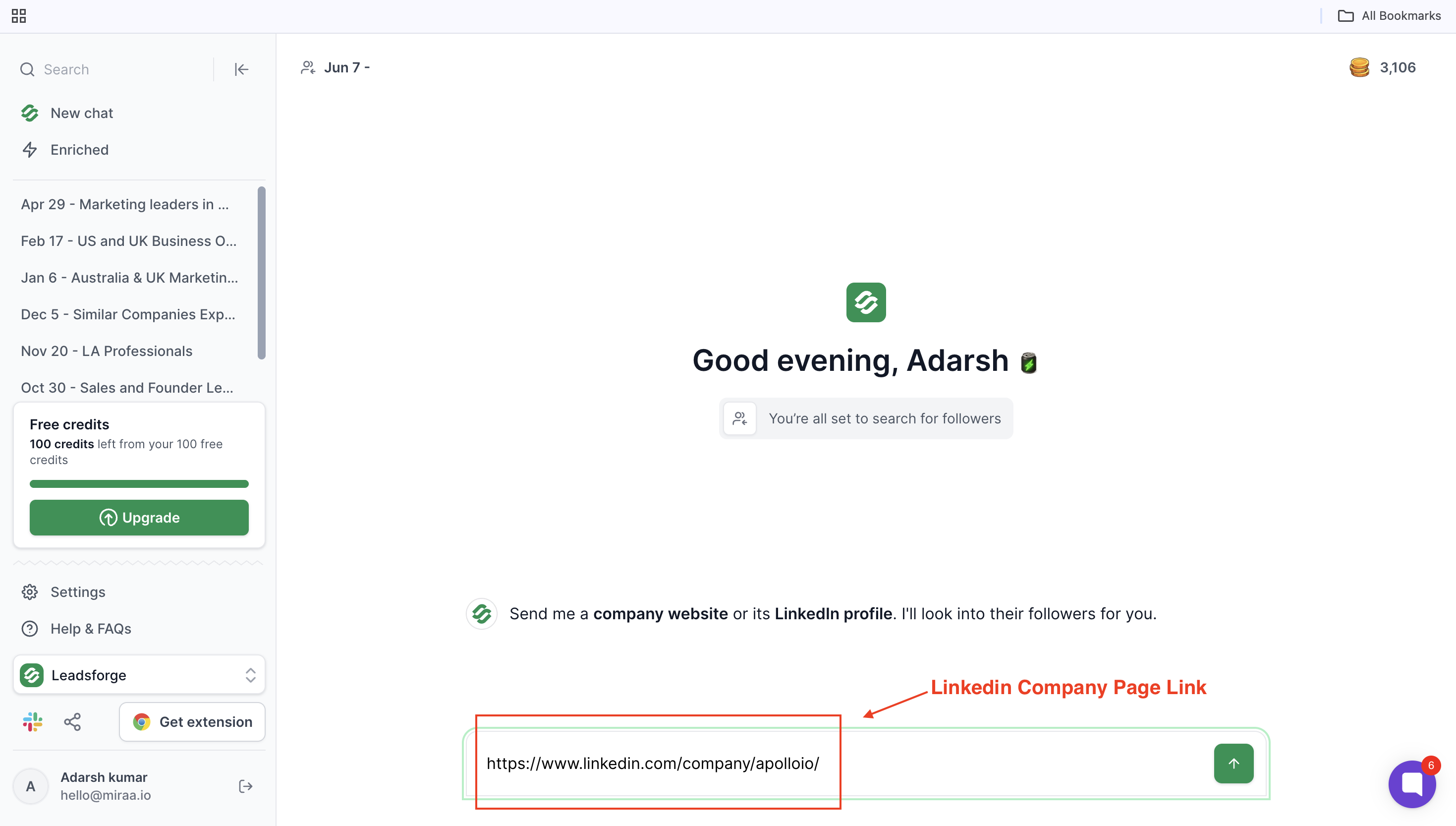
For example, if a competitor has 20,000 followers, Leadsforge can help you narrow that down to founders, sales leaders, marketers, or decision-makers who match your target market.
This is the safest way to collect LinkedIn follower data, but it is also the least useful for direct outreach. If you manage a LinkedIn Company Page, LinkedIn gives you access to follower analytics that show who follows your page.
You can see follower growth, job functions, industries, company sizes, seniority levels, locations, and other audience insights.
This method works best when your goal is understanding your audience rather than building a prospect list. Use it when you want to answer questions like:
The downside is that LinkedIn Page Analytics does not provide a contact-ready list of followers. You get audience insights, not prospect data.
Best for: Audience research, ICP validation, and content strategy.
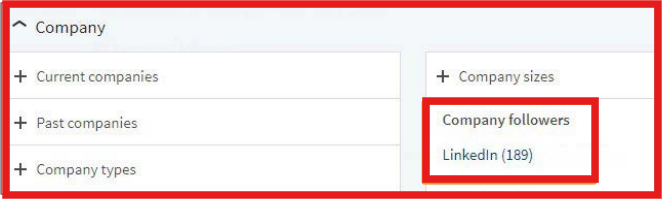
If you want contact-level data instead of audience demographics, Sales Navigator is usually the next step Sales Navigator includes a "Following your company" filter that helps you find people who already follow your business on LinkedIn. You can then narrow the audience using filters such as job title, seniority, company size, industry, and location.
This makes it useful for identifying warm prospects who already know your brand. Unlike LinkedIn Page Analytics, you are working with actual LinkedIn profiles instead of aggregate follower data. However, this method only works for people who follow your own company. It is not designed for competitor follower discovery.
Best for: Finding warm prospects who already follow your company.
This is the method most teams use when they want competitor follower data. Instead of relying on LinkedIn's native tools, follower-data providers attempt to identify and enrich people who follow specific company pages. Depending on the provider, the output may include profile URLs, job titles, companies, work emails, phone numbers, or audience insights.
The quality varies significantly between providers. Some focus on audience analysis. Others focus on contact enrichment. Some provide individual profiles, while others only provide aggregated follower intelligence.
The biggest advantage is competitor research. You can analyze who follows competing brands and identify followers who match your ideal customer profile.
The biggest challenge is data quality. A large follower export is not automatically a good prospect list. Most teams still need to filter, enrich, verify, and qualify the data before using it.
Best for: Competitor follower discovery and market research.
Automation tools attempt to collect follower data automatically. Instead of manually researching followers, these tools use workflows, APIs, browser sessions, or automation sequences to capture follower information at scale.
This can be useful when you need ongoing monitoring, daily follower capture, or automated data collection. The trade-off is higher risk. Many automation tools depend on browser sessions, cookies, or workflows that may violate LinkedIn's terms. They also require more technical setup than native LinkedIn methods.
For most teams, automation should be used carefully and only when the time savings justify the additional complexity.
Best for: Automated workflows, monitoring, and large-scale data collection.
10 Best LinkedIn Automated Messaging Tools for Safe Outreach in 2026
Sometimes the best follower data is not a follower list at all. A person who follows a company may have little buying intent. Someone who recently commented on a competitor's post, attended an event, reacted to industry content, or engaged with a newsletter often provides a much stronger signal.
That is why many outbound teams focus on engagement signals instead of follower exports.
Examples include:
These signals provide more context and often create better outreach opportunities than a generic follower list.
Best for: Finding higher-intent prospects and conversation starters.
Best for: Finding and qualifying LinkedIn company page followers

Leadsforge helps you turn LinkedIn company page followers into a more useful lead list.
Instead of only scraping followers, you can use Leadsforge to start with a LinkedIn company page, pull relevant follower data, and then filter those people based on your ICP.
For example, you can enter a competitor’s LinkedIn company page and narrow the follower list by role, industry, company size, seniority, location, or other buying signals.
This makes the data more useful because you are not just collecting random LinkedIn profiles. You are finding people who already follow a relevant company and then qualifying them before outreach.
Pros of Leadsforge:
Cons of Leadsforge:
My take: Leadsforge is a better fit if you do not just want to scrape LinkedIn followers, but want to turn competitor followers into qualified leads for outreach.
Best for: Automated LinkedIn follower collection
PhantomBuster is one of the most popular LinkedIn automation platforms. Its LinkedIn Company Follower Collector workflow can automatically capture followers, enrich profiles, and trigger follow-up workflows.
What makes PhantomBuster attractive is automation. Instead of manually checking follower activity, you can continuously collect and process follower data.
My take: If you want automated follower collection at scale, PhantomBuster is one of the strongest options available.
In-depth Phantombuster Review (2026): Is It Worth It for Multi-channel Outreach?
Best for: API-based follower collection
Apify provides actors and APIs that can collect LinkedIn follower data programmatically. It is designed more for developers and technical teams that want repeatable data collection workflows.
One important limitation is that its LinkedIn Company Followers Scraper requires admin access to the company page, making it more useful for monitoring your own audience than researching competitors.
My take: Apify is a good fit if your team wants programmatic access to follower data through APIs.
Best for: LinkedIn automation and enrichment workflows
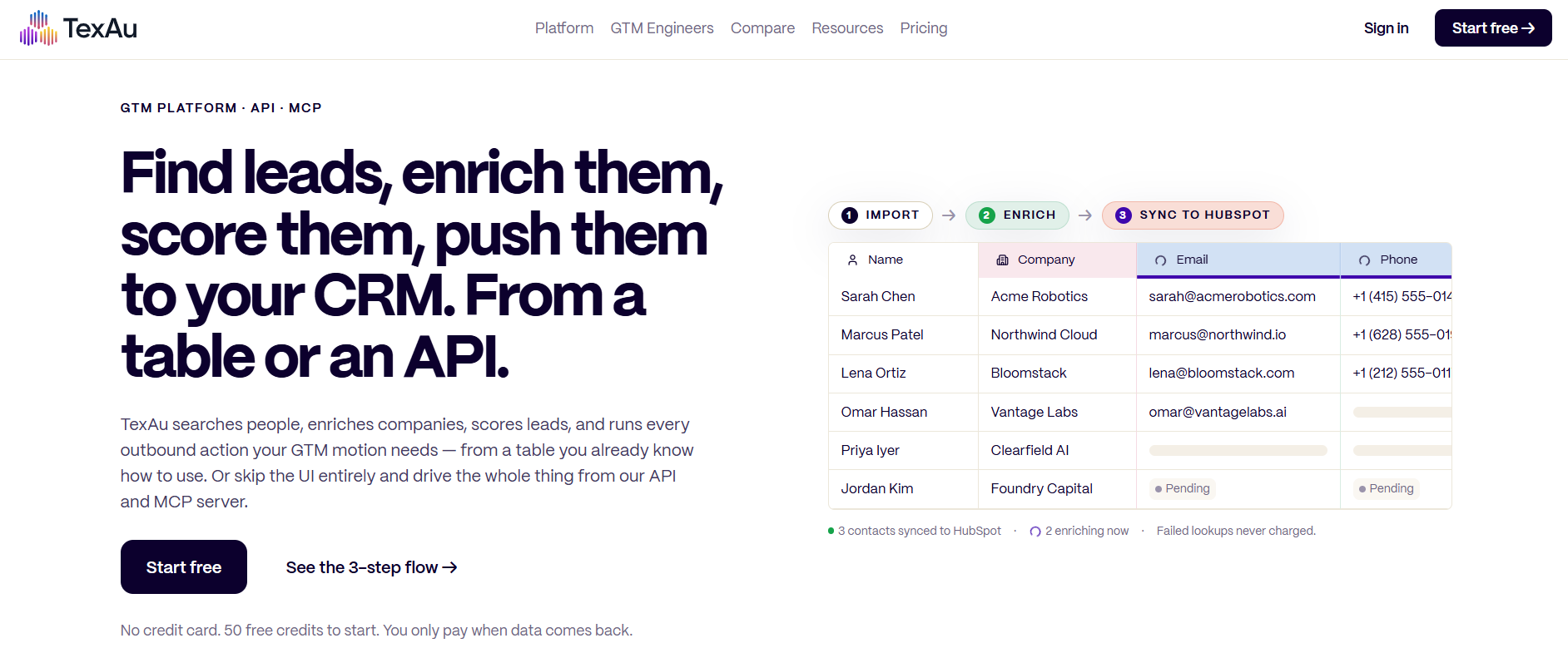
TexAu combines automation, enrichment, email verification, and workflow building in a single platform. Instead of focusing only on follower collection, it helps teams build prospecting workflows around the data they collect. This makes it useful for teams that want more than a simple export.
My take: TexAu is a strong option if you want a broader prospecting workflow rather than a standalone follower scraper.
Best for: Finding people who follow your company
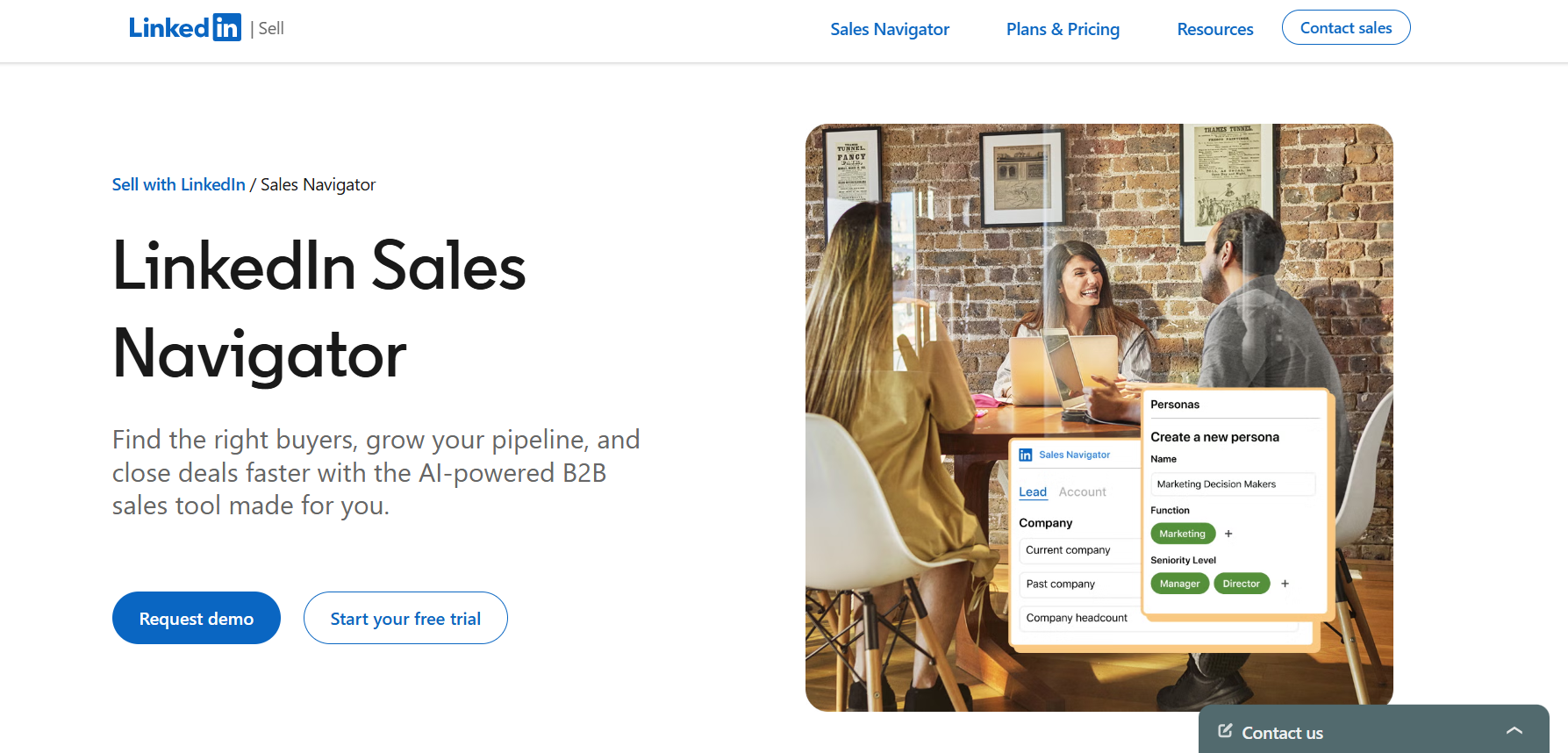
LinkedIn Sales Navigator is the safest way to identify people who already follow your company on LinkedIn. The "Following your company" filter lets you find warm prospects and combine them with filters such as title, seniority, company size, geography, and industry.
Unlike scraping tools, Sales Navigator works entirely inside LinkedIn.
My take: If your goal is finding people who already know your brand, Sales Navigator is the best place to start.
LinkedIn Sales Navigator API: What You Can and Can’t Do?
Collecting LinkedIn follower data is only the first step. The tools above help you research your own audience, discover warm prospects, monitor competitors, and enrich follower information. But raw follower data alone is not enough.
To turn these profiles into meaningful outreach, you need a process that includes qualification, enrichment, email verification, segmentation, and personalized multichannel sequences.
Follower data is just a signal. The real value comes from identifying the right people, understanding why they are relevant, and building outreach around that context.
My biggest mistake when working with follower data was assuming more contacts meant more opportunities. It doesn't. Before spending a single enrichment credit, decide exactly who you want to reach. Define your target company size, industry, geography, and job titles. Be equally clear about who you do not want. Students, vendors, employees, recruiters, and competitors can quickly fill a list without adding any pipeline value. A smaller list of qualified contacts is usually worth more than a large list of random followers.
A LinkedIn profile URL is not a prospect. Before outreach, you need enough information to decide whether someone belongs in your pipeline. At a minimum, I would want a verified work email, current company, job title, seniority level, company size, and the source that put them on the list.
Most importantly, keep the follower source. If someone followed a competitor, that context matters. If they engaged with your founder's content, that matters too. The signal is often more valuable than the profile itself.
7 Best Data Enrichment Tools for Effective Lead Generation
This step gets skipped far too often. Bad emails hurt deliverability. Duplicate contacts create messy reporting. Existing customers and active opportunities create embarrassing outreach mistakes.
Before sending, verify emails, remove invalid contacts, suppress existing customers, remove duplicates, and clean the list. My rule is simple: Infrastructure first. Warmup second. Clean list third. Personalized copy fourth. Volume last.
Teams that reverse this order usually end up fixing deliverability problems later.
One of the biggest mistakes I see is treating every follower the same. Someone who follows your company is different from someone who follows a competitor. Someone who commented on a competitor's post is different from someone who subscribed to a newsletter.
The outreach should reflect that.
The more closely your message matches the signal, the more natural the conversation feels.
Once the list is qualified, enriched, verified, and segmented, it is ready for outreach. This is where Salesforge fits into the workflow. Instead of managing emails, LinkedIn messages, follow-ups, and replies across multiple tools, you can organize contacts into segmented multichannel sequences from one place.
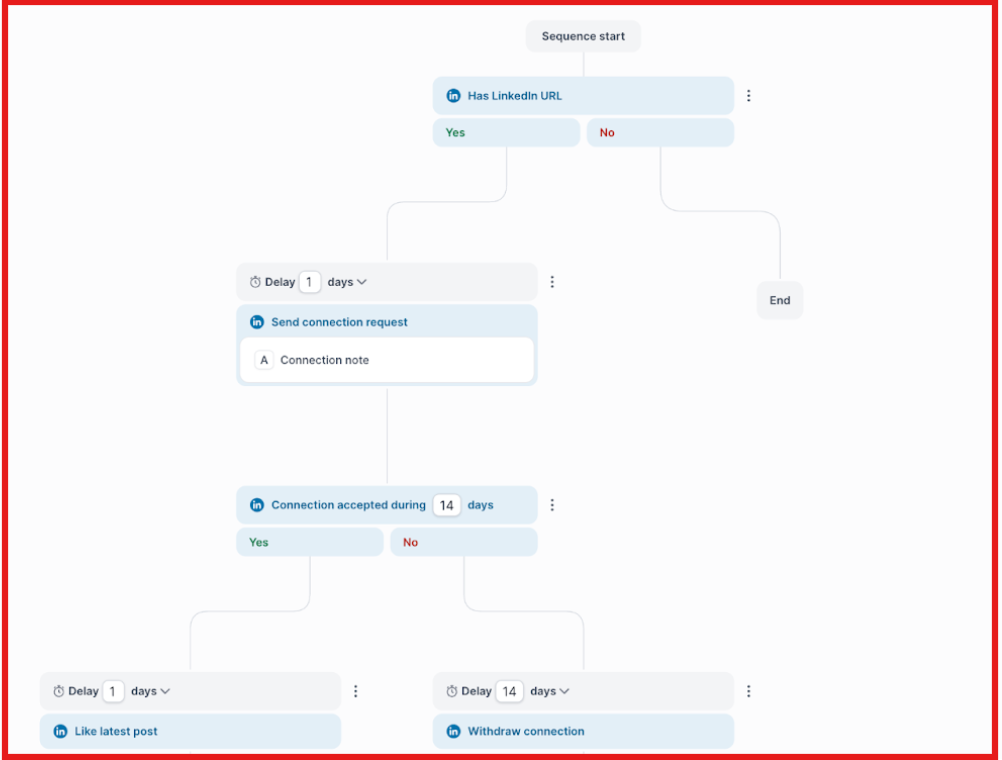
A competitor follower might receive a competitor-focused email, while someone who follows your company might get a warmer LinkedIn-first sequence. The biggest advantage is consistency.
Every segment gets its own messaging, follow-up logic, and outreach flow without turning your process into a spreadsheet nightmare. The goal is not to scrape the biggest follower list. The goal is to turn the right followers into conversations. That is where most of the pipeline is created.
Enter your email to get a custom plan & stack recommendation for your business
Please check your mailbox in 5 minutes

Scraping LinkedIn followers in 2026 is possible, but the best approach depends on what you're trying to achieve. If you want audience insights, LinkedIn Page Analytics is usually enough.
If you want to identify people who already follow your company, Sales Navigator is the safest option. And if your goal is competitor follower discovery, automation tools and follower-data providers can help uncover new prospect pools.
The important thing to remember is that follower data is only a starting signal. A large export means very little if you do not qualify the contacts, enrich the data, verify emails, and build outreach around the reason someone ended up on the list in the first place.
My take: focus less on collecting the biggest follower list and more on turning the right followers into conversations. That is where the real value comes from.
And once you have a qualified list, a platform like Salesforge can help you organize those contacts into segmented email and LinkedIn sequences, making it easier to turn follower research into actual pipeline instead of another spreadsheet sitting in your CRM.
If your goal is not just finding followers but generating meetings from them, that is the stage where Salesforge becomes useful.



.jpg)
