

Personalized Outbound Strategy
Get The Right Outbound Strategy In Minutes
Enter your email to get a custom plan & stack recommendation for your business
It's being carefully crafted by AI
Please check your mailbox in 5 minutes
You are running cold email campaigns, and every week the same small tasks keep slowing you down.
You need to clean lead lists, enrich company data, write personalised first lines, check if emails are valid, push contacts into your CRM, update campaign sheets, track replies, and somehow keep the whole outbound workflow from turning into a messy set of spreadsheets, Zapier steps, and half-broken automations.
That is where Codex becomes useful.
Codex is not a cold email tool that sends campaigns for you. It is a coding agent that can help you build the small systems behind your outbound workflow.
You can use it to create scripts, connect APIs, clean CSV files, automate lead research, generate personalised email inputs, build internal dashboards, and reduce the manual work your team keeps repeating before every campaign.
In this guide, I’ll show you how to use Codex for cold email automation, what parts of the workflow it can actually help with, where it fits, and where you still need proper cold email infrastructure, deliverability checks, and sending tools.
Codex cold email automation breaks when you ask Codex to act like an SDR.
You and I need a cleaner split. Codex should build the operating layer around outbound: scripts, API calls, MCP configs, data checks, reporting jobs, QA tests, and internal runbooks.
Salesforge should run the actual email and LinkedIn sequences, Warmforge should protect sender reputation, Leadsforge should source contacts, and Agent Frank should handle the SDR workflow end to end when you want execution taken off your desk.
Here is the problem: if we let Codex generate outreach and send it without boundaries, we get fragile scripts, unclear approvals, weak deliverability checks, and a higher chance of burning domains.
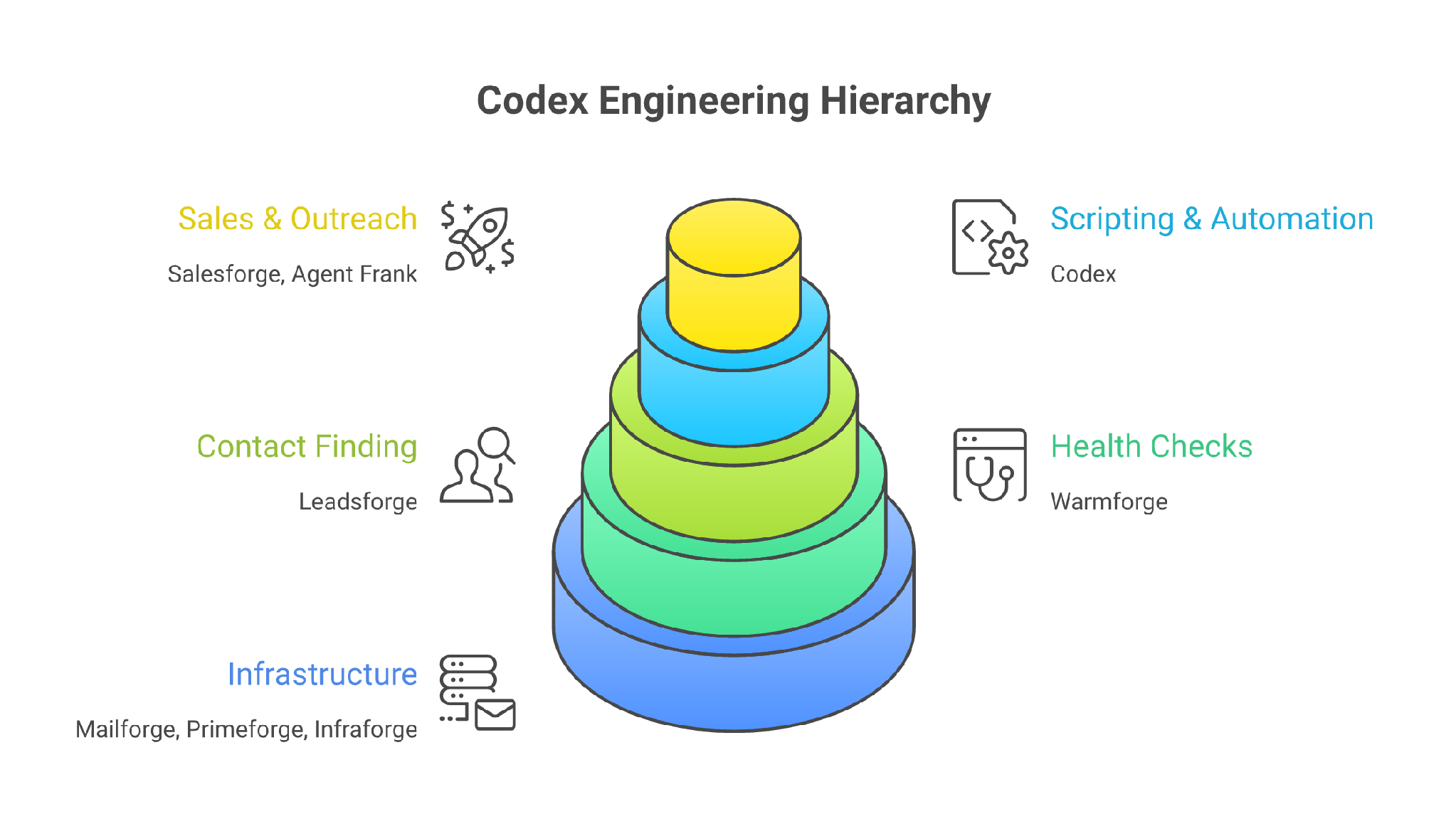
That is the agitation. More automation can create more risk when the system has no send order.
The solution is to use Codex as the engineering layer, not the sales rep. With Codex CLI, you can work against a real repo where Codex reads, changes, and runs code. With Codex across the app, IDE, CLI, and cloud, you can turn outbound rules into repeatable local workflows, PR-reviewed changes, and automation scripts.
Codex helps you build the outbound machine.
It does not replace the machine.
Use Codex when you want a technical operator to turn outbound ideas into working code.
Use Agent Frank when you want the outreach operator itself.
The practical setup is simple: Codex builds the workflow, the Forge stack runs the workflow, and Agent Frank takes over when your team no longer wants to manage the workflow by hand.
I evaluated Codex cold email automation based on whether it helps an outbound team move from ad hoc prompts to repeatable operating systems. The focus is not whether Codex can write a decent cold email.
The real test is whether it can help a technical operator connect data, infrastructure, deliverability checks, sequence creation, reporting, and human approval without putting domains or pipelines at risk.
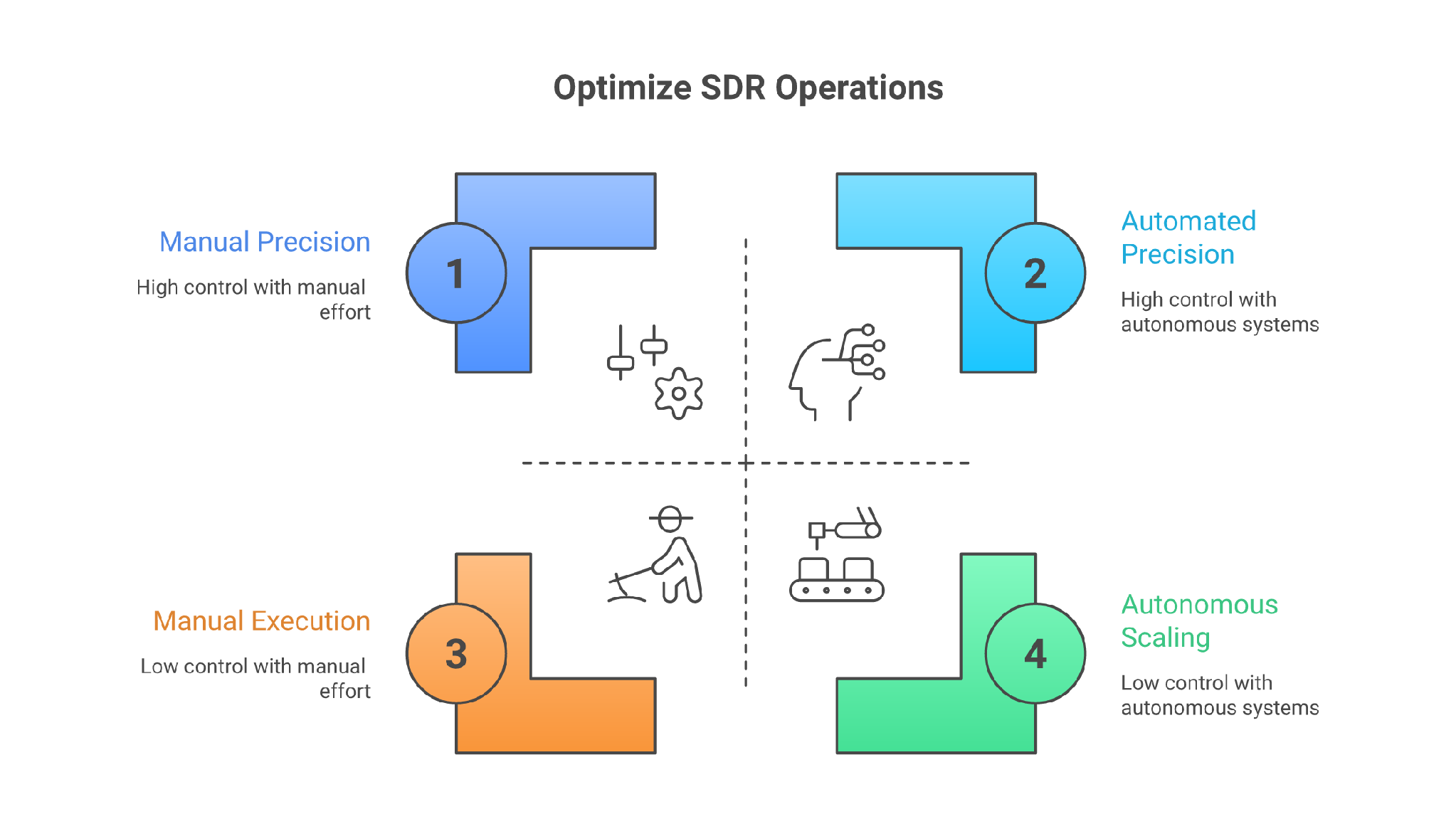
Before you wire Codex into outbound, get the base stack in order.
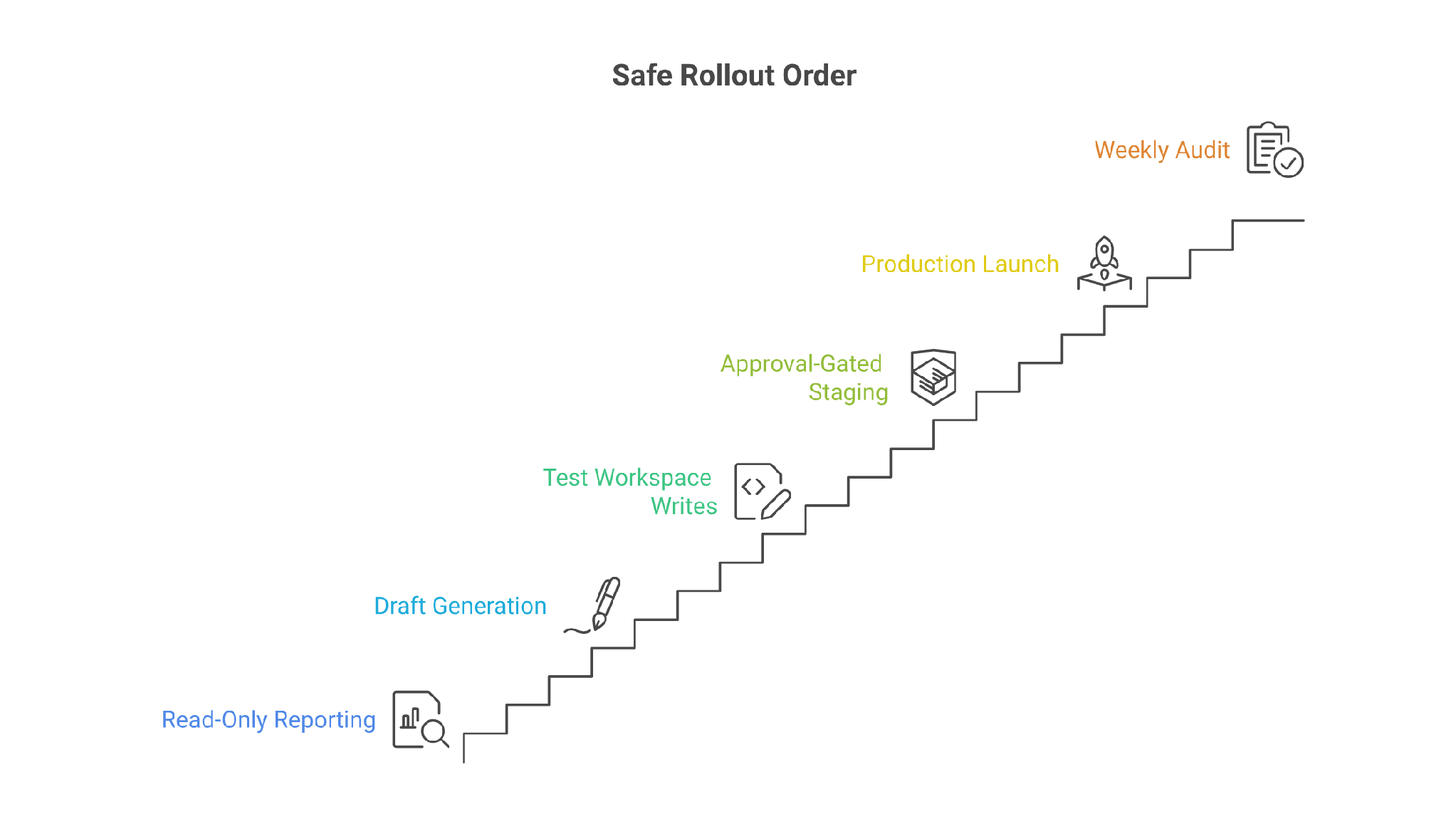
Do not start with volume.
Start with the send order.
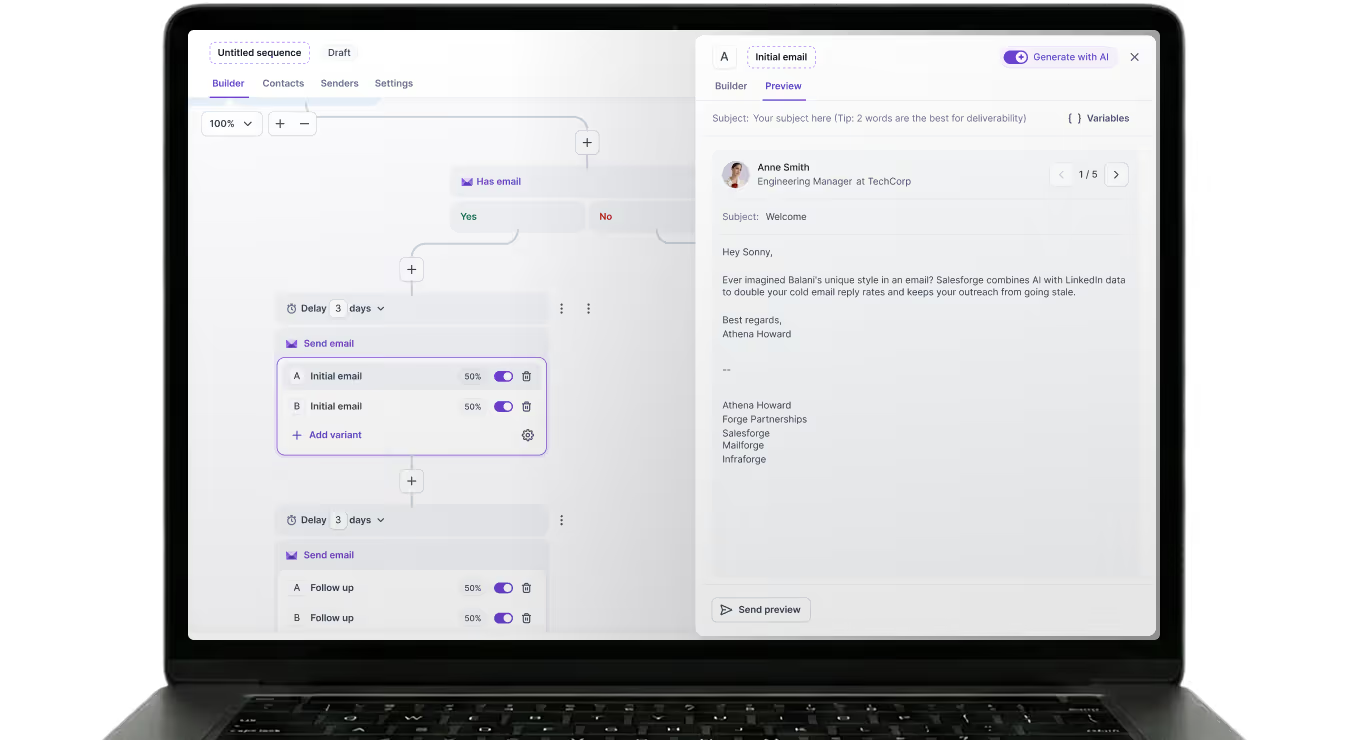
At the end, you should have a working Codex-assisted outbound repo with five pieces:
That is the operator setup.
If you want the managed setup, skip most of this and book Agent Frank. Use Agent Frank to find and process contacts, send outreach, follow up, manage replies, and book meetings. Pricing starts at $599 per month billed quarterly for 1,000 active contacts, with roughly 2,000-2,500 new contacts and 6,000-7,500 personalized emails per month.
Codex needs written constraints.
Create an AGENTS.md file in your outbound automation repo. Keep it blunt.
# Outbound Automation Rules

You are helping build internal cold outreach automation.

Never send, launch, or enroll contacts without human approval.
Never invent product facts, pricing, or customer results.
Use Forge APIs, CLI, or MCP tools for account data.
Keep every generated sequence under the channel limits in campaign.yaml.
Check Warmforge health before any launch step.
Treat DNC, unsubscribed, bounced, and manually excluded contacts as blocked.
Write tests for every script that changes contacts, sequences, mailboxes, or sender state.
Why this matters: Codex can inspect and change files, so vague prompts become risky prompts. Written rules keep the repo consistent across sessions.
Codex CLI gives you approval modes and MCP as part of the CLI workflow. Use those controls. For outbound, default to review-heavy operation until the scripts have proved themselves.
Install Codex CLI using the official setup path, then work from a dedicated repo.
mkdir outbound-ops
cd outbound-ops
git init
npm init -y
mkdir scripts prompts tests reports configs
codex
Use the OpenAI Codex quickstart to install the CLI through the standalone installer, npm, or Homebrew, then keep Git checkpoints because Codex can modify files.
Use that discipline here.
Commit the empty repo first. Then ask Codex to scaffold only the files you need.
Create a minimal outbound automation repo.
Add campaign.yaml, scripts/health-check.mjs, scripts/build-sequence.mjs, tests/health-check.test.mjs, and README.md.
Do not call external APIs yet. Stub the Forge client and write tests first.
The first Codex task should not touch production.
It should create the harness.
The Forge CLI is the simplest starting point when you want scripts, cron jobs, and local operator commands.
Install it:

npm install -g @salesforge/forge-cli
forge --help
Then authenticate only the products you use. With the Forge CLI, you can talk directly to product APIs with local keys, use environment variables for automation, and keep local config under restricted permissions.
For CI, prefer environment variables:

export SALESFORGE_API_KEY="..."
export MAILFORGE_API_KEY="..."
export WARMFORGE_API_KEY="..."
export LEADSFORGE_API_KEY="..."
Then verify access:

forge status --pretty
forge salesforge workspaces list --limit 50 --pretty
forge commands list --available --names
Now Codex can help you write scripts around real commands.
Ask it for one narrow job:

Write scripts/weekly-mailbox-health.mjs.
It should call Forge CLI commands, collect Warmforge warmup stats, placement test data, Salesforge mailbox status, and output reports/mailbox-health.json.
Do not pause or modify mailboxes. Reporting only.
Add tests with mocked CLI output.
That is the right first automation.
Read-only. Useful and hard to break.
CLI is good for operator workflows. API is better for app workflows.
The Salesforge API exposes workspaces, contacts, webhooks, mailboxes, threads, sequence metrics, sequence creation, sequence steps, contact assignment, mailbox assignment, sequence schedules, email replies, LinkedIn replies, and multichannel sequence endpoints.
That gives Codex a concrete surface to build against.
Start with a thin API client:

Create scripts/lib/salesforge-client.mjs.
Implement getWorkspaces, listContacts, createContactsBulk, listSequences, getSequenceAnalytics, and getWorkspaceThreads.
Read SALESFORGE_API_KEY from env.
Do not implement launch or status update yet.
Add typed JSDoc comments and tests with mocked fetch.
Keep launch operations out of the first pass. Pulling data and creating drafts is different from sending.
A sane build order:
Codex is good at turning API docs into clients and tests. It is also good at refactoring when the API changes.
It is not a deliverability strategist.
That is why Warmforge stays in the loop.
MCP is where Codex gets interesting for outbound.
With MCP and connectors, you can expose remote tools to models and keep developer approval on sensitive calls. The OpenAI tools guide puts remote MCP next to function calling, web search, file search, shell, and other tool types.
Salesforge has both a hosted MCP server and a CLI MCP mode.
With the Forge MCP Server, you can connect Salesforge, Primeforge, Leadsforge, Infraforge, Warmforge, and Mailforge through one endpoint. Tools appear only for products where you provide a valid API key.
For a local MCP option, the Forge CLI can run the same forge binary in MCP mode.
Use hosted MCP when you want a standard remote endpoint.
Use CLI MCP when you want local control.
A local MCP config should look like this conceptually:

{
  "mcpServers": {
    "forge": {
      "command": "forge",
      "args": ["mcp"],
      "env": {
        "SALESFORGE_API_KEY": "...",
        "WARMFORGE_API_KEY": "...",
        "LEADSFORGE_API_KEY": "..."
      }
    }
  }
}
Only include keys for the products in scope.
Do not connect every tool on day one. Start with read-only prompts:

List my Salesforge workspaces.
Show Warmforge warmup stats for the current sender pool.
Find Salesforge sequences with positive replies below 1% over the last 14 days.
Show contacts currently active in the Q3 CIO sequence.
Then let Codex turn repeated prompts into scripts.
Codex should not infer your outbound strategy from scattered prompts.
Put it in a file.
campaign:
  name: q3-cio-infra-audit
  owner: growth
  workspace: salesforge-main
  channels:
    email:
      steps: 4
      max_words: 95
      no_links_in_first_email: true
    linkedin:
      steps: 3
      max_words: 60
      first_message_no_pitch: true
  icp:
    titles: ["CIO", "VP Infrastructure", "Head of IT"]
    company_size: "200-1000 employees"
    regions: ["US", "UK"]
  forge_stack:
    contact_source: leadsforge
    infrastructure: mailforge
    warmup: warmforge
    execution: salesforge
  approval:
    require_human_before_launch: true
    require_warmforge_health: true
    require_dnc_check: true
Then prompt Codex:

Read campaign.yaml and write scripts/validate-campaign.mjs.
Fail if email steps exceed 5, LinkedIn steps exceed 3, missing DNC check, missing warmup check, missing owner, or missing human launch approval.
Add tests for every failure case.
This is where Codex earns its keep.
It turns operating rules into checks.
Cold email automation breaks when the contact source is weak.
Use Leadsforge for contact discovery and enrichment when you want Forge-native contact data. With the Salesforge Email Finder API, you can return verified work emails from a name, domain, or LinkedIn URL, backed by Leadsforge’s 500M+ contact database.
Codex can help you build the glue:

Create scripts/source-contacts.mjs.
Input: configs/icp.json.
Output: reports/candidate-contacts.json.
Rules: never enroll contacts, never email contacts, mark every contact as candidate until human_reviewed=true.
Add dedupe by domain + email. Add DNC exclusion.
Do not ask Codex to scrape LinkedIn or bypass platform rules. Keep the contact path inside tools you are authorized to use.
Then add a review gate:

Create scripts/prepare-review-sheet.mjs.
Take candidate contacts and output a CSV for human review with columns: name, title, company, email, source, reason_for_fit, excluded, exclusion_reason.
The operator decides who enters the campaign.
Codex prepares the work.
Most teams want Codex to write the sequence first.
That is a wrong order.
Infrastructure should be first. Warmup second. Clean contact list third. Personalized copy fourth and Volume last.
Use the Forge Stack in layers: infrastructure through Primeforge, Mailforge, or Infraforge; deliverability through Warmforge; contact sourcing through Leadsforge; outreach through Salesforge; autonomous SDR execution through Agent Frank. With Warmforge, you can run warmup, health checks, placement tests, and keep warmup active after setup.
Your Codex workflow should enforce that order.
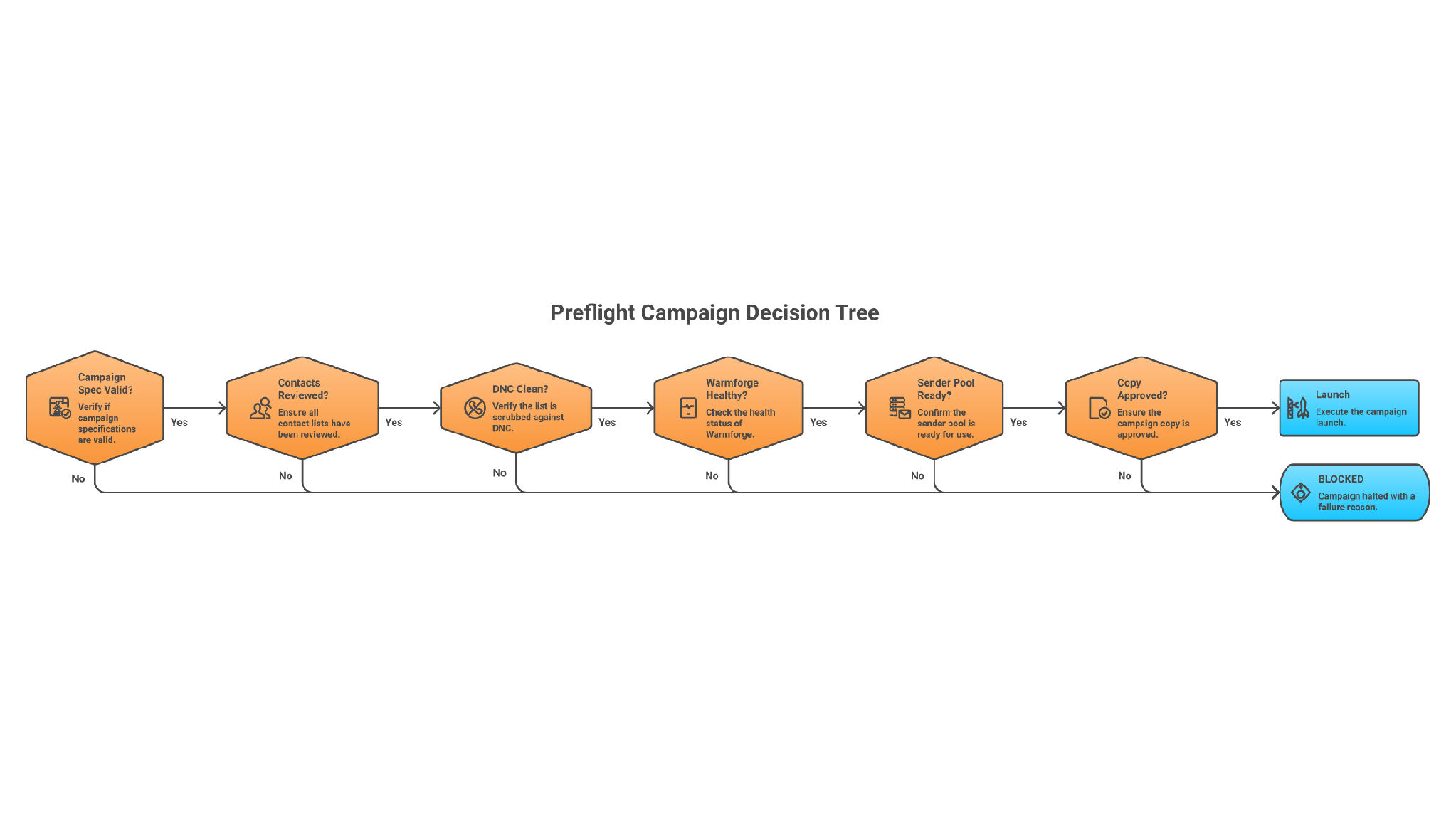
Ask for a preflight script:

Write scripts/preflight.mjs.
It should check:
1. Workspace exists.
2. Sender pool exists.
3. Warmforge health is available for each mailbox.
4. No sender has missing DNS or placement-test risk.
5. Contact list has no DNC or invalid-email contacts.
6. Sequence has human approval.
Output PASS or BLOCKED with exact reasons.
Do not launch anything.
A blocked preflight is a win.
It means the system caught the problem before your domain did.
Once the preflight passes in a test workspace, Codex can help generate Salesforge sequence payloads.
A good prompt:

Read campaign.yaml and approved-contacts.csv.
Create a draft Salesforge email + LinkedIn sequence payload.
Email: 4 steps, under 95 words each, one clear ask, no links in step 1.
LinkedIn: blank connection request, then 2 short DMs after acceptance.
Use custom variables for first_name, company, pain_point, proof_point.
Do not call launch endpoints.
Write payload to reports/draft-sequence.json and create a human review markdown file.
Codex can also write tests that inspect the payload:
Then your operator reviews the copy and sender pool inside Salesforge.
Launch from Salesforge after review.
That is not slow. That is controlled.
Your best first production automation is reporting.
Use the Salesforge API reference for sequence analytics and workspace sequence metrics. Pull Warmforge warmup and placement-test context through the Forge tooling. Combine them into one weekly report.
Ask Codex:

Create scripts/weekly-outbound-report.mjs.
Inputs: Salesforge sequence metrics, Salesforge threads, Warmforge warmup stats, placement test data.
Output: reports/weekly-outbound-report.md.
Sections: mailbox risk, sequence performance, positive reply patterns, no-reply segments, next experiments.
Never send messages or change sequence status.
This is where a technical Codex workflow becomes useful to non-technical sales leaders.
Every Monday, they see:
Named proof matters here. Salesforge publishes several case-study benchmarks, including AKOOL reaching 214K+ prospects with a 16%+ positive reply rate, ChannelCrawler reaching 85.71% positive replies, and UniteSync reaching an 85.26% positive reply rate with a $2.86 CAC.
Treat those as Salesforge-published customer results, not your own expected baseline.
Do not judge this by whether Codex wrote a script.
Judge it by whether the system prevents bad sends.
Run these checks before production:
If the workflow cannot block a bad campaign, it is not ready.
Cause: the prompt asks for “create automation” and does not define approval boundaries.
Fix: add explicit rules to AGENTS.md, keep launch endpoints out of the first client, and add tests that fail if launch methods are called without an approval file.
Cause: the product API key was not provided or is invalid.
Fix: Forge MCP Server tools appear only for products with valid keys. Add only the headers for products you use, restart the MCP client, and test with a simple workspace or warmup-stats query.
Cause: the prompt lets email rules bleed into LinkedIn rules.
Fix: store channel limits in campaign.yaml. Email and LinkedIn are not the same motion. Salesforge can run both channels, but your validation script should enforce separate word counts, step counts, and first-message rules.
Cause: read endpoints and write endpoints were treated as the same risk level.
Fix: separate clients by permission. A reporting token should not be able to launch sequences. A production launch path should require explicit human approval.
Cause: the workflow skipped warmup and placement checks.
Fix: add Warmforge to the preflight. Warm new mailboxes before sending and keep warmup active. With Salesforge cold email automation, you can use Heat Score, placement tests, ESP matching, and free Warmforge warmup as part of the sending system.
Agent Frank is better if the goal is cold email automation in the sales sense: finding contacts, writing outreach, following up, managing replies, and booking meetings.
Codex is better if the goal is cold email automation in the engineering sense: building scripts, tests, MCP configs, API clients, dashboards, and internal tooling.
Those are different jobs.
Agent Frank is better for most founders who ask, “Can AI run outbound for me?”
Codex is better for operators who ask, “Can AI help us build a better outbound operating system?”
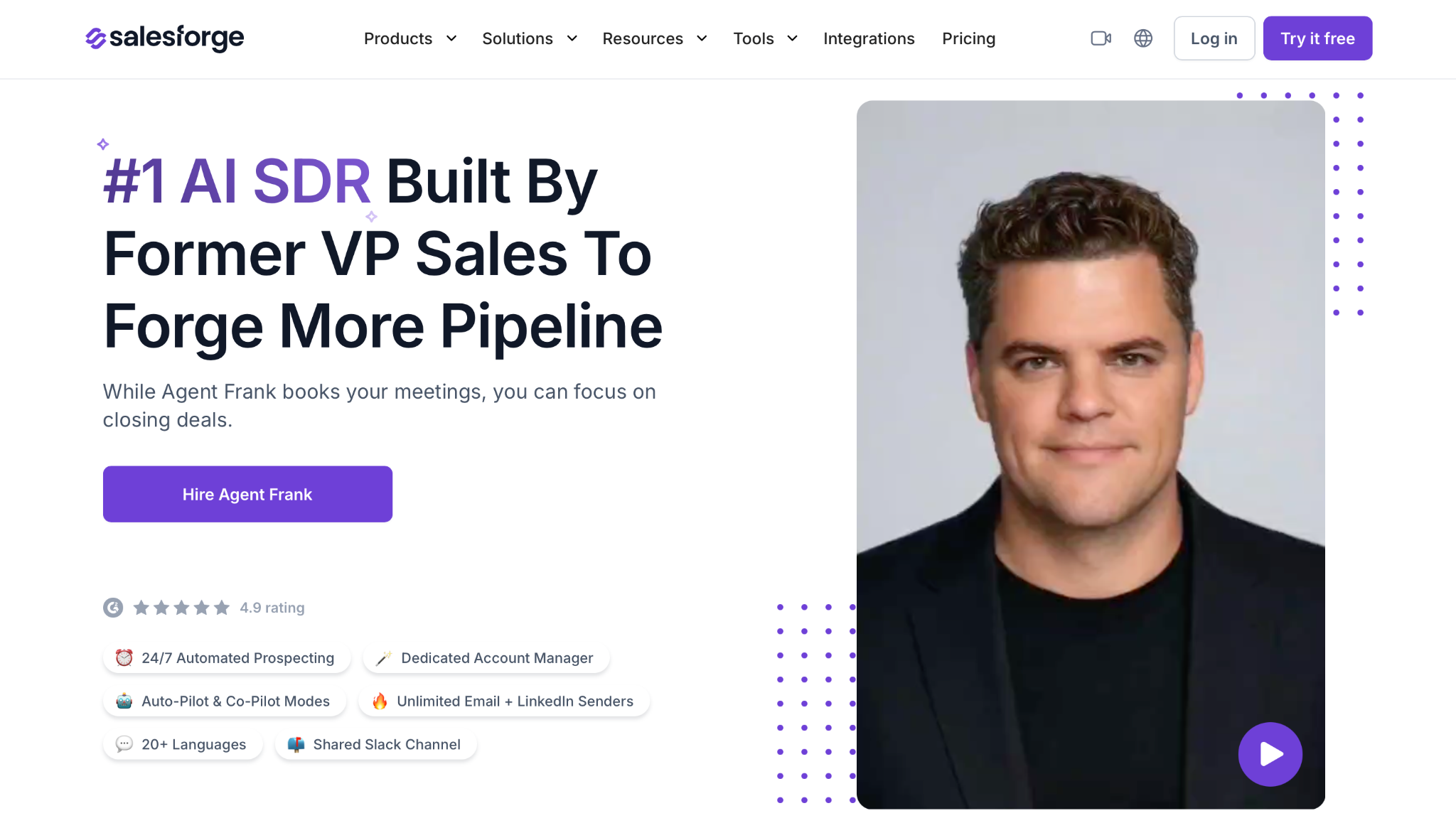
With Agent Frank, you get 24/7 outreach support, Auto-Pilot and Co-Pilot modes, outreach in 20+ languages, a dedicated account manager, and a shared Slack channel. Frank starts at $599 per month billed quarterly and covers 1,000 active contacts at a time.
That price is not the whole stack. With Salesforge pricing, each product subscription is separate. Agent Frank is also demo-gated rather than a self-serve trial product. Those are real limitations: Salesforge, infrastructure, and Agent Frank can become multiple line items, and Frank is a higher-commitment path than a plug-and-send tool.
Still, if you are comparing it with the cost of hiring and managing SDR execution, Agent Frank is the cleaner path.
Codex is not worse.
It is just upstream.
Do not use Codex as your primary cold email automation system if:
Use Agent Frank instead.
Do not use Agent Frank as the only answer if:
Use Codex with the Forge CLI, Forge MCP Server, and Salesforge API instead.
Here is the build I would ship first.
Infrastructure first.
Warmup second.
Clean contacts third.
Personalized copy fourth.
Volume last.
Codex can help enforce that order. Agent Frank can run inside it.
Enter your email to get a custom plan & stack recommendation for your business
Please check your mailbox in 5 minutes

If you are technical, start with the read-only weekly mailbox health report. Connect Forge CLI, ask Codex to write the script and tests, and run it every Monday before campaign review.
If you are not technical, do not build around Codex first. Start with Salesforge’s 14-day free trial for human-led campaigns, then compare the operational work against Agent Frank once you know the motion works.
The wrong move is asking Codex to send more messages.
The right move is using Codex to protect the system before the messages go out.




.jpg)
