LinkedIn email finder roundups often read like vendor brochures.
Same tools every time, same recycled pros and cons, same 95% accuracy claims with nothing behind them.
So I ran my own test. I picked 25 real LinkedIn URLs and pushed them through every tool on this list. Same prospects, same conditions, same third-party verifier on the back end.
The mix included SaaS founders, mid-market SDRs, and enterprise execs. Some tools hit. Many didn't.
Pricing was the second surprise. A few tools gate basic features behind $49/month tiers. Others offer free plans generous enough to run real campaigns on.
Inside: a comparison table with my test results. Plus tool-by-tool breakdowns with verified pricing and a framework for picking the right one.
I also flag where each tool falls short. Because picking the wrong LinkedIn email finder costs more than money. It tanks deliverability, burns sender domains, and quietly kills outbound campaigns before they start.
Here's how they stacked up.
TL;DR: Quick Comparison of the 12 LinkedIn Email Finder Tools
I ran the same 25 LinkedIn profile URLs through each tool. Every returned email then passed through a third-party verifier. The Test Result column shows how many tools surfaced an email and how many came back verified.
Pricing reflects each vendor's published rates. The Free Plan column shows what each tool offers before any paid upgrade.
A LinkedIn email finder is a tool that locates the professional email address tied to a LinkedIn profile. Most run as a Chrome extension or as a standalone web app. The basic flow: a valid LinkedIn profile URL goes in, a verified business email address comes out.
The reason these tools exist is simple. LinkedIn does not show email addresses by default. The platform was built for professional networking, not for sharing contact details freely.
Email addresses sit behind a first-degree connection wall. Even then, the user must opt in to share them. Finding professional email addresses through manual methods is time consuming and often impossible at scale.
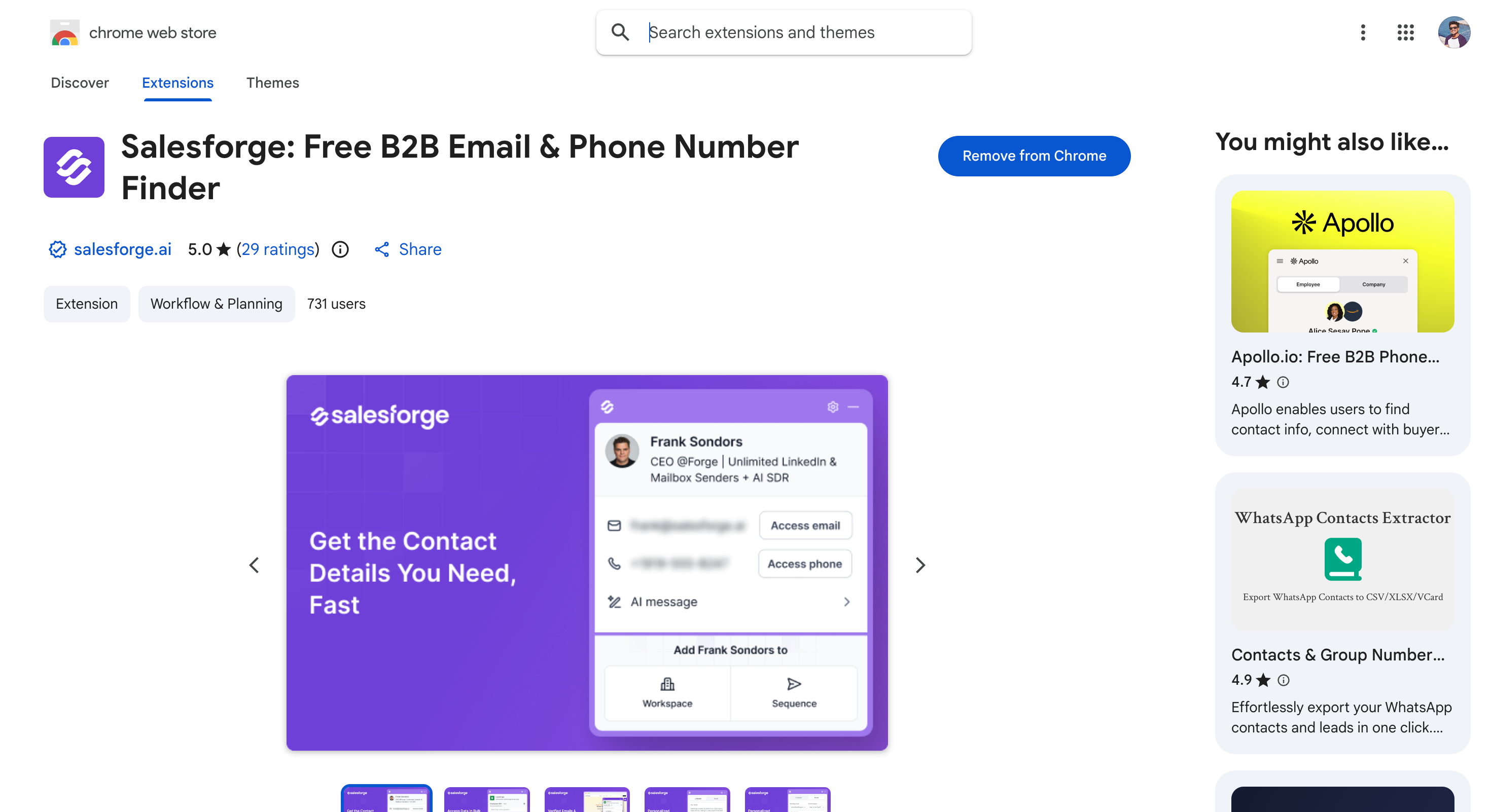
1. Salesforge Chrome Extension: Best Free LinkedIn Email Finder Overall
Salesforge Chrome Extension is a free LinkedIn email finder that lives in the Chrome Web Store.
The extension was built for sales teams and SDRs who run high-volume prospecting and don't want to babysit credit balances. It sits as a sidebar inside LinkedIn, so prospecting happens without tab switching or context loss.
What makes the tool distinct is how it handles verification. Each email gets validated in real time before being saved. This cuts bounce rates compared to tools that verify only on export.
The 4.9/5 Chrome Web Store rating reflects how the extension feels in daily use.
For teams running outreach inside Salesforge, the one-click sync to sequences turns prospecting and sending into one workflow.
Key features
One-click contact capture from LinkedIn profiles, Sales Navigator, and company websites
Real-time email verification before contacts get saved
Generate AI message or Email from extension
Both business emails and phone numbers from a single profile lookup
Sidebar interface that opens inside LinkedIn without tab switching
One-click sync to Salesforge sequences when paired with the platform
Pricing
Chrome extension: free to install and use
Salesforge Pro plan (for sending campaigns): $48/mo
Salesforge Growth plan (includes API access for integrations and automation): $96/mo
Pros
Free with no credit card
4.9/5 rating on the Chrome Web Store
Built-in pipeline sync to Salesforge sequences for one-click outreach
Advanced features like sophisticated data mining and enhanced email verification
Seamless integration via API access for workflow automation and CRM connectivity
Cons
Sending campaigns requires a paid Salesforge plan starting at $48/mo
2. ContactOut: Best for Finding Personal Email Addresses on LinkedIn
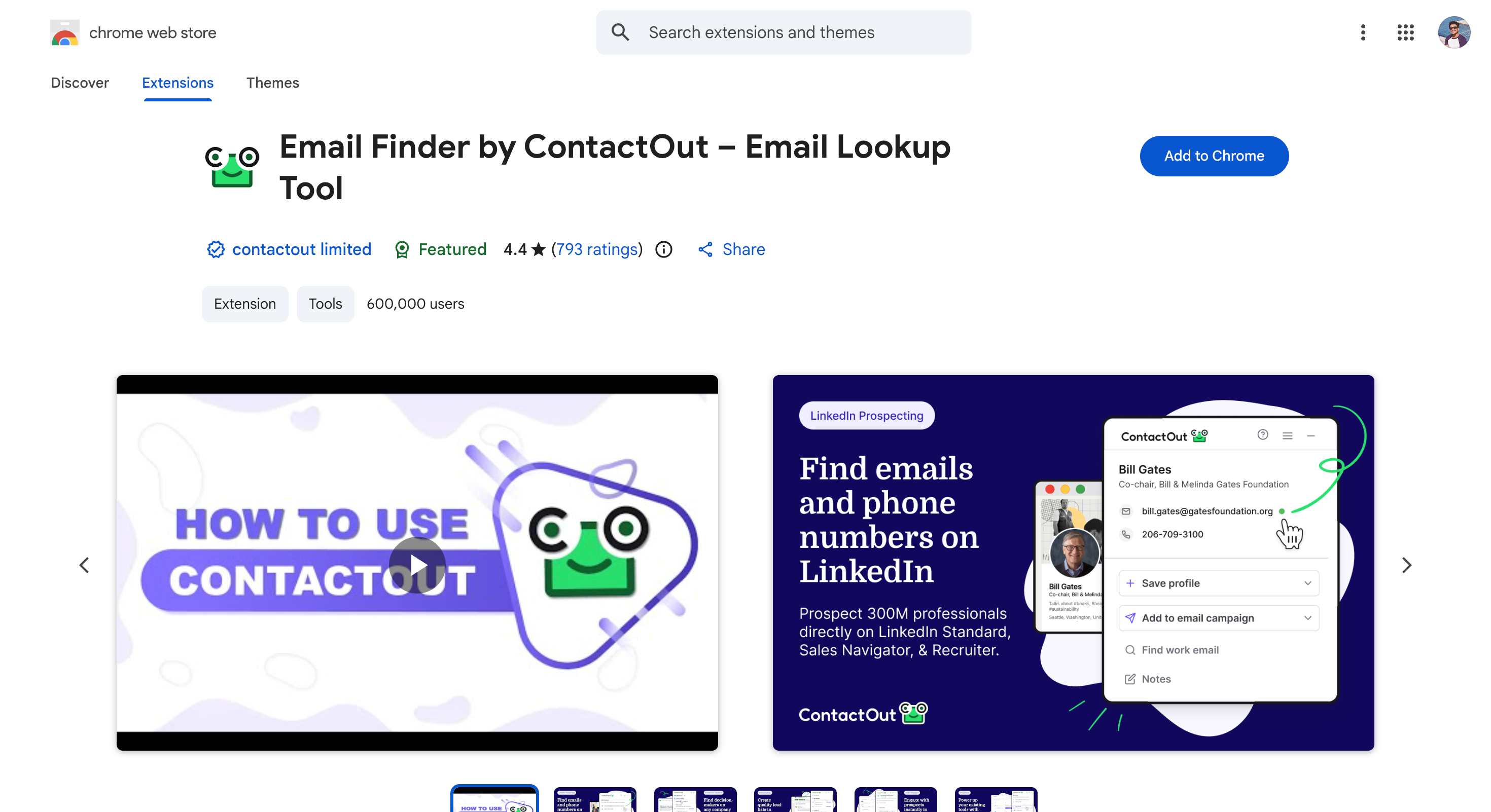
ContactOut is a LinkedIn-focused email finder with a unique angle. It finds personal email addresses (Gmail, Outlook) alongside business emails.
Majority of LinkedIn email finder tools stop at business addresses tied to corporate domains.
The tool runs as a Chrome extension and a standalone search portal. The extension shows verified emails and phone numbers directly on a LinkedIn profile. The search portal lets users query a 300M+ contact database without leaving the browser.
ContactOut is built for recruiters and sales teams who need to reach decision makers outside their work inbox.
The free plan offers 5 lookups per day, which is enough to spot-check the tool before committing. Paid plans add email campaigns, list building, and AI-assisted email writing on top of the core finder.
Key features
Chrome extension that works on LinkedIn profiles, LinkedIn Recruiter, and Sales Navigator
Personal email discovery (Gmail, Outlook, Yahoo) alongside business emails
Standalone search portal with a 300M+ contact database
ATS and CRM integrations including Salesforce, HubSpot, and Greenhouse
AI Email Writer and list builder on paid plans
Pricing
Free plan: 5 lookups per day, no credit card required
Email plan: $79/mo (billed annually)
Email + Phone plan: $199/mo (billed annually)
Team and API plans: custom (API access available only on API plans; contact sales for details)
Pros
Finds personal email addresses that competing tools usually miss
Genuinely useful free plan with 5 daily lookups, no credit card required
Built-in support for LinkedIn Recruiter, which most finders skip
ATS-friendly integrations make it a strong fit for recruiting workflows
Advanced features like sophisticated data mining, pattern matching, and enhanced email verification
Seamless integration via API access for connecting with CRMs and automating workflows
Cons
“Unlimited” plans actually cap at around 2,000 emails per month under fair-use rules
Advanced features and API access are only available on higher-tier plans
Pricing varies across third-party sources, with the Email plan cited from $49 to $99 per month. Verify on the live page
Annual commitment required to hit the advertised $79/mo rate
3. Skrapp.io: Best for Sales Navigator-Heavy Prospecting
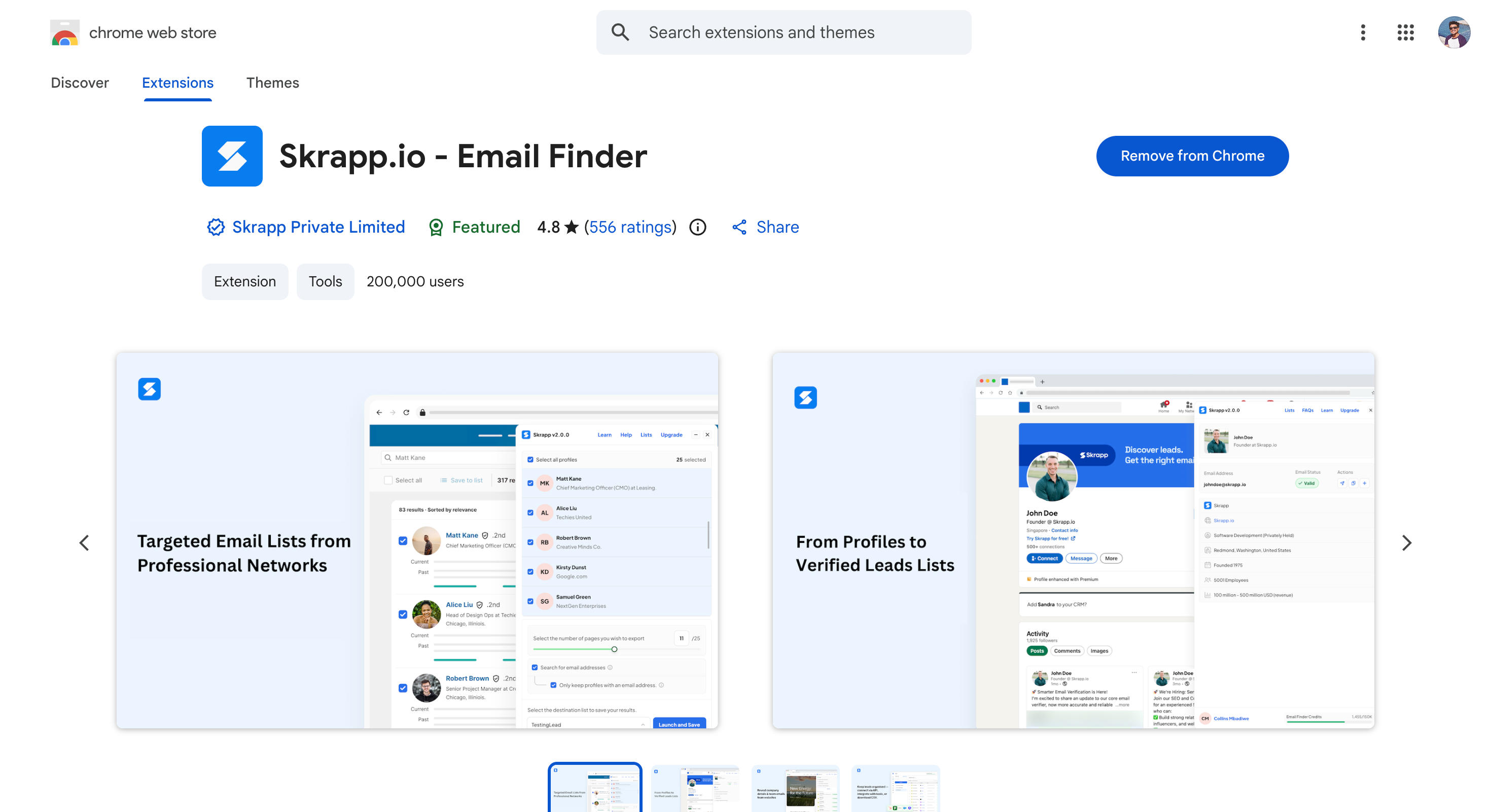
Skrapp.io is an email finder built around a strong Sales Navigator integration, offering advanced features such as bulk extraction, advanced data mining, and real-time email verification.
The Chrome extension extracts verified business emails and other data—including job titles and company names—directly from any public LinkedIn profile and from Sales Navigator search results in bulk. It displays the verification status (e.g., 'Valid' or 'Risky') for each email, helping ensure higher deliverability rates.
The tool fits B2B sales teams that live inside Sales Navigator. It enables users to create, manage, and organize lead lists and saved lists for efficient outreach, pulling contact details from filtered prospect lists without manual export. Drop a Sales Navigator search query into the extension and Skrapp returns a verified email list ready to use, along with other relevant contact information.
Skrapp.io also includes a 200M+ professional database, bulk email finder for CSV uploads, a standalone email verifier, and API access for integration with CRM systems and workflow automation. The 85% claimed match rate is solid, though third-party tests put real-world accuracy closer to 65-75%.
The free plan refills 100 email credits every month with no card required. That makes it one of the more generous free LinkedIn email finder options.
Key features
Chrome extension that extracts emails from LinkedIn profiles and Sales Navigator search results in bulk
Advanced features including bulk extraction, advanced data mining, and pattern matching techniques for more accurate results
API access for integration with other systems, enabling scalable data extraction, workflow automation, and CRM connectivity
Displays verification status for each email, indicating if the address is valid, risky, or undeliverable
Extracts other data such as job titles, company names, phone numbers, and more alongside email addresses
Allows creation and management of lead lists and saved lists for organizing, enriching, and automating outreach to prospects
200M+ professional contact database with filters for job title, industry, location, and company size
Bulk email finder for CSV uploads with name and domain pairs
Standalone email verifier for cleaning external lists
Native integrations with HubSpot, Salesforce, Pipedrive, and Zoho
Pricing
Free plan: 100 email credits/mo, no credit card required
Starter: $39/mo for 1,000 search credits and 2 users
Seeker: $99/mo for 5,000 search credits and 5 users
Enterprise and Global: $189 to $299/mo for 20K to 50K credits (API access included with these plans)
Pros
Strong Sales Navigator integration that handles bulk extraction from search results
Advanced features including sophisticated data mining, pattern matching, real-time analysis, and enhanced email verification processes
Seamless integration via API access for connecting with CRMs, automating workflows, and scalable data extraction
Efficient management of lead lists and saved lists for organized prospecting and streamlined outreach
Generous free plan with 100 monthly credits and no card required
85% claimed match rate with 99% verification on returned emails
Sub-$40/month entry price makes it accessible for solo SDRs
Cons
Real-world accuracy in third-party tests lands closer to 65-75% than the claimed 85%
No phone numbers, buying signals, or firmographic enrichment beyond company basics
CRM integration depth varies by plan tier
Advanced features and API access are only available on higher-tier plans
Lead lists and saved lists management may be limited compared to some competitors
4. Prospeo.io: Best for High-Accuracy Email Verification
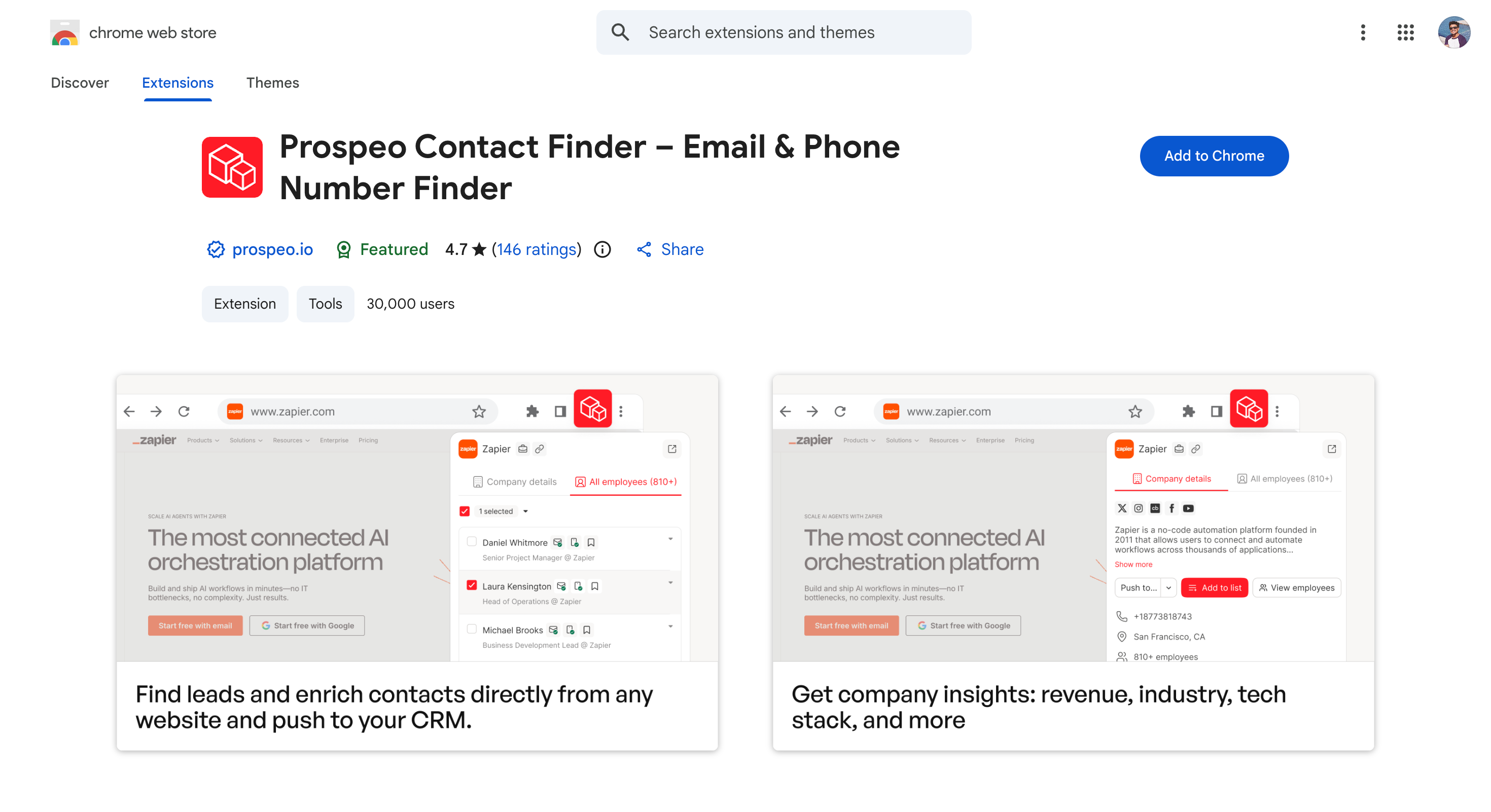
Prospeo.io is an email finder built around verification accuracy rather than database size.
The platform pairs LinkedIn email finding with a 5-step real-time verification process. It catches catch-all domains, spam traps, and honeypot addresses before they get returned.
Prospeo.io covers 300M+ professional profiles refreshed every seven days. That's a meaningful contrast to competitors with six-week refresh cycles.
Outdated email data is a hidden tax on outbound campaigns. The faster refresh keeps bounce risk lower for ongoing prospecting.
The free plan offers 75 verified emails per month without a credit card. Paid plans run on a no-contract, credit-based model at roughly one cent per verified email.
Key features
LinkedIn email finder with bulk LinkedIn profile URL processing and Sales Navigator export
Proprietary 5-step real-time verification process with catch-all recovery and other advanced features for superior accuracy
API access for integration with CRMs, automation tools, and custom workflows
Displays verification status for each email to indicate validity and deliverability
Extracts other data such as phone numbers, job titles, and company names alongside emails
300M+ professional profiles refreshed on a 7-day cycle
125M+ verified mobile phone numbers alongside emails
Pay-as-you-go pricing with no per-seat fees
Pricing
Free plan: 75 verified emails/mo, no credit card required
Pay-as-you-go: roughly $0.01 per verified email
No-contract subscriptions that scale with monthly usage
Pros
98% verification accuracy backed by a 5-step verification process
7-day data refresh cycle keeps bounce rates lower than competitors with stale data
Advanced features such as sophisticated data mining, pattern matching, and real-time analysis for professional email discovery
Seamless integration via API access for connecting with CRMs and automating workflows
No seats, no contracts, no annual lock-ins
Free plan is generous enough to spot-check the tool before paying
Cons
Smaller brand recognition than Apollo, Hunter, or Lusha
No native CRM sync or sequencing tools, just a data and verification layer
Pay-as-you-go can run expensive at high volumes versus flat-rate plans
5. Leadsforge: Best for AI-Driven Conversational Lead Search
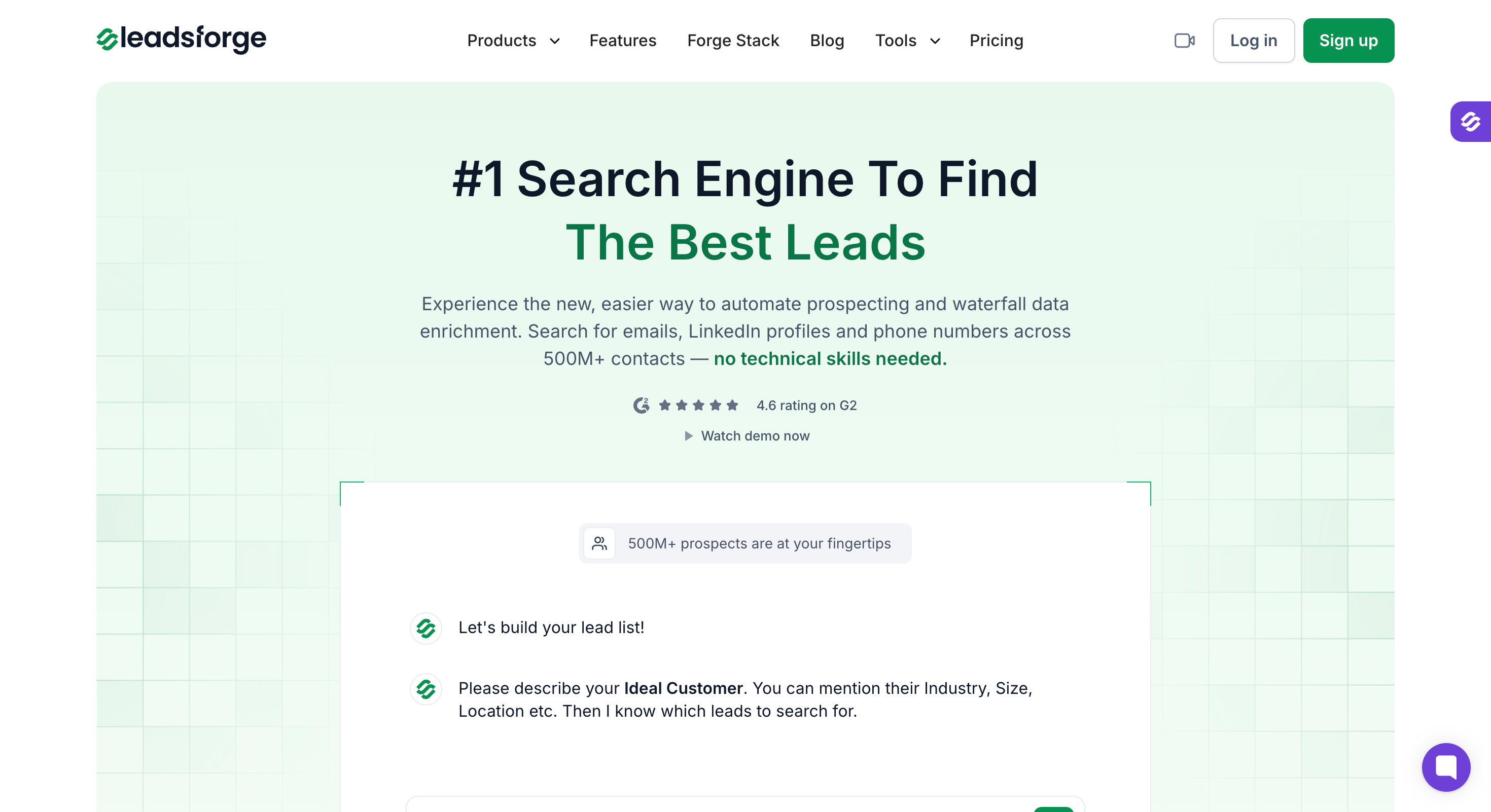
Leadsforge is an AI-powered lead search engine that flips the standard LinkedIn email finder workflow.
Instead of starting with a LinkedIn profile URL, users describe an ideal customer profile in plain language.
Leadsforge returns a list of verified contacts with LinkedIn profiles, business emails, and phone numbers already attached.
The conversational interface works like a chat. A prompt like "marketing managers at Series B SaaS companies" produces a targeted lead list in minutes. Each entry comes pre-enriched with the verified data needed to launch outreach.
Leadsforge is built for sales teams that want to skip the manual filtering inside LinkedIn Sales Navigator. The 500M+ contact database covers every major industry, and credits roll over month to month without expiry.
The platform integrates natively with HubSpot, Salesforce, Folk, Breakcold, and Attio. There's also a one-click handoff to Salesforge for sequence launch.
New signups get 100 free credits to test the workflow before committing.
Key features
Conversational chat interface for natural-language ICP queries
500M+ verified B2B contact database with email, phone, and LinkedIn profile data
Real-time data enrichment and verification on every export
Native CRM integrations with HubSpot, Salesforce, Folk, Breakcold, and Attio
One-click sync to Salesforge sequences for outreach launch
Pricing
Free credits: 100 on signup, never expire
Essential plan: $49/mo for 2,000 export credits
Higher tiers available for larger prospecting volumes
Credits roll over month to month with no expiry
API access available on higher-tier plans for integration and automation
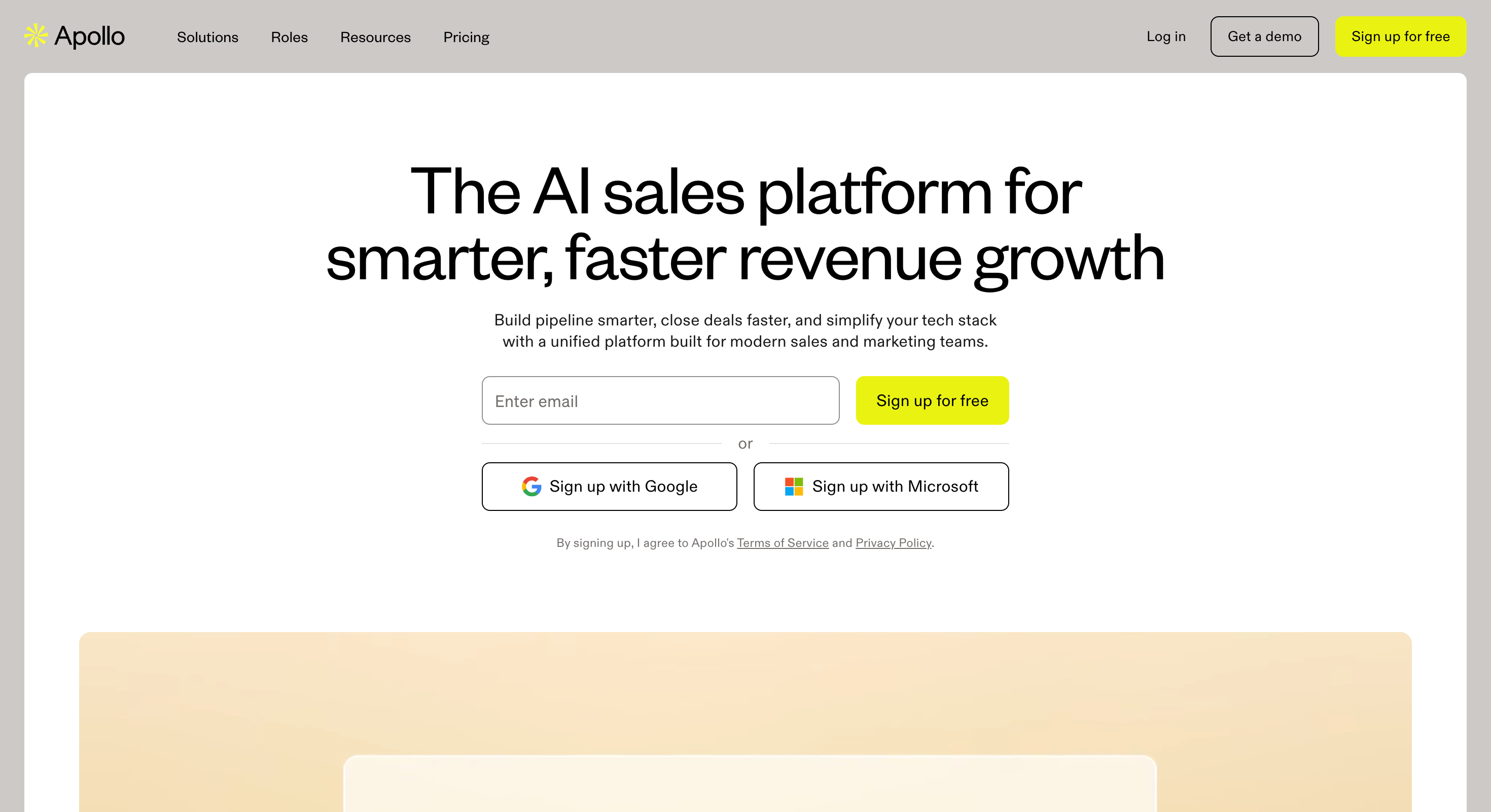
Apollo.io is an all-in-one sales intelligence platform built around a 275M+ contact database.
The platform pairs that data with built-in email sequences and a LinkedIn Chrome extension.
Most LinkedIn email finder tools handle one job. Apollo handles three: data, finding, and sending.
The Chrome extension surfaces verified emails and phone numbers directly on a LinkedIn profile or Sales Navigator search result. From there, prospects can be added to existing sequences in a single click, without leaving LinkedIn.
Apollo is built for sales teams that want one platform, not three stitched together. The unified workflow saves real time, especially for SDRs who run high-volume outbound.
Key features
275M+ contact database with email, phone, and LinkedIn data
Chrome extension that reveals verified emails on LinkedIn profiles and Sales Navigator search results
Built-in email sequences with multichannel outreach across email, phone, and LinkedIn
Real-time email verification before exports
Native CRM integrations with Salesforce, HubSpot, and Pipedrive
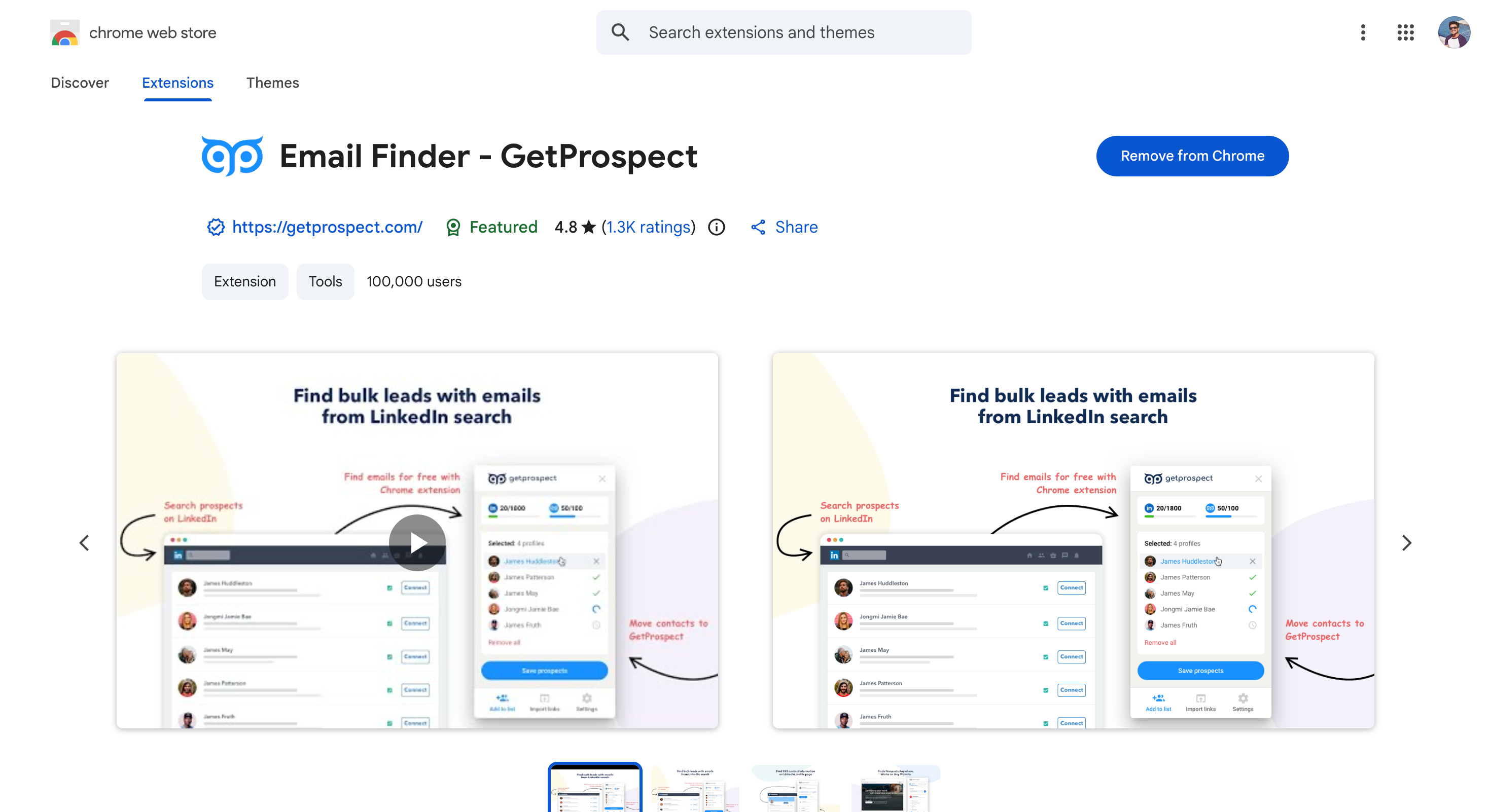
GetProspect is a LinkedIn email finder built around a single pricing principle: only charge for valid emails. If the tool returns an invalid email or finds nothing, no credit gets consumed.
That's a meaningful contrast to most competitors. Apollo, Skrapp, and Hunter charge credits regardless of whether the returned email is deliverable. GetProspect doesn't.
The Chrome extension works on LinkedIn profiles and Sales Navigator search results. Each lookup returns a verified business email with 95% claimed accuracy.
The free plan offers 50 valid emails per month plus 100 verifications, no credit card required.
GetProspect also includes a separate verification feature for cleaning imported CSV lists. Native CRM integrations cover HubSpot, Salesforce, Pipedrive, and Zoho. A Google Sheets add-on handles in-spreadsheet enrichment.
Key features
Chrome extension that finds verified business emails on LinkedIn profiles and Sales Navigator search results
Valid-only billing model: credits spent only when a verified email is returned
200M+ professional contact database with advanced filters
Advanced features such as real-time verification, pattern matching, and enhanced data mining
API access for integration with CRMs, automation tools, and custom workflows
Displays verification status for each email (valid, risky, or invalid) to ensure deliverability
Extracts other data such as job titles, company names, and phone numbers alongside emails
Standalone email verification for cleaning imported lists (separate credit pool)
Native integrations with HubSpot, Salesforce, Pipedrive, Zoho, and Google Sheets
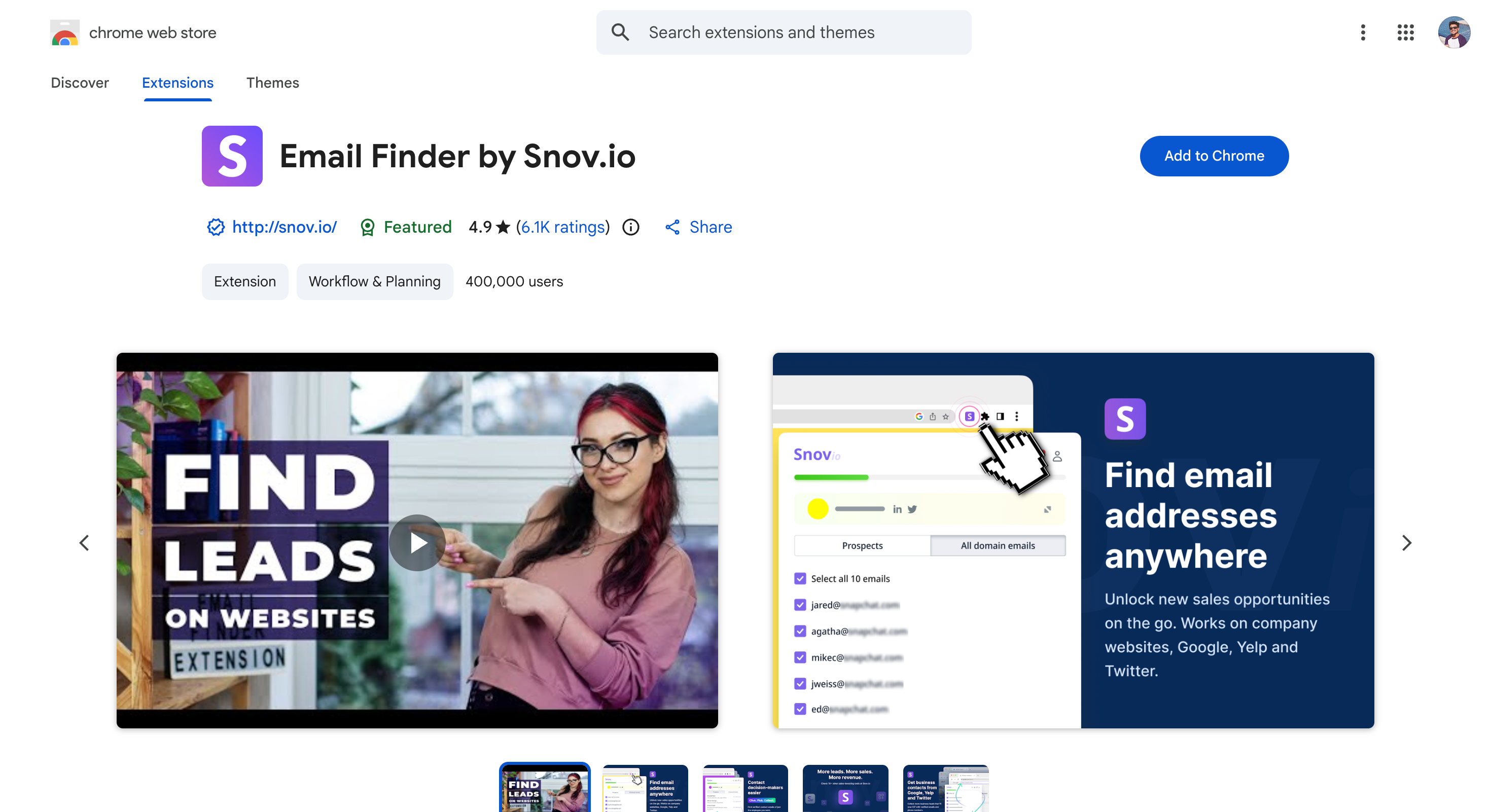
Snov.io is a multichannel outreach platform that pairs LinkedIn email finding with built-in email sequences, warm-up, and a free CRM.
Most LinkedIn email finder tools stop at the finding step. Snov goes further into sending and tracking.
The Chrome extension finds verified business emails directly on LinkedIn profiles and Sales Navigator search results. Bulk email finder mode lets users upload a list of names and company domains for batch processing.
Each returned email runs through Snov's 7-tier verification system before getting added to a contact list.
The free Trial plan renews every 30 days with 50 credits and 100 recipients. That gives solo SDRs enough volume to test the full workflow before paying.
Paid plans start at $39/mo for the Starter tier. LinkedIn automation runs as a separate add-on at roughly $62 to $69/mo per connected LinkedIn account.
Key features
Chrome extension that finds verified business emails on LinkedIn profiles and Sales Navigator
Bulk email finder for batch processing of names and company domains
7-tier email verification system included with every lookup (advanced features)
Built-in drip campaigns with email sequences and unlimited follow-ups (advanced features)
API access for integration with CRMs, automation tools, and custom workflows
Displays verification status for each email found, indicating validity and deliverability
Extracts other data such as job titles, company names, and phone numbers alongside emails
Free Sales CRM and Boolean search query generator across all plans
Pricing
Free Trial plan: 50 credits + 100 recipients/mo, renews every 30 days, no credit card required
Lusha is a B2B contact intelligence platform built around compliance.
The tool is SOC 2 certified, GDPR-aligned, and ISO 27701 audited. These credentials matter for sales teams operating in regulated industries or selling into the EU.
The Chrome extension works as a LinkedIn email finder that reveals verified emails and direct phone numbers in one click. Each lookup pulls from a 200M+ verified contact database with built-in data privacy controls.
Sales teams can also auto-enrich existing CRM records and receive job change alerts when contacts move companies.
The free plan offers 50 emails and 5 phone numbers per month with no credit card required. Paid plans start at $39/user/mo on annual billing and scale up to enterprise-tier features.
Key features
Chrome extension that reveals verified emails and direct phone numbers on LinkedIn profiles
SOC 2, GDPR, CCPA, and ISO 27701 compliance certifications built into the platform
200M+ verified contact database with documented consent trails
Auto-enrichment for CRM records including Salesforce, HubSpot, and Pipedrive
Job change alerts and intent data signals for outbound timing
Wiza is a LinkedIn email finder built specifically for Sales Navigator workflows.
The tool pulls verified emails and phone numbers from any Sales Navigator search in real time. The export comes back as a clean list ready for outreach.
The standout feature is the search-to-list pipeline. Users run a Sales Navigator search, hit Wiza's "find emails" button, and get a fully enriched CSV within minutes. No manual profile-by-profile clicks.
Real-time verification runs on every email before export. This means the list that lands in a CRM or sequencer is already cleaned for deliverability. No separate verification pass needed.
The free plan offers 20 emails and 5 phone numbers per month with no credit card required. Paid plans start at $49/mo on monthly billing or scale into unlimited tiers at $166/mo annually.
Key features
Chrome extension that pulls real-time email and phone data from any Sales Navigator search
Bulk CSV export with full enrichment (name, email, phone, company, title)
850M+ contact database with built-in AI Research feature
Native CRM integrations including Salesforce, HubSpot, and Outreach
Free plan with 20 emails and 5 phones per month, no credit card required
LeadLeaper is a free LinkedIn email finder Chrome extension that handles bulk extraction from LinkedIn search results in a single click.
The free plan offers 100 monthly email credits with unlimited export. That's generous enough for most solo SDR workflows.
The extension works on every LinkedIn tier: free accounts, LinkedIn Premium, Sales Navigator, and LinkedIn Recruiter. It also detects when previously captured contacts switch employers and generates new email addresses for the new company. Duplicate detection prevents the same contact from getting counted twice.
The free tier is permanent, not a trial. Paid plans start at $39/mo for 3,000 email credits plus a built-in sales CRM and email sequences.
Key features
Free Chrome extension that extracts emails from LinkedIn profiles and full search result pages
Bulk capture across multiple pages of LinkedIn search results in one click
Works on every LinkedIn account tier: free, Premium, Sales Navigator, and Recruiter
Auto-generates new emails when previously captured contacts switch employers
Built-in sales CRM and email sequences on paid plans
SalesQL is a LinkedIn email finder built around a single Chrome extension.
The tool pulls verified emails and phone numbers from any LinkedIn profile in one click. It covers business emails, personal emails, and mobile numbers from a 700M+ professional database.
The Chrome extension works across every LinkedIn product. The same sidebar appears on basic LinkedIn, Sales Navigator, LinkedIn Recruiter, and Recruiter RPS.
One credit covers both email and phone for the same contact, which is genuinely rare. Most competitors charge separate credits for each data type.
SalesQL is built for individual SDRs, account managers, and recruiters who want fast, affordable LinkedIn contact data. The 4.9 rating on the Chrome Web Store reflects how the tool feels in daily use across 150,000+ active users.
The free plan offers 50 credits per month with no credit card required. Paid plans start at $39/mo for 100 credits and scale to $179/mo for 1,200 credits.
Key features
Chrome extension that reveals verified emails, personal emails, and phone numbers from LinkedIn profiles
Works across basic LinkedIn, Sales Navigator, LinkedIn Recruiter, and Recruiter RPS
700M+ professional contact database with 40+ data points per contact
One credit covers both email and phone reveal for the same contact
Native integrations with HubSpot, Salesforce, Outlook, Gmail, and Zapier
Pricing
Free plan: 50 credits/mo, no credit card required
Starter: $39/mo for 100 credits
Advanced: $79/mo for 300 credits
Pro and Ultimate: $119 to $179/mo for 600 to 1,200 credits (API access available starting from the Pro plan)
Pros
One credit covers both email and phone, making per-contact cost lower than most competitors
Works on every LinkedIn product including the lower-cost Recruiter RPS tier
4.9 rating on the Chrome Web Store with 150,000+ users across 189 countries
Annual billing discount of 25% available on all paid tiers
Cons
Free plan at 50 credits/mo is smaller than LeadLeaper (100) and Skrapp (100)
Credits get consumed even when no result is returned, unlike GetProspect
Phone number accuracy varies significantly by region (60-70% US, 40-55% international)
The Bottom Line
Picking a LinkedIn email finder isn't about chasing the highest accuracy claim.
It's about matching the tool to the workflow already in place.
For solo SDRs running occasional prospecting, a free Chrome extension covers most needs. The Salesforge Chrome Extension is the clearest starting point with no monthly cap and no credit card required.
For teams building bigger outbound motions, Leadsforge handles ICP search and verified data discovery. The same workflow powers Salesforge sending. Two tools, one stack, one bill.
The fastest way is a LinkedIn email finder Chrome extension like Salesforge, Skrapp.io, or LeadLeaper. Each reveals a verified business email on any LinkedIn profile in one click. Manual methods like Google search operators work but are time consuming at scale.
2) Is There a Free LinkedIn Email Finder?
Yes. The Salesforge Chrome Extension is free with no monthly cap. LeadLeaper offers 100 free emails per month, and Apollo provides 10,000 under fair-use rules.
3) What Is the Best LinkedIn Email Finder?
The best LinkedIn email finder depends on the workflow. The Salesforge Chrome Extension wins for free, unlimited lookups. Wiza leads on Sales Navigator workflows, ContactOut on personal emails, and Prospeo.io on high-accuracy verification.
4) Is It Legal to Find Emails From LinkedIn Profiles?
Generally yes, under legitimate business purposes rules in GDPR and CAN-SPAM. The line gets crossed when contact data is sold without consent or used for harassment. Tools like Lusha with SOC 2 and GDPR certifications simplify the audit trail.
5) Does LinkedIn Show Email Addresses?
Not by default. LinkedIn hides email addresses to protect user privacy, with one exception: first-degree connections who opt to share contact details. That's why LinkedIn email finder tools exist as a separate category.
Book more meetings on autopilot
Set up in minutes. No per-seat pricing. No commitment.
Discover the best sales acceleration softwares of 2026. Compare features, pricing, pros, cons, and find the right tool to grow your sales pipeline faster.




.jpg)