Table of contents
Get insights delivered straight into your inbox every week!
Summarize with

30+ Walead Reviews Analyzed: Does It Actually Help You Run Accounts Safely?

If you’re searching for WaLead reviews, you’re likely asking one simple question.

Is it actually safe to use for LinkedIn?

I had the same doubt.

LinkedIn accounts are hard to build.

Losing one can stop your pipeline.

So I went through 30+ WaLead reviews and tested how it works in real workflows.

I focused on what actually matters:

  • Does it protect your account
  • Can it scale outreach
  • Where it breaks

In this review, I’ll show you what I found.
TL;DR - WaLead Review

  • WaLead is a LinkedIn outreach tool that lets you run campaigns using multiple accounts from one place.
  • It includes features like proxies, account rotation, and a shared inbox to help manage outreach at scale.
  • The tool uses AI to write messages by analyzing profiles and websites before sending.
  • Users say the platform is easy to use and offers strong value for the price.
  • Some users mention a learning curve in the beginning due to the number of features.
  • A few users report slow lead processing and limited flexibility in some workflows.
  • Users report getting meetings and results when campaigns are set up properly.

What is WaLead?

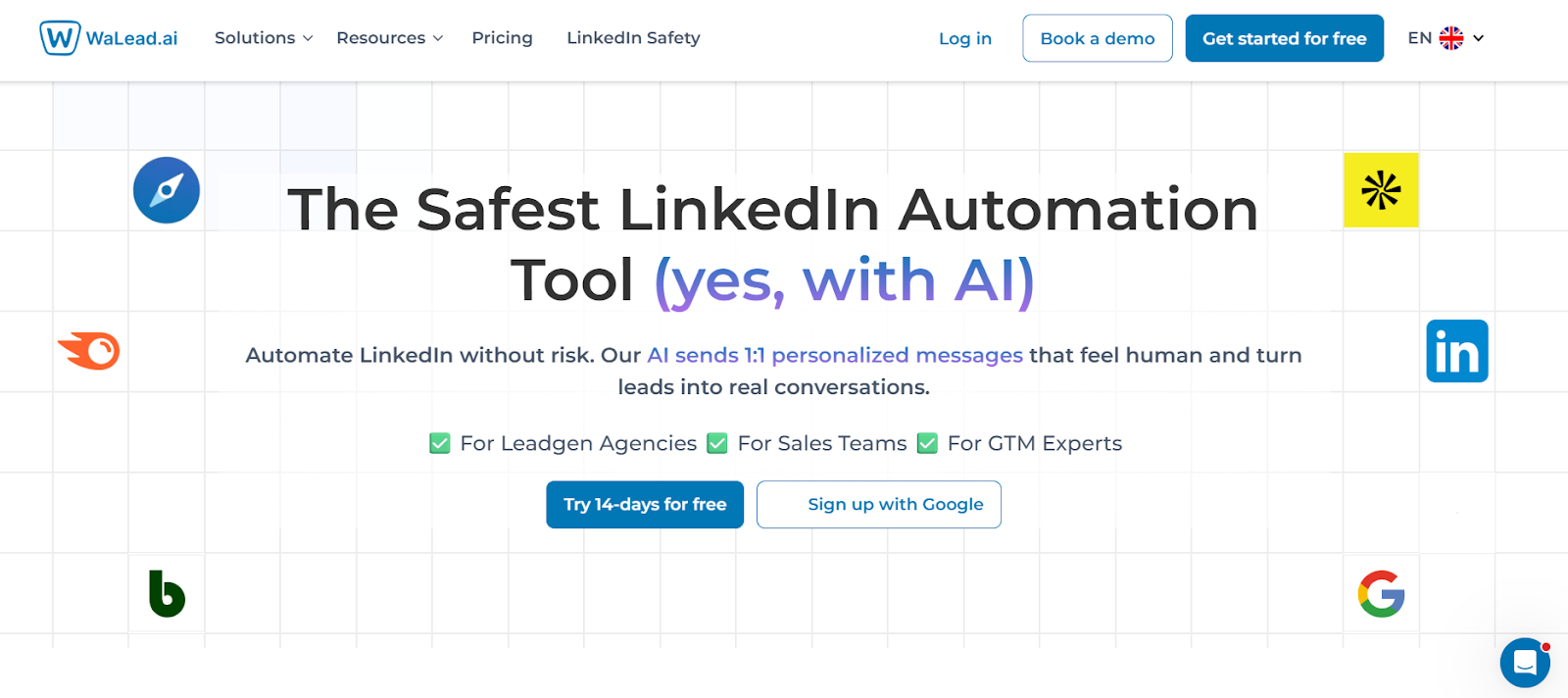
WaLead homepage
This image shows the WaLead homepage

WaLead is a LinkedIn outreach tool that helps automate prospecting and messaging.

It is used to send connection requests, follow-ups, and manage conversations at scale.

The platform works using AI and LinkedIn automation features.

Users can connect multiple LinkedIn accounts and run campaigns from one place.

It includes features like message personalization, account rotation, and a shared inbox.

Leads can be imported from LinkedIn, Sales Navigator, or CSV files.

Overall, WaLead is mainly used to automate LinkedIn outreach and manage campaigns more easily. 

How WaLead Works?

WaLead follows a simple flow.

You import leads, set a campaign, and it handles outreach.

Here’s how the process works:
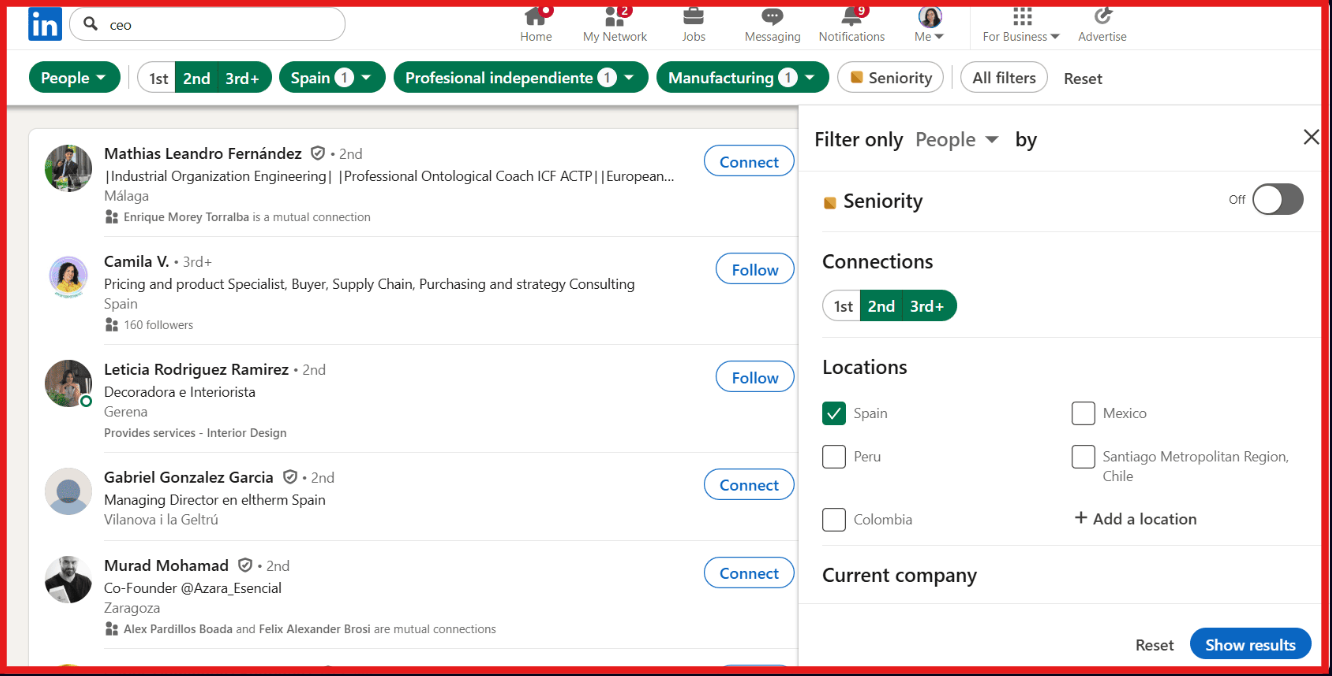
  • You start by importing leads using a LinkedIn search link, Sales Navigator link, or a CSV file.
Using WaLead for LinkedIn Scraping
This image shows the Using WaLead for LinkedIn Scraping
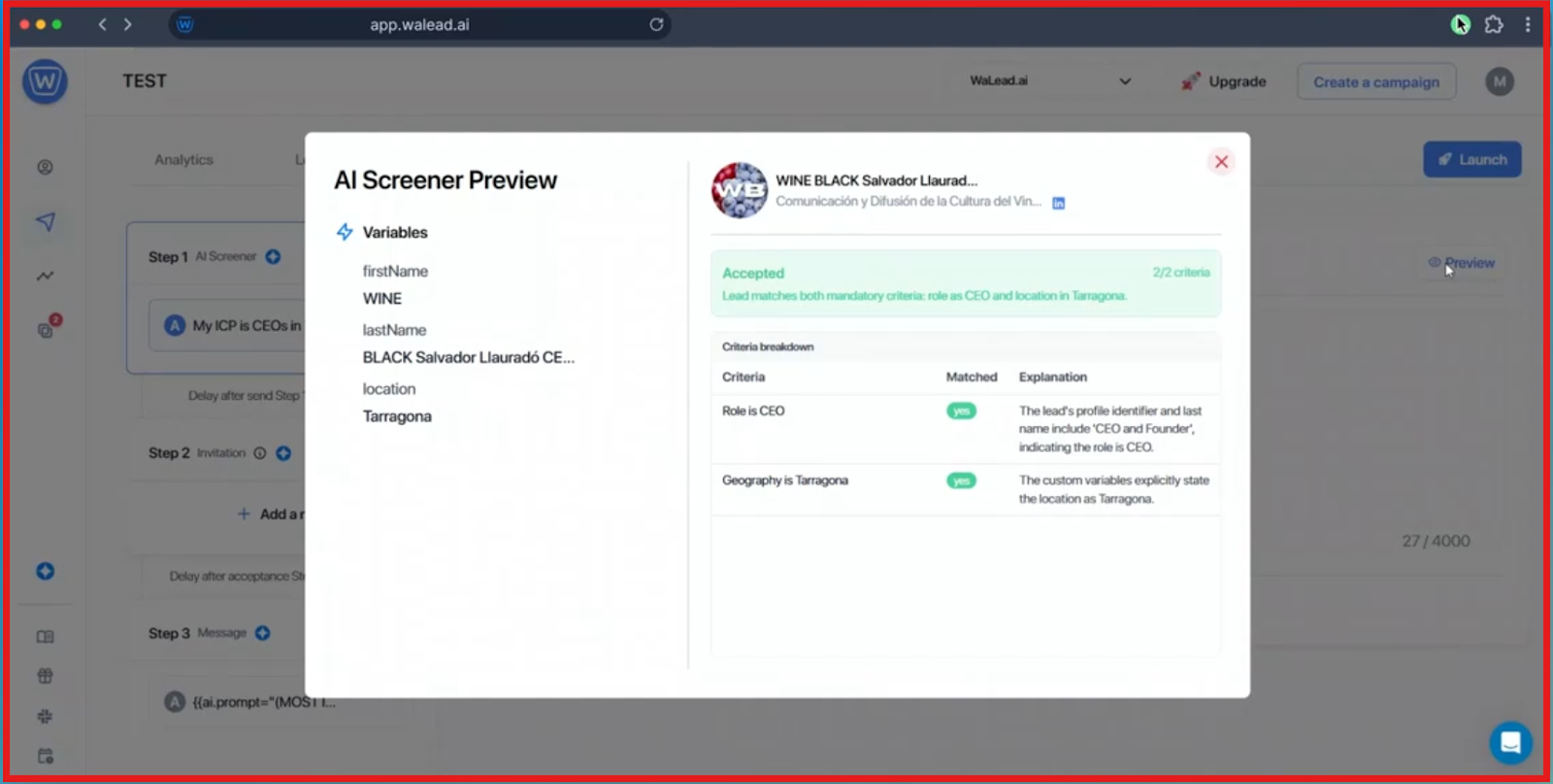
  • The AI Screener filters your list and removes people who do not match your ideal customer profile.
WaLead AI Screener preview
This image shows the WaLead AI Screener preview
  • You create a message prompt, and the AI generates personalized messages for each lead.
  • The platform connects multiple LinkedIn accounts and rotates them automatically to send outreach.
  • Each account uses a residential proxy to help reduce risk during automation.
  • You can track campaign performance and use A/B testing to improve results over time.

This is how WaLead runs outreach from lead import to reply handling in one system.

Top Features of WaLead

WaLead focuses on automating LinkedIn outreach while keeping workflows simple.

These features help manage campaigns, messaging, and accounts in one place.
Feature What it does
Lead Import You can import leads using LinkedIn search links, Sales Navigator, or CSV files.
AI Screener It filters your lead list and removes people who do not match your ideal customer.
AI Personalization It creates personalized messages by analyzing profiles, websites, and public data.
Multi-Account Support You can connect multiple LinkedIn accounts and run campaigns from one place.
Account Rotation It rotates accounts automatically to send outreach at scale.
Proxies It provides residential proxies for each account to help reduce risk.
Unified Inbox You can manage all conversations in one shared inbox.
AI Reply Assistant It suggests replies and helps continue conversations.
A/B Testing You can test different messages to improve campaign results.
Analytics It tracks campaign performance and sender activity.

Walead Pricing

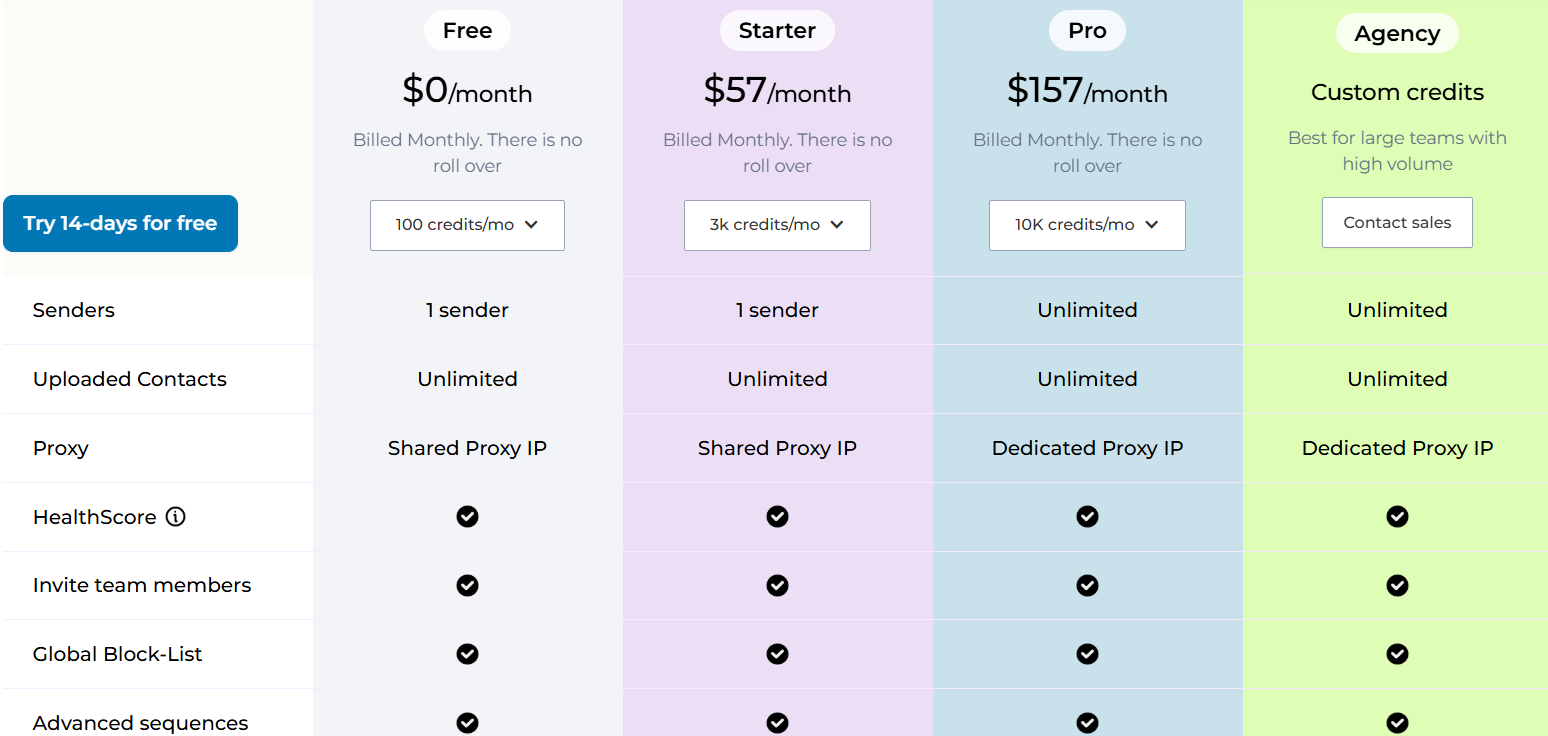
WaLead pricing
This image shows the WaLead pricing

Walead uses a credit-based pricing model.

You pay based on how many actions you perform each month.

Here’s how the plans are structured:

  • Free – $0/month, includes basic features to get started, limited usage, and shared proxy access.
  • Starter – $57/month, includes 1 sender, unlimited contacts import, shared proxy, and core AI features for outreach.
  • Pro – $157/month, includes unlimited senders, dedicated proxy, advanced AI features, and better scaling for teams.
  • Agency – Custom pricing, includes advanced features like API, webhooks, white-label, and support for large teams. 

Top Pros and Cons of WaLead

Pros of WaLead Cons
  • Allows multiple LinkedIn accounts with sender rotation for scaling outreach
  • AI-powered personalization generates messages using profile and web data
  • Includes a unified inbox (Unibox) to manage conversations across accounts
  • Provides dedicated or shared proxies to help keep accounts safe
  • Supports lead import from LinkedIn, Sales Navigator, CSV, and other sources
  • Uses a credit-based system, so usage depends on available credits
  • Advanced features like API, webhooks, and whitelabel are limited to higher plans
  • Focused only on LinkedIn, no email or multi-channel outreach support
  • No built-in lead database, users must import their own leads

User Reviews About WaLead

There are only a few WaLead reviews available on G2, but they highlight some clear patterns.

Users say the platform is easy to use.

It helps save time with AI features.

WaLead G2 review about ease of use
This image shows the WaLead G2 review about ease of use

Some users report strong results.

One user mentioned getting 20+ meetings per month.

Users also like that it works safely on LinkedIn.

It does not require Sales Navigator.

Many users highlight good value for money. 

However, some users mention a learning curve at the start.

WaLead G2 review about learning curve
This image shows the WaLead G2 review about learning curve

A few users also say lead processing can take time. 

Is WaLead the Right Choice for You?

WaLead works when LinkedIn is your main channel. 

It is built for automating outreach and managing replies in one place.

If you want to scale using multiple LinkedIn accounts, it fits well.

You can run campaigns and manage conversations from one inbox.

If your focus is on saving time on personalization, its AI helps. 

You can send messages without doing manual research.

But it is limited to LinkedIn.

It does not cover email or full multi-channel outreach.

You also need to bring your own leads.

There is no built-in lead database inside the tool.

If your goal is simple LinkedIn automation, WaLead is a solid option.

If you want more control across channels, Salesforge works better.

You can run email and LinkedIn together. 

A Better Alternative to WaLead for Scaling Outreach: Salesforge

WaLead works well when the goal is LinkedIn automation.

It helps manage outreach and replies on one channel.

But when the goal is to scale outreach across channels, Salesforge is more flexible.
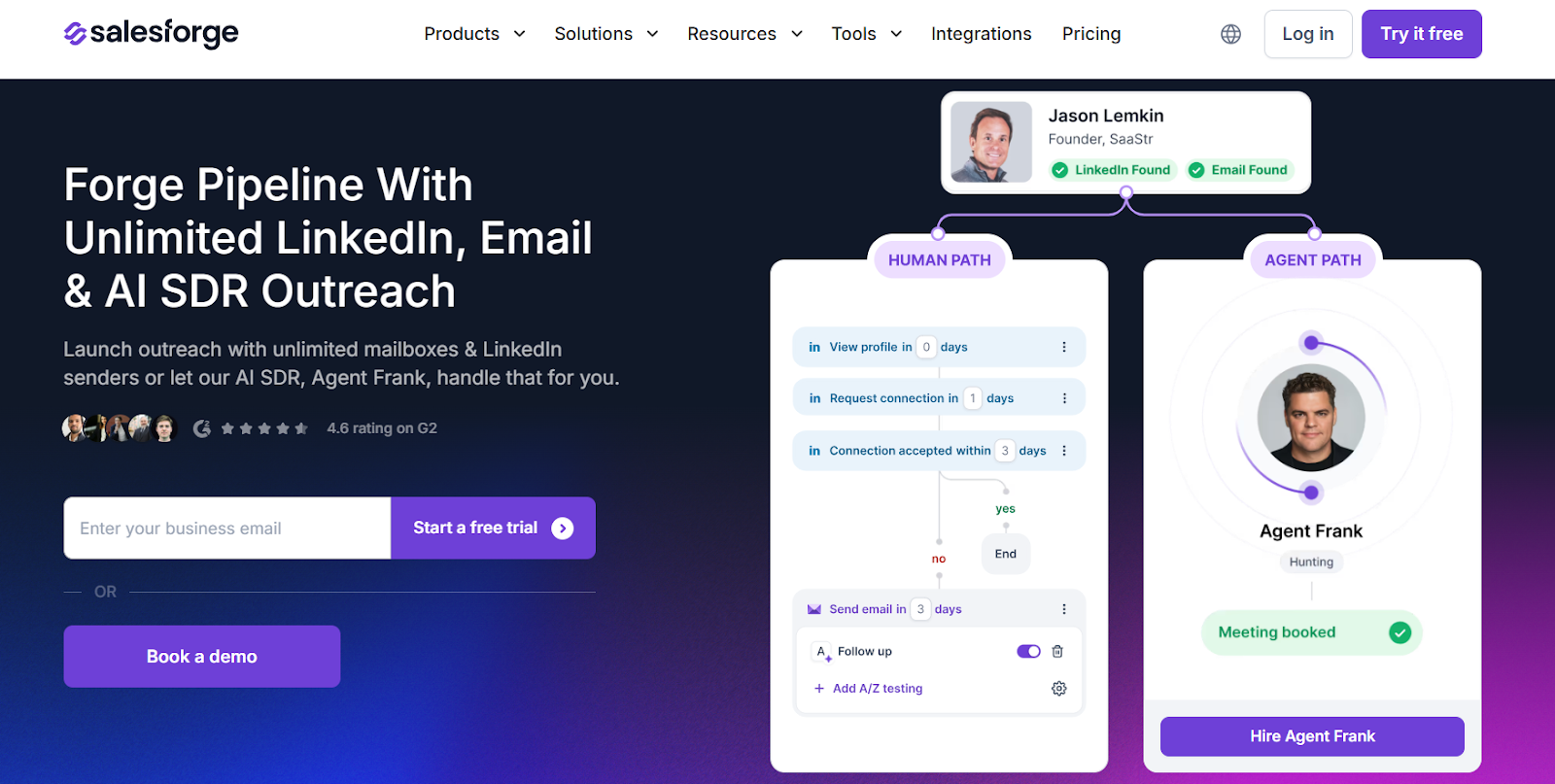
Salesforge homepage
This image shows the Salesforge homepage

It supports both email and LinkedIn in one system.

Salesforge lets you run multi-channel campaigns from one dashboard.

You can send emails and LinkedIn messages together in one sequence.
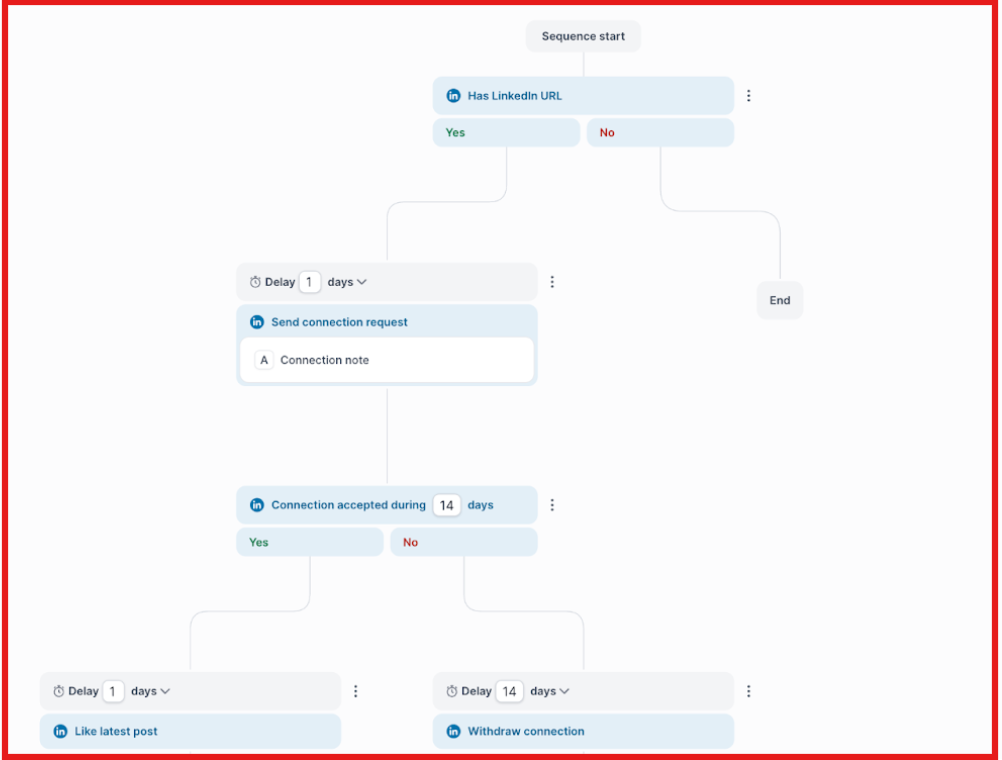
Multichannel sequences on Salesforge
This image shows the Multichannel sequences on Salesforge

It also supports unlimited mailboxes and LinkedIn senders.

This makes it easier to scale without hitting limits.

All replies are managed inside Primebox™.
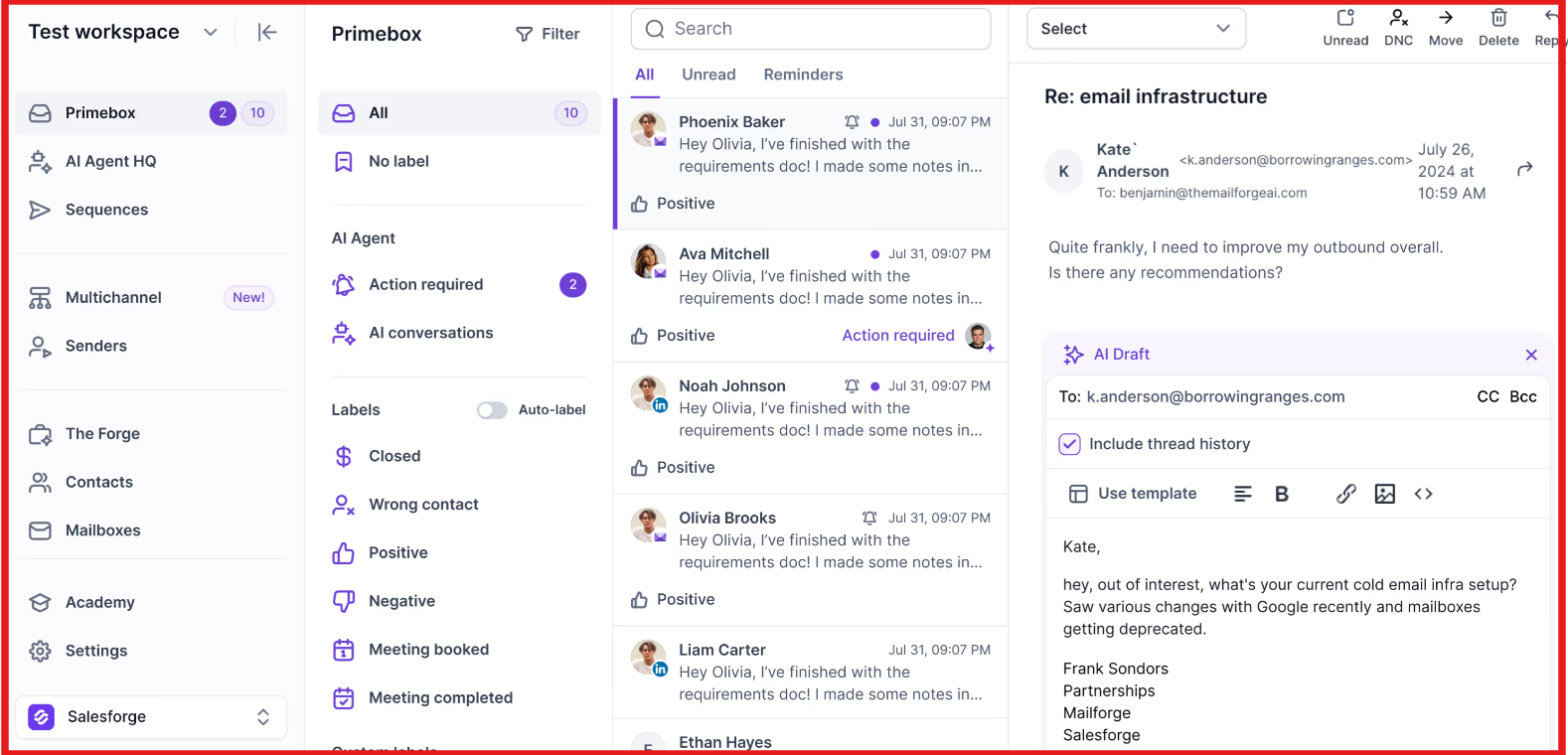
Primebox by Salesforge
This image shows the Primebox by Salesforge

You can handle conversations from email and LinkedIn in one place.

Salesforge also includes Warmforge for deliverability.

This helps keep emails out of spam with continuous warm-up.

WaLead vs Salesforge: Quick Comparison

Feature WaLead Salesforge
Core use case LinkedIn automation Multi-channel outreach
Channels supported LinkedIn only Email + LinkedIn
Scaling Limited by LinkedIn accounts Unlimited mailboxes & senders
Lead management Import required Works with Leadsforge
Reply handling LinkedIn inbox Unified inbox (Primebox™)
Deliverability Not email-focused Built-in warm-up (Warmforge)
AI automation Message generation Full AI SDR (Agent Frank)

If the goal is simple LinkedIn outreach, WaLead works well.

But if the goal is to scale outreach across channels and manage everything in one place, Salesforge is a better fit.

Personalized Outbound Strategy

Get The Right Outbound Strategy In Minutes

Enter your email to get a custom plan & stack recommendation for your business

It's being carefully crafted by AI

Please check your mailbox in 5 minutes

Is WaLead Worth It?

WaLead is worth it if your focus is only LinkedIn outreach.

It helps automate messages and manage conversations in one place.

From what I’ve seen, it works best for small teams or individuals.

You can save time and stay active on LinkedIn without manual work.

But it has limits.

It does not support email or full multi-channel outreach.

You also need to bring your own leads.

If your goal is simple LinkedIn automation, WaLead is a good option.

If you want to scale outreach across channels, it falls short.

That is where Salesforge fits better.

I use Salesforge when I want to run email and LinkedIn together.

It gives more control with unlimited senders and built-in deliverability.

Try multi-channel outreach with Salesforge and see how it fits your workflow.