SmartReach is used by sales teams, recruiters, and agencies to send cold emails and automate outreach, but people still ask if it actually performs as promised.
So we tried it ourselves and studied real user feedback, from marketers who loved its easy setup and CRM sync, to teams annoyed by inbox confusion, missing warm-up features, and an AI assistant that sometimes misunderstands questions.
In this guide, we reveal the 7 SmartReach alternatives worth looking at in 2026.
By the end, you’ll know what SmartReach really offers, where it falls short, and which tool might fit your outreach goals better.
Let’s jump in!
TL;DR
SmartReach is easy to start with, but many teams hit limits with warm-up, inbox clarity, and automation.
Salesforge is best if you want better deliverability, unlimited sending, and clean reply management.
Lemlist works well if you like visual steps and daily outreach tasks.
Apollo is useful when finding leads matters more than sending emails.
Reply.io is better if you want email, LinkedIn, and calls in one workflow.
Instantly and Saleshandy are good choices for sending a very high number of emails fast.
Mailshake is the easiest option if you want simple cold email without complexity.
What Makes a Good SmartReach Alternative?
When you’re comparing tools, here’s what truly matters:
It should be easy to set up, so you can start sending campaigns quickly.
It needs strong email deliverability, because landing in spam helps no one.
It should offer more than just email, like LinkedIn or calls, so you can reach prospects in different ways.
Clear inbox tracking is a must, so you always know who opened, clicked, or replied.
Built-in email warm-up helps, because it protects your domain and boosts sending results.
CRM integrations make life simpler, letting all your data stay in one place.
Automation should save time, not add extra work.
The interface should feel simple, especially for first-time users.
And of course, pricing should feel fair, based on what you actually get.
Top 7 SmartReach Alternatives
Feature / Tool
SmartReach
Salesforge
Lemlist
Apollo
Reply.io
Instantly
Saleshandy
Mailshake
Email Outreach
✅
✅
✅
✅
✅
✅
✅
✅
LinkedIn Automation
❌
✅
✅
❌
✅
❌
❌
❌
Calling / SMS
❌
❌
❌
✅
✅
❌
❌
✅
Multichannel Sequences
❌
✅
✅
❌
✅
❌
❌
❌
Built-in Email Warm-up
❌
✅
✅
❌
✅
✅
✅
✅
Unlimited Mailboxes
✅
✅
❌
❌
✅
✅
✅
❌
Sender Rotation
✅
✅
❌
❌
❌
✅
✅
❌
Unified Reply Inbox
❌
✅
✅
✅
❌
✅
✅
✅
Deliverability Monitoring
❌
✅
✅
❌
✅
✅
✅
✅
AI Email Copy
❌
✅
✅
✅
✅
❌
✅
✅
AI Reply Handling
❌
✅
❌
❌
❌
❌
❌
❌
AI SDR Automation
❌
✅
❌
❌
✅
❌
❌
❌
Built-in Lead Database
❌
❌
✅
✅
❌
❌
❌
❌
CRM Integrations
✅
❌
❌
✅
✅
❌
❌
✅
Unlimited Email Sending
❌
✅
❌
❌
❌
✅
❌
❌
Agency / Multi-client Support
❌
✅
❌
❌
✅
✅
✅
❌
1. Salesforge – Deliverability-Focused Outreach with Unlimited Scale
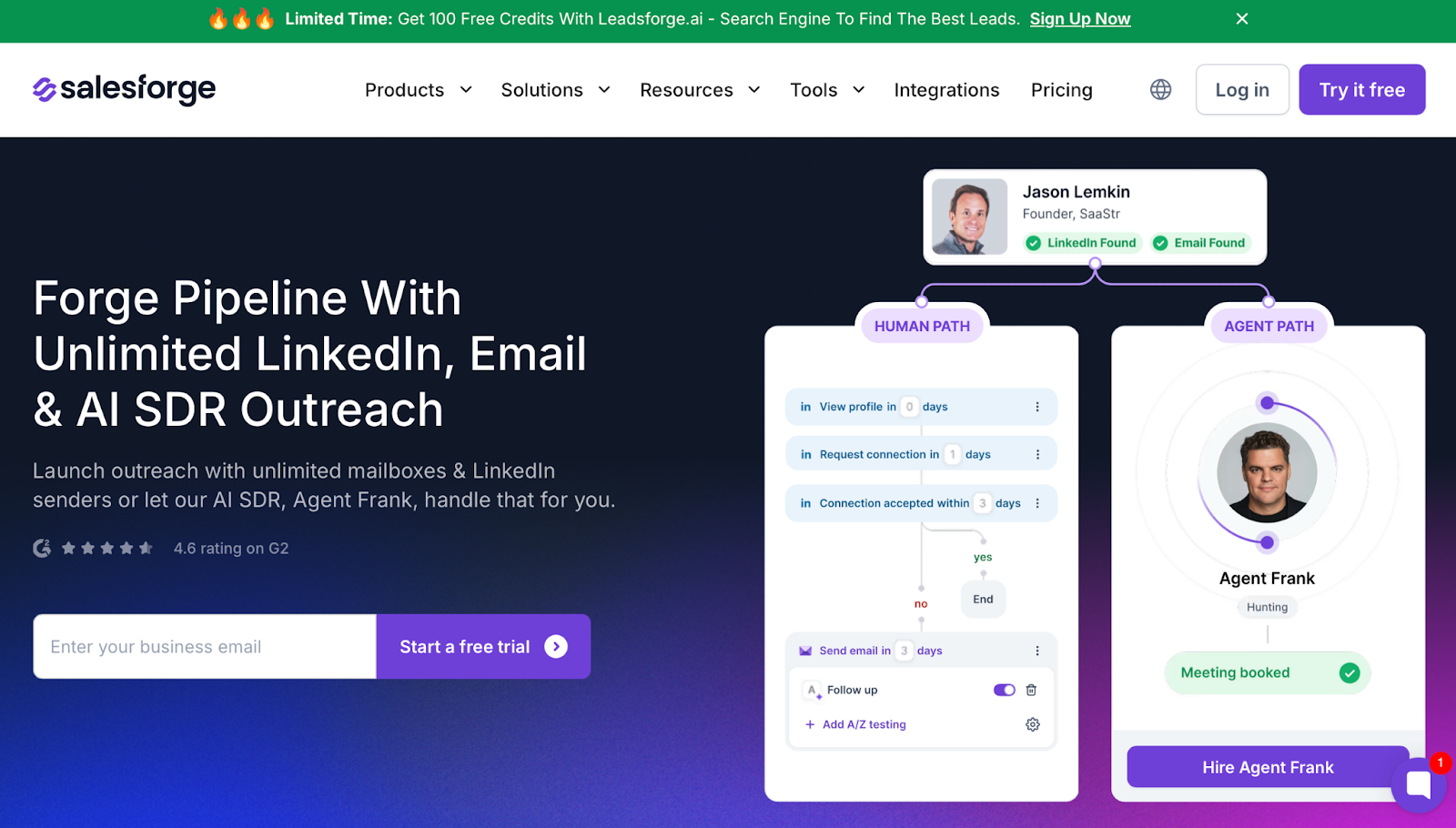
This image shows the Salesforge Homepage
Salesforge is an outreach platform built for teams who want stronger deliverability, unlimited sending capacity, and AI-supported execution.
Unlike SmartReach, which gives unlimited mailboxes but still requires manual inbox sorting and external warm-up tracking, Salesforge manages both sending power and deliverability in one ecosystem.
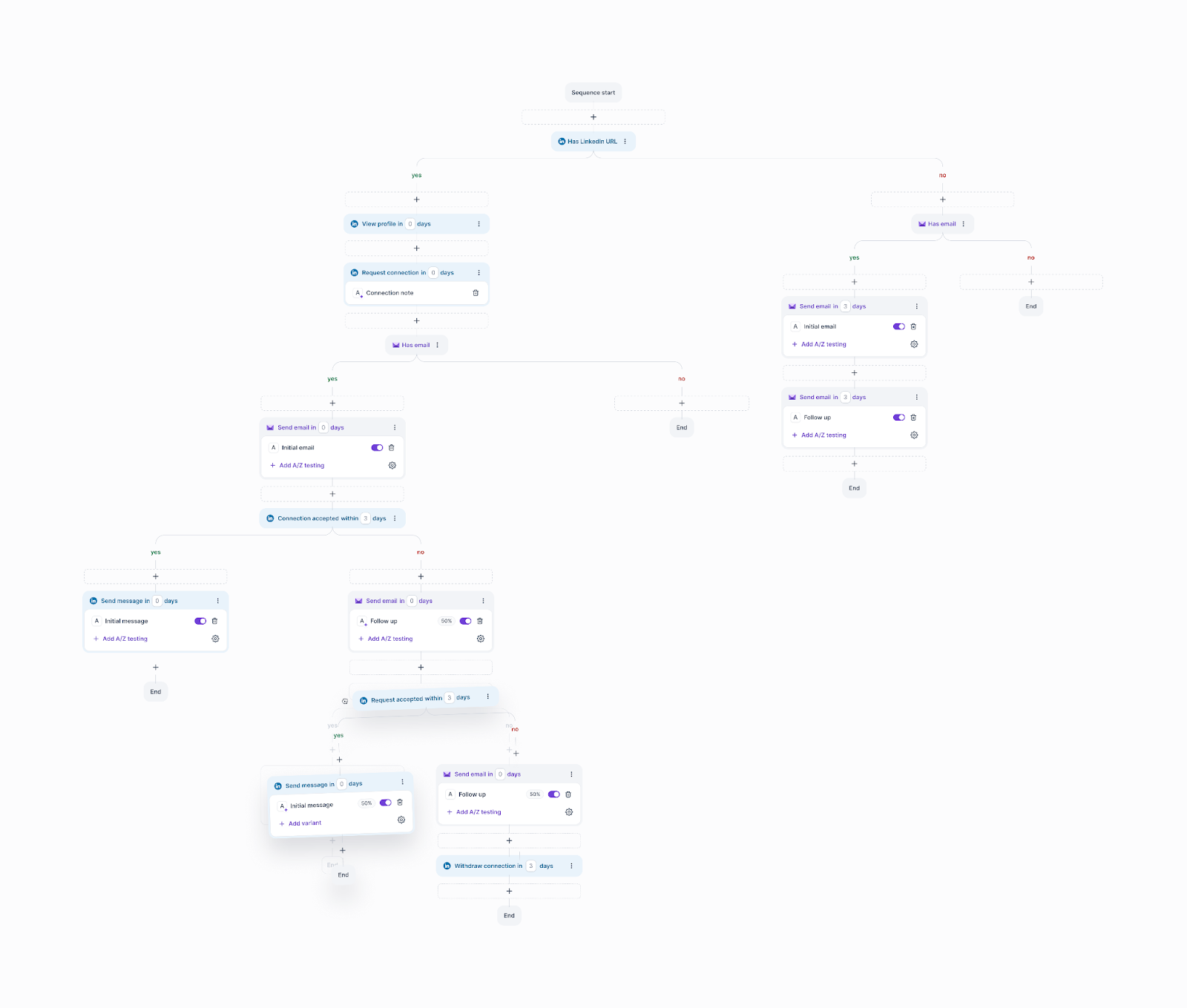
Users can run email and LinkedIn outreach, warm up mailboxes automatically, manage replies inside one interface, and scale without paying per seat.
This image shows the Running Multi-channel Campaign in Salesforge
It also offers optional AI SDR automation through Agent Frank, letting you automate prospecting, messaging, and reply handling if you don’t want to run campaigns manually.
Here’s what you get with Salesforge:
Unlimited mailboxes and LinkedIn senders
Free unlimited email warm-up
Smart reply management inside Primebox™
Dynamic IPs and deliverability monitoring
Sentiment analysis on replies
Multilingual outreach
Optional AI SDR (Agent Frank) for autopilot campaigns
Why is Salesforge a Better SmartReach Alternative?
If you want stronger deliverability, better inbox visibility, and outreach without seat-based pricing, Salesforge is a stronger pick.
Feature
Salesforge
SmartReach
Unlimited mailboxes
Yes
Yes
Unlimited LinkedIn senders
Yes
No
Built-in unlimited premium warm-up
Yes
Limited / separate
Central reply inbox (Primebox™)
Yes
Basic shared inbox
AI SDR that runs outreach
Optional
No equivalent
AI for reply handling
Yes
Limited
Dynamic sending IPs
Yes
No
Pros and Cons of Salesforge
Pros
Cons
Superior deliverability and warm-up
Unlimited mailboxes + LinkedIn senders
Primebox™ makes reply management clearer
AI SDR costs extra if needed
Requires setup for best results
No built-in lead database (requires Leadsforge)
Salesforge Pricing
This image shows the Salesforge pricing
$48/month — for solopreneurs
$96/month — for teams needing scale
Agent Frank: $599/month (quarterly billing) for AI SDR automation
Try Salesforge with free warm-up access and 100 free credits through Leadsforge.
Personalized Outbound Strategy
Get The Right Outbound Strategy In Minutes
Enter your email to get a custom plan & stack recommendation for your
business
It's being carefully crafted by AI
Please check your mailbox in 5 minutes
2. Lemlist – Structured Multichannel Outreach with Built-In Lead Data
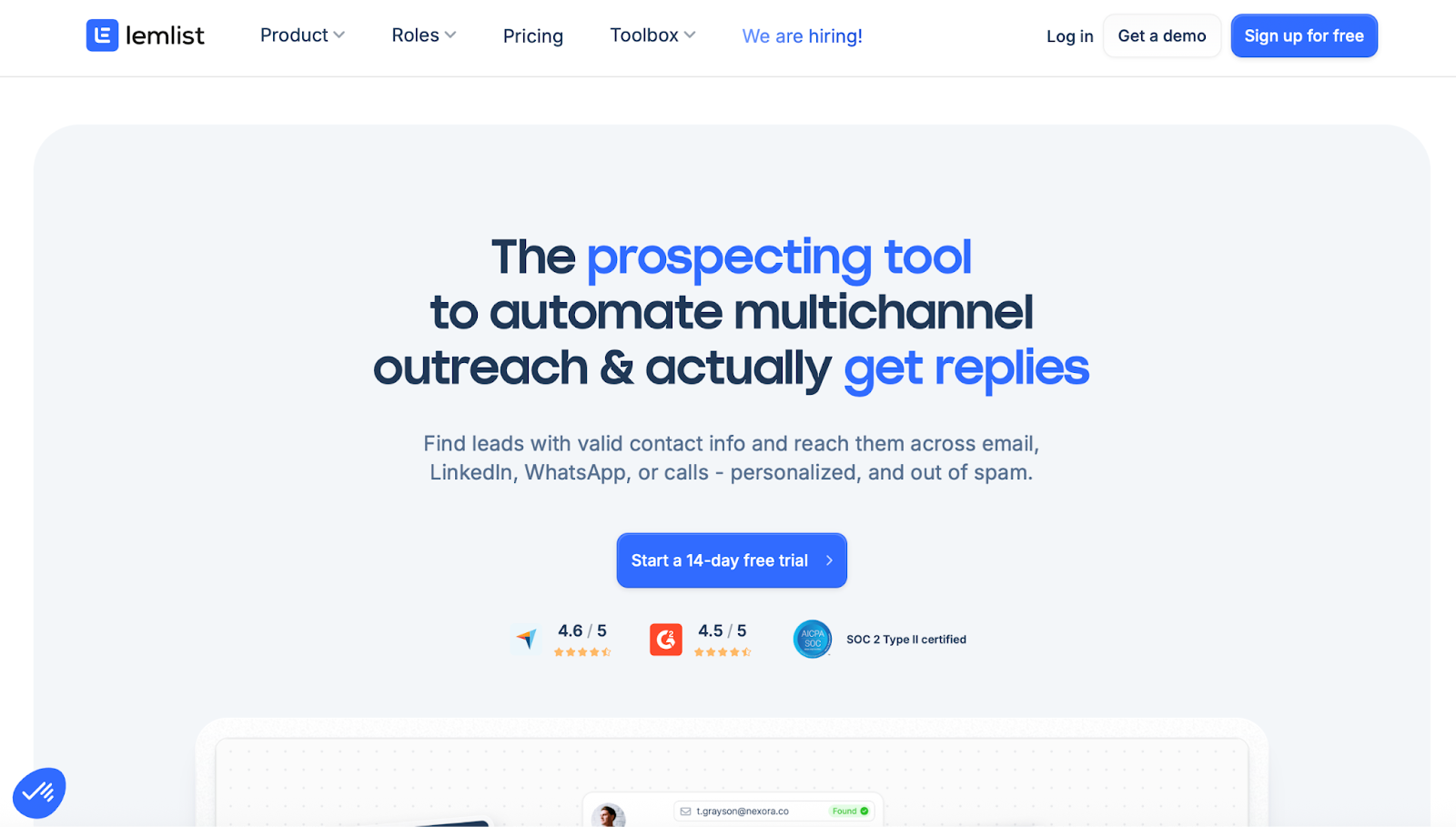
This image shows the Lemlist Homepage
Lemlist is a sales engagement tool designed for teams that want a clear and structured way to run email and LinkedIn outreach from one platform.
Compared to SmartReach, which focuses more on sending volume and infrastructure flexibility, Lemlist focuses on visual sequences, daily task execution, and personalization.
Users can combine emails, LinkedIn steps, calls, WhatsApp messages, and manual tasks into one visible sequence, making it easier to track who is contacted, on which channel, and what action comes next.
Lemlist also includes its own B2B lead database and enrichment, which allows teams to source and enrich leads without relying entirely on external tools.
Why Lemlist Is a SmartReach Alternative
Lemlist is often chosen by teams that value clarity over raw sending scale.
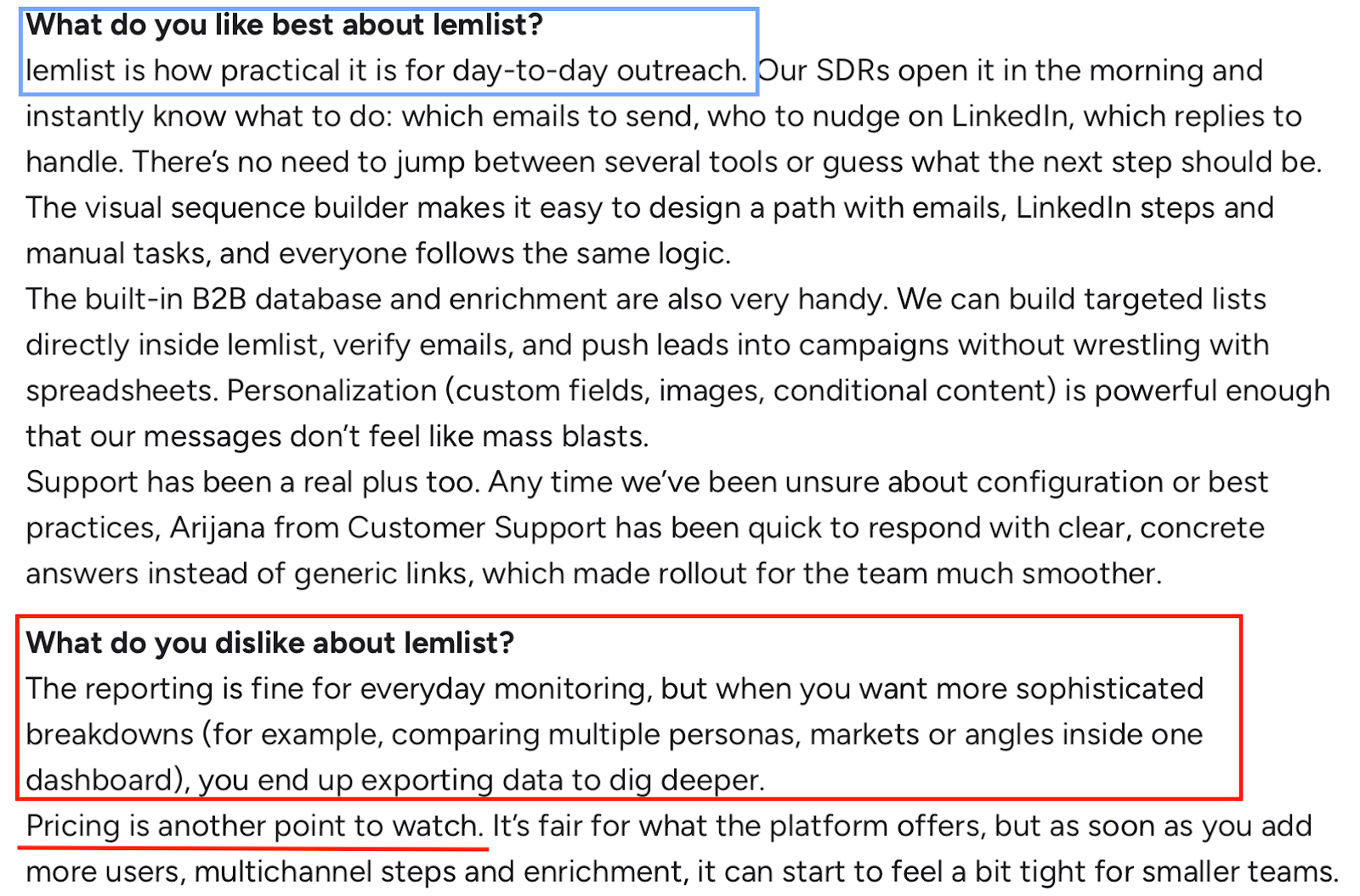
While SmartReach users sometimes mention challenges with inbox visibility or campaign overview, Lemlist users consistently highlight the visual sequence builder and task-based workflow as easier to manage day to day.
It fits teams that want outbound to feel like a repeatable routine rather than a high-volume sending operation.
Pros and Cons of Lemlist
This image shows the User review of Lemlist in G2
Pros
Cons
Superior deliverability and warm-up
Unlimited mailboxes + LinkedIn senders
Primebox™ makes reply management clearer
AI SDR costs extra if needed
Requires setup for best results
No built-in lead database (requires Leadsforge)
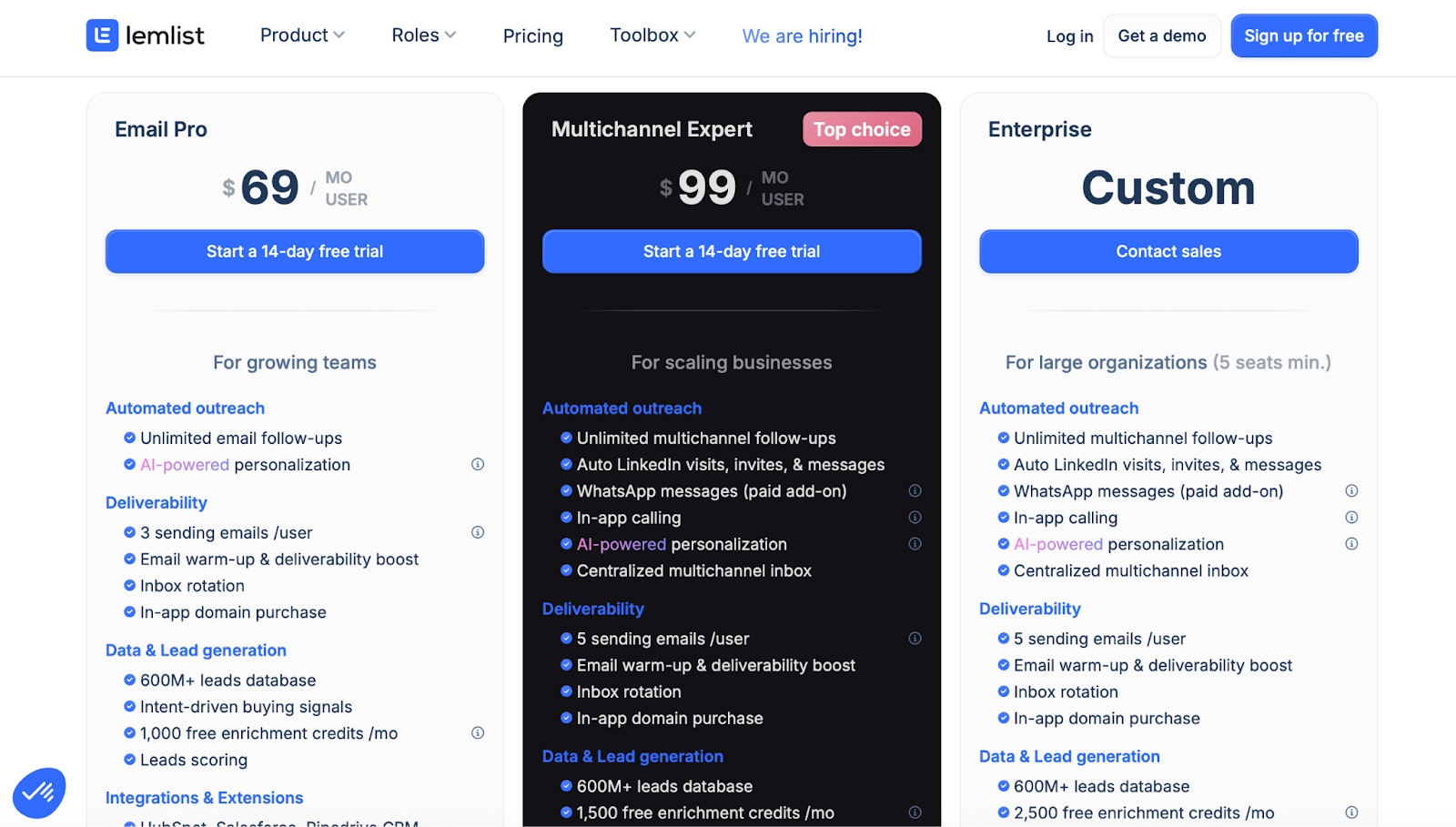
Lemlist Pricing
This image shows the Lemlist Pricing
Email Pro: $69 per user/month:
Multichannel Expert: $99 per user/month
Enterprise: Custom pricing (minimum 5 seats)
Pricing is user-based, with sending limits, enrichment credits, and multichannel features increasing by plan.
3. Apollo.io – Large B2B Database with Outreach and CRM Features
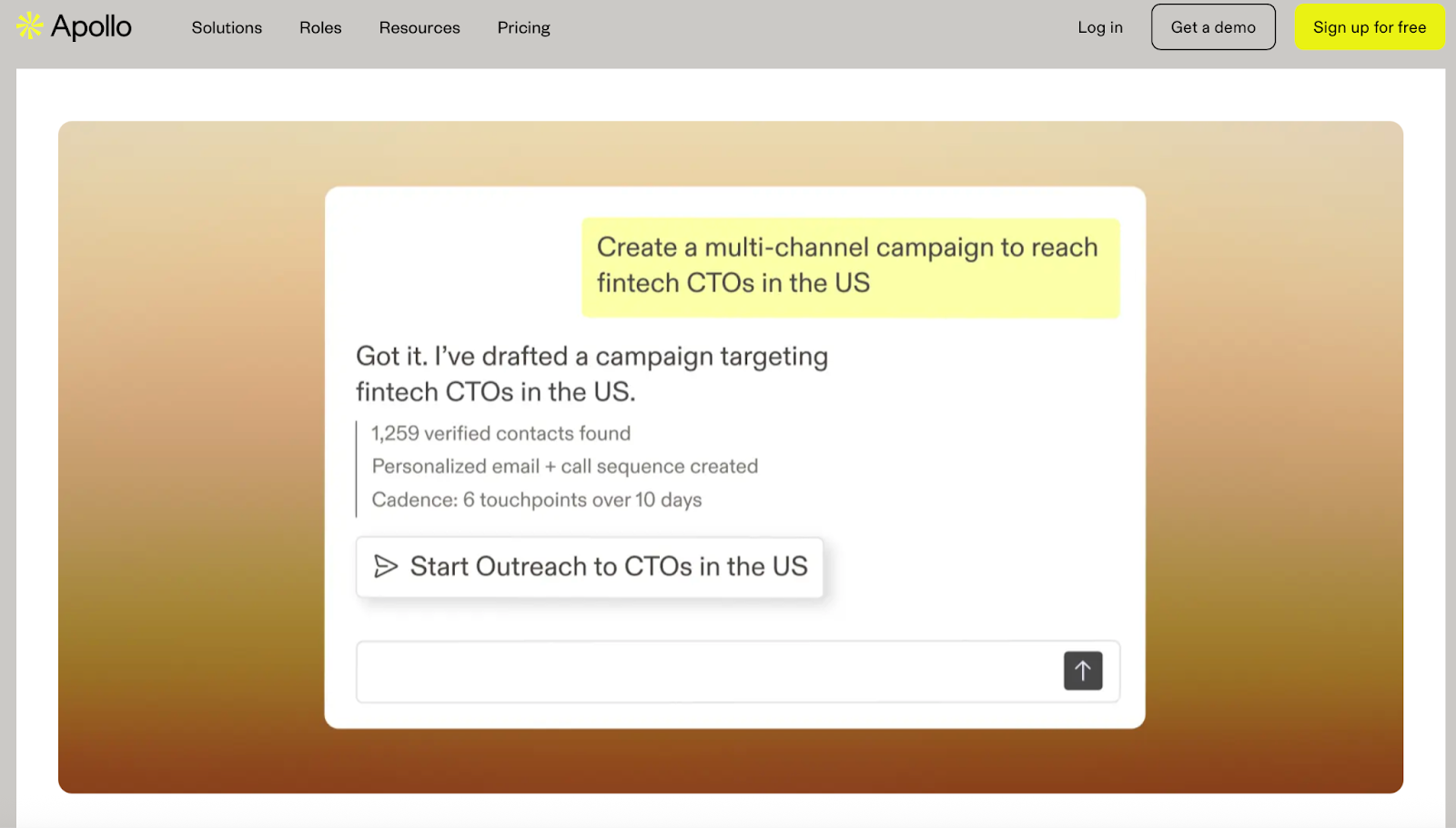
This image shows the Apollo.io Homepage
Apollo.io is an all-in-one sales platform that combines a large B2B contact database with email outreach, sequencing, and CRM-style deal management.
Compared to SmartReach, which is mainly focused on outbound execution and infrastructure, Apollo puts heavier weight on data, enrichment, and prospect research, with outreach built on top.
Users can search for leads inside Apollo’s database, enrich contacts with emails and phone numbers using credits, and then run email sequences directly from the same platform.
Apollo also includes workflow automation, basic calling, meeting tracking, and analytics, making it closer to a sales intelligence and engagement hybrid than a pure outreach tool.
Why Apollo.io Is a SmartReach Alternative?
Apollo is often chosen by teams that want to lead discovery and outreach in one product.
SmartReach users typically rely on external tools for prospecting and enrichment, while Apollo handles lead sourcing, enrichment, and sequencing in a single workflow.
Teams that value filters, intent signals, and enrichment depth often consider Apollo instead of SmartReach, especially in data-heavy outbound setups.
Pros and Cons of Apollo.io
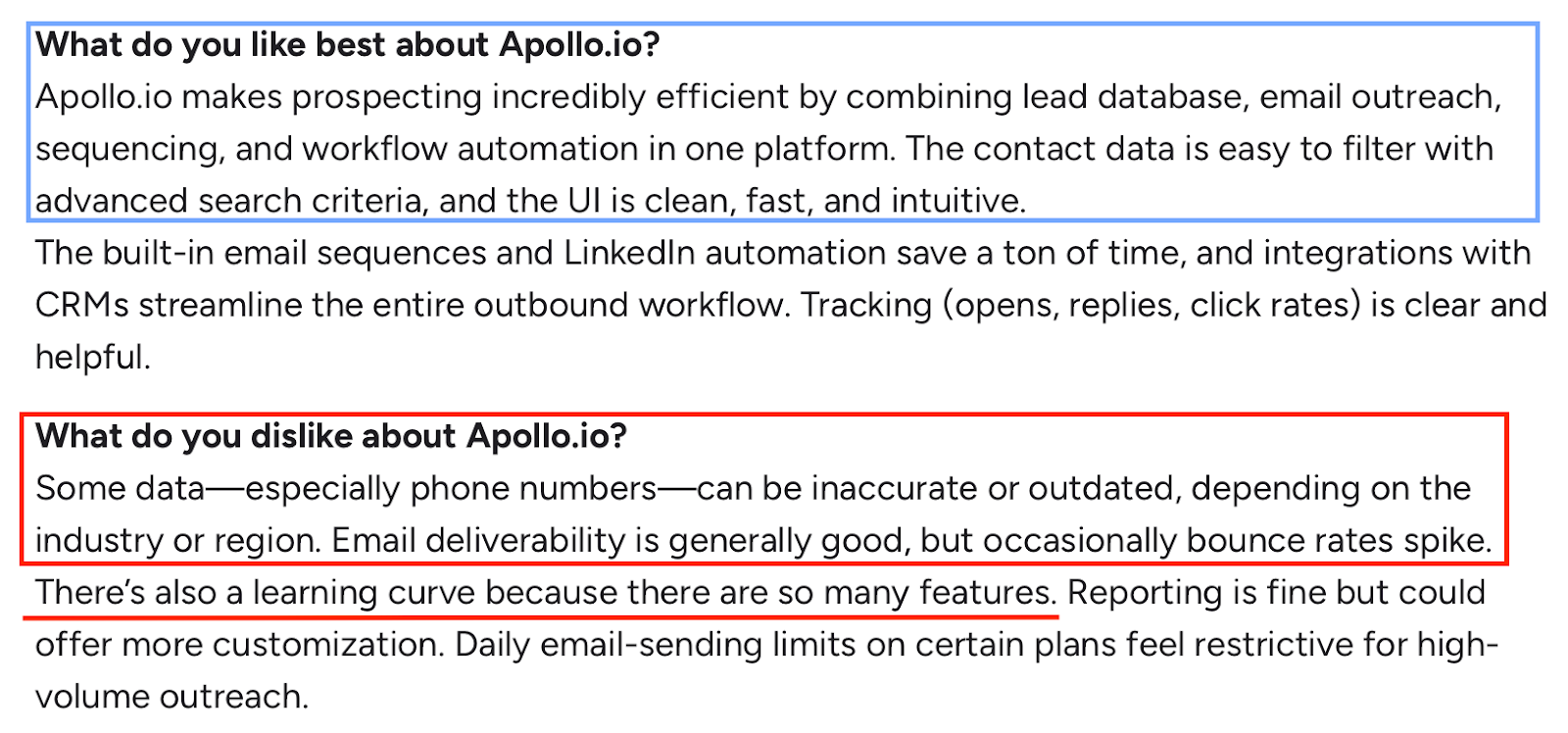
This image shows the User review of Apollo.io in G2
Pros
Cons
Very large B2B database for finding new leads
Strong filtering and intent-based prospecting
Built-in enrichment for emails and phone numbers
CRM integrations (HubSpot, Salesforce)
Outreach, sequencing, and workflows in one platform
Chrome extension for LinkedIn and web prospecting
Contact and company data can sometimes be outdated
Credits are consumed quickly for enrichment and phone numbers
Phone number accuracy varies by industry and region
Learning curve due to the number of features
Daily sending limits apply on lower plans
Reporting customization is limited without exports
Apollo.io Pricing
This image shows the Apollo.io Pricing
Free: $0 (100 credits per user/month)
Basic: $59 per user/month
Professional: $99 per user/month
Organization: $149 per user/month (annual, minimum 3 users)
Pricing is credit-based, with credits used for emails, phone numbers, enrichment, and AI research.
Higher plans unlock unlimited sequences, more credits, workflow automation, and advanced reporting.
4. Reply.io – Multichannel Outreach with AI SDR and Automation
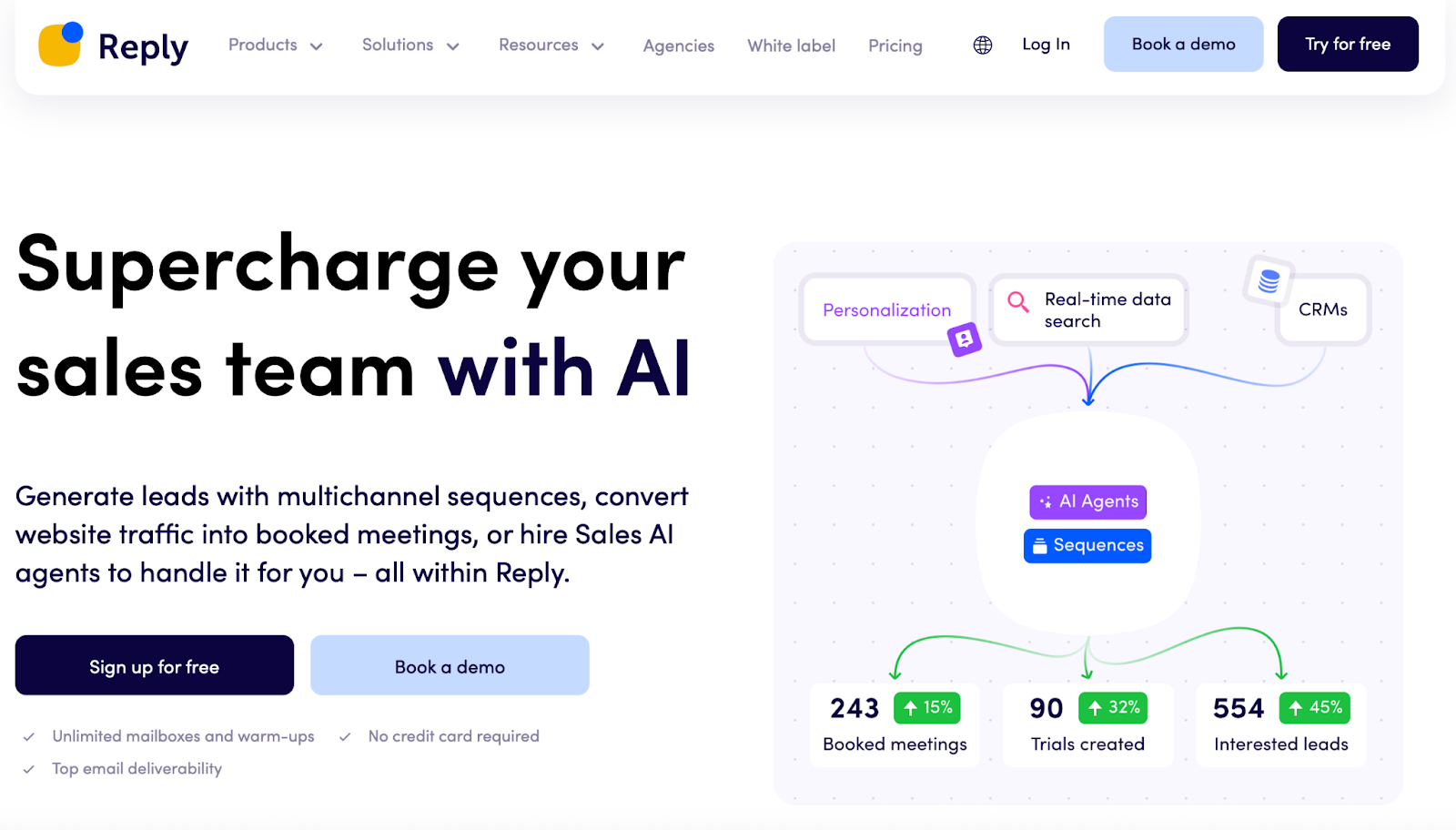
This image shows the Reply.io Homepage
Reply.io is a sales engagement platform focused on running multichannel outreach across email, LinkedIn, calls, SMS, and WhatsApp from a single system.
Compared to SmartReach, which centers on email and infrastructure-heavy outreach, Reply puts more emphasis on channel breadth, workflow automation, and AI-assisted execution.
Users can run email campaigns with unlimited mailboxes, add LinkedIn automation as a paid add-on, and layer in calls, SMS, and WhatsApp steps inside the same sequence.
Reply also offers an optional AI SDR (“Jason AI”) that can handle targeting, personalization, and responses for teams that want higher automation.
Why Reply.io Is a SmartReach Alternative
Reply is often chosen by teams that want more channels and automation logic than SmartReach provides out of the box.
While SmartReach focuses heavily on sending capacity and deliverability controls, Reply appeals to teams that want email and LinkedIn and phone and SMS in a single workflow.
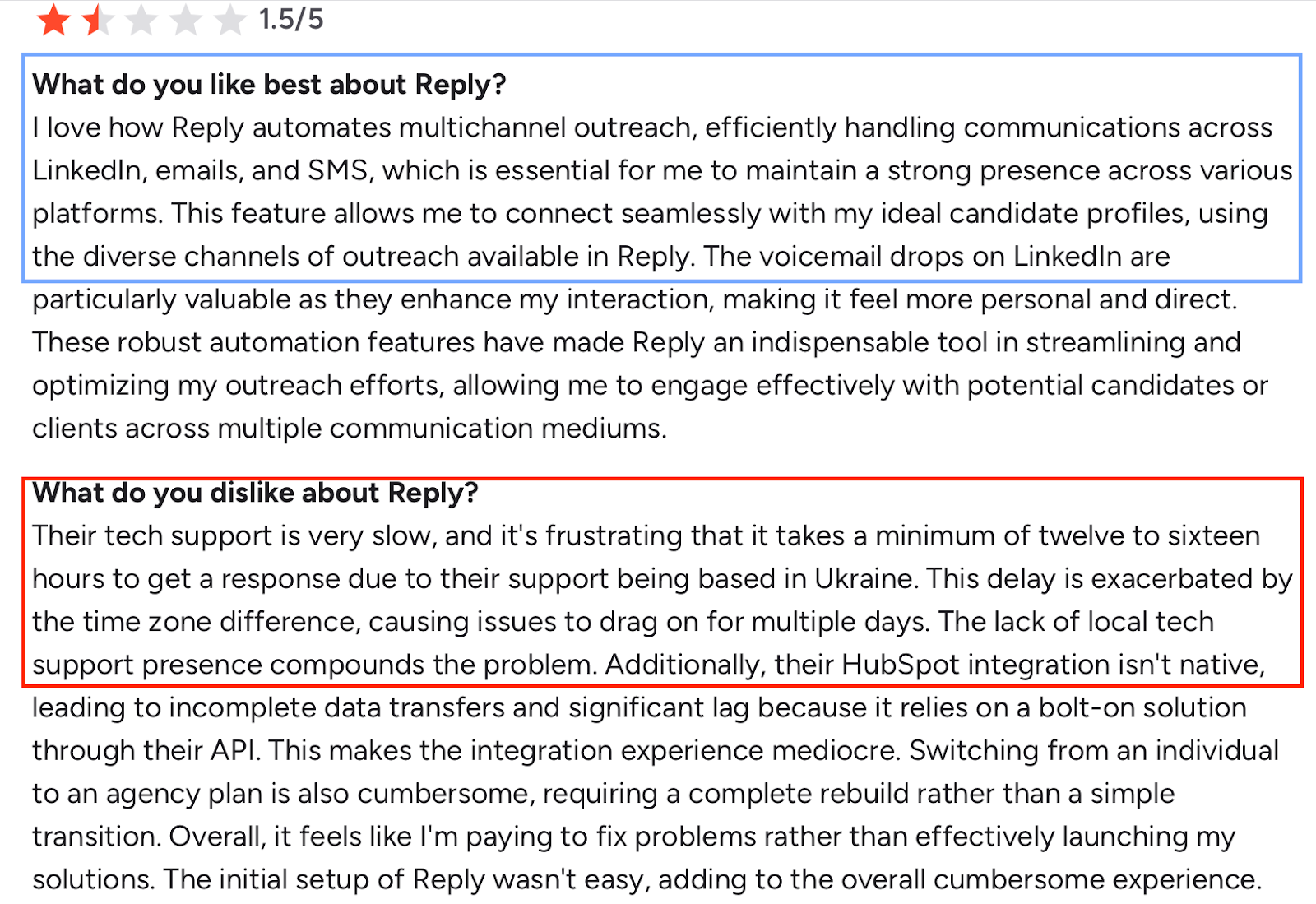
Reviews frequently highlight Reply’s multichannel flexibility and warm-up tools, while also noting that campaign execution and daily send volume can be harder to predict when running multiple sequences.
Pros and Cons of Reply.io
This image shows the User review of Reply.io in G2
Pros
Cons
Supports email, LinkedIn, calls, SMS, and WhatsApp in one platform
Unlimited mailboxes and unlimited email warm-up
Built-in deliverability and anti-spam tools
AI personalization and AI-generated sequences
Ability to manage multiple clients and workspaces
CRM integrations and workflow automation
Daily send volume can be hard to predict across multiple sequences
Reporting depth is limited for complex campaign comparisons
No dedicated outbox view for sent emails
Interface can feel complex due to feature density
LinkedIn automation and calls require paid add-ons
Some integrations rely on API connectors rather than native sync
Reply.io Pricing
Email Volume:$59 per user/month Includes unlimited emails, unlimited warm-up, and unlimited mailboxes.
Multichannel:$107 per user/month Includes email, LinkedIn automation, calls, SMS, WhatsApp (semi-automation), reporting, and onboarding support.
AI SDR (Jason AI):From $500 per month
Additional costs apply for LinkedIn automation, calling, SMS, and live data credits depending on usage.
5. Instantly.ai – High-Volume Cold Email with Built-In Warm-Up
This image shows the Instantly.ai Homepage
Instantly.ai is a cold email platform built primarily for high-volume email outreach with a strong focus on warm-up, inbox rotation, and sending at scale.
Compared to SmartReach, which combines multichannel outreach with CRM-style features, Instantly is more email-only and volume-driven, making it popular with agencies and teams running large multi-inbox setups.
Users can connect unlimited email accounts, warm them up automatically, upload lead lists, and run large email sequences without worrying about per-inbox limits.
Instantly also includes a unified inbox (Unibox) to manage replies across many inboxes, which is frequently mentioned by teams handling hundreds or thousands of sending accounts.
Why Instantly.ai Is a SmartReach Alternative
Instantly is often chosen when email scale is the main priority.
SmartReach supports multichannel outreach and structured campaigns, while Instantly focuses on sending capacity, deliverability controls, and inbox management at scale.
Teams that don’t need LinkedIn, calling, or WhatsApp, and want a simpler setup for mass email outreach, often compare Instantly directly with SmartReach.
Pros and Cons of Instantly.ai
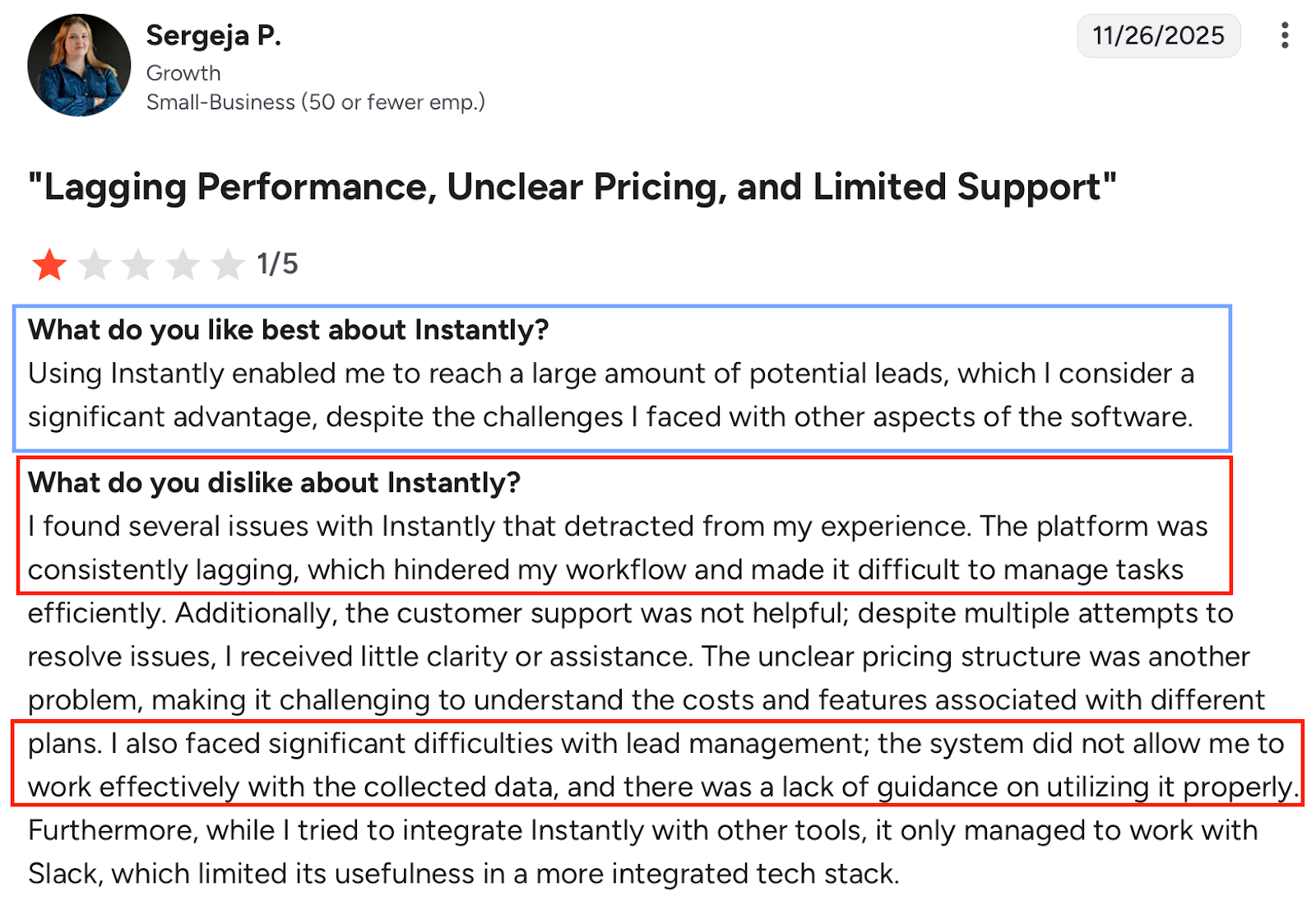
This image shows the User review of Instantly.ai in G2
Pros
Cons
Unlimited email accounts and unlimited warm-up on all plans
Email-only outreach (no native LinkedIn or calling)
Reporting is limited for advanced or cohort-level analysis
UI can lag on very large lead lists
Campaign bugs and delayed sends reported by some users
Native lead enrichment and data sourcing are limited
Support responsiveness has been inconsistent at times
Instantly.ai Pricing
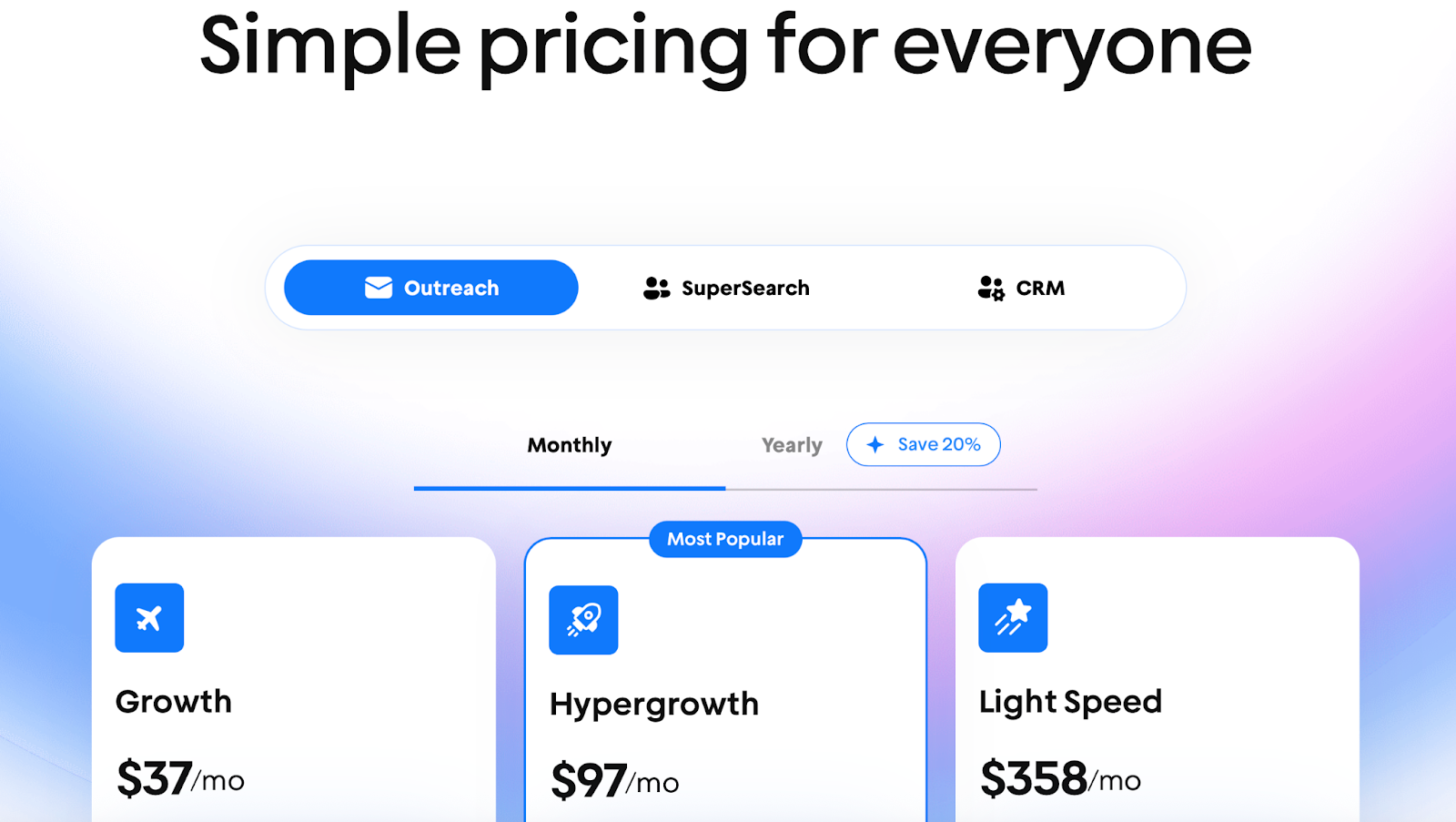
This image shows the Instantly pricing
Growth:$37/month 1,000 uploaded contacts and 5,000 emails/month
Hypergrowth:$97/month 25,000 uploaded contacts and 100,000 emails/month
Light Speed:$358/month 100,000 uploaded contacts and 500,000 emails/month
All plans include unlimited email accounts, unlimited warm-up, email automation, analytics, and inbox rotation.
6. Saleshandy – Email-First Outreach with High Sending Limits
This image shows the Saleshandy Homepage
Saleshandy is a cold email outreach platform designed for teams that want to run high-volume email campaigns with multiple inboxes and strong sender rotation.
Compared to SmartReach, which supports broader multichannel outreach, Saleshandy is more email-focused, with an emphasis on sending scale, inbox rotation, and basic AI assistance for sequences.
Users can connect unlimited email accounts, rotate senders automatically, warm up inboxes, and manage replies from a unified inbox.
Saleshandy also includes add-ons for lead finding, email verification, and inbox placement testing.
It’s commonly used by agencies and small teams that want predictable pricing and large sending limits without paying per inbox.
Why Saleshandy Is a SmartReach Alternative
Saleshandy is often considered when email volume and inbox rotation matter more than multichannel outreach.
SmartReach supports LinkedIn and more advanced conditional flows, while Saleshandy focuses on email deliverability, sender rotation, and scale.
Teams that don’t need heavy LinkedIn automation or calling, and want simpler email-only execution, often compare Saleshandy directly with SmartReach.
Pros and Cons of Saleshandy
This image shows the User review of Saleshandy in G2
Pros
Cons
Unlimited email accounts and sender rotation on all plans
High monthly email limits at fixed pricing
Built-in warm-up and dynamic IP addresses
Unified inbox for reply management
AI sequence and variant generation
Whitelabel and agency support on higher plans
Email-only outreach (no native LinkedIn or calling)
Advanced workflows often require external tools
Reporting is limited for multi-ICP or message comparison
CRM integrations are limited
Deliverability issues reported by some Outlook users
Onboarding and guidance can feel light for new users
Saleshandy Pricing
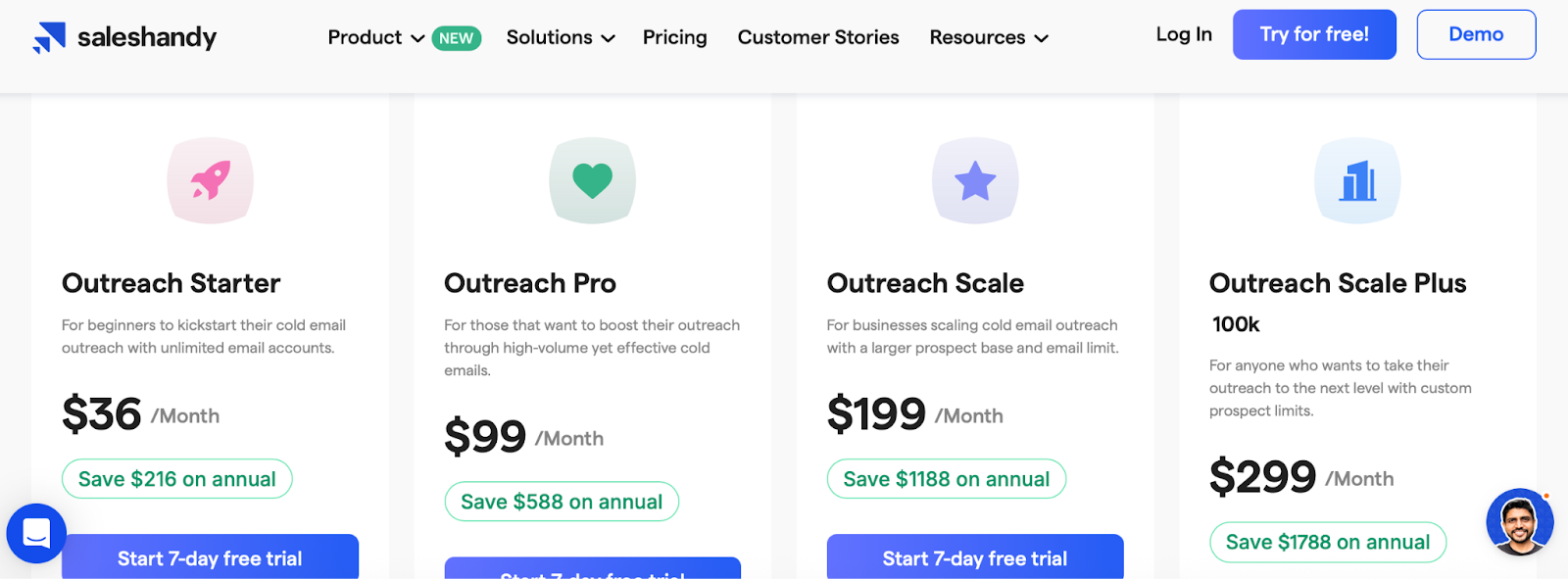
This image shows the Saleshandy pricing
Outreach Starter:$36/month 2,000 active prospects and 6,000 emails/month
Outreach Pro:$99/month 30,000 active prospects and 150,000 emails/month
Outreach Scale:$199/month 60,000 active prospects and 240,000 emails/month
Outreach Scale Plus:$299/month 100,000 active prospects and 300,000 emails/month
All plans include unlimited email accounts, unlimited warm-up, sender rotation, and a unified inbox, with higher tiers unlocking API access, whitelabeling, SSO, and dedicated success management.
7. Mailshake – Simple Email Outreach with Light Multichannel Features
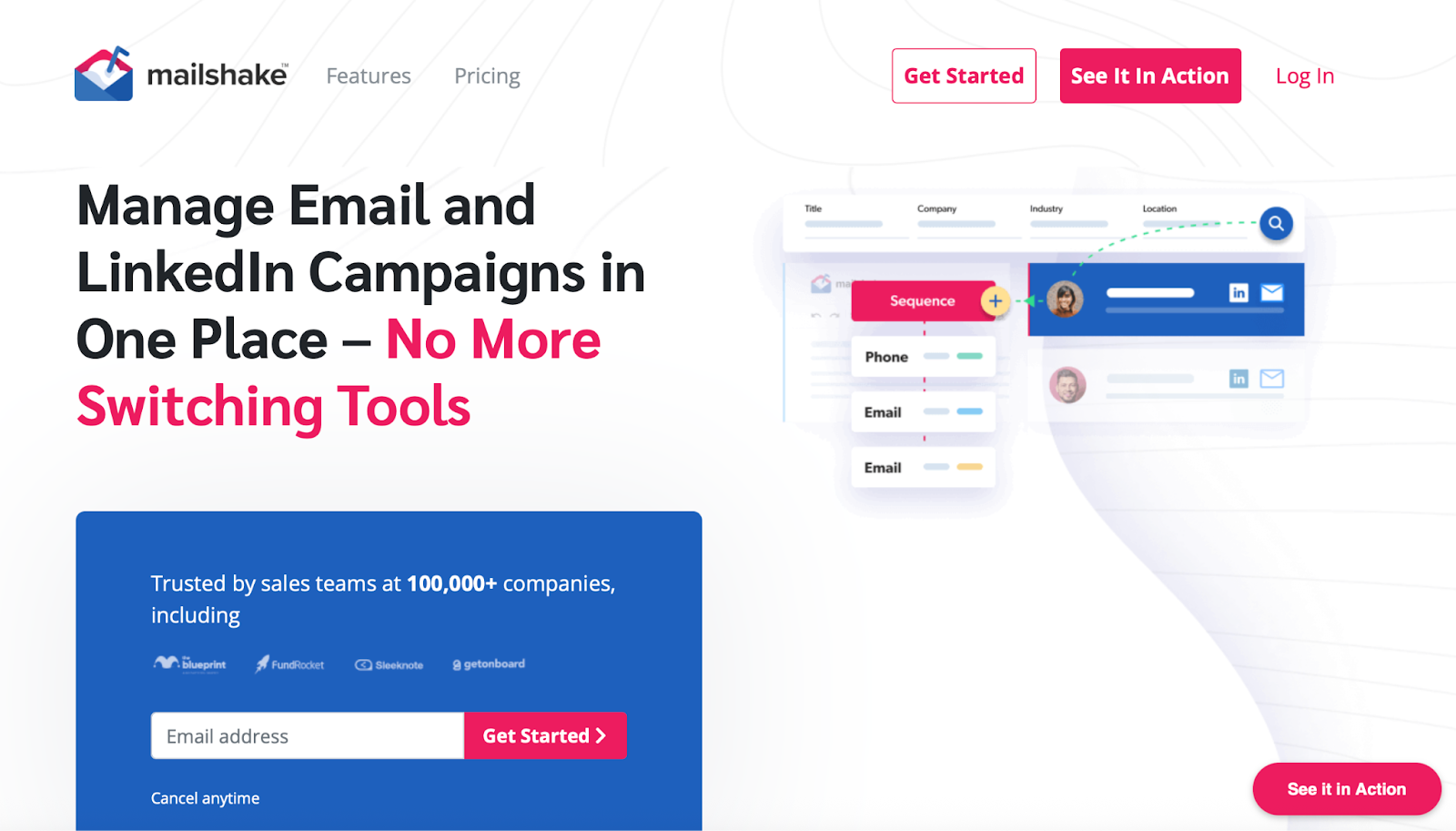
This image shows the Mailshake homepage
Mailshake is a sales engagement tool focused on email-first outreach, with optional LinkedIn and calling features on higher plans.
Compared to SmartReach, which is built for more complex multichannel sequences and infrastructure-heavy setups, Mailshake keeps things simpler and more guided, especially for small teams starting with cold email.
Users can upload contact lists, create automated email sequences, personalize at scale, and manage replies from a unified inbox.
Mailshake also includes built-in email warm-up, verification, and A/B testing across all plans.
On higher tiers, Mailshake adds LinkedIn automation, a power dialer, and task management, making it suitable for teams that want basic multichannel outreach without heavy configuration.
Why Mailshake Is a SmartReach Alternative
Mailshake is often chosen by teams that want ease of use over flexibility.
While SmartReach offers deeper control over sequencing, sender rotation, and infrastructure, Mailshake focuses on getting campaigns live quickly with minimal setup.
Teams that prioritize clean UI, guided workflows, and fast onboarding often compare Mailshake with SmartReach when deciding between simplicity and control.
Pros and Cons of Mailshake
This image shows the User review of Mailshake in G2
Pros
Cons
Very easy to set up and use
Built-in warm-up and email verification on all plans
Clean UI and clear campaign tracking
A/B testing and AI email writing included
Unified inbox for replies
CRM integrations (HubSpot, Salesforce, Pipedrive)
Limited control over advanced workflows
Automated replies can be misclassified as real leads
Reporting depth is limited for large-scale analysis
LinkedIn automation is basic and semi-manual
Bulk editing and deletion of prospects is limited
Domain and mailbox limits apply on lower plans
Mailshake Pricing
This image shows the Mailshake pricing
Starter:$29/month 1 email address and 1,500 emails/month
Email Outreach:$49/month 2 email addresses and unlimited emails
Sales Engagement:$99/month Up to 10 email addresses, LinkedIn automation, and calling
Agency Plan: Custom pricing
All plans include unlimited campaigns, unlimited warm-up, email verification, and support, with higher tiers unlocking multichannel features, advanced scheduling, and onboarding support.
Personalized Outbound Strategy
Get The Right Outbound Strategy In Minutes
Enter your email to get a custom plan & stack recommendation for your
business
It's being carefully crafted by AI
Please check your mailbox in 5 minutes
So, Which SmartReach Alternative Should You Pick?
To sum it up, SmartReach is not a bad tool, but it’s no longer enough for many teams in 2026.
If inbox confusion, weak warm-up, or limited automation slowed you down before, now you know you have better options.
Here’s a quick way to decide (let’s make it fun 👇):
If you want the best email deliverability and clean inbox control, pick Salesforge.
If you like step-by-step tasks and visual sequences, Lemlist fits better.
If finding leads matters more than sending emails, Apollo is your tool.
If you want email + LinkedIn + calls in one place, Reply.io makes sense.
If sending lots of emails is your only goal, Instantly or Saleshandy will do the job.
If you want something simple and beginner-friendly, Mailshake is the easiest start.
Now the real question is this:
Do you want to send more emails, or do you want more replies?
If replies and deliverability matter to you, Salesforge is the smartest upgrade from SmartReach.
It gives you unlimited mailboxes, built-in warm-up, clear reply tracking, and even AI help if you want to run outreach on autopilot.
👉 Try Salesforge today and see how much easier outreach feels when emails actually land in the inbox, not spam.
Your next reply could be one campaign away.
Book more meetings on autopilot
Set up in minutes. No per-seat pricing. No commitment.
Discover the best sales acceleration softwares of 2026. Compare features, pricing, pros, cons, and find the right tool to grow your sales pipeline faster.










.jpg)