If you're SDR, founder, or running an outbound agency, you already know how crowded the cold email space has gotten lately.
Every tool claims to help you book more meetings, hit higher reply rates, and close more deals.
But which cold email service provider actually holds up when you put it to work?
So I decided to find out.
I spent time researching, comparing, and testing 10 cold email service providers.
I evaluated them on deliverability, pricing, personalization, ease of use, and workflow fit.
By the end of this guide, you'll know exactly which platform fits your situation, whether
You're scaling a high-volume outbound motion
Managing campaigns for multiple clients
Or just getting started with cold email.
Let's get into it.
TL;DR – Best Cold Email Service Providers for B2B in 2026
Mailforge – Best for spinning up cold email infrastructure fast at an affordable price
Infraforge – Best for dedicated IP infrastructure with full sender reputation control
Smartlead – Best for high-volume sending with automated inbox rotation and warmup
Lemlist – Best for personalized multi-channel outreach across email, LinkedIn, and WhatsApp
Woodpecker.co – Best for agencies managing multiple client campaigns with precise sending control
Reply.io – Best for sales teams needing multi-channel sequences with built-in lead data
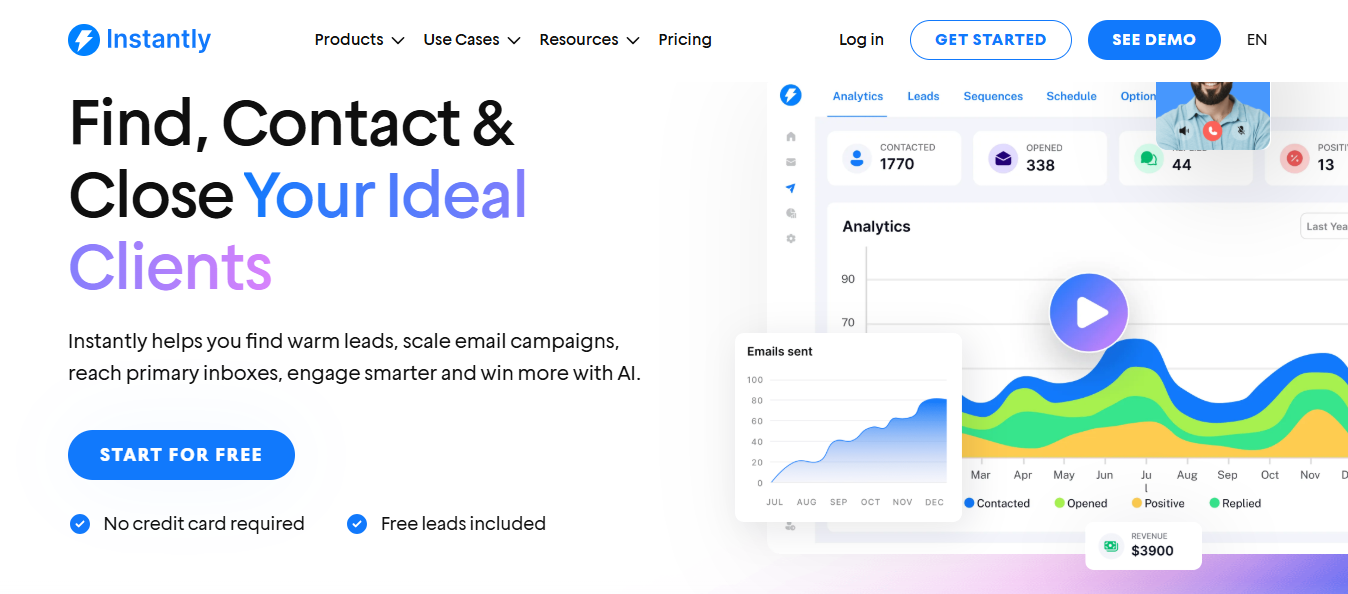
Instantly – Best for scaling cold email volume with unlimited mailboxes and automated warmup
Klenty – Best for AI-driven outbound with research, enrichment, and sequencing built in
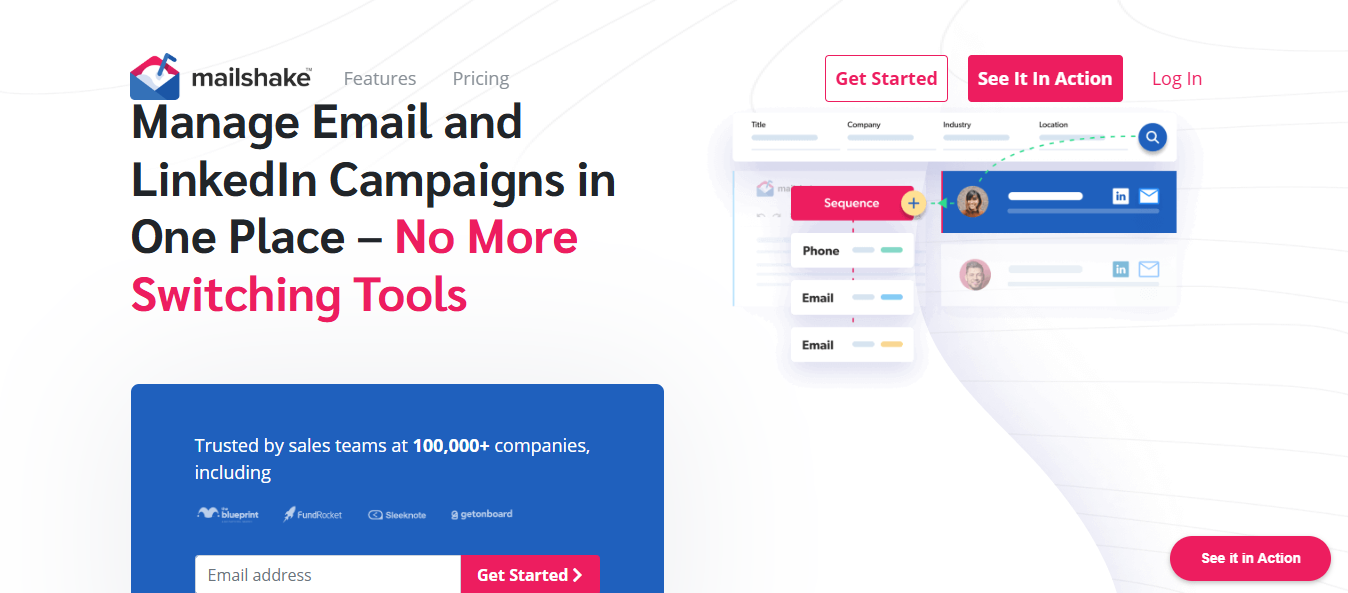
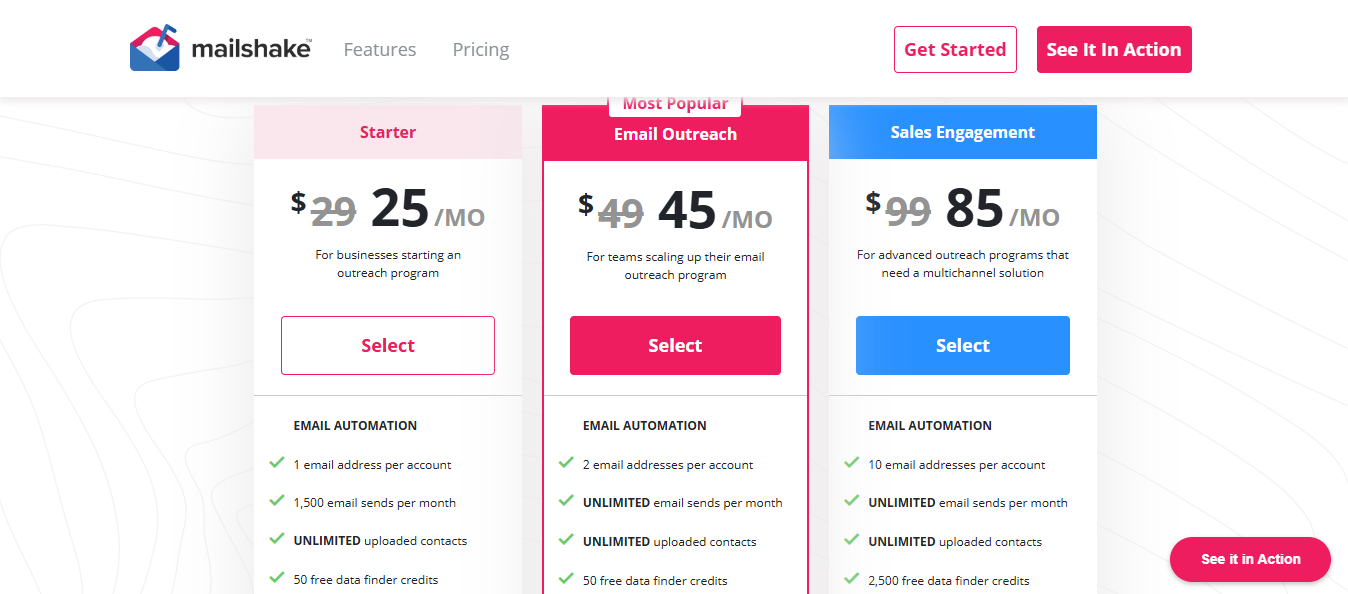
Mailshake – Best for beginners and small teams who need simple, fast campaign setup
QuickMail – Best for deliverability-focused senders needing automated inbox management at scale
What Makes a Good Cold Email Service Provider in 2026?
A good cold email tool starts with deliverability, so your emails land in the inbox, not the spam folder.
Look for tools that support SPF, DKIM, and DMARC, and offer built-in warmup so your sender reputation builds automatically.
Next, it should combine email with LinkedIn touchpoints in one sequence, so you have more chances to get a reply.
Then, it must handle AI personalization at scale to adapt each message per prospect without manual effort.
After that, check how pricing scales. Some tools charge per mailbox, per user, or per contact. If you run 50 domains, the costs add up fast without you realizing it.
Finally, it should be easy to set up and use to send a campaign from day one.
10 Best Cold Email Service Providers for B2B in 2026
Tool
Free Trial
Email Warmup
AI Personalization
Multi-Channel
Infrastructure
Best For
Mailforge
❌
✅
❌
❌
✅
Shared IP infrastructure
Infraforge
❌
✅
❌
❌
✅
Dedicated IP infrastructure
Smartlead
✅
✅
⚠️
❌
⚠️
Inbox rotation at scale
Lemlist
✅
✅
✅
✅
❌
Personalized outreach
Woodpecker.co
✅
❌
❌
⚠️
❌
Agency campaign management
Reply.io
✅
✅
✅
✅
❌
Multi-channel sequences
Instantly
✅
✅
⚠️
❌
⚠️
High-volume sending
Klenty
✅
✅
✅
✅
❌
AI-driven outbound workflows
Mailshake
❌
✅
⚠️
⚠️
⚠️
Beginners and small teams
QuickMail
✅
✅
⚠️
❌
⚠️
Deliverability-focused sending
1. Mailforge (By Salesforge)
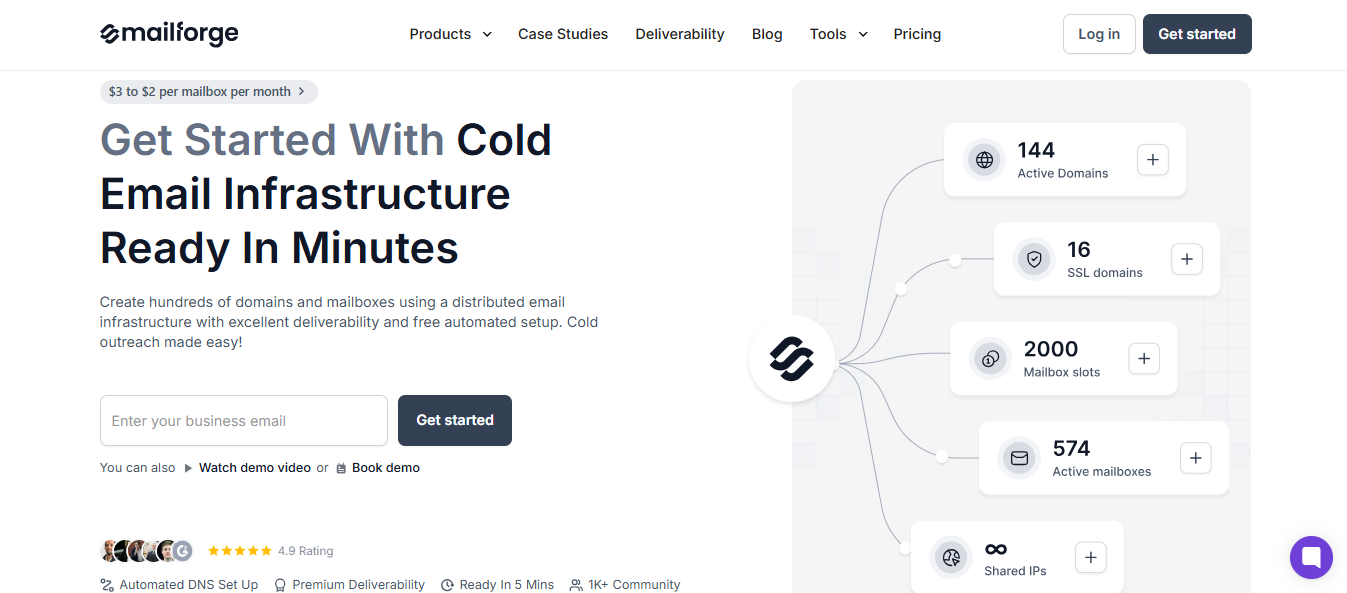
This image shows the Mailforge Homepage
Setting up cold email infrastructure manually is a slow process. For each domain, you need to configure DMARC, SPF, DKIM, and a custom tracking domain.
If you're managing 50+ domains, that means calling in your IT team and waiting days, sometimes weeks, before you can send a single email.
Mailforge solves that. It's a cold email infrastructure tool built specifically for outbound teams who need domains and mailboxes ready fast, without the technical back-and-forth.
What Mailforge Provides
Mailforge runs on a shared IP setup, meaning your mailboxes are distributed across a shared IP pool, similar to how Gmail or Outlook works, but built for cold outreach from the ground up.
Every domain gets SPF, DKIM, DMARC, and custom tracking configured automatically.
Auto-generate secondary domains from your primary and spin up mailboxes across all in one flow.
Bulk DNS updates across 100 domains in one click, DMARC, CNAME, and more.
Move domains in or out of Mailforge from other platforms with no friction.
Multiple workspaces to organize domains and mailboxes by client or team.
SSL and domain masking are supported on tracked links for security and branding.
Export mailboxes as CSV and import into Salesforge, Smartlead, Instantly, or any sending tool.
How Mailforge Works
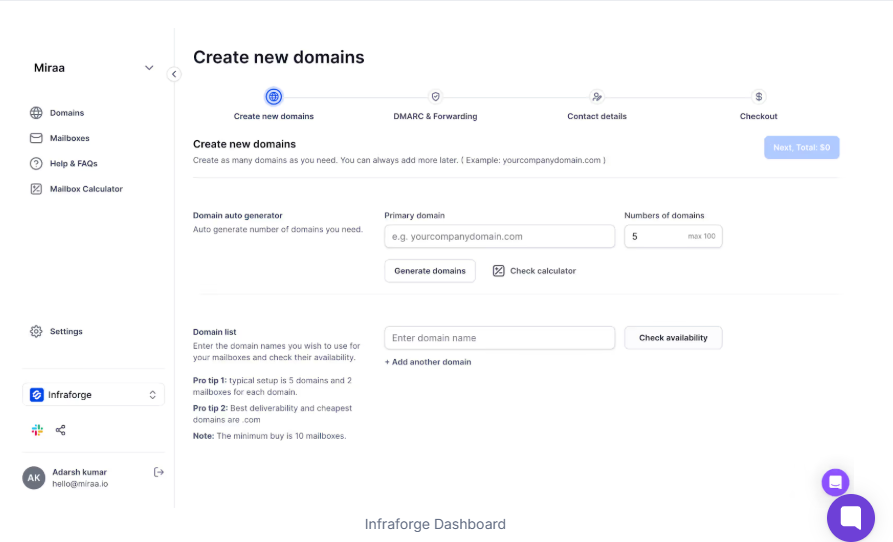
The setup process takes around 3–5 minutes from start to finish:
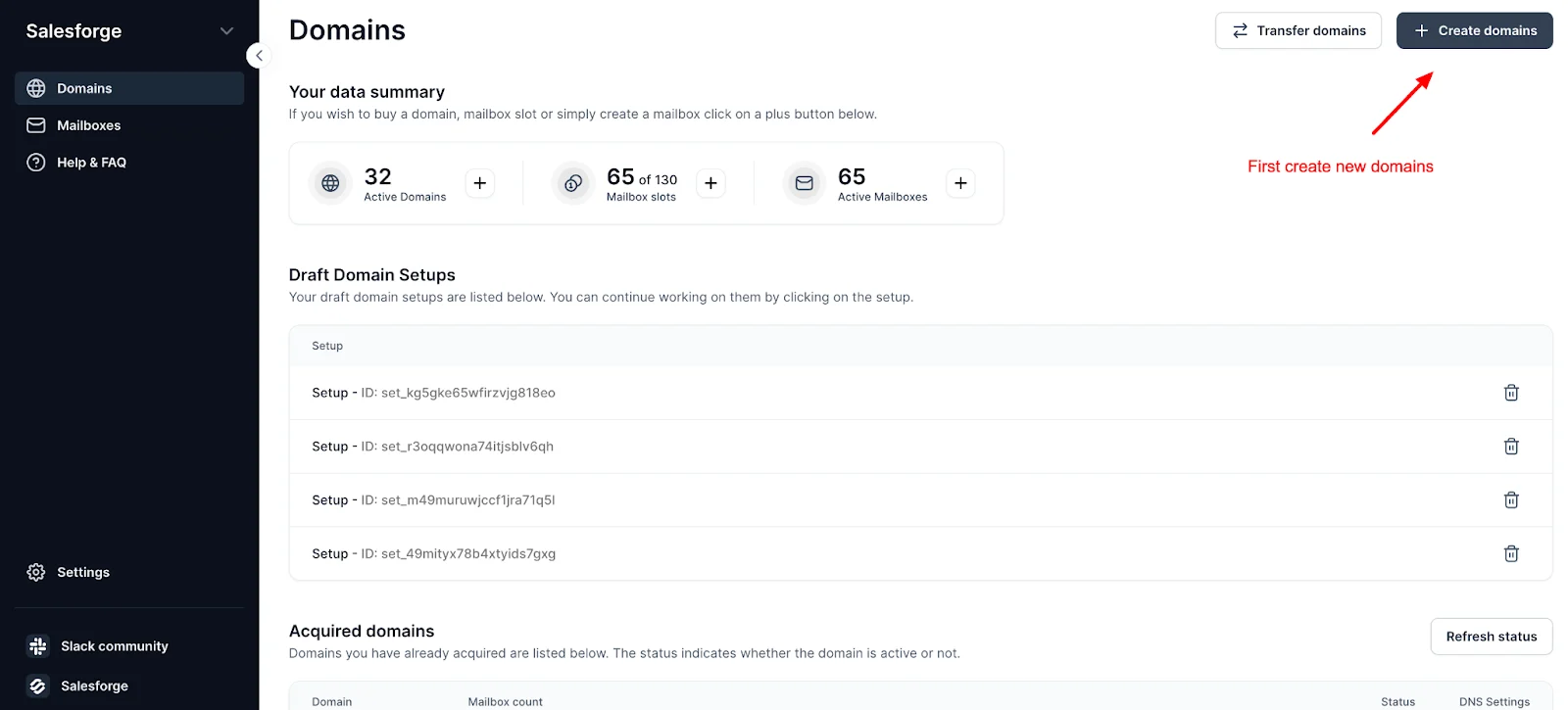
Sign up and click "Create Domains."
This image shows the Creating Domains
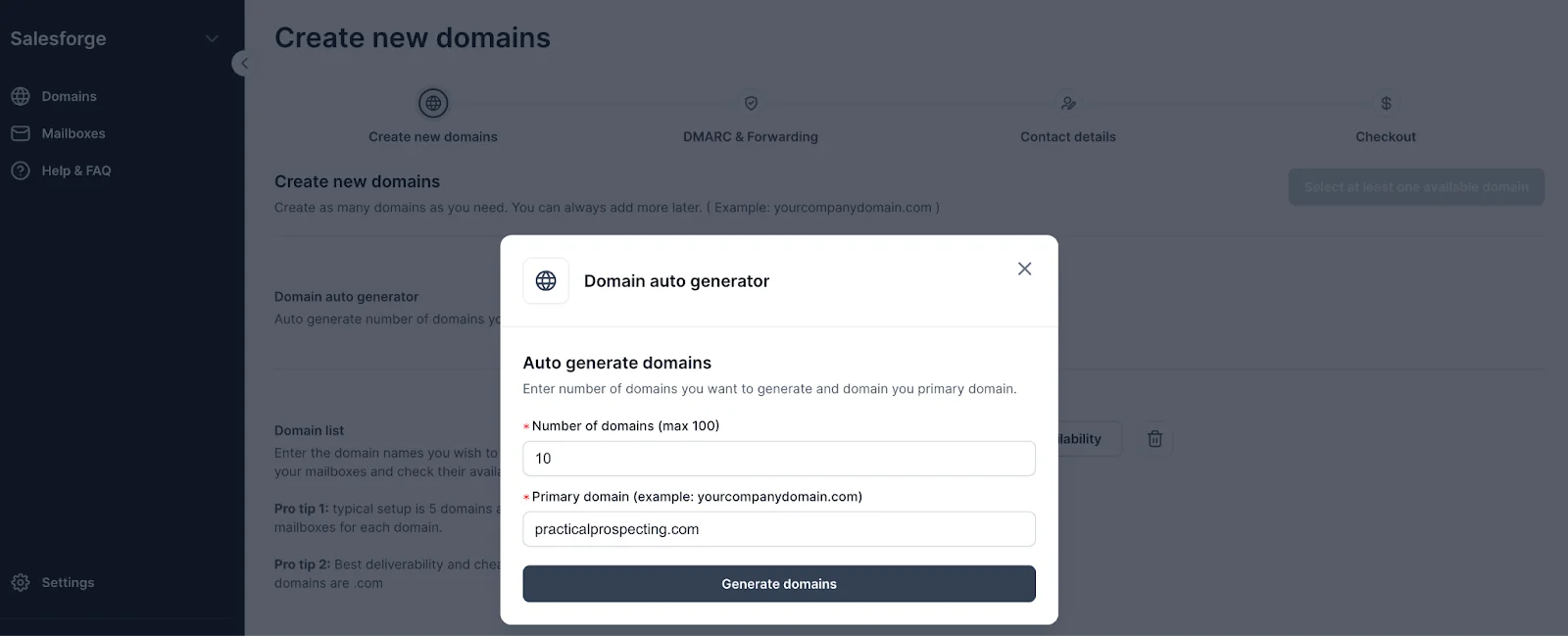
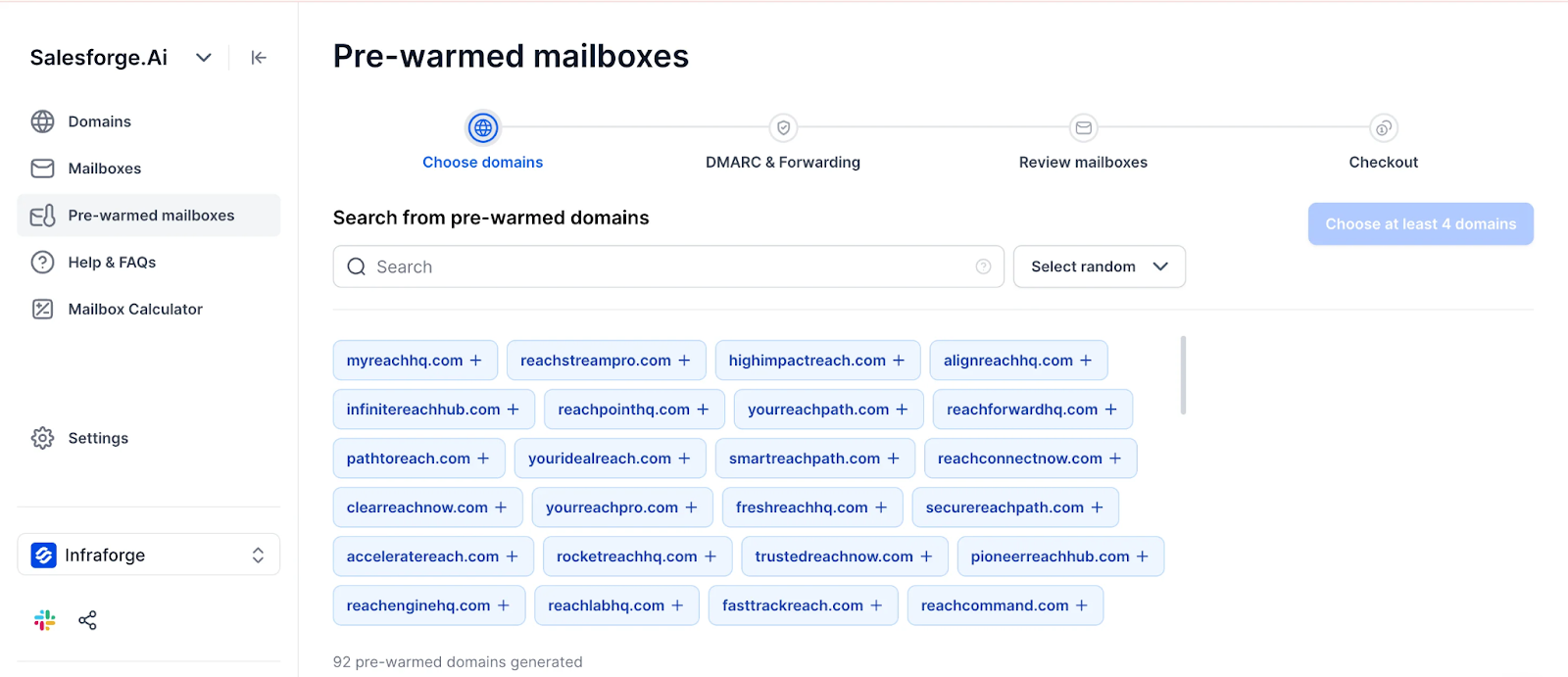
Use the domain auto-generator, enter your primary domain, set how many secondary domains you need, and Mailforge generates them with availability checks
This image shows the Generating Domains
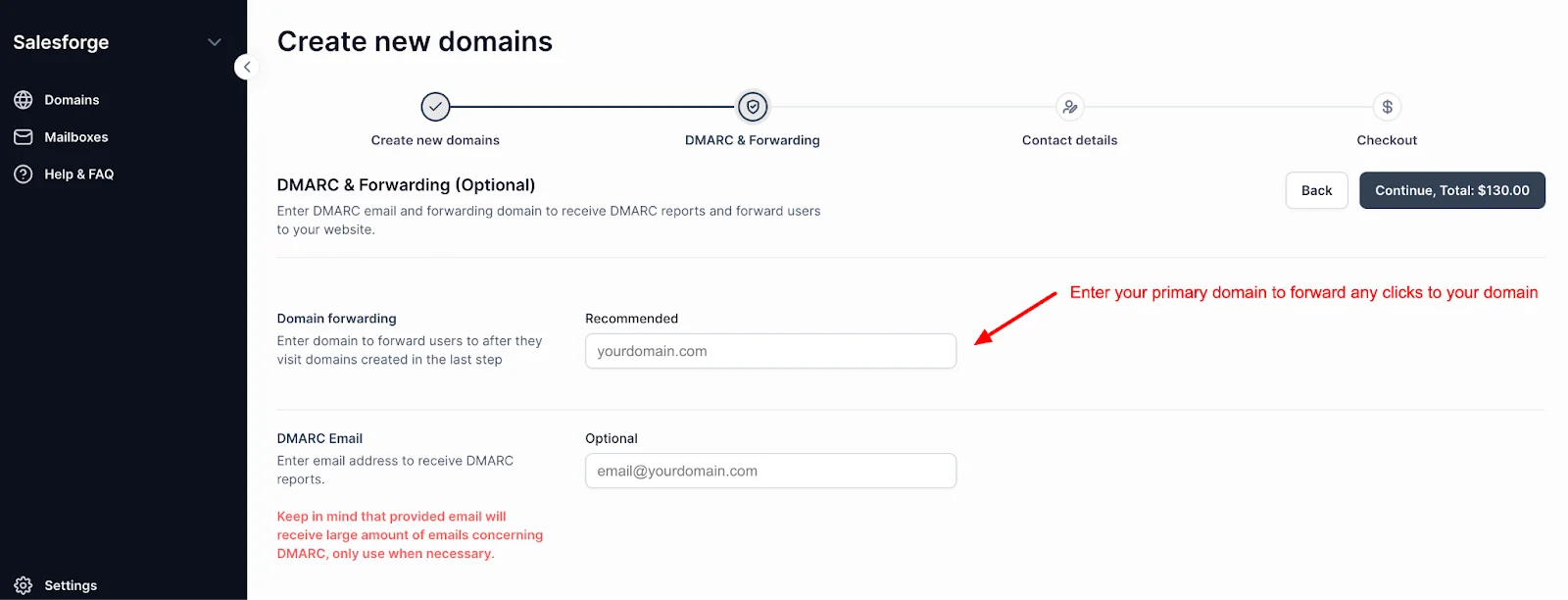
Set your DMARC forwarding and redirect domain
This image shows the Adding DMARC Forwarding
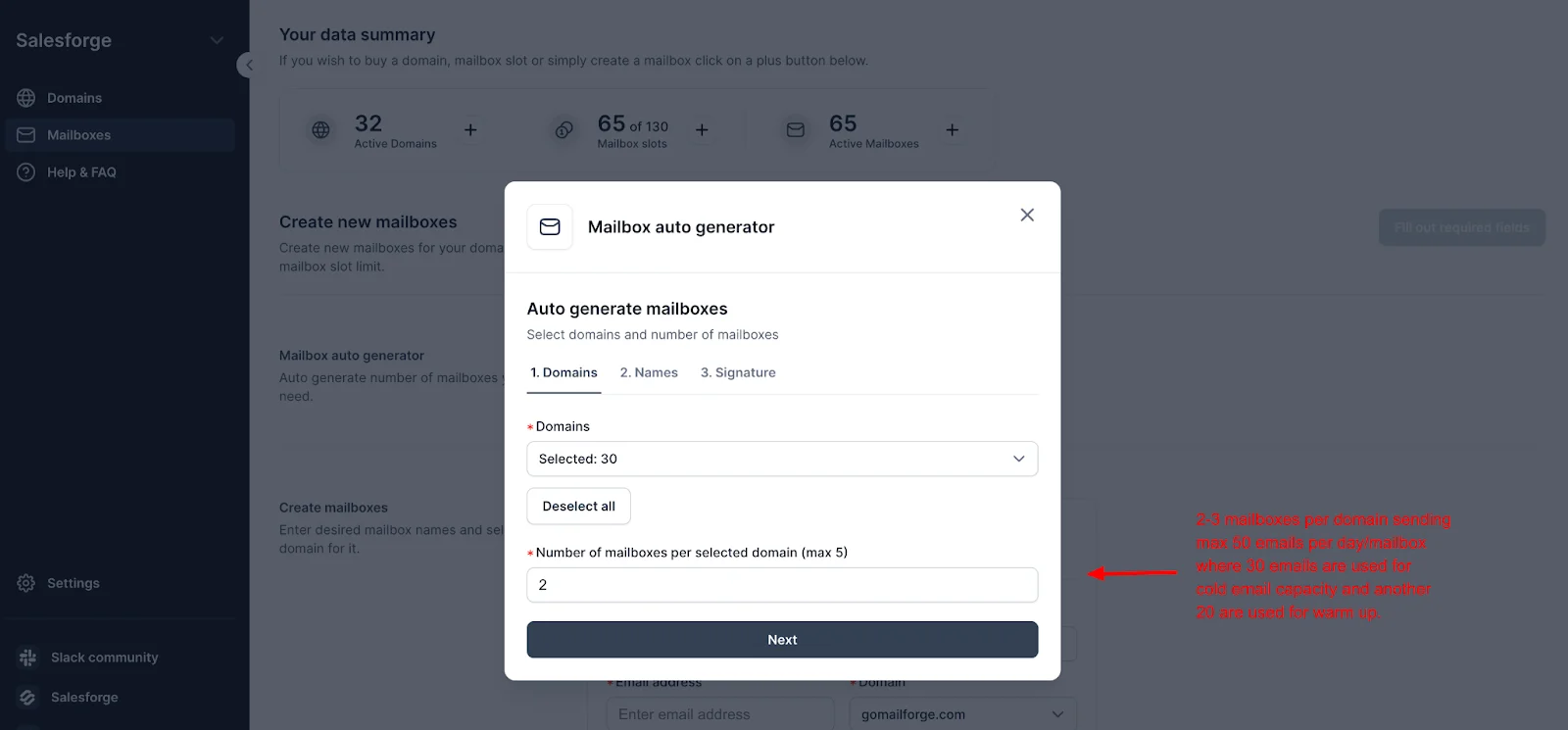
Move to mailboxes, select your domains, and set up to 3 mailboxes per domain (the recommended limit for deliverability)
This image shows the Selecting Mailboxes per Domain
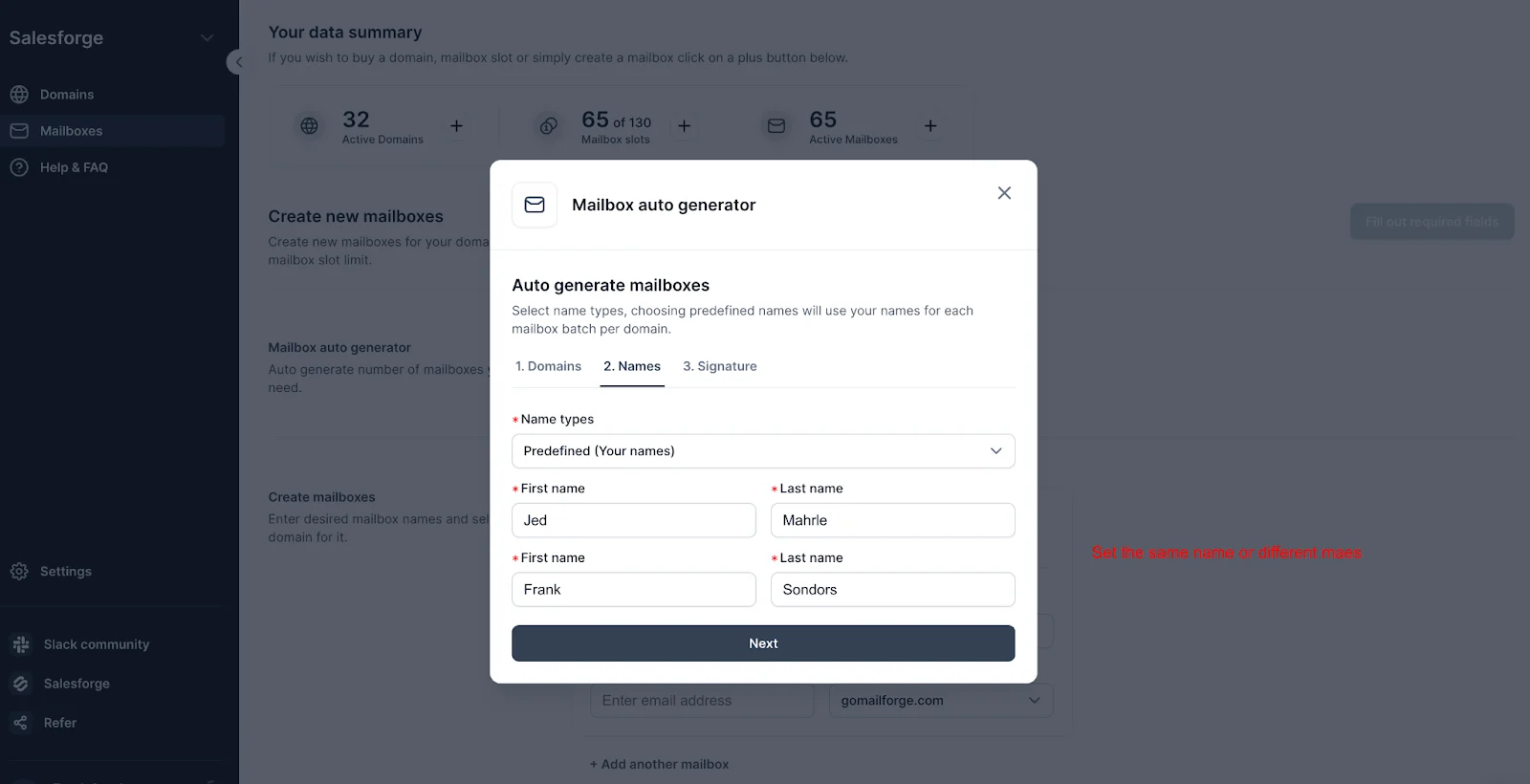
Choose name types, predefined, random male/female, or a mix
This image shows the Adding Mailbox Fields
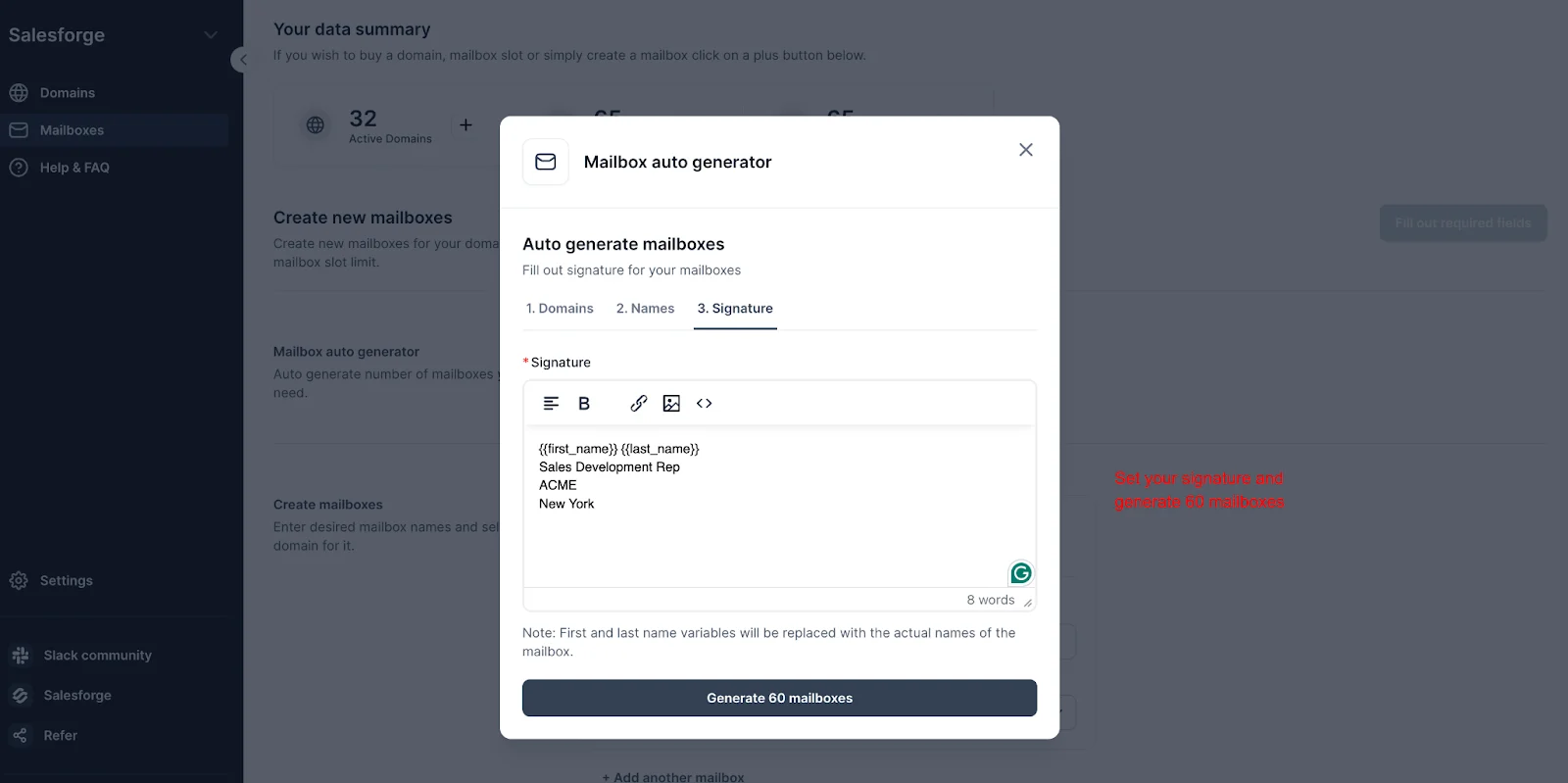
Add a signature template and generate your mailboxes in bulk
This image shows the Generating Mailboxes with Signature
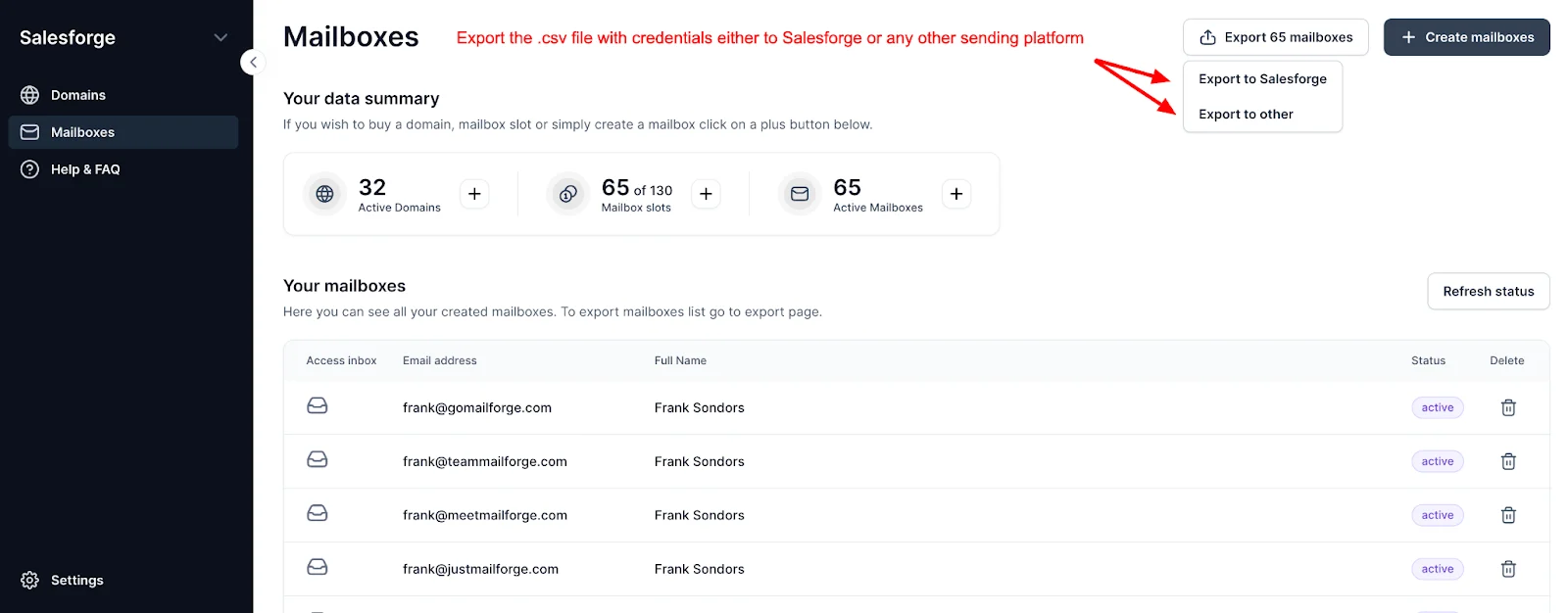
Export the CSV and import it into your sending tool
This image shows the Exporting CSV file
After that, the recommended next step is a 2-week warmup period.
If you're using Salesforge, you can connect Warmforge to warmup email automatically at no extra cost.
Pros & Cons of Mailforge
Pros
Fastest cold email infrastructure setup, live in 5 minutes
Most affordable infrastructure at $2–$3/mailbox
Automated DNS setup for every domain
Works with any sending software
Cons
Shared IPs mean other senders can affect your reputation
No sending tool built in, infrastructure only
No free trial
Not suitable for high-volume senders needing IP control
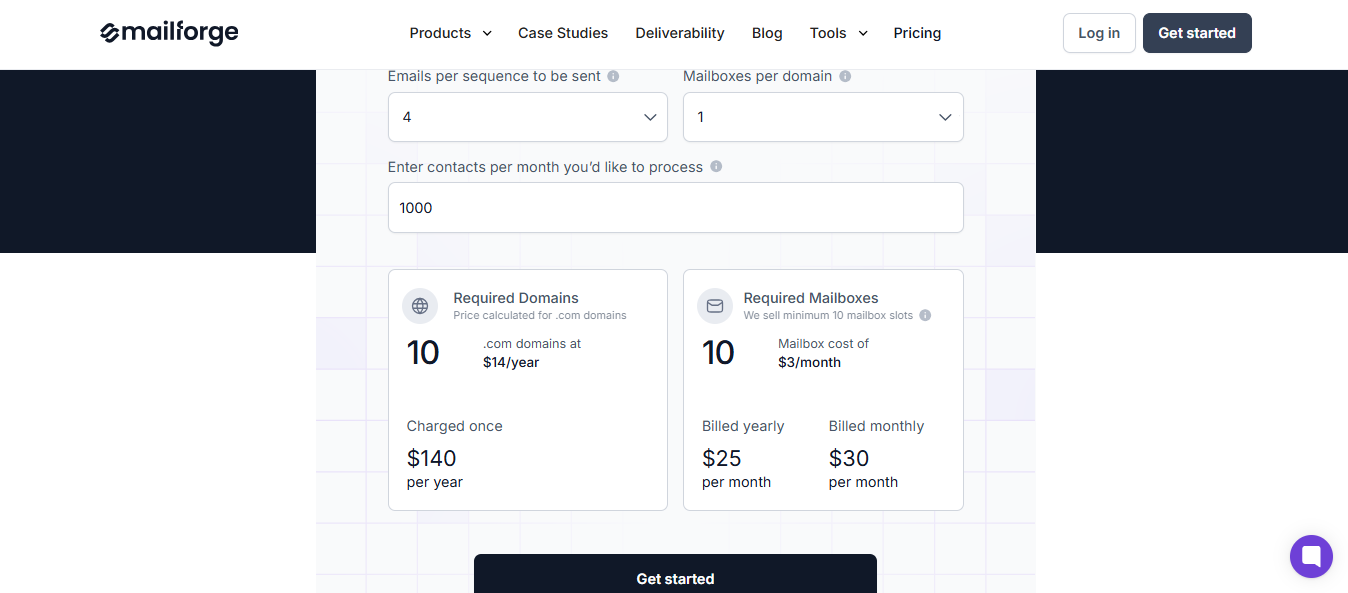
Mailforge Pricing
This image shows the Mailforge Pricing
Standard – $3/mailbox per month
Automated DNS, bulk domain and mailbox creation, multiple workspaces
High Volume – $2/mailbox per month
Same features at a reduced rate for larger setups
Ideal For
Outbound agencies managing multiple clients
SDR teams running high-volume campaigns
Founders who want infrastructure running in minutes, not days, without a technical setup
Personalized Outbound Strategy
Get The Right Outbound Strategy In Minutes
Enter your email to get a custom plan & stack recommendation for your
business
It's being carefully crafted by AI
Please check your mailbox in 5 minutes
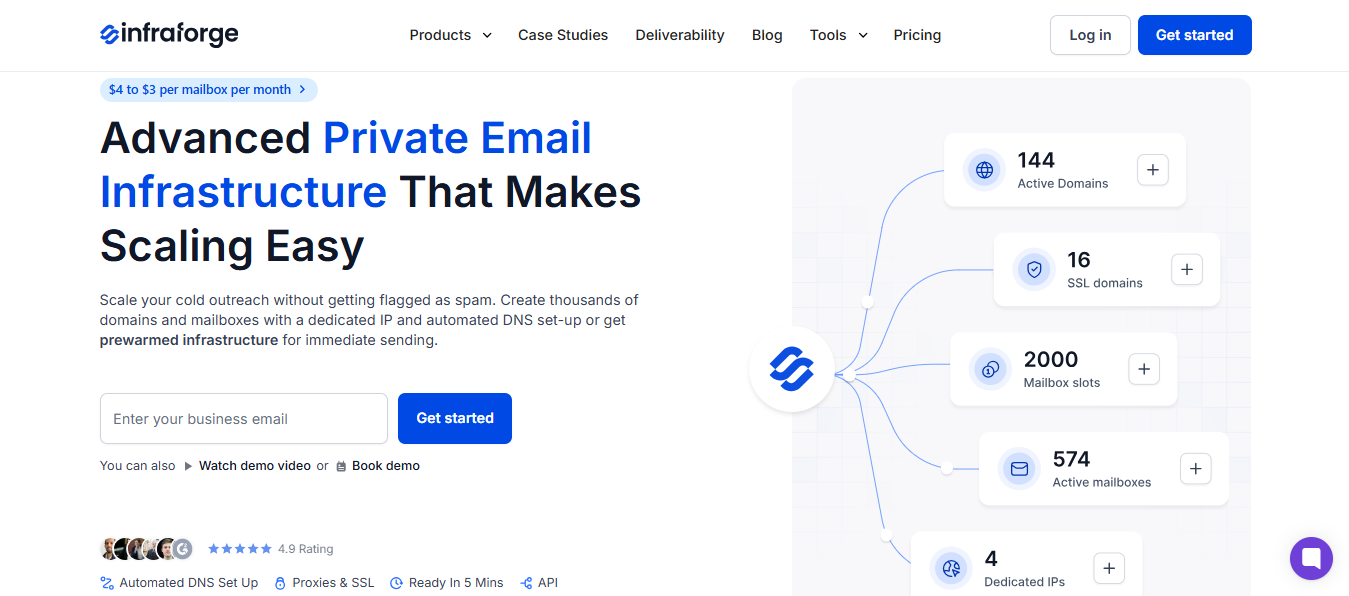
2. Infraforge (By Salesforge)
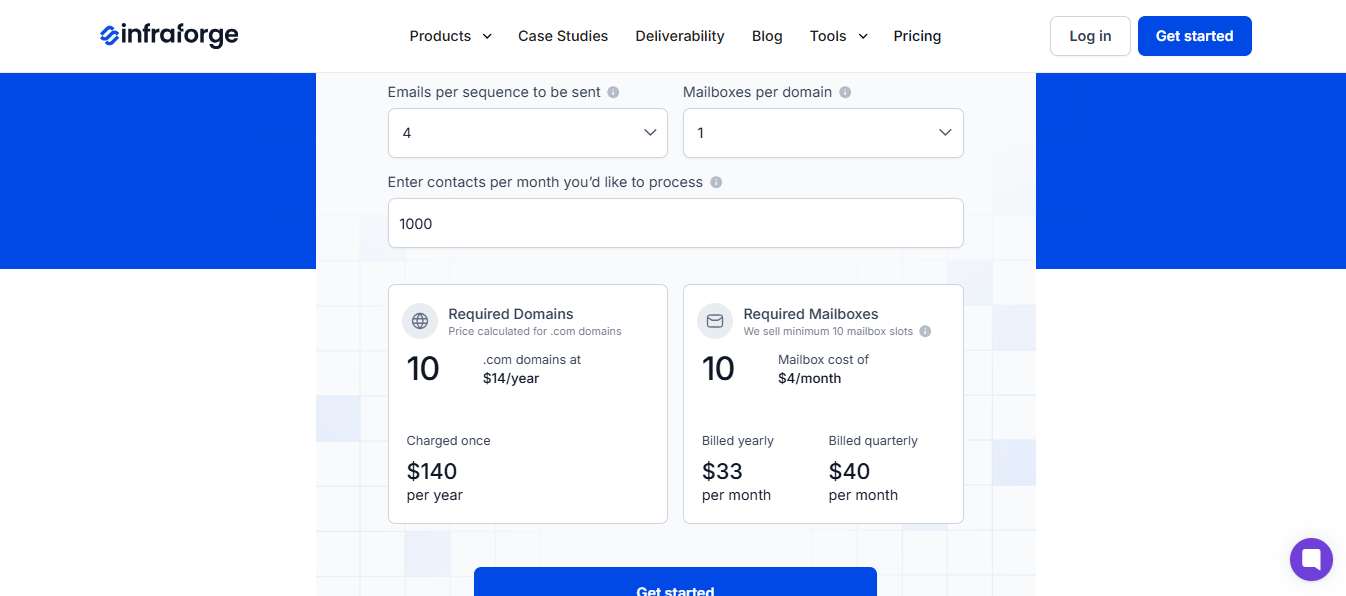
This image shows the Infraforge Homepage
In shared IP setups, sending cold emails at scale is not safe.
If another sender on the same IP gets flagged for spam, your deliverability takes the hit too, even if your emails are clean.
That's exactly what Infraforge is built to solve.
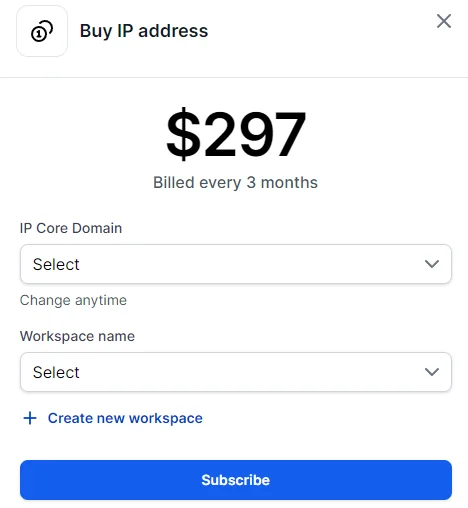
Infraforge is a cold email service provider that gives you private email infrastructure with dedicated IPs.
You own your sender reputation.
No one else's sending behavior affects your inbox placement.
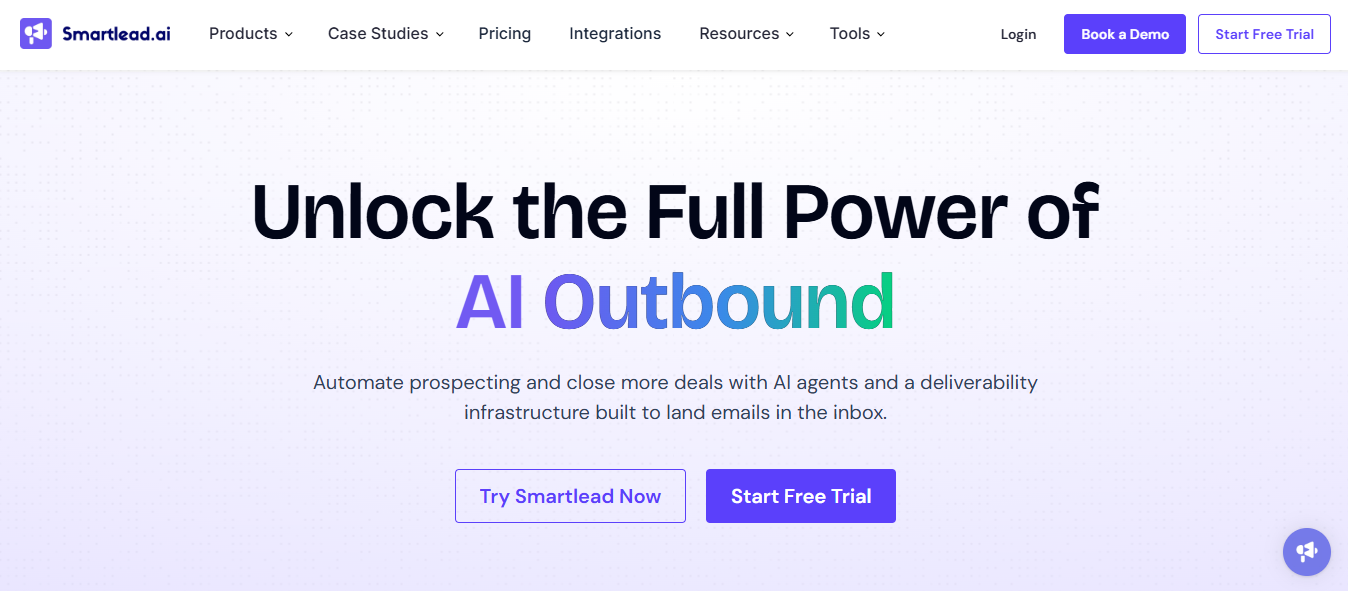
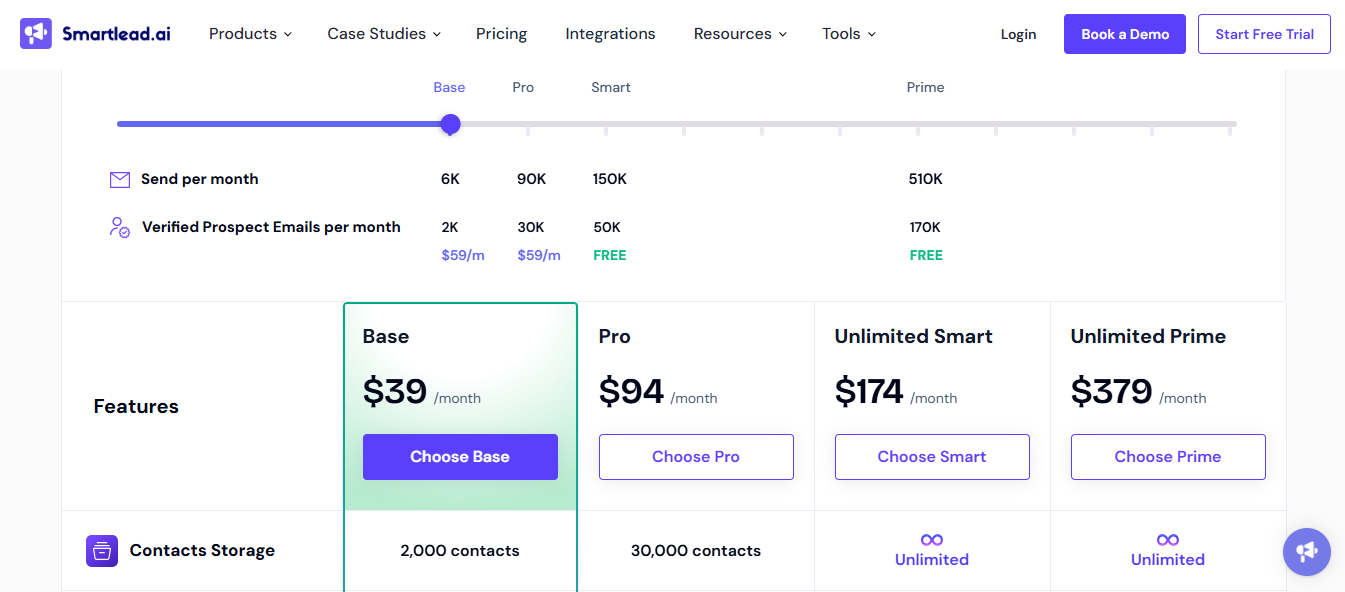
Smartlead is a cold email service provider built around two things: keeping your emails out of spam through automated warm-up, and consolidating all replies into a single inbox.
It is built around unlimited mailbox scaling and AI-driven deliverability.
You connect your mailboxes, set up your campaign once, and Smartlead handles rotation, warmup, and reply management automatically.
Sales teams that want lead sourcing, personalization, and multi-channel outreach in one tool without managing five separate platforms.
5. Woodpecker
This image shows the Woodpecker Homepage
Woodpecker is a cold email service provider that focuses on sequence-based outreach with a strong focus on sending control and agency workflows.
It sends emails directly from your connected mailbox, not through its own mail servers.
This means your emails look like they were sent manually, which helps with inbox placement.
How does Woodpecker Work?
Connect Gmail, Outlook, or any SMTP provider, emails directly from your own mailbox.
Sending intervals are randomized automatically between 90–140 seconds to avoid spam triggers.
Set daily sending limits per campaign, default is 50 opening emails per day.
Build sequences up to 16 steps, emails, LinkedIn tasks, calls, and condition-based paths.
Follow-ups stop automatically when a prospect replies, unsubscribes, or sends an out-of-office message.
Schedule by day, time window, and prospect timezone.
Import prospects via CSV, manually, or directly from integrated tools.
A/B test email copy across multiple versions within the same campaign.
Pros & Cons of Woodpecker.co
Pros
Cons
Sends directly from your own mailbox, looks fully manual
No built-in lead database
Up to 16 steps per sequence with condition-based paths
No AI personalization features
Sequences stop automatically on reply or unsubscribe
50-prospect free trial is very limited
Strong agency workflow with client separation
Pricing based on contacted prospects can be hard to predict
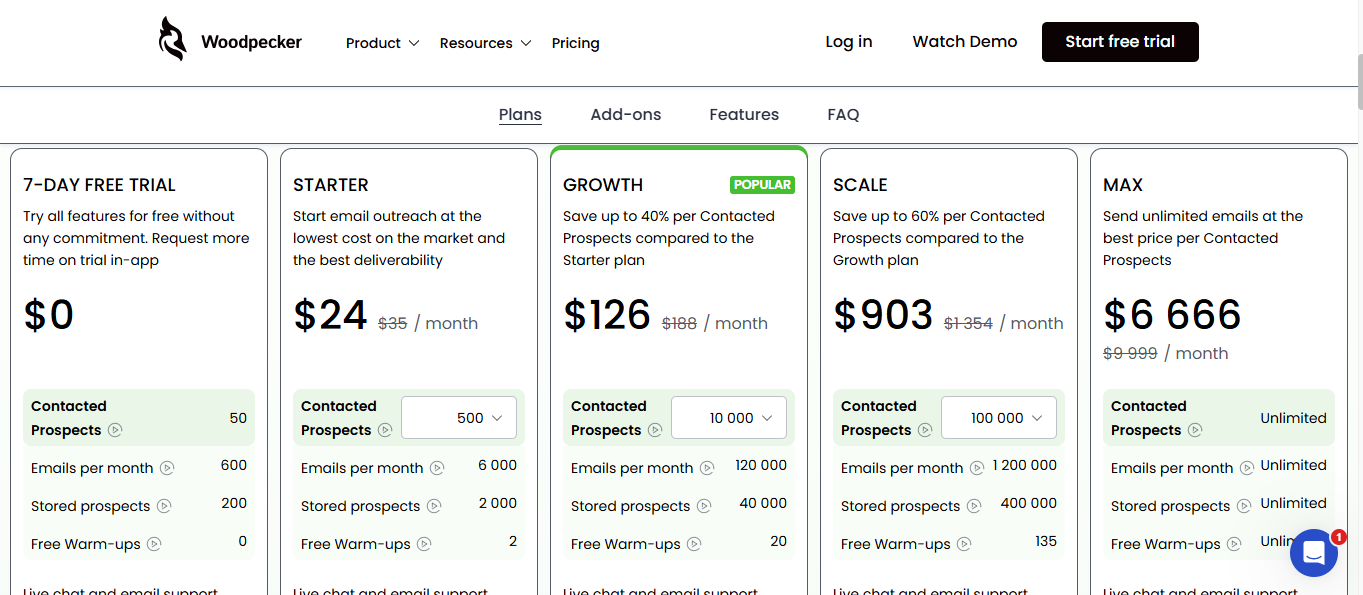
Woodpecker.co Pricing
This image shows the Woodpecker Pricing
Free Trial – 7 days or 50 contacted prospects
Full feature access, no credit card required
Paid – Based on contacted prospects per month
Campaigns pause when the limit is reached until billing resets
Ideal For
Agencies managing multiple clients who need a clean separation between accounts and precise sending control
B2B sales teams that run structured, sequence-based outreach without needing a built-in lead database
6. Reply.io
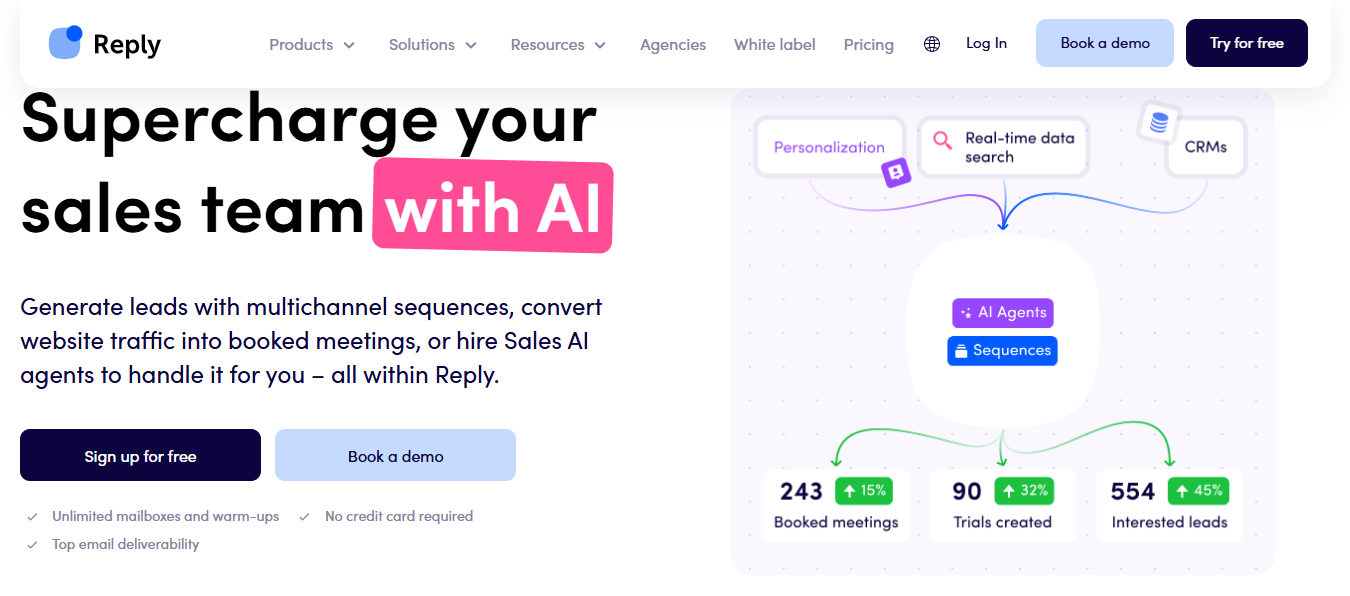
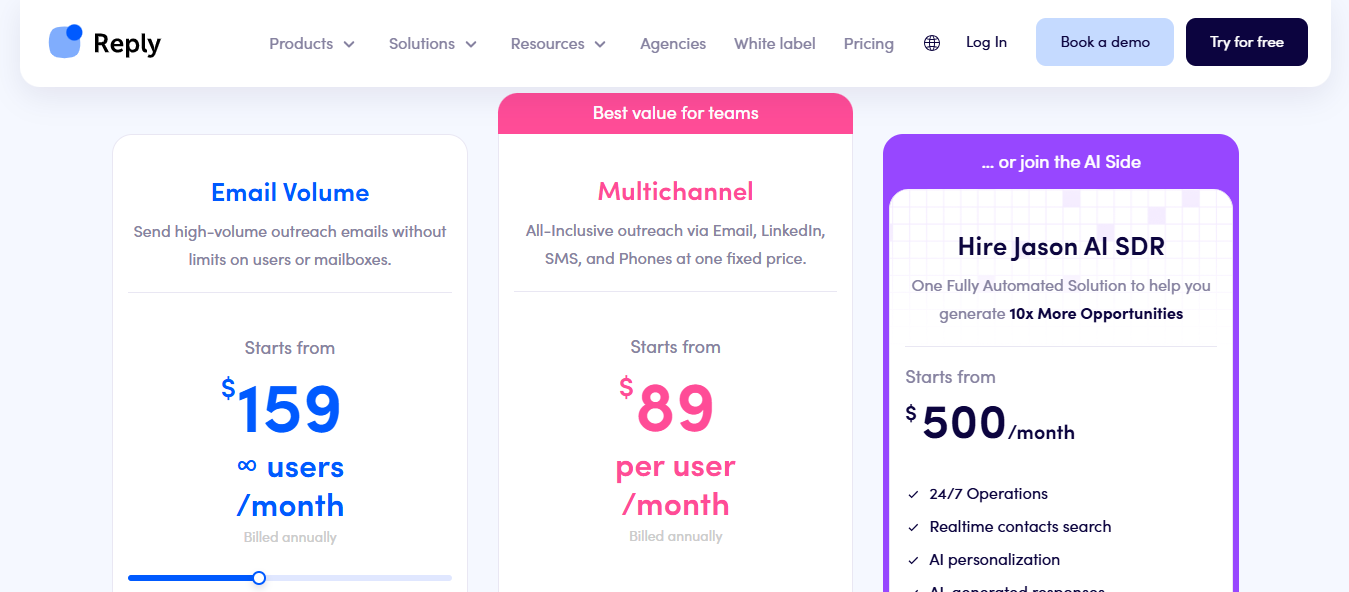
This image shows the Reply.io Homepage
Reply.io is a cold email service provider that centralizes outbound workflow into one platform, lead data, multi-channel sequences, AI personalization, email infrastructure, and analytics.
You find leads inside the platform, drop them into a sequence, and let the automation handle the rest across multiple channels.
How does Reply Work?
Search 1B+ contacts with filters like industry, role, tech stack, and intent signals.
Run email, LinkedIn, calls, SMS, and WhatsApp steps from one sequence builder.
AI Variables auto-generate subject lines, opening lines, and value props per prospect.
Conditional logic moves prospects between sequences based on their behavior automatically.
Native mailbox warmup via MailToaster and sender reputation monitoring via Google Postmaster.
Track website visitors and add them to inbound sequences based on pages visited.
Integrates with HubSpot, Salesforce, and custom workflows via API.
Pre-warmed accounts available for immediate sending
Contact limits are tight on lower plans
A/Z testing with unlimited email variations
No autonomous AI SDR for end-to-end prospecting
Unibox with AI intent labels across all inboxes
Big price jump from Hypergrowth to Light Speed
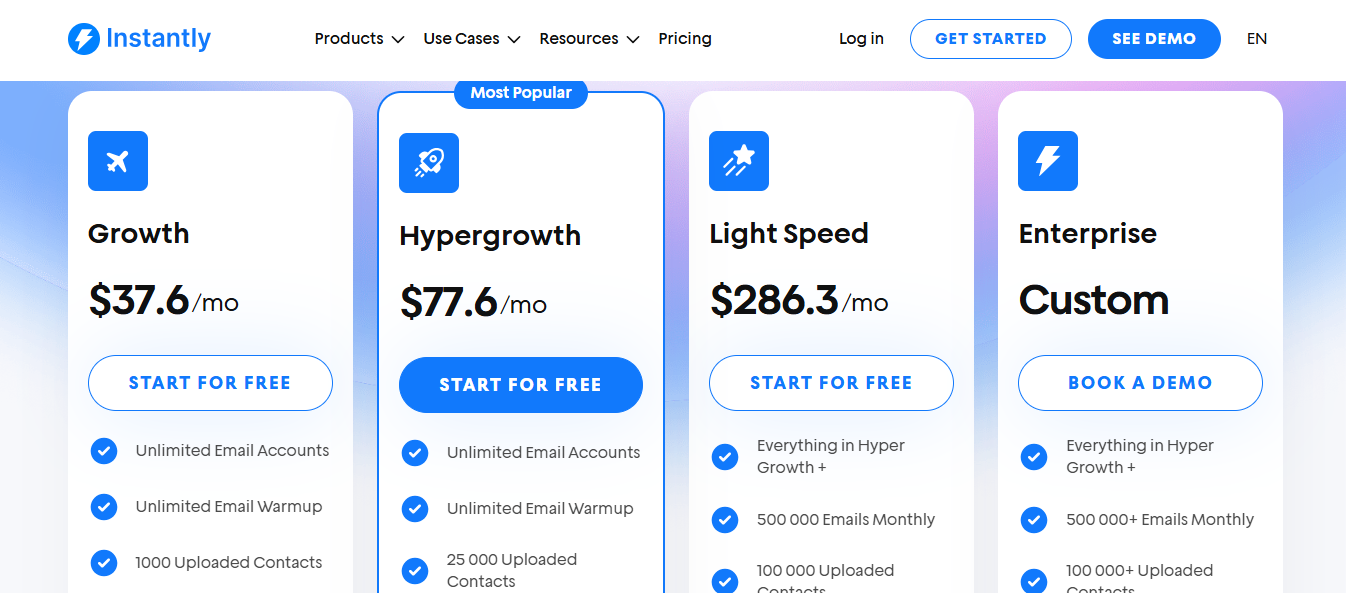
Instantly Pricing
This image shows the Instantly Pricing
Growth – $37.6/month
5,000 emails/month, 1,000 contacts, unlimited accounts, and warmup
Hypergrowth – $77.6/month
100,000 emails/month, 25,000 contacts, premium support
Light Speed – $286.3/month
500,000 emails/month, 100,000 contacts, SISR deliverability system
Ideal For
Founders, agencies, and sales teams focused on high-volume cold email who want everything, domains, warmup, sending, and reply management, in one tool.
8. Klenty
This image shows the Klenty Homepage
Most SDR teams blame low reply rates on volume.
The real problem is usually bad targeting, generic copy, and merge tags passed off as personalization.
Klenty features a 6-step AI-driven outbound workflow.
Instead of just automating sends, it helps you fix the strategy behind your outreach before a single email goes out.
How does Klenty Work?
Build prospect lists using plain-text prompts. AI goes deeper than standard filters.
Waterfall enrichment across 16+ data providers returns near 100% accurate emails.
AI researches each account across 150+ public sources, pain points, signals, and LinkedIn activity.
Full deliverability setup handled for you, DKIM, DMARC, SPF, warmup, and inbox rotation.
Personalized sequences generated per account, manual, hybrid, or fully AI-generated.
Prospects auto-enroll into the right sequence based on intent and awareness level.
CRM and inbound prospects are added directly into lists and sequences without manual work.
Pros & Cons of Klenty
Pros
Cons
AI is built into every step, list building, research, enrichment, and sequencing
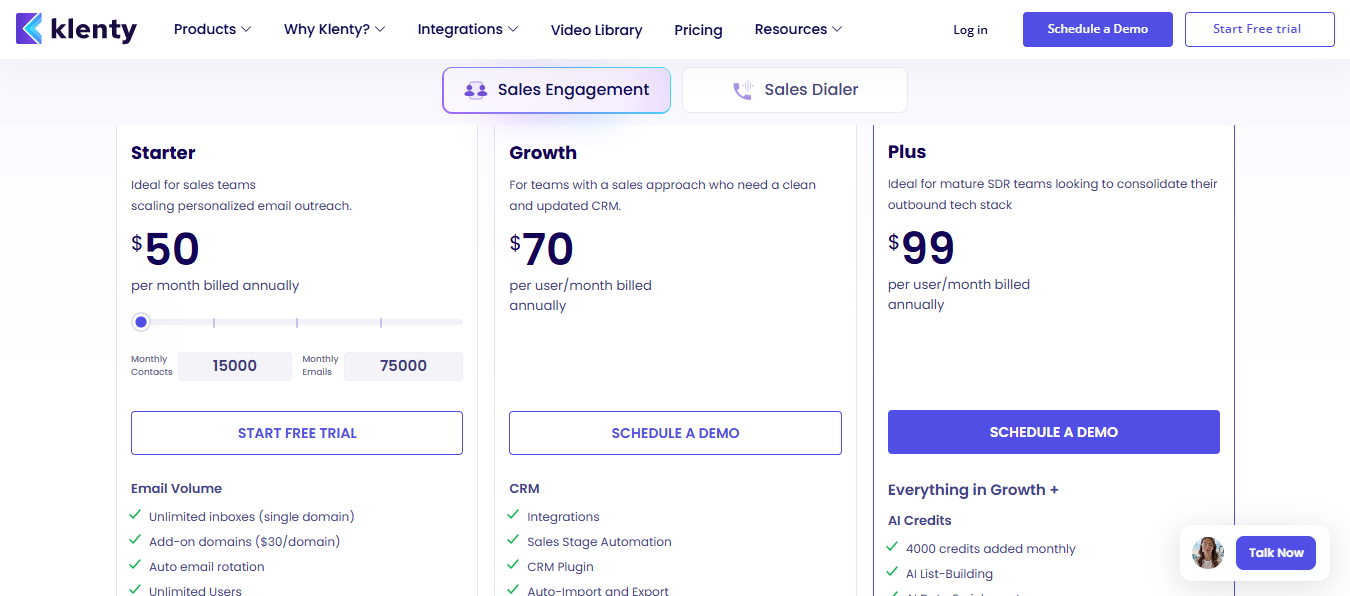
AI features only at $99/user/month
Waterfall enrichment across 16+ data providers
Per-user pricing scales steeply with team size
Full deliverability setup handled automatically
Extra domains cost $30 each on the Starter plan
Prospects auto-enroll into sequences based on intent level
10 email addresses, LinkedIn, 5 phone numbers, power dialer, unlimited VOIP
Ideal For
First time sales teams, individual reps, and businesses who need a tool that's fast to set up and easy to use day-to-day
Agencies that want a lightweight tool without a steep learning curve
10. QuickMail
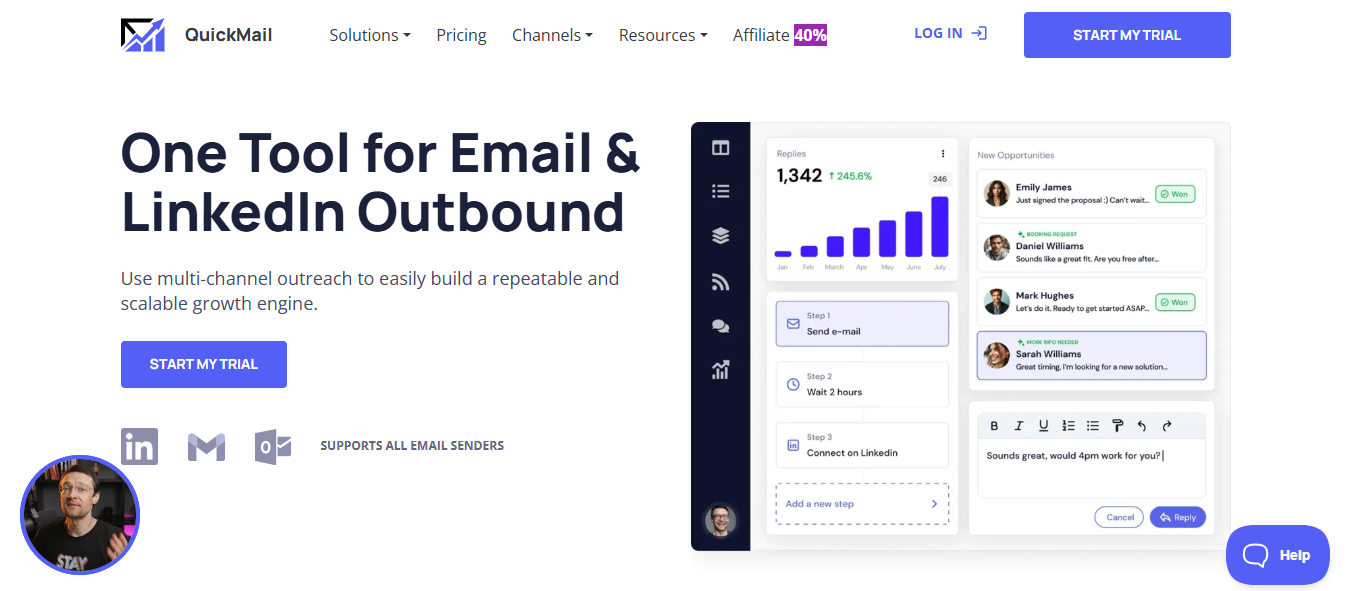
This image shows the Quickmail Homepage
In cold email campaigns at scale, one underperforming sender can drag down your entire campaign, and you often don't notice until reply rates drop.
QuickMail is built specifically around solving that problem, keeping your emails out of spam through automated deliverability management, inbox rotation, and AI-driven sending.
You connect your senders, build your sequences, and QuickMail monitors and manages deliverability automatically in the background.
How does QuickMail work?
Connect unlimited senders to one campaign and auto-rotate sending across all of them.
Deliverability AI monitors senders, removes poor performers, and rotates in healthy ones automatically.
AI rewrites each outgoing email to make it unique, no manual spintax needed.
Public blacklists are monitored daily to catch domain reputation issues early.
Buy pre-configured Google Workspace mailboxes at $3/month, delivered in 3 hours or less.
Import via CSV or sync from Google Sheets, unverified emails are flagged and removed automatically.
Sequences run 3–6 steps with automated follow-ups, stopping when a prospect replies.
Track open rates, reply rates, click-through, and bounce rates, and A/B test across variations.
Native integrations with HubSpot, Pipedrive, and Zapier for CRM sync.
Pros & Cons of QuickMail
Pros
Cons
Deliverability AI automatically removes poor-performing senders
No built-in lead database
AI rewrites each outgoing email to keep sending unique
No native LinkedIn outreach on lower plans
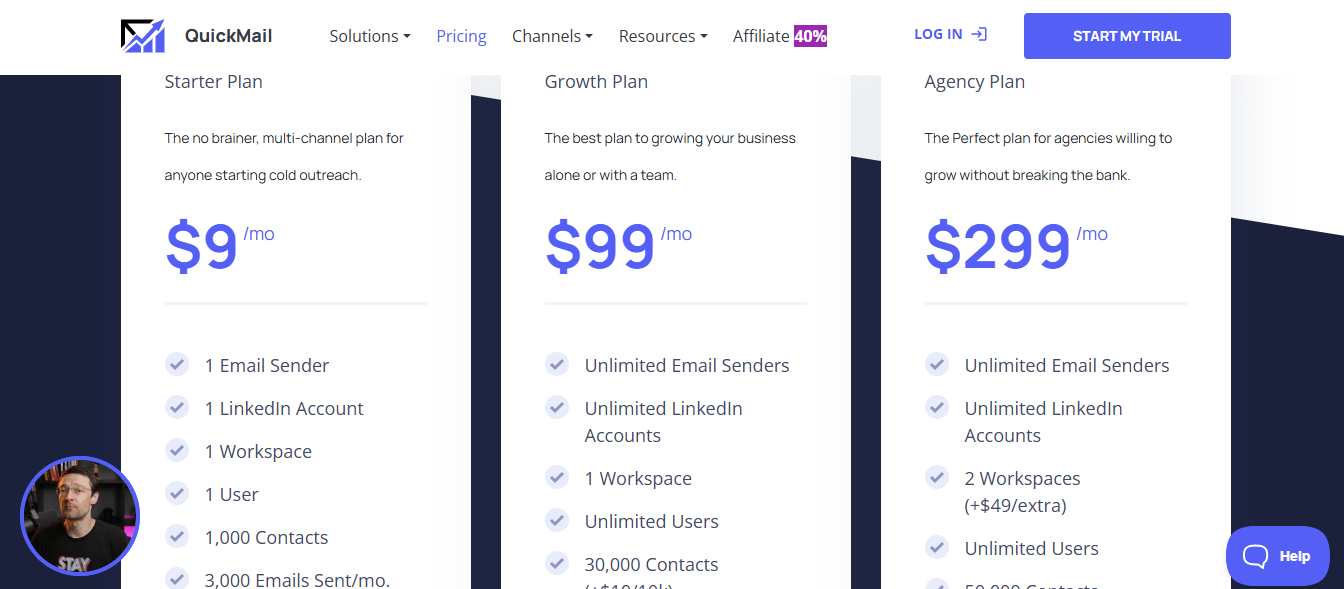
Cheapest entry point at $9/month
Starter plan limited to 1,000 contacts and 3,000 emails
Pre-configured Google Workspace mailboxes at $3/month
No multi-channel sequences beyond email and LinkedIn
Teams and agencies for whom deliverability is the primary concern
Senders with spam issues who need automated inbox management without manual oversight
Personalized Outbound Strategy
Get The Right Outbound Strategy In Minutes
Enter your email to get a custom plan & stack recommendation for your
business
It's being carefully crafted by AI
Please check your mailbox in 5 minutes
Conclusion: Which Cold Email Service Provider Is Right for Your B2B Team?
Picking the right cold email service provider depends on what your outreach actually needs:
If you need fast, affordable email infrastructure, Mailforge gets you set up in minutes.
If dedicated IPs and full sender reputation control matter, Infraforge is the stronger pick.
If high-volume sending with automated warmup is the goal, Smartlead or Instantly are solid options.
If multi-channel sequences across email and LinkedIn are the priority, Lemlist or Reply.io fit well.
If you want AI built into every step of your outbound workflow, Klenty goes deeper than most.
From what I've tested, Mailforge plus Inraforgre (by Salesforge) is the strongest option for B2B teams that want email, LinkedIn, an autonomous AI SDR, and reply management all in one place.
Start your free trial and join 10,000+ businesses who booked meetings, not just email opens.
Book more meetings on autopilot
Set up in minutes. No per-seat pricing. No commitment.
Discover the best sales acceleration softwares of 2026. Compare features, pricing, pros, cons, and find the right tool to grow your sales pipeline faster.







.jpg)