
Personalized Outbound Strategy
Get The Right Outbound Strategy In Minutes
Enter your email to get a custom plan & stack recommendation for your business
It's being carefully crafted by AI
Please check your mailbox in 5 minutes
AnyBiz is built for teams that want AI to take over more of the SDR workload: prospecting, email, LinkedIn, AI calls, follow-ups, visitor tracking, CRM alerts, and meeting booking.
That makes it look useful on paper, especially for teams trying to increase pipeline without adding more reps. But a long feature list is not enough in outbound. The real question is whether the platform improves the parts that actually decide results: lead quality, sender setup, deliverability, message control, reply handling, and meeting quality.
That is where this review goes deeper. We will look at what AnyBiz does well, where it may create tradeoffs, what the pricing really means, and how it compares with Salesforge and Agent Frank.
AnyBiz is worth shortlisting if you want a managed AI SDR that packages prospecting, email, LinkedIn, calls, follow-ups, and meeting generation into one vendor-led workflow.
It is not the best fit if your team wants to own the outbound machine: infrastructure, sender identity, mailbox strategy, sequence testing, deliverability discipline, and the learning loop behind pipeline.
You are not only comparing features. You are choosing between two operating models:
AnyBiz works when your biggest constraint is execution capacity. It breaks when your biggest constraint is control.
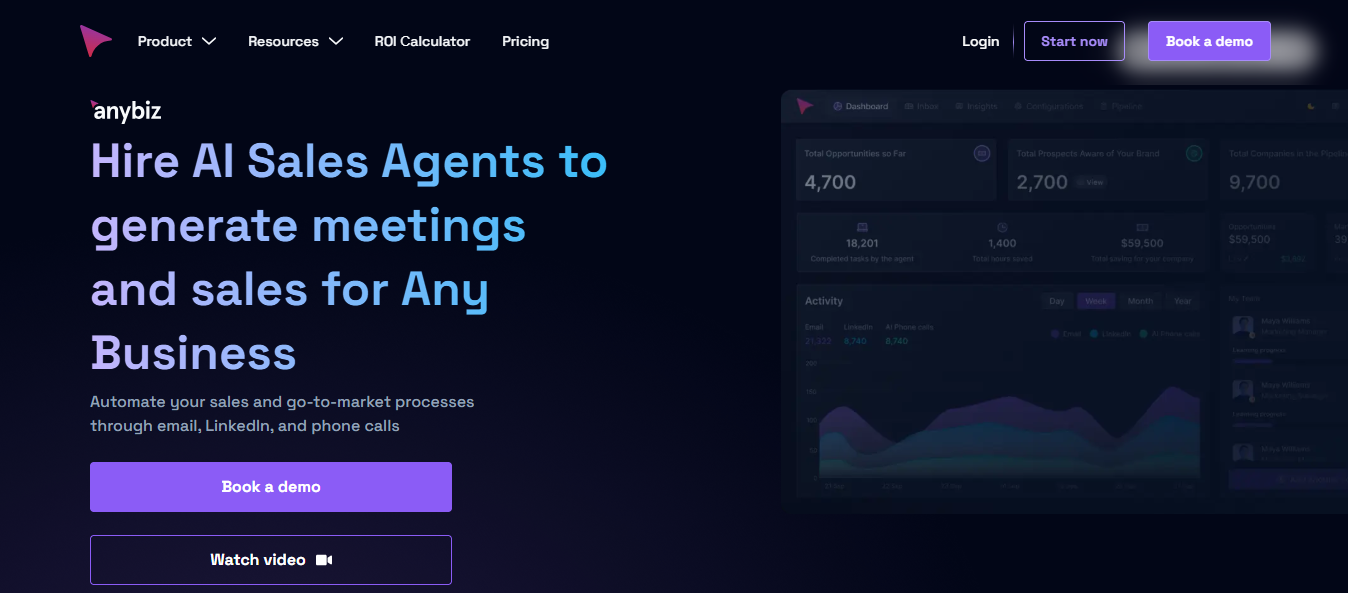
AnyBiz is an AI sales outreach platform built around a single idea: one AI agent that runs your sales development work from end to end, without rest.
In my experience evaluating outbound tools, this puts AnyBiz closer to a full AI SDR suite than a single-channel sender.
It handles prospecting, outreach across three channels, AI calling, and meeting workflows inside one system.
AnyBiz replaces your stack of sales tools most teams stitch together for data, sequencing, calling, landing pages, and CRM routing.
The platform is built around convenience.
What I’d watch for is control. When one agent writes, sends, and replies across five channels, you gain reach and give up the levers that decide outbound results: who gets contacted, what goes out, and how a reply is handled.
AnyBiz claims "Inbox Guaranteed." No platform can deliver that, and I would treat any tool that promises it with caution.
AnyBiz is built for teams that want outbound done for them more than they want another tool to manage.
That matters. Most AI sales tools still assume someone on your team will build lists, approve copy, manage deliverability, monitor replies, update the CRM, and fix campaign logic when the numbers drop.
AnyBiz tries to collapse that work into a managed AI SDR workflow.
The strongest fit is:
The weaker fit is:
The problem is not whether AnyBiz can run outreach. It can.
The better question is whether you want to rent the execution layer or own the outbound system that creates it.
The interesting part of AnyBiz is not the feature list. Most review pages over-focus on whether the platform has email, calls, LinkedIn, AI messages, CRM integrations, visitor tracking, and dashboards.
The buyer question is sharper: what does AnyBiz remove from your team, and what does it also take out of your hands?
Here is the compressed workflow:
That is useful because outbound usually fails at the handoffs.
The list exists in one place. The sequence lives somewhere else. Deliverability is treated as someone else's problem. Replies land in separate inboxes. CRM updates happen late. Nobody owns the full loop.
AnyBiz’s bet is that one managed AI SDR should own more of that loop.
AnyBiz combines prospect data, channel automation, AI-written messages, deliverability setup, and meeting workflows.
The platform is built around the idea that AI can choose prospects, contact them, follow up, and route the right replies to your team.
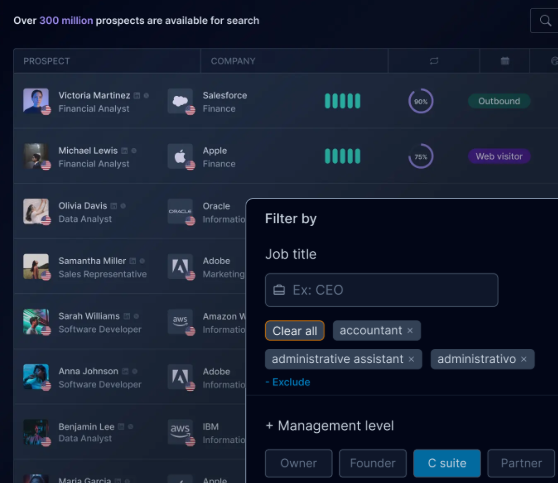
AnyBiz features a large prospect database, which is described as 450 million prospects.
Other third-party pages in the search results mention different figures, such as 400 million or 80 million.
That does not automatically mean the data is wrong, but it does mean buyers should verify the current number during a demo.
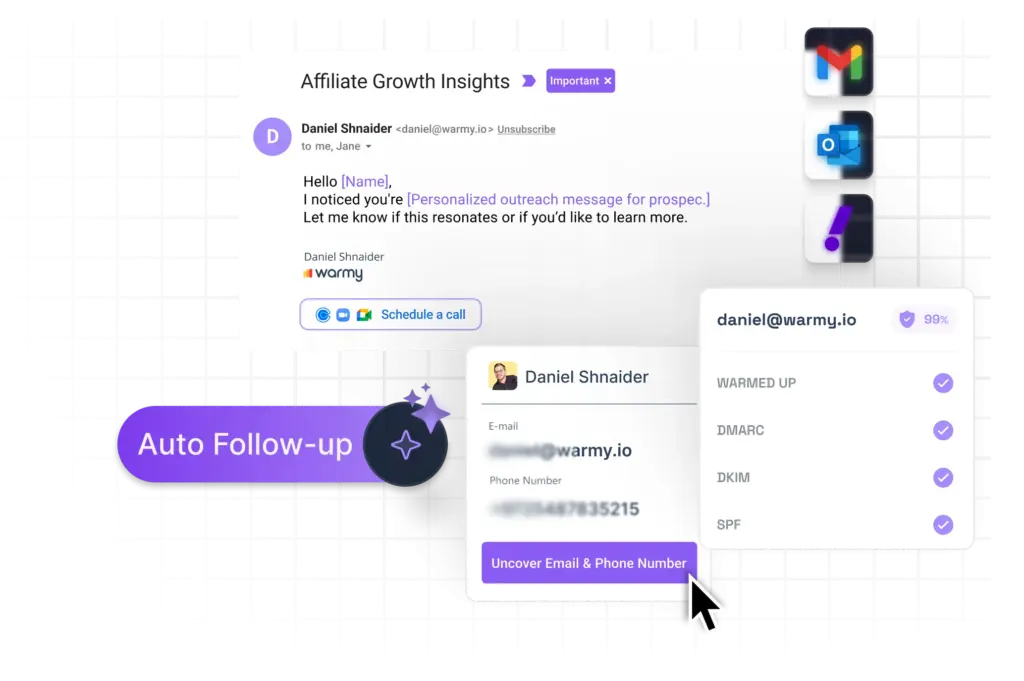
AnyBiz’s email channel is one of its main features.
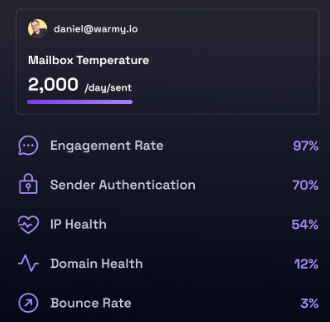
The platform can set up 6 domains and 12 email accounts, send 5,000 personalized emails per month, monitor deliverability, and apply automated fixes.
Follow-ups are handled on automation, so you never let a prospect go silent.
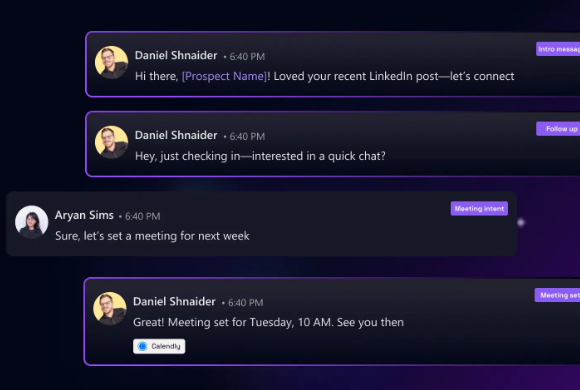
It also uses social media insights to write more contextual emails and can handle replies through AI.
AnyBiz also warms up domains and comes with SPF, DKIM, DMARC, and reputation monitoring.
5 Best Practices to Improve Sender Reputation
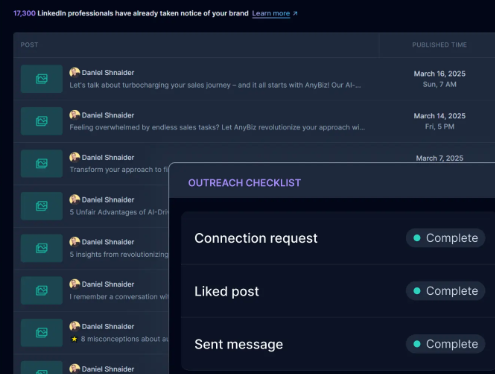
AnyBiz also supports LinkedIn outreach. The platform can automate LinkedIn messages, follow-ups, message handling, and even LinkedIn content for a company page or profile.
This can help teams reach buyers outside the inbox.
It can also add risk if the system sends too many connection requests, uses weak personalization, or writes in a tone that does not match your brand.
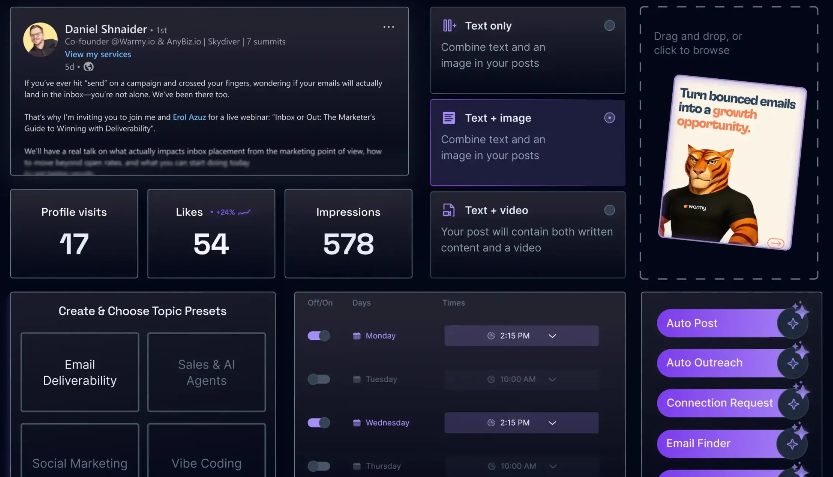
LinkedIn is a high-trust channel. A weak message not only reduces replies. It can make your brand look careless.
👉 Run LinkedIn and email outreach from one platform with Salesforge
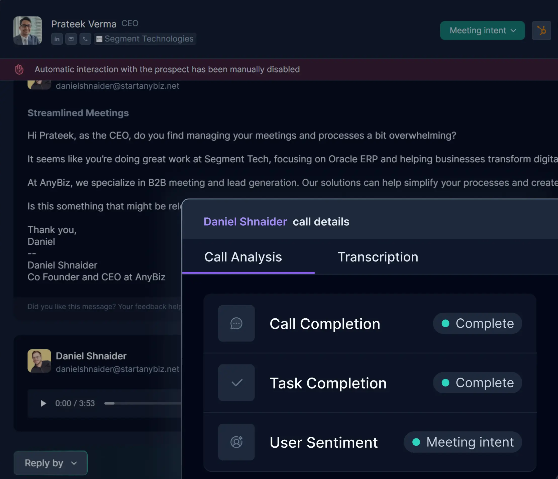
AI calling is one of the features that makes AnyBiz stand out from basic outreach tools.
AnyBiz offers 1,000 AI-driven cold calls per month, provides a dedicated call number, creates scripts, uses custom landing pages, transcribes calls, supports multiple languages, and tracks call duration, sentiment, and conversion.
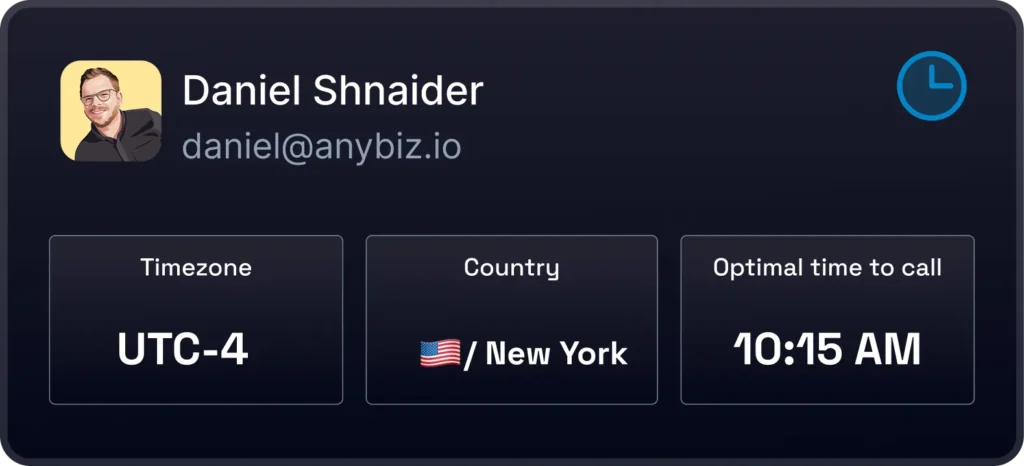
it supports TCPA and GDPR needs through opt-out options and consent tracking.
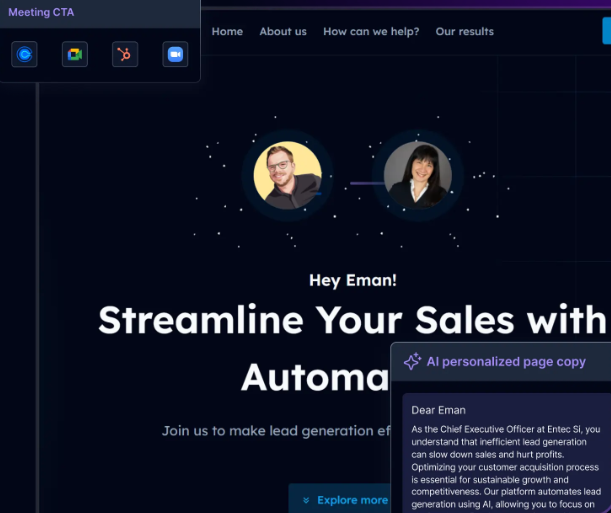
AnyBiz can create personalized landing pages for prospects. This can support outreach because the prospect sees a page that connects the message to their company or use case.
The risk is weak personalization. If the page only swaps a company name into generic text, it may feel shallow.
A good landing page should match the offer, the segment, the pain point, and the next step.
It can identify website visitors in real time and trigger outreach. This can be useful because website activity often signals interest.
5 Tools To Automate Your Sales Workflow in 2026
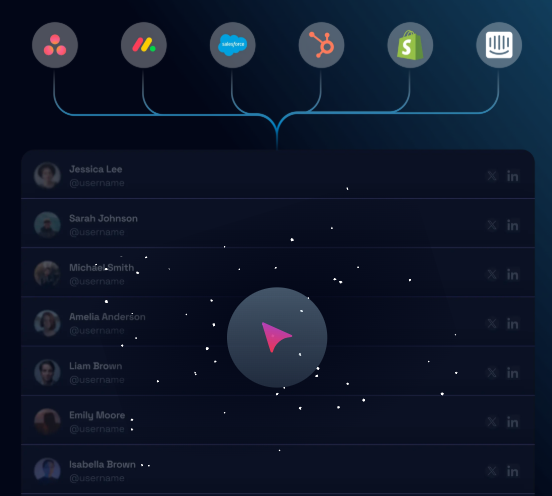
AnyBiz connects with tools like HubSpot, Monday, Intercom, and Asana. It also offers alerts through WhatsApp, SMS, and Slack.
This matters because outbound does not end when someone replies. The value comes from routing the right reply to the right person quickly.
AnyBiz pricing is public as of 2026, and the plans are billed quarterly.
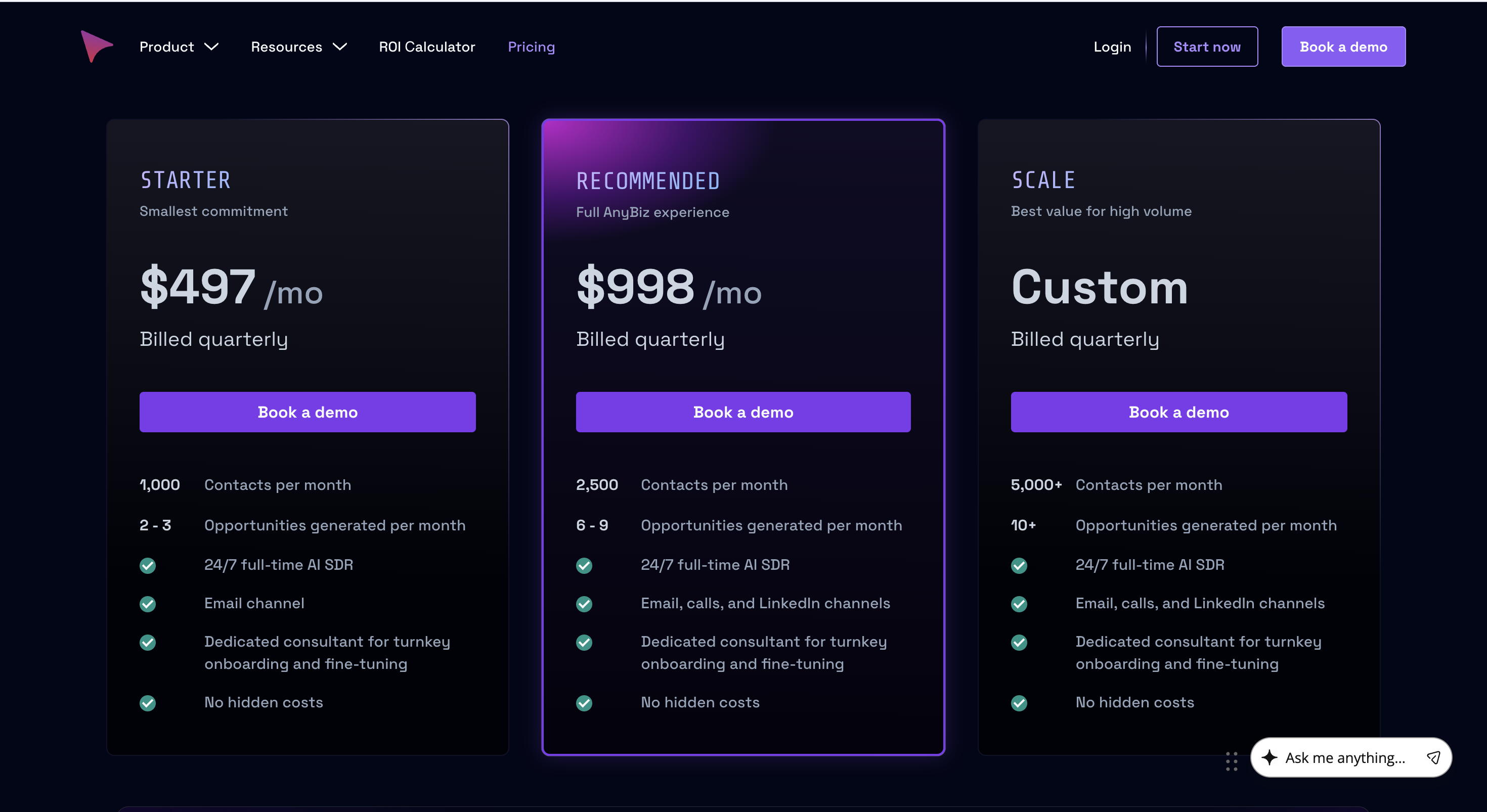
The Starter plan is $497 per month, billed quarterly. It includes 1,000 contacts per month, expected output of 2 to 3 opportunities per month, email outreach, a 24/7 AI SDR, consultant onboarding, and no hidden costs.
The Recommended plan is $998 per month, billed quarterly. It includes 2,500 contacts per month, expected output of 6 to 9 opportunities per month, email, calls, and LinkedIn, plus consultant-led onboarding.
The Scale plan is custom. It starts at 5,000+ contacts per month, 10+ opportunities per month, email, calls, LinkedIn, and dedicated support.
The important detail is not only the monthly number. It is the commitment model.
A $497 monthly price billed quarterly is not a casual test. It is a multi-month ramp. That is reasonable for outbound because deliverability, targeting, message-market fit, and reply patterns need time. It is risky if your ICP still changes every week.
AnyBiz is strongest when the buyer wants one packaged system instead of five disconnected tools.
The platform is built around the obvious pain: prospecting eats time. Finding contacts, writing intros, checking replies, following up, scheduling, and logging activity turns good salespeople into admin workers.
AnyBiz moves much of that work into an AI agent workflow.
That is useful for lean teams. A founder or Head of Growth can define the market, approve the direction, and let the system create motion instead of managing a spreadsheet every morning.
Starter is email-only, but higher AnyBiz plans add calls and LinkedIn. That matters because outbound rarely works from one channel alone.
Email is the scalable entry point. LinkedIn adds identity and warm touchpoints. Phone can catch accounts that ignore written outreach.
The value is not that every prospect gets every channel. The value is that the workflow has more than one route to create a relevant moment.
AnyBiz packages infrastructure, contact data, and consultant guidance into the plan. That is a real advantage for buyers who do not know how to set up domains, mailboxes, warmup, sender limits, tracking, and handoff rules.
You are paying for fewer moving parts.
That can beat a cheaper tool stack if nobody on your team knows how to operate the cheaper tool stack.
A broad AI SDR suite comes with real costs. Here is where AnyBiz falls short.

By default, AnyBiz writes and sends across email, LinkedIn, and calls on its own.
That speed is the selling point, but it means your messaging and reply handling run through an AI you are not reviewing line by line.
For brand-sensitive outbound, that is a real loss of control, not a hypothetical one.
AnyBiz runs 1,000 AI cold calls a month and states it covers TCPA and GDPR through opt-outs and consent tracking.
Phone outreach is simply higher-risk than email: call regulations vary by region, and a compliance label on a feature page is not the same as a process you have verified.
Confirm exactly how consent and opt-outs are handled for your markets before you turn calling on.
AnyBiz bundles calls, LinkedIn content, visitor detection, and landing pages into every plan.
If your motion is email-led, you are paying for and managing channels you will not use.
A focused platform like Salesforge covers email and LinkedIn outreach without the rest of the suite.
Do not choose AnyBiz if you are still figuring out whether outbound works for your market.
Use a lighter setup first. Validate the ICP, offer, and reply patterns before you commit to a quarterly AI SDR workflow.
Do not choose AnyBiz if your team needs every outreach variable under your control. RevOps-heavy teams will want tighter control over enrichment rules, deliverability decisions, testing cadence, and CRM data hygiene.
Do not choose AnyBiz if you only need email sequencing. You will pay for a broader managed system when a focused sender plus infrastructure setup would do the job.
Do not choose AnyBiz if your sales team is not ready to handle the meetings it creates. An AI SDR can fill the top of the funnel, but poor discovery, slow follow-up, and weak qualification will still waste the opportunity.
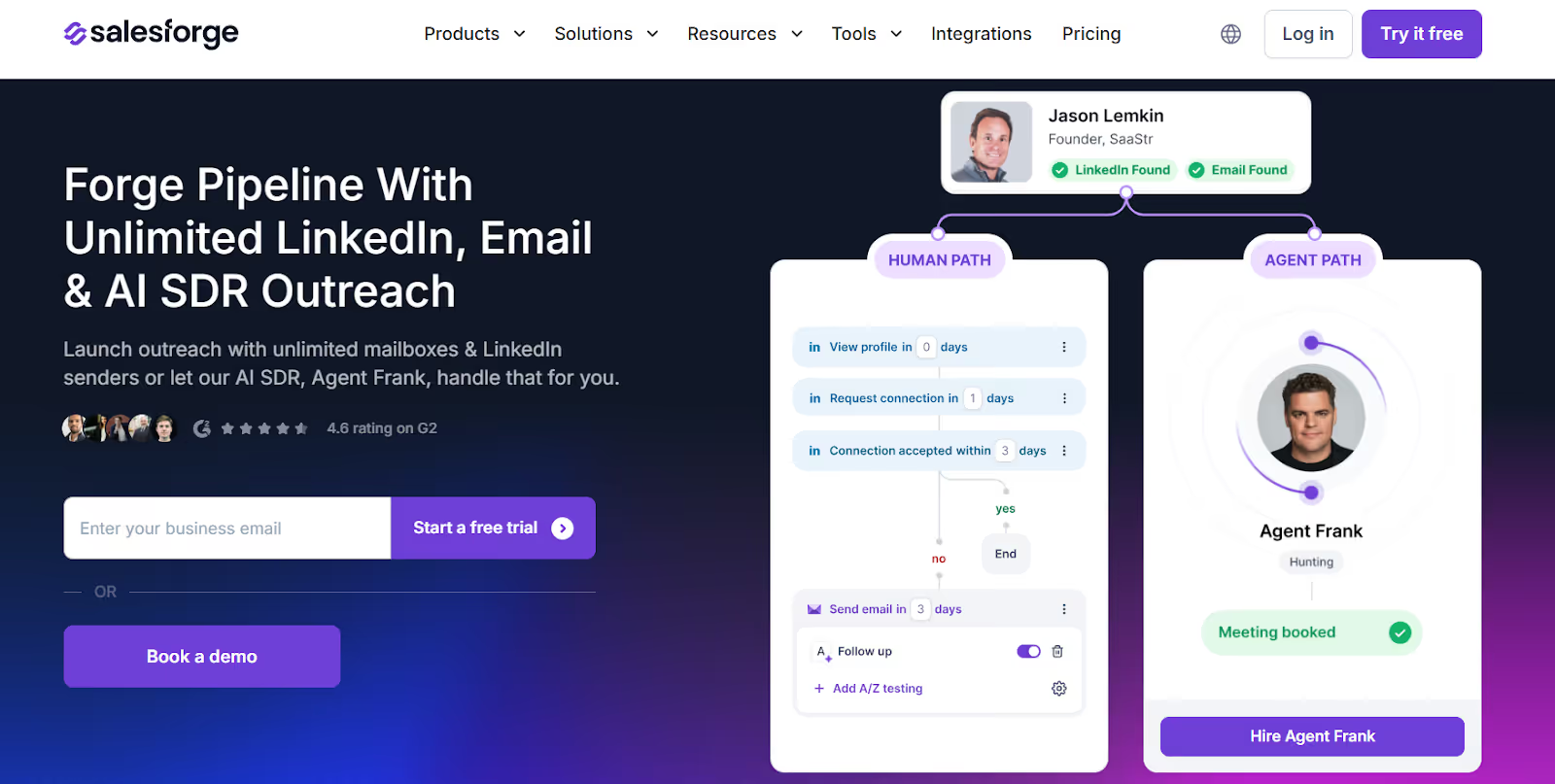
By this point, the AnyBiz tradeoff is clear: you get reach across five channels, but the AI runs them with limited review.
Let me tell you one thing, Salesforge is not automatically the better choice. If your team has no appetite to manage outbound, AnyBiz can be easier.
The competitor-wins scenario is clear: AnyBiz is the stronger fit when you specifically want AI phone calls bundled into the same managed SDR package and you do not want to assemble infrastructure yourself.
Salesforge is stronger when you want to own the operating system: unlimited mailboxes, unlimited LinkedIn senders, Primebox™ for reply management, Warmforge warmup, and modular infrastructure through Mailforge, Infraforge, or Primeforge.
The tradeoff is real. The Forge stack is modular, so Salesforge, infrastructure, and Agent Frank are separate subscriptions. That gives you more control, but total cost depends on how you build the stack.
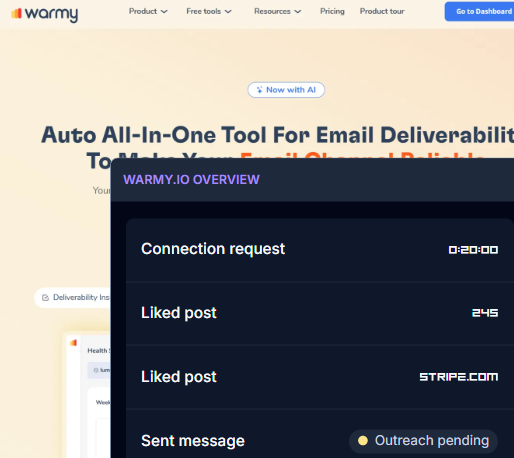
AnyBiz sets up 6 domains and 12 mailboxes warmed through Warmy.io, fixed to your plan.
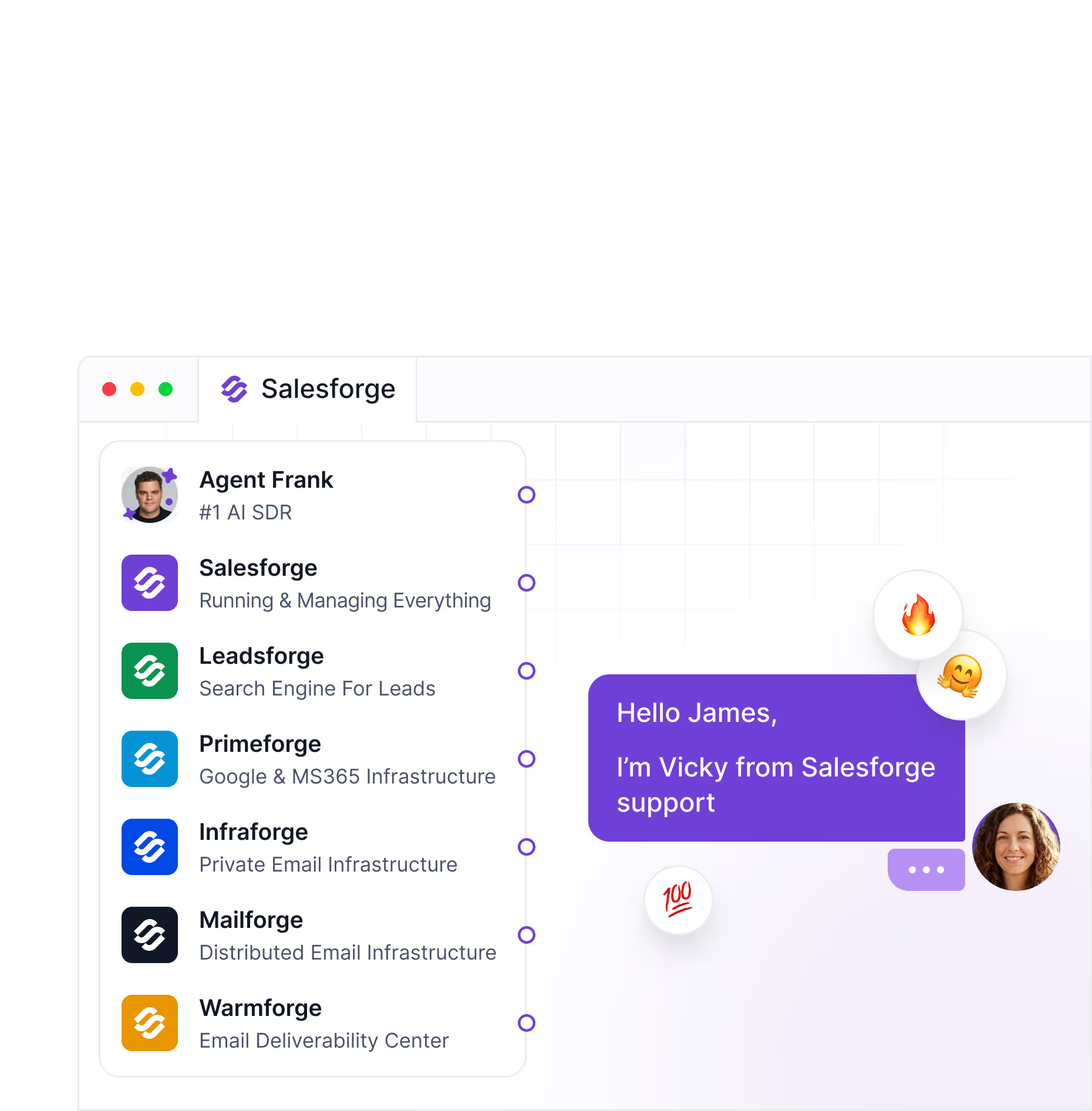
The Forge Stack splits this out so you own the foundation: Primeforge for Google and MS365 mailboxes with US-based IPs, Infraforge for private infrastructure at scale, and Warmforge for reputation monitoring, placement tests, and early alerts.
AnyBiz claims 450 million prospects, though its own site also shows 300 million.
Leadsforge builds enriched lists in minutes with lookalike audiences, competitor-follower extraction, intent signals, and cheap mobile data, exported straight into Salesforge.
Salesforge blends email and LinkedIn into one email equence, with Primebox centralizing every reply.

Teams with the right setup routinely see 10% to 30% reply rates at scale.
The difference from AnyBiz is control: you review messaging and jump into conversations instead of handing every reply to an AI.
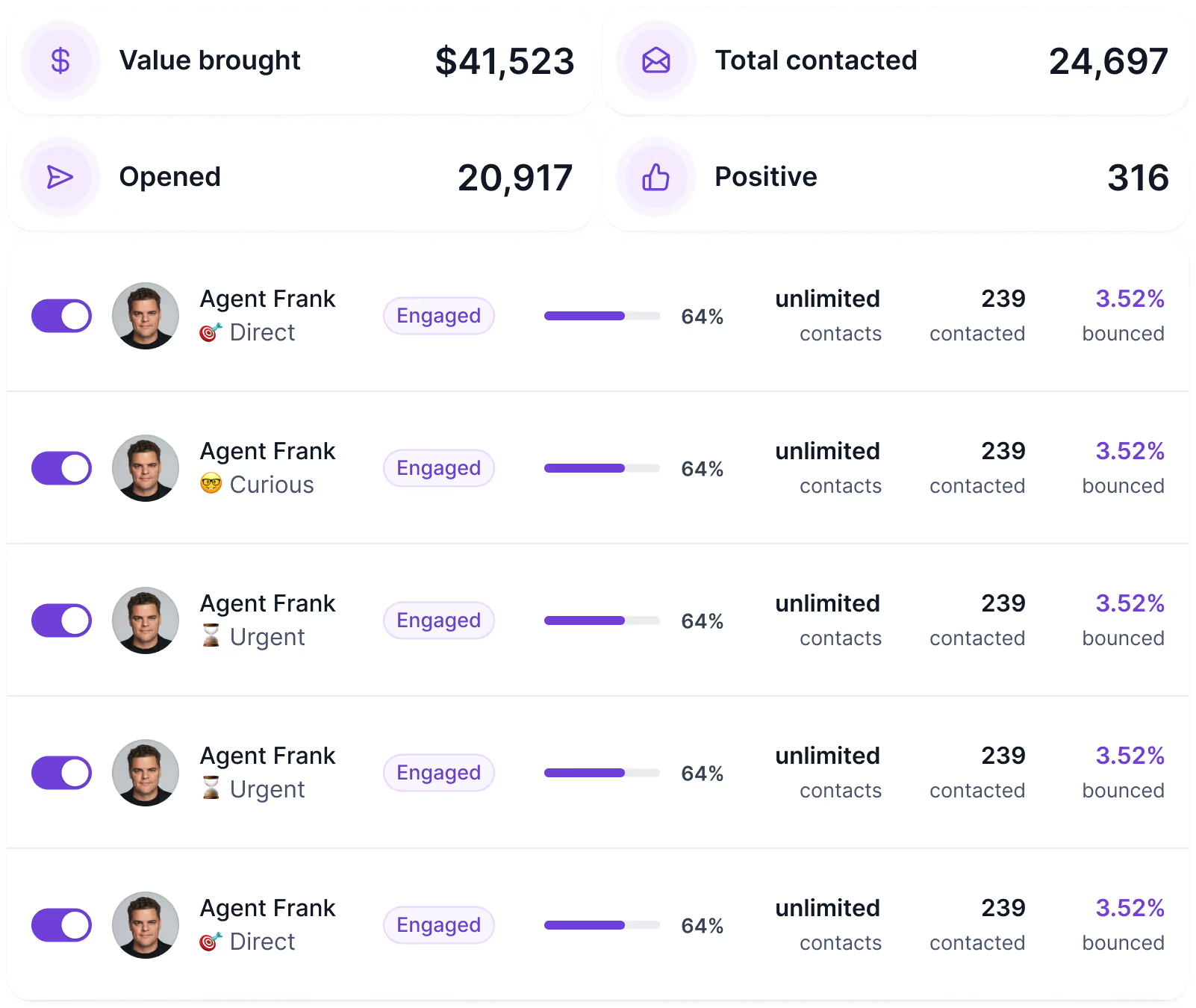
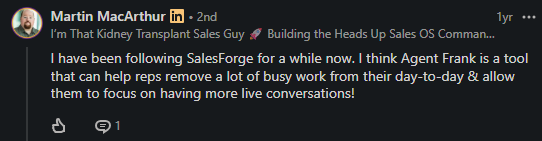
Salesforge is not the manual-only option. Agent Frank runs the full SDR workflow end to end: prospecting, data enrichment, outreach, follow-ups, replies, and booking.
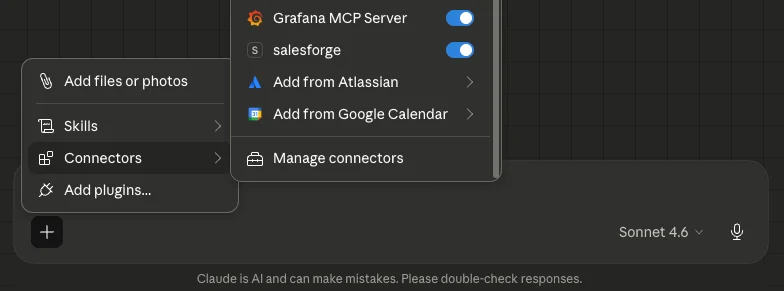
Salesforge also connects to Claude, Cursor, and Windsurf through the Forge MCP server, so you can run outbound by prompting your own AI assistant, with API keys staying on your machine.
Choose AnyBiz if you want one AI agent to run every channel inside a closed system and are comfortable trusting its setup.
Choose Salesforge and the Forge Stack if you want AI outreach with control: dedicated deliverability, a real lead engine, unified email and LinkedIn sequencing, and your choice of running it yourself, through Agent Frank, or through your own AI assistant over MCP.
Enter your email to get a custom plan & stack recommendation for your business
Please check your mailbox in 5 minutes

AnyBiz is worth using if you have a clear B2B offer, a defined ICP, and enough ACV to justify a quarterly managed outbound system.
It is especially useful for founders, lean GTM teams, and agencies that need execution capacity now and do not want to stitch together data, infrastructure, copy, calls, LinkedIn, and follow-ups manually.
It is not worth it if you are looking for a cheap test, a self-serve email tool, or a fully owned outbound infrastructure layer.
The practical buying rule is simple:
Manual work does not scale. But neither does a black box you cannot learn from.
The better outbound system gives you both: execution now and operating knowledge your team still owns later.c



.jpg)