
Personalized Outbound Strategy
Get The Right Outbound Strategy In Minutes
Enter your email to get a custom plan & stack recommendation for your business
It's being carefully crafted by AI
Please check your mailbox in 5 minutes
Every LinkedIn profile you add increases two things: your software bill and your risk. Most tools charge per seat, and one restricted client profile could cost you the client.
Outflo claims to solve both problems by providing a separate IP for each profile and flat pricing, regardless of how many accounts you connect.
Before recommending it, I put both claims to the test. For this Outflo review, I read every page Outflo publishes, calculated its pricing at different account counts, and checked every public review I could find.
Not every claim held up. The “flat” price still charges per account, and I couldn’t find a single review from someone using Outflo at agency scale.
Below, I explain what you get, what users say, what Outflo actually costs, and who it suits. If it isn’t the right fit, I’ll show you where Salesforge fills the gaps.
As I explored Outflo, I noticed that nearly every feature is designed to protect your LinkedIn profiles.
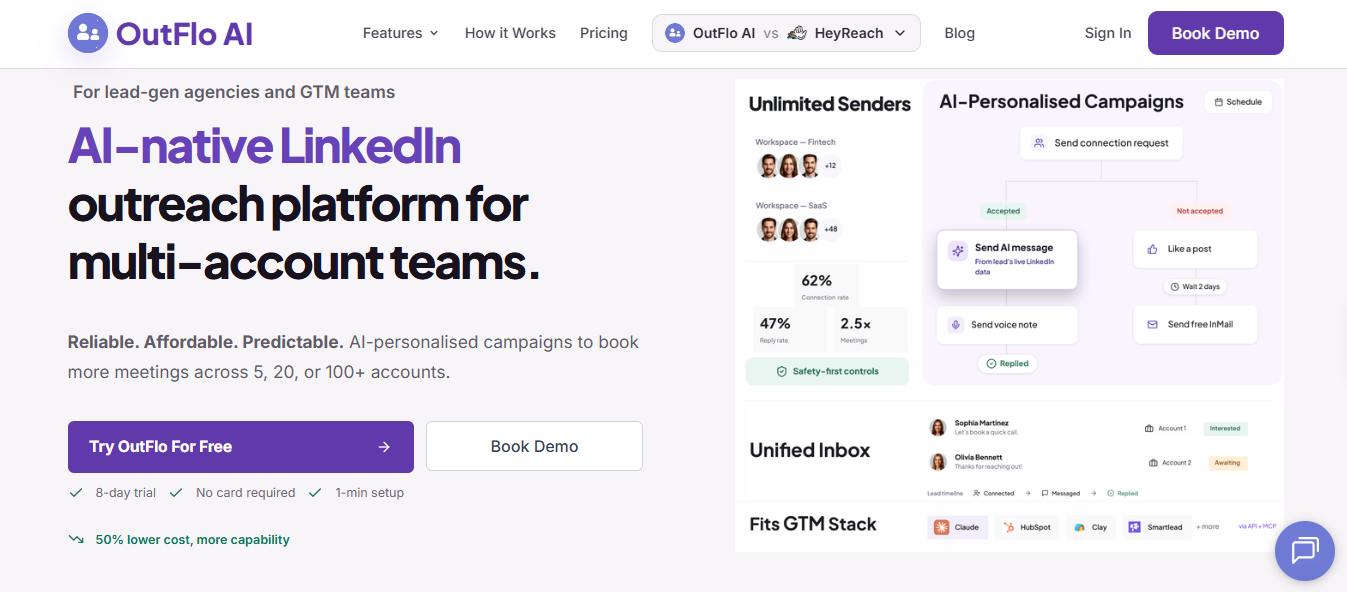
Each profile gets a separate IP, so if one account runs into trouble, the others remain unaffected. Outflo also adjusts each profile’s daily limits using its Social Selling Index, so I wouldn’t need to warm up new accounts manually.
If I ran an agency, I’d appreciate not having to use a client’s password. When LinkedIn logs a client out, they can reconnect through a link I send them.
I pay per LinkedIn account rather than per user. That means I can invite my VA and clients to the workspace without paying extra.
The biggest thing missing is email. If a prospect never accepts my connection request, I have no way to contact them outside LinkedIn.
I also need to supply my own leads. Outflo doesn’t publish its daily sending limits, so I can’t calculate how many accounts a campaign would require.
I read every Outflo review I could find: nine on G2, one on Capterra, a Reddit comment, and a LinkedIn post. Every rating was between 4.5 and 5.
Then I looked at where those reviews came from. Outflo invited seven of the nine G2 reviewers, and six reviews appeared between September 4 and 15. Rather than relying on the ratings, I focused on what users actually experienced.
Users who switched from other tools consistently said their profiles had no issues with Outflo.
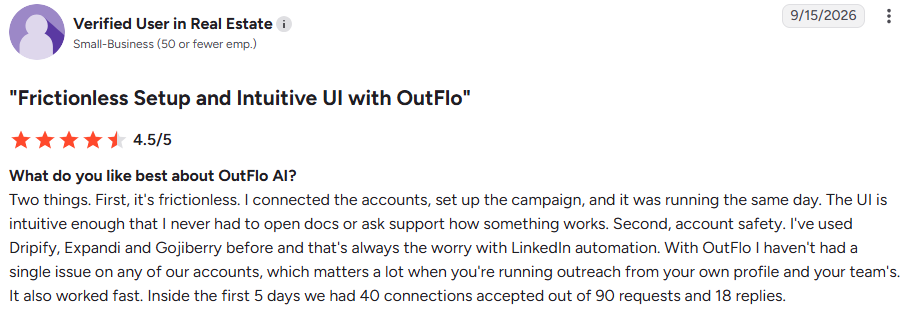
A Verified User in Real Estate (G2, Sep 15, 2026, 4.5/5) previously used Dripify, Expandi, and Gojiberry. They write, “With OutFlo I haven't had a single issue on any of our accounts.”
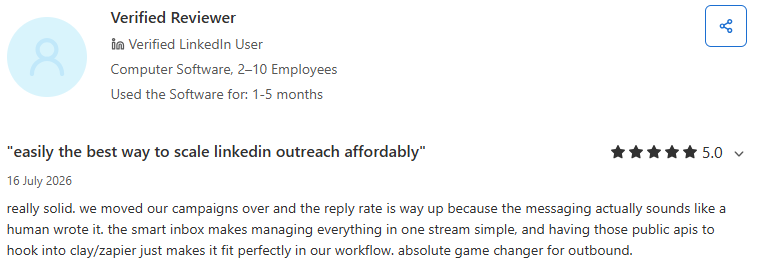
The Capterra reviewer (Jul 16, 2026, 5/5) reports “zero flags on our profiles since switching.”
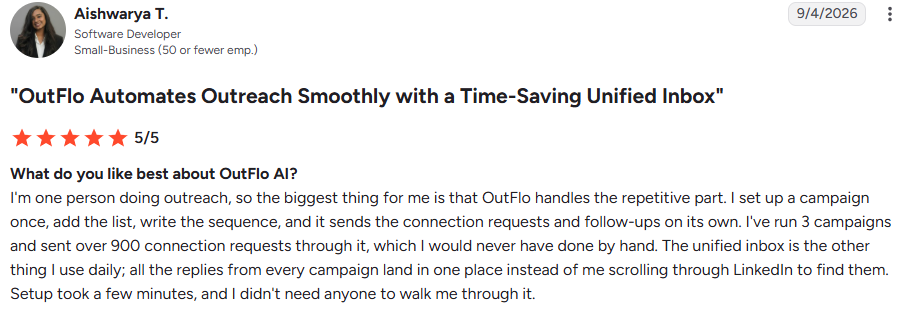
Aishwarya T. (G2, Sep 4, 2026, 5/5) likes that her replies “land in one place instead of me scrolling through LinkedIn to find them.”
The Real Estate user says their team no longer misses replies from different accounts.

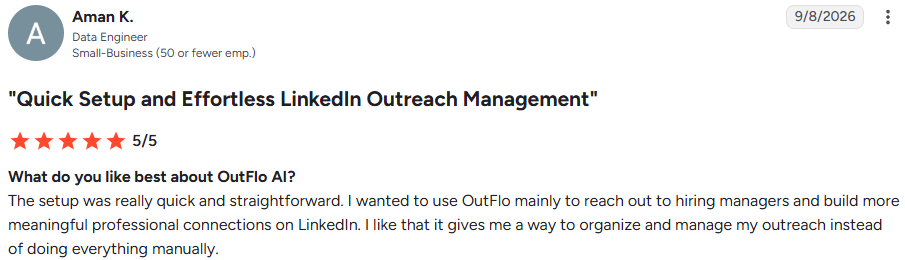
Aman K. (G2, Sep 8, 2026, 5/5) calls setup “really quick and straightforward.”
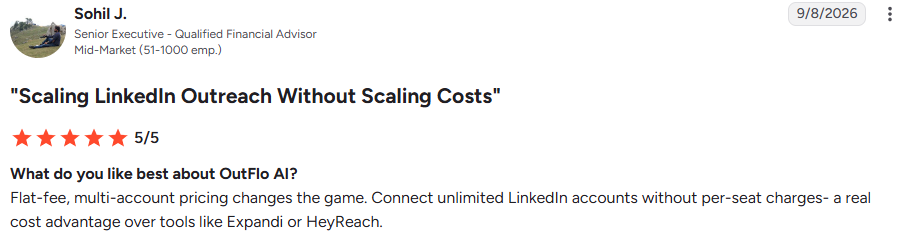
Sohil J. (G2, Sep 8, 2026, 5/5) sees “a real cost advantage over tools like Expandi or HeyReach.”
However, Outflo still charges per account, which I break down in the pricing section.

The Real Estate user sent 90 connection requests in five days and received 40 acceptances, 18 replies, and 6 interested leads.
Aishwarya T. received 78 replies from roughly 335 people.

The first result yields a 44% acceptance rate. Outflo’s homepage claims 62%, so I’d base my expectations on the lower figure.
onebyteatatime tested Outflo, HeyReach, and Dripify. They experienced disconnection issues with HeyReach and found Outflo more reliable in that area.
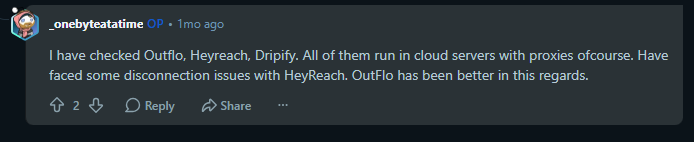
It’s only one short comment, but it’s also the only review here that Outflo didn’t request.
Justin Bellware compared the LinkedIn tools available and chose Outflo, partly because “the price didn't make us wince.”
After one week, he had 87 accepted requests, 32 replies, and 8 interested leads across four accounts.
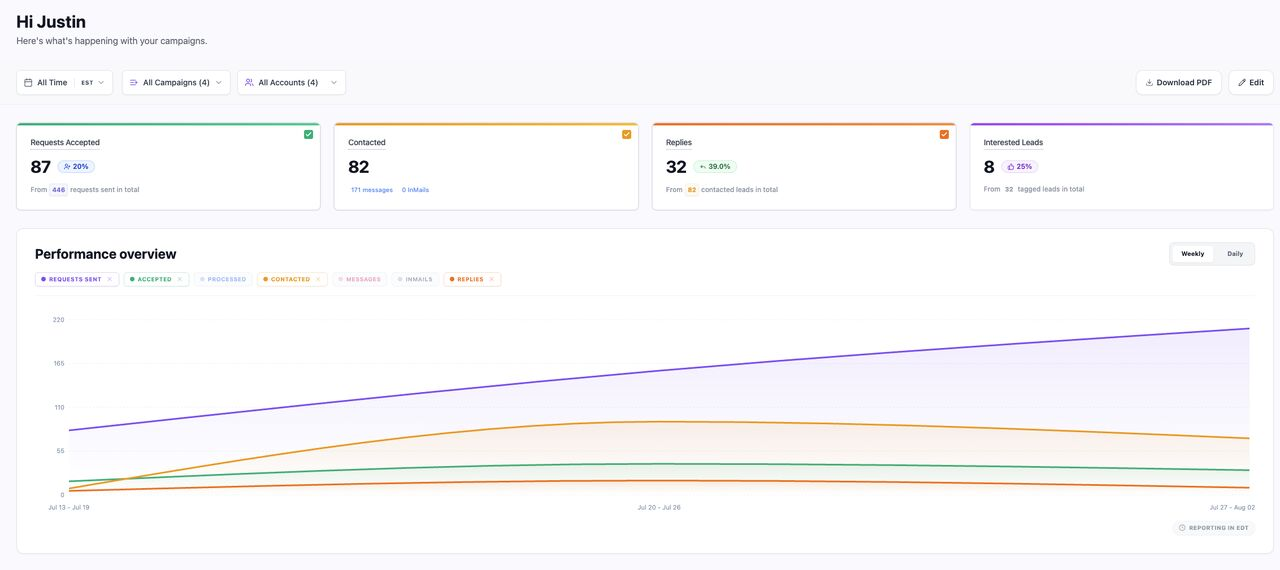
He also says email generates most of his company’s revenue. Since Outflo doesn’t send email, he manages that through another tool.
I saw this in three reviews. User wants reporting "to go deeper over time."

Uma Maheswari P. (G2, Jun 22, 2026, 5/5) says the dashboards “could be a bit more granular.”
Aishwarya T. could edit messages and delays in an active campaign but couldn’t add another step.

She had to create a new campaign, and Outflo said a fix was coming.
Kalpana P. (G2, Sep 8, 2026, 5/5) mentions the same issue.

Her review repeats Aishwarya’s wording almost exactly, so I treated them as one complaint.
I didn’t connect a LinkedIn profile or launch a campaign for this review. Instead, I explored Outflo’s product screens, setup process, and FAQs to understand how everything works and how it might affect my daily outreach.
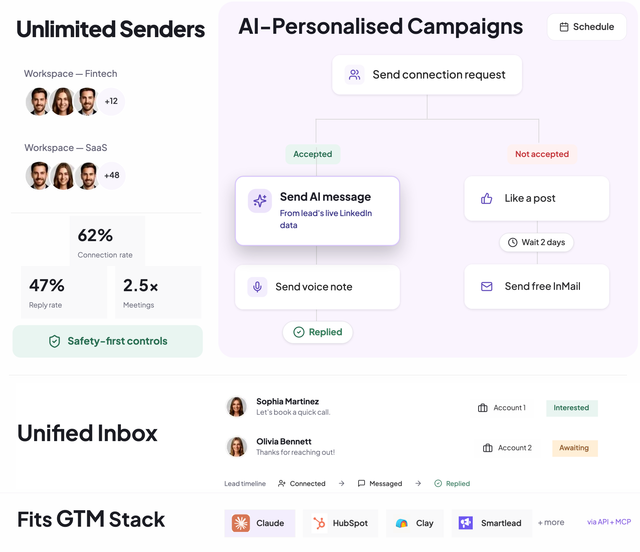
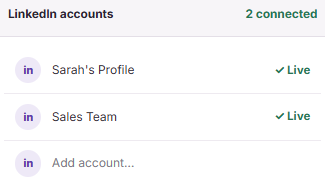
First, I’d install the Chrome extension and connect my LinkedIn profiles. Then I’d check that their conversations appeared in one inbox.
Finally, I’d import my leads, choose the sending profiles, and build the sequence.
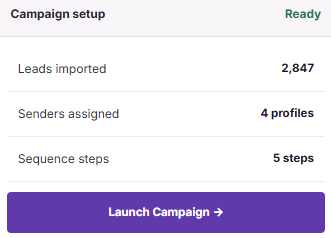
One campaign can run across several profiles. The setup screen shows 2,847 leads divided among 4 profiles, so I wouldn’t need to recreate the campaign for every account.
Every sequence begins with a connection request. If the prospect accepts, Outflo sends an AI-written message and can follow it with a voice note.
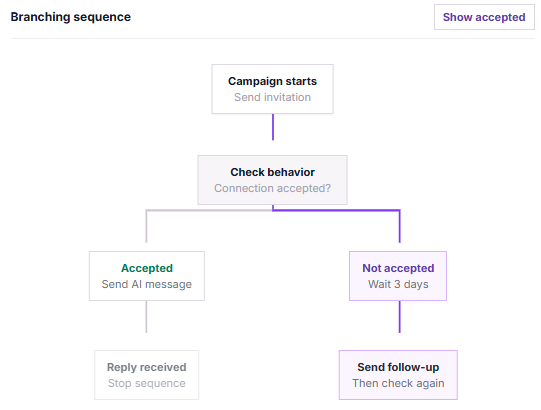
If they don’t accept, I can like one of their posts, wait a few days, and send a free InMail. Any reply stops the sequence, so nobody receives another follow-up after responding.
I’d finish every step before launching because reviewers say you can’t add new steps to a live campaign.
I create a template using fields such as first name, role, company, and post topic. Outflo reads the prospect’s profile and recent posts, then adds a hook based on what they’ve discussed.
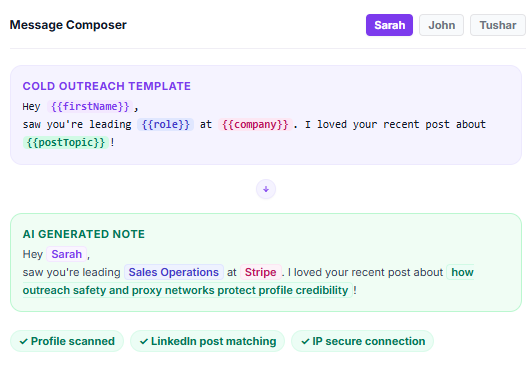
It also changes the wording between messages, preventing my profiles from sending identical text. I’d first test how well it works for prospects who rarely publish posts.
Each sender uses a residential IP from their country, so my US, German, and UK profiles don’t share an address. Outflo also checks each profile’s Social Selling Index and adjusts its daily limits accordingly.
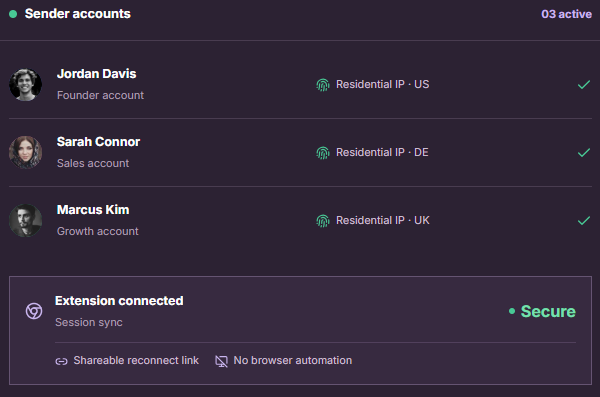
If LinkedIn logs someone out, the profile owner can reconnect through a link I send without sharing their password.
The campaign view shows each profile’s sent messages, replies, reply rate and daily limit usage. Every profile also has a separate pause button.
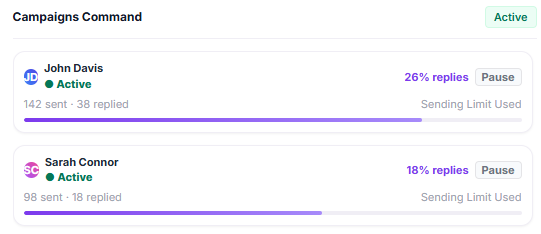
If one client’s profile begins looking risky, I can pause that account while the others continue sending.
Unibox brings conversations from all my profiles into one list.
Each thread identifies the receiving profile, displays a tag such as Interested or Awaiting, and shows the journey from connection to reply.
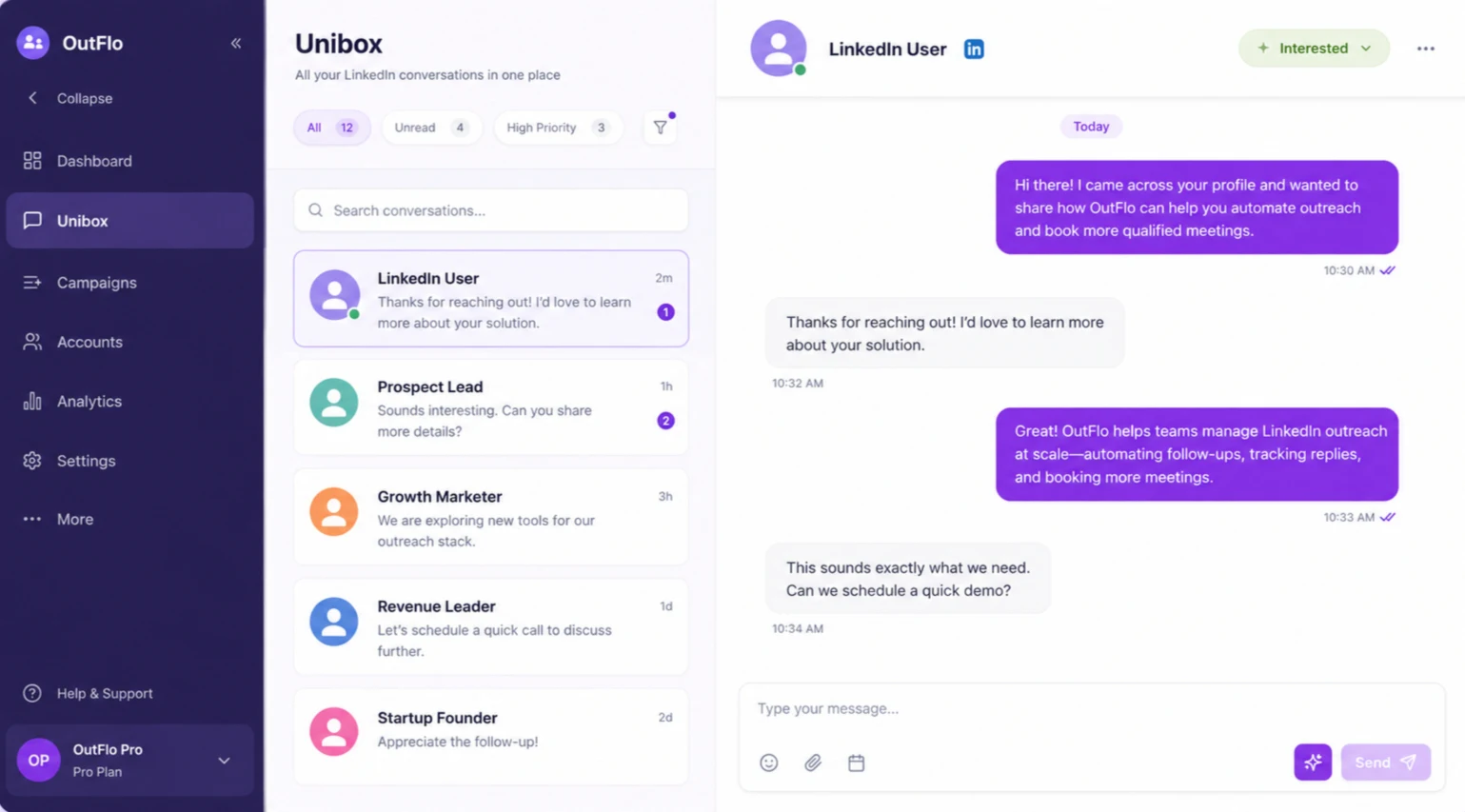
I can filter conversations by unread or high priority and use AI to draft replies.
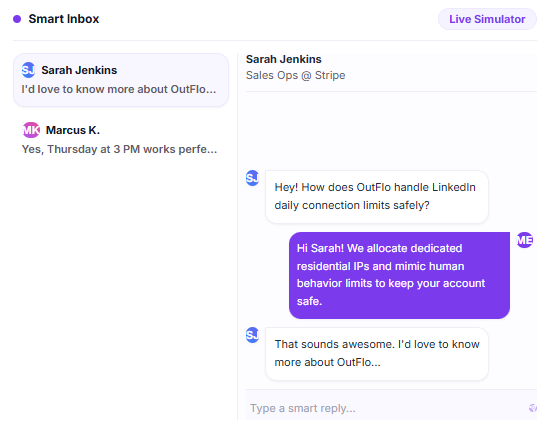
For an agency, this makes it clear which client owns a lead before someone responds.
The dashboard tracks accepted requests, contacted leads, replies, and interested leads, with weekly and daily trend charts. I can filter the data by campaign or profile and download a PDF for clients.
Outflo also provides an SSI breakdown for every profile. I’d hold off on expecting deeper analytics because three reviewers say the current reports lack detail.
Outflo’s API covers campaigns, leads, conversations, and accounts. Its MCP integration lets me ask Claude to inspect, create, pause, or resume campaigns.
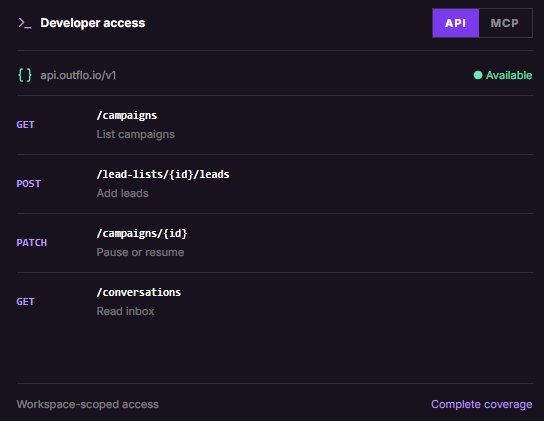
For example, I could ask it to find leads who replied, stop their follow-ups and tag their conversations without opening the dashboard.
Outflo charges for every LinkedIn account I connect. It offers three plans, with lower monthly rates for quarterly or yearly payments.
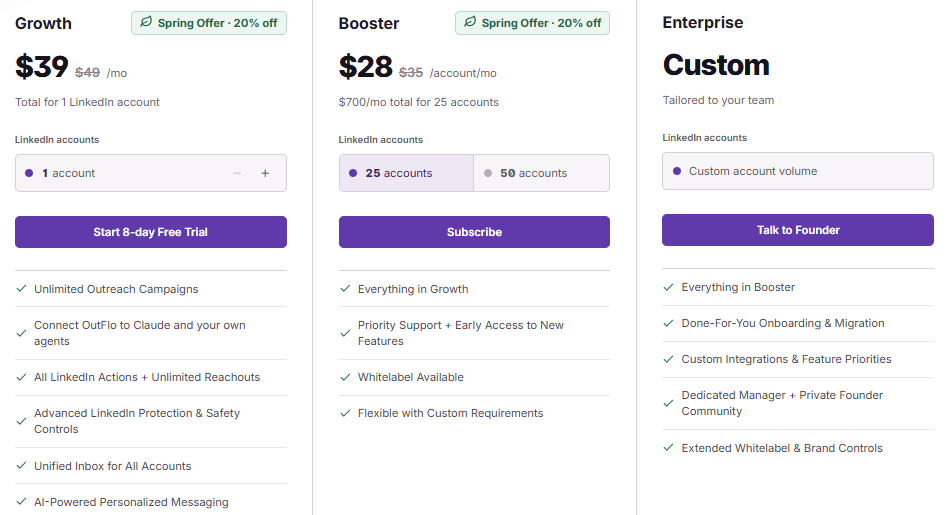
Outflo promotes flat pricing, but I still pay for every account I add. On Booster, each group of 25 accounts adds $700 to my monthly bill.
Eighteen Growth accounts cost $702 a month, while 25 Booster accounts cost $700. From 18 profiles onward, I’d choose Booster even if some seats went unused.
Every listed price includes a 20% discount. At full price, 25 Booster accounts would cost $875 a month.
Cancellation takes effect from the next billing cycle. On a yearly plan, I’ve already paid for the full year, and I couldn’t find a refund policy.
The subscription doesn’t include lead data or email sending. I’d need to budget for both separately.
Outflo suits teams running LinkedIn outreach from several profiles while managing email elsewhere. Most of its features focus on keeping those LinkedIn profiles safe.
If you want to contact prospects through both email and LinkedIn, Outflo only solves half the problem. I’d compare alternatives before paying for another tool to cover email.
If you want to contact prospects through LinkedIn and email without paying per profile, I’d consider Salesforge. It handles both channels through one sequence and inbox.
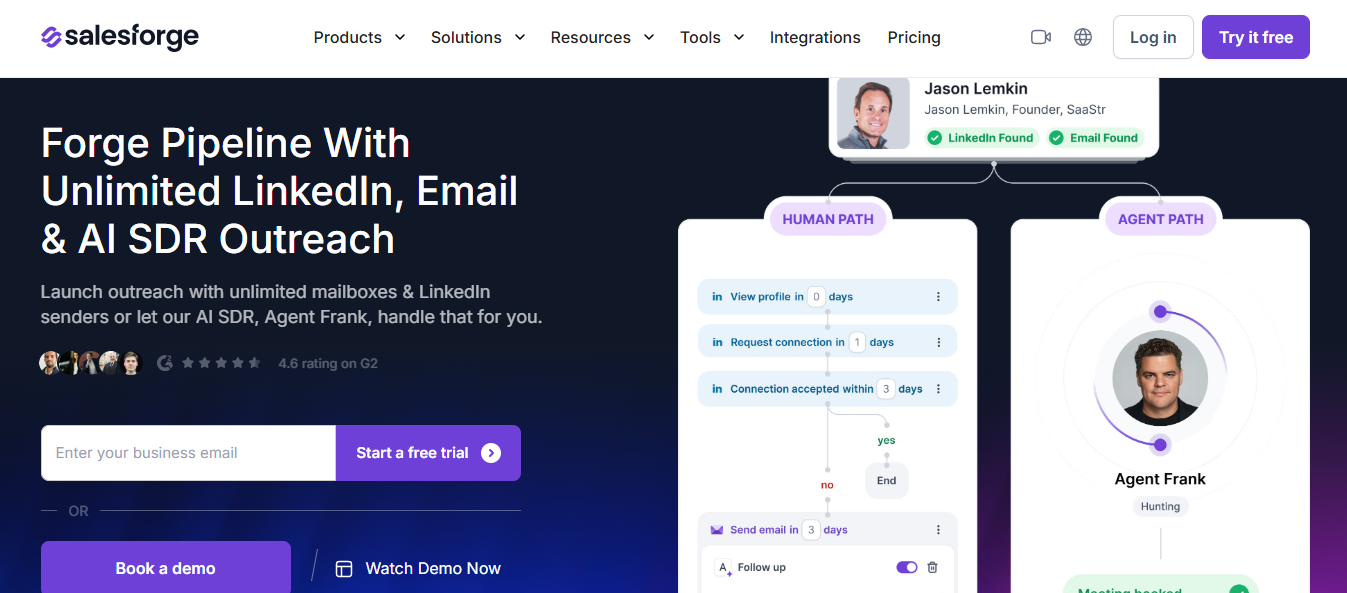
I can connect every LinkedIn profile and mailbox under one subscription, with every reply arriving in Primebox.
With Outflo, a prospect who never accepts my request drops out of the campaign. With Salesforge, I can warm them up by viewing their profile, following them, or liking a post, making my name more familiar before the request arrives.
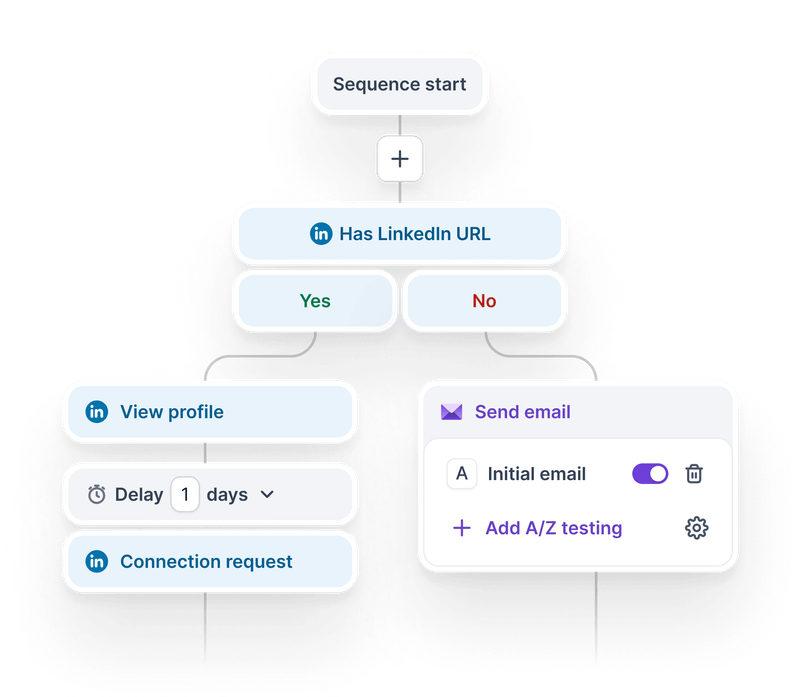
If they still haven’t accepted after 14 days, the sequence moves them to email. If they reply on LinkedIn, the emails stop automatically.
With Outflo, every 25 profiles add $700 to my monthly bill, and I need a sales call after 50.
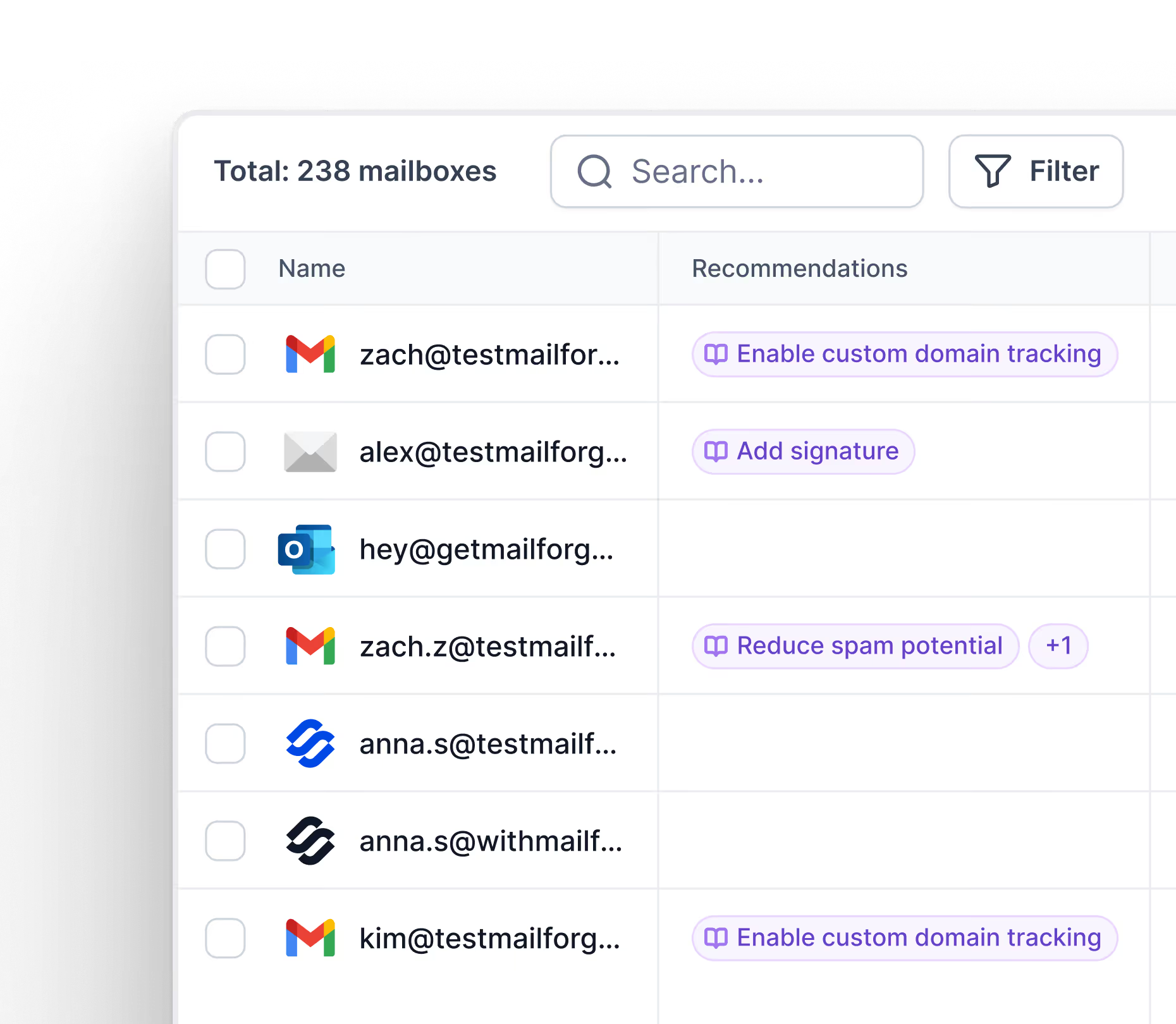
With Salesforge, I can connect every LinkedIn account and mailbox without a per-seat fee.
Three Outflo reviewers wanted more detailed reporting.
Salesforge shows results by channel, sender, and sequence step, helping me identify whether email, LinkedIn, or a particular account slowed the campaign.
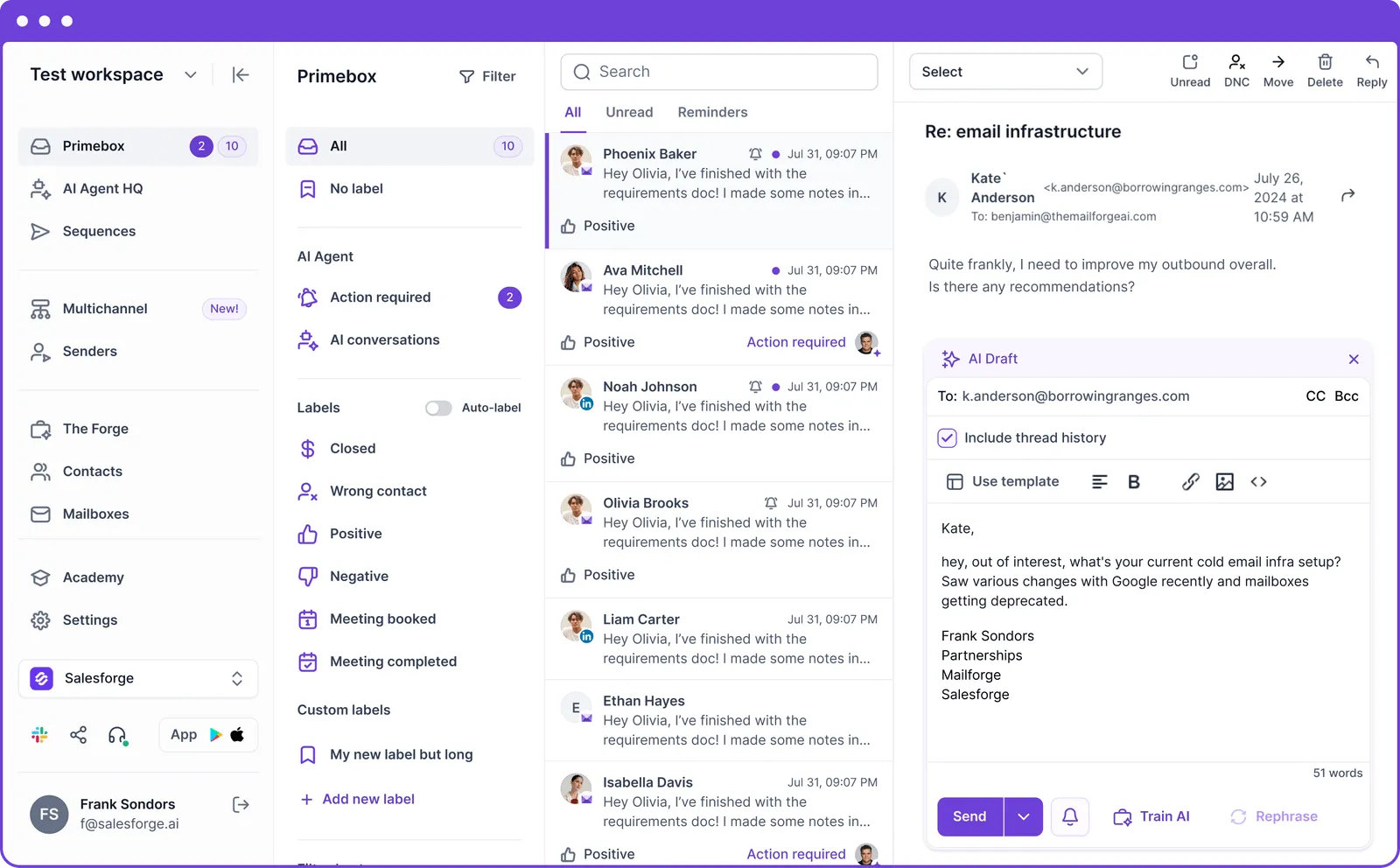
Primebox labels every reply as positive, an objection, or a meeting request.
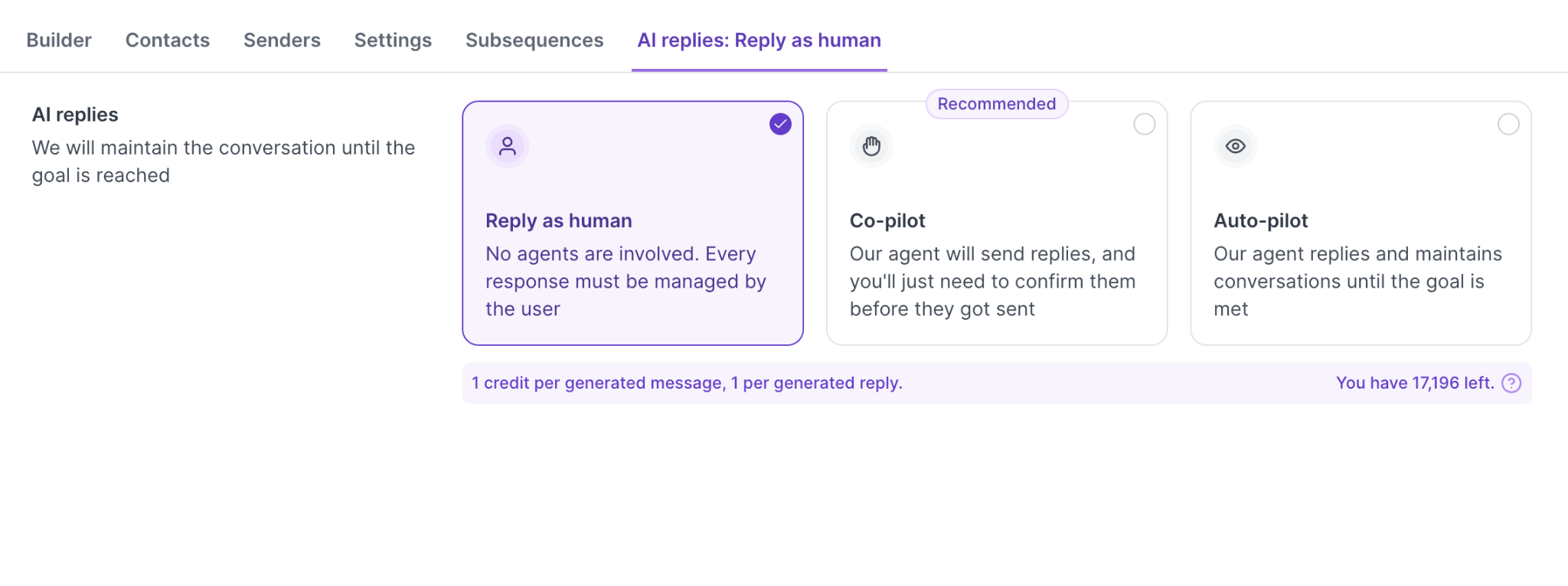
I can respond myself, approve AI drafts through Co-pilot, or let Auto-pilot answer, including through the iOS and Android apps.
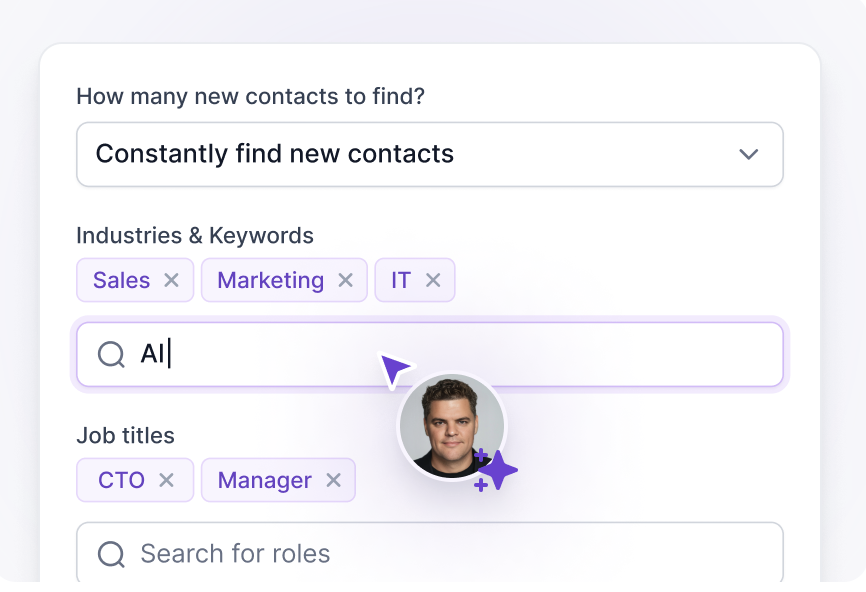
Outflo leaves lead sourcing to me. With Salesforge, Agent Frank continuously finds contacts by industry and job title for $499 a month.
Salesforge integrates directly with Salesforce, Pipedrive, GoHighLevel, Attio, Folk, and Breakcold. None of these are listed among Outflo’s integrations.
Enter your email to get a custom plan & stack recommendation for your business
Please check your mailbox in 5 minutes

I’d pay for Outflo in one situation: my email already runs through another tool, and I only need LinkedIn outreach from a small number of profiles I can’t afford to lose.
That answer changes as the account count grows. Every additional profile raises the bill, three reviewers already want deeper reporting, and I couldn’t find anyone publicly using Outflo across 25 client profiles.
The bigger limitation for me is email. Any prospect who ignores my connection request is lost unless I pay for another tool and monitor a second inbox.
That’s why I’d use Salesforge for my outreach. My LinkedIn steps and emails run in one sequence, adding profiles doesn’t change the price, and every reply appears in Primebox.
Start your 14-day free trial of Salesforge and build your first LinkedIn and email sequence.
.jpg)

.jpg)

.jpg)