

Mixmax is a Gmail-native engagement tool that gates sequences behind its $49/user/month plan and caps sequence recipients at 1,500 a month workspace-wide. Mailshake is a per-seat cold email tool tying one mailbox to each paid user, with no free trial. Neither sells email infrastructure, and neither runs LinkedIn steps automatically.
For B2B teams running cold email and LinkedIn together, Salesforge is the stronger choice. Unlimited mailboxes, unlimited LinkedIn senders on Growth, free premium email warm-up, and Primebox™ at no extra cost. Plans start at $48/mo monthly ($40/mo annual).
I picked these three because they get shortlisted together and are not the same kind of product. A founder sending 200 emails a month and an agency running 40 client campaigns hit different walls.
Mixmax lives inside your inbox. It is built for reps who want tracking, scheduling and light sequences without leaving Gmail. Mailshake is a straightforward cold email sender with warm-up included and a phone dialer on its top plan.
Salesforge is the outreach layer of the Forge Stack, so email, LinkedIn, warm-up, infrastructure and reply management sit under one login.
The recipient cap decided it for me. I priced a five-rep team on Mixmax Suite and found all five share 1,500 activated recipients a month, or 300 per rep.
UniteSync hit an 85.26% positive reply rate at a $2.86 CAC on Salesforge. That volume does not fit inside 300 contacts a rep.
Multichannel Outreach Comparison at a Glance: Mixmax vs Mailshake
| Feature | Salesforge | Mixmax | Mailshake |
|---|---|---|---|
| Outreach channels | Email + LinkedIn in one sequence (phone on roadmap) | Email, plus LinkedIn and dialer steps; dialer not included by default | Email, plus manual LinkedIn tasks and a dialer on the top plan |
| Entry price | $48/mo monthly ($40/mo annual) - Pro plan | $29/user/mo annual ($34 monthly) - Inbox Copilot, no sequences | $29/user/mo monthly ($25 annual) - Starter plan |
| Cheapest plan with sequences | $48/mo monthly ($40/mo annual) - Pro plan | $49/user/mo annual ($65 monthly) - Engagement Copilot | $29/user/mo monthly ($25 annual) - Starter plan |
| Top plan | $96/mo monthly ($80/mo annual) - Growth plan, unlimited users | $89/user/mo annual ($105 monthly) - Mixmax Suite | $99/user/mo monthly ($85 annual) - Sales Engagement |
| Mailboxes included | Unlimited connected mailboxes on every plan | The user's own connected inbox | 1 email address per paid user; 10 on Sales Engagement |
| Monthly contact cap | 1,000 active contacts (Pro), 10,000 (Growth) | 1,500 activated recipients per month, shared workspace-wide | 1,500 sends/mo (Starter), unlimited sends above that |
| Per-seat pricing | No - 1 user on Pro, unlimited users on Growth | Yes - every plan is per user | Yes - every plan is per user |
| Warm-up | Free, unlimited premium warm-up (Warmforge) | Not offered as part of the published plans | Unlimited email warm-up on all plans |
| Email infrastructure | 3 first-party options (Mailforge, Infraforge, Primeforge) | None - runs on your own mailbox | Ready to Use Mailboxes add-on at $12/mo ($11 annual) |
| Unified inbox | Primebox™ - email and LinkedIn, free on every plan | Inbox categorization inside Gmail | Unified inbox from the $49 Email Outreach plan |
| AI SDR | Agent Frank - separate subscription from $499/mo billed quarterly | No autonomous SDR | No autonomous SDR |
| Free trial | 14 days, no credit card | 14 days, no credit card, then a free plan | None - payment collected up front |
| SOC 2 compliant | Yes | Security documentation published | Security documentation published |
| Best for | SMB and mid-market B2B, $5K-$100K ACV, 3,000+ target accounts | Gmail-based reps and small teams wanting inbox-native sequences | Small teams running straightforward email-first outreach |
Mixmax Overview: Features, Pricing, and Limits
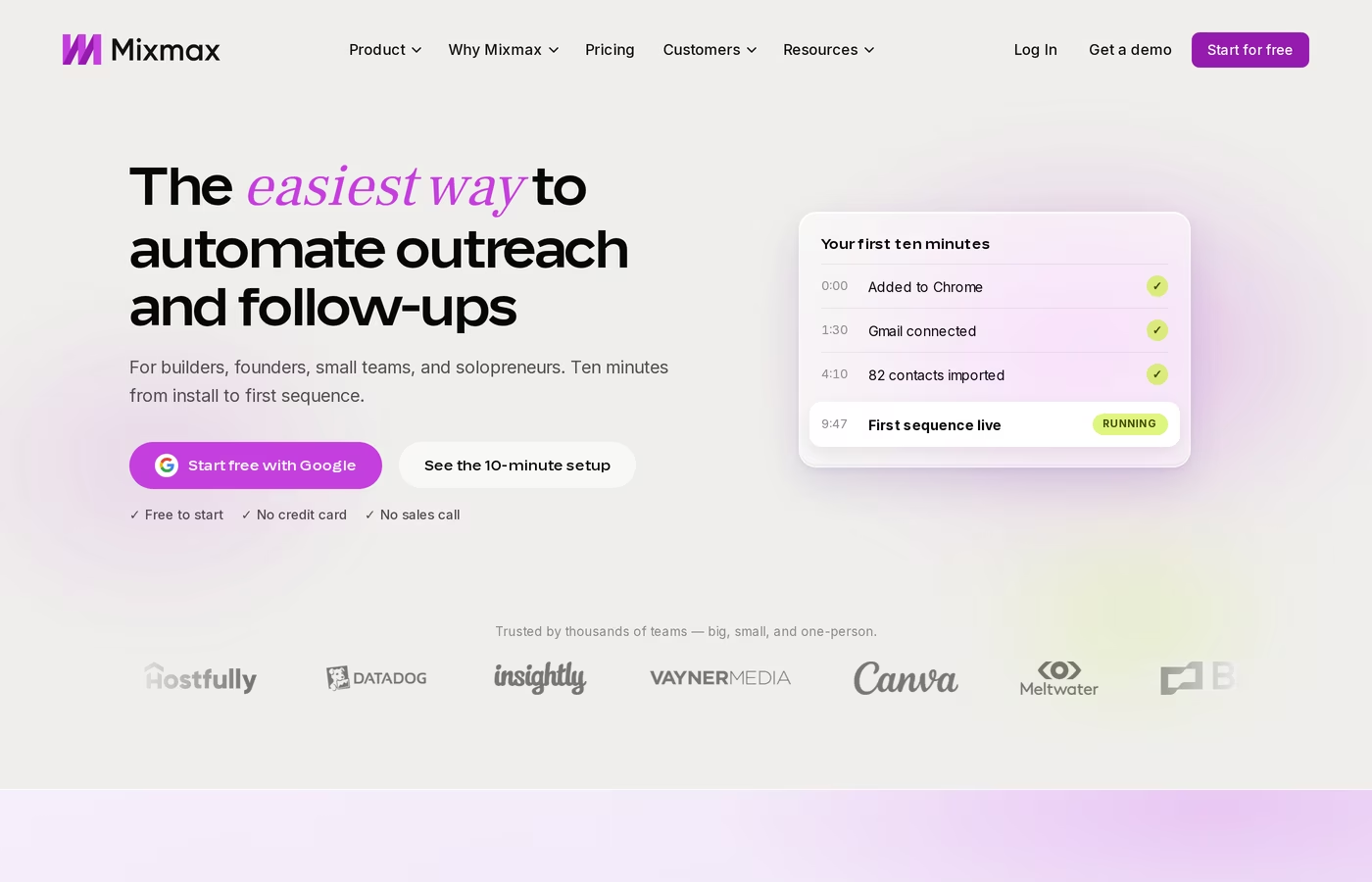
Mixmax is a sales engagement platform that runs inside your inbox. You install it, connect your mailbox, and send sequences from the email client you already use. In 2025 it moved from tiered plans to modular "Copilot" products you buy separately or as a bundle.
Core Mixmax features
- Email tracking and engagement signals - opens, clicks and reply alerts surfaced in the inbox
- Inbox categorization - incoming mail sorted and filtered so reps see priority threads first
- Meeting scheduling - booking links, availability sharing and round-robin routing
- Sequences with an AI builder - multi-step outreach with AI-assisted drafting, on Engagement Copilot and above
- Meeting Copilot - pre-meeting prep, automatic notes and drafted follow-up emails
- Salesforce and HubSpot sync - activity logging and workflow rules against CRM records
- Dialer - available as a paid add-on rather than part of Engagement Copilot
Mixmax pricing
Mixmax publishes its prices, which is more than many platforms in this category do. On annual billing: Inbox Copilot is $29/user/month, Meeting Copilot is $29/user/month, Engagement Copilot is $49/user/month and the Mixmax Suite bundle is $89/user/month. Monthly billing runs higher at $34, $34, $65 and $105 respectively.
Mixmax for Teams is custom-priced for five seats or more. There is a free plan and a 14-day trial that needs no credit card and no sales call.
Sequences are the thing to watch. The $29 Inbox Copilot entry point has none, so any team that wants outreach automation starts at $49/user/month.
Who Mixmax is best for
Mixmax fits account executives, customer success managers and founders who live in Gmail and want tracking, scheduling and moderate sequence volume without adopting a separate outbound tool. For a solo operator sending to a few hundred contacts a month, the inbox-native design is a real advantage - nothing new to learn.
Known Mixmax limitations
- The recipient cap is workspace-wide, not per seat. Mixmax's own help centre lists activated recipients per month as 50 on Free, 100 on Inbox Copilot, 100 on Meeting Copilot, 1,500 on Engagement Copilot, 1,500 on Mixmax Suite and 3,000 on Mixmax for Teams. Five reps on Suite share the same 1,500.
- Extra capacity is a paid pack. Recipient packs run $19/month for 1,500 more, $39/month for 5,000 and $59/month for 15,000 on annual billing.
- The dialer is not in Engagement Copilot by default, per Mixmax's own product page, and its price is not published.
- No first-party email infrastructure or warm-up product. Sending runs through your own mailbox, so volume is bound by your provider's limits and your domain's reputation. The fundamentals are covered in this cold email deliverability guide.
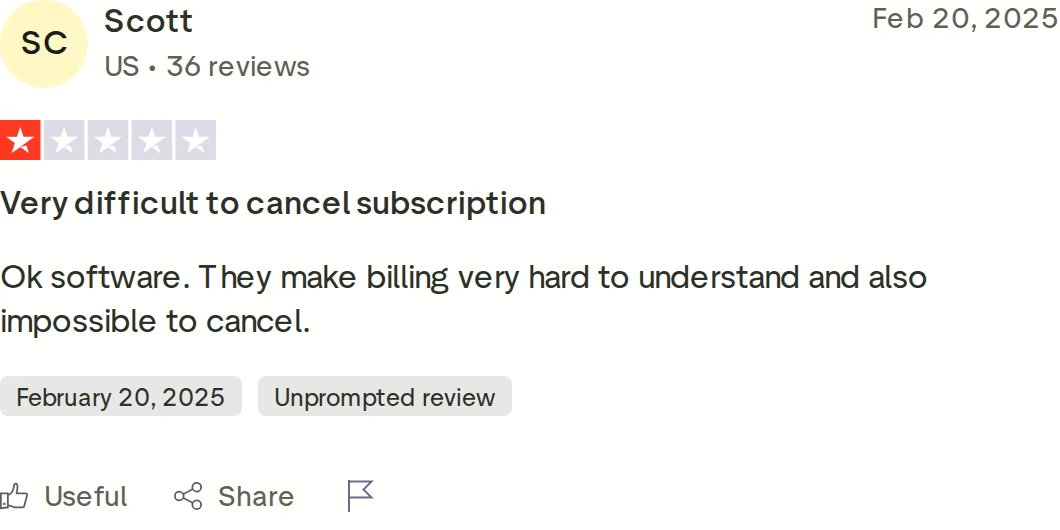
Billing complaints show up more than once on Mixmax's Trustpilot profile, which held a 2.9 score across 9 reviews when I checked. That is a small sample, so I would weigh it lightly - but read it before signing an annual contract.
Mailshake Overview: Features, Pricing, and Limits
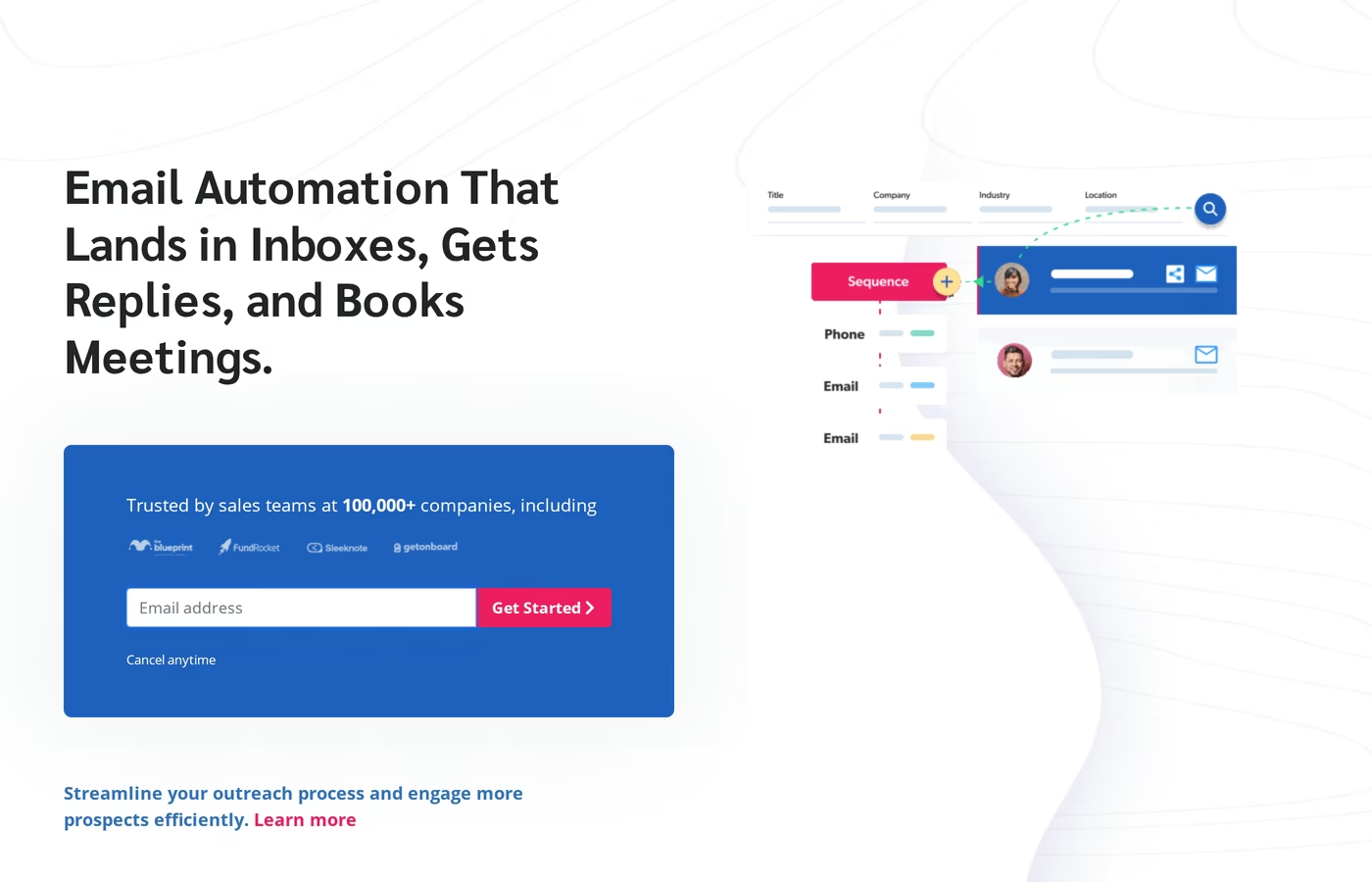
Mailshake is a cold email tool built around campaigns, follow-ups and reply handling. Its pricing page says it is trusted by 100,000+ sales teams. Pricing is per user, and each paid user connects one mail account.
Core Mailshake features
- Automated email sequences - campaigns with timed follow-ups that pause when a prospect replies, unsubscribes or bounces
- Unlimited email warm-up - included on every plan, which is genuinely useful at this price point
- Email rotation - sending spread across connected addresses, from the Email Outreach plan up
- Lead Catcher and unified inbox - replies managed in one view with won and lost lead status
- SHAKEspeare AI writer - AI-drafted cold email copy
- Data Finder - prospect search by role, location and company, sold as an add-on
- Power phone dialer - 5 phone numbers and unlimited North American dialer minutes on Sales Engagement
- A/B testing - available from the Starter plan, which is unusually generous for an entry tier
Mailshake pricing
Per user, per month, monthly billing first and annual second: Starter is $29 ($25), Email Outreach is $49 ($45) and Sales Engagement is $99 ($85). An Agency plan with unlimited email addresses is quoted by sales. Two add-ons sit alongside: Data Finder at $19/month ($17 annual) and Ready to Use Mailboxes at $12/month ($11 annual).
Mailshake's own FAQ is direct about the trial: there isn't one, and payment is collected up front. Onboarding, deliverability training and support resources are offered instead.
Who Mailshake is best for
Mailshake suits small teams and solo operators running email-first outbound who want warm-up bundled and a short setup path. If your motion is one or two mailboxes, straightforward sequences and a phone follow-up, the Sales Engagement plan covers it in one subscription.
Known Mailshake limitations
- Mailbox count is tied to seats. Starter connects 1 email address per user and Email Outreach connects 2. Reaching 10 requires the $99 Sales Engagement plan, or paying for users you do not have people for.
- LinkedIn steps are manual. Mailshake's current documentation describes LinkedIn tasks landing in Open Tasks, where you copy the message text and paste it into LinkedIn yourself. The dedicated LinkedIn automation page it used to publish now returns a 404.
- Tasks are gated to the top plan. LinkedIn, phone and general tasks all require Sales Engagement at $99/user/month monthly.
- No free trial. You commit before you test, which the review below reacts to directly.
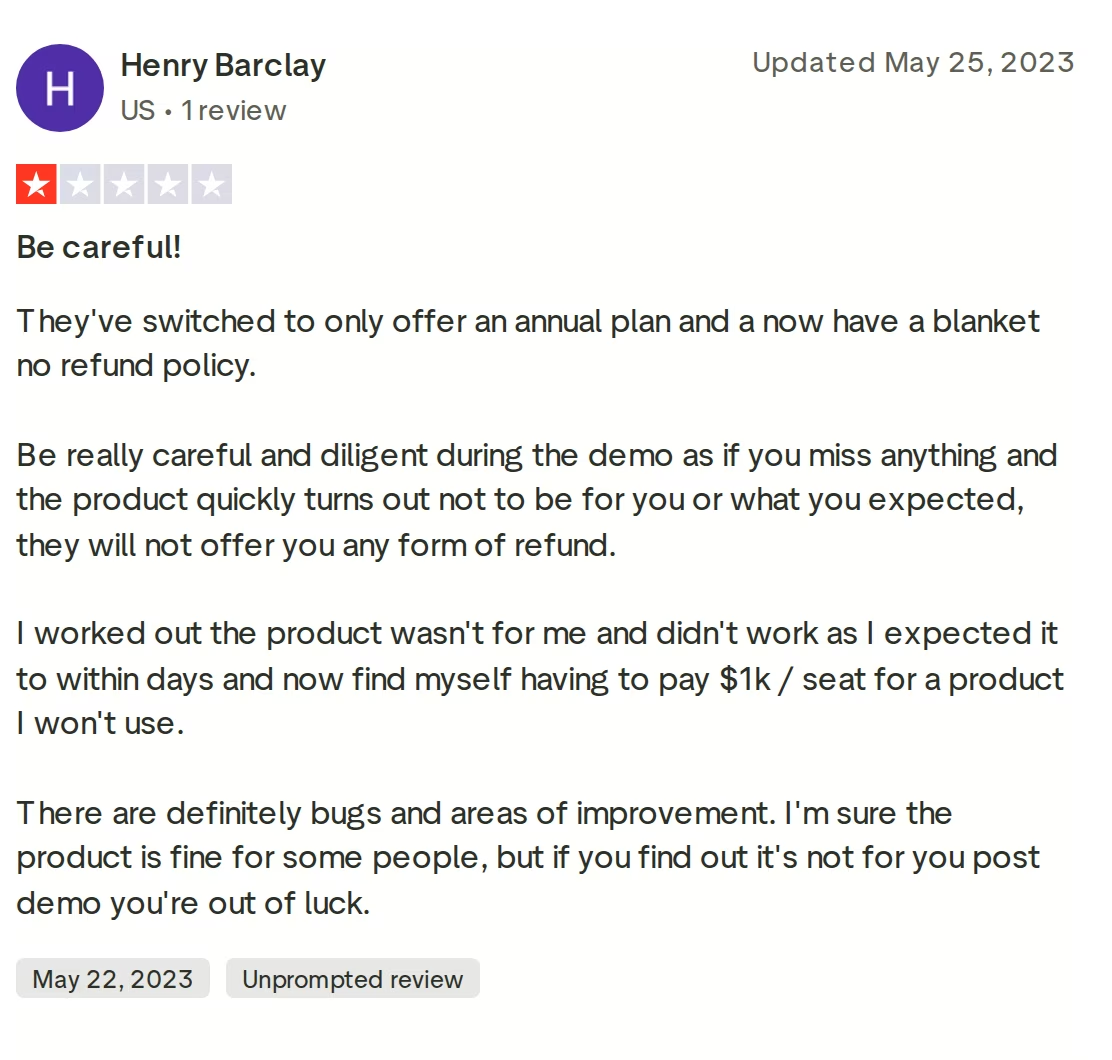
I want to be fair here: 4.8 across 100 reviews is a strong average, and reviewers repeatedly praise the support team and deliverability. The critical reviews cluster on billing commitment rather than the product failing to send. For a deeper look at its sending features, this Smartlead vs Mailshake breakdown is worth a read.
Salesforge Overview: Multichannel Outreach on the Forge Stack
Salesforge is a multichannel outreach platform where cold email and LinkedIn run as two channels of one sequence. It is the execution layer of the Forge Stack, so infrastructure, warm-up, lead data and an autonomous AI SDR sit behind it under a single login.
Core Salesforge features
- Unlimited mailboxes, contacts and workspaces - on every plan, so agencies can isolate each client without paying per workspace
- Multichannel conditional sequences - real if/then branching. If a connection request is accepted, fire a LinkedIn message. If not, fall back to email.
- Six native LinkedIn actions - connection requests, messages, InMails, post likes, follows and withdraw requests, each capped at 30 per day per profile to stay inside safe thresholds
- Account safety as standard - LinkedIn actions route through high-quality proxies with session-token-only authentication. No Chrome extension injection, no DOM manipulation, no stored password.
- AI personalization across 21+ languages - AI variables pull company news, LinkedIn activity and industry context; Overdrive Mode draws on all sources at once
- Unlimited premium warm-up via Warmforge - free with every subscription, with Heat Score™ tracking per mailbox and a curated pool of aged IMAP/SMTP, Google Workspace and Microsoft 365 mailboxes
- ESP matching - sender matched to recipient provider, Google to Google and Microsoft to Microsoft, to improve primary inbox placement
- Bounce Shield and built-in validation - risky addresses blocked before they damage sender reputation
- Sender rotation and dynamic IPs - volume spread automatically so no single mailbox burns
- Primebox™ with Autopilot and Co-pilot - email and LinkedIn replies in one inbox with sentiment analysis; the AI reply modes require Growth
- Text-only content by default - no heavy HTML, tracking pixels or attachments, for a cleaner payload
- Integrations, API, MCP and CLI - HubSpot, Salesforce, Pipedrive, Attio, folk, Clay and Zapier, plus an MCP server and a single Forge CLI binary
The Forge Stack context
Salesforge is one layer of a stack customers assemble as they scale. Leadsforge feeds verified contacts straight into sequences with no CSV export.
Mailforge, Infraforge and Primeforge give three infrastructure options under one login, so moving from shared IPs to dedicated ones does not mean migrating tools. Warmforge warms every mailbox for free.
You can also read the full Forge Stack overview to see how the layers connect. Customers run it three ways: their own team operates it, Agent Frank operates it, or a vetted Forge Expert agency operates it.
Salesforge pricing
The Pro plan is $48/month billed monthly or $40/month billed annually, and includes 1,000 active contacts, 5,000 emails a month, 1 user and 1 LinkedIn sender.
The Growth plan is $96/month billed monthly or $80/month billed annually. That lifts you to 10,000 active contacts, 50,000 emails, unlimited users and unlimited LinkedIn senders. Growth also adds A/B testing, multi-language sequences, ESP matching, API access and Primebox™ AI reply modes.
The annual rates reflect two months free. Agent Frank is a separate subscription from $499/month billed quarterly, or $416/month billed annually.
Start Your 14-Day Free Trial - No Card NeededWho Salesforge is best for
Salesforge publishes its own fit criteria: B2B products or services with ACVs between $5,000 and $100,000, buyers at startups, SMBs or mid-market companies, and a target list of 3,000 businesses or more. It also publishes who it is not for, which I find more useful.
Salesforge says it is a poor fit if you primarily target Fortune 500 accounts. The same goes if your motion depends on long RFP cycles and enterprise procurement, or on a handful of bespoke six- and seven-figure deals.
Honest Salesforge limitations
- Email infrastructure is not included in any plan. You connect your own mailboxes or buy Mailforge, Infraforge or Primeforge separately.
- Several features are Growth-only - API access, A/B testing, ESP matching, multi-language sequences and the Primebox™ AI reply modes. The Pro plan is also capped at 1 user and 1 LinkedIn sender.
- Agent Frank needs a demo and a warm-up period. There is no self-serve trial, a demo is mandatory before purchase, and a two-week mailbox warm-up runs before he starts sending.
- Each Forge product is its own subscription. There is no single combined bill across the stack.
in Action

Head-to-Head Feature Comparison: Mixmax vs Mailshake
Multichannel outreach
This is the widest gap of the three. Salesforge runs six native LinkedIn actions and email inside one sequence with conditional branching, and Growth includes unlimited LinkedIn senders.
Mixmax supports LinkedIn and dialer steps in sequences, but the dialer is not part of Engagement Copilot by default and its price is unpublished. Mailshake's LinkedIn steps are tasks: its current docs describe copying the message text from Open Tasks and pasting it into LinkedIn by hand, and tasks only exist on the $99/user/month Sales Engagement plan. For 45 message examples by industry, see these LinkedIn outreach templates.
Email deliverability and warm-up
Mailshake genuinely competes here. Unlimited email warm-up is on every plan including the $25 annual Starter tier, and that is a fair advantage over tools that charge per warm-up slot.
Salesforge includes unlimited premium Warmforge warm-up free with every subscription. The pool is premium by default, not a paid upgrade: aged IMAP/SMTP, real Google Workspace and Microsoft 365 mailboxes. Warm-up traffic is multilingual, every mailbox carries a Heat Score™, and health checks watch DNS, MX and blacklist status.
Mixmax publishes no warm-up product, so deliverability rests on your own mailbox hygiene. The full email warm-up guide covers why that matters at volume.
AI and personalization
All three ship AI copy tools. Mixmax has an AI sequence builder, Mailshake has SHAKEspeare, and both draft usable first passes.
The difference is depth and language coverage. Salesforge personalizes across 21+ languages with AI variables that pull company news, LinkedIn activity and industry context, and Overdrive Mode draws on every source at once.
Neither Mixmax nor Mailshake offers an autonomous AI SDR. Agent Frank prospects, writes, sequences, handles replies and books meetings across email and LinkedIn 24/7. VAI Consulting booked 3 calls in a single week with him.
Inbox management and reply handling
Mailshake includes a unified inbox from its $49 Email Outreach plan, plus Lead Catcher for won and lost status. Mixmax categorizes and filters inside Gmail, which suits reps who want one place to work.
Primebox™ is free on every Salesforge plan and unifies email and LinkedIn replies in a single view, with sentiment analysis auto-tagging threads positive, neutral or negative. It catches replies from any address, even when a prospect answers from a different email than the one contacted. Autopilot and Co-pilot reply modes require Growth.
Pricing and scalability
Both competitors price per seat, and that is where the economics diverge. Mixmax's cap compounds it: activated recipients are 1,500 a month across the entire workspace on Suite, so adding reps adds cost without adding capacity. Mailshake ties mailboxes to seats, so scaling sending means buying users.
Salesforge Growth is $96/month monthly or $80/month annually for unlimited users, unlimited mailboxes and unlimited LinkedIn senders. Adding your fifth rep changes nothing on the invoice. Inbox rotation spreads volume across those mailboxes automatically.
Infrastructure options
Mixmax has no first-party infrastructure; you send from your own mailbox. Mailshake offers Ready to Use Mailboxes at $12/month ($11 annual) as an add-on, which is a real option for small volumes.
Salesforge is the only one of the three with first-party infrastructure behind it. Mailforge runs $3 to $2 per mailbox, Infraforge $4 to $3 with dedicated IPs, and Primeforge $4.50 to $3.50 for real Google Workspace and Microsoft 365 mailboxes.
Woodpecker scaled to 2,500+ mailboxes on Infraforge. The recommended pattern is a hybrid of two providers so a matching mailbox always exists for the prospect's ESP.
Integrations and developer surfaces
All three integrate with the major CRMs. Mixmax leans hardest into Salesforce and HubSpot automation, and for a CRM-heavy team that depth is a legitimate reason to pick it.
Salesforge covers HubSpot, Salesforce, Pipedrive, Attio, folk, Breakcold and GoHighLevel natively, plus Clay, Zapier and webhooks, with API access on Growth. It also ships an MCP server and a single Forge CLI binary that drives all six products from the terminal.
Pricing Comparison: What Each Platform Actually Costs
| Plan | Monthly billing | Annual billing | What you get |
|---|---|---|---|
| Salesforge Pro | $48/mo | $40/mo | 1,000 active contacts, 5,000 emails, 1 user, 1 LinkedIn sender, unlimited mailboxes, free Warmforge, Primebox™ |
| Salesforge Growth | $96/mo | $80/mo | 10,000 active contacts, 50,000 emails, unlimited users, unlimited LinkedIn senders, API, ESP matching, Primebox™ AI |
| Mixmax Inbox Copilot | $34/user/mo | $29/user/mo | Tracking, inbox categorization, scheduling. No sequences. 100 activated recipients/mo |
| Mixmax Engagement Copilot | $65/user/mo | $49/user/mo | Sequences, AI sequence builder. 1,500 activated recipients/mo workspace-wide |
| Mixmax Suite | $105/user/mo | $89/user/mo | All three Copilots. Still 1,500 activated recipients/mo workspace-wide |
| Mailshake Starter | $29/user/mo | $25/user/mo | 1 email address, 1,500 sends/mo, unlimited warm-up, A/B testing |
| Mailshake Email Outreach | $49/user/mo | $45/user/mo | 2 email addresses, unlimited sends, email rotation, unified inbox |
| Mailshake Sales Engagement | $99/user/mo | $85/user/mo | 10 email addresses, 5 phone numbers, dialer, tasks including LinkedIn |
Read that table carefully, because the units differ. Every plan name above carries its vendor prefix for that reason.
Salesforge Growth at $80/mo annual is a flat platform fee for the whole team. Mixmax Engagement Copilot at $49/user/mo annual and Mailshake Email Outreach at $45/user/mo annual are charged per person.
A five-rep scenario
Take a team of five reps who each want to reach 500 new prospects a month, so 2,500 activated contacts in total.
- Mixmax Suite: $89 × 5 = $445/month on annual billing. The workspace cap is 1,500 recipients, so 2,500 needs a recipient pack. The +1,500 pack at $19/month brings it to $464/month, and the dialer is extra and unpriced publicly.
- Mailshake Email Outreach: $45 × 5 = $225/month on annual billing, with 2 email addresses per user. Adding LinkedIn or phone tasks moves all five to Sales Engagement at $85, so $425/month.
- Salesforge Growth: $80/month total on annual billing for unlimited users, 10,000 active contacts and unlimited LinkedIn senders. Infrastructure is separate - 20 Mailforge mailboxes at $3 each adds about $60/month.
Even loading Salesforge with its own infrastructure, the five-rep monthly cost lands near $140 against $464 for Mixmax and $425 for Mailshake with equivalent channels. The gap widens with every rep you add, because only one of the three stops charging you for headcount.
See What Salesforge Costs Your TeamWho Should Use Which Tool: Salesforge, Mixmax, or Mailshake
You might consider Mixmax if:
- Your reps work entirely inside Gmail and you want tracking, scheduling and sequences without introducing a second tool
- Your outreach volume sits comfortably under 1,500 activated recipients a month across the whole team
- Meeting scheduling and AI meeting notes matter more to you than outbound volume - for a CS or AE motion, Meeting Copilot at $29/user/mo annual is a reasonable buy on its own
You might consider Mailshake if:
- You run email-first outbound from one or two mailboxes and want warm-up bundled at the entry price - unlimited warm-up on a $25/user/mo annual plan is real value for a solo sender
- You want a phone dialer with published pricing rather than a quote, which Sales Engagement gives you at $85/user/mo annual
- You are comfortable committing without a trial, since Mailshake collects payment up front
Choose Salesforge if:
- You sell B2B with ACVs between $5,000 and $100,000 to startups, SMBs or mid-market buyers, and you are targeting 3,000+ businesses
- You want email and LinkedIn running as one branching sequence rather than two campaigns you stitch together by hand
- You are adding reps and refuse to pay more per seat for the privilege - Growth is unlimited users at $80/mo annual
- You are an agency needing isolated workspaces and separate infrastructure per client
- You want the option of an autonomous AI SDR later without changing platforms
Final Verdict: Which Outreach Platform to Choose
Mixmax and Mailshake are both competent at what they were built for. Mixmax is a good inbox-native engagement tool, and its published pricing is more transparent than most of the category. Mailshake sends reliable cold email with warm-up included at a low entry price.
But both price per seat, both tie capacity to seats or workspace caps, and neither runs LinkedIn steps without a human doing the clicking.
For B2B teams running cold email and LinkedIn as one motion, Salesforge is the stronger choice. At $80/month for Growth billed annually ($96 monthly) you get unlimited users, unlimited mailboxes, unlimited LinkedIn senders, free unlimited Warmforge warm-up and Primebox™ - a combination neither alternative offers at any price.
One falsifiable benchmark: UniteSync ran Salesforge with Mailforge and Warmforge to an 85.26% positive reply rate and a $2.86 customer acquisition cost, and ChannelCrawler hit 85.71% positive replies on Salesforge with Infraforge and Warmforge. Both case studies are public, with named founders attached.

If you are weighing other options too, the full comparisons library covers the rest of the category, and there are 20+ free cold outreach tools you can use before you spend anything.
Give Salesforge a Try - 14 Days FreeFrequently Asked Questions
Is Salesforge better than Mixmax and Mailshake?
For multichannel B2B outbound at scale, yes. Salesforge runs email and LinkedIn in one conditional sequence, includes unlimited mailboxes on every plan and unlimited LinkedIn senders on Growth at $80/mo annual, and bundles free unlimited Warmforge warm-up. Mixmax caps activated sequence recipients at 1,500 a month across the whole workspace, and Mailshake ties mailboxes to paid seats. For a single rep who only wants Gmail tracking and scheduling, Mixmax is the simpler tool.
What's the main difference between Salesforge, Mixmax and Mailshake?
Pricing model and channel depth. Mixmax and Mailshake both charge per user, so cost rises with headcount. Salesforge Growth is a flat $96/mo monthly or $80/mo annual for unlimited users. On channels, Salesforge executes six native LinkedIn actions automatically inside sequences, while Mailshake's documentation describes copying text from Open Tasks and pasting it into LinkedIn manually.
Which is cheaper: Salesforge, Mixmax or Mailshake?
At one seat, Mailshake Starter is cheapest at $25/user/mo annual. Past two or three seats Salesforge wins clearly. Five reps cost $445/mo on Mixmax Suite annually before recipient packs, $425/mo on Mailshake Sales Engagement annually, and $80/mo on Salesforge Growth annually regardless of team size. Salesforge infrastructure is a separate cost, from $2 to $4.50 per mailbox monthly.
Does Mixmax have a sequence recipient limit?
Yes, and it is shared across the workspace rather than per user. Mixmax's help centre lists 50 activated recipients a month on Free, 100 on Inbox Copilot, 100 on Meeting Copilot, 1,500 on Engagement Copilot, 1,500 on Mixmax Suite and 3,000 on Mixmax for Teams. A five-rep team on Suite therefore shares 1,500, or 300 per rep. Extra packs cost $19, $39 or $59 a month for 1,500, 5,000 or 15,000 more.
Does Mailshake support LinkedIn automation?
Not automatically today. Mailshake's current documentation describes LinkedIn tasks appearing in Open Tasks, where you copy the message text and paste it into LinkedIn yourself. The dedicated LinkedIn automation page it previously published now returns a 404. Tasks also require the Sales Engagement plan at $99/user/mo monthly. Salesforge runs connection requests, messages, InMails, likes, follows and withdrawals natively, capped at 30 per day per action per profile.
Can I switch from Mixmax or Mailshake to Salesforge easily?
Yes. Contacts import by CSV or Google Sheets connection, and unlimited mailboxes connect on any plan through Google Workspace, Microsoft 365 or custom SMTP. The 14-day free trial needs no credit card and covers 50 contacts, 100 emails and 50 personalization credits. Warm-up runs during the trial. Salesforge recommends a two-week warm-up before launching real volume on new mailboxes.
Which tool has better email deliverability?
Mailshake and Salesforge both include unlimited warm-up; Mixmax publishes no warm-up product. Salesforge goes further with ESP matching, Bounce Shield, built-in validation, sender rotation, dynamic IPs, text-only sending by default and Heat Score™ monitoring per mailbox, plus three first-party infrastructure options. Salesforge advises keeping bounce rates under 1% and Heat Score above 97, and limits each inbox to 30-50 cold emails a day.
Does Salesforge offer a free trial?
Yes, 14 days with no credit card required. The trial includes 50 contacts, 100 emails, 50 email validation credits, 50 personalization credits and 100 social action credits, plus warm-up and unlimited mailbox connections. Agent Frank is the exception: he has no self-serve trial, requires a demo before purchase and needs a two-week warm-up before sending.
.jpg)

.jpg)

.jpg)