
Personalized Outbound Strategy
Get The Right Outbound Strategy In Minutes
Enter your email to get a custom plan & stack recommendation for your business
It's being carefully crafted by AI
Please check your mailbox in 5 minutes
When you look up the LinkedIn Sales Navigator API, you’re usually trying to pull leads, sync them into your CRM, or automate outreach. But the API doesn’t support any of these workflows. LinkedIn does not provide public access to the Sales Navigator API, and even approved integrations are limited to things like CRM sync, profile matching, and activity analytics. You cannot pull lead lists, automate prospecting, or build a full outbound system on top of it. This is where most teams get confused. The expectation is automation and scale, but the API is designed for controlled integrations, not outbound execution.
In this guide, you’ll get a clear breakdown of what the API actually allows, what it blocks, and what teams use instead when they want to turn LinkedIn into a real outbound channel.
If you’re looking at the LinkedIn Sales Navigator API to automate outbound or pull leads, it’s not the right fit. The LinkedIn Sales Navigator API is not publicly available and requires partner approval, which already makes it inaccessible for most teams. Even when you do get access, it is built for controlled use cases like CRM syncing, profile matching, and analytics, not for outbound execution.
If your goal is to export lead lists, automate prospecting, or build a scalable outbound workflow, the API will not help. It simply doesn’t allow those actions.
So, it’s worth it only if you need structured integrations at an enterprise level. For anything related to lead generation or outbound scale, it falls short.
The LinkedIn Sales Navigator API is a restricted API that lets some approved companies connect Sales Navigator with their own tools. It is part of LinkedIn’s Sales Navigator Application Platform (SNAP), which is built for integrations, not for public use.
In simple words, it helps businesses connect LinkedIn data with their systems. For example, it can sync CRM data with LinkedIn, match contacts with LinkedIn profiles, and show LinkedIn insights inside other tools. It can also give activity and performance data from Sales Navigator when the right permissions are available .
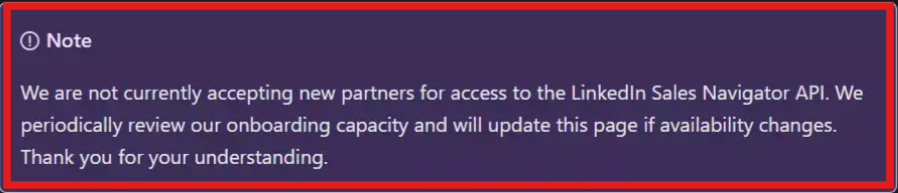
But there are two important things to know. First, this API is not open to everyone. You need approval from LinkedIn, and they are not easily giving access to new partners . Second, it is not made for exporting lead lists or automating outbound. It is mainly used for controlled integrations and reporting.
No, LinkedIn Sales Navigator does not have a public API. You cannot sign up, get an API key, and start using it like other tools. Access to the Sales Navigator API is only given to approved partners who are part of LinkedIn’s Sales Navigator Application Platform (SNAP).
Even for companies that get access, the API is limited to specific use cases like CRM sync, analytics, and embedded integrations. It is not designed for general use or for developers building their own outbound systems. Another important point is that LinkedIn is not actively onboarding new partners easily, which makes access even more limited. So, for most users, you cannot directly use the Sales Navigator API.
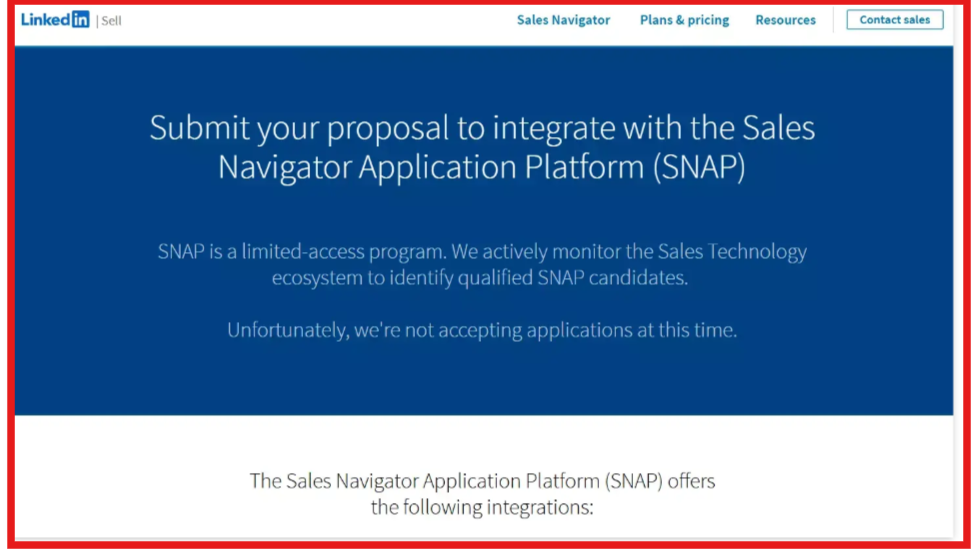
The Sales Navigator Application Platform (SNAP) is LinkedIn’s partner-only program that gives access to the LinkedIn Sales Navigator API. It is not open to everyone. LinkedIn only allows approved companies, mostly CRM tools and sales platforms, to use it.
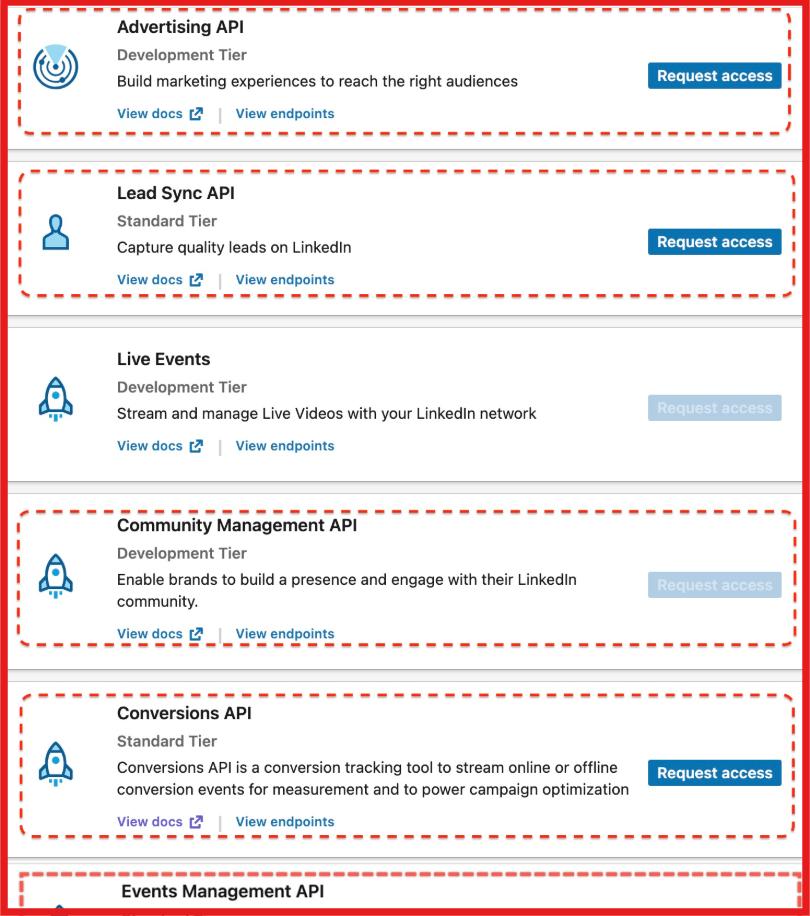
SNAP provides access to three main types of integrations:
There are two ways to use SNAP.
The first is by applying as a partner. This is for companies building sales tools. You need to submit a request to LinkedIn, and they review your product, your use case, and whether you follow their data rules. Only approved companies get access. Also, LinkedIn is not currently accepting new partners, so access is very limited.
The second way is through built-in CRM integrations. This is what most users use. If you use tools like Salesforce or HubSpot, you can connect Sales Navigator directly to your CRM. You won’t use the API yourself, but you can still see LinkedIn profiles, match contacts, and get data updates inside your CRM.
In simple terms, SNAP is how LinkedIn controls access to its API and integrations. It is built for approved partners and enterprise tools, not for general users.
The LinkedIn Sales Navigator API works as a permission-based integration system that connects LinkedIn with other tools like CRM platforms.
In simple terms, the API works by connecting LinkedIn with your system through authentication, and then allowing limited data to flow between them based on permissions.
There is no public pricing for the LinkedIn Sales Navigator API. If you are trying to access it as a partner, the cost depends on your agreement with LinkedIn. You need to apply to the SNAP program, and pricing is discussed privately. LinkedIn does not publish any fixed API pricing
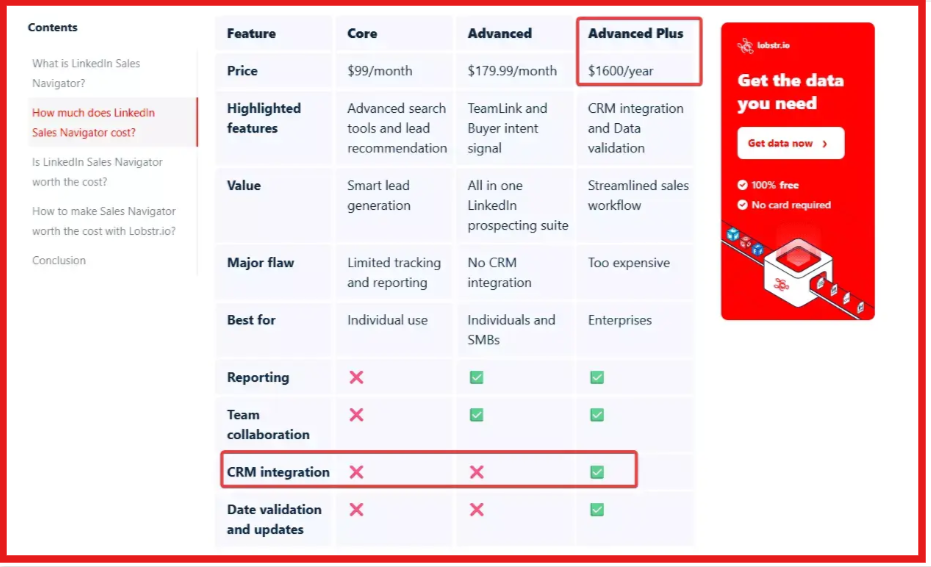
If you are a customer, you don’t pay separately for the API. Many API-related features, like CRM sync and integrations, are available through the Advanced Plus plan of LinkedIn Sales Navigator. This plan is not publicly priced, and you need to contact LinkedIn sales to get the exact cost
In simple terms, you cannot directly buy the API. Access depends on your plan or partnership, and pricing is not openly shared.
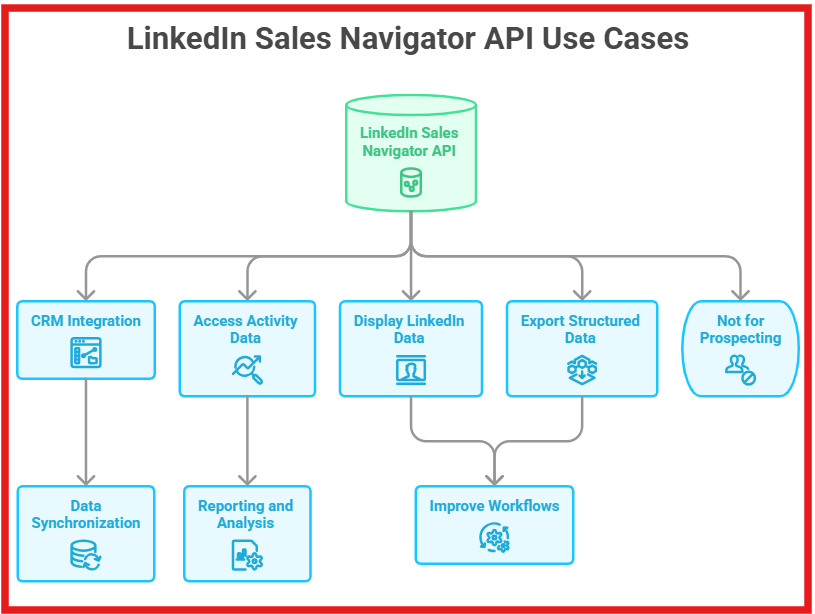
The LinkedIn Sales Navigator API is mainly used to connect LinkedIn data with other tools in a controlled way. It is not built for prospecting, but for integrations and data syncing.
You can use it to connect your CRM with LinkedIn, where contacts and leads in your CRM can be matched with LinkedIn profiles. This helps keep your data updated and improves how you manage leads inside your system. You can also access activity and performance data from Sales Navigator. This includes actions like searches, profile views, and InMail activity, which can be used for reporting and analysis .
Another use is to show LinkedIn data inside other tools. For example, LinkedIn profile details, activity, and insights can be displayed inside a CRM or other sales tools to help teams work without switching platforms. In some cases, the API can also be used to export structured data like reports, but this depends on permissions, roles, and the type of Sales Navigator plan being used .
Overall, the API helps improve workflows by connecting LinkedIn with your systems, but only in limited and controlled ways.
The LinkedIn Sales Navigator API has strict limits, and many common outbound use cases are not supported.
In simple terms, the API is designed for controlled integrations, not for extracting data or scaling outbound workflows.
The answer depends on what your goal is. If you want to connect LinkedIn with your CRM, track team activity, or build internal dashboards, then this API can be useful. It works well for companies that already have technical resources and need controlled integrations.
However, if your goal is to export leads, automate prospecting, or run outbound campaigns, this API is not the right fit. It does not support lead extraction or outreach workflows, and access itself is limited to approved partners.
In simple terms, this API fits enterprise teams focused on integrations and reporting, not outbound teams looking to generate pipeline or scale outreach.
If your goal is outbound, the biggest issue with Sales Navigator API is that it does not let you find, extract, or use leads directly. That’s where Leadsforge API works differently.
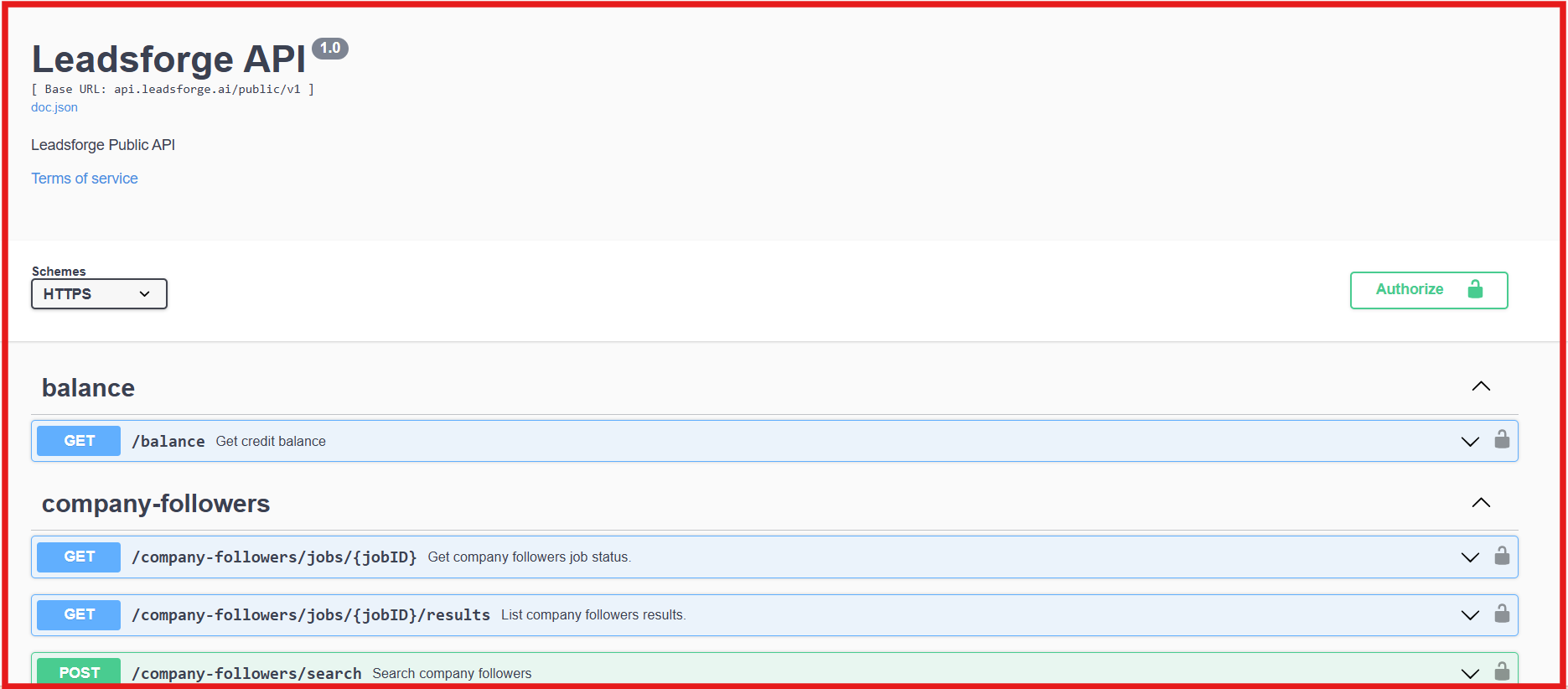
Leadsforge offers a public API, so you can integrate it directly into your workflow without special approvals. You can search for leads using ICP filters, paginate results, and export them in a structured format that matches what you see inside the platform. You can also enrich leads at scale. The API supports both single and bulk enrichment, where you can get emails, LinkedIn profiles, and phone numbers. Each request can handle up to 500 records, and larger workflows can be handled by sending multiple requests. Credits are only used when enrichment is successful, which keeps usage efficient.
Another key difference is how easy it is to integrate. You get an API key at the account level, and you can plug it into your system to build lead pipelines, automate enrichment, and move data into your outreach tools.
The API also includes clear rate limits and job-based processing, so you can control how data flows without hitting unexpected restrictions. For example, search requests are limited per minute, while enrichment jobs are managed through job queues with status tracking.
Let’s have a quick look at the key differences:
In simple terms, while Sales Navigator API is built for restricted integrations, Leadsforge API is built for actually running outbound workflows, finding leads, enriching them, and using them directly in your system.
Enter your email to get a custom plan & stack recommendation for your business
Please check your mailbox in 5 minutes

The LinkedIn Sales Navigator API is made to connect LinkedIn with tools like CRM and to track activity. If your goal is reporting or data sync, it can work for you. But most people searching for this want to run outbound. That means finding leads, getting their contact details, and using that data in outreach. The API does not help with lead search, enrichment, or using data for outbound.
If you want to move faster, you need a setup that gives you lead data from the start. The Leadsforge API lets you search leads, enrich them with email, LinkedIn, and phone data, and use that data in your workflow.
If outbound is your goal, it is better to use a tool like Leadsforge, where your lead data is ready before you start outreach.
.jpg)


.png)