Your cold email CTA is the single line that decides whether the reader replies or archives the email in one second.
After running outbound campaigns inside Salesforge and studying reply data across more than a million cold emails, I can tell you the CTA is where most campaigns quietly bleed pipeline.
If you are reading this, your open rates probably look fine and your reply rate refuses to move. That gap is almost always the last line of your email.
This guide gives you 30 cold email CTAs I have tested inside live sequences, sorted by scenario, with the reply rate ranges I have seen for each. You also get the framework that tells you which CTA type to send at which stage of your sequence.
Let’s get into it!
Here is what you will walk away with by the end of this guide.
Six categories of cold email CTAs, five CTAs in each, every one mapped to a framework stage you will meet later in this guide. I have added a practitioner note on when I send each cold email CTA and a reply rate range I have seen it hit inside live sequences.
Two things before you scroll. First, cold email reply rates depend on your list quality, timing, and offer, so treat the ranges as directional. Second, no cold email CTA works if the offer behind it is weak, so fix the offer first.
These are your cold email openers, and they ask for interest rather than time. Use them on email 1 or 2 when the reader still owes you nothing.
If you want to go deeper on why softer cold email CTAs pull higher volume, the soft CTAs guide is worth a read.
1. "Worth a chat?"
Two words, no time commitment implied, and the reader answers yes or no with almost zero cognitive load. I use this on email 1 for cold prospects, and it holds up better than any three-line cold email CTA I have written. Reply rate: 3 to 5 percent on cold sends.
2. "Open to me sending more info?"
This frames the ask as a favor to the reader, not to you. I use this when the offer is complex and I need more room to explain, but I do not want to burn the pitch in email 1. Reply rate: 2 to 4 percent.
3. "Interested in seeing how we did it?"
The cold email CTA pairs interest with proof, and the reader who cares about the outcome self-qualifies by answering yes. I use this when I can back it up with a case study or a short demo in email 2. Reply rate: 3 to 4 percent.
4. "Curious if this matches what you are seeing?"
This turns the CTA into a peer question instead of a sales ask. I use this for founder-to-founder or SDR-to-SDR outreach where the reader wants to compare notes. Reply rate: 4 to 6 percent for peer outreach.
5. "Would this be relevant to your team, or off base?"
The cold email CTA is binary, and giving the reader an easy no paradoxically lifts the yes rate. I use this on emails to senior stakeholders who value a fast out. Reply rate: 2 to 4 percent.
Once the reader has seen your name in their inbox once or twice, offer something instead of asking for something. These cold email CTAs give before they take, which triggers the reciprocity principle.
6. "I put together a 90-second breakdown, want me to send it?"
The ask is specific, small, and easy to say yes to. I use this on email 2 or 3 when the reader has opened but not replied. Reply rate: 3 to 5 percent.
7. "Happy to send the case study if it would help."
"If it would help" gives the reader permission to decline without friction, and readers who want the case study self-qualify by asking. I use this on email 2 with a specific case study tied to the reader's industry. Reply rate: 2 to 4 percent.
8. "Want the exact playbook we used with [similar company]?"
Named social proof paired with a giveable asset. I use it when I have a real case study to back it up, and I never use it without follow-through. Reply rate: 4 to 6 percent when the named company matches the reader's segment.
9. "I can send over a Loom that walks through it, worth 90 seconds?"
Video CTAs work because they feel personal without demanding a meeting. I break down the Loom cold email CTA pattern more in the video category below. Reply rate: 3 to 5 percent.
10. "Can I send a one-pager on this before we chat?"
“Before we chat" assumes the meeting without asking for it, which softens the meeting ask into a two-step process. I use this on email 3 when the reader has clicked something already. Reply rate: 3 to 4 percent.
Video cold email CTAs have quietly become the highest-converting soft ask in outbound. The Trojan Horse Loom pattern that agencies have been running since 2022 still works because most inboxes have not caught up to it yet.
11. "Want me to record a quick Loom on this for you?"
The offer is personal, asynchronous, and low-effort for the reader. I use this on email 1 or 2 when I have a genuine idea to share. Reply rate: 4 to 6 percent when the personalization is real.
12. "I recorded a 2-minute walkthrough for [Company], want the link?"
The video already exists, which removes the reader's guilt about your effort. I use this when I have batch-recorded personalized videos for a specific account list. Reply rate: 3 to 5 percent.
13. "Would a screen share of this be useful, or should I just write it out?"
The binary choice puts the reader in control, and either answer moves the conversation forward. I use this on email 2 or 3. Reply rate: 3 to 4 percent.
14. "I can send a 90-second Loom explaining the specifics, worth a watch?"
The specific duration removes the "how long will this take" objection. Under 2 minutes is my hard cap for cold outreach videos, and the specificity in the cold email CTA earns the click. Reply rate: 3 to 5 percent.
15. "Filmed a quick teardown of [Company page or asset], want to see it?"
This ties the video to something the reader owns, which spikes curiosity because the video is about them, not you. I use this for outreach to marketers, founders, or product leads whose work is public. Reply rate: 5 to 7 percent when the teardown is genuinely useful.

These are the cold email CTAs most senders reach for too early. Direct meeting asks work, but only after the reader has engaged with your sequence.
Save them for email 3 or later, or use them cold at your own risk. If you are wondering when to drop your calendar link at all, the cold email signature guide covers the exact timing.
16. "Open to a 15-minute call next Tuesday or Wednesday?"
Specific days give the reader an easy anchor to accept or counter. I use this on email 3 or later when the reader has opened everything. Reply rate: 2 to 4 percent post-engagement.
17. "Grab a 15-minute slot here if this sounds right."
This pairs a calendar link with a soft qualifier. I do not use it on email 1, only after engagement signals show up in the sequence. Reply rate: 2 to 3 percent post-engagement.
18. "Worth a quick call to walk through the specifics?"
The "worth" framing keeps the ask soft even when the outcome is a meeting, which bridges Stage 2 and Stage 3. Reply rate: 3 to 5 percent post-engagement.
19. "I can walk you through it in 10 minutes, this Thursday work?"
Specific duration paired with a specific day. It removes two of the reader's mental objections in one sentence. Reply rate: 3 to 4 percent when the reader is warm.
20. "Free for a 20-minute demo next week?"
This works best when the reader has already asked for a demo or shown clear buying intent. Do not use it cold. Reply rate: 4 to 6 percent when intent signals are present.
Bumps keep the conversation moving without asking for anything new. The best cold email CTAs at this stage re-anchor the value or offer a small choice.
For more polite follow-up structures beyond just the CTA, the gentle reminder email templates plug straight in.
21. "Bumping this in case it got buried, still worth a chat?"
The CTA acknowledges the reader is busy without apologizing. I use it on follow-up 1 when the first email got opened but not replied to. Reply rate: 2 to 4 percent.
22. "Did this land at the wrong time, or is it not a fit?"
Binary with an out, and both answers give you information you can act on. I use this on follow-up 2 or 3. Reply rate: 3 to 5 percent.
23. "Should I circle back next quarter, or is this off the table for now?"
The long-horizon framing removes the pressure to reply now, and most readers who say next quarter actually do reply next quarter. Reply rate: 2 to 4 percent, plus a strong pipeline for the future.
24. "Want me to loop in [colleague] instead if this is not your call?"
This redirects the ask without burning the relationship, and I use it on emails to non-decision-makers who might route me correctly. Reply rate: 3 to 5 percent when the reader is not the buyer.
25. "Quick thought on this, one paragraph, want me to send?"
The one-paragraph promise sets a low bar. I use it on follow-up 3 or 4 when the reader has opened but stayed silent. Reply rate: 2 to 4 percent.
Walk-away cold emails do more heavy lifting than most senders expect. The reader who ghosted 4 emails often replies to the fifth if it gives them a graceful exit.
If you are not sure how many follow-ups to send before you walk away, the breakdown on when to stop follow-up emails has the answer.
26. "Usually silence means one of three things. Which one is it?"
Then list three options: they moved forward with a different solution, they got busy, or the project got de-prioritized. This template is a cold email classic, and it works because it makes replying easier than not replying. Reply rate: 4 to 7 percent on the breakup send.
27. "This will be my last note unless I hear back."
Direct, honest, and it removes the awkwardness of "should I follow up again?" I use it as the final email in every sequence. Reply rate: 3 to 5 percent, and it often triggers replies from readers who forgot to respond earlier.
28. "Closing your file for now, but happy to reopen if timing changes."
The professional walk-away. It preserves the relationship and gives the reader an easy way to come back. I use it on high-value prospects where I want to leave the door open. Reply rate: 2 to 4 percent.
29. "One-word reply works, is this dead or delayed?"
The one-word promise makes the reply feel effortless. I use this on follow-up 5 or 6 when I want a signal without asking for a full response. Reply rate: 4 to 6 percent.
30. "Should I stop reaching out, or is this still worth exploring?" Binary with respect. This gives the reader permission to say no, and the yes replies are almost always qualified. Reply rate: 3 to 5 percent.
The gap between an average cold email campaign and a top-performing one is rarely the copy. It is the last line.
Here are the three reasons your cold email CTA carries more weight than any other part of the email.
Everything before the CTA earns you attention. The cold email CTA is what you cash that attention in for.
A reader can enjoy your hook, agree with your value prop, and still archive the email if the ask feels off. I have seen this pattern play out in campaigns with 60 percent open rates and reply rates stuck below 2 percent.
The math is simple: if your CTA feels like a pitch or a demand, everything you did to earn the read gets wasted.
Gong Labs studied 304,174 emails and found that asking for interest on a cold email beat asking for a meeting by a wide margin. The behavioral reason is loss aversion.
Time feels finite to a stranger, and asking for 30 minutes triggers a mental cost calculation the reader does not want to run. So the reader skips.
Interest costs nothing. A "worth a chat?" close asks the reader to answer a yes-or-no question, and yes-or-no questions get answered.
Your first cold email CTA teaches the reader what kind of sender you are. If email 1 opens with a hard meeting ask, the reader assumes every follow-up is another meeting ask.
That assumption kills the sequence before follow-up 3 ever gets read. A softer opening CTA earns you the right to escalate the ask later.
The Hook, Value, Credibility, CTA framework I break down in the cold email templates guide is built on the same idea. Small commitments compound into bigger ones, one email at a time.
Now that you know why cold email CTAs matter, here are the three frameworks I use to decide which CTA goes where. Every one of the 30 CTAs above ties back to these.
The most important rule in cold email is to escalate your CTA type across the sequence instead of repeating the same ask. Here are the four stages I use across every campaign.
The whole framework is about walking the reader from zero commitment to a booked meeting one small step at a time.
Gong's study split every cold email CTA into three buckets. Interest asks like "worth a chat?" won on cold outreach, specific asks like "Tuesday at 2pm?" won once the deal was active, and open-ended asks like "let me know when you're free" lost in both scenarios.
The takeaway is that cold email CTA type has to match the reader's temperature. On cold emails you use interest asks, on warm follow-ups you use specific asks, and on breakups you use a walk-away.
Open-ended asks are the trap most senders fall into. They feel polite but they push the mental work onto the reader, and the reader passes.
The single most-copied cold email CTA pattern right now is pairing the CTA with the value prop in one sentence.
Instead of ending with a standalone question, you build the CTA around the outcome. "Worth a chat about how [Company] cut sales cycle time by 22%?" gives the reader the ask and the reason to say yes in one breath.
This shortens the mental gap between "why should I care" and "what do you want." I have run this side by side with solo CTAs and the paired version lifts reply rates every time.
Every one of these mistakes shows up in cold email campaigns I audit. Fix them and you will see reply rates move within a week.
This is the single most common mistake. A cold prospect is not going to give a stranger 30 minutes on the first send, no matter how good your copy is.
Save the meeting ask for email 3 or later after you have earned the read. On email 1, ask for interest.
Every additional ask forces the reader to choose, and readers who have to choose default to closing the tab. One email, one cold email CTA, always.
If you have three things you want the reader to do, that is a three-email sequence, not one email with three asks.
"Let me know" is not a CTA, and neither is "thoughts?"
A cold email CTA has to tell the reader exactly what to do next, whether that is replying yes, clicking a link, or picking a time. If the reader has to guess what you want, the reader does nothing.
Half your reply rate lives above the CTA in the subject line. If you rotate cold email CTAs but blast the same subject line to every variant, you cannot tell which change moved the needle.
I test both together, and I use the free AI Email Subject Line Generator to pull variants when I need fresh options fast.
The cold email A/B testing guide covers the testing methodology in detail.
Reply rate is a vanity metric because a "not interested" reply is still a reply. The metric that matters is meetings booked per 100 prospects contacted.
A cold email CTA that pulls a 5 percent reply rate but converts 1 percent of replies into meetings is worse than a CTA that pulls a 3 percent reply rate and converts 40 percent into meetings.
Track meeting-booked rate, and your cold email CTA choices will get sharper fast.
Rotating cold email CTAs by hand across a 5-touch sequence and multiple ICP segments is where most teams give up. Salesforge is built to solve exactly this problem.
Here is how I run cold email CTA testing at scale inside the platform.
Standard A/B testing pits two variants against each other. Salesforge lets you run A/Z, which means you can test up to 26 variants of the same email in a single campaign.
You use this to test cold email CTA type (interest vs specific vs open-ended) alongside subject line variants in one run. Instead of a month of sequential tests, you get statistically meaningful data in a week.
Inside a Salesforge sequence, every email step gets its own cold email CTA. You can build a Stage 1 interest ask on email 1, a Stage 2 value drop on email 2, a Stage 3 direct ask on email 3, and a Stage 4 walk-away on email 5 in one campaign without duplicating templates.

If a CTA underperforms, you swap it at the step level and every prospect who has not hit that step yet inherits the new CTA.
The reason cold email CTA testing usually breaks is that replies get scattered across mailboxes. Primebox™ pulls every reply from every mailbox and every LinkedIn account into a single unified inbox, so you can see which CTA variant is actually converting.
You classify replies as positive, neutral, or negative in one click, and Salesforge feeds that back into your reporting.
If you would rather skip CTA testing entirely, Agent Frank handles it for you. He is Salesforge's autonomous AI SDR, and he rotates cold email CTAs across the sequence based on which variants are pulling replies inside your ICP.
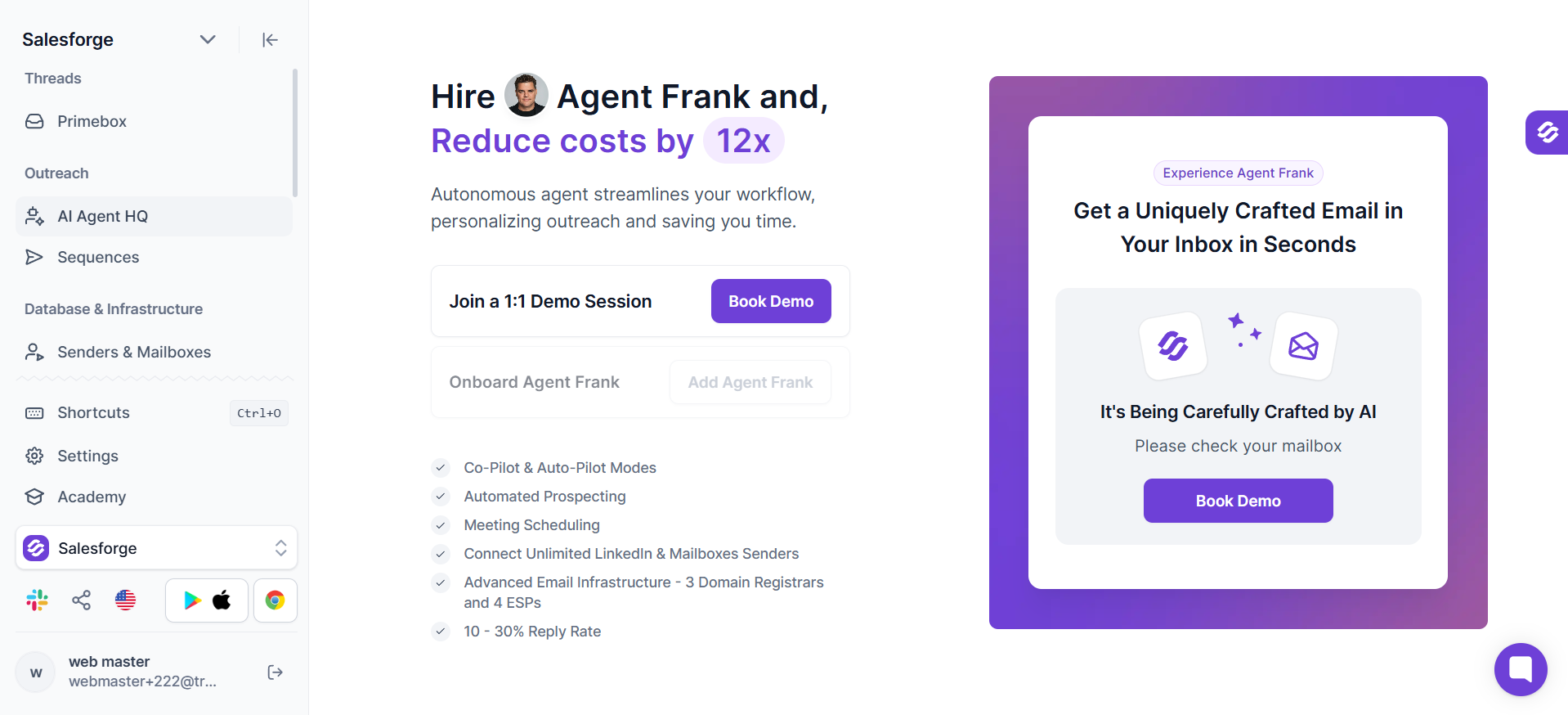
You upload your ICP, your knowledge base, and your goals, and Agent Frank runs the CTA testing on his own. You review results, adjust the goals if you want, and let him keep working.
Your cold email CTA is the shortest line in your email and the biggest lever on your reply rate. Get it right and average campaigns turn into top-performing ones. Get it wrong and everything you did before the last sentence gets wasted.
Use the 4-stage escalation framework. Match the CTA type to the reader's temperature. Test both the CTA and the subject line together. And measure meetings booked, not replies received.
If you want a shortcut, the free AI Email Generator by Salesforge writes the full cold email including the CTA in seconds, tuned to your prospect and offer.
Or hire Agent Frank and let him run the whole outbound motion for you, cold email CTA testing included.
Either way, start rotating your cold email CTAs today, because it is the fastest lift you will find in outbound.
1. What is a good CTA for a cold email?
A good cold email CTA is a soft, interest-based ask like "worth a chat?" or "open to me sending more info?" It should feel low-commitment, easy to answer with a yes or no, and paired with your value prop when possible. Save direct meeting asks for email 3 or later after the reader has engaged with your earlier emails.
2. Should I put a calendar link in my first cold email?
No. Calendar links on email 1 signal that you are asking for time before you have earned it, which triggers loss aversion and drops your reply rate. Add the calendar link on email 3 or later once the reader has opened multiple emails or clicked a link. The one exception is when the reader has explicitly asked for a meeting time in a prior reply.
3. What is the best cold email CTA according to data?
The Gong Labs study of 304,174 cold emails found that interest-based cold email CTAs like "worth a chat?" outperformed both open-ended and specific meeting asks on cold outreach. The behavioral reason is loss aversion, because asking for time triggers a mental cost calculation while asking for interest costs the reader nothing. Interest CTAs consistently pull 3 to 5 percent reply rates on cold sends versus 1 to 2 percent for direct meeting asks.
4. How many CTAs should I include per cold email?
One CTA per cold email, always. Every additional ask forces the reader to choose, and readers who have to choose default to closing the tab. If you have multiple things you want the reader to do, split them across a multi-email sequence with one CTA per step.
5. What is a Loom video CTA and does it work in cold emails?
A Loom video CTA offers to send the reader a personalized 60 to 90 second video walkthrough instead of asking for a meeting. It works because video feels personal and asynchronous, and it converts higher than most soft cold email CTAs, typically 4 to 6 percent reply rates on cold sends. The video has to be genuinely personalized to the reader's business, not a generic pitch, or the reply rate drops off fast.
6. What is a breakup or walk-away cold email CTA?
A breakup CTA is the final email in a cold email sequence that closes the loop with the reader by either giving them a graceful exit or asking a binary question they can answer in one word. Examples include "usually silence means one of three things, which one is it?" or "this will be my last note unless I hear back." Walk-away CTAs recover pipeline you thought was dead because they make replying feel easier than staying silent.
7. Do interest CTAs really beat meeting CTAs on cold emails?
Yes, on cold outreach. Interest CTAs pull higher reply volume because they trigger no loss aversion and require zero commitment. But once the reader has engaged with your sequence, specific meeting CTAs jump ahead, because the Gong study found specific asks convert at 37 percent post-engagement versus 15 percent when used cold. Match the CTA type to the reader's temperature, and both types earn their place in your cold email sequence.

.jpg)

