Automating repetitive work sounds simple until you realize most tools make you choose between flexibility and simplicity.
You either get a rigid tool that does one thing out of the box, or a complex platform that can do anything, but takes weeks to figure out.
Relevance AI sits in the second category. And that is exactly where the reviews get interesting.
One user said she builds RAG systems and automates lead qualification daily without any technical background.

Alt Text: User Review
Another reviewer, a manager at an enterprise company, said onboarding was smooth, but admin controls were too weak for his team to use them properly.

Alt Text: User Review
A business owner gave it zero stars, not because the product failed, but because he was refused a prorated refund after discovering it did not fit his use case.
Same platform. Three very different experiences.
This Relevance AI review covers what the platform does, where real users run into friction, and whether it fits a sales or GTM workflow.
If you are deciding whether to build on Relevance AI or look elsewhere, this is the only review you need to read first.
Yes, if you need a flexible platform to build custom AI agent workflows without writing code.
Bottom line: Worth it if you want to build your own automation. A poor fit if you need a ready-made outbound system.
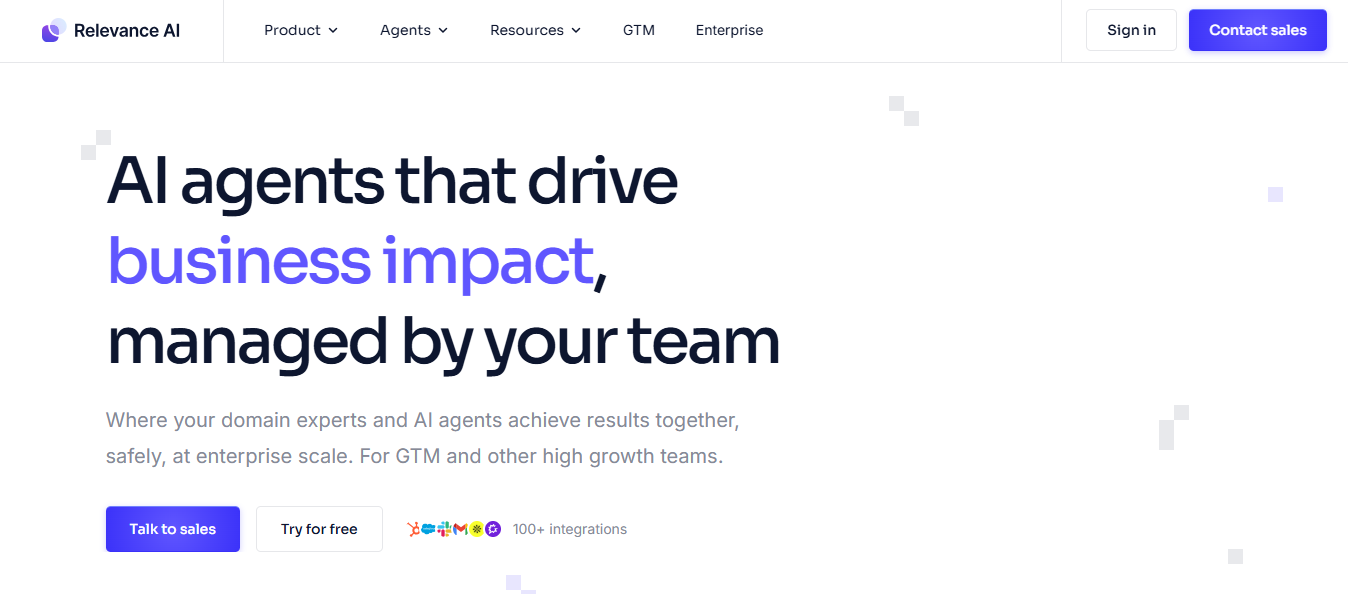
Alt Text: Relevance AI Homepage
Relevance AI is a no-code platform for building AI agents that autonomously complete tasks.
You use it as the infrastructure to create your own AI workforce, where each agent handles a specific job as an employee would.
It is not a finished product that you turn on. It is a platform you build on.
The platform has three core components that work together.
You can build an agent that researches a prospect before a sales call, pulls recent news, finds key contacts, and outputs a one-page brief without you touching it.
One user said she uses it every day to automate lead qualification and business operations like payroll tracking and invoice generation, with no technical background at all.

Alt Text: User Review
That is the promise. You describe what you want, connect your tools, and the agent runs the work.
But Relevance AI is not built for one specific use case. It covers sales, marketing, customer support, research, and operations. That breadth is what makes it useful for some teams and disorienting for others.
One thing worth knowing upfront. Relevance AI is not a cold email tool or a LinkedIn outreach platform. It does not send sequences, manage deliverability, or run outbound for you out of the box.
It gives you the components to build that workflow yourself.
Relevance AI runs on three layers that connect into one system. Each layer has a specific role and feeds into the next.
You start by building an agent. You describe what you want it to do, connect the tools it needs, and add any knowledge sources it should reference. The agent follows those instructions every time it runs a task.
Tools define what the agent can actually do. Each tool performs one action. Agents combine multiple tools to complete multi-step tasks without you managing each step manually.
When you need multiple agents working together, you connect them into a workforce on a visual canvas. One agent completes its task and passes the output to the next automatically.
Triggers decide when the workflow starts. You set the entry point once, whether that is a manual command, a recurring schedule, a webhook, or an event in a connected tool like a CRM or email inbox, and the workforce runs from there.
The whole system runs from one platform. You build the workflow once, and it runs on its own from that point forward.
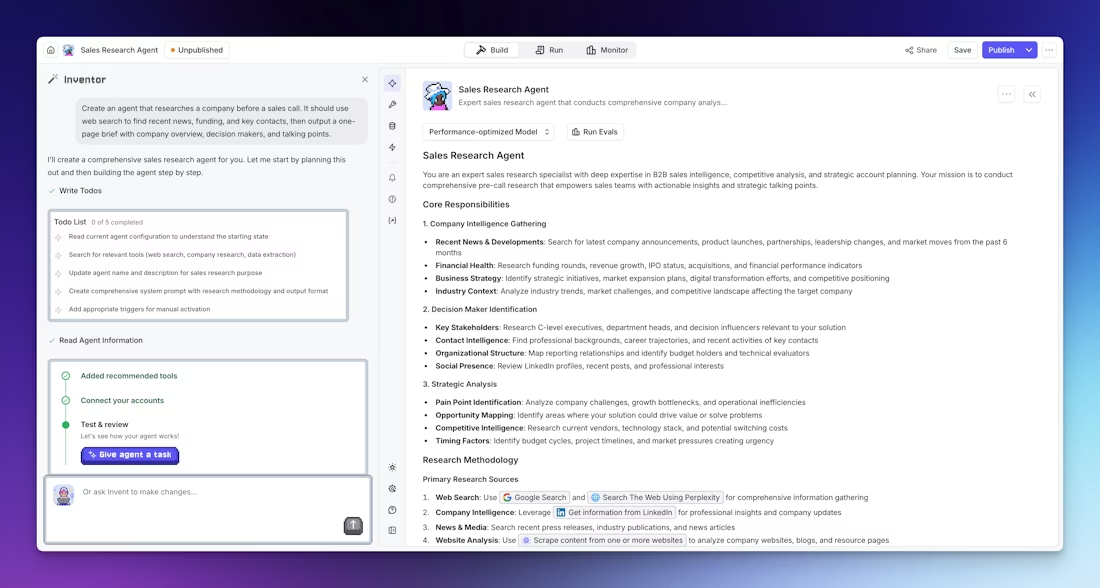
Alt Text: Invent
Invent is the fastest way to build an agent on Relevance AI. You describe what you want in plain language, and the platform generates the agent prompt, suggests tools, and sets up the structure for you.
As a user, it shares his experience: "Describe what you want, and it suggests tools and implementation steps." For non-technical users, this removes the barrier of knowing how to structure an agent before you have ever built one.

Alt Text: User Review
You still need to review what Invent generates, connect your integrations, and test the output. But it gets you from zero to a working agent significantly faster than building from scratch.
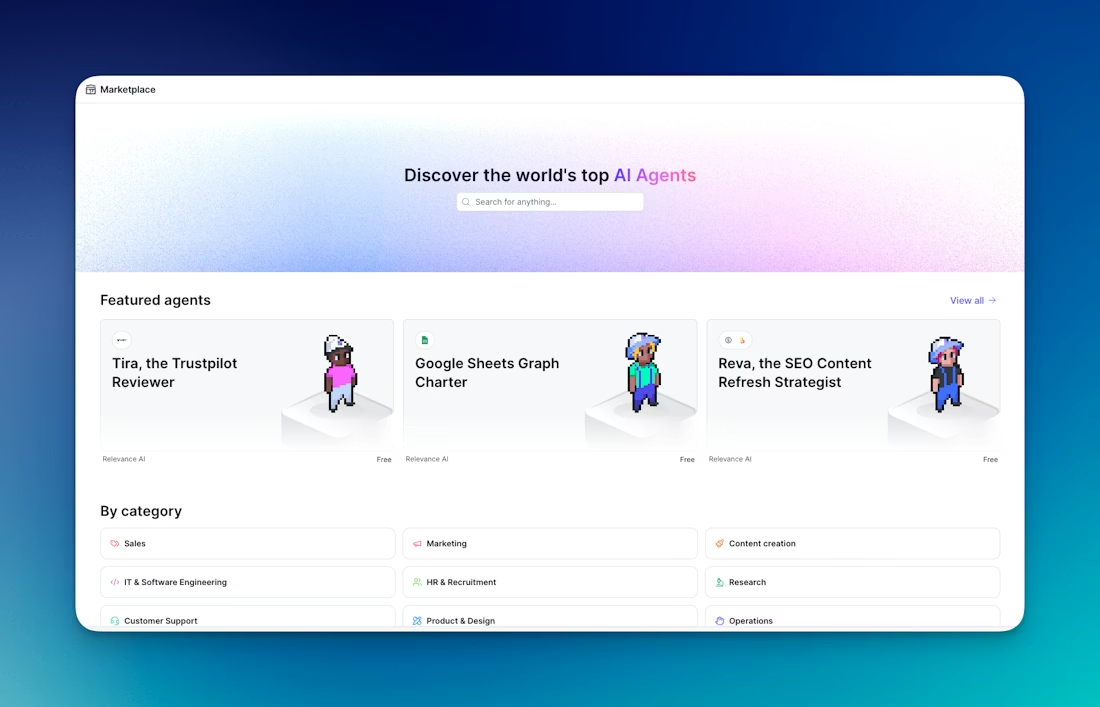
Alt Text: Marketplace
The Marketplace is a library of over 400 pre-built agents and tools created by Relevance AI and the community.
You clone an agent, connect your integrations, and customize the prompt and tools to fit your specific workflow.
Common use cases available in the Marketplace include lead qualification, meeting preparation, customer support, and research.
Cloning a pre-built agent makes sense when your use case is common, and you want a tested starting point rather than building everything from the ground up.
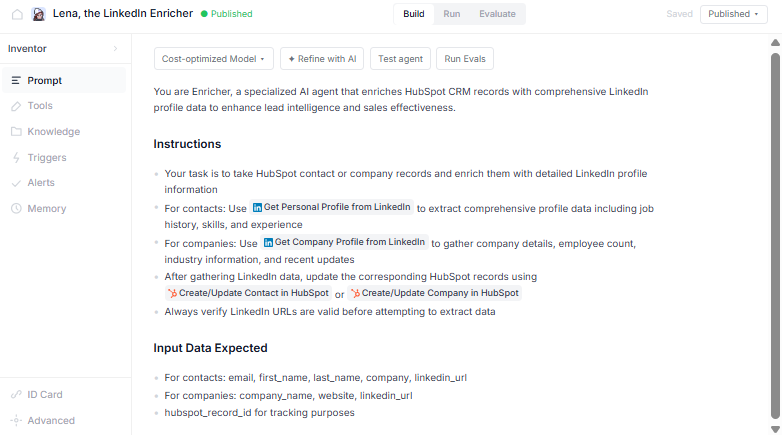
Alt Text: Agent Builder
The Agent Builder is where you configure every detail of how an agent thinks and behaves. You write the prompt, select the LLM model, connect tools, and add knowledge sources.
Model selection is worth noting.
You can let Relevance AI automatically pick the best model based on performance or cost, or manually choose from OpenAI, Anthropic Claude, Google Gemini, Azure OpenAI, or OpenRouter models.
Each model charges based on credits per 1,000 tokens processed.
You can also reference specific tools directly inside the prompt so the agent knows exactly which action to take at each step of a task.
Alt Text: Tools
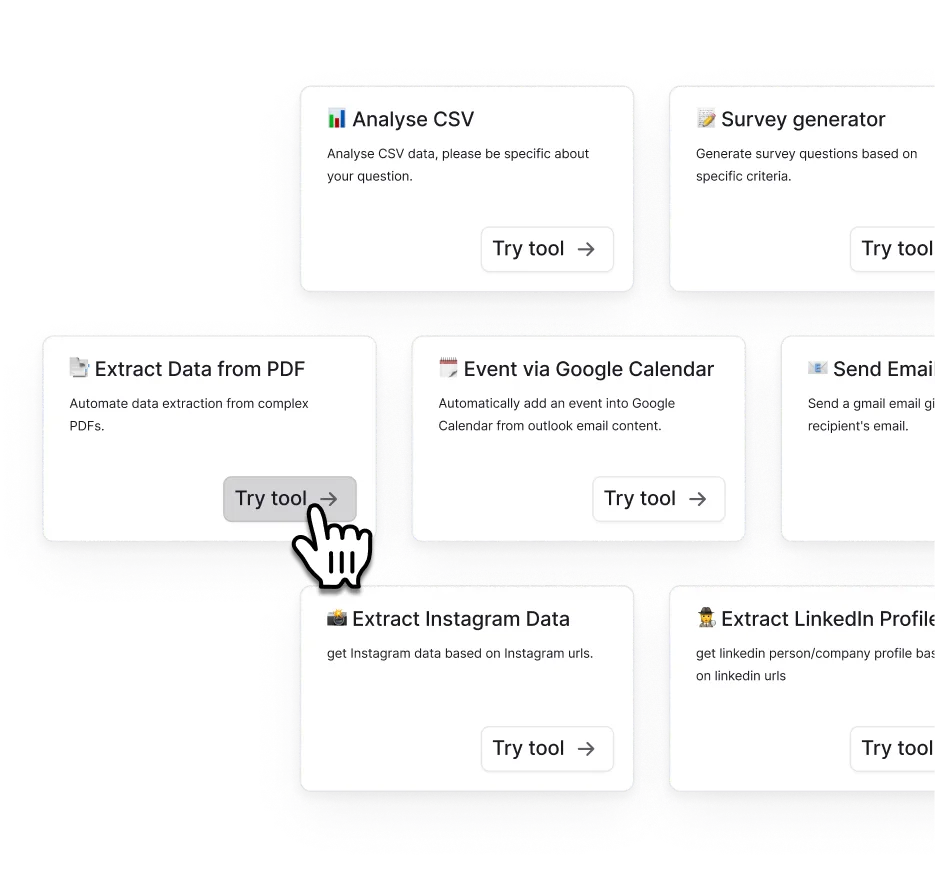
Tools define what agents can actually do. Each tool performs one action: search the web, send an email, call an API, update a CRM record, extract text from a PDF, or run custom code.
You build tools with input parameters, step names, and output variables. The naming and description of each tool matter significantly because the agent reads those names when deciding which tool to use for a task.
Relevance AI has over 9,000 integration tools available according to G2 reviewers, covering email, calendar, CRM, spreadsheets, LinkedIn, ZoomInfo, Slack, and more.
Not all integrations are native; some require building a custom API connection, which is a limitation flagged by users who need tools like BigQuery.
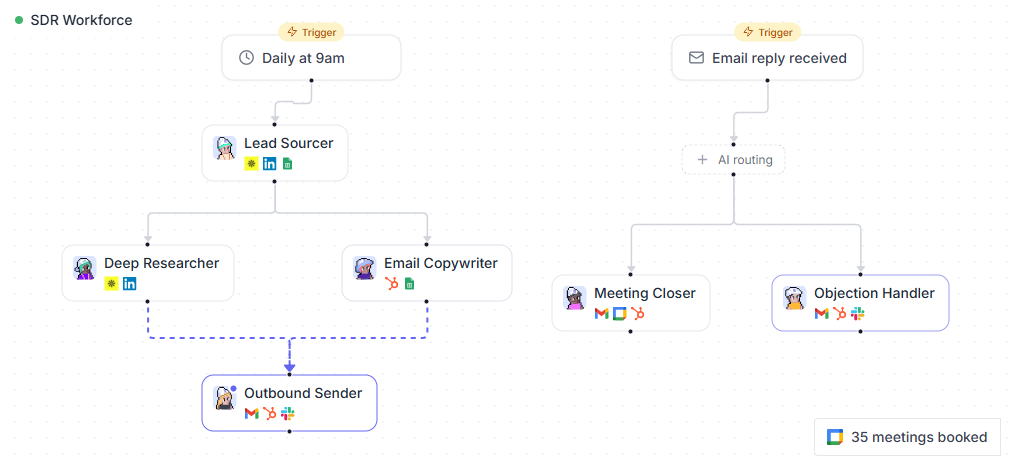
Workforces connect multiple agents on a visual canvas. You build a pipeline where one agent completes its task and passes the output to the next agent automatically.
Alt Text: Workforces
For example, a research agent finds prospect data, a writing agent drafts personalized outreach, and a sending agent pushes it to your CRM or email tool. Each agent runs its part without manual handoff.
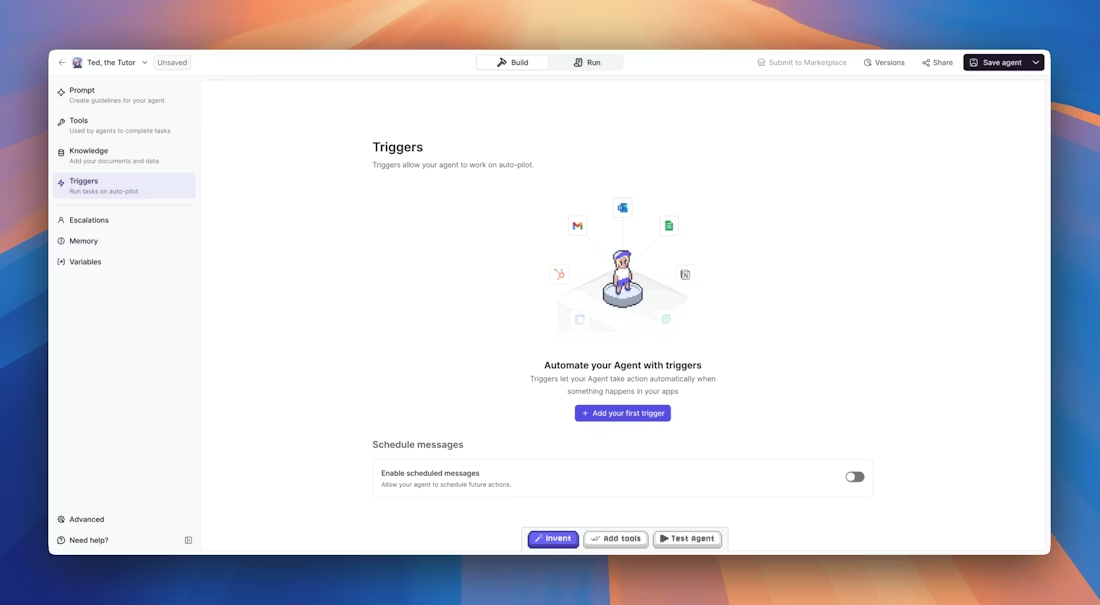
Triggers control when the workforce starts.
Alt Text: Triggers
You can trigger it manually, on a recurring schedule using cron expressions, from a webhook, or when a specific event happens in a connected system, like a new lead in your CRM or a new email in your inbox.
Alt Text: Knowledge Base
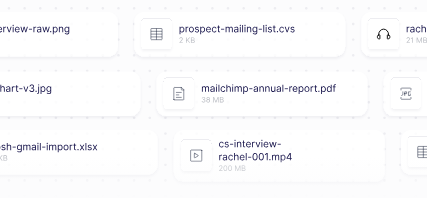
The Knowledge Base is where you give agents context beyond their base training. You upload documents, connect to Google Drive, Notion, or SharePoint, or scrape website content directly into a knowledge set.
Agents can then search that knowledge when completing tasks, pulling accurate information from your actual data rather than generating generic responses.
You choose how the agent accesses knowledge. Adding it directly to the prompt works for small data sets.
Using RAG, where the agent searches the knowledge base as a tool, works better for large or complex data sets where you need more precise retrieval.
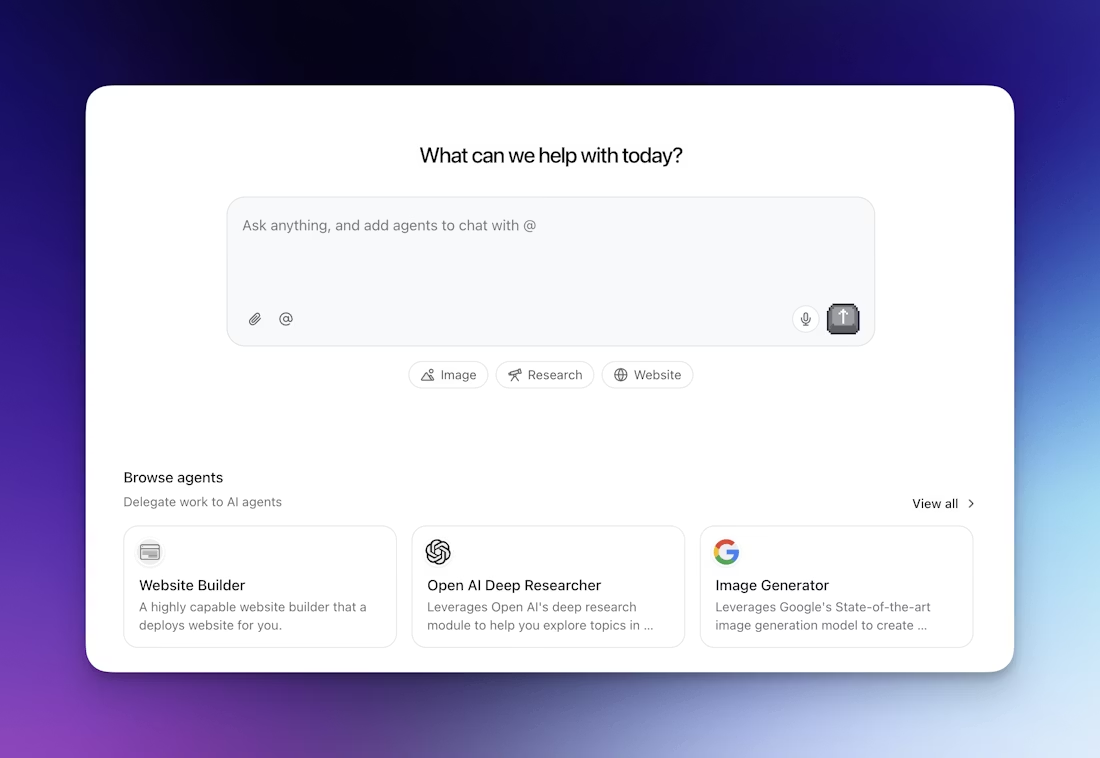
Relevance Chat is a conversational interface at chat.relevanceai.com where you and your team interact with your agents directly.
Alt Text: Chat
You mention any agent using the @ symbol, and it handles the task using the tools and knowledge you configured.
Chat works on desktop and mobile browsers.
You can combine multiple agents in one conversation, switch between LLMs mid-conversation, save prompts your team reuses often, and use built-in agents for deep research, slide building, image generation, and website building without any setup.
One user said she manages all her agents from one place without switching between tools, and customer support resolves issues quickly when she runs into problems.
Relevance AI has one publicly listed plan and a custom enterprise tier. Pricing scales with your AI workforce size and usage.
To get pricing, you talk to sales directly.
Relevance AI sits at 4.5 stars on G2. Here is what actual users reported, good and bad.

Alt Text: User Review
The Invent feature lets you describe what you want in plain language, and it suggests appropriate tools and steps.
For non-technical users who know what they want to automate but not how to build it, this is the feature that makes the platform accessible.
Relevance AI eliminates the need for multiple specialized AI tools by providing a single platform where he can build various agents for different tasks.

Alt Text: User Review
You do not need to know how to code, just select the right tools, and your custom AI agent is done.
Setting up agents takes just a few minutes, and everything is intuitive without digging through menus.

Alt Text: User Review
Over 9,000 tools for integration, including email, calendar, CRM, and sheets.

Alt Text: User Review
The onboarding experience can be a little confusing.
The documentation is hard to follow because things are updated so regularly. This is a consistent pattern across reviews.

Alt Text: User Review

Alt Text: User Review
Lacks governance controls and admin configuration controls for the administration team.
For larger teams where multiple people manage agents and workflows, this is a real operational gap.

Alt Text: User Review
All agents appear in one flat list with no folders or categories. When you have many agents across multiple projects, navigation becomes harder.
For teams running multiple workflows simultaneously, this adds friction to daily management.
.jpg)

.jpg)

.jpg)
