Table of contents
Get insights delivered straight into your inbox every week!
Summarize with

In-depth RB2B Review: Is It Worth It In 2026?

If you’re looking for an RB2B review, you want to know if it can turn website traffic into leads.

RB2B tracks your visitors and shows who they are.

You can then use this data for outreach.

This sounds useful when visitors check pages like pricing.

But the real question is simple.

Does it give enough usable data to act on?

In this review, you will see what RB2B delivers and whether it is worth it in 2026.
RB2B Review: Key Takeaways

  • RB2B is a website visitor identification tool used to turn anonymous traffic into identifiable leads.
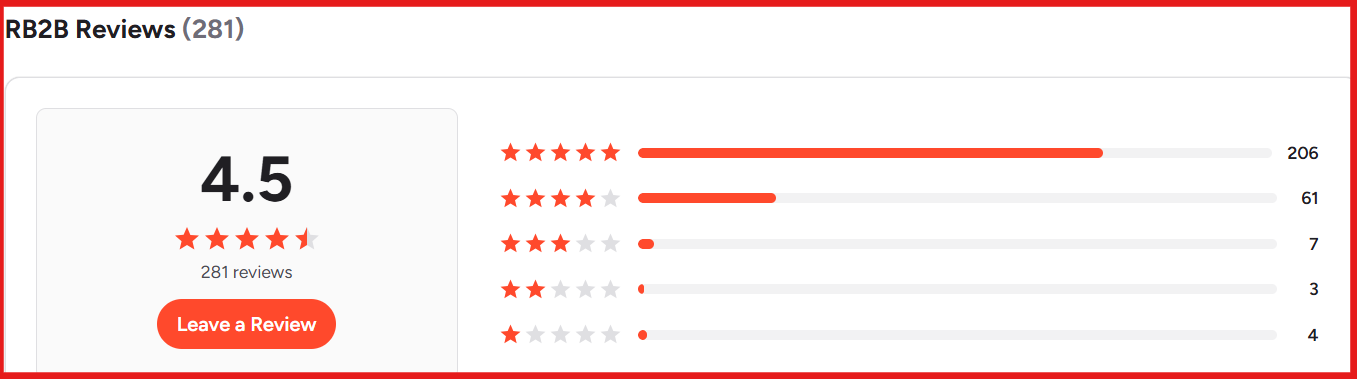
  • RB2B G2 rating is 4.5/5 based on 281 reviews.
RB2B G2 review
This image shows the RB2B G2 review
  • It is built for teams that want to act on website intent. This replaces relying only on cold outbound.
  • It shows visitor profiles like name, company, and LinkedIn, but results depend on identification coverage.
  • You can capture high-intent leads from pages like pricing, but only if those visitors are identified.
  • It works on a script-based setup, so data starts after installation, not retroactive.
  • It does not capture all traffic, so a part of your visitors will remain unknown.
  • Some profiles may have missing or inaccurate data, especially outside LinkedIn coverage.
  • User feedback highlights fast setup and real-time Slack alerts as strong points.
  • Users also report limited coverage and occasional data accuracy issues.
  • It helps find warm leads, but you still need separate tools for outreach and scaling,

What is RB2B?

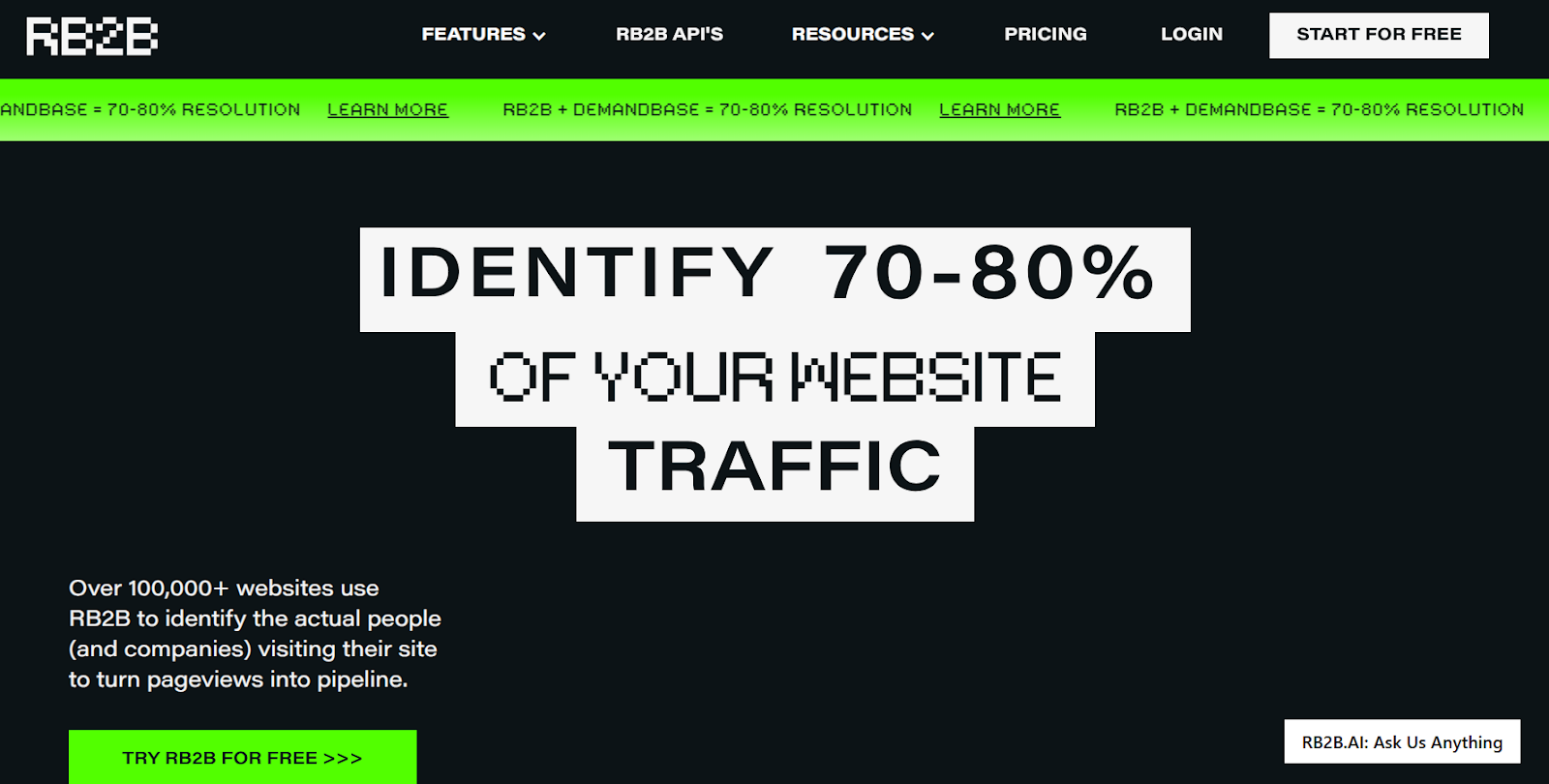
RB2B homepage
This image shows the RB2B homepage

RB2B is a website visitor identification tool.

It shows who is visiting your website.

Instead of just traffic numbers, you get actual people.

It identifies visitors and gives details like name, company, role, and LinkedIn.

This data is sent to tools like Slack or your CRM.

The main use is to find people already visiting your site and reach out to them.

It is mostly used by outbound teams that want to act on real intent.

It does not generate leads on its own.

It only works on the traffic you already have.

How RB2B Works

From testing, RB2B follows a simple flow from tracking to outreach.

Here is how it works:
  1. Install the script: The tracking pixel is added to the website. It starts collecting visitor data once the page loads.
  2. Identify visitors: RB2B uses cookies, IP data, and device signals. It matches visitors to known people and companies.
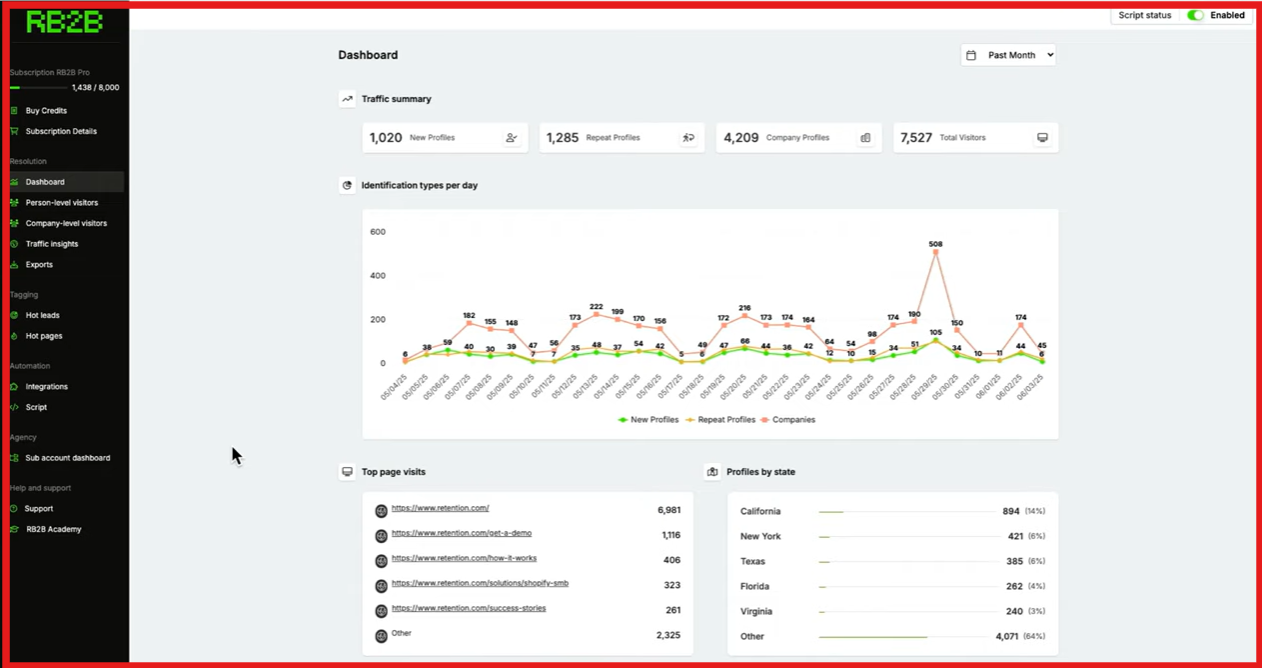
RB2B visitor identification
This image shows the RB2B visitor identification
  1. Enrich profiles: Once a match is found, it adds details. This includes name, role, company, and LinkedIn.
  2. Filter leads: From what I saw, filtering is important to remove noise. Leads can be filtered by company size, role, and location.
  3. Send data to tools: Leads are pushed to Slack, CRM, or other tools. This happens in real time.
  4. Take action: This is where it connects to outbound. Teams can start outreach or trigger workflows.

RB2B identifies around 70–80% of traffic across people and companies.

Not every visitor is identified.

And person-level data works mainly for US traffic.

Top Features of RB2B

RB2B is built to turn website traffic into identifiable leads.

Here are the top features of RB2B:
Feature What It Does
Visitor Identification Identifies people and companies visiting your site using tracking signals
Person-Level Data Shows name, job title, LinkedIn, and email when a match is found
Real-Time Alerts Sends identified visitors to Slack, CRM, or tools in real time
Hot Leads (ICP Filtering) Filters visitors based on company size, seniority, industry, and location
Page Intent Tracking Shows which pages visitors view to understand interest and intent
CRM & Tool Integrations Connects with tools like HubSpot, Salesforce, Slack, Clay, and others
Traffic Insights Shows visitor activity like pages visited and engagement data
Page Suppression Excludes internal or irrelevant traffic to improve lead quality
Email Validation Validates emails before showing them to improve accuracy
Company-Level ID Identifies companies globally when person-level data is not available

RB2B Pricing

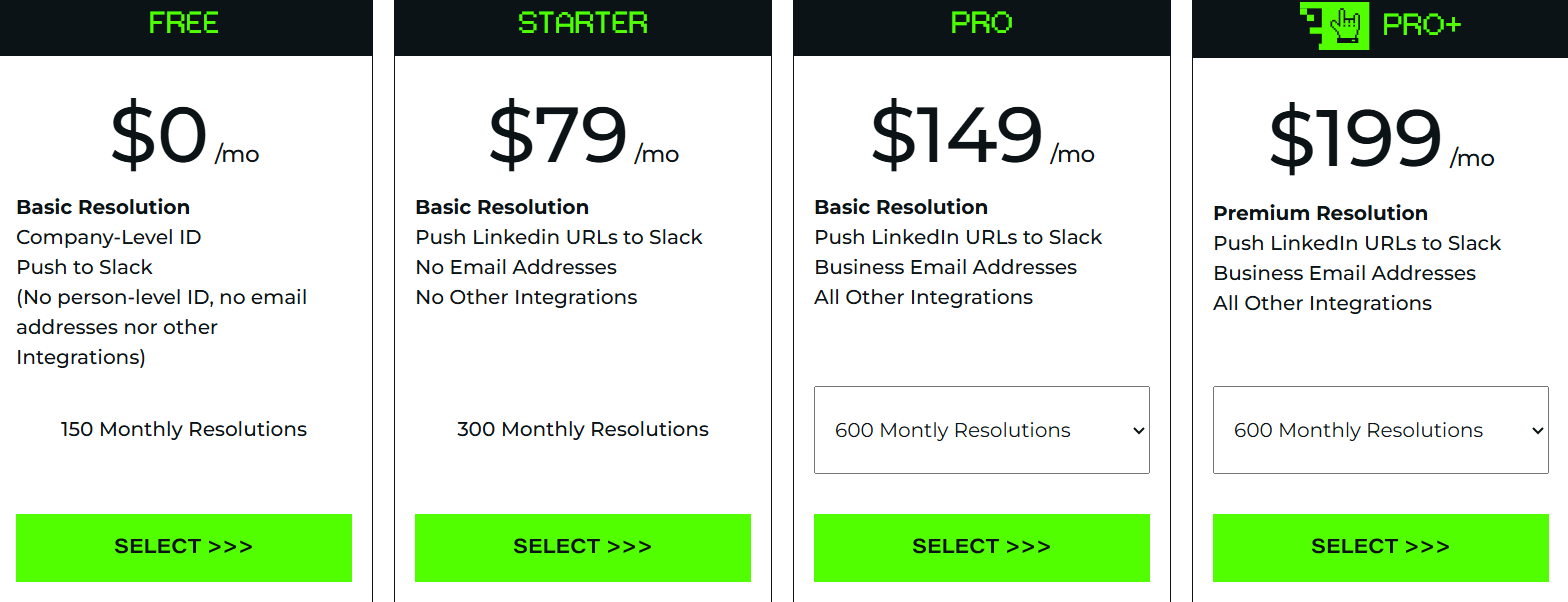
RB2B pricing
This image shows the RB2B pricing

RB2B uses a resolution-based pricing model.

You pay based on how many visitors it identifies each month.

Here’s how the plans are structured:

  • Free – $0/month, includes 150 monthly resolutions, company-level identification, and Slack integration only.
  • Starter – $79/month, includes 300 resolutions, LinkedIn profiles, but no email addresses and no other integrations.
  • Pro – $149/month, includes 600 resolutions, business email data, and full integrations.
  • Pro+ – $199/month, includes 600 resolutions with higher-quality (premium) data and full integrations.

RB2B also offers a 7-day free trial with full features before upgrading

Pricing depends on how many visitors you identify each month.

Lower plans work for basic tracking.

Costs increase as you need more identified leads or better data quality.

Top Pros and Cons of RB2B

RB2B works well in some cases but has clear limits.

Here are the top pros and cons of RB2B:

Pros of RB2B Cons of RB2B
  • Identifies website visitors when a match is found
  • Helps capture high-intent leads from pages like pricing or demo
  • Sends leads to Slack or CRM in real time for fast action
  • Simple setup with a script, starts working quickly
  • Shows person-level data like name, role, and LinkedIn when available
  • Does not identify all visitors, so coverage is limited
  • Depends on website traffic, not useful with low traffic
  • Not a full outbound tool, no built-in outreach
  • Data starts only after setup, no historical data
  • Some profiles are incomplete or missing key details

User Reviews About RB2B

From the reviews I checked, feedback is mostly positive.

Users focus on ease of setup and real-time visitor tracking.

Many users say setup is fast and works within minutes.

RB2B G2 review about quick setup
This image shows the RB2B G2 review about quick setup

They like getting LinkedIn profiles and visitor data in Slack instantly.

Some users say it helps identify real people and helps with targeting.

A few report better pipeline from high-intent website visitors.

However, some users say it does not identify all visitors. 

RB2B G2 review about not identifying all visitors
This image shows the RB2B G2 review about not identifying all visitors

Coverage is limited, so part of traffic is missed.

A few users mention data accuracy issues and incomplete profiles.

RB2B G2 review about data accuracy and pricing
This image shows the RB2B G2 review about data accuracy and pricing

Some also report irrelevant leads that need filtering.

Some users feel pricing increases as usage and credits increase.

Overall, RB2B works well for intent-based outbound.

But coverage limits and data accuracy can affect results.

Is RB2B the Right Choice for You?

RB2B is not a lead generation tool.

It works on the traffic you already have.

So the decision depends on your current setup.

Here’s how to choose if RB2B is tte right choice for you:

I. RB2B is a good fit if you:

  • Get consistent website traffic
  • Want to identify visitors and act on intent
  • Run inbound, ABM, or content-driven funnels
  • Need real-time alerts for high-intent leads
  • Have a team ready to follow up quickly

II. RB2B may not work well if you:

  • Have low or no website traffic
  • Need a tool to generate leads from scratch
  • Rely fully on cold outbound
  • Want a complete outreach platform
  • Need high coverage across all visitors

Bonus tip:

If you have traffic → RB2B helps convert it

If you have no traffic → you need a lead source first

A Better Alternative to RB2B for Lead Generation: Leadsforge

RB2B works when I want to identify anonymous website visitors.

But it depends on traffic and does not generate leads on its own.

When I want to build a pipeline from scratch, Leadsforge feels more direct.
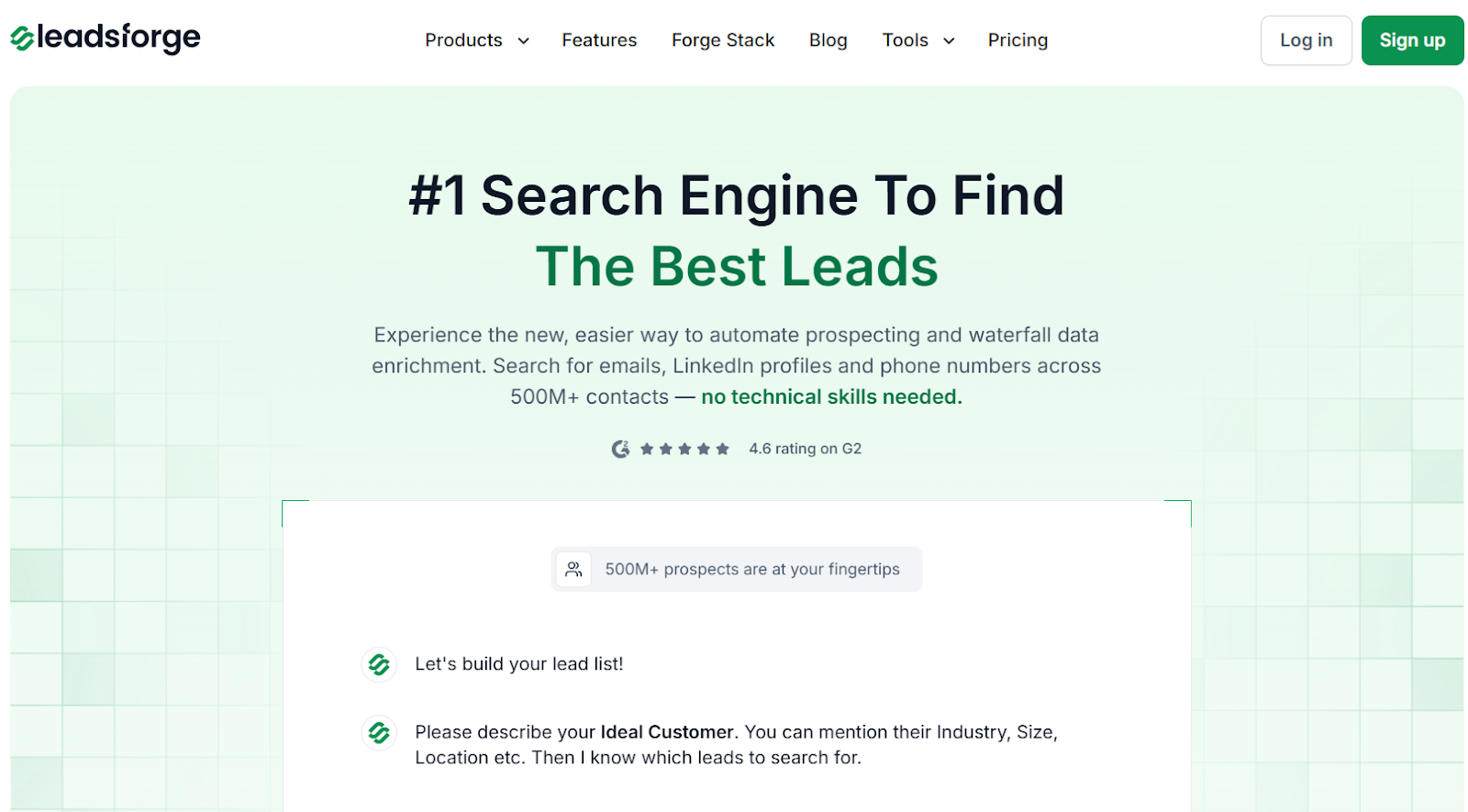
Leadsforge homepage
This image shows the Leadsforge homepage

Leadsforge works like a search engine for B2B leads.

I describe my ideal customer in simple words, and it returns matching contacts.

I can enrich each lead with emails, LinkedIn profiles, and phone numbers before exporting.

Leadsforge also connects multiple data sources.

If one source does not return data, it checks others to find matches.

This improves coverage and reduces missing data.

Leadsforge also includes intent signals.

I can find leads based on hiring activity, tool usage, or buying signals.

Once the list is ready, I can export it or push it into Salesforge and start outreach.

RB2B vs Leadsforge: Quick Comparison

Feature RB2B Leadsforge
Core use case Identify website visitors Find and enrich B2B leads
Lead generation No (depends on traffic) Yes
Search method Visitor identification Chat-based ICP search
Data enrichment Limited Emails, LinkedIn, phone data
Data source Website traffic Multi-source enrichment
Intent signals Visitor-level intent Built-in intent signals (hiring, activity, triggers)
Export options Limited CSV + Salesforge export
Pricing model Not credit-based Starts at $49/month (2,000 credits)

If the goal is to identify who visits a website, RB2B works.

But if the goal is to generate leads with intent signals and start outreach, Leadsforge fits better.

Personalized Outbound Strategy

Get The Right Outbound Strategy In Minutes

Enter your email to get a custom plan & stack recommendation for your business

It's being carefully crafted by AI

Please check your mailbox in 5 minutes

Is RB2B Worth It?

RB2B is useful for identifying website visitors and tracking intent from traffic.

It works well if your website already gets consistent visitors.

You can see which companies are visiting and follow up at the right time.

But RB2B does not generate new leads.

It only works on existing traffic.

If traffic is low, results will also be low.

You cannot rely on it to build pipeline consistently.

If your goal is to generate leads using an ICP in a simpler way, Leadsforge is easier to use.

Leadsforge lets me describe an ideal customer and get matching leads instantly.

It also adds emails, LinkedIn profiles, and phone data before export.

Pricing is also more flexible, starting lower with a credit system.

This makes it easier to control usage.

You can try Leadsforge with free credits and see how quickly you can build your first lead list.