Getting replies from cold outreach is getting harder every year.
Most tools give you huge lists of “leads” that haven’t done anything in months.
You end up messaging strangers at random and hoping something works.
What if, instead, you could reach people right when they show interest?
Like someone who just changed jobs, commented on a post, joined a group, or engaged with content in your space.
That’s the promise of Phantombuster.
It watches real activity across platforms like LinkedIn and turns those signals into fresh, ready-to-contact leads.
But can it really replace your usual prospecting stack? And is it enough if you want to do multi-channel outreach, not just LinkedIn?
In this in-depth Phantombuster review, we’ll see if it helps you find and reach the right people, and if it’s worth for full multi-channel outreach.
PhantomBuster: Key Takeaways
Phantombuster finds warm leads every day by scanning live activity across 15+ platforms instead of using old static databases.
The platform runs automations 24/7 to capture real intent signals like job changes, post engagement, and social activity.
Each lead is enriched with over 1,000 real-time data points such as role, company details, and behavior context.
You can automatically turn these signals into LinkedIn connection requests and follow-up messages.
Leads and updates sync directly to CRMs like HubSpot, Salesforce, and Pipedrive without manual export.
Multiple LinkedIn accounts can be used together to safely scale daily prospecting volume.
Phantombuster is strongest for live lead discovery and LinkedIn outreach, but it does not send native cold emails.
What is PhantomBuster?
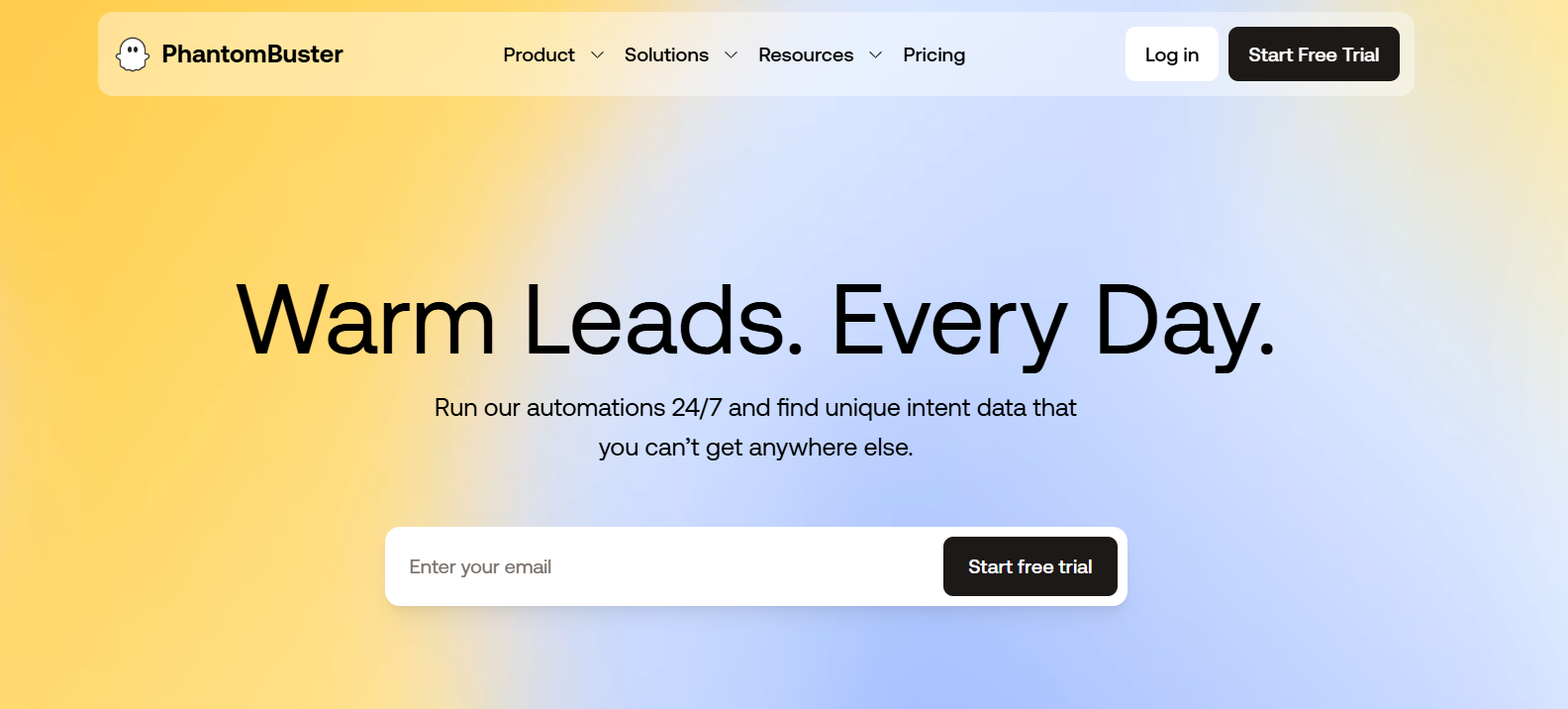
This image shows the PhantomBuster homepage
PhantomBuster is a tool that automates how you find and contact leads on LinkedIn and other websites.
It can scan LinkedIn searches, post likes, comments, groups, and events to find people who are active right now.
It then saves those profiles as leads and adds details like job title, company, industry, and, when possible, verified emails.
You can tell it to automatically send LinkedIn connection requests and up to three follow-up messages after someone accepts.
New and updated leads can be pushed straight to tools like HubSpot, Salesforce, or Pipedrive.
You can also pull leads from other places like Google Maps, Slack channels, Instagram, and GitHub.
In short, PhantomBuster turns live online activity into fresh lead lists and starts LinkedIn outreach for you.
How Does Phantombuster Work?
PhantomBuster is built to find people who are already active and interested, not random old leads.
It watches real actions like job changes, post likes, comments, and group activity, then turns them into ready leads.
Instead of static databases, it uses live data pulled directly from platforms you use.
It scans 15+ platforms like LinkedIn, Sales Navigator, Instagram, Google Maps, Slack, GitHub, and more to find fresh leads.
It tracks buying signals such as job changes, post engagement, followers, group members, and event attendees.
Each lead is enriched with over 1,000 live data points like role, skills, company size, and industry.
It can find verified professional emails and phone numbers when they are publicly available.
It removes duplicates and updates old records automatically to keep lists clean.
You can send LinkedIn connection requests and up to three follow-up messages on autopilot.
Messages can be personalized using live profile data and built-in AI writing tools.
Automations run 24/7 in the background using your own logged-in accounts.
New leads can be pushed directly to CRMs like HubSpot, Salesforce, and Pipedrive.
You can connect multiple LinkedIn accounts to safely increase daily lead volume.
A Chrome extension lets you reveal contact details and launch outreach from any LinkedIn profile.
Workflows combine finding leads, enriching them, and sending outreach in one automatic sequence.
Key Features of PhantomBuster That Are Actually Useful
PhantomBuster helps you find fresh leads, enrich them with real context, and start LinkedIn outreach without manual work.
These features focus on live data, safe automation, and easy syncing with your existing tools.
Feature
What It Actually Helps You Do
Live lead extraction from 15+ platforms
Pull fresh leads from LinkedIn, Sales Navigator, Google Maps, Slack, Instagram, GitHub, and more instead of old databases
Intent signal tracking
Find prospects based on real actions like job changes, comments, likes, and group or event activity
Deep lead enrichment (1000+ data points)
Add up-to-date role, company, skills, and firmographic details to every lead
Automatic deduping and updates
Keep lists clean by removing duplicates and refreshing outdated records
LinkedIn connection and follow-up automation
Send connection requests and up to 3 follow-ups automatically after acceptance
AI message personalization
Create unique LinkedIn messages using live profile data and signals
Multi-account LinkedIn scaling
Split work across multiple LinkedIn accounts to safely increase daily volume
Pre-built prospecting Workflows
Launch ready flows that extract, enrich, and start outreach in one setup
Session-based, compliant data access
Use only public data you can access through your own logged-in accounts
PhantomBuster Pricing
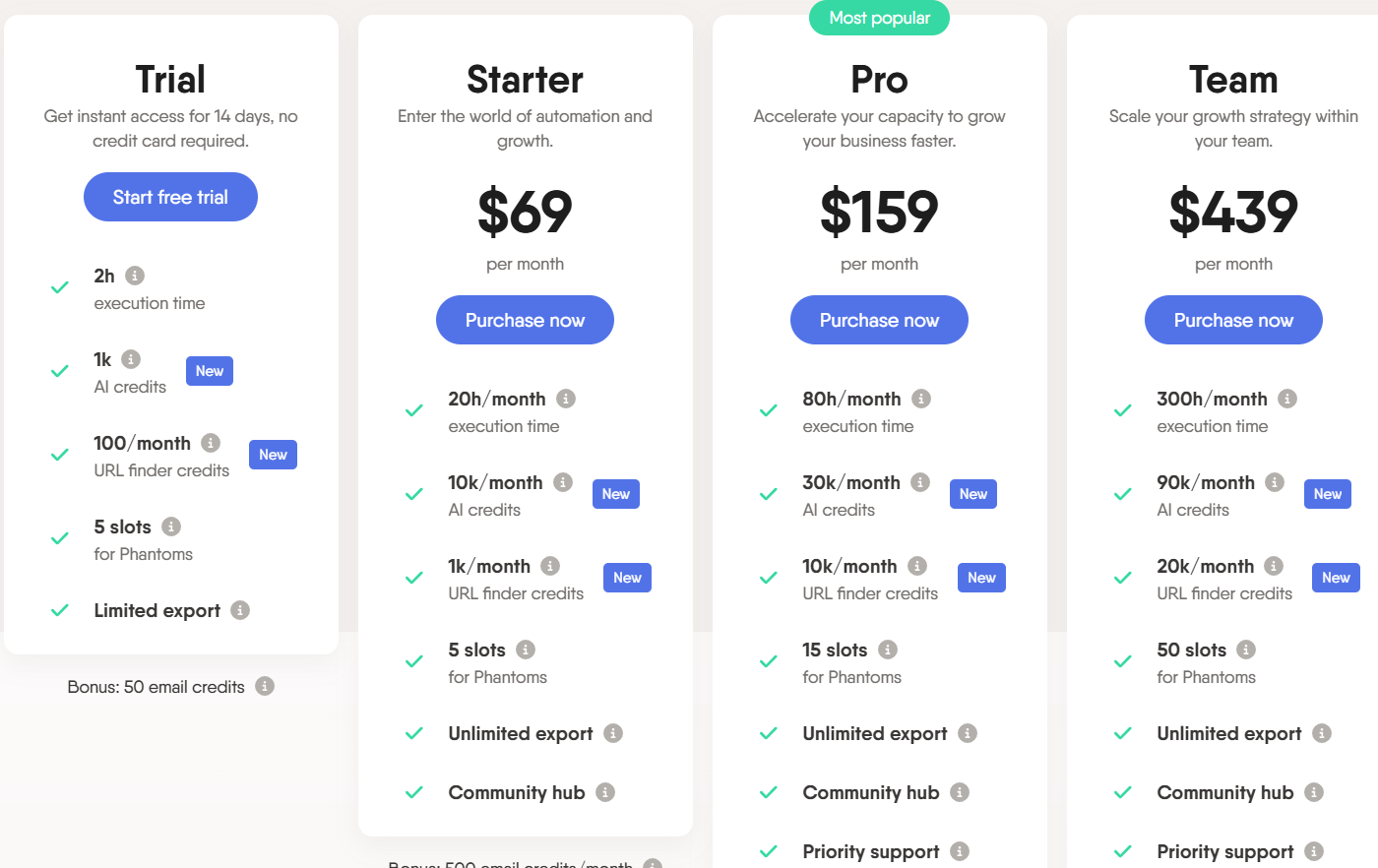
This image shows the PhantomBuster pricing
Trial – Free for 14 days, includes 2 hours execution time, 1,000 AI credits, 100 URL finder credits, 5 Phantom slots, limited export, and 50 email credits.
Starter – $69/month, includes 20 hours/month execution time, 10,000 AI credits/month, 1,000 URL finder credits/month, 5 Phantom slots, unlimited export, and 500 email credits/month.
Pro – $159/month, includes 80 hours/month execution time, 30,000 AI credits/month, 10,000 URL finder credits/month, 15 Phantom slots, unlimited export, priority support, and 2,500 email credits/month.
Team – $439/month, includes 300 hours/month execution time, 90,000 AI credits/month, 20,000 URL finder credits/month, 50 Phantom slots, unlimited export, priority support, and 10,000 email credits/month.
You can start with the free trial and upgrade as your automation and lead volume grows.
Top Pros and Cons of PhantomBuster
Pros of PhantomBuster
Cons of PhantomBuster
Pulls fresh, real-time leads from platforms like LinkedIn, Sales Navigator, Google Maps, Slack, and more
Does not send native cold emails (mainly LinkedIn and data automation)
Automates LinkedIn connection requests and up to 3 follow-up messages
Needs a desktop browser and browser extension to connect accounts
Deep lead enrichment with emails and company data when publicly available
Setup can be confusing for non-technical beginners
Syncs leads directly to CRMs like HubSpot, Salesforce, and Pipedrive
Usage is limited by monthly execution time and Phantom slots
Offers 100+ ready automations and workflows to mix and match
Must respect platform rate limits yourself to keep accounts safe
Is PhantomBuster the Right Fit for You?
PhantomBuster is made for teams that want to find and contact leads using live data from sites like LinkedIn and Sales Navigator.
But depending on how simple or all-in-one you want your setup, it may or may not be the best match.
PhantomBuster is a strong fit if you:
Want to build lead lists from real-time activity like post likes, comments, and job changes
Need flexible scraping and enrichment across many platforms, not just LinkedIn
Are comfortable setting up automations and chaining steps into workflows
Plan to scale prospecting using multiple LinkedIn accounts safely
PhantomBuster may not be the best fit if you:
Need built-in cold email sending in the same tool
Prefer a very simple, plug-and-play outreach app
Only work from mobile and not from a desktop browser
Don’t want to manage rate limits and safe automation settings yourself
Best PhantomBuster Alternative for Multi-channel Outreach – Salesforge
If you like PhantomBuster for scraping and automating tasks but want a tool that actually starts conversations and books meetings across email and LinkedIn, Salesforge is a strong alternative.
PhantomBuster is powerful for extracting data and running automated actions on many websites.
However, it focuses more on data collection and single actions, not on running full outbound campaigns.
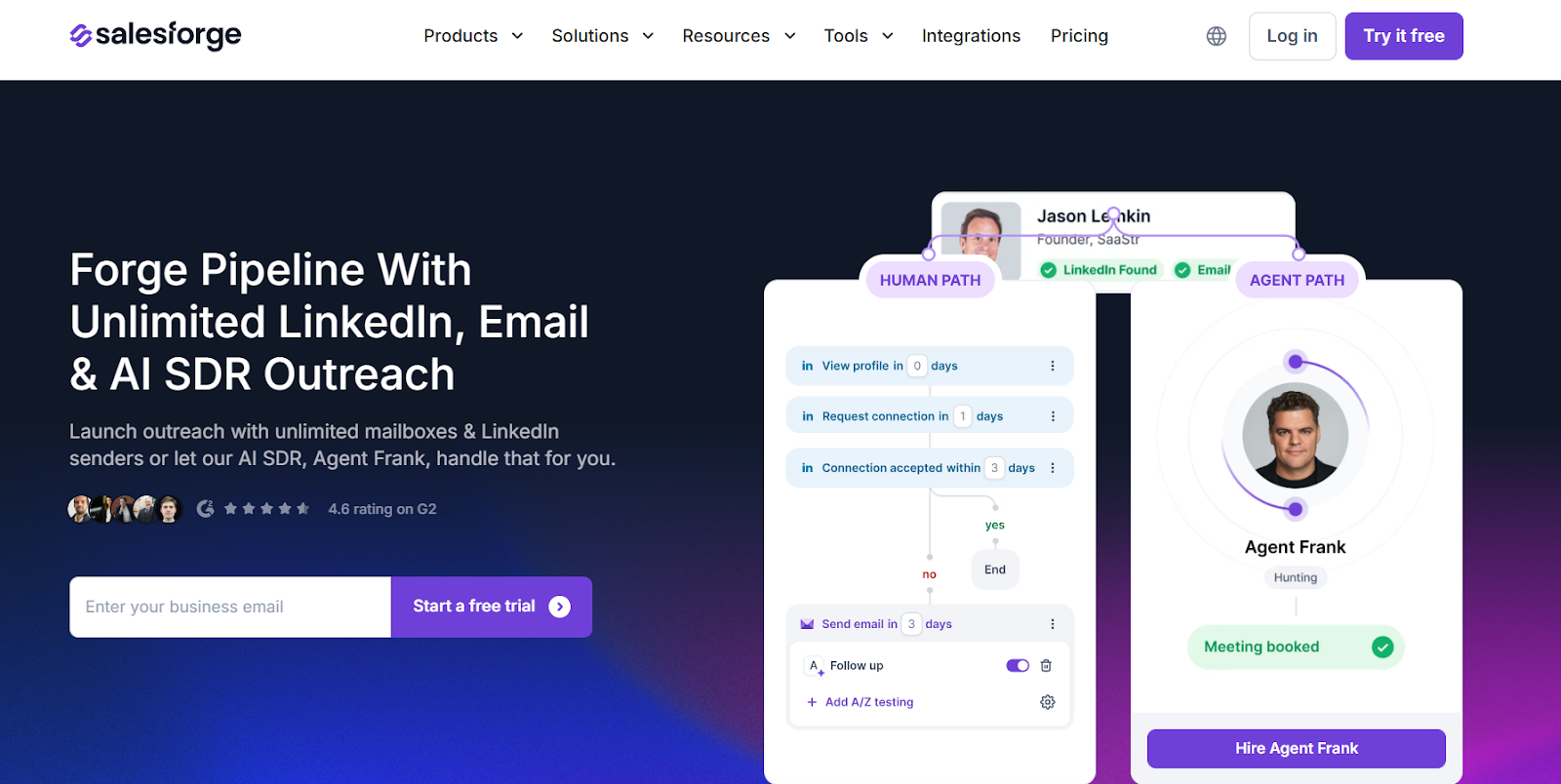
This image shows the Salesforge homepage
Salesforge is a multi-channel outbound platform built to turn leads into real conversations and meetings.
Instead of exporting leads and moving them into another tool, you can contact them right away using multi-channel sequences from one dashboard.
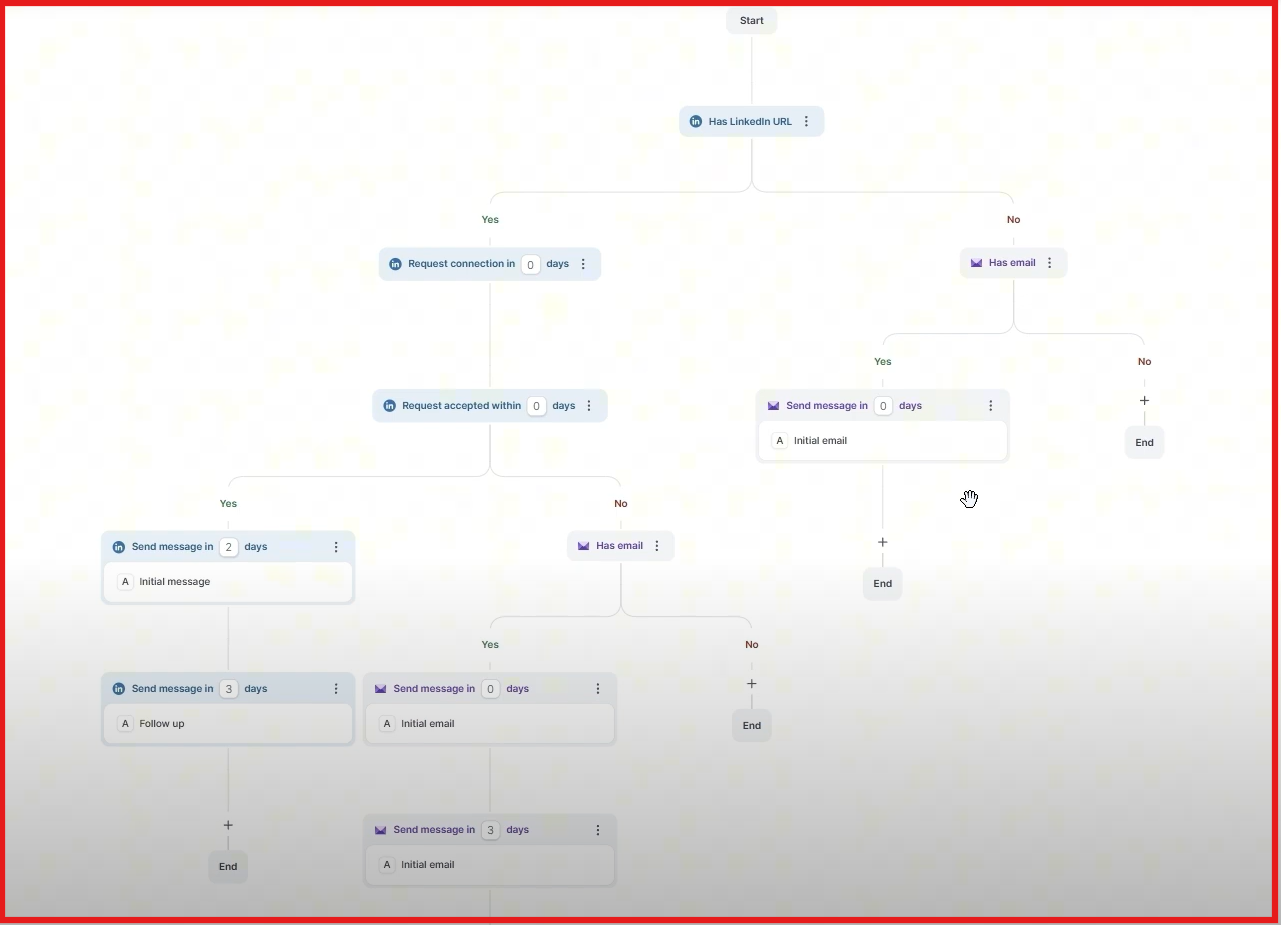
For example, you can start with a LinkedIn connection, send a follow-up message, then switch to email automatically if there is no reply.
This image shows the Multichannel outreach by Salesforge
Salesforge lets you connect unlimited mailboxes and LinkedIn senders, warm them up automatically with Warmforge, and manage every reply in one shared inbox called Primebox™.
You can also let the built-in AI SDR, Agent Frank, handle prospecting, writing messages, follow-ups, and meeting booking for you.
Salesforge starts at $48/month with unlimited mailboxes and warm-up included, while PhantomBuster pricing is based on monthly execution time and limits how many automations you can run at once.
PhantomBuster vs Salesforge: Feature Comparison
Feature
PhantomBuster
Salesforge
Platform Type
Web scraping & automation toolkit
Multi-channel outreach platform
Main Goal
Extract and automate data
Start conversations & book meetings
LinkedIn Outreach
Action-based automations
Full LinkedIn sequences
Multi-channel Flow
No
Yes (LinkedIn + Email in one sequence)
Reply Management
No unified inbox
Primebox™ unified inbox
Deliverability Tools
Not included
Unlimited warm-up (Warmforge)
Scaling Method
More execution time & slots
Unlimited mailboxes & senders
AI SDR
No
Agent Frank automates outreach
Best For
Scraping and data extraction
End-to-end outbound pipeline
If you mainly need to scrape leads or trigger small automated tasks, PhantomBuster works well.
But if your goal is to reach those leads on LinkedIn and email, protect deliverability, and turn replies into meetings from one place, Salesforge is the better multi-channel alternative.
Personalized Outbound Strategy
Get The Right Outbound Strategy In Minutes
Enter your email to get a custom plan & stack recommendation for your
business
It's being carefully crafted by AI
Please check your mailbox in 5 minutes
Is PhantomBuster Worth It for Multi-channel Outreach?
PhantomBuster is a good tool if you want to scrape websites and automate small actions like extracting LinkedIn data or sending connection requests.
It is a solid choice for teams that need fresh lead data from many platforms and are comfortable moving that data into other tools for outreach.
But if your main goal is running real outreach across both LinkedIn and email, managing replies in one place, and booking meetings automatically, then PhantomBuster alone is not enough.
That’s why Salesforge is a better choice.
It lets you run LinkedIn and cold email sequences together, use unlimited mailboxes and LinkedIn senders, warm them up for deliverability, and manage every reply in one unified inbox.
Looking to fill your sales pipeline and book more qualified meetings? Explore the best lead generation agencies in The United Kingdom to find the right fit!



.jpg)

.jpg)

.jpg)