If you work in sales, growth, or outbound marketing, you’ve probably heard of Overloop.
It claims to help you run LinkedIn outreach, send personalized emails, automate workflows, and manage multi-channel campaigns, all in one platform.
But does it actually perform as well as it sounds?
To find out, I tested Overloop myself, reviewed real user feedback, and checked how it handles LinkedIn automation, email deliverability, AI message writing, and day-to-day reliability.
Here’s what we discovered about Overloop, its features, strengths, weaknesses, pricing, and how it compares to alternatives like Salesforge.
What Is Overloop?
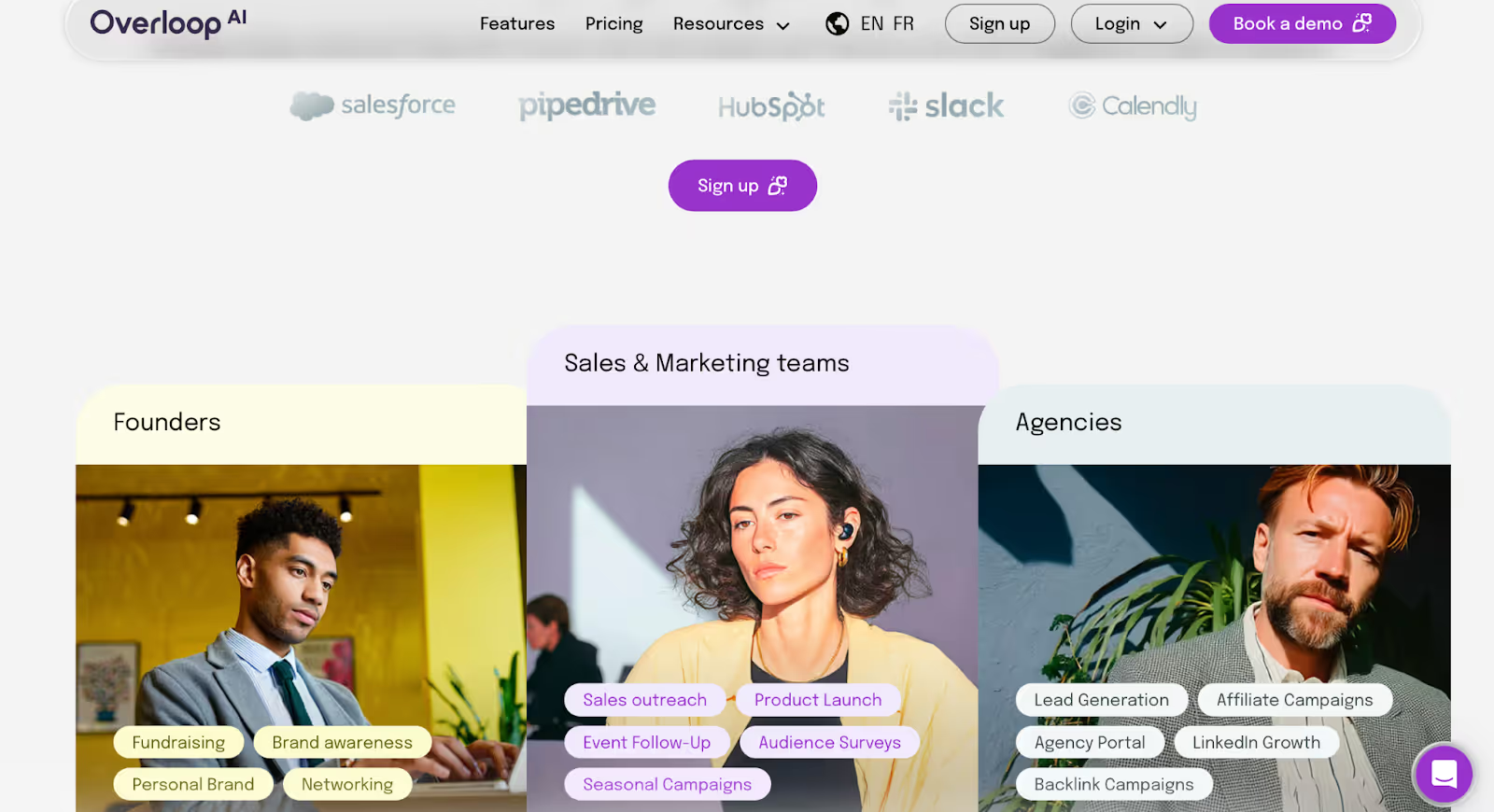
This image shows the Overloop.ai Homepage
Overloop is a sales tool that helps you find prospects and contact them through LinkedIn and email.
It’s made for teams that do cold outreach and want one platform to manage the whole process.
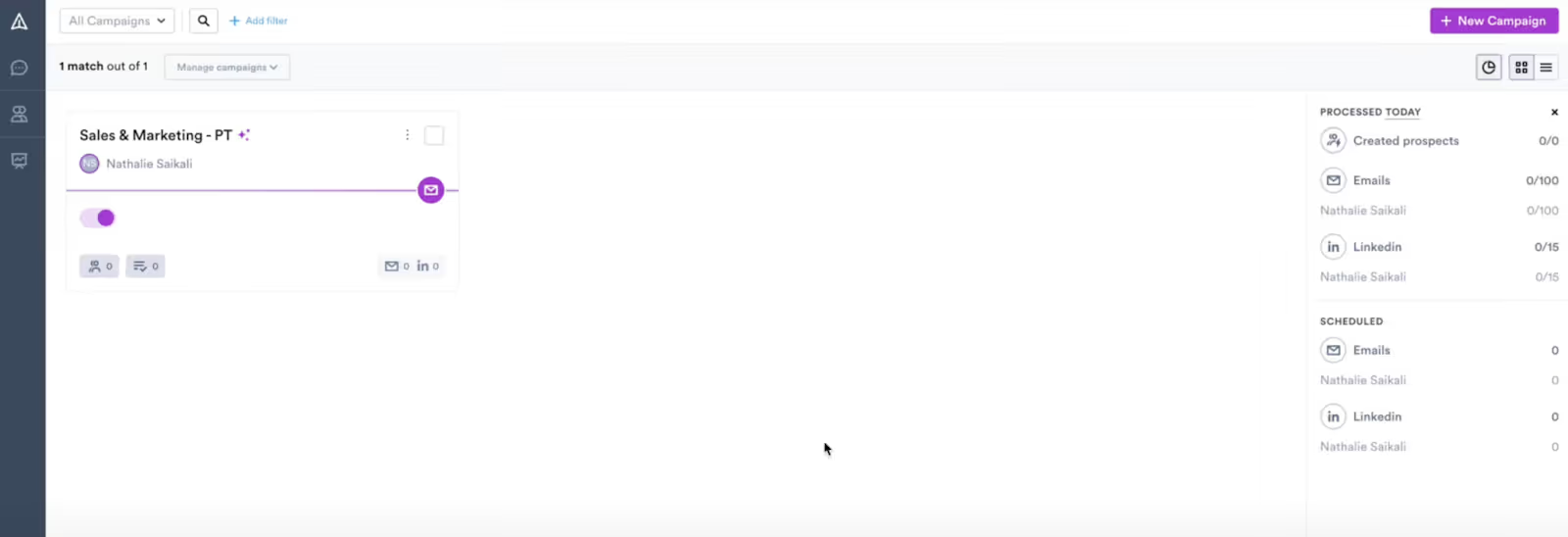
This image shows the Overloop Dashboard
With Overloop, you can:
Send LinkedIn connection requests, messages, and profile visits
Run email sequences and follow-ups
Use a Chrome extension to scrape leads from LinkedIn
Find and verify emails
Build simple workflows to automate tasks
Overloop uses AI to help write outreach messages and create multi-channel campaigns.
It’s mainly built for small B2B sales teams that want to speed up prospecting but don’t need advanced personalization or cloud-based LinkedIn automation.
Overloop Features
Overloop comes with a set of basic outreach tools.
Here’s a simple breakdown of what each feature does:
Multi-channel outreach
You can run LinkedIn actions and email sequences in the same campaign.
This includes profile visits, connection requests, messages, and follow-ups.
It keeps everything in one place.
AI B2B Leads Database
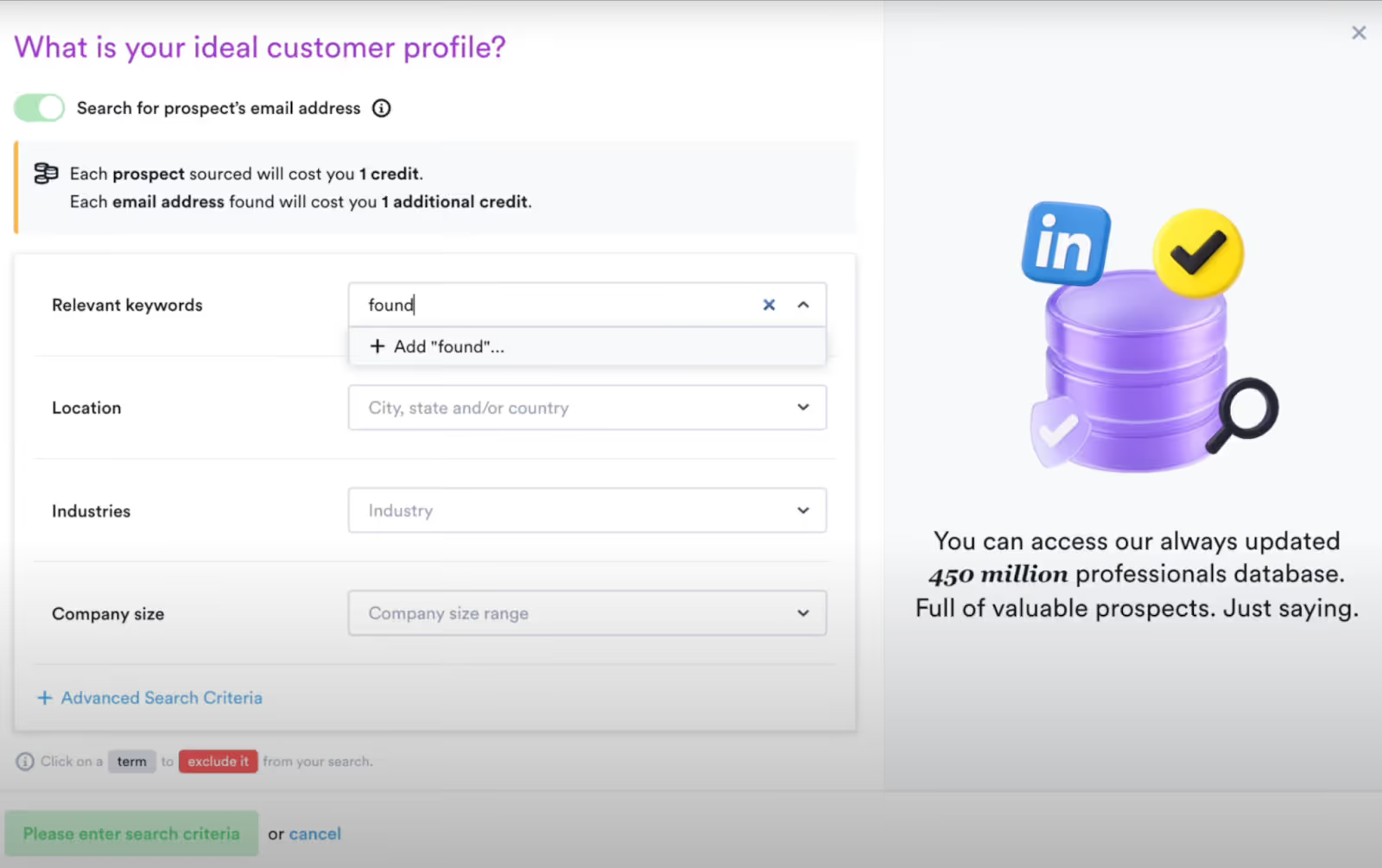
This image shows the Overloop lead database
Overloop includes a database of over 450 million B2B contacts.
You can set your ICP, and the system will build prospect lists automatically.
You can also import your own contacts or export enriched data to your CRM.
Email Finder & Verified Emails
When you add prospects from the database or upload your own list, Overloop runs email finding and email verification to attach a working email address to each contact.
AI Email Writing
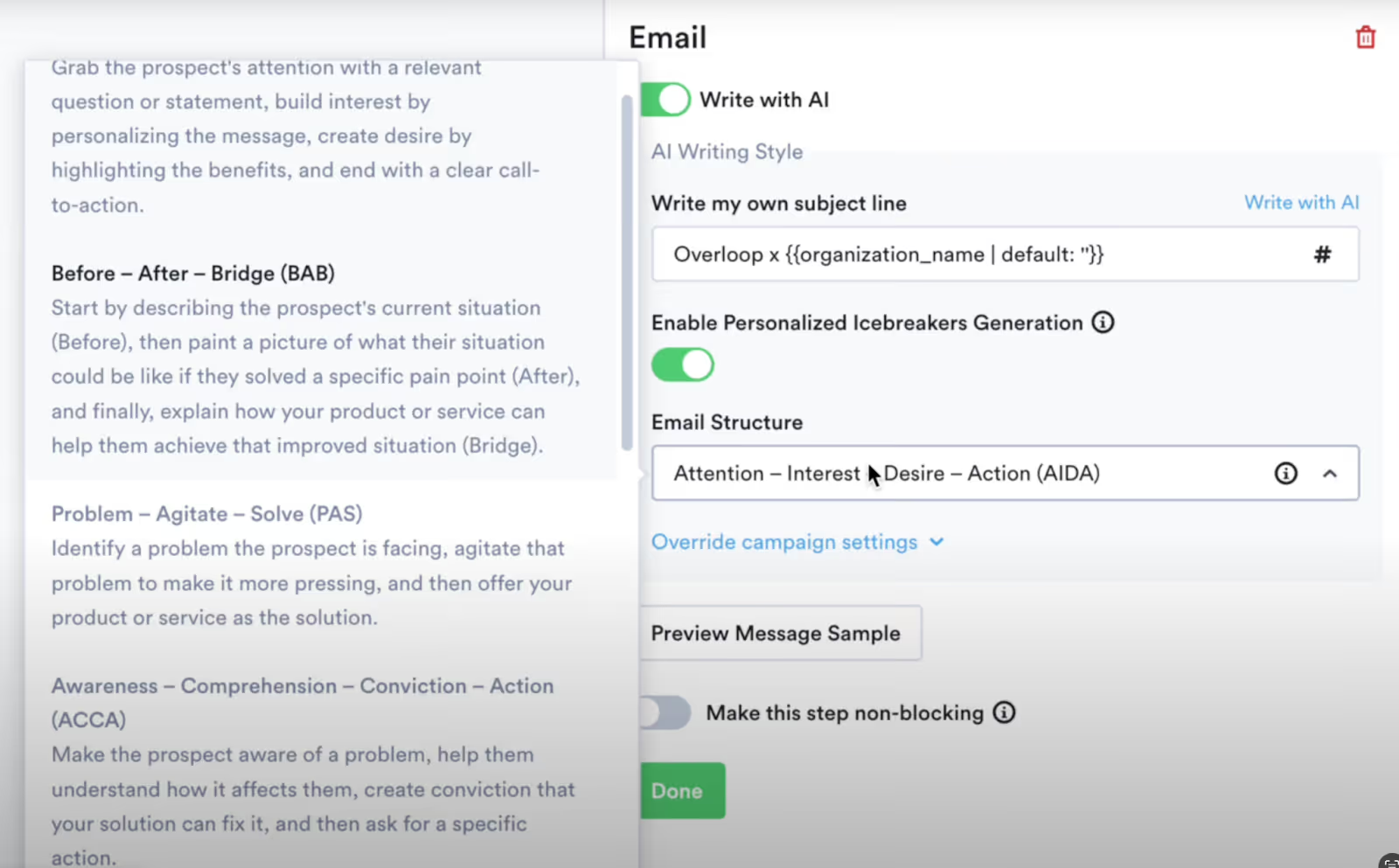
This image shows the AI email writer in Overloop
The platform reads a prospect’s website and social profiles to generate cold emails and follow-up messages.
It creates messages from scratch using the prospect’s context and your writing style.
Google Chrome Extension
The Chrome extension lets you pull prospects from any LinkedIn profile or LinkedIn search results and add them directly into a campaign.
It works with LinkedIn and LinkedIn Sales Navigator.
AI Outbound Campaigns
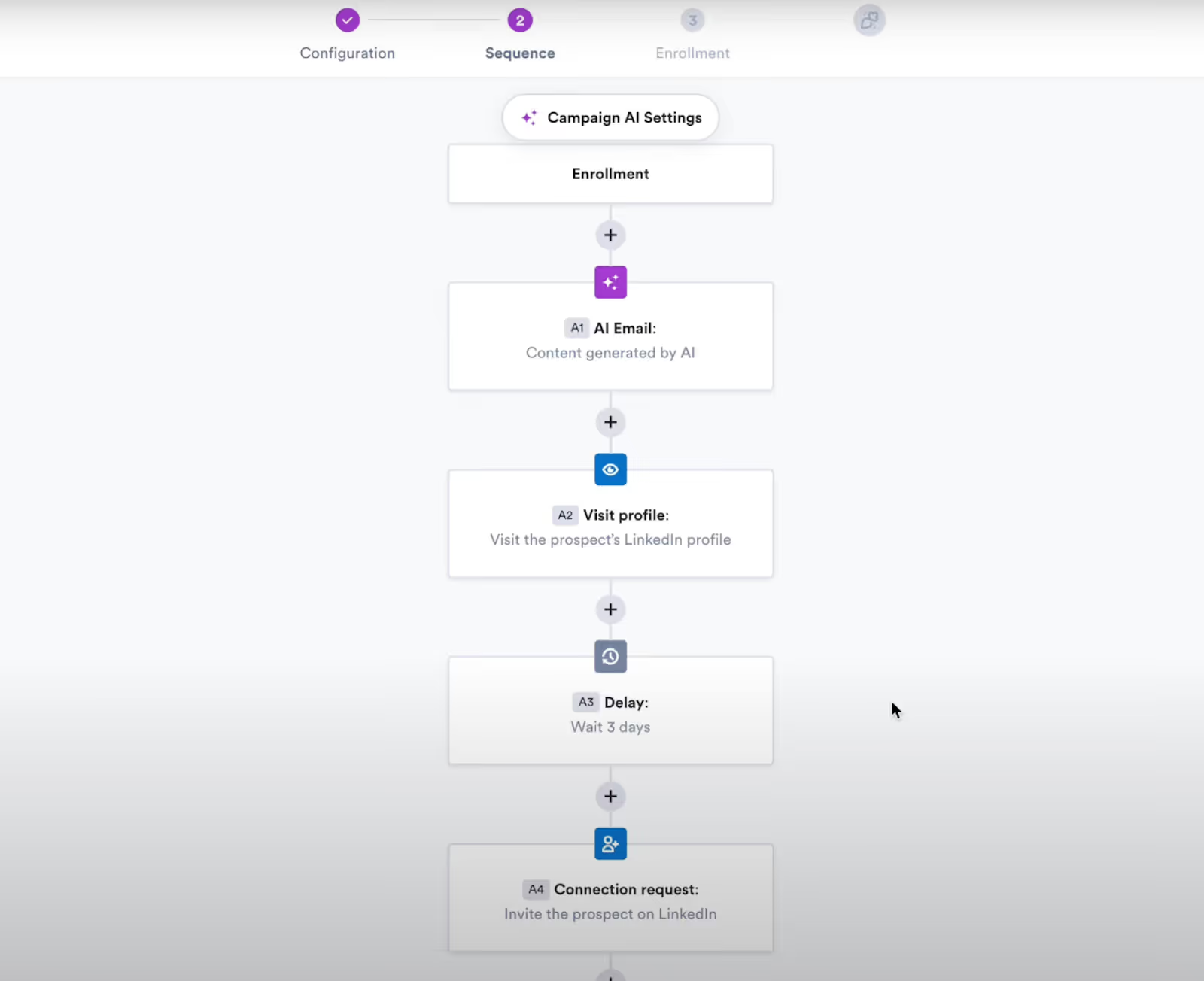
This image shows the Chronological order of the campaign sequence Overloop builds multi-step outreach campaigns.
You can include email steps, LinkedIn steps, or a mix of both.
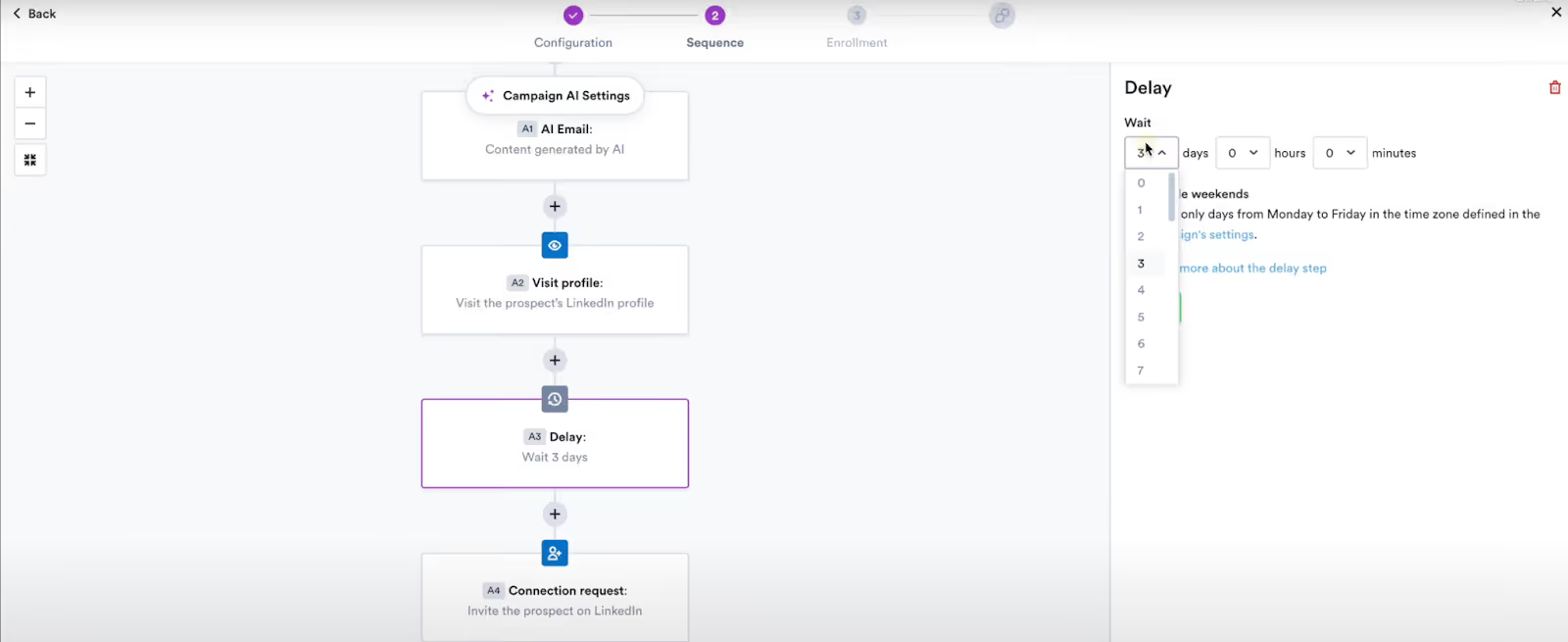
You can choose AI-generated messages or write your own, and you can set delays between each step.
This image shows the Overloop delay feature
Email Warmup & Deliverability
The platform includes a built-in warmup system.
It sends low-volume emails to improve domain reputation and prepare a mailbox for outbound campaigns.
Workflows & Automation
You can create automated workflows using a visual builder.
This can handle tasks like updating lead stages, organizing contacts, triggering follow-ups, or moving prospects to new lists.
Reporting & Tracking
Overloop tracks opens, clicks, replies, bounces, and out-of-office responses.
Campaign dashboards show how each step performs over time.
Prospect Management
All prospects can be stored, segmented, and updated inside Overloop.
You can organize leads into lists and apply filters based on actions or attributes.
You can sync data and push activity into your CRM.
Conversations Inbox
All email replies and LinkedIn responses appear in one central inbox.
You can manage conversations without leaving the platform.
Overloop Pricing
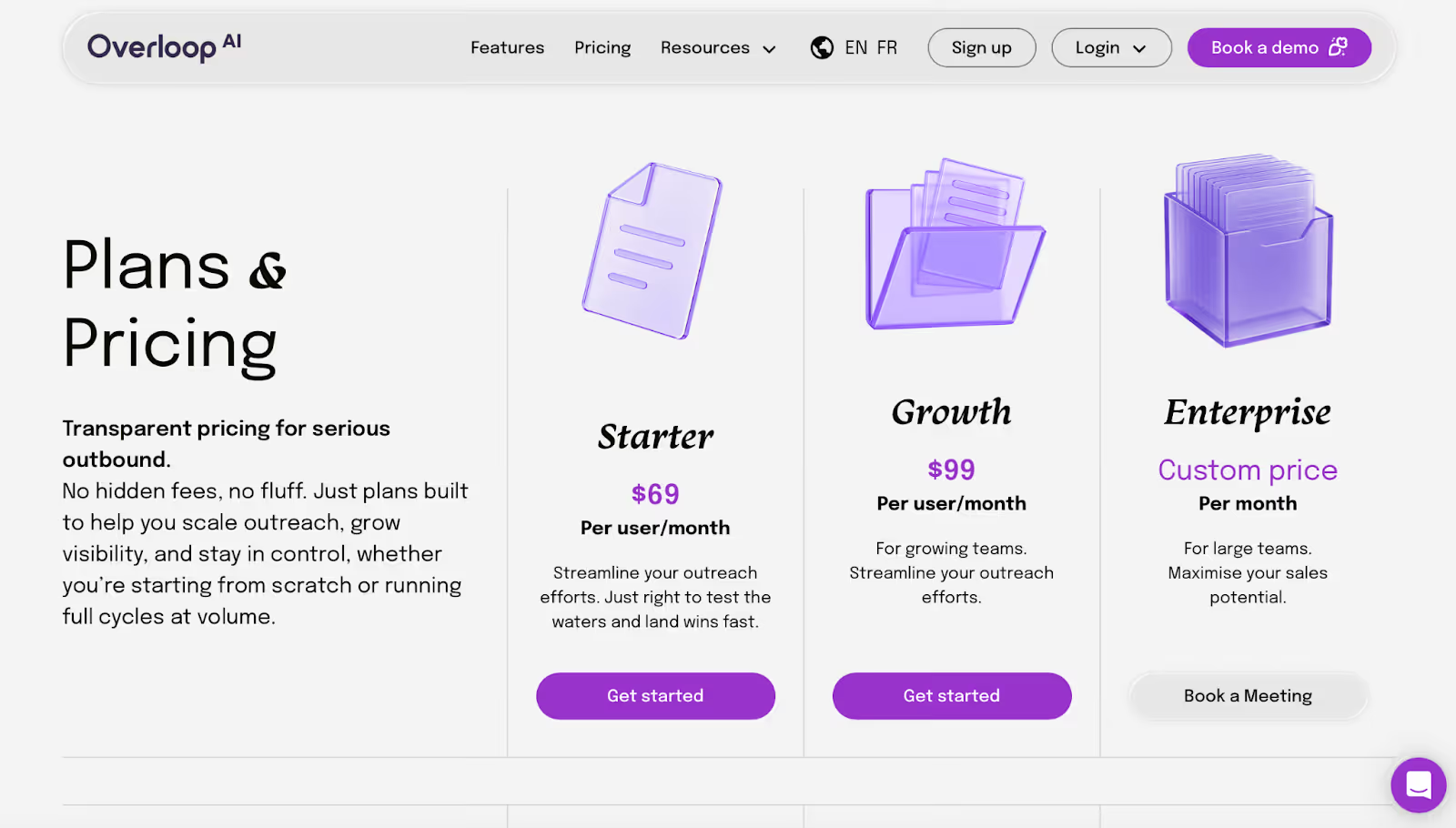
This image shows the Overloop Pricing
Overloop has three plans.
Each plan limits how many new prospects you can add and how many email accounts you can connect.
Starter, $69 per user per month
250 new prospects each month
1 email account per user
Up to 3 active campaigns
Growth, $99 per user per month
500 new prospects each month
Up to 3 email accounts per user
Up to 10 active campaigns
Includes HubSpot and Pipedrive integrations
Includes API access
Enterprise, custom pricing
1,000 new prospects each month
Unlimited email accounts
Unlimited campaigns
Salesforce integration
Dedicated support and 1:1 onboarding
Private IP and full API access
Other things to know
Overloop does not offer a free trial.
Prospect credits limit how much you can scale your outreach.
“Unlimited” features are available only on the Enterprise plan.
Real Overloop User Feedback (What Verified Users Actually Report)
Here are the said strengths and weaknesses of Overloop:
Reported Strengths:
This image shows the Review text highlighting that Overloop.ai’s drawback is no mobile-ready support.
Users say the Chrome extension makes it fast to pull leads from LinkedIn and Sales Navigator.
The campaign builder is simple and makes it easy to mix email and LinkedIn steps.
The automated workflows help reduce manual follow-up work for small teams.
The interface is clean and easy to learn, even for non-technical users.
The AI lead sourcing finds prospects quickly within a chosen niche.
The drip campaigns and follow-up steps help users stay consistent with outreach.
The inbox helps centralize replies from both email and LinkedIn.
The database allows users to stop using extra tools like Kaspr for emails.
The task management feature helps users track each step of their outreach.
Many reviewers say onboarding is smooth and support responds quickly during EU hours.
Reported Weaknesses:
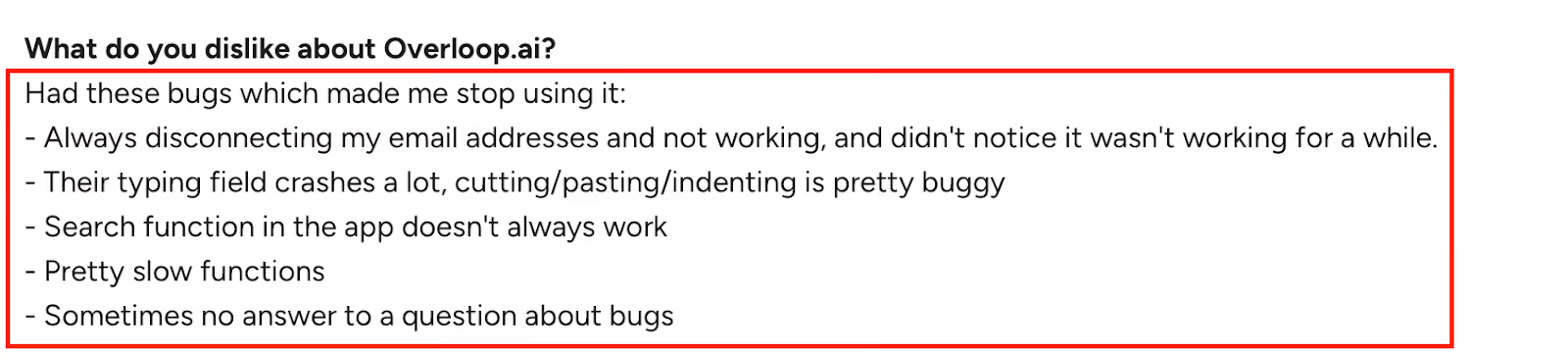
This image shows the Screenshot of a review listing bugs in Overloop.ai, including crashes, slow features, and email disconnect issues.
The AI email writing often creates messages that feel too generic or not professional enough.
The email finder sometimes fails to locate or verify emails at the expected rate.
The search and filtering inside the platform can feel slow or unreliable.
Reporting makes it hard to drill into which outreach channel performs best.
Open and click tracking is sometimes inaccurate, making results hard to trust.
The automation engine can get stuck if earlier steps slow down or fail.
The Chrome extension increases the risk of hitting LinkedIn limits, since it isn’t cloud-based.
The new version pricing feels expensive for smaller teams or solo users.
Credits for emails and leads run out quickly, and users want more flexibility.
No mobile-friendly version for working on the go.
This image shows the Review text highlighting that Overloop.ai’s drawback is no mobile-ready support.
Who Should NOT Use Overloop?
Overloop can work fine for small teams, but it’s not the best match for everyone.
Some people will hit limits pretty quickly based on how the tool is built.
If you want LinkedIn automation that runs in the cloud instead of through a Chrome extension, Overloop won’t fit that need.
If your team reaches out to more than a few hundred prospects each month, the monthly credit caps can feel restrictive.
If you manage outreach for multiple clients or brands, switching between accounts can get messy.
If you rely on clean reporting with accurate open and click data, the tracking numbers may feel too loose.
If you need detailed, per-prospect AI writing, Overloop’s message drafts may feel too simple.
If you need support outside European hours, you may be stuck waiting.
If your workflow depends heavily on consistent data enrichment, email accuracy, or stable email warmup, Overloop might feel unpredictable.
And if you prefer to try a tool before paying, Overloop doesn’t offer a free trial.
If you read this list and feel like several points apply to you, then Overloop may not match how you work day to day.
In those cases, people usually start looking at tools built with safer LinkedIn automation, stronger personalization, and more flexible scaling.
One tool that often comes up in these conversations isSalesforge, since it approaches outreach in a very different way.
I’ll explain how it compares next.
The Only Overloop Alternative With Better LinkedIn Safety and Email Deliverability → Salesforge
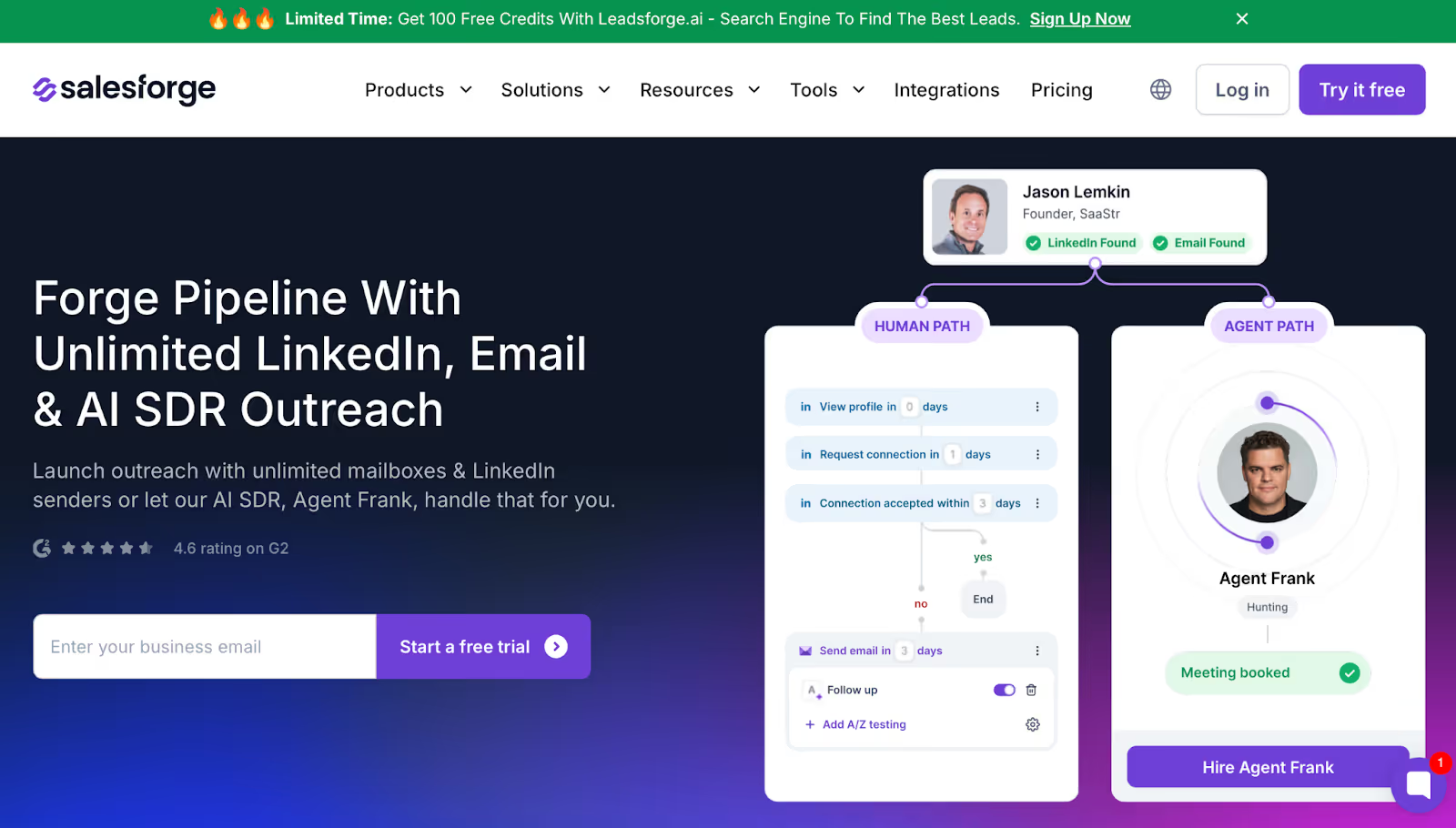
This image shows the Salesforge Homepage
If you like Overloop’s multi-channel setup but want something safer and easier to scale, Salesforge is the platform most teams switch to.
It removes the common limits people run into with Overloop, especially around mailbox caps, send volume, and LinkedIn safety.
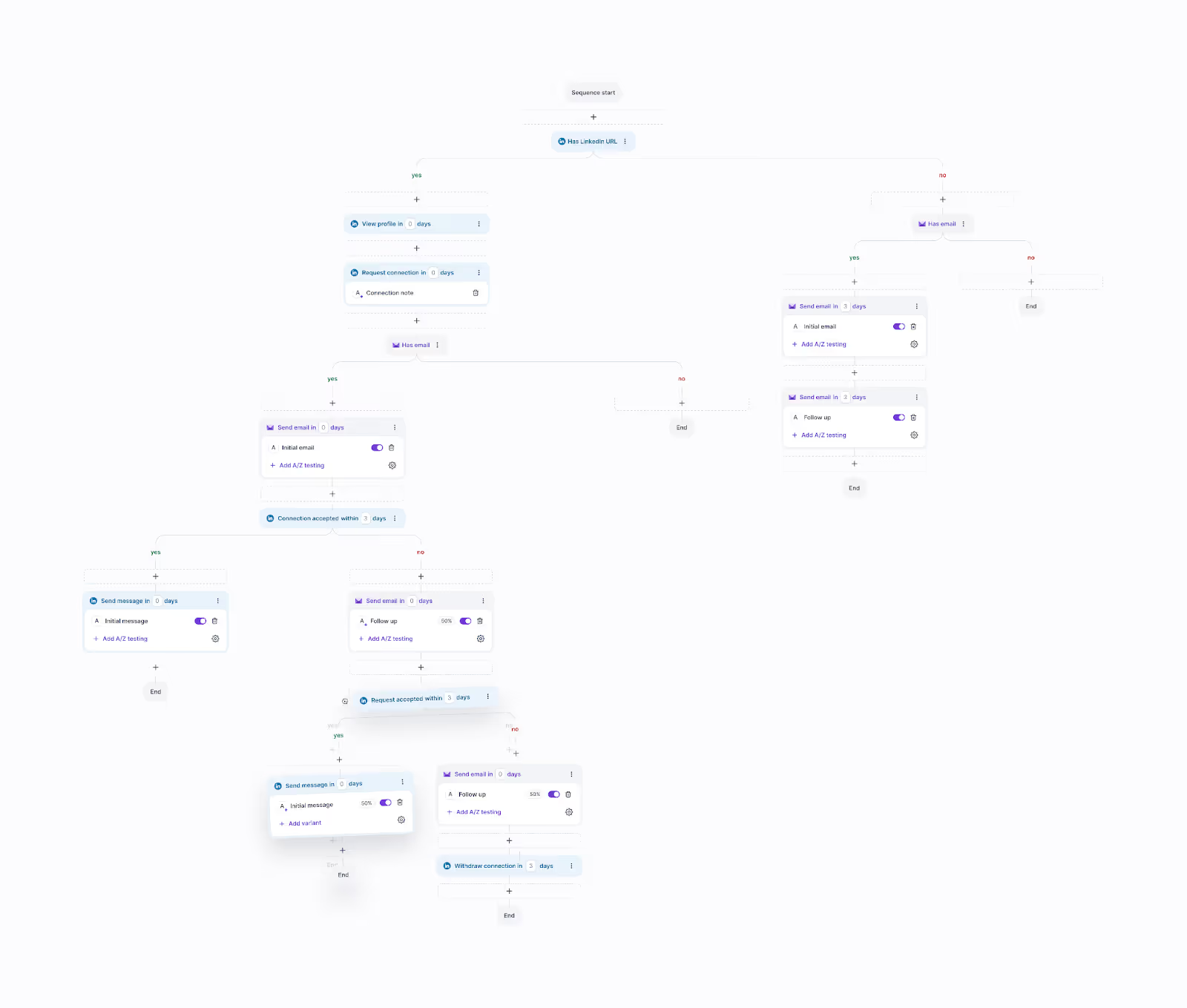
This image shows the Running Multi-channel Campaign in Salesforge
Salesforge runs everything in the cloud, so you don’t need a Chrome extension.
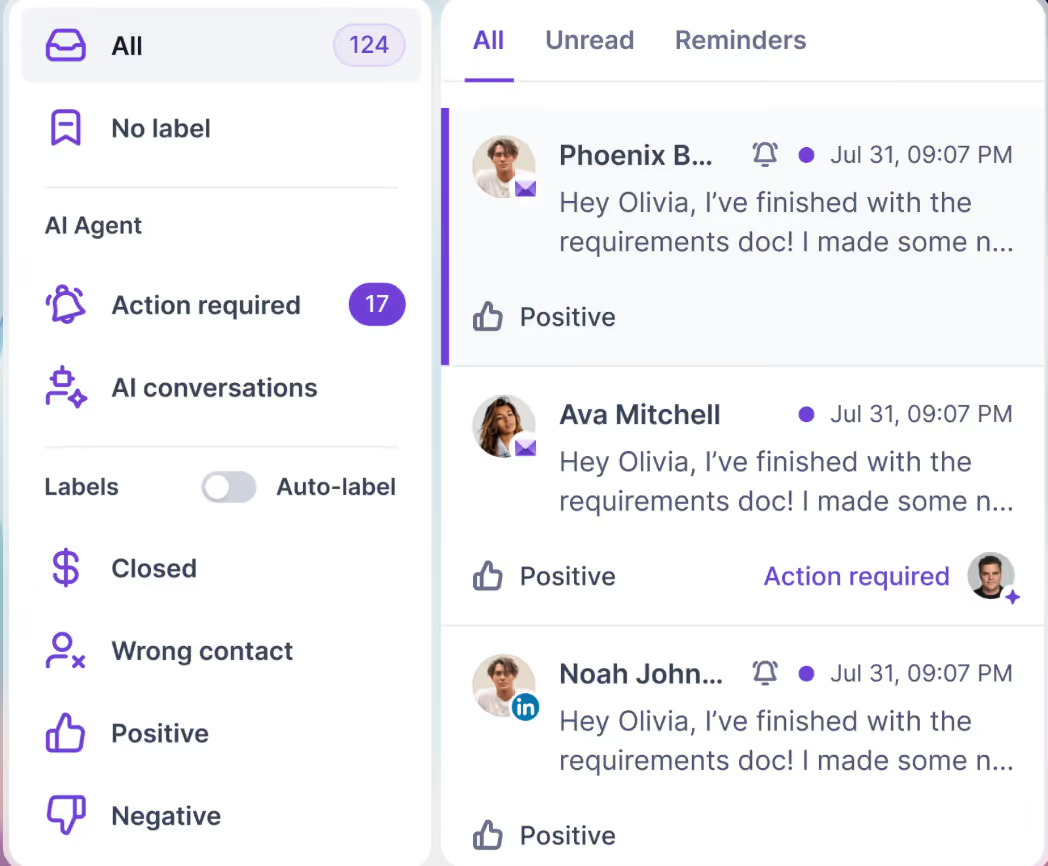
You can add unlimited mailboxes, use unlimited LinkedIn senders, and manage all replies from email and LinkedIn in one inbox called Primebox™.
This image shows the Salesforge Primebox™ to manage all replies across LinkedIn and Email
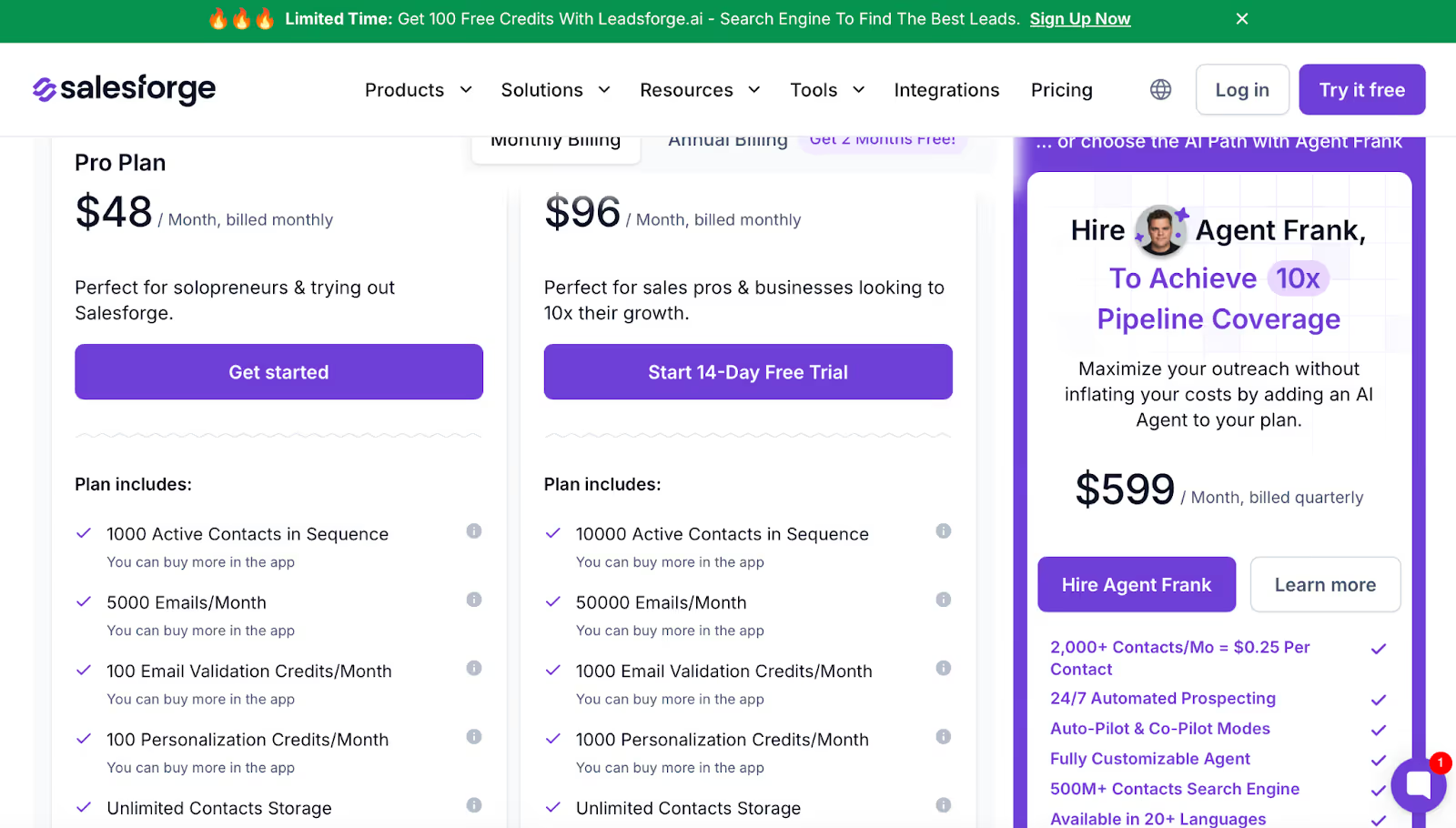
For teams that want more automation, Salesforge also offers Agent Frank, an AI SDR that can handle prospecting, writing messages, and booking meetings for you.
Agent Frank – $599/month: AI SDR with 2,000+ contacts and automated outreach.
Conclusion
Overloop works with a Chrome extension, limited monthly credits, basic AI writing, and tracking that isn’t always accurate. It’s built for small outreach and light LinkedIn activity.
Salesforge runs LinkedIn in the cloud, offers unlimited mailboxes and senders, stronger warmup, and more reliable performance for high-volume outreach.
So the choice is clear:
Use Overloop for small, low-volume outreach.
Use Salesforge if you need safe, cloud-based, scalable outreach.


.jpg)

.jpg)

.jpg)

