If you’re searching for We-Connect reviews, you’re likely trying to automate LinkedIn outreach.
I tested We-Connect to see if it can replace manual connection requests and follow-ups.
The core question was simple.
Can it send consistent outreach without hitting LinkedIn limits or lowering reply rates?
I conducted 3 campaigns across various ICPs to assess its performance in handling connection requests, follow-ups, and replies at scale. Additionally, I evaluated its personalization capabilities to enhance reply rates.
In this review, I’ll break down what I found and where it fits.
There are other tools that focus more on dynamic workflows and full outbound execution.
I compared We-Connect with one such tool, Salesforge, in the table below:
We-Connect is a LinkedIn automation tool that helps you run outreach without manual work.
It is designed to send connection requests, messages, and follow-ups automatically.
The main goal is to keep your LinkedIn outreach running every day without doing it manually.
You can build campaigns that send messages based on actions like connection accepted or no reply.
It also supports email outreach, so you can combine LinkedIn and email into a single workflow.
We-Connect is cloud-based, which means campaigns run in the background even when you are offline.
It also includes AI that helps draft connection requests and follow-up messages based on profile data.
You can import leads from LinkedIn search, CSV files, or your CRM and start campaigns quickly.
In short, We-Connect helps you automate LinkedIn outreach and keep your pipeline moving without daily manual effort.
We-Connect is built to automate LinkedIn outreach and run campaigns without manual work.
From my testing, the flow moves from lead input to automated outreach.
Here is how We-Connect works step by step:
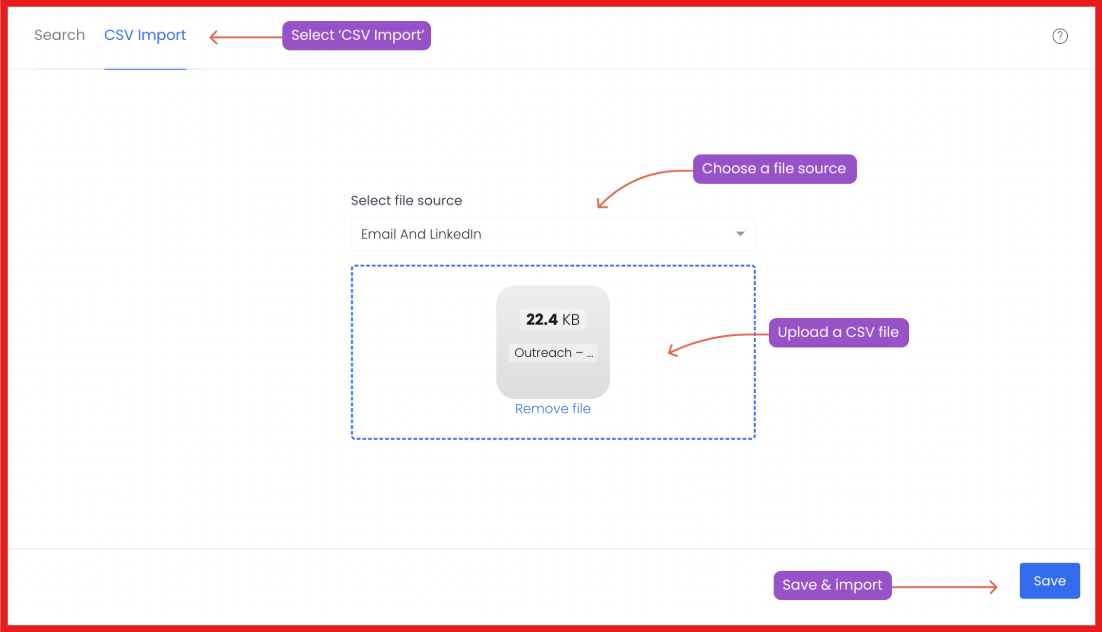
Step 1: Import leads - We-Connect lets users import leads from LinkedIn search, CSV files, or CRM systems.
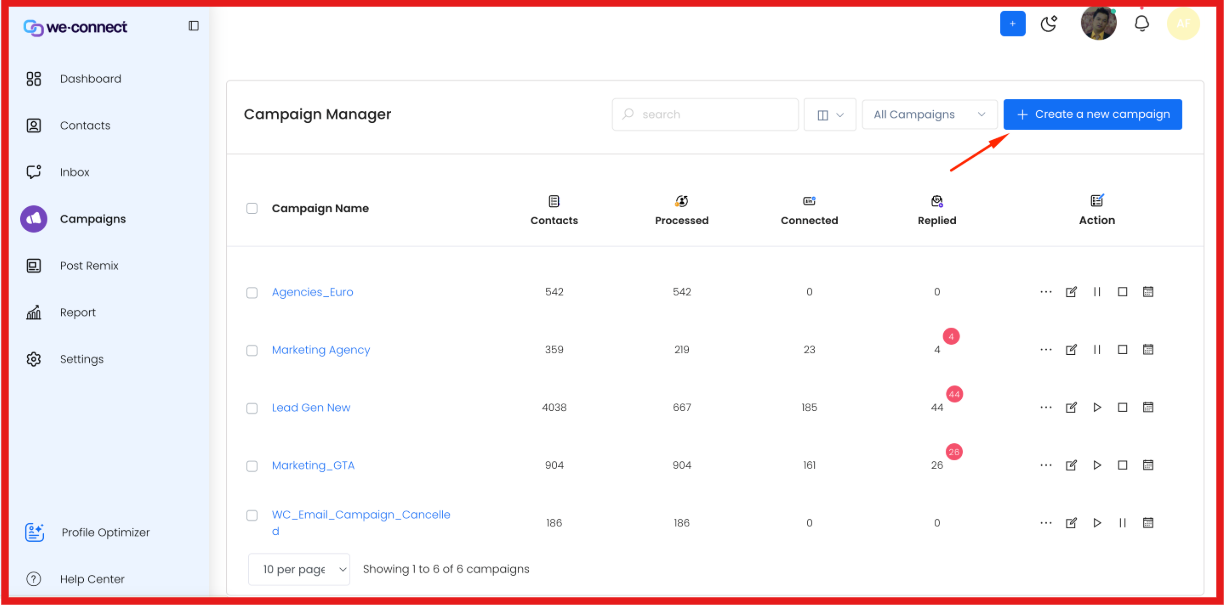
Step 2: Create campaigns - Campaigns are created with connection requests, messages, and follow-up sequences.
Step 3: Automate LinkedIn actions - The system automates LinkedIn actions like sending connection requests and messages.
Step 4: Generate messages with AI - We-Connect uses AI Assist to generate connection requests and follow-up messages using profile data.
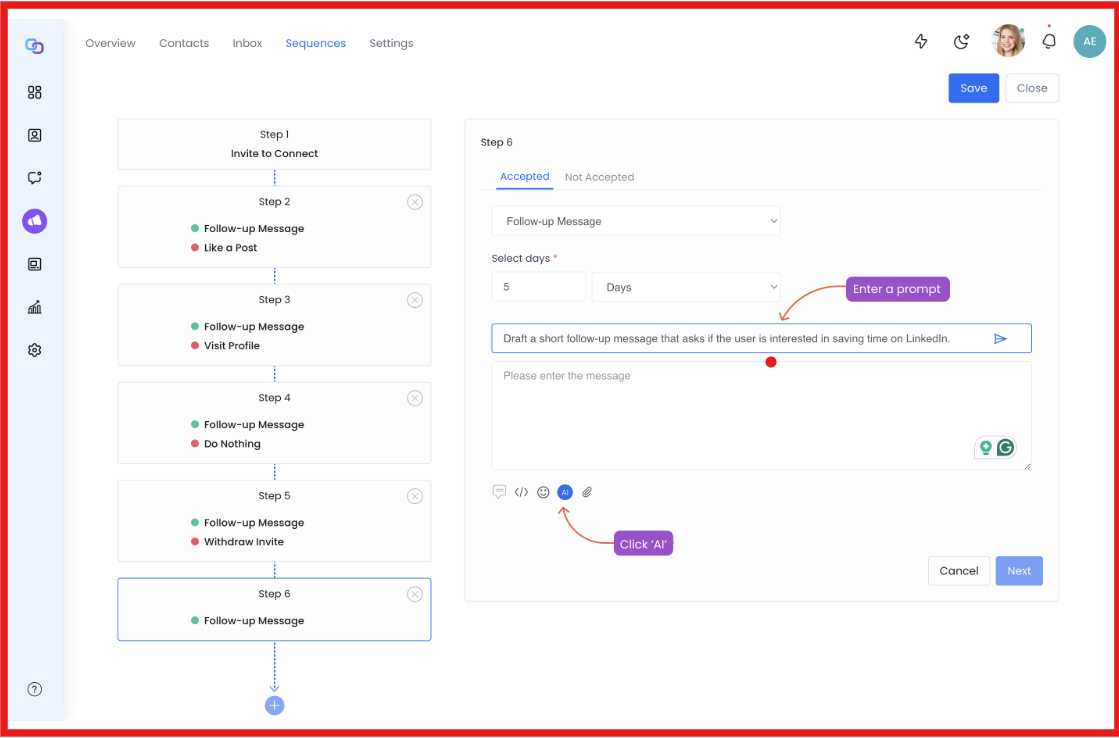
Step 5: Run multi-channel outreach - The platform supports LinkedIn and email outreach in one workflow.
Step 6: Track activity - Campaign activity and replies are tracked in the dashboard.
Step 7: Manage conversations - Conversations and outreach activity are managed from one dashboard.
Step 8: Run in the background - The system runs in the background using cloud-based automation.
Step 9: Continue outreach flow - Follow-ups are included in campaigns to continue outreach without manual steps.
We-Connect focuses on automating LinkedIn outreach and reducing manual work.
The features are built around campaign setup, automation, and managing conversations in one place.
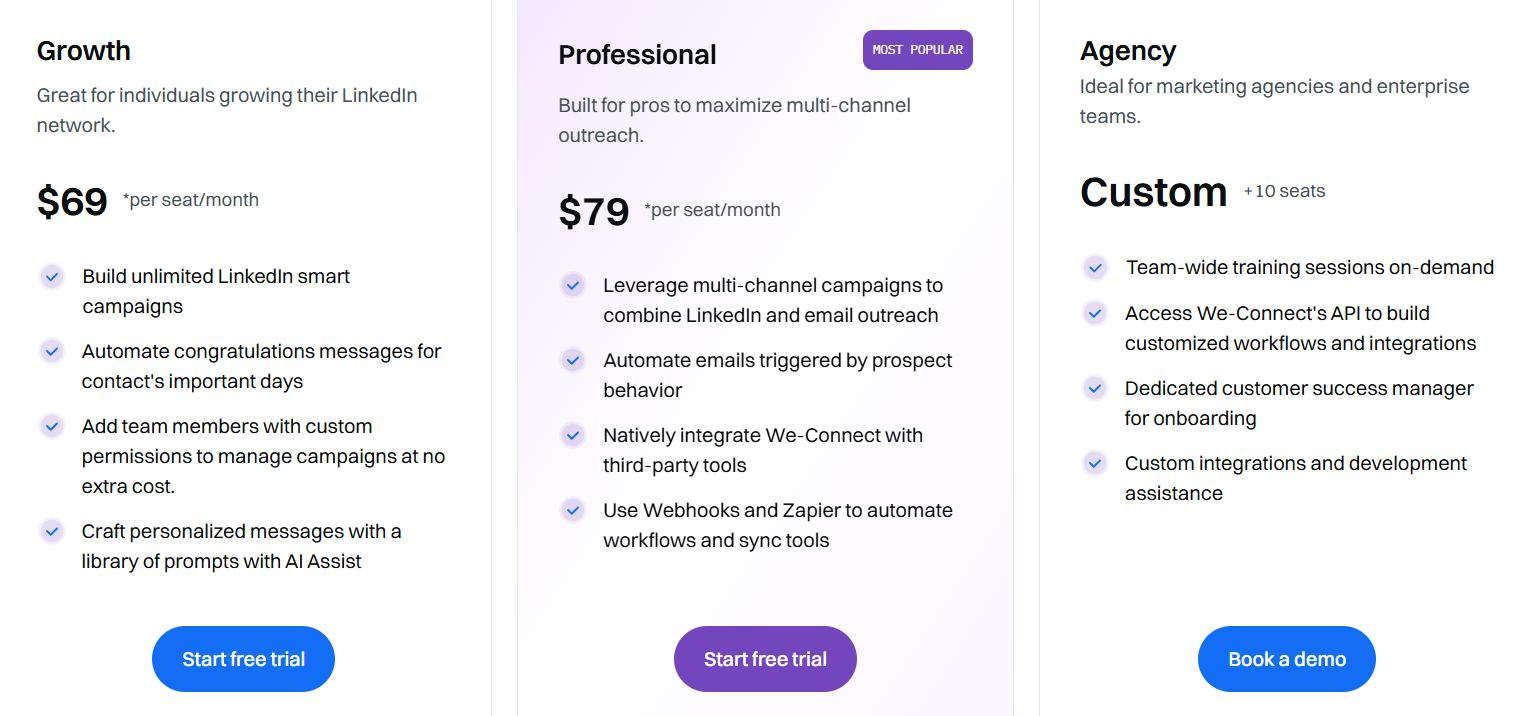
We-Connect uses a per-seat pricing model.
Plans scale based on features and team usage.
Here is how pricing works:
From what I reviewed, We-Connect focuses on LinkedIn automation, multi-channel outreach, and campaign workflows.
Here’s a quick look at the pros and cons of We-Connect:
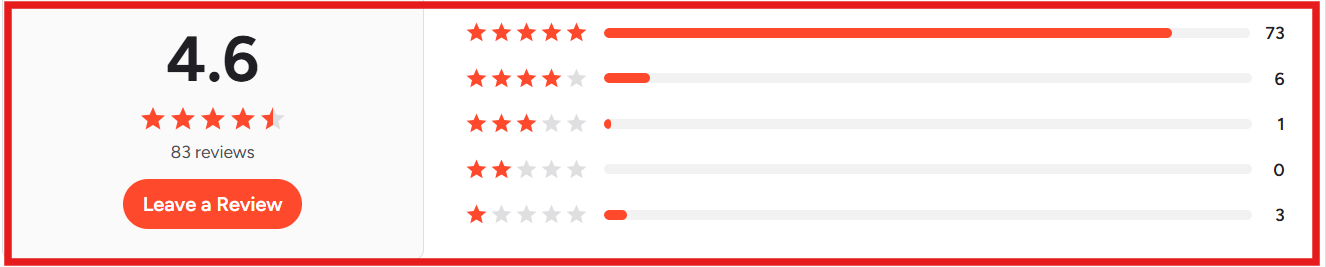
From the reviews I checked, most feedback is about ease of use, outreach, support, and some technical issues.



We-Connect is worth using when the goal is to run simple LinkedIn outreach and manage campaigns in one place.
It lets me automate connection requests, messages, and follow-ups without manual work.
This helps when I want to stay consistent with outreach and save time on daily tasks.
We-Connect also supports networking and communication across a wider audience.
It includes features for collaboration, interaction, and campaign tracking.
Where We-Connect feels limited is in advanced workflows and deeper integrations.
User reviews also mention issues like connectivity problems and limited integrations.
So We-Connect works better for simple outreach and networking use cases.
It is less suitable for complex automation or large-scale workflows.
In the next section, I’ll share alternatives that work better for advanced outreach and scaling.
We-Connect works when the goal is simple LinkedIn outreach.
But when I needed email and LinkedIn in one flow, it felt limited.
That is where Salesforge felt more complete for my use case.
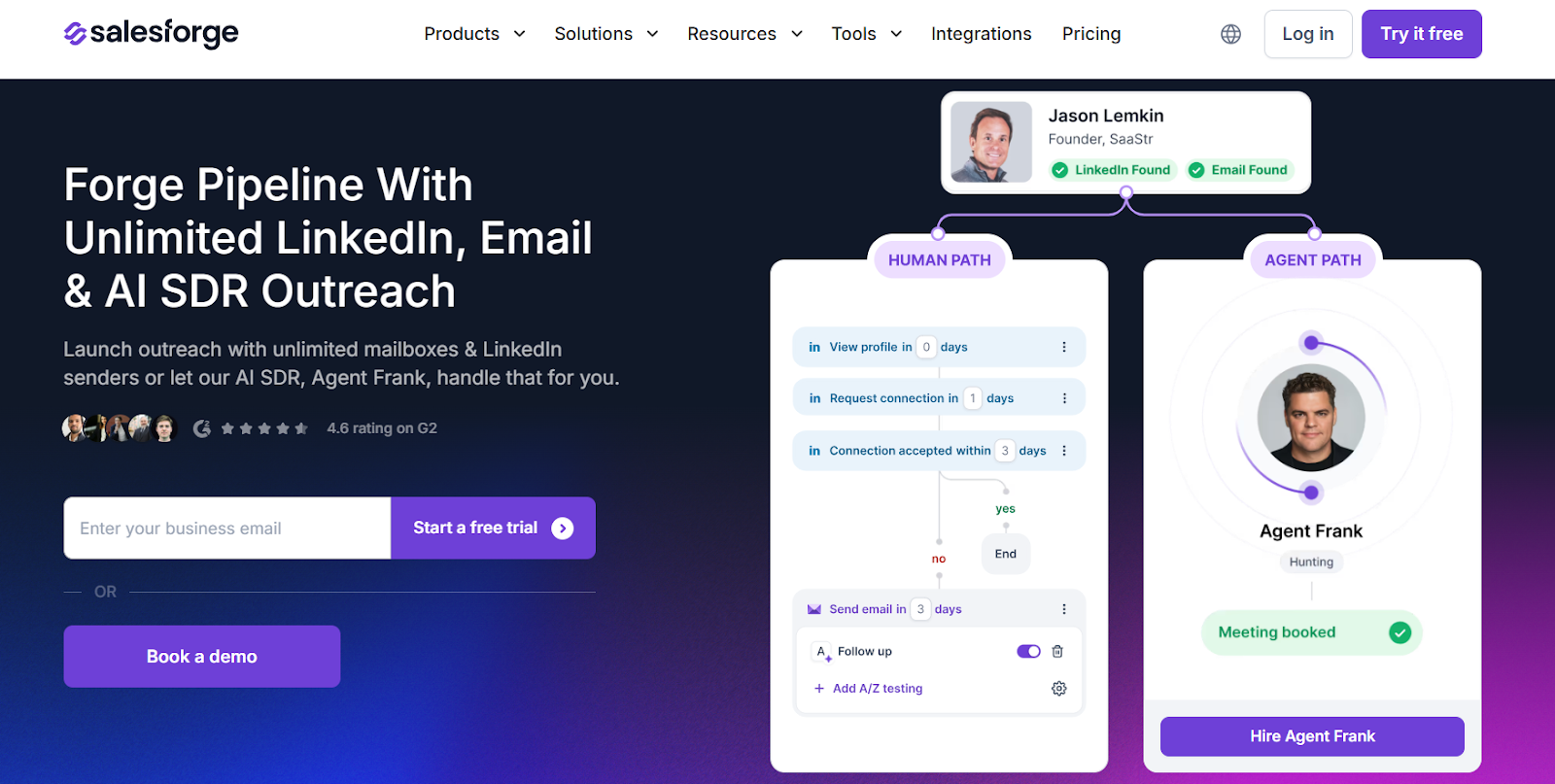
Salesforge is a multi-channel outreach platform that runs email and LinkedIn from one place.
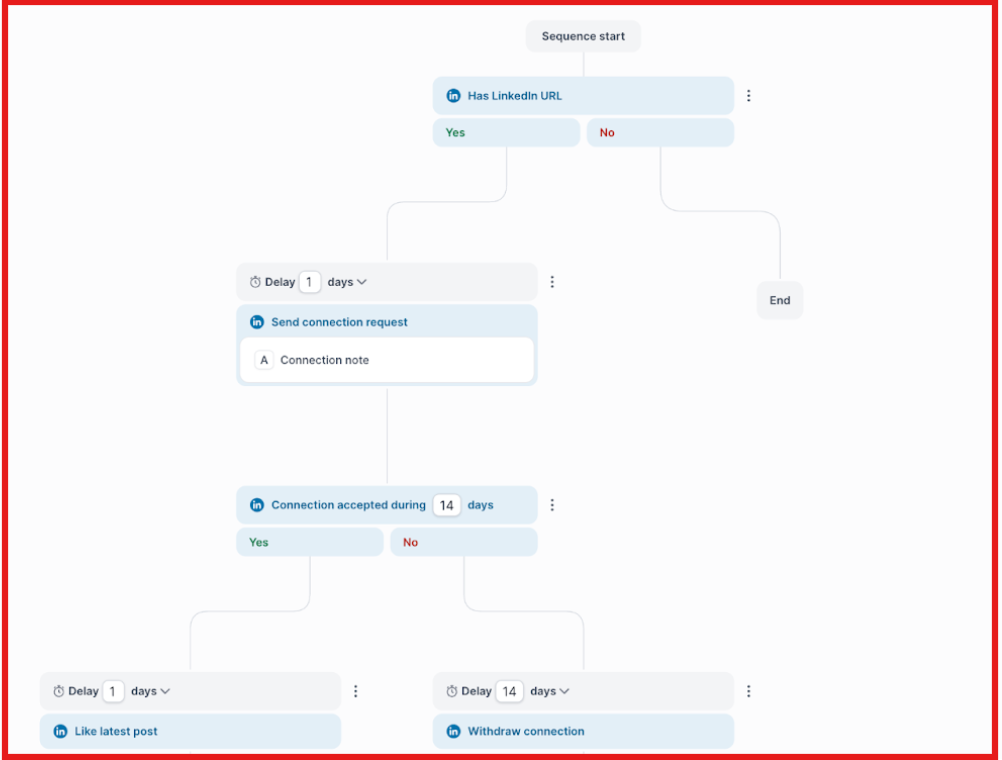
I can build sequences that move between channels based on user actions.
This means I do not need to run separate campaigns for each channel.
Another difference I noticed is scale.
Salesforge lets me connect unlimited mailboxes and LinkedIn senders.
All replies come into one inbox using Primebox.
It combines email and LinkedIn replies in a single view.
Salesforge also includes built-in email warm-up through Warmforge.
This helps maintain inbox placement over time.
I also tested Agent Frank.
He handles prospecting, outreach, follow-ups, and meeting booking.
This reduces the amount of manual work needed each day.
Salesforge also supports multiple languages for outreach.
So Salesforge works better when the goal is to run multi-channel outreach and scale campaigns.
We-Connect works when the goal is simple LinkedIn outreach.
I found it useful for sending connection requests and follow-ups without manual work.
It feels limited for scaling outreach.
Running email and LinkedIn in one flow is not smooth.
If the goal is basic networking, We-Connect can fit.
If the goal is multi-channel outreach and scale, I use a different setup.
For outreach, I use Salesforge.
It lets me run email and LinkedIn campaigns from one place.
Once campaigns are live, all replies come into one inbox.
This makes it easier to manage conversations.
I also connect it with the Forge stack.
I find leads in Leadsforge, set up mailboxes with Mailforge or Infraforge, and warm them using Warmforge.
If your workflow depends on running outreach across channels, Salesforge is a better fit.
Try Salesforge and see how it works for your use case.



.jpg)
