I used Valley AI for LinkedIn outreach, and it works well when you rely on warm signals.
It finds people who viewed your profile or engaged with your content, then sends messages in your tone.
That alone can drive replies.
But when I tried to run outreach more consistently, it started to feel limiting.
I couldn’t add email into the flow. I had less control over what gets sent. And scaling beyond LinkedIn wasn’t easy. That’s when I started looking for alternatives.
In this guide, I’ll break down the best Valley AI alternatives for safe LinkedIn outreach.
Let’s begin!
TL;DR – 5 Best Valley AI Alternatives & Competitors for Safe LinkedIn Outreach Salesforge – Best for LinkedIn and Email outreach with full control and built-in reply management.We-connect – Good for running simple and safe LinkedIn automation with controlled activity limits.Closely – Best for combining LinkedIn and Email outreach with built-in prospecting.Apollo – Good for lead search with basic Email and LinkedIn outreach in one platform.Aimfox – Simple option for LinkedIn automation with an easy setup and clean workflows.How I Evaluated the Top Valley AI Alternatives To make this list useful, I focused on tools that can run LinkedIn outreach daily.
Valley AI works well for signal-based outreach.
But not every tool handles control, scaling, or multi-channel workflows the same way.
Here are the main things I checked:
The tool should send connection requests and follow-ups without hitting limits too fast I should be able to edit messages even after the campaign starts Replies should come into one place, not across multiple tabs The tool should support more accounts without slowing down It should support email, or handle LinkedIn workflows properly The setup should stay simple so I can launch campaigns quickly These checks helped me find tools that actually work in daily outbound.
TL;DR – 5 Best Valley AI Alternatives & Competitors: Quick Comparison
Tool
Best For
Channels
Key Strength
Limitation
Salesforge Scalable multi-channel outbound
LinkedIn + Email
Unlimited mailboxes and LinkedIn senders with unified inbox (Primebox™)
No built-in lead database (requires external lead source)
We-connect Safe LinkedIn automation
LinkedIn
Behavior-based LinkedIn campaigns with AI-assisted messaging
Limited advanced AI and scaling
Closely Prospecting + outreach in one tool
LinkedIn + Email
Lead search with real-time enrichment and AI-assisted workflows
Can feel complex for simple use cases
Apollo Data-driven outbound at scale
Email + Calling + LinkedIn (extension)
Large B2B database with advanced filtering and sequences
Credit-based usage limits
Aimfox High-volume LinkedIn outreach
LinkedIn
Multi-account campaigns with profile rental for scaling
LinkedIn-only (no native email)
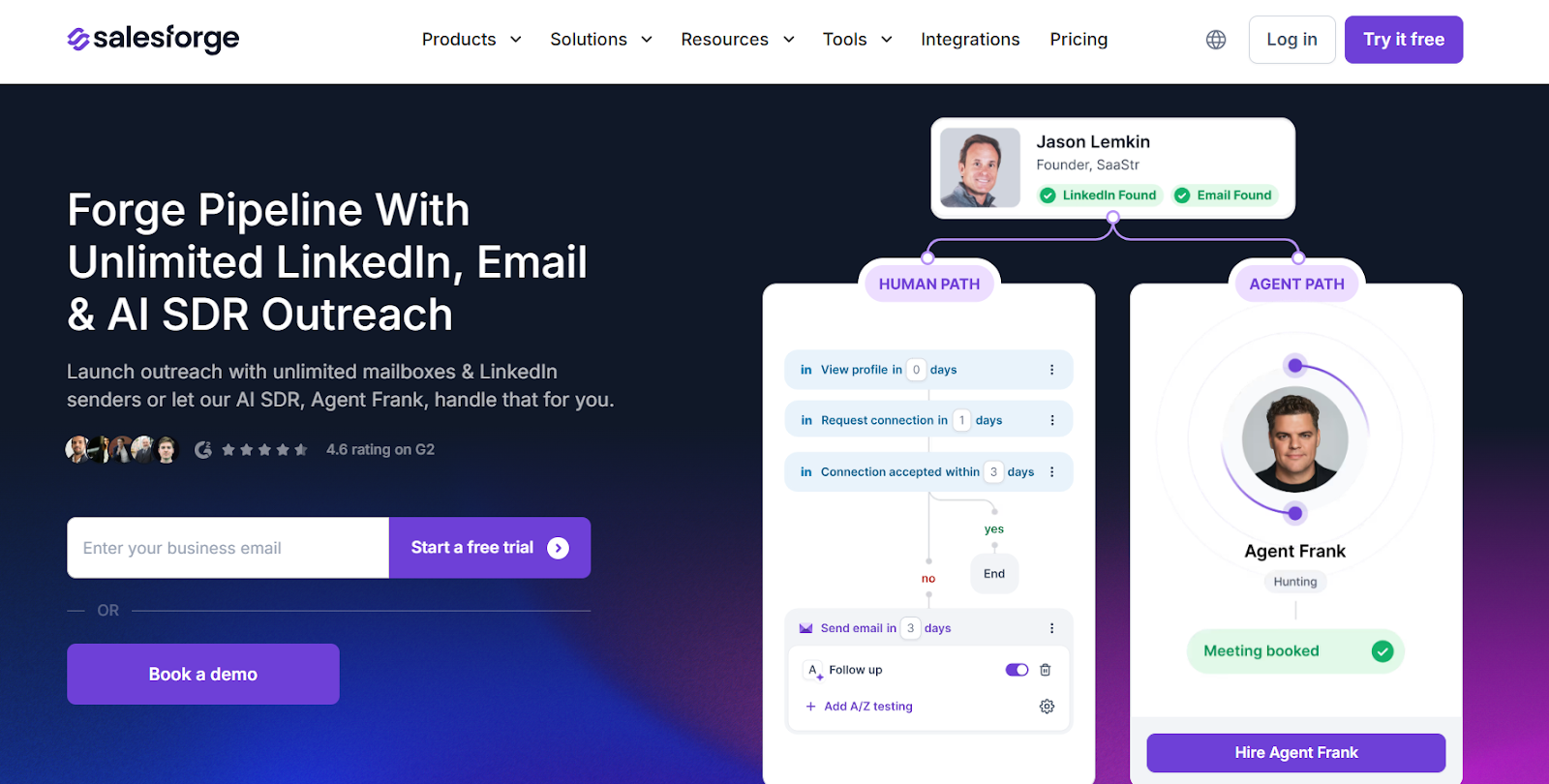
1. Salesforge – Best Valley AI Alternative for Running Scalable Outreach This image shows the Salesforge homepage Salesforge is an AI sales outreach platform that helps me run Email and LinkedIn campaigns at scale.
I use it when I already have leads.
It gives me one place to manage replies.
It also keeps deliverability stable.'
It supports unlimited mailboxes and unlimited LinkedIn senders.
This helps me scale outreach without hitting limits as volume grows.
Valley AI works well when I rely on LinkedIn signals and warm intent.
I found it harder to use once I needed more control and multi-channel workflows.
Salesforge fits better when outreach becomes a daily motion.
Reply handling, warm-up, and scaling start to matter more at that stage.
This is why I see Salesforge as a better Valley AI alternative for teams already running outbound.
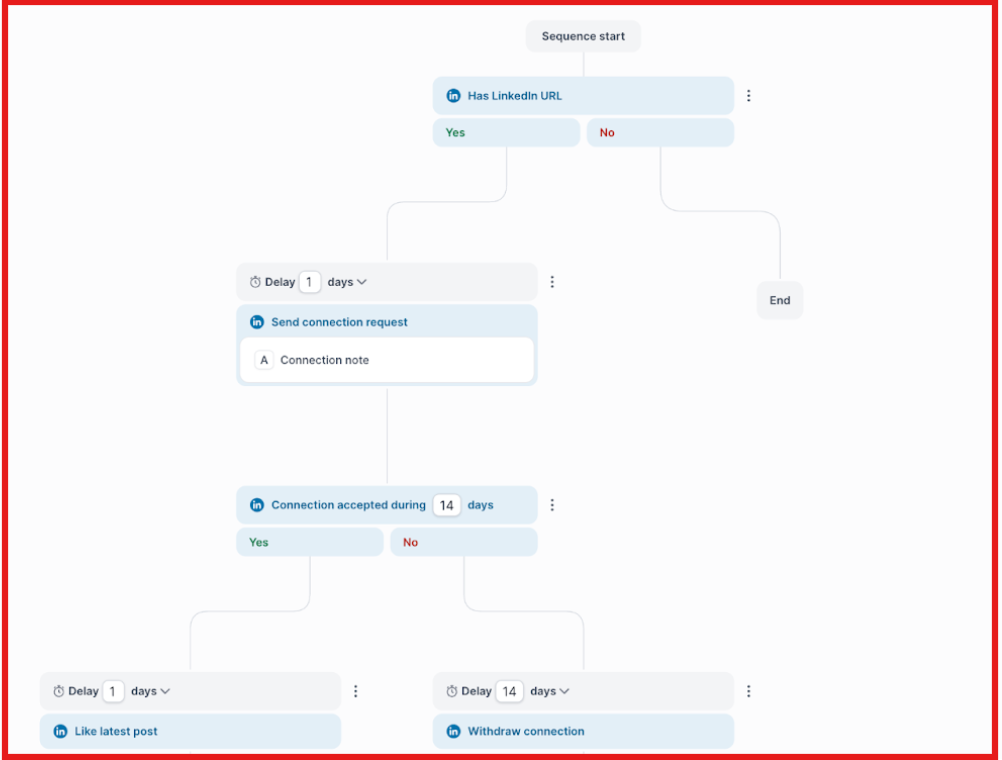
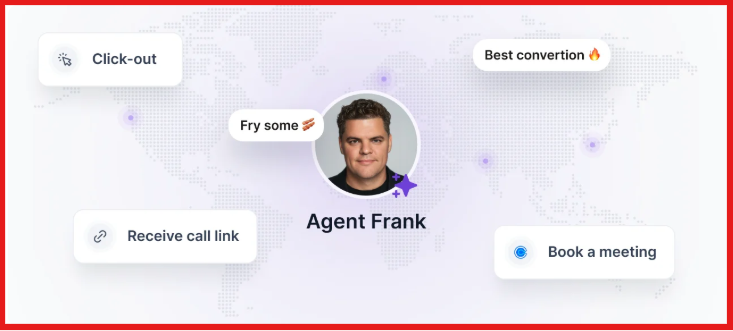
Key Features of Salesforge Salesforge lets me run LinkedIn and Email outreach in one sequence without switching tools. This image shows the Multichannel sequences on Salesforge It supports unlimited mailboxes and LinkedIn senders, so scaling does not stop when I add more accounts. Primebox™ collects all replies from Email and LinkedIn in one inbox, so I don’t lose conversations. This image shows the Primebox by Salesforge It includes built-in warm-up through Warmforge , which helps emails land in the inbox instead of spam. Agent Frank can handle prospecting, writing messages, follow-ups, and booking meetings automatically. This image shows the Agent frank to automate prospects and book a meeting Salesforge vs Valley AI: Quick Comparison
Feature
Salesforge
Valley AI
Channels LinkedIn + Email
LinkedIn only
Outreach Type Multi-channel sequences
Signal-based outreach
Messaging Full user control
AI-driven messaging
Lead Source External lists or tools
Warm LinkedIn signals
Scaling Unlimited senders
Limited by LinkedIn
Reply Handling Unified inbox (Primebox™)
LinkedIn inbox
Best For Daily outbound teams
Warm outbound workflows
Pros & Cons of Salesforge
Pros
Cons
Supports LinkedIn and Email in one workflow, so separate tools are not required
Unlimited mailboxes and LinkedIn senders allow scaling without seat limits
Primebox™ keeps all replies in one place, which simplifies follow-ups
Built-in warm-up helps protect deliverability and inbox placement
Agent Frank can automate prospecting, outreach, and follow-ups
No built-in lead database, so leads must come from another source
Setup depends on how email infrastructure is handled
Works best when leads or a clear ICP are already defined
Can feel heavy if only simple LinkedIn automation is needed
Agent Frank requires initial setup to match ICP and messaging
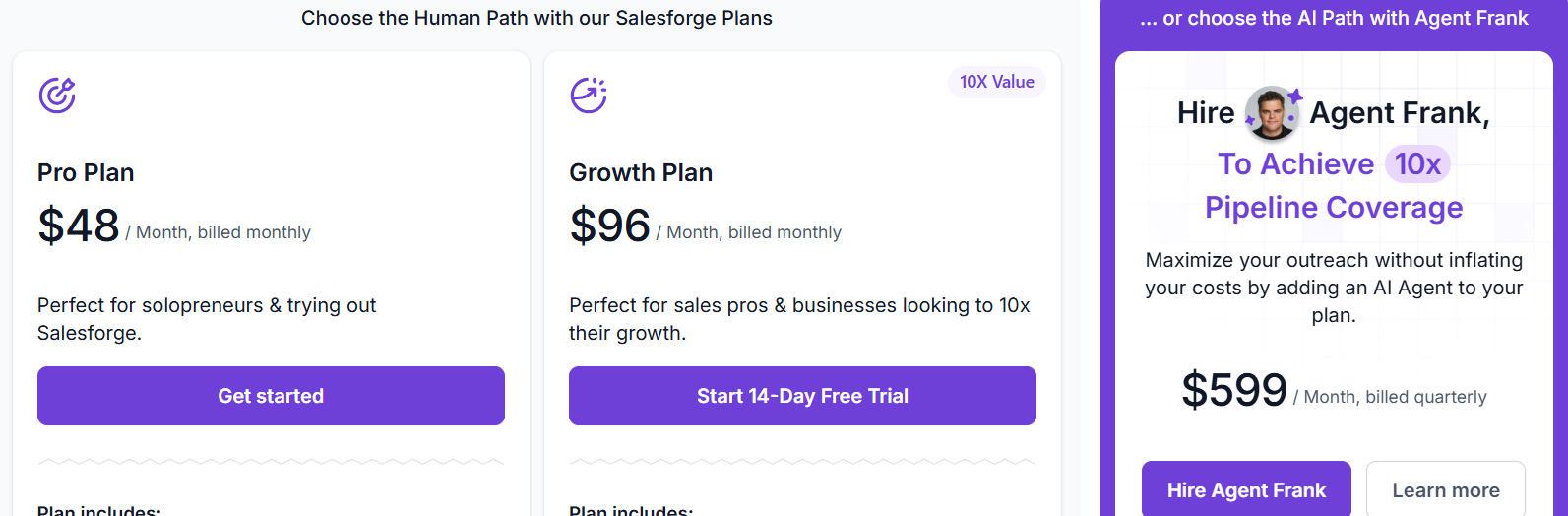
Salesforge Pricing This image shows the Salesforge pricing Salesforge pricing starts at $48/month for the Pro plan.
Pro plan includes 1,000 active contacts and 5,000 emails per month. Growth plan costs $96/month and supports unlimited users and LinkedIn senders. Agent Frank add-on starts at $499/month (billed quarterly). Salesforge offers a 14-day free trial on the Growth plan.
Personalized Outbound Strategy
Get The Right Outbound Strategy In Minutes
Enter your email to get a custom plan & stack recommendation for your
business
It's being carefully crafted by AI
Please check your mailbox in 5 minutes
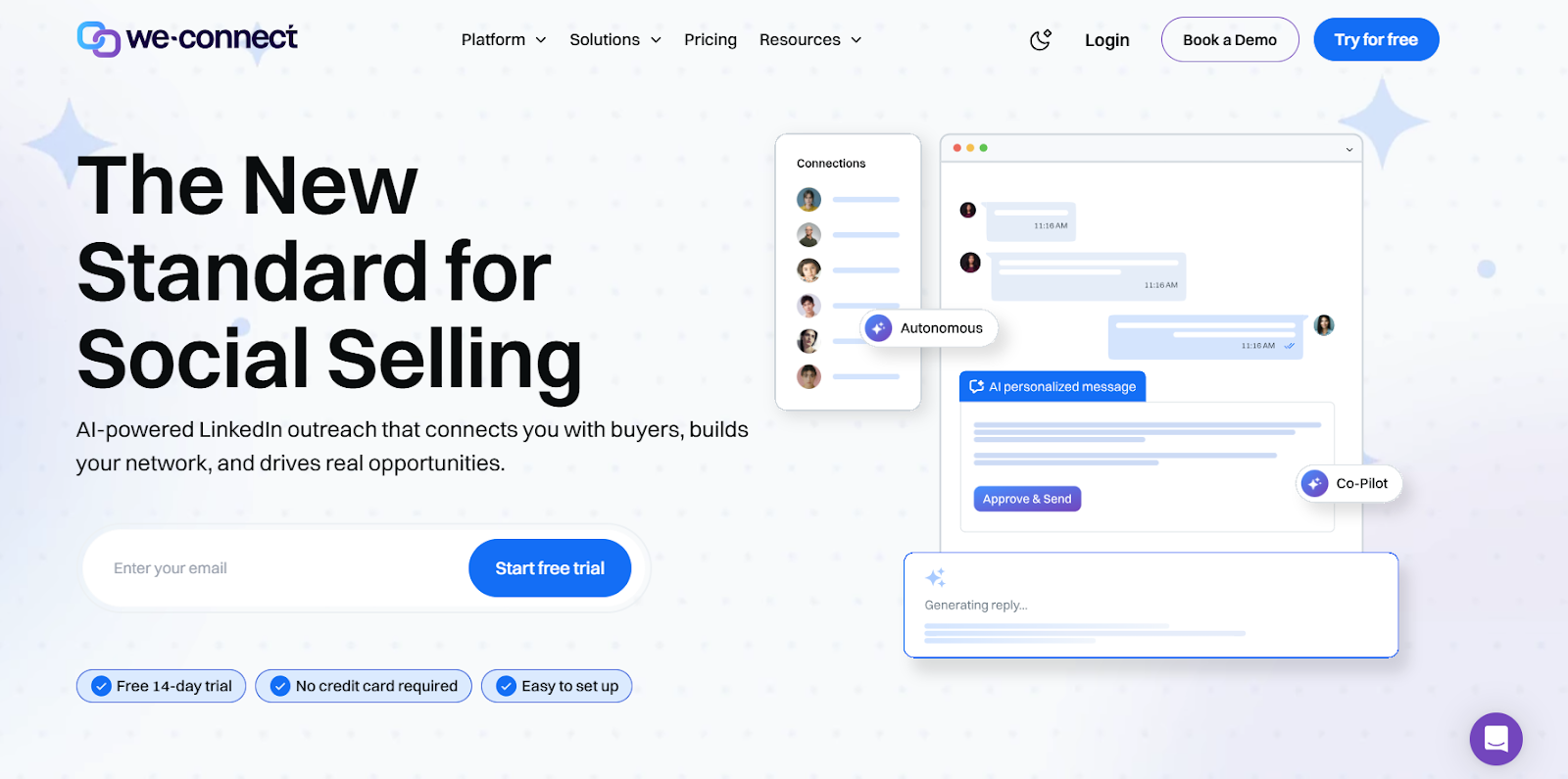
2. We-connect – Best Valley AI Alternative for Safe LinkedIn Automation This image shows the We-Connect homepage We-connect is a LinkedIn automation tool I use when the goal is simple and consistent outreach.
It helps send connection requests, follow-ups, and messages in a controlled way.
Campaigns are easy to set up and adjust once they are running.
With Valley AI , most of the work is handled by AI based on signals.
With We-connect, the control stays manual.
I decide who to target, what to send, and how the sequence runs.
That makes it more useful when the goal is steady LinkedIn outreach, not signal-based conversations.
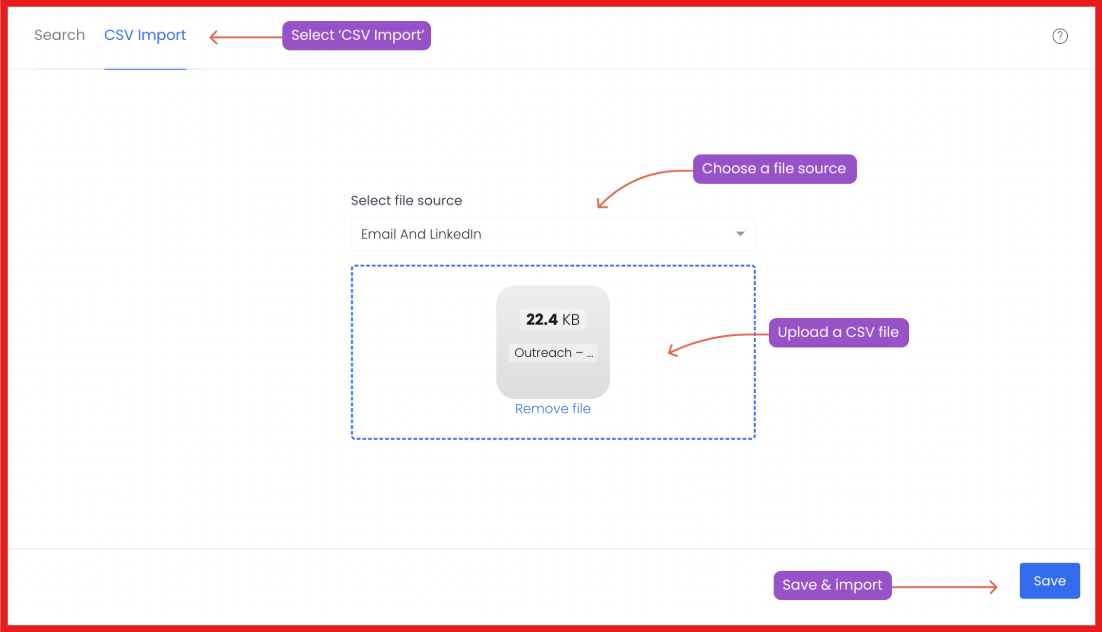
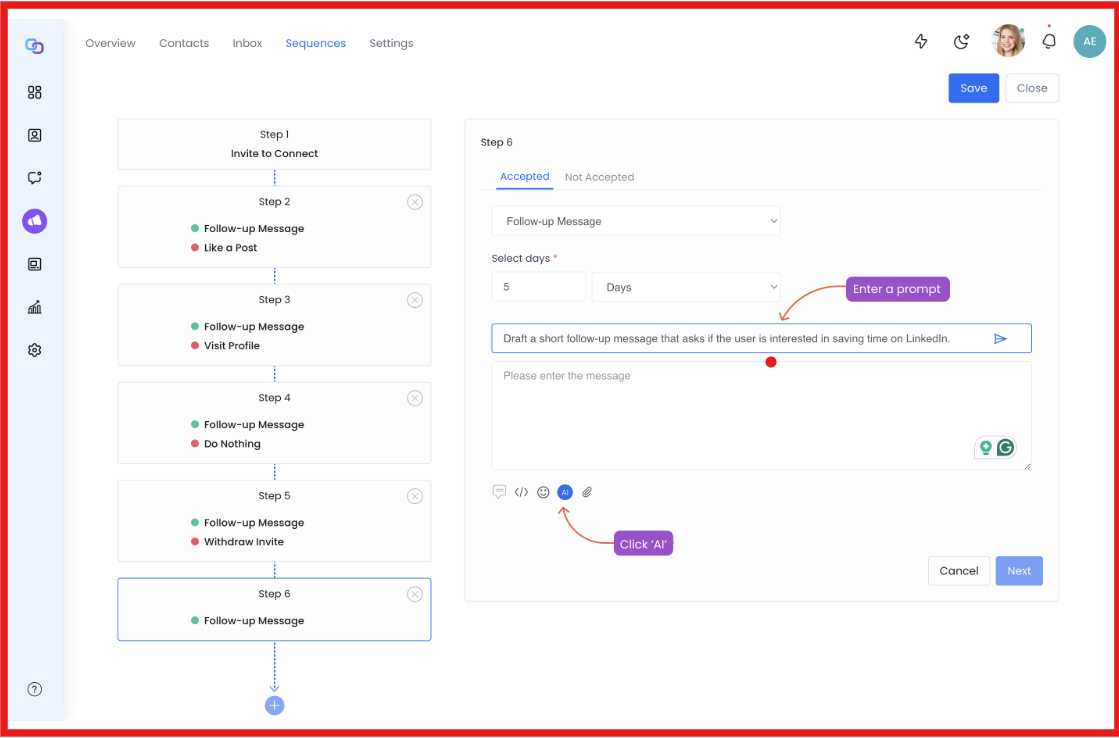
Key Features of We-connect We-connect automates LinkedIn actions like connection requests, follow-ups, and messaging in one campaign. It supports behavior-based workflows, so campaigns can adjust based on user actions and engagement. The platform allows importing leads from LinkedIn search, CSV files, or CRM systems. This image shows the Import leads from CSV from We-Connect It includes AI Assist to generate personalized messages based on LinkedIn profiles or conversations. This image shows the Generate message with AI on We-Connect We-connect vs Valley AI: Quick Comparison
Feature
We-connect
Valley AI
Channels LinkedIn
LinkedIn only
Outreach Type Rule-based automation
Signal-based outreach
Messaging Manual + AI assist
Fully AI-driven
Lead Source LinkedIn search / imports
Warm LinkedIn signals
Scaling Moderate
Limited by LinkedIn
Best For Structured LinkedIn outreach
Warm outbound workflows
Pros & Cons of We-connect
Pros
Cons
Focused on safe LinkedIn automation with controlled activity limits
Easy to set up and run basic campaigns
Allows importing leads from multiple sources
Includes AI assist for message personalization
Limited advanced AI compared to Valley AI
Not built for large-scale outbound systems
Requires manual setup for campaigns
Less automation in lead qualification
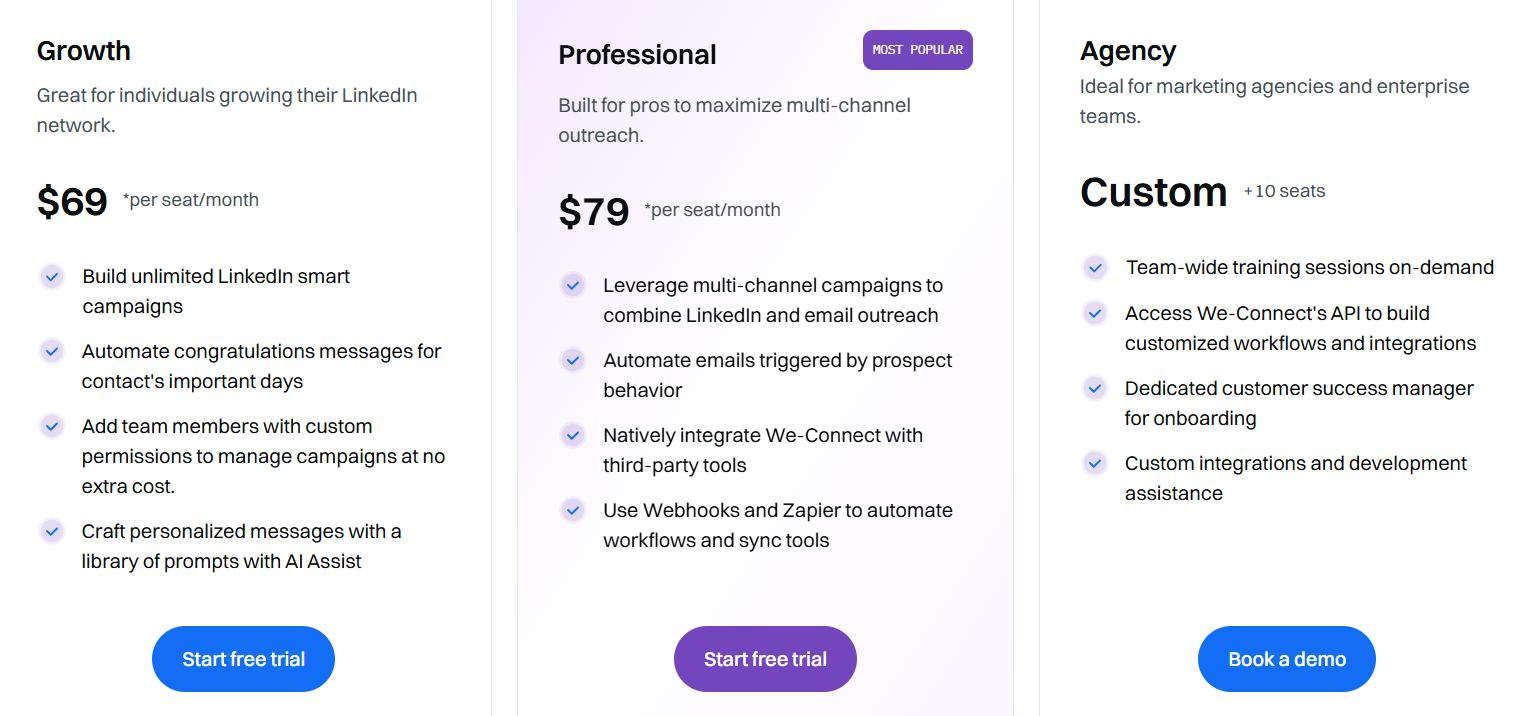
We-connect Pricing This image shows the We-Connect pricing We-connect offers flexible pricing based on usage and features.
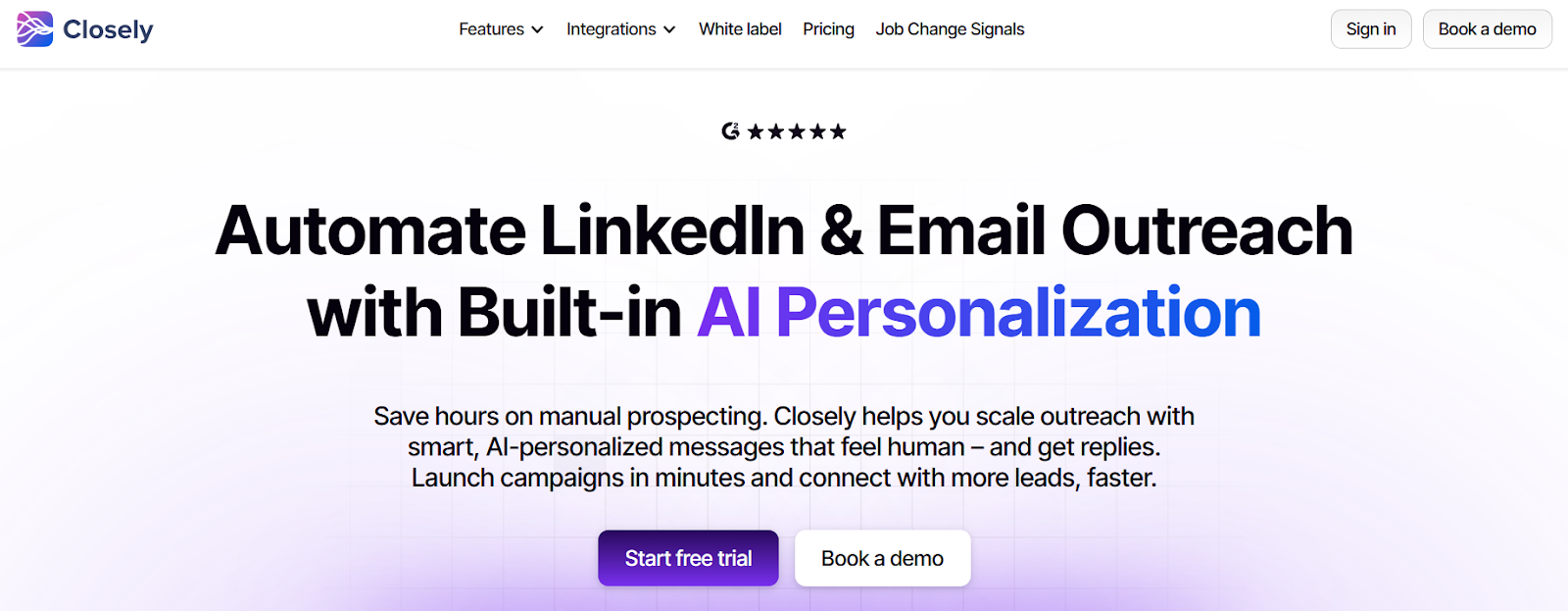
Growth Plan starts at $69/month per seatProfessional Plan starts at $79/month Agency Plan is custom for teams and larger setups3. Closely – Best Valley AI Alternative for AI-Powered Prospecting This image shows the Closely homepage Closely is an outreach platform that combines LinkedIn automation, email outreach , and built-in lead data in one workflow.
When I tested it, the biggest difference was how much it handles before outreach even starts.
Lead search, enrichment, and message creation all happen inside the same system.
With Valley AI, most of the flow starts after signals appear on LinkedIn.
Closely works earlier in the process.
I can build a list, enrich it, and launch campaigns without waiting for signals.
That makes it more useful when outbound needs to run daily, not just react to activity.
Key Features of Closely It supports both LinkedIn and email outreach in one sequence for multi-step campaigns. The platform includes a built-in lead database with real-time enrichment from 30+ data sources. AI sales agents handle prospect research, qualification, and message personalization automatically. It provides a unified inbox to manage LinkedIn messages, InMails, and email replies in one place. Closely vs Valley AI: Quick Comparison
Feature
Closely
Valley AI
Channels LinkedIn + Email
LinkedIn only
Outreach Type Automated + AI-driven
Signal-based outreach
Messaging AI + manual control
AI-driven messaging
Lead Source Built-in database + enrichment
LinkedIn signals
Prospecting AI-powered research + qualification
Signal-based
Scaling High
Limited by LinkedIn
Reply Handling Unified inbox
LinkedIn inbox
Best For Full outbound workflows
Warm outbound
Pros & Cons of Closely
Pros
Cons
Combines prospecting, enrichment, and outreach in one platform
Supports both LinkedIn and email workflows
Built-in data enrichment reduces need for external tools
AI agents automate research and personalization
Can feel complex for simple LinkedIn-only use cases
Setup takes time to configure properly
Pricing can be higher depending on usage
Requires clear ICP for best results
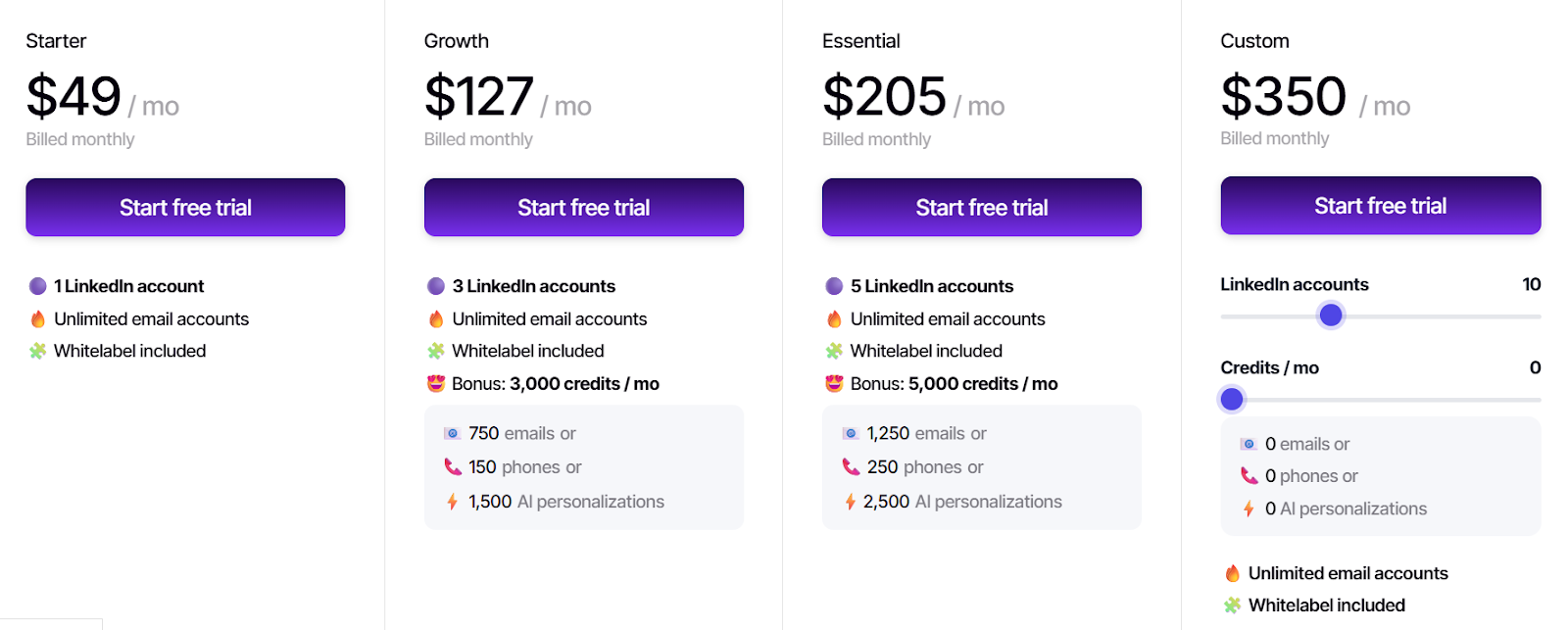
Closely Pricing This image shows the Closely pricing Closely offers multiple pricing options depending on usage.
Individual plans start around $60–$80 per user/month Agency plan available at a fixed price (~$999/month) for large teams Additional details:
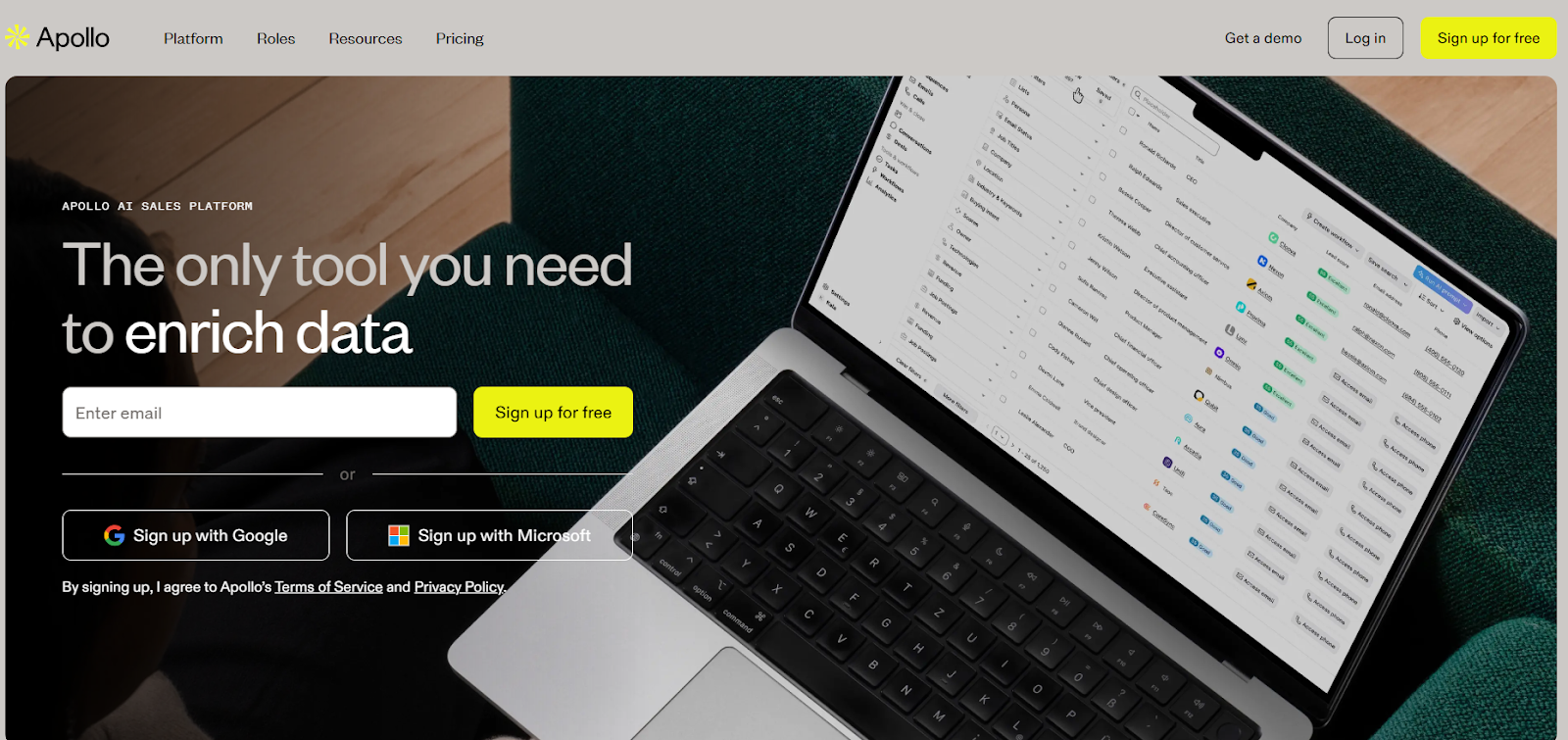
Free trial available No credit card required for trial Pricing varies based on features, seats, and usage 4. Apollo – Best Valley AI Alternative for Data-Driven Outbound at Scale This image shows the Apollo.io homepage Apollo is an end-to-end sales platform that combines prospecting, data, and outreach in one system.
When I tested it, the biggest difference was the data layer.
Everything starts with its database of contacts and companies, not LinkedIn activity.
I can search, filter, and build lead lists directly inside Apollo.
Then move into sequences, calls, and follow-ups without leaving the platform.
Key Features of Apollo It supports multi-channel outreach, including email, calling, and LinkedIn via extension. You can built-in sequences allow running automated outreach campaigns across multiple touchpoints. AI features help with email writing, personalization, and workflow automation. Data enrichment keeps CRM records updated with fresh contact and company data. Apollo vs Valley AI: Quick Comparison
Feature
Apollo
Valley AI
Channels Email + Calling + LinkedIn (extension)
LinkedIn only
Outreach Type Data-driven outbound
Signal-based outreach
Messaging AI + templates + manual control
AI-driven messaging
Lead Source Large B2B database
LinkedIn signals
Prospecting Advanced filtering + enrichment
Signal-based
Scaling High (credit-based)
Limited by LinkedIn
Reply Handling Email + CRM workflows
LinkedIn inbox
Best For High-volume outbound teams
Warm outbound workflows
Pros and Cons of Apollo
Pros
Cons
Large B2B database reduces need for external tools
Combines prospecting, outreach, and calling in one platform
Supports multi-channel workflows (email + calls)
Built-in enrichment keeps data updated
AI helps with messaging and automation
Credit-based system limits usage
Data accuracy can vary by region
Can feel complex for new users
Requires setup to match ICP and workflows
LinkedIn automation is not native
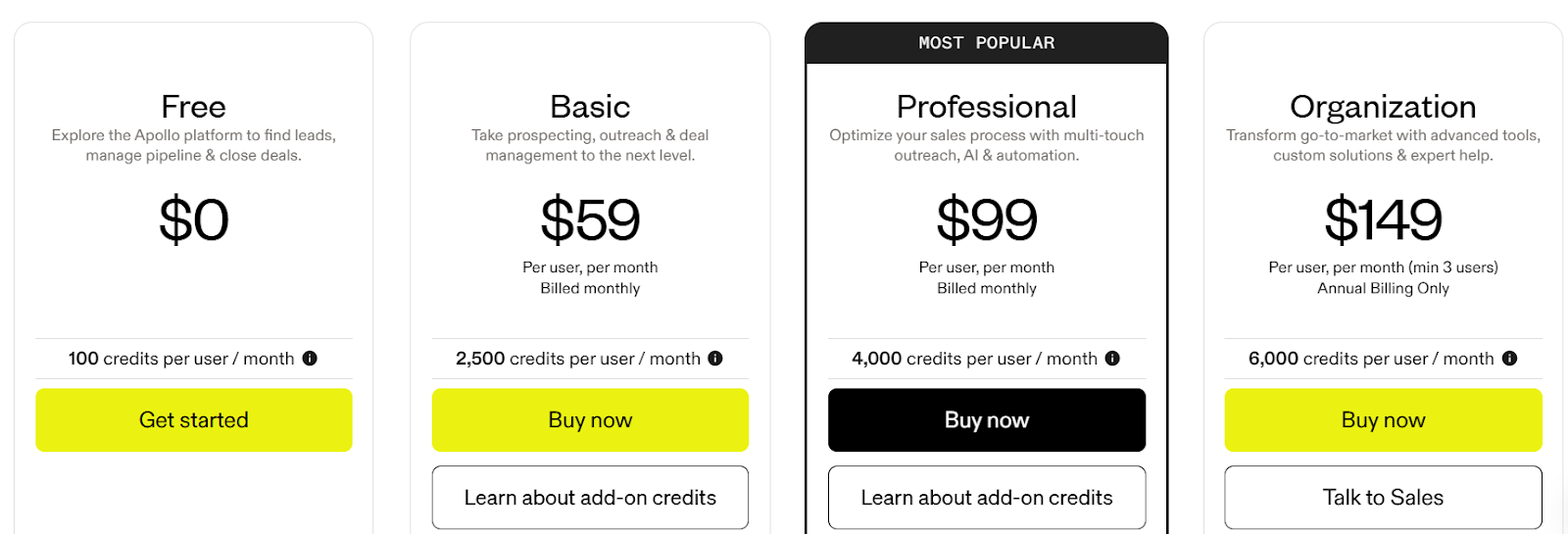
Apollo Pricing This image shows the Apollo.io pricing Apollo uses a credit-based pricing model.
Free plan available with limited creditsBasic plan starts at $59/month per userProfessional plan starts at $99/month per userOrganization plan starts at $149/month per user (minimum seats apply)Key details:
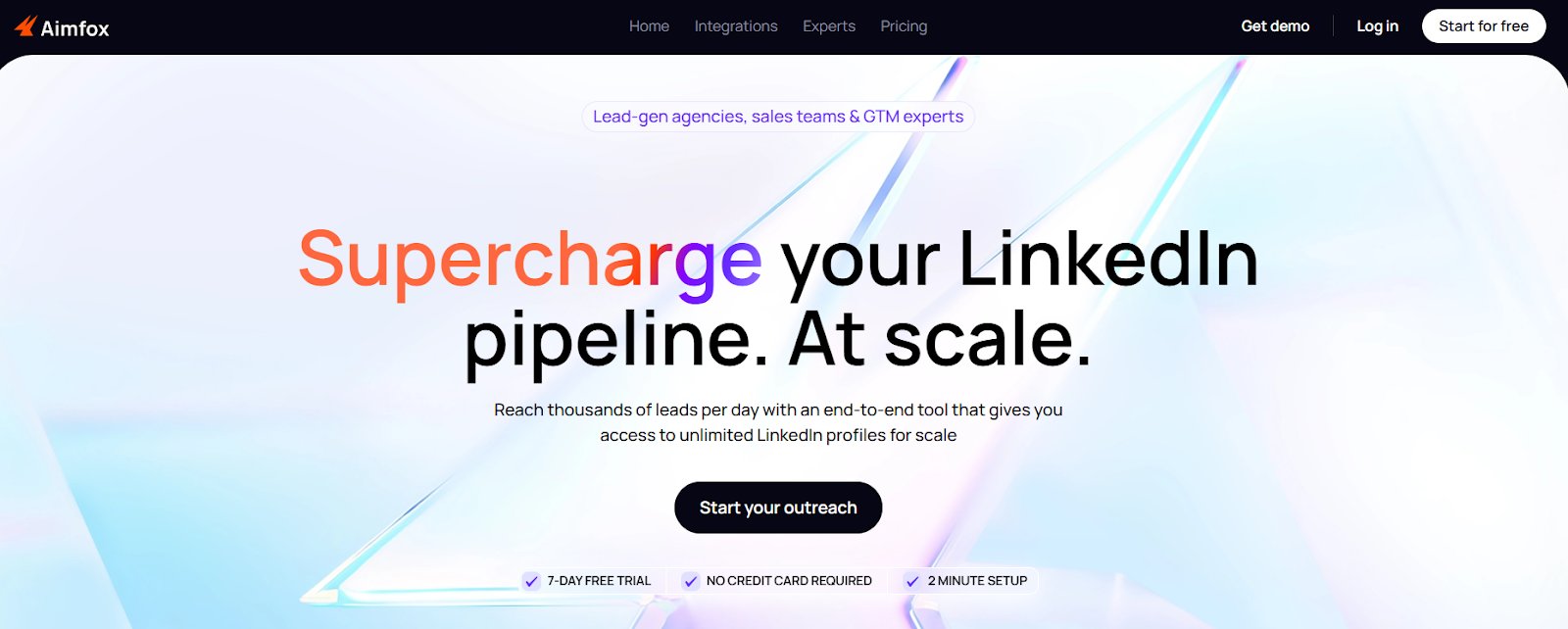
Credits are used for contact access and enrichment Higher plans increase limits, automation, and integrations Free trial available for paid plans 5. Aimfox – Best Valley AI Alternative for Scaling LinkedIn Outreach with Multiple Accounts This image shows the Aimfox homepage Aimfox is a LinkedIn outreach tool built for running campaigns across multiple accounts from one place.
I could launch campaigns across several accounts inside one workspace.
The profile rental feature also stood out.
I didn’t need to create or manage new LinkedIn accounts manually to scale outreach.
Valley AI works best when conversations start from intent.
Aimfox is built for running structured campaigns at volume.
I use it when the goal is to reach more prospects consistently.
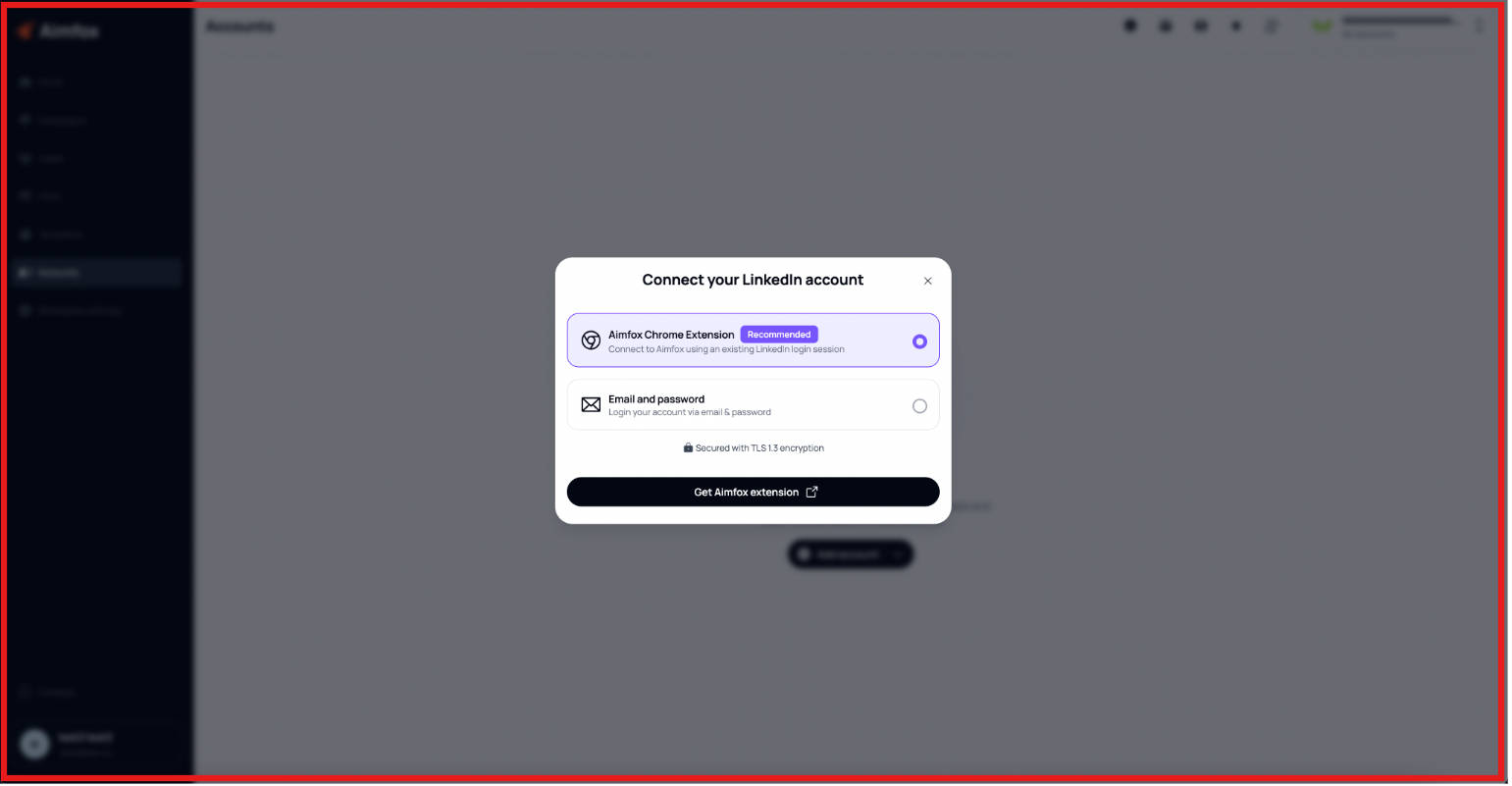
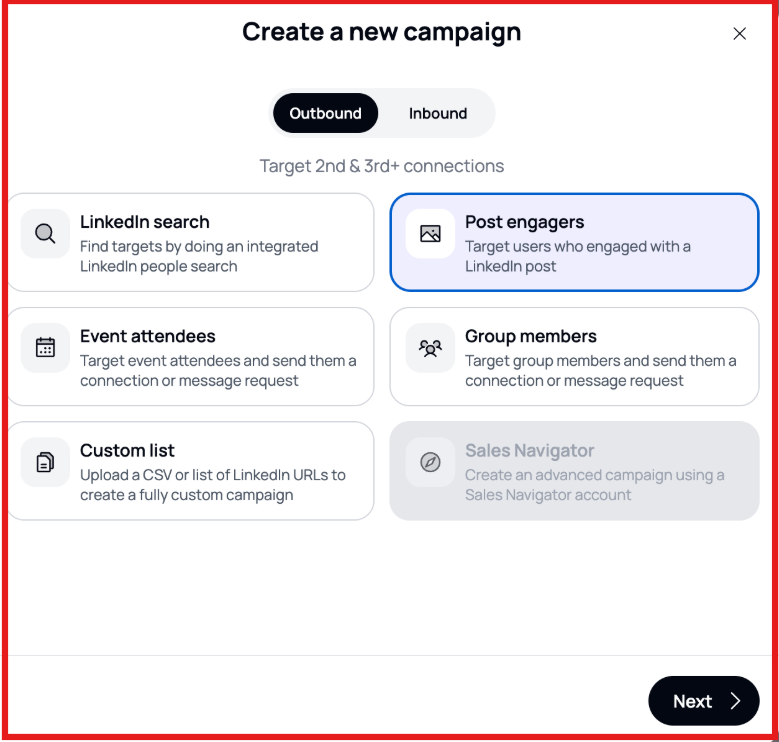
Key Features of Aimfox Aimfox automates LinkedIn outreach including connection requests, messages, and InMails. This image shows the Connect your LinkedIn account on Aimfox It supports running campaigns from multiple LinkedIn accounts in one workspace. This image shows the Create a new campaign on Aimfox You can rent LinkedIn profiles directly inside the platform to scale outreach faster. Campaign flows include connection requests followed by automated message sequences. Aimfox vs Valley AI: Quick Comparison
Feature
Aimfox
Valley AI
Channels LinkedIn
LinkedIn only
Outreach Type Campaign-based automation
Signal-based outreach
Messaging AI + manual control
AI-driven messaging
Lead Source LinkedIn search / imports
LinkedIn signals
Scaling Multi-account + rented profiles
Limited by LinkedIn
Prospecting Manual targeting + filters
Signal-based
Best For High-volume LinkedIn outreach
Warm outbound workflows
Pros and Cons of Aimfox
Pros
Cons
Supports multiple LinkedIn accounts in one campaign
Profile rental helps scale outreach quickly
Campaign flows automate connection + follow-ups
AI variables improve message personalization
Limited to LinkedIn (no native email)
Requires careful setup to avoid spam behavior
Depends on LinkedIn limits and policies
Not focused on signal-based outreach
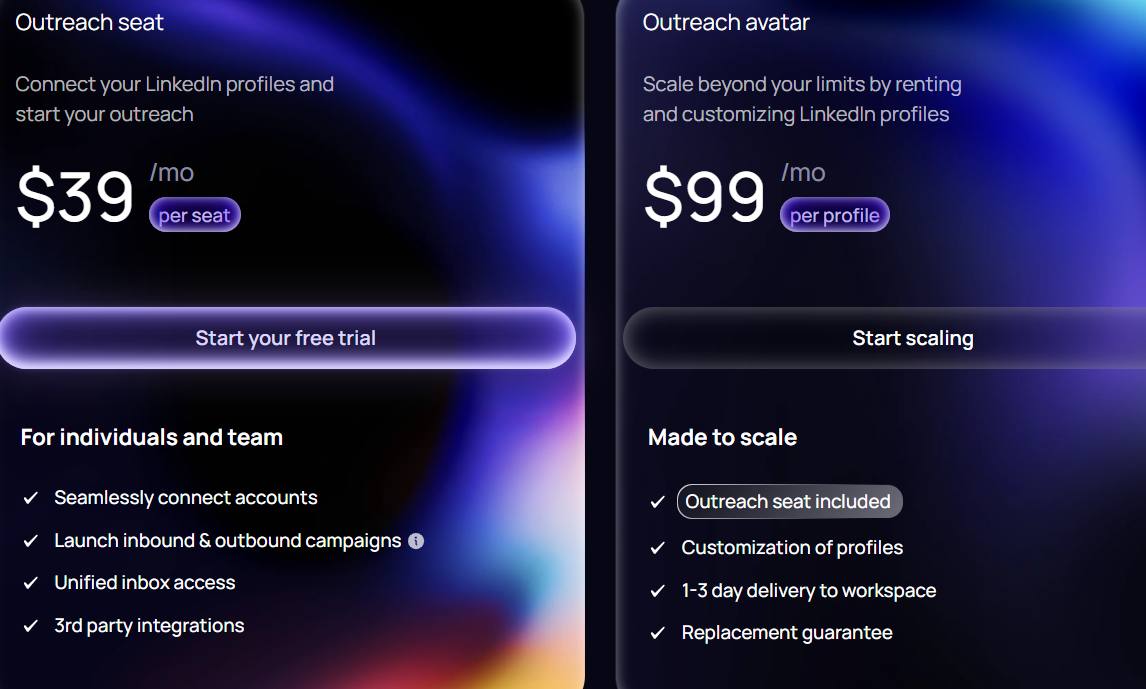
Aimfox Pricing This image shows the Aimfox pricing Aimfox uses a seat-based pricing model with optional add-ons.
Outreach seat starts at $39/month per user LinkedIn profile rental starts at $99/month per profile Agency plan starts around $499/month for teams
Personalized Outbound Strategy
Get The Right Outbound Strategy In Minutes
Enter your email to get a custom plan & stack recommendation for your
business
It's being carefully crafted by AI
Please check your mailbox in 5 minutes
Which Valley AI Alternative Should You Choose? The right choice depends on how outreach runs every day.
Some teams only need LinkedIn automation.
Others need email and LinkedIn in one workflow.
If the goal is simple LinkedIn outreach, We-connect or Aimfox can work. If the focus is data and list building, Apollo fits better. If prospecting and outreach need to run together, Closely is a good option. But when outreach becomes a daily motion, scale and control matter more.
Salesforge fits better at that stage.
It runs email and LinkedIn in one sequence without switching tools.
Replies stay in Primebox™, so follow-ups are easier to manage.
If needed, lead lists can be built in Leadsforge and then used inside Salesforge.
Start a free trial and test one multi-channel campaign with Salesforge. Frequently Asked Questions




.jpg)