If you're reading this SuperSend review.
You're probably weighing one thing.
Is this the tool that finally pulls email and LinkedIn outreach into one place, or does it create more moving parts than it solves?
After 3 years of testing the outbound tool, I know that sequencing platforms always look clean in a demo.
Conditional logic, multi-channel flows, unified inbox.
It all sounds like the missing piece.
But the moment you add more senders, more clients, or more volume, the gaps show up fast.
That's what I wanted to test.
So I tested how SuperSend handles sequencing.
I checked if the LinkedIn side works.
I explored SuperSend Relay. I identified which teams get value versus who outgrow it quickly.
In this review, I will walk through all 12 features honestly, to give you a straight answer on whether SuperSend could fit your outbound motion or not.
Here is a quick breakdown of how SuperSend compares to Salesforge.

SuperSend is a cold outreach platform.
It runs email and LinkedIn sequences from one place.
It is built for SDRs, founders, and agencies who want to manage multi-channel outreach without switching between tools.
The self-serve plan is for teams sending under 1 million emails per month.
You connect your own domains and inboxes, or buy them through SuperSend. You also handle your own warmup and deliverability.
The enterprise track is called SuperSend Relay. It is built for companies sending 1 million or more cold emails every month.
At that volume, SuperSend manages the infrastructure automatically.

If you are sending 800,000 emails a month, you are on self-serve.
You still manage warmup, reputation monitoring, and placement tests yourself.
That is a lot of operational work at high volume.
The gap between the two tiers is wide.
There is no middle ground.
For smaller teams, self-serve works.
For high-volume senders who have not hit 1 million yet, the self-serve track starts to feel like more work than it should be.
SuperSend runs email and LinkedIn from one sequencing platform.
You build one flow, and both channels run inside it.
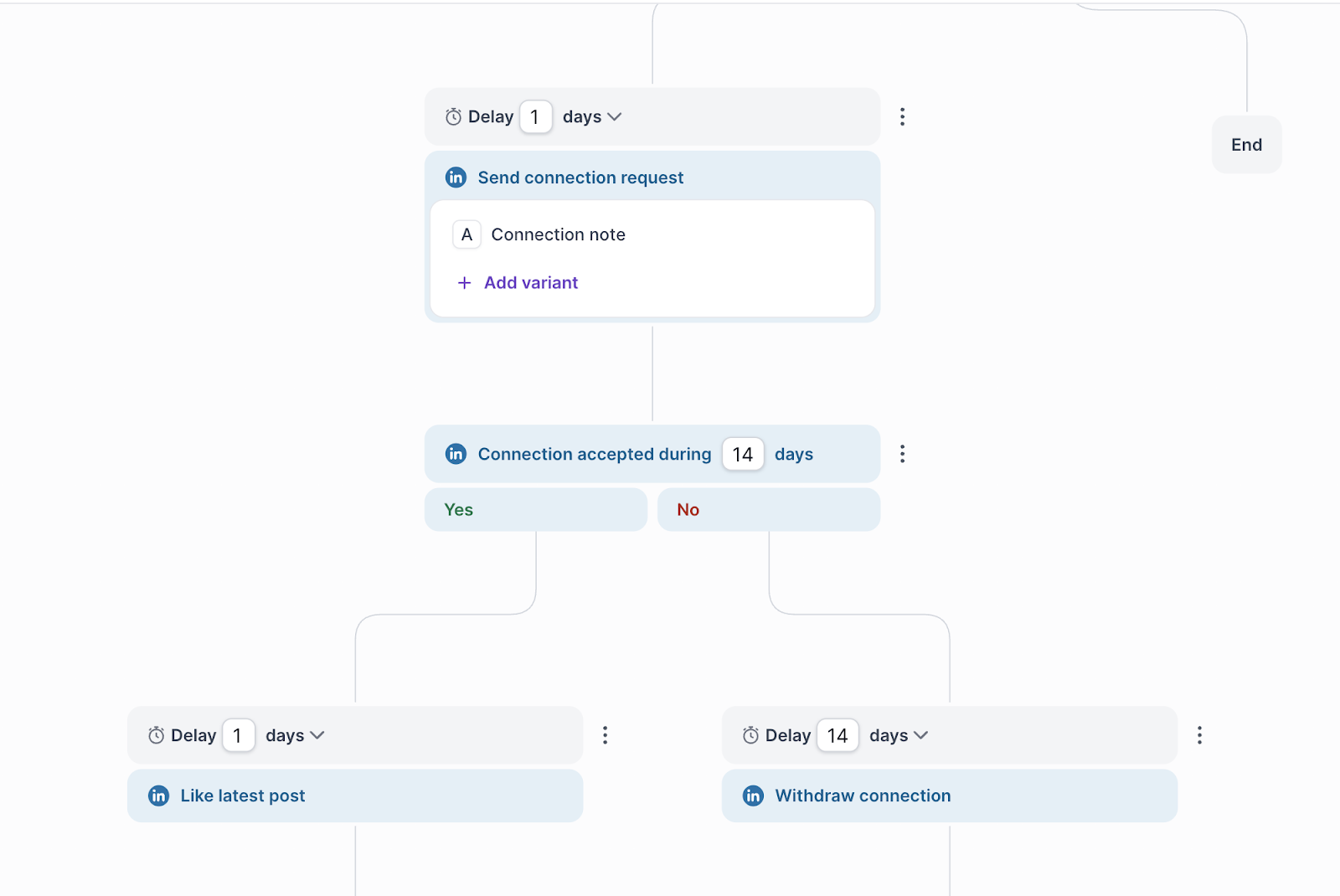
Here is how a basic sequence looks.
For example, instead of sending 200 emails at 9:00 AM sharp, the system spreads them across a window.
That reduces patterns that spam filters pick up.
One thing to note: LinkedIn outreach in SuperSend depends on connecting your own LinkedIn account.
There is no native LinkedIn infrastructure built in.
The Best Day and Time to Send Cold Emails for Maximum Deliverability
SuperSend is built around three things: sequencing, inbox management, and deliverability infrastructure.
You use it to run email and LinkedIn outreach from one platform, manage replies in one place, and monitor deliverability across your sending infrastructure.
These are the 12 features involved in the workflow.
You run email and LinkedIn steps inside one sequence. No switching between tools.
You branch sequences based on opens, clicks, or replies. Each prospect follows a path based on their behavior.
SuperSend controls delays and pacing automatically. Messages go out at intervals that reduce spam triggers.
What Is The Best Time to Send Cold Emails?
All email and LinkedIn replies land in one inbox. Your team sees every conversation in one place.
Replies get tagged automatically: interested, meeting booked, unsubscribe, bounce, OOO. No manual sorting.
When a reply comes in, SuperSend triggers the next action. A positive reply can move a prospect into a different sequence automatically.
How to Automate Everything Using Salesforge
Built for teams sending 1 million or more emails per month. Infrastructure runs automatically at that volume.
You provision domains and inboxes across Gmail, Outlook, and custom SMTP. Sending spreads across providers.
Warmup and inbox rotation run automatically.
Reputation monitoring tracks dips before they affect placement.
You can test where your emails land across Gmail, Outlook, and Yahoo.
Results show inbox vs spam per provider.
You test subject lines, message variants, and timing.
Spintax adds variation to reduce repetition across sends.
10 Cold Email A/B Testing Tips to Improve Your Outreach
Contacts, replies, and campaign data sync into your CRM.
Zapier and Make handle custom workflow connections.
In simple terms, SuperSend gives you three things: a sequencer, a reply manager, and deliverability tools.
If you are a small team running email and LinkedIn outreach, that covers the basics.
Here is what works in practice.
The sequencing platform holds up well for teams running straightforward multi-channel flows.
You build a sequence, set conditions, and let it run.
The Super Inbox keeps replies from getting lost across channels.
Here is where it starts to feel incomplete.
SuperSend does not include a built-in lead database.
You bring your own contact lists.
That means you still need a separate tool for prospecting before any sequence runs.

There is also no AI SDR. Every sequence still needs a human to set it up, write the messages, and monitor performance.
Now, the infrastructure gap.
If you send under 1 million emails per month, you sit on the self-serve plan.
You manage your own warmup, monitor your own sender reputation, and run your own placement tests.
That is three separate jobs on top of running outreach.
At 500,000 emails per month, that operational load adds up fast.
SuperSend has three pricing paths. The gap between them becomes clearer once you look at how teams actually scale outreach.
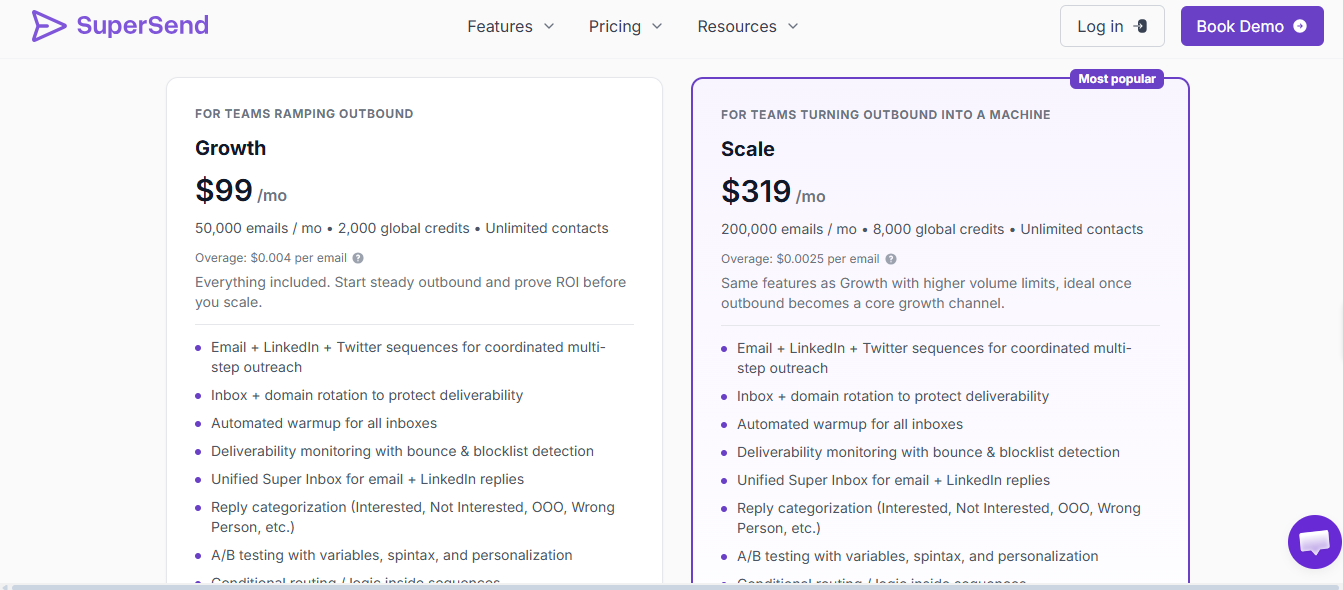
Growth Plan — $99 per month
The Growth plan is built for small teams or solo founders getting started with multi-channel outreach.
It includes:
For a one-person setup, this can be enough to get started.
The limits show up fast, though.
Scale Plan — $319 per month
The Scale plan is for teams running higher outreach volume with more senders.
It includes:
For a small but growing team, $319 per month is a number worth thinking through.
The add-on costs still apply here, too.
Email Warm-Up: Why It's Important for High Volume Email Senders
SuperSend Sequencer + Relay — Custom Pricing
This is the enterprise tier.
It is built for companies sending 300,000 or more cold emails per month.
It includes:
The main issue is pricing visibility.
For solo operators or very small teams, the Growth plan can work.
For teams adding senders and volume, the add-on costs stack up quickly before you even reach the enterprise tier.
SuperSend fits teams running email and LinkedIn together, but the cracks show once sender count and volume grow.
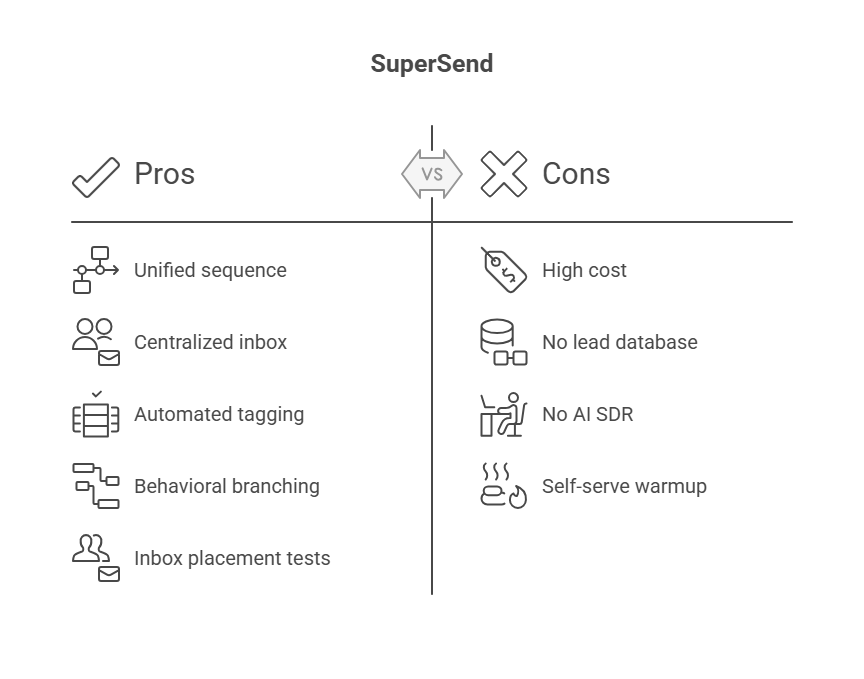
Pros
Cons
5 Best Practices to Improve Sender Reputation
SuperSend works for a specific type of outbound motion.
It is not for every team.
The platform runs on email and LinkedIn together.
If you need both channels in one place, SuperSend covers that.
SuperSend covers the basics.
Email and LinkedIn in one place, conditional routing works well for small teams, unified inbox genuinely saves time.
The direction makes sense.
The issue is not the concept. The issue is what is missing after you set it up.
In real outbound, the sequencer is only one part of the motion.
You still need leads, infrastructure, warm-up, and a way to scale senders without costs stacking up.
That is where SuperSend starts to feel like a piece of the puzzle rather than the full picture.
No built-in lead database. No AI SDR. LinkedIn senders cost $95 each on top of your base plan.
Infrastructure management sits on you unless you send 1 million emails per month.
Salesforge fills this gap for teams that want to scale.
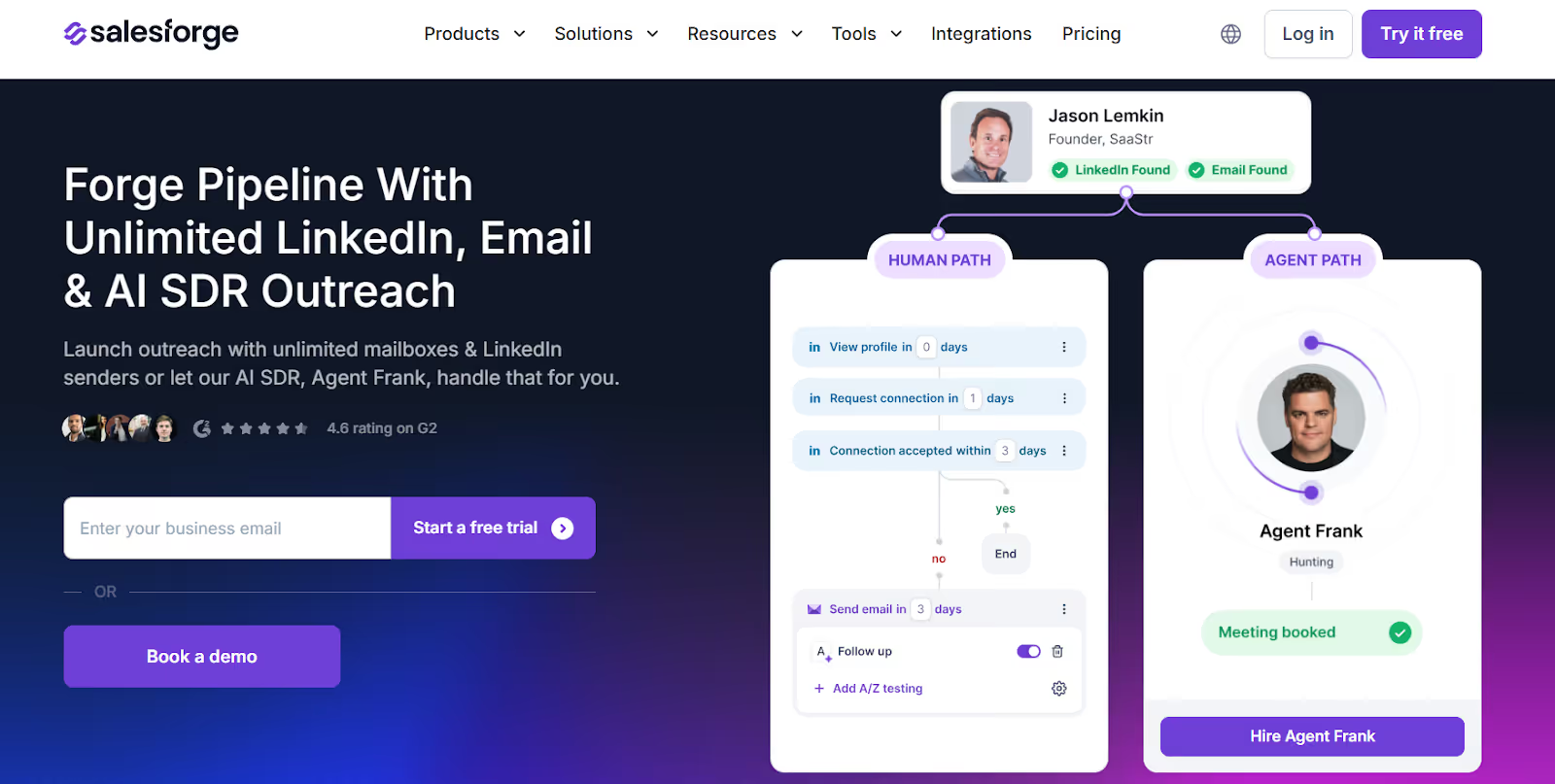
Instead of patching tools together, Salesforge runs the full motion from one place.
I looked at what happens when outreach volume goes up.
With SuperSend, warmup and reputation monitoring sit on the user at self-serve volumes.
With Salesforge, Warmforge handles warmup automatically and is included for free.
If a prospect does not engage on LinkedIn, email is already running in the same workflow.
I also like that the supporting stack supports scale without forcing you to stitch tools together.
That distinction matters because outreach results are not just about message quality.
Inbox placement, sender reputation, channel mix, and reply handling all affect the pipeline.
Having those pieces connected saves time and removes failure points.
So if your workflow is:
SuperSend can work for that motion.
But if you are building outbound where LinkedIn and email run together, senders need to scale, and the infrastructure runs itself. Salesforge holds up better as volume grows.
SuperSend works, just not for every team.
If you send fewer than 200,000 emails per month, run a small team, and already have your own lists and infrastructure in place, SuperSend covers the sequencing side well enough.
The honest limits:
For solo founders or two-person teams, those limits may not matter yet.
For everyone else, the gaps become real work.
If you want leads, warm-up, sequences, and reply management running from one place without managing four separate tools, Salesforge is the more complete path.
Start your 14-day free trial to test unlimited senders and AI SDR without setup costs.



.jpg)
