If you’ve been sending LinkedIn messages manually and feel like it’s eating up your whole day,
OR
If you’ve already tried a few LinkedIn message automation tools but ended up with account warnings or no real results,
OR
If you simply want to reach more people on LinkedIn, faster, safer, and without sounding like a bot.
If that sounds familiar, keep reading.
We went deep into testing and comparing the 9 best LinkedIn message automation tools to find out which ones actually help you send more messages, get more replies, and keep your account safe from bans.
And guess what?
Some tools made outreach feel effortless.
Others... felt like walking on eggshells with LinkedIn’s limits.
But before we dive into the list, let’s understand what makes a LinkedIn automation tool safe in the first place.
TL;DR
Salesforge sends LinkedIn and email messages from one dashboard with unlimited mailboxes.
Salesrobot helps run many LinkedIn campaigns safely with team and A/B controls.
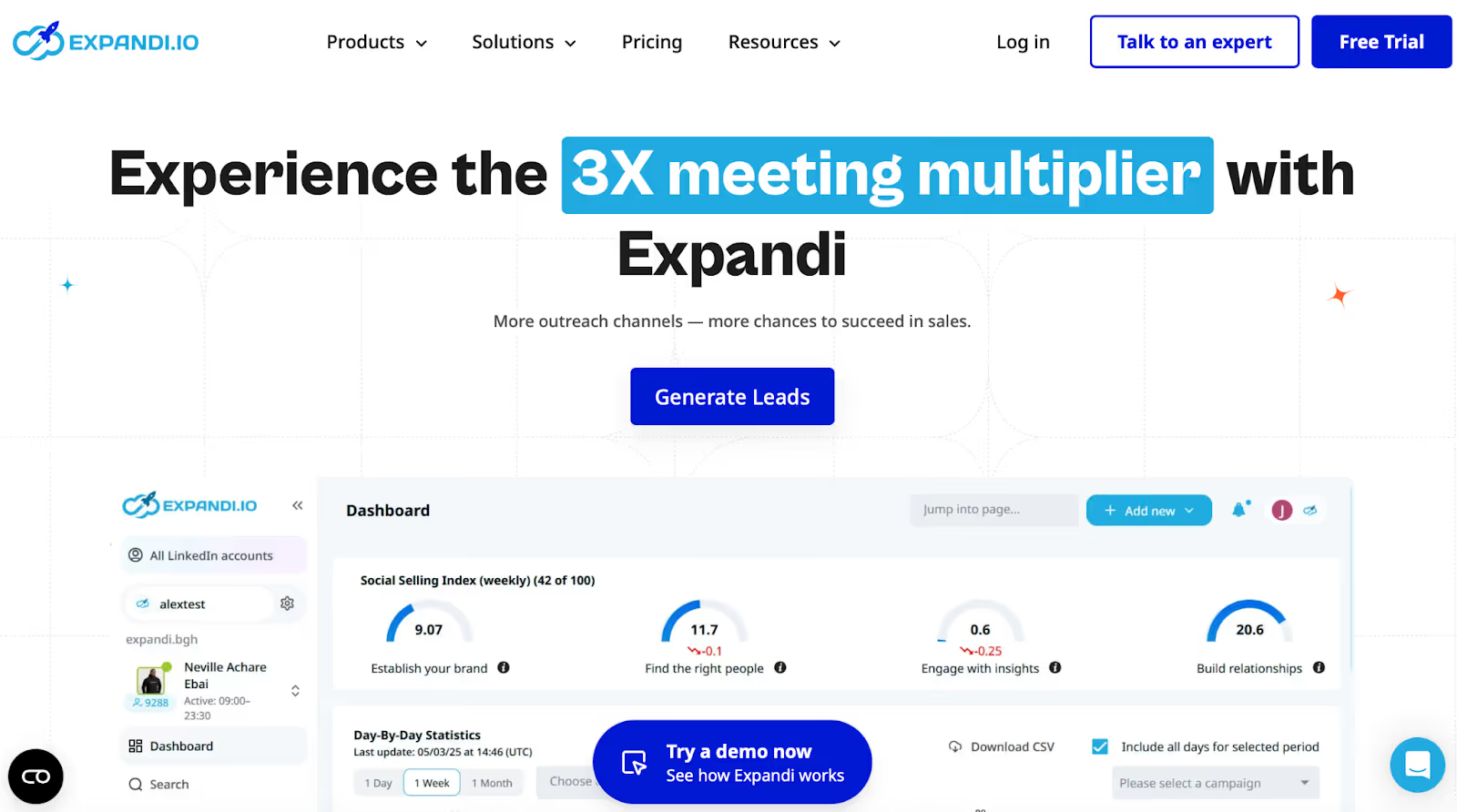
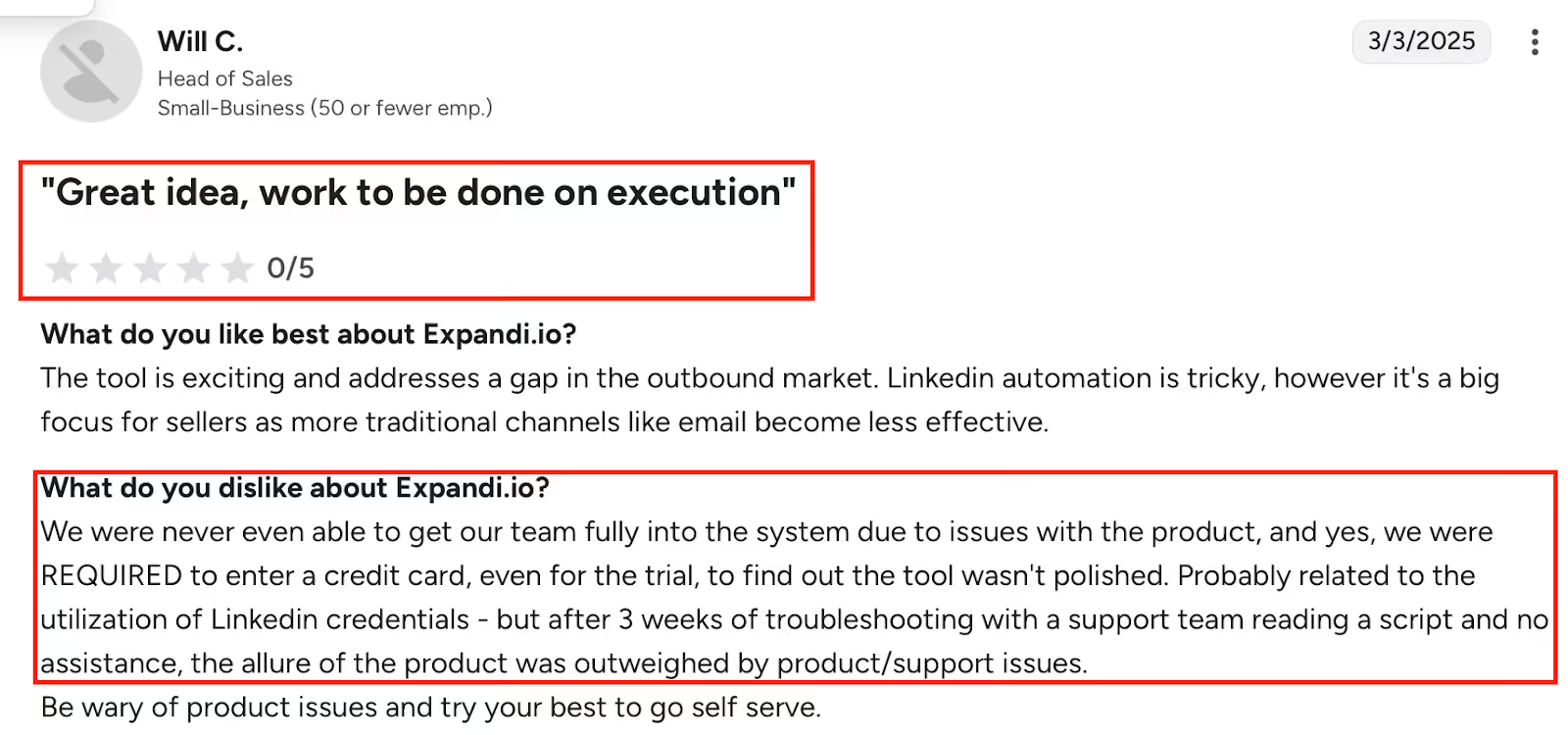
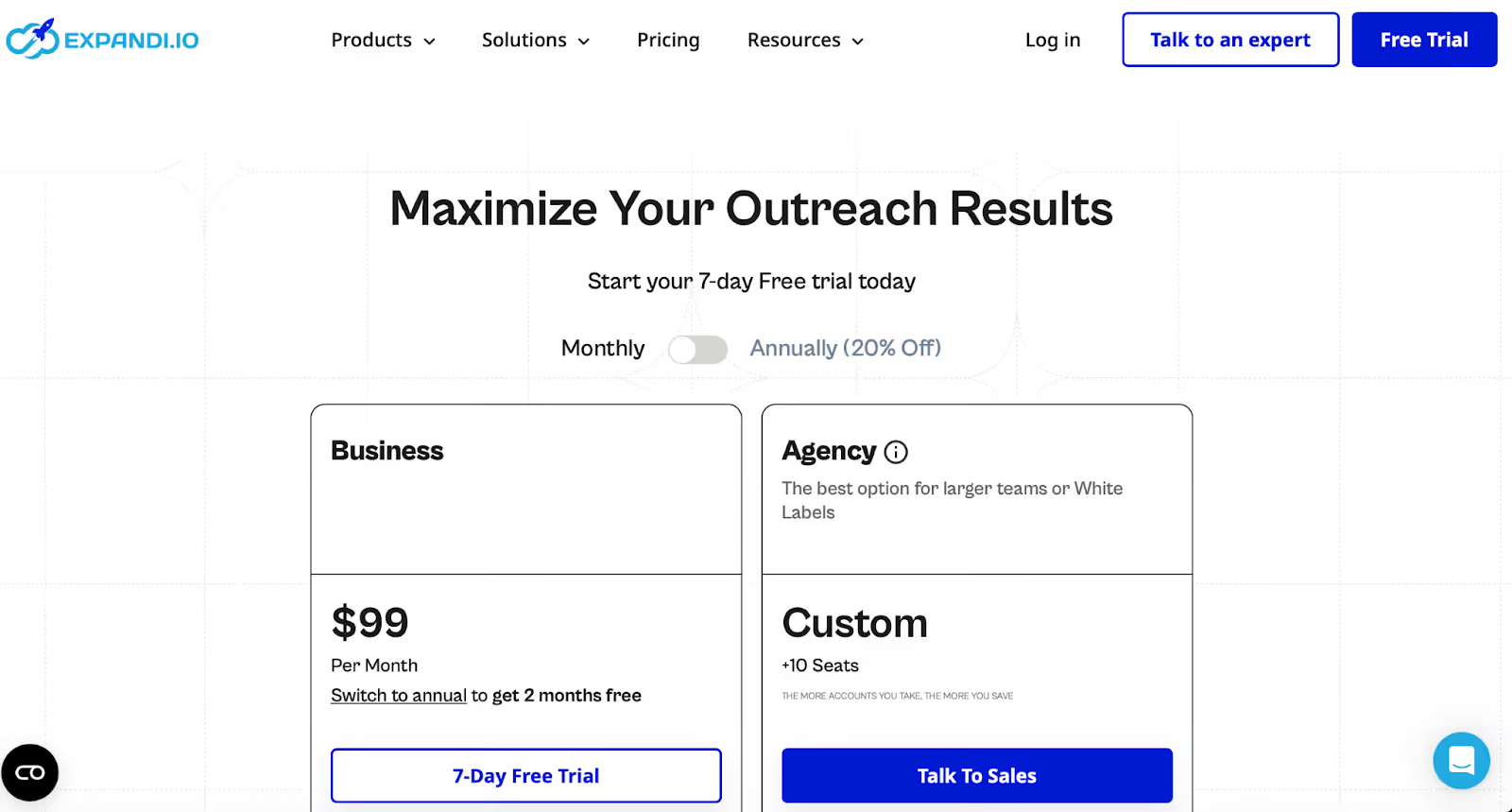
Expandi uses cloud and IP protection for safe LinkedIn and email outreach.
Dripify automates LinkedIn and email follow-ups with simple drag-and-drop setup.
Linked Helper runs on your computer and supports group, event, and InMail outreach.
Dux-Soup is a browser-based tool with strong control but needs setup time.
Octopus CRM is easy for beginners who only want simple LinkedIn automation.
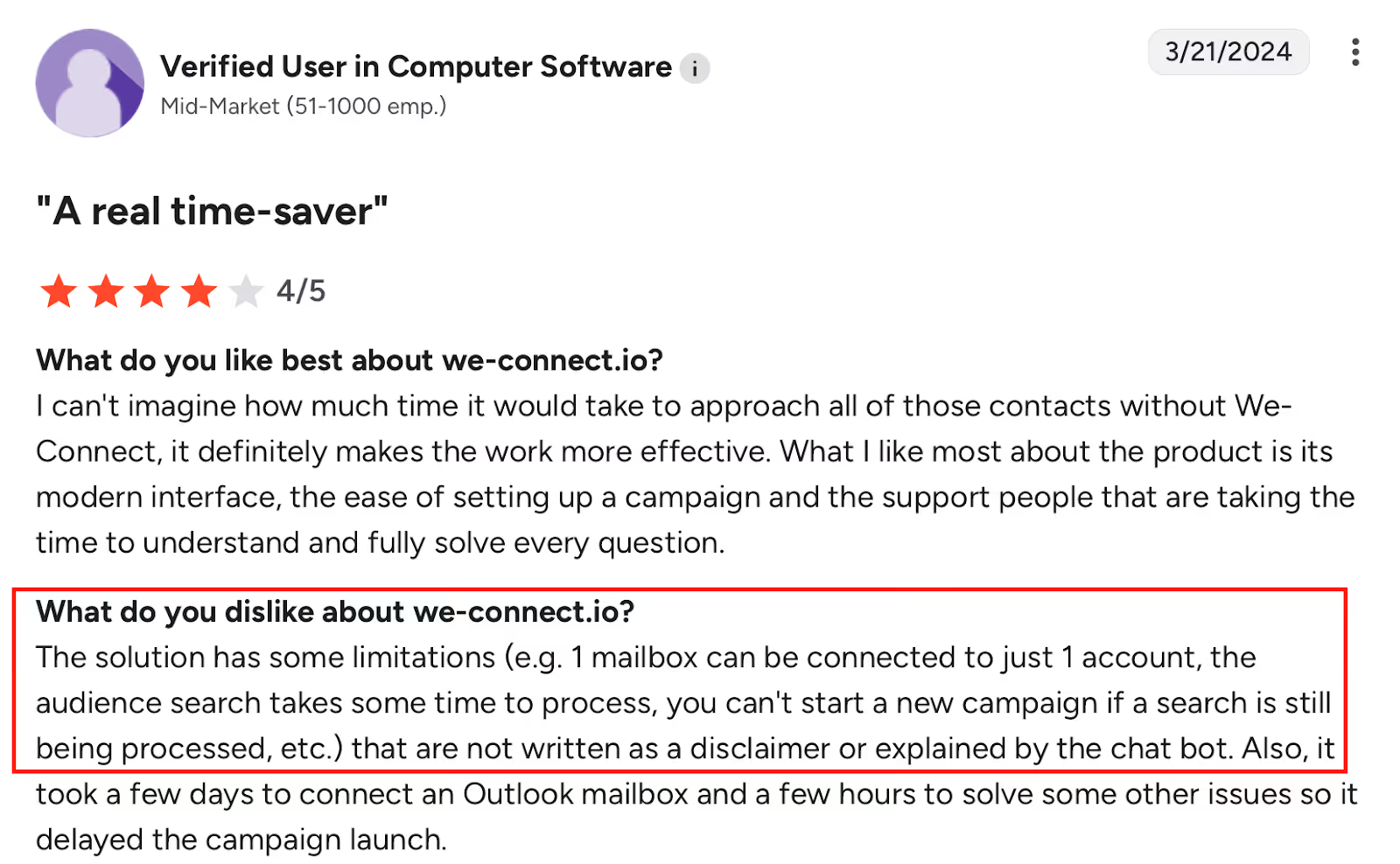
We-Connect is cloud-based, safe, and good for teams who want visual campaign flows.
Zopto is built for big teams needing AI, CRM, and managed LinkedIn outreach.
What To Look For in a Safe LinkedIn Message Automation Tool
You don’t want to just pick any tool that says “automation,” right?
Here’s what actually matters:
It must mimic real human behavior, not spam 100 people at once.
It should follow LinkedIn’s daily limits so your account stays safe.
It needs smart random delays between actions, just like you’d do manually.
Look for tools that send from the cloud, not your browser.
Make sure it has personalization options, first names, job titles, real context.
It should pause automatically when someone replies.
You’ll want easy setup, no coding, no complex steps.
It should let you track replies and performance clearly.
Bonus points if it supports multi-channel outreach (LinkedIn + email).
And of course, pick one that has strong safety controls, account protection always first.
Top 9 LinkedIn Message Automation Tools for Safe Outreach
Tool
Setup
Execution
Safety
Cloud
Email
AI
Inbox
Scale
Focus
Salesrobot
Medium
Quotas
Medium
Yes
Add-on
Yes
Yes
Team
Campaigns
Expandi
Hard
Limits
High
Yes
Yes
No
Yes
Agency
Protection
PhantomBuster
Hard
API
Low
Yes
No
No
No
Ops
Data
Linked Helper
Easy
Local
Medium
No
No
No
Yes
Solo
Groups
Dripify
Easy
Drips
High
Yes
Yes
No
Yes
Team
Sequences
Dux-Soup
Medium
Browser
Medium
Partial
No
No
Yes
Agency
Control
Octopus CRM
Easy
Basic
Medium
No
No
No
Yes
Solo
Budget
We-Connect
Easy
Visual
High
Yes
Yes
Light
Yes
Team
Safety
Zopto
Hard
AI
High
Yes
Yes
Heavy
Yes
Enterprise
Scale
1. Salesforge: Best for Safe Multi-Channel LinkedIn Outreach & AI SDR Automation
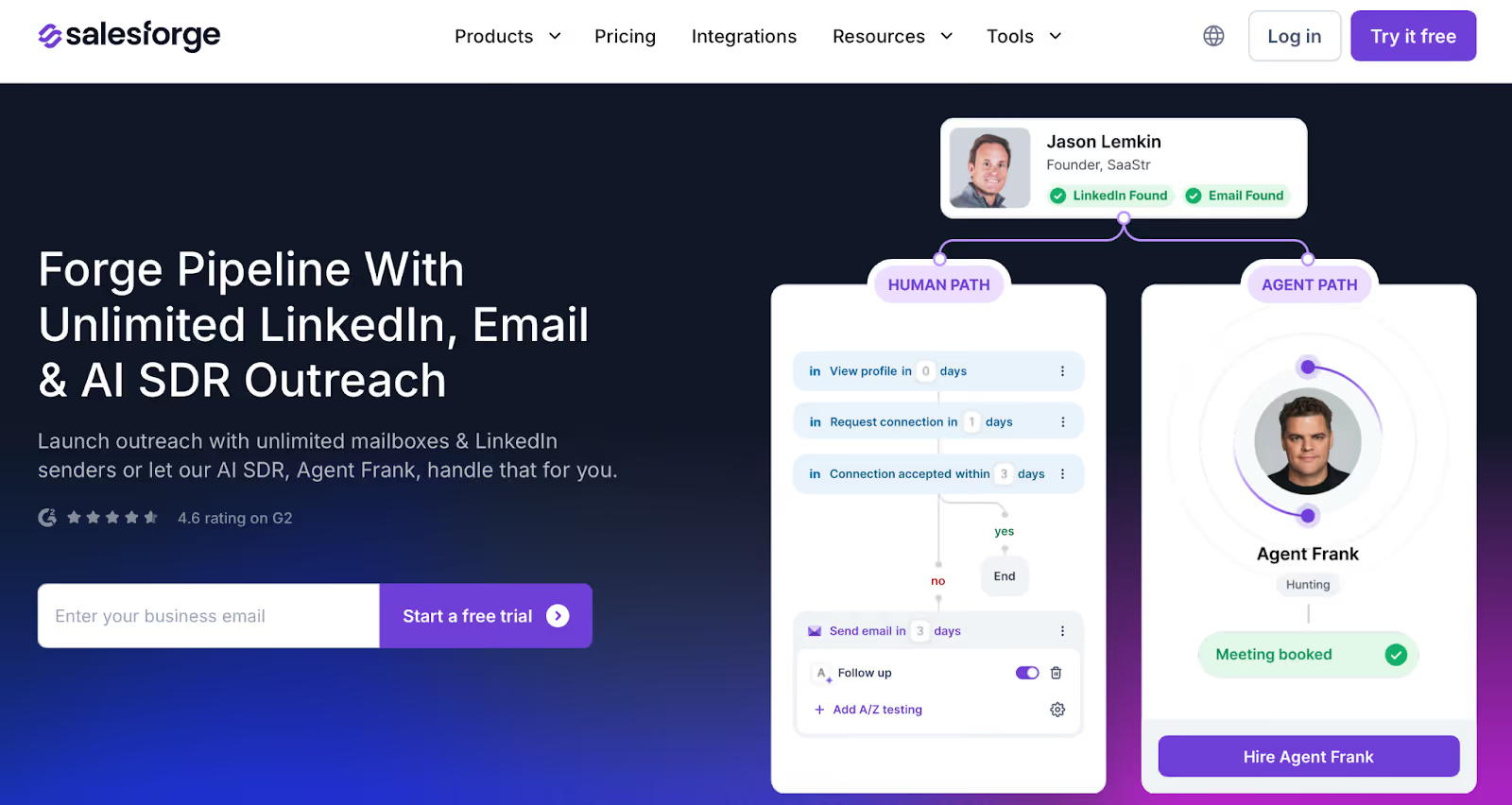
This image shows the Salesforge Homepage
Salesforge helps B2B teams send LinkedIn messages and emails from one place.
You don’t need to switch tools or worry about seat limits.
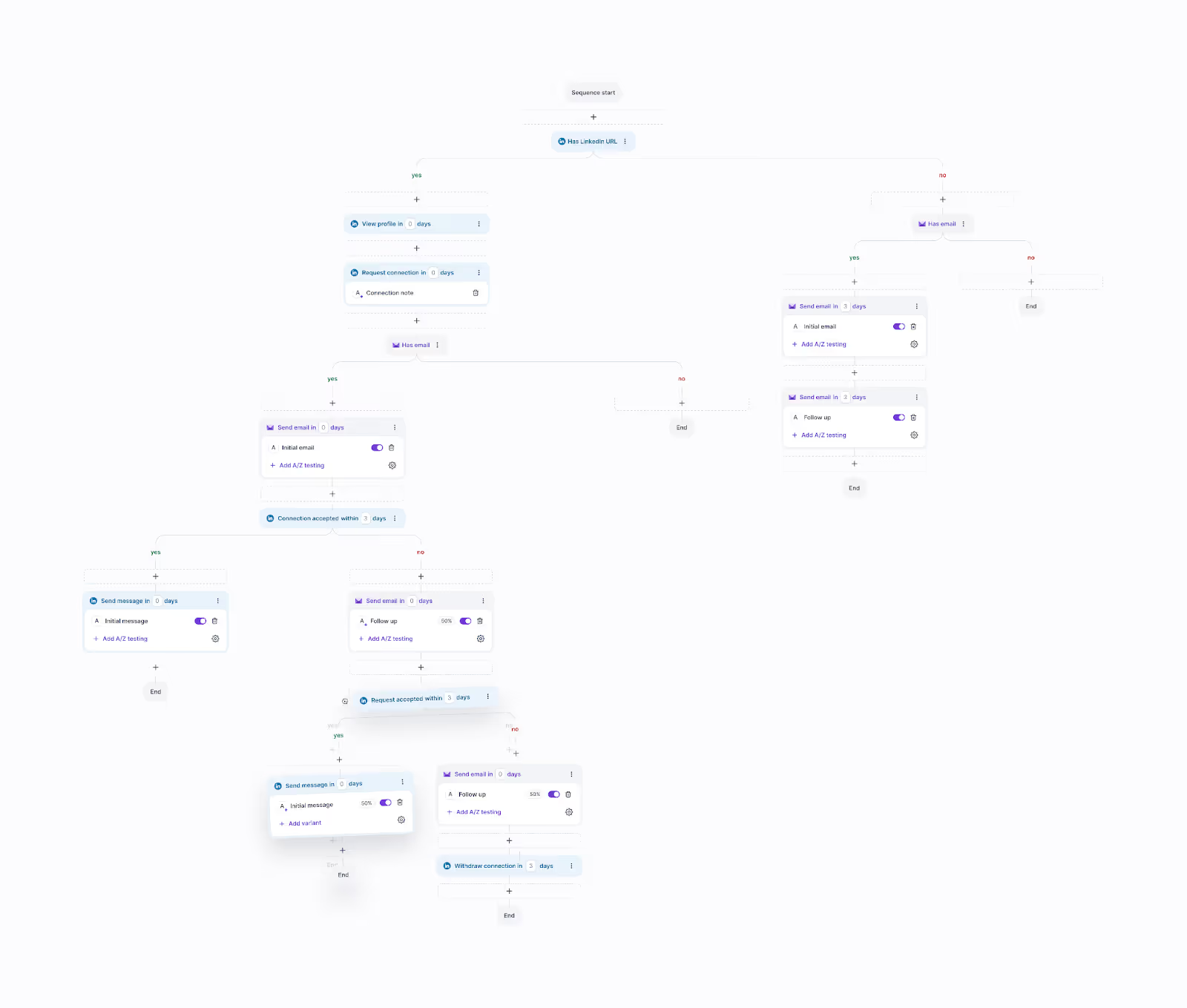
This image shows the Running Multi-channel campaign in Salesforge
You can add unlimited mailboxes and senders, manage all replies in one inbox, and let an AI SDR run outreach for you.
It’s built to scale fast, keep you out of spam, and reduce busywork.
Key Features of Salesforge
You can run LinkedIn and email outreach together in one simple dashboard.
You can connect unlimited mailboxes and senders without paying per seat.
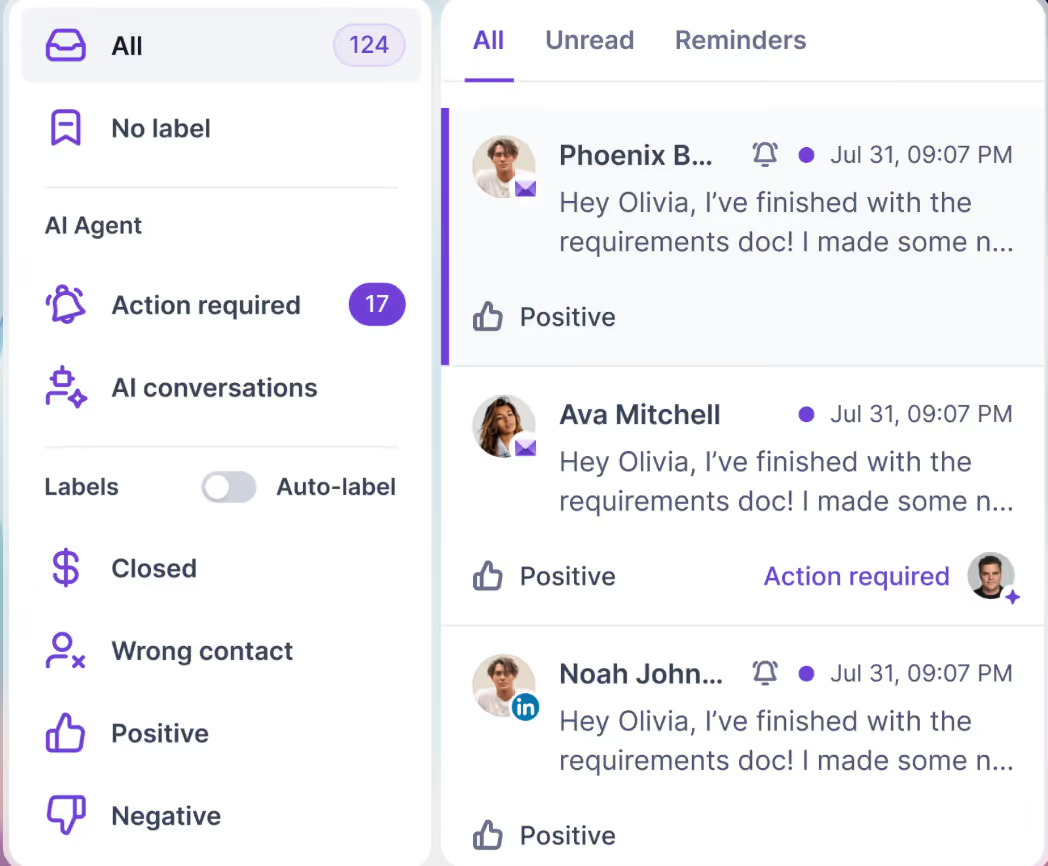
You can see every reply in one place with Primebox™ (even if someone replies from a different address).
This image shows the Salesforge Primebox™ to manage all replies across LinkedIn and Email
You get free, unlimited warm-up with Warmforge to protect deliverability.
You can hire Agent Frank, an AI SDR that finds leads, writes messages, and books meetings.
You can write outreach in 20+ languages for global campaigns.
You can connect with CRMs, workflow tools, and Forge products like Leadsforge, Primeforge, and Mailforge.
Pros & Cons of Salesforge
Pros
Lets you send unlimited emails and LinkedIn messages without user limits.
Keeps emails out of spam with built-in warm-up and deliverability tools.
Saves time with an AI SDR that handles outreach and booking for you.
Combines all replies in one inbox for easy tracking.
Works great for international teams sending messages in multiple languages.
Cons
Agent Frank is an add-on and costs extra.
Might feel too advanced for very small teams with simple outreach needs.
Salesforge Pricing
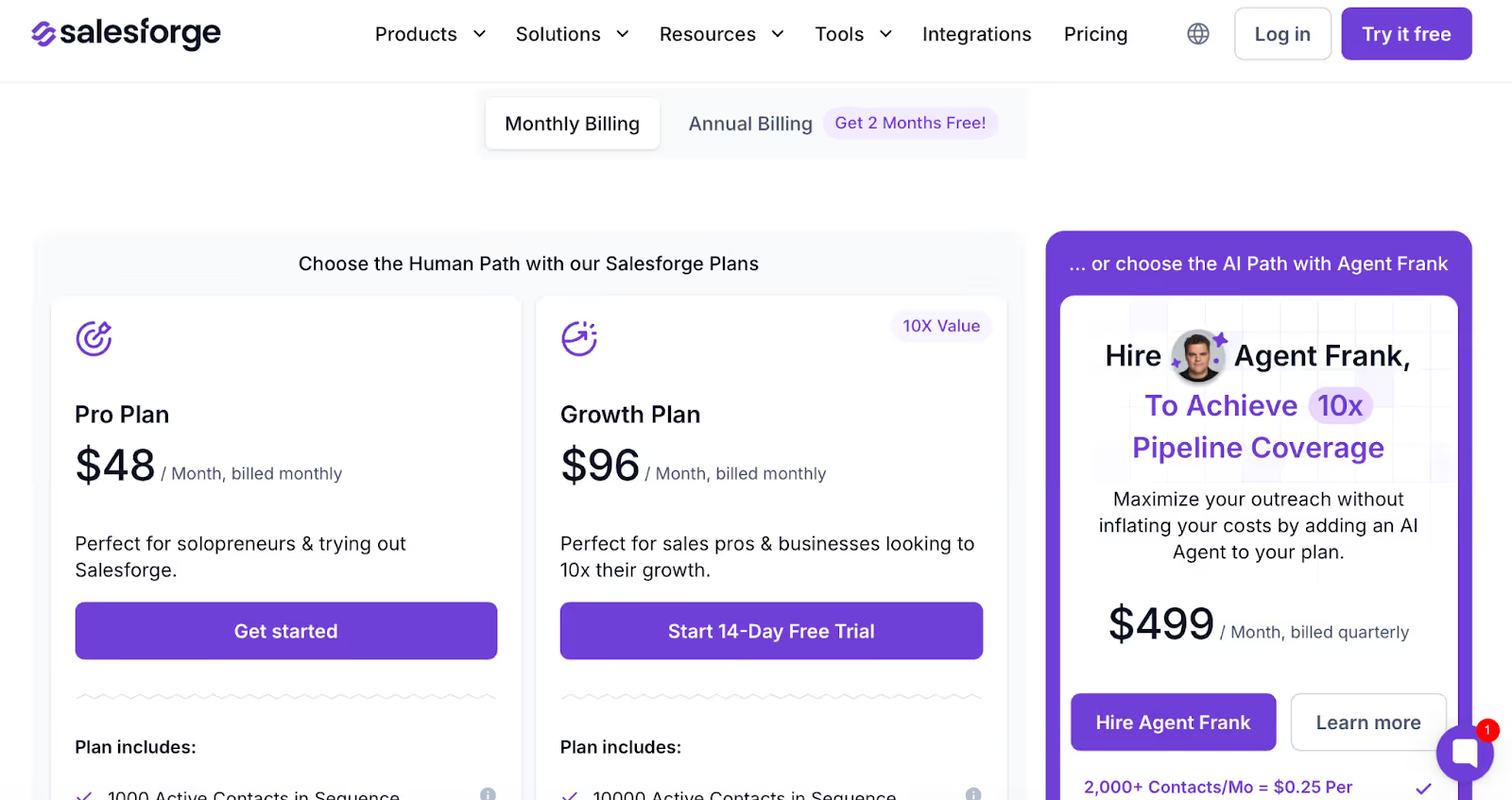
This image shows the Salesforge Pricing
Pro Plan – $48/month → Good for solo users. Includes 5K emails, 1K contacts, unlimited mailboxes and warm-up, Primebox™, and live chat support.
Growth Plan – $96/month → Best for teams. Includes 50K emails, 10K contacts, unlimited users, LinkedIn senders, A/B testing, onboarding, and API access.
Agent Frank Add-On – $499/month (billed quarterly) → Adds the AI SDR for 24/7 outreach, 500M+ contacts, and 20+ language support.
It is best forB2B teams, agencies, and startups that want safe LinkedIn message automation with email in the same place, without worrying about spam or sending limits.
Salesforge helps you send smarter, scale faster, and keep your entire outreach workflow in one clean, simple platform.
2. Salesrobot: Safe LinkedIn Message Automation with Campaign & Team Controls
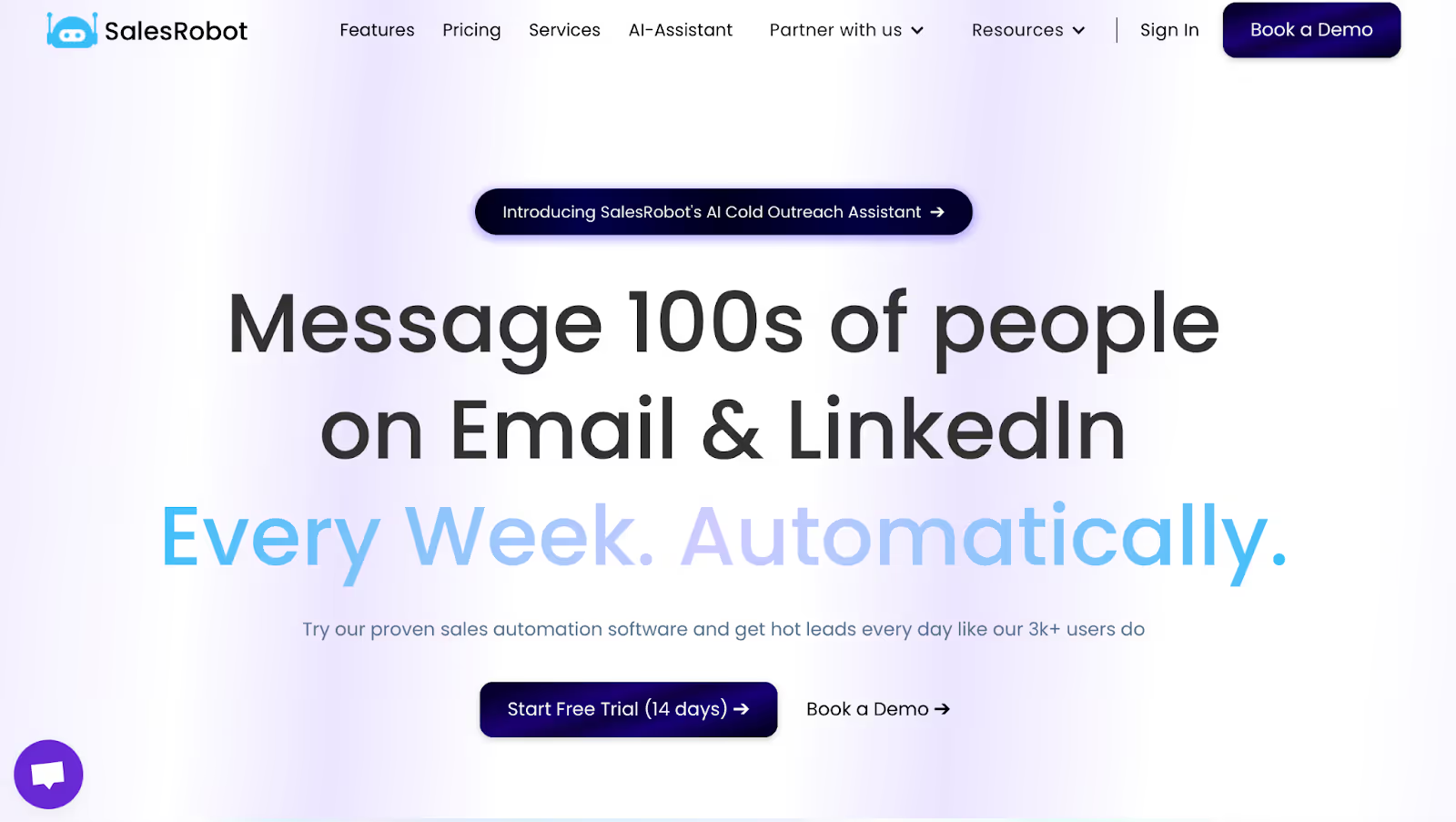
This image shows the Salesrobot Homepage
Salesrobot lets you automate LinkedIn messages without hopping tools.
You start fast on the 14-day free trial and add accounts as you grow.
Keep daily actions in check, run more campaigns, and track results in a clean dashboard.
Add email automation only if you need it.
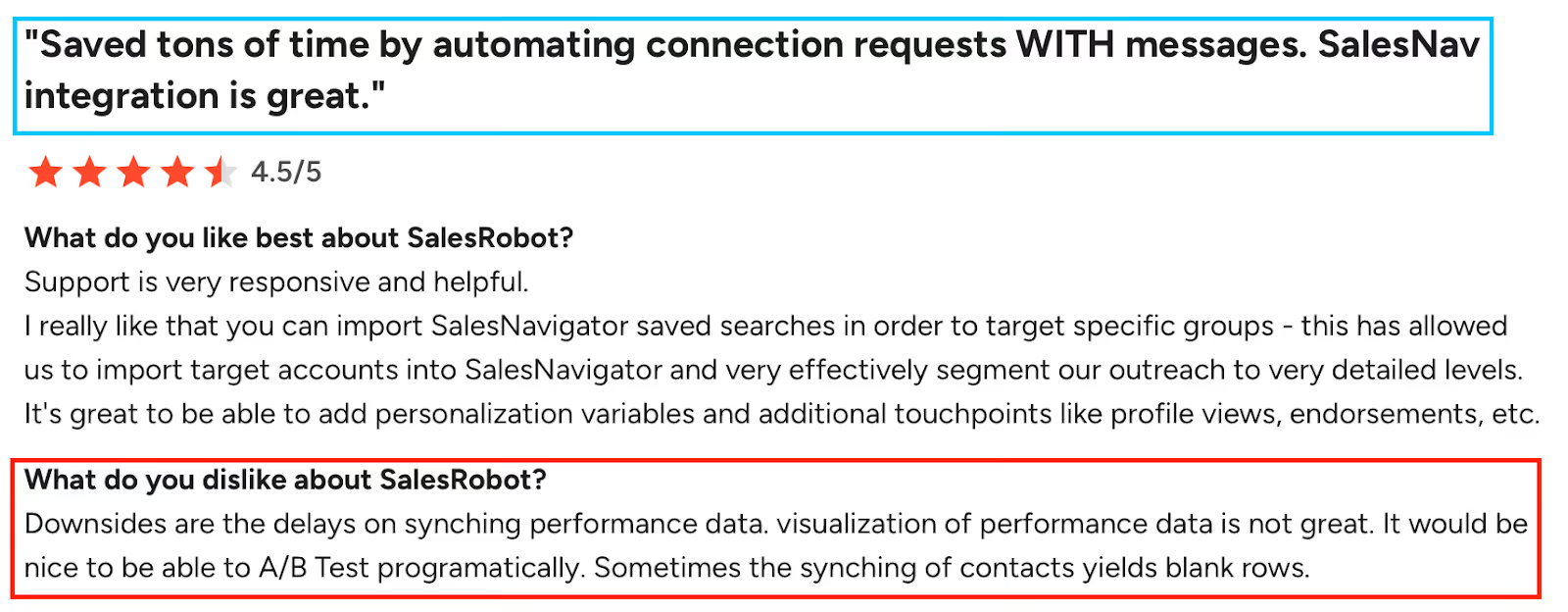
This image shows the SalesRobot cons - delayed sync, poor performance visuals, no A/B testing, blank contact rows.
Pros:
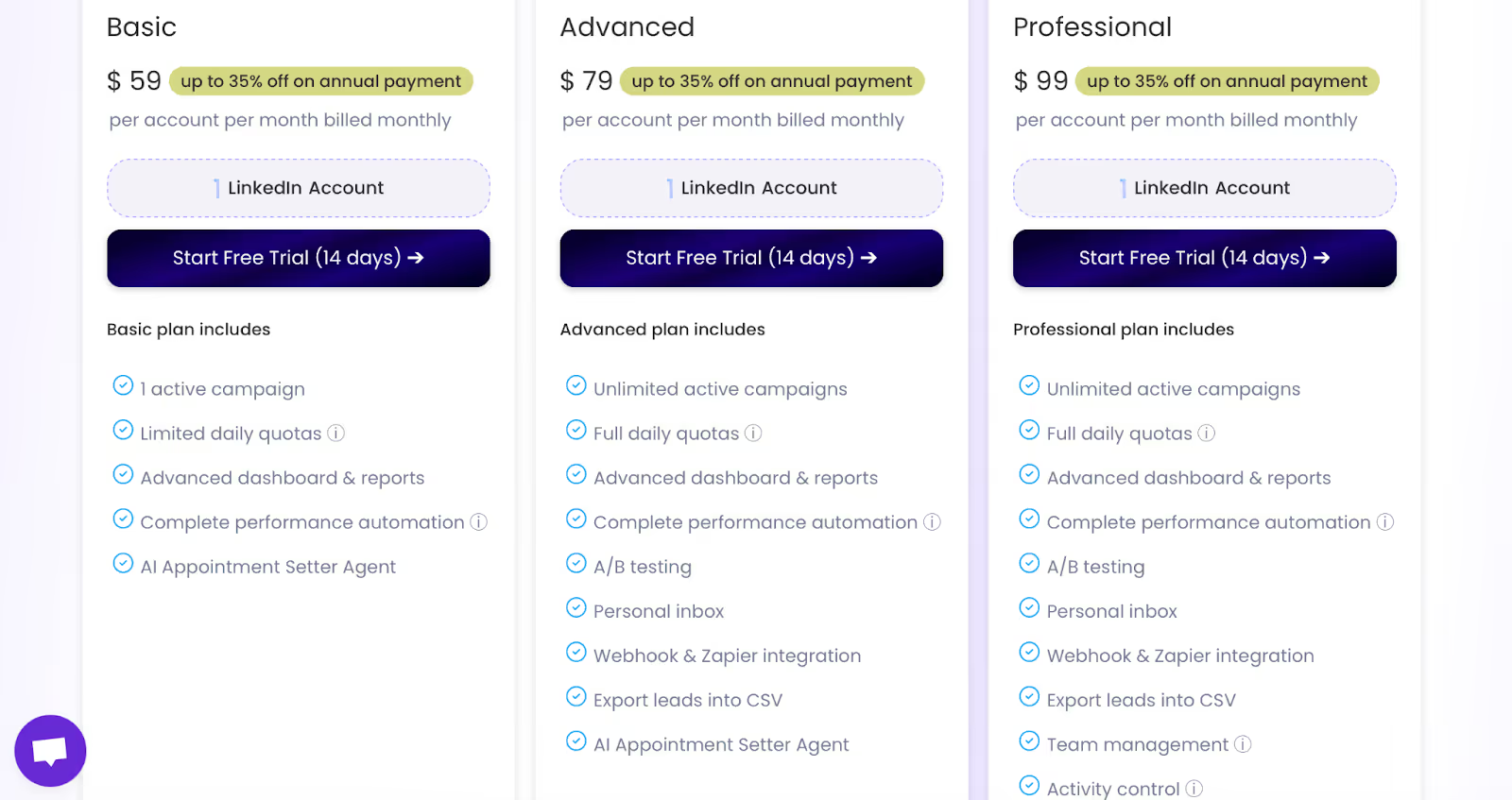
Unlimited campaigns when you need volume.
Full daily quotas to scale within safe limits.
Personal Inbox to keep LinkedIn replies organized.
A/B testing for quick message experiments.
Zapier/Webhook + CSV export for clean handoffs.
Team Management & Activity Control for oversight.
Sales Navigator import for targeted lists.
Email add-on to pair LinkedIn with email when required.
Cons:
Performance data sync delays and basic charts reported by users.
Occasional blank rows when syncing contacts.
No programmatic A/B testing as requested by users.
Learning curve; misuse can risk your LinkedIn account.
Credits: 225 free credits (~75 emails found); 3,000 credits = $43/month; up to 35% off annually.
It is best for teams that want safe LinkedIn message automation with campaign scale, daily quota control, A/B testing, and team oversight, and solo users who want a simple start.
Linked Helper helps you safely send connection invites, follow-ups, and InMails, without doing everything manually.
You can also message group members, event attendees, and even manage replies with a built-in Linked Helper CRM.
Pros
Stops follow-ups automatically when someone replies.
Lets you reach group members and event attendees.
Includes InMail support, even to open profiles.
Built-in CRM keeps things organized without needing extra tools.
Good control with filters and targeting options.
Cons
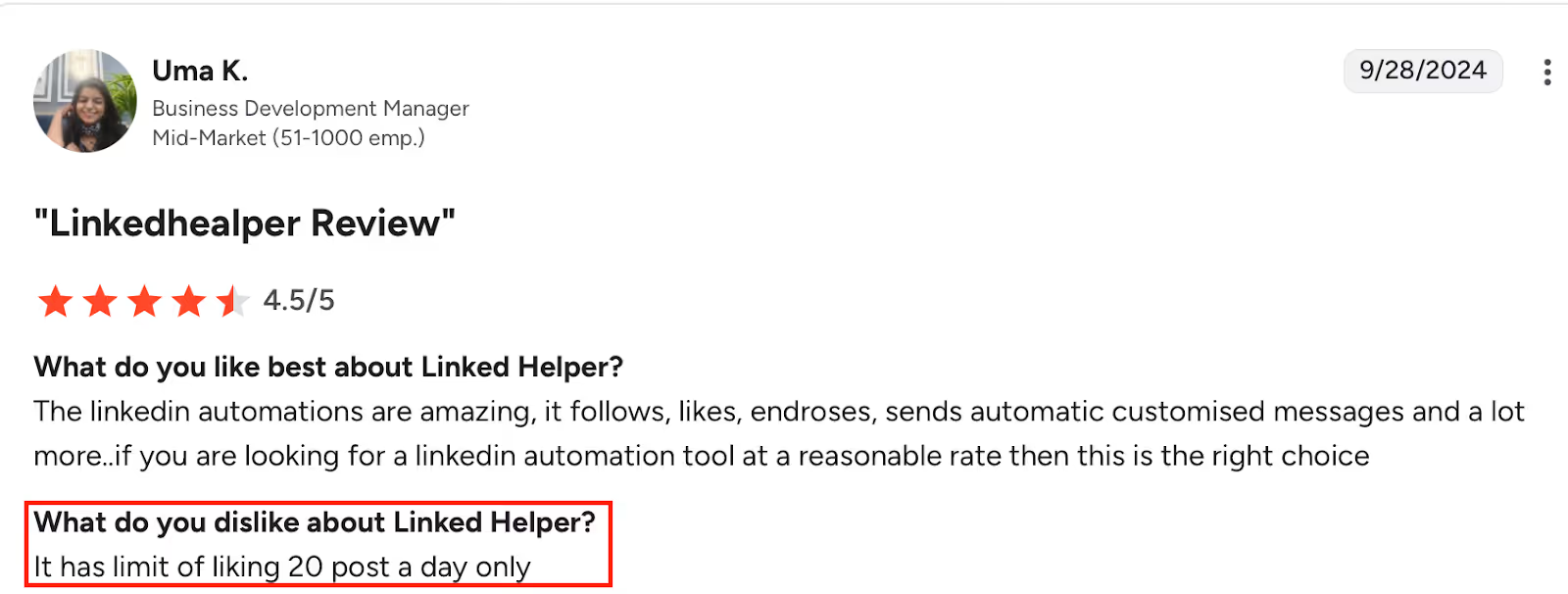
This image shows the Linked Helper review on limited to liking only 20 posts per day.
Not cloud-based, runs locally on your machine.
Campaigns can break due to small glitches.
Daily engagement limits like 20 post likes.
Linked Helper Pricing
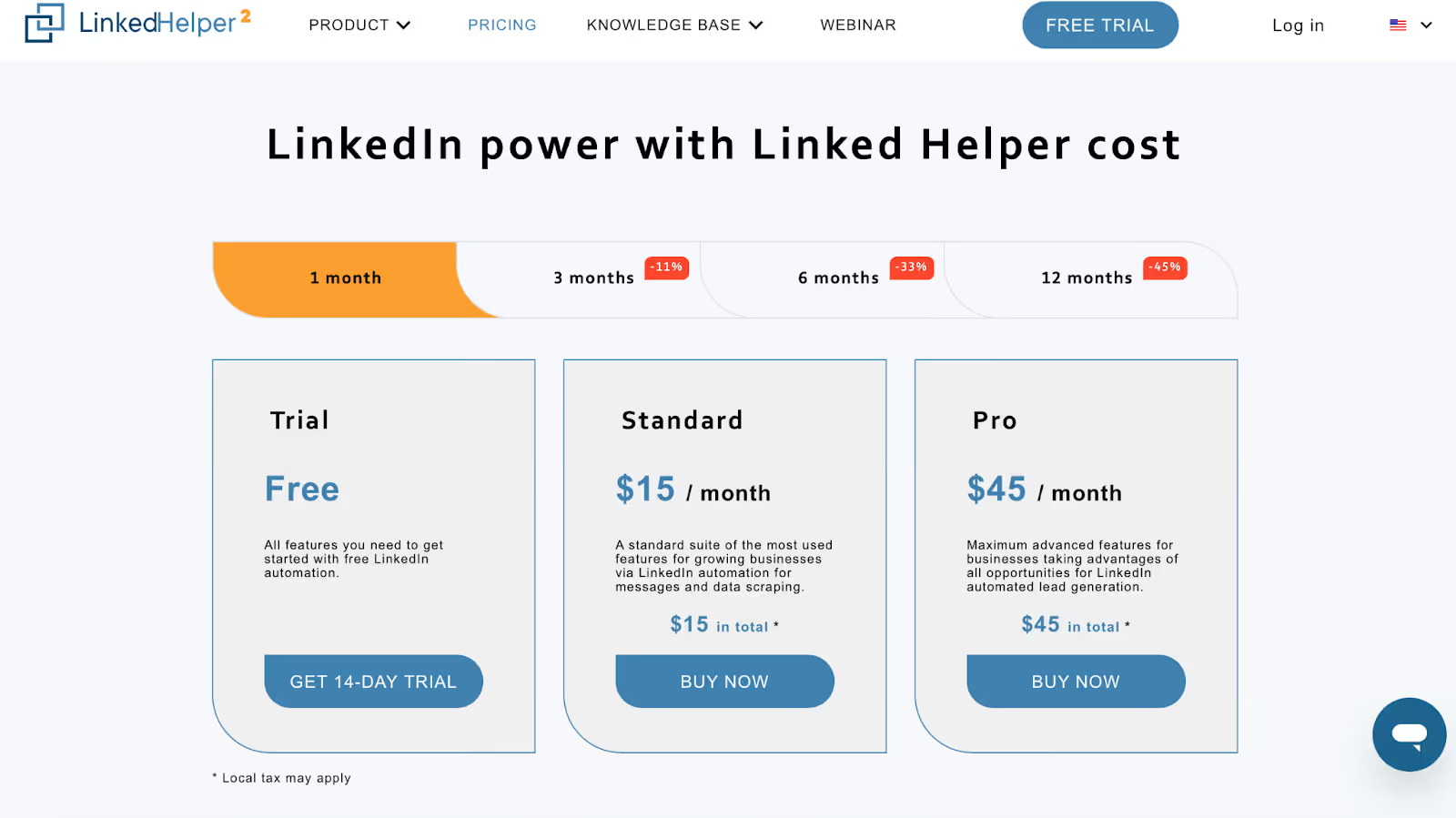
This image shows the Linked Helper pricing
Free Trial — 14 days: All core features to test things out.
Standard — $15/month: Includes most basic outreach actions, plus group/event messaging (20/day).
Pro — $45/month: Unlocks full access including unlimited group/event messages, more automation features, and advanced control. Note: Local tax may apply.
It is best for solo founders or small teams that want safe LinkedIn message automation with built-in lead tracking, basic CRM, and options to reach groups and events without breaking the bank.
5. Dripify: Best for LinkedIn + Email Outreach with Smart Drip Campaigns
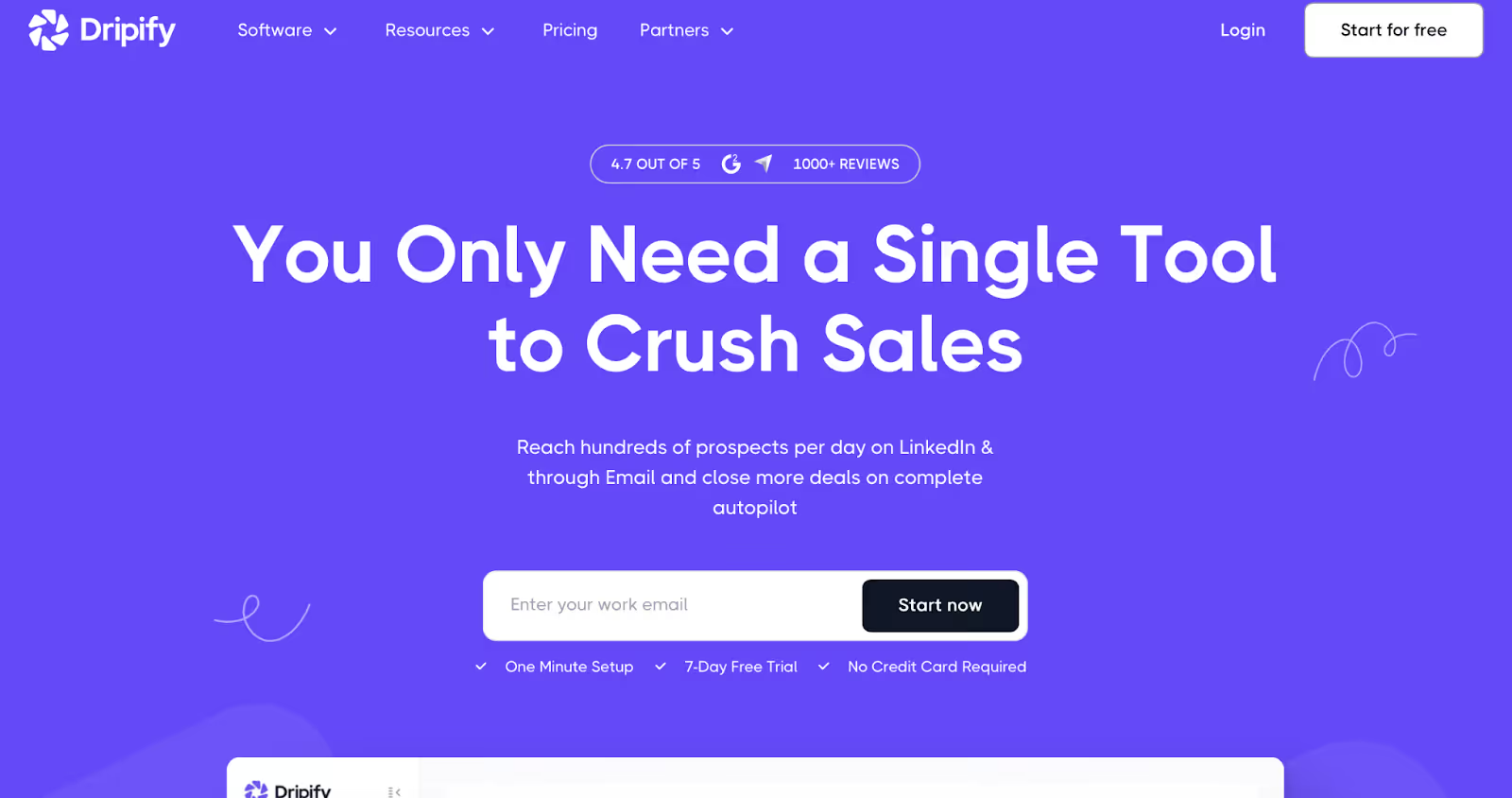
This image shows the Dripify Homepage
Dripify is perfect if you want to run LinkedIn and email campaigns in sync, on autopilot.
You can build smart sequences, personalize messages, and even reply to leads without leaving the platform.
Pros
Easy to build multi-step drip sequences for LinkedIn and email.
Works in the background while you focus on other stuff.
Clean and modern dashboard, no learning curve.
Smart personalization boosts response rates.
Great for solo users and teams alike.
Cons
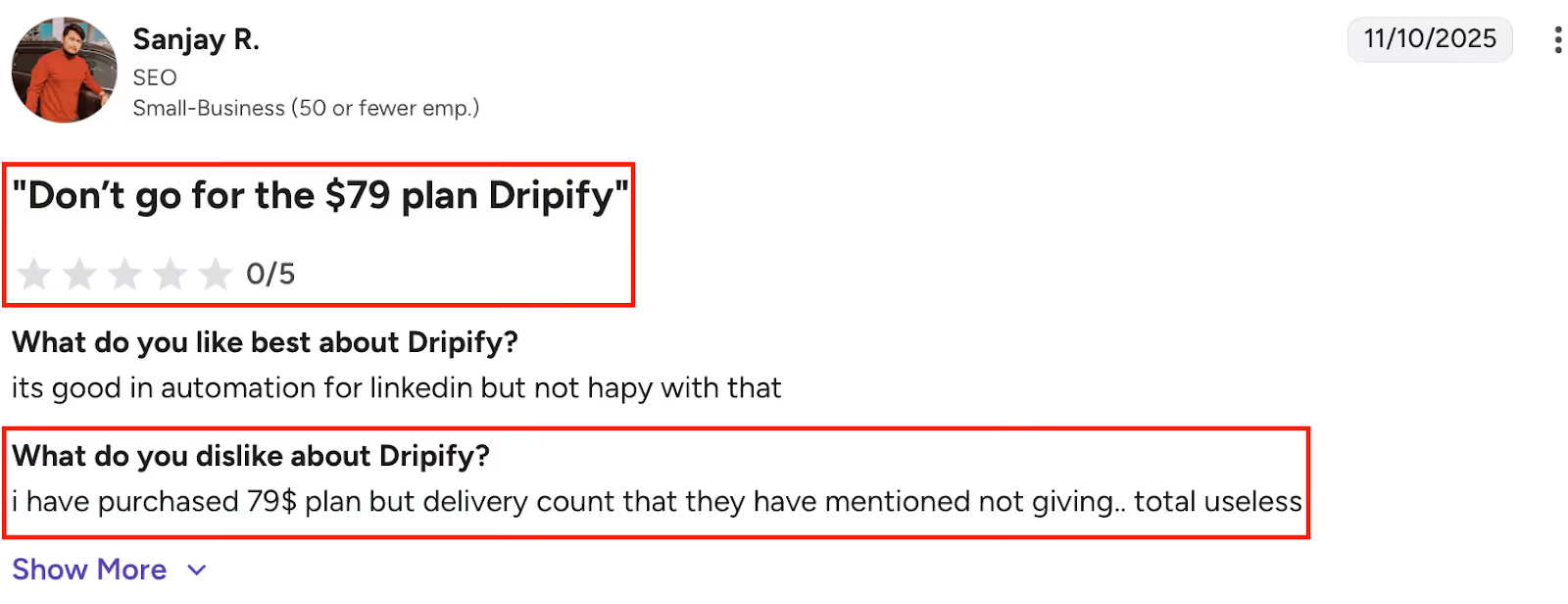
This image shows the Dripify review $79 plan didn’t deliver promised features; found it useless.
No native Salesforce integration (needs Zapier workaround).
Limited control over LinkedIn Sales Nav imports.
Credits and usage can be confusing for new users.
Can be pricey at higher tiers for small teams.
Shared contact lists between team members not fully available.
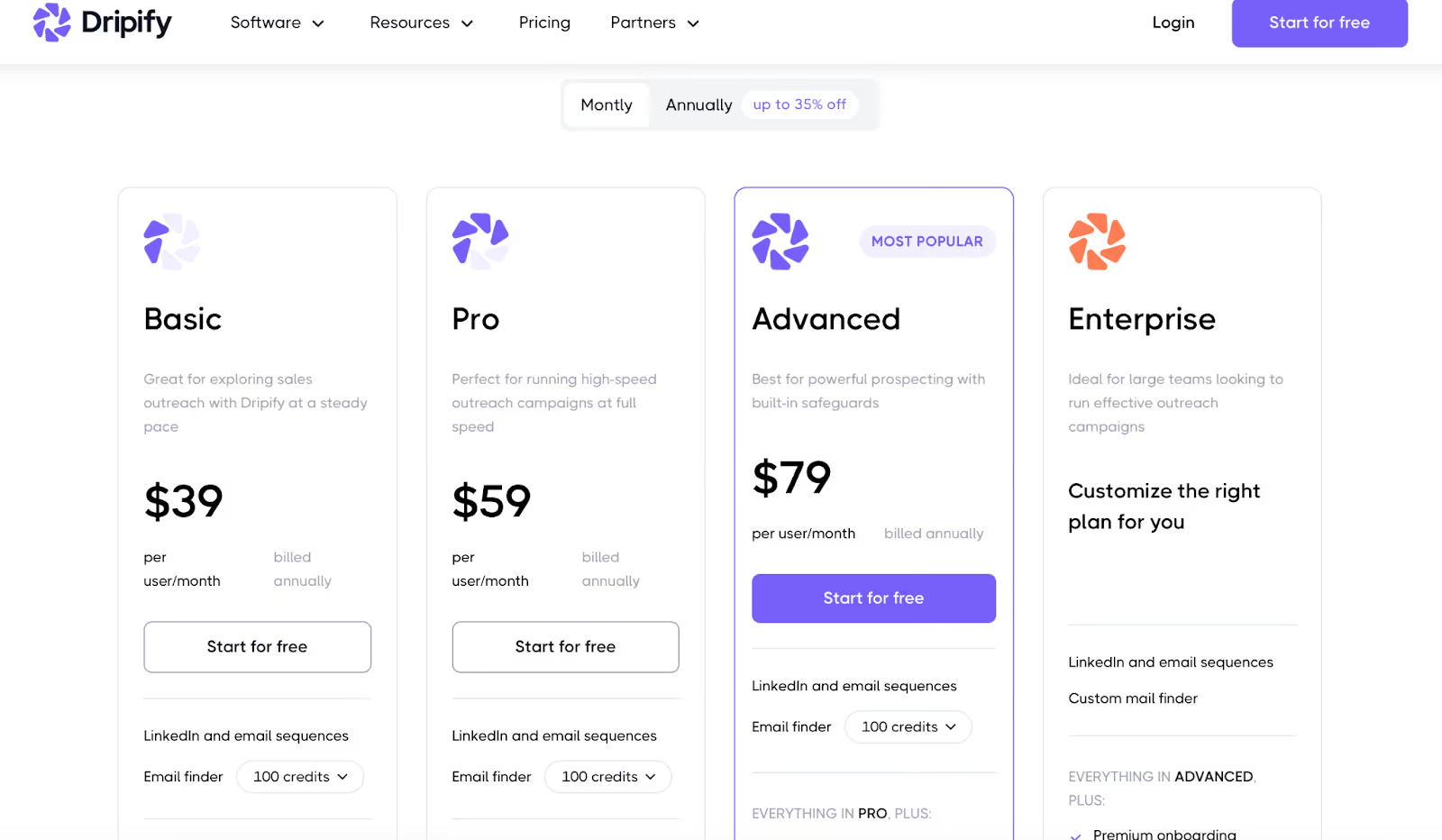
Pro – $59/user/month → Unlimited drip campaigns, full quotas, inbox, webhook, CSV export.
Advanced – $79/user/month → Adds team management and stronger LinkedIn protection.
Enterprise – Custom → For large teams with premium onboarding and a dedicated success manager.
It is best for founders, SDRs, and teams who want to run smart LinkedIn and email sequences in one tool, without needing a tech expert to set things up.
6. Dux-Soup: Best Chrome-Based LinkedIn Automation Tool with Deep Campaign Control
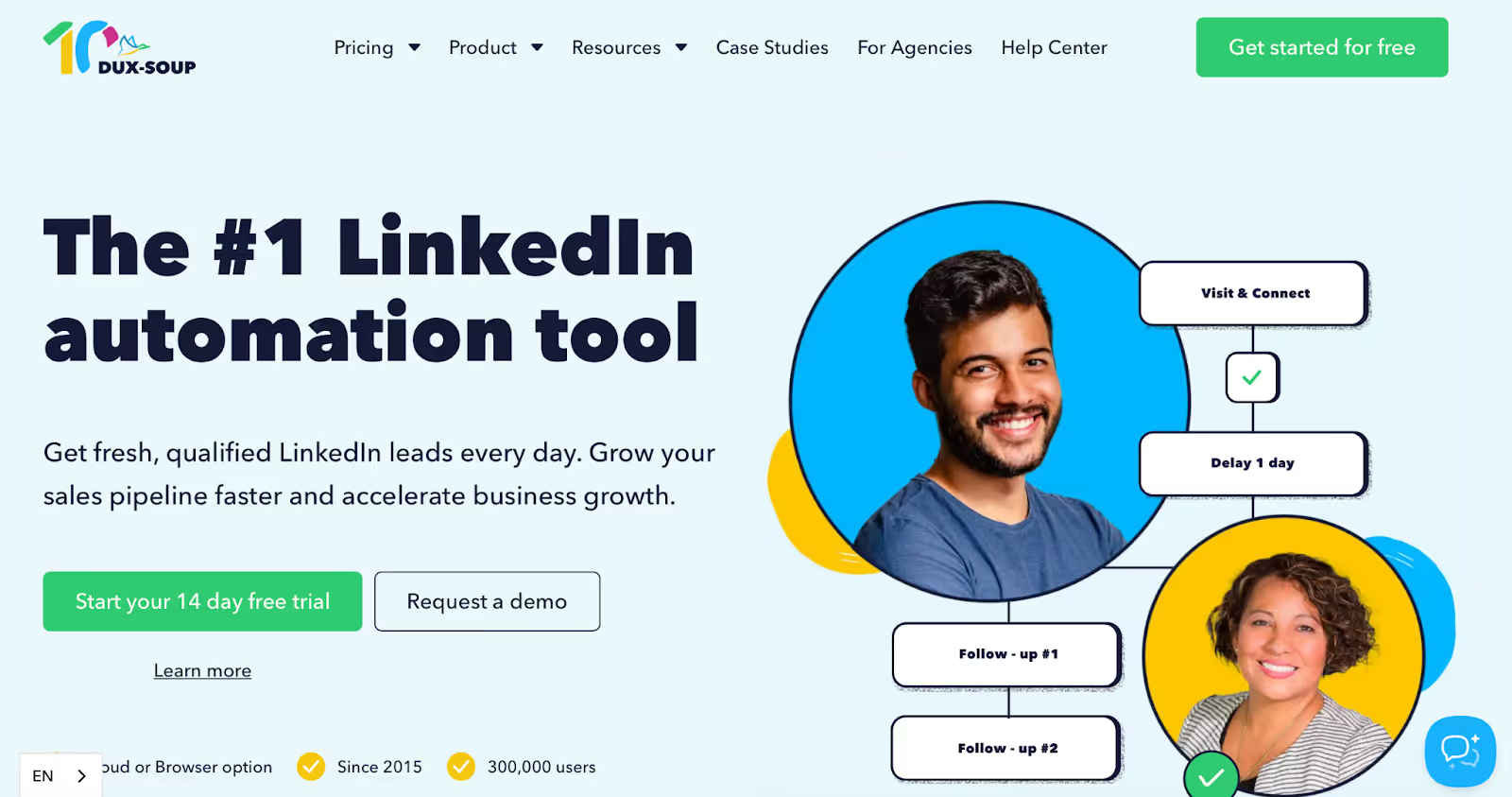
This image shows the Dux-Soup Homepage
Dux-Soup is a powerful LinkedIn automation tool that runs as a Chrome extension.
It’s ideal if you want fine-grained control over drip campaigns, safety limits, and team collaboration, right from your browser.
Pros
Extremely flexible campaign builder with 12+ LinkedIn actions.
“Always-on” cloud version available, no need to keep your laptop open.
Team and agency versions available with collaborative targeting.
Integrates with HubSpot (via webhook/API) and other CRMs.
Extensive learning content (webinars, blog, YouTube) for beginners.
Cons
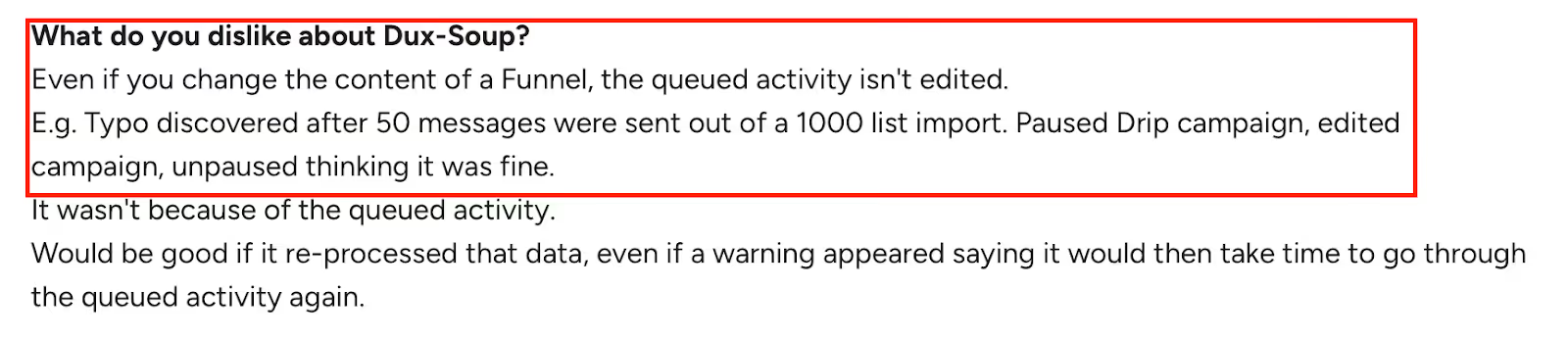
This image shows the Dux-Soup issue on queued activities don’t update after edits, causing outdated messages to send.
Chrome extension model means local setup unless you pay for Cloud.
Campaign edits can’t be applied retroactively to queued activities.
UX can feel clunky at first, beginner training is recommended.
HubSpot integration lacks depth unless you're a technical user.
Some users report billing confusion with seats and account slots.
Dux-Soup Pricing
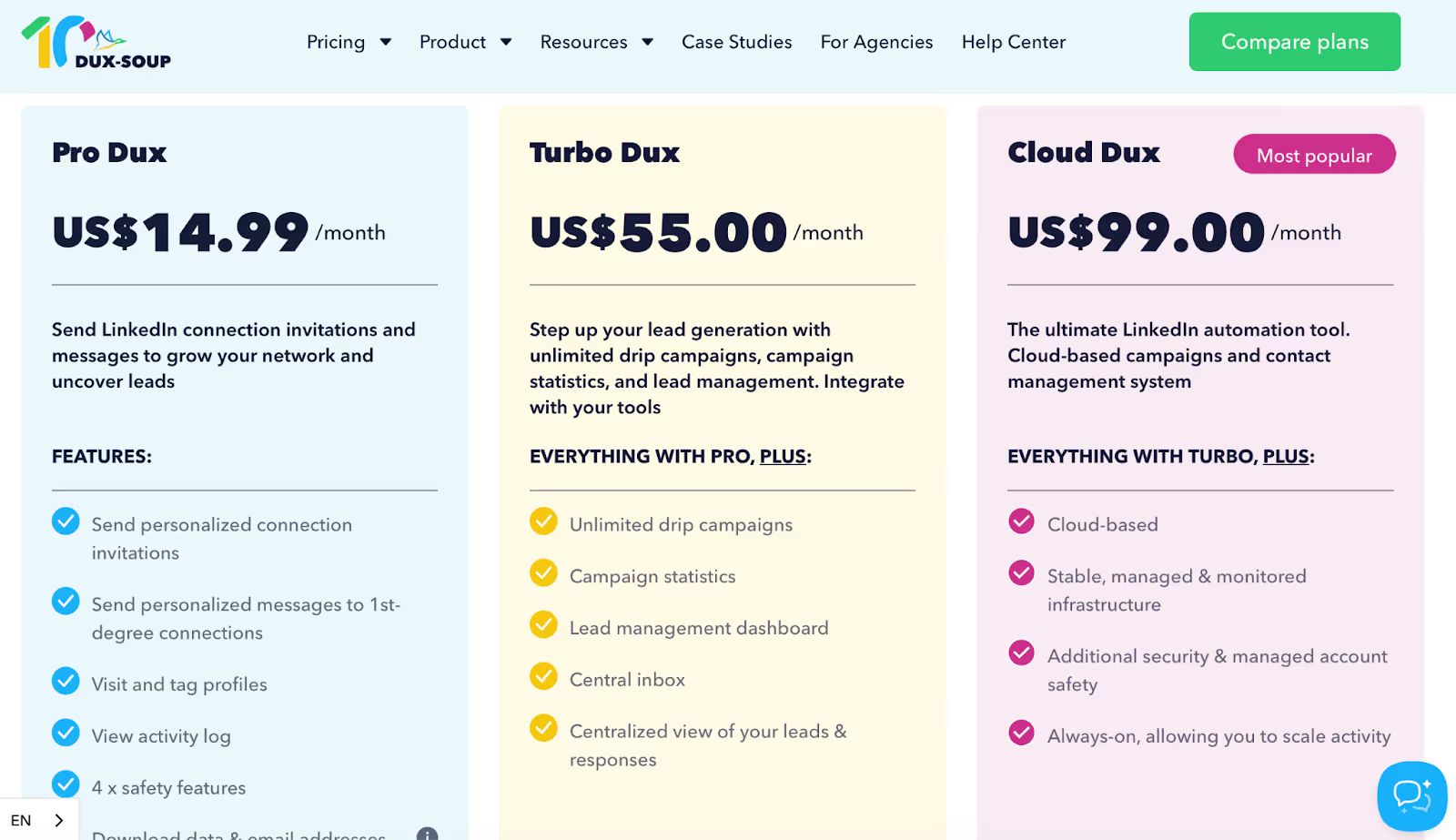
This image shows the Dux Soup Pricing for individuals
For Individuals:
Pro Dux – $14.99/month → Basic LinkedIn automation (connect, message, visit, tag).
Turbo Dux – $55/month → Adds drip campaigns, stats, lead management, and inbox.
Cloud Dux – $99/month → All of Turbo plus cloud-based automation and extra security.
For Teams:
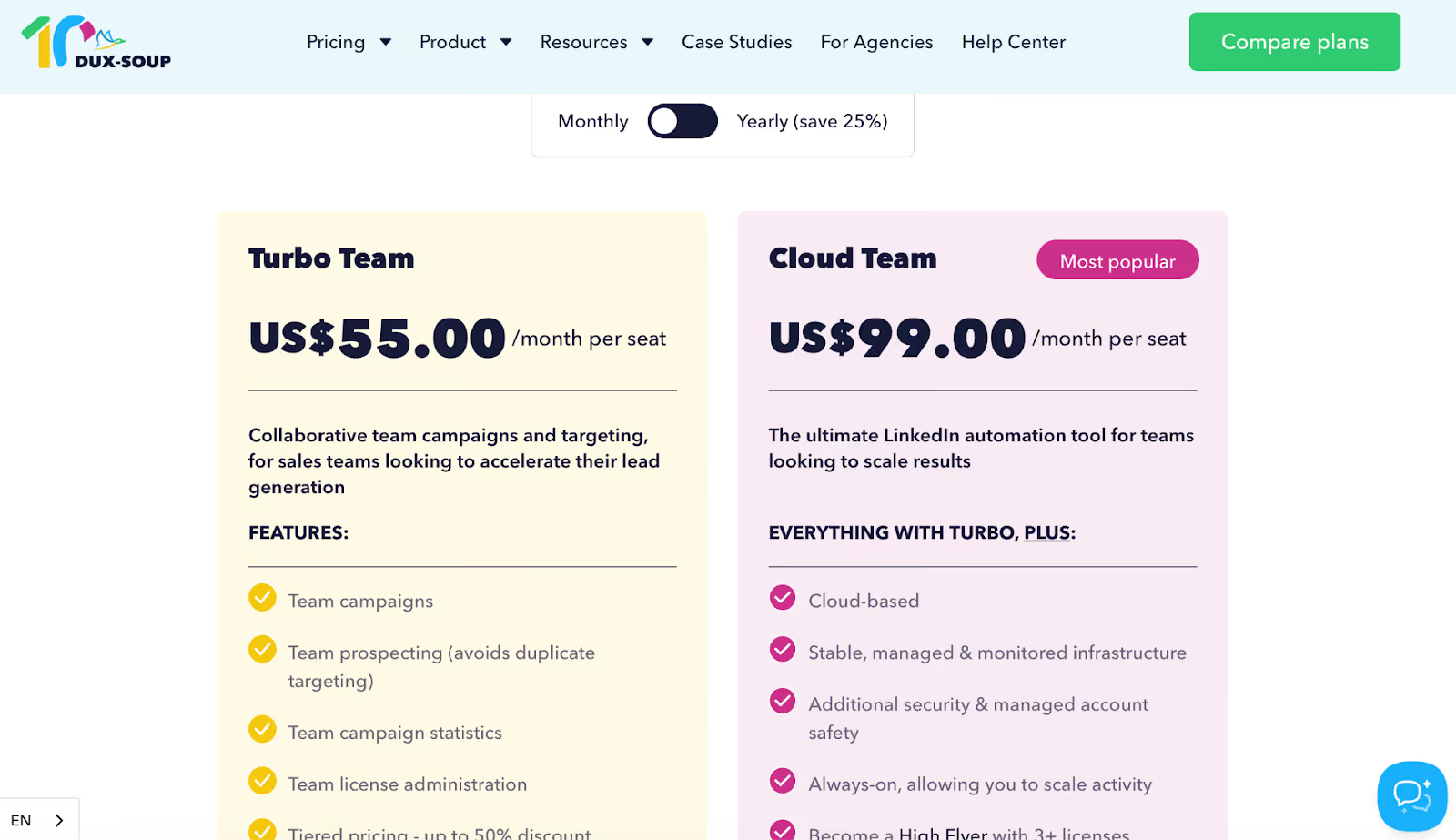
This image shows the Dux Soup Pricing for teams
Turbo Team – $55/seat/month → Share campaigns, avoid targeting overlap, track team stats.
Cloud Team – $99/seat/month → Adds cloud automation and security for scale.
For Agencies:
This image shows the Dux Soup Pricing for Agencies
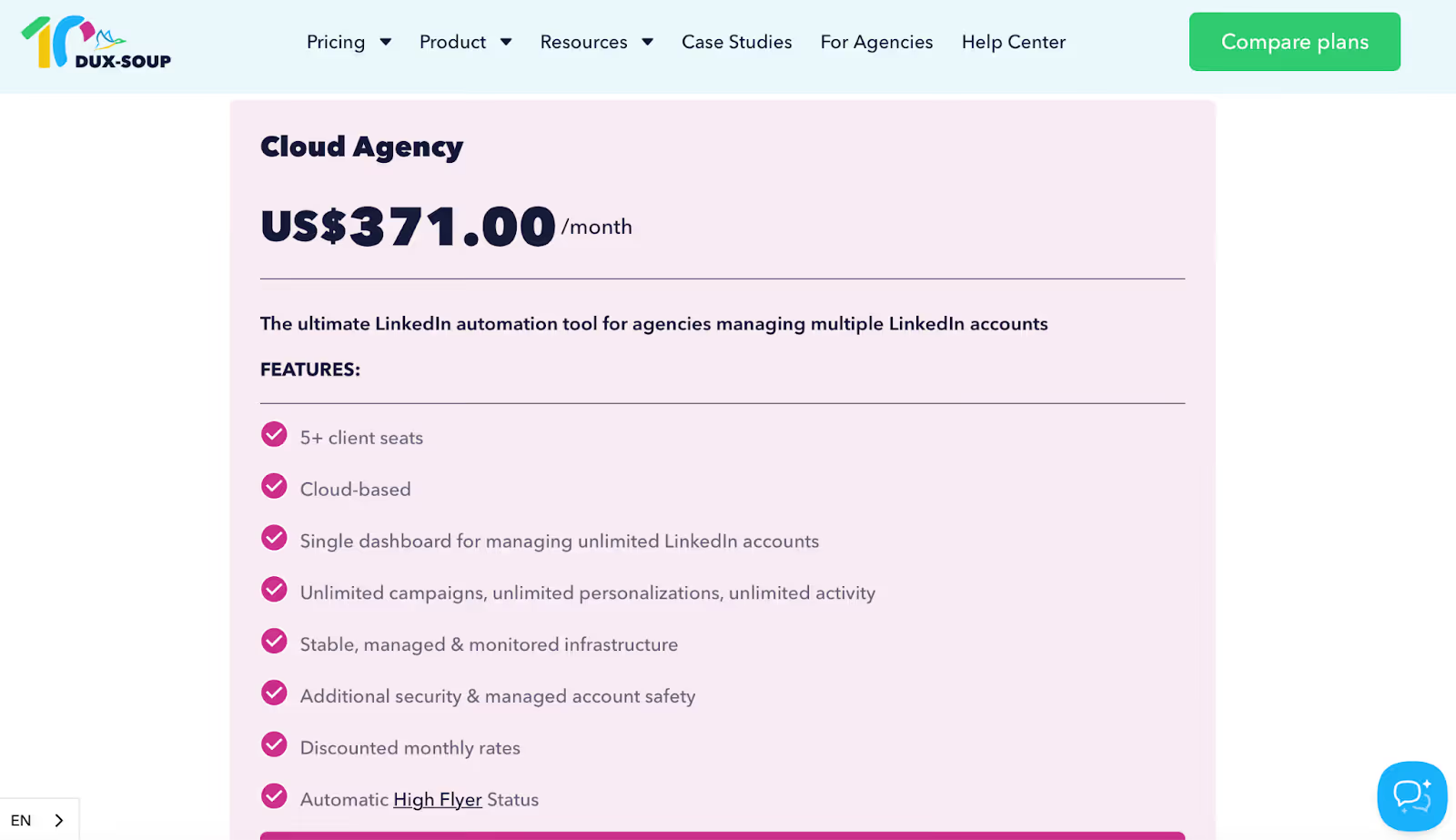
Cloud Agency – $371/month → Manage unlimited LinkedIn accounts from one dashboard.
It is best for sales teams, agency users, and power users who want granular control over LinkedIn drip sequences and don’t mind operating from a Chrome extension, or are ready to scale with cloud automation.
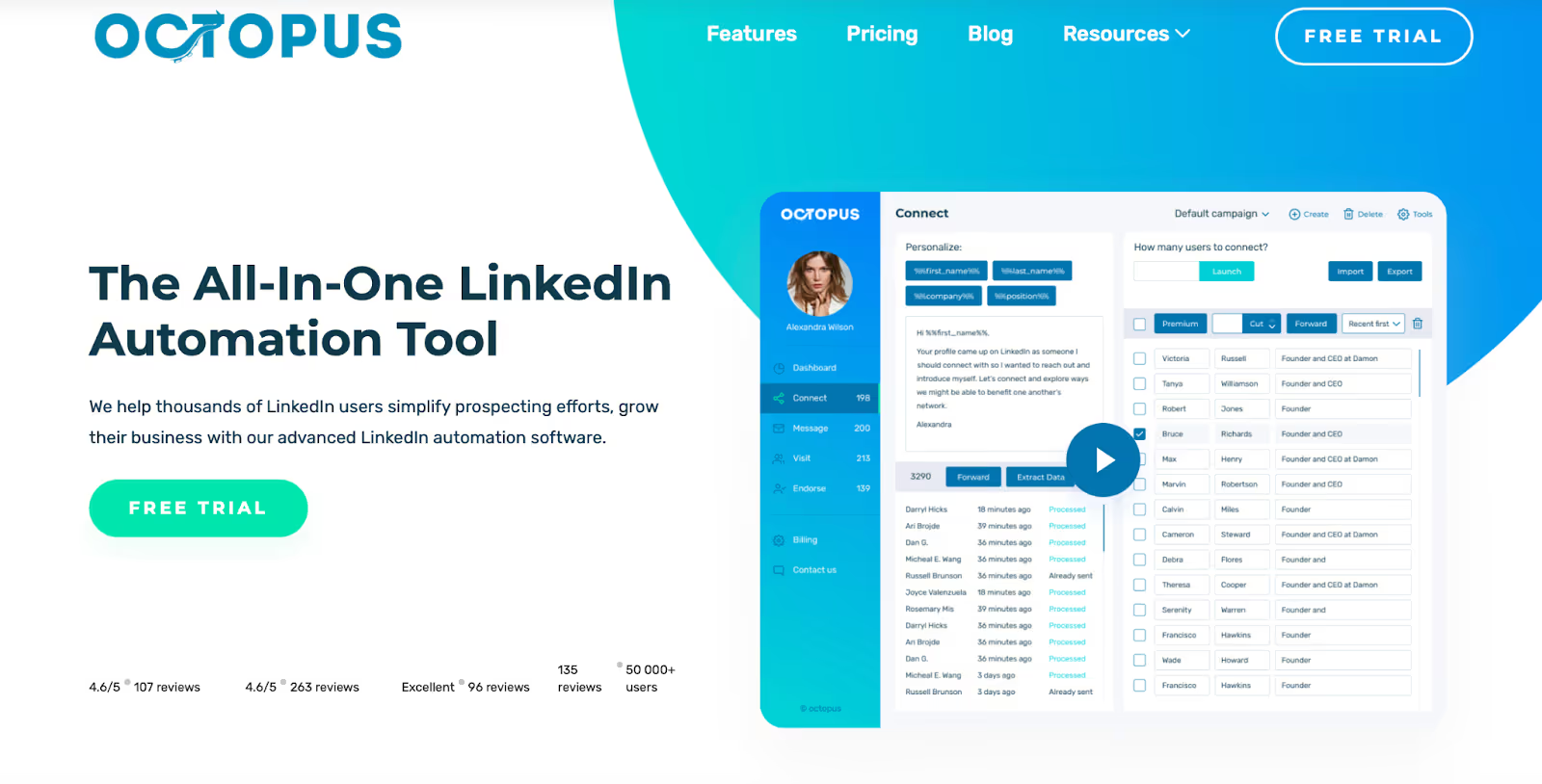
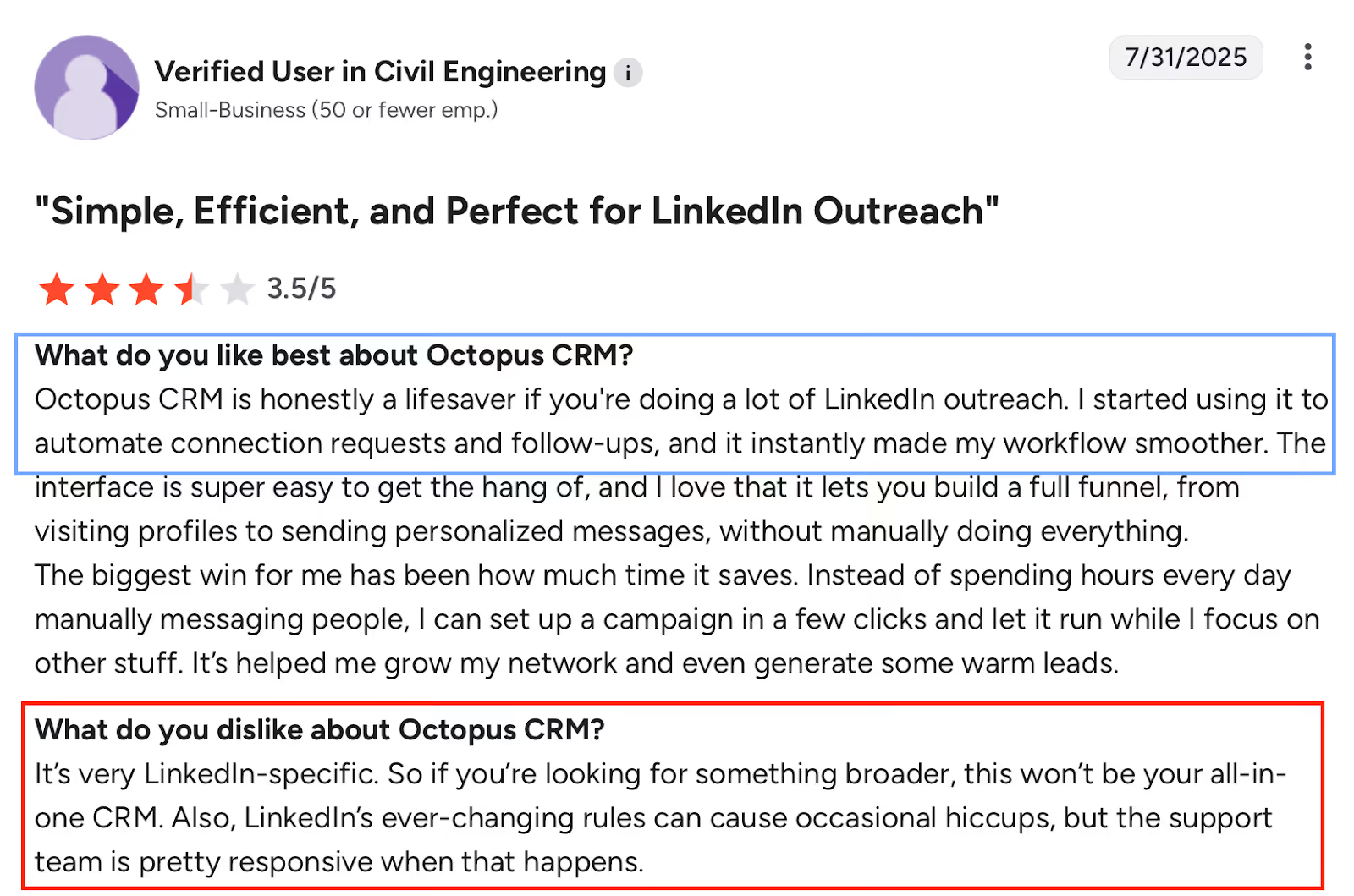
Octopus CRM is a LinkedIn-only automation tool built for users who want to automate basic outreach without complex workflows or technical setup.
It focuses on helping you send connection requests, follow-ups, and bulk messages, track responses, and manage leads inside a lightweight LinkedIn CRM.
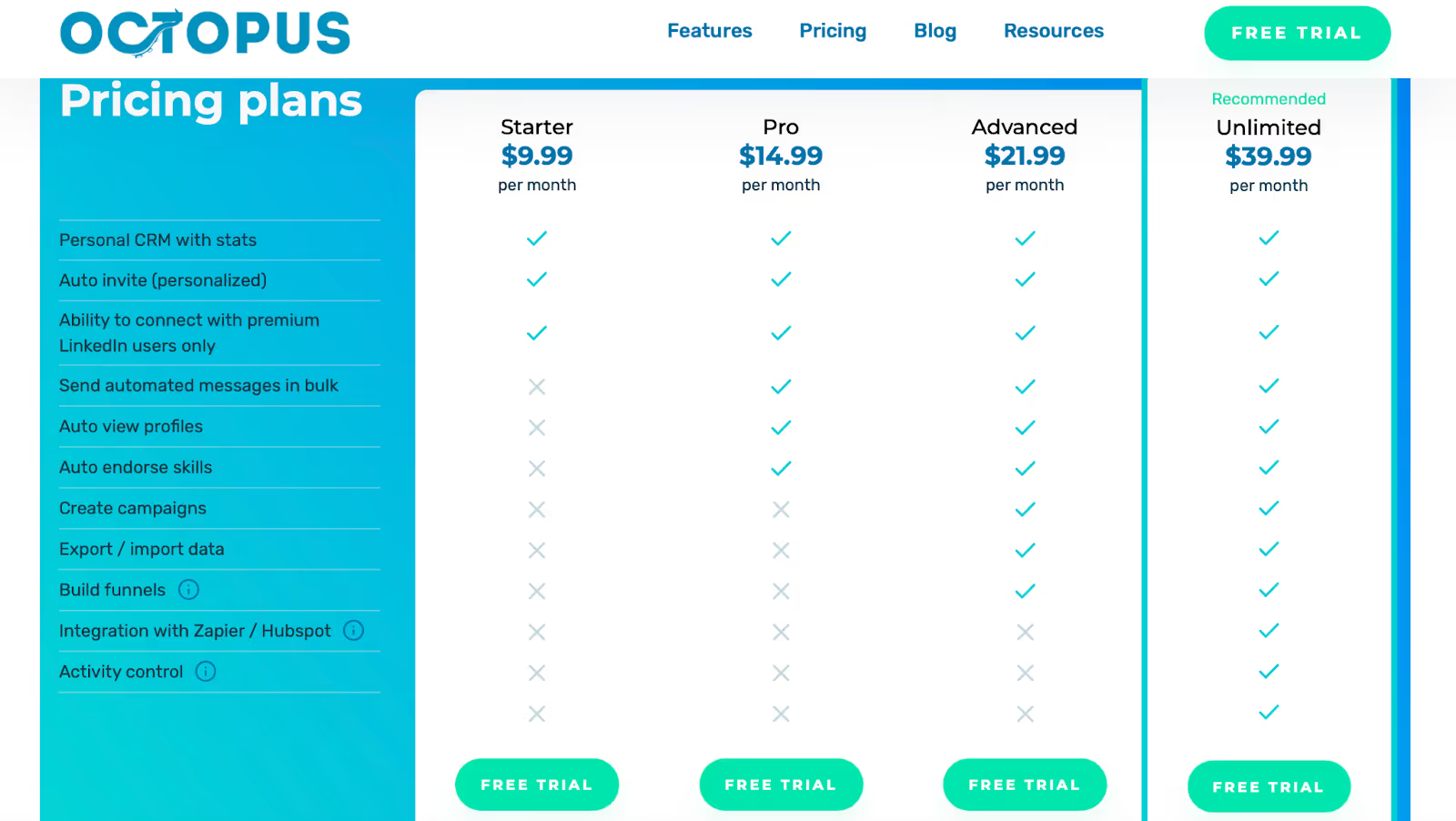
Unlimited – $24.99/month Full feature access, compatible with Premium, Sales Navigator & Recruiter
All plans include a 7-day free trial.
No credit card required. Cancel anytime.
8. We-Connect – Cloud-Based LinkedIn Automation for Safe Outreach & Team Use
We-Connect is a cloud-based LinkedIn message automation tool designed for users who want safe outreach, visual campaign building, and strong customer support.
Unlike browser-heavy tools, We-Connect focuses on account safety, smart campaign logic, and team collaboration, making it popular with consultants, sales teams, and agencies that want structure without heavy technical setup.
It supports LinkedIn-first automation, with optional email workflows for follow-ups, but remains primarily focused on LinkedIn engagement.
Pros of We-Connect
Very easy to set up with a logical, beginner-friendly interface
Visual smart-campaign builder makes automation easier to understand
Strong focus on LinkedIn safety and rule awareness
Agency – Custom (10+ seats) API access, custom integrations, dedicated success manager, team-wide training
Annual billing includes 2 months free.
All plans offer a 14-day free trial with no long-term commitment.
9. Zopto – Enterprise-Grade LinkedIn Automation with AI & Managed Support
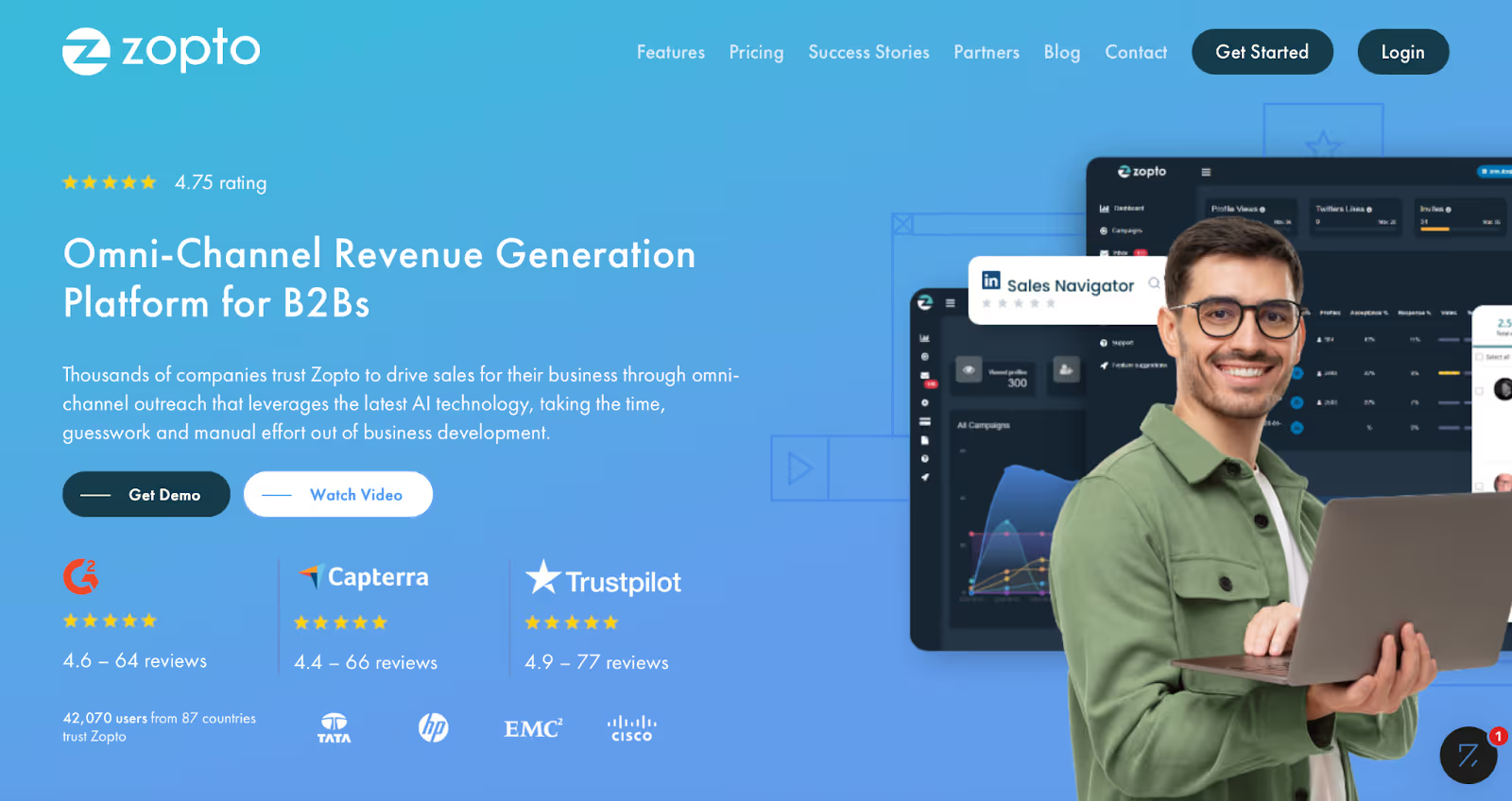
This image shows the Zopto Homepage
Zopto is a cloud-based LinkedIn automation platform built primarily for sales teams, agencies, and enterprise users who want to scale outreach with structured campaigns, AI assistance, and hands-on account management.
Unlike lightweight LinkedIn message tools, Zopto positions itself as a full outbound automation system, combining LinkedIn actions, email outreach, enrichment, AI-driven messaging, and CRM integrations, all backed by a customer success team.
It’s powerful, but it’s also more complex and significantly more expensive than most tools on this list.
Pros of Zopto
Very powerful automation capabilities beyond basic LinkedIn messaging
“Set it and forget it” campaign setup once configured correctly
Strong AI assistance for campaign creation and messaging
Supports LinkedIn + email in a single platform
Dedicated account managers frequently praised by many users
Good for long-term, consistent LinkedIn activity
Enterprise-friendly features: API access, CRM integrations, multi-user controls
Visual dashboard makes monitoring campaigns easier
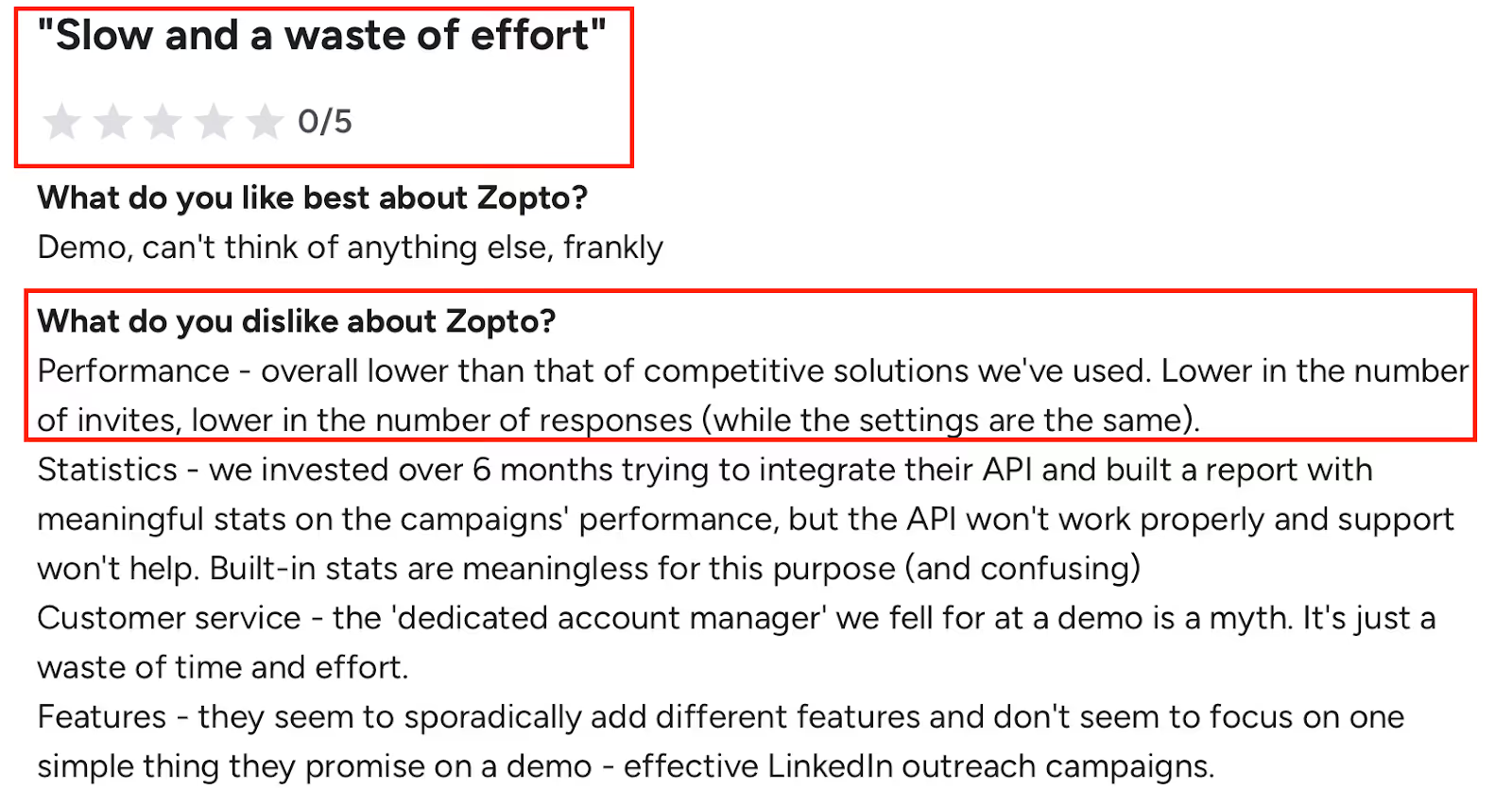
This image shows the Zopto G2 review criticizing slow performance and low outreach results
Cons of Zopto
Steep learning curve if you don’t know what you’re doing
Setup can feel overwhelming without guidance
Performance speed can feel slow by design
Some users report lower outreach volume vs competitors
Analytics and reporting can feel confusing or insufficient for advanced needs
API reliability has been criticized by some technical teams
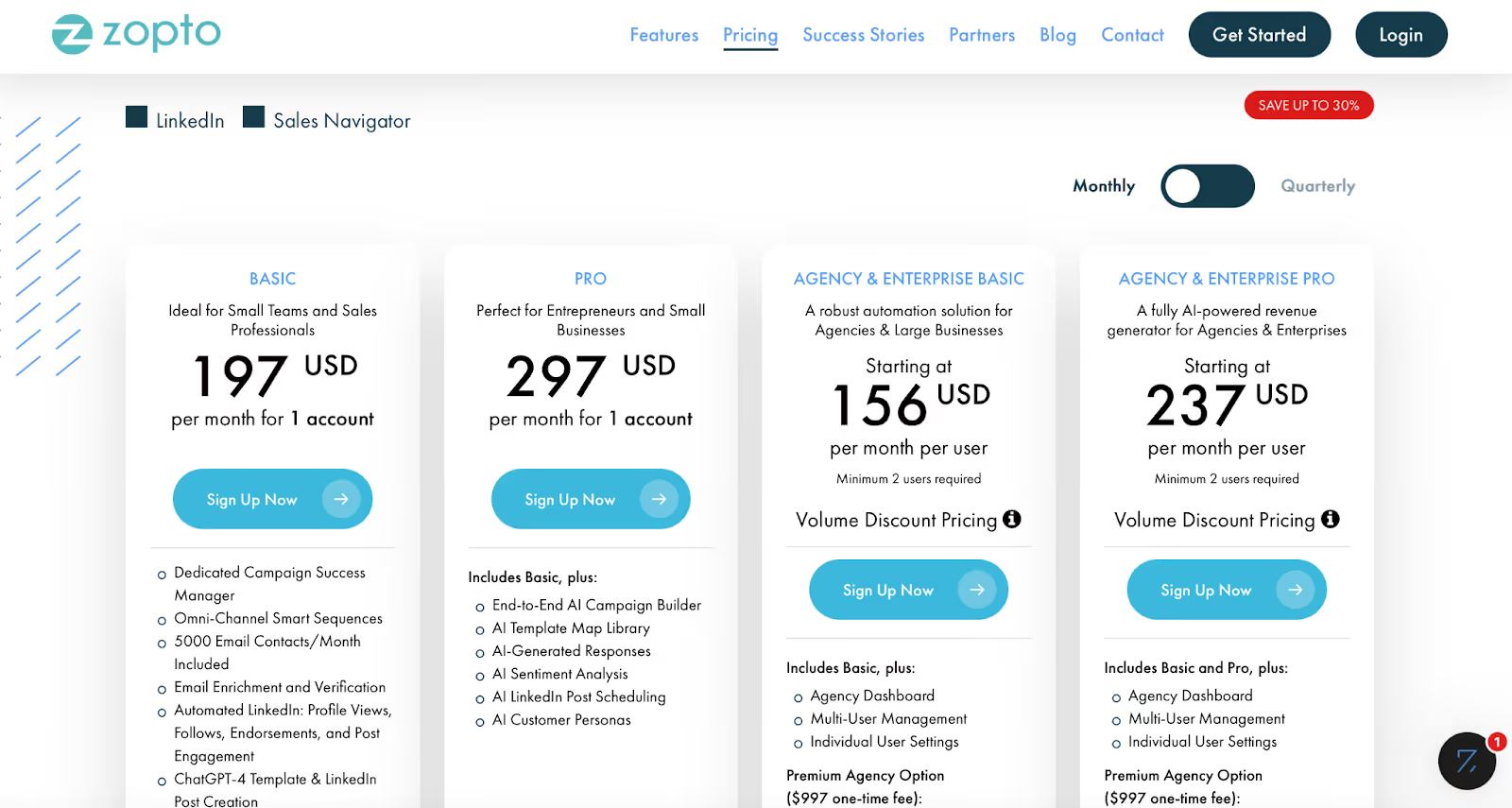
Pricing is high, especially for solo users or small teams
Cancellation and refund policies frustrated multiple users
Feature set can feel scattered rather than focused for some users
Discover the best sales acceleration softwares of 2026. Compare features, pricing, pros, cons, and find the right tool to grow your sales pipeline faster.

.jpg)