If you spend a lot of time on LinkedIn sending connection requests and messages, you know how tiring it can get.
Linked Helper is a tool that can handle a lot of these tasks automatically.
It can help you connect with the right people, follow up, and run campaigns without doing everything manually.
I went through feedback from over 100 real users to see what works well and what doesn’t.
In this review, I will show you:
By the end, you will know if Linked Helper can save you time, grow your network, and make LinkedIn outreach easier, or if it might not be the right fit for you.
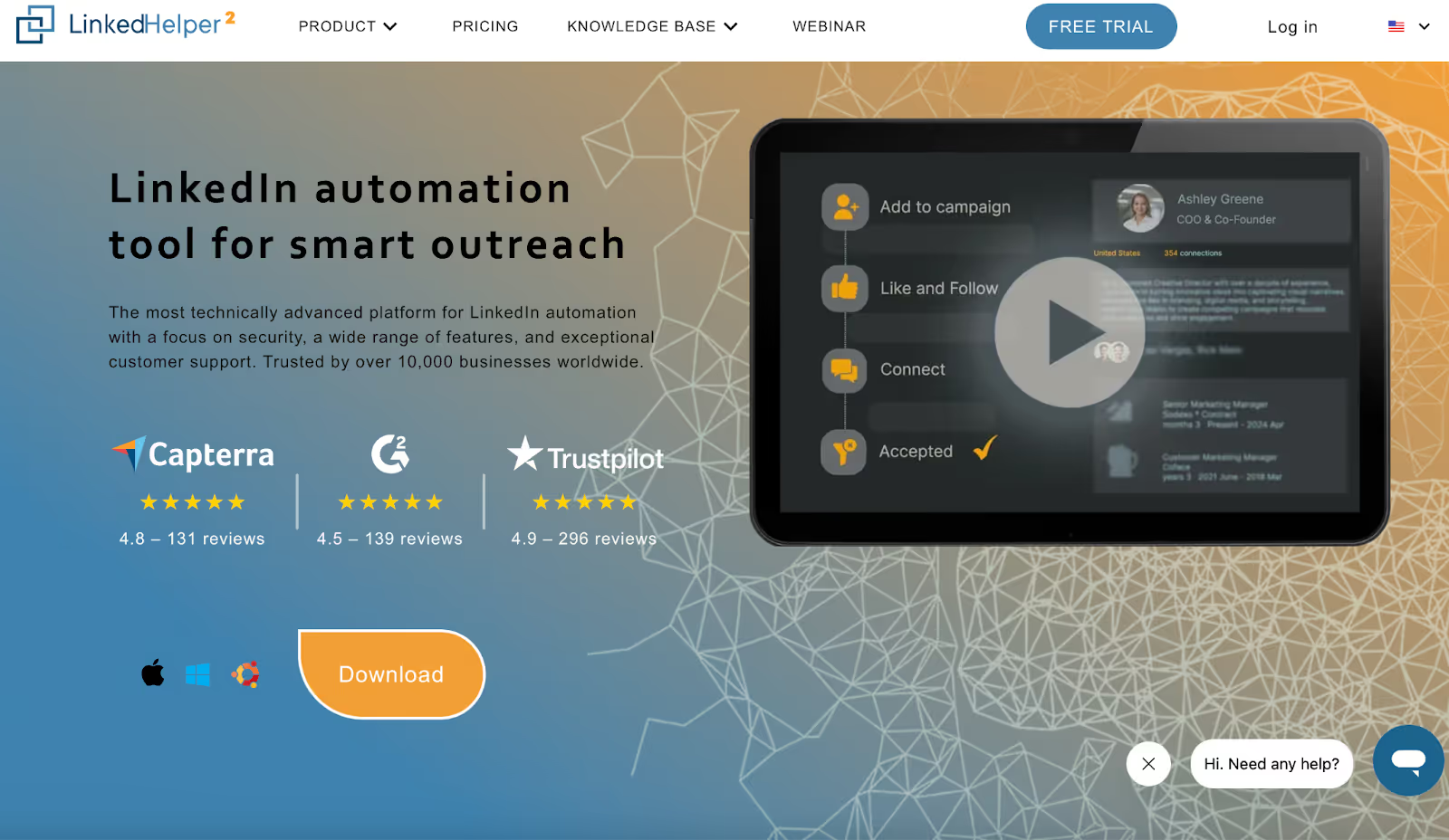
Linked Helper is a tool that helps you do a lot of LinkedIn tasks automatically.
Instead of sending every connection request or message by hand, you can set it up to do these actions for you.
It can send connection requests, follow-ups, and messages, like a personal assistant working quietly in the background.
It also lets you organize your campaigns, track who replied, and even export data if you need it.
Some people use it to grow their network, some to find potential clients, and others to reconnect with old contacts.
Users say it is powerful once you get used to it.
You can fully customize your outreach, automate follow-ups, and save hours every week.
At the same time, it’s not always the easiest tool for beginners, some find the interface a bit clunky at first, but most agree it’s worth learning.
In simple words, Linked Helper helps you reach more people, stay organized, and save time, while giving you control over how your messages and campaigns run.
Linked Helper comes with a lot of features that make LinkedIn outreach much easier.
Here are the main ones that users find helpful:
You can send connection requests automatically to the people you want to reach.
No more clicking one by one, it saves hours every week.
Once someone accepts your request, Linked Helper can send follow-up messages automatically.
You can set up sequences that feel personal, so your connections don’t feel like they’re getting spam.
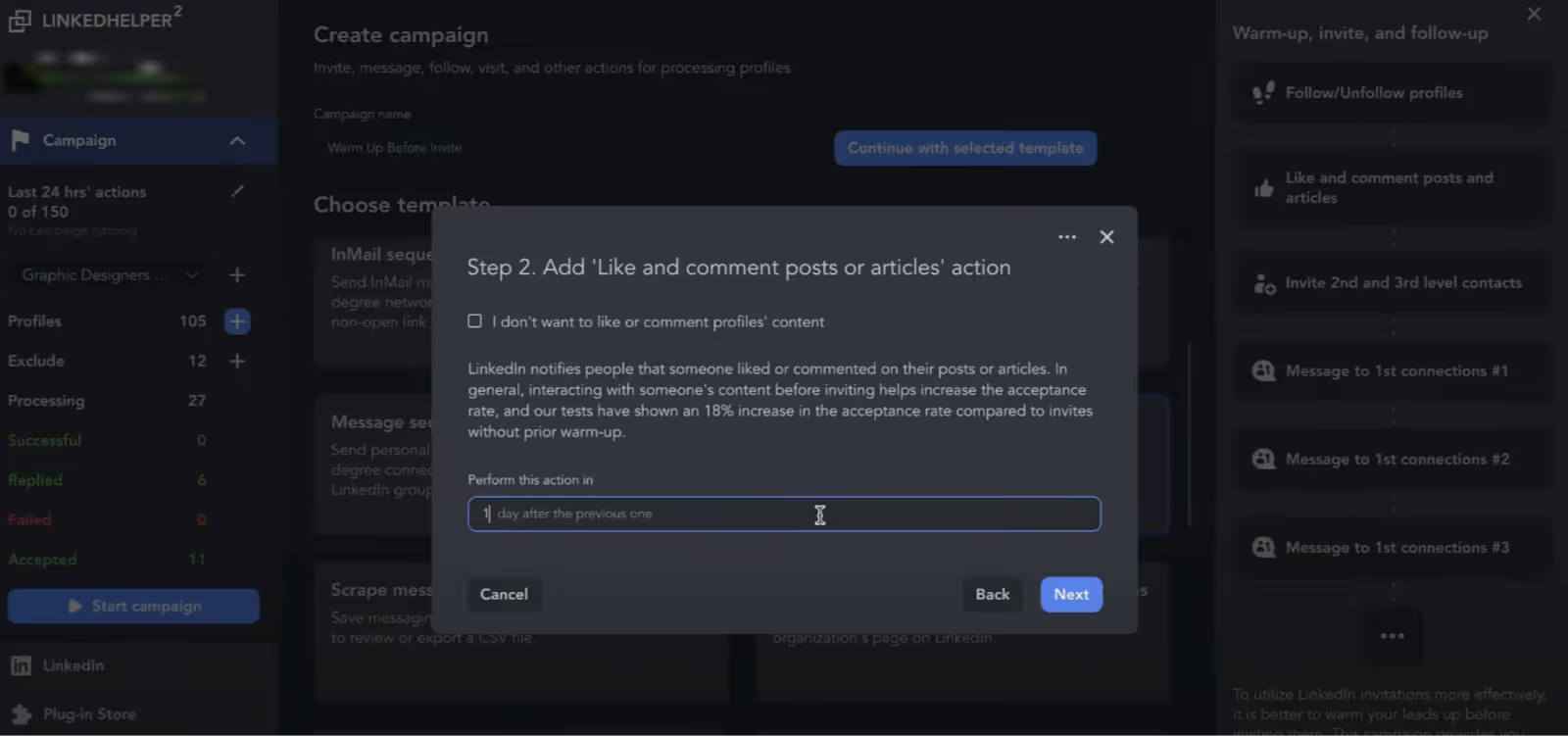
You can like posts, endorse skills, or send messages to many people at once.
This helps you stay active and visible on LinkedIn without spending all day on it.
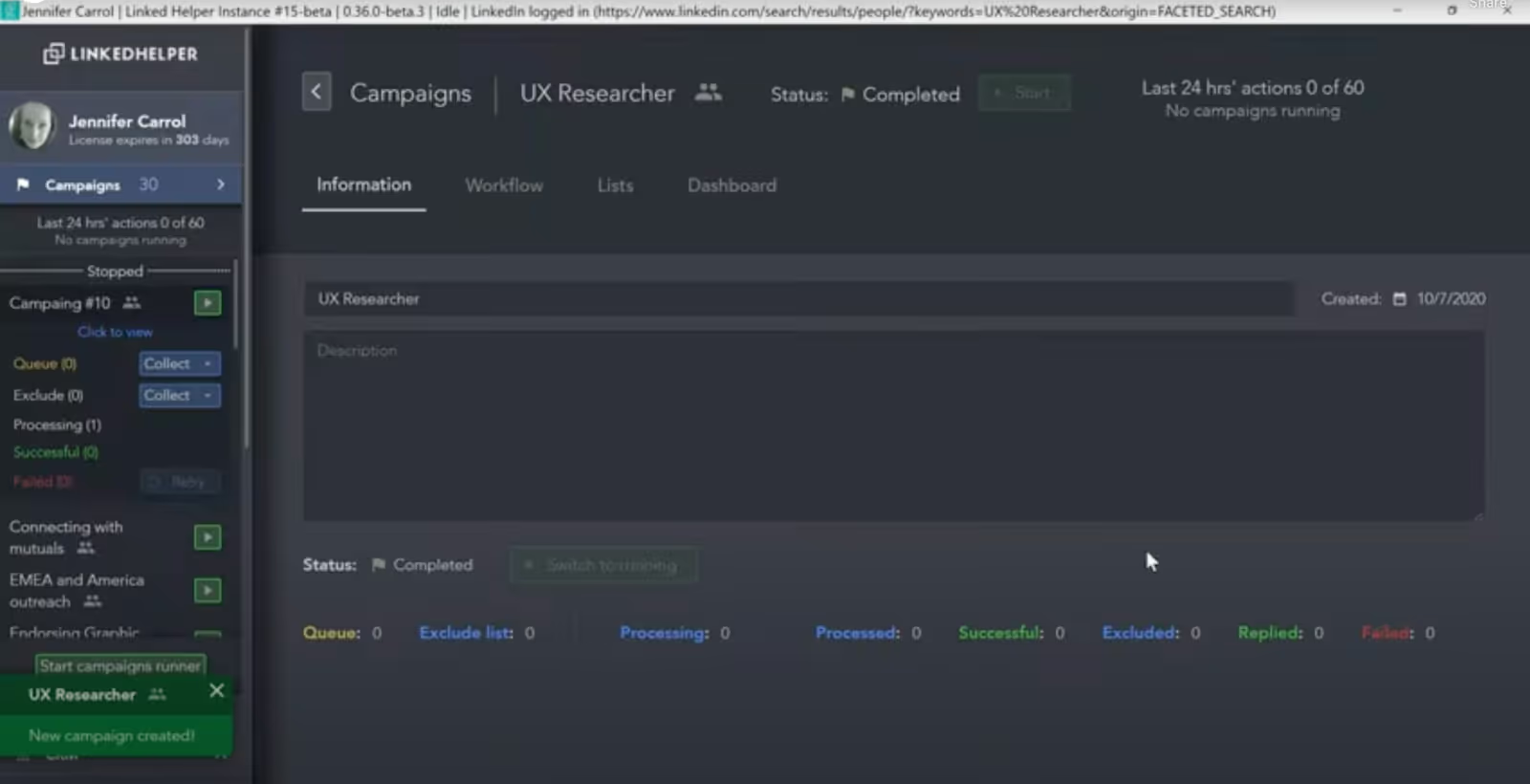
You can create and organize multiple outreach campaigns at the same time.
Track who replied, who hasn’t, and plan your next steps easily.
Messages and campaigns can be personalized with the recipient’s name, company, or other details.
This makes your outreach feel human and increases the chance of a reply.
Alt Text: Conditional Template generation in Linked Helper
Alt Text: External CRM settings in Linked Helper
You can collect your LinkedIn contacts and export them to Excel or integrate with your CRM.
This is great if you want to keep track of leads or move them to another system.
Linked Helper can also send InMails or messages to LinkedIn group members.
This adds another way to reach your target audience.
Alt Text: Campaign Analytics in Linked Helper
You can see which messages and campaigns work best.
Tracking helps you improve your outreach over time and get better results.
In short, Linked Helper gives you tools to automate, organize, and personalize your LinkedIn outreach, while saving time and keeping your workflow simple.
Here’s what users are saying about Linked Helper in 2025. I’ve split it into what people love and what they don’t like, so it’s easy to understand.
Here’s are the things users liked about Linked Helper:
Alt Text: A user review on G2 about Linked Helper stating that it is a good automation tool to scale campaigns
Many users said it’s like having a personal assistant for LinkedIn.
Once set up, it automatically sends connection requests, follow-ups, and messages.
One user mentioned it saved them hours every week.
Users love the ability to run over 20 automated LinkedIn actions, connecting, messaging, endorsing skills, liking posts, and even boosting content.
People said it makes outreach faster and more consistent.
Several users highlighted that customizing messages with names, companies, and images really improves reply rates.
They feel their outreach still stays personal, not spammy.
Many reviewers liked the internal CRM.
It helps keep track of all contacts, campaign history, and notes in one place, making it simple to manage multiple campaigns.
Users consistently mentioned that, for the features it offers, the pricing is reasonable.
Both small and mid-sized businesses found it worth the investment.
People reported that Linked Helper helped them reconnect with old contacts, book calls, and expand their network quickly.
Here’s are the things users disliked about Linked Helper:
Alt Text: A user review on G2 about Linked Helper stating how outdated the interface is
Some users said the design is clunky and not very beginner-friendly.
Finding certain features or setting up campaigns can take extra time.
A few reviewers noted that campaigns sometimes break or stop unexpectedly, requiring manual checks.
On the Standard plan, users can only send 20 messages per day to groups or event attendees.
Some found this restrictive for larger outreach campaigns.
Alt Text: A user review on G2 about Linked Helper stating about its limitations on LinkedIn
While features like multi-step campaigns and smart reply detection are powerful, they take time to master.
Beginners may need some practice to use them effectively.
Alt Text: A user review on G2 about Linked Helper stating about the learning curve of the tool
Linked Helper runs as a desktop application, not in the cloud.
Some users mentioned this is less convenient if they want to access it from multiple devices.
If you’re wondering how much Linked Helper costs and which plan to pick, here’s a clear breakdown.
Linked Helper offers a 14-day free trial.
You get access to all features so you can test automation, messaging, and campaigns before paying.
It’s perfect if you want to see how the tool works without committing.
This plan is ideal for small businesses or beginners.
It’s affordable and gives most of the essential automation tools without spending too much.
This plan is better for growing businesses or heavy LinkedIn users.
The Pro plan is perfect if you want to run complex campaigns safely and reach more people efficiently.
Plan
Price
Messaging Limits
Best For
Free Trial
$0
All features unlocked
Test Linked Helper
Standard
$15/month
20 messages/day for groups/events
Small businesses or beginners
Pro
$45/month
Unlimited
Growing businesses, advanced users
So, if you’re thinking about Linked Helper, here’s the quick version of what you need to know:
Linked Helper is a tool that automates a lot of your LinkedIn work.
Instead of sending connection requests, follow-ups, and messages one by one, it does it for you.
You can also run campaigns, track replies, export leads, and personalize messages, which makes LinkedIn outreach a lot easier and faster.
It’s especially good for small businesses, marketers, recruiters, and B2B sales teams who want to save time and grow their network.
If you’re completely new or prefer doing everything manually, it might feel a bit tricky at first.
Key features include automated connection requests, follow-ups, bulk actions, campaign management, hyper-personalized messaging, a built-in CRM, data export, group messaging, and analytics.
Pros: It saves time, organizes your campaigns, keeps outreach safe, allows personalization, is affordable, and integrates with external CRMs.
Cons: The interface can feel a little old, advanced features take time to learn, the Standard plan has limits on messaging groups/events, occasional glitches may appear, and it’s desktop-only.
User feedback: People love the time it saves, the automation, personalization, and built-in CRM.
Some users found the interface clunky, experienced minor glitches, and noted messaging limits on the Standard plan.
Pricing: There’s a free trial for 14 days.
The Standard plan is $15/month, good for basic automation.
The Pro plan is $45/month, giving full automation, unlimited messaging, and advanced personalization.
If Linked Helper isn’t exactly what you need, there’s also Salesforge, which can act as an alternative.
Salesforge is a platform that helps you run LinkedIn and email outreach together, automate campaigns, and even use an AI assistant called Agent Frank to manage outreach.
It’s not exactly the same as Linked Helper, but if you’re looking for multi-channel outreach, AI automation, and advanced pipeline management, it’s an option worth knowing about.
Alt Text: Salesforge Homepage
If you’ve been using Linked Helper, you know it’s great for automating connection requests, messages, and follow-ups, but it’s desktop-based and LinkedIn-only.
That means you can only run it when your computer is on, and it doesn’t handle emails or multi-channel outreach.
Salesforge is different.
It’s a cloud-based platform that handles LinkedIn and email outreach together, lets you scale campaigns with unlimited LinkedIn senders and mailboxes, and even uses AI via Agent Frank to automate sequences and follow-ups.
In short, while Linked Helper focuses on LinkedIn automation, Salesforge gives you multi-channel, AI outreach, pipeline management, and deliverability tools all in one place.
Tool
Plan
Price / Month
Messaging / Outreach Limits
Linked Helper
Standard
$15
20 messages/day to groups/events
Pro
$45
Unlimited LinkedIn actions
Salesforge
Pro
$48
1,000 active contacts, 5,000 emails, 100 personalization credits
Growth
$96
10,000 active contacts, 50,000 emails, unlimited LinkedIn senders & mailboxes, advanced personalization
Agent Frank (AI Path)
$499 (quarterly)
Fully automated multi-channel outreach, 24/7 prospecting
Feature
Linked Helper
Salesforge
LinkedIn Automation
✅ Connection requests, follow-ups, InMails
✅ LinkedIn + AI-managed sequences
Multi-Channel Outreach
❌ LinkedIn only
✅ LinkedIn + Email, AI-driven
AI Personalization
❌
✅ Advanced personalization, multi-language
CRM & Data Management
✅ Internal CRM
✅ Primebox™ consolidates all replies & integrates with external CRMs
Cloud-Based
❌ Desktop-only
✅ Cloud-based, accessible anywhere
Deliverability Tools
❌
✅ Warmforge for inbox placement & reputation management
Team Scaling
❌ Limited
✅ Unlimited senders & mailboxes, team-friendly
Pros
Linked Helper
Salesforge
Time-Saving
✅ Automates LinkedIn tasks
✅ Automates LinkedIn & email with AI support
Personalization
✅ Basic message customization
✅ Hyper-personalized with AI, multi-language
Safety
✅ Mimics human actions on LinkedIn
✅ AI sequences + premium email deliverability tools
CRM Integration
✅ Internal CRM
✅ Consolidates all replies with Primebox™, integrates with CRMs
Flexibility
❌ Desktop-only
✅ Cloud-based, multi-channel, scalable for teams
Scaling
❌ Limited by desktop
✅ Unlimited LinkedIn senders, mailboxes, and users
Cons
Linked Helper
Salesforge
Learning Curve
❌ Can be tricky for beginners
❌ Advanced AI features may take time to learn
Platform Limit
❌ Desktop-only
❌ Higher pricing for AI Path / full automation
Outreach Limitations
❌ Standard plan limits group/event messaging
✅ Unlimited, but setup is more complex
If you want a simple, LinkedIn-only automation tool, Linked Helper works well for small businesses or beginners.
If you want scalable LinkedIn outreach, AI sequences, multi-channel campaigns, and advanced deliverability, Salesforge is a better fit.
It’s ideal for agencies, growing teams, and professionals serious about boosting LinkedIn and email outreach at scale.
👉 Try Salesforge today and see how it can boost your LinkedIn and email campaigns, all from a single platform.
Yes, Linked Helper is safe to use. It runs as a separate app, not in your browser, and mimics human behavior with random delays and actions.
This keeps your LinkedIn account secure from blocks or restrictions.
Just follow the daily limits and avoid overloading campaigns.
Yes.
By automating follow-ups, sending personalized messages, and using hyper-personalized campaigns, Linked Helper helps you get more replies than manual outreach.
Users report higher response rates when using smart sequences and message personalization.