I have been testing LinkedIn outreach tools for a while now, and recently Sendpilot has come up often in conversations with agencies and SDR teams looking to automate their LinkedIn prospecting. It offers one platform for lead scraping, ICP scoring, automated sequences, and AI content, all built around LinkedIn.
So I spent time digging into the product, comparing pricing, reading real user reviews on G2 and Capterra, and stacking it against what I already use for multi-channel outreach. This review covers what Sendpilot actually delivers, where it falls short, and whether it makes sense for your outbound stack in 2026.
Before I get into the full review, here's the comparison most people land on this page for. Sendpilot is LinkedIn-only. Salesforge covers email + LinkedIn. The pricing gap makes this even more interesting:
Sendpilot starts at $66/mo for one LinkedIn account with no email. Salesforge starts at $40/mo with unlimited email mailboxes, built-in warmup, and mailbox rotation. That's more coverage for less money, before you even factor in LinkedIn.
On the LinkedIn side, every extra account on Sendpilot costs $35-$59/mo depending on the plan. Salesforge includes unlimited LinkedIn senders on the Growth plan at $80/mo. No per-sender fees. For teams scaling outreach across both channels, that difference adds up fast.
Sendpilot is a LinkedIn automation platform built primarily for agencies, sales teams, and growth-focused solopreneurs. It positions itself as an "all-bound" LinkedIn marketing tool, handling both inbound (content creation, post scheduling) and outbound (lead scraping, automated messaging, connection requests) from a single dashboard.
The tool connects via a Chrome extension, runs campaigns from the cloud (so your browser doesn't need to stay open), and includes a built-in database of leads you can search and filter. It also scores leads against your ICP before you message them, which is a nice touch that most LinkedIn-only tools skip.
At its core, Sendpilot is trying to be the all-in-one LinkedIn platform. And for that specific use case, it does a decent job.
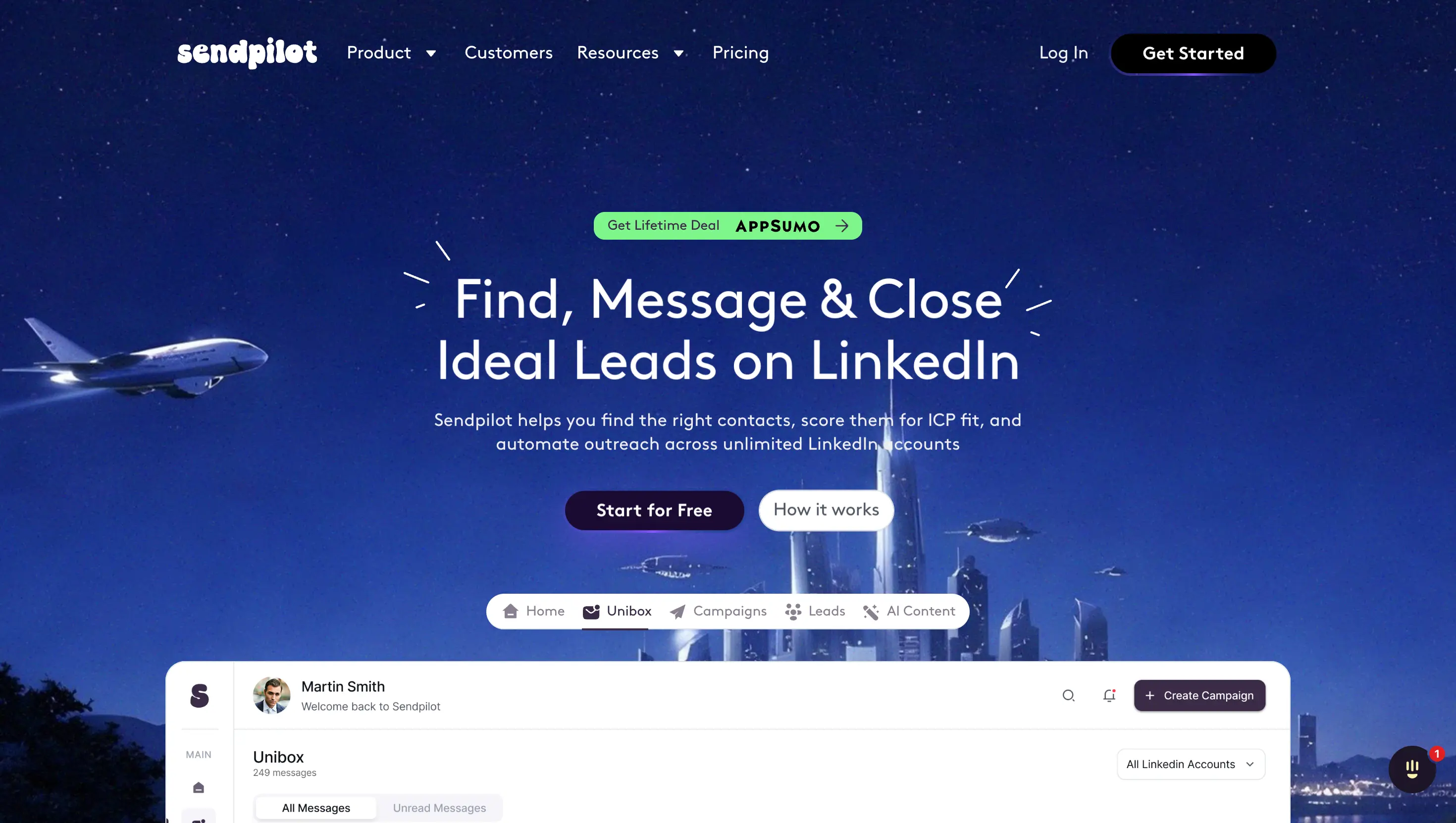
Here's what Sendpilot brings to the table:
LinkedIn outreach automation : You can build multi-step sequences that include profile views, connection requests, follow-up messages, and voice notes. Campaigns run from the cloud, so there's no need to keep your laptop open. I liked that the sequence builder felt intuitive and didn't require a steep learning curve.
Lead scraping and database : Sendpilot includes a built-in lead database (they claim 300M+ contacts) and lets you scrape leads directly from LinkedIn and Sales Navigator. For agencies that don't want to pay for a separate data tool, this is a useful feature. The data quality, from what I could tell, was decent for LinkedIn profiles but spotty on verified email addresses, which makes sense given the platform doesn't actually support email outreach.
ICP scoring : Before you add prospects to a campaign, Sendpilot scores them on a 0-100 scale based on how closely they match your ideal customer profile. This helps filter out low-quality leads before you waste connection requests on them. A solid feature that shows some product thinking beyond basic automation.
AI content generation : You can generate LinkedIn posts and schedule them directly through the platform. If you're trying to combine outbound messaging with inbound content strategy on LinkedIn, this saves you from juggling another tool.
Inbound automation : Sendpilot can monitor comments on your LinkedIn posts and automatically send connection requests or DMs to people who engage with specific keywords. Think of it as a basic LinkedIn lead magnet trigger.
Unlimited LinkedIn accounts : On higher-tier plans, you can connect multiple LinkedIn profiles and manage them from one dashboard. This is the feature agencies care about most, and Sendpilot handles it well.
Unibox : A unified inbox for all LinkedIn conversations across connected accounts. Useful for keeping replies organized without switching between profiles.
White-label support : For agencies, Sendpilot offers full white-label capabilities including custom branding and CNAME support. Multiple reviewers on Capterra mentioned this as a key reason they picked Sendpilot.
Sendpilot offers four plans, billed monthly (with a 30% discount on annual billing):
Additional senders cost between $35-$59/month depending on your plan tier. Sendpilot also offers a 7-day free trial, and they've been running an AppSumo lifetime deal at various price points, which signals they're still in growth mode and trying to build market share.
For a LinkedIn-only tool, the pricing is reasonable at the Solo tier. But it climbs fast once you start adding accounts. At the Agency tier ($390/mo for 25 LinkedIn accounts), you're paying almost as much as a full multi-channel outreach platform, and you're still limited to one channel.
I want to be fair here. There are things Sendpilot does well, and for the right user, it's a viable tool.
It's focused. Sendpilot is LinkedIn-first, and it shows. The workflow for connecting accounts, building sequences, and managing campaigns through LinkedIn feels natural. There's no bloat from trying to do everything.
ICP scoring before outreach is smart. Most LinkedIn tools just let you scrape and blast. The fact that Sendpilot grades prospects before you reach out means you can be more selective with your limited daily connection requests. That's a detail that actually matters for account health.
Agency-friendly setup. White-labeling, multi-account management, and workspaces are built into the platform from the ground up. If you're an agency running LinkedIn outreach for multiple clients, the operational setup is cleaner than stitching together several tools.
Cloud-based execution. Unlike older LinkedIn tools that require a Chrome extension running in your browser, Sendpilot campaigns execute from the cloud. That's a meaningful improvement for reliability and safety.
This is where the review gets more critical, and more relevant for teams evaluating their outbound stack.
No email outreach at all : This is the biggest limitation. Sendpilot has zero email sending capabilities. No email sequences, no email warmup, no deliverability monitoring. If a prospect doesn't respond on LinkedIn, your only follow-up option is... more LinkedIn messages. Every outbound practitioner I've worked with knows that the highest conversion comes from multi-channel sequences, an email follow-up after a LinkedIn connection request, or a LinkedIn touch after an email open. Sendpilot simply can't do this.
No deliverability infrastructure : Because there's no email component, there's no concept of domain reputation, IP management, SPF/DKIM/DMARC, or mailbox warmup. For teams that care about long-term sender reputation (and you should), this is a non-factor with Sendpilot, not because they've solved it, but because they don't offer it.
No native CRM integrations : Sendpilot doesn't connect directly to HubSpot, Salesforce, Pipedrive, or any major CRM. You'll need to use API/webhooks to push data, which adds friction and requires technical setup. Competitors like Expandi and Dripify have direct CRM integrations baked in.
No A/B testing : You can't split-test message variations within a campaign. For teams that iterate on copy and optimize based on data, this is a notable gap. You're essentially guessing which message works better unless you manually track results across duplicate campaigns.
Product maturity concerns. Several reviewers across G2, Capterra, and Slashdot have flagged bugs, inconsistent features (like voice notes not always working), and some setup difficulties. This isn't unusual for a growing startup, but it's worth noting if you're considering Sendpilot for a high-volume operation where reliability matters.
Lead database depth is unclear : Sendpilot claims 300M+ contacts, but third-party verification of that number is thin. The data appears to be primarily LinkedIn-sourced, which means verified business emails and phone numbers are limited compared to dedicated data providers with multi-source enrichment.
Since many teams evaluating Sendpilot are looking for a LinkedIn outreach tool that fits into a broader outbound workflow, here's how it stacks up against Salesforge:
The difference in coverage is hard to ignore. Sendpilot gives you one channel, done well. Salesforge gives you two channels, plus the infrastructure and AI to run them at scale.
Sendpilot works if you match this profile:
You're a solopreneur or small agency that runs LinkedIn as your primary (or only) outbound channel. You don't need email outreach. You want ICP scoring and lead scraping in one tool. And you're managing fewer than 5 LinkedIn accounts.
At the Solo tier ($66/mo), the value is reasonable for that specific use case. The ICP scoring alone could save you from wasting connection requests on bad-fit prospects.
Sendpilot isn't the right fit if you need email + LinkedIn outreach together (most B2B teams do), if deliverability controls like warmup, IP rotation, and DNS management matter to you, if you want an AI SDR that handles prospecting autonomously, or if you're scaling past a handful of LinkedIn accounts and don't want to pay $35-$59/mo per additional sender.
Sendpilot is a capable LinkedIn automation tool. ICP scoring, cloud-based execution, and agency features are genuinely useful. If your entire outbound strategy lives on LinkedIn and nowhere else, it's a reasonable choice at the lower tiers.
But most outbound teams in 2026 aren't running single-channel plays. They're running email + LinkedIn together, with deliverability infrastructure behind them and AI helping scale the volume. For that workflow, Sendpilot leaves too many gaps.
I'd use Sendpilot if I were a consultant doing light LinkedIn prospecting. For anything more serious, especially if I'm trying to book meetings at scale, I would go with Salesforge and the Forge stack.
Sendpilot is a LinkedIn automation platform used for outbound prospecting, automated messaging sequences, lead scraping, ICP scoring, and AI-powered LinkedIn content creation. It's built primarily for agencies and sales teams that use LinkedIn as their main outreach channel.
No. Sendpilot is a LinkedIn-only tool. It doesn't offer email sequences, email warmup, or any email deliverability features. If you need email outreach alongside LinkedIn, you'll need a separate platform like Salesforge.
Sendpilot pricing starts at $66/month for the Solo plan (1 LinkedIn account, 1,000 database leads/month). The Team plan is $199/month for 5 accounts, Agency is $390/month for 25 accounts, and Enterprise is $749/month for 250+ accounts. Annual billing gives a 30% discount.
Sendpilot runs from the cloud and uses rate limits to mimic human behavior, which reduces the risk of LinkedIn account restrictions. That said, any LinkedIn automation tool carries some risk. Starting with conservative daily action limits (30-50 actions) is recommended for new accounts.
For teams that need multi-channel outreach (email + LinkedIn), Salesforge is a stronger alternative. It offers unlimited mailboxes, built-in email warmup via Warmforge, LinkedIn sequences, AI personalization in 20+ languages, and an AI SDR (Agent Frank) that handles prospecting autonomously. Pricing starts from $40/month.
Sendpilot doesn't offer native CRM integrations with tools like HubSpot, Salesforce, or Pipedrive. It provides API and webhook access on the Team plan and above, which means you'll need to build custom integrations or use a third-party connector.
No. Sendpilot doesn't support A/B or split testing within campaigns. If you want to test different message variations and optimize based on performance data, you'll need a platform with built-in testing capabilities like Salesforge, which supports A/Z testing with multiple variants.

