Typing “Salesflow reviews” into Google and feeling more confused than before?
Some people say Salesflow is a lifesaver. Sales teams and agencies use it to automate lead generation and outreach.
Others say it breaks, bugs out, or just eats money.
This article cuts through that noise.
It’s based on real Salesflow reviews from real users, not sales pages.
If you’re wondering,
“Will Salesflow actually help my LinkedIn outreach, or will it just add more stress?”
this is written for you—whether you’re part of a sales team, agency, or small business looking to see if Salesflow fits your lead generation needs.
Keep reading to see what’s true, what’s not, and whether Salesflow is worth a place in your toolbox.
Salesflow helps you send LinkedIn messages automatically. It is a solid LinkedIn automation tool and a cloud-based LinkedIn automation solution.
You connect your LinkedIn account, set up a list of people to reach out to, and it sends connection requests, follow-ups, and InMails for you, every day. Salesflow is designed for sales teams, agencies, and small businesses to automate connection requests, manage multiple LinkedIn accounts, and streamline sales tasks.
It also has:
Salesflow is a cloud-based LinkedIn automation tool designed to help businesses generate leads, manage outreach campaigns, and engage with prospects at scale.
Salesflow works with LinkedIn Basic, Premium, and LinkedIn Sales Navigator.
You can use it if you’re a solo user, a sales team, or an agency. Salesflow supports multi-account management, making it useful for agencies and teams handling multiple LinkedIn accounts.
It automates key LinkedIn actions, such as sending connection requests, follow-up messages, and InMails, to support a business's sales strategy and reduce hands-on work. Salesflow enables multichannel outreach (LinkedIn and email) and is suitable for LinkedIn lead generation.
Here’s how to start a Salesflow campaign in 5 easy steps:
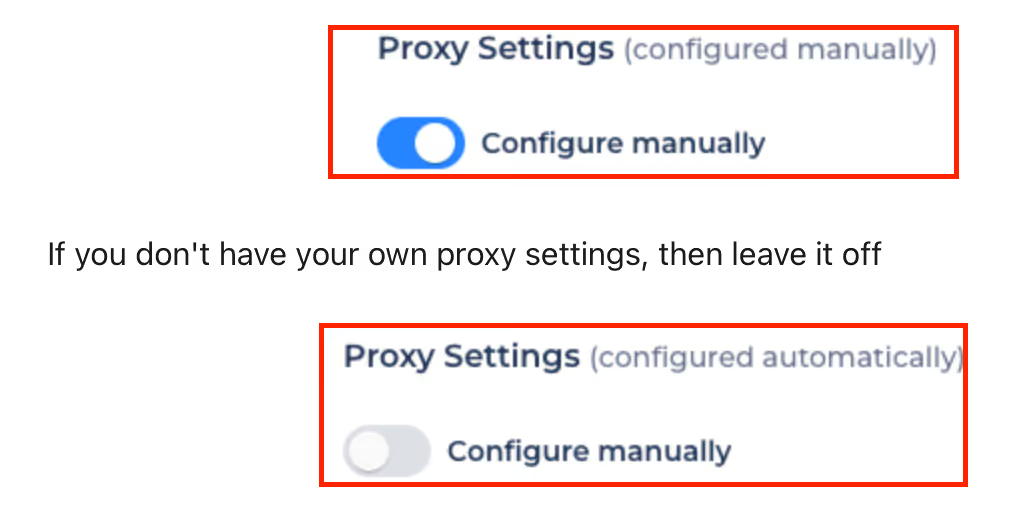
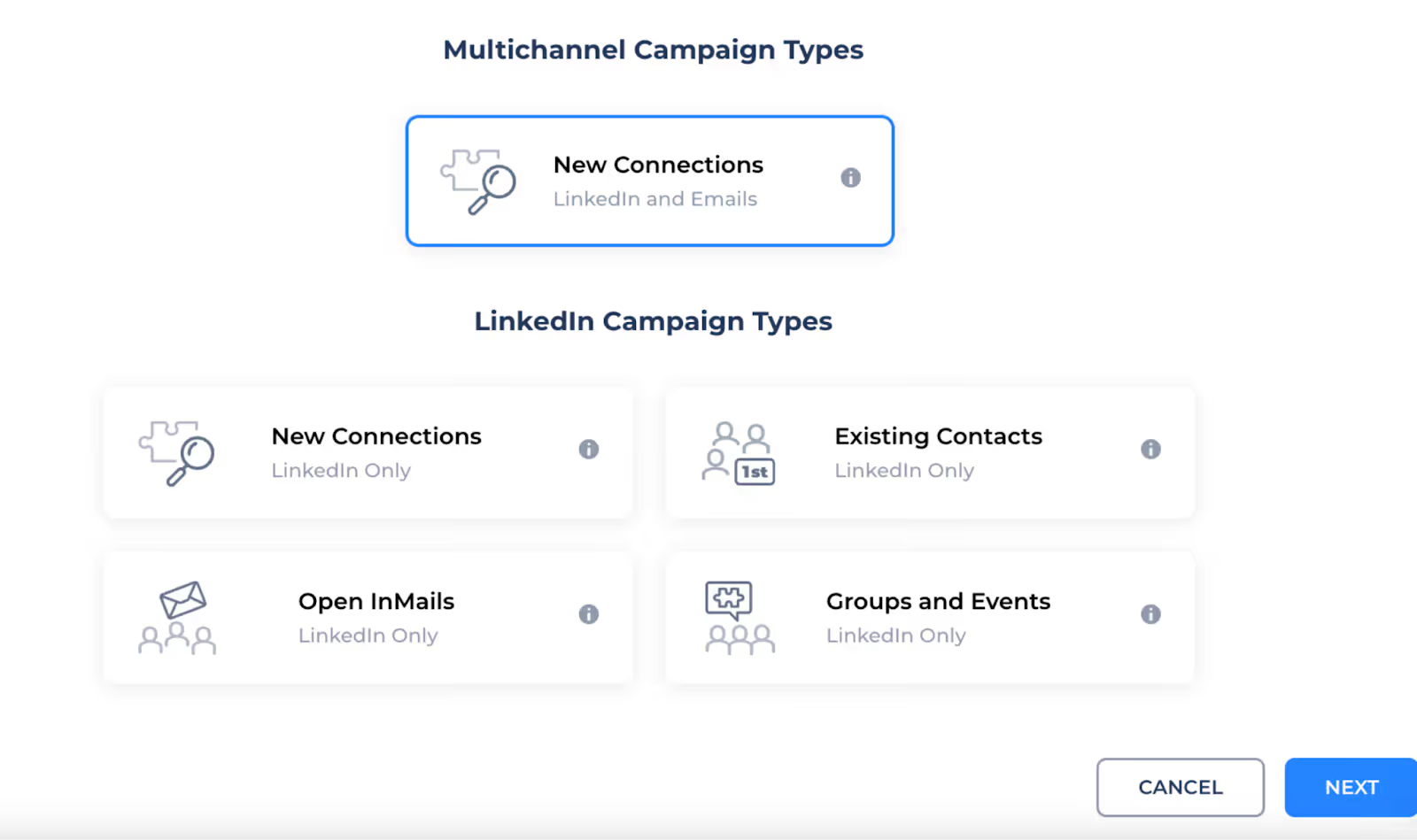
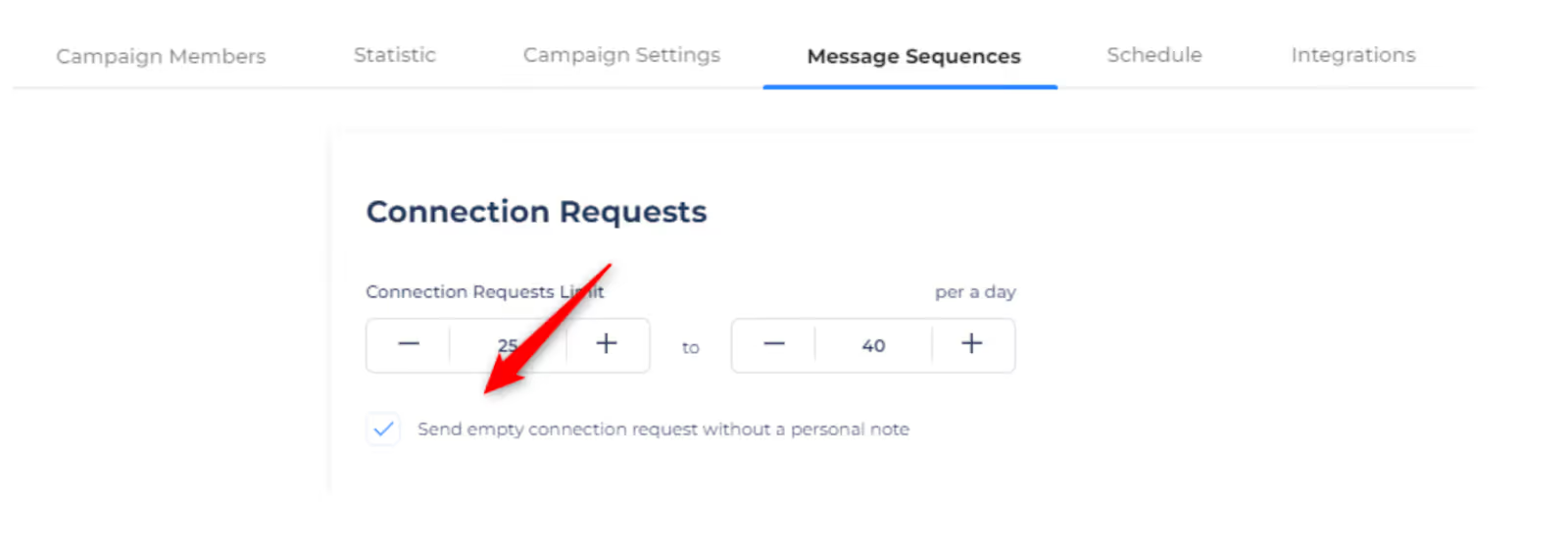
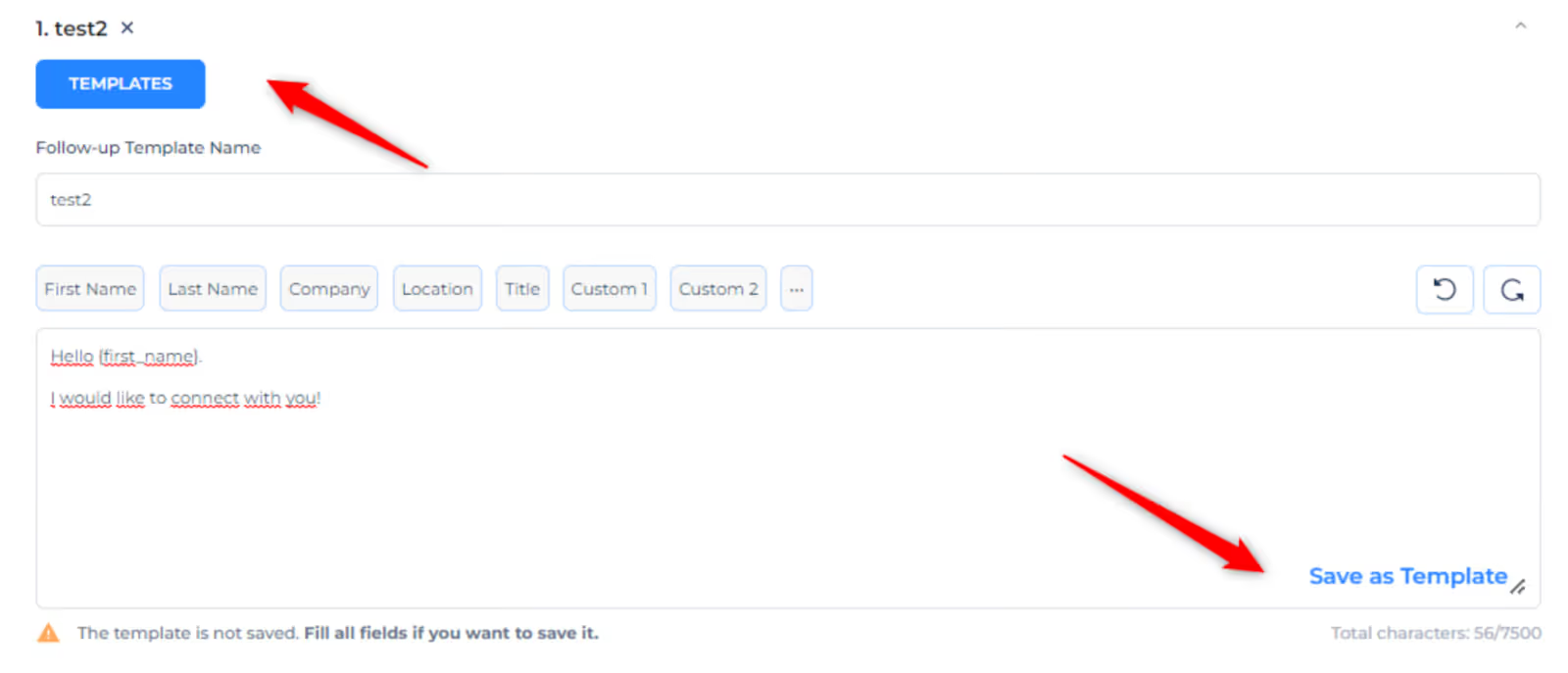
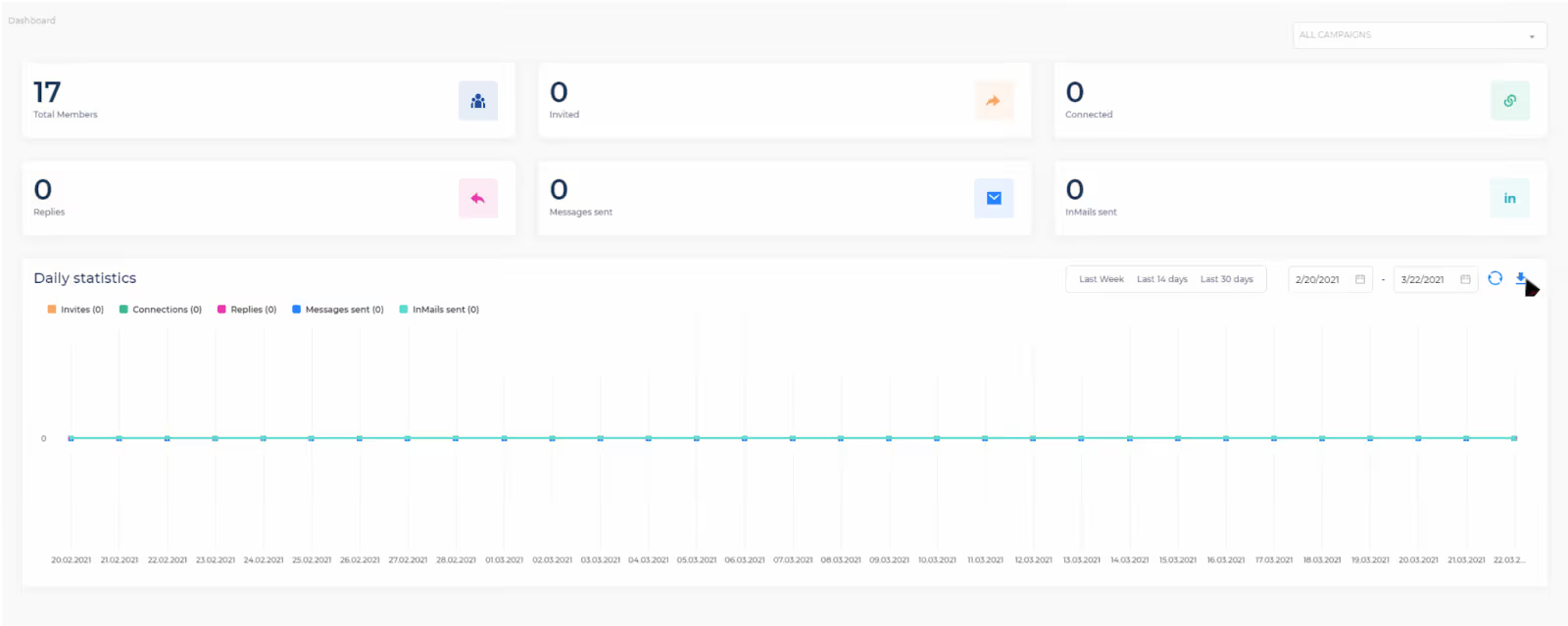
The statistics dashboard provides a clear overview of your active campaigns, making tracking progress simple. You can monitor real-time data and campaign performance, helping you optimize your ongoing efforts efficiently.
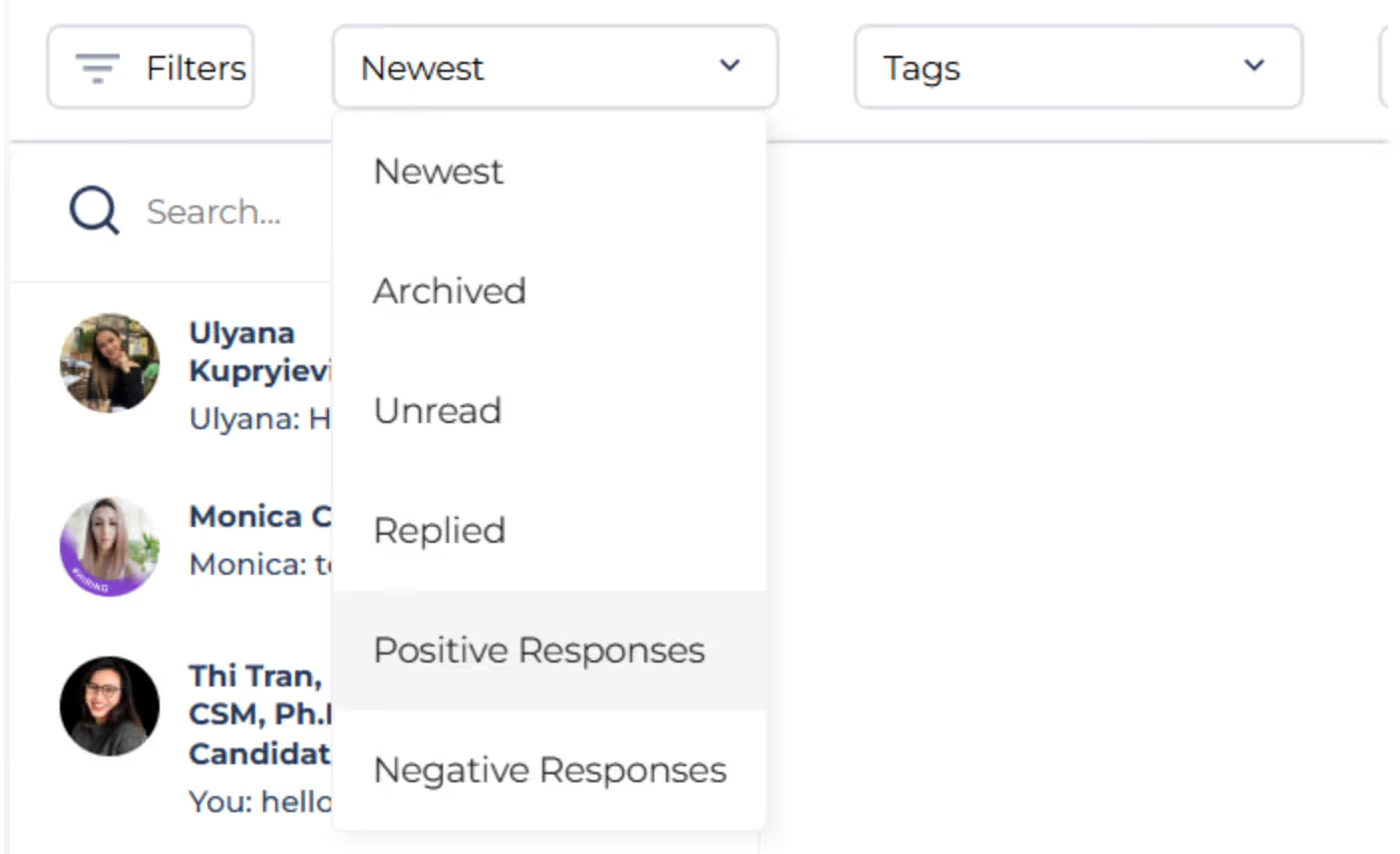
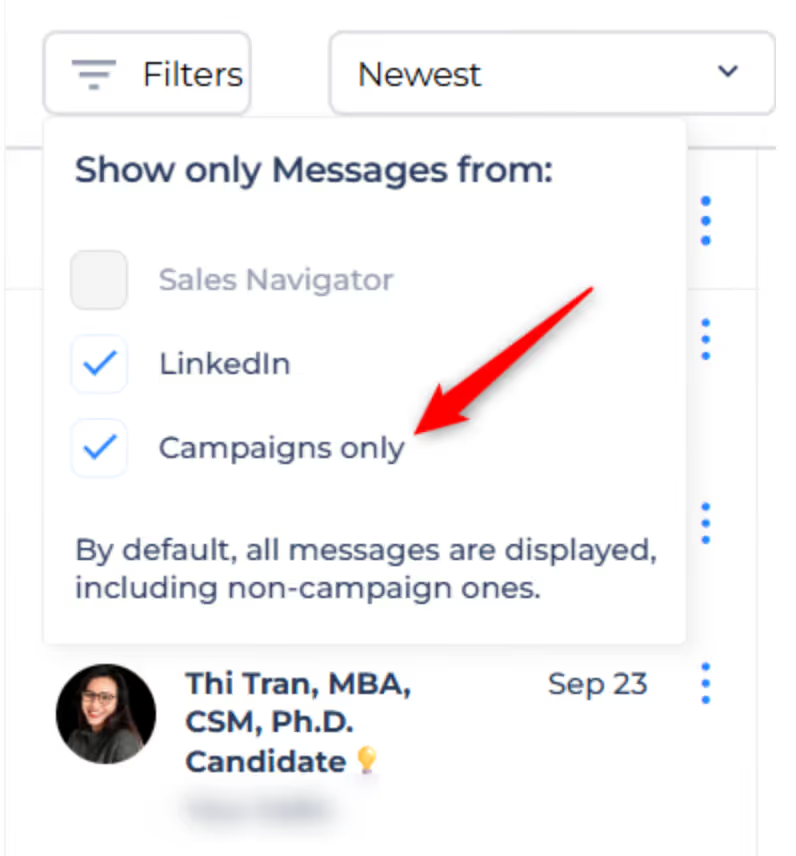
That’s it. Once it’s set up, Salesflow keeps running on its own, and you just manage replies.
Here are the top features you get with Salesflow:
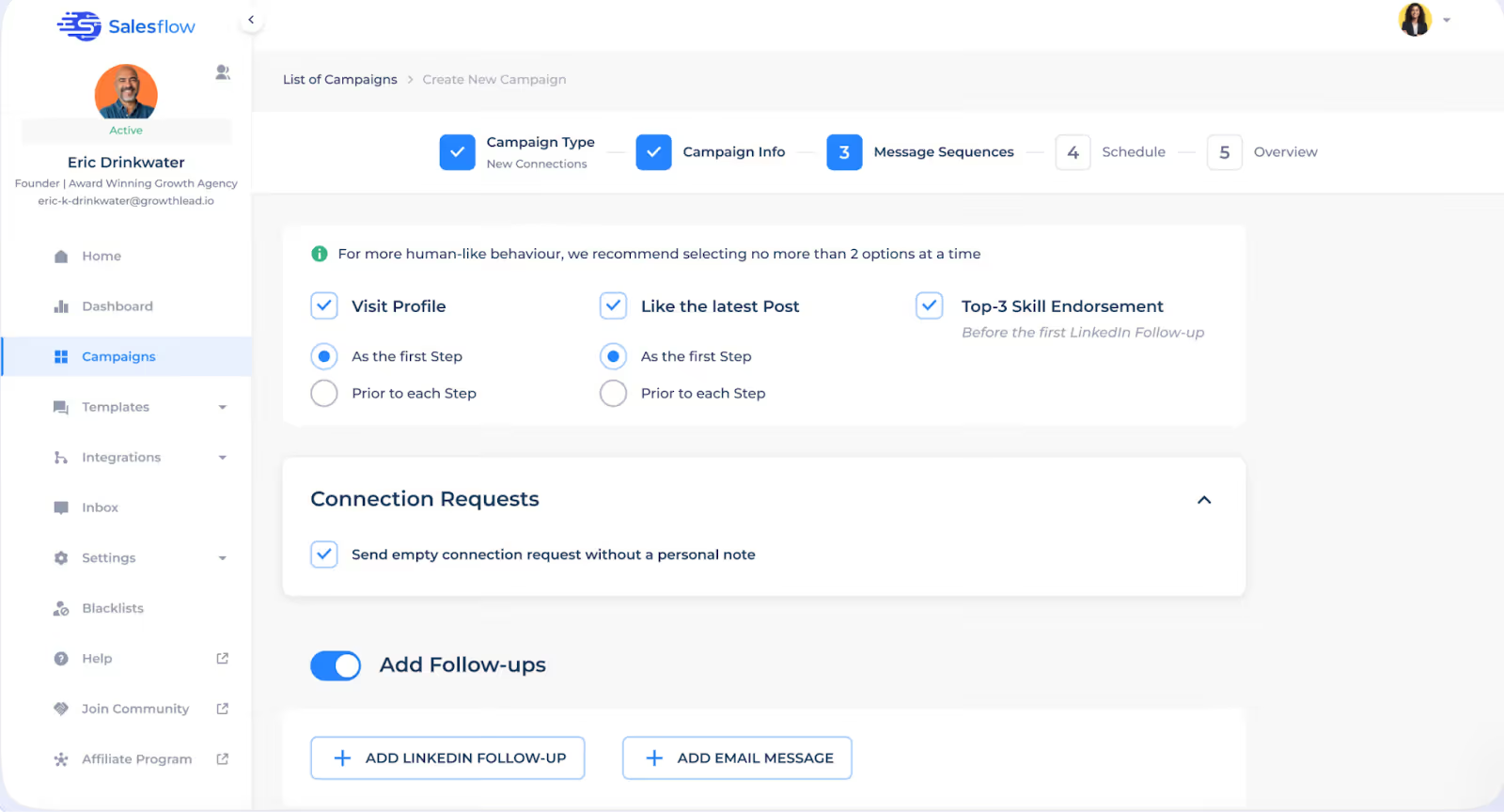
The biggest thing Salesflow does is help you send LinkedIn messages automatically.
You can:
Once someone accepts your connection, you can send them automated follow-ups.
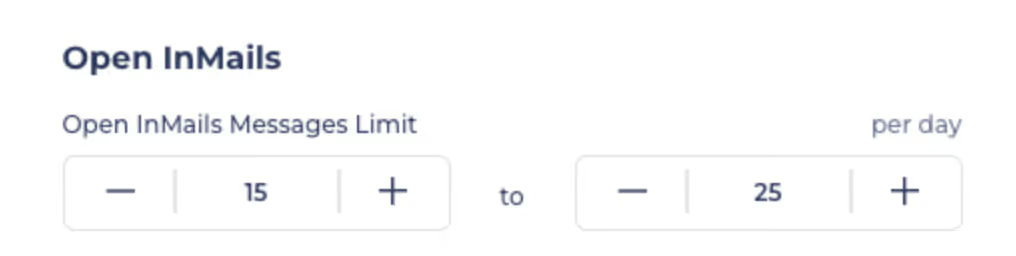
And if they didn’t connect? You can still reach them with Open InMails, up to 800 per month.
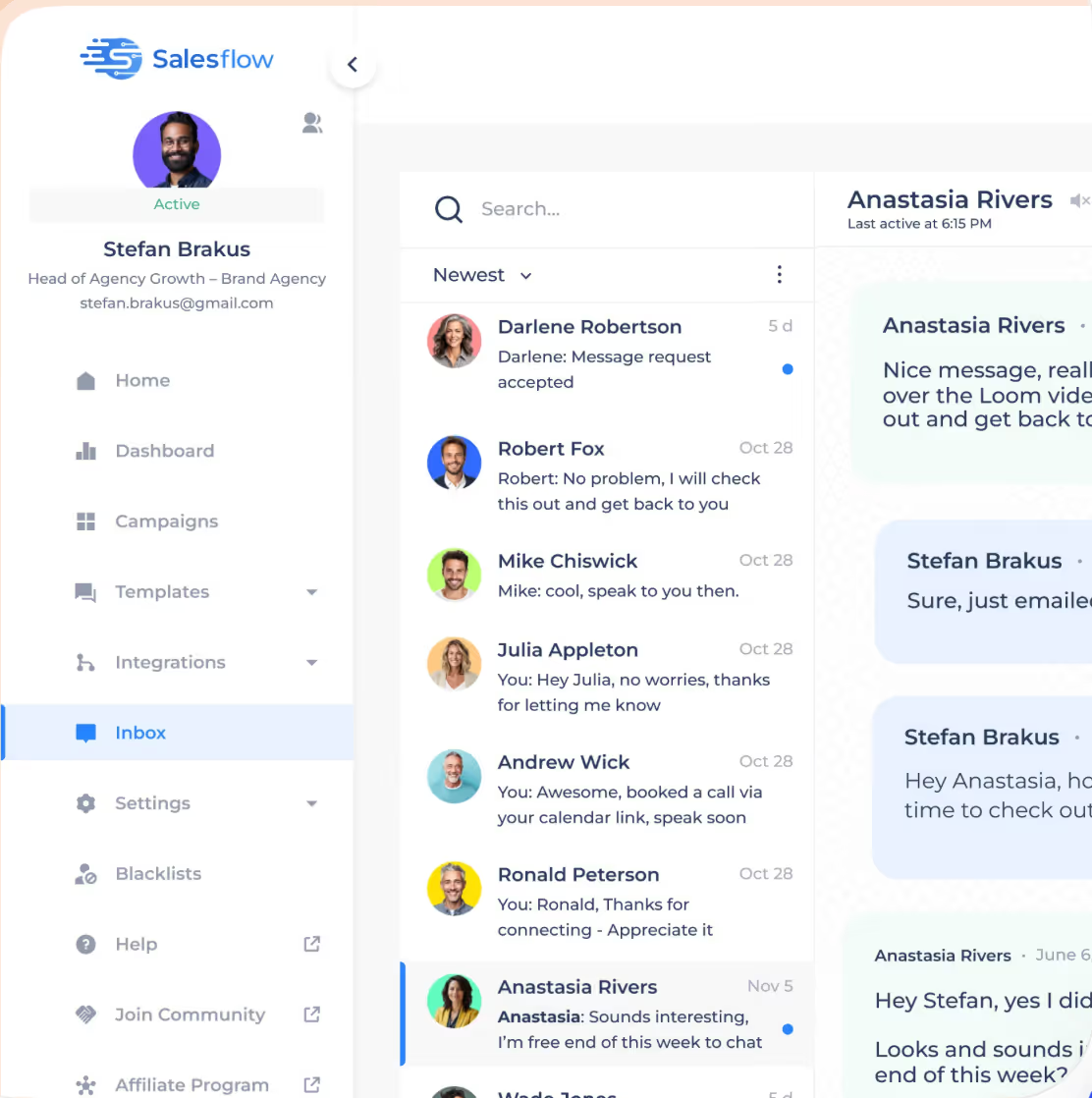
Salesflow gives you a clean, simple, customisable LinkedIn inbox where you can tailor your inbox management and outreach to your specific needs. You can:
You don’t have to start from scratch every time.
Salesflow lets you:
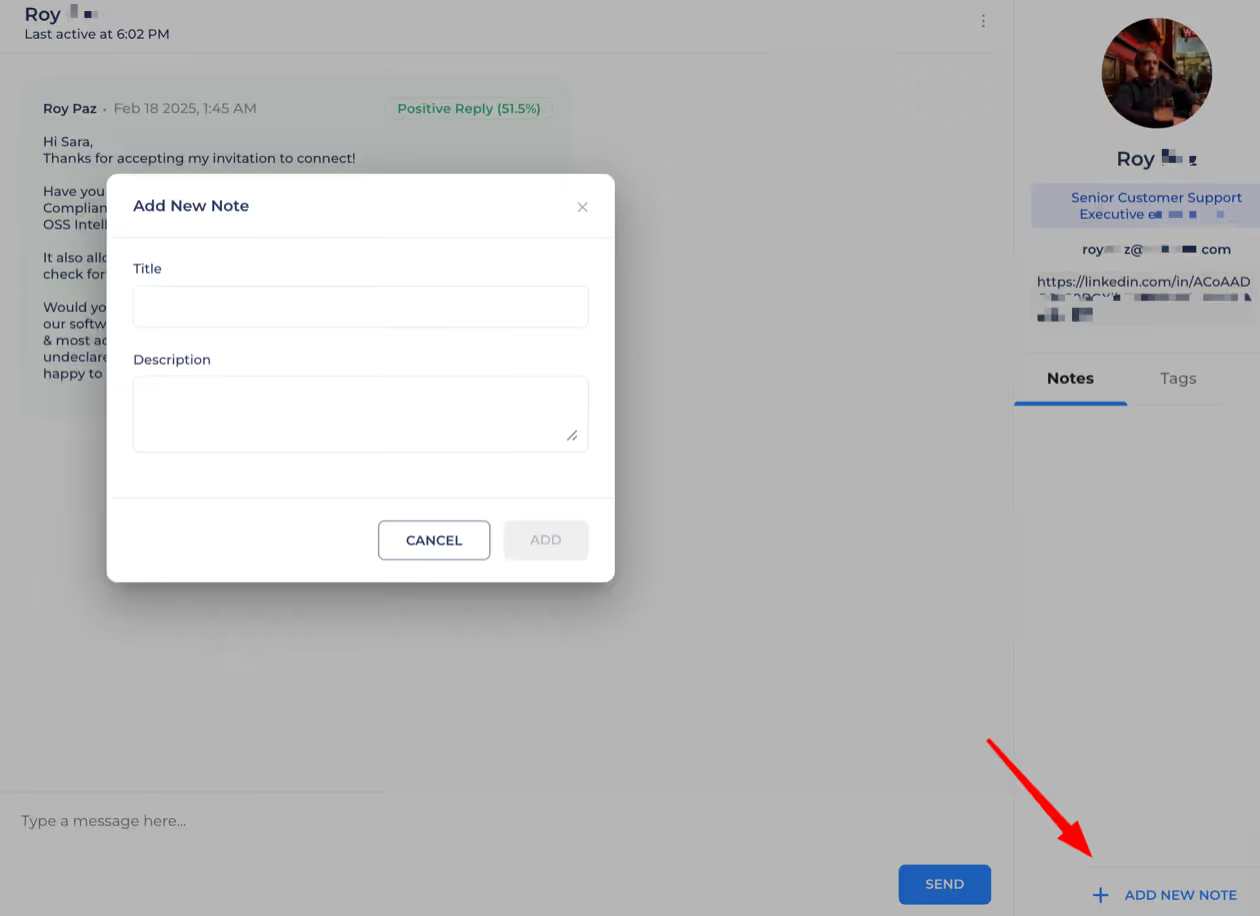
It keeps your messaging fast, clear, and consistent.
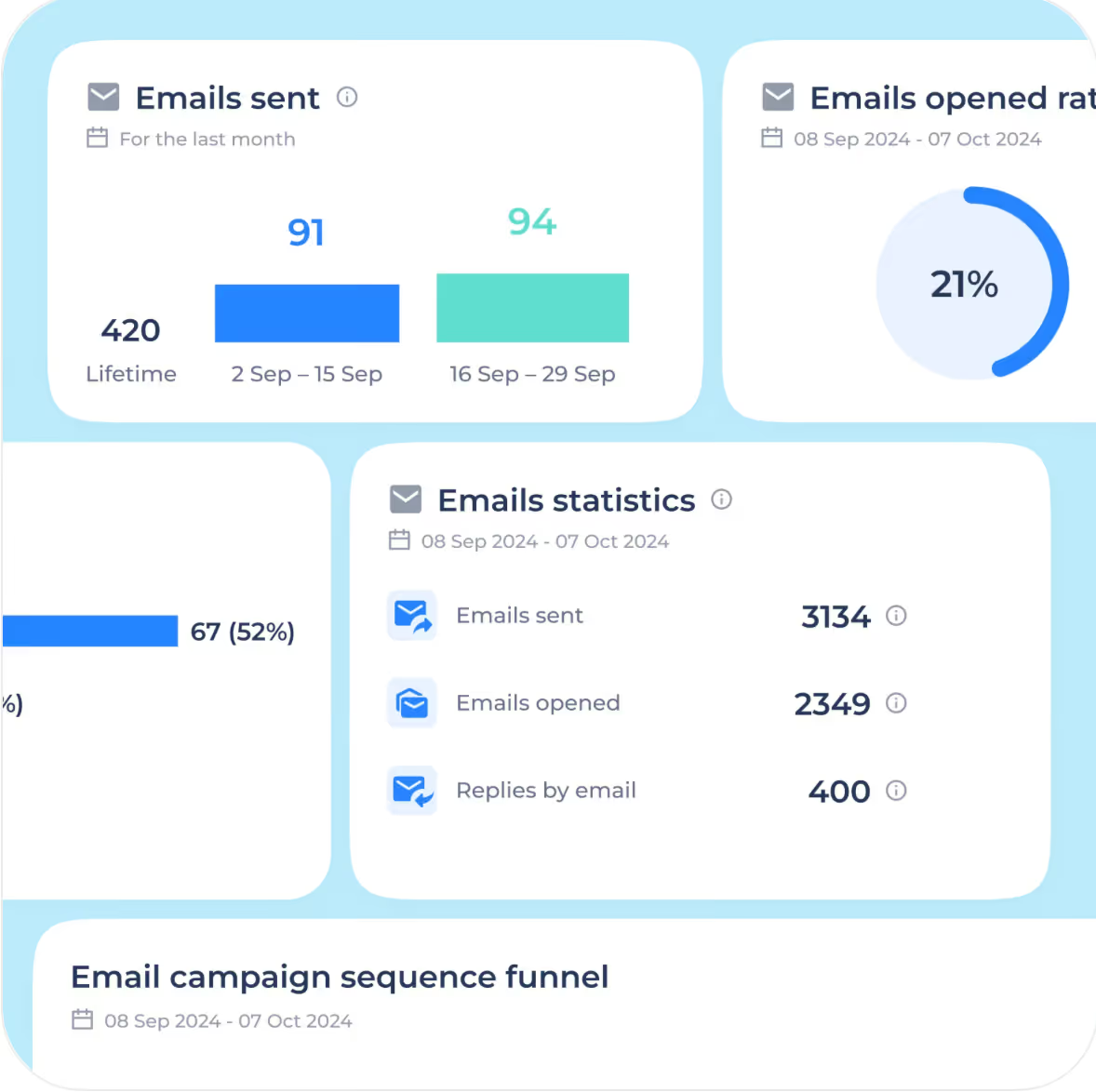
Salesflow offers advanced reporting features, allowing you to track:
However, some users have noted that the analytics provided by Salesflow are somewhat basic and lack deep segmentation. Salesflow's analytics may not meet the needs of advanced users looking for detailed insights.
You can even download the data if you want to analyze things deeper or share with your team.
Salesflow also offers transparent pricing for its plans, so users can clearly understand costs without hidden fees.
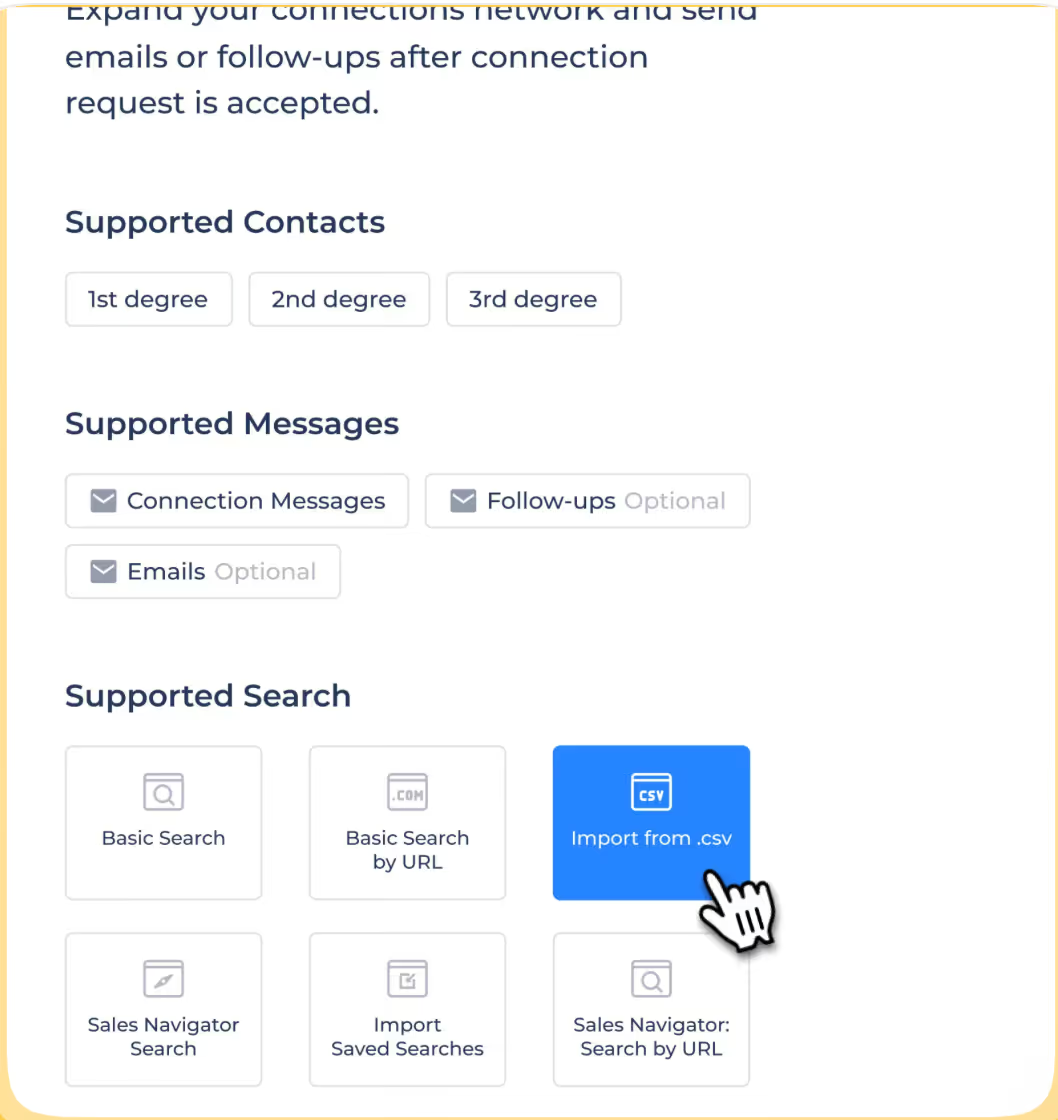
Got a lead list? Just upload it.
Salesflow lets you:
This helps with hyper-targeted outreach, and you stay organized.
If you are worried about getting restricted or banned on LinkedIn, then Salesflow is designed to help users avoid LinkedIn restrictions by operating from the cloud.
You get:
Salesflow operates from the cloud using dedicated IP addresses to reduce the risk of LinkedIn account restrictions.
It’s built to keep your account safe while you scale outreach.
So, if you want to improve your reply rates.
Salesflow can help you:
These actions get you noticed, so when your message lands, it doesn't feel cold.
Salesflow includes team management features designed for agencies and teams, such as multi-account management, shared blacklists, and branded reporting. While Salesflow supports managing several LinkedIn profiles, some users find its multi-account management feature less streamlined and less efficient for agencies compared to competitors.
Makes it easier to manage multiple clients or teammates in one place.
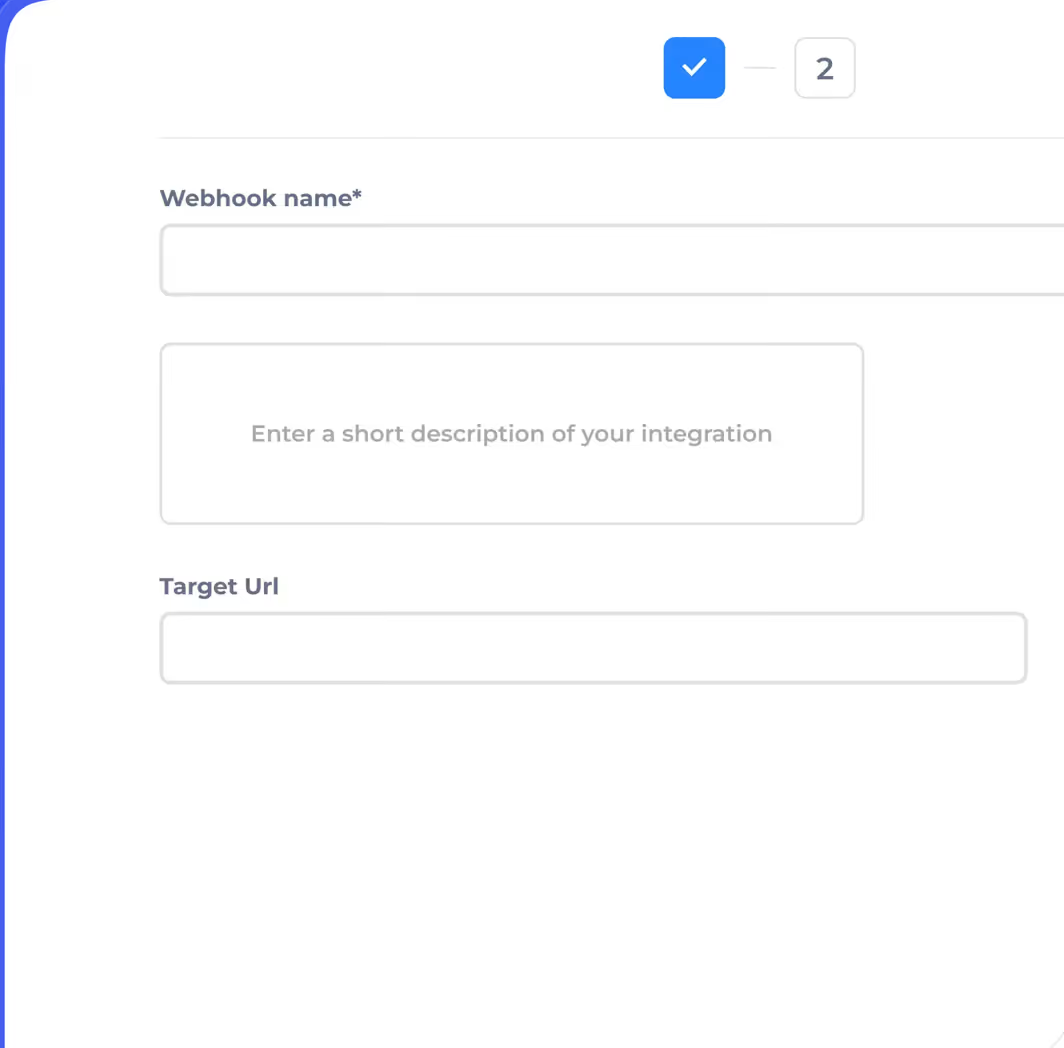
You can:
Perfect if you want to tie Salesflow into your full sales process.
Don’t want to set it up yourself?
You can get Salesflow’s team to do it for you, campaign setup, copywriting, onboarding, everything.
It’s a one-time $199 add-on. Good option if you just want it done right from Day 1.
Now that we know the features of Salesflow, let’s move on to what users think about Salesflow. .
Here’s exactly what real users said they didn’t like about using Salesflow, you should know before using it:
Multiple users complained that their LinkedIn accounts disconnect often, leading to continual errors and reliability issues. When that happens, campaigns pause, and you have to log back in manually to fix it, which breaks the automation flow. Some users noted that these reliability problems made the platform frustrating to use.
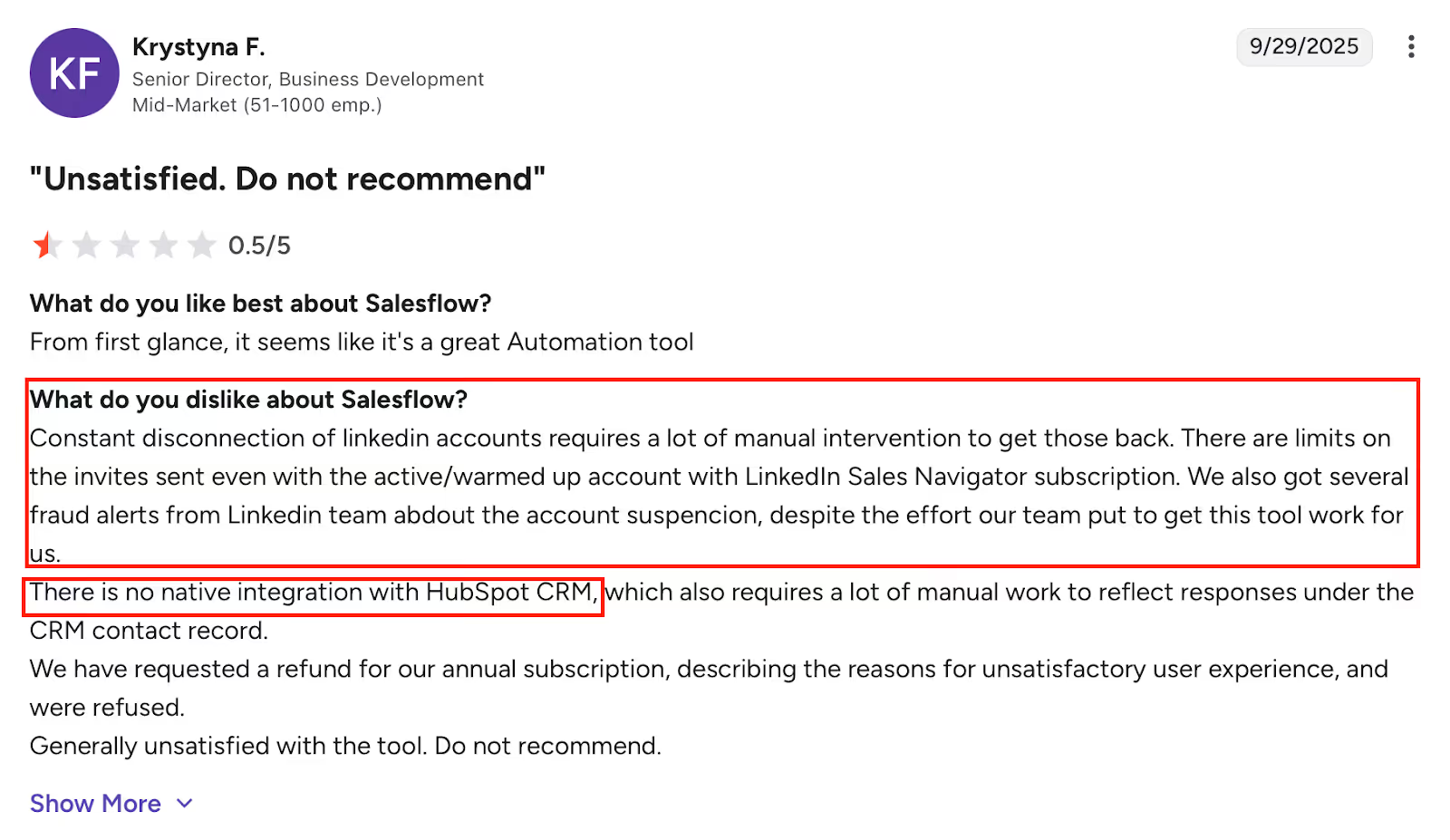
If you’re using HubSpot or another CRM, Salesflow doesn’t sync directly. Many users had to rely on workarounds, which made managing replies and pipeline tracking harder.
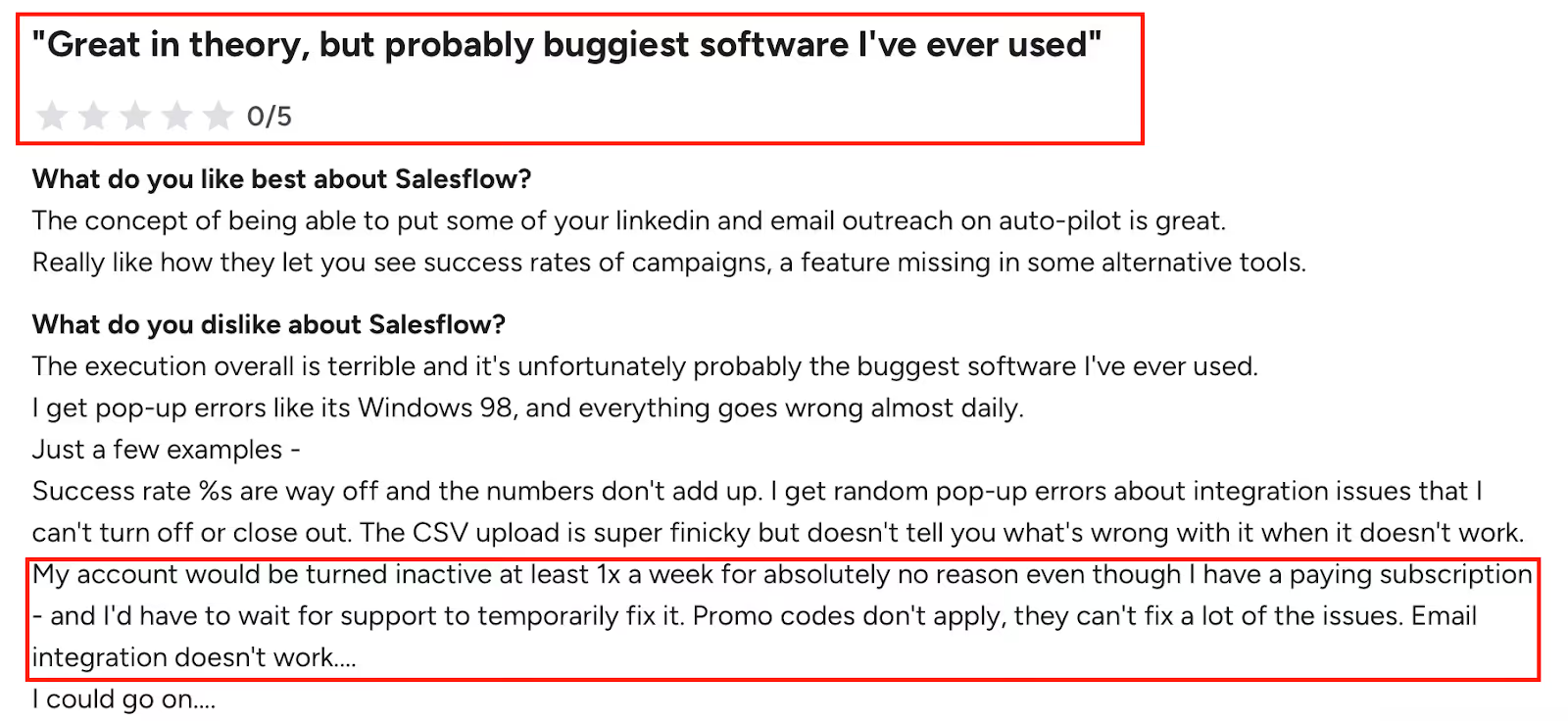
Some users had major issues with bugs: random errors, slow loading, campaign errors, or the system acting up daily. These continual errors contributed to negative experiences and dissatisfaction with the platform’s reliability.
One reviewer even called it “the buggiest software I’ve ever used.”
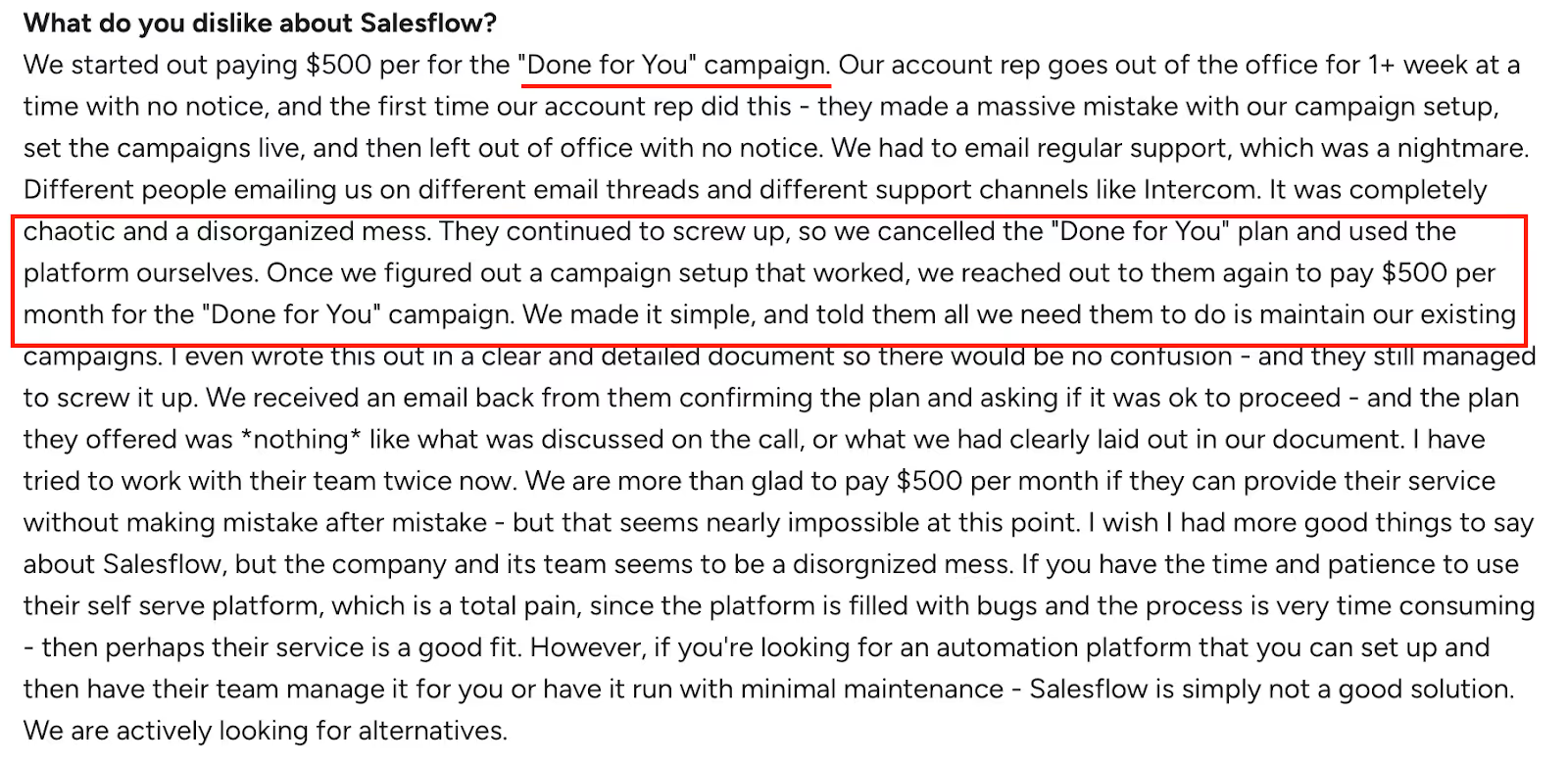
In the Done-for-You plan, users faced poor communication and setup errors from the Salesflow team.
A few even had to cancel because the team couldn’t follow clear instructions.
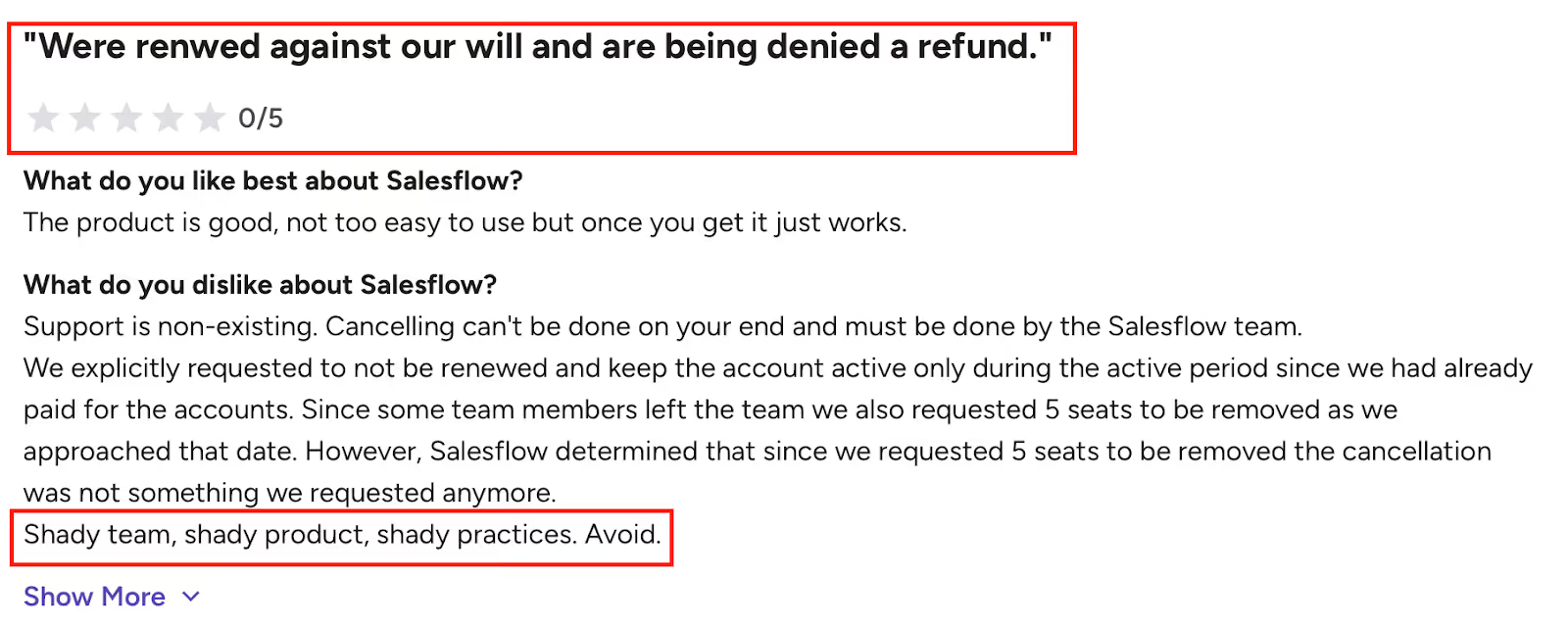
Some users requested refunds and were denied, even after explaining their problems in detail.
Others said cancellation was not self-service and had to go through the customer support team, which wasn’t always responsive.
Several reviewers described customer support as extremely unprofessional, with a rude and unhelpful attitude that sometimes extended to outright hostility from the Head of Customer Success—making the 'Head of Customer Success' an ironic title.
This unhelpful attitude extends throughout the support experience, with some users reporting a rude attitude and lack of professionalism when trying to resolve issues.
The stats dashboard exists, but some users found the metrics confusing or inaccurate. Users found the analytics basic and lacking deep segmentation, which may not meet the needs of advanced users looking for detailed insights. Success rates didn’t add up, and data didn’t always reflect real campaign performance.

Users have to write their own message copy and there’s no built-in AI to help personalize or optimize messages across campaigns.
For teams expecting smart tools, this felt limiting.
Some users described the user interface as clunky and not very intuitive, making it harder to navigate and manage campaigns efficiently.
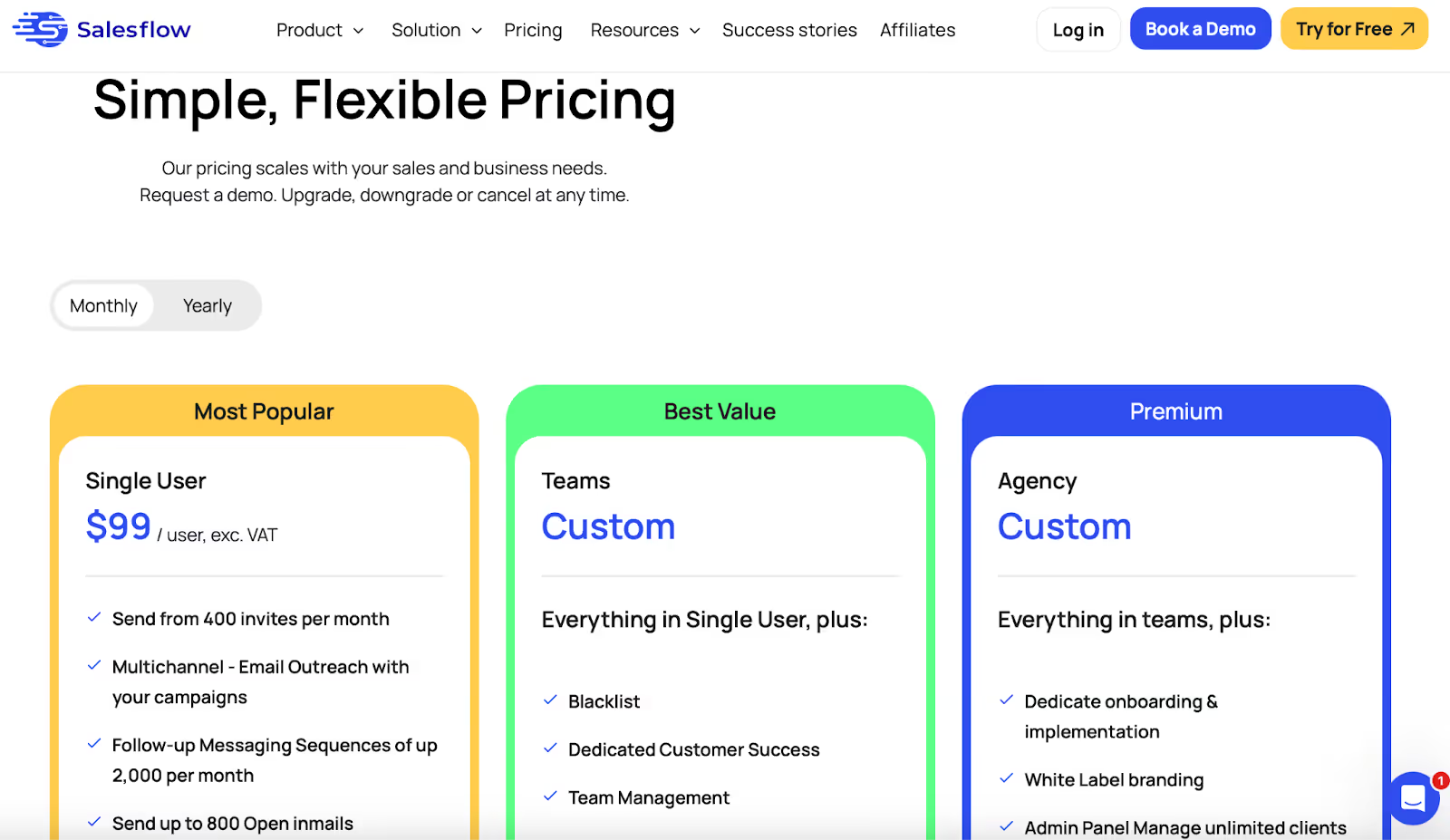
If you’re thinking of trying Salesflow, there are a few different pricing plans and features available for solo users, teams, and agencies.
Salesflow offers a transparent pricing structure, making it easy to understand the costs and what each plan includes, with no hidden fees.
This clarity helps users make informed decisions and builds trust in the platform.
Let me break it down for you:
(Or $79/month if you pay yearly)
This one’s for you if you’re a solo founder, freelancer, or just getting started.
You’ll get:
Got a team? This plan gives you more control and support.
It includes everything in the single plan, plus:
You’ll need to book a demo to get the exact pricing.
Running a lead-gen or outreach agency? This plan is for you.
Here’s what’s added on top of the Team plan:
You’ll need to talk to the agency team for pricing here too.
If you’re not sure where to start, they’ve got a “Done-With-You” add-on.
You’ll get:
If you're already running LinkedIn campaigns and want something plug-and-play, Salesflow gives you that simplicity.
You don't need to install extensions, and the UI is clean enough for any beginner to start in minutes.
It also offers white-labeling if you're an agency managing LinkedIn outreach for clients.
But here's the thing, you won't find the pricing listed upfront unless you book a demo.
And that's a bit annoying if you're just comparing tools.
The starting tier has limited functionality, and if you want access to their advanced features, like Smart Inbox or InMails, you'll need to upgrade.
And based on the user reviews read, there are a few things that might slow you down:
So yeah, it's smooth and lightweight, but it's also pretty limited if you're scaling outbound seriously.
But don't worry. We won't let you leave without a stronger alternative.
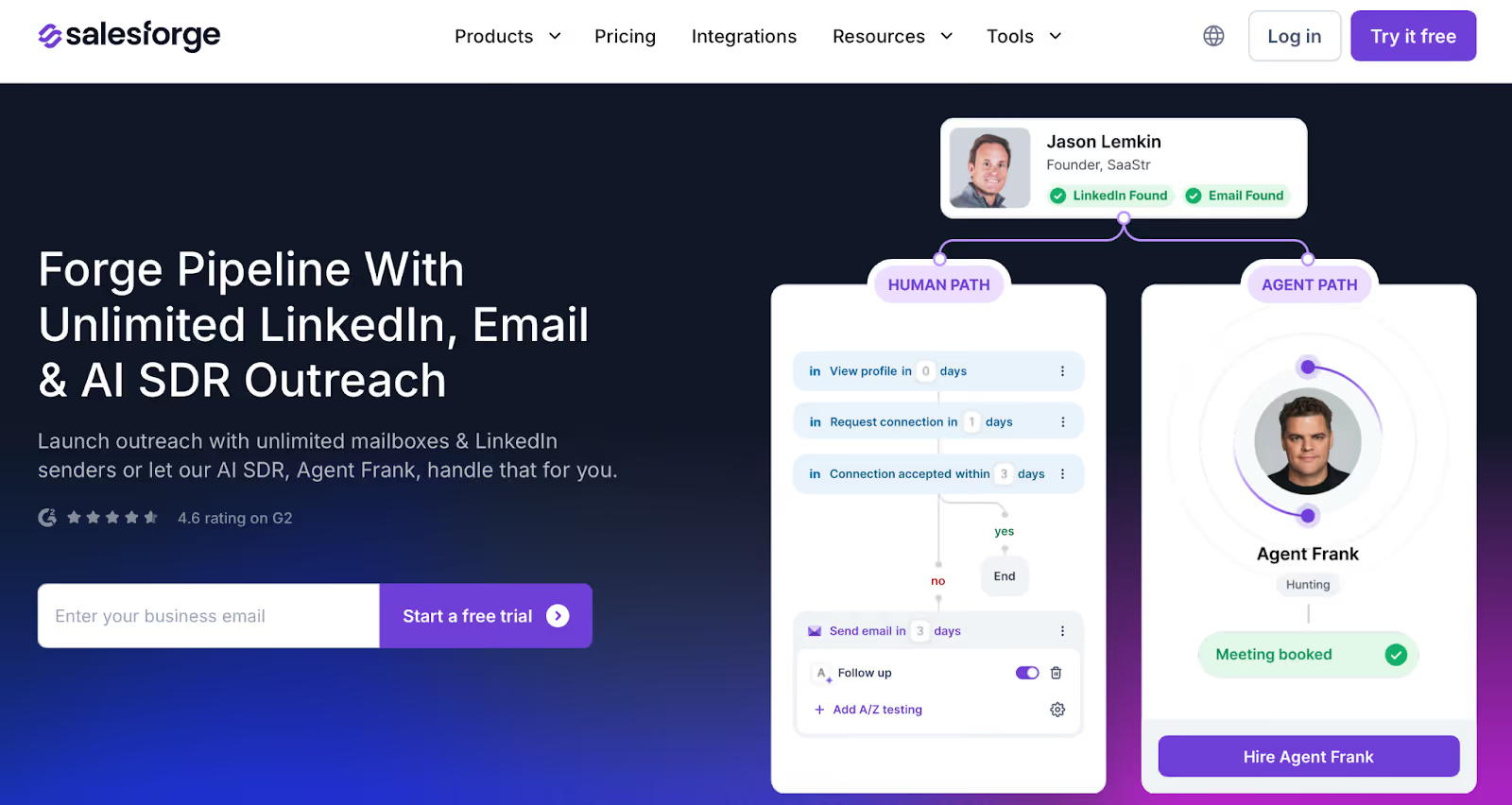
If Salesflow felt too limited, too manual, or too focused only on LinkedIn, unlike Salesflow, several alternatives offer true multichannel outreach.
For example, Salesforge helps you run automated sequences across LinkedIn and email, with built-in deliverability tools, unlimited scaling, and AI personalization.
No extensions. No seat-based billing.
Other compelling alternatives include HeyReach, which automates outreach across multiple LinkedIn accounts simultaneously, and La Growth Machine, which offers genuine multichannel prospecting by combining LinkedIn messages and email follow-ups within a single campaign.
Whether you’re an agency juggling multiple clients, a founder managing outreach yourself, or a sales team looking to book more meetings, these platforms are built to do what Salesflow can’t.
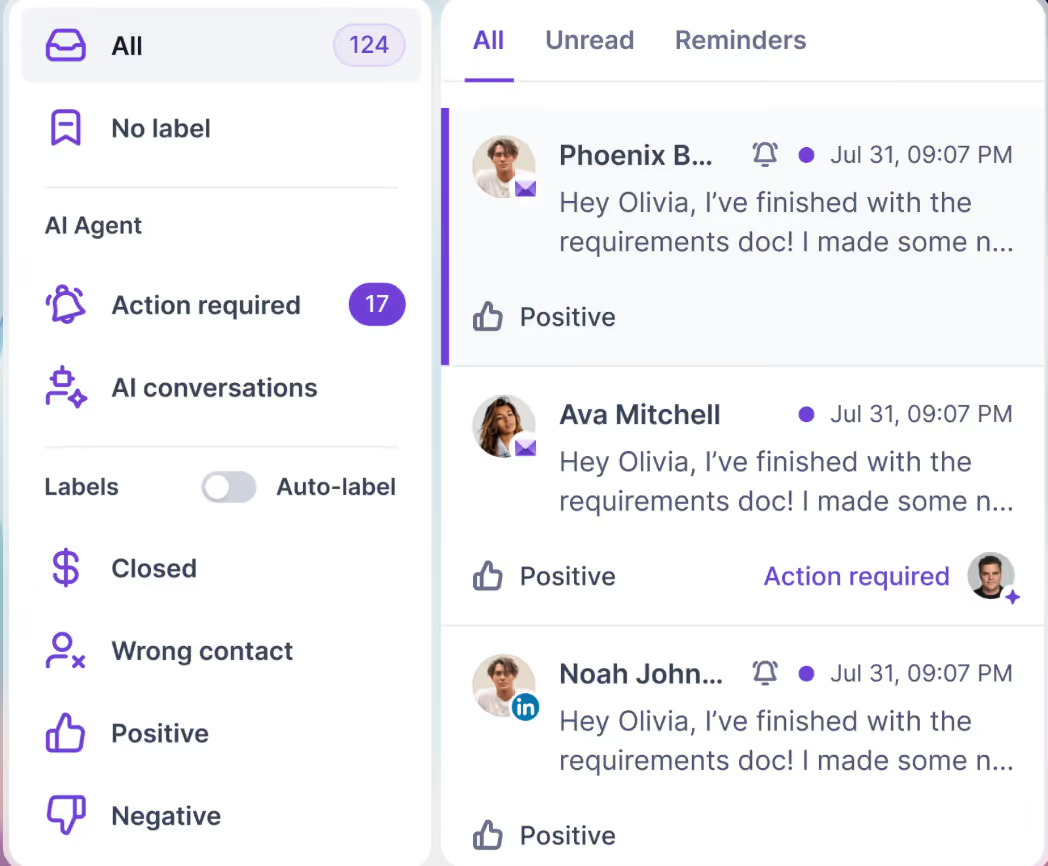
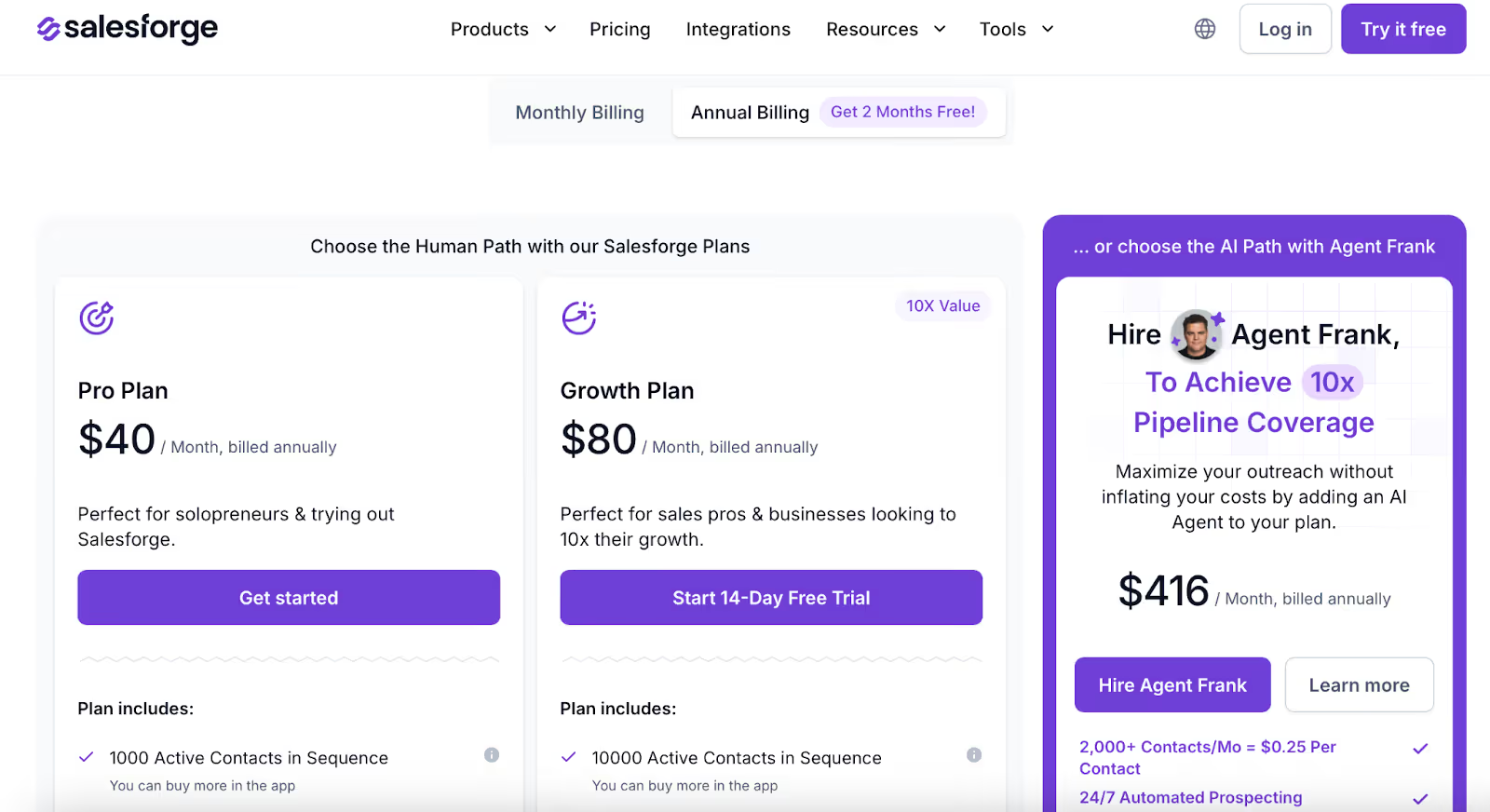
(Optional AI SDR that fully automates outreach for you)
👉 Get 100 free credits via Leadsforge.ai, the verified lead search engine built into the Forge Stack.
Salesflow works for basic LinkedIn-only outreach.
👉 Try Salesforge free and see the difference.



.jpg)