If you are reading this Gojiberry AI review, you are probably trying to figure out one simple thing.
Can this tool actually help you book more meetings, or is it just another LinkedIn automation product with a better pitch?
I have spent enough time in outbound to know that signal-based prospecting sounds great on paper. Job changes, funding rounds, competitor engagement, and profile activity can absolutely help you find better timing for outreach. That part is real.
But in outbound, a good signal is only useful if the workflow behind it is strong enough to turn that signal into replies and pipeline.
That is usually where the real test starts.
I looked at Gojiberry from that angle. Not just what it claims to do, but how it fits into an actual outbound motion. I went through how it finds prospects, how the ICP scoring works, what kind of LinkedIn automation it supports, where the pricing starts to feel restrictive, and what kind of team would realistically get value from it.
In this review, I will break down what Gojiberry does well, where it starts to feel limited, and whether it is enough for modern outbound teams that need more than just LinkedIn outreach.
If you're in hurry here's a quick overview of Gojiberry AI:
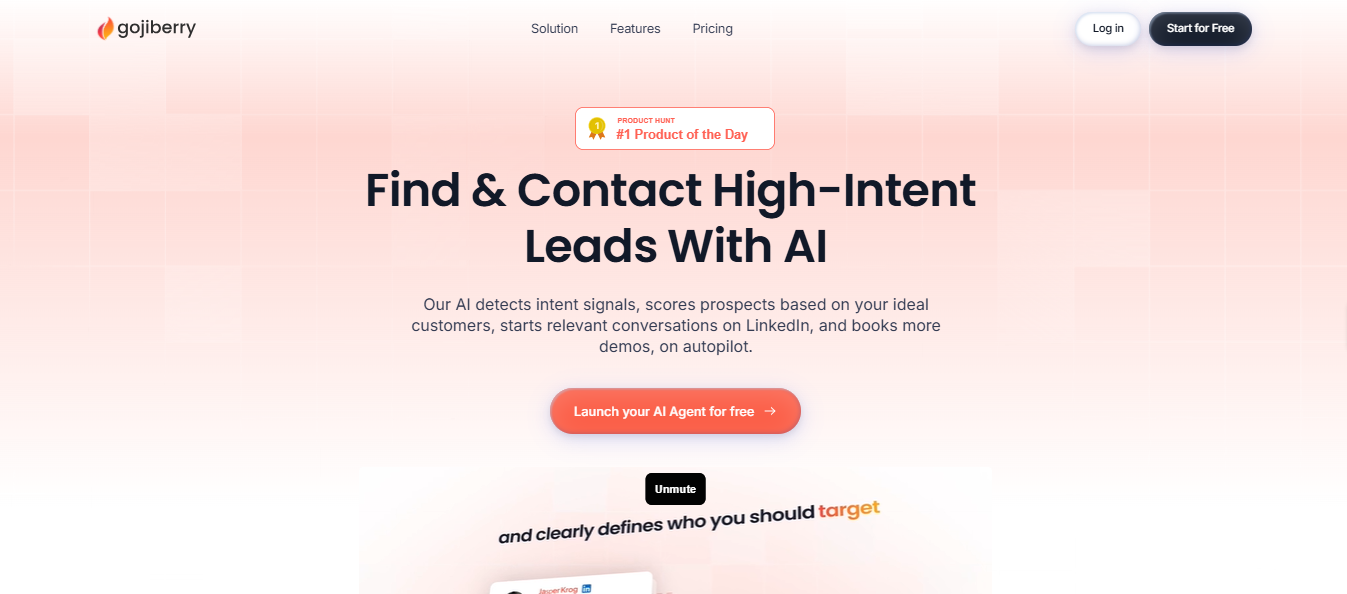
Gojiberry is a LinkedIn-first outreach tool built for signal-based prospecting. It makes the most sense for solo founders or small teams that rely heavily on LinkedIn.
It finds people who are already showing buying intent on LinkedIn and reaches out to them automatically.
Instead of uploading cold lead lists, the platform monitors buying signals on LinkedIn.
Only leads that match your targeting criteria move into the messaging stage.
The platform sends personalized connection requests and follow-up messages directly through LinkedIn.
But It starts feeling limited when you need email outreach, more senders, or broader outbound scale.
Run multi-channel outreach with Salesforge instead of relying on LinkedIn alone. Start the 14-day free trial now.
Gojiberry runs on a simple three-step process: signals, scoring, and outreach.
You start by creating an account and defining your ICP, job titles, industries, company sizes, and locations.
Next, you pick your intent signals. Gojiberry tracks 30+ signals like competitor engagement, funding rounds, job changes, and LinkedIn post interactions.
Here is how it works step by step:
The initial configuration takes only a few minutes for a basic setup, since the system handles prospecting and first outreach automatically.
Gojiberry is built for a very specific workflow.
You use it to find people showing buying signals on LinkedIn, filter them against your ICP, and reach out automatically.
These are the features that shape that workflow.
You can track 30+ LinkedIn signals, including:
This helps you reach out when a prospect is showing movement, instead of messaging a random cold list.
You can set your ideal customer profile using filters like:
Gojiberry then scores each detected lead against those filters before outreach starts.
This helps you cut down irrelevant leads and keep outreach closer to your actual market.
You can generate LinkedIn messages based on the signal a prospect shows.
Those messages can be sent as:
This saves time on manual writing and gives you a more relevant reason to start the conversation.
You can enrich leads through 15+ data providers.
This helps you find:
That gives you better coverage on each lead, even though the main workflow still stays LinkedIn-first.
You can push leads into tools like:
You can also move data into custom workflows through the API.
This makes it easier to connect Gojiberry to your existing sales process.
You can track people engaging with competitor pages and posts on LinkedIn.
That helps you spot prospects who are already paying attention to your market.
For outbound teams, this can be one of the more useful trigger points.
You can review:
This helps you understand which signals are actually producing replies, not just more lead volume.
You can generate messages in multiple languages.
This is useful if you are reaching out across different regions and want outreach to feel more natural for each market.
In simple terms, Gojiberry helps you do three things:
If your outbound motion depends heavily on LinkedIn, these features can be useful.
If you need email outreach, broader channel control, or a more complete outbound setup, this feature set may feel limited.
There are only two plans, but the gap between them becomes clearer once you look at how teams actually scale outreach.
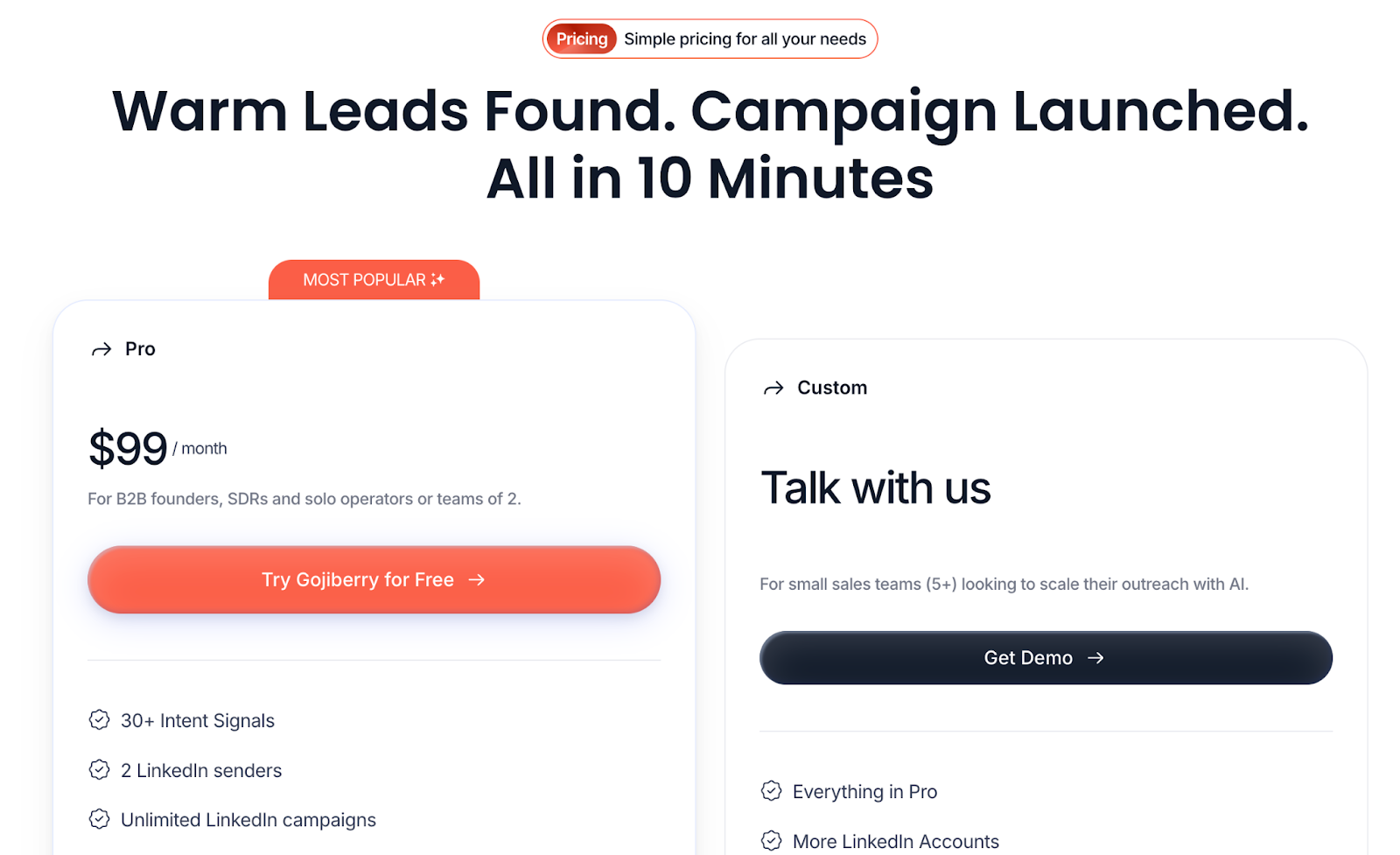
The Pro plan gives you access to Gojiberry’s main features. It is clearly built for solo founders or very small teams.
It includes:
For a one-person or two-person setup, this can be enough.
The main issue is the sender limit.
The Custom plan is meant for larger teams that need more flexibility.
It includes:
The main drawback is pricing visibility.
For solo operators, the Pro plan can work well.
For growing teams, the jump from $99/month to custom pricing may feel a bit abrupt.
Connect your mailboxes and LinkedIn accounts in Salesforge and launch your first sequence.
After going through the platform and reading user feedback, a few clear strengths and limitations stand out.
Gojiberry works well for signal-driven LinkedIn outreach, but the scope becomes narrower once teams start scaling outreach beyond LinkedIn.
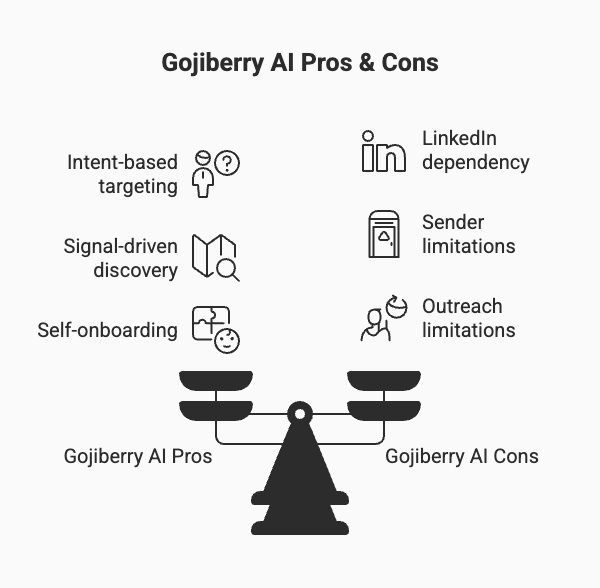
Gojiberry works for a specific type of outbound motion. It is not for everyone.
The tool runs on LinkedIn signals. If your buyers are not active on LinkedIn, it will not perform well.
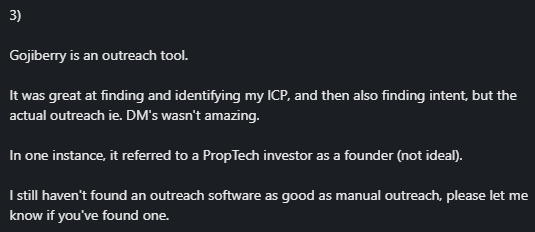
Gojiberry works best when you're selling B2B, and LinkedIn is your main channel.
I'd recommend it if you want to contact prospects showing buying intent rather than cold lists.
If LinkedIn is your primary channel and intent matters more to you than volume, Gojiberry fits.
If you need multi-channel outreach or run a growing team, you will hit its limits fast.
Also Read: How Jungler Executes Buyer Intent with Salesforge & Warmforge
I like what Gojiberry is trying to do.
For LinkedIn-first prospecting, signal-based targeting makes sense. If someone changes jobs, raises funding, or starts engaging with competitor content, that is often a better trigger than pulling a random cold list.
The issue is not the signal layer.
The issue is the workflow after that.
In real outbound, LinkedIn usually does not carry the full pipeline on its own. Most teams still rely on email for volume, deliverability control, follow-ups, and reply handling. That is where Gojiberry starts to feel narrow. It helps you identify and message the right people on LinkedIn, but the broader outbound system still has to be handled somewhere else.
That is where a platform like Salesforge fits better for teams that want to scale.
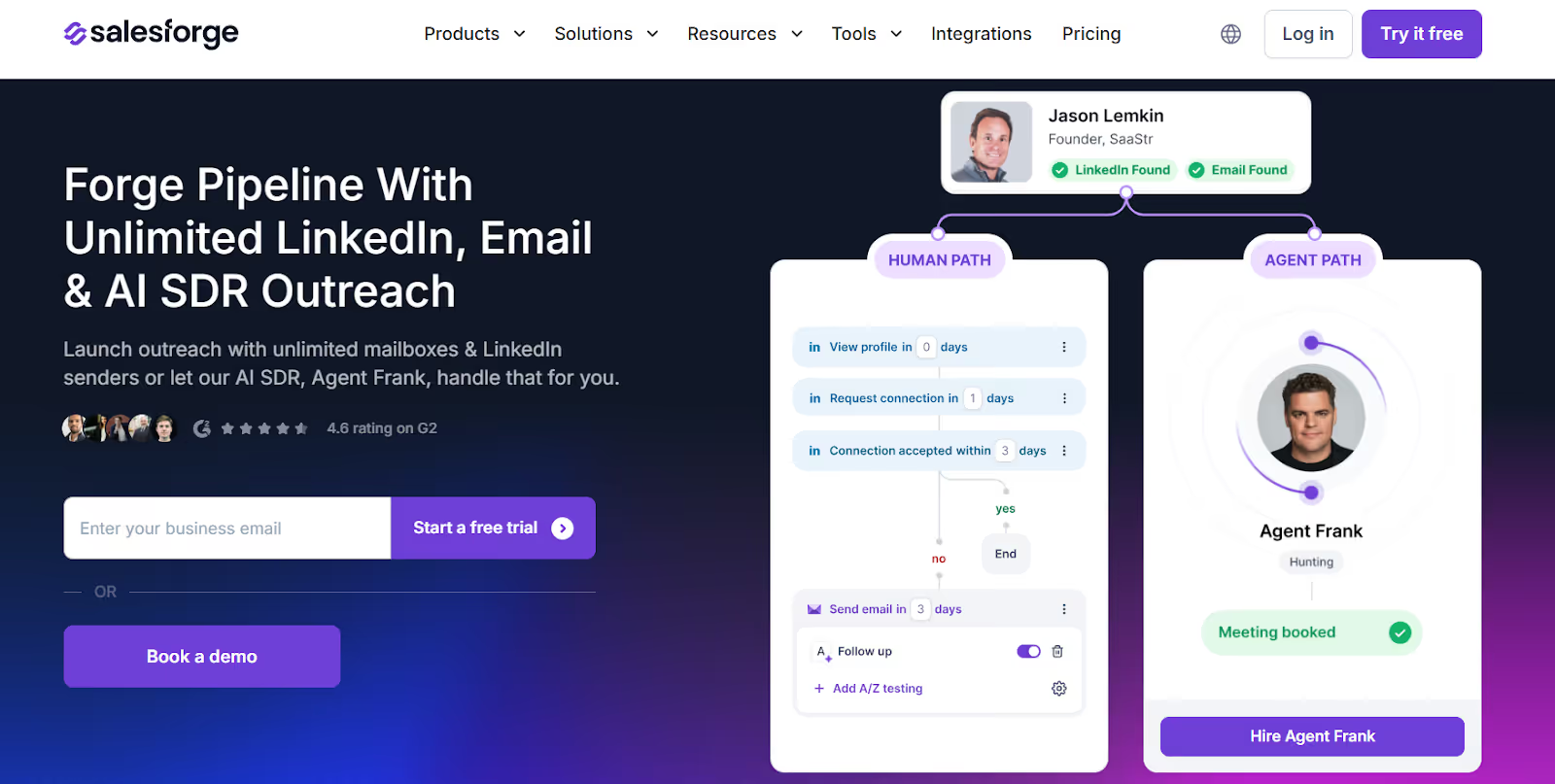
Instead of keeping LinkedIn separate from email, Salesforge lets both channels run from the same workspace. That matters once you are managing more campaigns, more senders, and more conversations across different touchpoints.
A few things stand out from an outbound execution perspective:
That setup gives teams more room to grow without stitching together multiple tools too early.
Another thing I look at is operational flexibility.
With Gojiberry, the motion depends heavily on LinkedIn activity. With Salesforge, the setup is broader. If a prospect does not engage on LinkedIn, email is already part of the workflow. That makes the outbound motion more resilient.

I also like that the surrounding stack is built to support scale more cleanly.
That separation is useful because outreach performance is usually not just about writing better messages. It also depends on infrastructure, channel mix, inbox placement, and reply handling.
So if your workflow is mainly:
then Gojiberry can make sense.
But if you are building a more complete outbound motion, where LinkedIn is only one part of the system, then a broader platform tends to hold up better over time.
Also Read: 10 Best LinkedIn Automated Messaging Tools for Safe Outreach in 2025
I think Gojiberry is worth considering if your outbound motion is heavily LinkedIn-led and your team is still small.
It does a few useful things well:
For a solo founder or a two-person outbound setup, that can be enough.
The limits show up when outreach becomes more operationally complex.
Once you need email in the mix, more sender capacity, or a workflow that supports multiple SDRs or clients, Gojiberry starts to feel more like one part of the stack than the full system.
That is the main trade-off.
If LinkedIn is your main channel and you care more about signal quality than outreach scale, Gojiberry is a reasonable fit.
If you need a more scalable outbound setup across both email and LinkedIn, Salesforge is the more complete option. It covers the parts that usually become painful as teams grow: channel coordination, sender scaling, inbox management, and automation across the full outbound workflow.
Start your 14-day free trial and see why thousands of sales teams choose Salesforge for multi-channel outreach.



.jpg)

