

Personalized Outbound Strategy
Get The Right Outbound Strategy In Minutes
Enter your email to get a custom plan & stack recommendation for your business
It's being carefully crafted by AI
Please check your mailbox in 5 minutes
Cold outreach on LinkedIn has a reputation problem. Not because it does not work, but because most people do it wrong.
They send a connection request to someone they have never interacted with. They follow up with a pitch 48 hours later. They wonder why nobody replies.
The people who get replies engage with prospects.
They show up on a prospect's posts 2-3 times before they ever send a message. By the time the DM lands, the prospect already knows their name.
The only problem? Doing that for 200 prospects at once is a full-time job.
That is the exact problem Goextrovert is built around. And that is why you are reading this Goextrovert review.
Before you set it up, pay for a plan, or build your first campaign, you want to know:
I tested it for 30 days with 150 prospects, and went through the real experiences from users who have run it for months.
So you do not have to piece it together yourself.
Yes, if LinkedIn engagement is the only gap in your current outbound stack.
Bottom line: Goextrovert is worth it if your only problem is staying consistently visible on LinkedIn across a large prospect list.
Goextrovert excels at LinkedIn relationship building, but it's a poor fit if you need lead generation, email outreach, infrastructure, or a complete outbound system.
If those gaps matter to you, Salesforge covers the full motion, from lead generation to multi-channel sequences to autonomous AI SDR operations, all from one place.
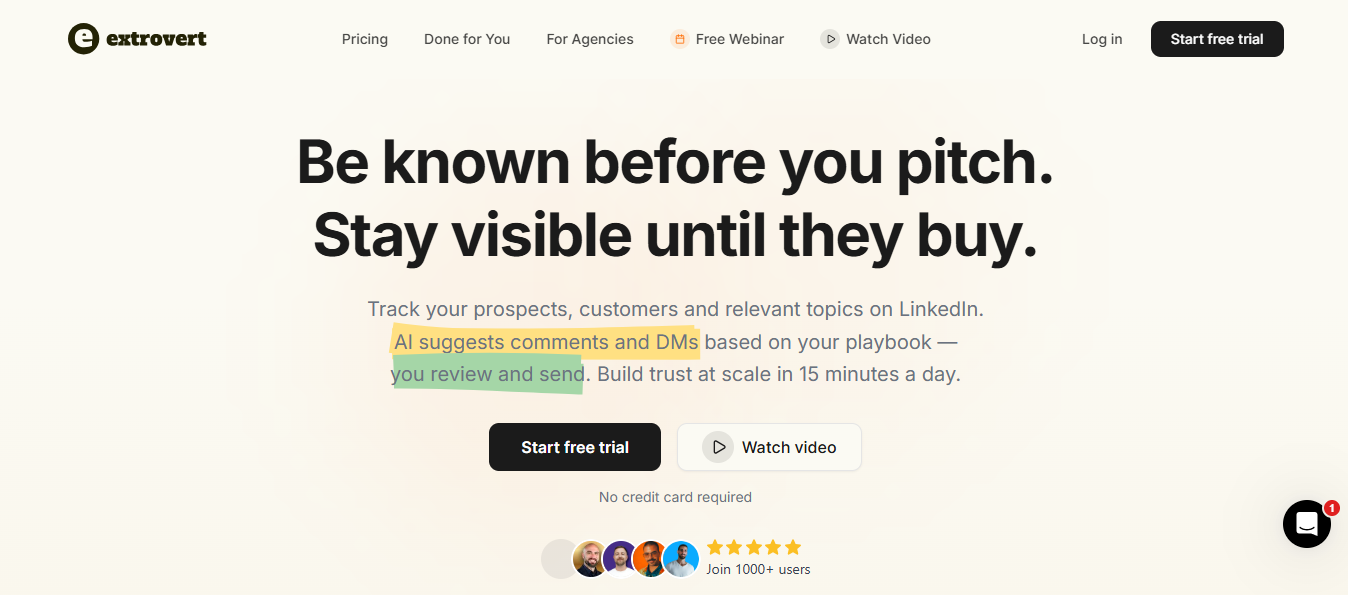
Goextrovert is a LinkedIn relationship-building tool. It monitors your prospect list, drafts comments and DMs in your voice, and waits for your approval before anything goes live.
As Panos Sisamos put it after using it: "It is co-pilot, not autopilot. AI drafts suggestions. I add my voice."
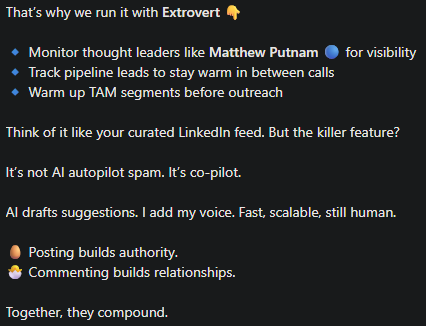
You are not handing LinkedIn over to a bot. You stay in every conversation. The AI handles the drafting, and you handle the decisions.
The core idea behind the product, as Goextrovert's own founders described it on the Sales Uncharted podcast, is that social relationships are the new go-to-market.
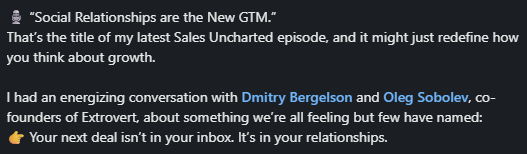
You do not cause a sale by pushing harder. You earn it by showing up consistently before you ever ask for time.
As Oleg mentioned, Goextrovert is the tool built to make that consistency possible at scale.

It does not send cold emails, run multi-channel sequences, or manage your inbox.
It focuses on one channel, LinkedIn outreach, and helps you stay present on that channel across a large prospect list without spending hours doing it manually.
Goextrovert is built for people who sell on LinkedIn and not those who blast cold emails, but people who build relationships before they pitch.
John Gusiff, a founder-led sales practitioner, shares in a LinkedIn post: "Goextrovert keeps you in ongoing, contextual conversations with prospects before the pitch, so discovery starts long before the sales call."

That framing tells you exactly who this is for.
If you are an SDR running LinkedIn outreach alongside email, this fits you too. You want to warm up prospects before your sequence hits their inbox.
Or if you are a founder doing your own outreach, this fits you. You know your prospects, but you do not have time to engage with all of them daily.
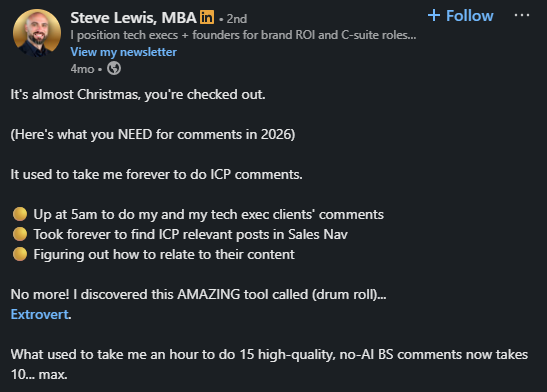
Just like how Steve Lewis, who manages LinkedIn for himself and executive clients, described his before and after state using Goextrovert.
Similarly, Sabahudin Murtić spent two years on LinkedIn before he realized the problem: "Random acts of engagement don't work. A system does." Goextrovert gave him that system.
Agencies managing LinkedIn for multiple clients will also find a use here.
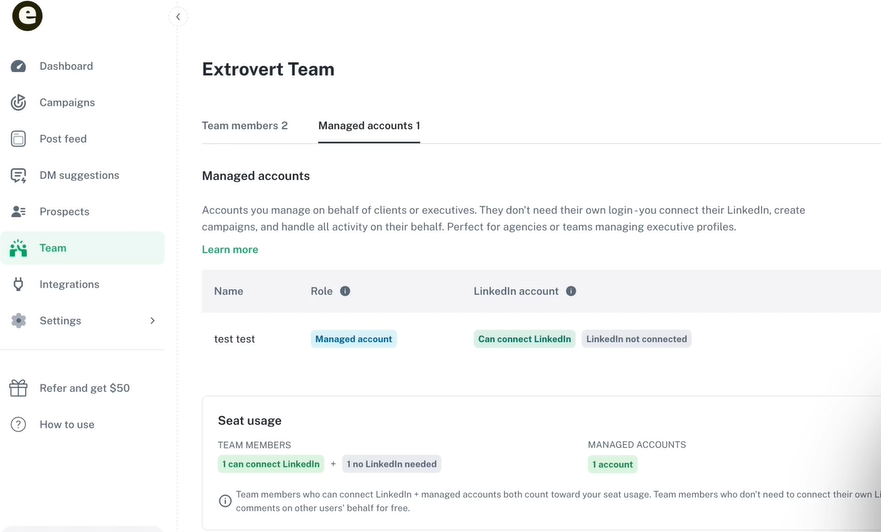
You can run separate campaigns for each client with different tones and contexts.
One pattern I see across reviews is this. Most Goextrovert users come from small teams, under 50 people, where one or two people handle all of LinkedIn.
Goextrovert is not built for large enterprise sales teams running complex procurement cycles. It is also not built for people who rely only on cold email with no LinkedIn support.
If LinkedIn is already part of how you sell, Goextrovert gives that process structure and consistency.
Goextrovert organizes everything into campaigns. Each campaign has its own prospect list, tone, context, and engagement rules.
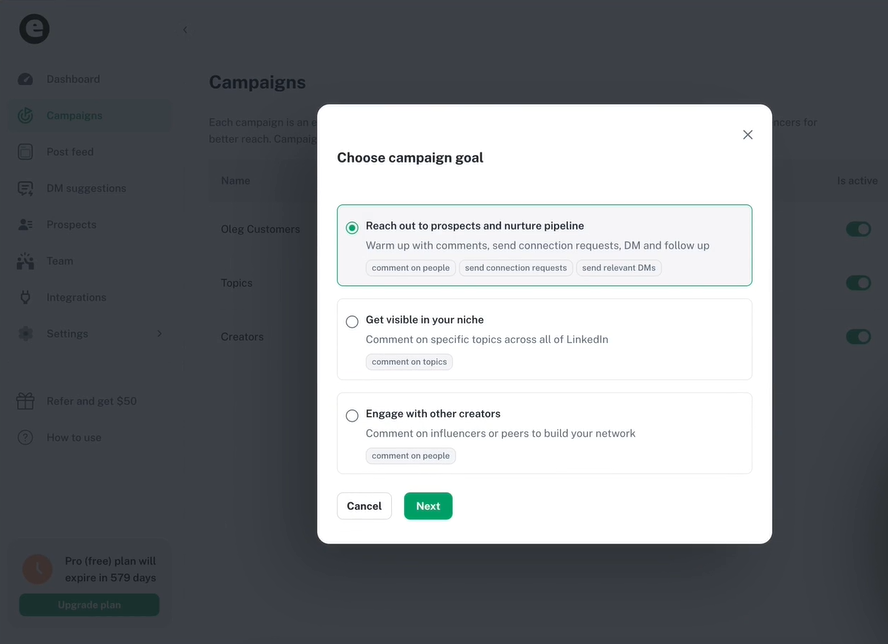
As Sabahudin Murtić shares, you set the rules once. Goextrovert follows them automatically.
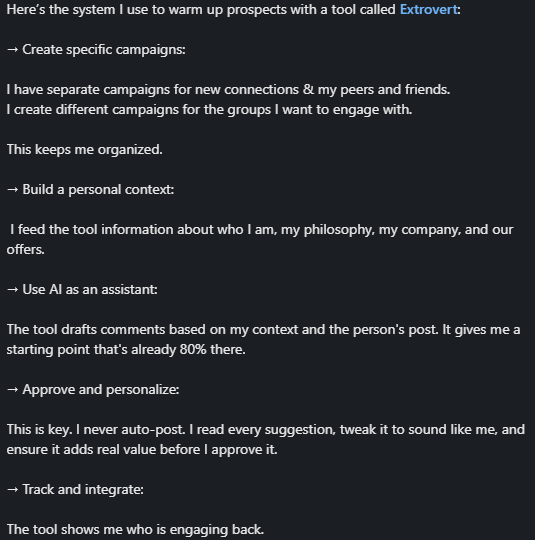
For example, you can tell it to comment on a prospect's posts twice, then send a connection request. After they accept, wait one day and suggest a first DM.
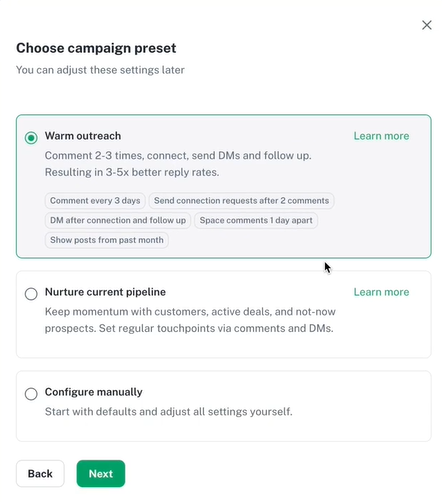
From there, two triggers keep the loop going. If the prospect posts something relevant, Goextrovert drafts a follow-up DM referencing that post. If nothing happens, it nudges you after a set number of days.
Every suggestion, comment, or DM sits in a queue waiting for your approval. You can approve, edit, skip, or regenerate.
The loop does not stop after a few weeks. It runs until you remove the prospect or they become a customer.
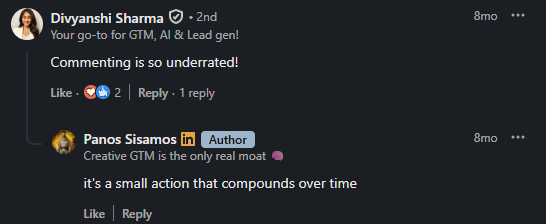
Comments compound over time, hence Goextrovert checks your prospect list every 24 hours for new posts. For each post, it generates a comment draft.
The draft pulls from three sources: your writing examples, your tone instructions, and your context about your company and role. The more you feed it, the closer the output sounds to how you actually write.
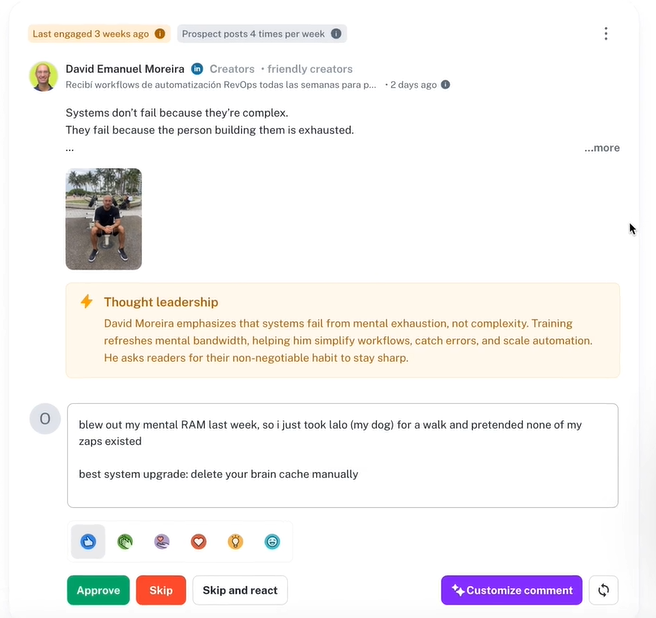
You can approve the draft, edit it, regenerate it, or give the AI specific instructions. For example, "make it shorter," "ask a question," or "mention our recent product launch."
You set a trigger. After two direct comments on a prospect's posts, Goextrovert sends a blank connection request automatically.
Blank requests sent after engagement get accepted more often than requests with messages. Goextrovert's own data puts acceptance rates at 70% versus the 30-50% industry average for cold requests.
For prospects who rarely post, you can set a time-based trigger instead. After 14-30 days, the request goes out regardless.
10 n8n LinkedIn Automation Workflow Examples + Templates
After a prospect accepts your connection request, Goextrovert suggests a first DM. The draft uses their profile, recent posts, your conversation history, and your DM playbook.
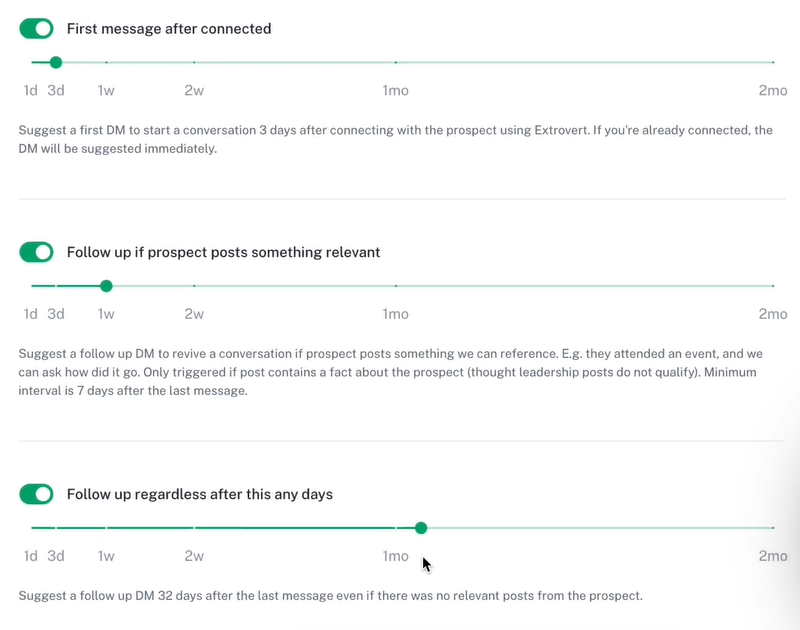
Three triggers keep follow-ups coming.
This is not a sequence that ends after 4 weeks. The suggestions keep coming until you remove the prospect.
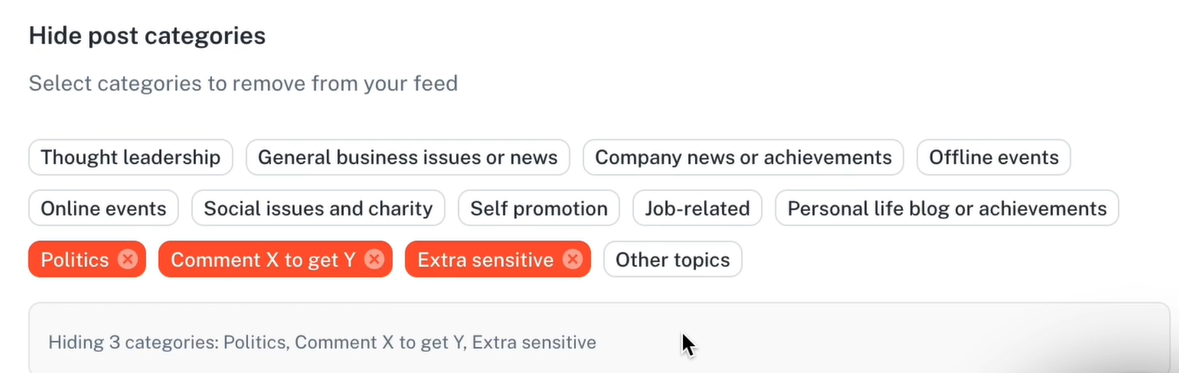
Your feed only shows posts from prospects you have imported. You control what appears using filters.
You can filter by post age, prospect list, topic relevance, and how recently you last engaged with someone.
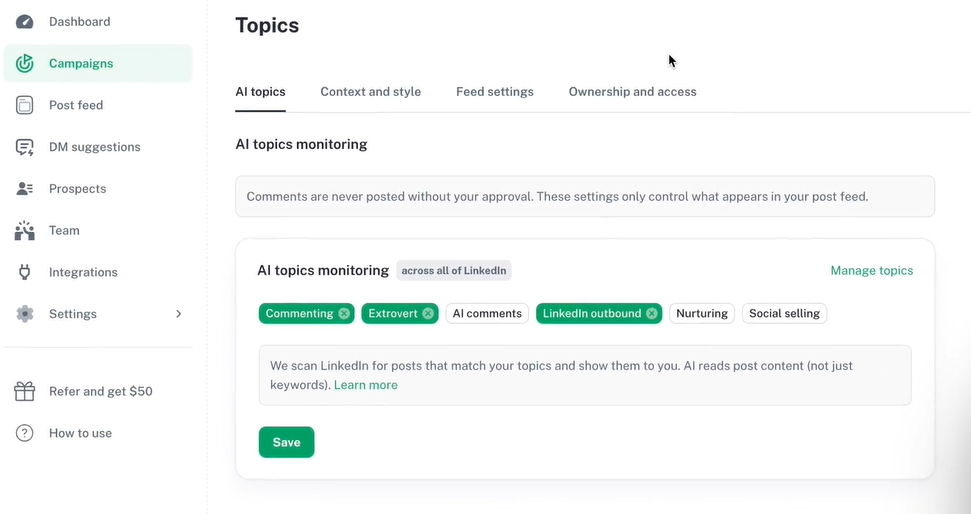
If you commented on a prospect's post last week, you can set the feed to hide them for another two weeks automatically.
For heavy posters who dominate your feed, you can cap how many posts per person appear at one time.
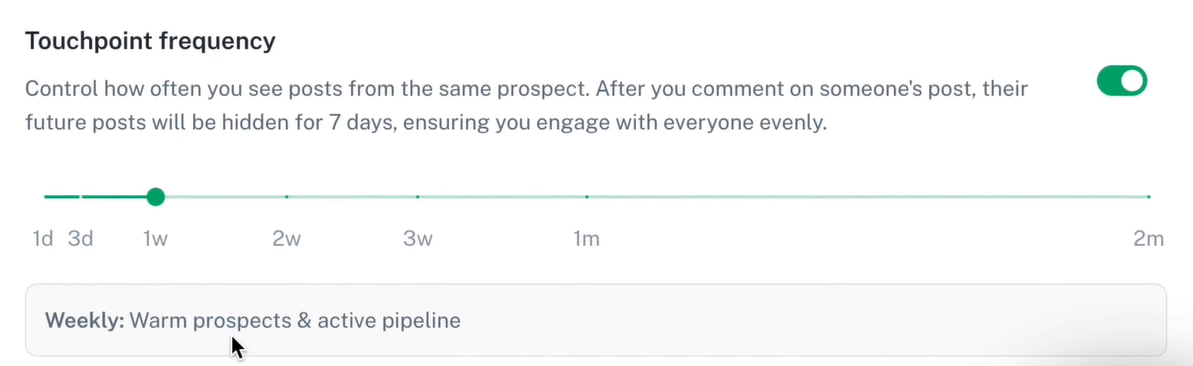
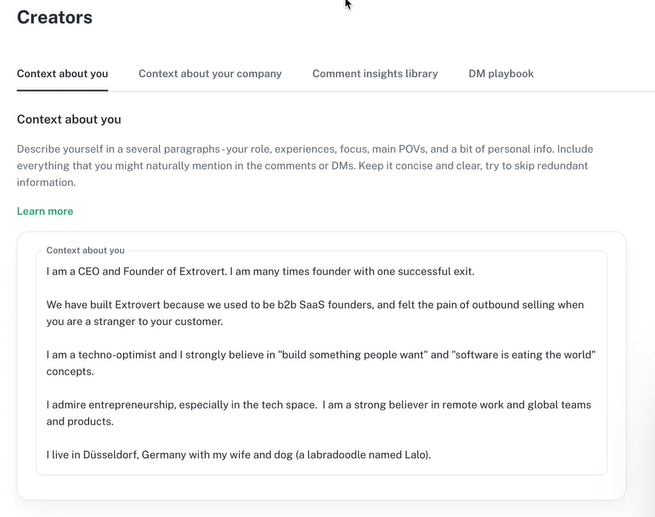
This is where you train Goextrovert to sound like you. You build two profiles: context and style.
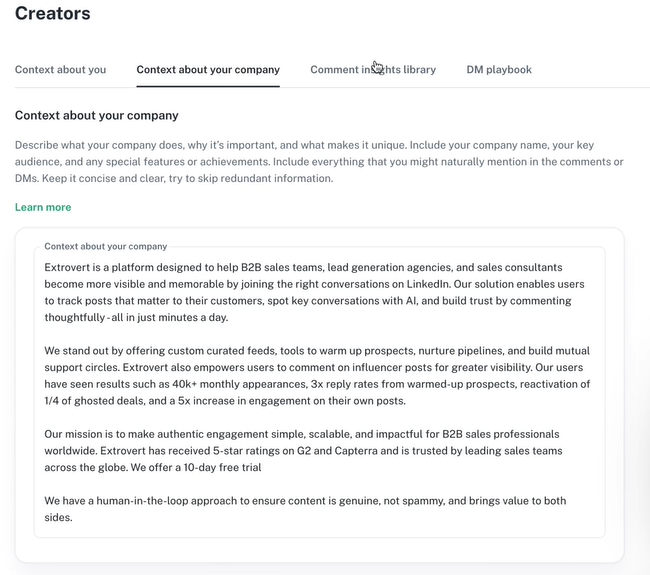
Context covers who you are, what your company does, your insights, and your DM playbook, including templates, objection handling, and links.
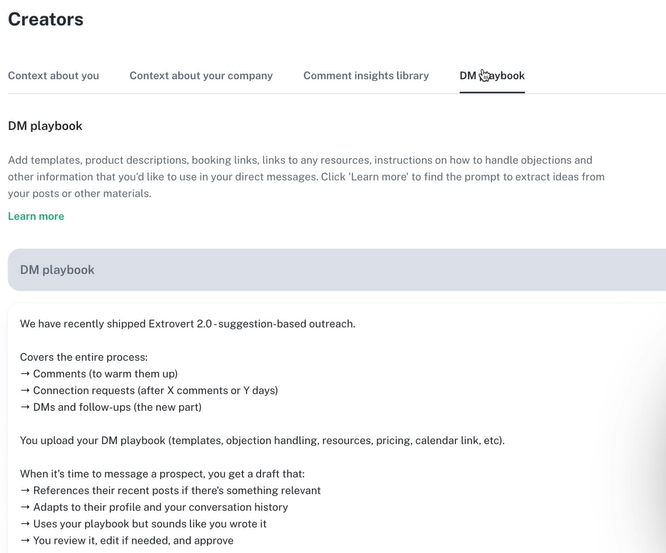
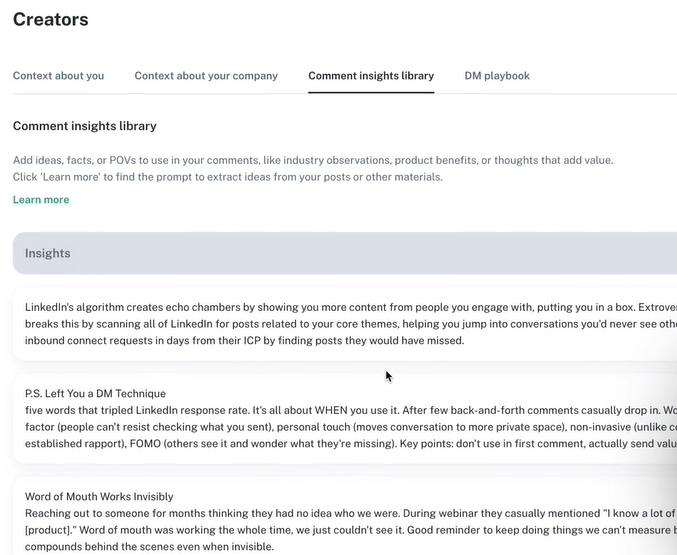
Style covers your tone, sentence length, emoji usage, and writing examples.
You can create multiple profiles and assign different ones to different campaigns. One style for enterprise prospects, a different one for startup founders.
The more examples you add, the better the output. Goextrovert's learning mode saves comments you edit and approve as new examples automatically.
How AI Uses Behavioral Data to Personalize Outreach
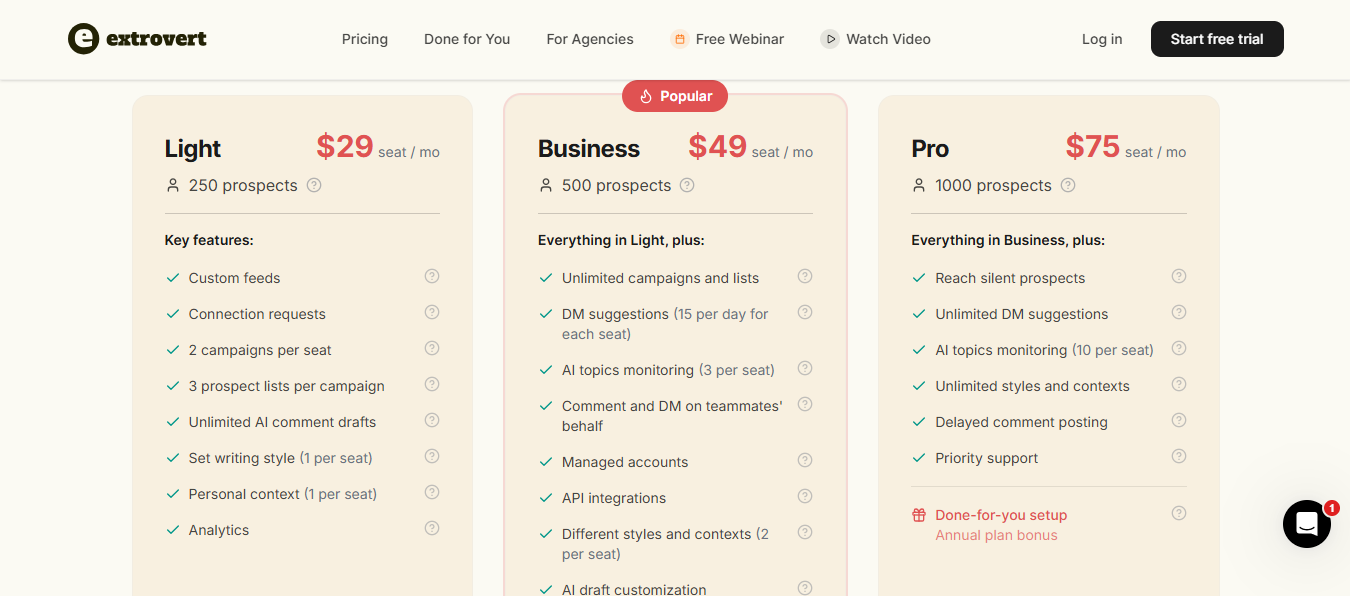
Goextrovert has three plans, all billed per seat. You get a 10-day free trial with no card required. Annual billing saves you 25%.
The prospect limits are worth noting. 250 on Light and 500 on Business fill up fast once you run warm outreach at any real scale.
Multiple users said they tried other LinkedIn commenting tools before Goextrovert. The difference they noticed was not speed; it was quality.
One user said he gets over 70% engagement on Goextrovert-generated comments.

The style training through examples and tone instructions is what separates the output from generic AI text.
Users consistently report spending 15-30 minutes a day instead of 1-2 hours. One Head of Sales said Goextrovert saved him 14 hours a week on LinkedIn engagement alone.

Importantly, users are not handing over control. Every comment and DM still requires approval before it posts.
Users report 2-5x better reply rates compared to cold DMs after warming up prospects with comments first.

One CMO reported 1,400 comments in under an hour a day across targeted prospects, which generated traffic and inbound leads into the next stage of their funnel.

Unlike email sequences that end after 4 weeks, Goextrovert keeps suggesting touchpoints indefinitely.
One founder used this for pipeline nurturing, staying visible to prospects who said "not now" until they were ready to buy.

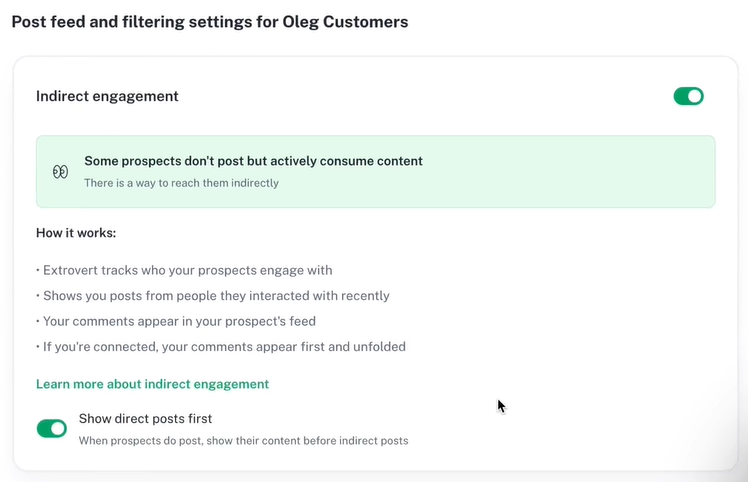
The lurker feature tracks who your silent prospects engage with on LinkedIn.
Goextrovert then surfaces posts from those people so your comments still appear in your prospect's feed even when they never post themselves.

Multiple reviewers flagged this. Context, style instructions, writing examples, insights, and campaign configuration all need manual input before the output quality gets good.
Goextrovert checks prospects' posts once a day. One reviewer noticed posts appearing on LinkedIn a full day before they showed up in Goextrovert.

For users who are already active on LinkedIn, this lag creates a disconnect between organic browsing and the tool's workflow.
Multiple early reviewers flagged the absence of a mobile app. The mobile web version works in Safari, but it is not the same experience.

For founders and SDRs who work from their phones, this is a real limitation.

When you create a new campaign, you re-enter your context from scratch. One user specifically asked for a global settings profile that auto-populates new campaigns.
Right now, that does not exist, which slows down anyone managing multiple campaigns or clients.
It shows individual prospect activity, but there is no aggregate campaign performance layer.
No lead scoring, no prioritization, no view of which campaigns are generating the most engagement or replies.
If your buyers are active on LinkedIn and you run outreach there daily, Goextrovert gives that motion structure.

You stop scrolling manually and start working from a curated feed of prospects that matter.
If you have a sequencing tool, mailboxes, and deliverability sorted, Goextrovert fills the LinkedIn warm-up gap without disrupting your existing stack.
If your sales cycle is long and your prospect list is small, consistent LinkedIn touchpoints over weeks keep you visible without feeling like outreach.

If you run a lean team and LinkedIn engagement keeps falling off because nobody has time, Goextrovert keeps the motion going in 30 minutes a day, same as your assistant.
If any of those last five points describe your situation, Goextrovert will add a tool to your stack without covering enough of the workflow to justify it.
LinkedIn Account Suspended? 12 Proven Ways To Protect Your LinkedIn Account in 2026
Goextrovert solves one specific problem. You show up on a prospect's LinkedIn feed consistently before you pitch them. That is the full scope of what it does.
Everything outside of that, you are on your own.
You still need a place to find prospects. Goextrovert only works with lists you manually import. There is no built-in database, no enrichment, no intent signals.
You still need email infrastructure. Goextrovert does not touch mailboxes, domains, DNS, or deliverability. If your cold emails land in spam, Goextrovert has no visibility into that.
You still need a way to send a cold email. Goextrovert has no email sending, no sequences, and no inbox to manage replies from.
Here's how the full stack works together:
Leadsforge finds your prospects.
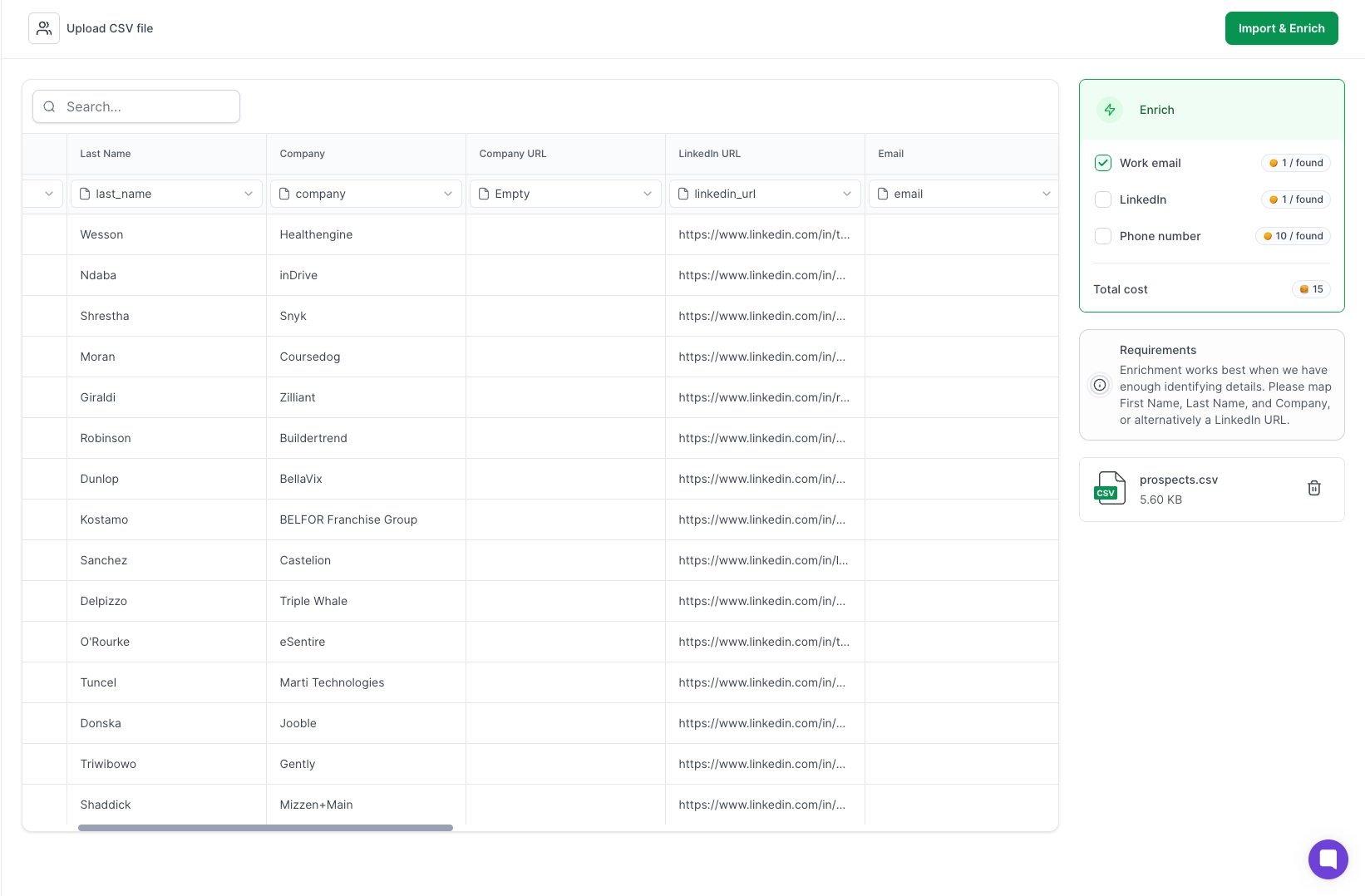
You search 500M+ contacts by ICP, pull competitor followers, and build enriched lists with verified emails, LinkedIn profiles, and phone numbers. No manual importing.
Primeforge and Mailforge give you the mailboxes. Real Google Workspace and Microsoft 365 mailboxes, or shared IP infrastructure, configured for cold outreach with automated DNS setup.
Warmforge warms them before you send a single email and assigns a heat score that signals the level of warmth.

Salesforge runs the sequences.

Email and LinkedIn together, from one dashboard. Primebox pulls all replies from every mailbox into a single inbox. You do not switch between accounts to manage conversations.
Teams using the full Forge stack report reply rates between 10% and 30% at scale.
That comes from infrastructure, deliverability, and outreach all working from the same system.
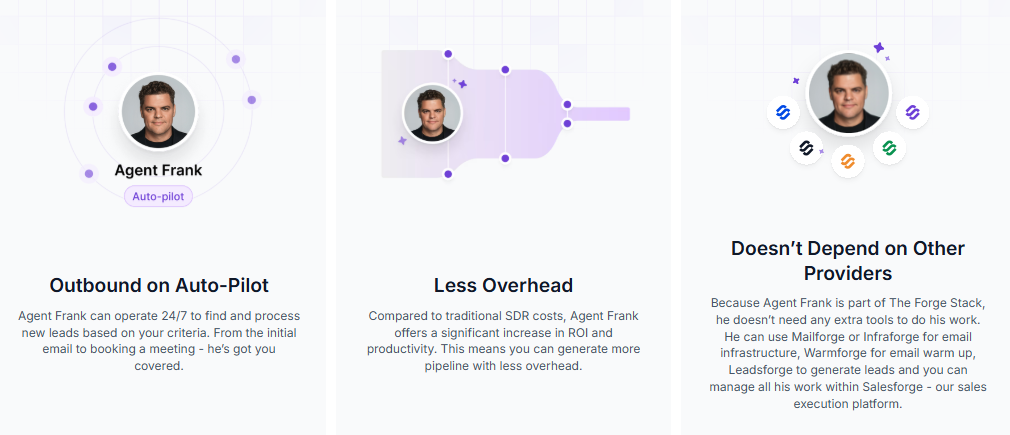
He finds prospects in Leadsforge, sets up infrastructure, warms mailboxes, writes outreach, sends follow-ups, handles replies, and books meetings.
You set the ICP and goals. He handles execution.
Goextrovert, on the other side, requires you to approve every comment and DM manually. At any real volume, that time compounds fast.
There is also the Salesforge MCP server.
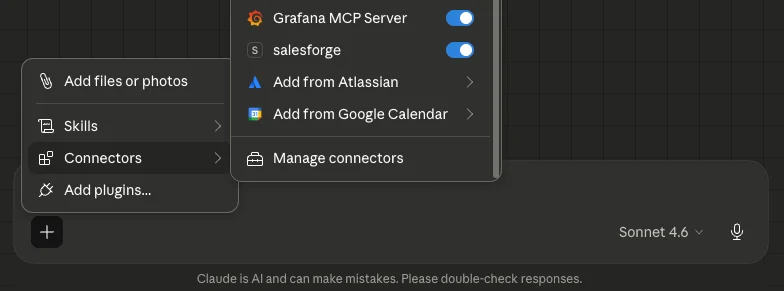
You connect Salesforge to Claude and run your entire outbound workflow through natural language.

Find leads, build sequences, manage domains, and track performance without clicking through dashboards.
If LinkedIn warm-up is the only gap in your current stack, Goextrovert works.
If you are building outbound from the ground up or want email and LinkedIn running together without piecing four tools together, Salesforge covers all of it from one place.
How to Automate Cold Email With Claude Code and Salesforge MCP
Enter your email to get a custom plan & stack recommendation for your business
Please check your mailbox in 5 minutes

Goextrovert is worth it if LinkedIn engagement is the only gap in your current outbound stack.
That is its strongest use case.
It is not the right tool if you want email and LinkedIn running together from one place. It does not replace your lead database, your email infrastructure, your sequencing tool, or your deliverability setup.
You still need four or five other tools to run actual outbound. And every hour you spend managing Goextrovert manually is time not spent on prospects who are closer to buying.
If your outreach starts and ends on LinkedIn, Goextrovert gives you structure and consistency for that channel.
If you want leads, infrastructure, email, LinkedIn, and replies managed from one place, Salesforge covers the full picture without the tool sprawl.
See how email and LinkedIn work together in one system. Start your 14-day free trial to set up your first multi-channel sequence.



.jpg)