Our 7 Meet Alfred Alternatives For Safe LinkedIn Outreach

If Meet Alfred keeps slowing you down with limits, warnings, or random bugs, it’s probably hurting your outreach more than helping it.
When your tool gets in the way, you miss messages, you miss follow-ups, and you miss meetings.
That’s why this list exists.
Here are the 7 best Meet Alfred alternatives that handle the same job, just with safer sending, fewer restrictions, better scaling, and more reliable features.
Pick the one that matches how you work, and get your outreach moving again.
TL;DR – Meet Alfred Alternatives Quick Look
- Salesforge – Best if you want LinkedIn + email together, free warm-up, unlimited senders , and optional AI SDR.
- Salesrobot – Best if you want LinkedIn targeting, A/B tests, and an AI appointment setter to turn replies into meetings.
- HeyReach – Best if you run many LinkedIn accounts for clients and need unlimited senders, API, and whitelabel.
- Expandi – Best if LinkedIn safety is your top priorityand you want smart limits, extra connection volume, and cloud sending.
- Cleverly – Best if you want an agency to do LinkedIn + email for you and just show up to calls.
- Linked Helper – Best if you want very strong LinkedIn-only automation for a very low price and don’t mind a heavier UI.
- Lempod – Best if you only want more views, likes, and comments on your LinkedIn posts, not more DMs.
Why it Makes Sense to Look for Meet Alfred Alternatives
Here’s why you must look for its Meet Alfred competitors:

- If you get stuck with a billing or tech issue, support can reply slowly and not really solve it.
- You may hit Meet Alfred’s low LinkedIn daily limits way too fast when you try to scale outreach.
- Your LinkedIn account can get flagged or blocked if the automation or setup goes wrong.
- Your bounced emails are not auto-removed, so your email list can get messy over time.
- You might run into bugs, like messages not opening or LinkedIn profiles disconnecting while you’re working.
- And if you have a small team or multiple users, the features you really need can feel expensive for what you pay.
The 7 Best Meet Alfred Alternatives in 2025
1) Salesforge: Best Meet Alfred Competitor for Unlimited LinkedIn Outreach & Built-In Warm-Up

Salesforge is a multichannel outreach platform that combines LinkedIn and email in one system, with unlimited senders, built-in warm-up, and optional AI outreach automation.
Unlike Meet Alfred, it doesn’t charge per seat and is designed for teams, agencies, and anyone managing multiple LinkedIn accounts.
You can run both email and LinkedIn steps inside the same campaign, monitor all replies in one inbox, and activate “Agent Frank,” an AI SDR that can source leads and book meetings for you.
Pros:
- You can add unlimited LinkedIn senders and mailboxes. No seat limits.
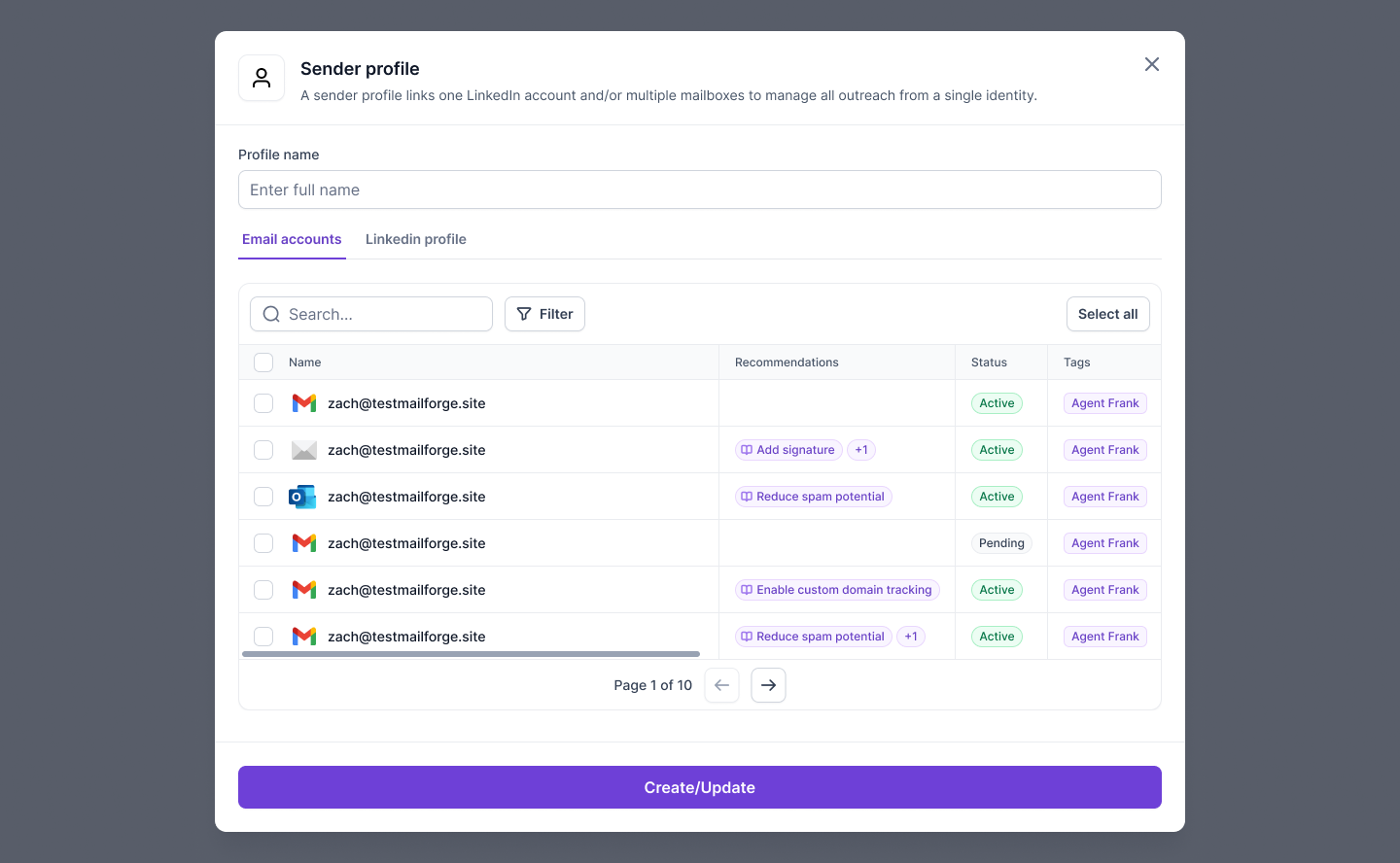
- Primebox™ shows all your LinkedIn and email replies in one inbox.

- Comes with free, unlimited warm-up (so your emails don’t land in spam).
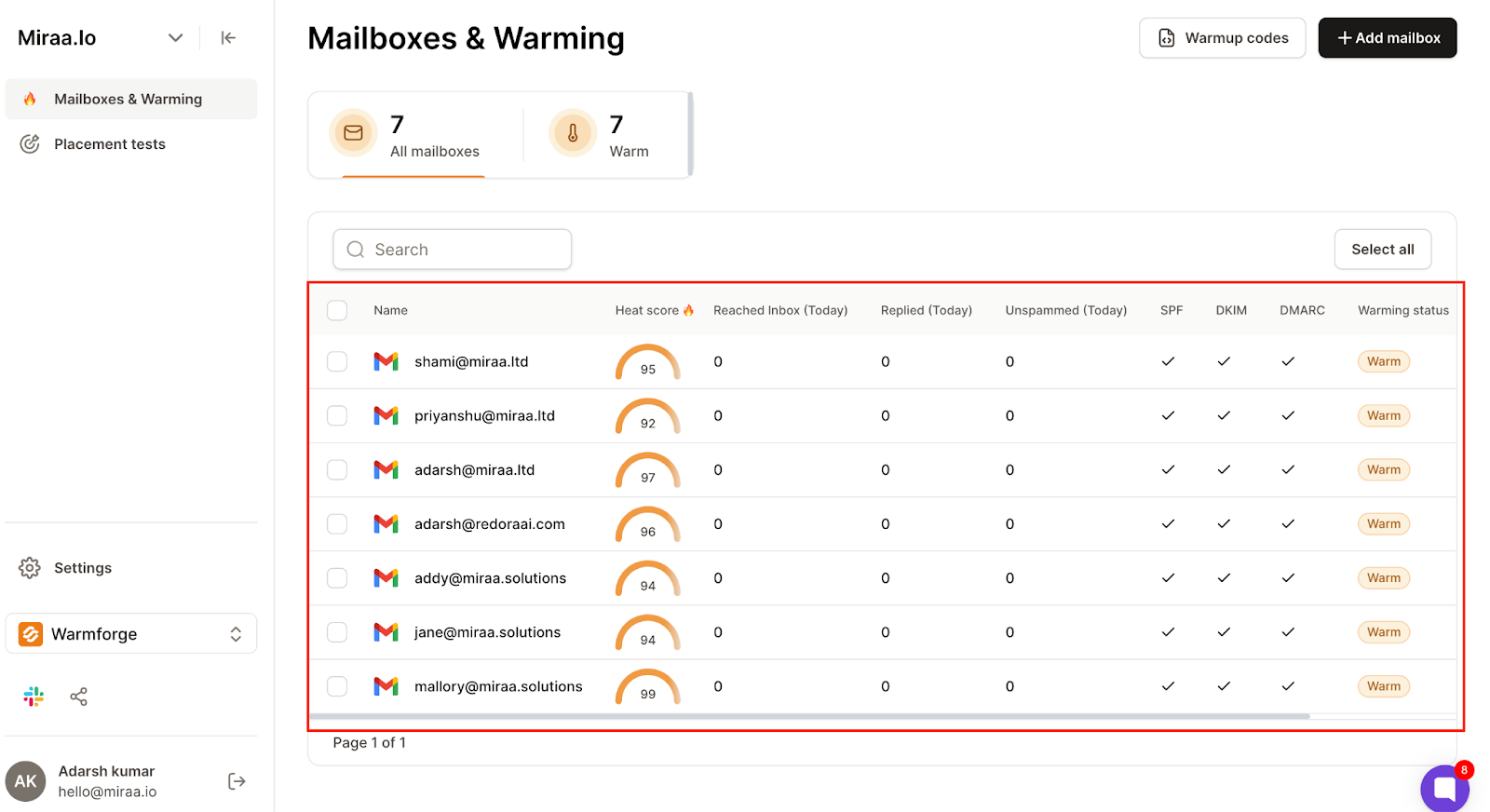
- Lets you run LinkedIn and email in the same campaign.

- Agent Frank (AI SDR) can find leads and book meetings 24/7.
- You can send messages in 20+ languages.
- Works smoothly with Leadsforge, Mailforge, and Infraforge inside the same stack.
Cons:
- You get unlimited LinkedIn senders only in the Growth plan.
- Pro plan allows just 1 user.
- Emails, contacts, and credits have limits, you buy more when needed.
- Agent Frank costs $499/month (billed quarterly).
Pricing (monthly)

- Pro – $48: 1 user, 1K contacts, 5K emails, unlimited mailboxes + free warm-up.
- Growth – $96: unlimited users, 10K contacts, 50K emails, unlimited LinkedIn senders, A/B testing, priority support, 14-day free trial.
- Agent Frank – $499 (billed quarterly): AI SDR outreach with custom agent and 500M+ lead search.
2) Salesrobot: Meet Alfred Alternative for LinkedIn Targeting & AI Appointment Setting
Salesrobot is a LinkedIn outreach tool with precision targeting, smart automation, AI insights, tags, and custom follow-ups.
It is best for B2B LinkedIn outreach, including aged/warmed accounts that can handle higher daily requests.
It runs LinkedIn campaigns with full daily quotas , A/B tests, personal inbox, webhooks/Zapier, and an AI Appointment Setter Agent.
Pros:
- Precision targeting for the right audience.
- Tags + automated custom follow-ups.
- Higher connection requests on aged/warmed accounts.
- A/B testing for message variants.
- Personal inbox for replies.
- Webhook & Zapier integrations.
- AI Appointment Setter Agent is available on all plans.
Cons:
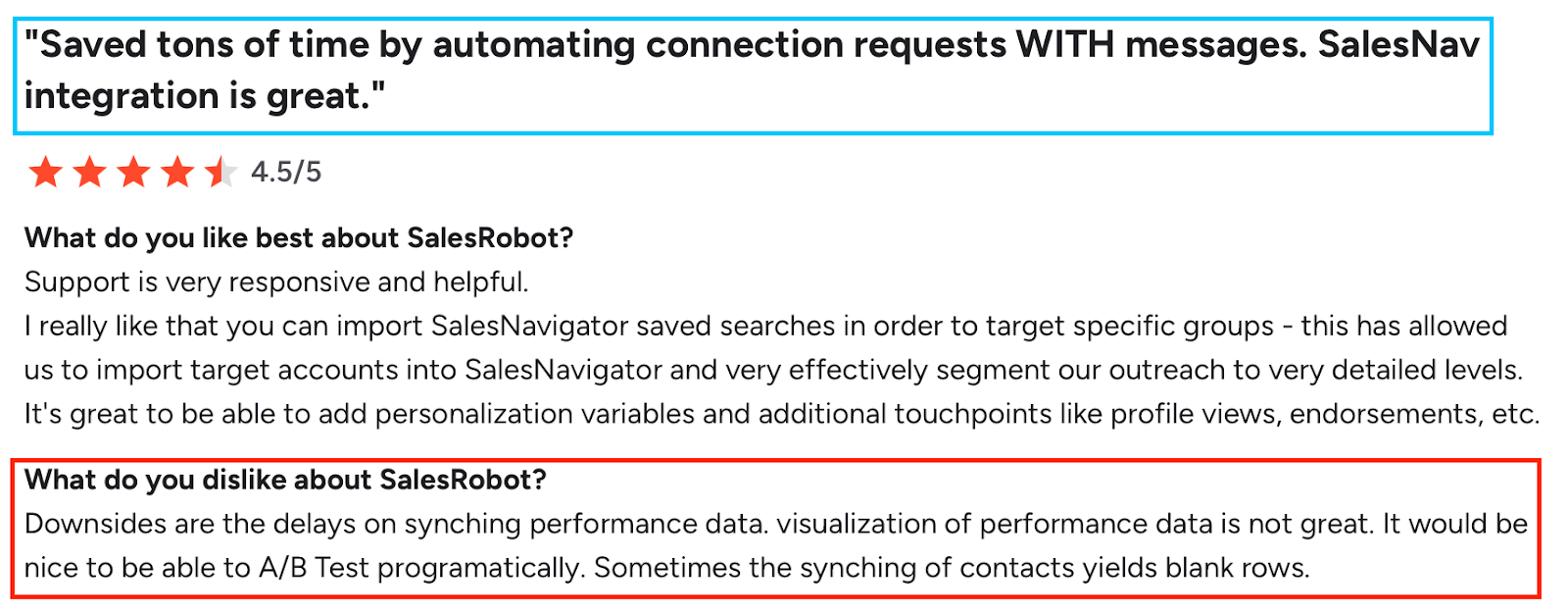
- Doesn’t always reach the full 50 LinkedIn connection requests per day (sometimes caps around 40–41).
- Campaign stats and new-connection counts update slower than real-time.
- No ability to send pre-recorded native selfie videos like the LinkedIn mobile app.
- You can’t duplicate an existing campaign sequence, sequences must be rebuilt manually.
- Some special characters can break or misformat messages.
- Initial setup and integration with other tools can take longer than expected.
Pricing (monthly, per LinkedIn account)
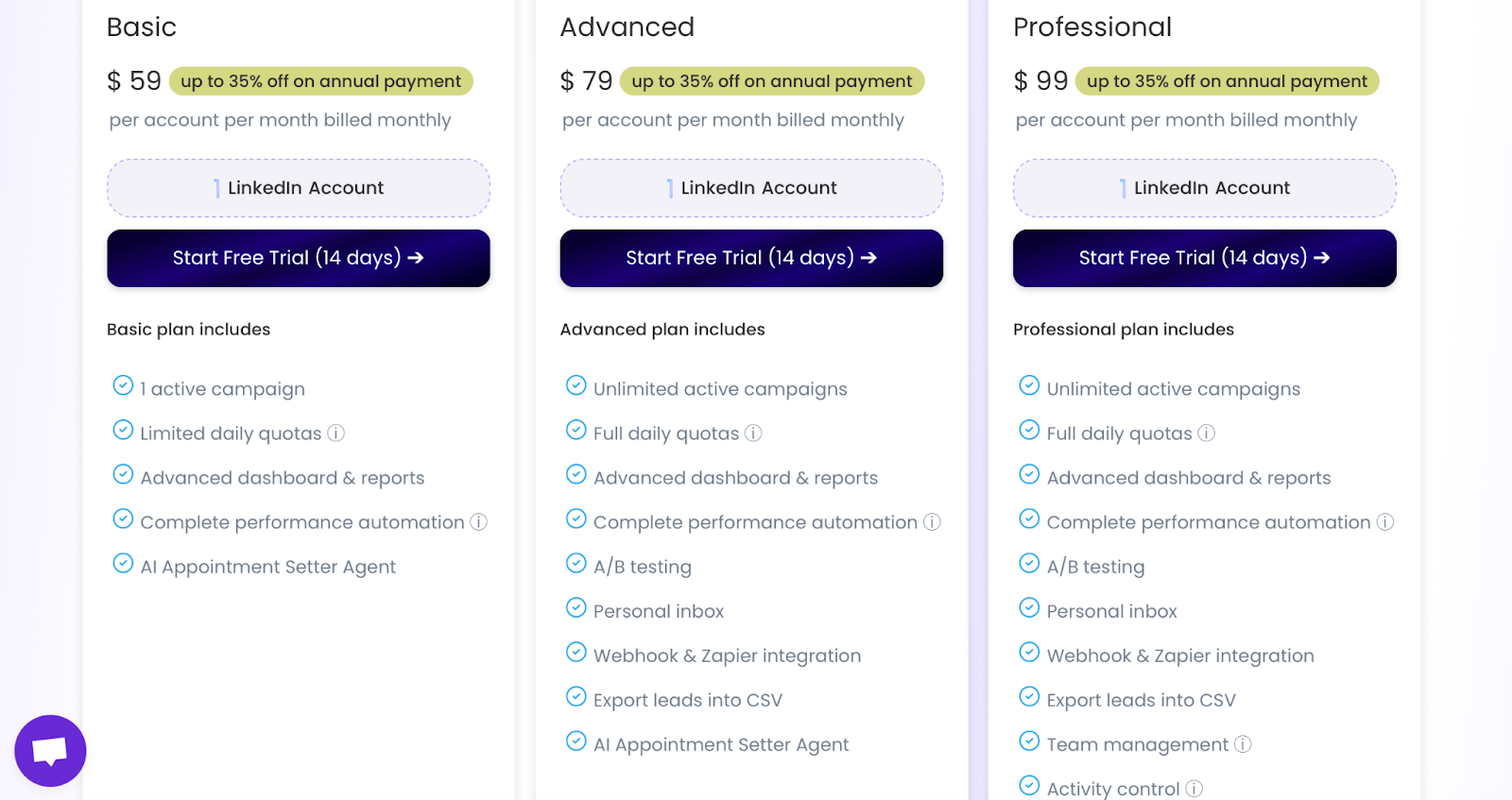
- Basic — $59: 1 active campaign, limited daily quotas, advanced dashboard & reports, complete performance automation, AI Appointment Setter Agent, 14-day free trial.
- Advanced — $79: Unlimited campaigns, full daily quotas, advanced dashboard & reports, performance automation, A/B testing, personal inbox, webhook & Zapier, export CSV, AI Appointment Setter Agent.
- Professional — $99: Everything in Advanced plus team management and activity control.
- Email Automation add-on: $15 per email account/month.
- Credits: 1 email = 3 credits; 225 free credits (≈ 75 emails found) for every customer; 3,000 credits = $43/month.
3) HeyReach — Meet Alfred Alternative for Unlimited LinkedIn Senders & Team-Scale Outreach
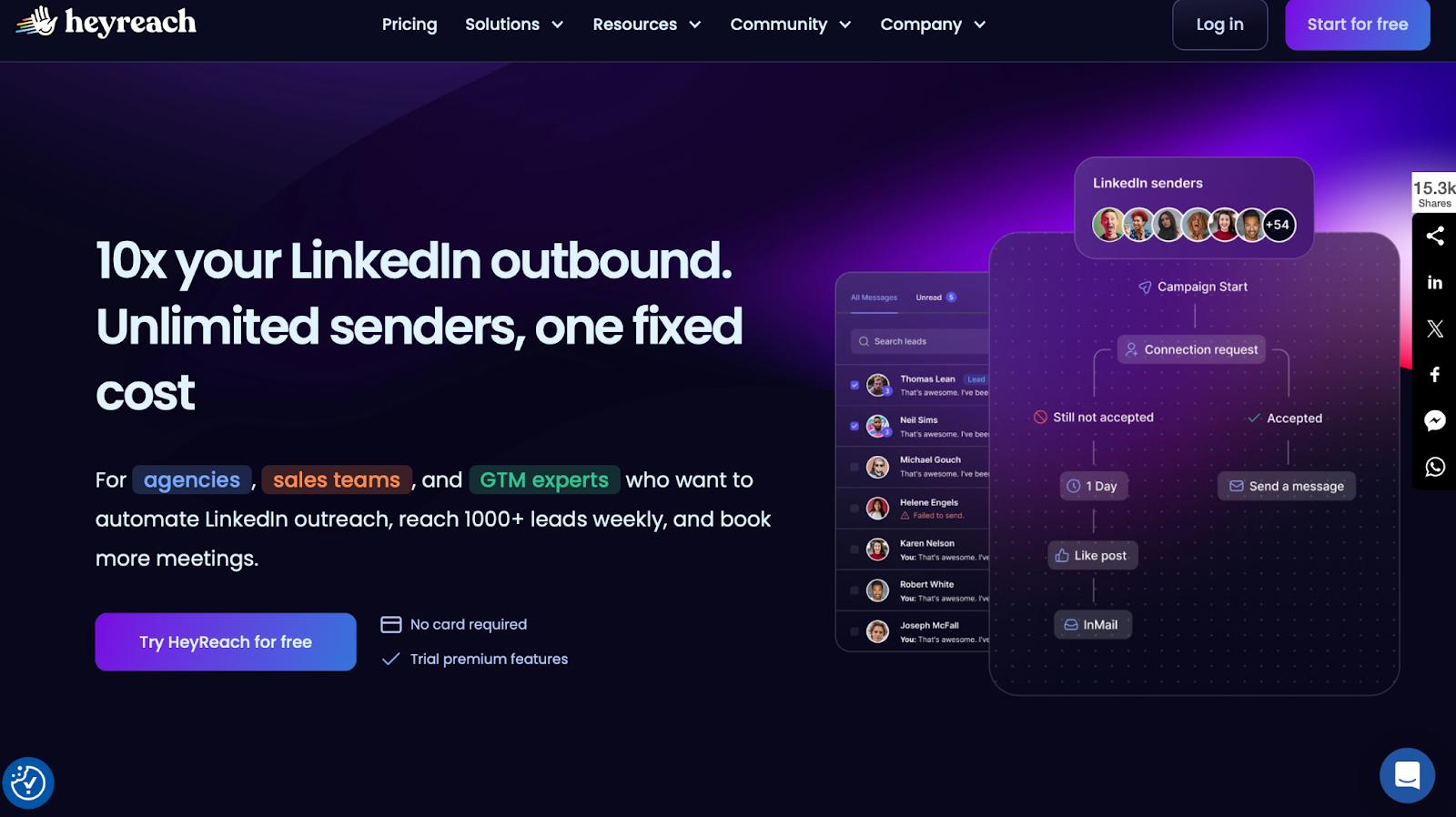
HeyReach is a LinkedIn outreach tool with unlimited senders , webhooks with API, signal-based triggers, cloud setup, and agency whitelabel.
It is best for agencies and teams that need bulk senders, personalization at scale, and safe, policy-aware campaigns.
It runs LinkedIn campaigns with multi-sequence outreach, auto-enrichment from LinkedIn search links, human-like actions (view profile/like post), and Clay-friendly workflows via API/webhooks.
Pros:
- Auto-enrichment pulls leads directly from LinkedIn search links, ready for sequencing.
- Cloud-based setup with adjustable location proxies keeps LinkedIn accounts safer.
- Native Clay integration lets enriched leads flow into campaigns automatically.
- Unibox allows teammates to reply on behalf of others when they’re offline.
- Integrations with Slack, Zapier, Clay, and Weezly support advanced outreach workflows.
- Visual flowchart builder makes LinkedIn sequence creation simple and clear.
- Reporting and dashboards give solid visibility into performance.
- Quick, straightforward setup, campaigns can be launched in minutes.
Cons:
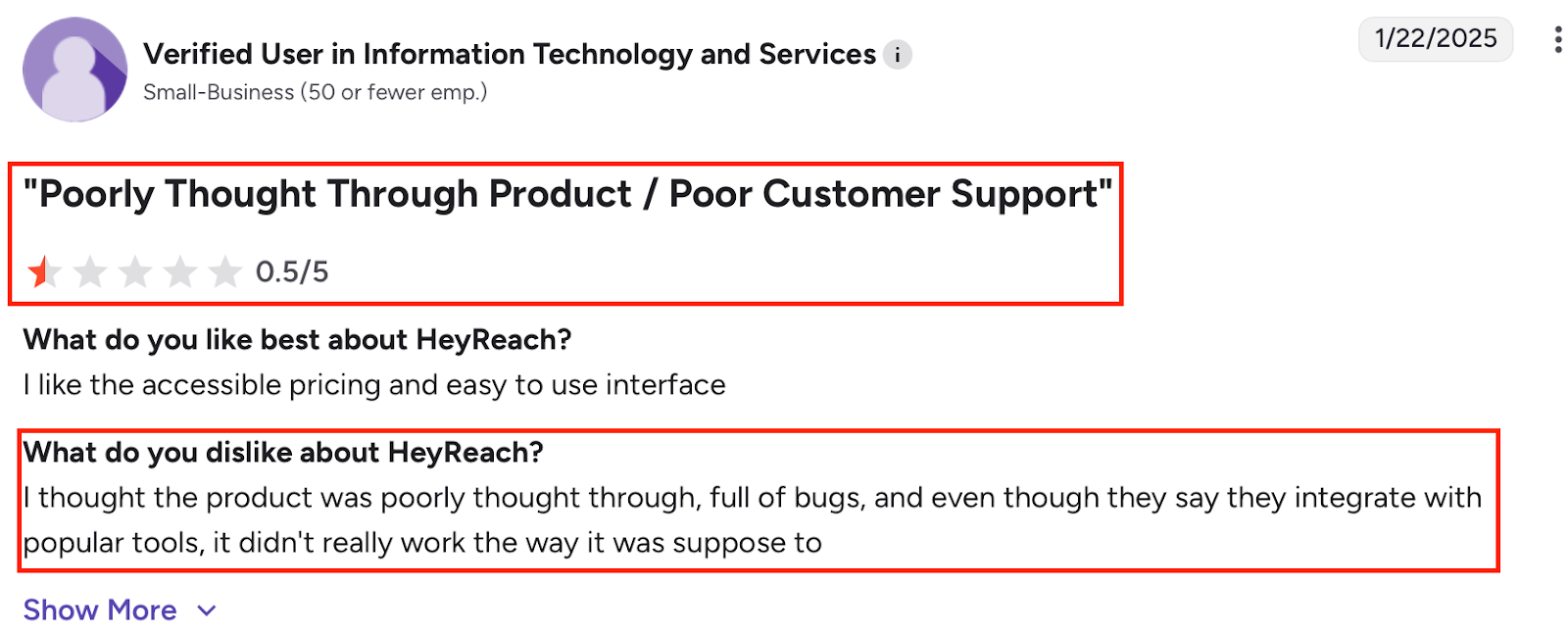
- Changes don’t auto-save, so edits can be lost if you forget to push updates.
- Some LinkedIn actions aren’t available yet, limiting more advanced workflows.
- Lead blacklisting only works after HeyReach has interacted with the profile at least once.
- Certain requested features are still pending in the product roadmap.
- Complex, multi-step sequences may require manual fine-tuning of timing.
- Some users noted gaps in the depth and clarity of reporting.
Pricing (monthly)
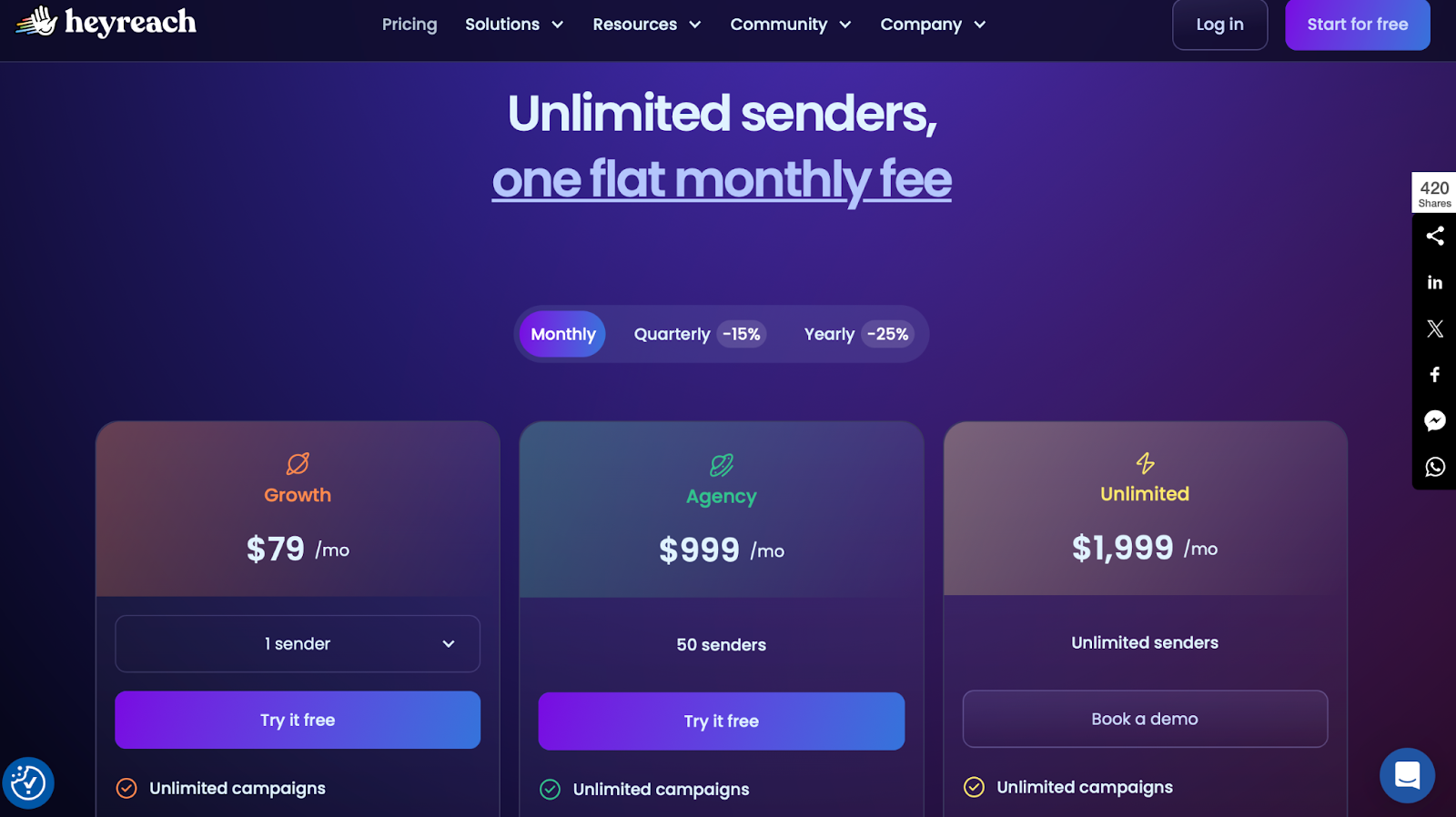
- Growth — $79/mo
- Agency — $999/mo (50 senders)
- Unlimited — $1,999/mo (unlimited senders)
(Quarterly −15%, Yearly −25%.)
5 Best Heyreach Alternatives & Competitors for LinkedIn Outreach
4) Expandi: Meet Alfred Competitor with Smart Limits
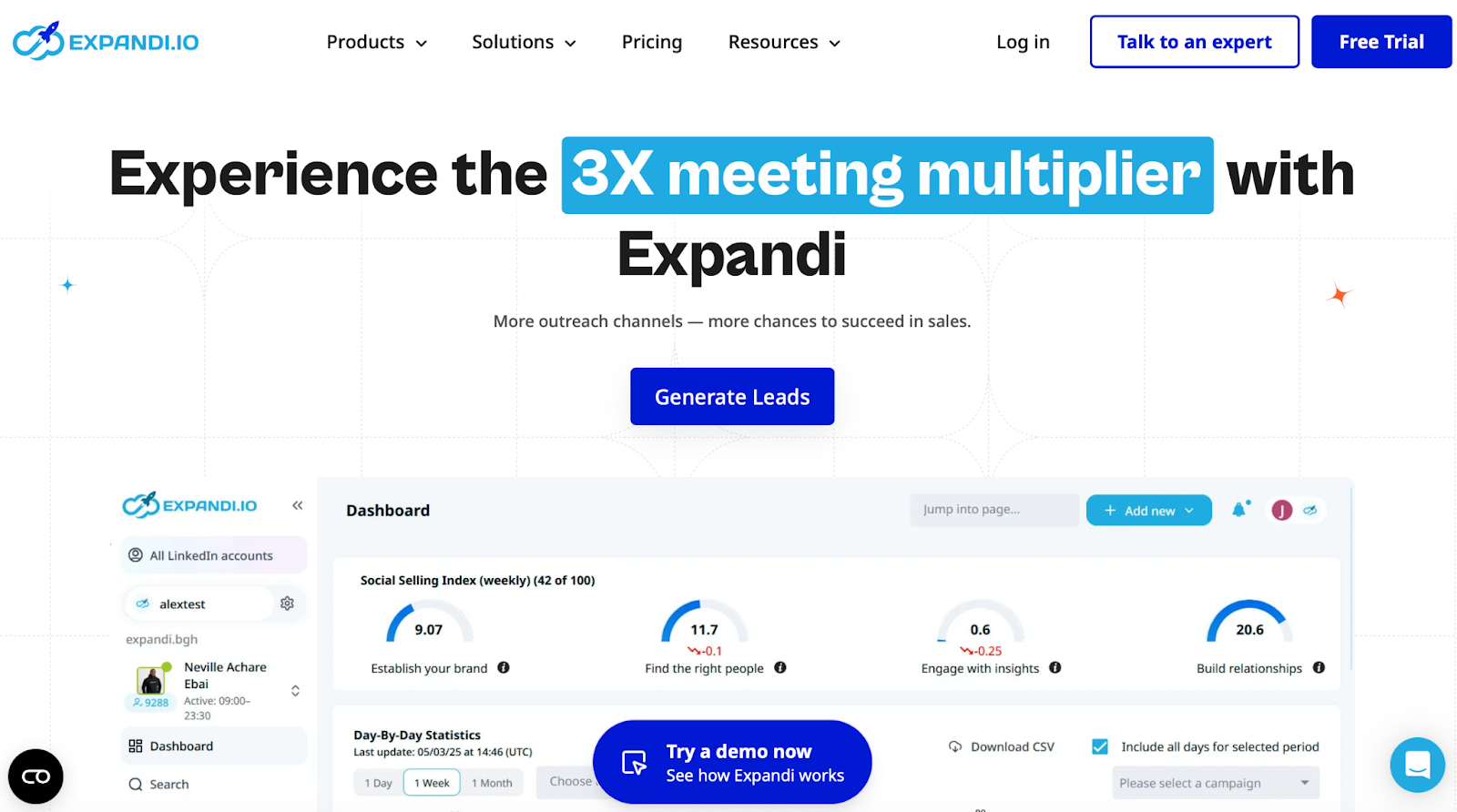
Expani is a cloud LinkedIn tool with country-based IPs, auto warm-up, daily limit ranges, and limit-bypass campaigns (e.g., Mobile Connector: +100 connection requests/week).
It is best if you want tight safety controls, easy campaign setup, and clear stats.
It runs LinkedIn campaigns with unlimited campaigns, prioritization, an If/Action builder, and email follow-ups in the same sequence.
Pros:
- Prebuilt templates make it easy to launch LinkedIn campaigns quickly.
- CSV exports are clean and structured, making external reporting effortless.
- LinkedIn account integration is stable and straightforward.
- Supports multiple LinkedIn message types within a single sequence.
- The Help Center is detailed, with resources that make troubleshooting easier.
- Flexible scheduling options allow more advanced automation workflows.
Cons:
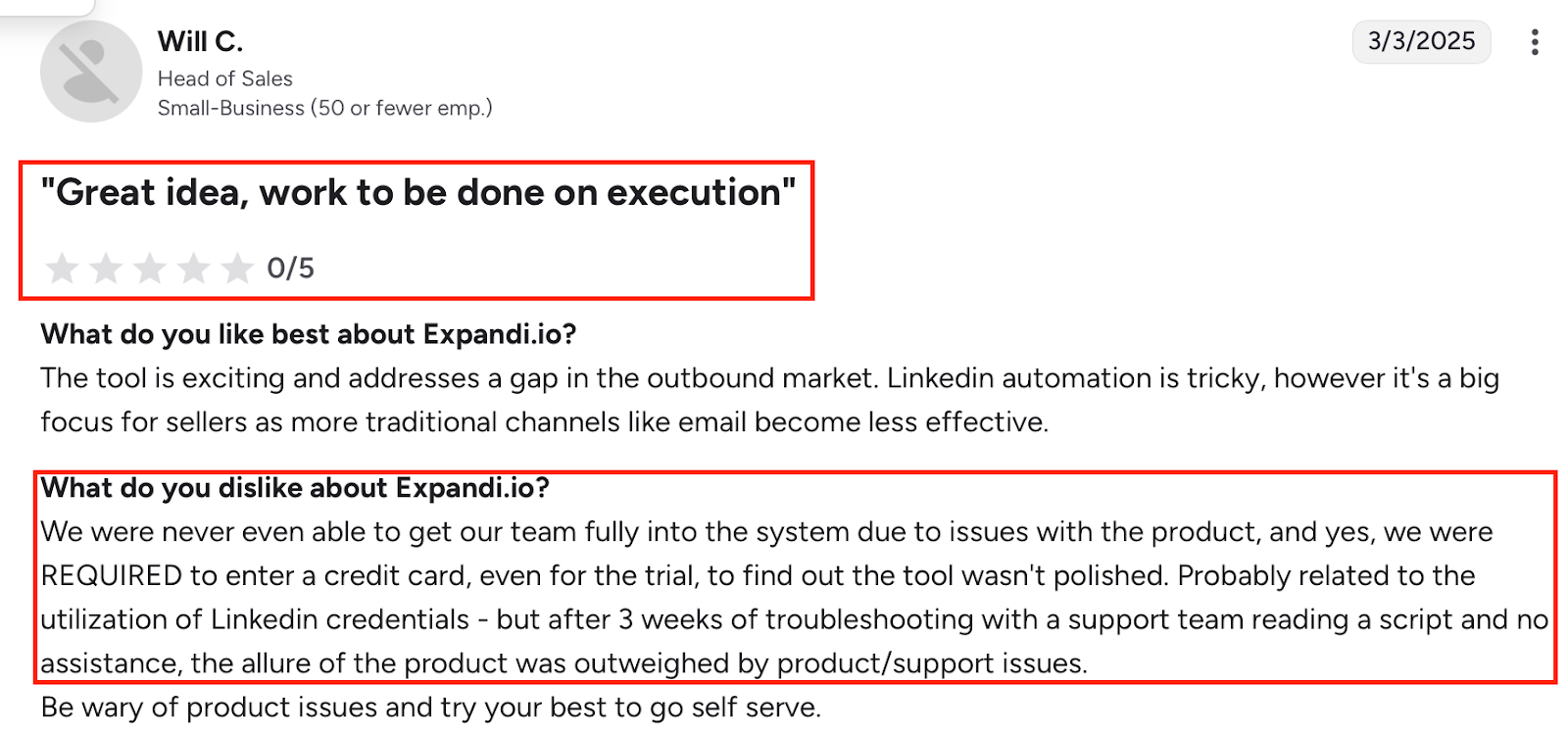
- The dashboard previously had recurring issues and still lacks some advanced reporting views.
- A credit card is required to access the trial, even before testing the platform.
- Some users couldn’t fully onboard due to product glitches during setup.
- Onboarding can feel complex without more guided, step-by-step instruction.
- Follow-up steps can’t include image attachments.
- The campaign builder doesn’t allow switching campaign types or adding manual decision branches.
- Certain UI labels (like “pause campaign”) are unclear and lead to misclicks.
- Limited payment options, you can’t add alternative methods when a card fails.
- LinkedIn’s 2,500-result cap requires breaking large searches into smaller lists manually.
- Event Invite campaigns don’t update automatically when LinkedIn event dates change, requiring manual intervention from support.
Pricing (monthly)
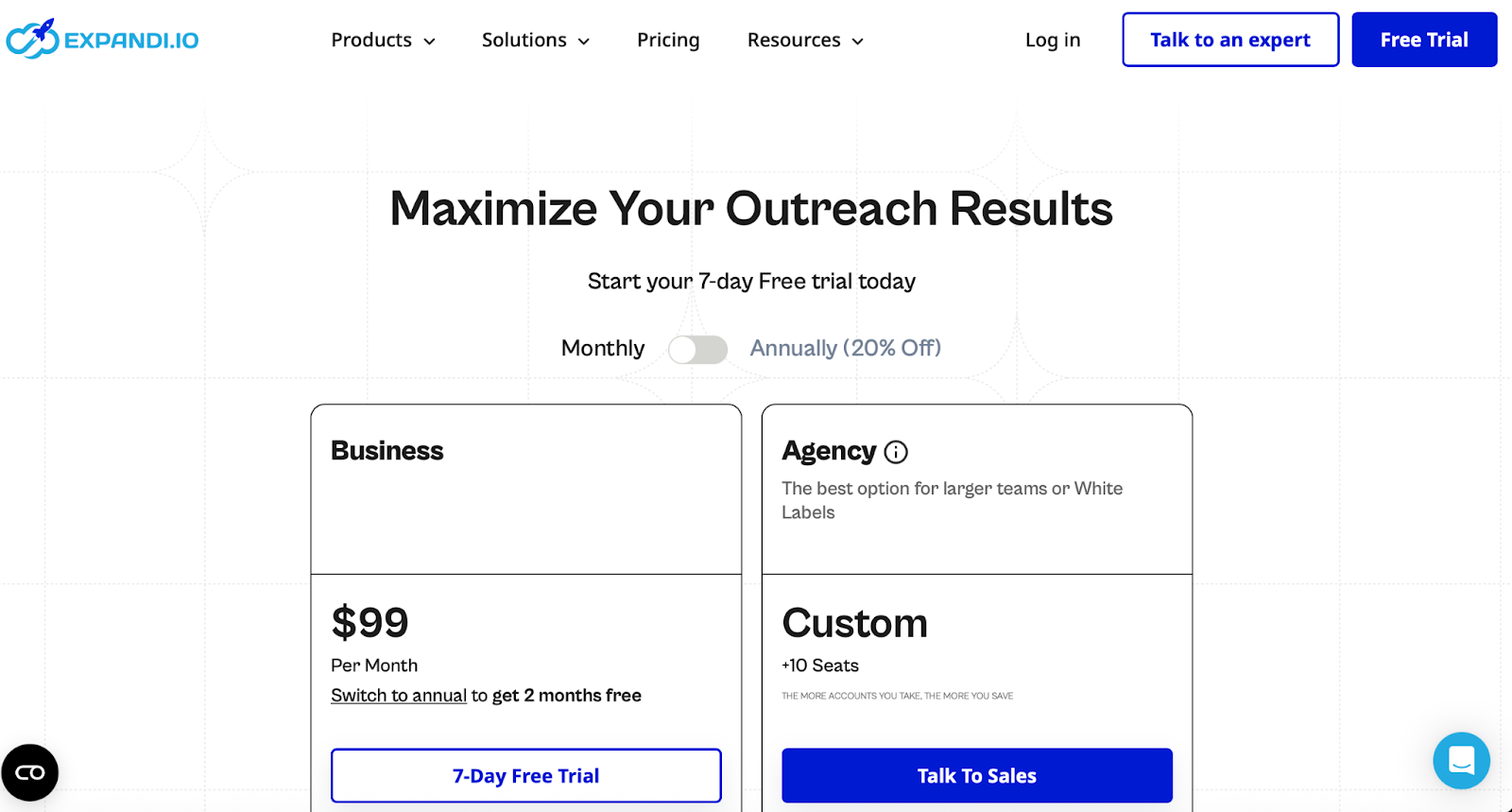
- Business — $99/mo (7-day free trial; annual −20%).
- Agency — Custom (10+ seats) with roles/permissions, centralized management, client reports, template sharing, dedicated CSM, white-label.
Also Read: We Tried 5 Best Expandi Alternatives & Competitors for Sales Outreach
5) Cleverly — Meet Alfred Alternative as a Done-For-You LinkedIn & Email Service
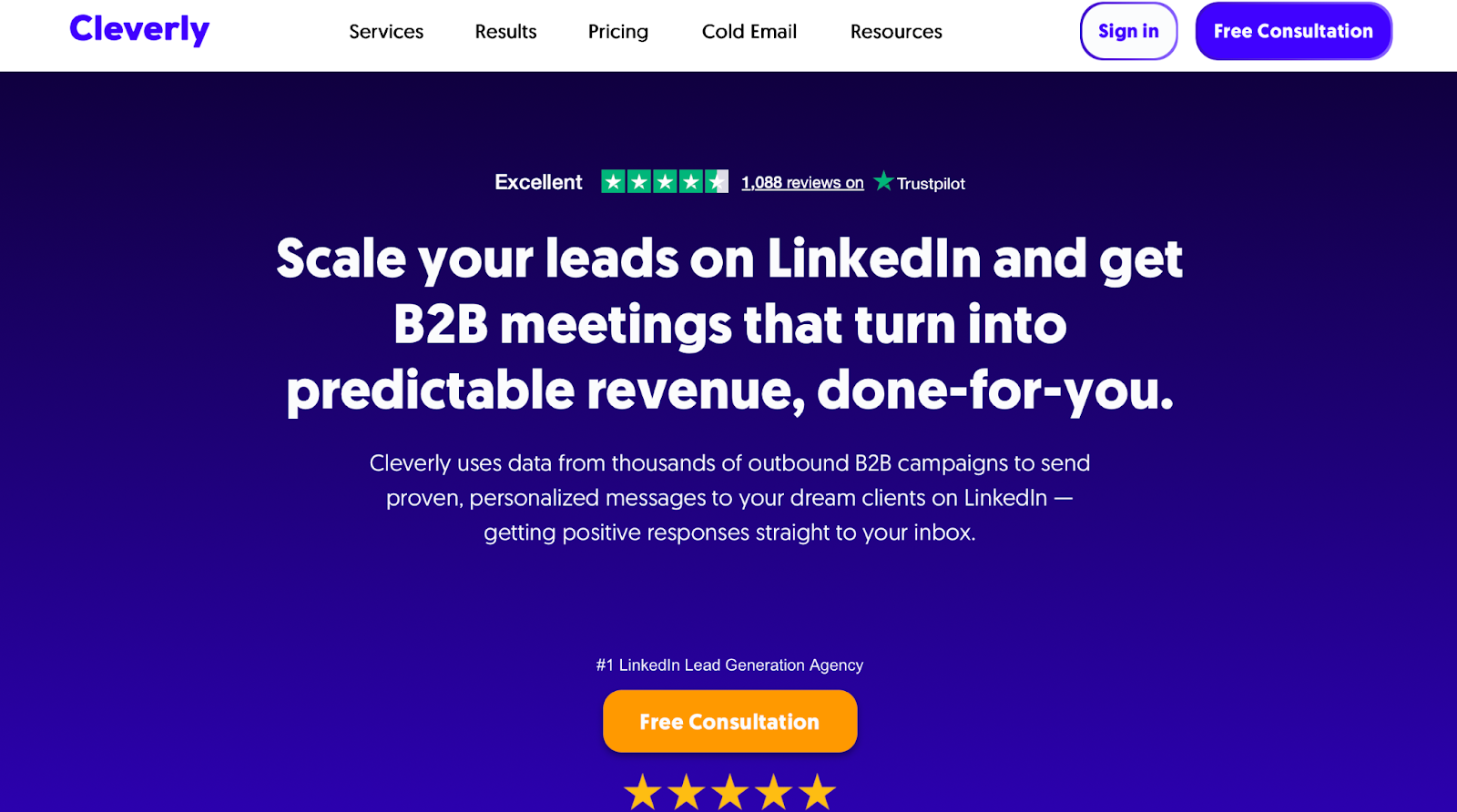
Cleverly is a done-for-you agency, not a tool.
Their team builds your LinkedIn + email campaigns, finds prospects, writes messages, and can even book meetings for you.
It is best if you don’t want to manage software and want a team to run LinkedIn and cold email outreach for you.
With Meet Alfred, you run the sequences.
With Cleverly, their team runs LinkedIn and email outreach and sends leads into your inbox and CRM.
Pros:
- 500 targeted prospects delivered monthly on every plan.
- Messaging written for you, including LinkedIn copy, cold emails, and follow-ups.
- LinkedIn + email outreach available on Gold and Platinum plans.
- Platinum plan includes a dedicated appointment setter and done-for-you meetings.
- Client dashboard with reporting, A/B testing, and CRM integration.
- Optional add-ons for LinkedIn content, ghostwriting, and profile optimization.
Cons:
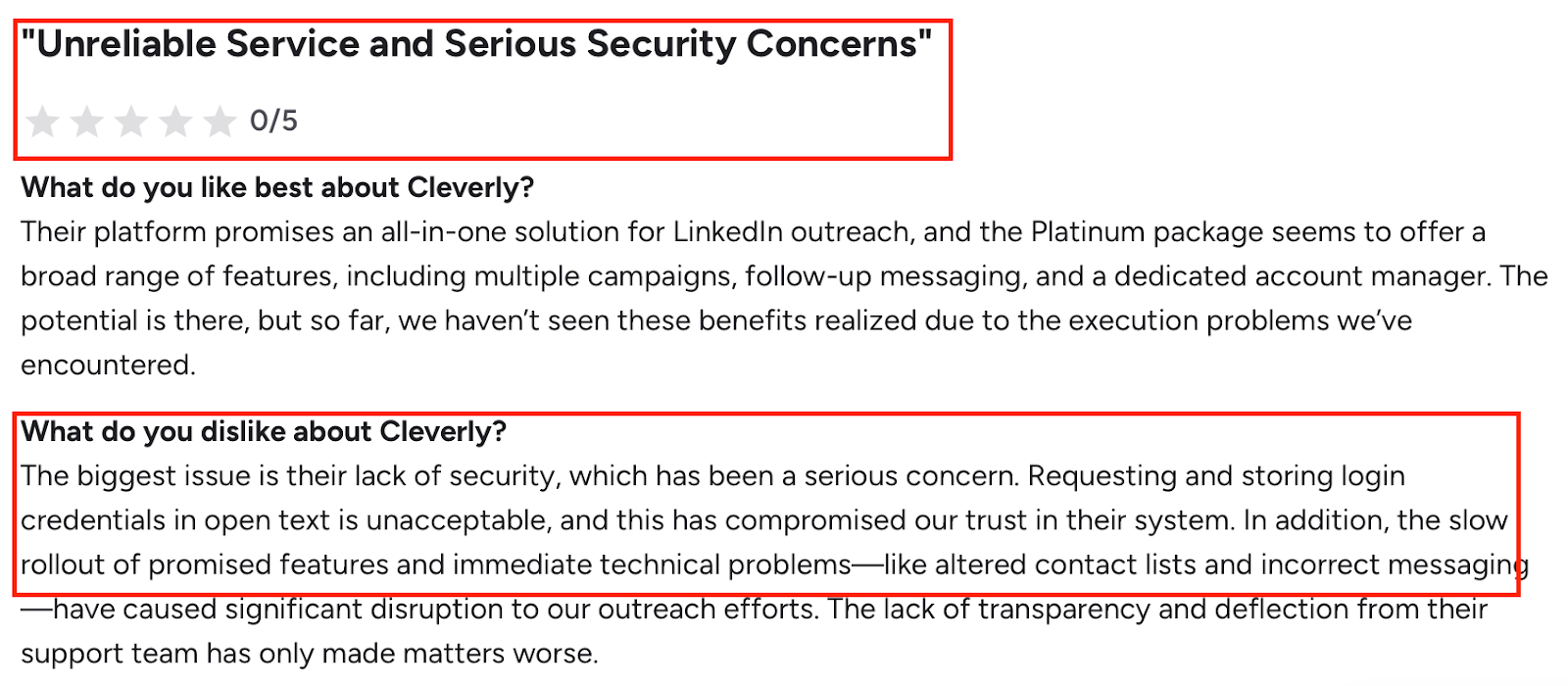
- Fixed volume, all plans are capped at 500 prospects per month.
- Service model only, you cannot use it as a self-serve LinkedIn automation tool like Meet Alfred.
- Plans start at $397/month, so it’s priced like an agency, not SaaS.
- Less direct control – targeting, messaging, and campaign setup are mainly handled by Cleverly’s team, not by you inside a tool.
Pricing (monthly)
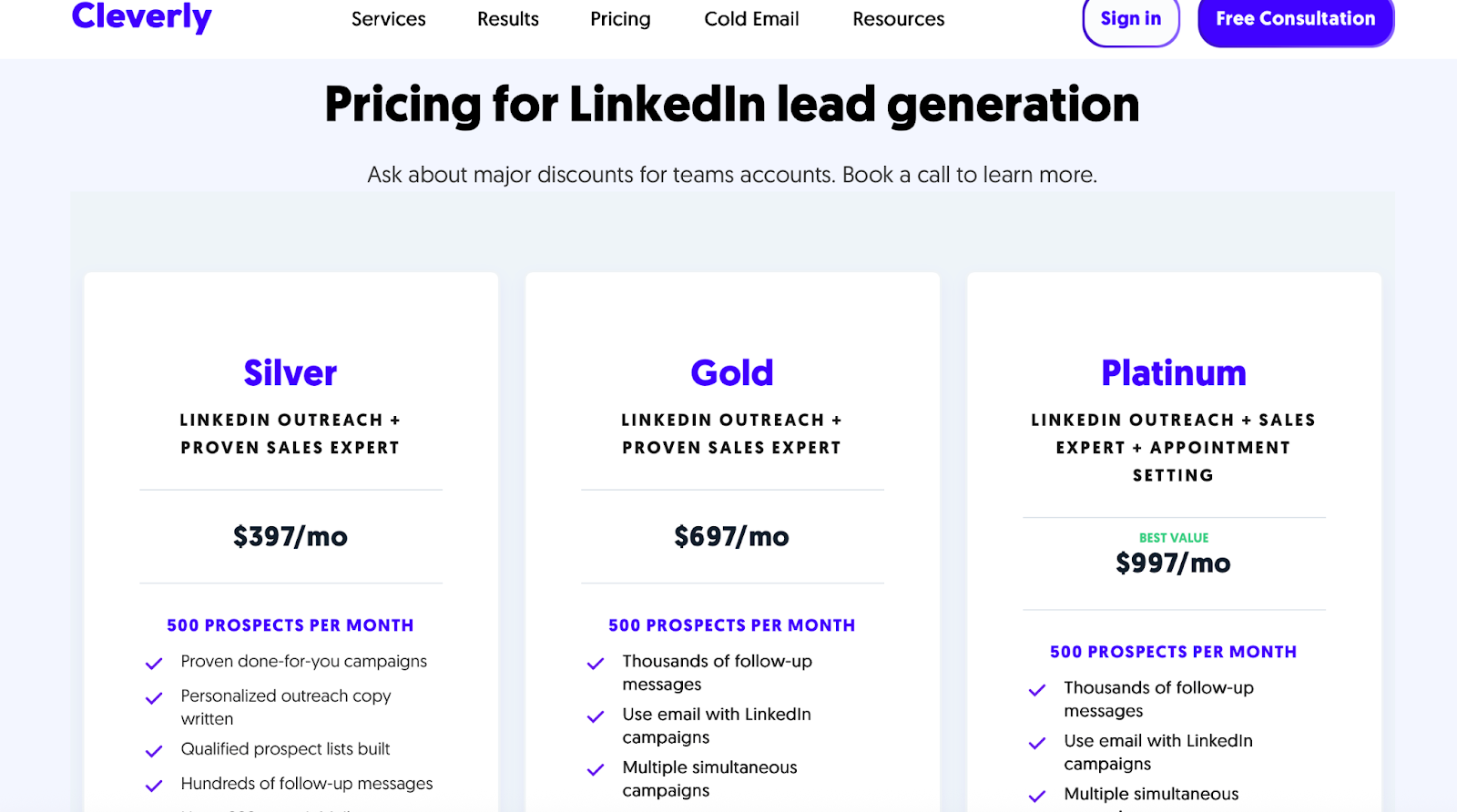
- Silver — $397/mo: LinkedIn outreach done-for-you, 500 prospects, follow-ups, InMails, events, A/B testing, dashboard, CRM integration, account manager.
- Gold — $697/mo: Everything in Silver plus email with LinkedIn and multiple campaigns.
- Platinum — $997/mo: Everything in Gold plus dedicated appointment setter, inbox management, and done-for-you meetings.
6) Linked Helper: Meet Alfred Alternative for LinkedIn Automation on a Low Budget
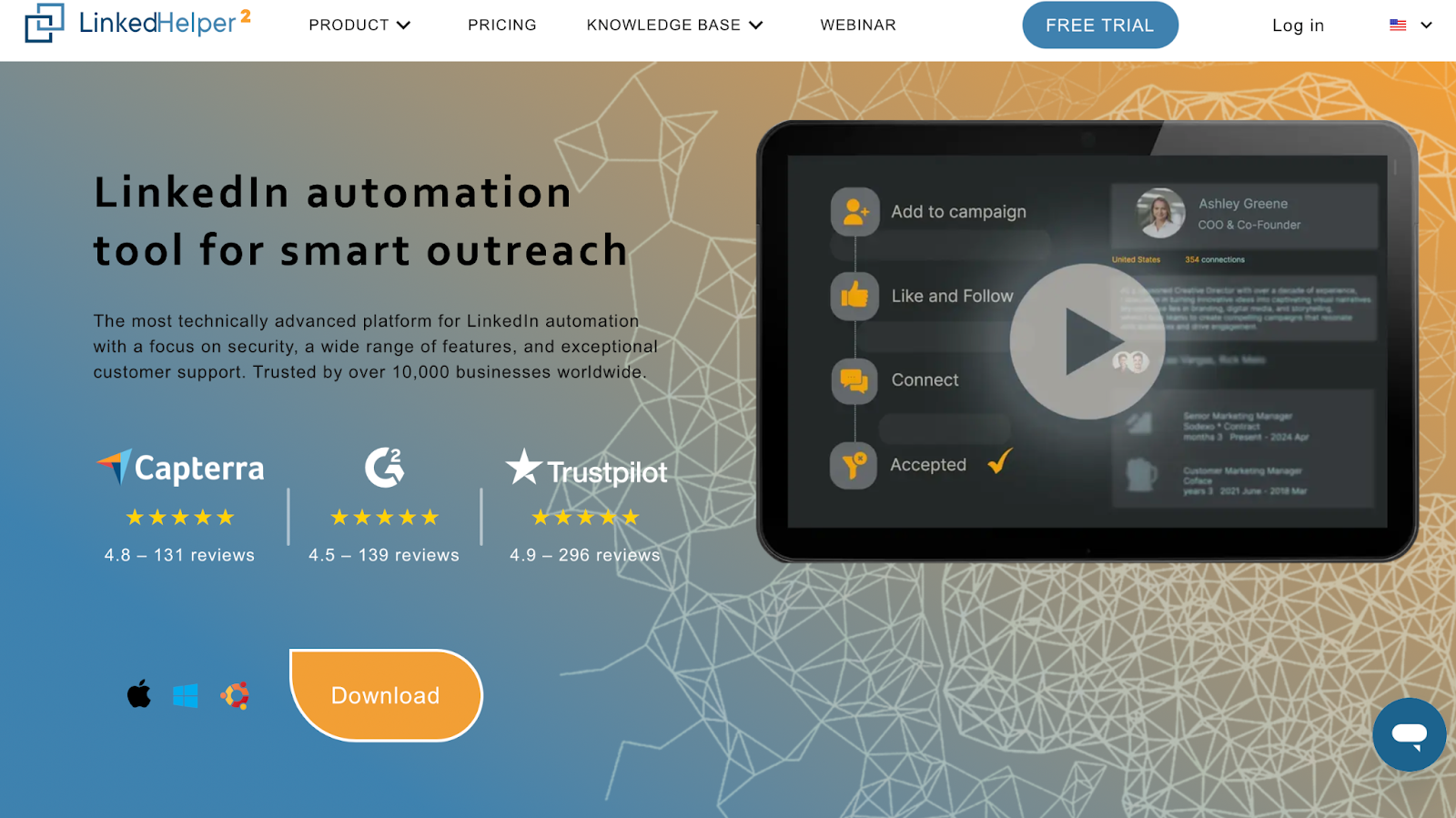
Linked Helper is a LinkedIn-only automation tool.
It sends connection requests, follow-up messages, InMails, and can like, follow, endorse, and scrape data from LinkedIn.
It is best if you want deep LinkedIn automation, lots of custom campaign logic, and very low pricing, and you don’t mind a more “old-school” interface.
Like Meet Alfred, it automates LinkedIn outreach and follow-ups, but it focuses only on LinkedIn and gives you very advanced campaign controls at a much lower monthly cost.
Pros:
- Automates connection invites, message sequences, reply detection, and advanced conversation filtering.
- Can follow, like, endorse, and send customized messages to connections, group members, and event attendees.
- Supports InMails (paid or free to open profiles).
- Pro plan removes the 20/day cap and gives unlimited messages to group members and event attendees.
- Has email finder, Sales Navigator sync, and can export leads to CRM or Excel, plus a built-in Linked Helper CRM.
- Campaigns and sequences are highly customizable with extra plugins and fine-tuning.
- Very cheap: $15/month (Standard) and $45/month (Pro) with a 14-day free trial.
Cons:

- Only 20 post likes per day are allowed.
- Standard plan limits messages to 20 group members/event attendees per day.
Pricing (monthly)
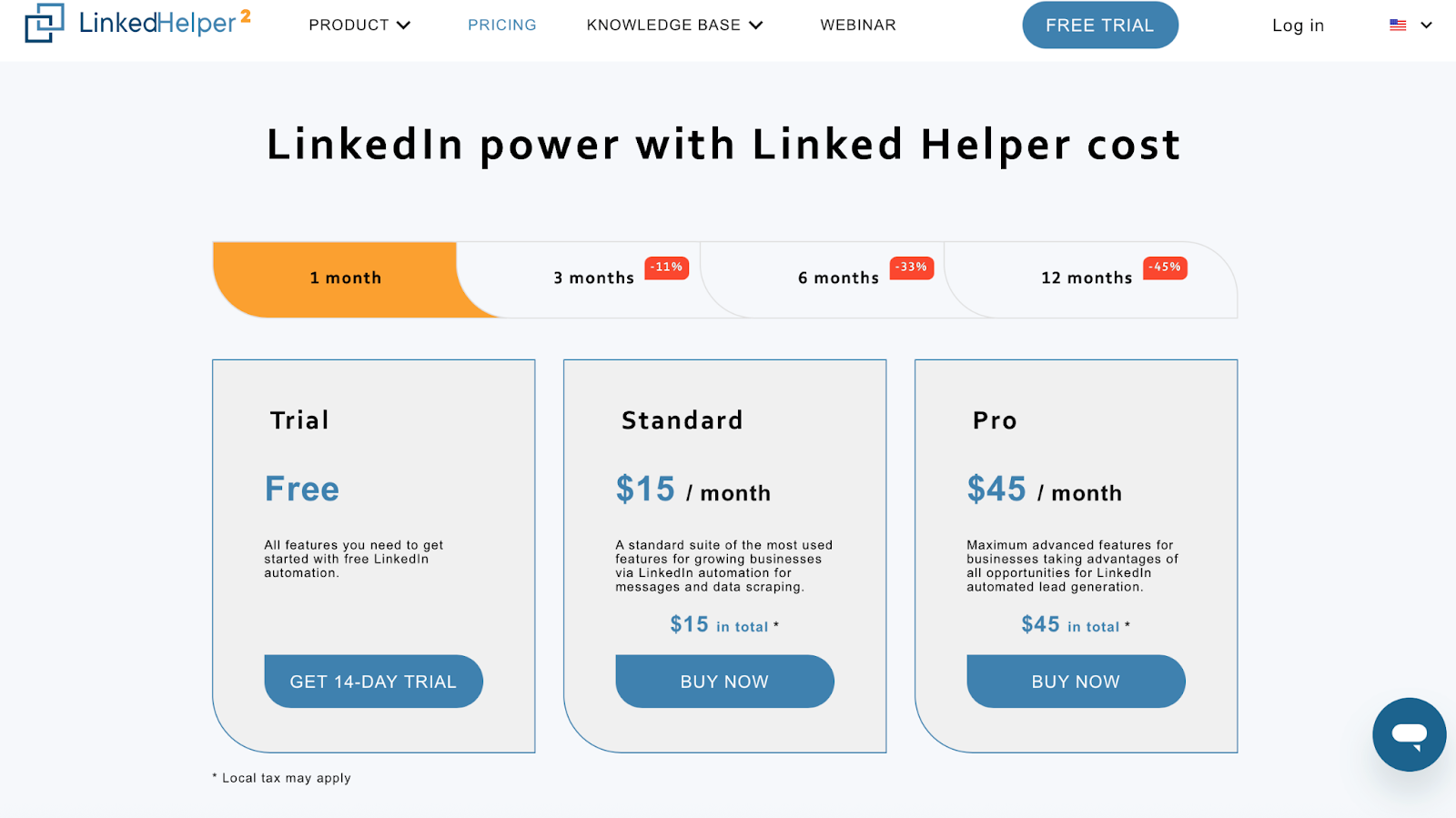
- Trial — Free: 14-day trial with needed features to start.
- Standard — $15/month: Core LinkedIn messaging + data scraping features.
- Pro — $45/month: All advanced lead gen and messaging features unlocked.
7) Lempod: Meet Alfred Competitor for Boosting LinkedIn Post Reach (Not Outreach)
Lempod is a LinkedIn engagement pod tool.
It helps you get more likes and comments on your posts using pods (groups that auto-engage with each other).
It is best if your main goal is more views on LinkedIn posts (content reach), not sending connection requests or DMs.
Instead of doing LinkedIn outreach like Meet Alfred, Lempod amplifies the posts you or your clients already publish, so more people see your message and then engage or reply.
Pros:
- Automated likes and comments from engagement pods to boost post reach.
- Supports many different LinkedIn engagement pods (for recruiters, influencers, marketers, companies, etc.).
- Company pods can make all employees auto-engage company posts to help with brand reach.
Cons:
- Lempod does not send connection requests or DMs, so it’s not a full outreach tool like Meet Alfred.
- Works through a browser extension, which adds setup and daily use steps.
- The Gold/Silver credit system can feel complex if you just want a simple monthly fee.
- Lempod Silver credits expire after 3 months, so unused engagement balance can be lost.
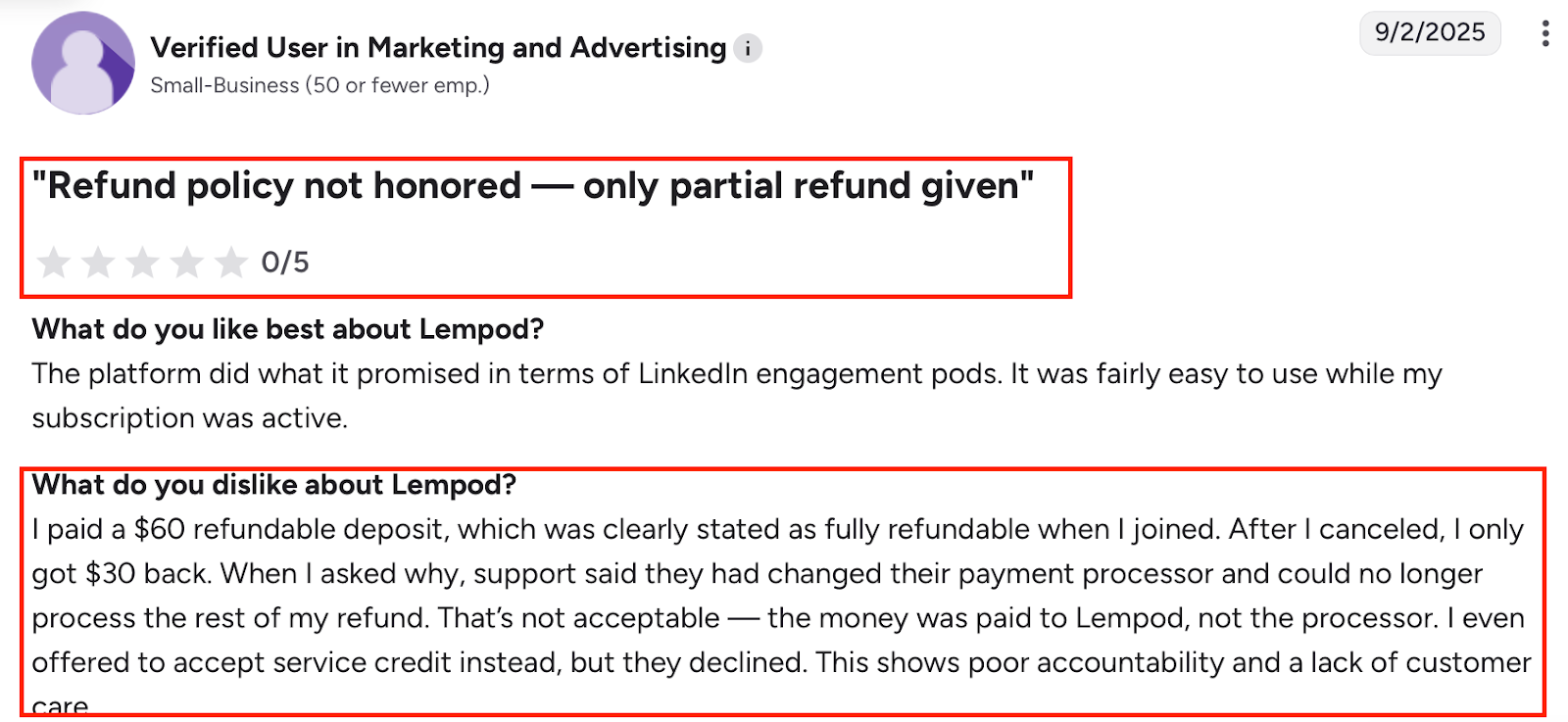
- Refunds apply only to unused Lempod Gold within 14 days; Silver and points are not refundable.
Pricing (monthly)
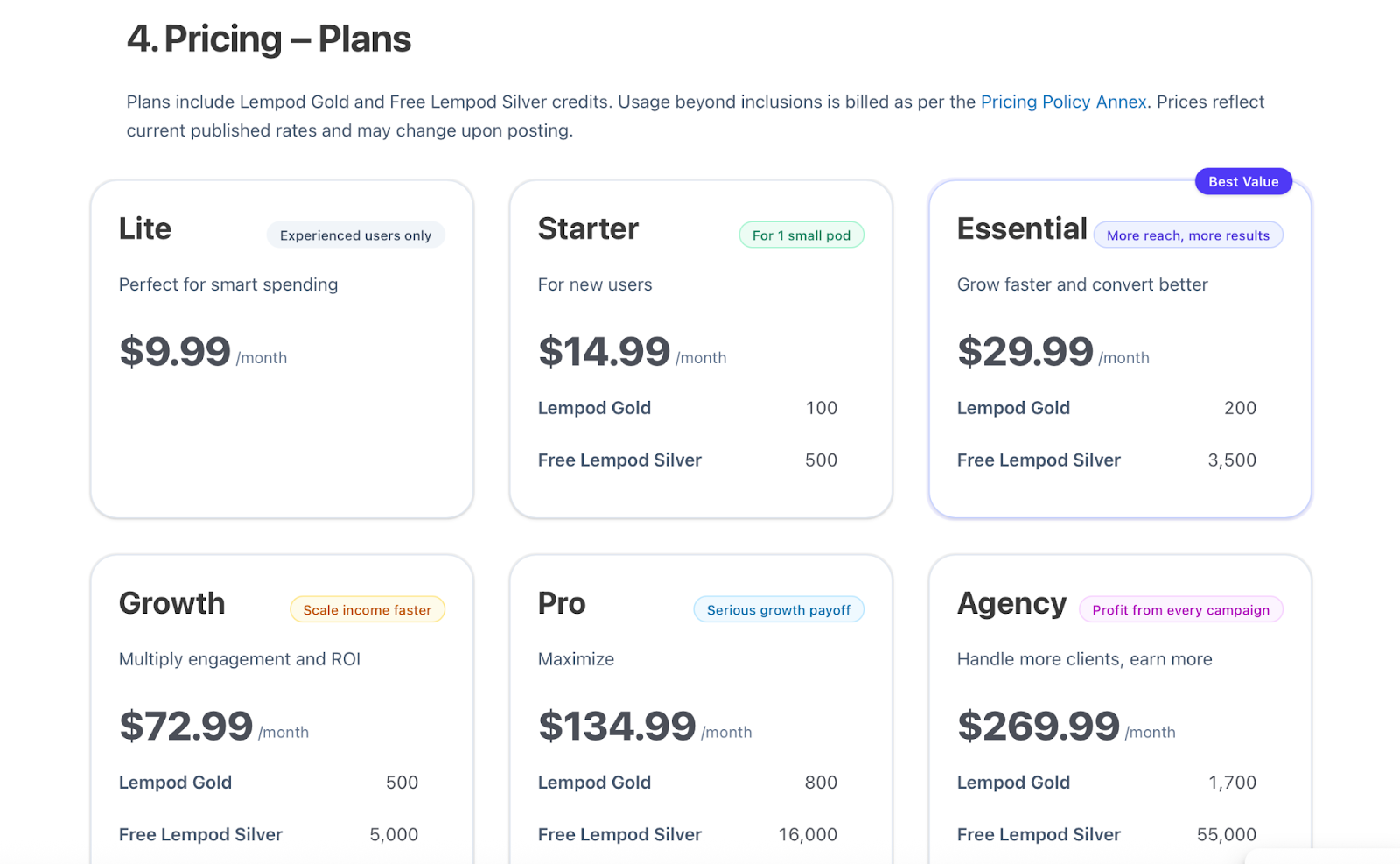
Plans include Lempod Gold + free Lempod Silver (credits):
- Lite — $9.99/mo
- Starter — $14.99/mo
- Essential — $29.99/mo
- Growth — $72.99/mo
- Pro — $134.99/mo
- Agency — $269.99/mo
- Agency XL — $399.99/mo
- Corporate — $799.99/mo
- Enterprise — $1,499.99/mo
(Conversion example: 1 Lempod Gold = 50 Lempod Silver.)
Conclusion
Now you know where Meet Alfred falls short, and how these seven tools bridge those gaps.
Quick recap:
- Some tools prioritize safety and account protection.
- Others streamline LinkedIn + email outreach or layer in AI.
- A few even let you run multiple accounts or outsource everything.
So start with one question:
“Who will run my outreach?”
- If you want an agency to handle it → choose Cleverly.
- If you’re running it in-house → consider Salesforge, Salesrobot, HeyReach, Expandi, Linked Helper, or Lempod.
Then decide what matters most right now:
- Need more LinkedIn DMs and connections? → Salesrobot, Expandi, or Linked Helper.
- Want higher engagement on posts instead of messages? → Lempod.
- Looking for one platform for LinkedIn + email, with AI built in? → Salesforge.
If you want a Meet Alfred alternative that combines LinkedIn + email, includes warm-up, offers unlimited senders under the Growth plan, and gives you AI SDR support, starting a Salesforge free trial is an easy way to see if it fits your outreach style.
.png)
.png)

.png)