If you use Smartlead for cold email, deliverability is not your main concern, infrastructure is.
Emails can be delivered and still miss the primary inbox.
In Smartlead, this comes down to how inboxes are rotated, how reputation is isolated, and which parts of the system are shared at the platform level.
There is ongoing confusion about whether Smartlead email infrastructure is shared or truly dedicated, and what that actually means for scale and inbox safety.
So what is the reality? And how does Smartlead’s infrastructure compare to tools like Salesforge?
In this post, we break down how Smartlead’s email infrastructure works, what is shared, what is dedicated, and how these choices impact deliverability at scale.
Email deliverability is not decided by copy alone. It is mainly controlled by how emails are sent.
Email providers like Google and Microsoft look at sending behavior, consistency, and reputation signals before deciding where an email should land.
If the infrastructure is weak or misconfigured, emails may be delivered but still end up in spam or promotions.
Email infrastructure controls things like:
If these systems are not in place, even good copy can fail. If they are handled correctly, inbox placement becomes more predictable and scalable.
This is why cold email tools are judged less by features and more by how their infrastructure manages sending behavior at scale.
Smartlead’s email infrastructure is based on user-owned email inboxes, not shared sending servers.
Emails are sent through Google Workspace or Microsoft 365 inboxes that users connect to Smartlead.
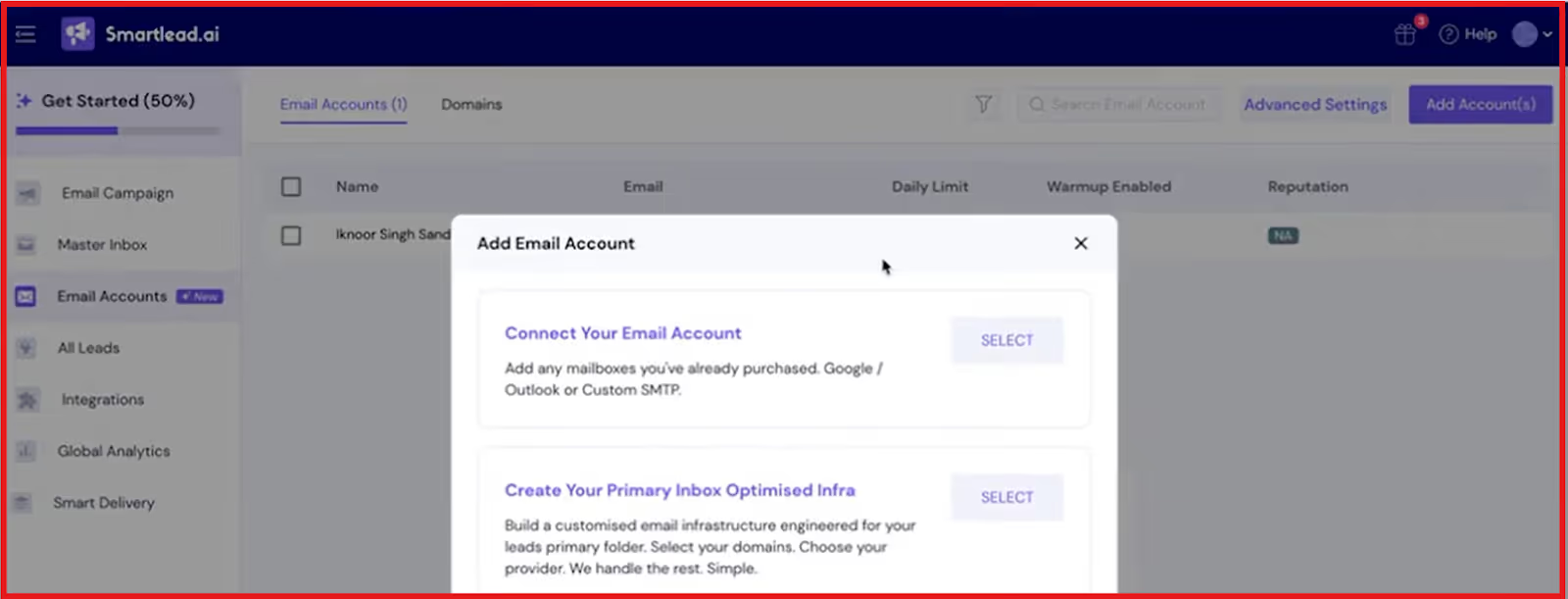
Smartlead does not send emails on your behalf or pool sending identities across users.
Smartlead’s role is to manage how emails are sent, not who they are sent from.
This includes inbox rotation, pacing, warm-up, and monitoring, while the inbox, domain, and reputation remain tied to the user.
This separation between sending identity and sending logic is the core of how Smartlead’s email infrastructure works.
Smartlead works on top of existing email inboxes.
Users can either:
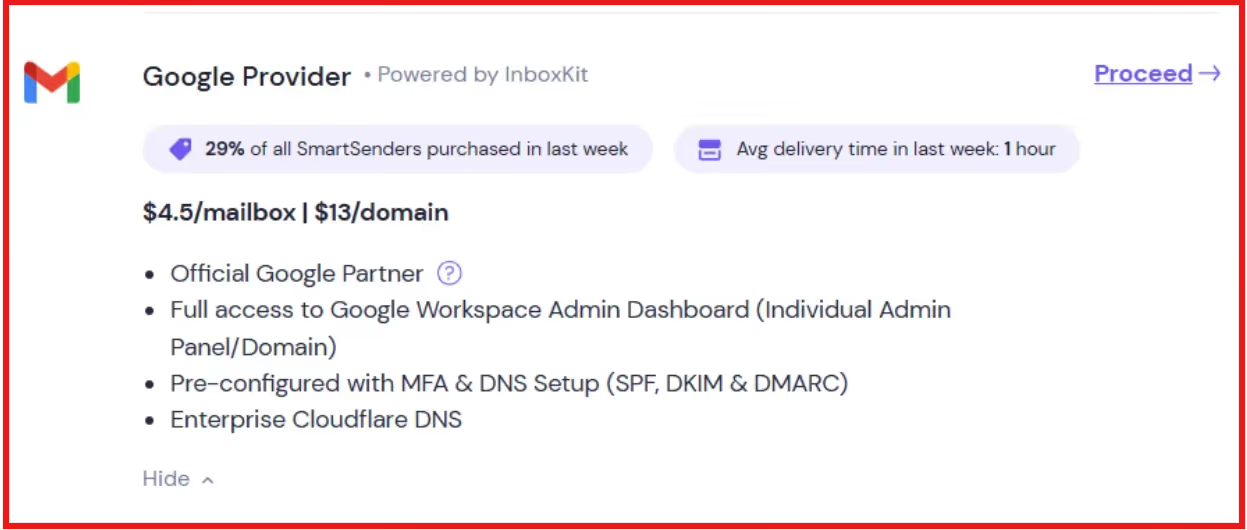
Once inboxes are connected, Smartlead applies its SmartSenders system to manage the sending process.
SmartSenders controls inbox rotation, pacing, warm-up coordination, and monitoring to keep sending behavior consistent as volume increases.
The inboxes continue to send emails directly, while Smartlead manages the process around them.
Smartlead uses a dedicated sending identity with a shared automation layer.
Inbox ownership, domains, and sender reputation are never shared between users.
The only shared component is the system that controls sending behavior, such as pacing and inbox rotation.
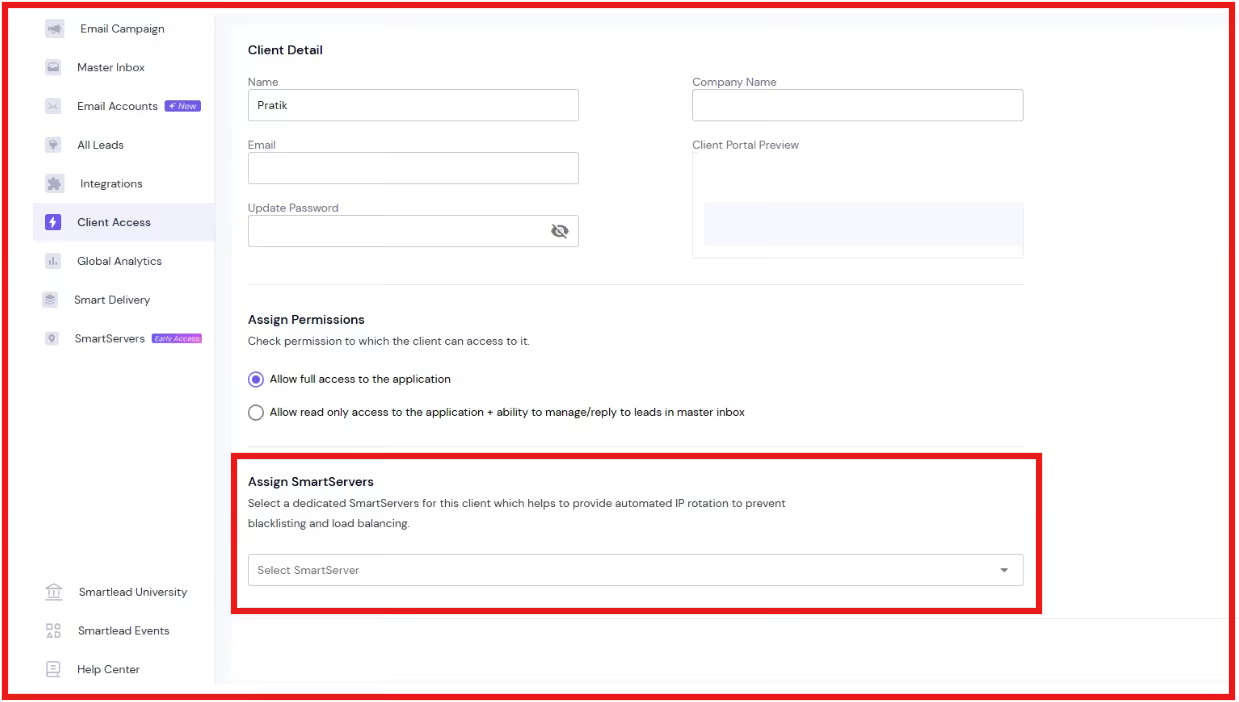
Smartlead’s email infrastructure is dedicated at the identity level and shared only at the automation level.
Emails are always sent from individual Google Workspace or Microsoft 365 inboxes tied to a specific domain and workspace or tenant.
Sender reputation is built and maintained per inbox and domain, not across users.
The only shared component is the sending control layer. Smartlead’s SmartSenders system standardizes pacing, rotation, warm-up, and monitoring, without sharing inboxes, domains, or reputation.
For cold email, the main risk is shared reputation, not shared automation.
Smartlead avoids this by keeping inboxes, domains, and reputation fully dedicated, while sharing only the logic that improves consistency and control.
Yes. Smartlead’s email infrastructure directly affects deliverability.
Because emails are sent from dedicated inboxes and domains, sender reputation is built per inbox, not shared with other users.
This reduces the risk of inbox damage caused by someone else’s sending behavior.
At the same time, Smartlead controls how emails are sent through its automation layer.
Inbox rotation, pacing, and warm-up help keep sending patterns stable and consistent as volume increases.
This combination matters for deliverability:
Deliverability improves not because emails are sent faster, but because they are sent in a way email providers trust.
Smartlead is best suited for teams that care about deliverability and scale, not just sending volume.
It works well for:
Smartlead is a good fit if you:
If your priority is sending large volumes quickly without reputation control, Smartlead may not be the right tool.
Its infrastructure is designed for safe, steady scaling.
Smartlead and Salesforge take different approaches to email infrastructure, even though both aim to protect deliverability at scale.

Salesforge is a cold outreach platform that combines email and LinkedIn outreach with multiple email infrastructure options, including shared and private setups.
Smartlead focuses on dedicated inbox ownership with controlled sending logic, while Salesforge offers a broader infrastructure stack with multiple infrastructure options and built-in warm-up tooling.
The key difference lies in how infrastructure is provisioned and where sharing occurs.
If you want strict inbox and domain isolation with minimal infrastructure decisions, Smartlead fits better.
If you need multiple infrastructure options, shared or private, with built-in warm-up and multi-channel support, Salesforge fits better.
Smartlead Email Infrastructure is built for safe cold email.
Emails are sent from your own Google Workspace or Microsoft 365 inboxes, under your own domains. Sender reputation is never shared with other users.
Only the sending control system is shared. This helps manage pacing, rotation, and warm-up without risking inbox health.
If you want strict control and steady deliverability, Smartlead works well.
If you need more setup options, shared or private infrastructure, or email plus LinkedIn outreach, Salesforge is a better fit.
Start your 14-day free trial with Salesforge!
.jpg)

.jpg)

.jpg)
