If you’re considering Octopus CRM for LinkedIn outreach, you’re probably wondering one thing: does it actually make prospecting easier, or just add more steps?
To find out, we installed Octopus CRM, connected it to our LinkedIn account, and ran real outreach campaigns.
We tested every feature, from connection requests to message sequences, and kept notes on what genuinely helped and what slowed us down.
In this review, you’ll see the real experience, including:
• how the Chrome extension behaves on LinkedIn
• what Octopus CRM can automate (and what still requires manual work)
• how reliable the tool is day-to-day
• where most users run into problems
• how safe it is for your LinkedIn account
• and whether it’s worth choosing over a modern platform like Salesforge
If you want a straightforward, honest look at Octopus CRM before paying for a subscription, this review gives you exactly that.
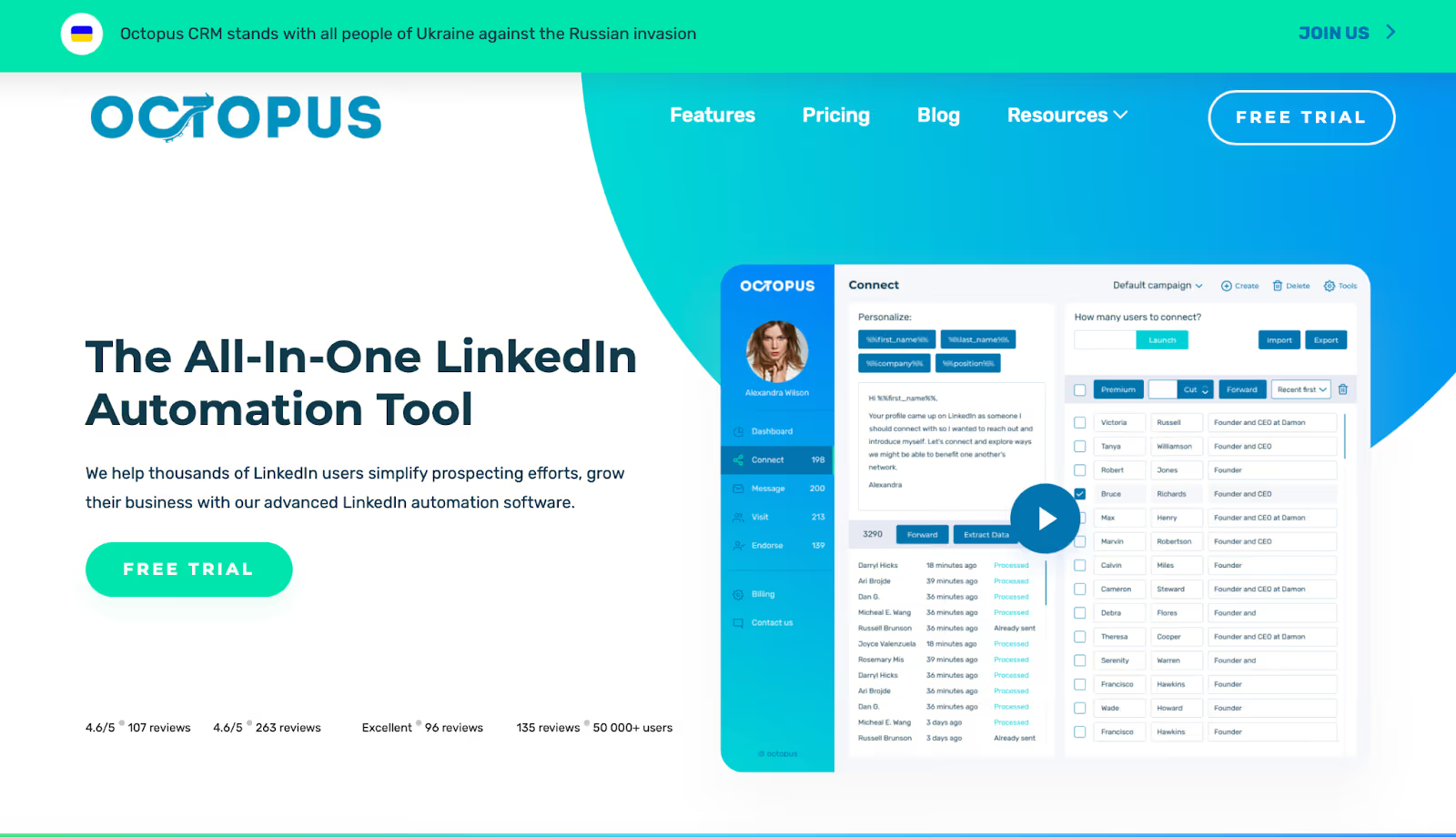
Octopus CRM is a LinkedIn automation tool built as a Chrome extension.
It sits inside your browser and helps you automate simple LinkedIn actions such as sending connection requests, bulk messages, profile views, and skill endorsements.
Instead of working like a full CRM or cloud-based platform, Octopus CRM runs directly on top of the LinkedIn interface.
You stay inside LinkedIn, add people to your Octopus CRM lists, and the extension performs the actions for you.
Here’s what Octopus CRM is designed to do:
• automate basic outreach tasks on LinkedIn
• organize leads in simple funnels
• send quick message sequences
• save you from repeating the same manual actions
And because it’s browser-based, Octopus CRM comes with built-in limits:
• it only works when Chrome is open
• it depends on your laptop staying on
• it’s restricted by LinkedIn’s daily activity rules
• it can only automate what the extension can “see” on the page
Here are the areas where the tool performs well:

These are the parts of Octopus CRM that may hold you back:
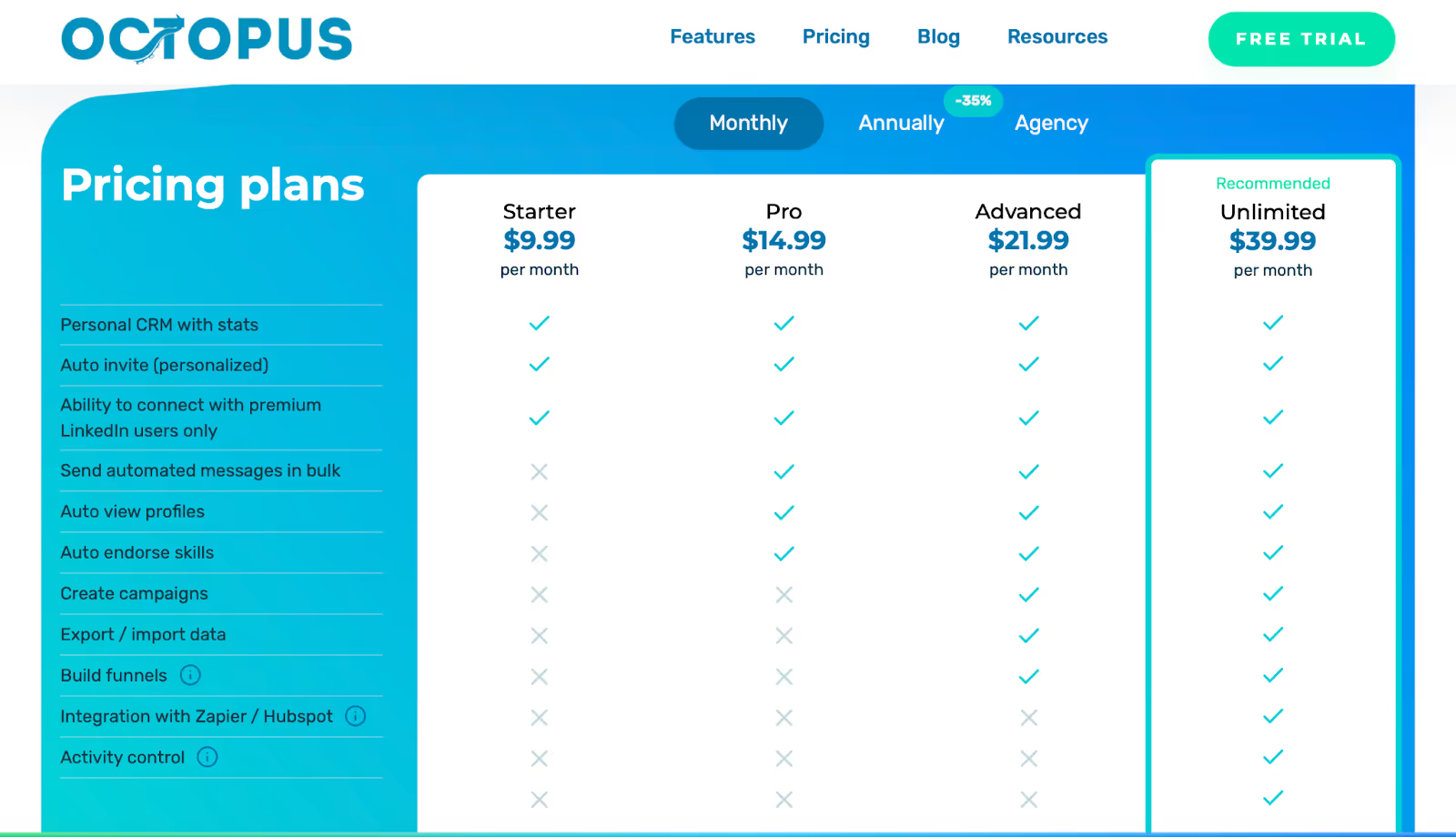
Octopus CRM offers four paid plans, each billed monthly and all including a 7-day free trial (no credit card needed).
Basic features like auto-invites, simple CRM stats, and the ability to connect with Premium/Sales Navigator users.
Adds bulk messaging, auto profile views, and auto skill endorsements.
Includes everything in Pro plus campaign creation, data export/import, and funnel building.
Unlocks all features, integrations (Zapier/HubSpot), activity control, and support for Premium, Sales Navigator, and Recruiter accounts.
Octopus CRM is generally safe as long as you use it slowly and stay within LinkedIn’s daily limits.
The tool also has built-in activity alerts to warn you if you’re doing too much.
However, it’s still a Chrome extension, which LinkedIn monitors more closely.
If your browser runs actions too quickly, or if LinkedIn updates its rules, you may see warnings or temporary restrictions.
It’s safe for light use, but not ideal if you want to run high-volume outreach or automation all day.
If you want a tool that doesn’t rely on your browser or laptop, Salesforge is a safer option.
It’s cloud-based, runs 24/7, and doesn’t need a Chrome extension, which makes it much less detectable by LinkedIn.
If you like using Octopus CRM for basic LinkedIn automation but want a tool that works outside your browser and supports more channels, Salesforge is a practical alternative to consider.
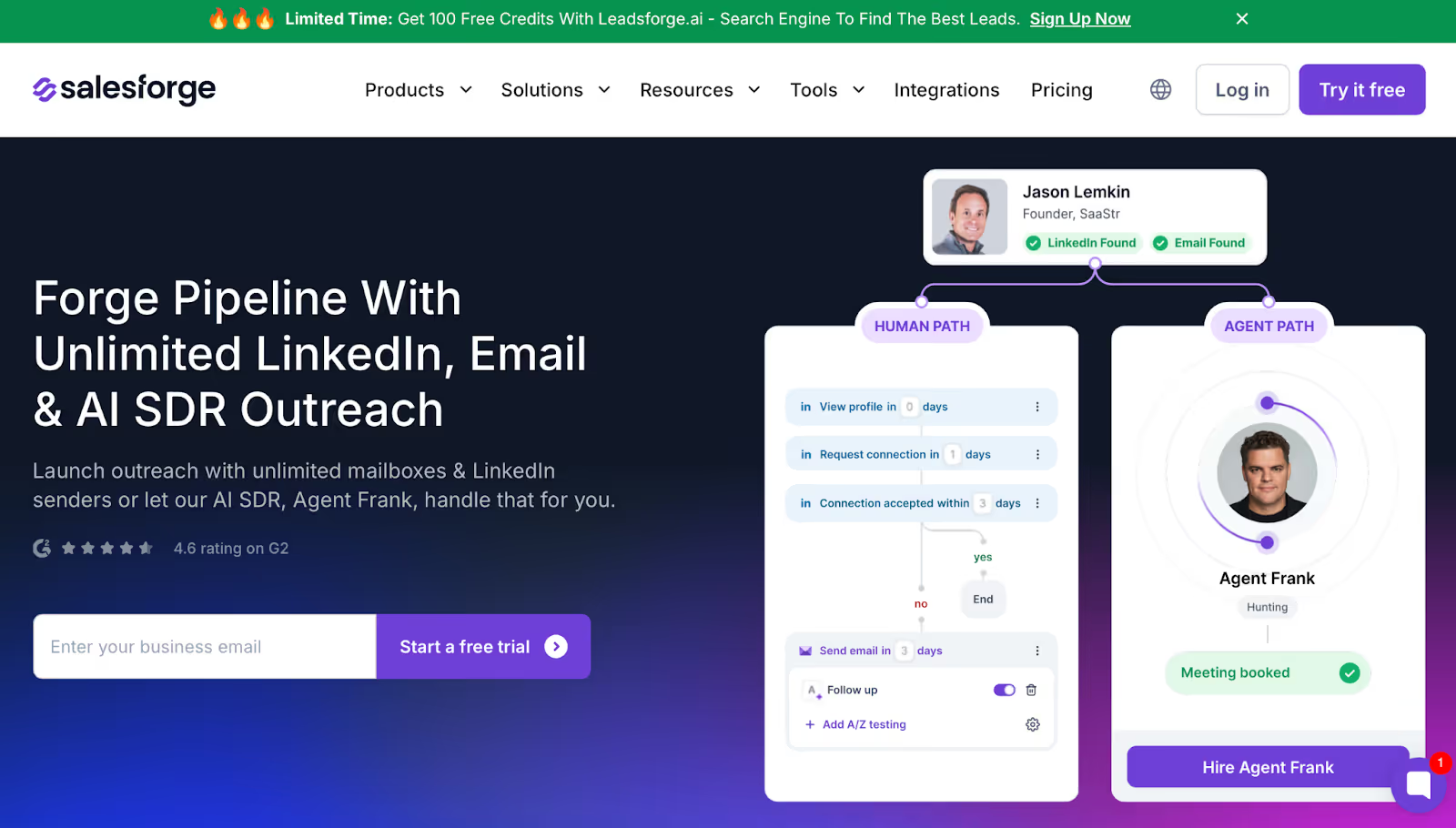
Salesforge is a cloud-based outreach tool that lets you run LinkedIn and email outreach without needing Chrome open.
Because it runs on servers, it doesn’t stop when your laptop goes to sleep, and it isn’t limited by browser activity.
Salesforge also supports multiple LinkedIn accounts and email inboxes, which can be useful if you work in a team or manage outreach for clients.
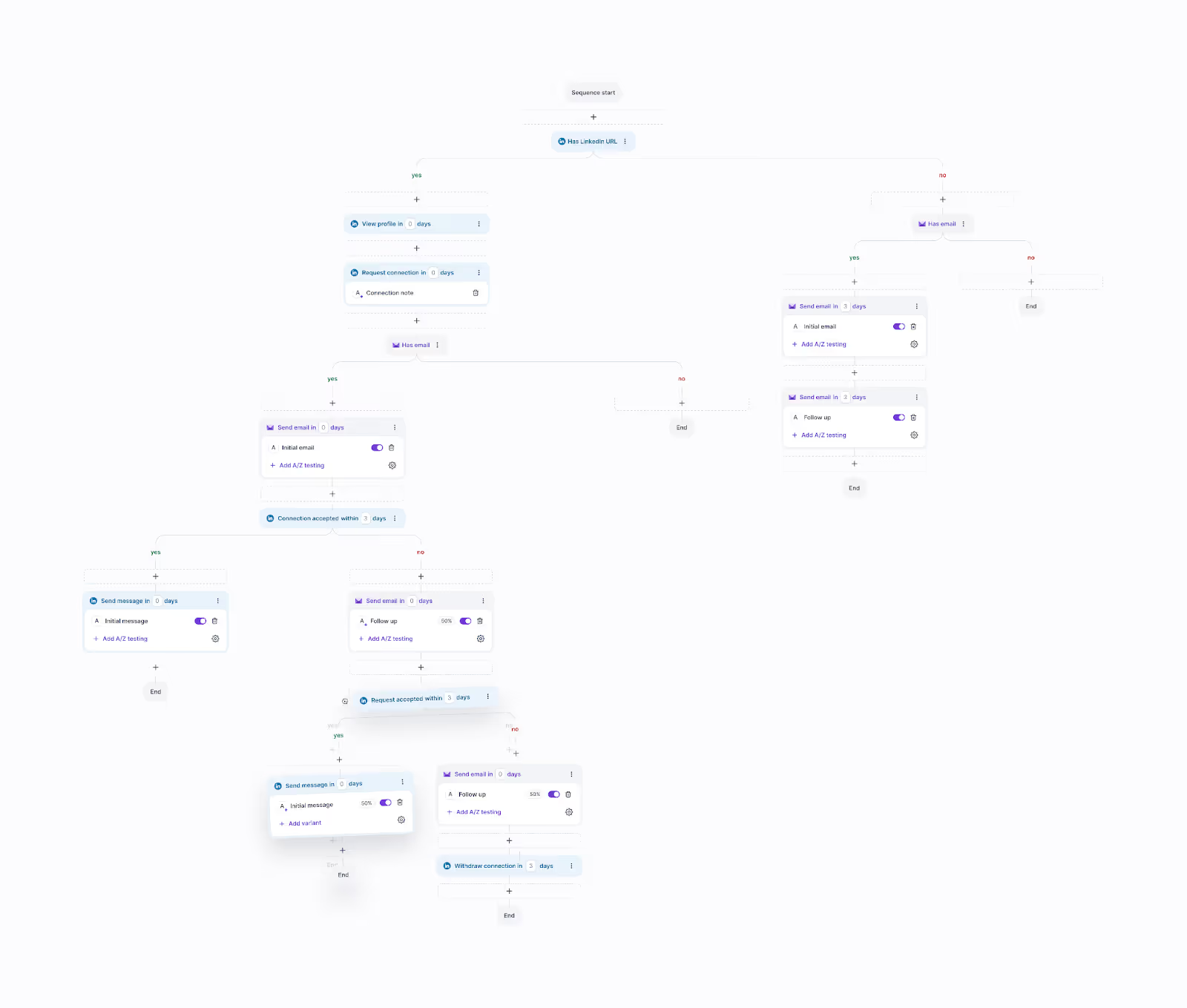
Unlike Octopus CRM, which focuses only on LinkedIn tasks like invites and messages, Salesforge includes tools for email deliverability, warm-up, reply management, and AI-assisted messaging.
Everything happens in one place, so you don’t need separate tools for LinkedIn, email, or inbox handling.
Salesforge also offers Agent Frank, an optional AI assistant that can help with prospecting and follow-ups, but you don’t need to use it to run campaigns.
Overall, Salesforge is built for people who want to run both LinkedIn and email outreach together and need more scale than a Chrome extension can offer.
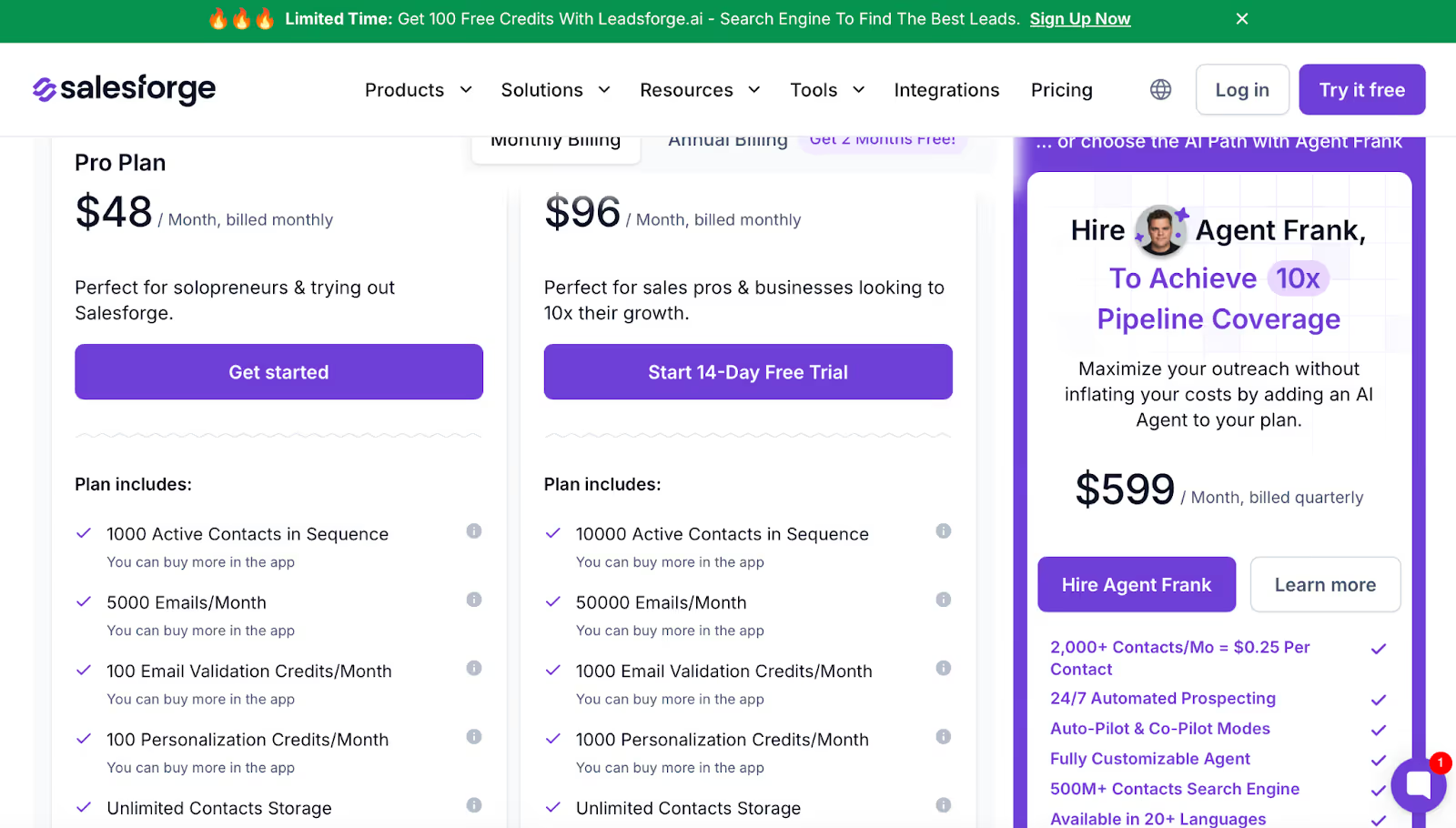
Salesforge starts at $48/month, and the plans include:
• LinkedIn + email outreach
• unlimited mailboxes
• unlimited LinkedIn senders
• a unified inbox for replies
• free warm-up for all emails
• support for multiple users
• a 14-day free trial
The price is higher, but the tool covers more channels and doesn’t rely on your browser.
If your outreach is simple and only on LinkedIn, Octopus CRM is usually enough.
If you want LinkedIn and email together, more scale, or cloud reliability, Salesforge is the better fit.
Octopus CRM works well if you only need basic LinkedIn automation and want something simple to use inside your browser.
It’s easy to set up and affordable, but the Chrome extension limits, manual steps, and single-channel setup make it hard to scale once your outreach grows.
If you want multi-channel outreach, more reliability, and a tool that runs even when your laptop is off, Salesforge is the better choice.
It gives you cloud-based automation, LinkedIn + email sequences, unlimited senders, and AI-assisted outreach, all in one place.
Try Salesforge if you’re ready for a safer, more scalable outreach setup.
.jpg)

.jpg)

.jpg)