Table of contents
Get insights delivered straight into your inbox every week!

7 Best MCP Servers for Sales and Cold Outbound in 2026

You have the leads, mailboxes, and sequences ready to go.

But every time you need to actually do something, check reply rates, build a campaign, pull a lead list, you're jumping into another tab. Then another. Then another.

I was on a call with an agency founder running outbound for 12 clients. He wasn't complaining about copy or targeting. He said, "I spend more time moving data between tools than actually selling."

That's the real tax on outbound teams right now. Not the writing. It's the switching. 

And that's exactly what the MCP servers for sales fix.

Greg Philippe put it well in a LinkedIn thread last month: "Outbound used to mean 30 tabs and a headache. Now it's just - MCP, handle it."
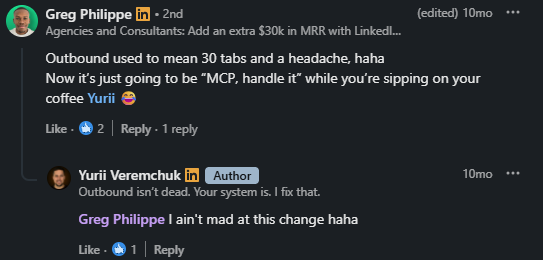
Greg Philippe
This image shows Greg Philippe

That's the shift happening right now. AI goes from writing assistant to actual operator, running inside your outbound tools, not alongside them.

But not every MCP server is built for cold outbound. Some are read-only. Some only cover one piece of your stack. A few are genuinely worth connecting.

I reviewed 9 of them to understand what each one does, how it works inside cold outbound workflows, and where it hits limits. 

By the end, you'll know exactly which one fits your setup. 

TL;DR: 7 Best MCP Servers for Sales and Cold Outbound in 2026

  • Forge MCP Server (Salesforge) — Best for full-stack outbound across leads, infrastructure, warmup, email, and LinkedIn through one connection
  • Smartlead MCP — Best for email campaign diagnostics and MTA-level bounce analysis
  • Instantly MCP — Best for Instantly users who want campaign management through Claude prompts
  • Apollo MCP — Best for sequence enrollment from Apollo's contact database inside Claude
  • Clay MCP — Best for teams with existing Clay workflows who want reps running enrichment through conversation
  • ZoomInfo MCP — Best for enterprise teams querying verified B2B contact data and intent signals in Claude
  • Amplemarket MCP — Best for prospect search and account research across Claude and ChatGPT

What Is an MCP Server for Sales?

MCP stands for Model Context Protocol. Anthropic introduced it in late 2024 as an open standard. It creates a direct connection between your AI and your sales tools.

Without MCP, Claude sits outside your stack. You copy data in. You paste results out. You do the work. With an MCP server connected, Claude works inside your tools. You type a request. Claude pulls live data and acts on it.

For example, instead of logging into Salesforge to check reply rates, you ask Claude. It pulls the numbers directly from your account.

The protocol tells Claude what tools are available and what each one does. Claude picks the right tool, runs it, and returns the result.

For sales teams, this means campaign checks, lead pulls, mailbox health, and sequence builds all happen inside one conversation. That is the whole mechanism. A live connection replaces a manual handoff.

How Does an MCP Server for Sales Change How Cold Outbound Works?

Cold outbound has always been execution-heavy. Most of the time goes into setup, not selling.

You build a campaign. You check deliverability. You pull reply data. You flag underperforming mailboxes. Each task lives in a different tool, and you are the one connecting them.

MCP removes you from that middle layer. Instead of manually building a sequence, you describe what you want. Claude creates it inside your tool directly.

One SDR I know spent about 2 hours every Monday pulling weekly performance reports across three platforms. With MCP connected, that became a single prompt.

This image shows the User experience

But the change goes further than task speed.

Before MCP, the workflow was: gather data, leave your tool, go to Claude, think, go back to your tool, act. That is 4 steps for every decision. With MCP, Claude has live access to your data. You ask, it pulls, it acts. One step.

For agencies running outbound across multiple clients, this compounds. 

Mailbox health checks, lead routing, campaign performance, and subject line analysis all happen in one conversation without opening a single dashboard.

The targeting still needs to be right. The copy still needs thought. MCP does not replace that judgment.

What it removes is the repetitive operational work that sits between your thinking and your execution. That is where most outbound hours actually go.

7 Best MCP Servers for Sales: Quick Comparison Table

Tool Ideal Use Case Key Highlight
Forge MCP Server Full-stack cold outbound Leads, warmup, infrastructure, email, and LinkedIn through one connection
Smartlead MCP Email campaign diagnostics 116+ tools with MTA-level bounce diagnosis and inbox health auditing
Instantly MCP Campaign management via Claude Create, pause, and analyze campaigns through plain English prompts
Apollo MCP Sequence enrollment Search, enrich, and enroll contacts into sequences inside Claude
Clay MCP Enrichment workflow execution Run ops-built Clay workflows through Claude without opening the dashboard
ZoomInfo MCP Enterprise B2B data access 300M+ verified contacts with intent signals queryable inside Claude
Amplemarket MCP Prospect search and research ICP search, contact enrichment, and account research across Claude and ChatGPT

1. Forge MCP Server (Salesforge)

The Forge MCP Server connects Claude to your entire outbound stack. It works through a single endpoint covering Salesforge, Leadsforge, Infraforge, Warmforge, and Mailforge.

This way, you are not just checking campaign stats. You are finding leads, enriching them, warming mailboxes, building sequences, tracking replies, and managing infrastructure. 
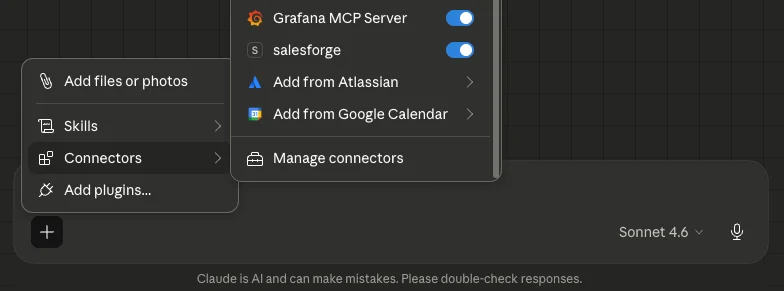
Salesforge MCP in Claude
This image shows the Salesforge MCP in Claude

With most MCP servers, each of those tasks lives in a different connection; only in the Forge MCP Server do they all live in one conversation.

The server works with Claude Desktop, Claude Code, Cursor, and Windsurf. Setup takes about five minutes. 

You generate API keys from each Forge product you use, whether that is Salesforge for sequences, Mailforge for shared IP infrastructure, or Infraforge for dedicated IPs. 

Add them to your config file, restart your client, and the tools appear automatically. You only see tools for products you have connected. 

For agencies running outbound across multiple clients, you can run separate instances of the server side by side. 

And each instance uses its own set of API keys pointing to a different client account. 

You tell Claude which client you are working on, and it pulls from the right account.

Security is handled at the protocol level. Your API keys stay on your machine. Claude does not store credentials. 

Every action runs through authenticated API requests tied to your account.
Key Features of Forge MCP Server for Sales

  • Search and enrich ICP-matched contacts via Leadsforge by job title, location, and industry
  • Build multi-step email and LinkedIn sequences inside Salesforge through prompts
  • Send LinkedIn connection requests and move non-responders into cold email sequences automatically
  • Check Warmforge heat scores across all mailboxes and flag anything below 85
  • Provision domains and mailboxes through Infraforge or Primebox directly from a prompt
  • Run SPF, DKIM, and DMARC checks and push bulk DNS updates across multiple domains
  • Pull campaign performance data across reply rates, bounce rates, and open rates without exporting

Pros and Cons of Forge MCP Server

Pros

  • One connection covers leads, infrastructure, warmup, sequencing, and analytics
  • Email and LinkedIn run as native channels in the same conversation
  • Parallel instances let agencies manage multiple client accounts with separate API keys
  • Claude acts on data directly, not just reads it
  • API keys stay on your machine, never pass through a third party

Cons

  • Claude Desktop setup requires Node.js, which adds friction for non-technical users
  • Some tools need a workspace ID first before acting
  • Only connects to Forge stack products; outside tools need separate connections
  • No native ChatGPT support at the time of writing
  • High-volume Leadsforge enrichment draws down credits faster than manual workflows

Forge MCP Server Pricing

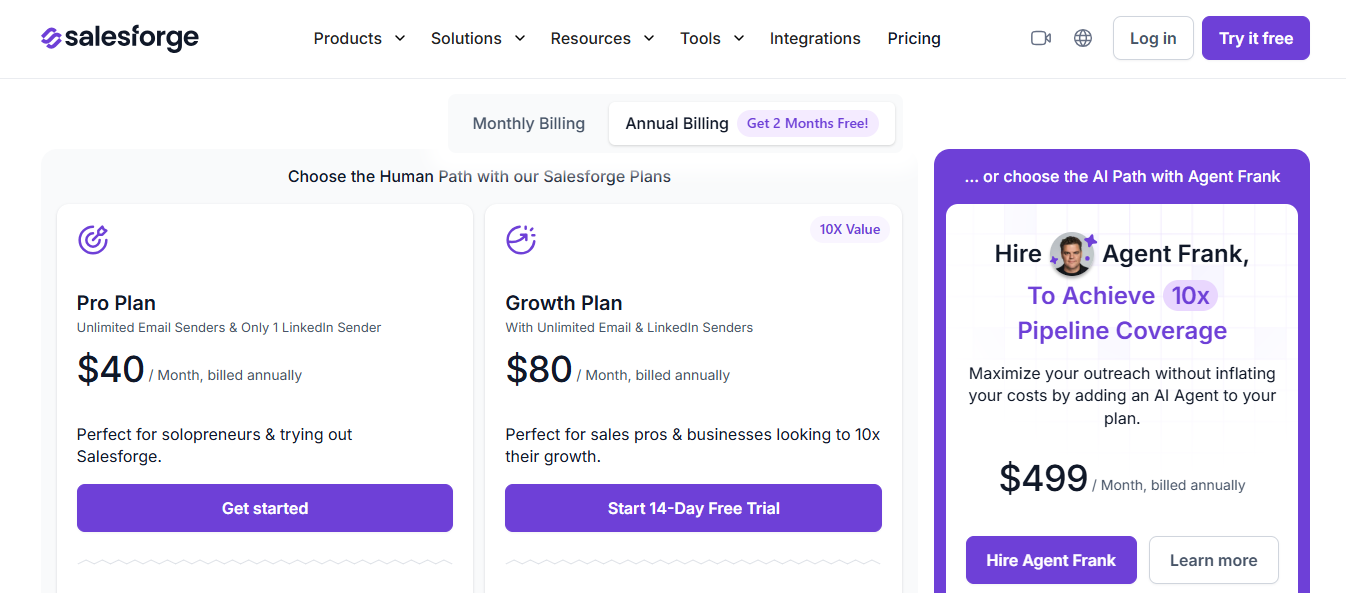
Salesforge Pricing
This image shows the Salesforge Pricing

The Forge MCP Server is free to connect. You pay for the underlying Forge products.

  • Salesforge: free trial available, no credit card required
  • Mailforge: $2 to $3 per mailbox per month
  • Infraforge: $3 to $4 per mailbox per month
  • Primeforge: $3.5 to $4.5 per mailbox per month
  • Leadsforge: credit-based, free credits on signup
  • Warmforge: includes 1 free warming slot and 1 free placement test
Personalized Outbound Strategy

Get The Right Outbound Strategy In Minutes

Enter your email to get a custom plan & stack recommendation for your business

It's being carefully crafted by AI

Please check your mailbox in 5 minutes

2. Smartlead MCP

Smartlead MCP connects your Smartlead account directly to Claude, giving it live access to your campaigns, mailboxes, leads, bounce rates, and domain health. 

It connects 116+ tools across campaign management, lead lifecycle, email account management, deliverability diagnostics, analytics, and webhook automation.
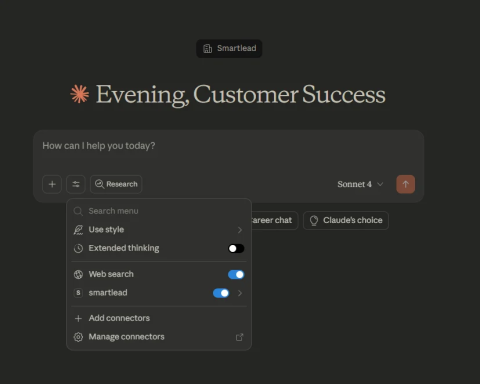
Smartlead MCP in Claude
This image shows the Smartlead MCP in Claude

The core problem it solves is visibility lag. Most teams find out something broke days after it happened. A sending account disconnects on day three. Nobody notices until reply rates drop two weeks later.

One GTM engineer pulled 2,000+ bounced leads from 200+ campaigns and mapped each bounce to an exact failure reason: DMARC failures, user unknown, spam filter blocks, all inside one Claude conversation.

Claude Code for Sales: 4 Outbound Workflows That Replace Hours of Manual Work
Key Features of Smartlead MCP

  • Pull 30-day performance breakdowns for multiple clients in under 30 seconds
  • Audit sending accounts by warmup reputation score and sort into health categories
  • Run pre-launch checks across mailbox connectivity, DNS, and copy for spam triggers
  • Flag disconnected accounts, stopped warmups, or high bounce rate domains in one prompt
  • Split campaign performance by email provider and rebalance sending distribution

Pros and Cons of Smartlead MCP

Pros

  • One API key, one config block, set up in under five minutes
  • Reads live account data, not exports
  • Maps exact MTA-level bounce failure reasons, not generic labels
  • Catches infrastructure problems on day one
  • Handles inbox audits at scale that manual work cannot

Cons

  • SSE transport only, restrictive networks will block the connection
  • Claude Desktop only, no browser access
  • Email only, no LinkedIn or call step visibility
  • Output quality depends on data hygiene upstream
  • No pre-built workflow templates, every prompt built from scratch

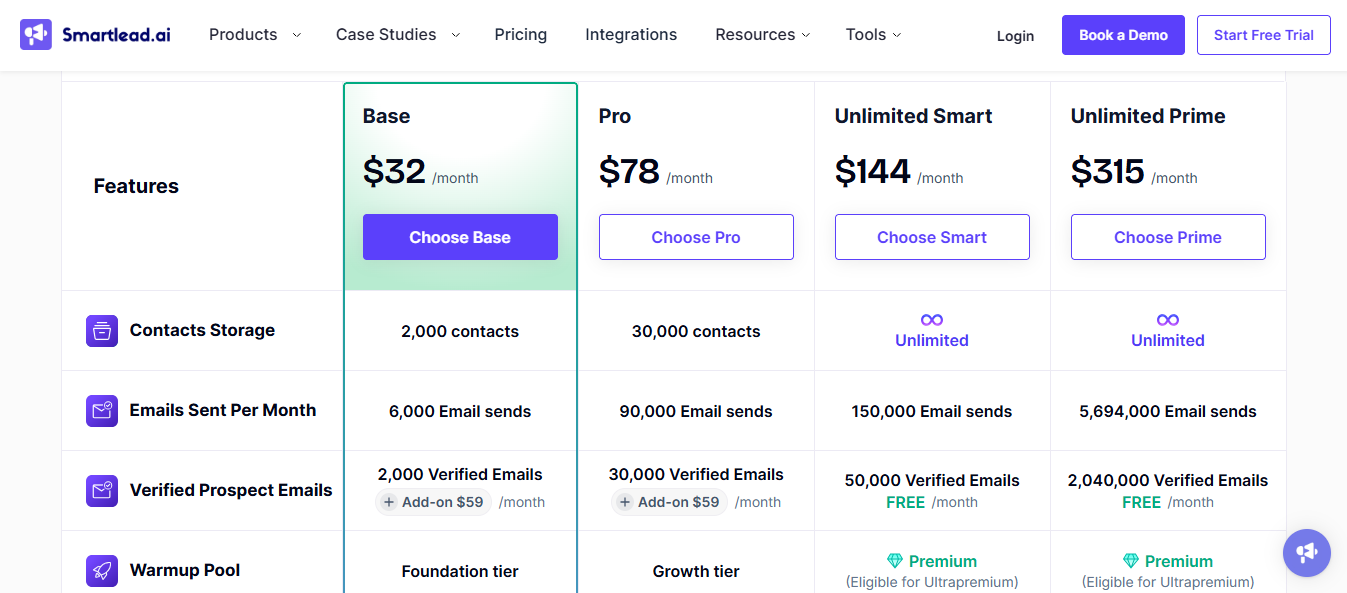
Smartlead MCP Pricing

Smartlead Pricing
This image shows the Smartlead Pricing

Smartlead MCP comes included with any active Smartlead subscription. You pay for the plan, not the MCP connection.

  • Base: $39/month or $32/month on annual billing
  • Pro: $94/month or $78/month on annual billing
  • Unlimited Smart: $174/month or $144/month on annual billing
  • Unlimited Prime: $379/month or $315/month on annual billing

3. Instantly MCP

Instantly MCP connects Claude directly to your Instantly account through the Model Context Protocol. 

It gives Claude live access to your campaigns, leads, sending accounts, and analytics, so you stop pulling data manually and start querying it through prompts.
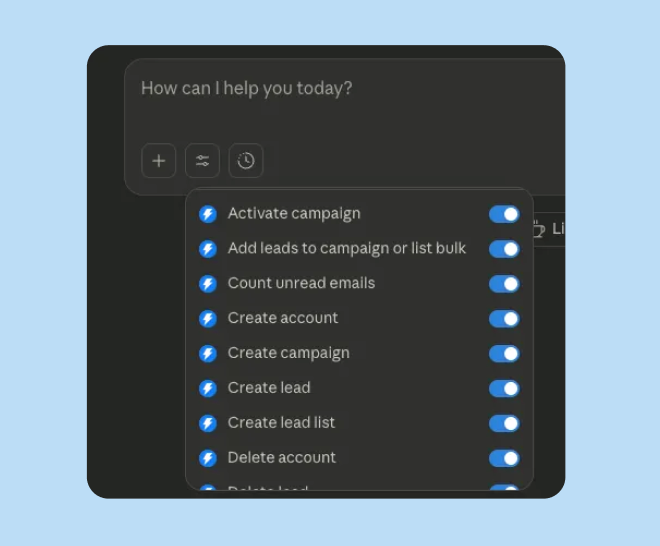
Instantly AI MCP function in Claude
This image shows the Instantly AI MCP function in Claude

This is a community-maintained package, not a native Instantly product. There is no official support channel if something breaks, and updates depend entirely on the maintainer.

For solo operators running one or two workspaces, it adds real value. For agencies managing multiple client accounts, the rate limit structure creates friction. 
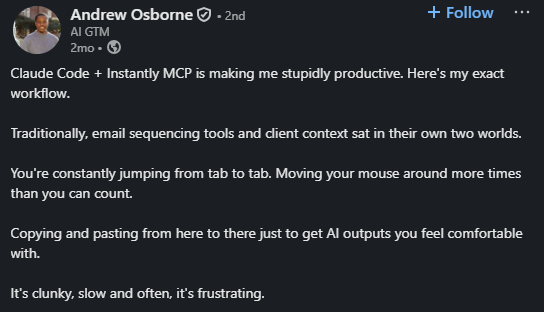
User sharing experience using Instantly MCP
This image shows the User sharing experience using Instantly MCP

API limits are shared across all keys in your workspace, so the more you automate through MCP, the faster you burn through that quota.

Among the best MCP servers for sales focused purely on email campaigns, Instantly MCP covers the full campaign lifecycle through conversation. What it does not cover is anything outside your Instantly account.
Key Features of Instantly MCP

  • Create, launch, pause, or archive campaigns through a single prompt
  • Pull live reply rates, open rates, and bounce data across all campaigns in seconds
  • Identify and pause out-of-office replies, bounces, and unsubscribes automatically
  • Update lead variables and manage blocklists through plain English commands
  • Check sending account health, warmup status, and rotate inboxes without opening settings

Pros and Cons of Instantly MCP

Pros

  • Pulls live campaign data on demand, no exports
  • Cross-workspace reporting across multiple accounts in one prompt
  • Campaign creation, including steps, schedule, and targeting through conversation
  • Supports Claude Desktop, Cursor, and n8n
  • Built-in rate limit tracking alerts you before hitting the ceiling

Cons

  • Community-maintained, no SLA or guaranteed updates
  • API rate limits are shared across all workspace keys, and bulk operations stop mid-task on errors
  • Works inside Instantly, only, no cross-platform visibility
  • No LinkedIn outreach capability
  • Manual JSON configuration required; one wrong value breaks the connection

Instantly MCP Pricing

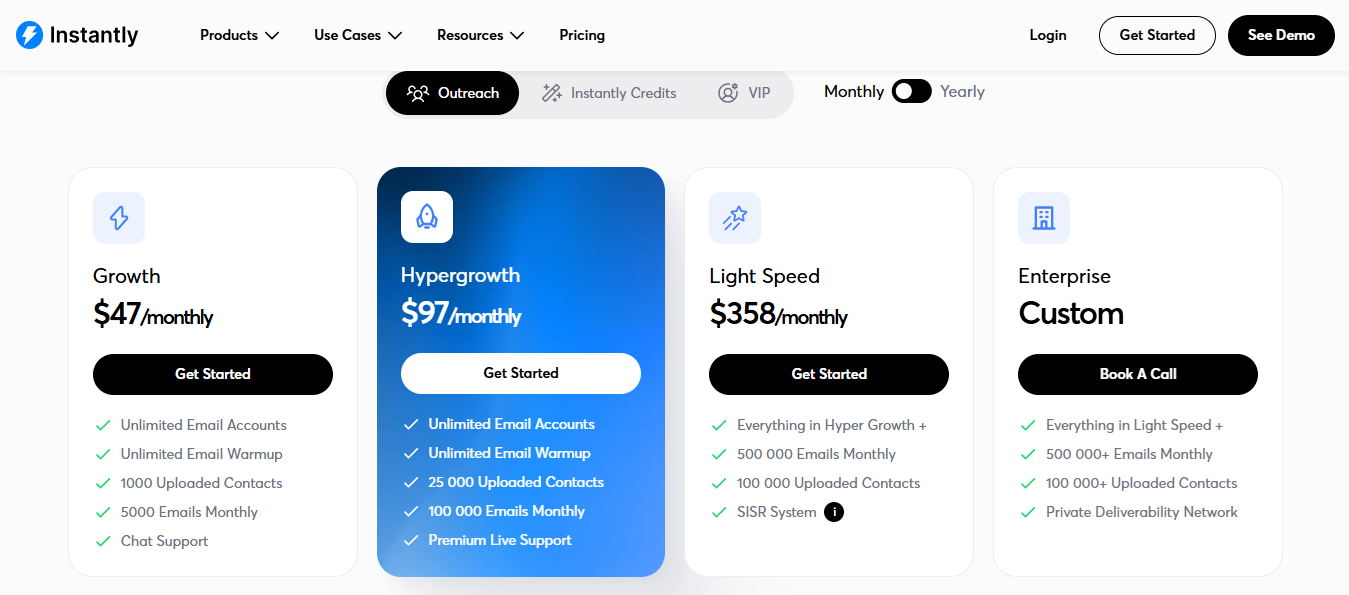
Instantly AI Pricing
This image shows the Instantly AI Pricing

Instantly MCP comes included with your Instantly subscription. You need the Growth plan or above to get API access.
  • Growth: $47/month or $37.6/month
  • Hypergrowth: $97/month or $77.6/month
  • Light Speed: $358/month or $286.3/month
  • Enterprise: Custom pricing

4. Apollo MCP

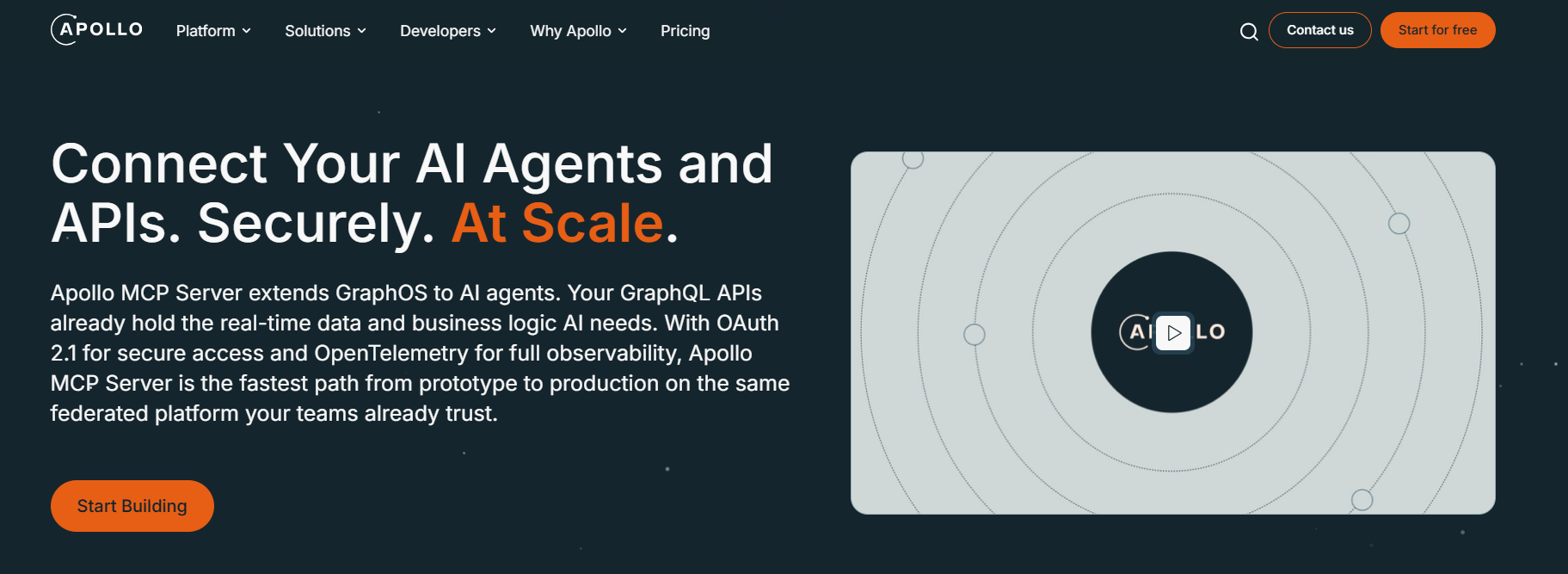
Apollo MCP Server homepage
This image shows the Apollo MCP Server homepage

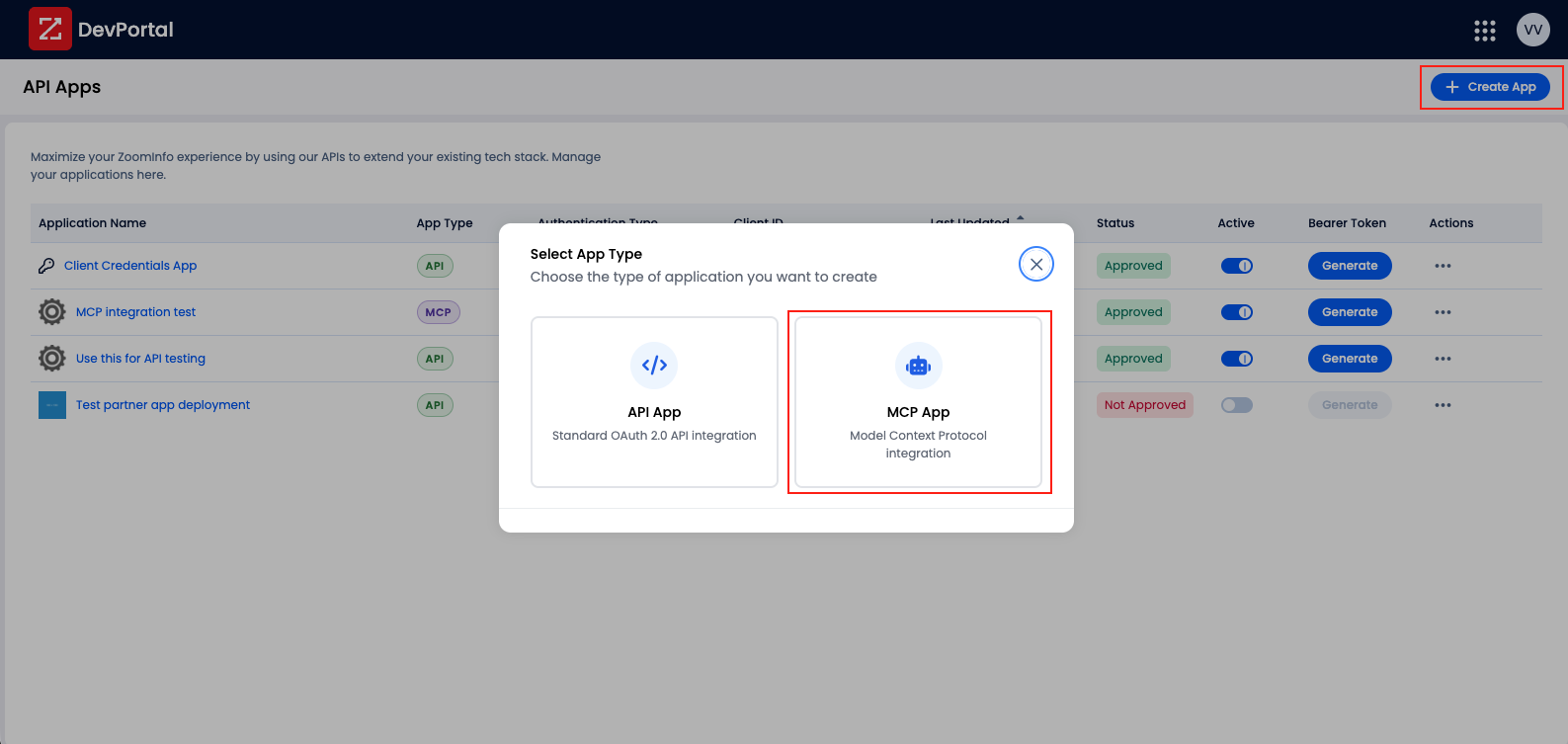
Apollo MCP connects Claude directly to your Apollo.io account, letting you run core outbound actions through natural language without switching tools. 

It was launched in February 2026 as a native connector available to all paid Apollo customers at no additional cost, with OAuth authentication, so no API keys are needed.
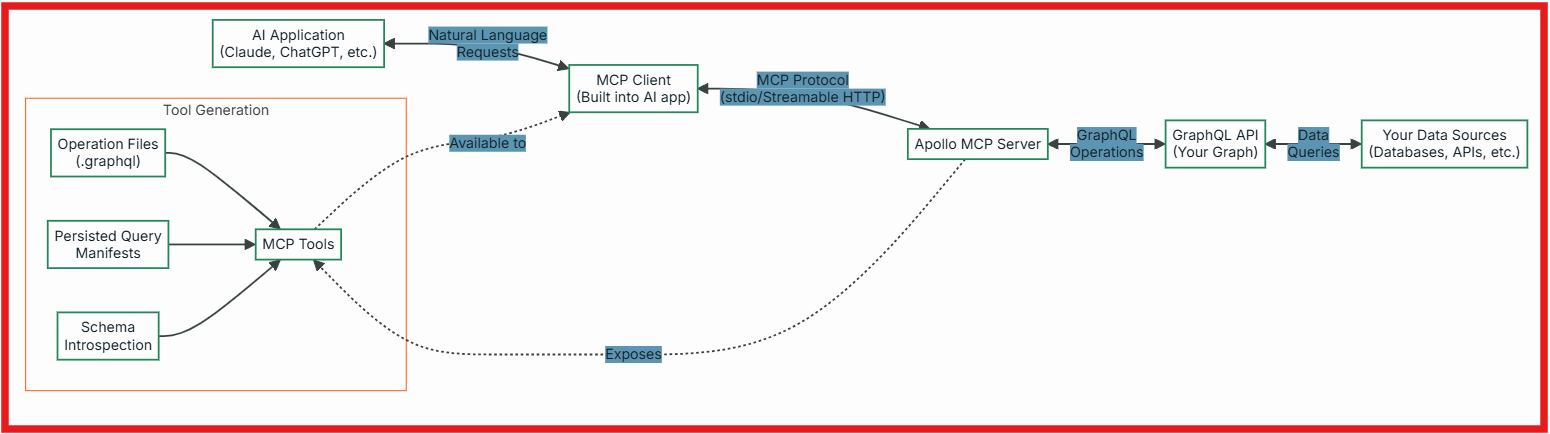
Apollo MCP Server workflow
This image shows the Apollo MCP Server workflow

The server covers the prospecting and sequence activation layer of outbound. You find contacts, enrich them, create or update records, and add them to sequences, all from inside a Claude conversation. 

Every action syncs back to Apollo as the system of record.

Apollo MCP works well as an execution trigger. Real-world feedback from teams testing it points to a consistent pattern: the search and enrichment output quality varies, with some users reporting unreliable results on data queries. 

Most teams that stick with it end up using a separate data provider for prospecting and Apollo MCP purely for sequence enrollment.

Key Features of Apollo MCP?

  • Search for people and companies by job title, industry, and company size inside Claude
  • Enrich contact records to pull verified emails and phone numbers
  • Create or update contacts and sync changes back to Apollo automatically
  • Enroll contacts into existing Apollo sequences directly from a prompt
  • Claude Code plugin chains search, enrichment, and enrollment into single-command workflows
Apollo MCP Server Review: Is It Worth Using for Outbound Workflows?
Pros and Cons of Apollo MCP

Pros

  • OAuth authentication, no API key setup, live in under two minutes
  • All actions sync back to Apollo as the system of record
  • Included on all paid Apollo plans at no extra cost
  • Clean sequence enrollment trigger when paired with a stronger data source
  • Claude Code plugin supports multi-step chained workflows

Cons

  • Search and enrichment output quality is inconsistent in production
  • Enrichment consumes Apollo credits at the same rate as manual usage
  • No deliverability or mailbox health visibility
  • Email sequences only, no LinkedIn outreach
  • Actions beyond your plan permissions will not execute

Apollo MCP Pricing

Apollo MCP Server pricing
This image shows the Apollo MCP Server pricing

Apollo MCP comes included with all paid Apollo plans at no additional cost. You pay for the Apollo subscription and credits, not the MCP connection.
  • Basic: $59/month per user
  • Professional: $99/month per user
  • Organization: $149/month per user, minimum 5 users
  • Enrichment actions through MCP consume credits at the same rate as manual enrichment inside Apollo

5. ZoomInfo MCP

ZoomInfo MCP Interface
This image shows the ZoomInfo MCP Interface

ZoomInfo MCP connects Claude and ChatGPT directly to ZoomInfo's B2B database through the Model Context Protocol. 

It gives AI models access to company profiles, contact data, technographics, funding signals, and intent data through natural language queries inside your existing AI workflow.

For teams already on a ZoomInfo contract, this sits among the best MCP servers for sales that add genuine prospecting depth to Claude conversations.

Instead of logging into ZoomInfo to search and export, you describe what you need, and Claude pulls structured data directly from your ZoomInfo account.
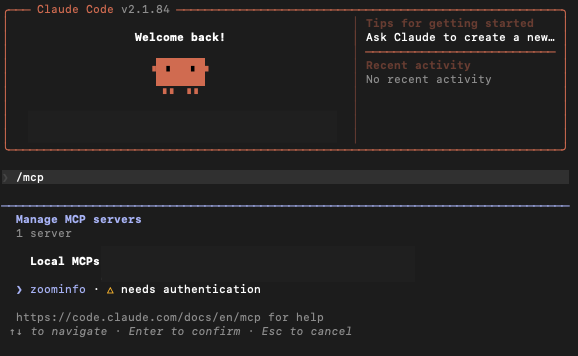
ZoomInfo MCP in Claude
This image shows the ZoomInfo MCP in Claude

Set up runs through OAuth. You open the connectors store in Claude, enable ZoomInfo, authenticate with your existing credentials, and the toolset is live.

The limitation to understand upfront: ZoomInfo MCP covers research and enrichment. It does not cover sequence execution, deliverability, or outreach. 

You still need a separate sending tool to act on the data it surfaces.
Key Features of ZoomInfo MCP

  • Search for ICP-fit companies by industry, revenue, headcount, and tech stack
  • Identify decision-makers at target accounts with AI-ranked contact recommendations
  • Enrich contact lists with verified emails and direct dial numbers
  • Research individual contacts, including career history and current responsibilities
  • Pull full company profiles and return structured outputs ready for CRM import

Pros and Cons of ZoomInfo MCP

Pros

  • 300M+ profiles with org charts and intent signals in one connection
  • OAuth setup, no API key configuration needed
  • Works across Claude, ChatGPT, and custom AI agents
  • Returns CRM-ready structured outputs
  • Covers account research, contact discovery, and enrichment in one place

Cons

  • No sequence execution, outreach requires a separate sending platform
  • Enterprise plans start around $15,000 per year, not practical for small teams
  • Heavy MCP enrichment usage can exhaust annual credit allocations early
  • Data freshness depends on ZoomInfo update cycles, not real-time

ZoomInfo MCP Pricing

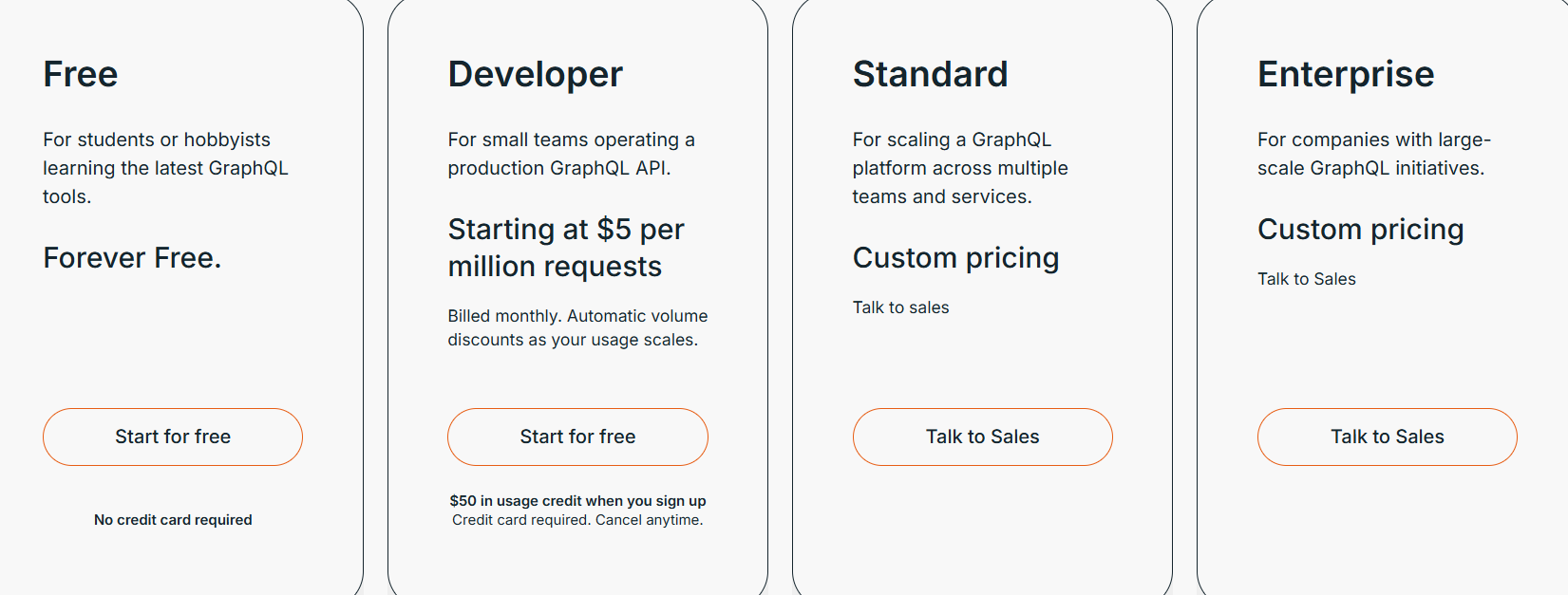
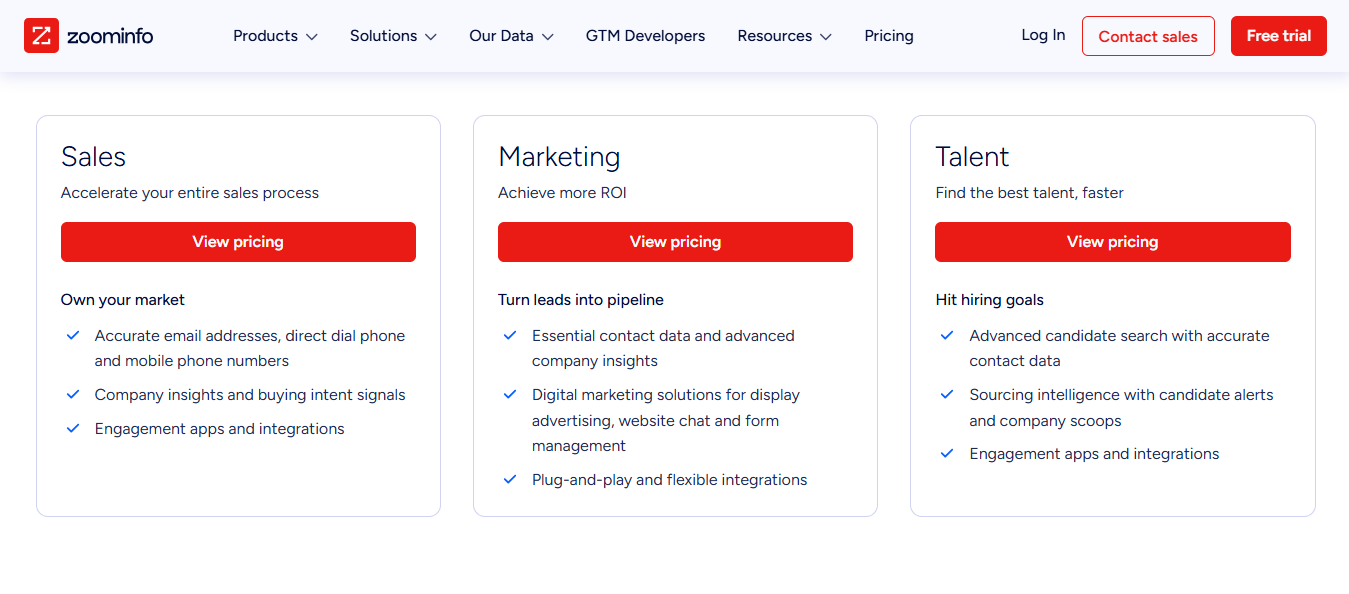
ZoomInfo Pricing
This image shows the ZoomInfo Pricing

ZoomInfo MCP is included with your existing ZoomInfo subscription at no additional cost. You pay for the ZoomInfo plan, not the MCP connection.

ZoomInfo does not publish pricing publicly; all plans require a direct sales conversation

6. Clay MCP

Clay MCP lets your AI trigger Clay's prospecting, enrichment, and workflow functions through prompts instead of you doing it manually inside the Clay interface.

Your ops team builds workflows inside Clay, enrichment waterfalls, lead scoring logic, outreach generation, and ICP filters. 
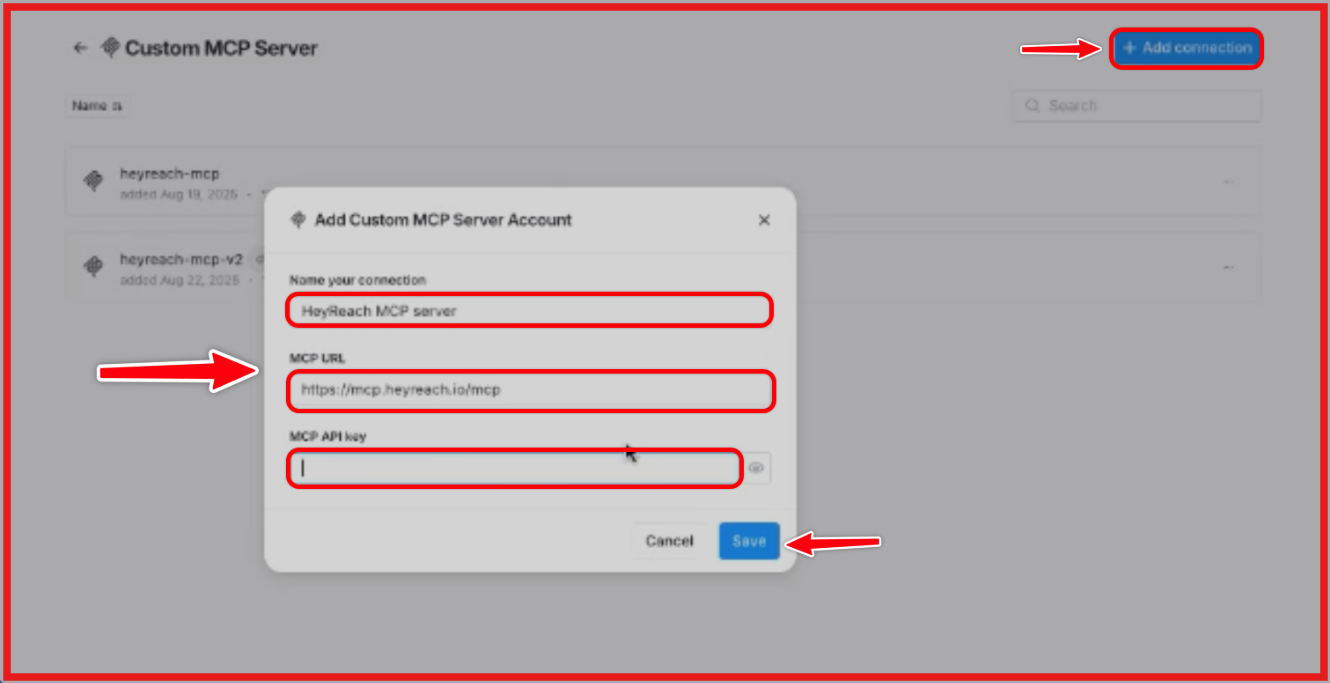
Custom MCP Server by Clay
This image shows the Custom MCP Server by Clay

Once those are set up, any rep can run them through a prompt in Claude or ChatGPT without touching the Clay dashboard or understanding what is happening in the backend.

This is both the strength and the limitation of Clay MCP as one of the best MCP servers for sales. If you already have Clay workflows built and maintained, it removes friction for the reps using them. 

If you are starting from scratch with no workflows defined, the MCP connection gives Claude very little to work with.

Clay MCP pulls from a subset of 150+ third-party data providers. 

That means contact data, company information, tech stack, funding, and website traffic can all surface inside a Claude conversation, depending on which providers your Clay account has access to.

Key Features of Clay MCP

  • Search for ICP contacts by job title, company, location, and role without opening Clay
  • Enrich contacts with email, work history, funding data, and tech stack from 150+ providers
  • Run ops-built enrichment waterfalls, lead scoring, and outreach generation through prompts
  • Research accounts and pull structured contact lists into Claude
  • Draft outreach messages based on enriched data returned by Clay
Clay MCP Server Review: Is It Actually Useful for GTM Teams?

Pros and Cons of Clay MCP

Pros

  • Works inside both Claude and ChatGPT
  • Reps run complex workflows without understanding the backend logic
  • 150+ data providers accessible through one connection
  • Sits on top of what your team already built in Clay
  • 500 free credits to test before committing to a paid plan

Cons

  • No value without pre-built Clay workflows, new users get very little
  • Credit-based model gets expensive at high enrichment volumes
  • Phone number enrichment is locked behind paid plans
  • Company search through audiences requires an enterprise setup
  • No sequence execution, a separate sending tool is still required

Clay MCP Pricing

Clay MCP uses the same credit system as Clay. There is no separate charge for MCP access.
  • Free tier: 500 credits to test enrichment and workflows inside Claude or ChatGPT
  • Each enrichment or workflow action costs roughly 20 to 100 credits, depending on the data pulled

7. Amplemarket MCP

Amplemarket MCP Homepage
This image shows the Amplemarket MCP Homepage

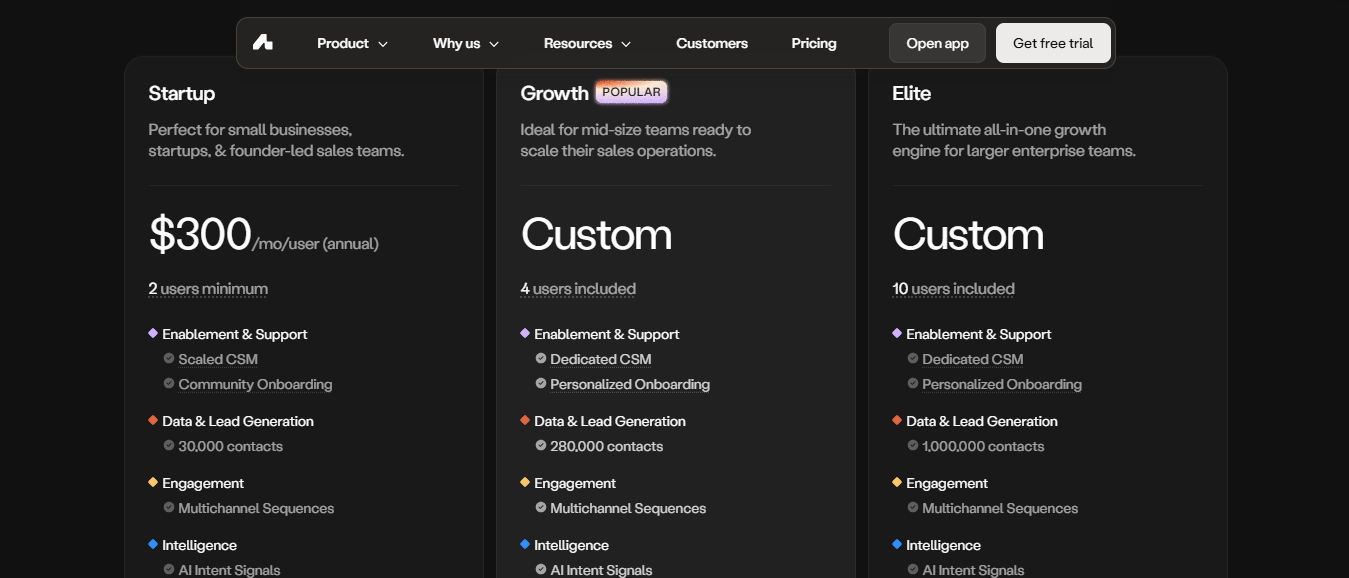
Amplemarket MCP connects Claude and ChatGPT directly to your Amplemarket account through the Model Context Protocol. 

It launched in March 2026 and covers the prospecting and research layer of outbound: finding qualified contacts, enriching them, researching accounts, checking past touchpoints, and managing lead lists, all from inside a Claude or ChatGPT conversation.

Among the best MCP servers for sales that work across both major AI clients, Amplemarket is one of the few that runs natively in both Claude and ChatGPT without any workarounds. 

Setup takes under a minute through OAuth sign-in, no API keys, no configuration files.

Where it sits in a workflow: Amplemarket MCP handles the data and research side. 

Sequence enrollment is on the roadmap but not available yet at the time of writing, so outreach execution still requires a separate tool.
Key Features of Amplemarket MCP

  • Search for ICP prospects by role, location, company size, and funding stage
  • Pull full contact profiles, including email, phone, tech stack, and org structure
  • Check previous touchpoints with a contact before reaching out
  • Research companies, including recent news, revenue structure, and sales tech stack
  • Build and manage prospect lists with notes directly inside the conversation

Pros and Cons of Amplemarket MCP

Pros

  • Works natively in both Claude and ChatGPT
  • OAuth setup in under a minute, no config files needed
  • Contact history lookup prevents duplicate outreach across teammates
  • Prospect search is free, and credits are only consumed on enrichment
  • Roadmap includes full sequence enrollment

Cons

  • Sequence enrollment is not available yet; execution requires a separate platform
  • Enrichment costs 0.5 credits per request, draws down faster at high volume
  • No deliverability or mailbox health visibility
  • No LinkedIn outreach capability at this stage

Amplemarket MCP Pricing

Amplemarket Pricing
This image shows the Amplemarket Pricing

Amplemarket MCP is included with your Amplemarket subscription at no additional cost. Pricing for Amplemarket itself is not publicly listed and requires a demo or sales conversation to get a quote.

  • MCP connection: free with any active Amplemarket account
  • Prospect search through MCP: free, no credits consumed
  • Contact enrichment through MCP: 0.5 credits per request, drawn from your existing Amplemarket credit balance
  • Plan pricing: available on request through Amplemarket directly
Personalized Outbound Strategy

Get The Right Outbound Strategy In Minutes

Enter your email to get a custom plan & stack recommendation for your business

It's being carefully crafted by AI

Please check your mailbox in 5 minutes

Conclusion: Which MCP Server for Sales Is Right for You?

The right pick depends on where your outbound breaks down.

Smartlead goes deep on email diagnostics. Amplemarket and ZoomInfo cover prospecting and enrichment well. 

Apollo handles sequence enrollment cleanly when paired with a better data source. Clay works well if your ops team has already built the workflows.

Each does its job. The gap is that none of them talks to each other. You still end up as the connector between them.

The Forge MCP Server does it through one connection.

Leadsforge finds the contacts. Warmforge monitors mailbox health. Infraforge and Primeforge handle infrastructure. 

Salesforge runs sequences across email and LinkedIn. Everything talks to each other through one conversation.

And if you want to take it further, Agent Frank, Salesforge's AI SDR, runs autonomously on top of the same stack, prospecting, writing, and sending without you lifting a finger. 

Everything works together through one conversation. 

Start your free Salesforge trial and run your first AI-managed outbound campaign today.