

Personalized Outbound Strategy
Get The Right Outbound Strategy In Minutes
Enter your email to get a custom plan & stack recommendation for your business
It's being carefully crafted by AI
Please check your mailbox in 5 minutes
If you’re searching for Leadinfo, you’re likely trying to see who is visiting your website.
I looked into Leadinfo when I realized most visitors never fill out forms.
Instead of guessing who they were, I wanted a way to identify companies and reach out.
Leadinfo promises to show which companies visit your site and how they behave.
It also claims to help you find decision-makers from those companies.
But from my experience, knowing who visited is not the same as building pipeline.
So before using Leadinfo, it’s important to understand what it actually gives you.
In this review, I break down how it works, what you get, and where it falls short.
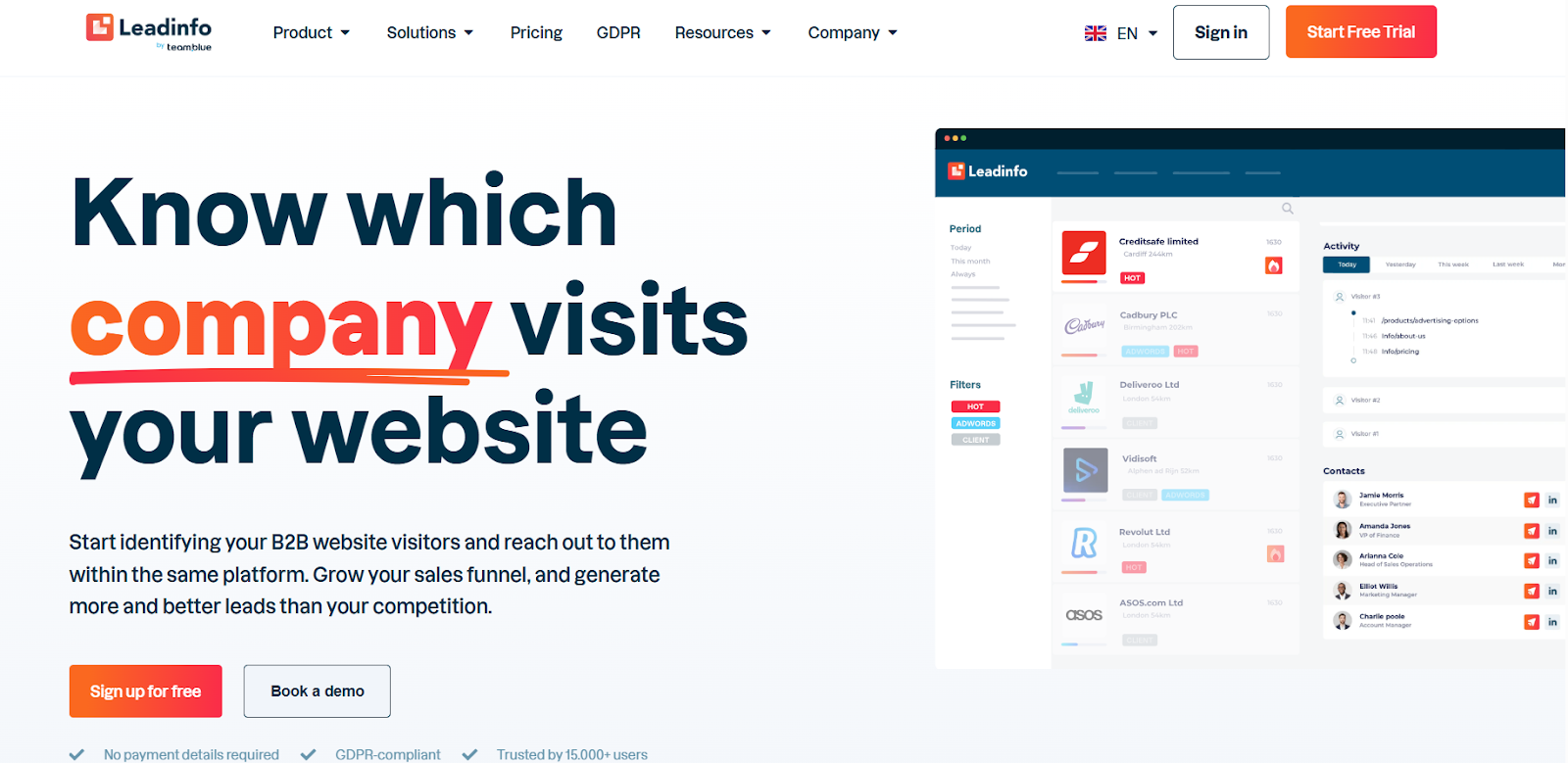
Leadinfo is a B2B tool that helps identify which companies visit your website.
It is used to turn anonymous website traffic into potential sales leads.
The platform works by matching visitor IP addresses to company data.
Users can see which companies they visited, what pages they viewed, and how often they return.
It also includes features like visitor tracking, lead insights, and basic contact data in some cases.
Overall, Leadinfo is mainly used as a website visitor identification tool.
It helps sales teams follow up with interested companies.
From my testing, the process is simple.
Leadinfo tracks visitors and identifies companies.
It shows their behavior so you can decide who to follow up with.
Here’s how it works step by step:
Step 1: Install the tracking code - I started by adding a small tracking code to the website. It took a few minutes to set up.
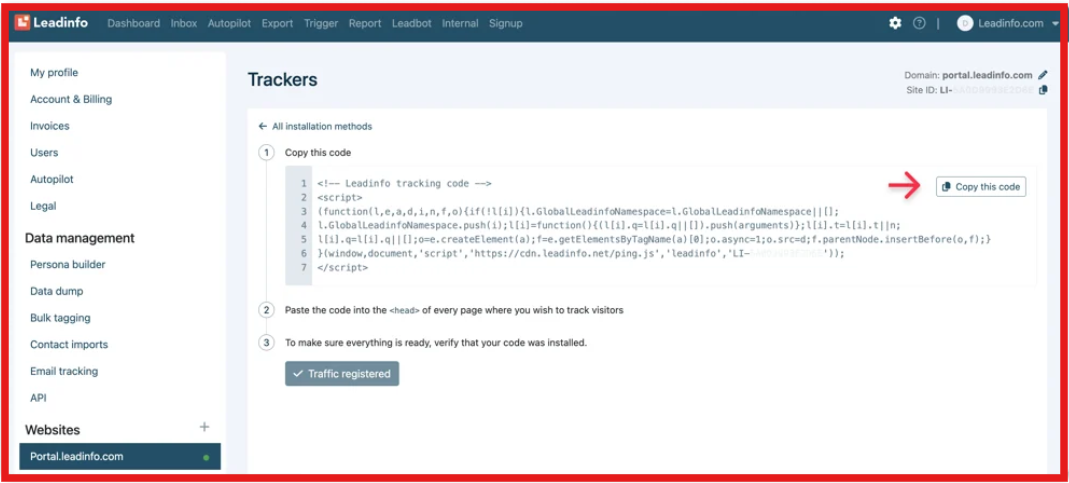
Step 2: Identify website visitors - Once installed, Leadinfo tracked visitors and matched their IP address to a company.
Step 3: Show company details - After matching, I could see the company name, location, and pages they visited.
Step 4: Analyze behavior - It showed how often they visited, how long they stayed, and what they checked.
Step 5: Find decision-makers - For some companies, it also showed emails or LinkedIn profiles.
Step 6: Take action or export - I could send leads to a CRM, set alerts, or follow up manually.

From what I saw, it’s easy to use.
But it only works well if your website already gets traffic.
Here are the main features of Leadinfo I found useful.
The features are useful for tracking and prioritizing visitors.
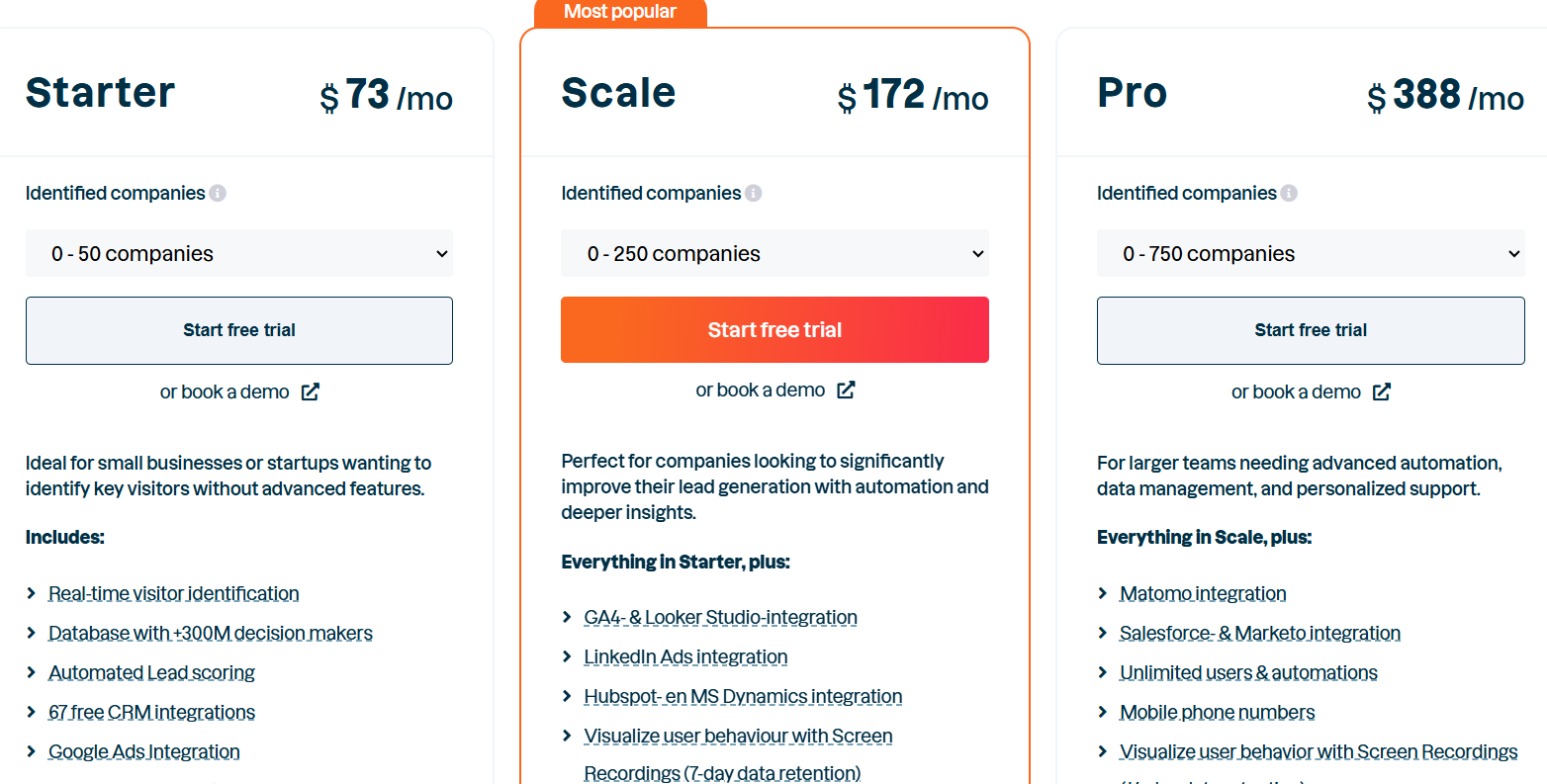
Leadinfo has multiple plans.
Each plan depends on how many companies it can identify from your website traffic.
Leadinfo also offers a 14-day free trial, where you can test how many companies it identifies before choosing a plan.
From my experience, pricing depends more on how much traffic you have than the base plan.
Higher usage and add-ons like Autopilot or Leadbot can increase the total cost.
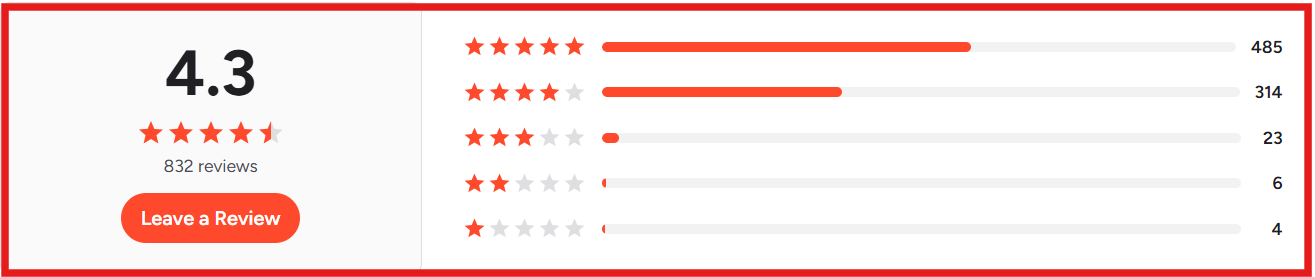
From what I saw in the reviews, feedback is mostly positive.
Users say the dashboard is simple.
I noticed that it helps them identify visiting companies without much setup.
They also mention that it shows useful details like pages visited and visit behavior, which makes follow-ups easier.
Some users say the company data is helpful.
But it does not always show the exact person behind the visit.
A few users also mention that some data feels limited, especially when they need deeper contact details.
Leadinfo works well if your goal is to see which companies visit your website.
It gives clear visibility into traffic that tools like Google Analytics do not show.
You can identify companies and track what pages they view.
I found it useful for sales teams that want to know which businesses are already showing interest.
But it has limits.
It mostly shows company-level data, not always the exact person.
So if you need direct contact details or full lead profiles, you will still need another tool.
It also does not help with outreach.
You cannot contact these visitors directly from inside the platform.
In simple terms, Leadinfo is good for visibility, not for building or closing a pipeline.
If your goal is just to track visitors, it can be a good fit.
If your goal is to find contacts and start outreach, you will need something more.
Leadinfo helps me see which companies visit my website.
But when I actually want to find leads and contact them, I need more than just visitor data.
That’s where Leadsforge feels easier to use.
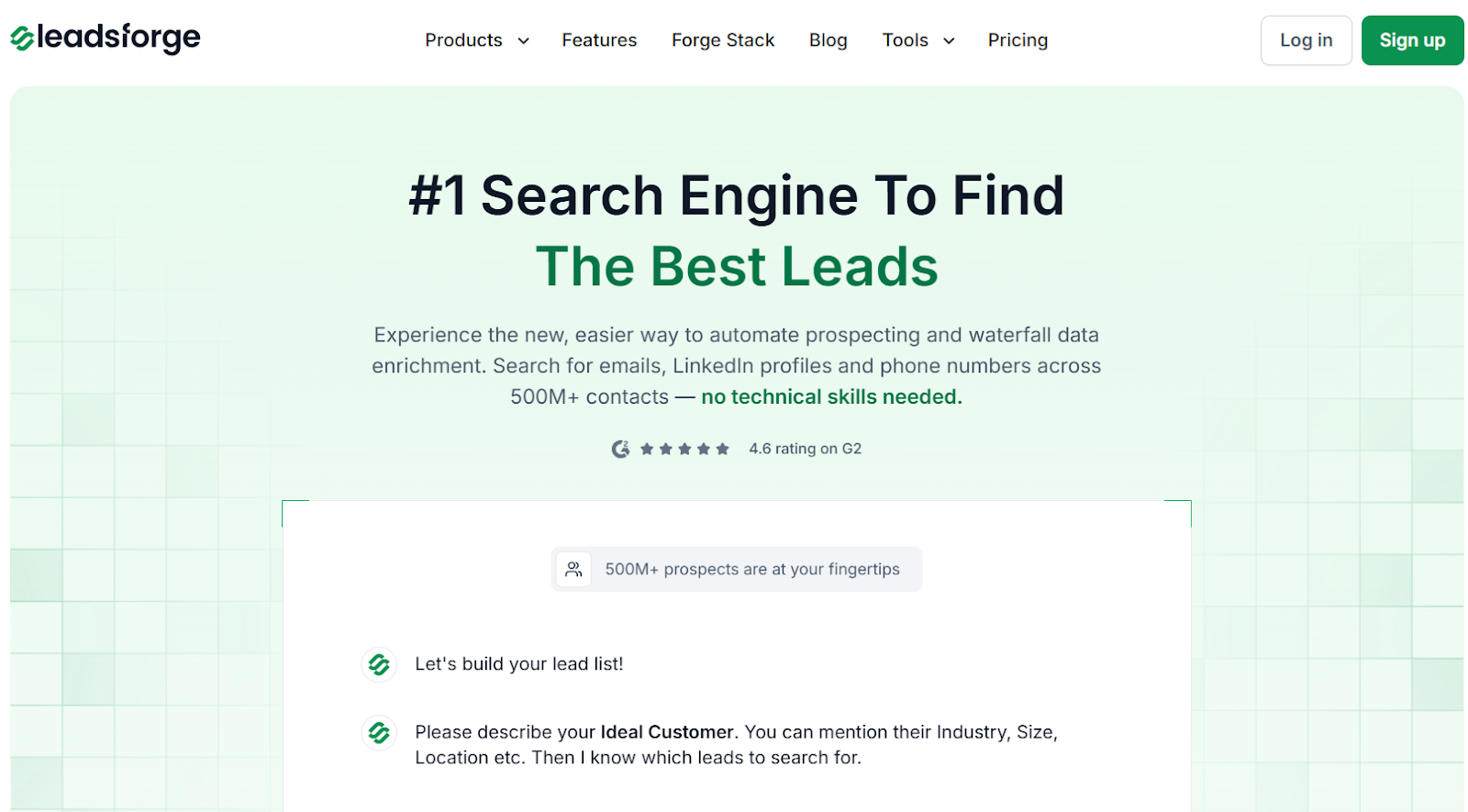
I use Leadsforge like a search engine for B2B leads.
I just describe my ideal customer, and it returns matching contacts.
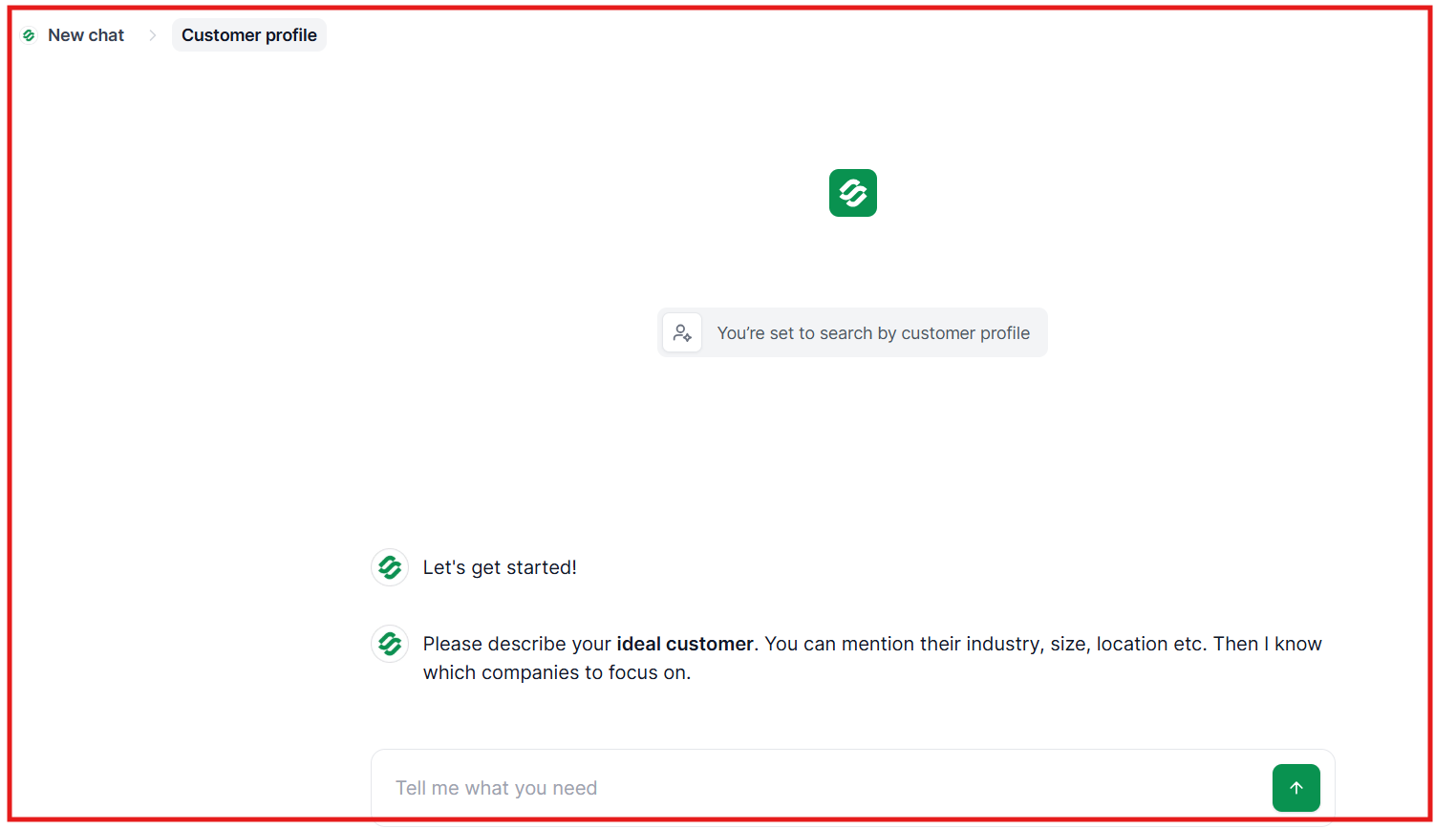
It pulls data from multiple sources.
If one source does not return results, it checks others.
This improves the chances of getting verified emails and profiles.
I can choose what data I need, like emails, LinkedIn profiles, or phone numbers.
And then enrich my list instantly.
It also shows intent signals, so I can focus on leads that are more likely to respond.
Once the list is ready, I can export it or push it directly into Salesforge and start outreach.
Leadinfo helps me understand traffic.
Leadsforge helps me turn that into pipeline.
I can go from “who visited my site” → “who to contact” → “start outreach” in one flow.
That makes a big difference when I actually want results.
Enter your email to get a custom plan & stack recommendation for your business
Please check your mailbox in 5 minutes

Leadinfo is useful if I only want to see which companies visit my website.
It helps me understand interest and track visitor behavior.
But it stops there.
It does not give full contact details or help me start outreach.
So if my goal is just tracking, Leadinfo can work.
If my goal is to build pipeline and reach out to leads, I need more.
That is where Leadsforge fits better.
I can find contacts, enrich data, and start outreach in one flow.
Try Leadsforge and get 100 free credits to find and contact your ideal customers.
.jpg)

.jpg)

.jpg)