Are you thinking of using Smartlead and HeyReach to send more cold emails and get better deliverability?
Yes, you can. And it can be a strong combo.
But it’s not perfect. And there are things you should know before you build your setup.
In this guide, I’ll show you:
Let’s get into it!
Yes. Smartlead and HeyReach now have a native integration that connects email outreach and LinkedIn outreach without using Zapier, Make, or manual CSV uploads.
This integration lets both tools pass leads to each other automatically.
You can send LinkedIn leads from HeyReach into Smartlead email campaigns, and you can send email leads from Smartlead into HeyReach LinkedIn campaigns.
It’s an official two-way connection built directly into both platforms, but it’s still focused on lead handoff, not full CRM-level syncing.
The stack works by letting HeyReach and Smartlead send leads to each other automatically.
Smartlead takes care of email. HeyReach takes care of LinkedIn.
The integration connects them so leads can move from LinkedIn → email and from email → LinkedIn without manual work.
1. HeyReach handles LinkedIn, then pushes to Smartlead
You run your LinkedIn campaigns in HeyReach.
When someone responds on LinkedIn, you can use the “Add to Smartlead” action in your HeyReach campaign to send that lead straight into a Smartlead email sequence.
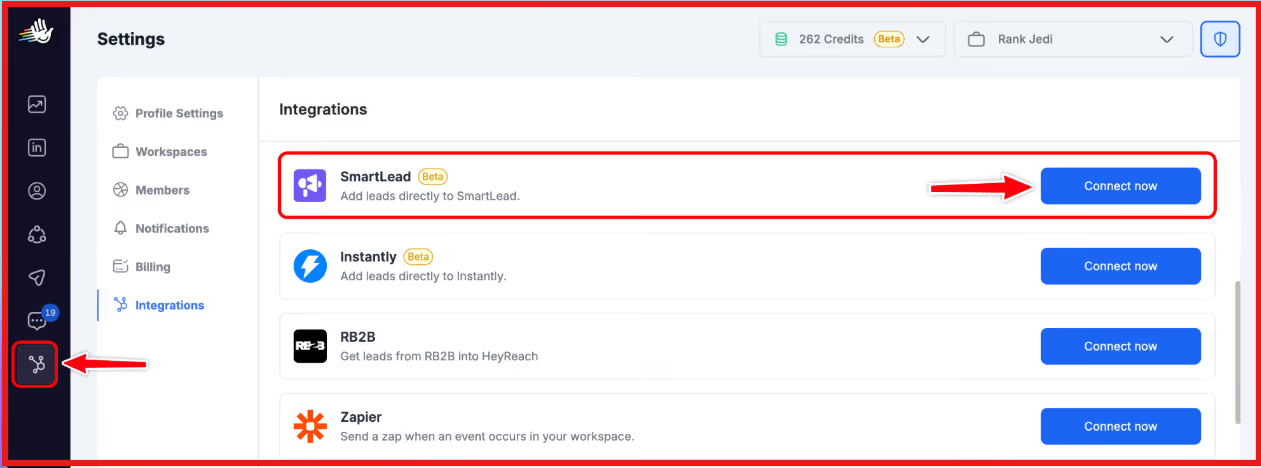
This is set up by:
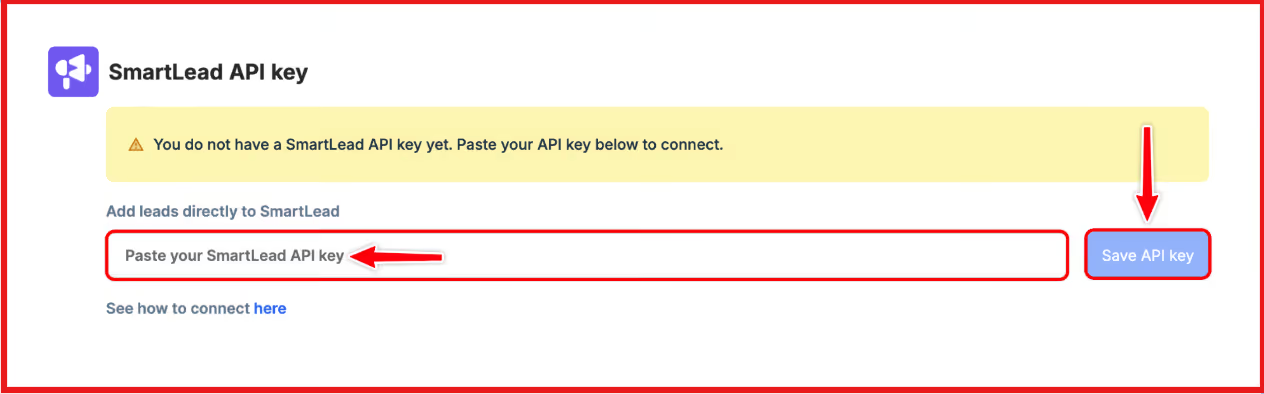
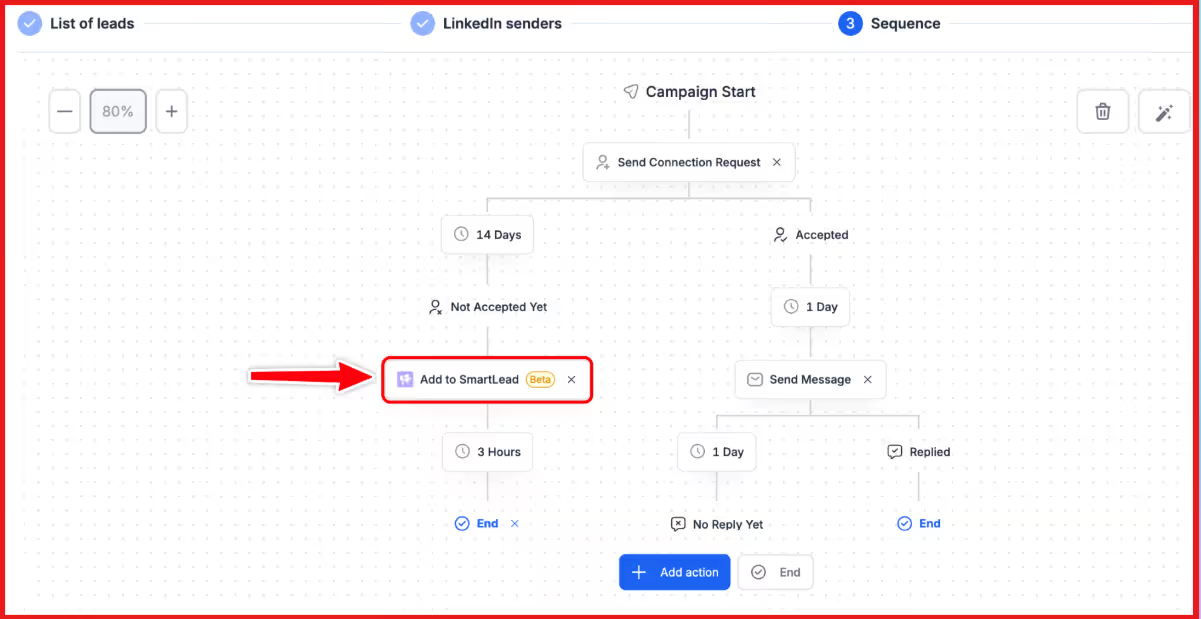
So LinkedIn responders can automatically move into email follow-up.
2. Smartlead handles email, then pushes to HeyReach
On the other side, you run your cold email campaigns in Smartlead.
When someone replies to your email, a SmartAgent in Smartlead can push that lead into a HeyReach campaign for LinkedIn nurture.
This works by:
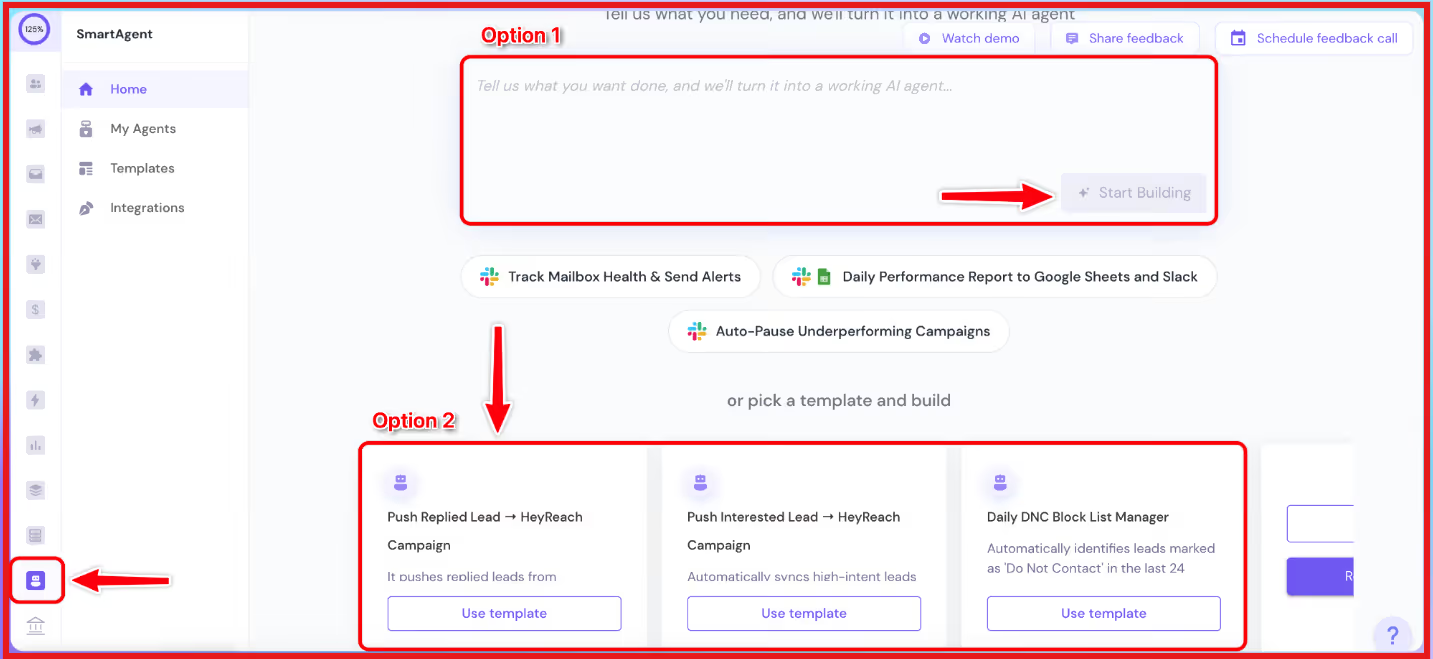
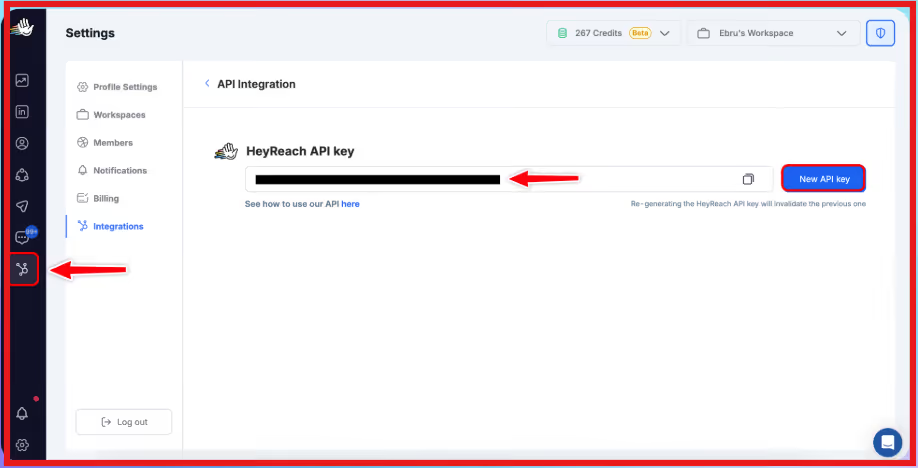
So email replies can automatically move into LinkedIn follow-up.
3. Both channels stay in sync while you do nothing manual
Because both tools can send leads to each other:
You don’t have to export CSVs or wire things through Zapier/Make.
You just set the integration once, and the stack keeps email + LinkedIn working together as one multichannel system.
When you combine HeyReach and Smartlead, you get a multichannel outreach system that lets email and LinkedIn work together instead of separately.
These are the main benefits you get from the stack:
Even with a native connection in place, Smartlead + HeyReach isn’t a fully synced ecosystem.
It solves the channel handoff problem, but it doesn’t replace a unified outreach platform.
Before you build your stack around it, here are the gaps you should be aware of:
When you run Smartlead with HeyReach, you’re essentially combining two tools to cover email and LinkedIn outreach.
The setup works, but it relies on integrations, triggers, and routing logic to keep both channels aligned.
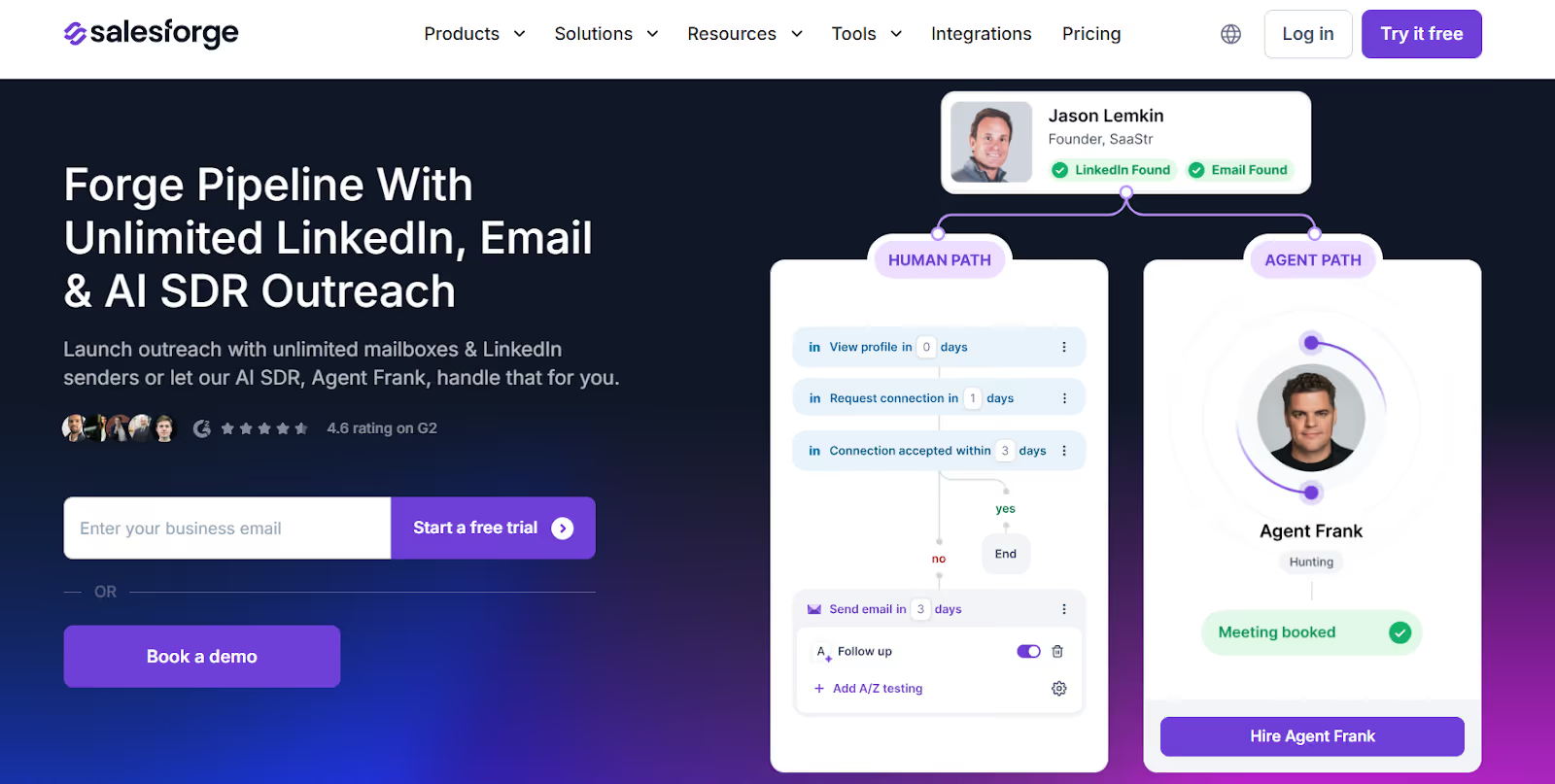
Salesforge is a single platform where you can run email and LinkedIn outreach, manage replies, warm inboxes, and scale campaigns without stitching multiple tools together.
Instead of connecting email, LinkedIn, warm-up, reply management, and automation through separate platforms, Salesforge brings these into a unified workflow built for outbound scale.
Smartlead + HeyReach is a workable setup if you don’t mind managing multiple tools, syncing leads between platforms, and maintaining deliverability separately.
Salesforge is better suited for teams that want a single platform to run email, LinkedIn, warm-up, reply management, and AI-led outreach without relying on external integrations.
This makes Salesforge a stronger alternative when you need outbound that scales without extra operational complexity.
Smartlead + HeyReach can work if you’re okay managing two tools and connecting email and LinkedIn through integrations.
You get multi-channel outreach, but you also get more setup, more moving parts, and two separate inboxes to deal with.
Salesforge is a better fit if you want everything in one place—email, LinkedIn, warm-up, replies, and even AI outreach—without having to link tools together.
It keeps things simpler, scales easier, and avoids the usual headaches that come with running a multi-tool stack.
If you want to run multi-channel outreach without extra tools or manual work, give Salesforge a try.
Start your 14-day free trial with Salesforge!
.jpg)

.jpg)

.jpg)
