If you’re searching for Sintra AI reviews, you want to know if these “12 AI employees” actually help with real work and save real time.
Sintra AI is a platform that gives you specialized AI helpers for sales, marketing, support, admin, and research, all inside one workspace.
In this review, we’ll look at how it works, who it’s for, pricing, pros and cons, and if it’s actually useful for startups, agencies, and solo operators.
Sintra AI Review: Key Takeaways
Sintra AI is an AI platform with 12 AI helpers that act like “AI employees” for sales, marketing, support, admin, and SEO tasks.
The platform lets you chat with helpers to get work done, so you don’t need technical skills or long prompts.
Sintra helps with many tasks in one place, including emails, content, research, customer support, data, and scheduling.
The helpers can read and use your brand info through Brain AI, so results become more accurate over time.
Sintra supports multiple workspaces, so you can manage different businesses or clients under one account.
Team members can be added to a workspace, so everyone can use the same helpers and share context.
Sintra also offers power-ups, which help automate tasks and connect to other platforms.
Pricing depends on workspaces and seats, and there is a 14-day money-back guarantee for new users
What Is Sintra AI?
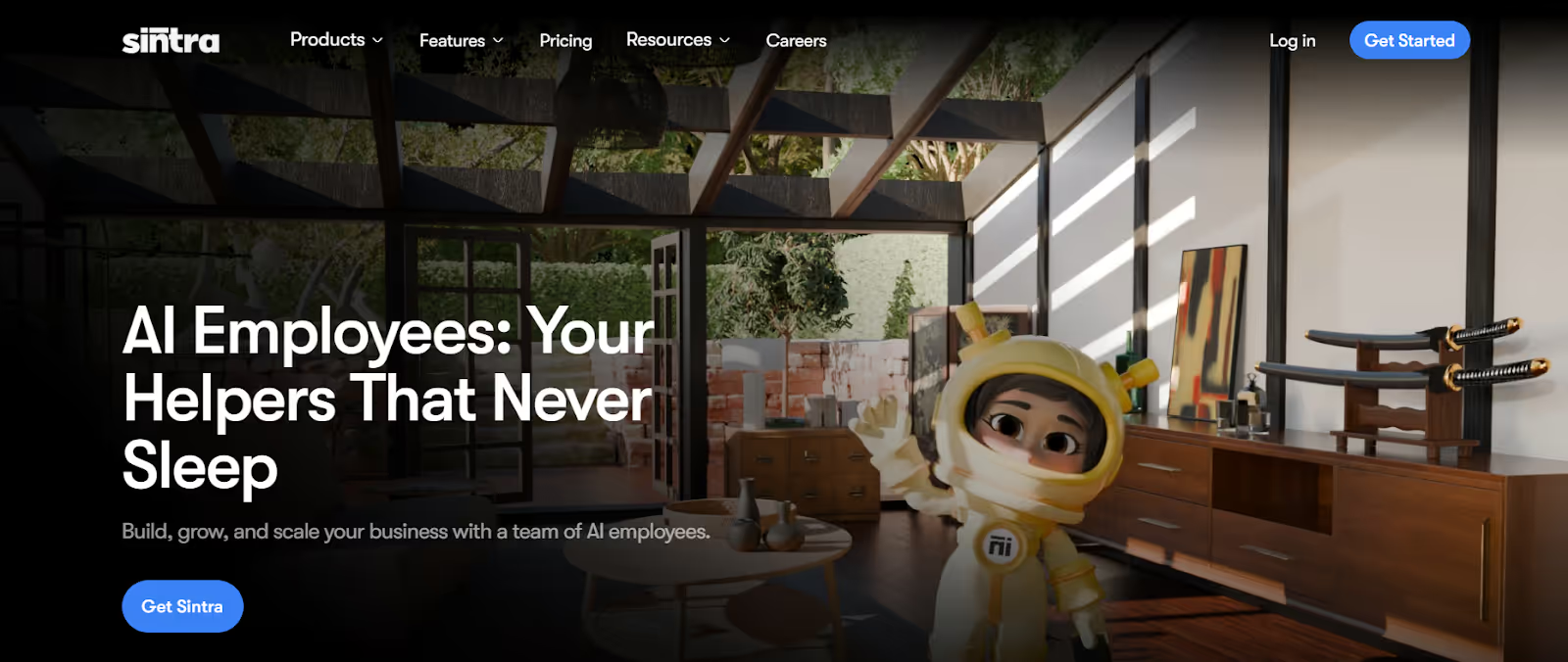
This image shows the Sintra AI homepage
Sintra AI is a tool that gives you 12 different AI helpers to do business tasks for you.
Instead of one general chatbot, Sintra has helpers with special roles.
Each helper focuses on a certain kind of work, like sales, SEO, writing, support, social media, or scheduling.
You talk to these helpers in a chat.
You tell them what you want done, and they do it.
Sintra also has something called Brain AI.
Brain AI stores your brand info, files, websites, and knowledge.
Helpers use this to give answers that make sense for your business.
There are workspaces in Sintra. You can use different workspaces for different brands, clients, or projects.
Teams can also share workspaces so everyone can use the same helpers and knowledge.
Sintra tries to help you save time by automating repetitive tasks and giving you quick results in one place.
Personalized Outbound Strategy
Get The Right Outbound Strategy In Minutes
Enter your email to get a custom plan & stack recommendation for your
business
It's being carefully crafted by AI
Please check your mailbox in 5 minutes
How Does Sintra AI Work?
Sintra AI brings together AI helpers, Brain AI, workspaces, and automations into one platform.
Each helper specializes in a specific domain, so tasks like sales, writing, SEO, support, research, and admin work can be handled by different “AI employees.”
The idea is to let businesses and solo operators delegate work in simple chat form, without switching between many tools or spending time on repetitive tasks.
Here’s how Sintra AI works step by step:
You pick a helper based on the job (example: Milli for sales, Seomi for SEO, Cassie for support, Penn for copywriting, Vizzy for admin, etc.).
You chat with the helper and give a task in simple language. No technical skills or long prompts are needed.
Helpers use Brain AI to read your brand info, files, websites, and documents, so results match your business.
You can run Power-Ups to automate advanced tasks like proposals, contracts, sales scripts, content plans, or social scheduling.
Work is organized inside Workspaces, which separate brands, clients, or projects for cleaner context.
Team Workspaces let teammates share helpers, data, and Brain AI without creating separate accounts.
This setup helps users complete sales, marketing, support, SEO, writing, and admin tasks in one place.
Key Features You Get With Sintra AI
Sintra gives you multiple tools inside one platform.
These tools help you handle sales, marketing, support, writing, scheduling, and admin work.
Feature
What It Does
12 AI Helpers
Specialised AI assistants for sales, SEO, support, writing, administration, and other operational tasks.
Brain AI
Stores brand information, files, PDFs, and webpages to improve response accuracy over time.
Workspaces
Creates separate environments for different businesses, clients, or projects, each with its own knowledge base.
Team Workspaces
Allows multiple teammates to access shared helpers and knowledge without separate subscriptions.
Use Cases
Provides pre-built task templates for emails, SEO audits, proposals, contracts, and social content.
Power-Ups
Adds automation features such as proposal creation, contract drafting, forecasting, and content scheduling.
Chat-Based Tasks
Completes tasks through simple chat instructions without complex prompts.
Multi-Format Input
Accepts PDFs, TXT, CSV files, and webpage data for contextual understanding.
Multi-Brand Profiles
Switches between different brand profiles for agencies or multi-business operations.
Built-In Integrations
Connects with tools such as email platforms, calendars, and social channels depending on the helper used.
Recurring Tasks
Schedules tasks to run automatically on a weekly or monthly basis.
How Sintra’s “12 AI Employees” Model Functions?
Sintra uses the idea of “AI employees” instead of one general chatbot.
Each AI employee has its own job, skills, and tasks, so you can delegate work the same way you would with real team members.
The idea is to let users hand off sales, marketing, support, writing, admin, and research tasks without hiring or switching between multiple tools.
Here’s how the “AI employees” model works step by step:
You pick a helper (AI employee) based on the job you need done, such as sales (Milli), SEO (Seomi), support (Cassie), social (Soshie), writing (Penn), admin (Vizzy), or data (Dexter).
You ask the helper for a task in simple language through chat. No long prompts or technical setup are required.
The helper uses its built-in skills and Brain AI context (files, brand info, webpages) to produce work that fits your business.
Some helpers have Power-Ups, which add extra abilities like generating proposals, contracts, forecasts, sales scripts, or content plans.
Helpers run tasks inside Workspaces, so each brand or client gets clean context and separate knowledge.
This setup makes Sintra feel less like a chatbot and more like a small AI team handling different departments for you.
Sintra AI Use Cases: What Can These AI Agents Do?
Sintra has 12 “AI employees,” and each one focuses on a different type of work instead of acting like a single general chatbot.
Here’s what each helper actually does:
Feature
What It Does
12 AI Helpers
Specialised AI assistants for sales, SEO, support, writing, administration, and other business tasks.
Brain AI
Stores brand information, files, PDFs, and webpages to improve response accuracy over time.
Workspaces
Creates separate environments for different businesses, clients, or projects with independent knowledge and chat history.
Team Workspaces
Allows multiple team members to access shared helpers and knowledge without separate subscriptions.
Use Cases
Provides ready-made task templates such as sales emails, SEO audits, proposals, contracts, and social posts.
Power-Ups
Adds automation features including proposal creation, contract drafting, forecasting, and content scheduling.
Chat-Based Tasks
Completes tasks through simple chat instructions without requiring complex prompts.
Multi-Format Input
Accepts PDFs, TXT, CSV files, and webpage data as contextual inputs.
Multi-Brand Profiles
Switches between different brand profiles for agencies or multi-business setups.
Built-In Integrations
Connects with tools such as email platforms, calendars, and social channels depending on the selected helper.
Recurring Tasks
Schedules tasks to run automatically on a weekly or monthly basis.
Together, these helpers cover sales, marketing, support, SEO, content, data, hiring, and admin tasks without needing separate tools.
Sintra AI Pricing
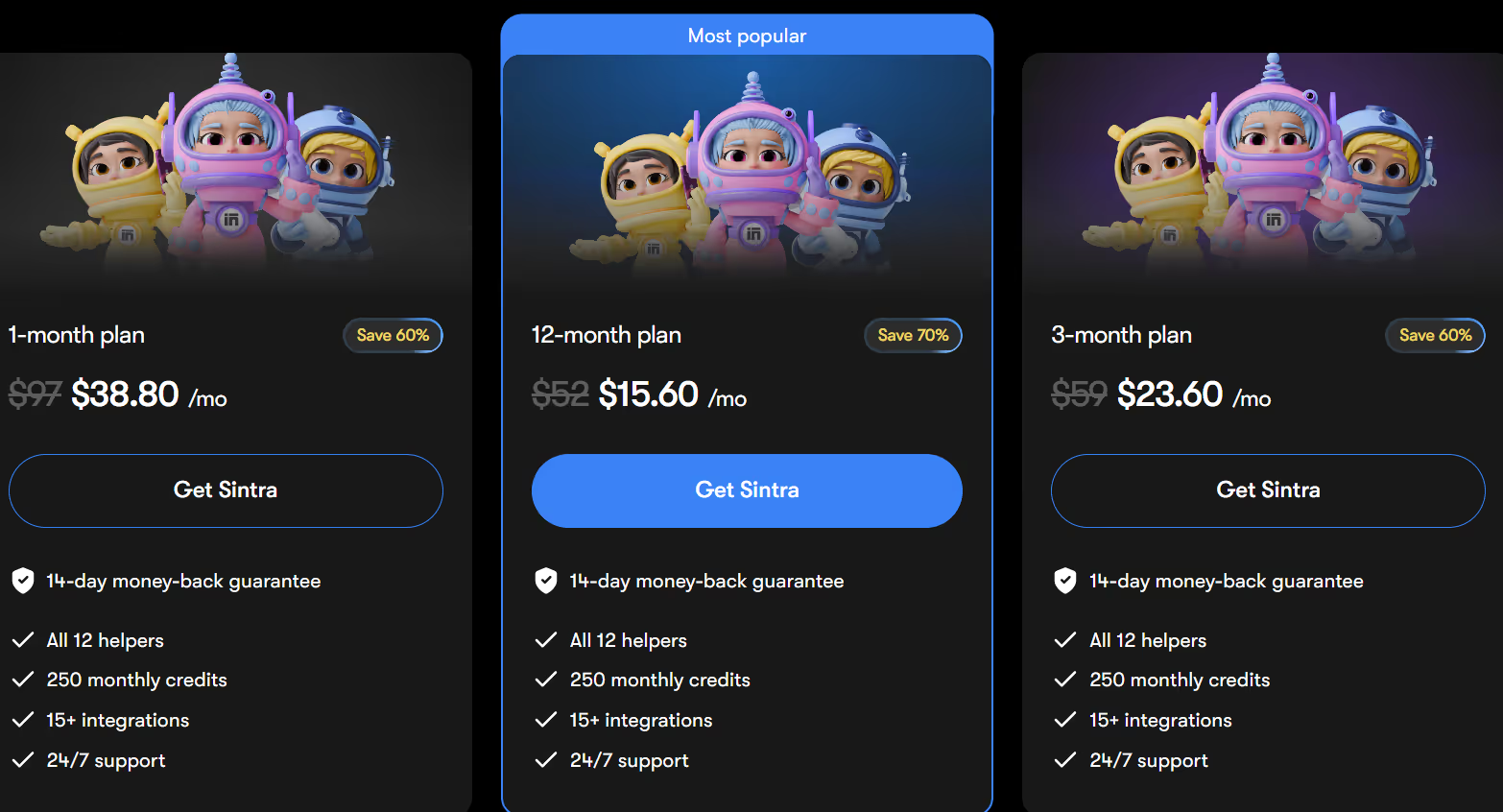
This image shows the Sintra AI pricing
Sintra offers simple pricing for solo users, agencies, and small teams. Pricing depends mainly on how long you subscribe.
There are three billing options: 1-Month, 3-Month, and 12-Month.
I. 1-Month Plan:$38.80/month (discounted from $97). Good for testing Sintra short-term without commitment.
Includes all 12 helpers, Brain AI, Use Cases, 15+ integrations, 250 credits, 100+ languages, and 24/7 support.
II. 3-Month Plan:$23.60/month (discounted from $59). Designed for users who want more time to evaluate AI helpers and get consistent output. Includes everything in the 1-Month plan.
III. 12-Month Plan: $15.60/month (discounted from $52). Best for long-term users who rely on AI for daily tasks and want maximum savings. Includes everything in the 3-Month plan.
Sintra also includes a 14-day money-back guarantee, so users can try it risk-free. All plans start with 250 monthly credits, with optional top-ups available.
Sintra supports over 50,000 users in 100+ countries, with 7,400+ reviews, and checkout is protected with secure encryption and privacy controls.
Pros and Cons of Sintra AI
Pros
Cons
12 specialised AI helpers for different work roles
Brain AI learns from your files, web pages, and notes
Supports more than 100 languages
Use Cases enable one-click tasks such as SEO, sales emails, and research
Power-Ups add additional automation and integrations
Credits may run out for heavy usage and require top-ups
Brain AI does not directly integrate with external client-facing platforms
Best results require uploading your own knowledge and files
Team access requires workspace add-ons
Not a full replacement for dedicated CRMs or support systems
Best Sintra AI Alternative for Outbound Sales - Agent Frank (Salesforge)
If you’re looking at Sintra AI because you want automated help with tasks, writing, or research, it works well for general productivity.
But if your goal is outbound sales, sending cold emails, managing replies, warming domains, or booking meetings, then Agent Frank by Salesforge is the better fit.
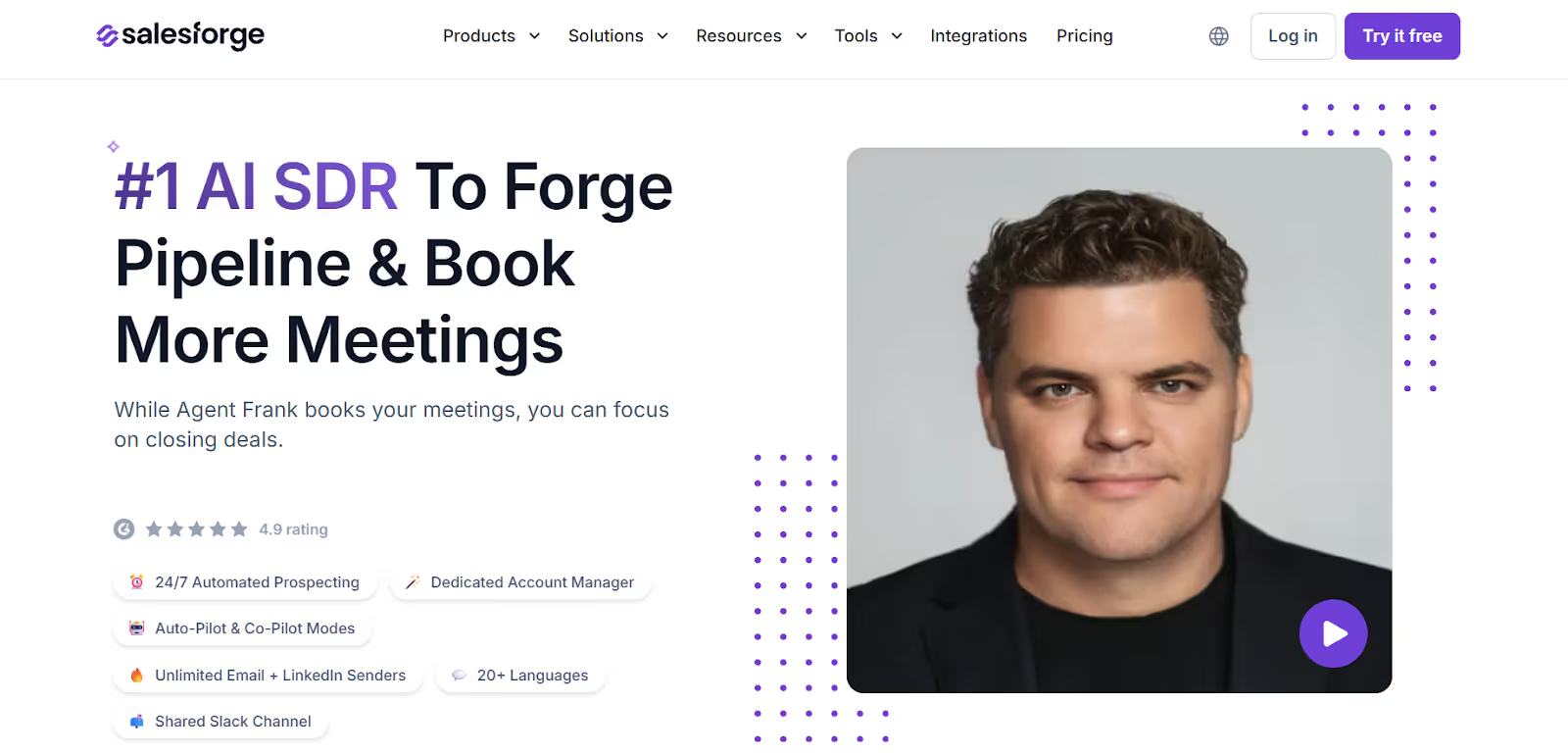
This image shows the Agent Frank by Salesforge
Agent Frank is an AI SDR (Sales Development Representative) that runs full outbound campaigns across email + LinkedIn, warms inboxes, handles deliverability, and books meetings while you focus on closing deals.
It’s built inside Salesforge, which is one platform for outreach, deliverability, and pipeline management.
Here’s what makes it different from a general AI helper tool:
Handles prospecting, follow-ups, replies, and scheduling
Works with premium deliverability and warm-up (Warmforge)
Uses unlimited mailboxes and LinkedIn senders
Built to help teams generate pipeline, not just create text
If Sintra’s focus is “12 helpers for daily work,” Agent Frank’s focus is more direct: find prospects → personalize outreach → book meetings → hand off to sales.
Sintra AI vs Agent Frank: Quick Comparison
Category
Sintra AI
Agent Frank (Salesforge)
Primary Use
General business tasks such as writing, SEO, support, and administration
Outbound sales outreach and automated meeting booking
Type of AI Work
Multiple AI helpers covering different business roles
Dedicated AI SDR running structured sales campaigns
Best For
Founders, agencies, and small teams needing content and organisation support
Sales teams focused on cold outreach and pipeline growth
Outbound Sales
Not designed specifically for outbound prospecting
Core focus including prospect discovery, messaging, and booking meetings
Channels Supported
Chat-based task execution
Multi-channel outreach across email and LinkedIn
Deliverability Tools
Not included
Includes warm-up tools and deliverability monitoring features
Personalisation
Based on stored brand knowledge
Personalised per lead across email and LinkedIn
Automation
Task automation within chat workflows
End-to-end outreach automation from prospecting to reply handling
Integrations
Multiple integrations supporting helper functions
Integrates with CRM systems, email tools, APIs, and webhooks
Pricing Model
Subscription model for AI helpers
Subscription with optional active contact pricing for Agent Frank
Team Usage
Shared workspaces for collaboration
Unlimited mailboxes and LinkedIn senders for teams
Sintra AI is great for general work help like writing, SEO, support replies, admin or research tasks.
Agent Frank is focused on outbound sales, building lists, sending personalized email & LinkedIn messages, handling replies, and booking meetings for you.
Personalized Outbound Strategy
Get The Right Outbound Strategy In Minutes
Enter your email to get a custom plan & stack recommendation for your
business
It's being carefully crafted by AI
Please check your mailbox in 5 minutes
Are Sintra’s 12 AI Employees Worth It?
Sintra AI is useful if you want one tool for writing, research, social content, and personal productivity tasks.
It helps solo founders and small teams save time without hiring.
But Sintra is not built for outbound sales.
It doesn’t handle email deliverability, LinkedIn outreach, reply management, warmup, or meeting booking, so it hits a limit if your goal is pipeline generation.
If you want to reach more prospects, run LinkedIn + email outreach, and book meetings at scale, Salesforge + Agent Frank is a better choice.
Salesforge handles multi-channel outreach and replies in one place, and Agent Frank automates prospecting, follow-ups, and meeting booking.
I dug through Workflows.io's five services, its $4K to $12K pricing bands, ten published case studies, and how it stacks up against certified outbound alternatives.
I dug through corebits.io, the gtm.corebits.io subdomain, and every case study across their three engines to give you an honest read before you book the discovery call.
Read this Vantage Profiles review for a clear look at its LinkedIn account rental service, pricing, identity risks, customer feedback, and whether it is worth using.






.jpg)