Sintra AI gives you a team of AI helpers that can work on things like content, SEO, emails, social media, and daily business tasks.
It’s useful when you want quick help across many areas without hiring a full team.
But many B2B businesses outgrow this setup.
Some need AI that helps with sales outreach.
Others want better workflows, more integrations, or more control over how tasks are done.
And some teams just want a tool that fits their way of working better.
If you’re looking for Sintra AI alternatives, you’re probably trying to figure out which tool is best for your business.
In this guide, we’ll walk through the 5 best Sintra AI alternatives and competitors for B2B businesses in 2026, explain what each one is good at, and help you choose the right option.
TL;DR – 5 Best Sintra AI Alternatives for B2B Businesses
Salesforge – Best for AI-driven sales & outreach automation
Lindy AI – Closest functional alternative to Sintra AI agents
Relevance AI – Best for AI data pipelines and workflow orchestration
Relay.app – Best for AI + human-in-the-loop workflow automation
Zapier – Bestno-code automation platform with AI capabilities
How We Evaluated These Sintra AI Alternatives
Many teams comparing Sintra want AI that executes tasks, runs workflows, or drives outcomes like sales, automation, or operations.
So we evaluated each tool based on how well it replaces or improves on Sintra’s AI helpers.
Here’s how we evaluated the 5 best Sintra AI alternatives:
AI execution capability, to check whether the tool can actually perform tasks and automate work instead of only generating suggestions.
Workflow automation depth, including support for multi-step workflows, triggers, and ongoing processes.
Business outcome focus, to see whether the tool helps achieve clear results such as saved time, completed tasks, or revenue impact.
Ease of use, including how simple it is for non-technical teams to set up and use the platform daily.
Integrations and tool compatibility, to understand how well the platform connects with existing B2B tools and systems.
Scalability and flexibility, to assess whether the tool can support growing teams without becoming complex or costly.
Each tool was reviewed based on how well it supports AI-driven execution and automation, especially for B2B teams that want more than general-purpose AI helpers.
1. Salesforge – Best for AI-Driven Sales & Outreach Automation
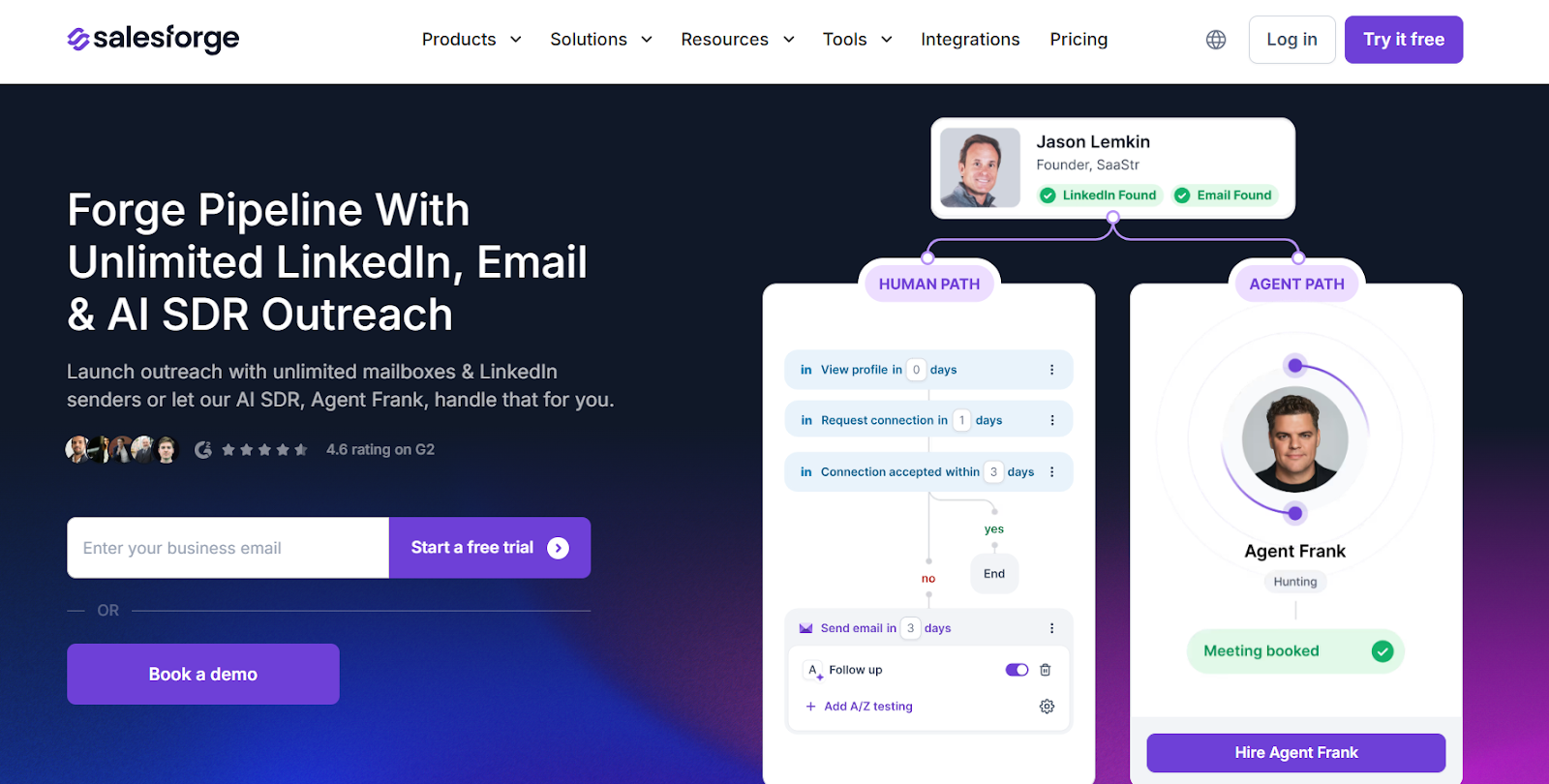
This image shows the Salesforge homepage
Salesforge is an AI sales execution platform built to automate outbound outreach across email and LinkedIn.
It helps B2B teams generate pipeline by combining human workflows with an AI SDR called Agent Frank.
Sintra AI offers multiple AI helpers for general tasks like content, admin, and operations.
Salesforge takes a different approach by using a single, specialized AI agent focused only on sales execution.
Instead of many helpers doing small tasks, Salesforge’s AI SDR runs one full workflow end to end, from finding prospects to booking meetings.
Key Features of Salesforge
Salesforge automates cold outreach across email and LinkedIn from one platform.
It includes an AI SDR called Agent Frank that can prospect, send messages, follow up, and book meetings.
The platform supports unlimited mailboxes and LinkedIn senders for safe scaling.
Salesforge manages all replies in one shared inbox across email and LinkedIn.
It includes built-in email warm-up to protect deliverability and inbox placement.
Salesforge integrates with common CRMs and sales tools through native integrations and API.
Sintra AI vs Salesforge: Quick Comparison
Feature
Sintra AI
Salesforge
Core focus
General AI helpers
Sales execution
AI agents
Multiple role-based helpers
Dedicated AI SDR
Sales outreach
Limited
Core functionality
Email & LinkedIn automation
No
Yes
Deliverability tools
No
Warm-up, rotation, DNS support
Outcome
Productivity
Pipeline & meetings
Pros and Cons of Salesforge
Pros
Cons
Purpose-built for outbound sales
Not a general AI employee platform
AI SDR handles full sales workflow
Sales-only use case
Strong deliverability controls
Setup needed for best results
Scales without seat limits
Infrastructure may add cost
Ideal for agencies & teams
Agent Frank is a paid add-on
Salesforge Pricing
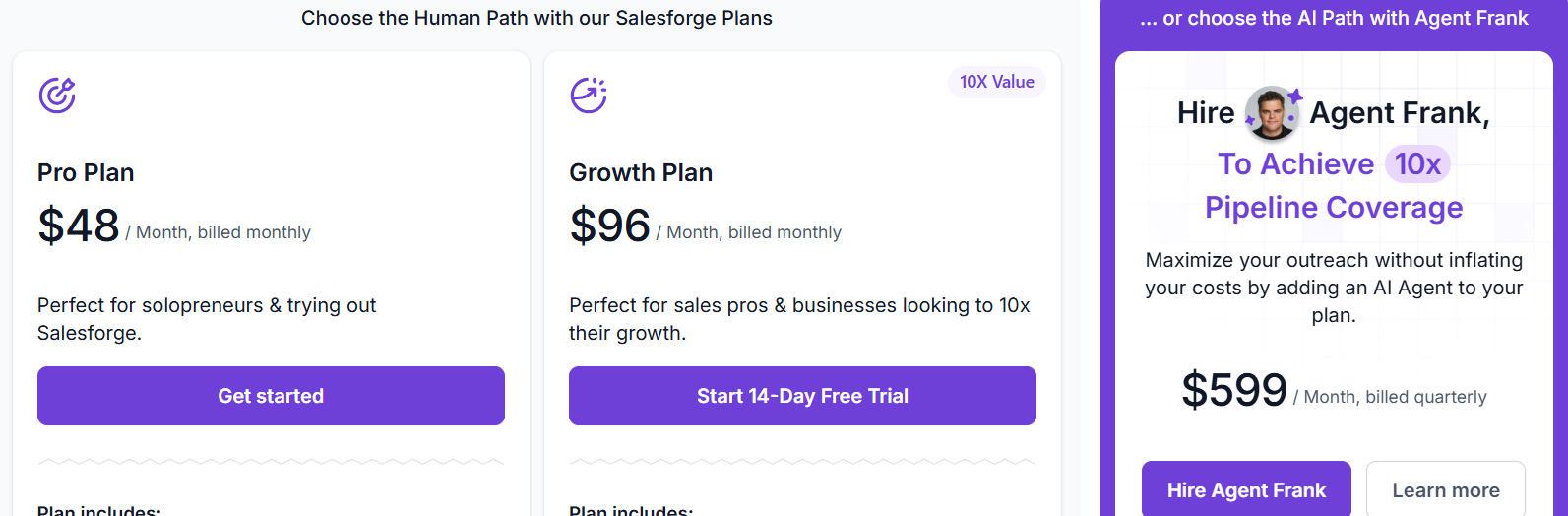
This image shows the Salesforge pricing
I. Human-Led Plans:
Pro Plan: $48/month, Best for solopreneurs and small teams.
Growth Plan: $96/month, Best for scaling email + LinkedIn outreach.
Both plans include unlimited mailboxes, warm-up, Primebox™, and integrations.
II. AI SDR (Agent Frank):
$499/month (billed quarterly)
Manages 1,000 active contacts
Fully automated outreach and booking
Includes a dedicated account manager
Salesforge also offers a 14-day free trial for human-led plans.
Personalized Outbound Strategy
Get The Right Outbound Strategy In Minutes
Enter your email to get a custom plan & stack recommendation for your
business
It's being carefully crafted by AI
Please check your mailbox in 5 minutes
2. Lindy AI – Closest Functional Alternative to Sintra AI Agents
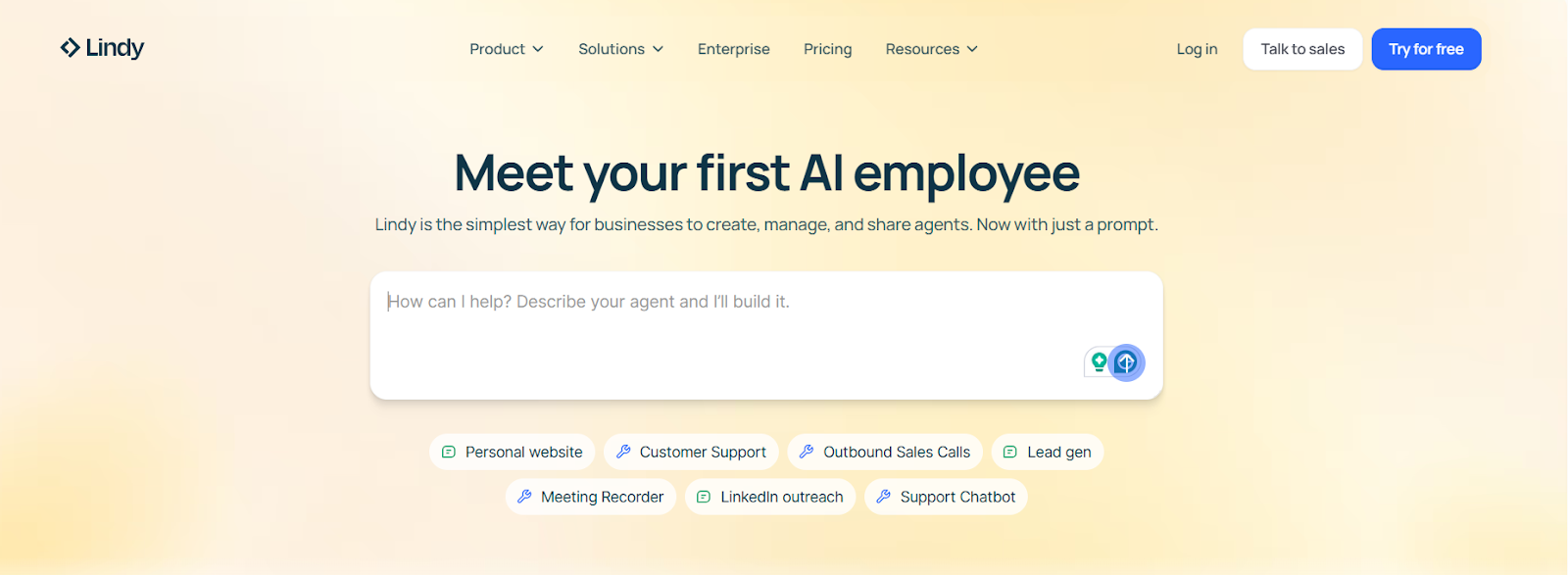
This image shows the Lindy AI homepage
Lindy AI is an AI agent platform that helps businesses create, manage, and run AI employees to automate everyday work across tools like email, Slack, CRM, and documents.
It lets teams build agents using simple prompts, without coding.
Lindy AI agents can handle longer workflows such as email handling, support tickets, lead follow-ups, and internal operations.
Key Features of Lindy AI
Lindy allows businesses to create AI agents using natural language prompts without coding.
The platform supports building multiple AI agents for sales, support, marketing, and operations.
Lindy agents can connect with thousands of apps like Gmail, Slack, HubSpot, Salesforce, and Notion.
It provides a no-code workflow builder with triggers, conditions, and actions.
The platform offers pre-built agent templates for common use cases like email, meetings, and support.
Lindy AI vs Sintra AI: Quick Comparison
Feature
Sintra AI
Lindy AI
Core focus
Multiple AI helpers for specific tasks
AI agents that run workflows
AI execution
Limited to task suggestions and small actions
Can build and run full workflows autonomously
Workflow automation
Basic
Deep workflow automation with triggers and actions
Memory/context
Uses business context but limited
Built-in memory for agents to understand context
Pros and Cons of Lindy AI
Pros
Cons
Lindy AI can build AI agents that run full workflows, not just single tasks
Setting up complex workflows can take time
Agents work across many tools like Gmail, Slack, HubSpot, and Salesforce
Requires monitoring and tuning for best results
No-code builder makes it usable for non-technical teams
Can feel overwhelming for first-time users
Built-in memory helps agents understand context over time
Costs can increase as usage and agents scale
Lindy AI Pricing
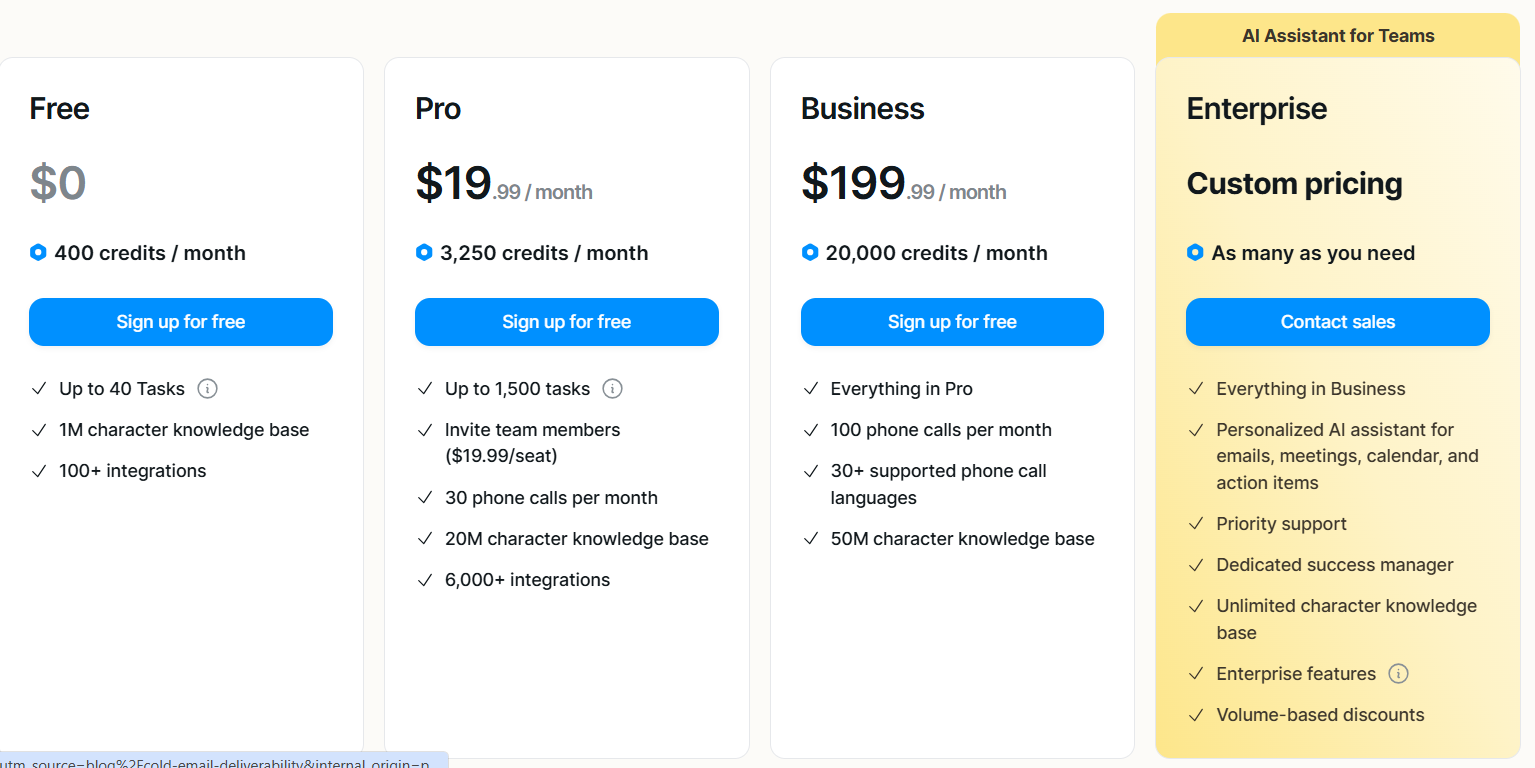
This image shows the Lindy AI pricing
Lindy AI uses a credit-based pricing model, where credits are used to run tasks and AI agents.
Free Plan – $0/month, includes 400 credits per month, up to 40 tasks, a small knowledge base, and 100+ integrations.
Pro Plan – $49.99/month, includes 5,000 credits per month, up to 1,500 tasks, team invites, phone call support, and a larger knowledge base.
Business Plan – $199.99/month, includes 20,000 credits per month, everything in Pro, phone calls, multi-language support, and a much larger knowledge base.
Enterprise Plan – Custom pricing offers unlimited usage, personalized AI assistants, priority support, and dedicated account management.
3. Relevance AI – Best for Building an Enterprise AI Workforce
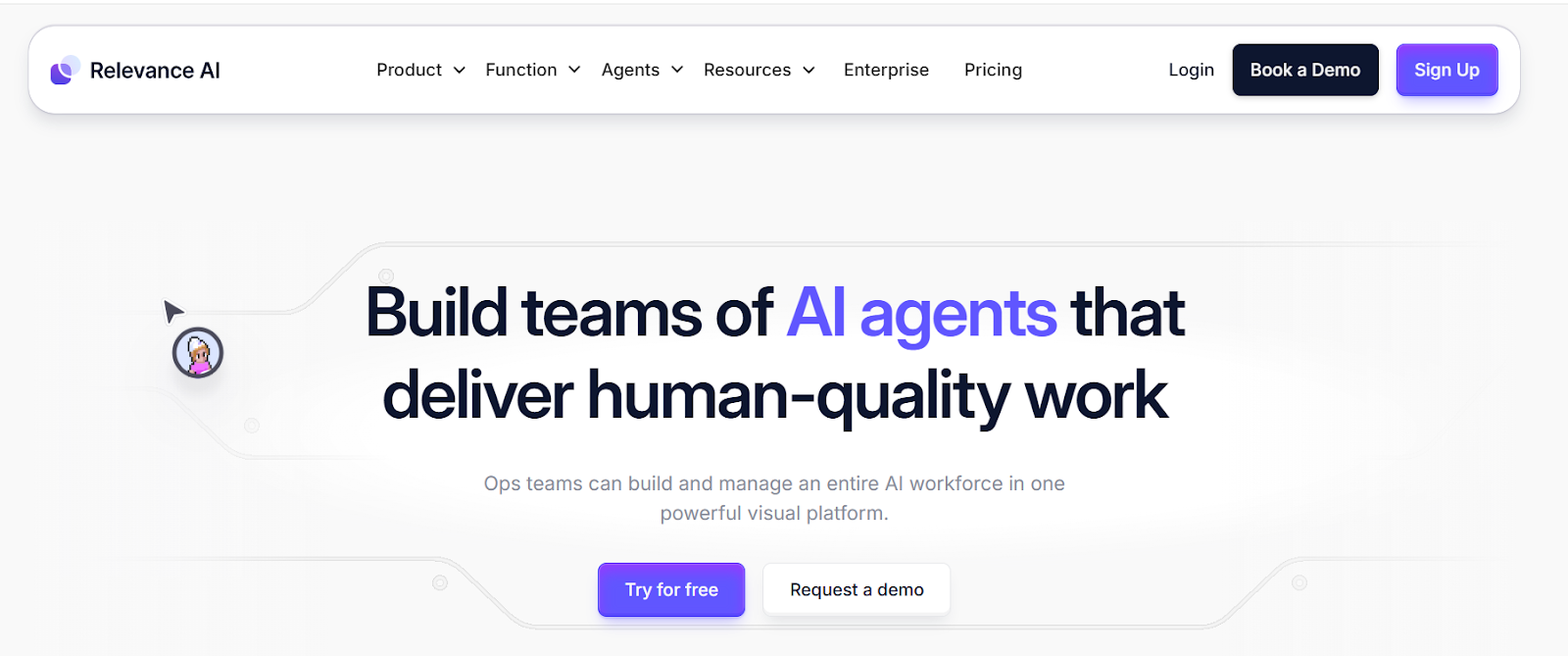
This image shows the Relevance AI homepage
Relevance AI is a no-code platform for building teams of AI agents that work together on complex business workflows.
Instead of many standalone assistants, Relevance AI lets teams design, deploy, and manage an entire AI workforce from one platform.
Key Features of Relevance AI
Relevance AI allows teams to build custom AI agents using natural language without coding.
The platform supports multi-agent systems where agents collaborate as an AI workforce.
It provides templates and example agents for sales, research, marketing, and operations.
Agents can be deeply customized with tools, workflows, triggers, and approvals.
It supports AI BDR agents that handle lead engagement, follow-ups, and meeting booking.
Relevance AI vs Sintra AI: Quick Comparison
Feature
Sintra AI
Relevance AI
Core focus
AI helpers for business tasks
Full AI workforce with agents
Agent complexity
Simple task-level helpers
Multi-agent systems
Workflow depth
Basic automation
Complex, enterprise workflows
Customization
Limited
Deep and flexible
Best for
Small teams and SMBs
Mid-market and enterprise
Governance
Minimal
Strong controls and approvals
Pros and Cons of Relevance AI
Pros
Cons
Built for complex AI agent workflows
Steeper learning curve
Supports multi-agent collaboration
Overkill for small teams
No-code but highly customizable
Requires setup planning
Strong enterprise security
Higher cost at scale
Relevance AI Pricing
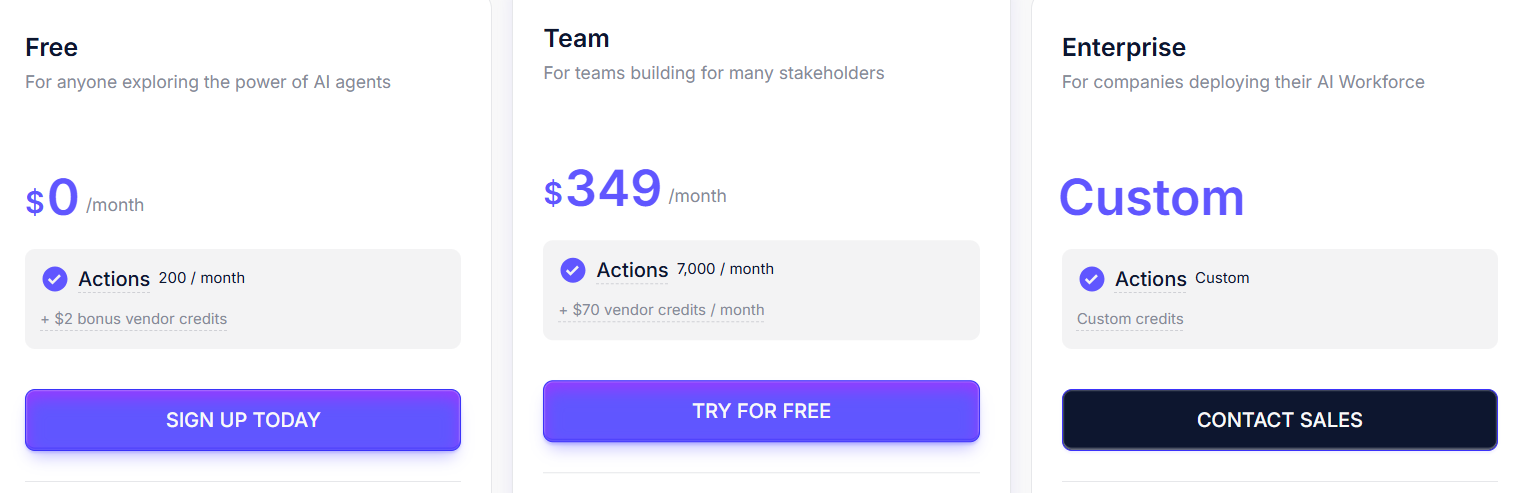
This image shows the Relevance AI pricing
Relevance AI uses an action-based pricing model, where actions represent work done by AI agents.
Free Plan – $0/month, includes 200 actions per month and basic agent building.
Pro Plan – $29/month, includes 2,500 actions per month with scheduling and automations.
Team Plan – $349/month, includes 7,000 actions per month, collaboration features, analytics, and calling agents.
Enterprise Plan – Custom pricing, includes unlimited users, advanced security, governance, and custom implementation.
4. Relay.app – Best for Human-Controlled AI Automation
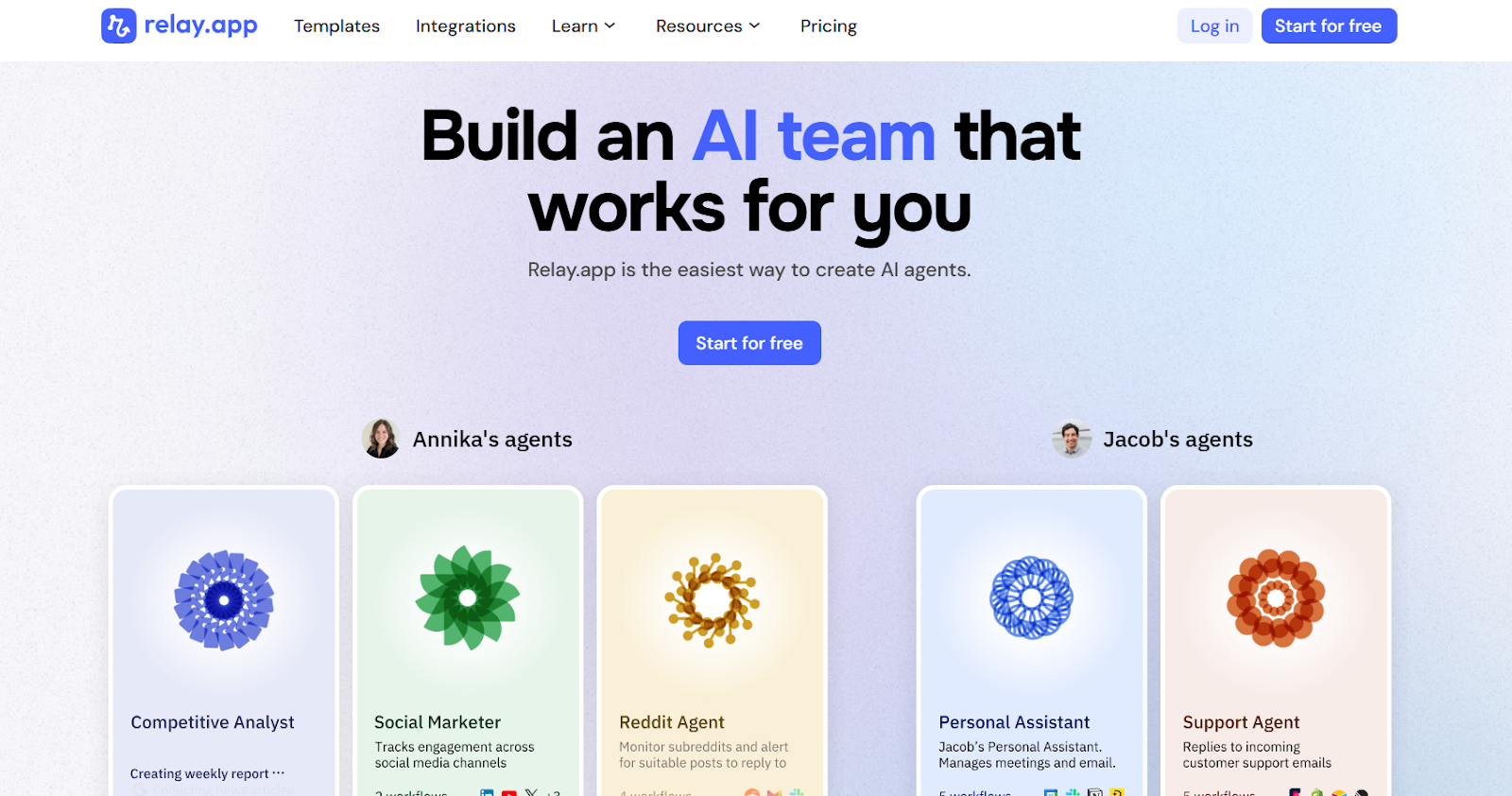
This image shows the Relay.app homepage
Relay.app is a workflow automation tool that adds AI into existing business processes without removing human control.
Its main strength is letting AI handle repetitive steps, then hand work back to humans through approvals, inputs, or tasks.
Most teams use Relay.app to automate internal operations like onboarding, content workflows, CRM updates, reporting, and follow-ups.
Key Features of Relay.app
Relay.app allows teams to build AI-powered workflows using a visual, no-code builder.
It supports human-in-the-loop steps like approvals, manual inputs, and task assignments.
Users can create AI agents that run inside workflows instead of acting independently.
The platform integrates with 100+ business apps including Slack, Gmail, HubSpot, Notion, and Google tools.
Relay.app supports GPT, Claude, and Gemini for AI actions like summarization, extraction, and classification.
Relay.app vs Sintra AI: Quick Comparison
Feature
Sintra AI
Relay.app
Core focus
AI helpers for tasks
Workflow automation with AI
Autonomy
Fully autonomous helpers
AI + human approvals
Custom logic
Basic
Advanced
Best for
Solo users, SMBs
Teams and ops workflows
Pros and Cons of Relay.app
Pros
Cons
Very easy to use for non-technical users
Not built for fully autonomous AI agents
Strong human-in-the-loop controls for approvals and inputs
Limited agent autonomy compared to workforce platforms
Clean UI that is simpler than Zapier or Make
No native multi-agent collaboration
Relay.app Pricing
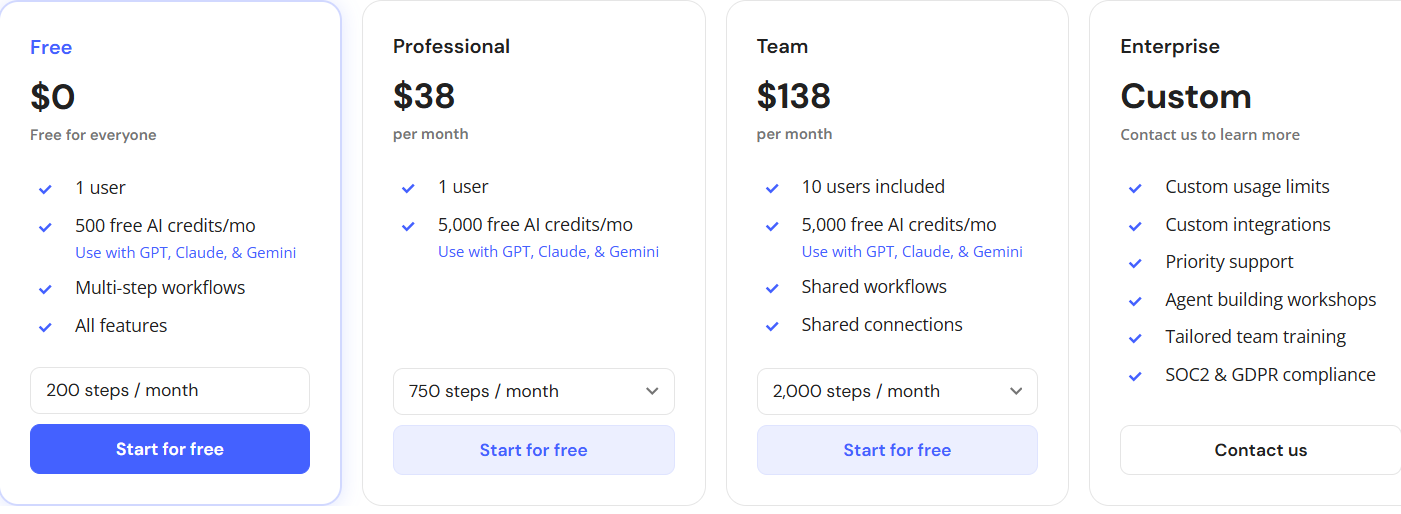
This image shows the Relay.app pricing
Relay.app uses step-based pricing with AI credits included in each plan.
Free Plan – $0/month, includes 1 user, 500 AI credits per month, and limited workflow steps.
Professional Plan – $19/month (billed annually), includes 1 user, 5,000 AI credits per month, and up to 750 workflow steps.
Team Plan – $69/month (billed annually), includes up to 10 users, shared workflows, 5,000 AI credits, and 2,000 steps per month.
Enterprise Plan – Custom pricing, includes custom limits, advanced security, SOC 2 & GDPR compliance, and priority support.
5. Zapier – Best for No-Code Automation with AI
This image shows the Zapier homepage
Zapier is a no-code automation platform that connects 8,000+ apps to move data and run workflows between tools.
It helps teams automate work using workflows, AI steps, agents, chatbots, forms, and tables in one platform.
Instead of running full AI workers like Sintra, Zapier focuses on connecting tools and adding AI inside workflows to automate tasks.
Key Features of Zapier
Zapier connects more than 8,000 apps, including Gmail, Slack, HubSpot, Notion, Salesforce, and many more.
It lets teams build multi-step workflows with logic, filters, paths, and scheduling.
Zapier includes AI workflows, AI agents, and AI chatbots that run inside automations.
It provides Tables and Forms to store data and collect inputs for workflows.
Zapier offers enterprise controls like SSO, role-based access, audit logs, and security controls.
Zapier vs Sintra AI: Quick Comparison
Feature
Sintra AI
Zapier
Core focus
AI helpers for business tasks
Workflow automation + AI
Agent model
Multiple AI employees
AI inside workflows and agents
Workflow depth
Task-based helpers
Advanced multi-step workflows
Human in the loop
Limited
Strong approvals and manual steps
Best for
SMBs and solo teams
SMBs to large teams
Pros and Cons of Zapier
Pros
Cons
Works with 8,000+ apps
Can get expensive at high task volume
Very flexible workflow builder
Setup can feel complex for beginners
Enterprise-grade security and controls
Not built as an AI workforce platform
Good for large teams and companies
Learning curve for advanced workflows
Zapier Pricing
This image shows the Zapier pricing
Zapier uses task-based pricing, where each successful action counts as a task.
Free Plan – $0/month with 100 tasks per month and basic automations
Professional Plan – Starts at $19.99/month with multi-step workflows and premium apps
Team Plan – Starts at $69/month with team collaboration and shared connections
Enterprise Plan – Custom pricing with advanced security, SSO, audit logs, and admin controls
Personalized Outbound Strategy
Get The Right Outbound Strategy In Minutes
Enter your email to get a custom plan & stack recommendation for your
business
It's being carefully crafted by AI
Please check your mailbox in 5 minutes
Which Sintra AI Alternative Should You Choose?
The best Sintra AI alternative depends on what kind of work you want AI to handle.
Some tools focus on sales execution, while others focus on automation or internal workflows.
If your main goal is to book more meetings and generate pipeline, choose Salesforge because its AI SDR (Agent Frank) handles prospecting, follow-ups, and meeting booking for you.
If you want AI agents to help with internal tasks and workflows, choose Lindy AI for building assistants across tools.
If you need a full AI workforce for complex business processes, choose Relevance AI for multi-agent workflows and controls.
If you want easy automation with human approvals, choose Relay.app for simple team workflows.
If you need deep app-to-app automation with AI steps, choose Zapier for large-scale workflow automation.
If your goal is clear revenue impact, not just task automation, try Salesforge with Agent Frank to automate outbound and start booking meetings faster.
Discover the best sales acceleration softwares of 2026. Compare features, pricing, pros, cons, and find the right tool to grow your sales pipeline faster.






.jpg)