Table of contents
Get insights delivered straight into your inbox every week!
Summarize with

10 Best Salesblink Alternatives & Competitors for Sales Outreach in 2026

Salesblink works well for launching cold email sequences with AI-written copy, follow-ups, warm-up, and a unified inbox. 

I tested it for email-first campaigns using several inboxes and basic reply tracking.

It handled small campaigns fine, but the workflow slowed when I tried to scale volume and manage replies across more inboxes.

The multi-channel steps rely on manual tasks, and I still had to source leads elsewhere.

Because of these limits, I tested several Salesblink alternatives that handle higher volume, combine email and LinkedIn in one flow, and offer stronger control over outreach as teams grow.

TL;DR – 10 Best Salesblink Alternatives for Sales Outreach

  1. Salesforge – Best for running email and LinkedIn outreach in one flow, with AI-written emails and reply handling.

  2. Instantly – Good for teams that want fast cold email setup and higher daily sending volume.

  3. Woodpecker – Best for structured cold email outreach with clear follow-up control and reply tracking.

  4. QuickMail – Good for teams that manage many inboxes and need inbox rotation for cold email sending.

  5. Reply.io – Best for sales teams that want step-based sequences with email and LinkedIn tasks in one workflow.

  6. Lemlist – Best for teams that want image-based personalization inside cold emails.

  7. Hunter.io – Best for finding and verifying emails before launching cold email campaigns.

  8. Snov.io – Good for small teams that want lead finding with basic cold email outreach tools.

  9. Saleshandy – Best for teams that connect many inboxes and send cold emails daily.

  10. Mailshake – Good for simple email sequencing with basic team workflows.

How I Evaluated These Salesblink Alternatives

To find useful Salesblink alternatives, I focused on what matters for outbound sales teams.

The goal was sales outreach that goes beyond basic cold email flows.

Here’s how I evaluated the 10 best Salesblink alternatives:

  • Outreach channel depth, to check if tools support email and LinkedIn in one flow, not manual steps.

  • Inbox scale and handling, to see how tools manage many inboxes during daily sending.

  • Follow-up control and reply flow, to judge how replies move into one inbox at higher volume.

  • Deliverability setup and warm-up, to review how sender setup affects early inbox placement.

  • Workflow fit for scale, to see which tools hold up once campaigns move past small tests.

Each tool was reviewed based on how well it supports real sales outreach at scale, without the email-first limits that show up in Salesblink once volume grows.

10 Best Salesblink Alternatives for Sales Outreach: Quick Comparison

Tool Channels AI Support Lead Data Deliverability Tools Pricing (from)
Salesforge Email, LinkedIn AI SDR (Agent Frank), AI writing Via Leadsforge (Forge stack add-on, paid separately) Warm-up (Warmforge), rotation, inbox health $48/mo
Instantly Email AI for writing & reply handling Lead search + enrichment (SuperSearch) Warm-up, inbox tools $37/mo
Woodpecker Email (+ LinkedIn add-on) No built-in AI No built-in lead database Warm-up, rotation, adaptive sending, domain checks $24/mo
QuickMail Email, LinkedIn Reword with AI No built-in lead database Deliverability AI, inbox rotation, sender health checks $9/mo
Reply.io Email, LinkedIn, Calls, SMS, WhatsApp Jason AI SDR Real-time contacts + enrichment Warm-up + 30+ deliverability features $49/user/mo
Lemlist Email, LinkedIn, WhatsApp, Calls AI personalization Built-in lead DB (600M+ leads) lemwarm, rotation, DNS checks $69/user/mo
Hunter.io Email AI Writing Assistant Built-in B2B DB + Email Finder Email verification (no warm-up) $49/mo
Snov.io Email, LinkedIn AI for sequences Built-in lead finder + DB Warm-up, domain health Credit-based
Saleshandy Email AI Sequence Copilot Built-in B2B DB (700M+ contacts) Warm-up, inbox tests, rotation, spam checker $35/mo
Mailshake Email, LinkedIn, Phone SHAKEspeare AI Data Finder (prospect search, not full DB) Warm-up, list cleaning, spam word check, domain help $29/mo
SalesBlink Email AI for sequence writing No built-in lead database Built-in warm-up, basic deliverability $49/mo

10 Best Salesblink Alternatives: Detailed Review

Here is a detailed review of each SalesBlink alternative, based on how they differ in outreach channels, workflow, and pricing.

1. Salesforge – Multi-Channel Sales Outreach for Growing Teams

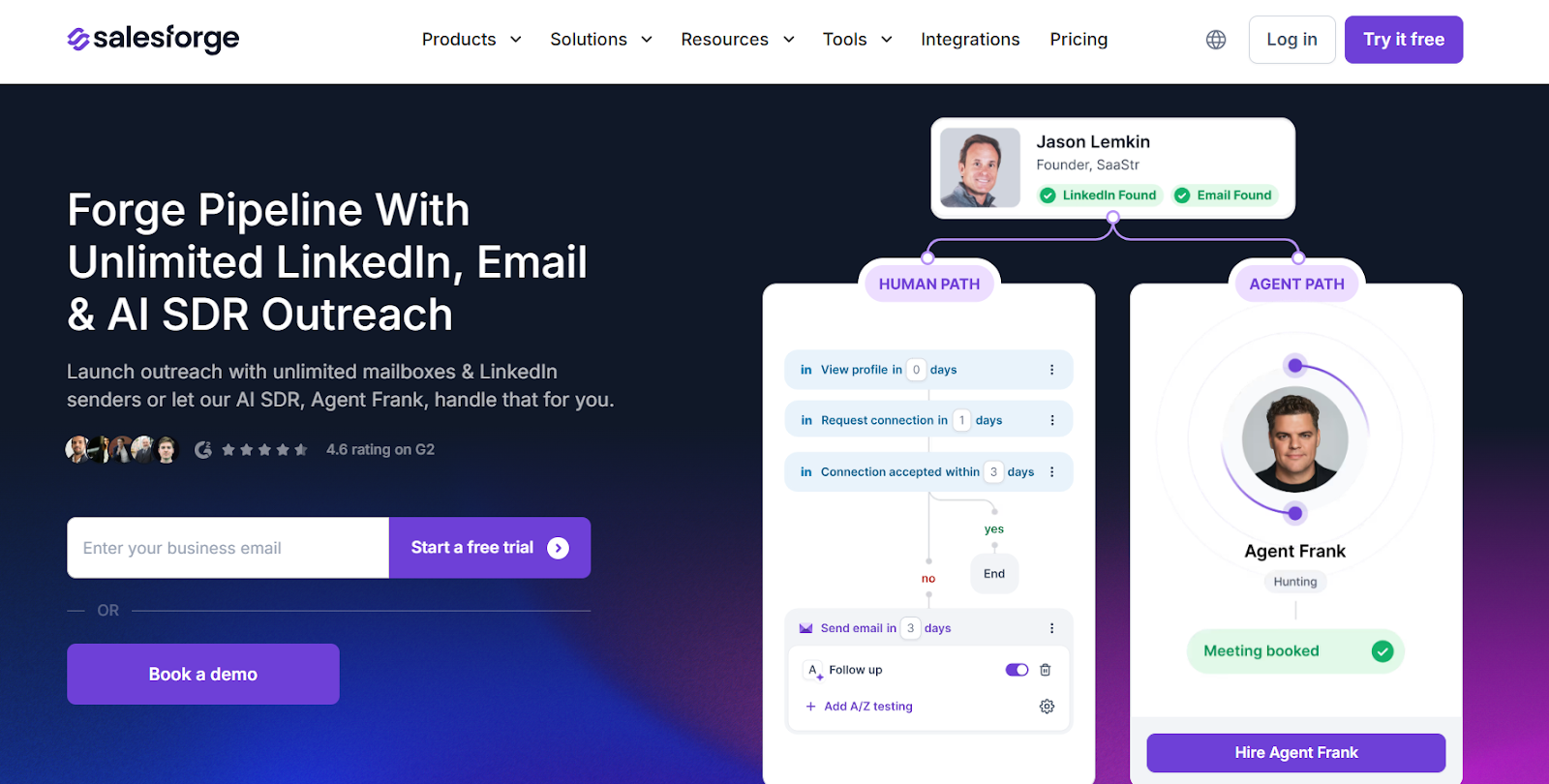
Salesforge homepage
This image shows the Salesforge homepage

Salesforge is a sales outreach platform built for teams that start to hit limits with email-only tools. 

It supports email and LinkedIn outreach from one place, which helps when replies slow down on email. 

SalesBlink works well for setting up cold email sequences and booking meetings.

However, that setup fits best when teams rely mainly on email to start conversations.

Salesforge adds AI support for message writing and high-volume prospecting.

As outreach scales, this makes day-to-day campaigns easier to manage.

Key Features of Salesforge

  • Unlimited LinkedIn senders and unlimited mailboxes on Growth plans, without seat-based limits.

  • Primebox™ to manage and reply to all email and LinkedIn replies in one inbox.

  • Built-in warm-up through Warmforge with inbox placement monitoring.

  • AI SDR Agent Frank to handle prospecting, follow-ups, and meeting booking.

  • Multi-language outreach with AI writing support across 20+ languages.

Salesforge vs SalesBlink: Quick Comparison

Feature Salesforge SalesBlink
Core focus Multi-channel sales outreach with email, LinkedIn, and AI SDR support. Cold email outreach for sequences and meeting booking.
Outreach channels Email and LinkedIn from one dashboard. Email-only outreach.
Pricing Pro: $48/month. Growth: $96/month. Agent Frank: $499/month (billed quarterly). Starter: $49/month. Business: $99/month. Pro: $199/month.
Reply management Primebox™ shows email and LinkedIn replies in one inbox. Replies are managed in connected email inboxes.
AI support Offers an AI SDR (Agent Frank) that can handle prospecting and follow-ups. AI is mainly used for writing sequences and copy.

Pros and Cons of Salesforge 

Pros Cons
  • Supports outreach on both email and LinkedIn from one place.
  • Allows unlimited mailboxes and LinkedIn senders on the Growth plan.
  • Helps manage replies from multiple inboxes inside Primebox™.
  • Includes free warm-up for connected mailboxes.
  • Offers AI help for writing messages and handling prospecting.
  • Agent Frank costs extra and is not part of the base plan.
  • AI SDR pricing is billed quarterly, not monthly.
  • Domains and mailboxes must be purchased separately.
  • New inboxes still need warm-up time before full sending.
  • The AI setup needs initial training with your business data.

Salesforge Pricing

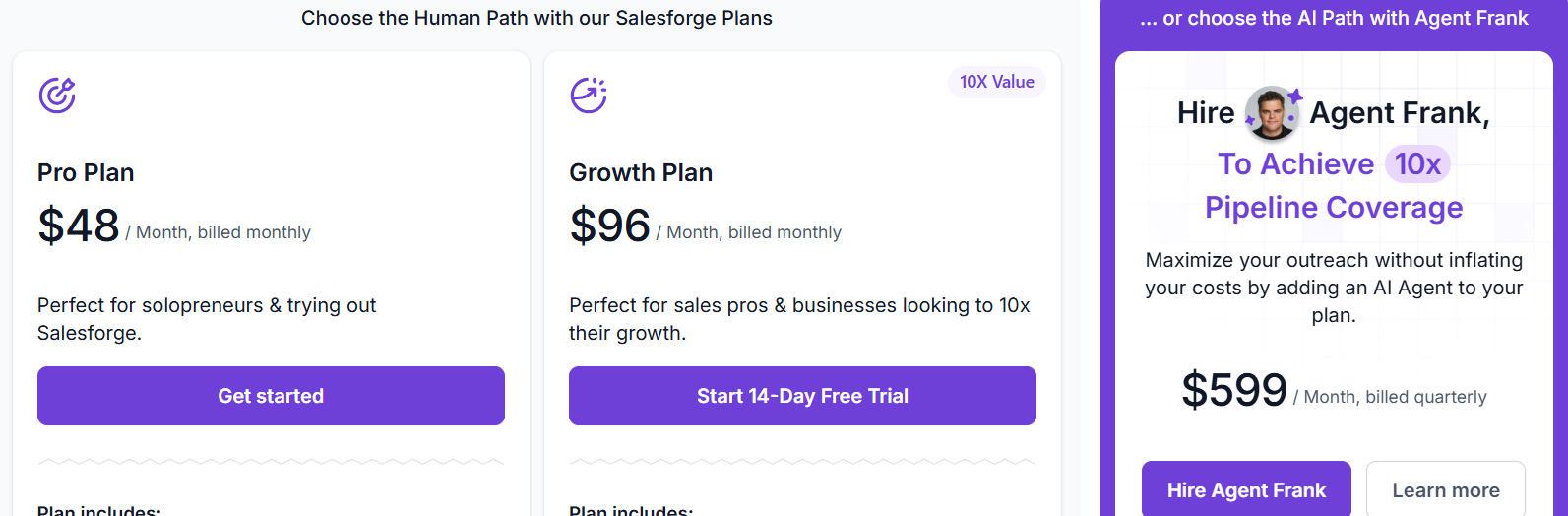
Salesforge pricing
This image shows the Salesforge pricing
  • Pro Plan – $48 per month (billed monthly), includes 1,000 active contacts in sequence and 5,000 emails per month.

  • Growth Plan – $96 per month (billed monthly), includes 10,000 active contacts in sequence and 50,000 emails per month.

  • Agent Frank (AI SDR) – $499 per month (billed quarterly), includes up to 1,000 active contacts handled by the AI SDR.

Salesforge also offers a 14-day free trial for human-led plans.

Personalized Outbound Strategy

Get The Right Outbound Strategy In Minutes

Enter your email to get a custom plan & stack recommendation for your business

It's being carefully crafted by AI

Please check your mailbox in 5 minutes

2. Instantly – Built for High-Volume Cold Email Teams

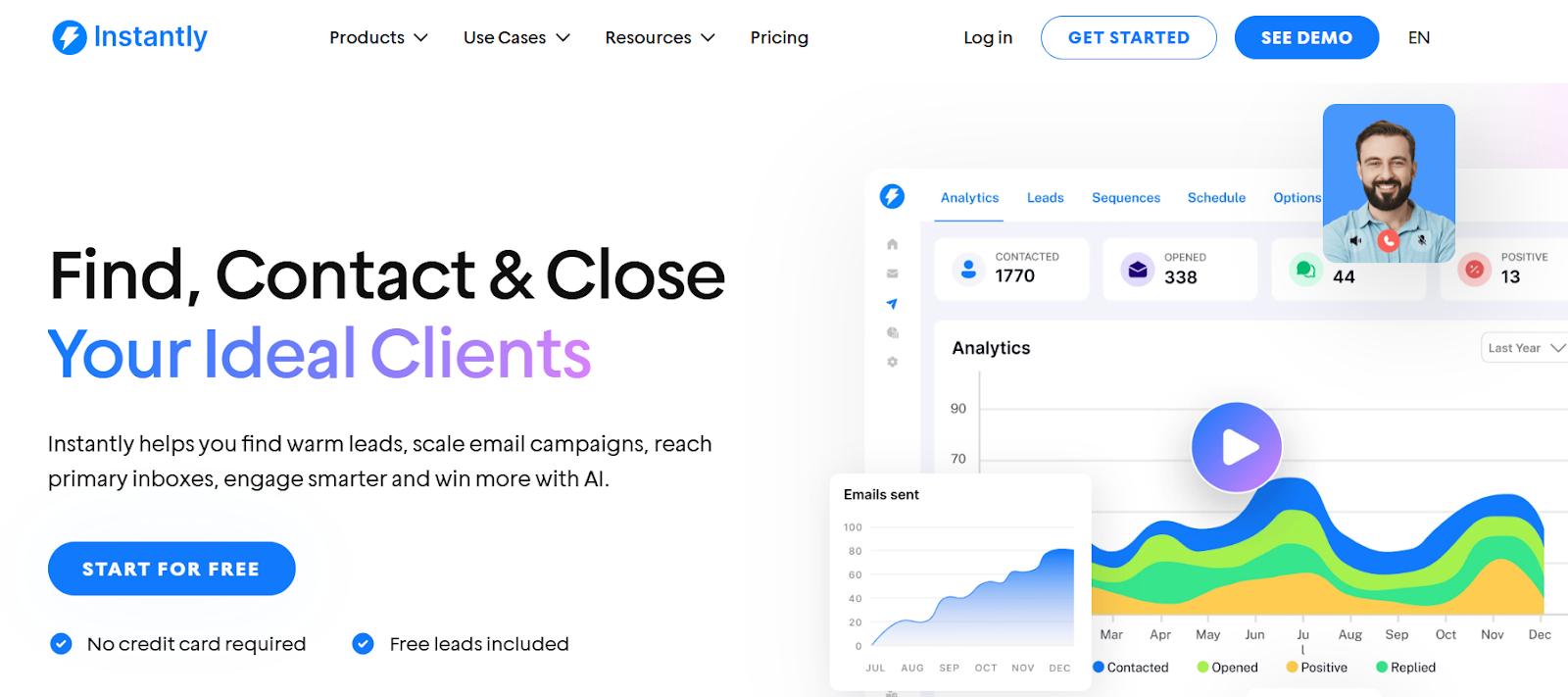
Instantly homepage
This image shows the Instantly homepage

Instantly is a cold email platform designed for teams that need to send a large number of emails without running into deliverability issues.

It lets you add unlimited sending accounts and warm them up automatically.

SalesBlink handles cold email sequences and meeting booking, which works well when your volume is moderate and your priority is simplicity.

However, if your outreach grows and you need better control over inbox health and inbox placement, Instantly’s focus on deliverability and warm-up gives you a stronger foundation.

It also brings replies from connected accounts into Unibox, which helps keep conversations organized once multiple inboxes are sending at the same time.

Key Features of Instantly

  • Built-in lead search and enrichment through SuperSearch.

  • Integrations with CRMs like HubSpot, Salesforce, and Pipedrive.

  • Built-in email warm-up for connected inboxes.

  • A/Z testing for email variants, instead of basic A/B testing.

Instantly vs SalesBlink: Quick Comparison

Feature Instantly SalesBlink
Core focus High-volume cold email with deliverability and inbox tools Cold email sequences and meeting booking
Outreach channels Email-only Email-only
Pricing Growth: $37/month. Hypergrowth: $97/month. Light Speed: $358/month Starter: $49/month. Business: $99/month. Pro: $199/month
Reply management Replies are handled inside Unibox Replies stay in connected inboxes
AI support AI helps write sequences and manage replies AI is mainly used for copy and sequences

Pros and Cons of Instantly 

Pros Cons
  • Makes it easy to launch campaigns quickly, even for new users.
  • Handles large sending volumes without slowing down campaigns.
  • Keeps conversations organized as reply volume grows.
  • Offers training resources and playbooks for outbound teams.
  • Works best only for email and does not support LinkedIn outreach.
  • Lead sourcing and verification add extra cost on top of base plans.
  • Deliverability tools are limited on lower-tier plans.
  • High-volume setups still need careful domain and inbox preparation.

Instantly Pricing

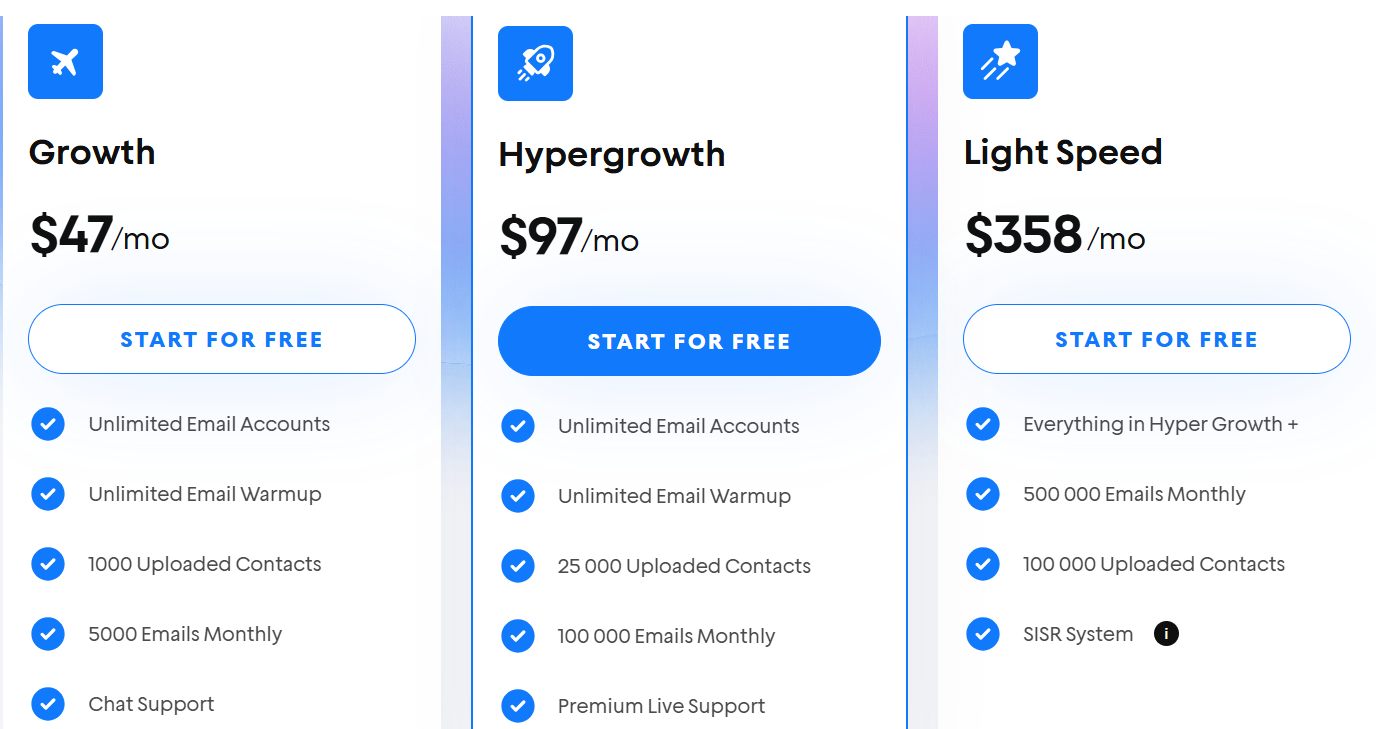
 Instantly pricing
This image shows the Instantly pricing
  • Growth – $47 per month, includes unlimited email accounts, unlimited warm-up, 1,000 uploaded contacts, and 5,000 emails per month.

  • Hypergrowth – $97 per month, includes unlimited email accounts, unlimited warm-up, 25,000 uploaded contacts, and 100,000 emails per month.

  • Light Speed – $358 per month, includes everything in Hypergrowth with 500,000 emails per month and 100,000 uploaded contacts.

3. Woodpecker – Cold Email Outreach With Deliverability Controls

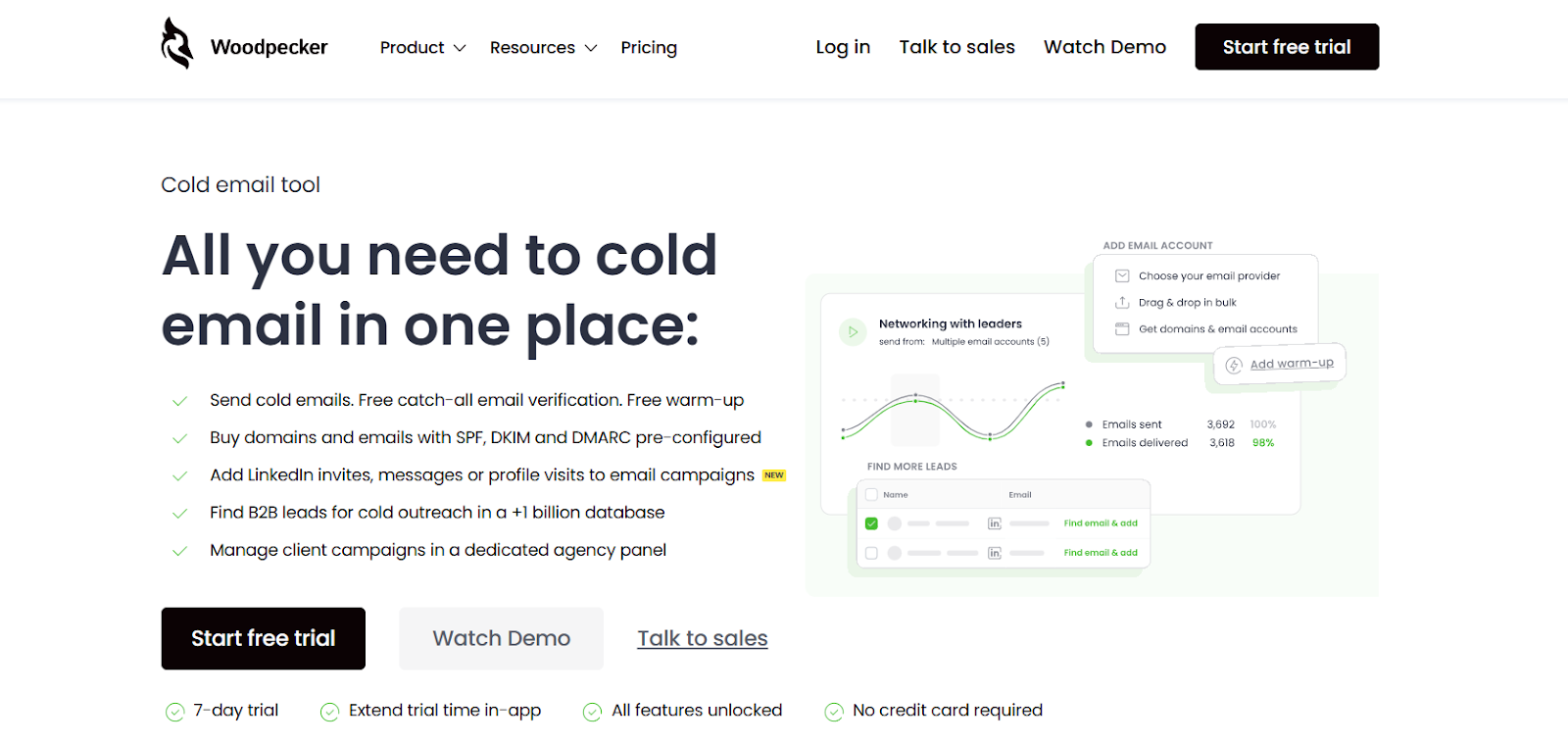
Woodpecker homepage
This image shows the Woodpecker homepage

Woodpecker is a cold email tool designed for teams that want to run outreach while keeping inbox health stable.

SalesBlink is great for setting up email sequences and booking meetings through cold email.

However, if inbox placement becomes a concern as volumes grow, Woodpecker adds more guardrails around deliverability.

It allows adding LinkedIn actions inside email flows as an add-on. 

So, if you want light multi-channel touchpoints without switching fully to LinkedIn outreach, this can help.

Key Features of Woodpecker

  • Free email verification to avoid sending emails to wrong addresses.

  • Built-in warm-up and inbox rotation to keep emails out of spam.

  • Adaptive sending to stay within daily sending limits safely.

  • Condition-based campaigns to change follow-ups based on how prospects respond.

Woodpecker vs SalesBlink: Quick Comparison

Feature Woodpecker SalesBlink
Core focus Cold email outreach with strong deliverability controls Cold email sequences and meeting booking
Outreach channels Email (LinkedIn tasks as a paid add-on) Email-only outreach
Pricing Starter: $24/month. Growth: $126/month. Scale: $903/month. Max: $6,666/month Starter: $49/month. Business: $99/month. Pro: $199/month
Reply management Centralized inbox for replies Replies handled in connected email inboxes
Deliverability tools Free warm-up slots, inbox rotation, adaptive sending, domain checks Built-in warm-up and basic deliverability tools

Pros and Cons of Woodpecker

Pros Cons
  • Reduces bounce risk with built-in catch-all verification.
  • Protects sending reputation with adaptive sending limits.
  • Helps spread volume safely using inbox rotation.
  • Includes a lead finder inside the product.
  • Supports agencies with a dedicated agency panel.
  • LinkedIn automation requires a paid add-on per account.
  • Advanced usage becomes expensive at high volumes.
  • Warm-up slots are limited and cost extra after free quota.
  • Lead Finder credits are capped on lower plans.
  • Pricing scales based on contacted prospects, which can add up.

Woodpecker Pricing

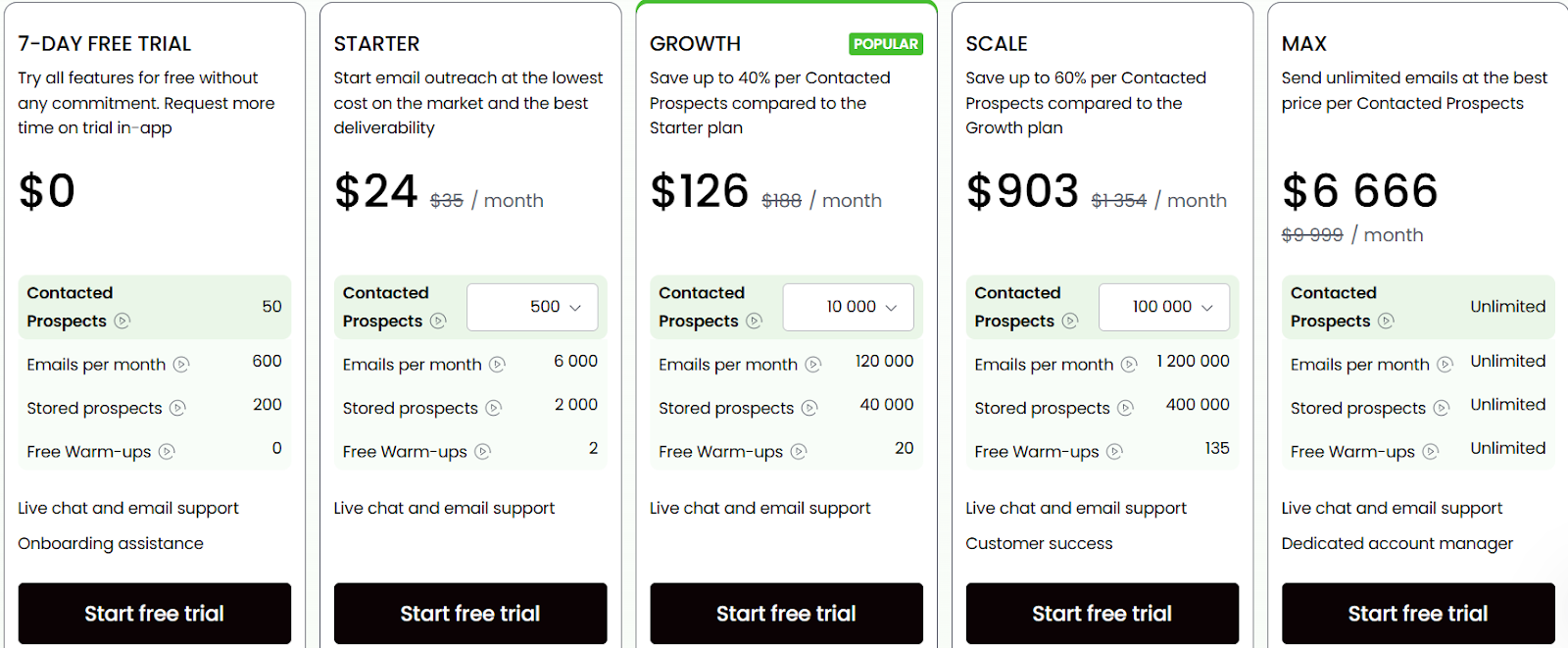
Woodpecker pricing
This image shows the Woodpecker pricing
  • Starter – $24/month, includes 500 contacted prospects, 6,000 emails/month, and 2 free warm-ups.

  • Growth – $126/month, includes 10,000 contacted prospects, 120,000 emails/month, and 20 free warm-ups.

  • Scale – $903/month, includes 100,000 contacted prospects, 1.2M emails/month, and 135 free warm-ups.

  • Max – $6,666/month, includes unlimited prospects, unlimited emails, and unlimited warm-ups.

  • LinkedIn add-on – $29/month per LinkedIn account

  • Extra warm-up slots – $5/month per inbox

4. QuickMail – Multi-Channel Outreach for Teams That Care About Deliverability

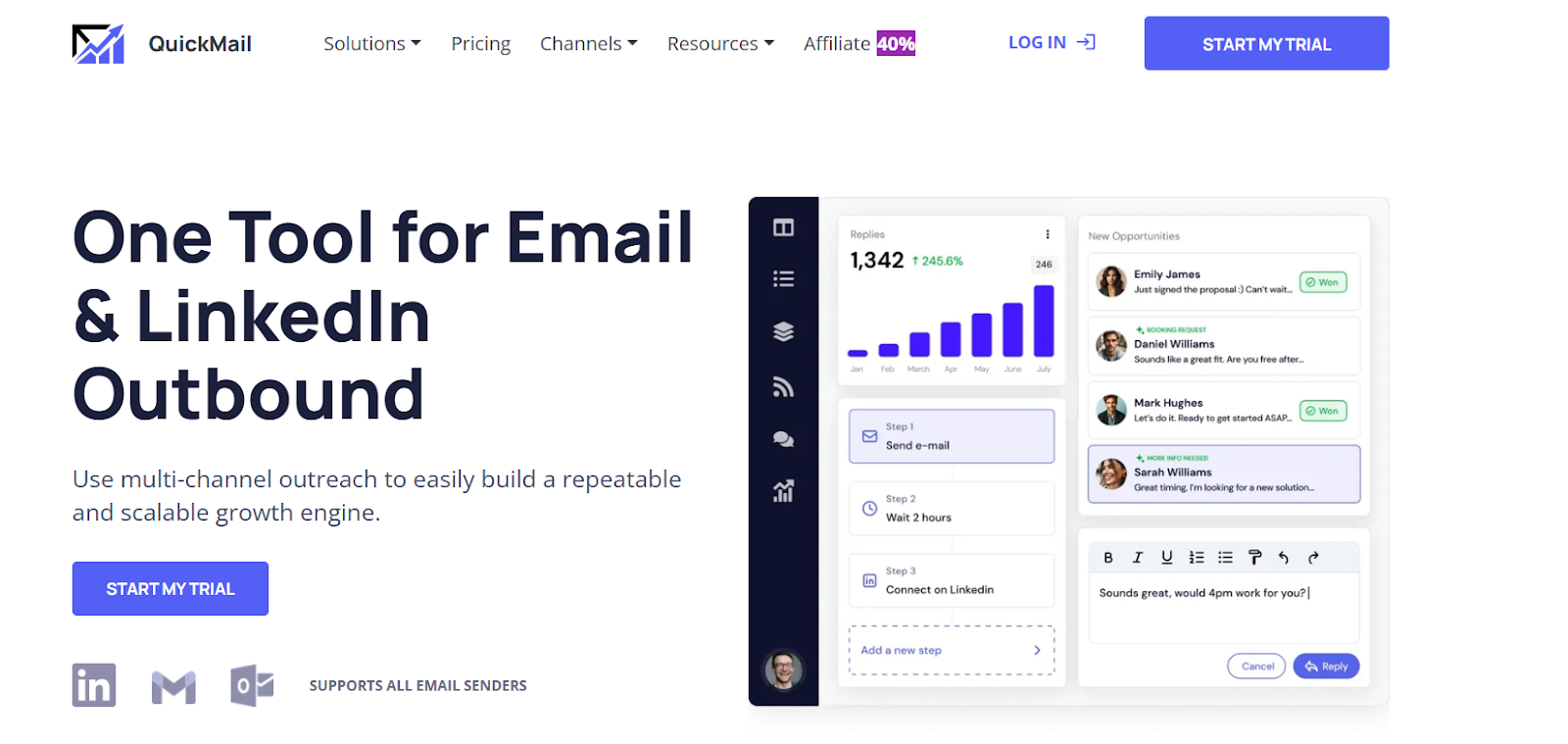
QuickMail homepage
This image shows the QuickMail homepage

QuickMail is a sales outreach tool used to send cold emails and LinkedIn messages from one place.

It works well when cold email performance drops and you need safer ways to scale sending.

SalesBlink fits teams that want quick email sequences and simple meeting booking.

However, when email alone stops getting replies, QuickMail adds LinkedIn steps to keep conversations going.

It also automates inbox rotation and sender health checks, which helps protect domains at higher volume

Key Features of QuickMail

  • Unlimited email senders and LinkedIn accounts with automatic rotation.

  • One inbox to manage email and LinkedIn replies.

  • Deliverability AI to remove weak senders and rotate healthy inboxes.

  • Reword with AI to slightly change each email and reduce spam risk.

  • Built-in inbox rotation to spread sending across multiple mailboxes safely.

QuickMail vs SalesBlink: Quick Comparison

Feature QuickMail SalesBlink
Core focus Multi-channel outreach with email and LinkedIn. Cold email outreach with sequences and meeting booking.
Outreach channels Email and LinkedIn from one platform. Email-only outreach.
Pricing Starter: $9/month. Growth: $99/month. Agency: $299/month. Starter: $49/month. Business: $99/month. Pro: $199/month.
Reply management Unified inbox for email and LinkedIn replies. Replies handled in connected email inboxes.
Deliverability tools Inbox rotation, Deliverability AI, Reword with AI, blacklist checks. Basic deliverability tools for cold email sending.

Pros and Cons of QuickMail 

Pros Cons
  • Supports email and LinkedIn outreach from one tool.
  • Helps protect inbox placement with Deliverability AI.
  • Makes email copy more unique with Reword with AI.
  • Allows inbox rotation to spread sending volume.
  • Offers a shared inbox for teams and agencies.
  • Advanced features are locked to higher plans.
  • Can get expensive at scale on Agency plans.
  • Needs multiple inboxes to scale volume safely.
  • Email infrastructure costs are separate.
  • Setup takes time for multi-inbox campaigns.

QuickMail Pricing

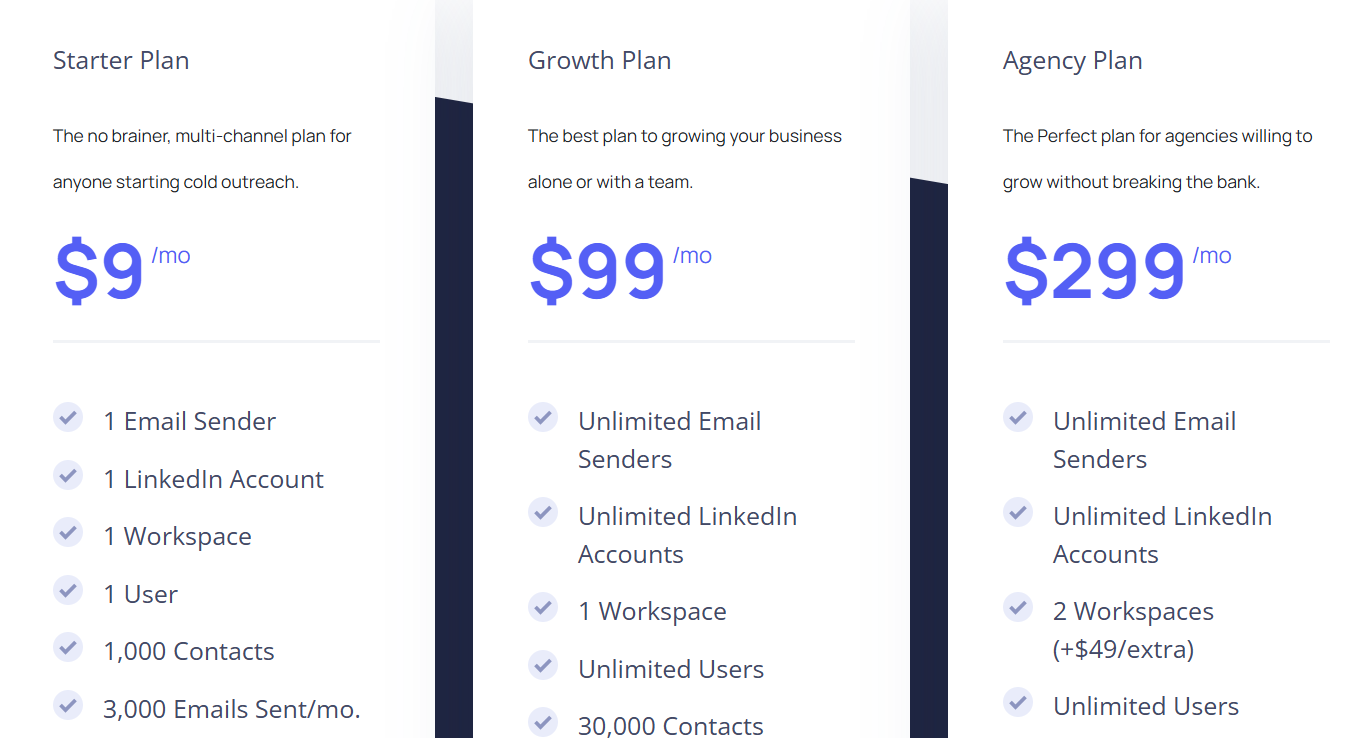
QuickMail pricing
This image shows the QuickMail pricing
  • Starter Plan – $9/month, includes 1 email sender, 1 LinkedIn account, 1,000 contacts, and 3,000 emails per month.

  • Growth Plan – $99/month, includes unlimited email senders, unlimited LinkedIn accounts, and 100,000 emails per month.

  • Agency Plan – $299/month, includes unlimited senders, multiple workspaces, and up to 300,000 emails per month.

5. Reply.io – Multi-Channel Outreach With AI for Larger Sales Workflows

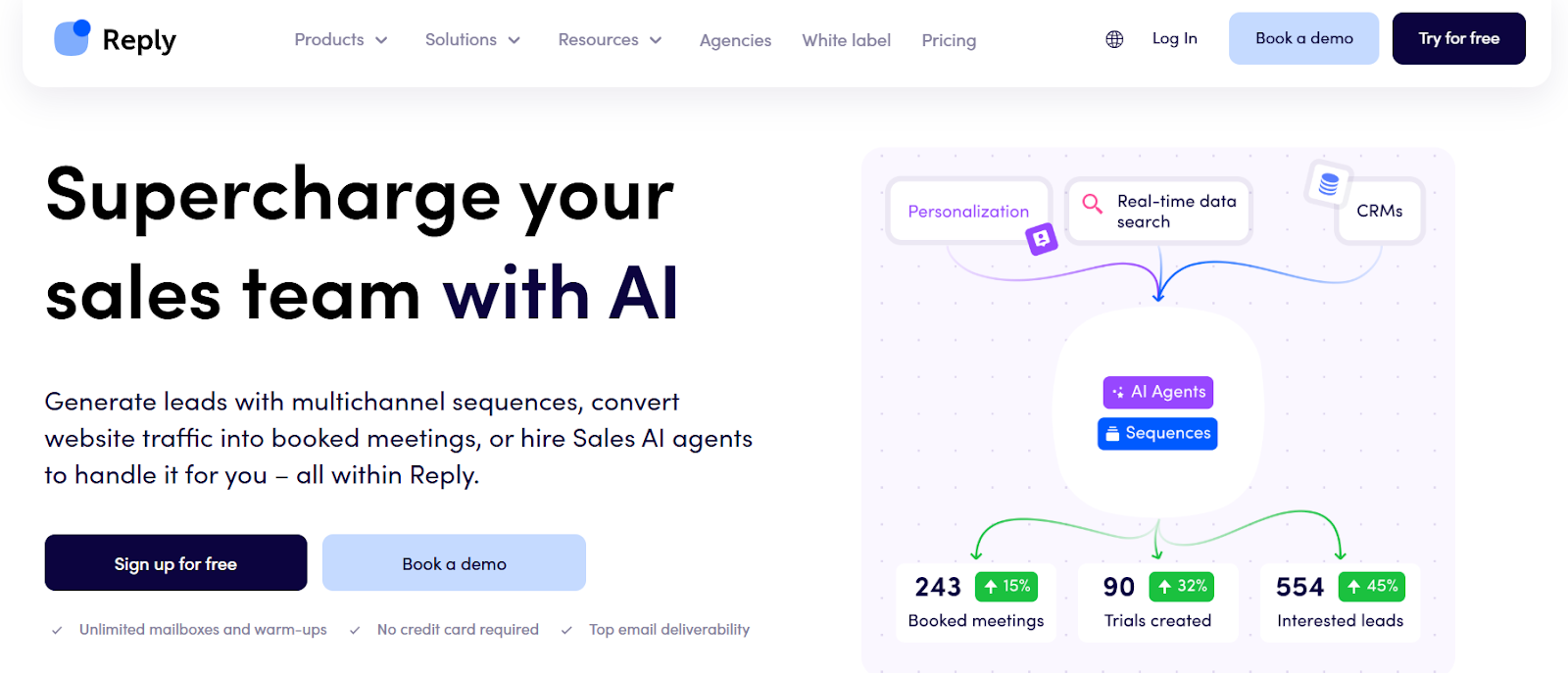
Reply.io homepage
This image shows the Reply.io homepage

Reply.io is a sales outreach tool built for teams that need more than just cold email.

It combines email, LinkedIn, calls, SMS, and WhatsApp in one workflow, which helps when one channel stops performing.

SalesBlink is a good fit for simple email sequences and quick meeting booking.

That works when email is your main way to start conversations.

Reply.io is better suited when your team needs more touchpoints across different channels.

It also adds AI support through Jason AI SDR, which can help with prospecting and reply handling at higher volume.

Key Features of Reply.io

  • Multi-channel outreach across email, LinkedIn, calls, SMS, WhatsApp, and Zapier steps.

  • Unified inbox to read and reply to messages from different channels in one place.

  • Jason AI SDR to help with prospecting, writing messages, and handling replies.

  • Built-in email warm-up and 30+ deliverability features for inbox health.

  • Access to real-time B2B contacts with intent signals and contact enrichment.

Reply.io vs SalesBlink: Quick Comparison

Feature Reply.io SalesBlink
Core focus Multi-channel sales outreach with AI SDR support. Cold email outreach with sequences and meeting booking.
Outreach channels Email, LinkedIn, calls, SMS, WhatsApp, Zapier steps. Email-only outreach.
Pricing Email Outreach: from $49/user/month (annual). Multichannel: $89/user/month (annual). AI SDR: from $500/month. Starter: $49/month. Business: $99/month. Pro: $199/month.
Reply management Unified inbox for multi-channel replies. Replies handled in connected email inboxes.
Deliverability Built-in warm-ups and 30+ deliverability features. Basic deliverability tools for cold email.

Pros and Cons of Reply.io

Pros Cons
  • Supports outreach across multiple channels, not just email.
  • Offers an AI SDR to help with prospecting and replies.
  • Includes built-in email warm-up and deliverability tools.
  • Provides access to real-time contact data and enrichment.
  • Works for teams that need complex, conditional sequences.
  • Costs increase as more channels and users are added.
  • AI SDR plans are priced separately.
  • LinkedIn, calls, and SMS are paid add-ons.
  • Setup takes time for multi-channel sequences.
  • Can feel heavy for small teams that only need email.

Reply.io Pricing

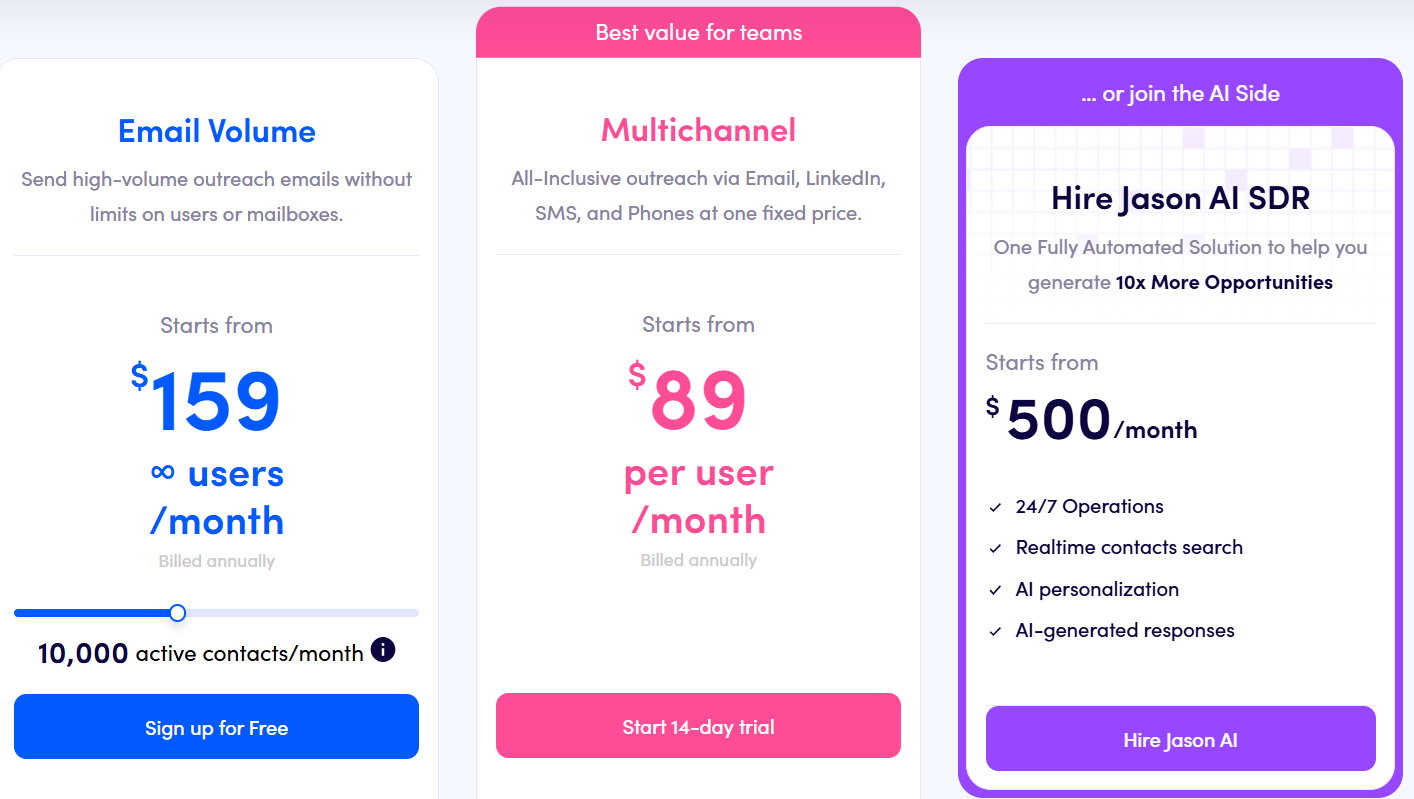
Reply.io pricing
This image shows the Reply.io pricing
  • Email Volume– starts from $159 per user/month (billed annually) with unlimited mailboxes and warm-ups.

  • Multichannel Plan – starts from $89 per user/month (billed annually) with email, LinkedIn, calls, SMS, and WhatsApp steps.

  • Jason AI SDR – starts from $500 per month for fully automated outreach.

  • LinkedIn add-on$69 per account/month.

  • Calls & SMS add-on$29 per account/month.

6. Lemlist – Multichannel Outreach With Strong Personalization

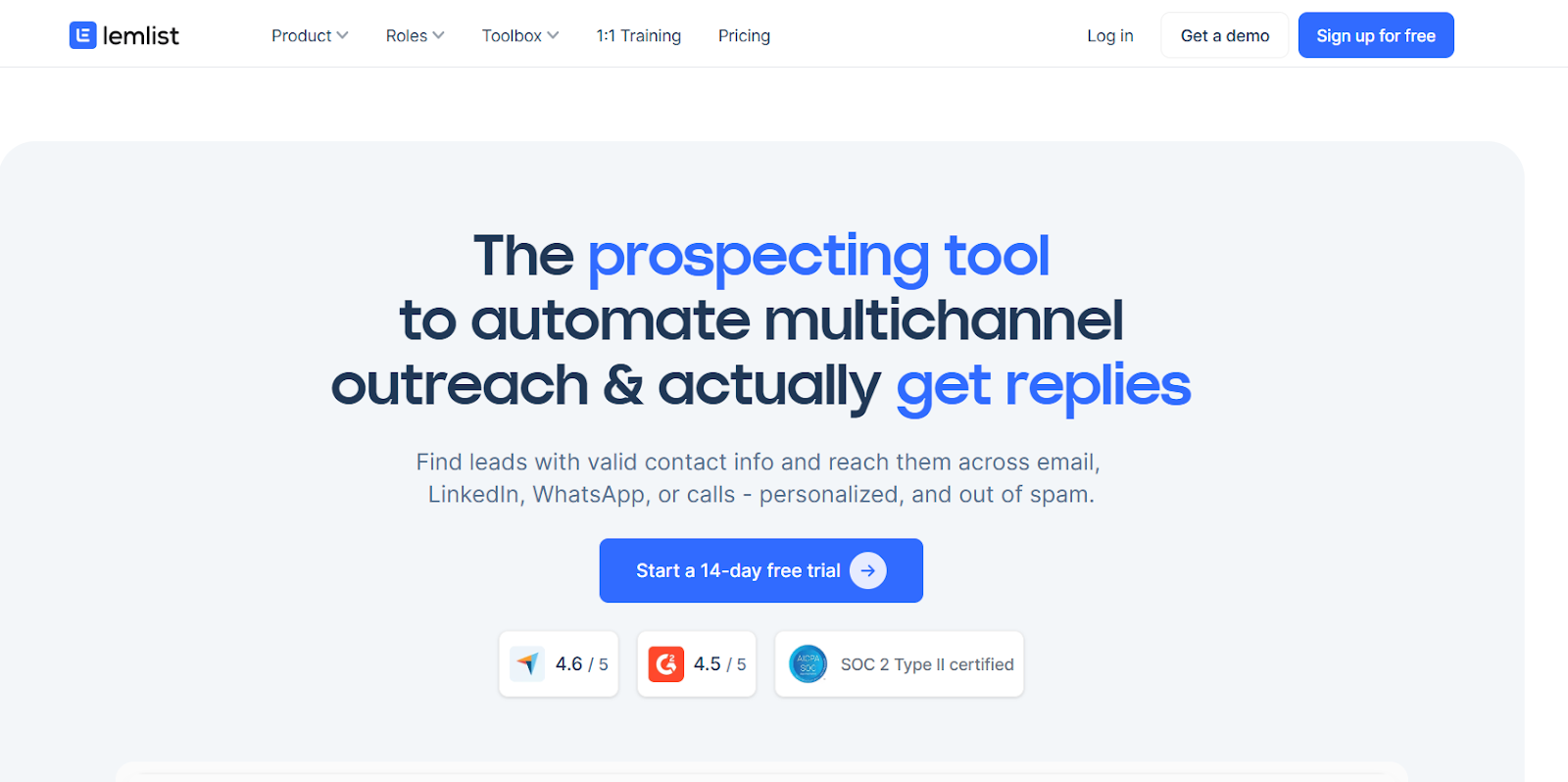
Lemlist homepage
This image shows the Lemlist homepage

Lemlist is a sales outreach tool that helps teams send cold emails and reach leads on LinkedIn, WhatsApp, and calls from one place.

It is useful when email replies drop and you need more ways to reach people.

Lemlist adds LinkedIn, WhatsApp, and calling steps to keep leads engaged.

It also includes lemwarm for email warm-up and inbox rotation to help protect deliverability at scale.

Key Features of Lemlist

  • Multichannel sequences across email, LinkedIn, WhatsApp, and calls from one workflow.

  • Built-in lead database (600M+ leads) with email and phone enrichment.

  • AI personalization using LinkedIn and website data to change text, images, and pages.

  • lemwarm included for email warm-up and deliverability boost.

Lemlist vs SalesBlink: Quick Comparison

Feature Lemlist SalesBlink
Core focus Multichannel outreach with personalization and deliverability. Cold email sequences with meeting booking.
Outreach channels Email, LinkedIn, WhatsApp, calls. Email-only outreach.
Lead database Built-in 600M+ leads with enrichment. No built-in lead database.
Reply management Unified multichannel inbox. Unified inbox for email replies.
Deliverability tools lemwarm, inbox rotation, warm-up, DNS checks. Built-in warm-up and basic deliverability tools.
Best for Teams running multichannel outbound at scale. Teams focused only on cold email.

Pros and Cons of Lemlist 

Pros Cons
  • Supports email, LinkedIn, WhatsApp, and calls from one tool.
  • Includes lemwarm for email warm-up and inbox safety.
  • Offers AI personalization for text, images, and pages.
  • Provides built-in lead database with enrichment credits.
  • Central inbox helps manage replies across channels.
  • Costs more than basic cold email tools.
  • Advanced features are locked to higher plans.
  • WhatsApp is a paid add-on.
  • Needs multiple inboxes to scale volume safely.
  • Email infrastructure costs are separate.

Lemlist Pricing 

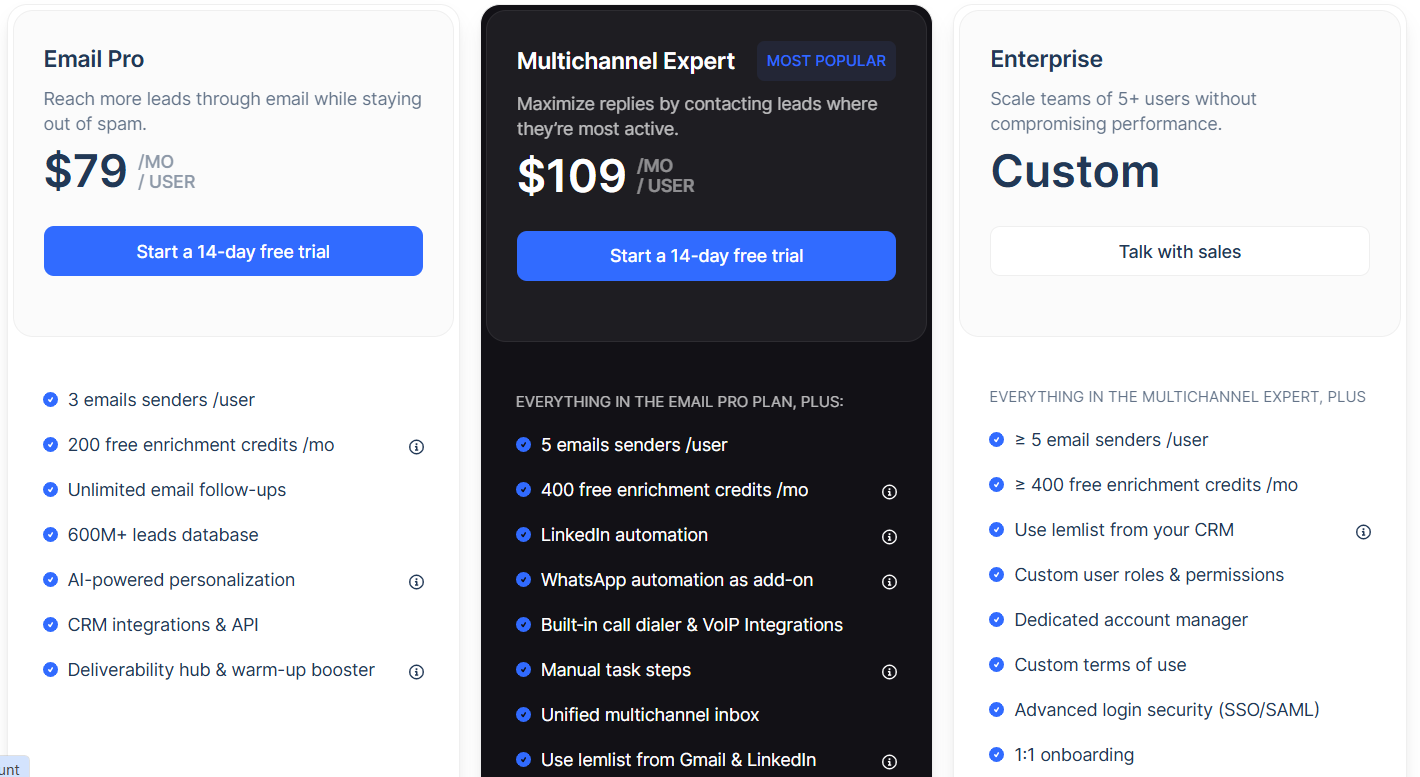
Lemlist pricing
This image shows the Lemlist pricing
  • Email Pro – $69/user/month, includes email outreach, AI personalization, lemwarm, inbox rotation, and 600M+ lead database access with enrichment credits.

  • Multichannel Expert – $99/user/month, includes email, LinkedIn automation, calls, centralized inbox, lemwarm, inbox rotation, lead database, and integrations.

  • Enterprise – Custom pricing, includes advanced API access, SSO/SAML, assigned account manager, and higher limits for large teams.

7. Hunter.io – Email Finding & Cold Outreach for Teams That Focus on Data Accuracy

Hunter.io homepage
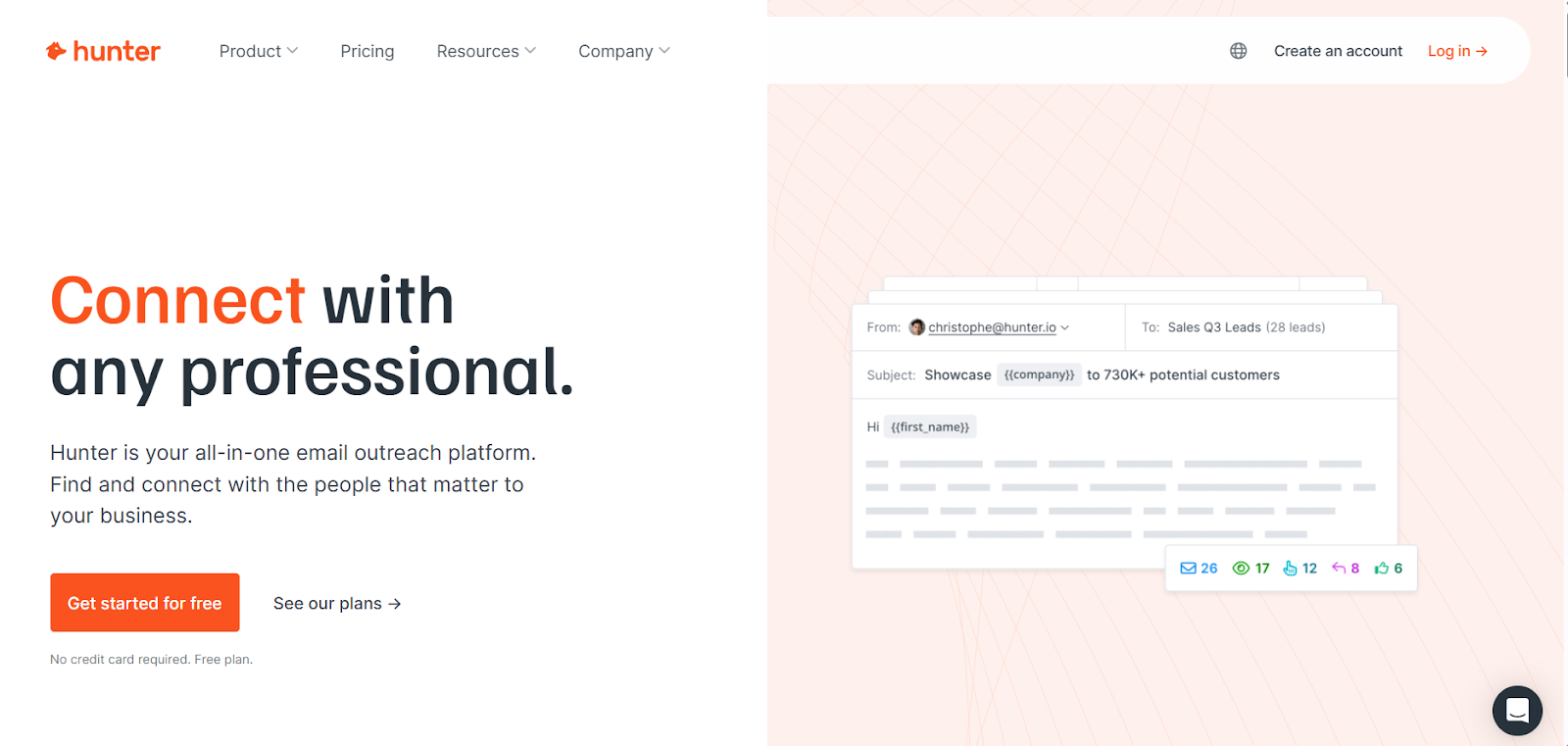
This image shows the Hunter.io homepage

Hunter.io is a lead discovery and cold email tool that helps teams find verified work emails and run simple outreach from one place.

SalesBlink is better when the main goal is to launch cold email sequences fast and book meetings.

However, when bounce rates increase or lists are outdated, Hunter helps by verifying emails before sending.

This makes Hunter useful for teams that want safer cold email sending with fewer bounces.

Key Features of Hunter.io

  • Find professional emails using Domain Search and Email Finder.

  • Verify email addresses before sending to reduce bounces.

  • Build lead lists using Discover filters and Signals.

  • Run cold email sequences with follow-ups from connected inboxes.

  • Use AI Writing Assistant to create cold emails faster.

Hunter.io vs SalesBlink: Quick Comparison

Feature Hunter.io SalesBlink
Core focus Email finding, verification, and cold email outreach. Cold email sequences and meeting booking.
Outreach channels Email-only. Email-only.
Lead data Built-in B2B database with Domain Search, Discover, and Email Finder. No built-in lead database.
Email verification Built-in Email Verifier with auto re-verification. Basic bounce protection.
Integrations CRM, Google Sheets, Zapier, API. CRM integrations.
Best for Teams that care about clean data before outreach. Teams that want fast email sequences.

Pros and Cons of Hunter.io

Pros Cons
  • Helps reduce bounces by verifying emails before sending.
  • Lets you find leads and send emails from one platform.
  • Includes built-in lead discovery and enrichment.
  • Supports bulk search and API for large data needs.
  • Works with CRMs and spreadsheets for workflows.
  • Does not support LinkedIn or other channels.
  • Outreach features are basic compared to sales engagement tools.
  • High-volume outreach needs higher plans.
  • Meeting booking is not a core feature.
  • No inbox warm-up tool included.

Hunter.io Pricing

 Hunter.io pricing
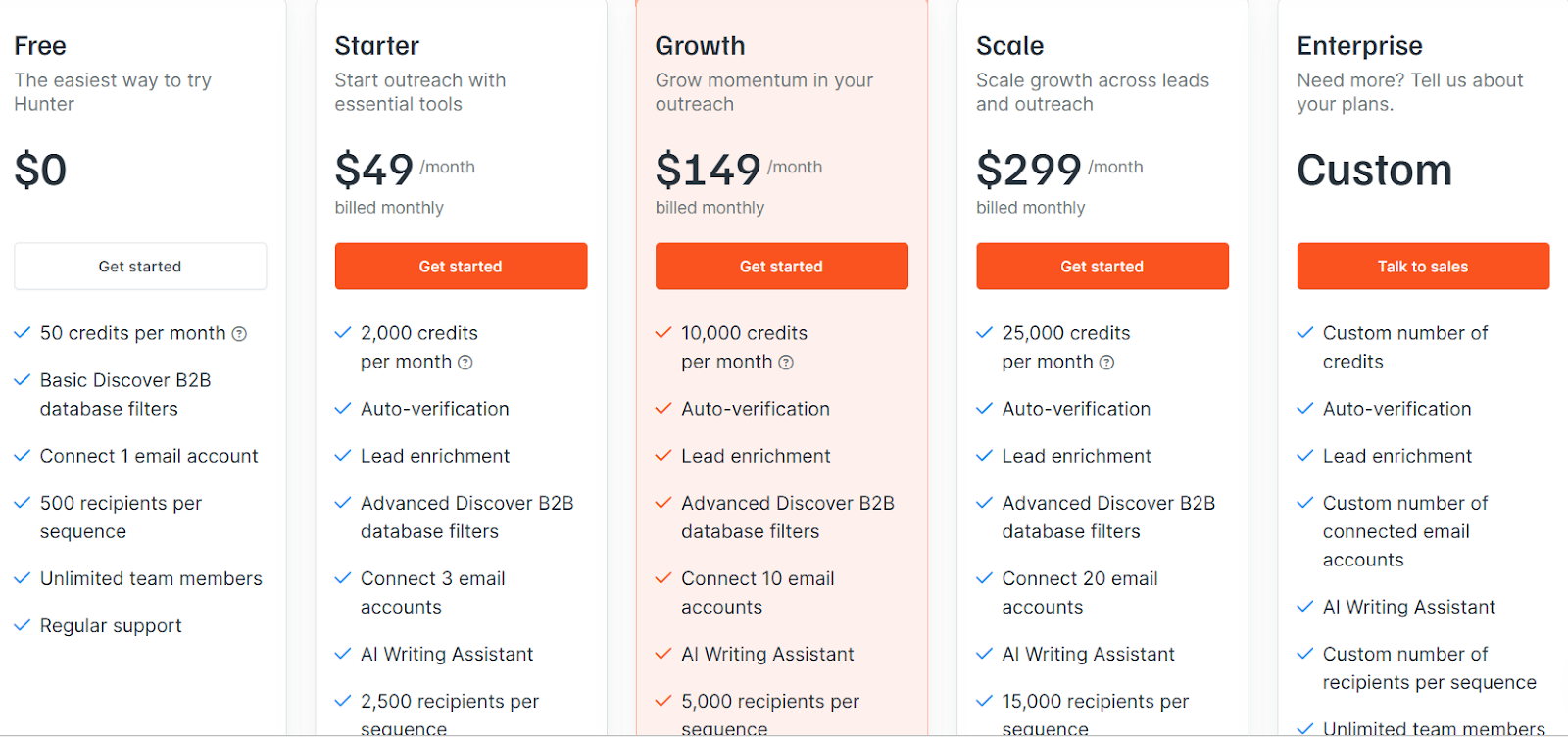
This image shows the Hunter.io pricing
  • Free – $0/month, 50 credits per month, 1 connected email account, 500 recipients per sequence

  • Starter – $49/month, 2,000 credits per month, Connect 3 email accounts, 2,500 recipients per sequence

  • Growth – $149/month, 10,000 credits per month, Connect 10 email accounts, 5,000 recipients per sequence

  • Scale – $299/month, 25,000 credits per month, Connect 20 email accounts, 15,000 recipients per sequence

  • Enterprise – Custom pricing

8. Snov.io – All-in-One Tool for Cold Outreach

Snov.io homepage
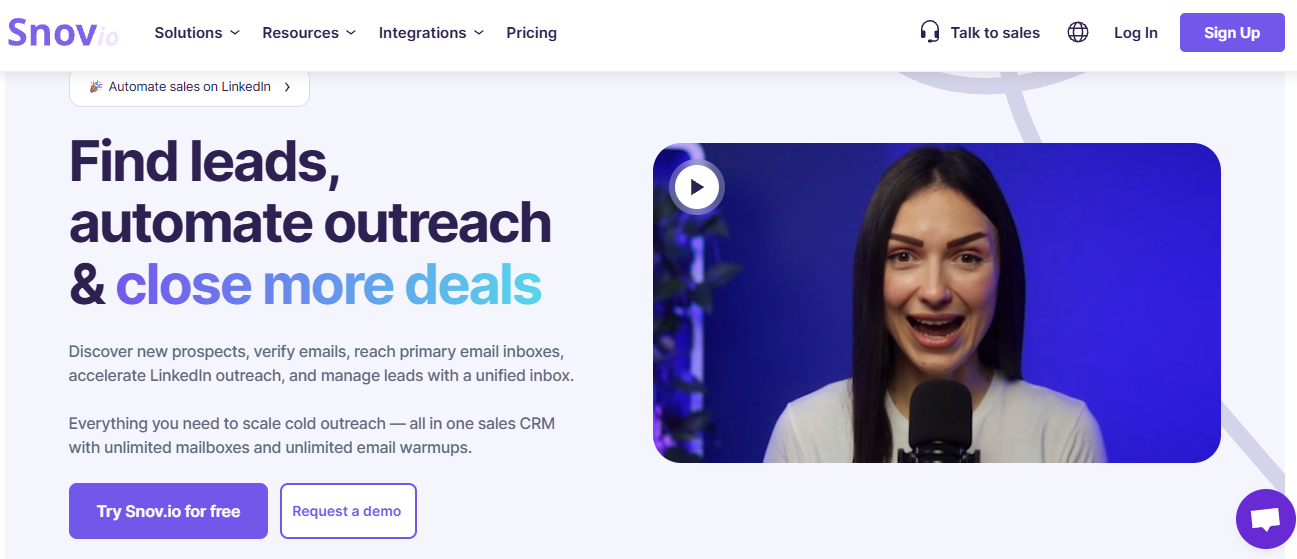
This image shows the Snov.io homepage

Snov.io is a sales outreach platform built for teams that want to handle lead finding, cold email, LinkedIn outreach, and deliverability in one place.

It works well when managing leads and running outreach becomes messy across too many tools.

SalesBlink fits teams that want quick cold email sequences and simple meeting booking.

However, when email alone starts to feel limiting, Snov.io adds LinkedIn steps and lead tools to support the full outreach flow.

If your workflow includes finding leads, verifying emails, warming inboxes, and managing replies, Snov.io helps keep everything under one dashboard.

Key Features of Snov.io

  • Lead Finder to search for B2B contacts using database search, LinkedIn extension, and website search.

  • Cold email campaigns with unlimited follow-ups and basic reply tracking.

  • LinkedIn automation to add social touches to email outreach.

  • Email verification and warm-up to help protect sender reputation.

  • Built-in sales CRM to manage leads and track deal progress.

Snov.io vs SalesBlink: Quick Comparison

Feature Snov.io SalesBlink
Core focus Lead generation + multichannel outreach. Cold email sequences and meeting booking.
Outreach channels Email and LinkedIn. Email only.
Lead database Built-in lead finder and email verifier. No built-in lead database.
Deliverability Warm-up, domain health, email placement checks. Basic deliverability tools for cold email.
Pricing Credit-based pricing based on usage. $49 to $199 per month.

Pros and Cons of Snov.io

Pros Cons
  • Covers lead finding, outreach, and deliverability in one tool.
  • Supports both email and LinkedIn outreach.
  • Includes email verification and warm-up features.
  • Offers built-in CRM to track leads and deals.
  • Can feel heavy if you only need simple cold email sending.
  • Credit-based pricing can be harder to predict.
  • Setup takes time because there are many tools.
  • Not focused only on cold email like lightweight tools.

Snov.io Pricing

Snov pricing
This image shows the Snov pricing
  • Free – 1000 credits, 5000 recipients, 3 mailbox warmups

  • Pro – $99/month, 5000 credits, 25, 000 recipients, unlimited mailbox warmups

  • Custom Ultra – Custom, from 2,00,000 credits, unlimited mailbox warmups

9. Saleshandy – All-in-One Cold Email Outreach With Built-In Lead Data

Saleshandy homepage
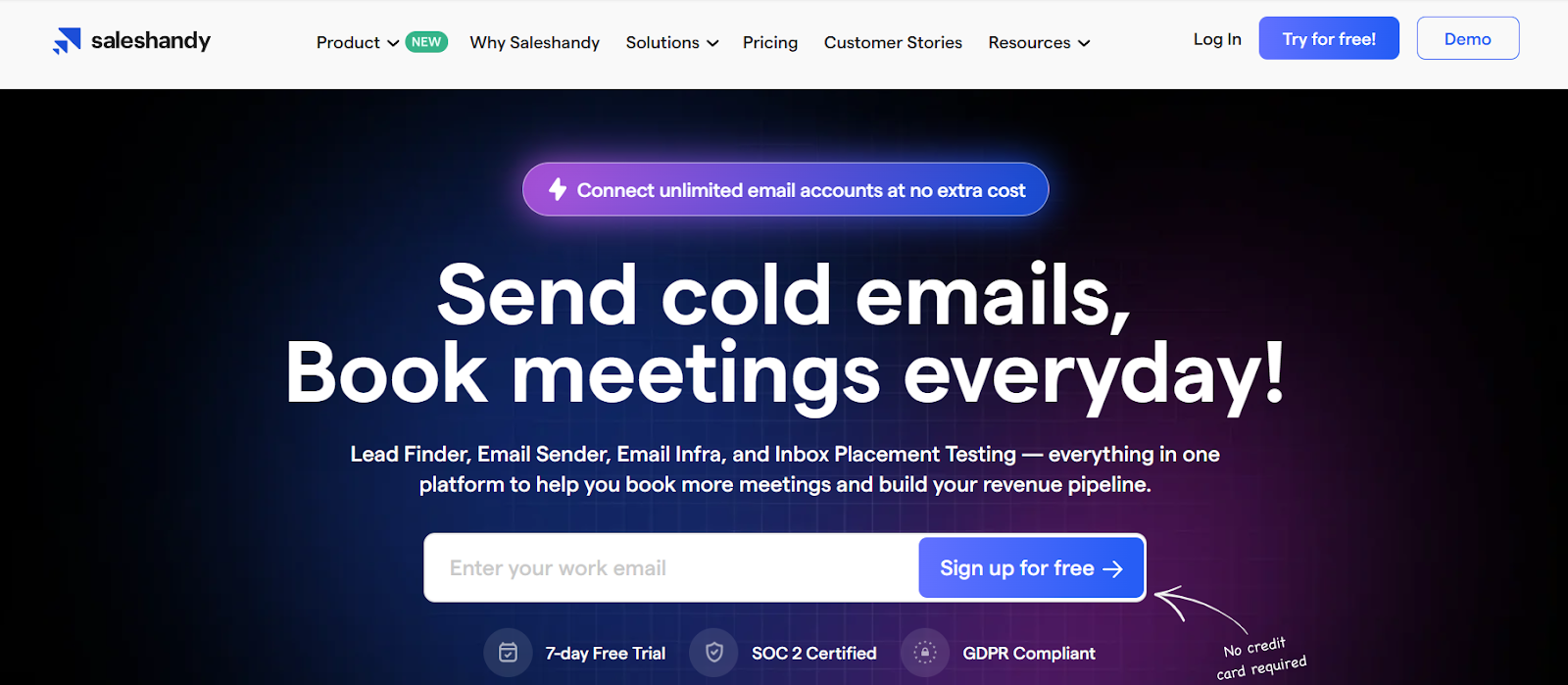
This image shows the Saleshandy homepage

Saleshandy is a cold email platform built for teams that want lead finding, email sending, and deliverability tools in one place.

It works well when managing many inboxes becomes hard and you want one system to run outreach from start to finish.

SalesBlink is useful for quick cold email sequences and simple meeting booking.

However, when teams need lead data, inbox placement testing, and sender health tools together, Saleshandy covers more of the workflow.

If your campaigns grow and you want better control over deliverability and personalization, Saleshandy gives more room to scale safely.

Key Features of Saleshandy

  • Find and enrich leads using the built-in Lead Finder with 700M+ contacts and advanced filters.

  • Create cold email sequences using AI Sequence Copilot with A/Z testing and conditional follow-ups.

  • Set up email warm-up, sender rotation, and inbox placement tests to protect deliverability.

  • Manage all replies from connected inboxes inside a single Unified Inbox.

Saleshandy vs SalesBlink: Quick Comparison

Feature Saleshandy SalesBlink
Core focus Cold email outreach with lead data and deliverability tools. Cold email outreach with sequences and meeting booking.
Outreach channels Email-only outreach. Email-only outreach.
Lead database Built-in B2B database with email and phone data. No built-in lead database.
Reply management Unified inbox for all connected email accounts. Replies handled in connected email inboxes.
Deliverability tools Warm-up, inbox placement test, sender rotation, spam checker. Basic warm-up and email sending tools.
Pricing Outreach plans start from $35/month. Starter $49/month, Business $99/month, Pro $199/month.

Pros and Cons of Saleshandy

Pros Cons
  • Combines lead finding, outreach, and deliverability in one platform.
  • Allows unlimited email accounts for better sending rotation.
  • Helps improve inbox placement with warm-up and testing tools.
  • Makes personalization easier with AI-based sequence writing.
  • Works well for agencies with white-label support and client access.
  • Lead credits are limited by plan and usage.
  • No built-in LinkedIn outreach.
  • Needs setup time for email infrastructure and warm-up.
  • Advanced features require higher plans.
  • Email infrastructure costs are separate from the software plan.

Saleshandy Pricing 

Saleshandy pricing
This image shows the Saleshandy pricing
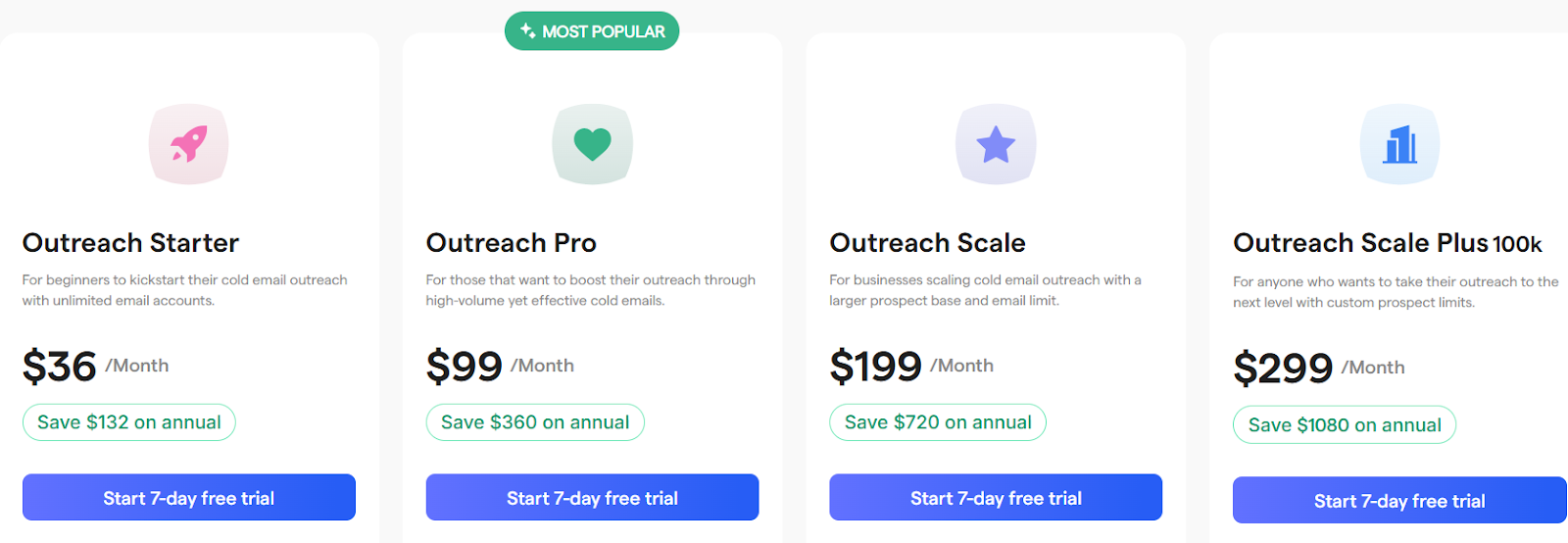
  • Outreach Starter – $36/month with 500 lead credits per month and email outreach tools.

  • Outreach Pro – $99/month with 1,000 lead credits per month and advanced outreach features.

  • Outreach Scale – $109/month with 2,500 lead credits per month for higher volume teams.

  • Outreach Scale Plus – $299/month with 5,000 lead credits per month for large campaigns.

10. Mailshake – Multi-Channel Outreach for Teams That Want More Replies

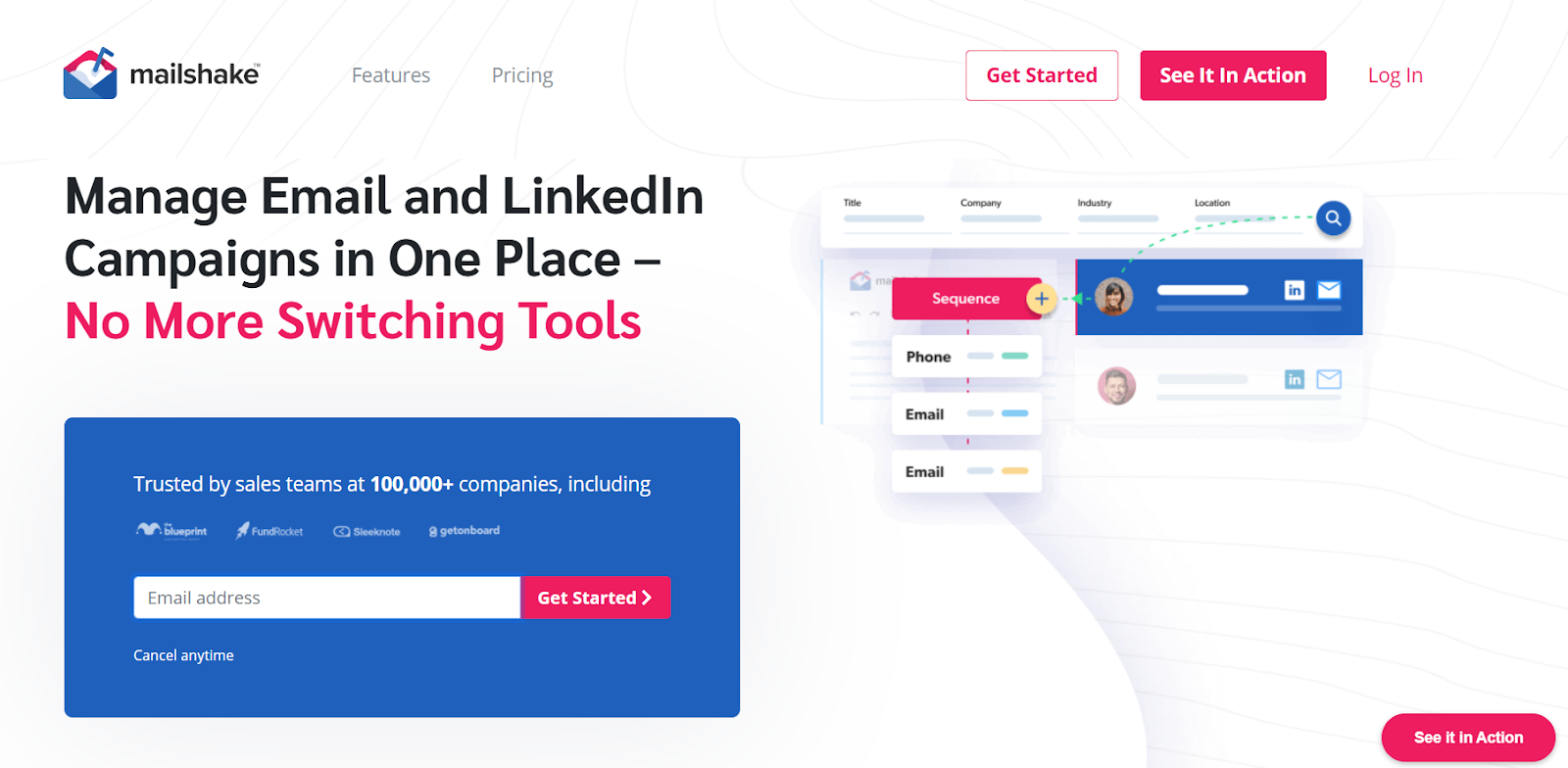
Mailshake homepage
This image shows the Mailshake homepage

Mailshake is a sales outreach tool that helps teams send cold emails and LinkedIn messages from one dashboard.

It is built for teams that want to run email, LinkedIn, and phone steps in the same campaign.

Mailshake also includes deliverability tools such as email warm-up, list cleaning, spam word checks, and domain setup help.

This helps teams scale outreach with better inbox placement.

Key Features of Mailshake

  • Send cold emails, LinkedIn messages, and phone steps in one sequence.

  • Use Lead Catcher to see replies and focus on engaged leads.

  • Track opens, replies, and clicks with pipeline-focused analytics.

  • Use SHAKEspeare AI to write and rewrite cold email copy.

  • Clean email lists and warm up inboxes to improve deliverability.

Mailshake vs SalesBlink: Quick Comparison

Feature Mailshake SalesBlink
Core focus Multi-channel outreach for sales teams. Cold email outreach with sequences and meeting booking.
Outreach channels Email, LinkedIn, and phone tasks. Email-only outreach.
Lead management Lead Catcher with lead activity view. Basic lead view inside email campaigns.
AI writing SHAKEspeare AI email writer. AI email writing for sequences.
Deliverability tools Warm-up, domain setup help, list cleaning, spam word check. Built-in warm-up and basic deliverability tools.
Reply handling Unified inbox with Lead Catcher. Replies handled inside connected email inboxes.

Pros and Cons of Mailshake

Pros Cons
  • Supports email, LinkedIn, and phone outreach in one flow.
  • Helps improve deliverability with warm-up and list cleaning.
  • Makes email writing easier with SHAKEspeare AI.
  • Shows engaged leads with Lead Catcher.
  • Easy to use for new reps with ready templates.
  • Costs increase as you add more users.
  • No free trial; payment is collected upfront.
  • Advanced multi-channel features are on higher plans.
  • Phone features require higher plans.
  • Ready-to-use mailboxes cost extra.

Mailshake Pricing

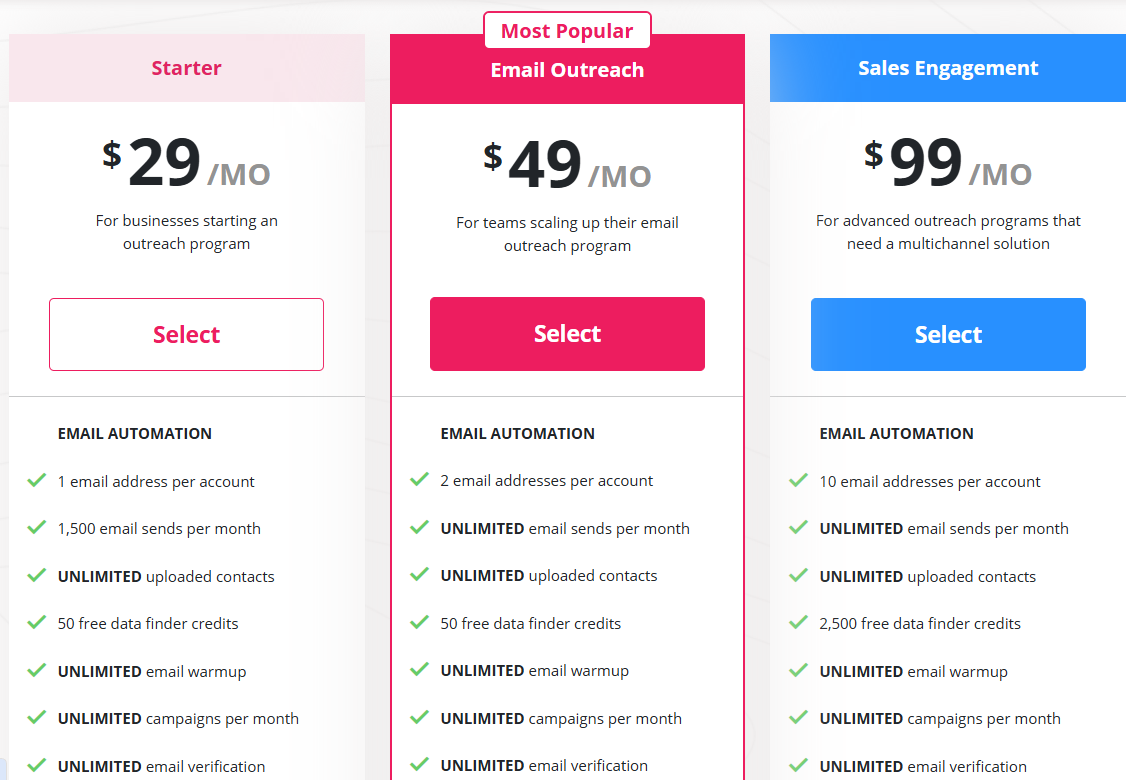
Mailshake pricing
This image shows the Mailshake pricing
  • Starter – $29/month, for small teams starting cold email.

  • Email Outreach – $49/month for teams scaling email outreach

  • Sales Engagement– $99/month for teams using email, LinkedIn and phone.

  • Agency Plan – Talk to sales, for agencies managing many inboxes

Add-ons:

  • Data Finder – $19/month

  • Ready-to-use Mailboxes – $12/month
Personalized Outbound Strategy

Get The Right Outbound Strategy In Minutes

Enter your email to get a custom plan & stack recommendation for your business

It's being carefully crafted by AI

Please check your mailbox in 5 minutes

Which SalesBlink Alternative Should You Choose?

Choosing the right tool depends on what matters most to you, such as outreach channels, deliverability, lead data, scaling needs, and pricing.

Here’s a quick guide to help you choose the best SalesBlink alternative:

  • If you want email and LinkedIn outreach with AI support → Go with Salesforge.

  • If you send high volumes and care most about inbox placement → Choose Instantly.

  • If you want strict deliverability controls for cold email → Try Woodpecker.

  • If you need LinkedIn steps with strong sender health tools → Pick QuickMail.

  • If you need full multichannel workflows (email, LinkedIn, calls, SMS, WhatsApp) → Use Reply.io.

  • If you want strong personalization across email and social → Consider Lemlist.

  • If clean lead data and email verification matter most → Use Hunter.io.

  • If you want lead finding and outreach in one tool → Try Snov.io.

  • If you want a cold email with built-in lead data and testing → Go with Saleshandy.

  • If you want simple email and LinkedIn and phone flows → Choose Mailshake.

If you want to move beyond email-only outreach without adding multiple tools, Salesforge is the most complete upgrade from SalesBlink.

You get AI-assisted writing, email + LinkedIn outreach, reply management in one inbox, and built-in warm-up to protect deliverability.

Start your free trial with Salesforge.