Table of contents
Get insights delivered straight into your inbox every week!
Summarize with

10 Best Sales Cadence Tools in 2026 (Tried & Tested)

Sales teams rarely struggle with finding prospects.

The real problem is follow-ups.

A rep sends the first email. Then the next step gets delayed.

Soon the entire outreach sequence breaks.

I have seen this happen often when teams run outbound manually.

A sales cadence tool fixes that.

It schedules emails, LinkedIn messages, and calls in a structured sequence.

Instead of remembering every step, the system handles the timing.

In this guide, I’ll walk through 10 sales cadence tools I tested in 2026.

I’ll explain where each tool fits and what type of sales team it works best for.

TL;DR: 10 Best Sales Cadence Tools

Tool Ideal Use Case Key Highlight
Salesforge Multi-channel outbound Email + LinkedIn sequences with unified reply management (Primebox™)
Saleshandy Simple cold email cadences Email automation with follow-ups and deliverability monitoring
Apollo.io Prospecting + outreach B2B contact database with outreach sequences
Outreach Enterprise sales teams Advanced sales engagement automation and analytics
Snov.io Small outbound teams Email finder, verification, and outreach sequences
Reply.io Multichannel outreach Email, LinkedIn, calls, and automation workflows
Mixmax Gmail outreach Email sequences and tracking directly inside Gmail
Mailshake SDR teams and agencies Simple cold email sequences with campaign analytics
Lemlist Personalized outreach Email personalization with images and multichannel campaigns
Instantly High-volume cold email Multiple sending accounts with automated outreach campaigns

What Is a Sales Cadence Tool?

A sales cadence tool helps sales teams follow up with prospects in a structured way.

In outbound sales, one message is rarely enough. Most prospects reply only after several follow-ups.

Without a system, it becomes hard to remember who to contact next.

A sales cadence tool solves this.

It creates a planned sequence of outreach steps and schedules them automatically.

These steps can include emails, LinkedIn messages, calls, and follow-up reminders.

Each step is scheduled over a specific period.

For example, a simple cadence might look like this:

  • Day 1 - Intro email
  • Day 3 - Follow-up email
  • Day 5 - LinkedIn message
  • Day 7 - Call reminder

The tool schedules these steps automatically.

This helps sales reps stay consistent without remembering every follow-up manually.

10 Best Sales Cadence Tools: Detailed Review

Here is the detailed review of the 10 best sales cadence tools:
1. Salesforge

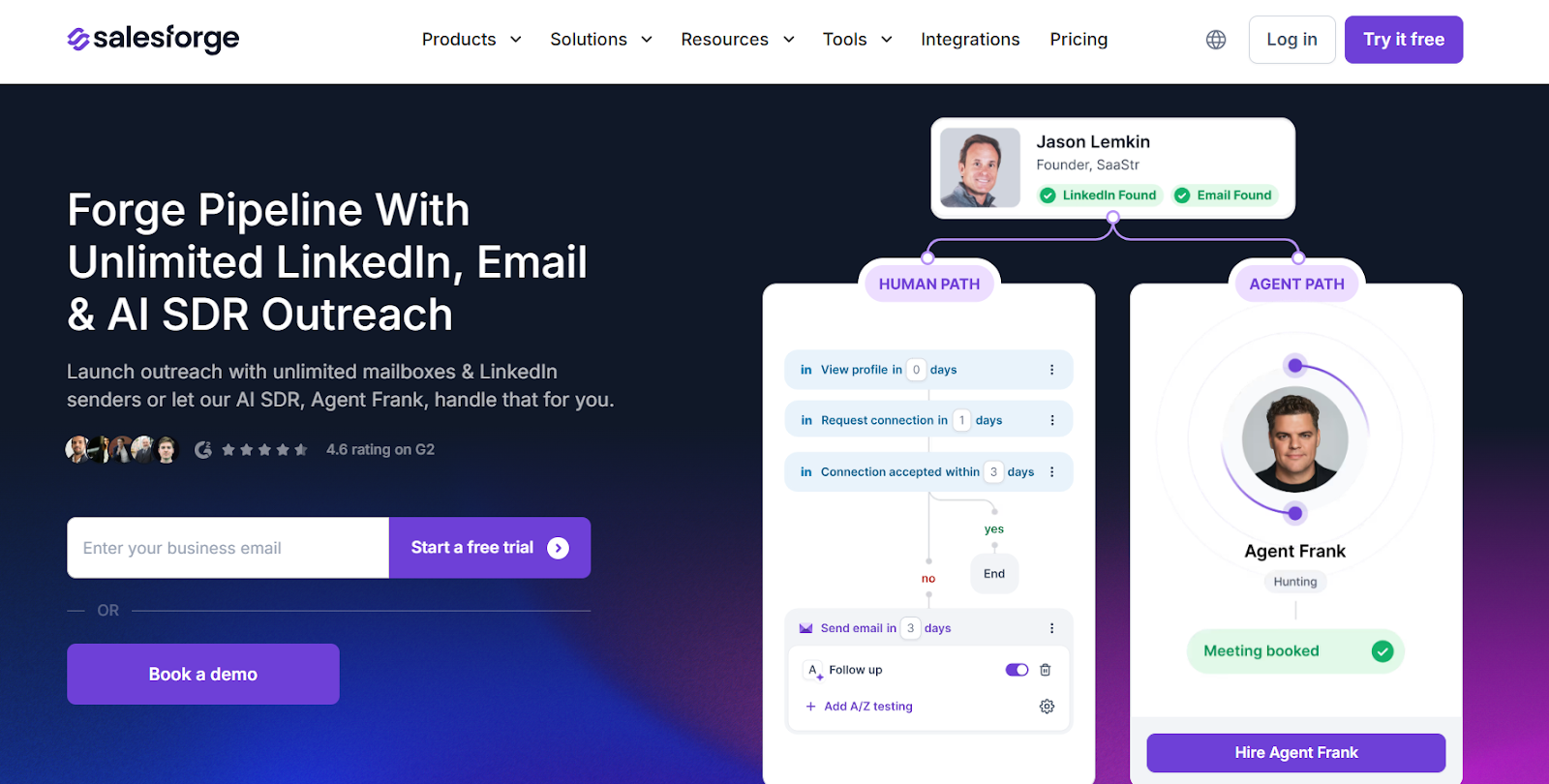
Salesforge homepage
This image shows the Salesforge homepage

Salesforge is a cold outreach and sales execution platform that helps teams run structured outbound campaigns.

What stands out to me is how it combines email outreach, LinkedIn outreach, and AI automation in one place.

This means I can build a full sales cadence without switching between multiple tools.

I can create sequences that include emails, LinkedIn messages, and follow-ups. 
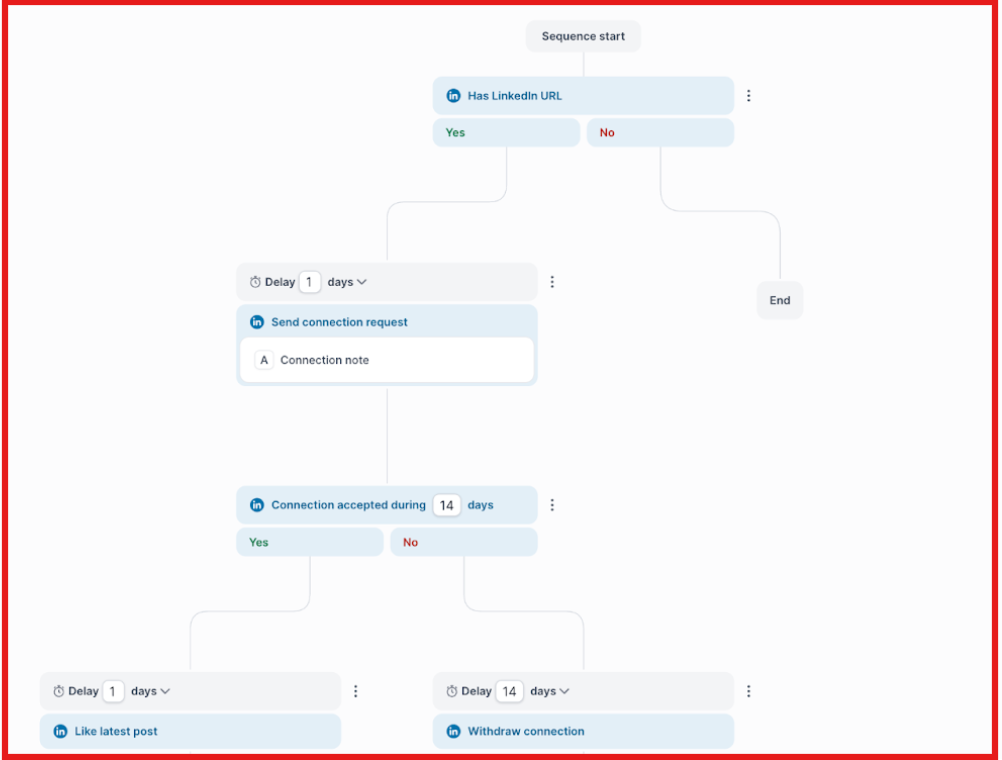
Multichannel sequences on Salesforge
This image shows the Multichannel sequences on Salesforge

Each step runs automatically based on the schedule I set.

So instead of remembering who to follow up with, the platform takes care of it.

Salesforge also focuses heavily on email deliverability.

It includes built-in email warm-up through Warmforge, which helps build sender reputation and improve inbox placement.

Another standout feature is Agent Frank, the platform’s AI SDR.
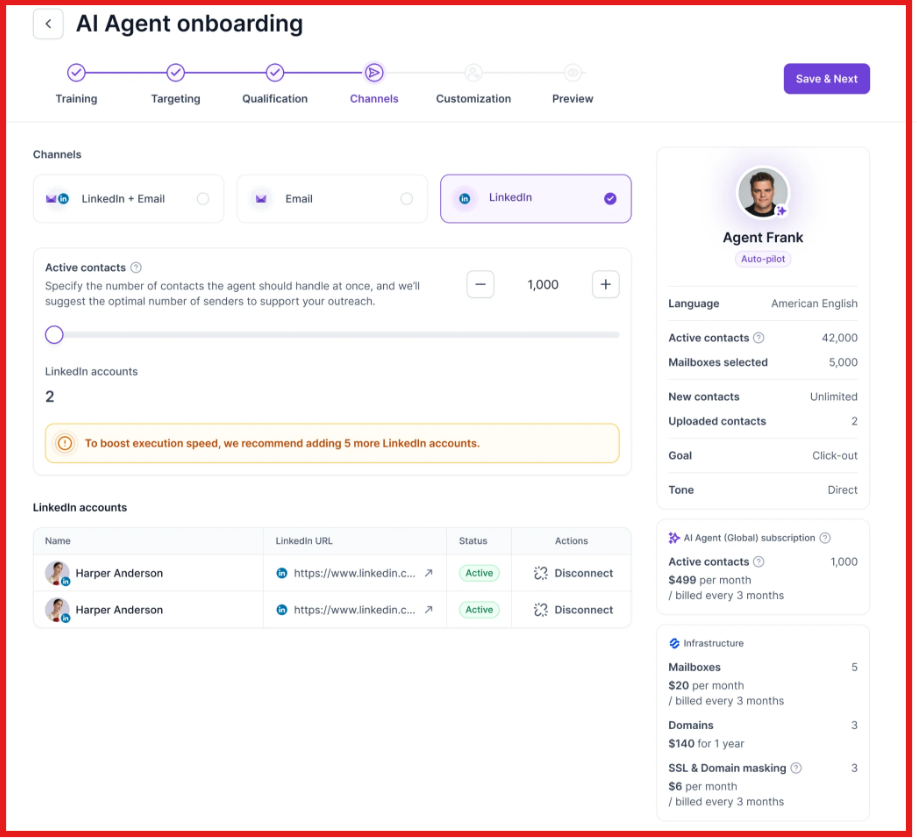
Set up Agent Frank for sending outreach
This image shows the Set up Agent Frank for sending outreach

Agent Frank can help with prospecting, sending outreach, following up with leads, and booking meetings. 

This helps automate a large part of the outbound process.

Overall, I find Salesforge a strong option for teams that want to run AI-assisted, multi-channel sales cadences at scale.
Key Features of Salesforge

  • Multi-channel sequences (email and LinkedIn)

  • Unlimited LinkedIn senders (Growth plan)

  • Smart mailbox rotation

  • Primebox unified inbox for managing replies

Pros and Cons of Salesforge

Pros Cons
  • Multi-channel sales cadences.
  • Unlimited mailboxes for scaling outreach.
  • Strong deliverability features.
  • AI personalization and automation.
  • Email infrastructure may require setup.
  • AI SDR requires an additional plan.
  • Some initial setup required.

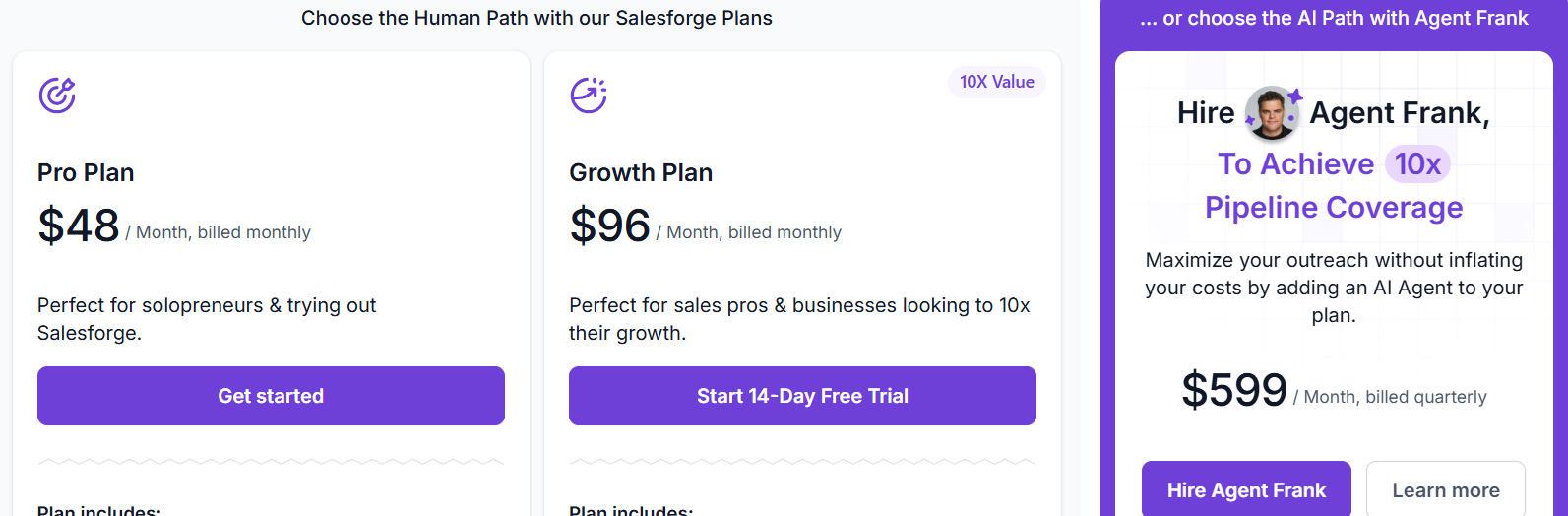
Salesforge Pricing

Salesforge pricing
This image shows the Salesforge pricing
  • Pro Plan: $48 per month

  • Growth Plan: $96 per month

  • Agent Frank (AI SDR): starts at $499 per month
Personalized Outbound Strategy

Get The Right Outbound Strategy In Minutes

Enter your email to get a custom plan & stack recommendation for your business

It's being carefully crafted by AI

Please check your mailbox in 5 minutes

2. Saleshandy

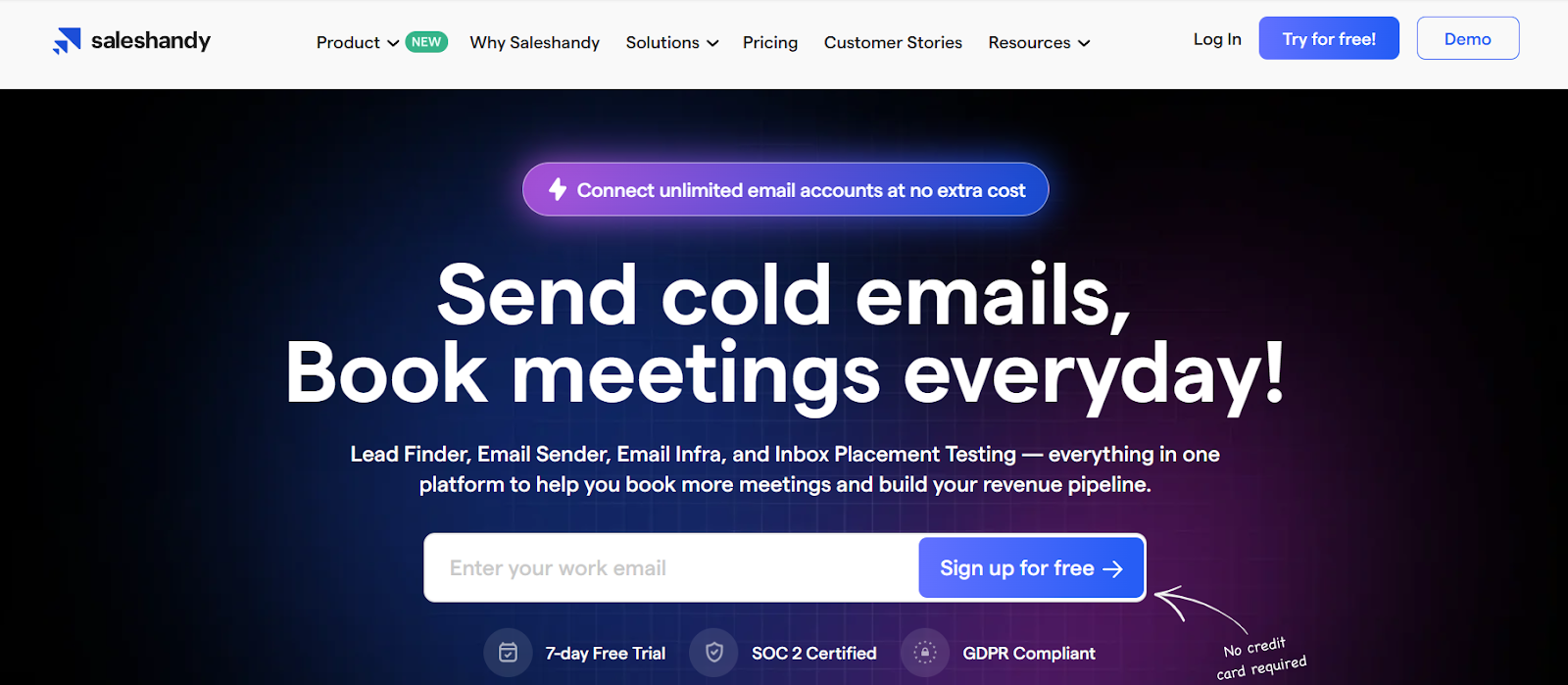
Saleshandy homepage
This image shows the Saleshandy homepage

Saleshandy is a cold email outreach platform that helps me run structured email follow-ups with prospects.

What I like is that it combines lead search and email sequencing in the same tool.

I can find prospects from its 700M+ contact database covering 60M+ companies.

Once the list is ready, I create multi-step email sequences with automated follow-ups.

These follow-ups can trigger based on prospect actions like opens, clicks, or no reply.

Saleshandy also includes AI tools for writing sequences.

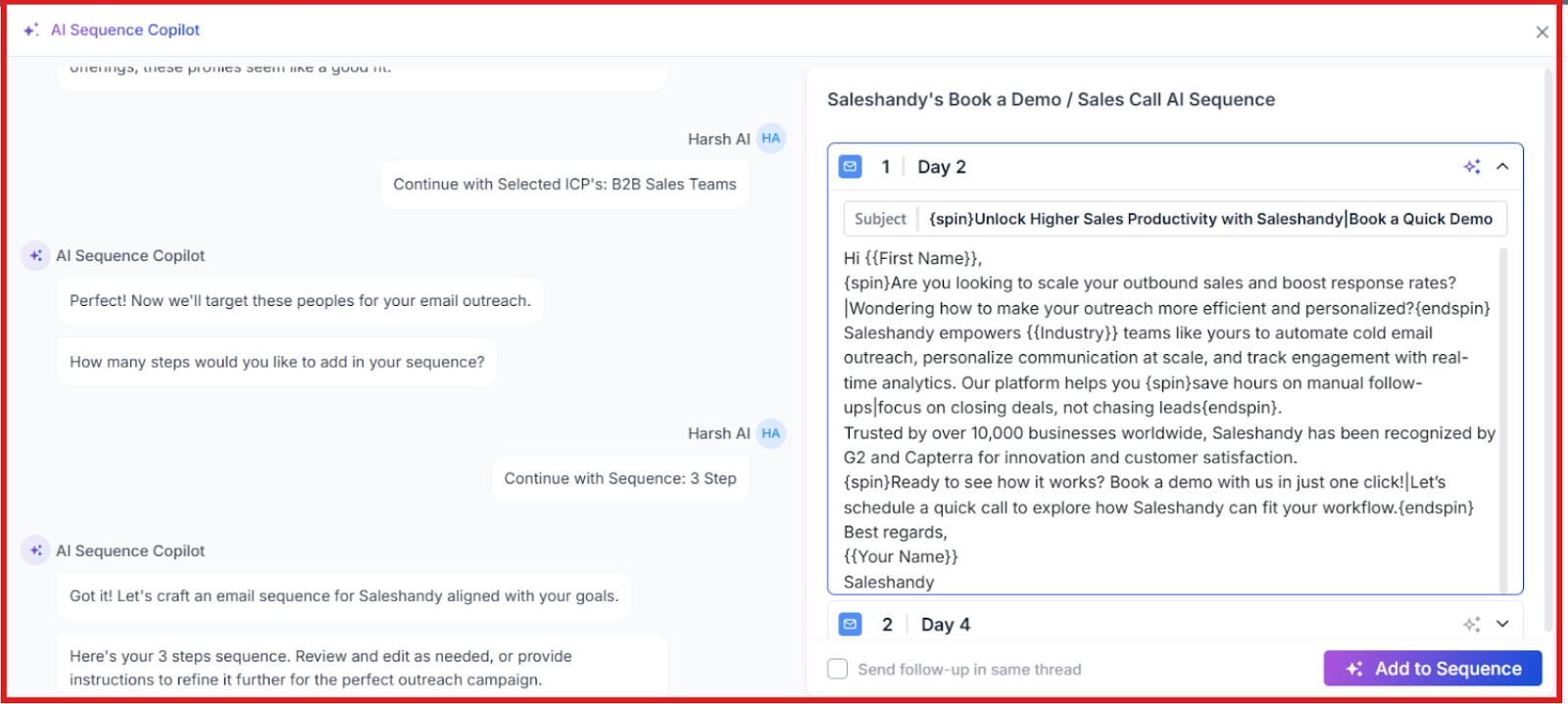
For example, AI Sequence Copilot can generate a full outreach sequence after scanning a website or business details.

AI Sequence Copilot setup for outreach sequence on Saleshandy
This image shows the AI Sequence Copilot setup for outreach sequence on Saleshandy

Saleshandy also allows connecting multiple email accounts, which helps scale email outreach campaigns.

Key Features of Saleshhandy

  • AI Lead Finder and prospect enrichment

  • Multi-step cold email sequences

  • Automated follow-ups based on engagement

  • AI Sequence Copilot for generating email sequences

  • Sender rotation to distribute email sending

Pros of Saleshandy

  • AI-generated email sequences

  • Built-in deliverability toolkit

  • Automated follow-up workflows

Cons of Salesandy

  • Mainly focused on email outreach

  • Free trial limited to 7 days

Saleshandy Pricing

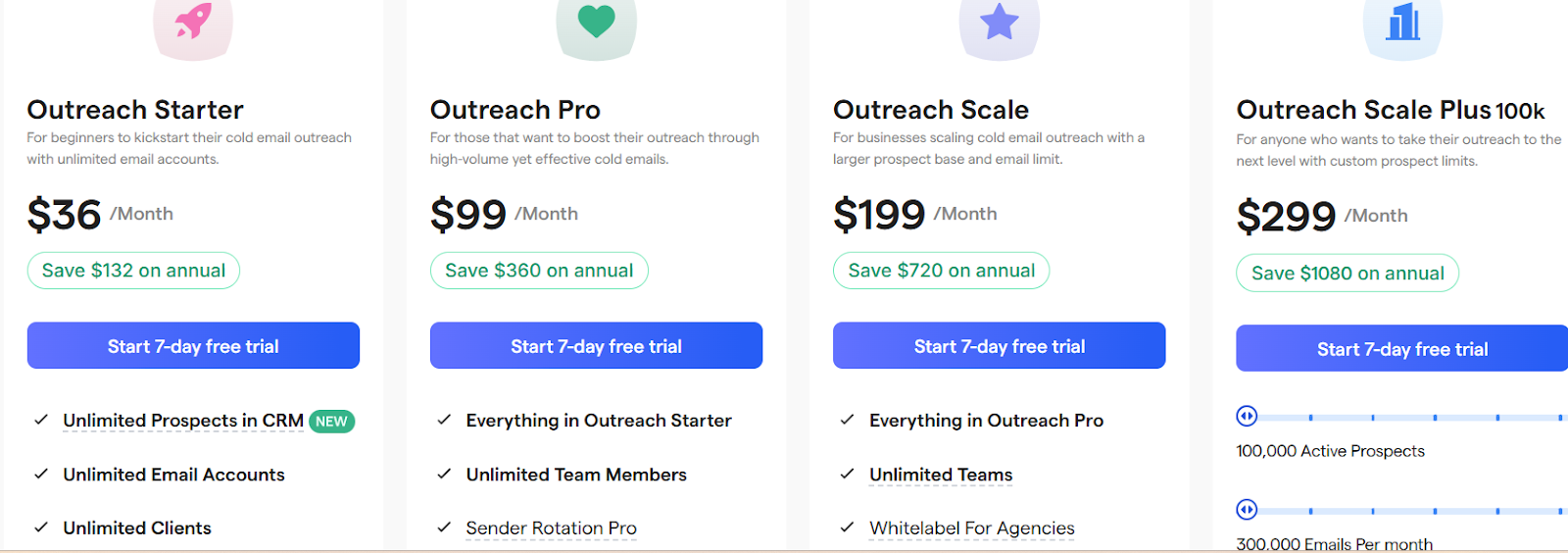
Saleshandy pricing
This image shows the Saleshandy pricing
  • Outreach Starter: $36/month

  • Outreach Pro: $99/month

  • Outreach Scale: $199/month

  • Outreach Scale Plus: $299/month

3. Apollo.io

Apollo.io homepage
This image shows the Apollo.io homepage

Apollo is a sales platform I use when I want lead data and outreach in one place.

It includes a large B2B database with 275M+ contacts and 73M+ companies.

This makes it easier to find prospects before starting a sales cadence.

Once I build a list, I add those contacts into Apollo sequences.

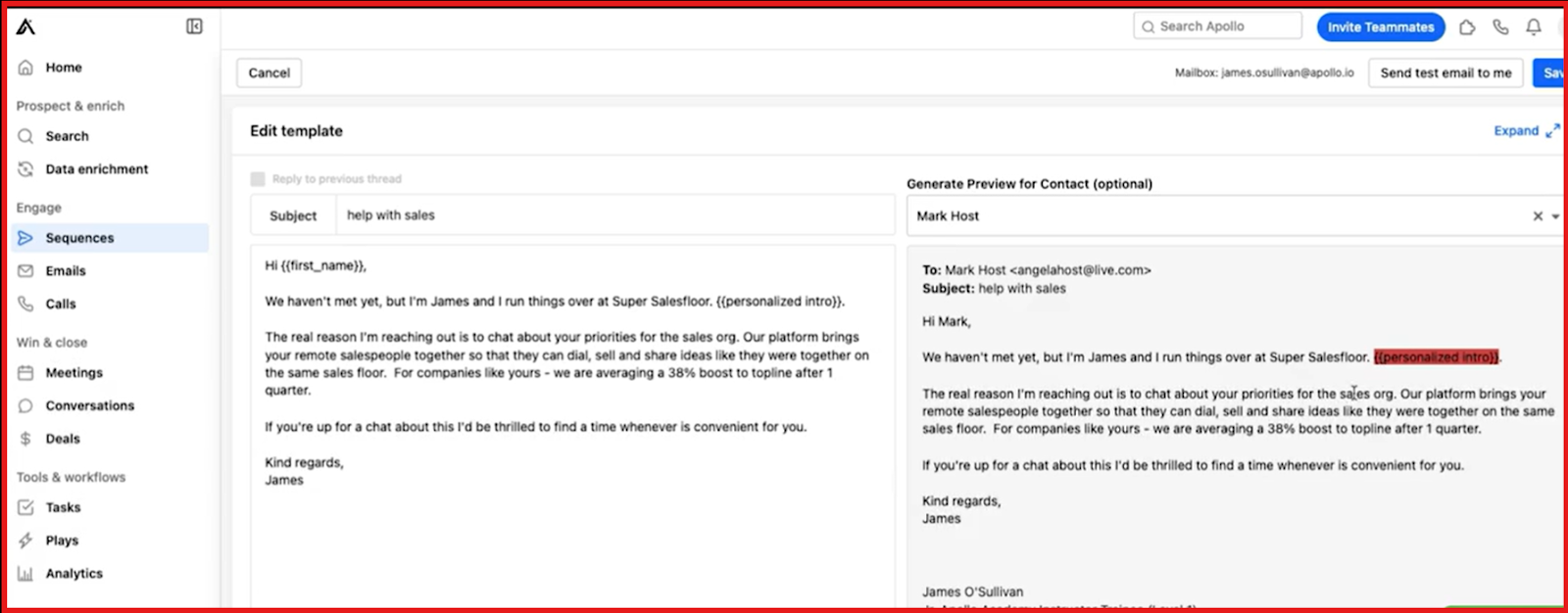
Sequences are structured outreach workflows that send emails automatically and create tasks for calls or LinkedIn actions.

Apollo sequences set up
This image shows the Apollo sequences set up

Each step runs on a schedule, so follow-ups happen without manual tracking.

Apollo also includes AI tools for writing emails.

It can suggest subject lines, generate drafts, and improve email messages.

Another useful feature is A/B testing inside sequences.

I can test different email versions to see which message gets more replies.

Overall, Apollo works well when a team wants prospecting data and sales cadences inside one platform.

Key Features of Apollo

  • Multi-step sales sequences for email and follow-up tasks

  • AI email writing and message suggestions

  • A/B testing for outreach campaigns

  • Chrome extension for LinkedIn prospecting

Pros of Apollo

  • Large built-in B2B contact database

  • Prospecting and outreach in one platform

  • AI assistance for writing emails

  • CRM integrations and reporting tools

Cons of Apollo

  • Learning curve for new users

  • Credit-based limits for contact data

Apollo Pricing

Apollo.io pricing
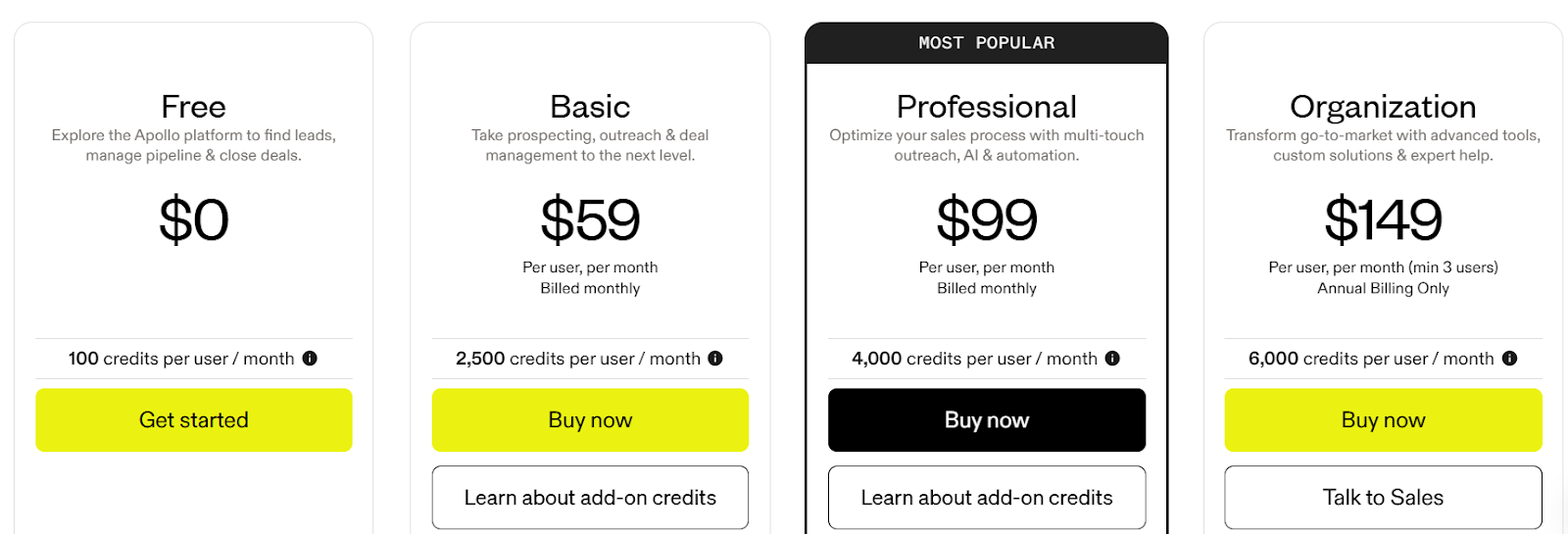
This image shows the Apollo.io pricing
  • Free: $0, limited credits and features

  • Basic: $59/user/month

  • Professional: $99/user/month

  • Organization: $149/user/month (annual billing, minimum seats required)

4. Outreach

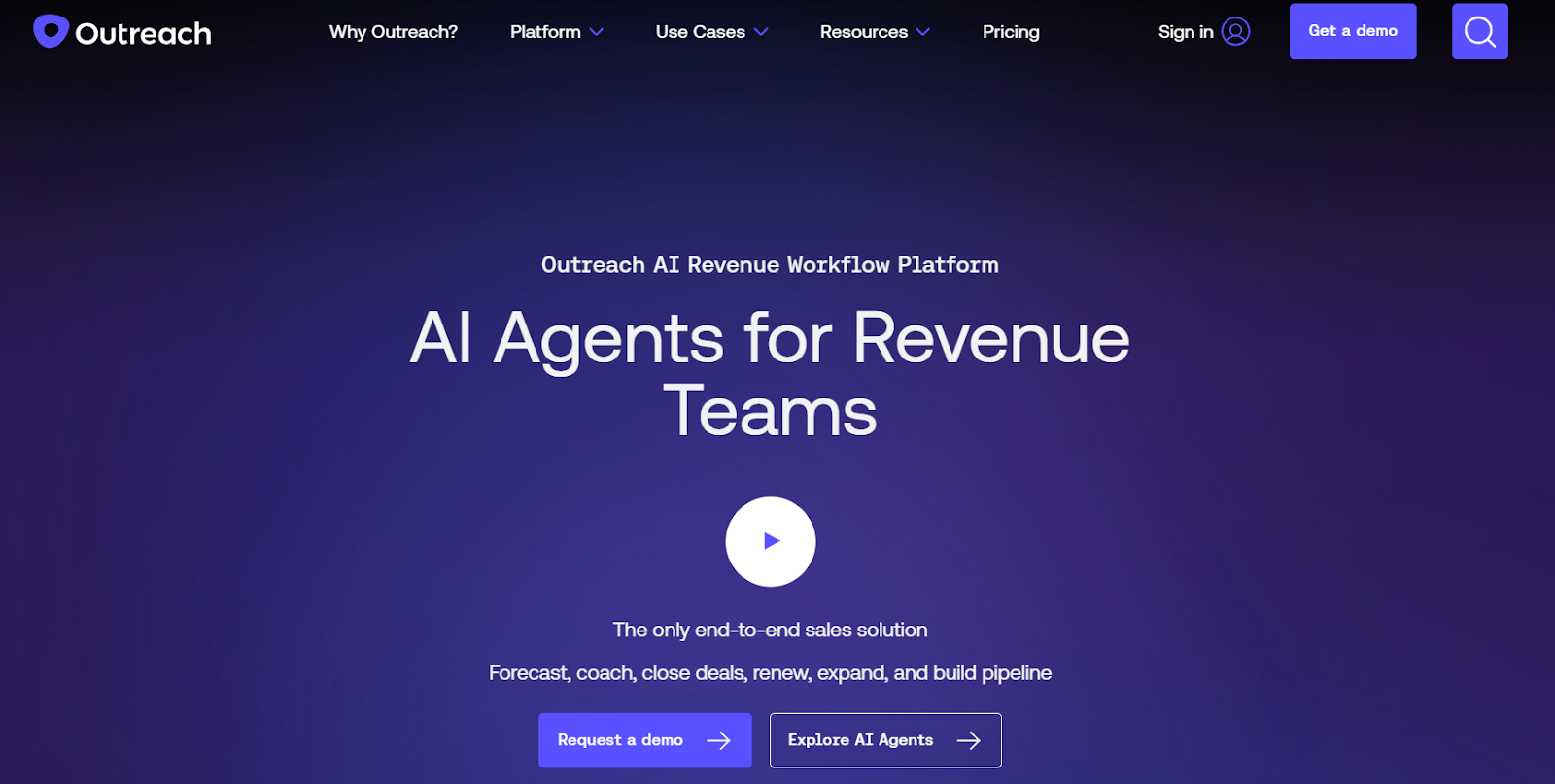
Outreach homepage
This image shows the Outreach homepage

Outreach is a sales execution platform that helps teams manage prospect engagement and sales workflows.

I usually recommend Outreach when a team needs highly structured outreach sequences.

With Outreach, I can build multi-step sequences that include emails, call tasks, and follow-ups.

Each step runs on a schedule, so reps know exactly when to contact a prospect next.

This makes it easier to run consistent sales cadences across large outbound campaigns.

Outreach also captures sales activities across channels.

Emails, calls, meetings, and tasks are recorded inside the platform, giving teams visibility into how prospects are being engaged.

Key Features of Outreach

  • Email, call, and task-based outreach workflows

  • Automation triggers for follow-ups and engagement actions

  • Activity tracking for emails, calls, and meetings

  • Conversation intelligence for sales calls

Pros of Outreach

  • Strong analytics and performance tracking

  • AI insights for sales conversations

  • Built for large sales organizations

Cons of Outreach

  • Can be complex for small teams

  • Pricing is not publicly listed

Outreach Pricing

Outreach pricing
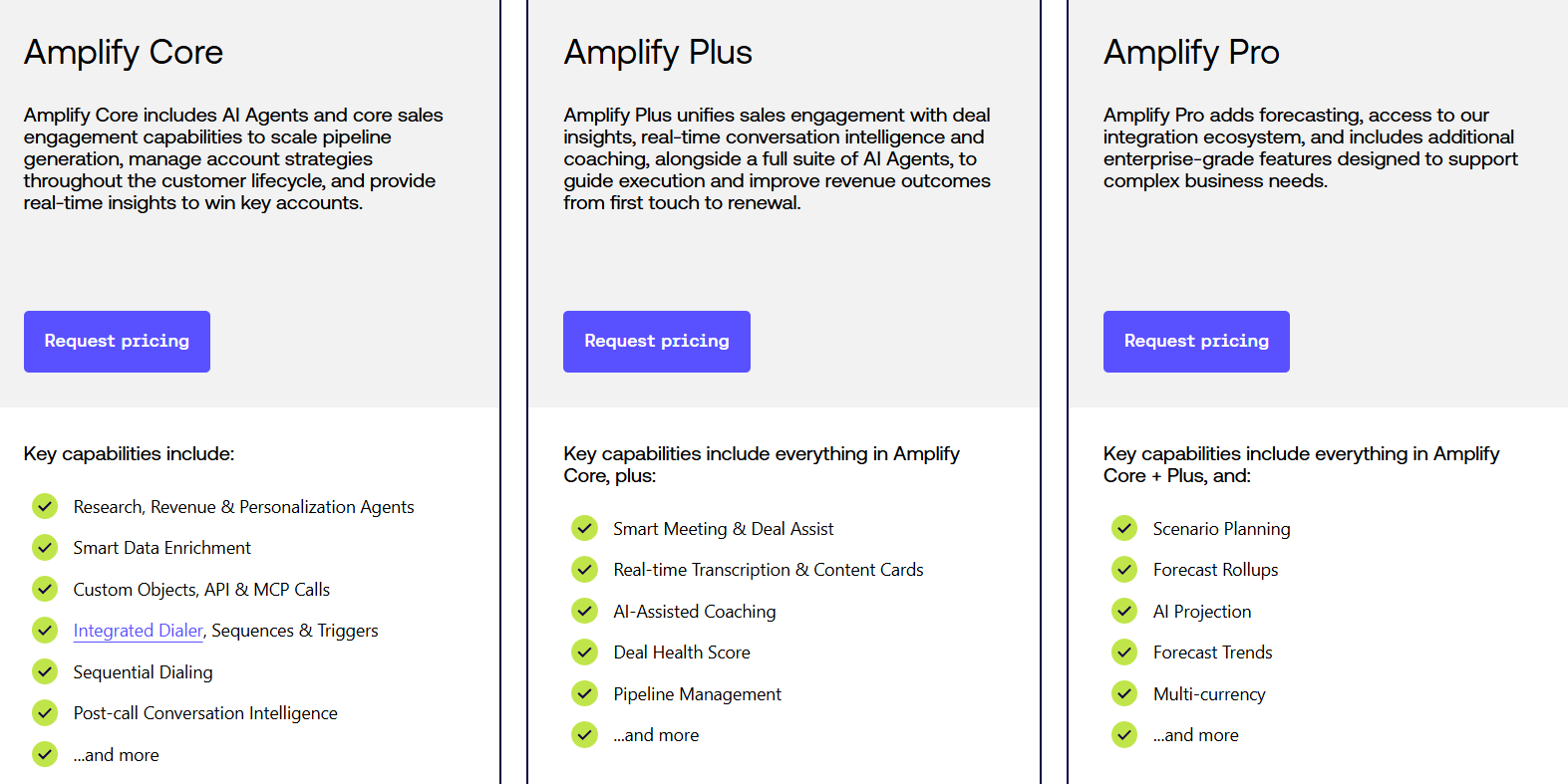
This image shows the Outreach pricing
  • Pricing is customized based on package and team size.

  • Plans include Amplify Core, Amplify Plus, and Amplify Pro.

5. Snov.io

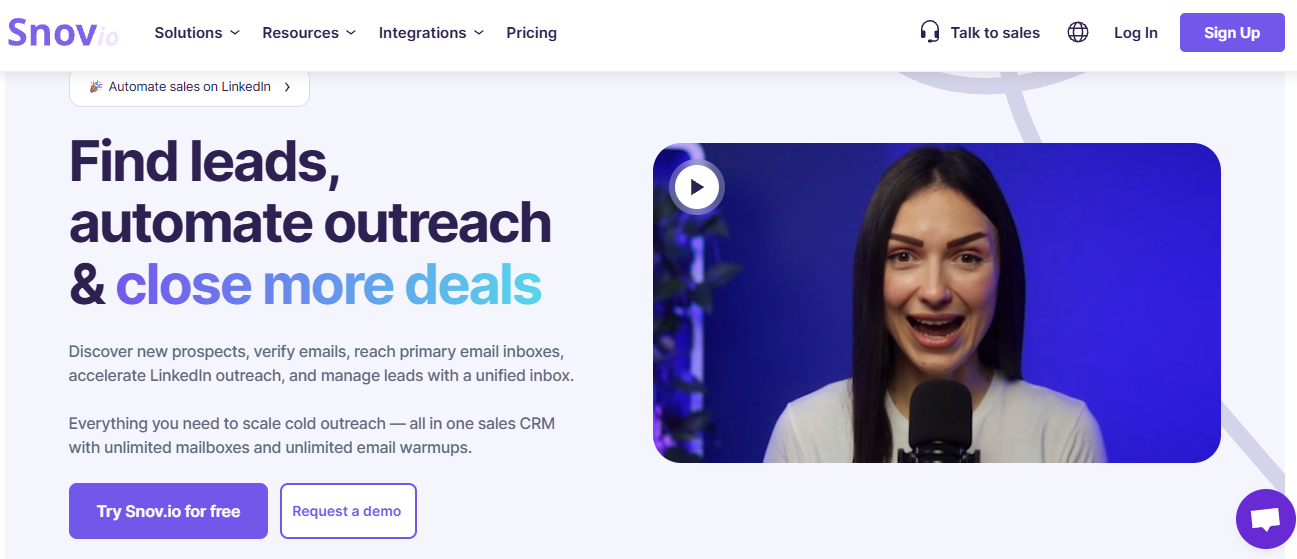
Snov.io homepage
This image shows the Snov.io homepage

Snov.io is a sales automation platform that helps me find leads and run outreach campaigns.

I can search for prospects using its B2B database or collect emails from LinkedIn and websites.

Once I have a list, I create multi-step email sequences with automated follow-ups.

These follow-ups can trigger based on actions like opens, clicks, or no reply.

Snov.io also includes tools to protect deliverability.

I can verify emails, warm up inboxes, and monitor domain health before launching campaigns.

Replies from multiple email accounts appear inside Unibox, which makes reply management easier.

Key Features of Snov.io

  • Multi-step cold email sequences

  • Automated follow-ups based on engagement

  • Email verification tools

  • Email warm-up and deliverability monitoring

Pros of Snov.io

  • Built-in email verification

  • Automated follow-up workflows

  • Supports multiple sender accounts

Cons of Snov.io

  • Setup can take time for beginners

  • Advanced automation features require higher plans

Snov.io Pricing 

Snov pricing
This image shows the Snov pricing
  • Free Plan – Limited monthly credits and limited recipients, no credit card required

  • Starter Plan – Starts at $39/month, includes increased credits and recipient limits

  • Pro Plans – Pricing scales based on recipient volume and credit usage

  • Custom Plans – Available for teams and agencies

  • LinkedIn Automation is available as an add-on

6. Reply.io

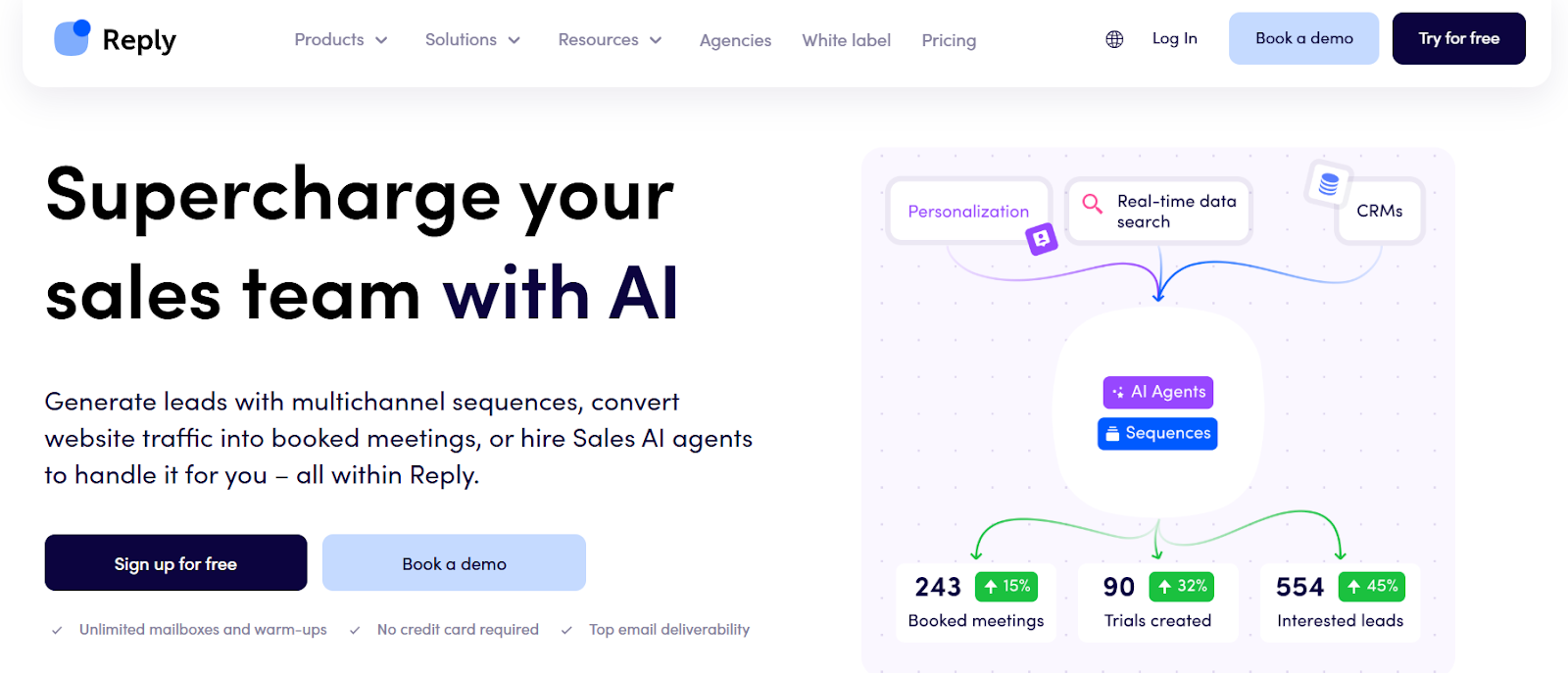
Reply.io homepage
This image shows the Reply.io homepage

Reply.io is a sales outreach platform that helps me run multichannel sales cadences from one place.

I can create sequences that include emails, LinkedIn steps, calls, SMS, or even WhatsApp messages.

This makes it easier to reach prospects through multiple touchpoints inside one cadence.

Reply also includes AI features that help generate outreach sequences.

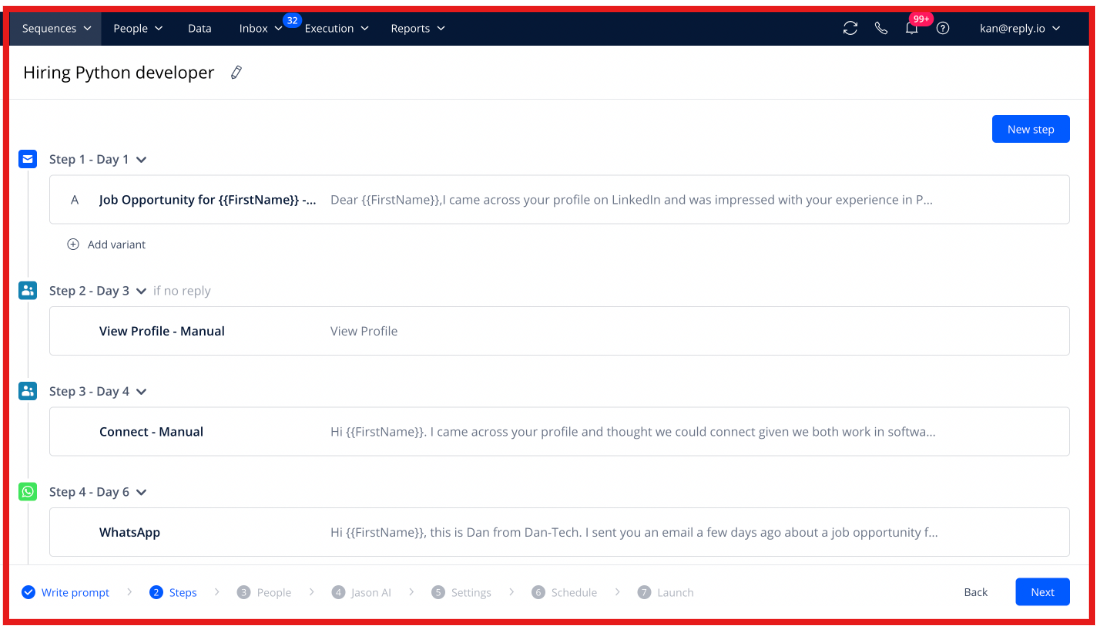
For example, the Jason AI SDR assistant can build multichannel sequences and generate personalized messages based on prospect data.

Build multichannel sequences by Jason AI SDR
This image shows the Build multichannel sequences by Jason AI SDR

The platform also supports meeting scheduling directly from outreach campaigns.

This allows prospects to book meetings easily once they reply to a sequence.

Key Features of Reply.io

  • AI-generated sequences with Jason AI SDR

  • Prospect database with real-time contact search

  • Email warm-up and deliverability tools

  • Meeting scheduling directly from sequences

Pros of Reply.io

  • AI helps generate personalized sequences

  • Built-in deliverability tools and email warm-ups

  • Prospect discovery with large contact database

Cons of Reply.io

  • Advanced AI features may require higher plans

  • Multichannel setup can take time for new users

Reply.io Pricing

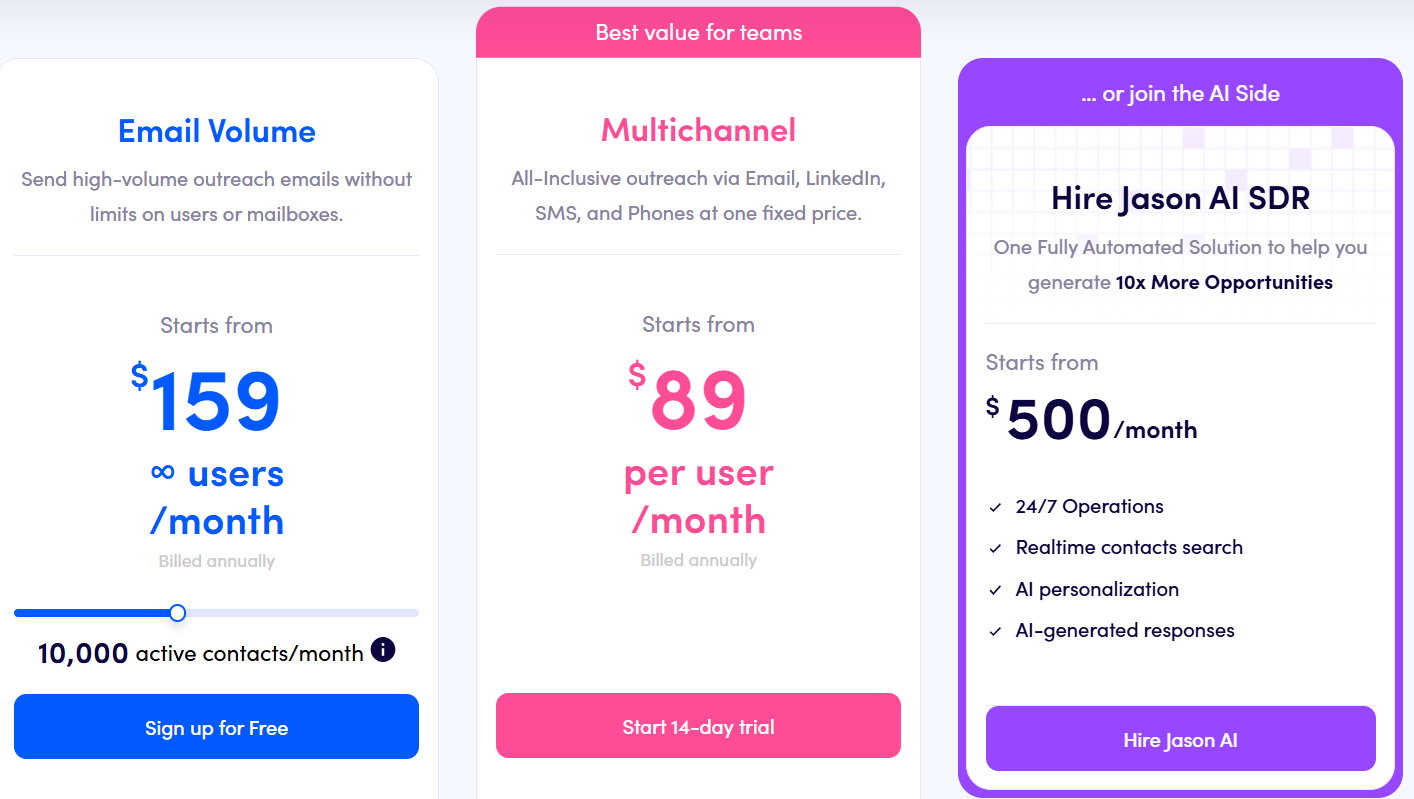
Reply.io pricing
This image shows the Reply.io pricing
  • Email Volume Plan - Starts from: $159/month, 10,000 active contacts/month
  • Multichannel Plan - Starts from: $89/user/month
  • Jason AI SDR - Starts from: $500/month

7. Mixmax

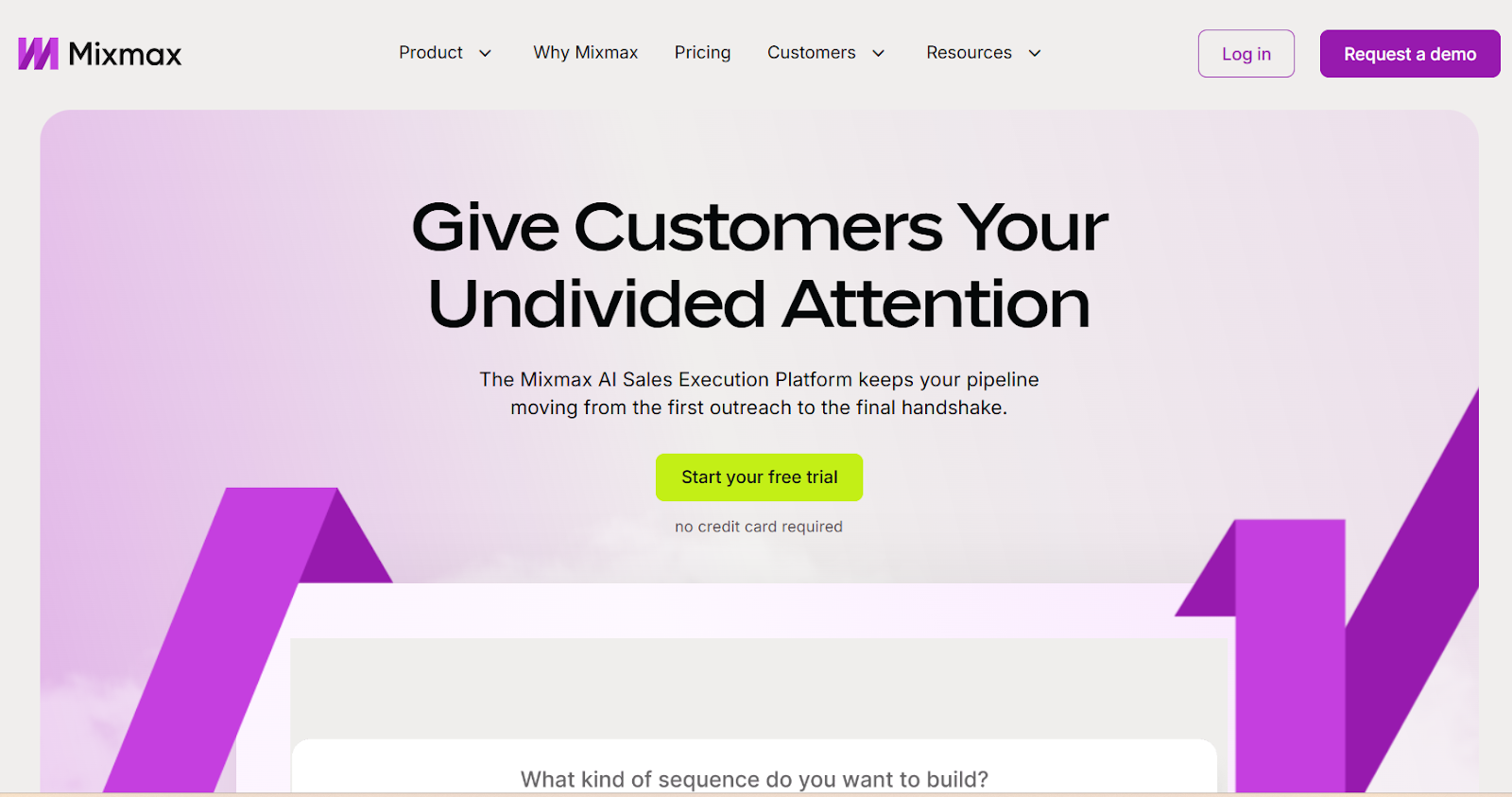
Mixmax homepage
This image shows the Mixmax homepage

Mixmax is a sales execution platform that helps manage outreach, meetings, and follow-ups directly from the inbox.

It helps create email sequences and manage follow-ups so conversations with prospects stay active.

Mixmax also provides email engagement signals. 

For example, I can track opens and interactions to understand which prospects are engaging.

The platform includes several AI assistants called Copilots.

  • Inbox Copilot organizes inbox activity, highlights important messages, and reminds me to follow up.

  • Meeting Copilot prepares meetings, captures notes, and summarizes next steps after calls.

  • Engagement Copilot helps create sequences and guides outreach across channels.

Overall, I see Mixmax as a useful option when the goal is managing sales outreach.

Key Features of Mixmax

  • Gmail and Outlook inbox extension

  • Engagement across email, LinkedIn, and phone

  • Email tracking and engagement signals

  • AI Copilots for inbox management, meetings, and engagement

Pros of Mixmax

  • AI Copilots assist with meetings and outreach

  • Email engagement signals help prioritize prospects

  • Meeting scheduling built into emails

Cons of Mixmax

  • Most functionality depends on the inbox extension

  • Advanced capabilities require higher plans

Mixmax Pricing 

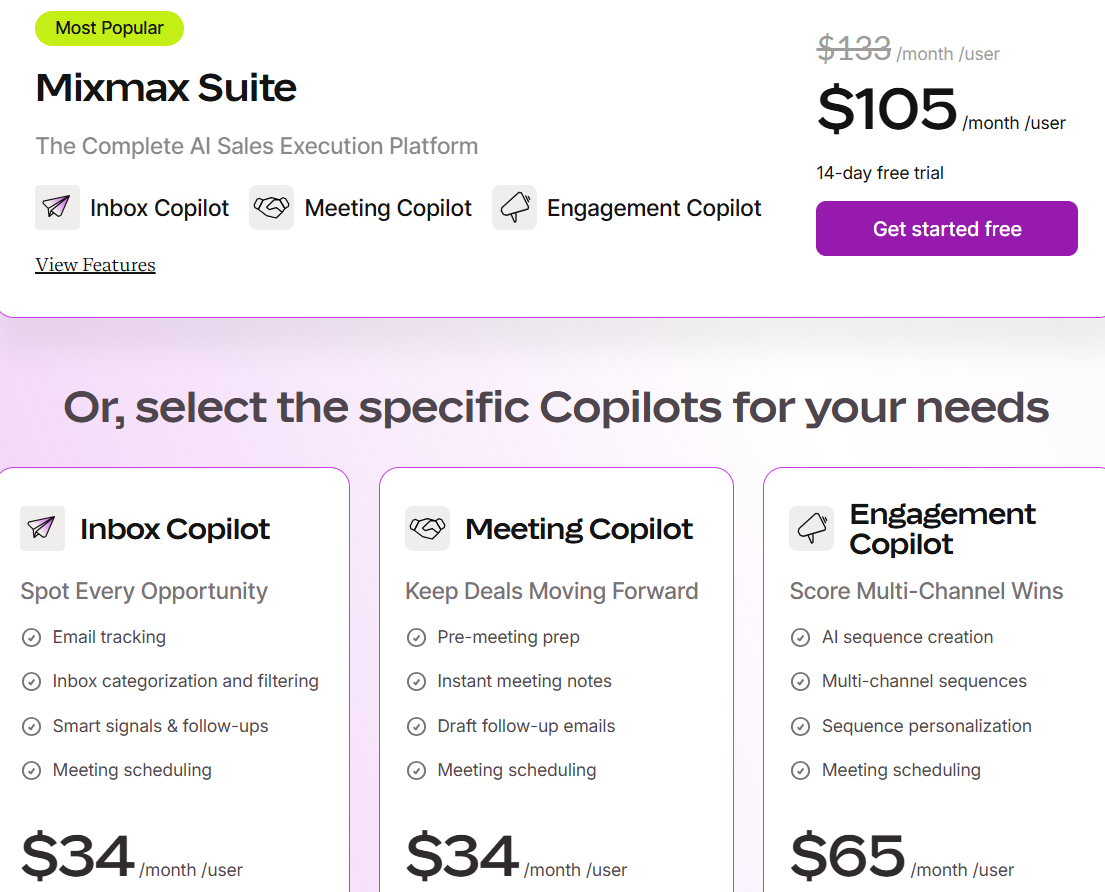
Mixmax pricing
This image shows the Mixmax pricing
  • Mixmax Suite: $105/user/month

  • Inbox Copilot: $34/user/month

  • Meeting Copilot: $34/user/month

  • Engagement Copilot: $65/user/month

Mixmax offers a 14-day free trial, and users can move to a free plan with basic features after the trial.

8. Mailshake

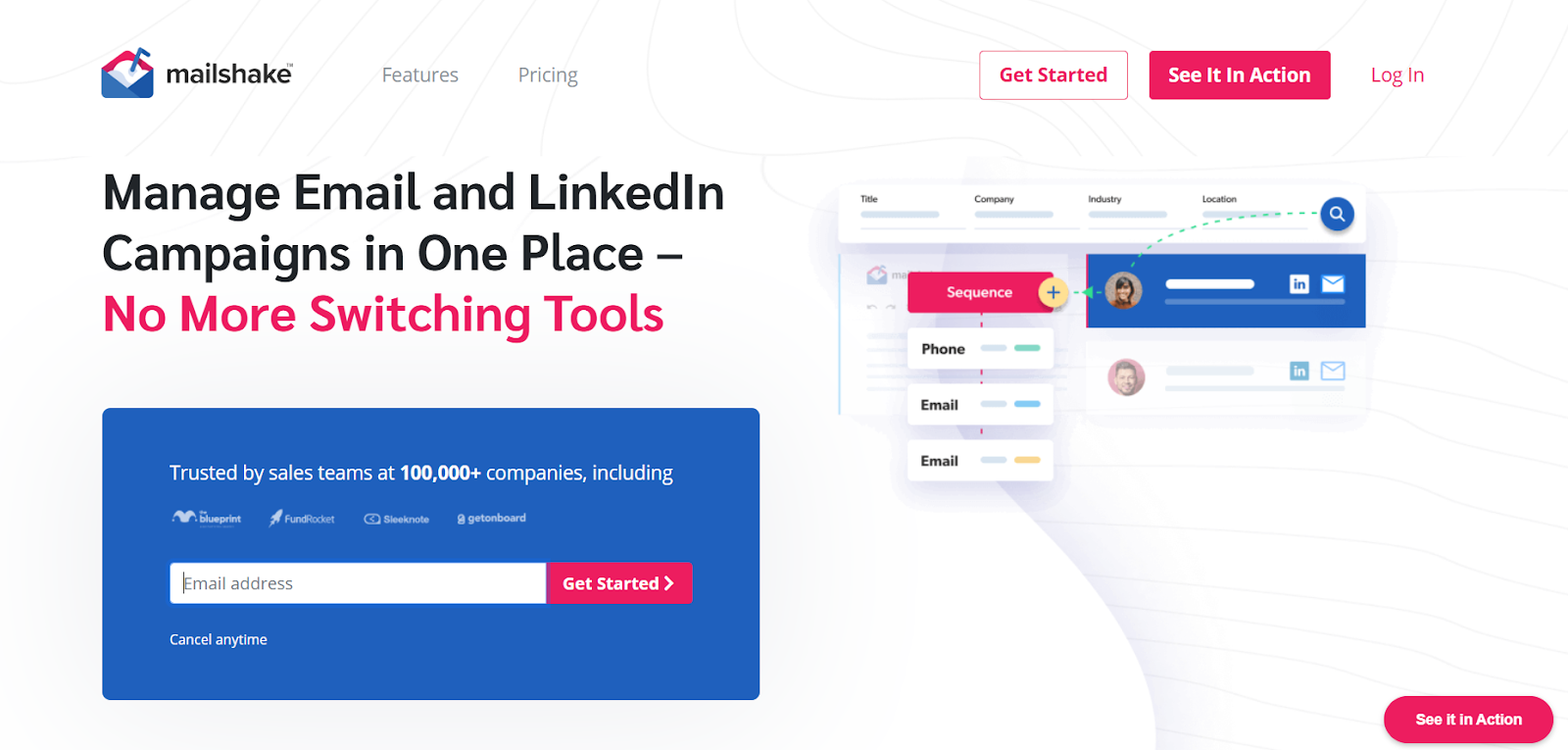
Mailshake homepage
This image shows the Mailshake homepage

Mailshake is an outreach platform that helps me run cold email campaigns and follow-ups with prospects.

I can create email outreach campaigns with automated follow-ups.

Mailshake also supports mail merge.

It allows me to insert personalized text and links for each recipient while sending emails at scale.

Another capability is LinkedIn automation.

Mailshake can send LinkedIn messages, connection requests, and profile views as part of outreach activities.

Mailshake also provides Data Finder, which allows searching for prospects by role, company, or location.

Key Features of Mailshake

  • LinkedIn automation for messages and connection requests

  • Campaign analytics with opens, replies, and clicks

  • Email deliverability tools including warm-up and list cleaning

Pros of Mailshake

  • LinkedIn automation included for outreach activities

  • Built-in dialer for calling prospects

  • Campaign analytics for tracking engagement

Cons of Mailshake

  • No free trial available

  • Some features available only in higher plans

Mailshake Pricing 

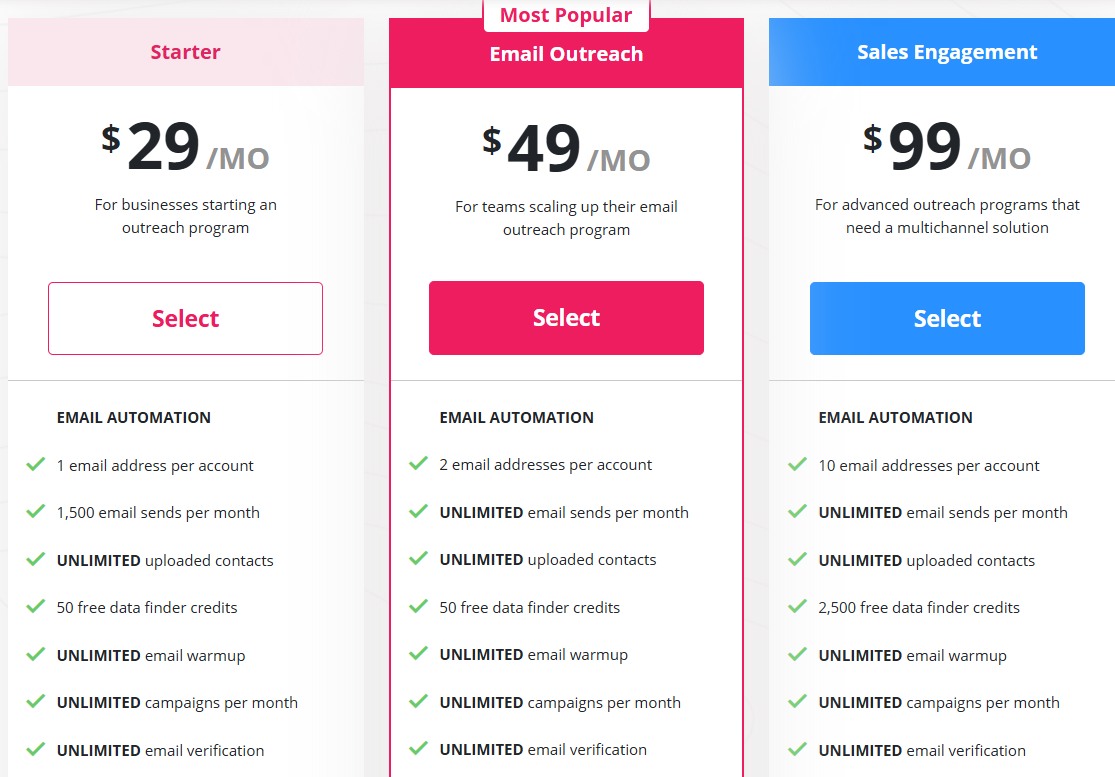
Mailshake pricing
This image shows the Mailshake pricing
  • Starter: $29/month

  • Email Outreach: $49/month

  • Sales Engagement: $99/month

  • Agency Plan: Custom pricing

Optional add-ons:

  • Data Finder: $19/month

  • Ready-to-Use Mailboxes: $12/month

9. Lemlist

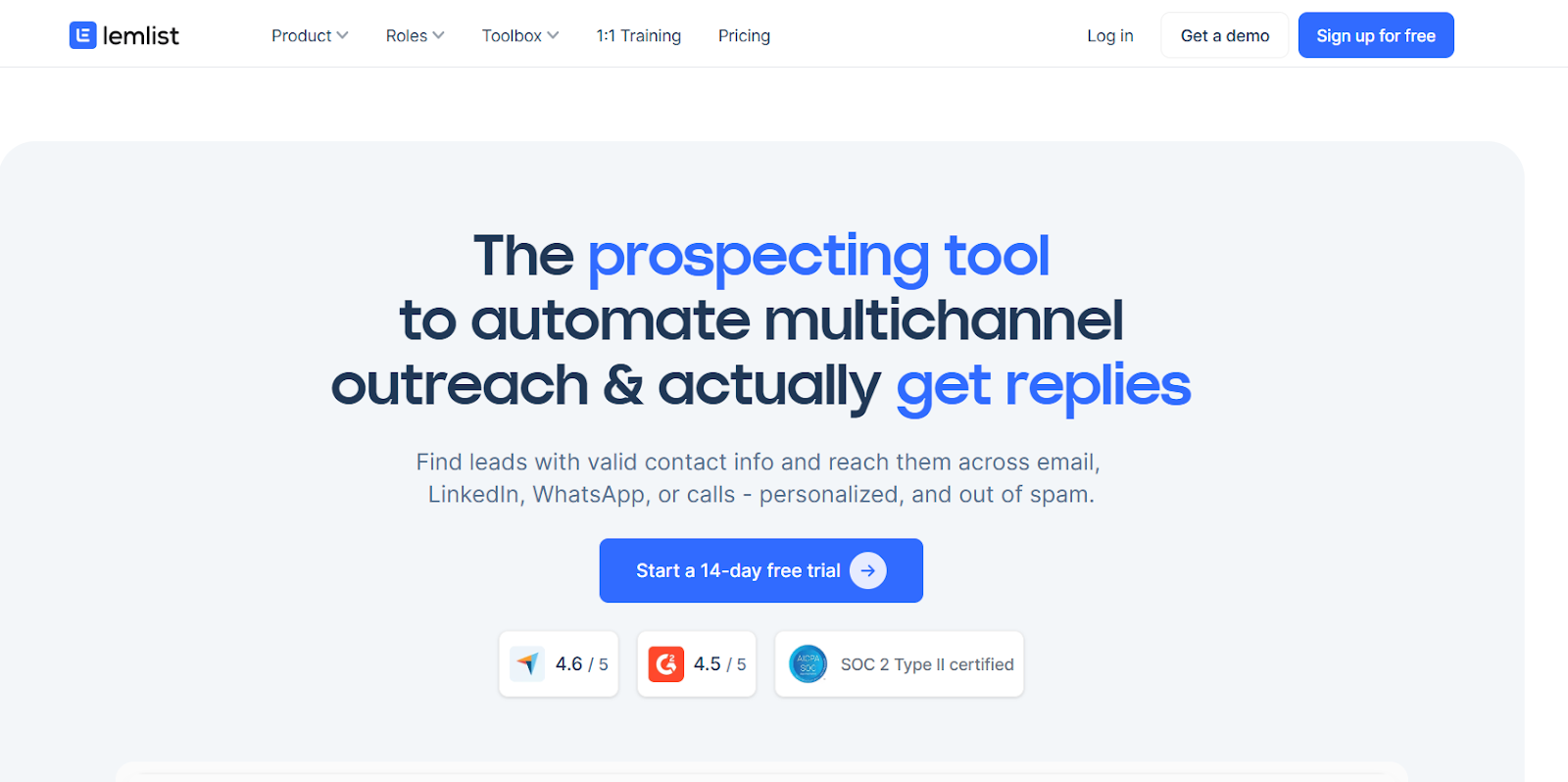
Lemlist homepage
This image shows the Lemlist homepage

Lemlist is a sales engagement platform I use to run outreach across multiple channels from one place.

Instead of sending only emails, I can build sequences that include email, LinkedIn actions, WhatsApp messages, and calls.

This helps create a sales cadence with several touchpoints.

Another strong part is personalization.

I can use dynamic variables, images, videos, and AI-generated opening lines to make outreach more relevant.

Lemlist includes lemwarm, which automatically warms email accounts and helps keep emails out of spam.

Lemwarm by Lemlist‍
This image shows the Lemwarm by Lemlist

Key Features of Lemlist

  • Lead enrichment with verified emails and phone numbers

  • AI-generated opening lines and outreach sequences

  • Dynamic images, videos, and personalization variables

  • Email warm-up with lemwarm

  • A/B testing for outreach campaigns

Pros of Lemlist 

  • Advanced personalization options

  • Built-in lead database and enrichment

  • Deliverability support with lemwarm

Cons of Lemlist 

  • Some channels require paid add-ons

  • Multichannel automation available in higher plans

Lemlist Pricing 

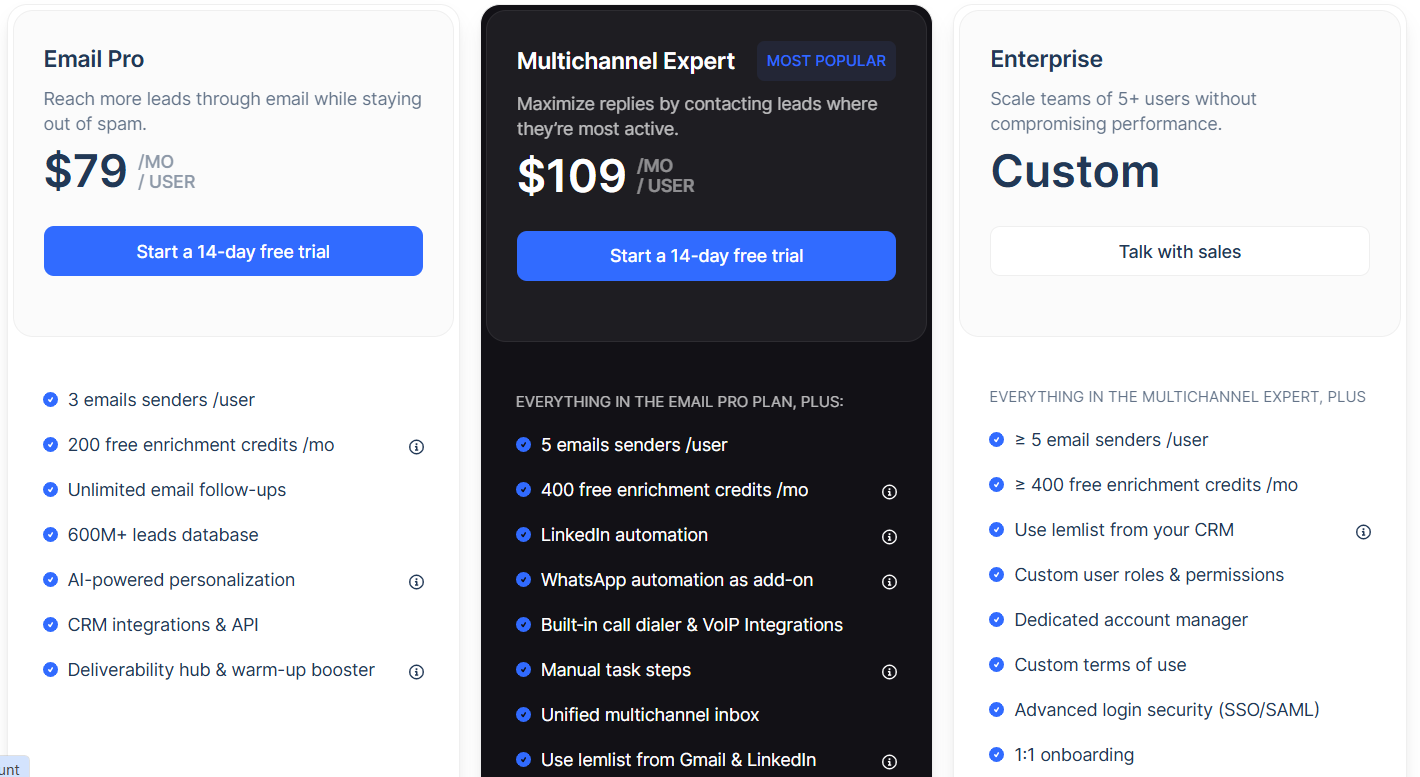
Lemlist pricing
This image shows the Lemlist pricing
  • Email Pro: $79/user/month

  • Multichannel Expert: $109/user/month

  • Enterprise: Custom pricing

10. Instantly

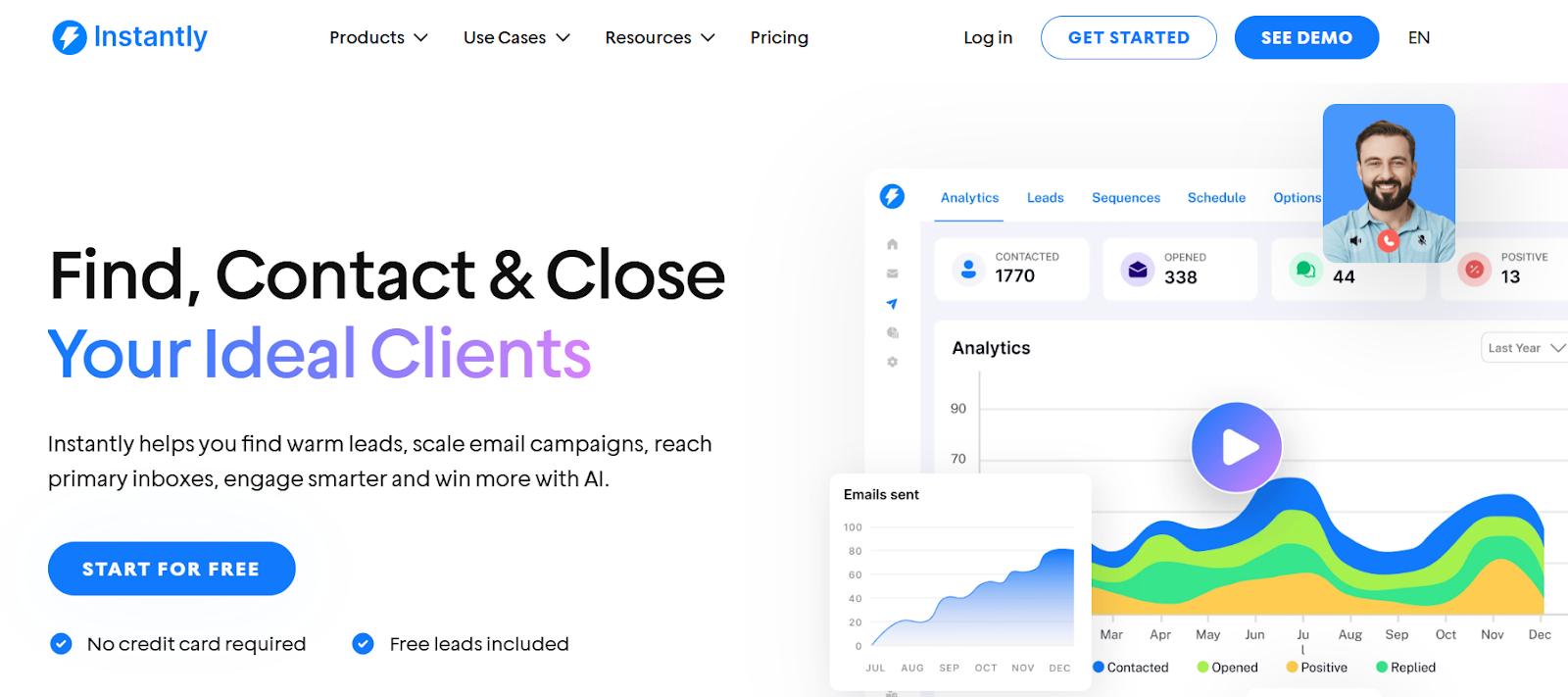
Instantly homepage
This image shows the Instantly homepage

Instantlyis a sales engagement platform I use to run cold email outreach at scale.

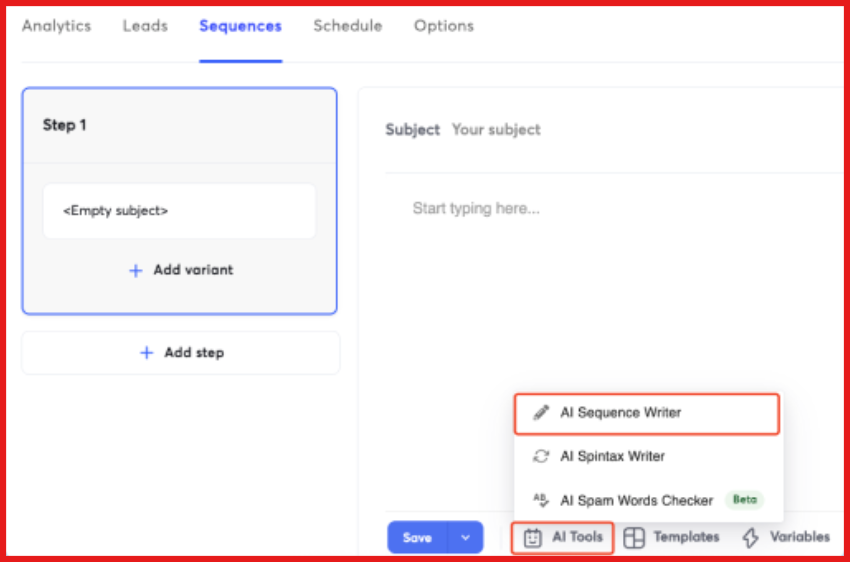
I can create automated email sequences with follow-up steps, which helps maintain a consistent sales cadence with prospects.

Instantly AI sequence generator
This image shows the Instantly AI sequence generator

For managing replies, Instantly provides Unibox.

Its a unified inbox where I can view and respond to conversations from multiple email accounts.

The platform also provides campaign analytics.

This helps track metrics like replies, conversions, and pipeline performance.

Key Features of Instantly

  • Automated cold email sequences with follow-ups

  • Automatic email warm-up system

  • AI sequence generator and personalization tools

  • Campaign analytics and performance tracking

Pros of Instantly

  • Strong deliverability and warm-up features

  • AI tools for outreach and personalization

  • Unified inbox for managing replies

Cons of Instantly

  • Mainly focused on email outreach

  • High-volume sending requires proper setup to maintain deliverability

Instantly Pricing

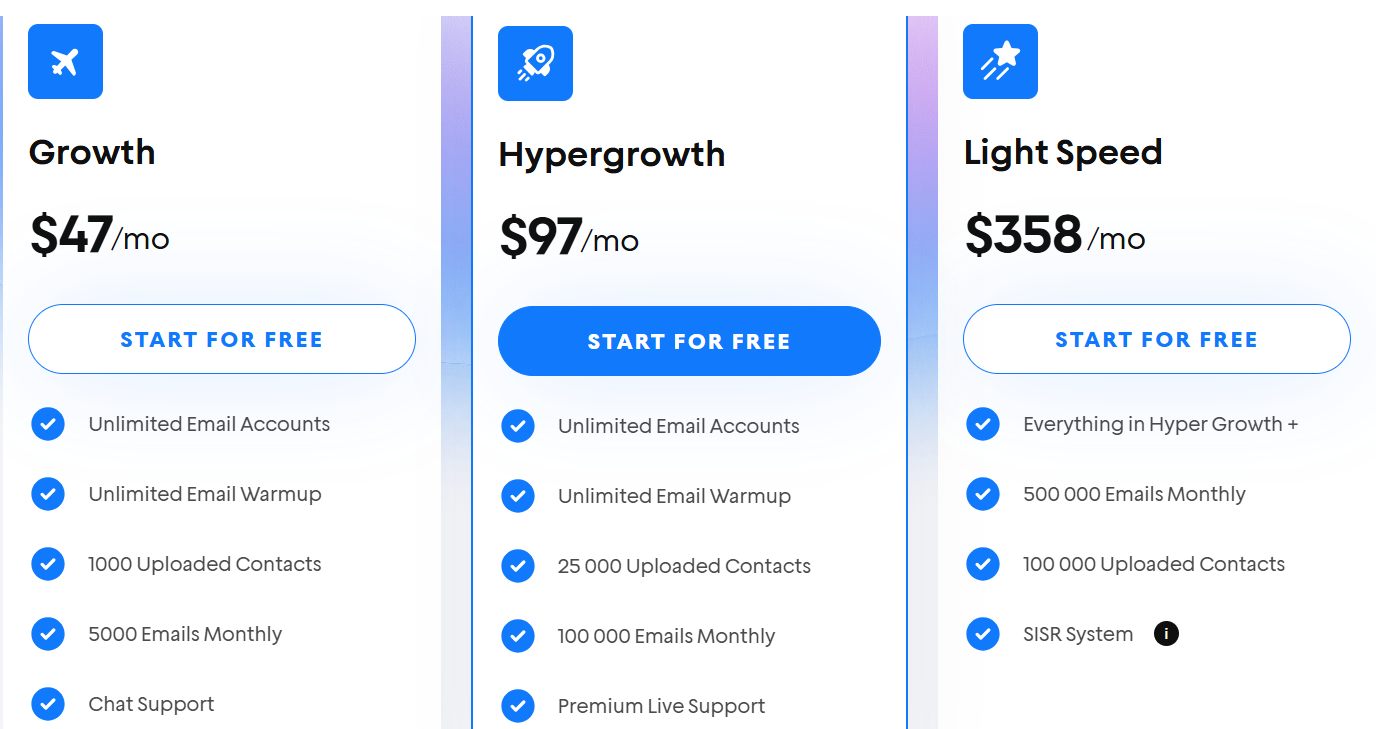
Instantly pricing
This image shows the Instantly pricing
  • Growth: $47/month

  • Hypergrowth: $97/month

  • Light Speed: $358/month
Personalized Outbound Strategy

Get The Right Outbound Strategy In Minutes

Enter your email to get a custom plan & stack recommendation for your business

It's being carefully crafted by AI

Please check your mailbox in 5 minutes
Which Sales Cadence Tool Should You Choose?

The right sales cadence tool depends on how you run outbound.

If you only need cold email campaigns, tools like Instantly or Mailshake can work well.

If you want lead search and outreach together, platforms like Apollo.io or Snov.io can help.

But in my experience, outbound works better when the entire stack is connected.

For example, I can find prospects in Leadsforge, warm mailboxes with Warmforge, and then run outreach through Salesforge.

Salesforge lets me run email and LinkedIn sequences from one place and manage replies inside Primebox™.

So if your goal is to manage outreach without juggling multiple tools, Salesforge is worth trying.

Start a free trial of Salesforge and see how multi-channel sales cadences work.