
Personalized Outbound Strategy
Get The Right Outbound Strategy In Minutes
Enter your email to get a custom plan & stack recommendation for your business
It's being carefully crafted by AI
Please check your mailbox in 5 minutes
If you’re searching for a real Lyzr AI review, you’re probably trying to decide whether it’s worth the time to set up or just another AI tool that looks good but takes too much effort to use. I tested Lyzr AI for 4 weeks to see if it can actually handle real business workflows. What I found is that it’s powerful, but it works very differently from most tools people expect.
It doesn’t give instant results. Most of the effort goes into defining workflows, setting up agents, and connecting data before you start seeing meaningful output. That makes it less of a plug-and-play tool and more of a system you have to build first. In this review, I’ll break down what actually works, what doesn’t, and who should use it.
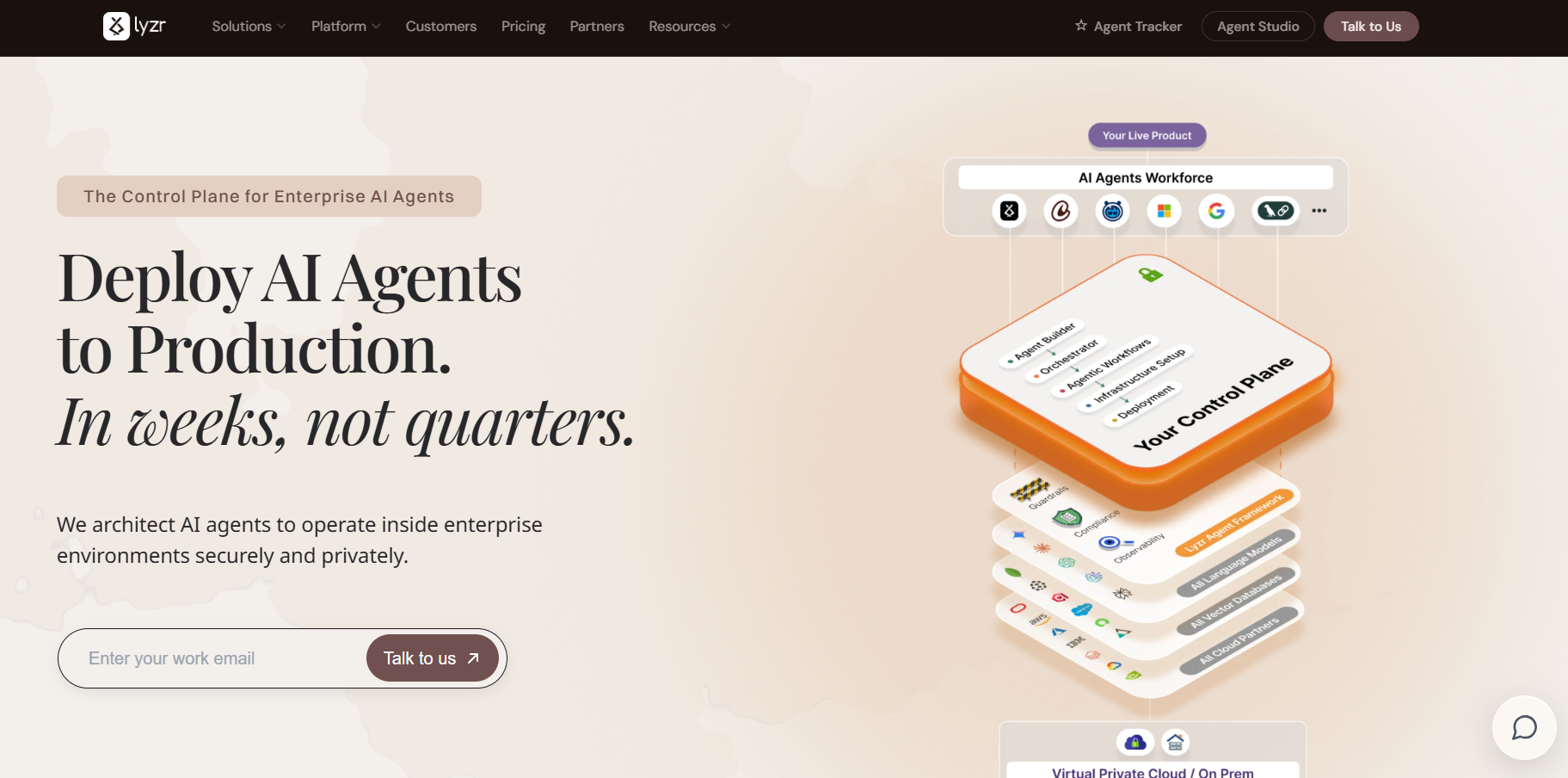
Lyzr AI is a platform that helps you build and run AI agents for real business tasks. These agents can handle work like customer support, onboarding, operations, and internal workflows. Instead of just giving answers like a chatbot, Lyzr focuses on agents that actually do the work.
The platform gives you tools to design, customize, and deploy these agents inside your systems. You can run them on the cloud or inside your own private environment for better control and security.
Lyzr also provides 100+ pre-built agent templates, so you don’t have to start from scratch. These agents can connect with your tools like CRM, databases, and internal apps to automate workflows. The goal of Lyzr is to turn manual processes into AI-driven systems that run on their own.
Lyzr AI does not work like a usual AI tool. It follows a structured setup where you define workflows first, then build agents around them. Here’s how it worked for me:
I started by setting up Lyzr on cloud and exploring its deployment options. It also supports private environments like VPC, which is useful if you need more control and security.
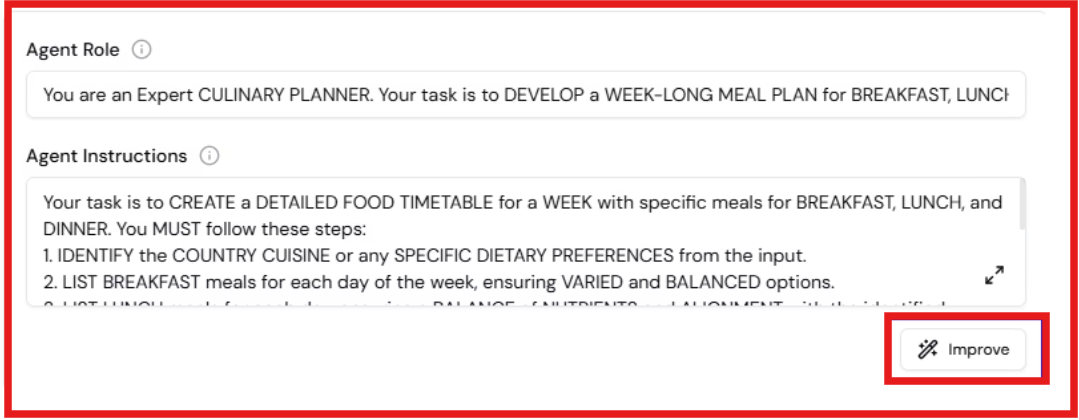
Before building anything, I had to clearly define the use case. For example, support automation, onboarding flows, or internal operations. Without this step, I didn’t get much value from the platform.
Lyzr gives access to 100+ agent blueprints. I tested a few of them, and they work as a starting point. But in most cases, I still had to customize them based on my workflow.

Next, I connected the agent with external systems. This includes enterprise tools, APIs, and internal data sources. This is where the agent starts becoming useful, because it gets real context.
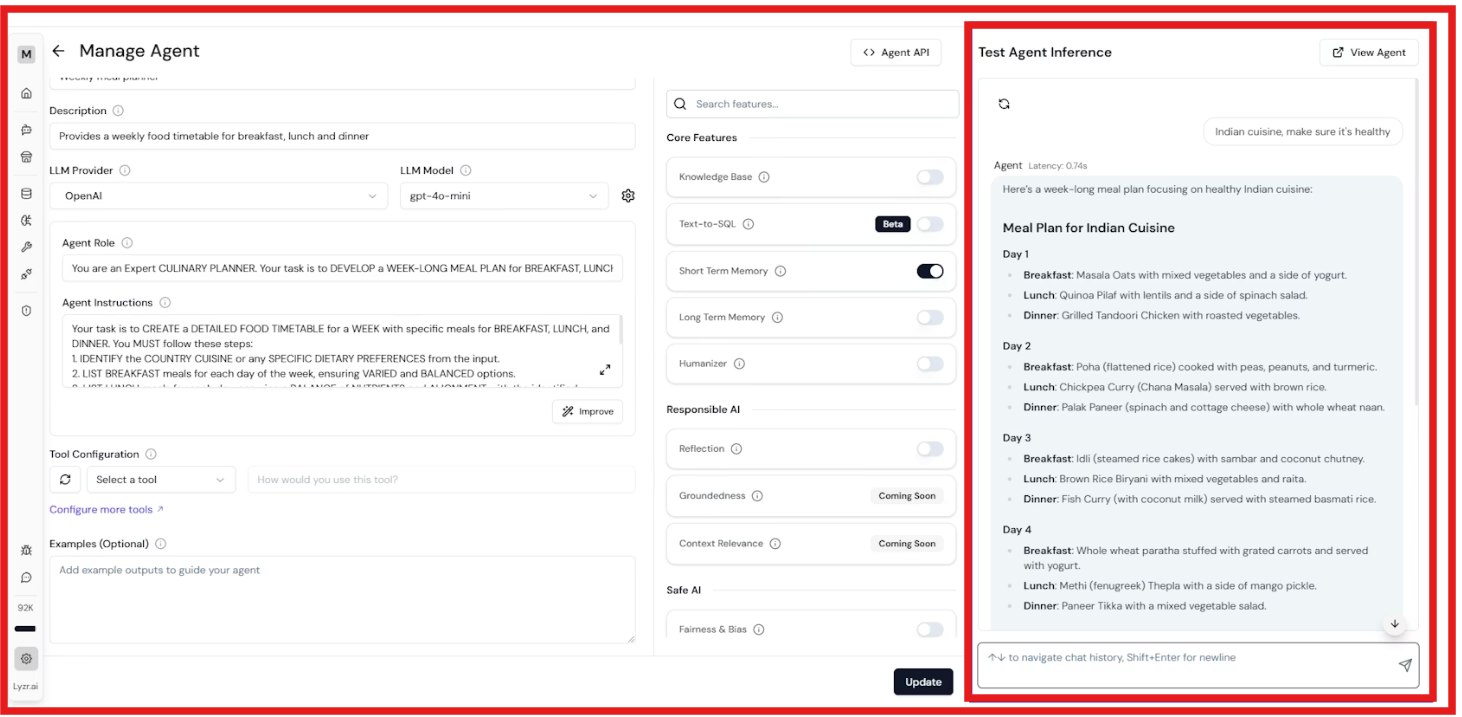
After setup, I tested how the agent performs in real scenarios. I had to validate outputs, tweak workflows, and make adjustments. This step took time but improved results significantly.
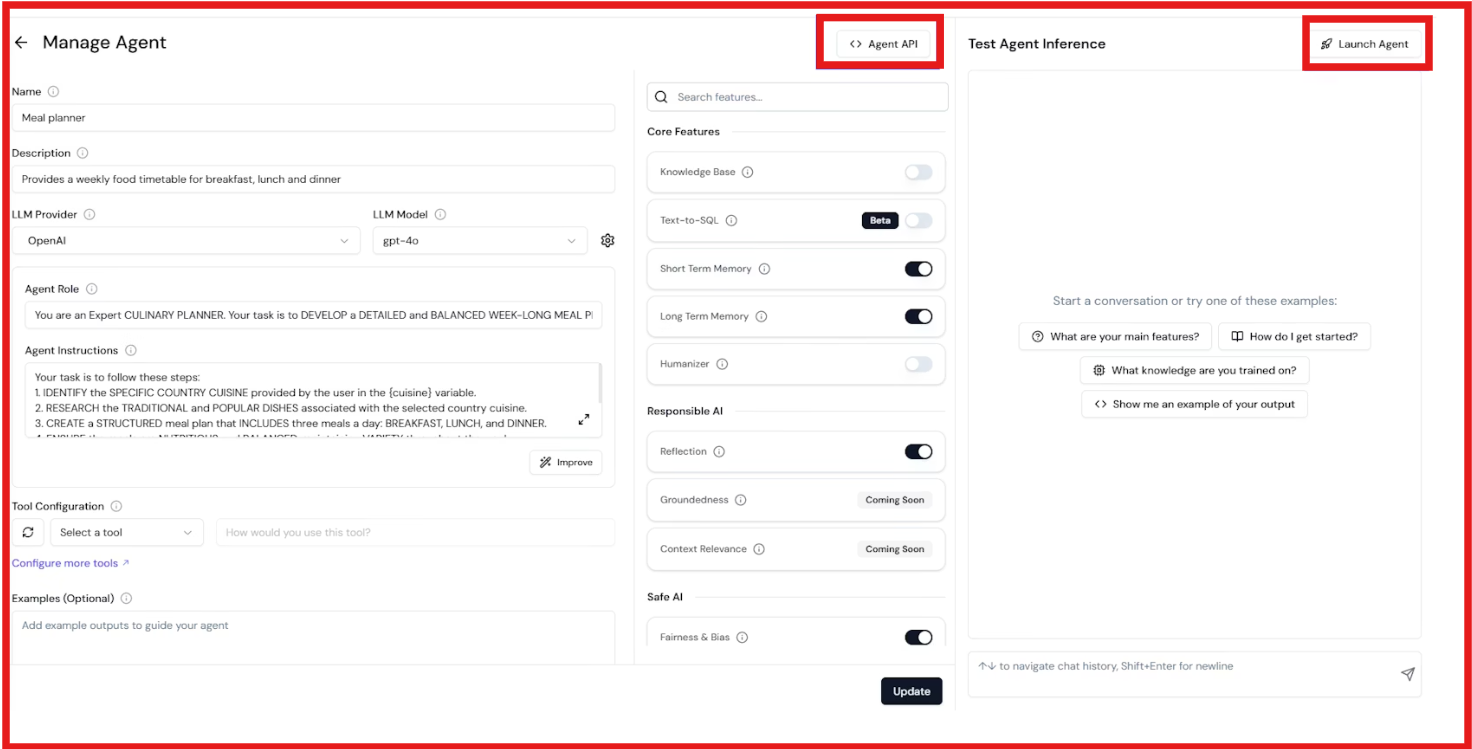
Once everything looked stable, I moved the agent into a live setup. Even after deployment, I kept refining workflows and improving performance over time. Lyzr is not a one-time setup. It improves as you iterate.
From my experience, Lyzr feels more like building a system than using a tool. You define the process, connect your data, and then the agent executes it. That makes it powerful, but also slower to get started compared to plug-and-play tools.
Lyzr AI is designed as a system where multiple capabilities work together to run real workflows. Here are the Lyzr AI features that stood out:
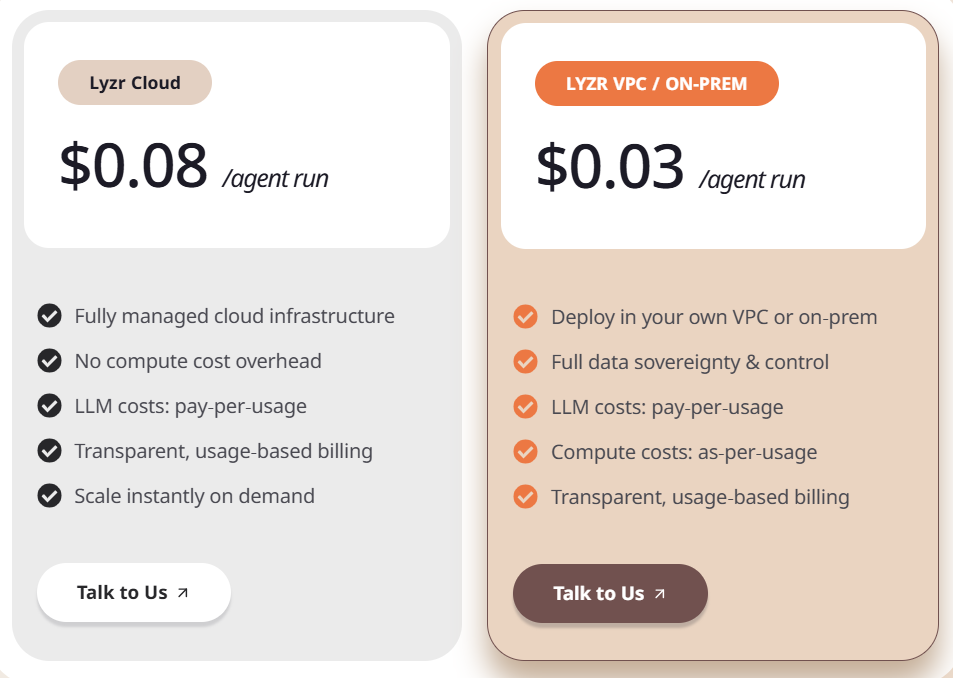
Lyzr AI uses a usage-based model, where you pay based on how much your agents run. Here’s a quick pricing breakdown of Lyzr AI:
I. Lyzr AI Pricing Breakdown
II. Important things to know:
Pricing is flexible but not very predictable at the start. If usage grows, costs scale with it. This works well for enterprises that want control, but it can be hard to estimate upfront spend.
Across G2 reviews, Lyzr AI gets strong feedback for speed and flexibility. At the same time, there are clear concerns around learning curve and documentation. Here’s what users consistently say:



In short, people like the speed and flexibility. But they also expect it to be simpler than it actually is.
After testing Lyzr AI for a few weeks, it became clear that it is not built for everyone. It works best when there is a clear use case and enough time to set things up properly. Here’s how to decide:
If the goal is to build AI systems, Lyzr is the right choice for you.
But if the goal is to generate pipeline, book meetings, and run outbound without heavy setup, tools like Agent Frank are a better fit. They focus on execution, not infrastructure, so results come much faster.
While Lyzr AI is mainly built as an AI agent platform, it also offers an AI SDR called Jazon for outbound workflows.
Jazon is built to handle outbound using multiple agents working together. It can analyze intent signals, identify accounts, build prospect lists, and run outreach across channels like email, LinkedIn, WhatsApp, and SMS. It also manages follow-ups and books meetings when timing and intent match, making it a full outbound system on paper.
However, the way it works is different from most SDR tools. Jazon depends on proper setup, including connecting your CRM, defining your ICP, and configuring how the system should operate. The quality of results depends on how well this system is set up, which means it can take time before it starts delivering consistent output.
If you are looking for an AI SDR that is easier to get started with and delivers results faster, it is worth exploring better alternatives like Agent Frank.
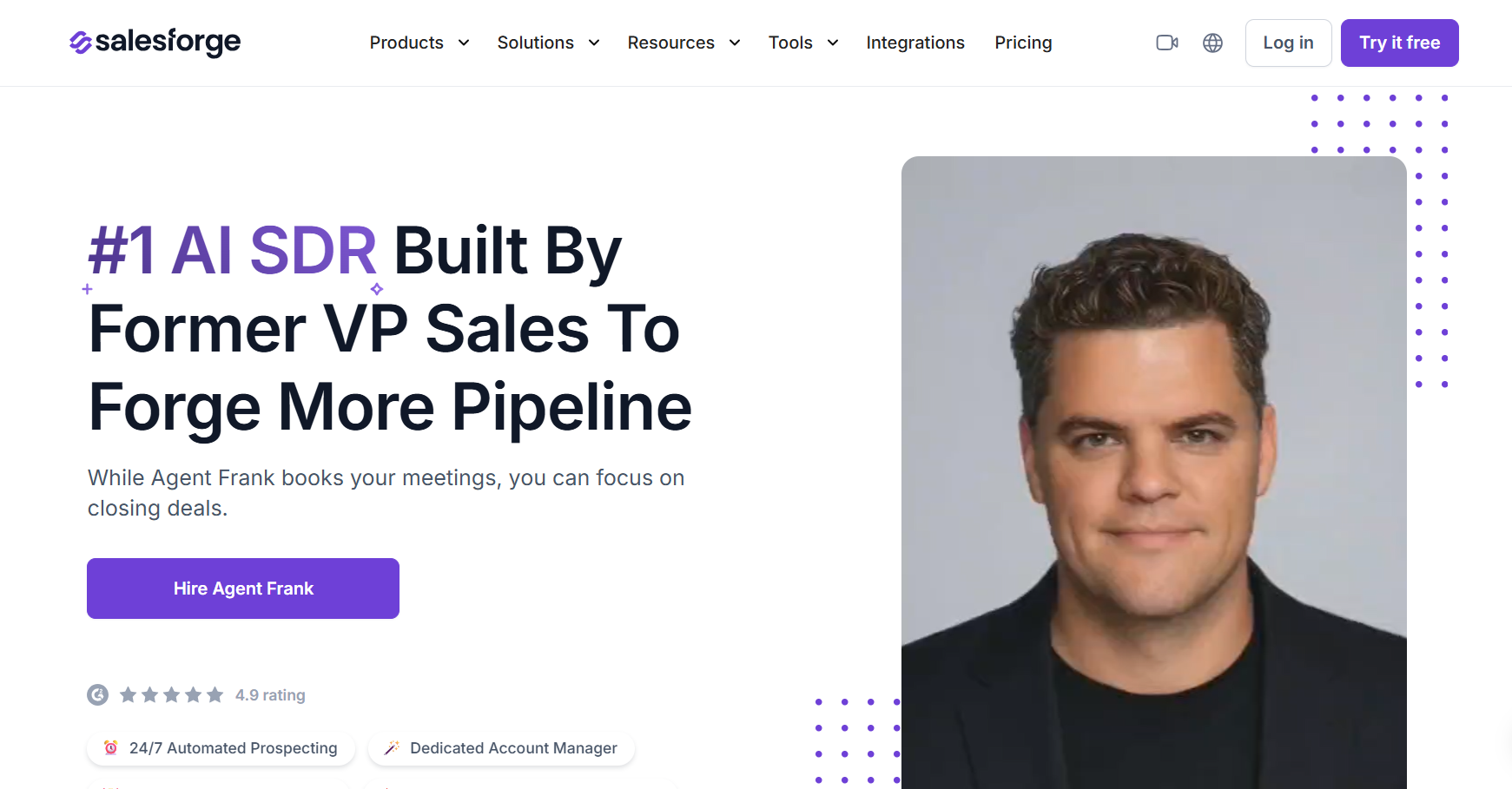
Agent Frank is an AI SDR that does the actual outbound work for you. It can:
All of this is managed in a single workflow in Salesforge, reducing the need to manage multiple tools separately. Once set up, it can run outreach continuously based on your configuration and focus on generating pipeline.
If you want to build a fully customized outbound system using multiple agents, Jazon fits well. But if you are looking for an SDR to start outreach quickly and generate a pipeline without spending time on setup and configuration, Agent Frank is the better choice.
Enter your email to get a custom plan & stack recommendation for your business
Please check your mailbox in 5 minutes

Lyzr AI is a good choice if the goal is to build AI agents and internal systems. But from my testing, it takes time to set up before it gives real results.
If the goal is to generate pipeline and book meetings, tools built for execution work better. That’s where Agent Frank helps. It handles prospecting, outreach, and replies in one place, so I don’t need multiple tools.
Everything connects well and makes outbound easier to manage. If you want to try outbound without complex setup, you can start with Agent Frank and see how it works for your use case
.png)

.png)
.png)