10 Best LinkedIn Automated Messaging Tools for Safe Outreach in 2025

Doing outreach on LinkedIn by hand takes time.
You have to send invites, follow-ups, and replies manually, and that slows everything down.
LinkedIn automated messaging tools help you send connection requests, follow-ups, and campaigns faster, without getting blocked.
In this guide, you’ll find the 10 best LinkedIn messaging tools for safe and scalable outreach in 2025.
You’ll see what each tool does, who it’s for, and how much it costs, so you can pick the right one and get more replies.
Let’s begin!
What Is a LinkedIn Automated Messaging Tool?
A LinkedIn automated messaging tool is software that sends LinkedIn connection requests, messages, and follow-ups for you.
Instead of doing outreach one person at a time, the tool runs campaigns that deliver your messages automatically.
These tools can personalize messages, schedule follow-ups, and organize replies so you don’t have to manage everything manually.
The main goal is to save time, reach more people, and get more replies without breaking LinkedIn’s safety limits.
TL;DR – Top 10 Best LinkedIn Automated Messaging Tools for Safe Outreach
- Salesforge – Best for AI-assisted hyper-personalized LinkedIn messaging
- Expandi – Ideal for safe cloud-based LinkedIn automation
- Waalaxy – Best for simple LinkedIn + email outreach on one tool
- Lemlist – Great for multichannel messaging (email + LinkedIn)
- Reply.io – Best for large outbound teams with full multichannel sequences
- Dripify – Ideal for drip-style LinkedIn messaging campaigns
- Meet Alfred – Best for multi-channel outreach with scheduling & CRM
- Salesflow – Great for automated LinkedIn outreach at scale
- Skylead – Best for smart sequencing with email finding & GIF personalization
- LinkedRadar – Ideal budget-friendly LinkedIn messaging automation tool
How We Evaluated the 10 Best LinkedIn Automated Messaging Tools
To find the most useful LinkedIn outreach tools, we focused on the things that matter most when you are choosing a platform for LinkedIn messaging and outbound campaigns.
Here’s how we evaluated the 10 best LinkedIn automated messaging tools:
- Messaging automation features, to make sure the tool can send connection requests, follow-ups, InMails, and campaigns without manual work.
- LinkedIn safety and compliance, including sending limits, random delays, cloud-based automation, and protection against account restrictions.
- Multichannel support, such as the ability to combine LinkedIn with email, InMail, or AI personalization to improve reply rates.
- CRM and outbound integrations, to see how well the tool connects with platforms you already use for sales, outreach, and workflows.
- Ease of use, to check how quickly you can set up campaigns, personalize messages, manage replies, and get value.
- Pricing and scalability, including how plans are structured and whether the tool makes sense for solo users, agencies, or sales teams.
Each tool was reviewed based on how well it helps you send personalized LinkedIn messages, stay safe, and support your outbound workflow.
1. Salesforge – Ideal for AI-Assisted LinkedIn & Email Outreach at Scale
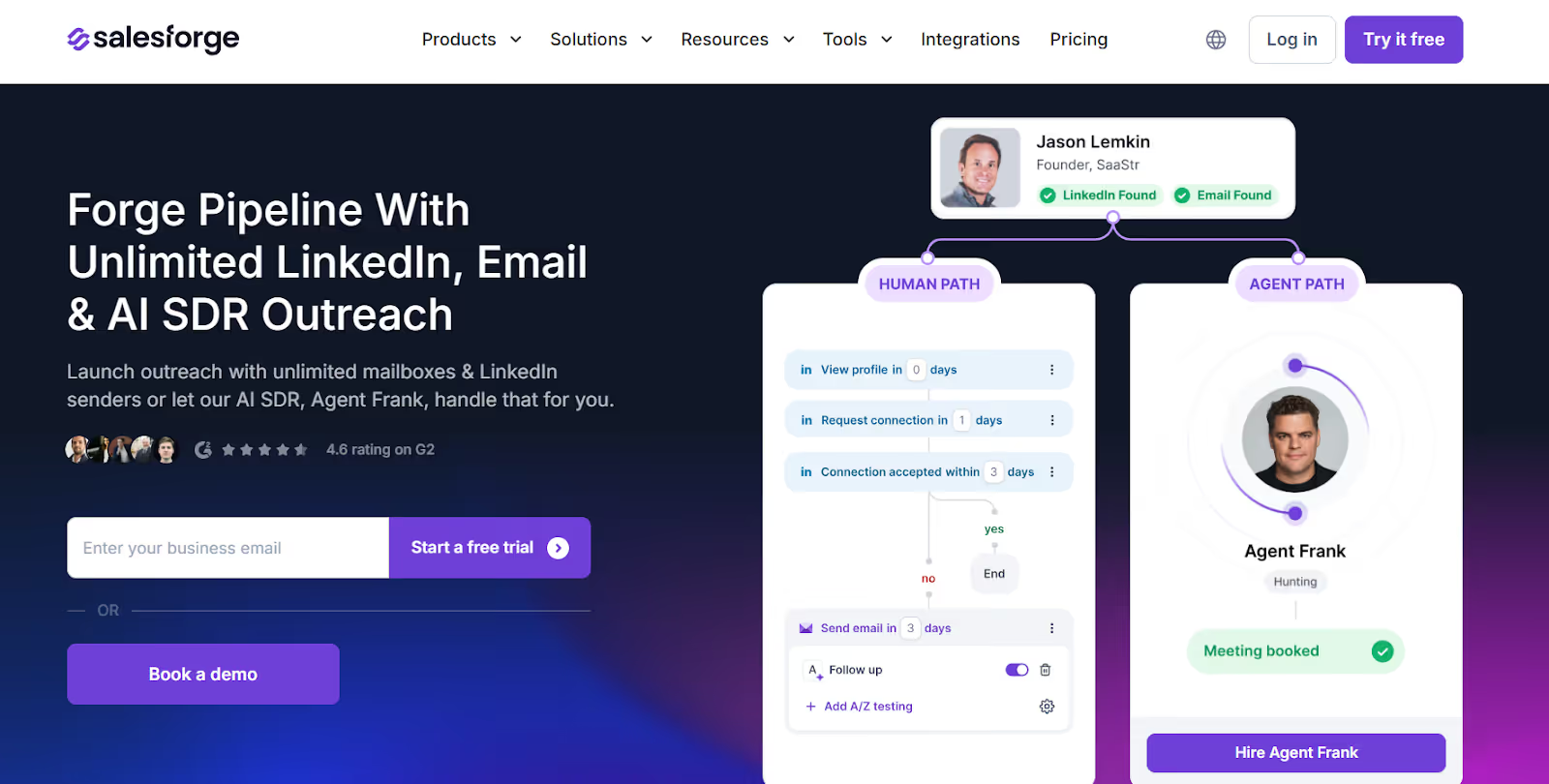
Salesforge is a B2B outbound platform that helps teams send automated LinkedIn messages and emails with AI-driven personalization.
Instead of using multiple tools for sending, warming, and replying, Salesforge gives you one place to run LinkedIn outreach, email outreach, warm-up, inbox management, and even AI SDR automation.
Key Features of Salesforge
- You can build multichannel sequences that include LinkedIn connects, InMails, messages, and email follow-ups in one flow.
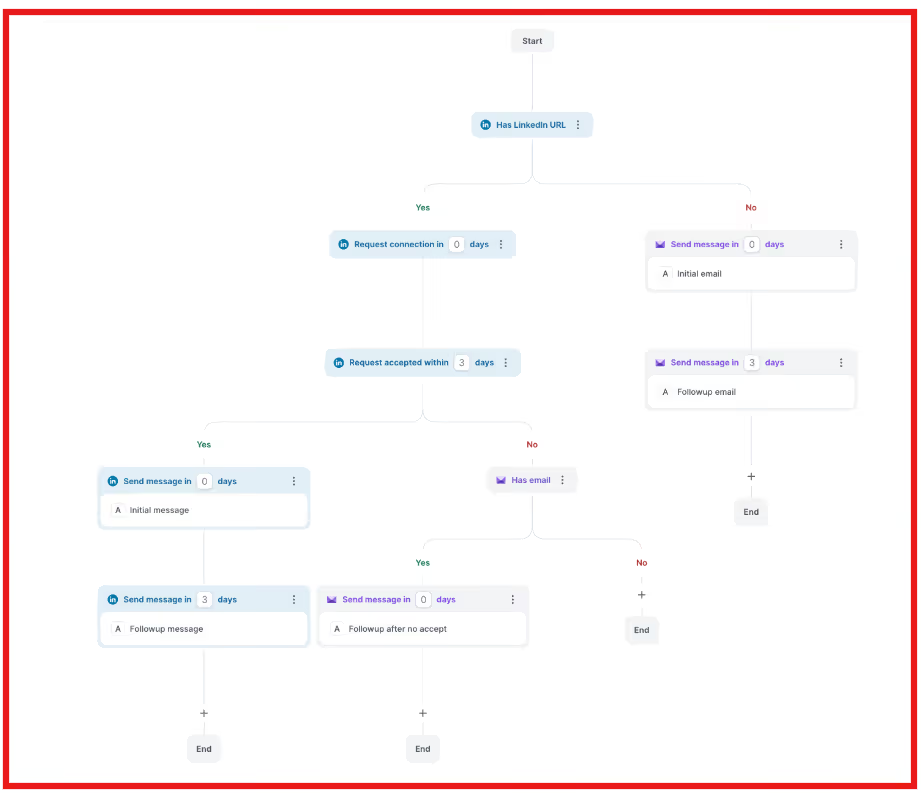
- You can connect and automate from many LinkedIn accounts at once without paying per seat, ideal for agencies and sales teams.
- Salesforge offers an AI agent that can find leads, write messages, follow up, and book meetings automatically.
- All replies from LinkedIn and email are organized in one inbox so you can track conversations without switching apps.
- Each mailbox gets automatic warm-up via Warmforge to protect deliverability and help messages avoid spam filters.
Pros & Cons of Salesforge
Salesforge Pricing
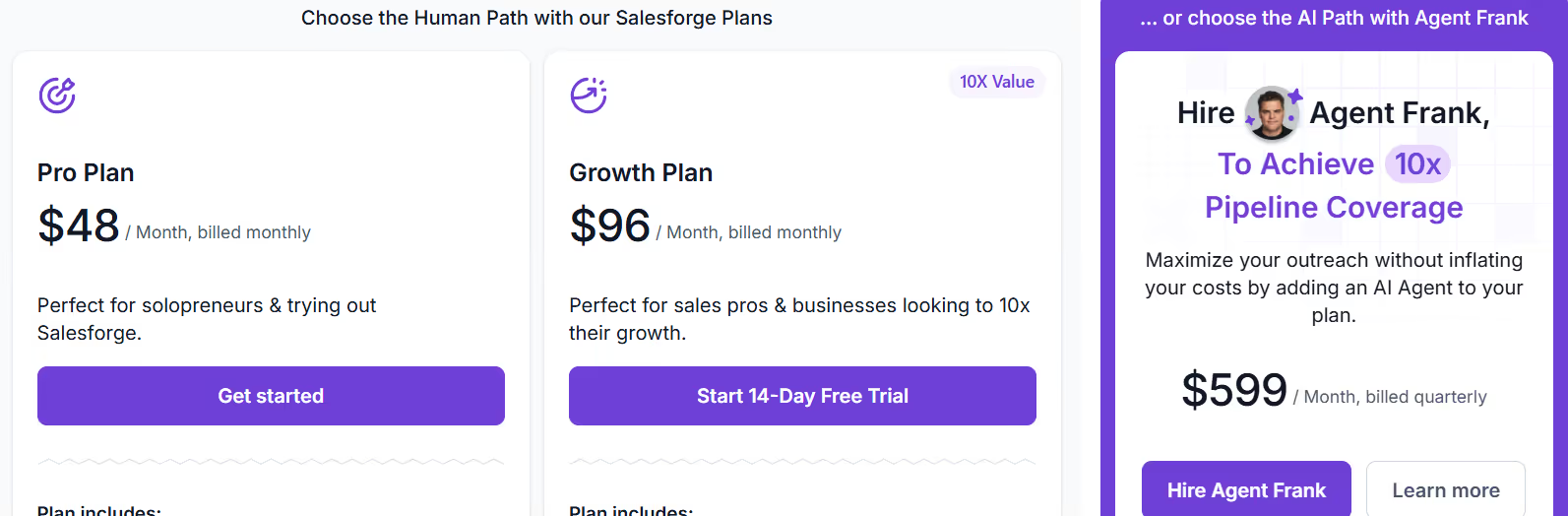
- Pro Plan – $48/month (good for small teams and manual outreach)
- Growth Plan – $96/month (includes unlimited LinkedIn senders)
- Agent Frank Add-On – $499/month (billed quarterly) for AI SDR automation
- Email Infrastructure – Purchased separately if needed (Mailforge / Infraforge / Primeforge)
- Free Trial – 14 days included, no seat limits
2. Expandi – Ideal for Safe LinkedIn Messaging & Multichannel Outreach
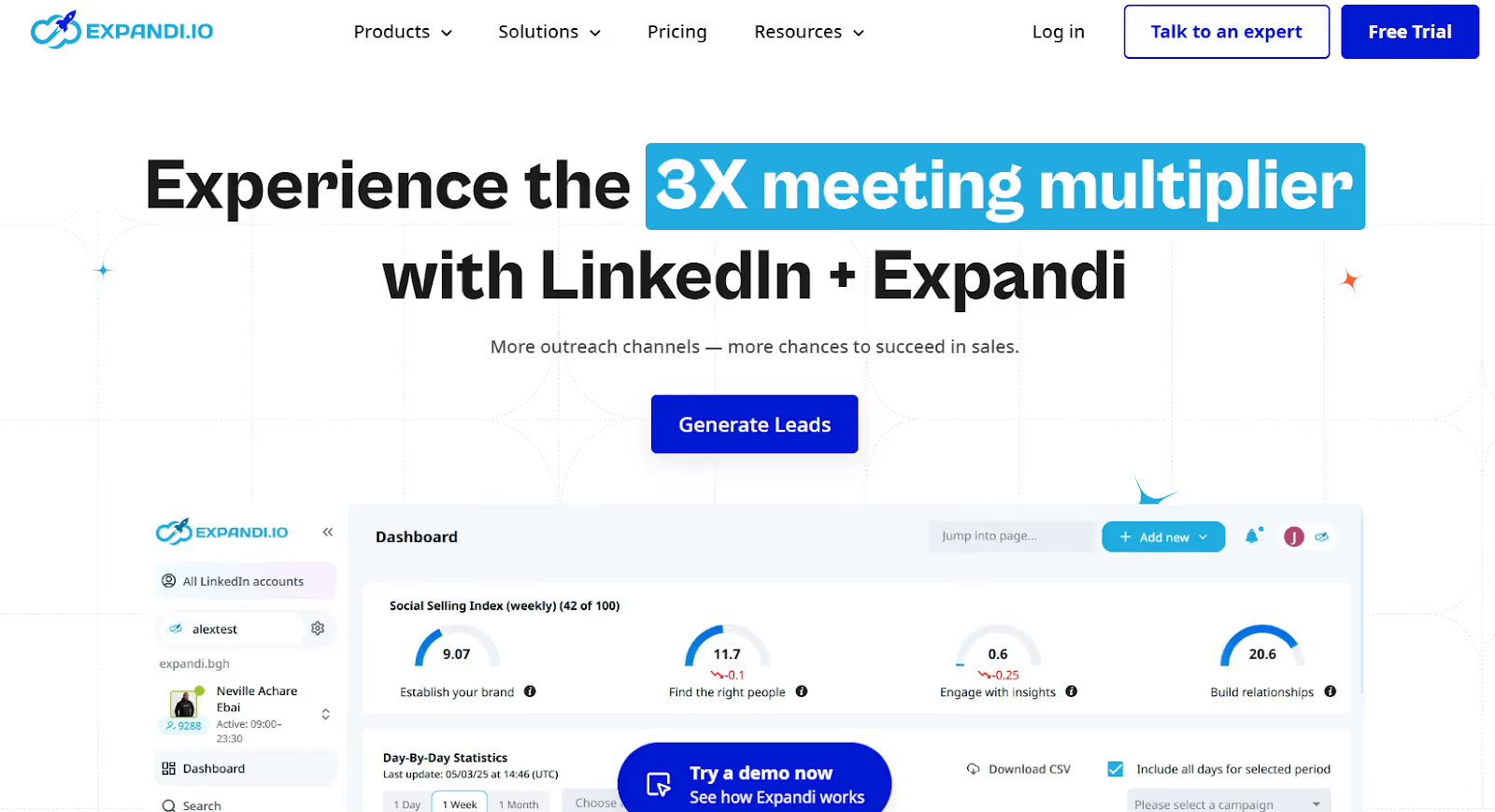
Expandi is a cloud-based LinkedIn automation platform built for agencies, sales teams, recruiters, and business owners.
It helps users automate LinkedIn messaging, connection requests, follow-ups, and email outreach while keeping accounts safe through smart limits and country-based IPs.
The platform focuses on compliant, human-like outreach with behavior-based sequences and personalization to increase acceptance and reply rates.
Key Features of Expandi
- Expandi uses country-based dedicated IPs, automatic warm-up, safe sending limits, and delays to prevent account flags or bans.
- You can combine LinkedIn actions (connect, view profile, follow, message) with email follow-ups in one outreach flow.
- You can build “if-then” outreach scenarios based on behavior (e.g., accepted connection, opened email, visited profile, liked post).
- You can manage replies from LinkedIn and email in one unified inbox to avoid missed conversations.
Pros & Cons of Expandi
Expandi Pricing
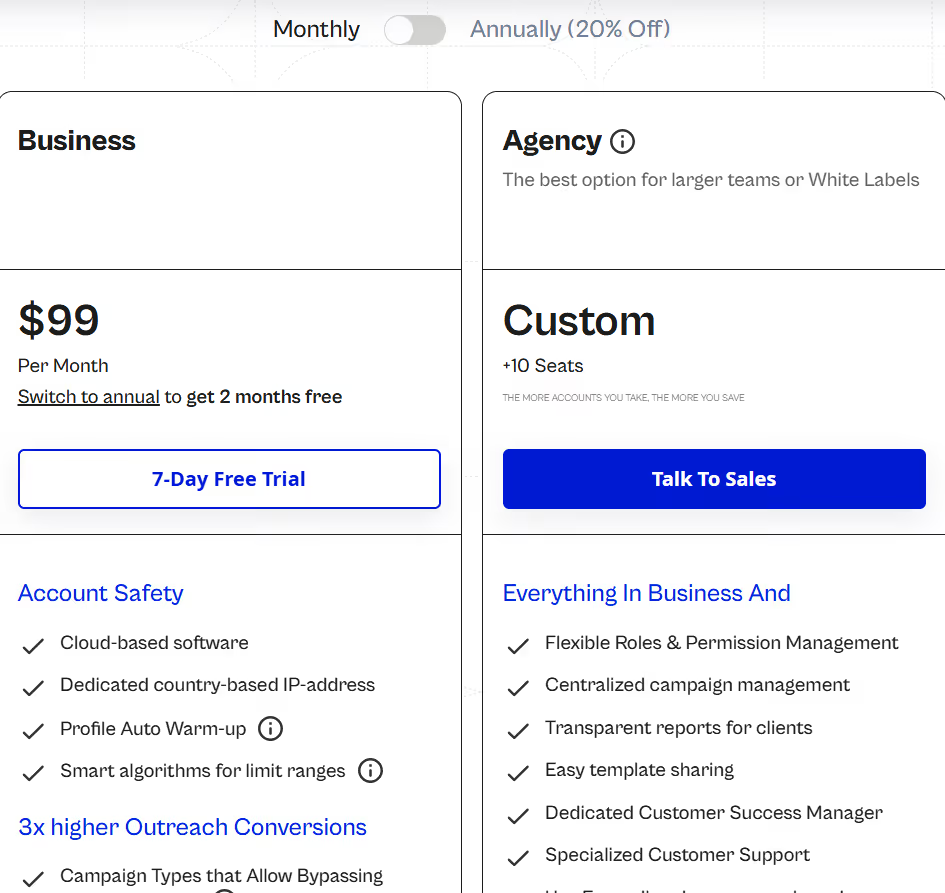
- Business Plan - $99/month, includes LinkedIn automation, email outreach, smart sequences, safe limits, reporting, and dedicated IP.
- Agency / White-Label - Custom Pricing, available for 10+ seats with permissions, white-label, dedicated support, and centralized management.
- Personalization Add-Ons (Paid), integrations for Hyperise, Sendspark, GIF/image personalization.
- Free Trial - 7 Days, full access to test outreach workflows before paying.
3. Waalaxy – Ideal for Simple LinkedIn Messaging & Multichannel Outreach
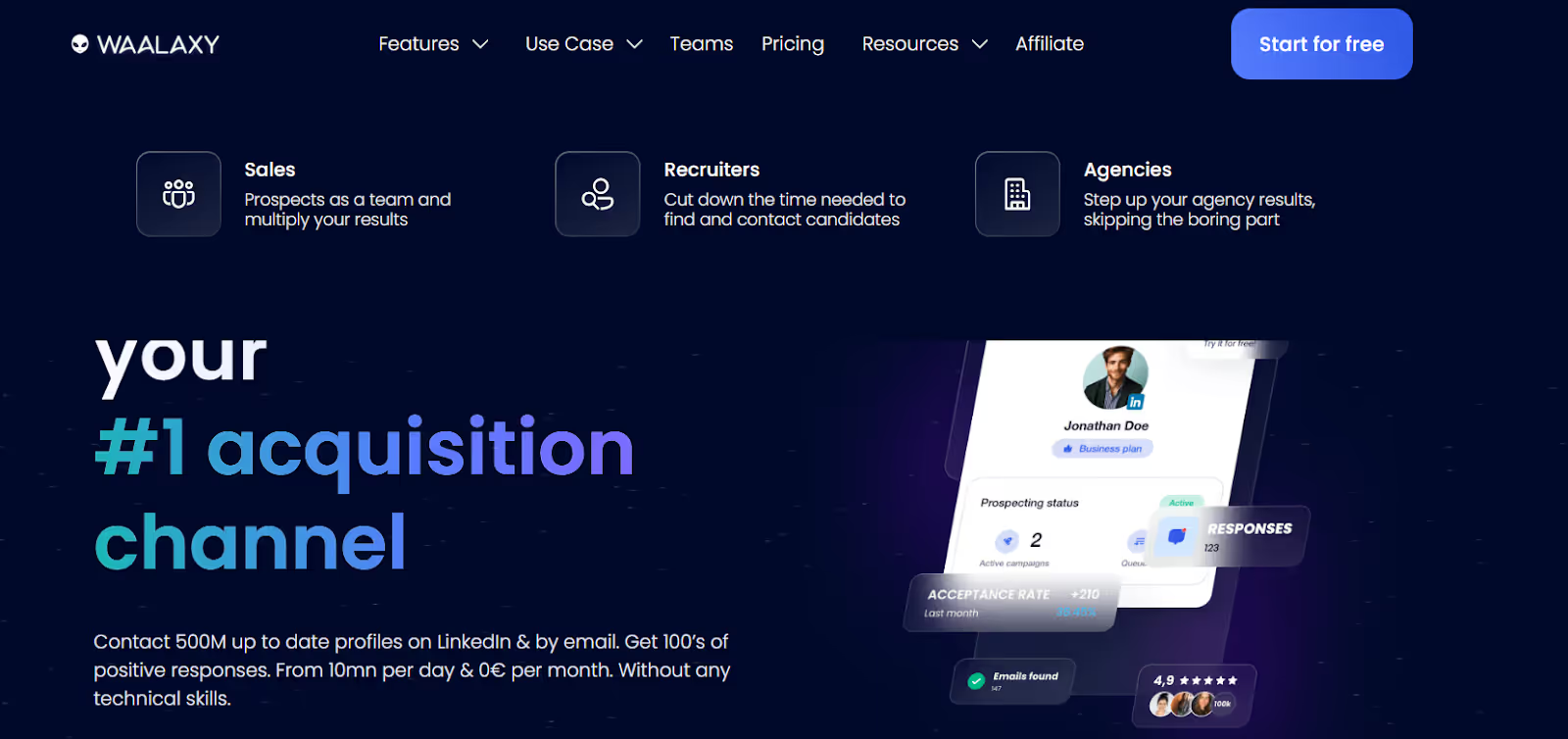
Waalaxy is a LinkedIn automation tool that helps users send connection requests, messages, profile visits, and follow-ups automatically.
It also supports multichannel outreach by combining LinkedIn steps with cold email sequences, and includes an email finder to retrieve verified professional emails.
The platform runs through a browser extension and provides campaign templates, inbox management, and CRM integrations to help automate prospecting on LinkedIn.
Key Features of Waalaxy
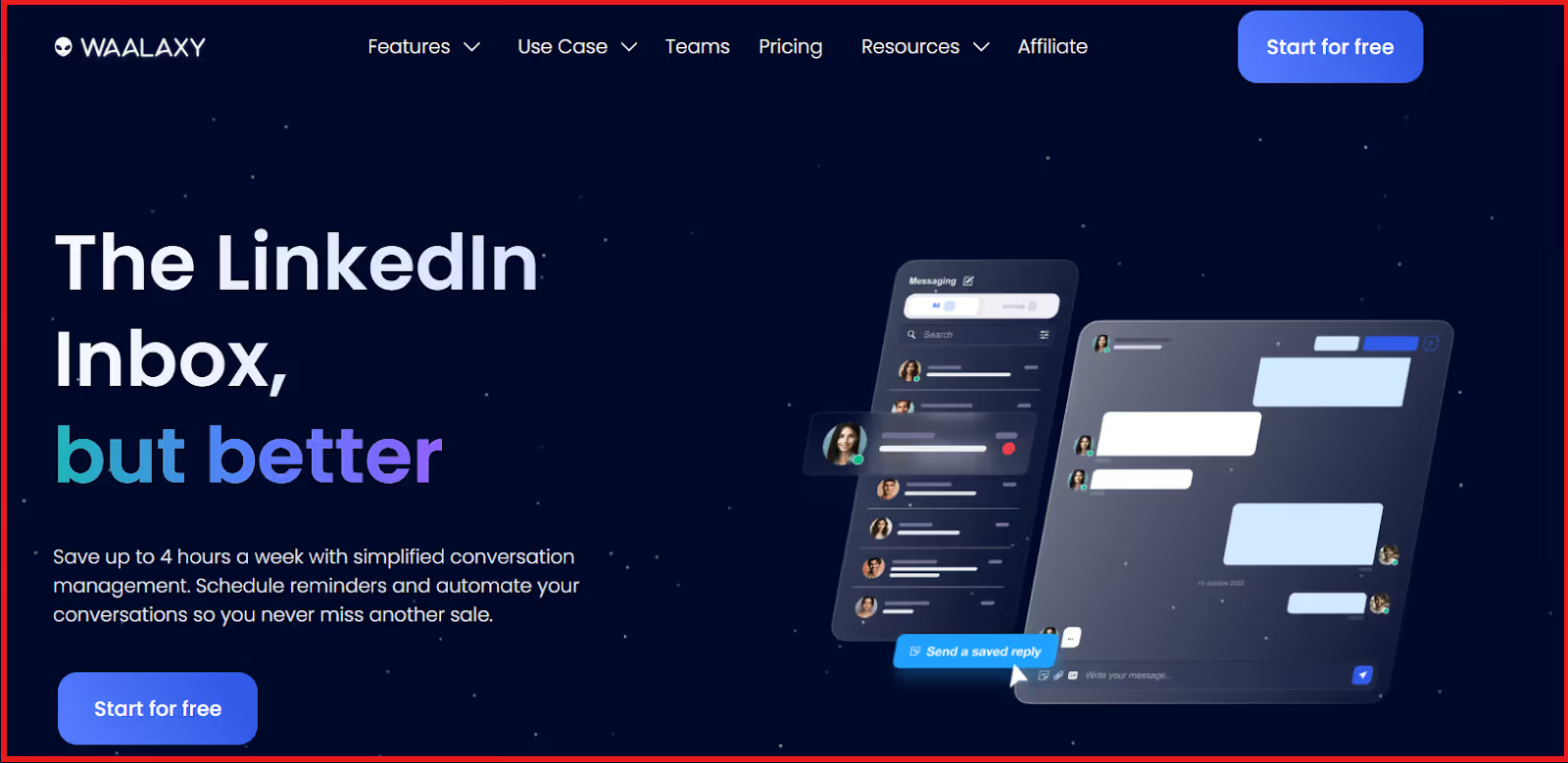
- Waalaxy provides a unified LinkedIn inbox to organize replies, set reminders, use templates, and tag leads.
- You get 90+ ready-made LinkedIn campaigns, so you can run sequences without building workflows from scratch.
- You can combine LinkedIn steps (invite, message, visit) with cold email follow-ups to improve response rates.
- You can manage multiple users, share leads, and see team analytics from a single dashboard.
Pros & Cons of Waalaxy
Waalaxy Pricing

- Pro – $43/user/month, includes 300 invitations/month, automated follow-ups, campaign templates, CRM sync, and basic email finder credits.
- Advanced – $88/user/month, includes 800 invitations/month, everything in Pro + increased limits and live chat support.
- Business – $131/user/month, includes multichannel outreach (LinkedIn + email), automated email sequences, multiple sender accounts, and 500 email finder credits.
- Enterprise – Custom, for 5+ seats, includes team workspace, analytics dashboard, unified billing, onboarding, and volume discounts.
- Free Trial: Available on paid plans (duration varies) with limited actions to test automation.
We Tried Waalaxy for 30 Days: Here's our review
4. Lemlist – Best for LinkedIn and Email Multichannel Outreach
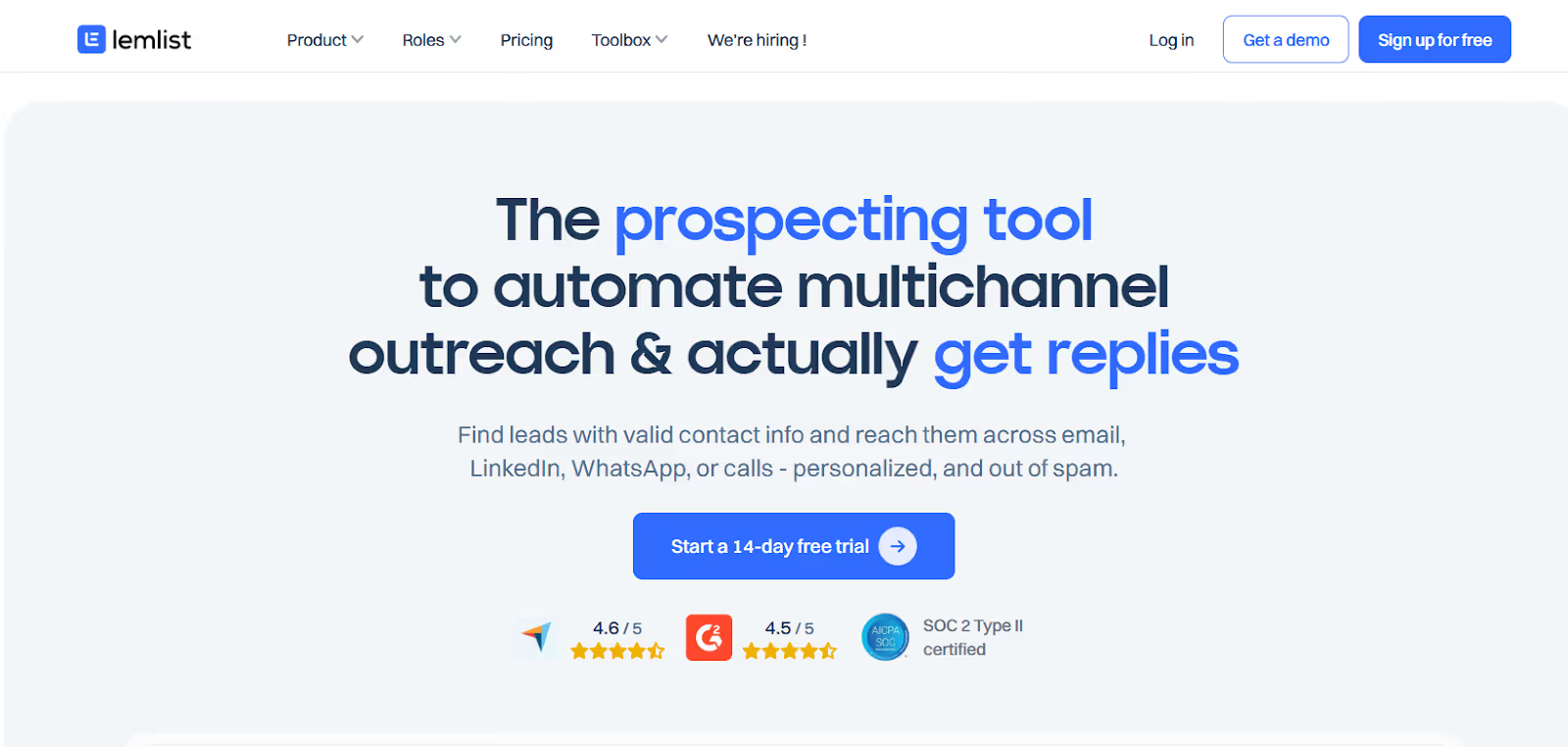
Lemlist is a multichannel outreach tool that automates LinkedIn messaging as part of sales sequences.
You can automate LinkedIn profile visits, connection requests, and messages, and combine them with email, WhatsApp, and call steps in a single workflow.
The platform also includes an email finder and phone enrichment, AI-driven personalization, deliverability tools, and CRM integrations to help teams book more meetings from outbound outreach.
Key Features of Lemlist
- You can run outreach across LinkedIn, email, WhatsApp, and calls from one campaign to increase reply rates.
- You can auto-generate message text, custom images, landing pages, and icebreakers to personalize at scale.
- You get built-in email warm-up to avoid spam and maintain strong deliverability across campaigns.
Pros & Cons of Lemlist
Lemlist Pricing
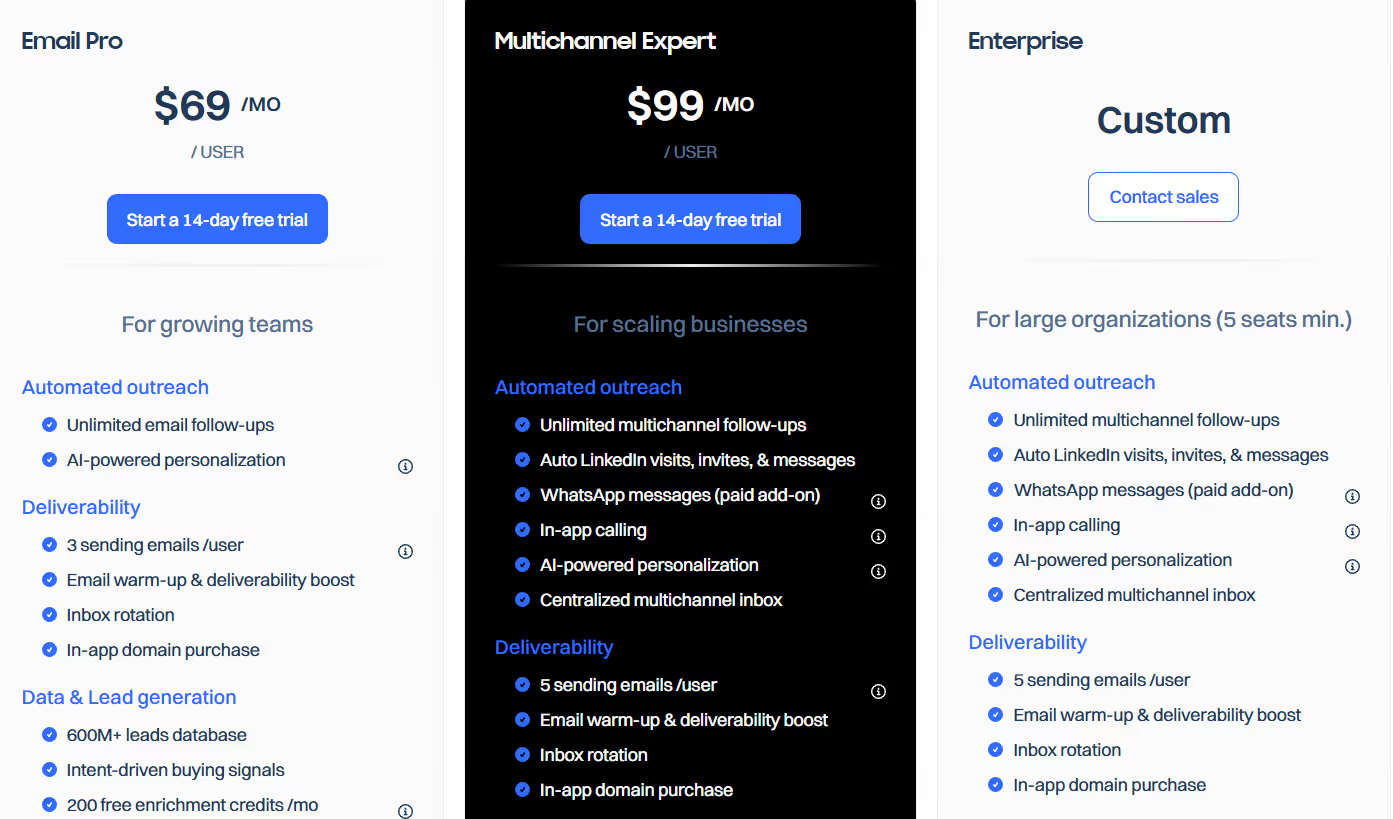
- Email Pro – $69/user/month, includes email outreach, deliverability tools, 600M+ leads DB, enrichment credits, and CRM integrations.
- Multichannel Expert – $99/user/month, includes LinkedIn automation (visits, invites, messages), WhatsApp messaging (paid add-on), in-app calling, unified inbox, and more enrichment credits.
- Enterprise – Custom pricing, for 5+ seats, includes advanced API access, account manager, SSO/SAML (coming), and higher limits.
- Free Trial: 14-day free trial available on paid plans.
5. Reply.io - LinkedIn and Multichannel Sales Automation Platform
Reply.io is an outbound sales automation platform that manages email sequences, LinkedIn actions, calls, SMS, and AI-driven prospecting.
It can automate LinkedIn steps (connection requests, messages, InMail, profile actions) when the LinkedIn add-on is enabled.
The platform also includes AI tools for personalization, unified inbox, and meeting scheduling.
Key Features of Reply.io
- You can combine LinkedIn steps with emails, SMS, WhatsApp (semi-auto), calls, or Zapier steps inside one sequence to increase reply rates.
- You can generate email sequences, LinkedIn steps, and reply drafts using “Jason AI” for faster personalization at scale.
- You can automatically schedule meetings through integrated calendars and remove back-and-forth messaging.
- You get tools like warm-up, sender health checks, Google Postmaster integration, and API sending to improve inbox placement for email outreach.
Pros & Cons of Reply.io
Reply.io Pricing
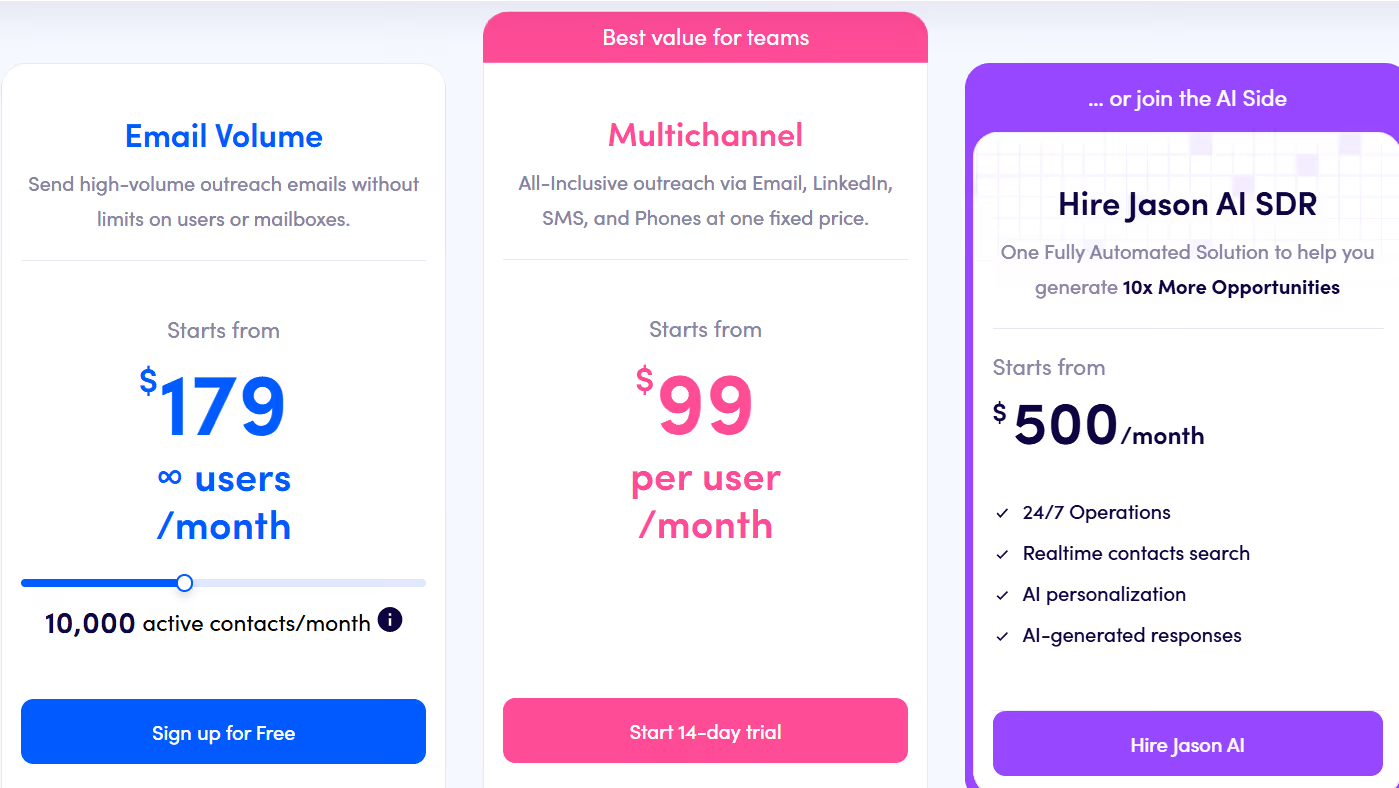
- LinkedIn Add-On: $69/account/month, enables LinkedIn connection requests, messages, InMail, Likes, follows, and endorsements.
- Email Volume Plan: Starts at $179/user/month (annual), includes email automation + unlimited warm-up + deliverability tools (LinkedIn billed separately as add-on).
- Multichannel Plan: Starts at $99/user/month (annual), includes email + LinkedIn + calls/SMS + WhatsApp (semi-auto) + Zapier steps.
- Jason AI SDR Agent: Starts at $500/month, handles AI-led prospecting, personalization, reply handling, and meeting booking.
- Free Trial: Available on Multichannel plan (14-day) and Email plan (free sign-up).
6. Dripify – Ideal for LinkedIn Messaging & Email Outreach With Personalization
Dripify is a LinkedIn automation tool that helps users send connection requests, messages, follow-ups, and profile actions automatically.
It also supports email outreach, email finding, and drip-style campaigns, allowing users to build multichannel sequences.
The platform includes inbox management, analytics, team tools, and safety controls to keep LinkedIn accounts protected during outreach.
Key Features of Dripify
- You can automate connection requests, messages, InMails, profile views, follows, endorsements, and follow-ups with preset limits.
- You can build drip campaigns using LinkedIn steps, conditions, and delays to move leads through a personalized outreach sequence.
- You can add email steps to campaigns, find corporate emails from LinkedIn profiles, and verify emails before sending.
- Dripify uses cloud automation, IP rotation, and daily limits to reduce the risk of LinkedIn restrictions.
Pros & Cons of Dripify
Dripify Pricing
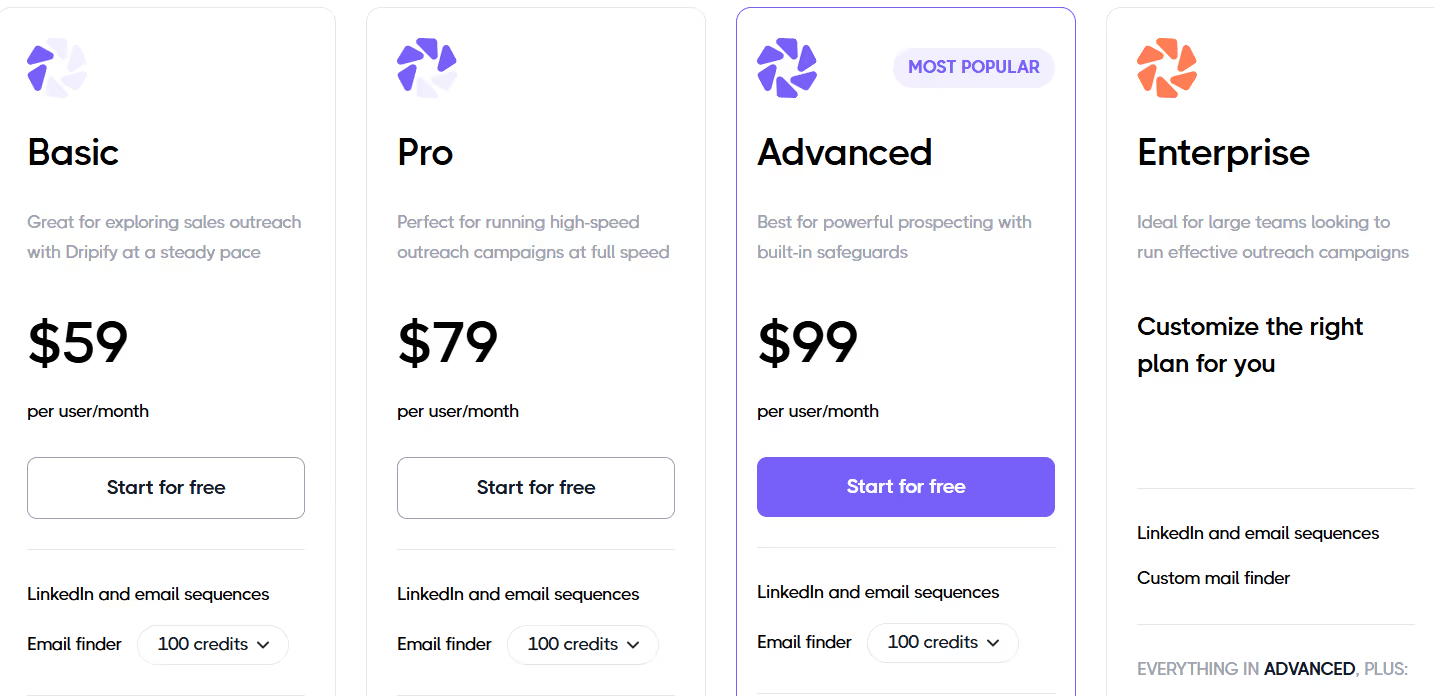
- Basic – $59/user/month, includes LinkedIn + email sequences, email finder, 1 drip campaign, daily limits, analytics, and safety features.
- Pro – $79/user/month, includes everything in Basic + unlimited drip campaigns, full quotas, dedicated inbox, CSV export, and webhook integration.
- Advanced – $99/user/month, includes everything in Pro + team management, advanced safety, and lead tagging.
- Enterprise – Custom Pricing, includes onboarding, technical support, and dedicated success manager.
- Free Trial – 7 Days, no credit card required, full access to core features.
7. Meet Alfred – Ideal for AI-Personalized LinkedIn Messaging & Multichannel Outreach
Meet Alfred is a cloud-based LinkedIn automation tool that helps you send connection requests, messages, follow-ups, and multi-step campaigns automatically.
It also supports multichannel outreach by combining LinkedIn, email, and X (Twitter), and includes AI personalization, templates, a smart inbox, and CRM features.
The platform runs on the cloud and is built to automate LinkedIn prospecting while keeping messaging relevant and human-like at scale.
Key Features of Meet Alfred
- You can automate connection requests, follow-ups, and direct messages with safe delays to keep outreach natural.
- You can combine LinkedIn actions with cold email and Twitter messages in one sequence to increase reply rates.
- Alfred supports 20+ dynamic fields to personalize messages automatically, making outreach feel more human.
- You get one unified inbox for LinkedIn messages, InMails, and Sales Navigator replies, and campaigns pause automatically when a prospect responds.
Pros & Cons of Meet Alfred
Meet Alfred Pricing
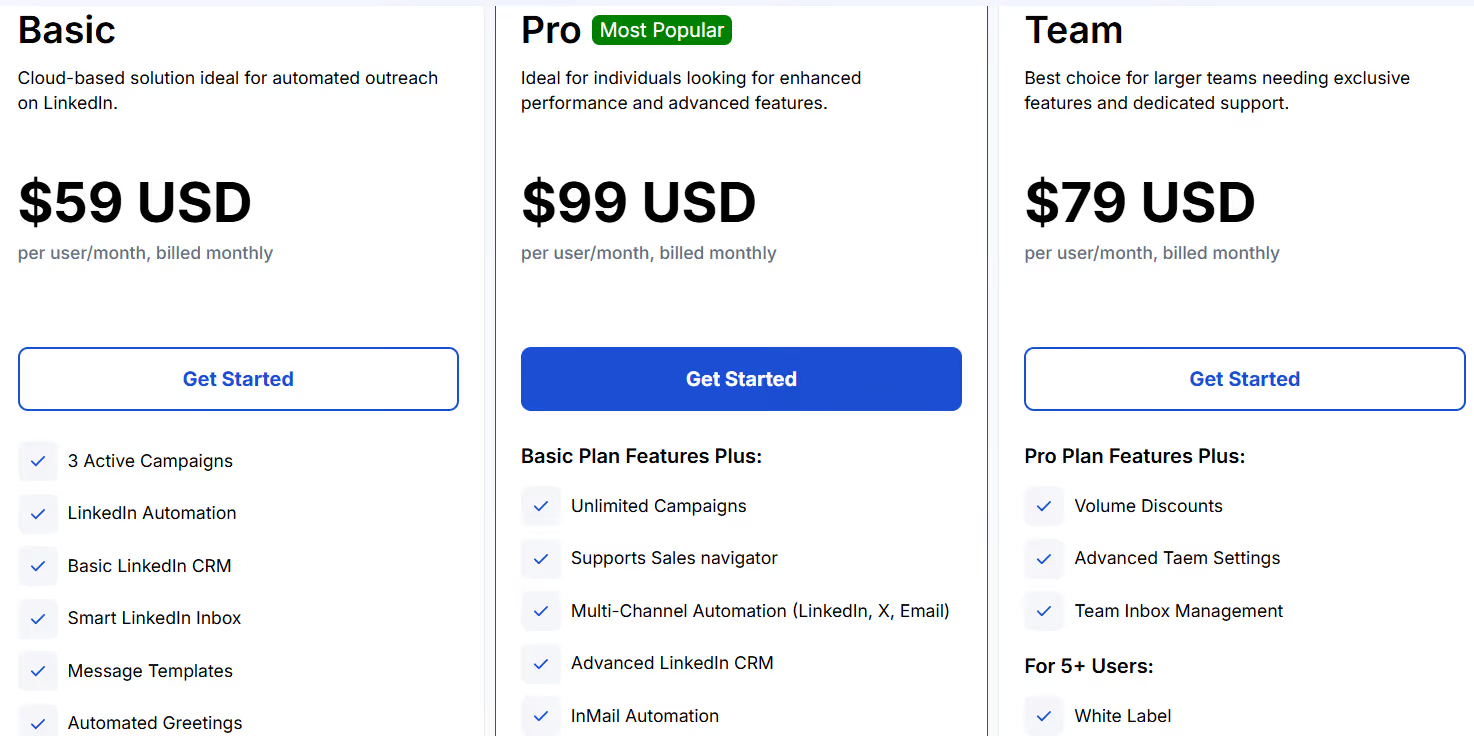
- Basic – $59/user/month, includes LinkedIn automation, smart inbox, basic CRM, templates, and limited campaigns.
- Pro – $99/user/month, includes unlimited campaigns, multichannel outreach (LinkedIn + email + X), advanced CRM, InMail automation, groups & events, and integrations.
- Team – $79/user/month, includes everything in Pro + team inbox, roles, permissions, white-label (5+ users), and dedicated manager (10+ users).
- Annual Discounts: Up to 50% off when billed yearly (Basic $29, Pro $49, Team $39 per user/month).
- Free Trial: 7 days, no credit card required.
8. Salesflow – Ideal for LinkedIn Lead Generation & Multichannel Outreach
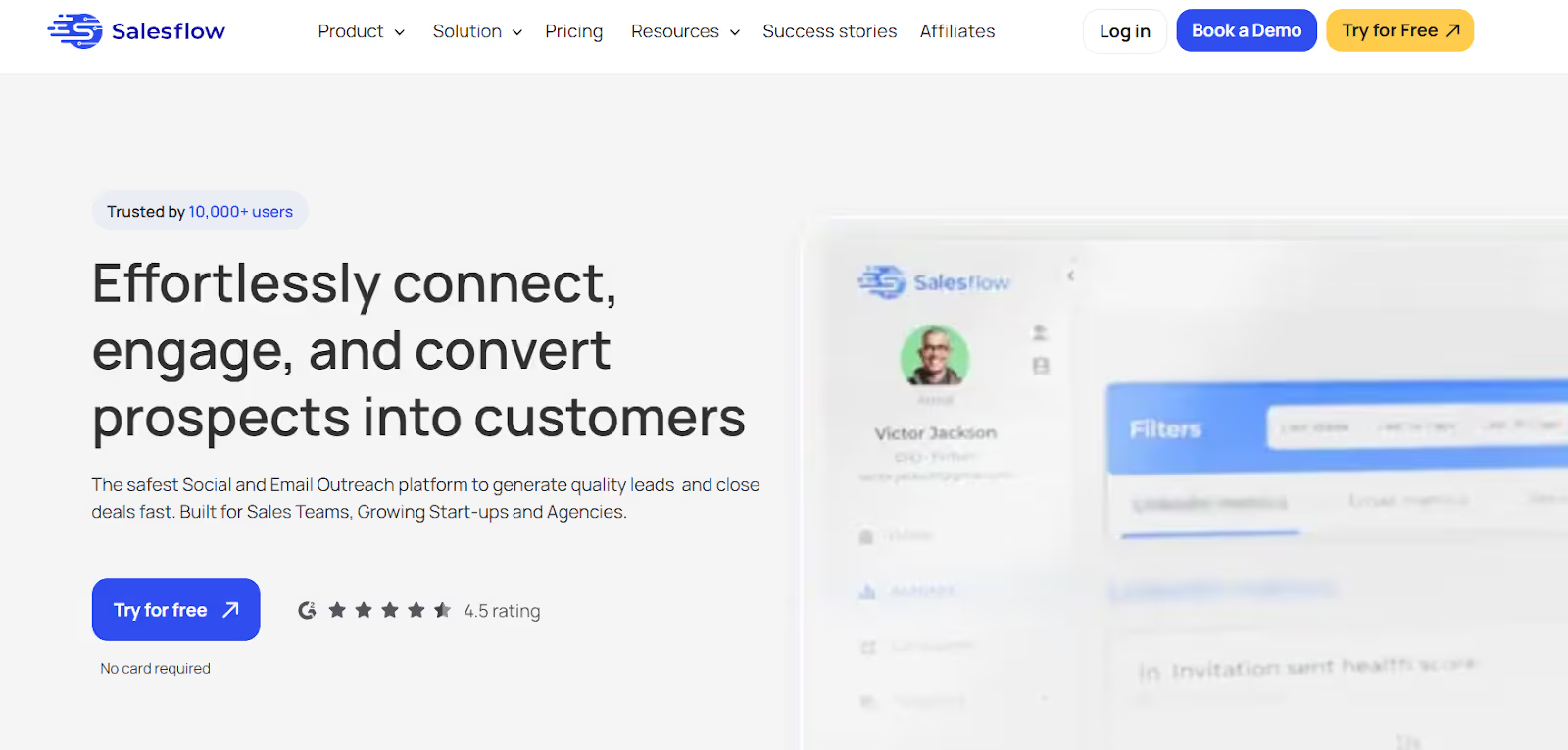
Salesflow is a LinkedIn outreach automation tool that helps users send connection requests, follow-ups, InMails, and email steps from one place.
The platform focuses on safe LinkedIn automation, inbox management, analytics, and multichannel workflows.
It also includes scheduling, templates, and an API for deeper integrations, making it suitable for scaling outbound messaging without manual effort.
Key Features of Salesflow
- You can automate new connection requests, follow-ups, and Open InMail messages while staying within safe daily limits.
- You can add email steps into your LinkedIn campaigns to reach prospects across multiple channels and reduce missed replies.
- You can create message templates and quick responses to speed up outreach and keep messaging consistent.
- The platform includes cloud execution, randomized actions, dedicated IP options, and automatic invite withdrawal to minimize account restrictions.
Pros & Cons of Salesflow
Salesflow Pricing
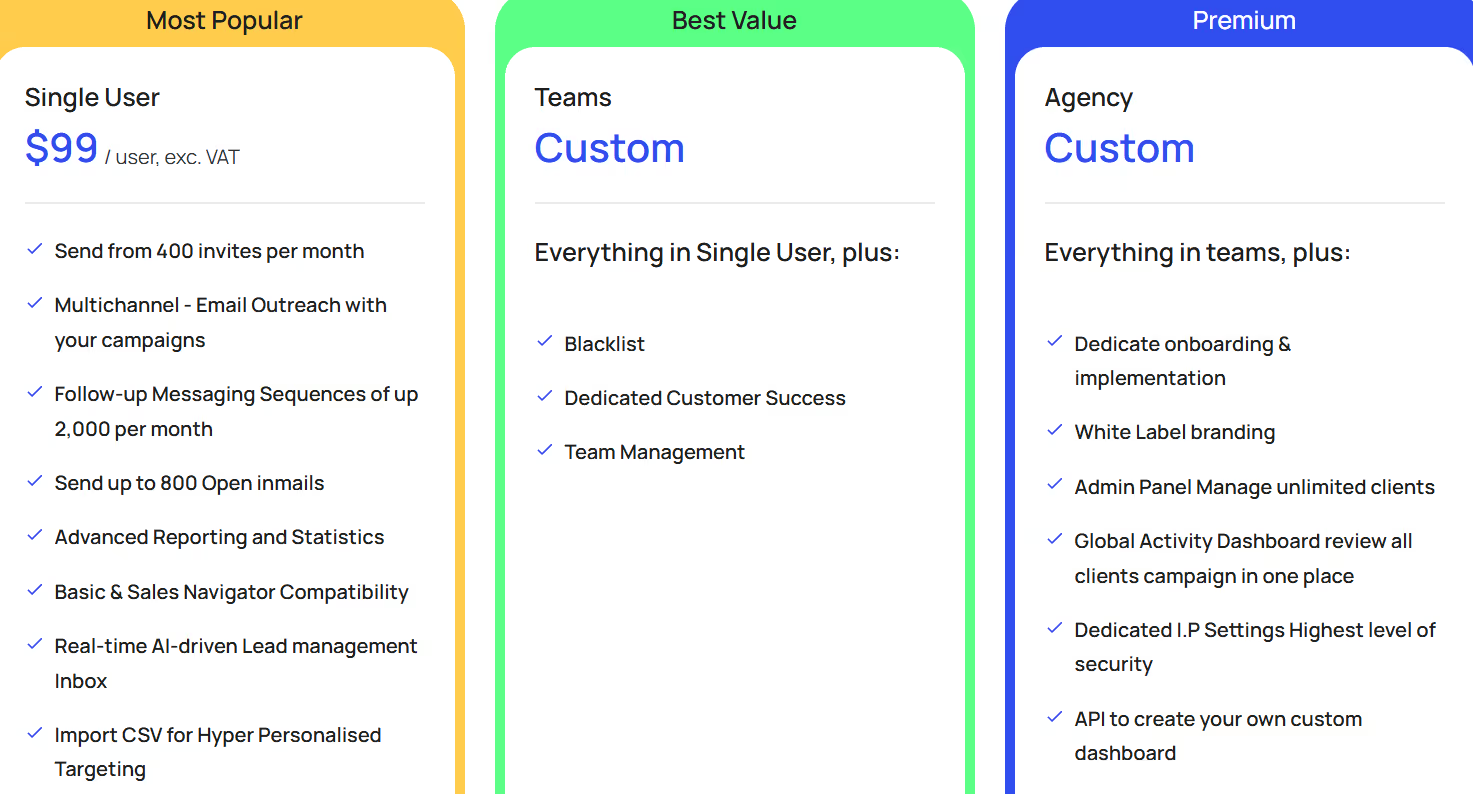
- Single User - $99/user/month ($79/user/month yearly), includes multichannel email outreach, up to 400 invites/month, up to 800 Open InMails, follow-up sequences, advanced reporting, and real-time inbox.
- Teams - Custom Pricing, includes everything in Single User + team management, blacklist, and dedicated customer success.
- Agency - Custom Pricing, includes everything in Teams + white-label branding, admin panel for unlimited clients, global dashboard, dedicated IP, and API.
- Done-With-You Onboarding - $199 one-time, includes campaign setup, training, and copywriting assistance.
- Free Trial: 7-day Pro trial available with no credit card required.
9. Skylead – Ideal for Multichannel LinkedIn Outreach With Smart Sequences
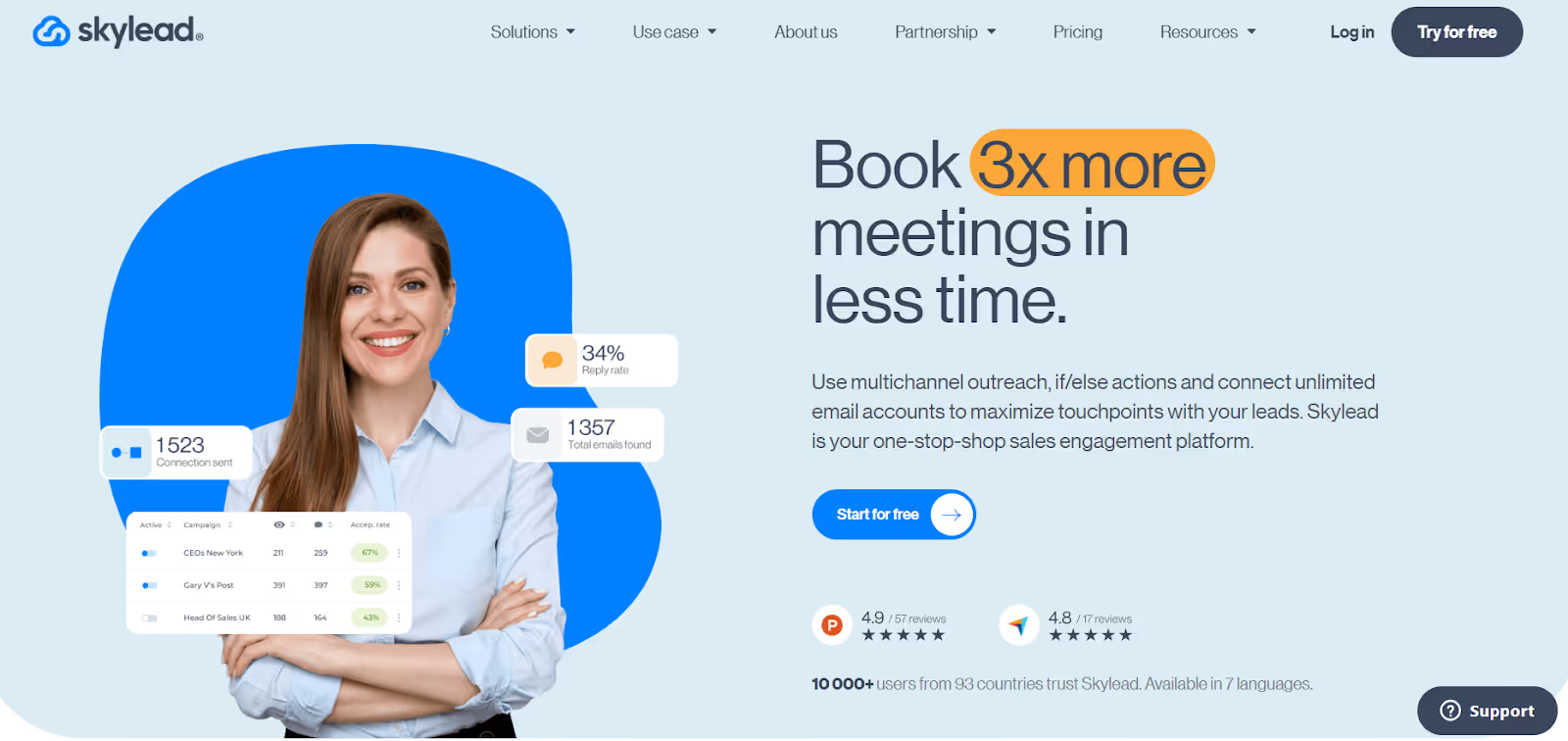
Skylead is a multichannel outreach tool that helps you automate LinkedIn messaging, connection requests, follow-ups, and email outreach in one platform.
It uses Smart Sequences with if/else logic to send personalized LinkedIn messages and emails based on how leads interact.
The platform supports unlimited email accounts, email warm-up, inbox management, and integrations to help scale outreach safely.
Key Features of Skylead
- You can build automated outreach flows that combine LinkedIn actions and email steps using if/else logic to adapt based on each lead’s behavior.
- You can connect and rotate unlimited email accounts in campaigns to send high-volume outreach without damaging domain reputation.
- Skylead can automatically find and verify business email addresses inside a sequence so you can avoid bounces and keep outreach flowing.
- Email accounts get automatic warm-up to increase deliverability and help messages land in the inbox instead of spam.
Pros & Cons of Skylead
Skylead Pricing
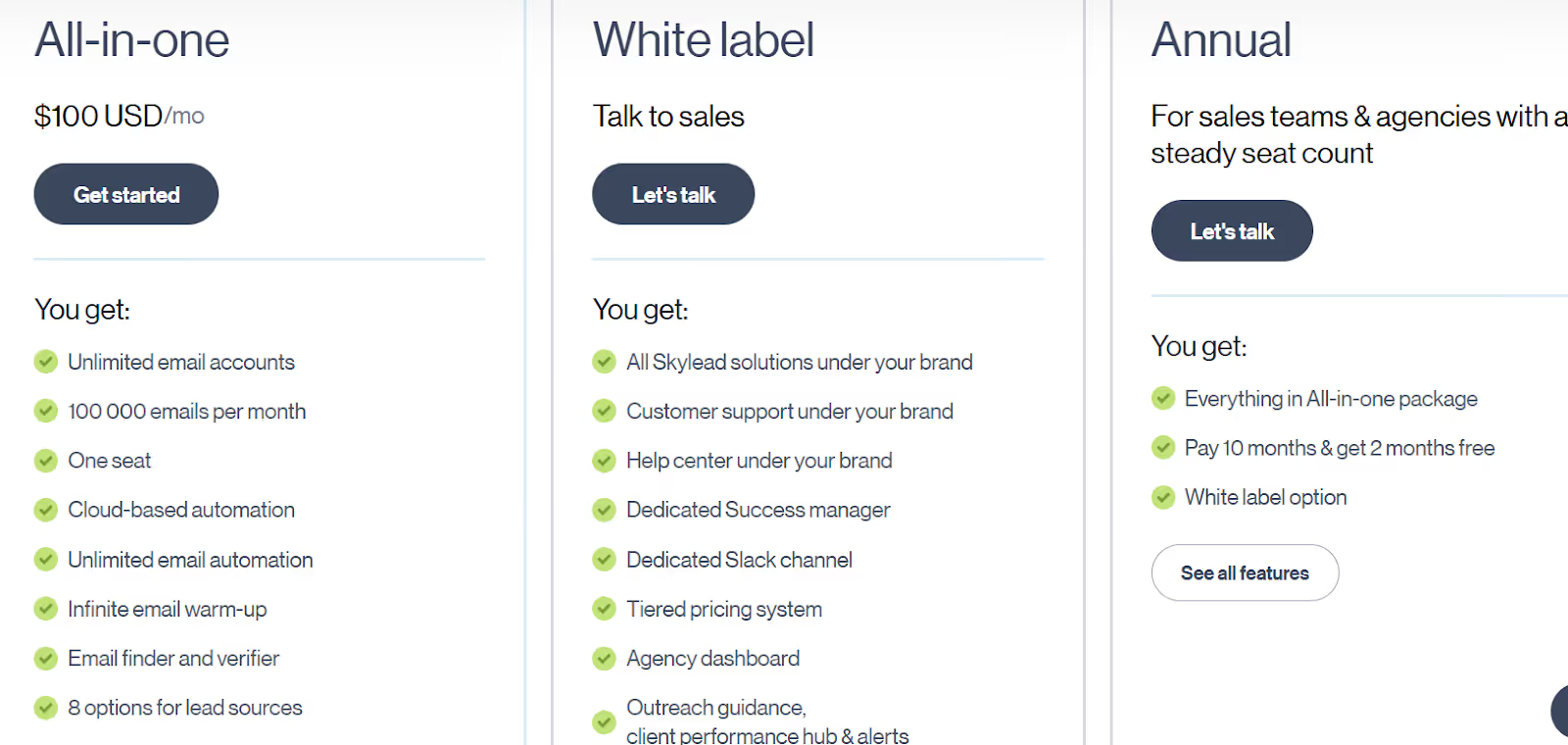
- All-in-One – $100/month, Includes unlimited email accounts, 100k emails/month, Smart Sequences, cloud automation, email warm-up, email finder/verifier, GIF/image personalization, API, and multilingual support.
- White Label – Custom Pricing, Includes platform rebranding, branded support, success manager, API, agency dashboard & Slack channel.
- Annual Plans – Custom Pricing, Includes everything in All-in-One with annual billing benefits and optional white-label features.
- Free Trial: 7-day trial available with no credit card required.
10. LinkedRadar – Ideal for Free & AI-Enhanced LinkedIn Automation
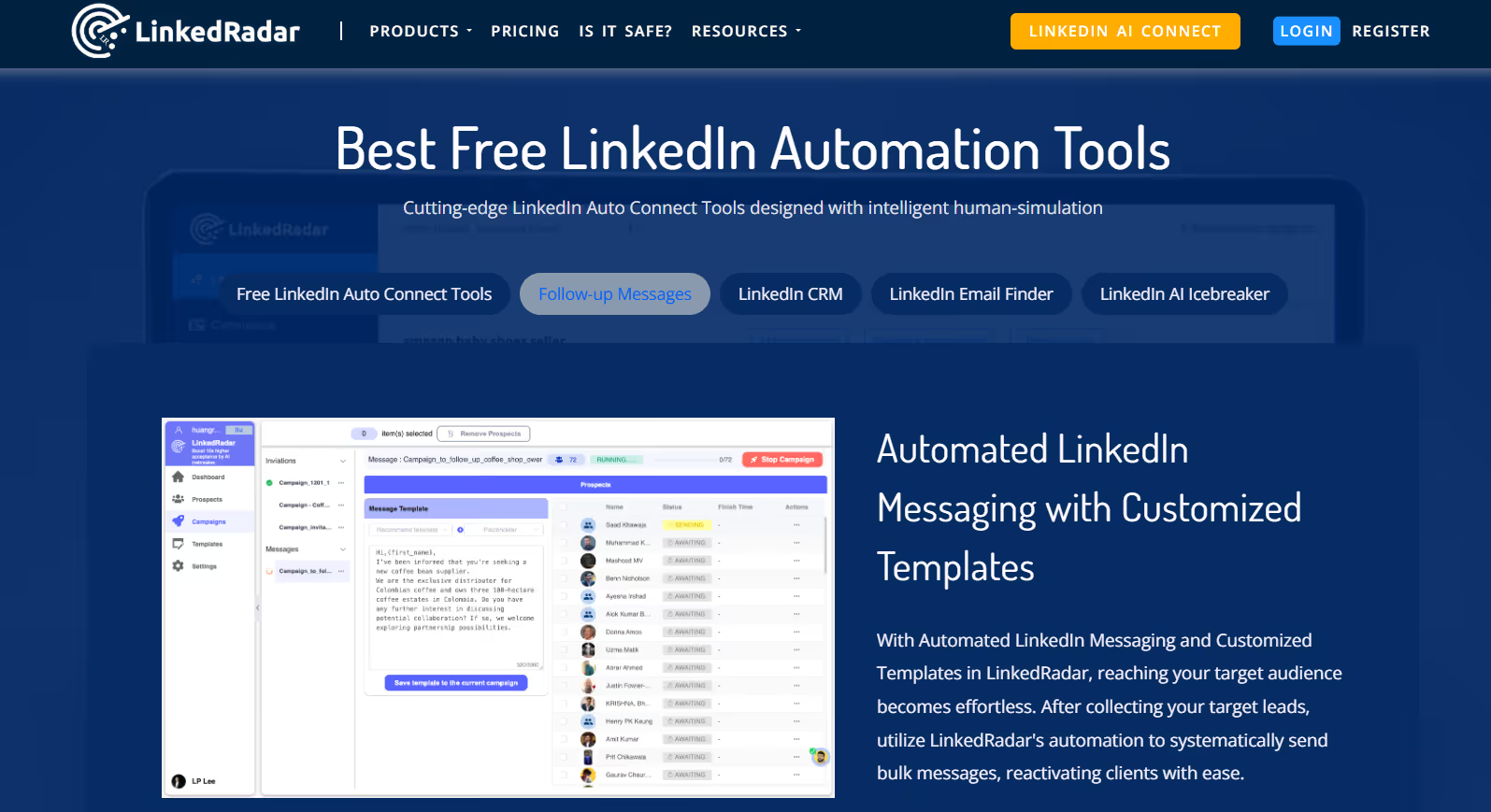
LinkedRadar is a cost-effective LinkedIn automation tool that focuses on AI-driven messaging, auto-connect, email finding, and lightweight CRM lead organization.
The platform simulates human behavior to keep accounts safer during outreach and provides AI templates, email finder, and bulk messaging to support LinkedIn prospecting.
LinkedRadar offers a free usage tier, making it attractive for solo founders, recruiters, and marketers looking for affordable LinkedIn outreach.
Key Features of LinkedRadar
- You can send automated connection requests with AI-generated personalized invitations based on each prospect’s LinkedIn profile.
- You can send bulk follow-up messages on LinkedIn using templates to re-engage prospects or nurture leads without manual effort.
- LinkedRadar can search business email addresses by comparing multiple data channels and provides 60+ AI-generated email templates.
- Users can send up to 100 LinkedIn invites and 100 LinkedIn messages per day to avoid aggressive sending patterns.
Pros and Cons of LinkedRadar
LinkedRadar Pricing
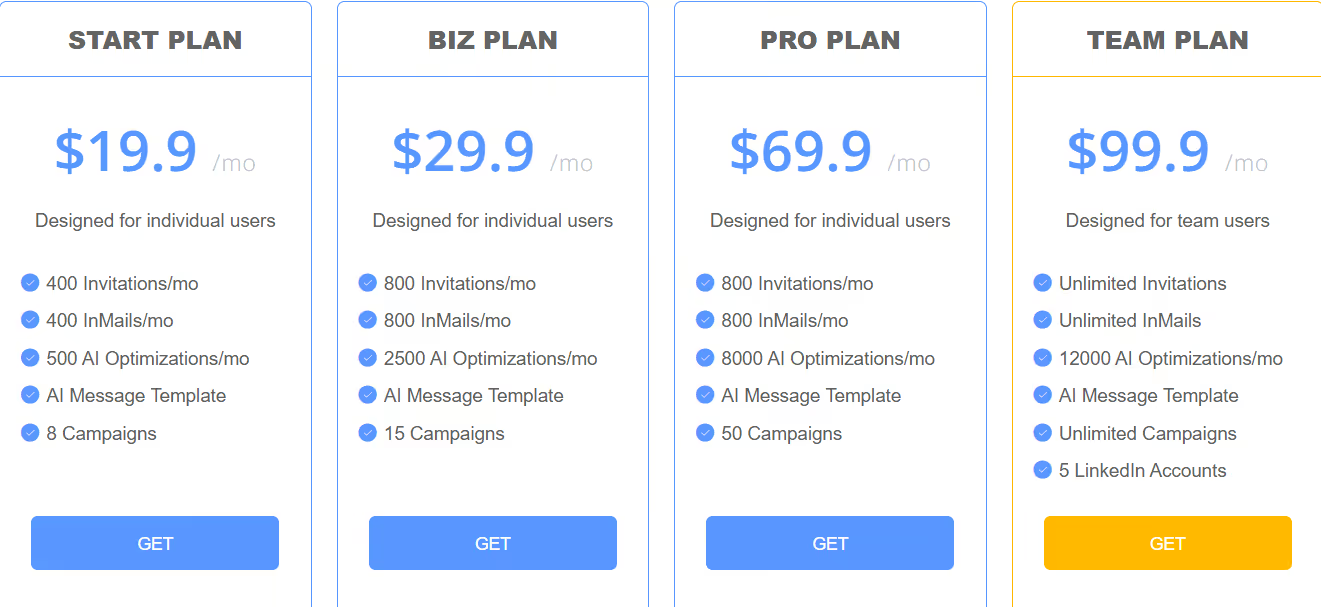
LinkedRadar offers multiple subscription plans:
- Start Plan – $19.9/month, includes 400 invites/month, 400 InMails/month, 500 AI optimizations/month, templates, up to 8 campaigns.
- Biz Plan – $29.9/month, includes 800 invites/month, 800 InMails/month, 2500 AI optimizations, templates, up to 15 campaigns.
- Pro Plan – $69.9/month, includes 800 invites/month, 800 InMails/month, 8000 AI optimizations, templates, up to 50 campaigns.
- Team Plan – $99.9/month, includes unlimited invites & InMails, 12000 AI optimizations, unlimited campaigns, supports 5 LinkedIn accounts.
Which LinkedIn Automated Messaging Tool Should You Choose?
Choosing the right LinkedIn messaging tool depends on what you need.
- If you just want basic LinkedIn connections and messages, tools like LinkedRadar or Waalaxy are enough.
- If you want safer outreach with both LinkedIn and email, tools like Expandi or Skylead are better.
- If you need account roles, reporting, or agency features, Expandi or Meet Alfred make more sense.
But if you want to send LinkedIn and email messages together, use AI to write messages, and warm up emails in one place, then Salesforge is a great choice.
Start your 14-day free trial with Salesforge!
.png)

.png)

.png)