La Growth Machine works well when your outbound setup is simple. But as soon as you try to scale it, the limitations start to show.
I’ve noticed the same pattern across teams. Costs go up quickly with seat-based pricing. Campaign limits slow down execution. And small issues like sync errors or UI bugs start affecting active sequences.
Even in real user reviews, the feedback is consistent, scaling gets expensive, and bugs or UI lags interrupt workflows.
When you try to run more campaigns or add more senders, the problem becomes clear.
You can’t scale without hitting limits, costs go up fast, and keeping sequences stable gets harder.
If you’re searching for La Growth Machine alternatives, it’s usually because of this.
In this guide, I’ll show you:
tools that handle higher volume better
where each one fits
how to choose based on your setup
Let’s get into it.
Table of Contents
Which La Growth Machine Alternative Should You Switch to for Your Use Case?
The right La Growth Machine alternative depends on what’s breaking in your setup, scale, LinkedIn workflows, data, or CRM.
You should pick the tool that fixes that specific issue.
If you want to fix…
Choose…
High-volume outbound (more campaigns, senders)
Salesforge, Instantly, Smartlead
LinkedIn-heavy outreach
Waalaxy, Expandi
Better personalization / replies
Lemlist
Data + prospecting
Apollo, ZoomInfo
CRM-driven workflow
HubSpot Sales Hub
Simple setup / small teams
Kanbox
How I Evaluated These La Growth Machine Alternatives
I looked at how these tools perform when you run multiple campaigns and add more senders.
Here’s how I evaluated La Growth Machine alternatives:
Setup time from signup to first campaign
Ability to run multiple campaigns at once
Support for LinkedIn, email, or both
Ease of use in daily workflow
Ability to scale with more senders
Flexibility to build and manage sequences
Stability during live campaigns (bugs, sync issues)
Pricing as you scale
These checks helped me find tools that are easier to use and scale.
Why Should You Switch to a La Growth Machine Alternative?
From what I’ve seen (and what users say), La Growth Machine is good at the start.
People like:
Easy multichannel setup
Unified inbox
Strong LinkedIn + email workflows
But the problems start when you try to scale.
From real user reviews, a few things come up again and again:
“Expensive to scale” → every new seat increases cost
“Limited campaigns” → hard to run multiple campaigns at once
“Bugs and sync issues” → workflows can break during live campaigns
“UI lags and errors” → affects daily usage
I’ve seen this myself — everything works fine until you increase volume.
Once you try to:
add more campaigns
add more users
run outreach continuously
…it starts getting harder to manage.
La Growth Machine is good to start.
But if your goal is to scale, simplify, or improve performance, switching to the right tool makes a big difference.
10 Best La Growth Machine Alternatives: Quick Comparison
Tool
Channels
Scaling
Automation
La Growth Machine
Email + LinkedIn
Limited
Medium
Salesforge
Email + LinkedIn
Very High
Medium
Lemlist
Email + LinkedIn + Calls
Medium
Medium
Instantly
Email
Very High
Medium
Reply
Multichannel
High
Very High
ZoomInfo
Data only
No
No
Kanbox
LinkedIn
Low
Low
Expandi
LinkedIn + Email
Medium
High
Apollo
Email + Calls
Medium
Medium
HubSpot
Email (CRM)
CRM scaling
Medium
1. Salesforge - Best for Scaling Outbound
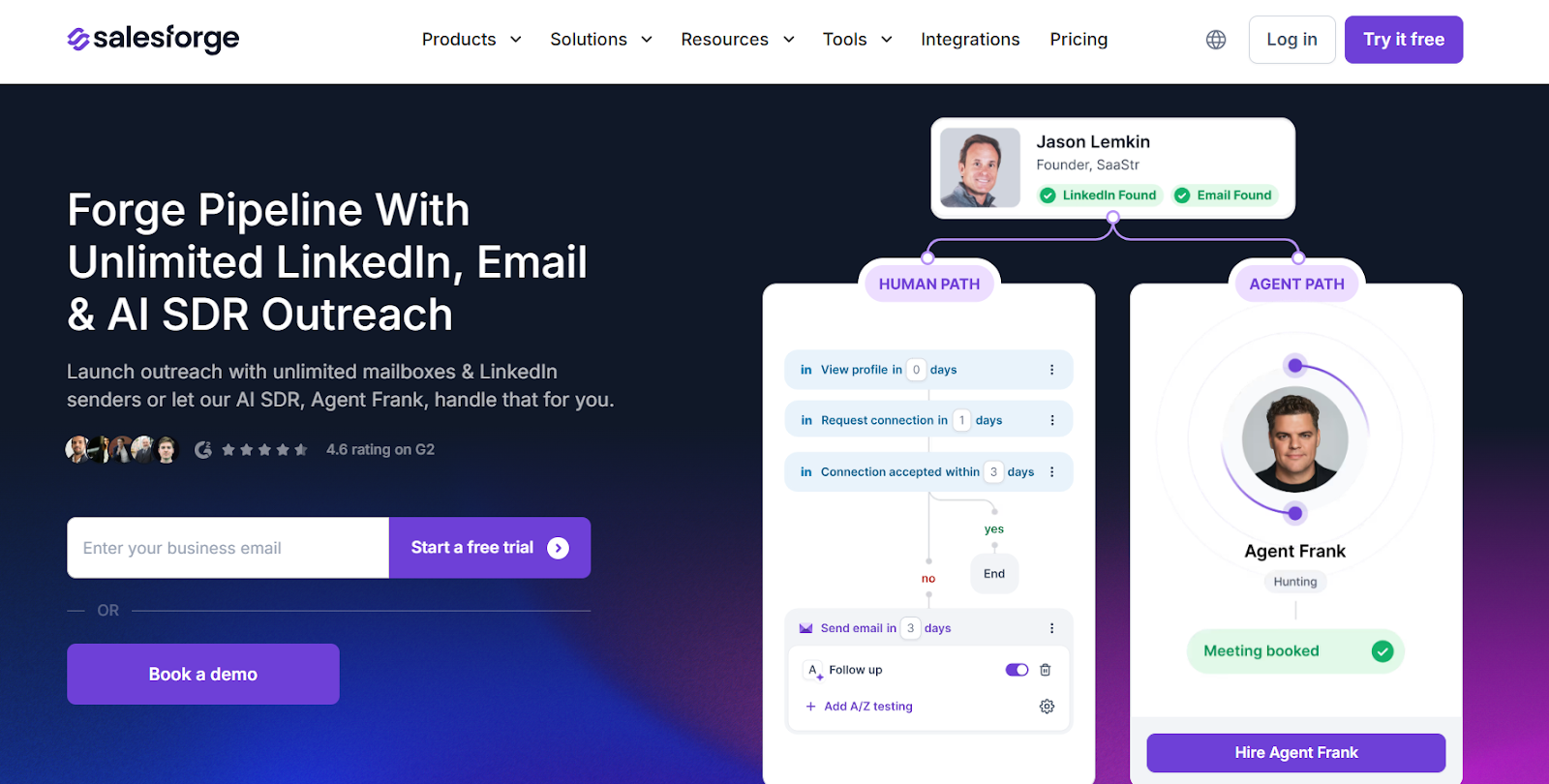
This image shows the Salesforge homepage
Salesforge is a multichannel outbound platform. It lets you run email and LinkedIn outreach from one place.
What stood out to me is how it handles scale. Most tools help you set up campaigns.
Salesforge focuses on running outbound when volume increases.
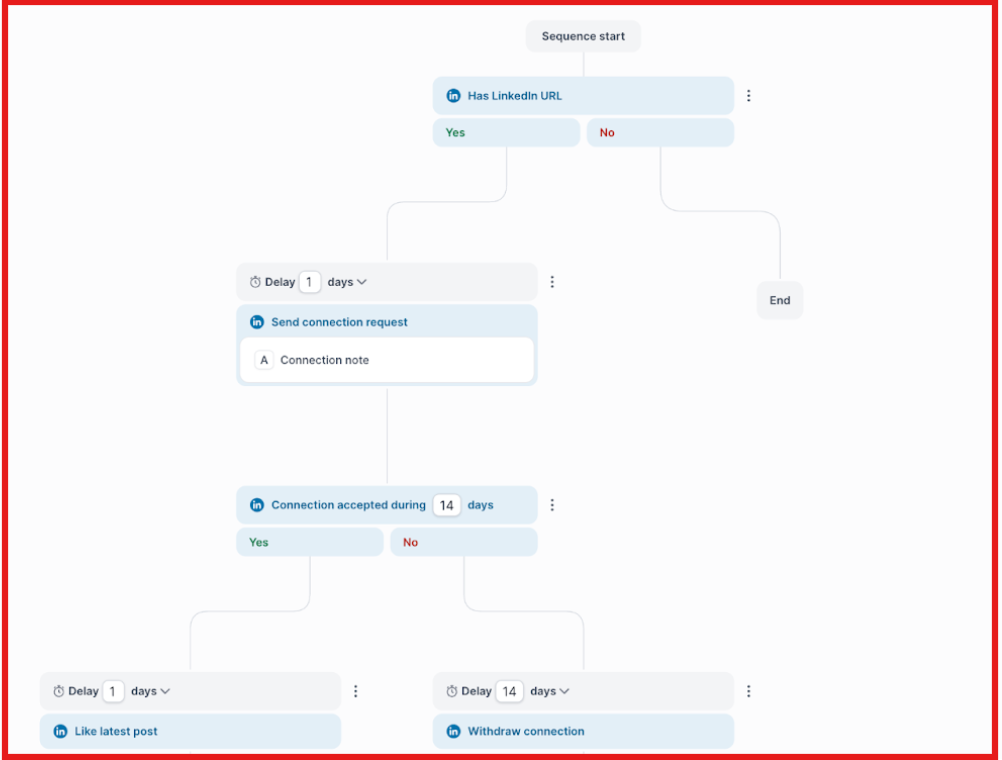
You can add multiple mailboxes and senders. You can run campaigns across channels.
This image shows the Multichannel sequences on Salesforge
You don’t have to manage mailbox or sender limits every time you scale.
It also includes deliverability tools and an AI SDR (Agent Frank).
So you don’t need extra tools for warmup or outreach automation.
It feels more like a full outbound system, not just a campaign tool.
Why is Salesforge a Better La Growth Machine alternative?
La Growth Machine works well for multichannel outreach. But it has limits when you try to scale.
With Salesforge:
You don’t pay per seat
You can add unlimited mailboxes and senders
You can run multiple campaigns without strict limits, but usage depends on your plan capacity
It is designed more for high-volume outbound systems, not just workflows.
If your main issue with La Growth Machine is scaling campaigns and adding more senders, Salesforge is a better fit.
Salesforge vs La Growth Machine: Quick Comparison
Feature
Salesforge
La Growth Machine
Pricing model
Not seat-based
Per identity (seat-based)
Mailboxes
Unlimited
Limited per identity
Campaign limits
No strict limits
Limited campaigns
Channels
Email + LinkedIn
Email + LinkedIn
Inbox
Unified (Primebox)
Unified inbox
Deliverability
Built-in warmup (Warmforge)
Basic rotation
AI SDR
Yes (Agent Frank)
No
Pros and Cons of Salesforge
Pros
Cons
Unlimited mailboxes and senders
Setup can take time (domains, warmup)
Built for high-volume outreach
Needs understanding of outbound infra
Strong deliverability tools included
Not beginner-friendly
Multichannel (email + LinkedIn)
No built-in contact database, but it integrates with Leadsforge for data
AI SDR (Agent Frank) for automation
Some features depend on stack setup
Salesforge Pricing
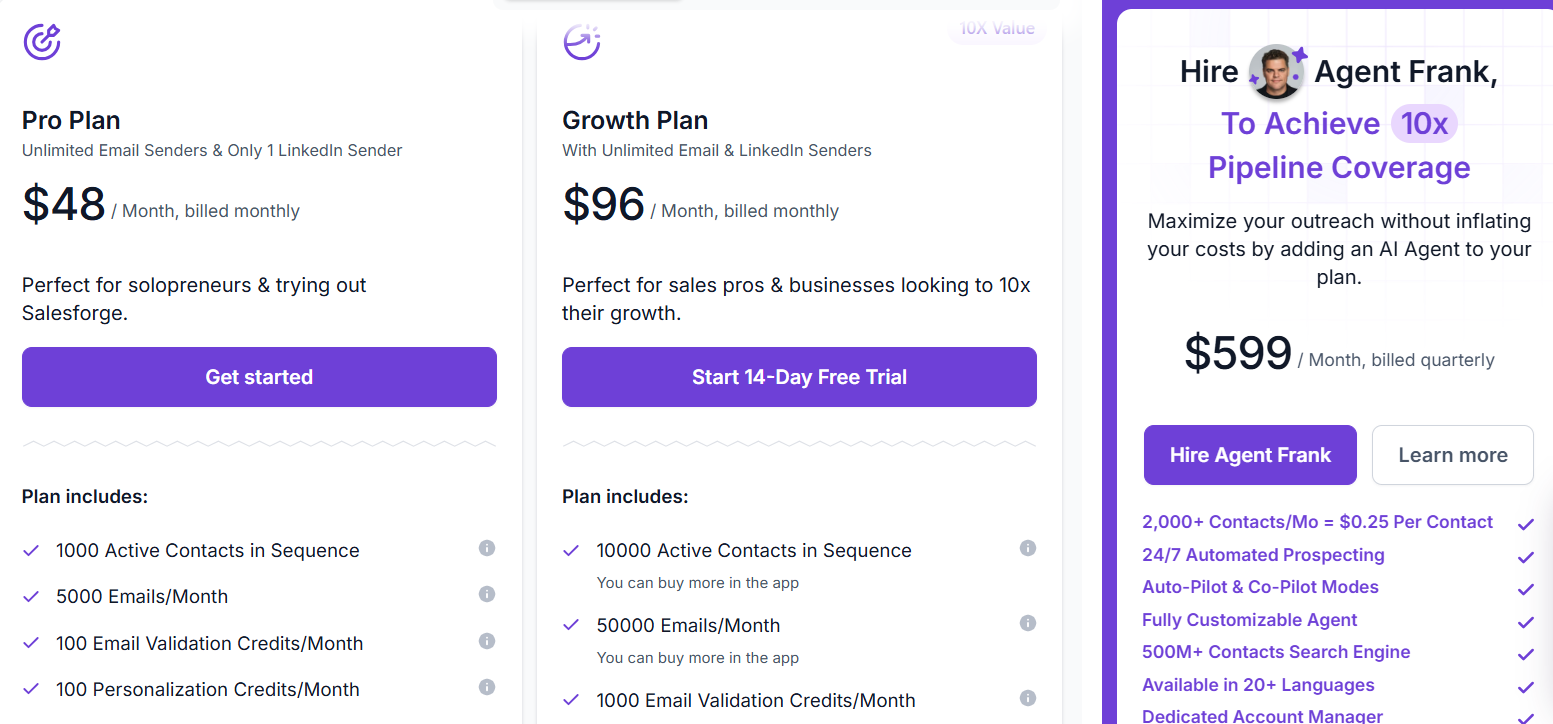
This image shows the Salesforge pricing
Salesforge pricing is based on how much volume you run, not how many seats you add.
Pro Plan – $48/month, includes 1,000 active contacts, 5,000 emails per month, and lets you connect unlimited mailboxes, but it supports only one user. This plan is good if you are just getting started.
Growth Plan – $96/month, includes 10,000 active contacts, 50,000 emails per month, unlimited users, and unlimited LinkedIn senders. This plan is built for teams that want to scale.
Agent Frank (AI SDR) – starts at $499/month, handles prospecting, sending emails, follow-ups, and booking meetings for you. This is an add-on if you want to automate outbound fully.
You can also buy extra credits for emails, contacts, and personalization as your volume increases.
The key difference is that you scale based on usage, not by paying for more seats.
2. Lemlist - Best for Personalization-Focused Outbound
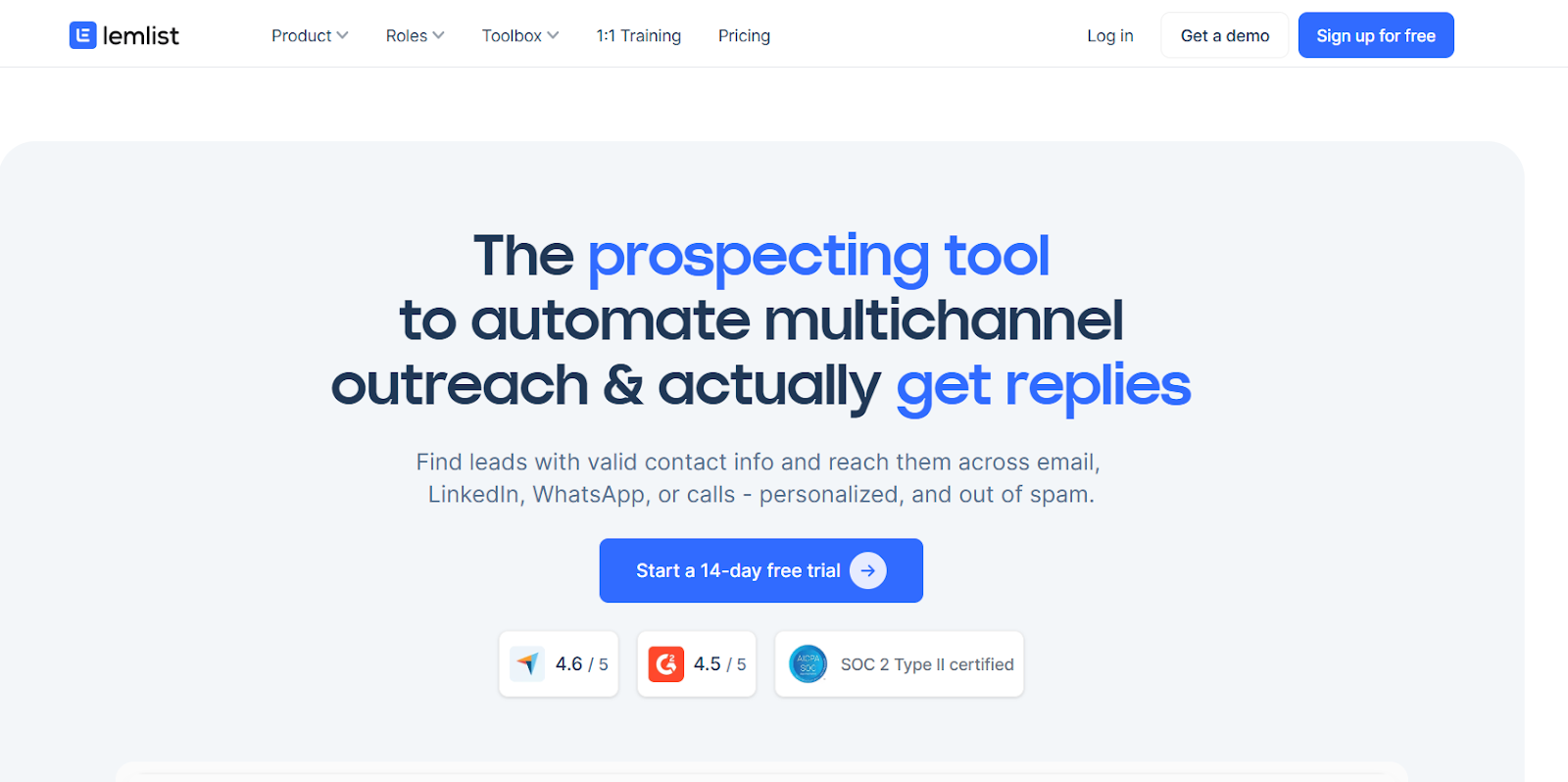
This image shows the Lemlist homepage
Lemlist is a sales engagement platform that helps you run multichannel outreach across email, LinkedIn, calls, and more from one place.
From my experience, Lemlist can scale. But it is more focused on personalization than high-volume sending.
If your focus is sending highly personalized campaigns, it does that really well. You can customize messages, images, and even landing pages for each prospect.
It includes a built-in lead database, enrichment, and deliverability tools inside the platform
Why is Lemlist a Better La Growth Machine alternative?
La Growth Machine is good for building workflows. But Lemlist is better when your goal is improving reply rates.
With Lemlist:
You get stronger personalization features
You can run multichannel sequences (email + LinkedIn + calls)
You get built-in deliverability tools like lemwarm
You also get access to a large lead database
If La Growth Machine feels limiting because your outreach is not getting replies, Lemlist is a better fit.
Pros and Cons of Lemlist
Pros
Cons
Easy to run targeted campaigns
Pricing is per user
Multichannel outreach (email, LinkedIn, calls)
Can get expensive as team grows
Built-in lead database (600M+ contacts)
Not built for very high-volume sending
Deliverability tools included (lemwarm)
Learning curve for advanced features
Lemlist Pricing
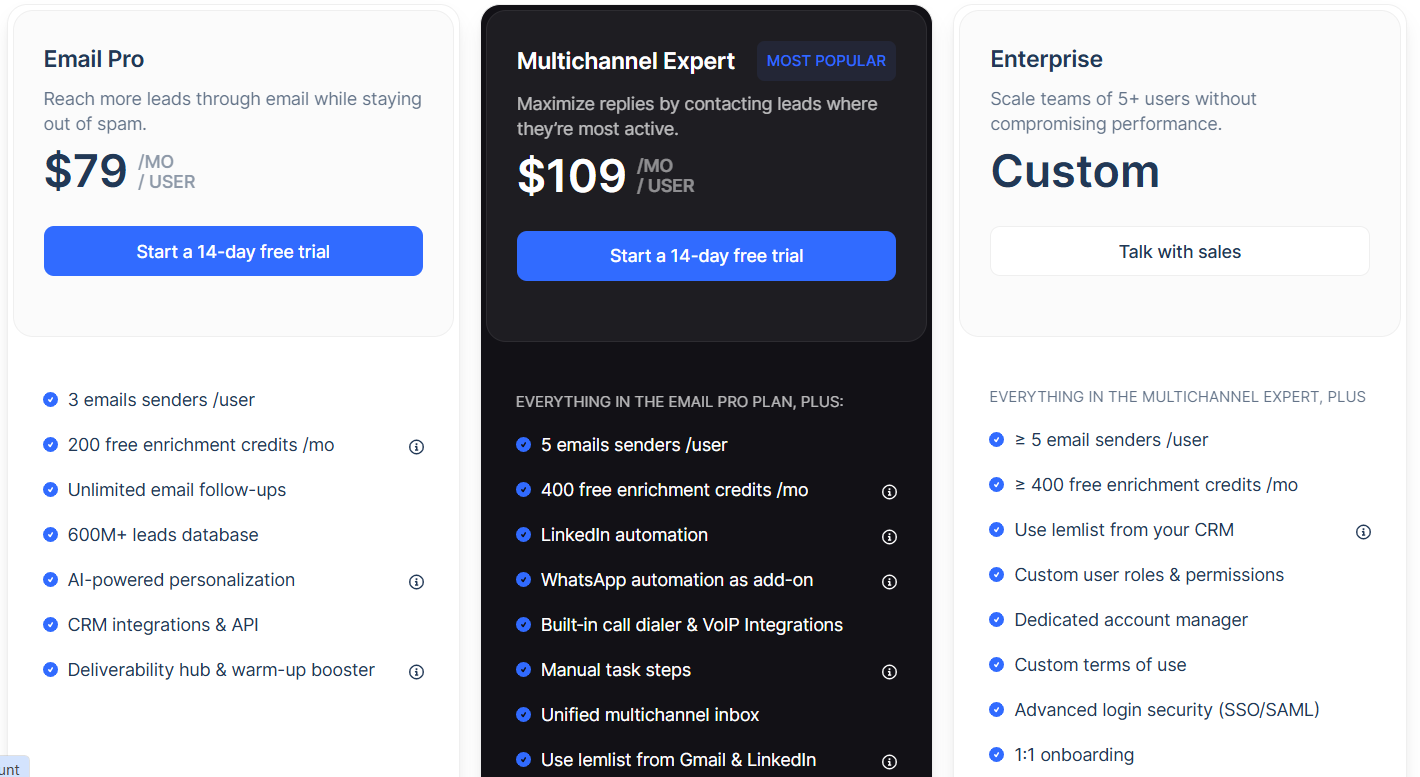
This image shows the Lemlist pricing
Lemlist pricing is based on per user (seat-based).
Email Pro – $69/month per user, includes email outreach, unlimited follow-ups, AI personalization, and access to deliverability tools like lemwarm. It also includes 3 sending emails per user and lead database access.
Multichannel Expert – $99/month per user, includes multichannel outreach with LinkedIn automation, calls, and WhatsApp (paid add-on). It also includes a centralized inbox, 5 sending emails per user, and more enrichment credits.
Enterprise Plan – Custom pricing, includes advanced integrations, API access, and dedicated support. This plan is for larger teams.
3. Waalaxy - Best for Simple LinkedIn Outreach
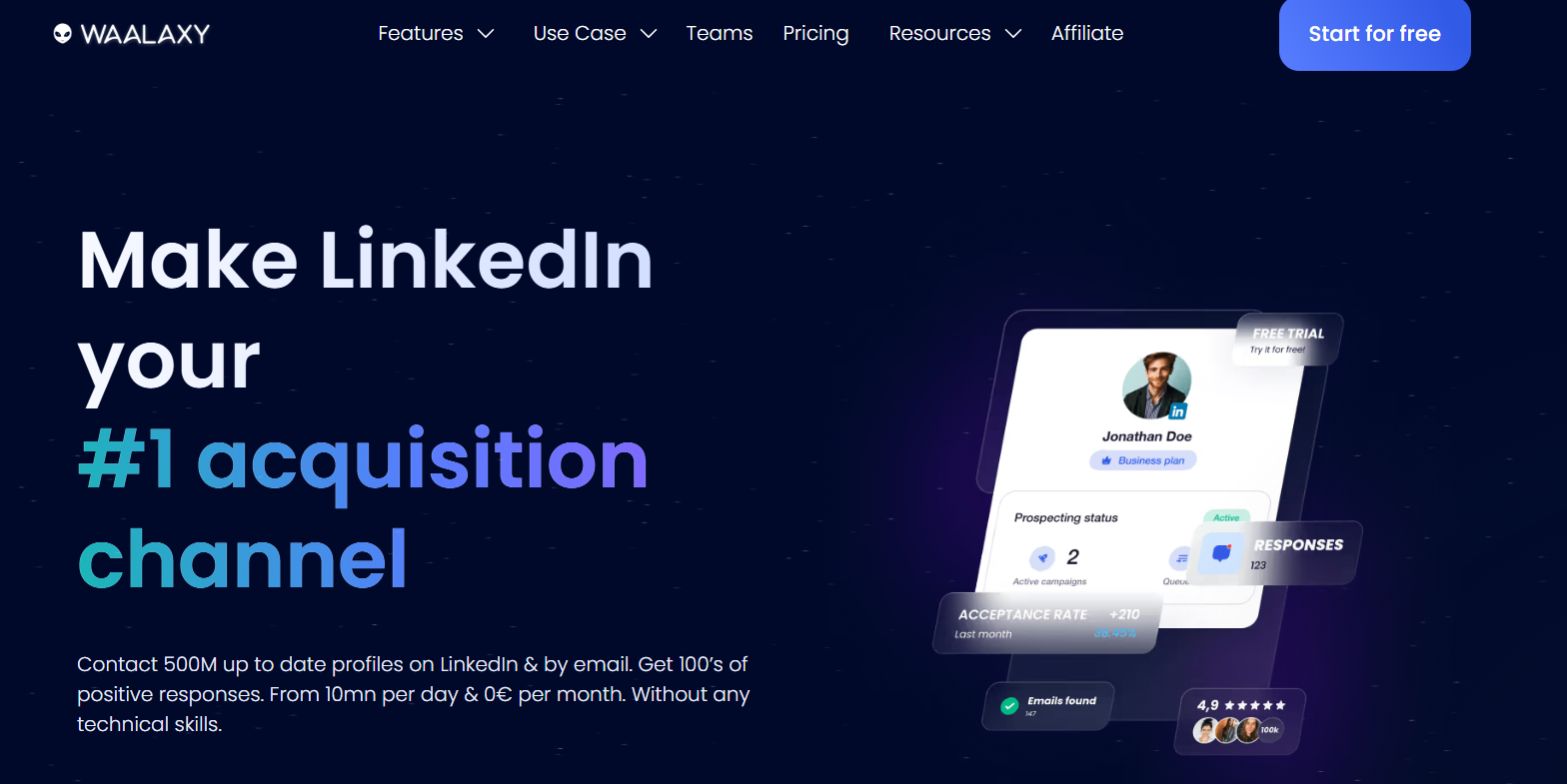
This image shows the Waalaxy homepage
Waalaxy is a LinkedIn automation tool. It helps you find prospects, send connection requests, and follow up automatically from one place.
What stood out to me is how simple it is to use.
You don’t need complex setups or technical skills to start.
It is built for LinkedIn-first outreach.
You can automate invitations, messages, and follow-ups while staying within LinkedIn limits.
It also includes an inbox to manage conversations, simple CRM-like features, and an email finder for contact data.
Why is Waalaxy a Better La Growth Machine alternative?
La Growth Machine is built for multichannel workflows. Waalaxy is better if you want something simpler.
With Waalaxy:
You can launch campaigns quickly without setup
You get ready-to-use templates (99+ campaigns)
You can automate LinkedIn outreach safely
You can manage conversations and follow-ups easily
If La Growth Machine feels complex or heavy, Waalaxy is a simpler alternative.
Pros and Cons of Waalaxy
Pros
Cons
Very easy to use
Limited multichannel depth
Built for LinkedIn automation
Not ideal for high-volume email outreach
Ready-to-use campaign templates
Less flexible workflows
Email finder included
Depends heavily on LinkedIn
CRM integrations (HubSpot, Pipedrive, Zapier)
Chrome extension-based setup
Waalaxy Pricing
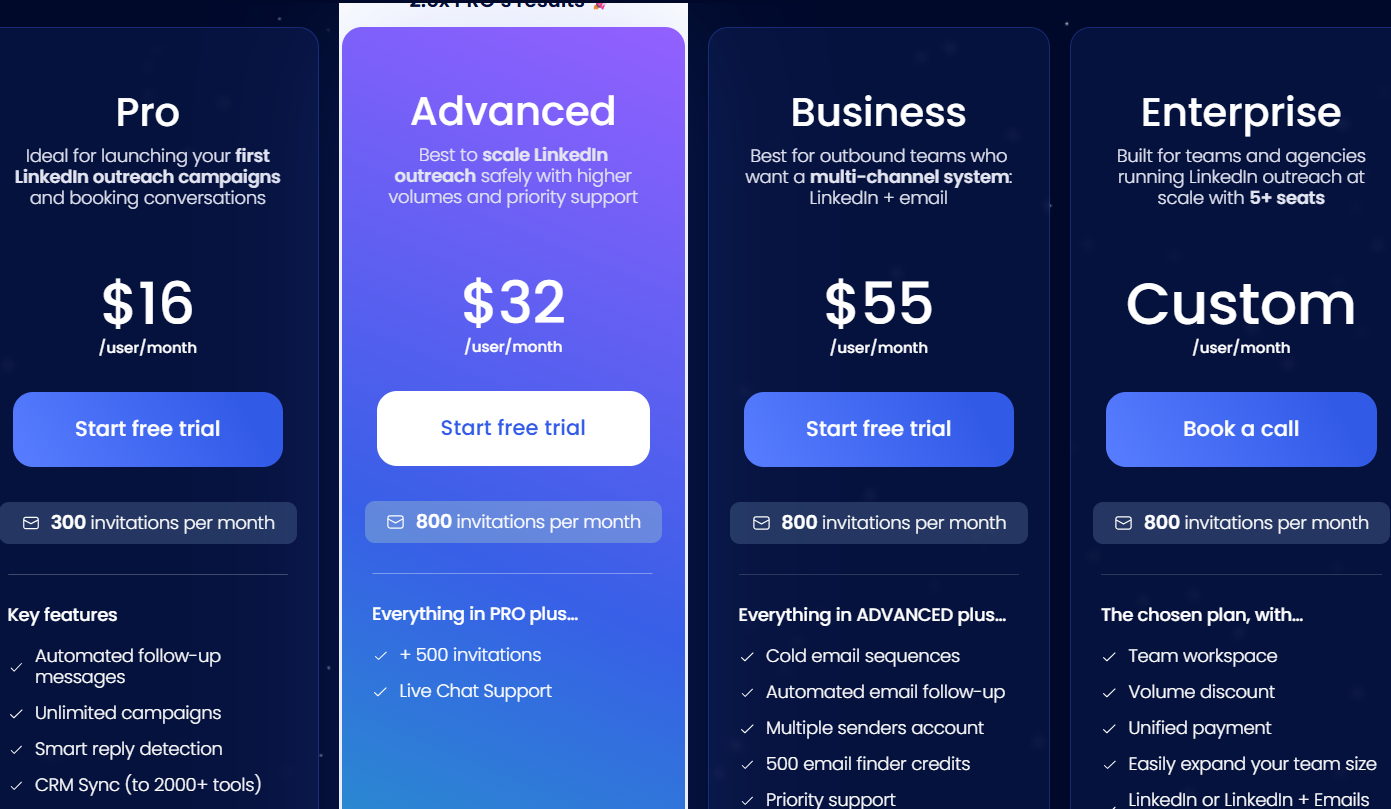
This image shows the Waalaxy pricing
Waalaxy pricing is based on a per user model, with plans built around LinkedIn outreach volume and features.
Pro Plan – $16/user/month, includes 300 LinkedIn invitations per month, automated follow-ups, unlimited campaigns, CRM sync, and 25 email finder credits. This plan is best for getting started.
Advanced Plan – $32/user/month, increases the limit to 800 invitations per month and adds faster support and better scaling options. This plan is for higher volume outreach.
Business Plan – $55/user/month, includes LinkedIn + email outreach, automated email follow-ups, multiple sender accounts, and 500 email finder credits. This plan adds multichannel features.
Enterprise Plan – Custom pricing, includes team workspace, analytics dashboard, onboarding support, and flexible scaling. This plan is built for teams and agencies.
Overall, Waalaxy is priced to stay accessible for individuals and small teams.
4. Instantly - Best for High-Volume Cold Email Outreach
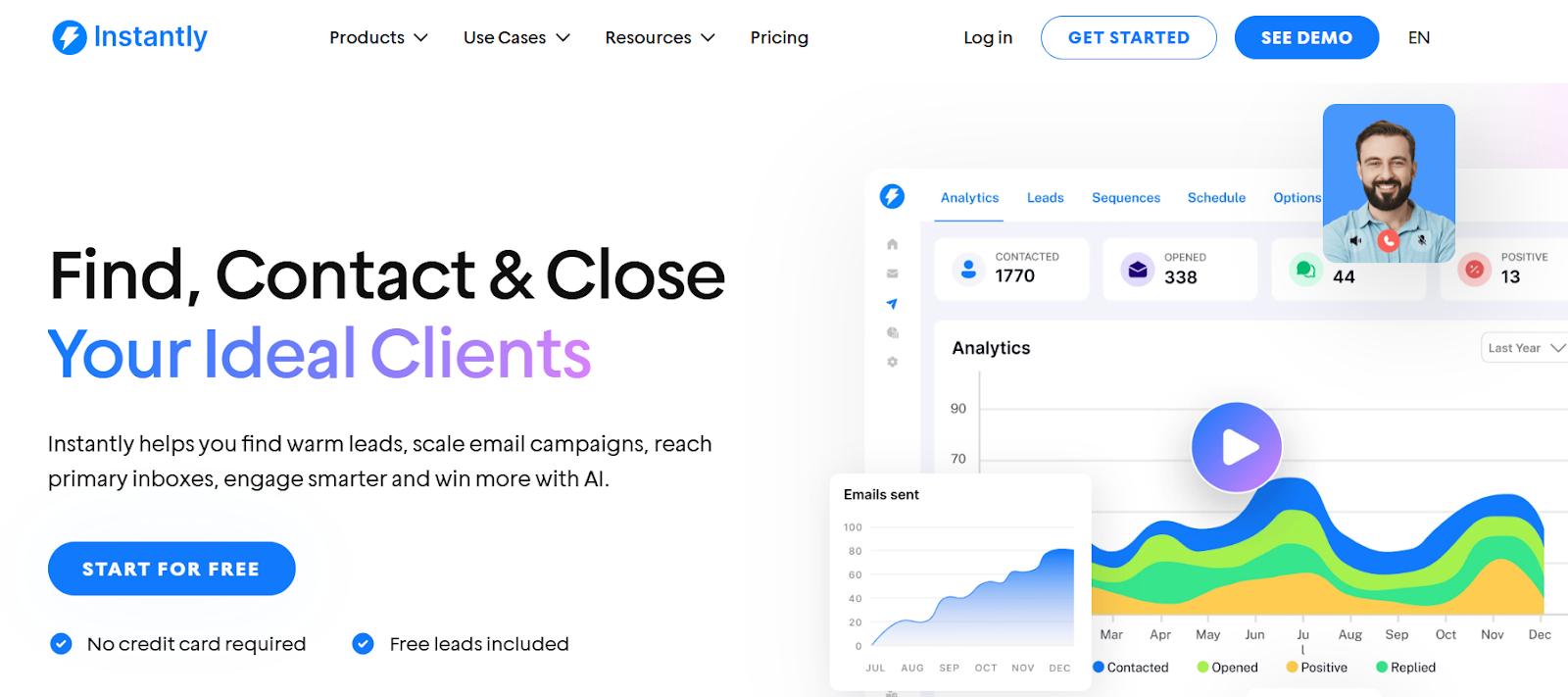
This image shows the Instantly homepage
Instantly is a cold email outreach platform. It helps you send emails at scale using multiple inboxes from one place.
From what I’ve seen, it removes most inbox and sending limits you usually face with cold email tools.
You can connect unlimited inboxes and keep increasing volume without changing tools.
It includes built-in warmup and deliverability tools to improve inbox placement.
So you spend less time managing setup and more time running campaigns.
Why is Instantly a Better La Growth Machine alternative?
La Growth Machine tries to balance LinkedIn and email. Instantly focuses only on email and does it better.
With Instantly:
You can scale email volume without managing identities like in La Growth Machine
You don’t depend on LinkedIn limits
You can run large campaigns across many inboxes
You get a simple system focused only on email
It is a better fit if your problem is not enough volume or slow campaign scaling.
Pros and Cons of Instantly
Pros
Cons
Unlimited email accounts
No LinkedIn automation
Built for high-volume sending
Focused mostly on email
Built-in warmup included
Needs setup for domains and inboxes
Easy to scale campaigns
Limited multichannel features
Lead finder and AI features included
Can feel basic for advanced workflows
Instantly Pricing
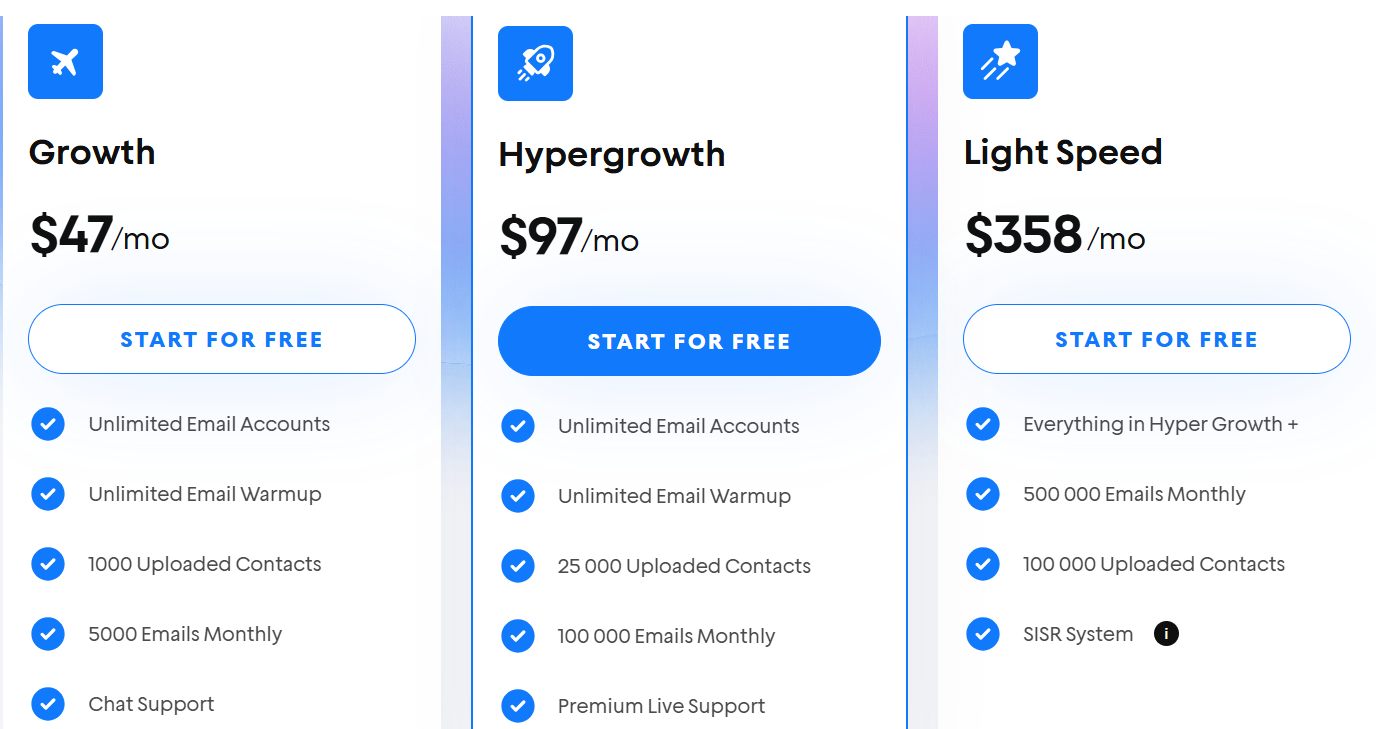
This image shows the Instantly pricing
Instantly pricing is based on usage and email volume.
Growth Plan – $37/month, includes unlimited email accounts, unlimited warmup, 1,000 contacts, and 5,000 emails per month.
Hypergrowth Plan – $97/month, includes 25,000 contacts and 100,000 emails per month, along with priority support. This plan is built for scaling.
Light Speed Plan – $358/month, includes up to 500,000 emails per month and higher limits across features. This plan is for high-volume teams.
All plans include unlimited email account connections and warmup.
5. Reply - Best for Structured Multichannel Outreach
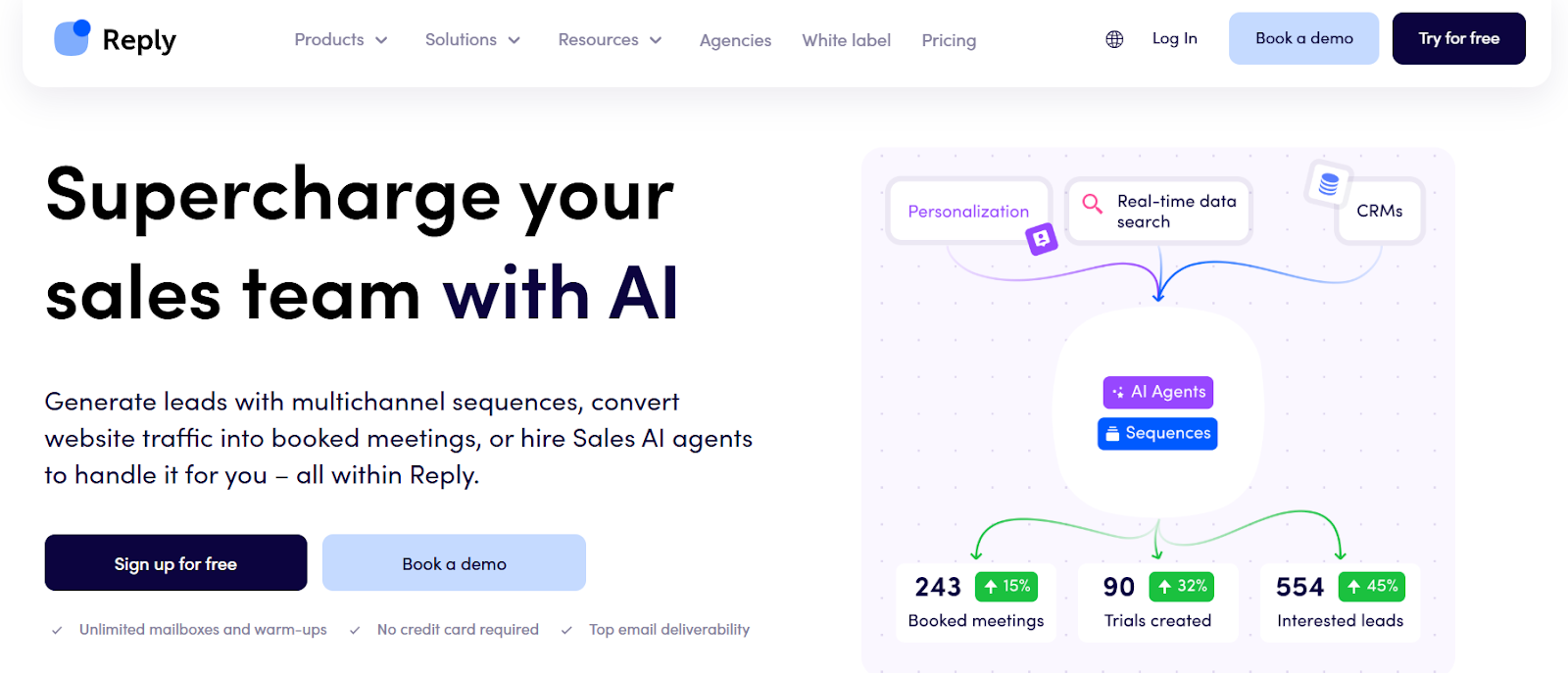
This image shows the Reply.io homepage
Reply is a sales engagement platform that combines email, LinkedIn, calls, and SMS into one system.
Compared to La Growth Machine, Reply feels more structured. You get more control over how sequences run across channels.
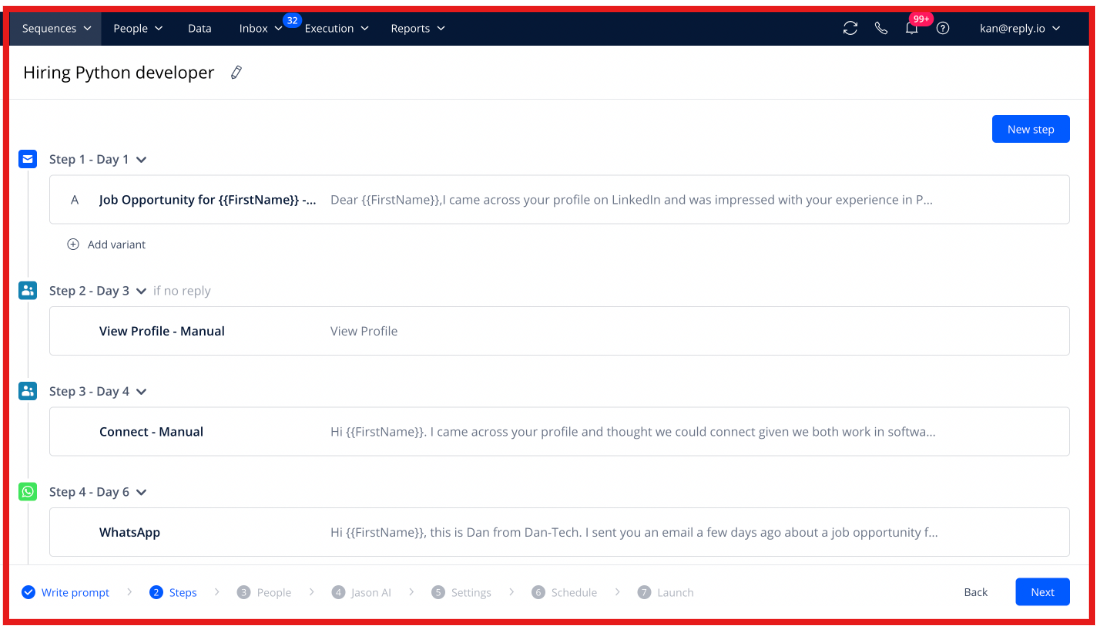
What I noticed is the depth. You can build conditional sequences, add multiple touchpoints, and manage everything from one place.
This image shows the Build multichannel sequences by Jason AI SDR
It also includes built-in data access, AI SDR (Jason), and strong deliverability features.
Why is Reply a Better La Growth Machine alternative?
La Growth Machine is simpler to use. Reply gives you more control and flexibility.
With Reply:
You can build conditional multichannel sequences
You can add email, LinkedIn, calls, SMS, and more
You get access to a large contact database
You can automate replies and meeting booking with AI
If La Growth Machine feels limiting in flexibility, Reply is a better fit.
It is built for teams that want more control over multichannel outreach.
Pros and Cons of Reply
Pros
Cons
Strong multichannel capabilities
Can feel complex for beginners
Conditional sequences and automation
Pricing is per user
Built-in data and enrichment
Add-ons required for some channels
AI SDR (Jason) for automation
Setup takes time
Deliverability tools included
UI can feel heavy for new users
Reply Pricing
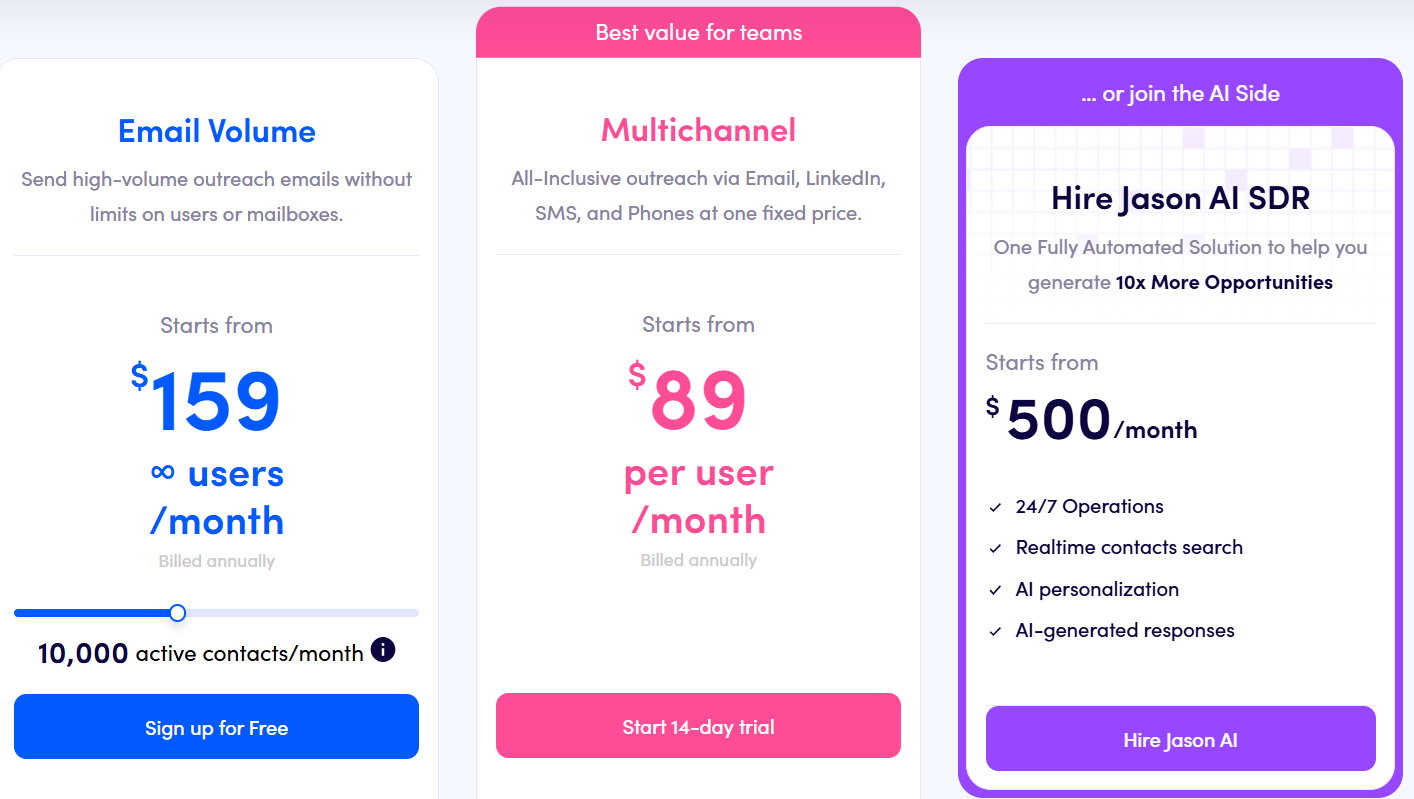
This image shows the Reply.io pricing
Reply pricing is based on a per user model, with separate plans for email and multichannel outreach.
Email Volume Plan – starts at $49/user/month, includes unlimited emails, unlimited mailboxes, email automation, warmup, and basic data credits.
Multichannel Plan – starts at $89/user/month, includes email, LinkedIn, calls, SMS, and WhatsApp automation with unlimited active contacts and advanced reporting.
AI SDR (Jason) – starts at $500/month, add-on automates prospecting, sequences, replies, and meeting booking using AI.
LinkedIn and calling features are available as add-ons depending on usage
6. ZoomInfo - Best for Data-Driven Prospecting
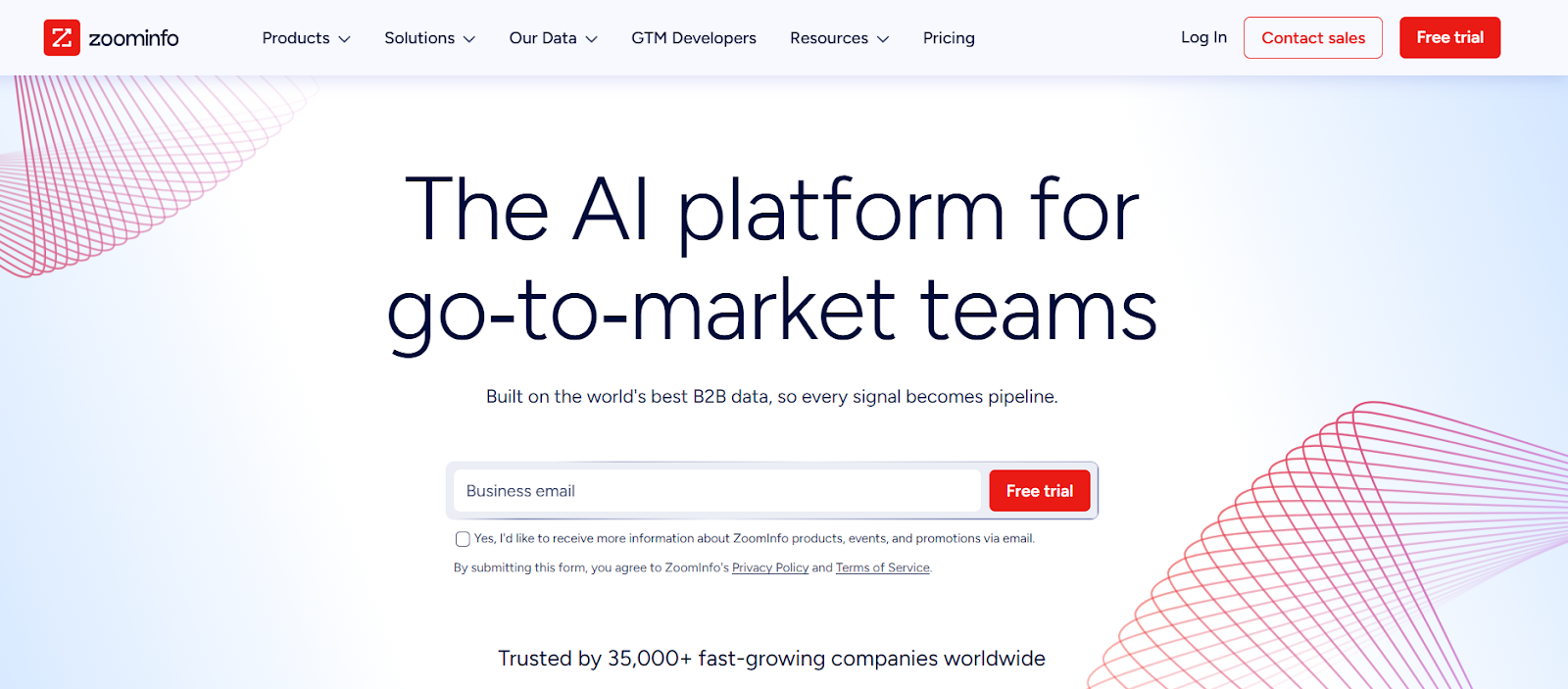
This image shows the ZoomInfo homepage
ZoomInfo is a B2B data and sales intelligence platform. It helps you find companies, contacts, and buyers using verified data and intent signals.
Compared to La Growth Machine, ZoomInfo is not focused on outreach first.
It is focused on data and targeting.
What I’ve seen is that it solves a different problem.
Instead of automating campaigns, it helps you find the right people to reach out to.
You get access to a large database, real-time buyer intent, and company insights before you even start outreach.
Why is ZoomInfo a Better La Growth Machine alternative?
La Growth Machine helps you run campaigns. ZoomInfo helps you decide who to target.
With ZoomInfo:
You get verified contact and company data
You can see buyer intent signals in real time
You can prioritize high-fit accounts
You can enrich and clean your CRM data
It is a better fit if your problem is poor data, wrong targeting, or low-quality leads.
Pros and Cons of ZoomInfo
Pros
Cons
Large B2B contact database
Expensive for small teams
High-quality, verified data
Pricing is not transparent
Buyer intent signals included
Not an outreach-first tool
Strong filtering and segmentation
Requires another tool for outreach
CRM enrichment and integrations
Can feel heavy for simple use cases
ZoomInfo Pricing
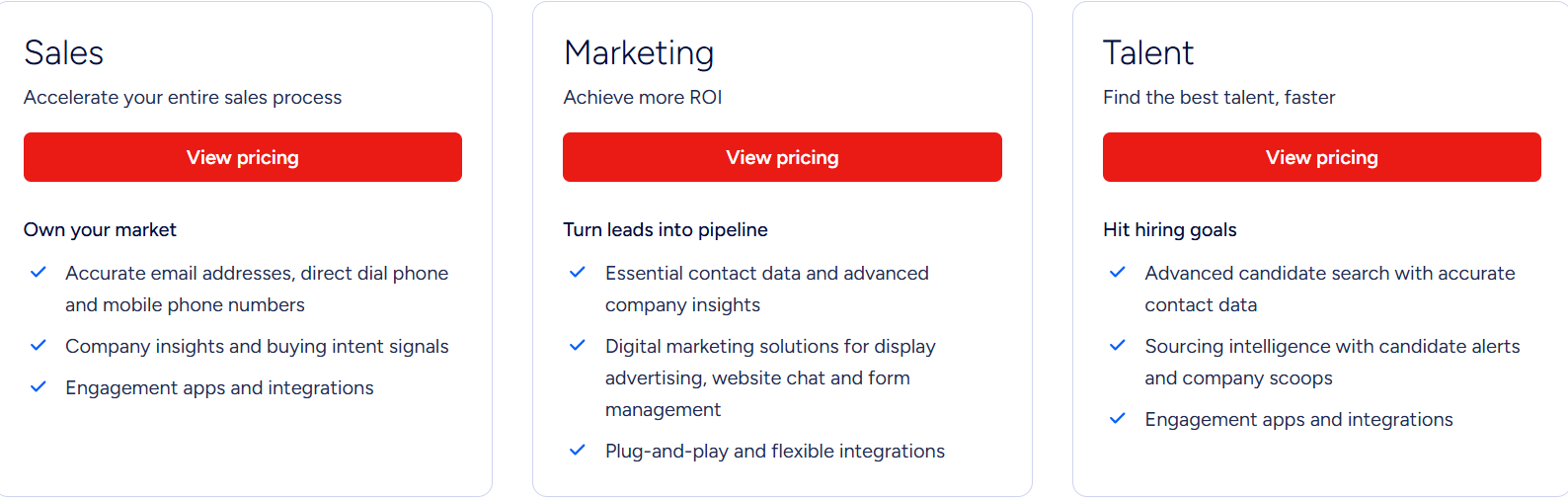
This image shows the ZoomInfo pricing
ZoomInfo pricing is not publicly fixed.
It depends on your usage.
Pricing is based on number of users (licenses) and credit usage
Credits are used when you export contact or company data
Cost increases based on data depth, features, and integrations
Add-ons like intent data and integrations can increase pricing
Most plans are custom and require a demo to get exact pricing.
7. Kanbox - Best for Managing LinkedIn Pipeline Visually
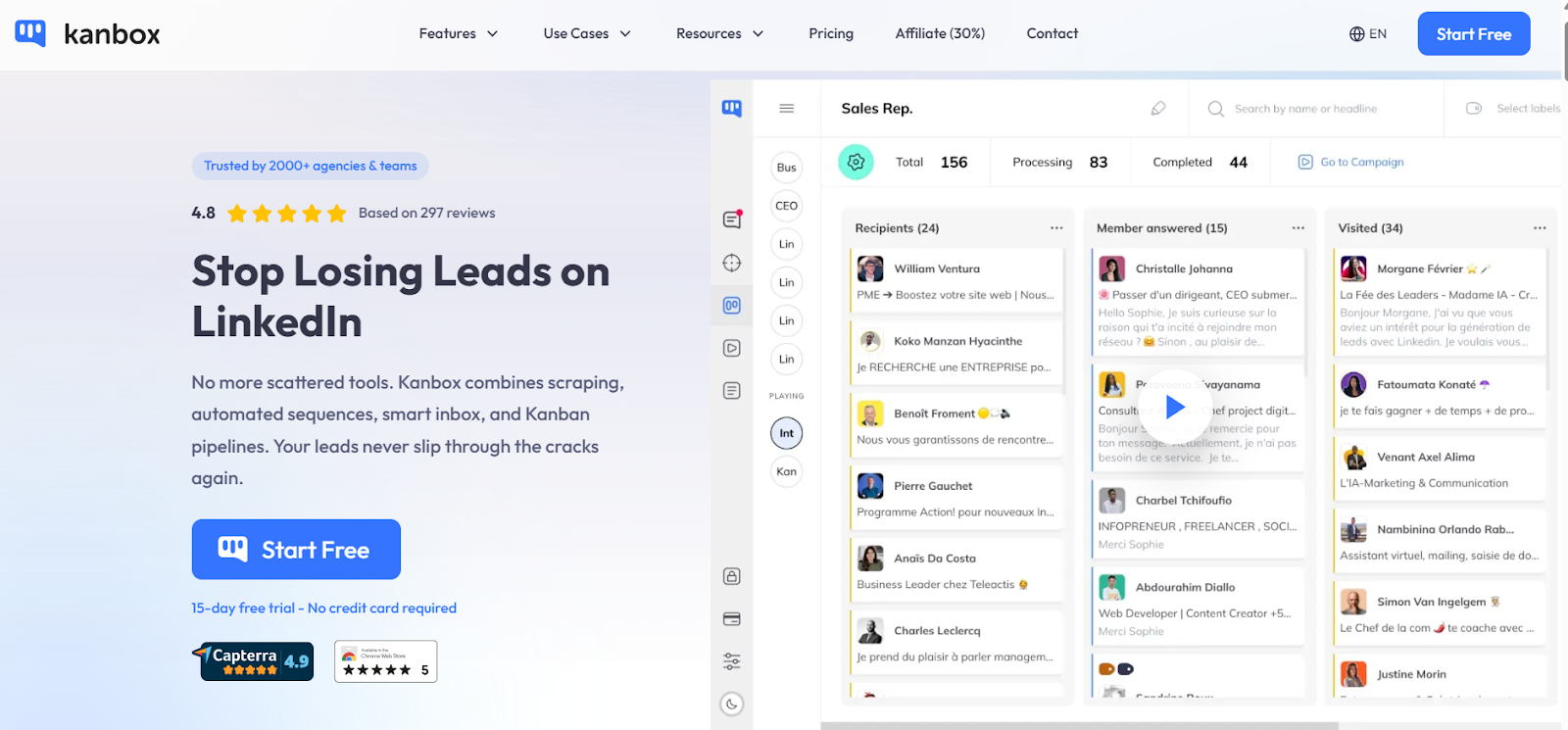
This image shows the Kanbox homepage
Kanbox is a LinkedIn automation tool with a built-in pipeline view.
It helps you manage leads from first touch to deal.
What I liked is how it shows everything clearly.
Instead of jumping between campaigns and inbox, I can see where each lead is stuck.
In La Growth Machine, I mostly think in sequences.
In Kanbox, I think in stages, new lead, replied, follow-up, closed.
Why is Kanbox a Better La Growth Machine alternative?
La Growth Machine helps you send messages. Kanbox helps you not lose track after sending them.
With Kanbox:
You can see all leads in one pipeline
You know which conversations need action
You don’t miss follow-ups or replies
Your team avoids contacting the same lead twice
If you care more about tracking leads than just sending messages, then Kanbox is a better choice.
Pros and Cons of Kanbox
Pros
Cons
Clear visual pipeline for leads
Limited beyond LinkedIn workflows
Built-in scraping from LinkedIn
Not a full multichannel tool
Inbox connected to campaigns
Depends heavily on LinkedIn
Email finder included
Fewer advanced automation features
Team collaboration support
Chrome extension-based
Kanbox Pricing
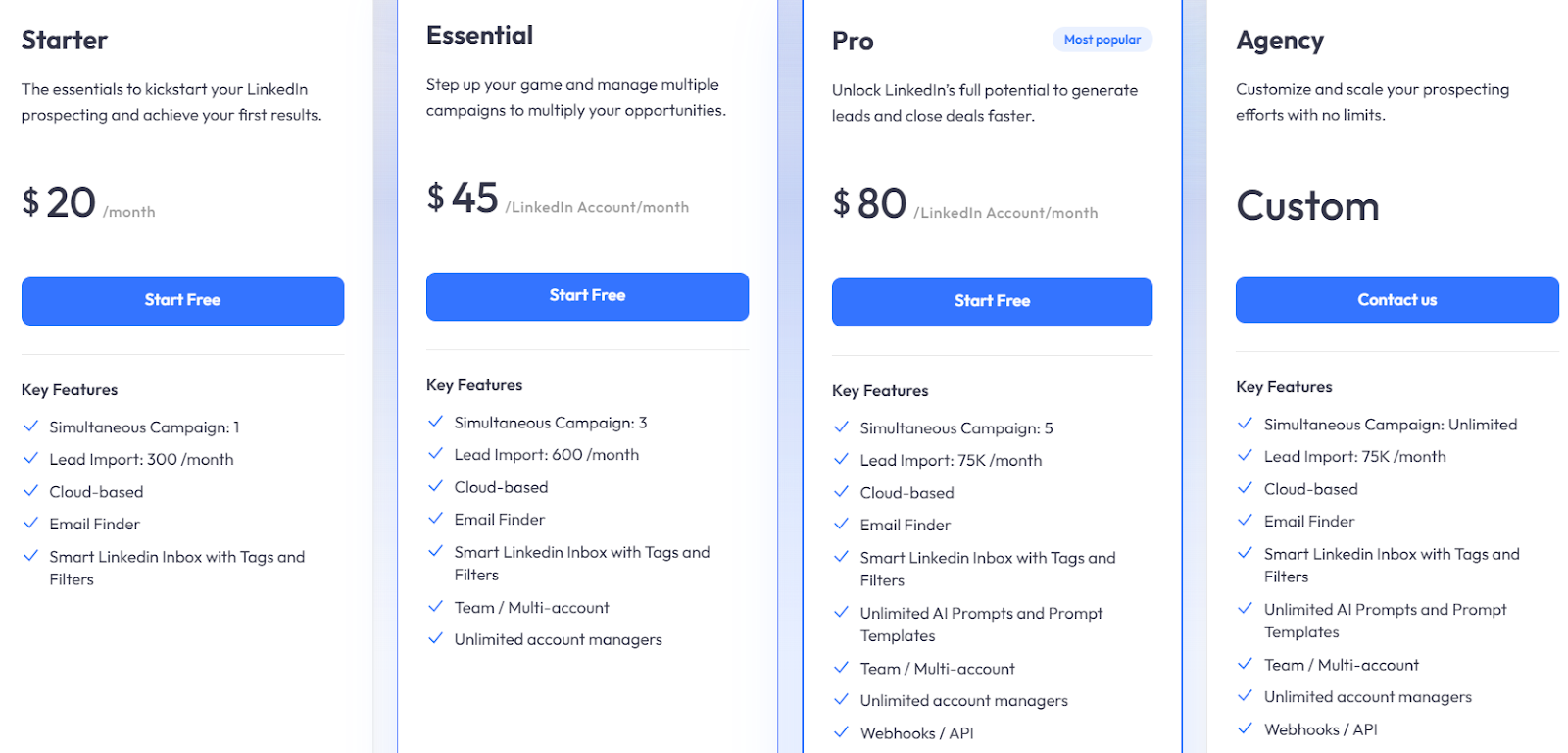
This image shows the Kanbox pricing
Kanbox pricing is simple and based on usage.
Starter – $20/month, includes 1 campaign, 300 lead imports/month, email finder, and smart inbox.
Essential – $45/user/month, includes 3 campaigns, 600 lead imports/month, and team features.
Pro – $80/user/month, includes 5 campaigns, up to 75K lead imports/month, AI prompts, and API access.
Agency – Custom pricing, includes unlimited campaigns, team workspace, and scaling features.
15-day free trial available with no credit card.
8. Expandi - Best for Controlled LinkedIn Outreach
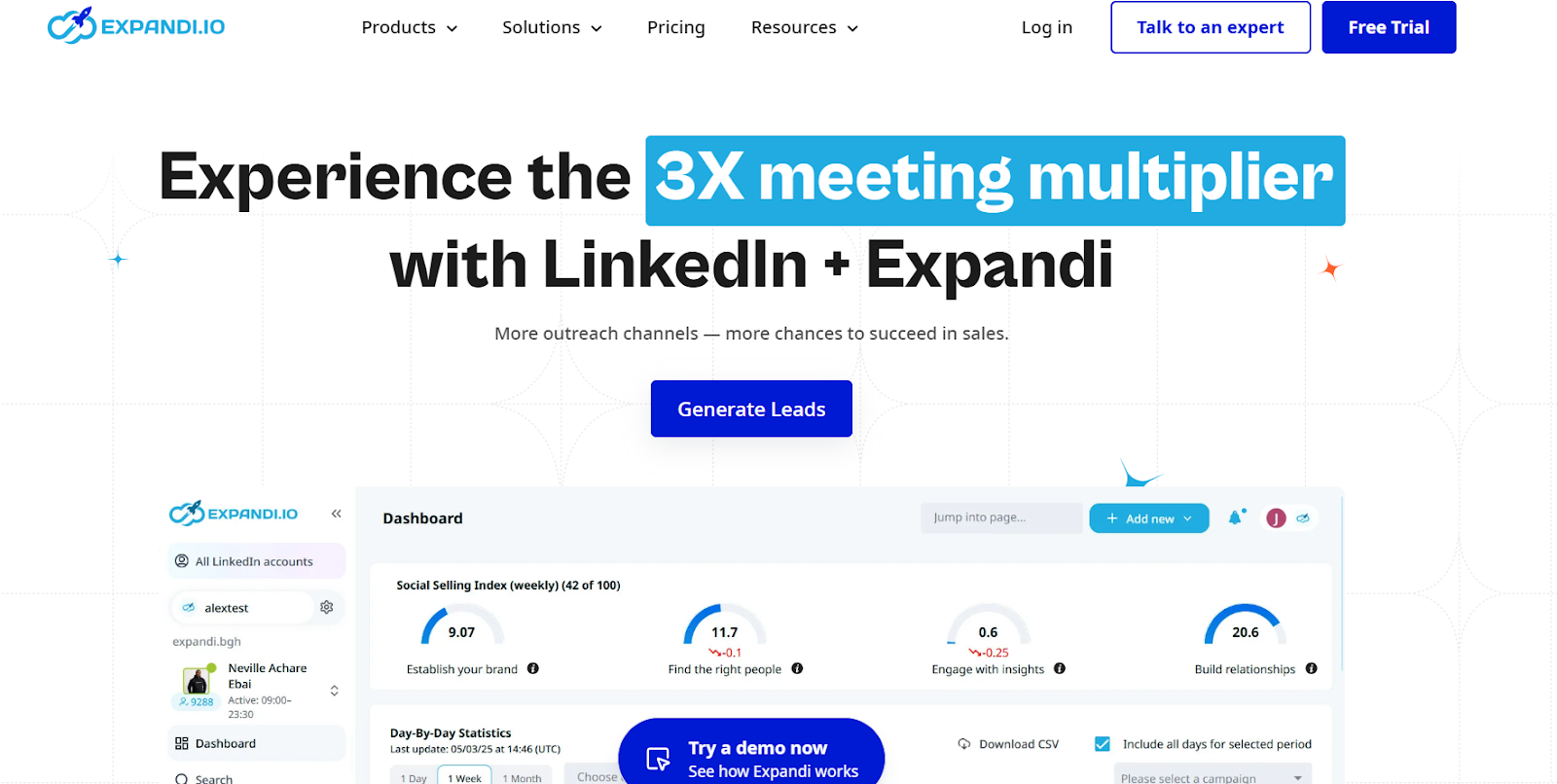
This image shows the Expandi homepage
Expandi is a LinkedIn automation tool built to run outreach with more control.
What I like here is how it handles limits. I can decide how many actions run, when they run, and how fast they grow. It doesn’t feel random.
Compared to La Growth Machine, this feels more focused on how each LinkedIn action is executed, not just building flows.
It also lets me add small touches like images or GIFs, which helps messages feel less automated.
Why is Expandi a Better La Growth Machine alternative?
La Growth Machine is broader. Expandi is more focused.
With Expandi:
You can control daily outreach limits clearly
You can adjust campaigns based on performance
You can build sequences using conditions and actions
You can add simple personalization to improve replies
It is a better fit if your focus is running LinkedIn campaigns carefully and improving them step by step.
Pros and Cons of Expandi
Pros
Cons
Strong control over LinkedIn actions
Limited beyond LinkedIn
Built-in safety limits
Pricing is per account
Flexible sequence builder
Email is not the main focus
Personalization options (images, GIFs)
Add-ons for advanced features
Cloud-based setup
Takes time to configure well
Expandi Pricing
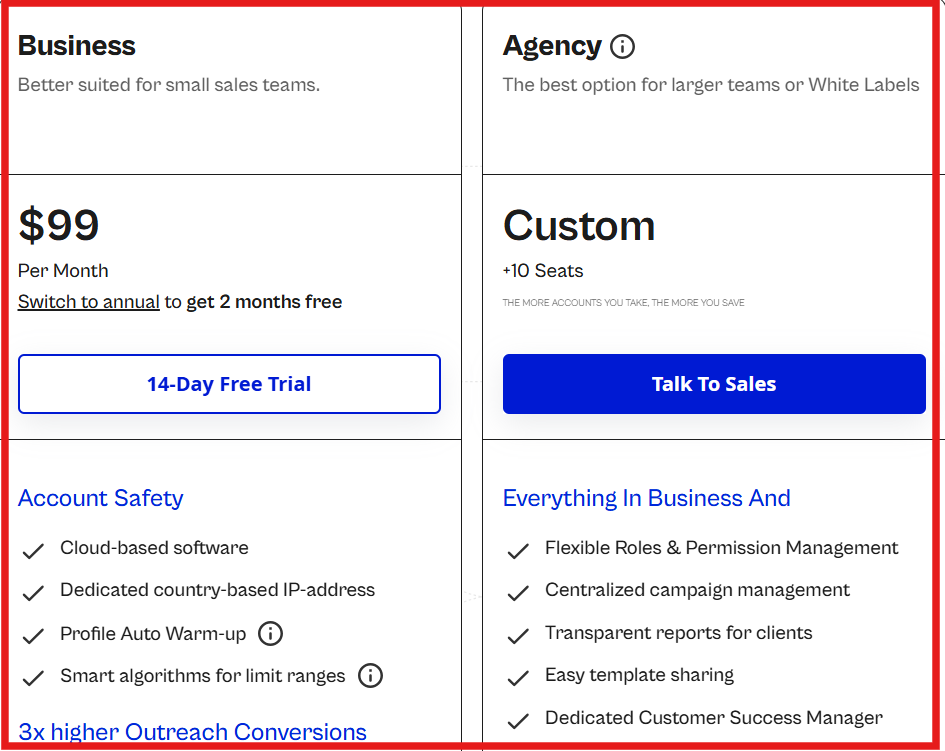
This image shows the Expandi pricing
Business Plan – $99/month, includes LinkedIn automation, smart limits, multichannel sequences, and campaign tracking.
Agency Plan – Custom pricing, includes team features, roles, reporting, and scaling support.
14-day free trial available.
9. Apollo - Best for All-in-One Prospecting and Outreach
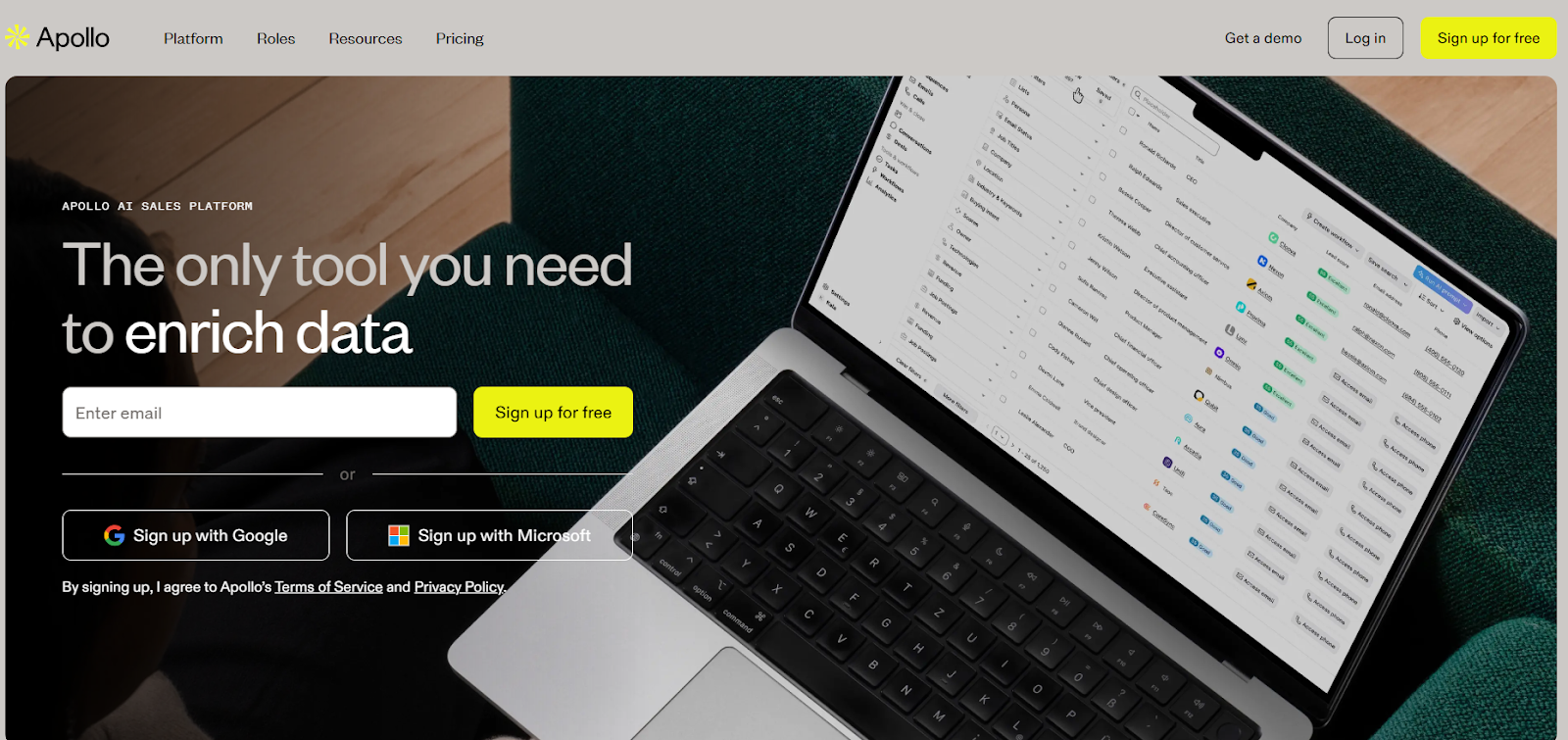
This image shows the Apollo.io homepage
Apollo is a sales platform where I can find leads and contact them without switching tools.
What stands out is the built-in data. I can search companies, filter contacts, and start outreach right away.
In La Growth Machine, I usually bring my own leads. Here, I can generate lists inside the tool and act on them immediately.
It also supports email, calling, and basic deal tracking in one place.
Why is Apollo a Better La Growth Machine alternative?
La Growth Machine is strong on workflows. Apollo reduces the need for extra tools.
With Apollo:
You don’t need a separate lead database
You can start outreach as soon as I build a list
You can manage contacts and deals in the same system
It is a better fit if your issue is tool switching, missing data, or slow list building.
Discover the best sales acceleration softwares of 2026. Compare features, pricing, pros, cons, and find the right tool to grow your sales pipeline faster.




.jpg)